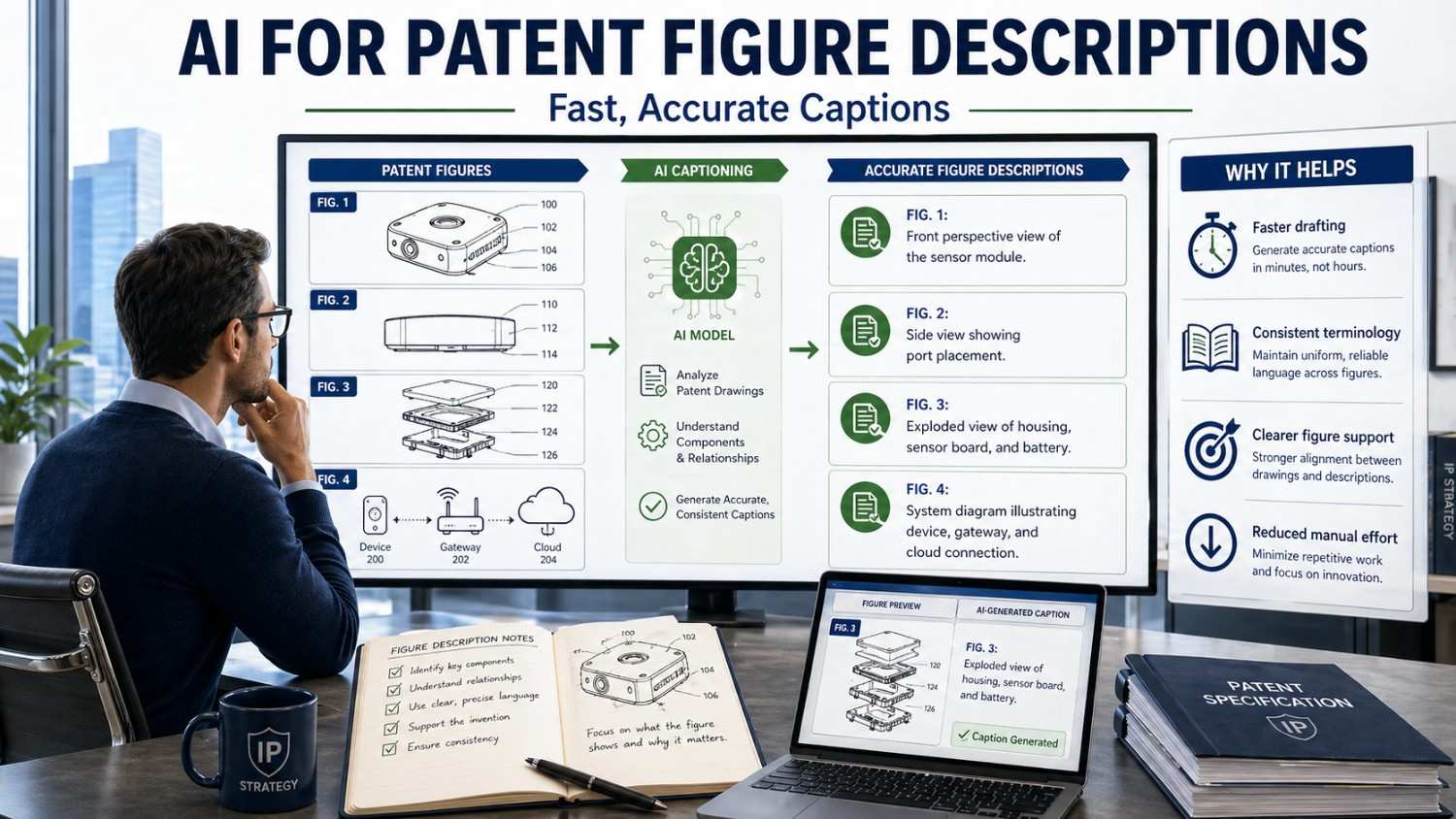
Patent figures help tell the invention story. But the words that describe those figures matter just as much.
A clear figure caption can make a patent easier to read, easier to review, and easier to build on later. AI can help draft those captions faster, but only when it is guided with care.
That is where modern patent work is changing.
PowerPatent helps founders, engineers, and inventors turn technical ideas, drawings, code, and product details into stronger patent filings with smart software and real attorney oversight. You can see how it works here: https://powerpatent.com/how-it-works
Why patent figure descriptions matter so much
Patent figures are not decoration.
They are part of the invention story.
A figure may show a system. Another may show a device. Another may show a flowchart. Another may show a user interface. Another may show a data structure, model pipeline, sensor layout, or control loop.
But the drawing alone is not enough.
The patent spec needs words that explain what the figure shows, how the parts relate, and why the figure matters. Those words help the reader understand the invention. They also help connect the figure to the rest of the patent application.
A weak figure description can make the patent feel thin or confusing.
A strong figure description can make the patent feel complete.
For startups, this matters because the first patent filing often becomes the base for future patents. If the figures are described well, the filing may support more claim paths later. If the figures are described poorly, valuable details may be missing.
AI can help here.
It can look at a figure, read related notes, and draft a clean caption or figure description in seconds. But AI should not be treated like a magic button. Patent figure captions need accuracy, structure, and strategy.
The best results come when AI helps move fast, and a real patent professional checks the work.
That is the kind of workflow PowerPatent is built for.
What a patent figure caption really needs to do
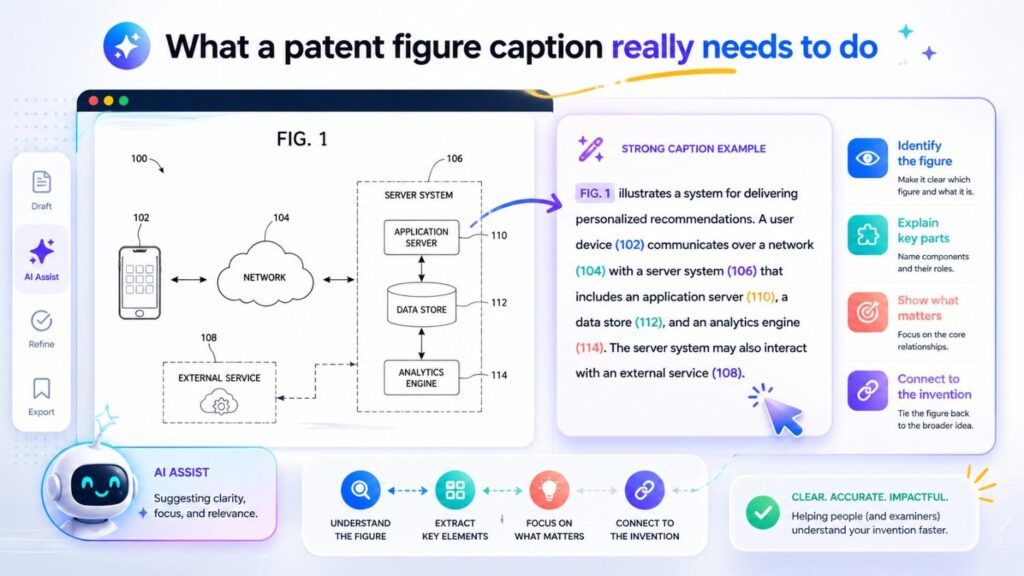
A patent figure caption is not the same as a product caption.
A product caption may say:
“Dashboard showing machine health.”
That is fine for a slide deck.
But a patent figure caption often needs more care.
It may say:
“Figure 3 illustrates an example user interface for displaying machine health information, including a machine status indicator, a risk score, a confidence value, and a suggested maintenance action.”
That is better for a patent.
It identifies the figure. It says the figure is an example. It names what is shown. It does not make the figure sound like the only version of the invention.
That last point is very important.
Patent figures should often be framed as examples. The caption should not accidentally limit the invention to the exact picture.
For example, a caption that says “Figure 3 shows the dashboard of the invention” may be too narrow. It can make the dashboard sound required.
A better caption says “Figure 3 shows an example user interface.”
That leaves room for other interfaces, such as an API response, mobile view, report, message, or command-line tool.
Good figure captions do several jobs at once.
They identify the figure.
They explain the type of figure.
They name the main parts.
They connect the drawing to the invention.
They avoid turning examples into limits.
They help the reader move through the patent.
AI can help with all of this, but it needs direction.
Why AI is useful for figure descriptions
Patent drafting has many repeated tasks.
Figure descriptions are one of them.
A patent may include ten, twenty, or even fifty figures. Each figure needs a short caption in the brief description of drawings. Many figures also need longer explanations in the detailed description.
That can take time.
Engineers may know what the figures mean, but they may not write in patent style. Patent attorneys know the style, but they may need to spend time decoding technical diagrams. Founders often sit in the middle, trying to move fast while keeping quality high.
AI can reduce that friction.
AI can help turn rough figure notes into clear captions. It can suggest neutral wording. It can keep wording consistent across figures. It can catch missing part labels. It can help describe flowcharts in plain steps. It can turn screenshots into patent-friendly interface descriptions. It can help build a first draft that the patent team can review.
This saves time.
But speed alone is not enough.
The caption must be right.
If AI invents parts that are not shown, that is a problem. If it misses a key feature, that is a problem. If it uses narrow language, that can weaken the patent. If it describes the figure as the whole invention, that can create limits.
So the real goal is not just “fast captions.”
The real goal is fast, accurate, useful captions that support the patent strategy.
That is the difference between simple AI writing and patent-aware AI drafting.
The risk of bad AI figure captions
AI can sound confident even when it is wrong.
That is dangerous in patent work.
A figure caption that is wrong can create confusion in the spec. It may say a component is present when it is not. It may give a part the wrong name. It may describe a step in the wrong order. It may treat an optional feature as required. It may use words that do not match the claims. It may call a server a database, a model a rule engine, or a dashboard a control system.
Those errors may look small, but they can matter.
For example, suppose a figure shows an “alert module,” but AI calls it a “notification server.” That may not seem serious. But if the rest of the spec uses “alert module,” the new term can create confusion.
Or suppose a flowchart shows that review happens only when confidence is low. AI may describe the figure as sending every output to review. That changes the meaning.
Or suppose a system diagram shows an optional mobile device. AI may write, “The system includes a mobile device.” That could make the mobile device seem required.
This is why AI should not work alone.
It should draft. Humans should verify.
PowerPatent combines smart AI tools with real attorney oversight so teams can move quickly without giving up careful review. You can see how the process works here: https://powerpatent.com/how-it-works
The best figure captions start with the right context
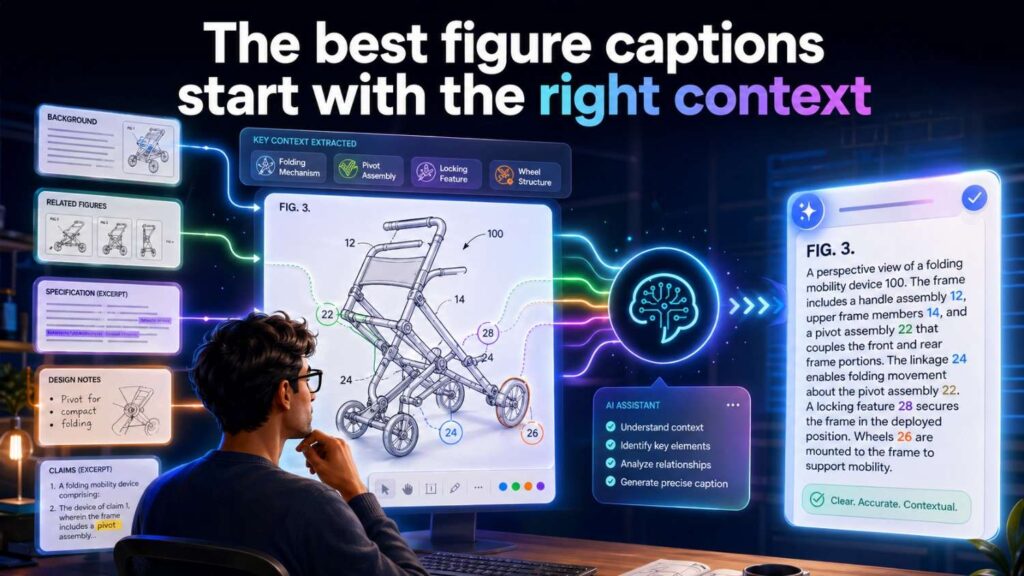
AI does better when it has context.
A figure alone may not be enough.
If you give AI only a diagram with boxes and arrows, it may guess what the boxes mean. If the labels are unclear, it may make mistakes. If the diagram uses internal product names, it may not know how to translate them into patent-friendly terms.
Better input leads to better output.
For each figure, it helps to provide a few simple notes.
What does the figure show?
Is it a system diagram, flowchart, device view, user interface, data structure, model pipeline, or example output?
Which parts are core?
Which parts are optional?
Which parts are examples only?
What names should be used for components?
What should not be implied?
What claim angle might the figure support?
For example, instead of giving AI only a figure, you might say:
“This is an example system diagram. It shows a sensor device, local processor, remote analysis system, data store, and user interface. The user interface is optional. The key invention is detecting a machine condition based on sensor data and generating a maintenance output. Do not imply that cloud processing is required.”
That kind of prompt helps AI draft a much better caption.
It may produce:
“Figure 1 illustrates an example system for detecting a machine condition based on sensor data, including a sensor device, a local processor, a remote analysis system, a data store, and an optional user interface.”
That is much more useful.
Use “example” language in captions
One of the safest and most helpful words in patent figure captions is “example.”
Patent figures often show one form of the invention. They usually should not be treated as the only form.
That is why captions often say:
“Figure 1 illustrates an example system…”
“Figure 2 illustrates an example process…”
“Figure 3 illustrates an example user interface…”
“Figure 4 illustrates an example device…”
“Figure 5 illustrates an example data flow…”
This small word helps protect flexibility.
It tells the reader that the figure is not a cage. It is one way to understand the invention.
AI should be trained or prompted to use this style.
For example, a poor AI caption may say:
“Figure 1 shows the system for processing medical data.”
A better caption says:
“Figure 1 illustrates an example system for processing medical data.”
The second caption leaves room for other systems.
Another poor caption:
“Figure 2 shows the required steps for detecting fraud.”
Better:
“Figure 2 illustrates an example process for detecting fraud based on transaction data.”
That matters because a future version may perform steps in a different order, skip a step, or add another step.
A figure description should explain, not trap.
Do not make optional parts sound required
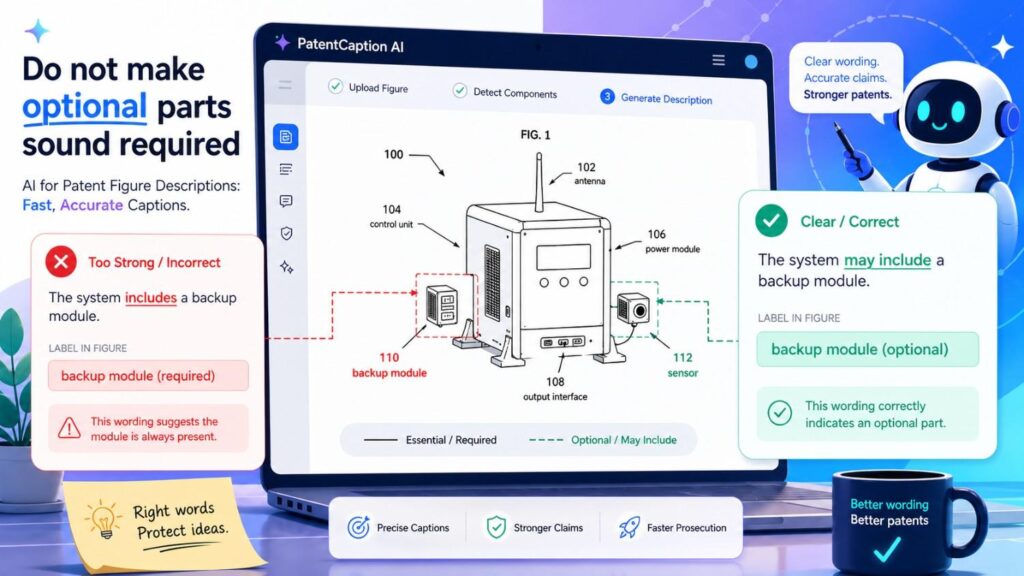
Many figures include optional parts.
A system figure may show a dashboard, mobile app, cloud server, edge device, data store, review station, or external service. Not all of these parts may be required.
The caption should not imply they are.
For example, a weak caption says:
“Figure 1 shows a fraud detection system including a user dashboard and human review station.”
If the dashboard and review station are optional, this may be too strong.
A better caption says:
“Figure 1 illustrates an example fraud detection system that may include a user dashboard and review station.”
Even better:
“Figure 1 illustrates an example fraud detection system for generating a fraud risk output, with optional user interface and review components.”
This keeps the core clear and treats extras carefully.
AI can help, but only if told what is optional.
A smart prompt might say:
“Draft a patent figure caption. The dashboard and human review station are optional. The core system receives transaction data and generates a fraud risk output. Use ‘example’ language.”
Then AI is less likely to overstate the figure.
Keep captions short, but not empty
Brief descriptions of drawings are usually short.
They should not become long paragraphs. But they should still say something useful.
A caption that says “Figure 1 shows a system” is too bare.
A caption that says “Figure 1 illustrates an example system for generating a risk output based on input data” is better.
It gives the figure a role.
For brief figure captions, aim for a clean sentence.
For detailed descriptions, expand.
Brief caption:
“Figure 1 illustrates an example system for generating a maintenance output based on sensor data.”
Detailed description:
“Figure 1 illustrates an example system 100 that includes one or more sensors 102, a processing device 104, a data store 106, and an output interface 108. The sensors 102 may generate sensor data associated with a machine. The processing device 104 may analyze the sensor data to detect a condition and generate a maintenance output.”
The brief caption orients the reader.
The detailed description teaches the invention.
AI can draft both, but they serve different jobs.
Use consistent names across captions
Patent specs need clean terms.
If Figure 1 calls a part “processing device,” Figure 2 should not call the same part “analysis computer” unless there is a reason. If Figure 3 calls something a “risk score,” Figure 4 should not call it a “danger rating” unless those are different things.
Inconsistent terms can confuse readers and weaken the spec.
AI can help maintain consistency if given a term list.
For example:
Use these terms:
sensor device
processing system
trained model
risk score
confidence value
output interface
review result
Do not use these terms:
AI brain
smart dashboard
cloud bot
danger number
This kind of simple guidance can improve AI output a lot.
PowerPatent’s value is not just that AI writes words. It is that the workflow can help organize technical terms so the draft is cleaner and easier for attorney review. Learn more here: https://powerpatent.com/how-it-works
Match captions to reference numbers
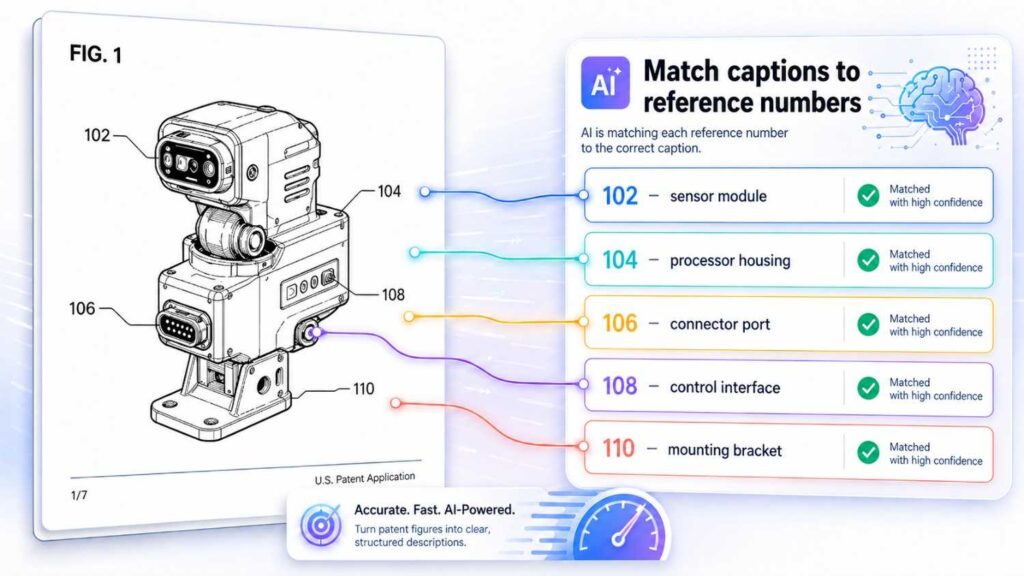
Patent figures often use reference numbers.
For example:
102 may be a sensor.
104 may be a processor.
106 may be a data store.
108 may be a user interface.
The written description should match those numbers.
AI can help generate descriptions like:
“Sensor 102 may collect machine data. Processing system 104 may generate a risk score based on the machine data. Data store 106 may store historical records. User interface 108 may present an output to a user.”
But AI must be checked.
If AI swaps numbers, the spec becomes confusing.
A simple review step is to compare the figure labels with the text.
Does every key number in the figure appear in the description?
Does every number in the description appear in the figure?
Are the names consistent?
Are optional parts described as optional?
Are arrows described correctly?
For complex figures, this check is essential.
Describe arrows carefully
Arrows in patent figures can show data flow, control flow, physical movement, communication, sequence, or relationship.
AI may assume what an arrow means.
That can be risky.
A line from a sensor to a processor may mean sensor data is sent. A line from a processor to a device may mean a control signal is sent. A line between two modules may mean they communicate. A dashed line may mean optional connection. A double arrow may mean two-way communication.
The caption or detailed description should explain important arrows.
For example:
“Sensor data may be sent from sensor device 102 to processing system 104.”
“Processing system 104 may send a control signal to machine controller 110.”
“User interface 108 may receive output data from processing system 104 and may send user feedback to processing system 104.”
If an arrow is optional, say so.
“In some examples, processing system 104 may communicate with remote server 112 through a network connection. The network connection may be omitted in examples where processing is performed locally.”
That kind of detail helps the patent.
Figure descriptions should support the claims
A figure caption should not live by itself.
It should support the claim strategy.
If the claims may focus on a sensor system, the figures should clearly describe the sensor system.
If the claims may focus on a model pipeline, the figures should explain the model pipeline.
If the claims may focus on a user review workflow, the figures should show and describe review steps.
If the claims may focus on feedback-based updating, the figures should explain how feedback flows back into the system.
AI can draft captions, but the patent team needs to make sure those captions support the bigger plan.
For example, if you may later claim a continuation around confidence-based review, a figure caption might say:
“Figure 4 illustrates an example review process in which an output is routed for review based on a confidence value.”
That caption helps create a clear link.
If the figure just says “review process,” it may be less useful.
Good captions are not only descriptive. They are strategic.
Describe what the figure does, not just what it contains
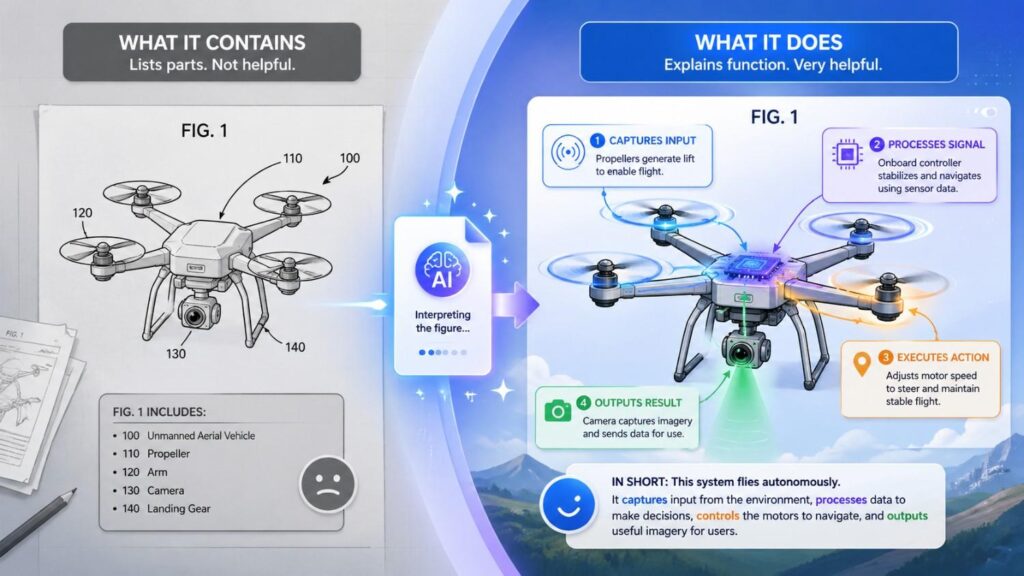
A weak caption only names parts.
A stronger caption explains purpose.
Weak:
“Figure 1 shows a sensor, processor, database, and dashboard.”
Better:
“Figure 1 illustrates an example system for detecting a machine condition based on sensor data.”
The second caption tells the reader why those parts exist.
Then the detailed description can name parts.
This approach works well for AI drafting.
Ask AI to describe the figure by function first, then by components.
For example:
“Draft a patent caption that starts with the purpose of the figure, then mentions the main components.”
That may produce:
“Figure 1 illustrates an example system for generating a maintenance output based on sensor data, including one or more sensors, a processing system, a data store, and an output interface.”
That is clear and useful.
Flowchart captions need special care
Flowcharts are common in patents.
They may show steps like receiving data, processing data, generating a score, comparing the score to a threshold, sending an alert, receiving feedback, and updating a model.
AI can describe these quickly. But it may make step order too rigid.
A flowchart may show one order, but the invention may allow steps to happen in another order.
A safe caption might say:
“Figure 2 illustrates an example process for generating a risk output based on input data.”
The detailed description can add:
“Although the operations are shown in a particular order, one or more operations may be performed in a different order, repeated, omitted, or performed at least partly in parallel unless a particular order is required by context.”
This is important.
If AI writes “the process requires first receiving data, then cleaning data, then scoring data, then sending an alert,” the wording may be too strict.
A better description says:
“In the example shown, the process includes receiving input data, generating a score based on the input data, and providing an output based on the score.”
That leaves room.
UI figure captions should not over-focus on screen design
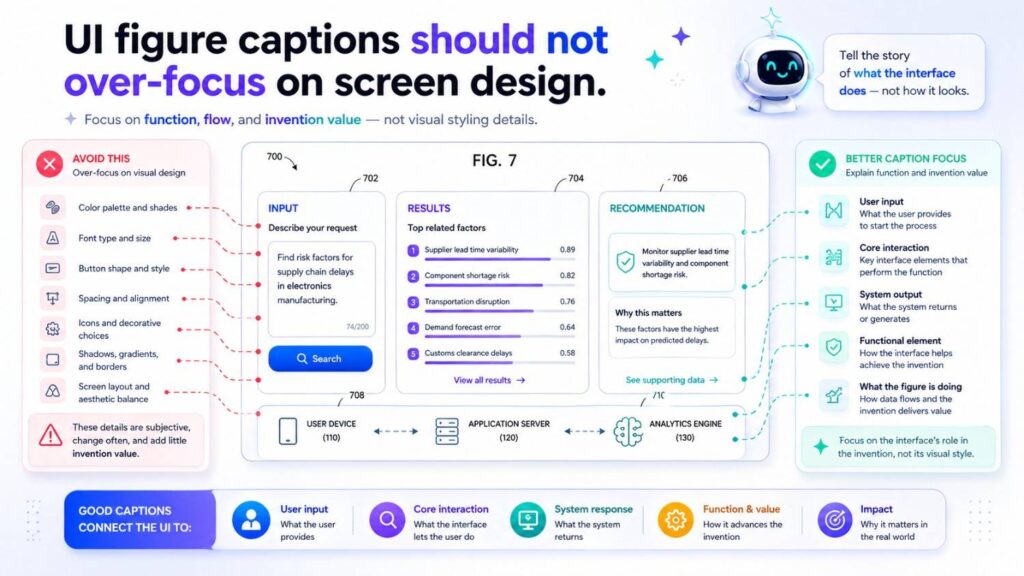
User interface figures can be useful. But they can also narrow a patent if the description focuses too much on visual layout.
For example, a screenshot may show a dashboard with a left menu, top bar, blue risk cards, and a table.
Unless the invention is the UI layout itself, those design details may not be core.
A patent-friendly caption might say:
“Figure 3 illustrates an example user interface for presenting risk outputs and related review controls.”
That is better than:
“Figure 3 shows a blue dashboard with a sidebar and three risk cards.”
The detailed description can mention useful functions:
“The user interface may display a risk score, confidence value, input summary, suggested action, review status, and one or more controls for accepting, rejecting, or editing the output.”
That supports future claims around review, feedback, and display of decision data.
AI should be guided to describe UI function, not just appearance.
Device figure captions should cover structure and function
Hardware figures need both structure and function.
A figure may show a device housing, sensor, mount, connector, display, port, battery, processor, or actuator.
A strong caption says what the device is for.
For example:
“Figure 4 illustrates an example sensor device configured to collect condition data from a machine.”
Then the detailed description can explain parts:
“The sensor device may include a housing, a sensor, a processor, a communication interface, and an attachment structure.”
Then it can explain function:
“The attachment structure may hold the sensor near a surface of the machine so that the sensor can collect vibration data, temperature data, acoustic data, or other condition data.”
AI can draft this, but the engineer should check physical accuracy.
Does the housing really contain the processor?
Is the sensor shown in the right place?
Is the mount optional?
Are the materials correct?
Does the drawing show a cross-section, side view, exploded view, or block view?
Hardware figure descriptions need careful review because small physical details can matter.
Model pipeline captions should explain inputs and outputs
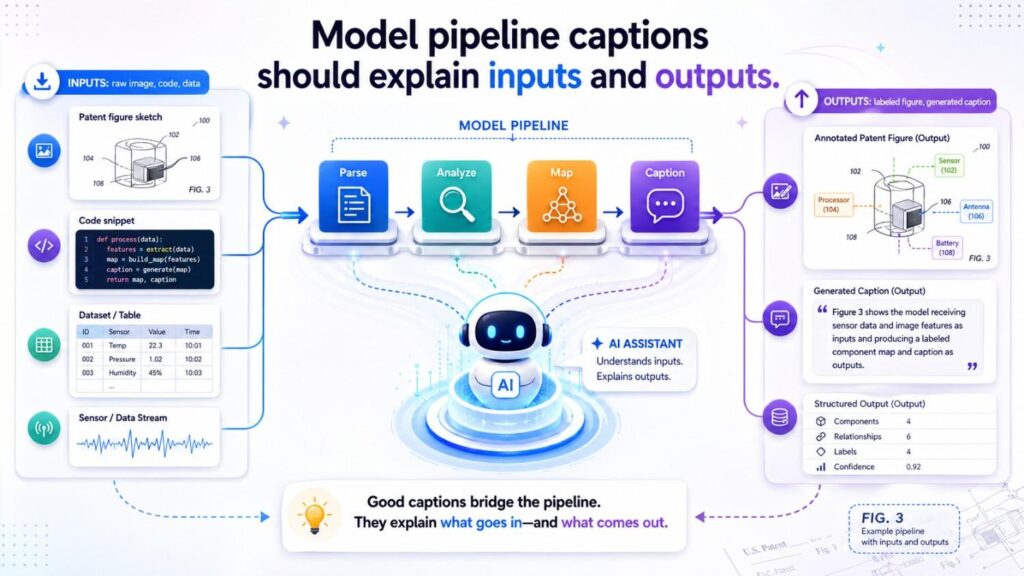
AI and machine learning patents often include model pipeline figures.
These may show data intake, preprocessing, feature extraction, context selection, model input generation, model output, validation, ranking, feedback, and update steps.
A useful caption might say:
“Figure 5 illustrates an example model pipeline for generating an output based on input data and selected context data.”
The detailed description may explain:
“The model pipeline may receive input data, select context data, generate a model input, apply one or more trained models, validate a model output, and provide an output to a user or another system.”
This creates support for future claim paths.
AI can help describe pipeline figures, but it must not assume too much. If a figure shows a trained model, AI should not say it is retrained unless the figure or notes show that. If a figure shows validation, AI should not call it human review unless that is true.
For AI patents, precision matters.
Data structure captions should explain the role of the structure
Some patent figures show tables, graphs, records, vectors, maps, queues, or other data structures.
A weak caption says:
“Figure 6 shows a table.”
A better caption says:
“Figure 6 illustrates an example data structure for storing output records associated with generated risk scores.”
The detailed description can explain fields:
“The data structure may include an input identifier, output value, confidence value, model version, review status, user feedback, and time stamp.”
Then explain use:
“The system may use the data structure to retrieve prior outputs, generate audit records, update a model, or compare output performance over time.”
This is much stronger.
AI can be very helpful here if it can read field names and understand the invention context. But field names should be verified.
Captions should avoid marketing words
Patent figure descriptions should be clear and formal.
They should not sound like marketing copy.
Avoid words like:
“beautiful”
“seamless”
“revolutionary”
“world-class”
“best-in-class”
“amazing”
“next-generation”
These words do not help patent support.
Instead, use technical function.
Not:
“Figure 3 shows a beautiful dashboard that gives users amazing insights.”
Better:
“Figure 3 illustrates an example user interface for displaying risk outputs, confidence values, and suggested actions.”
Not:
“Figure 5 shows a powerful AI engine.”
Better:
“Figure 5 illustrates an example model pipeline for generating a classification output based on input data.”
AI may add marketing words if prompted like a product writer. For patent work, guide it toward neutral technical language.
Captions should avoid legal overstatements
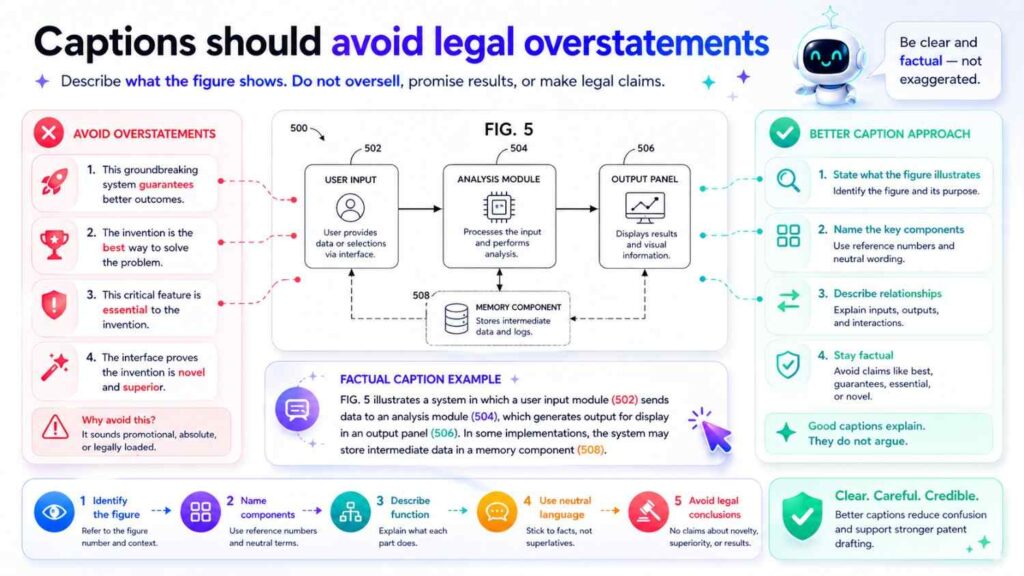
Do not write captions like:
“Figure 1 shows the novel system.”
“Figure 2 shows the inventive process.”
“Figure 3 shows the patented dashboard.”
These phrases are not helpful.
The patent application should describe the invention. It does not need to label every figure as novel or patented.
Better:
“Figure 1 illustrates an example system…”
“Figure 2 illustrates an example process…”
“Figure 3 illustrates an example interface…”
Simple is better.
AI should be prompted to avoid legal conclusions and use descriptive language.
Good captions help future continuations
A strong first patent application can support future continuation filings.
Figure descriptions matter for that.
If your figures are described well, they may support later claims around specific workflows, data flows, optional features, deployment types, review paths, feedback loops, and system parts.
For example, a first filing may include a figure showing an AI model pipeline. The first claims may focus on generating an output. Later, you may want a continuation around validating that output. If the figure description clearly explains validation, you may have a stronger base.
Or the first filing may include a figure showing a dashboard. Later, you may want claims around user feedback updating a model. If the figure description only talks about display, that may be weak. But if it explains accept, reject, edit, and feedback actions, it may support more.
This is why figure captions should not be treated as filler.
They can help build the foundation of a patent family.
PowerPatent helps teams think beyond the first draft by capturing technical details that may matter later. See how it works here: https://powerpatent.com/how-it-works
AI can help find missing figure details
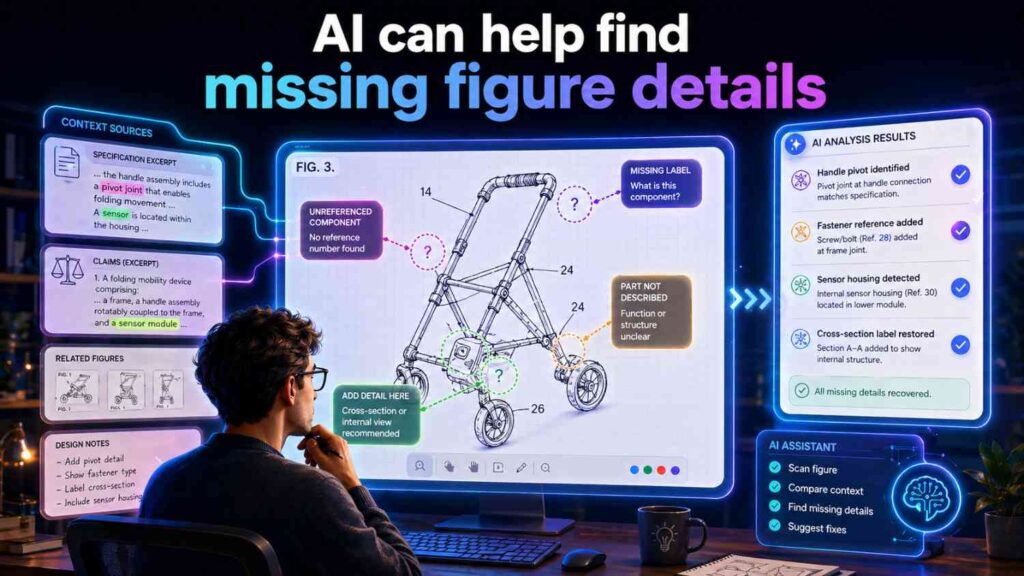
AI can do more than draft captions.
It can help spot gaps.
For example, if a figure has labels 102, 104, 106, 108, and 110, AI can compare the figure notes to the description and flag that 108 is not described.
It can notice that a flowchart has a feedback arrow, but the caption does not mention feedback.
It can notice that a UI figure shows a confidence value, but the description only mentions a risk score.
It can notice that a data structure includes a model version field, which may support audit or update features.
It can suggest questions for the drafter:
Is the dashboard optional?
Can processing happen locally?
Does feedback update the model or only the record?
Can the score be a label instead of a number?
Does the figure show one example or a required process?
These questions can improve the patent.
AI is especially useful as a second set of eyes. It can make review faster and more complete.
AI should not invent new technical features
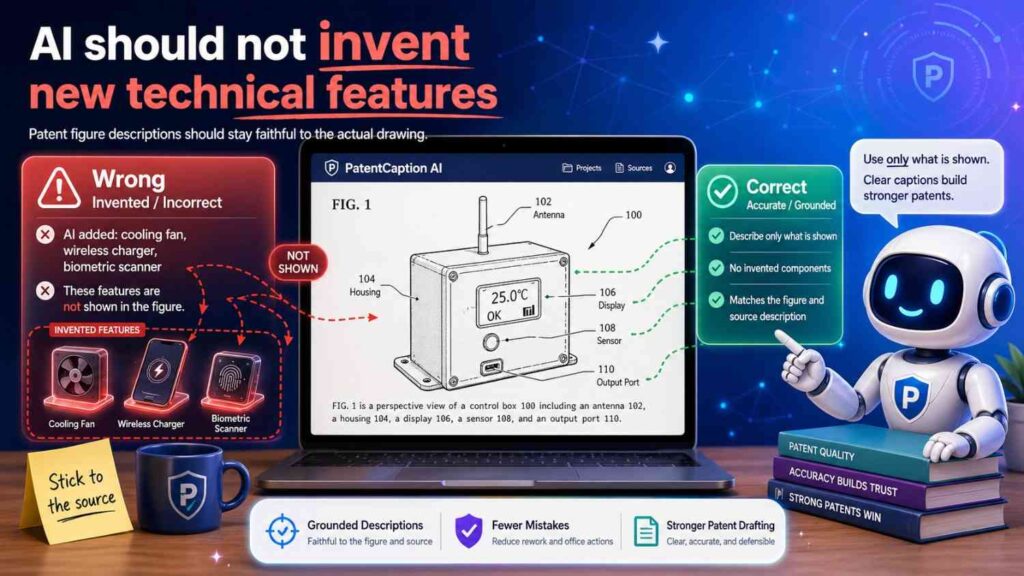
There is a line AI should not cross.
AI can suggest wording. It can ask questions. It can organize content. It can identify likely missing details.
But it should not invent technical features and present them as fact.
If a figure does not show a feedback loop, AI should not say one exists.
If the engineer did not build edge processing, AI should not add edge processing as if it is real.
If the system does not use a confidence value, AI should not insert one just because confidence values are common.
Patent applications need real support from the inventors.
It is fine to include reasonable variants if they are part of the invention and the team confirms them. But AI should not create fantasy features.
The right workflow is simple.
AI drafts.
Inventors verify.
Attorneys review.
That gives speed without losing trust.
How to prompt AI for better patent figure captions
A good prompt gives AI the job, the figure context, the style, and the limits.
For example:
“Draft a patent-style caption for Figure 1. The figure shows an example system for detecting machine conditions. Main parts: sensor device 102, processing system 104, data store 106, output interface 108, and optional remote server 110. Use clear formal language. Do not say any part is required unless stated. Use ‘example’ language.”
The result may be:
“Figure 1 illustrates an example system for detecting a machine condition based on sensor data, including a sensor device, a processing system, a data store, an output interface, and an optional remote server.”
That is good.
For a flowchart:
“Draft a patent-style caption for Figure 2. The figure shows an example process. Steps include receiving sensor data, generating a risk score, comparing the risk score to an alert condition, providing an output, receiving feedback, and updating a model or rule. Make clear this is an example process.”
Possible result:
“Figure 2 illustrates an example process for generating a risk output based on sensor data and updating system behavior based on feedback.”
For a UI:
“Draft a patent-style caption for Figure 3. The figure shows an example interface with a risk score, confidence value, supporting data, suggested action, and review controls. The interface is optional and other output channels may be used.”
Possible result:
“Figure 3 illustrates an example user interface for presenting a risk output, confidence value, supporting data, suggested action, and review controls.”
The prompt does not need to be fancy. It needs to be clear.
Give AI a style guide
A simple style guide can make AI output much better.
For patent captions, you may tell AI:
Use “Figure X illustrates an example…”
Use “may” for optional features.
Use component names from the term list.
Avoid marketing words.
Avoid saying “the invention is.”
Avoid saying “must,” “always,” or “required” unless provided.
Do not add unlisted components.
Keep brief captions to one sentence.
Use formal but simple language.
This helps AI stay on track.
Without a style guide, AI may drift into marketing copy, product copy, or overly broad technical claims.
With guidance, it can become a strong drafting assistant.
Use AI to create first-pass brief descriptions of drawings
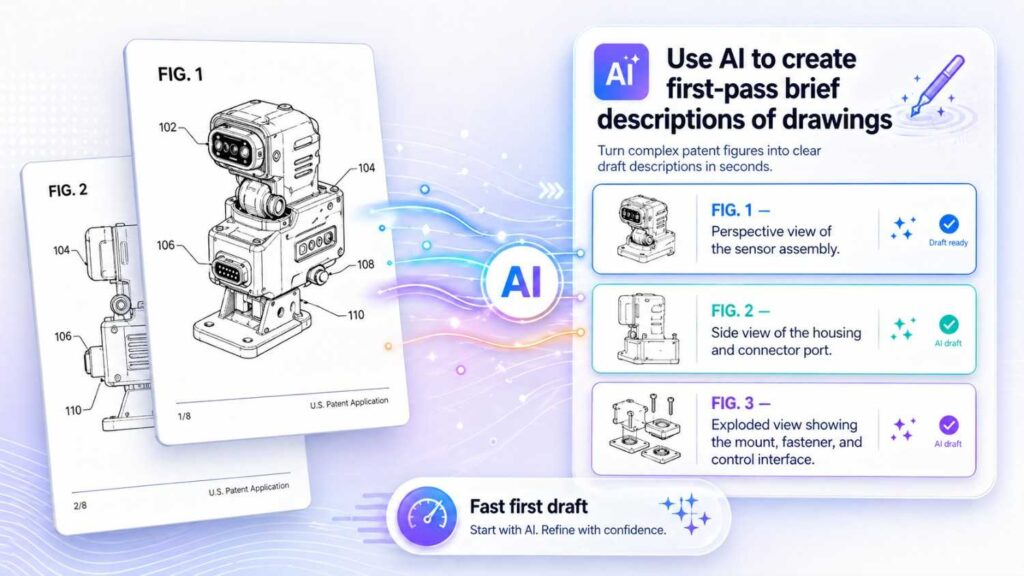
The brief description of drawings is the section that lists figures.
For example:
“Figure 1 illustrates an example system for generating a risk output based on input data.”
“Figure 2 illustrates an example process for generating the risk output.”
“Figure 3 illustrates an example user interface for reviewing the risk output.”
“Figure 4 illustrates an example process for updating a model based on feedback.”
AI is very good at first-pass drafting for this section.
You can give it a figure list and ask it to draft clean captions.
But review is still needed.
Check that every caption matches the figure.
Check that terms are consistent.
Check that optional parts are not overstated.
Check that the sequence of figures makes sense.
Check that the captions are not repetitive.
A good brief description helps the reader understand the patent before they enter the detailed description.
Use AI to expand captions into detailed descriptions
AI can also help expand a short caption into a detailed patent-style figure description.
For example, the brief caption may be:
“Figure 1 illustrates an example system for generating a maintenance output based on sensor data.”
AI can expand it into:
“Figure 1 illustrates an example system 100 that may include one or more sensor devices 102, a processing system 104, a data store 106, and an output interface 108. The sensor devices 102 may generate sensor data associated with a machine or other monitored object. The processing system 104 may receive the sensor data and generate a maintenance output based on the sensor data. The maintenance output may include a score, alert, label, suggested action, task, control signal, or other result.”
That is useful.
But a human should check each detail.
Does the system actually include all those parts?
Are they optional?
Does the output really include those forms?
Does the figure show “machine” or a broader object?
Does the term “maintenance output” match the rest of the spec?
The AI draft is a starting point, not the final word.
Use AI to keep figure descriptions readable
Patent figure descriptions can become dense.
AI can help simplify.
For example, a rough engineer note may say:
“The architecture diagram depicts the data ingestion microservice pushing normalized telemetry payloads into the inference pipeline, where the scoring module computes degradation probability and the orchestration layer emits downstream work orders via customer integrations.”
AI can turn that into simpler patent language:
“Figure 1 illustrates an example system in which telemetry data is received, normalized, processed to generate a degradation score, and used to create a work order through an external workflow system.”
That is clearer.
Patent writing should be formal, but it does not need to be hard to read.
Simple wording helps founders, engineers, attorneys, examiners, investors, and future buyers understand the filing.
Use AI to avoid repeated captions
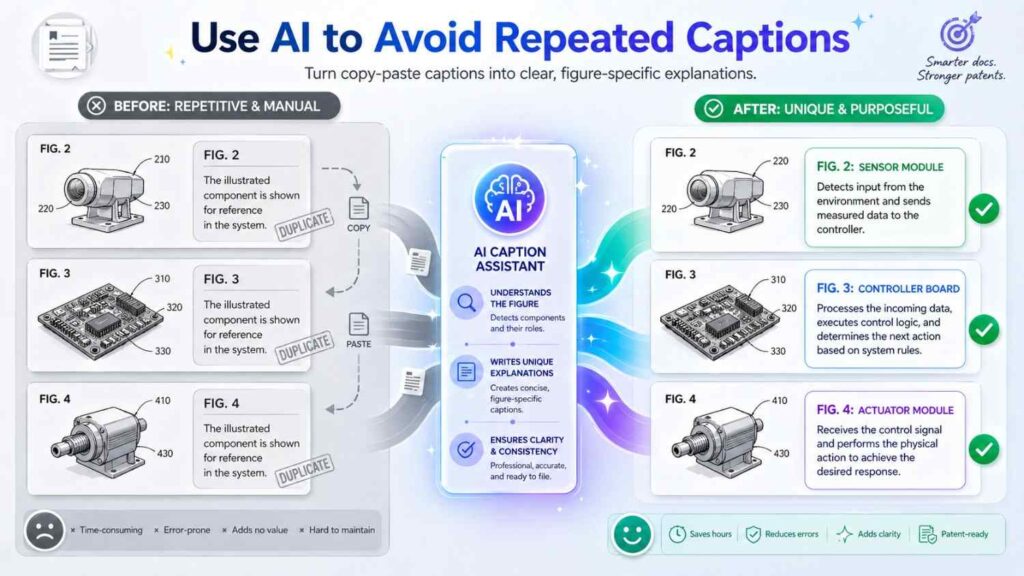
When a patent has many figures, captions can start to sound the same.
“Figure 1 shows an example system…”
“Figure 2 shows an example system…”
“Figure 3 shows an example system…”
That gets dull and less helpful.
AI can help vary captions while keeping style consistent.
For example:
“Figure 1 illustrates an example system for processing sensor data.”
“Figure 2 illustrates an example process for generating a condition output.”
“Figure 3 illustrates an example user interface for reviewing the condition output.”
“Figure 4 illustrates an example feedback process for updating a rule or model.”
“Figure 5 illustrates an example data structure for storing output records.”
Each caption has a clear role.
This makes the patent easier to navigate.
Use AI to align captions with drawing order
The order of figures should often tell a story.
A good sequence might be:
System overview.
Data flow.
Processing method.
User interface.
Feedback loop.
Deployment example.
Data structure.
Alternative device.
AI can help organize figure captions in a logical order.
It can also suggest when a figure is missing.
For example, if the patent has a system diagram and UI screenshot but no method flowchart, AI may suggest adding a process figure.
If the invention depends on feedback, AI may suggest a feedback flow figure.
If the invention depends on edge-cloud split, AI may suggest a deployment figure.
These suggestions can improve the patent package.
Figure captions should support multiple embodiments
A figure may show one embodiment, but the spec can describe alternatives.
For example:
“Figure 1 illustrates an example cloud-based system…”
This is okay if Figure 1 is truly cloud-based. But the detailed description may add:
“In other examples, one or more operations shown as performed by the cloud-based system may be performed by a local device, edge device, on-premises server, or another computing system.”
That helps future-proof the patent.
Similarly:
“Figure 3 illustrates an example mobile user interface…”
Then:
“In other examples, the output may be provided through a web interface, dashboard, API, report, message, or control signal.”
This avoids trapping the invention in one embodiment.
AI can include these alternatives if asked.
Avoid captions that overclaim the figure
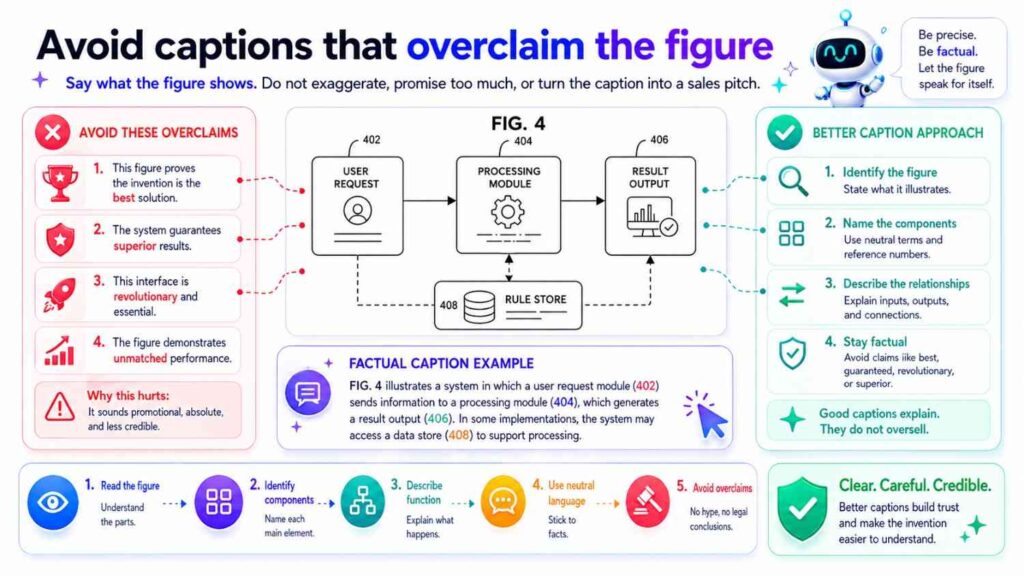
A caption should not say more than the figure shows.
If a figure shows a system diagram, do not say it proves improved accuracy.
If a figure shows a UI, do not say it performs model training unless that is shown or explained.
If a figure shows a device, do not say it includes a special material unless that is indicated.
Captions should be accurate.
A good caption can state purpose, but it should not overstate.
For example:
Good:
“Figure 1 illustrates an example system for generating an output based on sensor data.”
Risky:
“Figure 1 illustrates a system that improves accuracy by 90% using a special sensor.”
Unless the figure and spec support that, avoid it.
Patent captions should be confident but careful.
AI can help build reference-number glossaries
Reference numbers can become messy.
AI can help create a table or list for internal review.
For example:
100 system
102 sensor device
104 processing system
106 data store
108 output interface
110 remote server
112 network
114 user device
This can help the team check consistency.
The final patent spec may or may not include a table, depending on style. But an internal glossary is very helpful.
AI can also flag duplicate numbers, missing numbers, or inconsistent names.
For example, it may notice that 104 is called “processing system” in one place and “remote server” in another.
That kind of cleanup saves time.
AI can help turn rough drawings into patent-ready descriptions
Early startup drawings are often rough.
They may be whiteboard photos, Figma screens, architecture diagrams, CAD exports, screenshots, or hand sketches.
AI can help translate those into patent-style descriptions.
For example, a whiteboard might show boxes labeled:
sensor
filter
model
score
alert
feedback
AI can draft:
“Figure 2 illustrates an example process in which sensor data is filtered, processed by a model to generate a score, used to generate an alert, and updated based on feedback.”
That first pass helps the patent team move faster.
But rough drawings still need inventor review. The AI may not know what each arrow means. It may not know whether feedback updates the model, threshold, rule, or only a log. It may not know which parts are optional.
The founder or engineer should verify.
AI can help make captions more patent-friendly
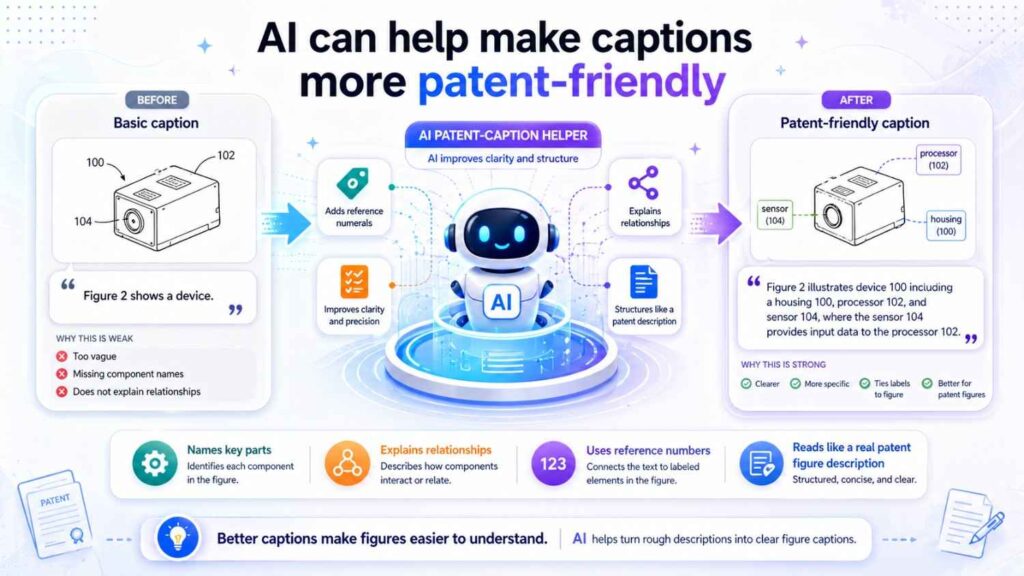
Engineers often write captions like:
“Pipeline for scoring devices.”
That is useful internally, but the patent may need more.
AI can turn it into:
“Figure 4 illustrates an example pipeline for generating a device score based on device data.”
That is cleaner.
A product designer may write:
“Admin page with alert cards.”
AI can turn it into:
“Figure 5 illustrates an example user interface for displaying alert information and review controls.”
A founder may write:
“AI checks docs and flags issues.”
AI can turn it into:
“Figure 6 illustrates an example process for analyzing document data and generating an issue output.”
This is where AI saves time.
It helps translate team language into patent language.
AI should preserve technical meaning
Simpler language should not change the invention.
That is a key point.
If the engineer says “normalizes time-series vibration data,” AI should not reduce that to “cleans data” if the specific normalization matters.
If the team says “routes low-confidence outputs for review,” AI should not say “sends outputs to users” because that loses the review condition.
If the figure shows “retrieval of source documents before model generation,” AI should not say only “AI generates text,” because that misses context selection.
AI should simplify words, not erase technical meaning.
This is why review by the technical team and attorney matters.
Captions should connect to the detailed description
A figure caption is a doorway. The detailed description is the room.
If the caption says:
“Figure 4 illustrates an example feedback process for updating system behavior,”
then the detailed description should explain what feedback is, how it is received, and what behavior changes.
If the caption says:
“Figure 5 illustrates an example data structure for storing output records,”
then the detailed description should explain the fields and how they are used.
Do not let captions promise details that the spec never explains.
AI can help by expanding each caption into a matching detailed section.
A good workflow is:
Draft brief caption.
Draft detailed description.
Check against figure.
Check against claims.
Check against term list.
Check with inventor.
Review with attorney.
That flow gives speed and accuracy.
The difference between caption, description, and claim support
It helps to understand the roles.
A caption identifies the figure.
A detailed description explains the figure.
Claim support gives enough teaching to later claim the invention.
A one-line caption alone may not provide enough support for a future claim. But it can point to a detailed section that does.
For example:
Caption:
“Figure 4 illustrates an example feedback process.”
Detailed description:
“The feedback process may include receiving user feedback that indicates whether an output was accepted, rejected, edited, or confirmed. The system may update a model, threshold, rule, ranking, or training record based on the feedback.”
This gives much better support.
AI should not stop at captions when the invention needs depth.
Fast captions are helpful. Fast captions plus strong detailed descriptions are much better.
Captioning system diagrams
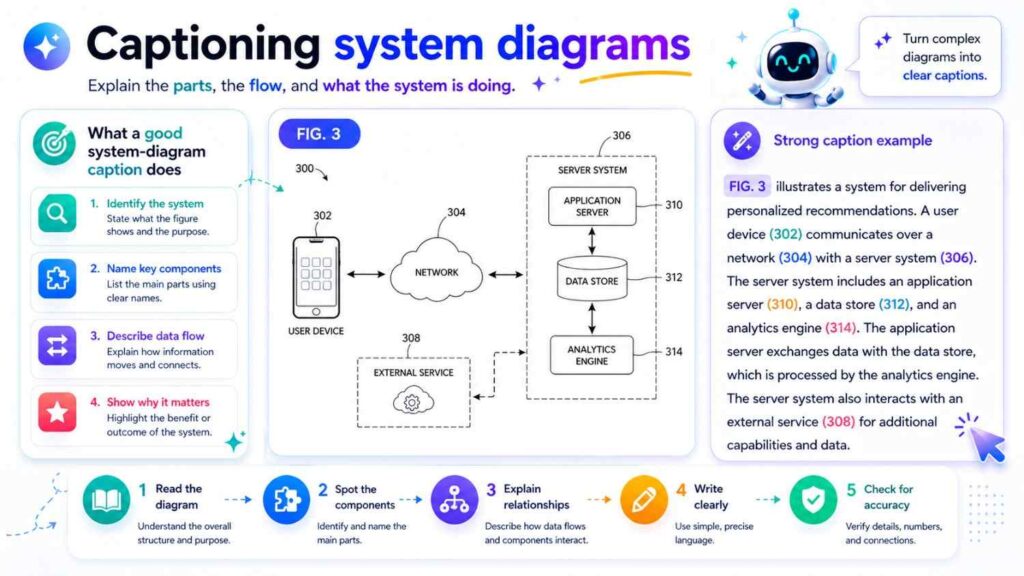
System diagrams usually show components and communication paths.
A strong caption should state the system’s purpose and mention key components at a high level.
For example:
“Figure 1 illustrates an example system for generating a risk output based on input data.”
If helpful:
“Figure 1 illustrates an example system for generating a risk output based on input data, including a data source, processing system, data store, and output interface.”
The detailed description can then explain each part.
Do not include every small component in the caption if it becomes too long.
The caption should orient. The detailed description should teach.
AI can produce both levels.
Captioning method flowcharts
Method flowcharts should be framed as examples.
For example:
“Figure 2 illustrates an example method for generating a risk output based on input data.”
The detailed description may say:
“The method may include receiving input data, processing the input data to generate a score, comparing the score to a condition, and providing an output based on the comparison.”
Then add flexibility:
“Operations may be performed in a different order, repeated, omitted, or performed at least partly in parallel unless a specific order is required.”
AI should be guided to avoid rigid step language unless order is important.
Captioning user interfaces
UI captions should focus on function.
For example:
“Figure 3 illustrates an example user interface for presenting a risk output and receiving review input.”
This is better than describing colors, layout, or exact screen positions unless those are part of the invention.
The detailed description can explain:
“The user interface may display a score, confidence value, supporting data, suggested action, status, and controls for accepting, rejecting, editing, or commenting on the output.”
That supports user review and feedback features.
AI should be told whether the UI itself is central or just one output channel.
Captioning AI model workflows
AI model workflow captions should identify the pipeline and the output.
For example:
“Figure 4 illustrates an example model workflow for generating an output based on selected context data and input data.”
The detailed description can include:
“The workflow may include receiving input data, selecting context data, generating a model input, applying a trained model, validating a model output, and providing the validated output.”
This supports many claim paths.
For AI inventions, do not use vague phrases like “AI engine” without explaining what it does.
Captioning feedback loops
Feedback loop captions should make the loop clear.
For example:
“Figure 5 illustrates an example feedback process for updating system behavior based on review input.”
The detailed description can explain:
“The system may receive review input indicating whether an output was accepted, rejected, edited, or confirmed. The system may update a model, rule, threshold, ranking, or training record based on the review input.”
This supports future continuation claims.
Feedback is often a powerful part of the invention. Do not bury it.
Captioning deployment diagrams
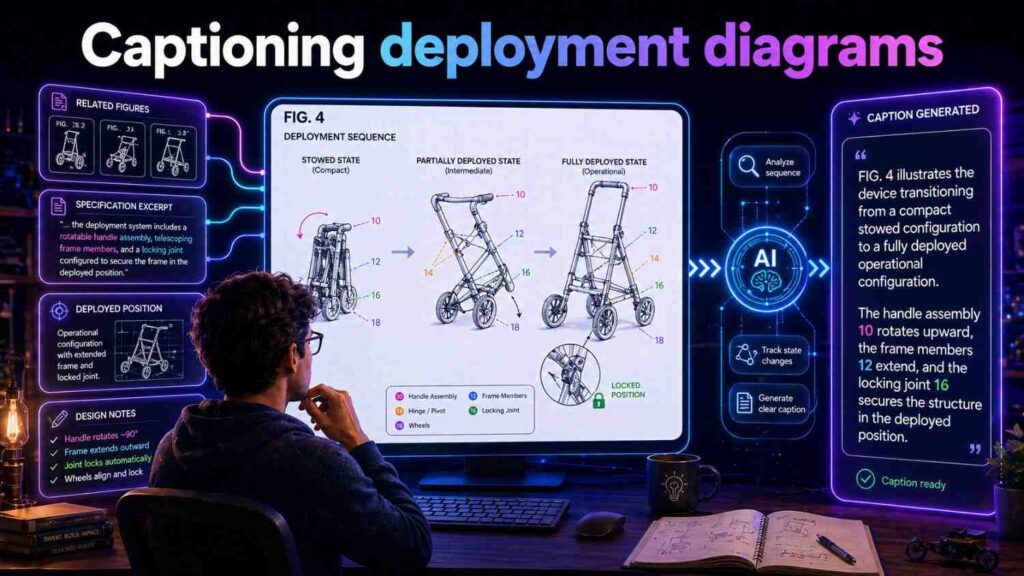
Deployment diagrams show where things run.
A caption might say:
“Figure 6 illustrates an example deployment arrangement in which operations are performed by local and remote computing devices.”
The detailed description can explain:
“A first operation may be performed by a local device, and a second operation may be performed by a remote server. In other examples, operations may be performed locally, remotely, or using a hybrid arrangement.”
This is useful for cloud, edge, on-prem, and device-based products.
AI should avoid saying cloud is required unless it is.
Captioning hardware views
Hardware views may include perspective views, side views, cross-sections, exploded views, and block diagrams.
A caption should name the view and purpose.
For example:
“Figure 7 illustrates an example sensor device for collecting condition data.”
Or:
“Figure 8 illustrates an exploded view of an example sensor assembly.”
Or:
“Figure 9 illustrates a cross-sectional view of an example housing and sensor arrangement.”
The detailed description should match the view.
For hardware, AI should be careful not to invent hidden internal parts unless they are shown or described by the inventor.
Captioning data records
A caption might say:
“Figure 10 illustrates an example output record for storing information associated with a generated risk output.”
The detailed description can explain fields.
“The output record may include an input identifier, score, confidence value, output label, model version, review status, feedback value, and time stamp.”
Then explain use.
“The output record may be used for audit, review, model update, report generation, or later comparison.”
This can support future claims around audit and learning.
Use AI to generate caption variants
Sometimes you need options.
AI can draft several caption versions.
For example:
Version 1:
“Figure 1 illustrates an example system for generating a risk output based on input data.”
Version 2:
“Figure 1 illustrates an example computing environment for processing input data and providing a risk output.”
Version 3:
“Figure 1 illustrates an example system including data sources, a processing system, and an output interface for generating and providing a risk output.”
The patent team can choose the best one.
This is useful because small wording choices matter.
A shorter caption may be cleaner.
A more detailed caption may be better for a key figure.
AI helps generate options quickly.
Use AI to check for narrow words
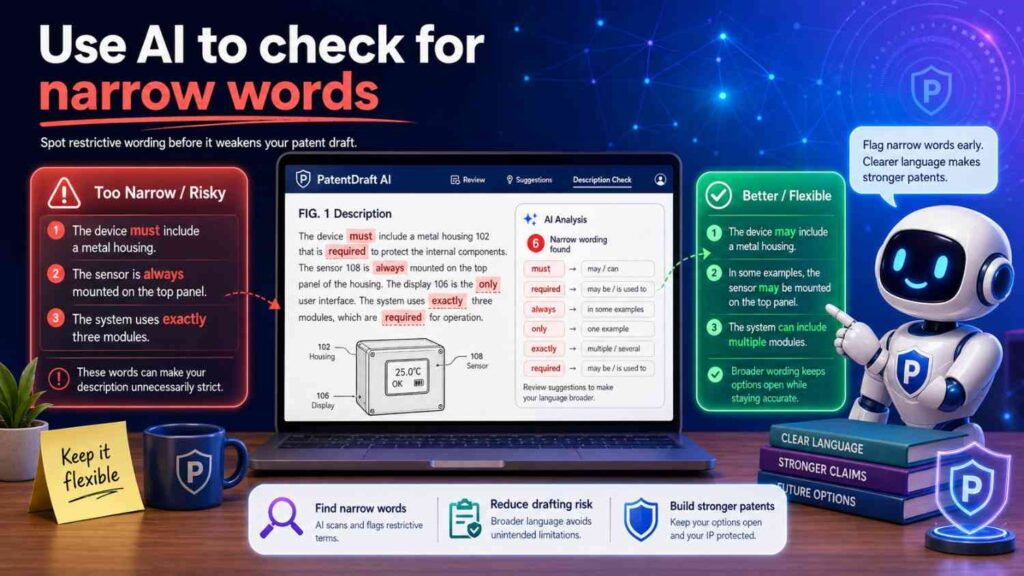
AI can help review captions for narrow language.
It can flag words like:
must
always
required
only
each
all
the invention is
the present invention requires
It can suggest softer wording when needed.
For example:
Original:
“Figure 2 illustrates the required process for scoring each transaction.”
Improved:
“Figure 2 illustrates an example process for scoring one or more transactions.”
Original:
“Figure 3 illustrates the dashboard used by the invention.”
Improved:
“Figure 3 illustrates an example user interface for presenting output data.”
Original:
“Figure 4 illustrates the cloud server that performs all processing.”
Improved:
“Figure 4 illustrates an example remote processing system that may perform one or more processing operations.”
This kind of AI review can prevent accidental limits.
Use AI to check for missing optional language
AI can also check whether optional features are described properly.
If a figure includes a dashboard, AI can ask:
Is the dashboard required or optional?
If a figure includes a remote server, AI can ask:
Can processing also happen locally?
If a figure includes human review, AI can ask:
Does every output require review, or only selected outputs?
If a figure includes a model update, AI can ask:
What triggers the update?
These questions are helpful.
They make the drafting process more thoughtful.
Use AI to check for claim alignment
If you give AI a draft claim set and figure captions, it can help compare them.
It may find that a claim mentions a “confidence value,” but no figure caption or description mentions confidence.
It may find that a figure shows “feedback,” but no claim uses that angle.
It may find that a claim uses “review condition,” but the figure description calls it “review trigger.”
This is not a substitute for attorney review. But it can help clean the draft before attorney time is spent.
Good AI workflows reduce busywork so attorneys can focus on strategy.
Use AI to support attorney review, not replace it
Patent drafting is not just writing.
It is strategy.
A figure caption may affect claim scope. A term choice may affect future continuation support. A description may create or avoid limits. A missing detail may matter years later.
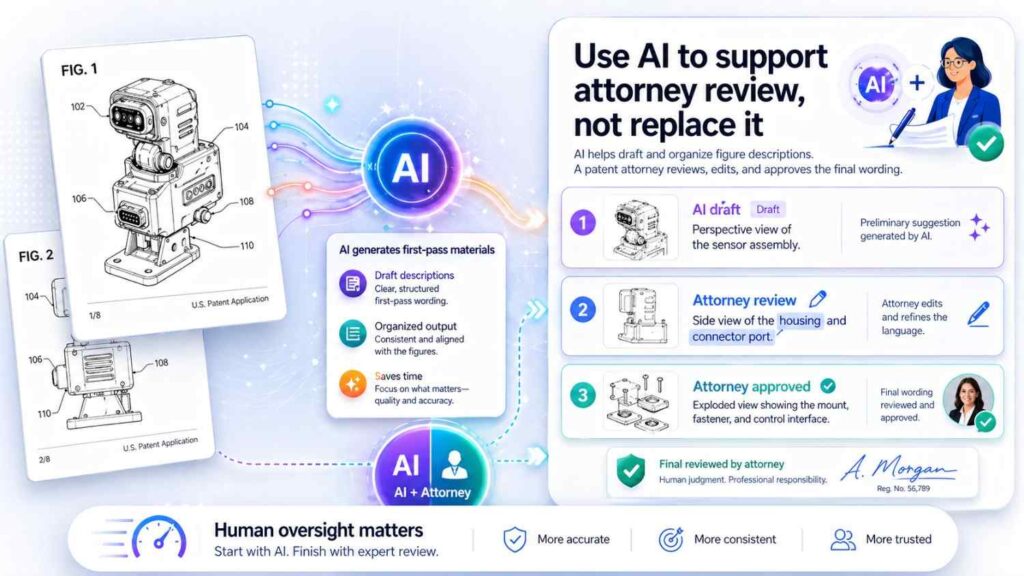
AI can help produce drafts faster.
But attorney oversight is still important.
A patent attorney can decide whether a caption is too narrow, too broad, unclear, unsupported, or inconsistent with the claim plan.
The best use of AI is not to remove humans. It is to give humans a better first draft.
PowerPatent is built around that idea: smart software plus real patent attorneys, so founders can move faster without flying blind. See how it works here: https://powerpatent.com/how-it-works
AI figure captioning for startups
Startups need speed.
They also need quality.
That is a hard mix.
A deep tech founder may be filing before a demo, funding round, customer pilot, public launch, research paper, or partnership talk. The team may have drawings, code, screenshots, diagrams, and notes, but not much time to turn them into a clean patent package.
AI can help turn messy invention material into organized draft content.
It can produce figure captions from rough notes.
It can align terms.
It can suggest missing figure descriptions.
It can turn diagrams into formal text.
It can help attorneys review faster.
This means founders can protect inventions without slowing down the company.
That is the promise of modern patent software.
Why fast captions still need technical truth
Speed is only valuable if the result is true.
A fast wrong caption is not helpful.
A fast vague caption may not help much.
A fast narrow caption may hurt.
The best AI figure captions are fast and faithful.
Faithful to the figure.
Faithful to the invention.
Faithful to the term list.
Faithful to what is optional.
Faithful to the claim strategy.
That is why AI should be grounded in real invention inputs.
The AI should know what the figure shows, what the components mean, what the invention does, and what should not be implied.
Without grounding, AI guesses.
With grounding, AI assists.
How founders can prepare better figure inputs
Founders can make AI captioning much better by preparing drawings with clear labels.
Use simple component names.
Use consistent reference numbers.
Use arrows that mean something.
Mark optional parts when possible.
Separate system diagrams from method flowcharts.
Avoid mixing too many ideas in one figure.
Add short notes under each rough figure.
For example:
“Figure 1: system overview. Shows data sources, processing system, model, output interface, and feedback path. Feedback updates the rule or model. Output interface is optional.”
That one note can make a big difference.
AI can turn it into strong patent text.
The attorney can then refine it.
How engineers can help
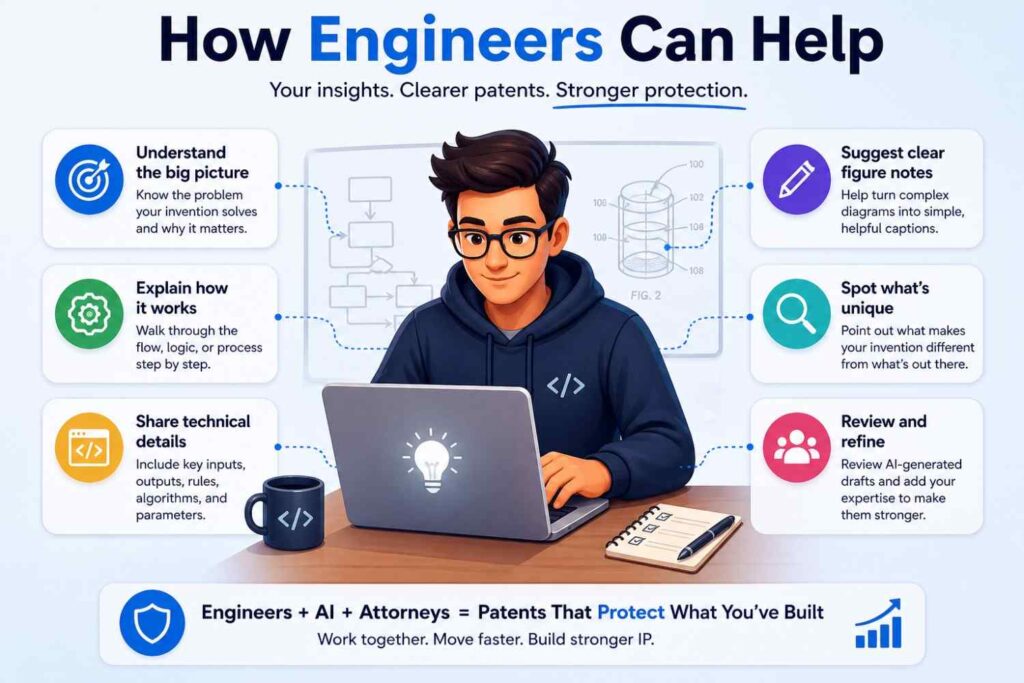
Engineers are the best source of figure accuracy.
They know what each box means.
They know which arrows show data flow.
They know which parts are required.
They know which parts may change.
They know whether a feature is built, planned, optional, or just an example.
A good AI workflow should let engineers provide simple notes without forcing them to write patent language.
For example, an engineer can say:
“The model does not retrain every time. Feedback is stored first, then batch updates may happen later.”
That detail matters.
AI can turn it into:
“In some examples, feedback may be stored as a training record. A model update may be performed after a set number of feedback records, after a time period, or when an update condition is met.”
That is much stronger.
How patent teams can use AI safely
A safe AI captioning workflow has clear checks.
First, collect the figures and invention notes.
Second, create or confirm a term list.
Third, draft captions using AI.
Fourth, review captions against the figures.
Fifth, expand key captions into detailed descriptions.
Sixth, check optional language and consistency.
Seventh, review with inventors.
Eighth, review with a patent attorney.
This process keeps speed and control.
The key is not to let AI make final patent decisions alone.
Common AI caption mistakes to watch for
AI may describe a figure too broadly.
It may describe a figure too narrowly.
It may invent parts.
It may miss optional features.
It may use different names for the same component.
It may make step order rigid.
It may treat a user interface as required.
It may call every model a neural network.
It may assume cloud processing.
It may ignore feedback arrows.
It may add marketing language.
It may use legal conclusions.
A human review can catch these.
The more structured the AI input, the fewer mistakes it makes.
A better way to draft figure captions
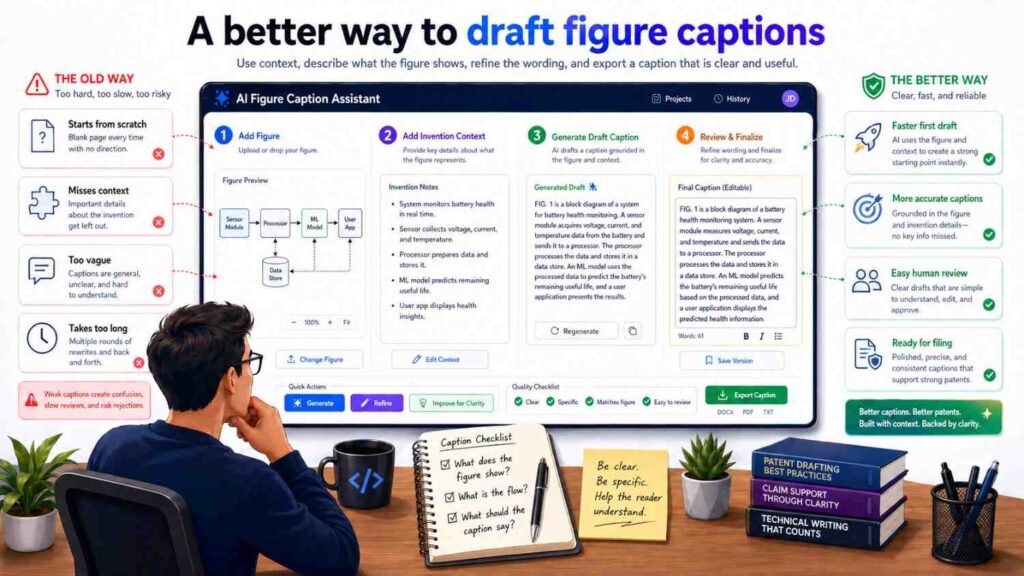
Instead of starting with blank-page drafting, start with structured information.
For each figure, capture:
Figure number.
Figure type.
Main purpose.
Main parts.
Important flows.
Optional parts.
Key variations.
Terms to use.
Terms to avoid.
Then let AI draft from that.
For example:
Figure number: Figure 2.
Type: flowchart.
Purpose: generate risk output from device data.
Steps: receive device data, clean data, generate score, compare score to alert condition, send output, store record.
Optional: cleaning may be omitted; output may be alert, score, report, task, or API response.
Avoid: do not say every output is sent to a dashboard.
A strong AI caption may be:
“Figure 2 illustrates an example process for generating a risk output based on device data.”
A strong detailed description may follow:
“The process may include receiving device data, processing the device data to generate a score, comparing the score to an alert condition, providing a risk output based on the comparison, and storing an output record. In some examples, the risk output may include an alert, score, report, task, API response, or other result.”
This is clear and patent-friendly.
AI can help with caption tone
Patent captions should be formal but plain.
They should not be stiff.
They should not be salesy.
They should not be vague.
A good caption sounds like this:
“Figure 1 illustrates an example system for processing input data and generating an output.”
Not like this:
“Figure 1 depicts a revolutionary intelligent platform that transforms data into powerful insights.”
The second sounds like marketing.
Patent language should be calm and clear.
AI can be prompted to use that tone.
Captions should fit the full patent story
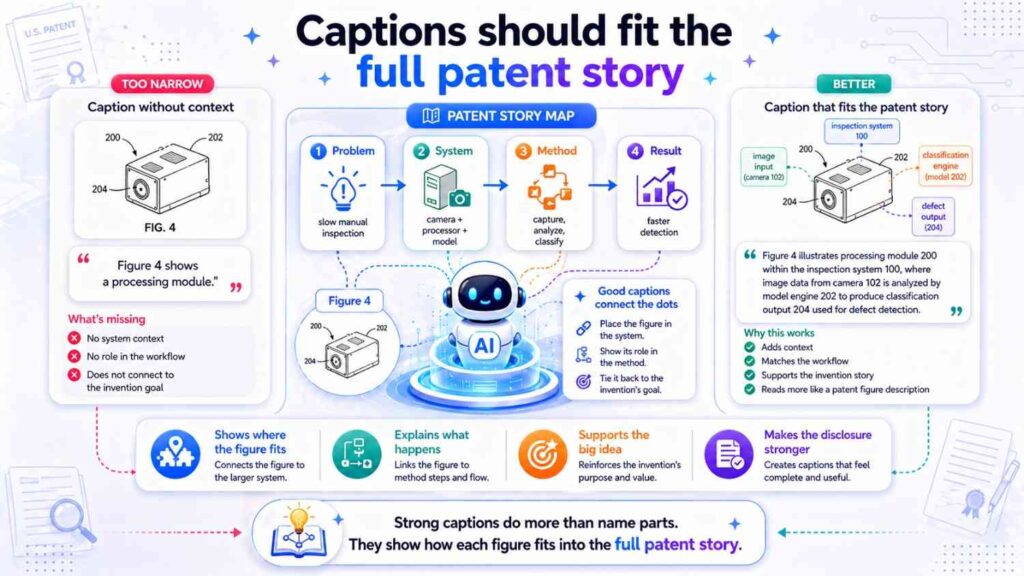
A patent application should feel like one connected document.
The figures, captions, detailed description, claims, and abstract should all point to the same invention story.
If Figure 1 is about system architecture, Figure 2 is about processing, Figure 3 is about UI review, and Figure 4 is about feedback, the captions should make that flow easy to follow.
A reader should understand the path:
Here is the system.
Here is how it works.
Here is how the output is reviewed.
Here is how the system improves.
That is a good patent story.
AI can help shape this flow if given all figure titles together.
Example: AI-assisted captions for an AI health tool
Suppose a startup has an AI system that reviews patient data and flags high-risk changes.
Rough figure notes:
Figure 1: system overview.
Figure 2: risk scoring flow.
Figure 3: clinician review screen.
Figure 4: feedback update.
Weak captions might be:
“Figure 1 shows the platform.”
“Figure 2 shows AI scoring.”
“Figure 3 shows the dashboard.”
“Figure 4 shows feedback.”
Better AI-assisted captions would be:
“Figure 1 illustrates an example system for generating a patient risk output based on patient data.”
“Figure 2 illustrates an example process for generating a risk score and confidence value based on patient data.”
“Figure 3 illustrates an example user interface for reviewing a patient risk output and providing review input.”
“Figure 4 illustrates an example feedback process for updating a rule or model based on review input.”
These captions are simple, clear, and useful.
They also support future claim angles around scoring, confidence, review, and feedback.
Example: AI-assisted captions for a robotics invention
Rough notes:
Figure 1: robot with sensors.
Figure 2: sensor data flow.
Figure 3: control decision.
Figure 4: fallback mode.
Better captions:
“Figure 1 illustrates an example robotic system including one or more sensors for collecting environment data.”
“Figure 2 illustrates an example data flow for processing sensor data from the robotic system.”
“Figure 3 illustrates an example process for generating a control output based on processed sensor data.”
“Figure 4 illustrates an example fallback process for generating a control output when sensor data is incomplete or unavailable.”
These captions help explain the invention story.
They also leave room for different sensors and control methods.
Example: AI-assisted captions for a developer tool
Rough notes:
Figure 1: code review system.
Figure 2: context selection.
Figure 3: model output and validation.
Figure 4: pull request UI.
Figure 5: developer feedback.
Better captions:
“Figure 1 illustrates an example system for analyzing code change data and generating a risk output.”
“Figure 2 illustrates an example process for selecting context data associated with a code change.”
“Figure 3 illustrates an example model workflow for generating and validating an output based on code change data and selected context data.”
“Figure 4 illustrates an example user interface for presenting a code risk output during code review.”
“Figure 5 illustrates an example feedback process for updating system behavior based on developer input.”
This set supports many continuation paths.
It also shows the tool is more than a screen.
Example: AI-assisted captions for a hardware device
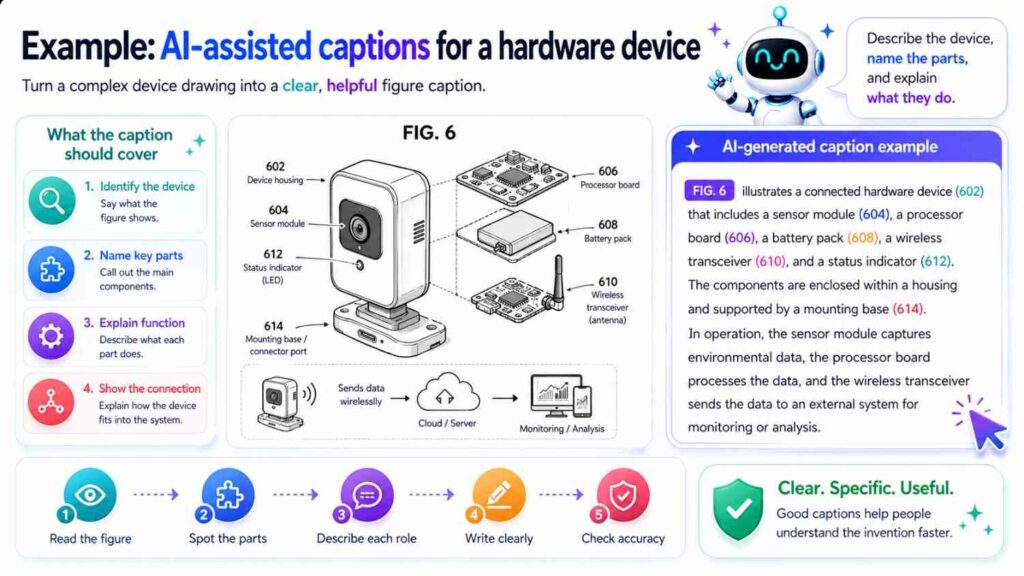
Rough notes:
Figure 1: device front view.
Figure 2: exploded view.
Figure 3: sensor placement.
Figure 4: calibration flow.
Better captions:
“Figure 1 illustrates an example sensor device for collecting condition data from an object.”
“Figure 2 illustrates an exploded view of an example sensor device assembly.”
“Figure 3 illustrates an example sensor arrangement within the sensor device.”
“Figure 4 illustrates an example calibration process for configuring the sensor device.”
These are simple and accurate.
The detailed description can then explain housing, sensor, attachment, processor, calibration values, and data outputs.
What “accurate” means in patent figure captions
Accuracy is more than naming parts correctly.
An accurate caption must reflect the invention without adding false limits.
It should not say a part is required if it is optional.
It should not say a step always occurs if it only sometimes occurs.
It should not say processing happens in the cloud if it may happen locally.
It should not say a model is trained if it is only used.
It should not say a user reviews every output if only selected outputs are reviewed.
It should not say an alert is displayed if it may also be sent through an API.
Accuracy means technical truth plus drafting care.
That is why AI-assisted captioning needs review.
The best AI captions are grounded in patent strategy
A figure can be described in many true ways.
The best caption is the one that supports the patent strategy.
For example, a figure showing a dashboard could be captioned as:
“Figure 3 illustrates an example dashboard.”
That is true but weak.
Or:
“Figure 3 illustrates an example user interface for presenting a generated risk output and receiving review input.”
That is better if the patent strategy includes review and feedback.
A figure showing a model pipeline could be captioned as:
“Figure 4 illustrates an example AI pipeline.”
That is vague.
Or:
“Figure 4 illustrates an example model workflow for generating a validated output based on input data and selected context data.”
That is stronger if context selection and validation matter.
AI can draft options, but the patent team should choose the strategic version.
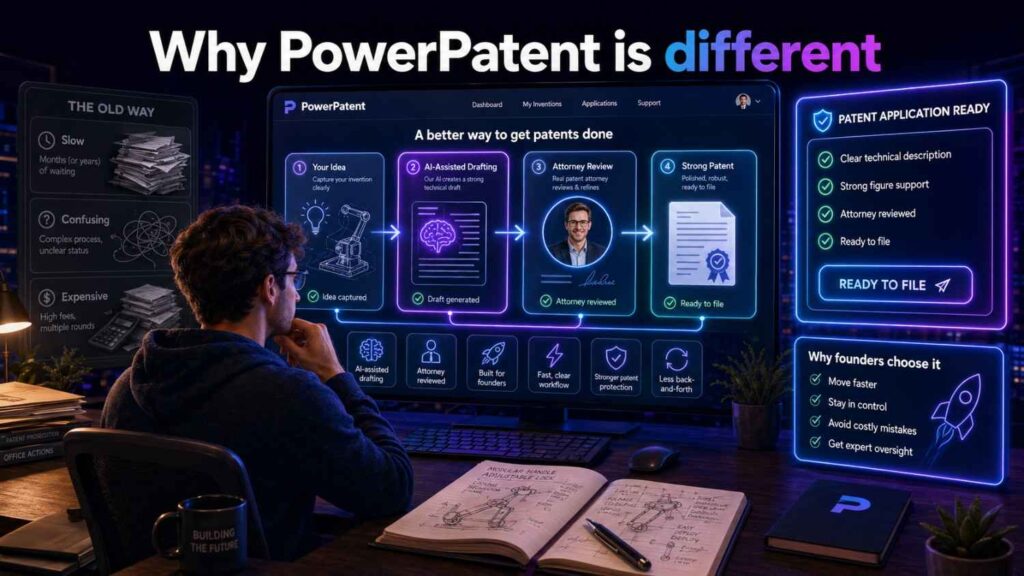
Why PowerPatent is different
A simple AI writing tool can generate text.
But patent work needs more than text.
It needs invention capture.
It needs technical structure.
It needs careful language.
It needs attorney review.
It needs an understanding of how patent filings support claims, future continuations, and business goals.
PowerPatent brings these pieces together.
Founders and engineers can provide the raw material: drawings, notes, code, diagrams, product flows, and technical ideas.
Smart software helps organize and draft.
Real patent attorneys help review and shape the filing.
That means teams can move faster without treating patents like a risky do-it-yourself writing project.
See how PowerPatent works here: https://powerpatent.com/how-it-works
How AI captioning improves the founder experience
Traditional patent drafting can feel slow.
The attorney asks for figures.
The founder sends diagrams.
The attorney asks what each part means.
The engineer explains.
Drafts go back and forth.
Captions are revised.
Terms are cleaned up.
Figures are updated.
This can take time.
AI can make the first pass faster.
It can draft captions from notes.
It can suggest consistent terms.
It can flag missing labels.
It can turn engineer comments into patent-style text.
It can help the patent attorney begin with a better draft.
That means less friction for the startup.
The founder gets more control.
The engineer spends less time explaining the same thing over and over.
The attorney can focus on scope and strategy.
How AI captioning improves accuracy
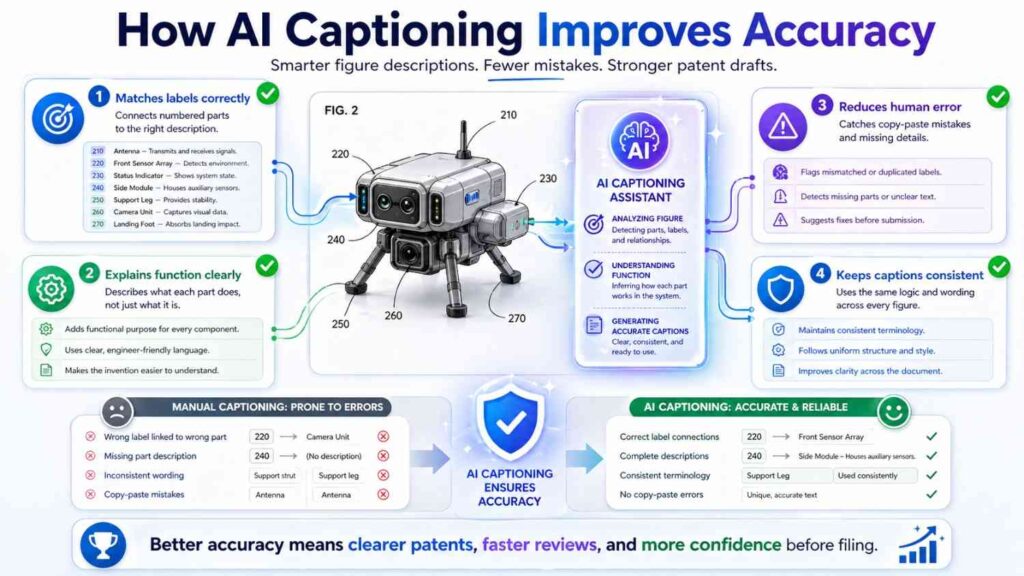
AI can improve accuracy when used as a structured review tool.
It can compare captions to figure notes.
It can check whether all reference numbers are described.
It can identify mismatched terms.
It can flag when a caption says “cloud” but notes say local processing is possible.
It can catch repeated or vague captions.
It can ask whether optional parts are required.
It can help create a more complete detailed description.
Of course, AI can also make mistakes. That is why it should be paired with human review.
The best workflow uses AI for speed and pattern checking, then uses inventors and attorneys for truth and strategy.
Fast does not mean shallow
There is a misconception that AI makes drafting shallow.
It can, if used poorly.
But when used well, AI can help create more complete drafts because it reduces the time spent on basic wording. That frees the team to think more deeply about variations, alternatives, optional features, and future claim support.
For example, once AI drafts a basic caption, the patent team can ask:
Does this figure show a feedback loop?
Should we mention confidence?
Can the output go to another system?
Can the process run locally?
Are any parts optional?
Should this support a future continuation?
Those are better questions than “How do we word this sentence?”
AI handles the first pass. Humans handle judgment.
A practical checklist for AI figure captions
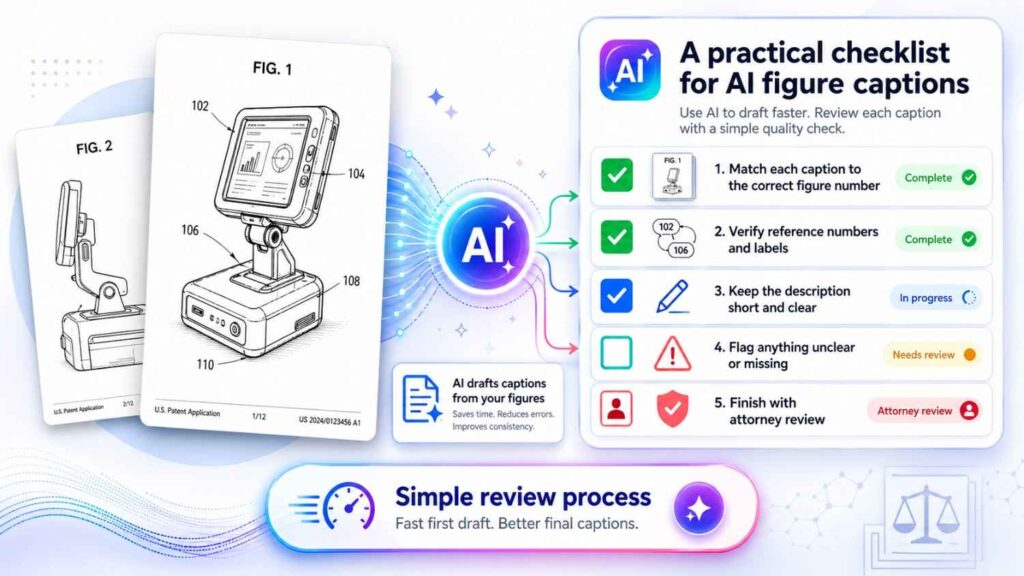
When reviewing AI-generated figure captions, keep the review simple.
Ask whether the caption matches the figure.
Ask whether it uses the correct figure number.
Ask whether it uses “example” language.
Ask whether terms match the rest of the spec.
Ask whether optional features are not made required.
Ask whether the caption says what the figure is for.
Ask whether it avoids marketing words.
Ask whether it avoids legal conclusions.
Ask whether it supports the claim strategy.
Ask whether the detailed description gives enough support.
You do not need a long process. You need a careful one.
The future of patent figure drafting
Patent work is becoming more software-assisted.
That is good news for startups.
Founders should not have to choose between moving fast and filing carefully. Engineers should not have to spend hours translating diagrams into legal-style text. Patent attorneys should not have to start from messy notes every time.
AI can make the drafting process smoother.
But the future is not AI alone.
The future is AI plus expert review.
Fast drafting plus careful strategy.
Simple tools plus real patent knowledge.
Better inputs plus better filings.
That is the direction PowerPatent is pushing.
Final thoughts
Patent figure captions may look small, but they carry real weight.
They help explain the invention. They guide the reader. They connect drawings to the written spec. They support claims. They can help future continuations. They can also create problems if they are wrong, narrow, or careless.
AI can make figure descriptions faster.
It can turn rough notes into clean captions. It can help maintain consistent terms. It can expand short captions into detailed descriptions. It can flag missing labels and narrow wording. It can help founders and engineers move faster.
But AI should be guided by real invention details and reviewed by real patent professionals.
The best patent captions are fast, accurate, clear, and strategic.
They say what the figure shows.
They explain why it matters.
They avoid unwanted limits.
They support the bigger patent story.
If you are building something technical and want a smarter way to turn your drawings, diagrams, and invention notes into a strong patent filing, PowerPatent can help.
Explore how it works here: https://powerpatent.com/how-it-works
Leave a Reply