Security can make your invention stronger. But only if you describe it the right way.
A patent spec should not just say, “the system is secure.” It should show how the system keeps data, access, users, devices, keys, models, files, or commands safe. The goal is simple: help the reader understand what is protected, why it matters, and how your invention does it.
The USPTO expects a patent specification to describe the invention clearly enough that a skilled person can make and use it. That includes a written description, enablement, and best mode requirements under 35 U.S.C. 112(a). (USPTO)
That may sound formal. In plain words, your spec must prove that you actually had the invention, not just a wish for a good result.
For security features, this matters a lot.
Bad security language sounds like this:
“The system securely stores user data.”
Better security language sounds like this:
“The system stores user data in an encrypted record. The record includes a user identifier, a device identifier, a time stamp, and a policy tag. Before the record is saved, the system encrypts the record using a key linked to the user account. The key is not stored with the record. When the user later requests the data, the system checks the user token, the device state, and the policy tag before decrypting the record.”
See the difference?
The first sentence makes a promise.
The second one teaches the reader how the promise is kept.
That is the heart of writing security features in a patent spec.
And if you are building something real, this is where PowerPatent can help. PowerPatent helps founders turn code, systems, models, and product ideas into strong patent filings with smart software and real attorney oversight. You can see how it works here: https://powerpatent.com/how-it-works
Start With The Security Problem, Not The Security Tool
Many founders start in the wrong place. They begin by naming tools.
They say the invention uses encryption, tokens, firewalls, hashing, biometrics, secure enclaves, access rules, or zero trust.
Those words may be true. But they are not enough.
A patent spec should start with the actual security problem your invention solves.
What can go wrong?
Can the wrong user see private data?
Can a device send fake signals?
Can a model leak training data?
Can an attacker replay an old command?
Can a bad actor change a file after it is signed?
Can a user trick the system into getting more access than they should?
Can one tenant in a cloud system see another tenant’s data?
Can a robot accept a command from the wrong source?
Can a medical device receive unsafe updates?
Can a fintech app approve a payment without enough checks?
Once you know the problem, the feature becomes easier to explain.
A strong patent spec does not just say, “the system uses multi-factor authentication.” It says why the system needs more than one check, what each check is, how the checks work together, what happens when one check fails, and what changes after the user passes.
For example, imagine your startup built a system that controls access to a cloud dashboard for factory machines. The risky event is not just “unauthorized access.” That phrase is too broad. A better statement is this:
“In some systems, a user may retain dashboard access after leaving a company, changing roles, or using an unmanaged device. This can allow the user to view or send machine commands even when the user should no longer have access.”
That is simple. It is concrete. It tells the reader what is at stake.
Then your spec can explain the invention:
“The disclosed system checks a user role, a device trust score, and a machine command type before allowing the dashboard to show control buttons. If the user role allows viewing but not control, the dashboard hides command buttons and allows read-only access. If the device trust score is below a set limit, the system blocks machine commands even when the user role would otherwise allow the command.”
That is much better than saying, “The system improves security.”
When you write a security feature, keep asking: what bad thing is stopped, delayed, detected, limited, logged, or reversed?
That question will guide the whole spec.
Describe The Asset Being Protected
Security is not one thing. It is always about protecting something.
Your patent spec should name that thing.
The asset may be user data, source code, model weights, training data, API keys, device commands, payment records, patient records, design files, messages, sensor readings, location data, private keys, firmware, logs, network sessions, compute jobs, credentials, tokens, user identity, machine identity, or control rights.
Do not leave the asset vague.
“The system protects data” is weak.
“The system protects a private inference result generated by a local machine learning model before the result is sent to a cloud service” is stronger.
“The system protects a signing key used to approve firmware updates for a fleet of delivery robots” is stronger still.
Why does this matter?
Because security features often depend on the type of asset. Protecting a password is different from protecting a payment approval. Protecting a model parameter is different from protecting a sensor value. Protecting a medical command is different from protecting a marketing email.
A patent spec can gain power when it connects the security feature to the asset.
For example:
“The system protects a device command that changes a machine speed. Before sending the command, the system creates a command record that includes a machine identifier, a requested speed, a user identifier, and a command time. The system then signs the command record. The machine checks the signature and the command time before acting on the command.”
This tells the reader the exact item being protected: the device command. It also shows how the system protects the command: by creating a record, signing it, and checking the signature and time.
A founder may think this is too much detail. It is not. This is the kind of detail that helps turn an idea into a real patent story.
Do Not Hide Behind Buzzwords

Security has many big words. Patent specs should not rely on them alone.
Words like “secure,” “trusted,” “private,” “encrypted,” “authenticated,” “verified,” “zero trust,” “tamper-proof,” “blockchain-based,” “AI-safe,” “confidential,” and “hardened” can be useful. But they cannot carry the whole spec.
A spec should explain what the word means in your system.
If you say “trusted device,” say what makes it trusted.
Does the device have a stored certificate?
Does it pass a health check?
Does it run approved firmware?
Does it have a secure boot state?
Does it match a known hardware identifier?
Does it send a signed proof?
Does it pass a location check?
Does it have a risk score below a threshold?
Does it belong to a managed group?
Does it have a recent security patch?
Any of these may be part of your invention. But the spec must say so.
Here is a weak version:
“The system only allows trusted devices to access the service.”
Here is a better version:
“The system treats a device as trusted when the device sends a device certificate, a current firmware version, and a signed health value. The service compares the firmware version to an approved version list. The service also checks whether the signed health value was created within a set time window. If both checks pass, the service assigns the device a trusted state for the current session.”
This version gives the reader steps. It explains inputs. It explains checks. It explains the result.
This is the kind of writing founders should aim for.
You can still use normal security words. Just make sure the spec teaches what they mean in your invention.
Write The Flow Like A Story
A good security feature often has a flow.
Something starts. The system receives data. The system checks something. The system decides. The system allows, blocks, changes, stores, logs, alerts, retries, or asks for more proof.
Write that flow like a clear story.
For example:
“A user opens the admin panel. The system receives a login token from the user device. The system reads a role value from the token and also asks a device service for a device risk value. If the role value is admin and the device risk value is low, the system shows the full admin panel. If the role value is admin but the device risk value is high, the system shows a limited panel and asks for a second approval before any data export.”
That is easy to read.
It also gives structure to the invention.
Security features become much clearer when they are written in time order. First this happens. Then this happens. Then the system checks this. Then the system responds like that.
Avoid jumping around.
Do not start with encryption, then move to the user screen, then jump back to key creation, then mention risk scores, then mention logs, then mention alerts. That makes the reader work too hard.
Instead, build the spec around simple moments:
Before access.
During access.
After access.
Before storage.
During storage.
After storage.
Before command execution.
During command execution.
After command execution.
Before model training.
During model training.
After model training.
This structure helps you capture security features without making the spec hard to follow.
For example, if your invention protects AI model training data, your flow may be:
The system receives training records.
The system removes direct identifiers.
The system assigns each record to a privacy group.
The system checks whether the group has enough records.
The system trains only on groups that pass the minimum size check.
The system stores a model update without storing the raw records.
The system logs which groups were used.
That flow is simple. It also has real patent value if the steps are part of what makes your invention different.
When in doubt, tell the story of one request moving through the system.
Show What Triggers The Security Feature
Security features do not run in a vacuum. Something usually triggers them.
Your spec should explain the trigger.
A trigger can be a login request, a file upload, a payment request, a device command, a model query, a data export, a firmware update, an API call, a new network session, a location change, a new user role, a failed check, a risk score change, a time delay, or a detected pattern.
For example:
“The system performs the extra check when a user requests a data export larger than a threshold size.”
This tells the reader when the feature matters.
A weaker version would say:
“The system may perform an extra check.”
That may be true, but it does not teach much.
Here is a stronger version:
“When a user requests export of more than 1,000 customer records, the system compares the user role, the device risk score, and the last approval time. If the user role allows exports, the device risk score is below a limit, and an approval occurred within the last ten minutes, the system creates the export file. Otherwise, the system blocks the export and sends an approval request to a second user.”
Now the feature is grounded.
You do not always need exact numbers. Patent specs can often use examples and ranges. But you should explain the condition that causes the feature to run.
This is especially important for security because many features are conditional.
You may not want to block all users. You may only block users when risk is high.
You may not want to encrypt every field the same way. You may encrypt some fields with one key and other fields with another key.
You may not want to require step-up approval for every action. You may require it only for sensitive actions.
You may not want to alert on every failed login. You may alert only when failures come from a new device, a new country, or a high-value account.
Those trigger rules can be part of the invention.
Write them clearly.
Explain The Inputs Used For The Security Decision
Most security features make a decision. To describe that decision, you need to describe the inputs.
Inputs are the facts the system uses.
For access control, inputs may include user role, account state, group membership, device ID, device risk score, location, time, requested action, data type, session age, past behavior, or approval history.
For encryption, inputs may include data type, key ID, user ID, tenant ID, file ID, device ID, time, policy tag, or storage location.
For fraud detection, inputs may include transaction amount, merchant, device fingerprint, account age, past transactions, location change, velocity, and known risk patterns.
For model security, inputs may include query text, embedding distance, model confidence, rate limits, prompt type, policy label, or output sensitivity.
For IoT security, inputs may include device certificate, firmware version, boot state, sensor reading, command source, command time, and network path.
A strong spec names these inputs.
Here is a weak version:
“The system checks whether the request is safe.”
Here is a better version:
“The system checks the request using a user role, a device trust value, a requested action type, and a data sensitivity label.”
Here is an even better version:
“The system creates a request score from the user role, the device trust value, the requested action type, and the data sensitivity label. The system lowers the score when the user role does not match the requested action. The system raises the score when the device trust value is above a stored limit. The system blocks the request when the final score is below an access threshold.”
This does not require fancy words. It requires clear steps.
Your patent spec does not need to reveal trade secrets that are not needed to support the invention. But it should include enough structure to show how the feature works. That balance is where good patent drafting matters.
PowerPatent is built for this exact gap. Founders know how their system works, but turning that into patent-ready detail can be hard. PowerPatent helps pull the useful technical detail out of your product and shape it into a stronger filing with attorney review. Learn more here: https://powerpatent.com/how-it-works
Explain The Output Of The Security Decision

After the system checks inputs, what happens?
This is the output.
The output may be allow, deny, limit, delay, encrypt, decrypt, mask, redact, log, alert, rotate key, ask for approval, lower access, change a risk score, open a session, close a session, require a new factor, quarantine a file, block a command, pause a workflow, or run a safe mode.
Do not leave the result unclear.
“The system improves safety” is not enough.
“The system blocks the command when the command time is outside a valid window” is better.
“The system allows the user to view the file but blocks download when the device is not trusted” is even better.
Security inventions often have more than two outcomes. Many founders only write allow or deny. But real systems are more nuanced.
For example:
A request may be fully allowed.
A request may be allowed in read-only mode.
A request may require second approval.
A request may be delayed until a device check finishes.
A request may be allowed only for masked data.
A request may be sent to a queue for review.
A request may cause the system to lower a session trust level.
These middle states can be very important.
Here is a strong example:
“If the risk score is below a first threshold, the system allows the requested action. If the risk score is between the first threshold and a second threshold, the system allows a limited version of the action. For example, the system may show the requested records but hide selected fields. If the risk score is above the second threshold, the system blocks the action and sends an alert to an administrator.”
This kind of detail makes the feature feel real.
It also helps support different claim options later.
Tie Security To The User Experience
Security often appears in the back end. But many inventions also change what the user sees or can do.
Your patent spec should describe that user experience when it matters.
For example, a system may hide buttons, show warnings, require approval, lock fields, mask values, add a delay, show a trust badge, request a scan, or move the user into a limited mode.
These user-facing changes can be part of the invention.
Here is a plain example:
“When the system detects that a user is signed in from an unmanaged device, the system changes the dashboard. The dashboard still shows project names, but it hides customer names, download buttons, and billing fields. The dashboard also shows a message asking the user to switch to a managed device to regain full access.”
This is not just a UI detail. It is a security feature shown through the interface.
Many founders forget to include this. They explain the back-end check but not the front-end effect.
That can be a missed chance.
If your invention creates a safer workflow by changing the interface, say so.
For example:
“The system places a visible lock icon next to commands that require second approval. When a user selects one of those commands, the system shows the approver name, the reason for the approval, and the time limit for approval.”
That detail helps the reader see the whole invention.
Security is not only math and keys. It is also how users are guided away from risky actions.
Describe Where The Security Feature Runs
Modern systems are spread out.
A security feature may run on a phone, in a browser, on a server, in a cloud service, in an edge device, inside a vehicle, in a robot, in a chip, in a secure enclave, in a gateway, in a container, in a model runtime, or across several services.
Your spec should say where key steps happen.
This is very important.
If the system checks a token on the server, say so.
If the device signs data before sending it, say so.
If encryption happens before upload, say so.
If the cloud never sees raw data, say so.
If the browser masks data after receiving it, say so.
If the gateway blocks unsafe commands before they reach the machine, say so.
Location matters because it affects security.
For example:
“The mobile device encrypts the health record before sending the health record to the server. The server stores the encrypted health record but does not receive the key needed to decrypt the health record.”
This is different from:
“The server receives the health record and encrypts it before storage.”
Both may be useful. But they are not the same.
A patent spec should not blur them.
Here is another example:
“The robot receives a signed command through a local gateway. The robot checks the signature before acting on the command. The local gateway may also check the signature, but the robot does not rely only on the gateway check.”
This tells the reader that the robot itself performs a check. That may matter because a gateway could be bypassed.
Security features are often strong because of where they run.
Say it plainly.
Describe The Data Structures

Security often depends on records.
A patent spec can be stronger when it describes what is inside those records.
You do not need to write code. But you should name the fields that matter.
For example, a signed command record may include a command ID, user ID, device ID, target device ID, command type, command value, time stamp, expiration time, and signature.
A policy record may include user role, allowed action, data type, device state, time window, and approval rule.
A risk record may include account ID, session ID, device score, location score, behavior score, and final risk score.
A key record may include key ID, tenant ID, key state, creation time, rotation time, and allowed use.
A model access record may include model ID, user ID, prompt type, output label, rate limit state, and audit tag.
Writing these fields gives the security feature shape.
Here is a weak version:
“The system creates a secure token.”
Here is a better version:
“The system creates an access token that includes a user identifier, a device identifier, a role value, an expiration time, and a policy version. The system signs the access token before sending it to the user device.”
Now the token is not magic. It has contents. It has a purpose.
This is useful because many patents rise or fall on whether the spec gives enough support for later claim language. The MPEP explains that written description and enablement are separate requirements, and the spec must support what is claimed. (USPTO)
In plain words, do not claim a smart security structure unless your spec shows that structure.
Explain Keys Without Getting Lost In Math
Many security features use keys.
The spec should explain key use in simple terms.
You do not need to teach the full math behind known encryption methods. But you should describe how your system creates, stores, selects, rotates, protects, or uses keys if those steps matter.
Good questions include:
Who creates the key?
When is the key created?
Where is the key stored?
What data does the key protect?
Is the key tied to a user, tenant, device, session, file, model, or command?
When is the key changed?
Who can use the key?
What happens if the key is old, missing, revoked, or exposed?
How does the system choose one key instead of another?
Here is a clear example:
“The system creates a tenant key for each tenant account. The tenant key is used to encrypt files owned by that tenant account. The system stores the tenant key in a key service and stores only a key identifier with each encrypted file. When a user requests a file, the system uses the key identifier to ask the key service for access to the tenant key. The key service releases use of the tenant key only after the user role and tenant identifier are checked.”
This is much stronger than saying:
“The files are encrypted using secure keys.”
The strong version explains key scope, key storage, key lookup, and access checks.
Key rotation is also worth describing.
For example:
“The system rotates the tenant key when an administrator changes a tenant security policy. After creating a new tenant key, the system encrypts new files with the new key. The system may re-encrypt older files in the background or may keep older files linked to the prior key until the files are next opened.”
This shows a real-world design. It also gives the spec options.
Do not make the mistake of describing only the happy path. Security features often become valuable because they handle messy states.
Describe Authentication In Steps

Authentication means checking who or what is making the request.
In a patent spec, do not just say, “the user is authenticated.”
Say how.
The system may check a password, passkey, biometric proof, one-time code, hardware key, device certificate, signed message, session token, identity provider response, or a combination.
If your invention is not about the authentication method itself, you do not need to overdo it. But if authentication is part of the new security flow, give it enough detail.
For example:
“The system receives a login request from a user device. The login request includes a user identifier and a device identifier. The system sends a challenge to the user device. The user device signs the challenge using a private key stored on the user device. The system verifies the signed challenge using a public key linked to the device identifier.”
This is simple and clear.
It also avoids vague wording.
If your invention uses step-up authentication, describe the trigger and result.
For example:
“The system does not ask for a second factor for every action. The system asks for the second factor when the requested action changes a payment address, exports customer records, or creates a new administrator account.”
That sentence is useful. It shows the system is not merely using known multi-factor authentication in a generic way. It is applying it in a specific workflow.
If the system authenticates machines instead of people, say that too.
For example:
“Each sensor device stores a device certificate. When the sensor device starts a session with the gateway, the sensor device sends the device certificate and a signed value. The gateway verifies the signed value before accepting sensor data from the device.”
This matters in IoT, robotics, cloud infrastructure, and industrial systems.
People are not the only actors in modern systems. Devices, services, agents, models, and containers may all need identity checks.
Describe Authorization As A Rule, Not A Feeling
Authentication asks, “Who are you?”
Authorization asks, “What are you allowed to do?”
Many specs confuse the two.
Do not write:
“The user is authenticated and therefore may access the data.”
That may be wrong. A known user may still lack permission.
A better spec says:
“After authenticating the user, the system compares the user role to an access policy linked to the requested data. The system allows the user to view the data only when the access policy includes the user role.”
That is clear.
Authorization often involves roles, groups, policies, scopes, labels, or rules.
For example:
“The system stores a policy for each data set. The policy identifies allowed roles and allowed actions. A first role may allow viewing the data set, while a second role may allow editing the data set. Before showing an edit control, the system checks whether the user role is linked to the edit action in the policy.”
This describes more than a permission check. It shows how the UI can change based on authorization.
Authorization can also depend on context.
For example:
“The system allows the technician to send a restart command only when the technician is assigned to the machine, the technician device is within a set distance of the machine, and the machine is in a safe operating state.”
That is much stronger than:
“The technician can restart the machine after authorization.”
Security features are often about context. Describe the context.
Explain What Makes Your Feature Different

A patent spec should not read like a security textbook.
You are not trying to describe every possible security method. You are trying to describe your invention.
So ask: what is different here?
Maybe your system changes access based on live device health.
Maybe it encrypts each AI model output using a key tied to a user session.
Maybe it blocks model prompts that look like data extraction attempts.
Maybe it signs robot commands with a short time window.
Maybe it lets users share data without giving the server the raw data.
Maybe it maps each API permission to a business event instead of a static role.
Maybe it uses sensor trust scores to decide whether a machine can act.
Maybe it stores audit logs in a way that detects later changes.
Maybe it creates a safe preview of sensitive data instead of full access.
The spec should bring that difference forward.
You can still describe normal parts. But do not bury the invention under common security background.
For example, if the heart of your invention is a way to mask sensitive data based on live risk, then your spec should spend more time on risk-based masking than on basic login steps.
A strong section might say:
“In some cases, the system does not block a user from opening a record. Instead, the system changes which parts of the record are shown. The system may show a customer name and order status while hiding payment details when the device risk score is high. This allows the user to keep working while lowering the chance that sensitive fields are exposed.”
That explains both the feature and the benefit.
A patent spec is not an ad. But it should still make the invention easy to understand.
Use Examples That Feel Real
Security can become abstract fast.
Examples keep it real.
A good spec can include several examples of how the feature works in different settings.
For example, if your invention controls access to sensitive files, you may describe:
A user opening a file from a trusted work laptop.
The same user opening the file from a personal tablet.
A contractor trying to download the file.
An admin changing the file’s policy.
A device losing trust during a session.
You do not need to write these as a bullet list in the spec. You can write short paragraphs.
Here is an example:
“In one example, a user opens a design file from a managed laptop. The system checks that the laptop has a current device certificate and allows the user to view and download the file. In another example, the same user opens the design file from an unmanaged tablet. The system allows the user to view a watermarked preview but blocks download and copy actions.”
This is easy to understand.
It also shows that the invention can handle different conditions.
Examples help patent readers, too. They show that the invention is not just an idea. It has working cases.
The USPTO’s enablement guidance focuses on whether the disclosure teaches a skilled person how to make and use the claimed invention without undue experimentation. (USPTO)
For founders, the practical lesson is this: include enough examples that a skilled builder can see how the security feature would be built.
Include Failure Cases

Security is about what happens when things go wrong.
Your patent spec should include failure cases.
What happens if the token is expired?
What happens if the signature does not match?
What happens if the device certificate is missing?
What happens if a user passes login but fails the device check?
What happens if a key is revoked?
What happens if a command arrives too late?
What happens if a model output is labeled sensitive?
What happens if a rate limit is exceeded?
What happens if a log entry is changed?
What happens if the system cannot reach the policy server?
Failure cases can make your spec much stronger.
Here is a weak version:
“The system verifies the signed message.”
Here is a better version:
“If the signature is valid, the system processes the message. If the signature is invalid, the system rejects the message, stores a rejection event in a log, and may block further messages from the same device for a set time.”
This tells the reader what verification means.
Another example:
“If the policy server cannot be reached, the system applies a cached policy for a limited time. If the cached policy is older than a time limit, the system blocks high-risk actions and allows only read-only actions.”
This is very practical.
Security systems often fail in real life because they do not handle service outages well. If your invention has a smart fallback, describe it.
Failure cases can also show that your system is safer than a normal design.
Describe Audit Logs As More Than “Logging”
Many security specs say:
“The system logs security events.”
That is too thin.
If logs matter to your invention, explain what is logged, when it is logged, where it is stored, and how it is protected.
For example:
“The system creates an audit record when a user requests access to a sensitive file. The audit record includes a user identifier, a file identifier, a device identifier, a requested action, a policy result, and a time stamp. The system signs the audit record before storing it. Later, the system checks the signature to detect whether the audit record was changed.”
Now the log has structure.
This matters because logs are not just records. They can be security tools.
Your system may use logs to detect abuse, prove compliance, recover from attacks, change risk scores, or train a detection model.
If the log feeds another part of the system, describe that connection.
For example:
“The system updates the device risk score based on audit records. When a device produces more than a threshold number of denied requests within a time window, the system lowers the device trust level. The lowered trust level then limits future access from that device.”
This turns logging into part of the invention.
Another example:
“The system stores an audit chain in which each audit record includes a hash of a prior audit record. When the system later reviews the audit chain, the system recomputes the hashes to detect a missing or changed record.”
This explains tamper detection in simple words.
Do not just say “immutable log” unless you explain how the system makes changes detectable.
Be Careful With Absolute Words

Security is rarely absolute.
Avoid saying things like:
“impossible to hack”
“fully secure”
“tamper-proof”
“unbreakable”
“guaranteed safe”
“cannot be accessed”
These words can create trouble because real security has limits.
Use more careful wording.
Say “reduces the chance of unauthorized access.”
Say “detects a change to the record.”
Say “blocks the request when the check fails.”
Say “prevents use of the key by a user that lacks the required policy.”
Say “makes replay of an old command less likely by checking a time value.”
Say “limits access to a masked version of the data.”
This kind of wording is more accurate and more useful.
A patent spec does not need hype. It needs clarity.
PowerPatent’s approach is built around that idea. The goal is not to stuff your filing with fancy words. The goal is to capture what your product really does, in a way that can support strong claims. See how the process works here: https://powerpatent.com/how-it-works
Use “In Some Embodiments” With Care
Patent specs often use phrases like “in some embodiments.”
This can be helpful because your invention may have many versions.
But do not overuse the phrase until the writing feels stiff.
A simpler style is often better.
For example:
“In one version, the system stores the key in a key service. In another version, the system stores the key in a hardware security module.”
That is clear.
You can also say:
“The system may use different trust checks for different device types. A laptop may be checked using a device certificate and patch state. A sensor device may be checked using a device certificate and firmware value.”
This gives options without sounding robotic.
The key is to show variation.
Security inventions often need room for different designs. A startup product may change. The patent spec should support that.
If your current product uses one cloud provider, do not limit the invention to that provider unless needed.
If your current product uses one encryption standard, consider whether the invention is really about that standard or about how the system selects, stores, or applies keys.
If your current product uses one risk score threshold, consider whether the spec should describe thresholds more broadly.
A good spec captures the specific example but does not trap the invention in one narrow build.
Explain Thresholds And Scores In Plain Words

Many security systems use scores.
Risk scores. Trust scores. Fraud scores. Sensitivity scores. Confidence scores. Reputation scores.
Scores are fine, but the spec should explain how they are used.
A weak version says:
“The system calculates a risk score.”
A better version says:
“The system calculates a risk score for the request using a device value, a location value, and an action value. The system blocks the request when the risk score is above a threshold.”
An even better version says:
“The system raises the risk score when the request comes from a new device, when the requested action is a data export, or when the user has recently failed a login check. The system lowers the risk score when the device is managed and the user recently completed a second factor check.”
This gives the score meaning.
You do not need to disclose exact formulas unless the formula is part of the invention or needed for support. But you should explain the inputs and how the score affects the system.
Thresholds should also be clear.
A threshold can be fixed, learned, user-set, admin-set, based on a policy, based on past behavior, or based on the type of action.
For example:
“The threshold may be lower for payment actions than for read-only actions.”
That is a useful detail.
Another example:
“The system may set the threshold for a user based on normal behavior for that user. If the user normally signs in from one region and later signs in from a distant region, the system may lower the allowed access level for that session.”
This shows adaptive security in simple terms.
Describe Machine Learning Security Carefully
Many founders now build AI systems. Security features around AI need special care.
Do not just say:
“The AI model securely processes the data.”
That does not explain anything.
AI security may involve input filtering, prompt checks, output checks, data masking, access control, model isolation, training data controls, model weight protection, inference logging, rate limits, user-specific permissions, or detection of data extraction attempts.
First, name what is being protected.
Are you protecting the model?
The prompt?
The training data?
The user data?
The output?
The tool call?
The model weights?
The vector database?
The agent’s actions?
Then describe the flow.
For example:
“The system receives a prompt from a user. Before sending the prompt to the model, the system checks whether the prompt includes a request for private data. If the prompt matches a private data pattern, the system changes the prompt, blocks the prompt, or routes the prompt to a review process. If the prompt passes the check, the system sends the prompt to the model with a policy value that limits which tools the model may use.”
This is much better than “secure AI.”
For model outputs, you might write:
“After the model creates an output, the system checks the output for sensitive fields. If the output includes a sensitive field, the system removes the sensitive field or replaces it with a masked value before sending the output to the user.”
For agent systems, you might write:
“The system does not allow the model agent to call an external tool only because the model selected the tool. Before the tool call is sent, the system compares the tool call to a user permission record and a policy for the current session.”
That is a real security feature.
For training systems, you might write:
“The system assigns training records to privacy groups. The system uses a privacy group for training only when the group includes at least a minimum number of records. This reduces the chance that a model update is based on a single user record.”
Again, simple words. Strong detail.
AI security patents can become weak when they rely on broad phrases. Make the steps visible.
Describe Privacy Features As Security Features When They Protect Data

Privacy and security are related, but not identical.
Security often controls access and protects systems from bad actions.
Privacy often controls how personal or sensitive data is collected, used, shown, shared, or stored.
In a patent spec, privacy features should be described with the same level of detail as security features.
Do not say:
“The system protects user privacy.”
Say how.
For example:
“The system removes a direct user identifier from a sensor record before storing the sensor record. The system stores the direct user identifier in a separate mapping table. Access to the mapping table is limited to users with a privacy role. Other users may view the sensor record without seeing the direct user identifier.”
This explains separation.
Another example:
“The system creates a privacy label for each field in a record. When a user requests the record, the system compares the privacy label to the user role and masks fields that the user role is not allowed to view.”
This is very clear.
Privacy features can include masking, redaction, tokenization, aggregation, consent checks, purpose limits, local processing, separate storage, deletion flows, and limited retention.
If your invention changes data based on privacy rules, describe those rules.
For example:
“The system stores a purpose value with the user consent record. When a service requests user data, the system compares the requested use to the purpose value. The system blocks the data transfer when the requested use does not match the purpose value.”
This is simple and strong.
Explain Secure Updates For Devices
Many deep tech startups build hardware, robotics, health devices, sensors, vehicles, or edge systems.
Secure updates are often a key feature.
A patent spec should describe how the device decides whether to accept an update.
A weak version says:
“The device receives secure firmware updates.”
A stronger version says:
“The device receives an update package that includes firmware data, a version value, a device type value, and a signature. Before installing the update package, the device checks the signature, checks that the device type value matches the device, and checks that the version value is newer than the version currently installed.”
This tells the reader what happens.
You can also describe rollback protection:
“The device rejects the update package when the version value is older than the stored version value. This prevents the device from installing an older firmware version that may have a known weakness.”
You can describe staged rollout:
“The update service sends the update package first to a small group of devices. The update service checks health reports from those devices before sending the update package to a larger group.”
You can describe recovery:
“If installation fails, the device keeps a prior firmware image in a backup memory area. The device restarts using the backup firmware image and sends a failure report to the update service.”
These details show a robust system.
If your device handles physical actions, also describe safety checks.
For example:
“The device installs the update only when the machine is in a stopped state. If the machine is moving, the device stores the update package and waits until the machine enters the stopped state.”
Security and safety often overlap in hardware systems. Make that connection clear.
Describe Replay Protection

Replay attacks happen when an attacker copies a valid message and sends it again later.
If your invention stops replay, explain how.
A weak version says:
“The system prevents replay attacks.”
A better version says:
“The command includes a time value and a unique command identifier. The receiving device checks whether the time value is within an allowed time window. The receiving device also checks whether the command identifier has already been used. The device rejects the command when the time value is too old or the command identifier was previously used.”
This is clear and practical.
Replay protection can use nonces, counters, time stamps, sequence numbers, short-lived tokens, one-time codes, or stored message IDs.
You do not need to use fancy terms if simple words work.
For example:
“The device stores the last accepted counter value for the controller. When a new command arrives, the device accepts the command only when the counter value in the command is greater than the stored counter value.”
This says exactly how the system works.
Replay protection is common in connected devices, payments, access systems, vehicle commands, and API calls.
If it matters to your invention, include it.
Describe Rate Limits And Abuse Controls
Rate limits can be powerful security features.
They can stop brute force attacks, scraping, model extraction, spam, payment abuse, and API misuse.
But again, do not just say “rate limiting.”
Describe what is counted, over what time, and what happens next.
For example:
“The system counts failed login attempts for a user account during a time window. When the count exceeds a limit, the system blocks further login attempts for the account for a lockout period.”
That is basic.
A more nuanced version might say:
“The system counts requests by user account, device identifier, and network address. When only the network address has a high request count, the system may require a challenge but keep the user account active. When the user account and device identifier both have high failed counts, the system may lock the account and notify the user.”
This shows a smarter system.
For AI systems, rate limits can protect models.
For example:
“The system tracks the number of model queries that request similar output from a protected model. When the number of similar queries exceeds a limit, the system reduces the detail of later outputs or blocks later queries. This may reduce attempts to copy the behavior of the protected model.”
This is a real security story.
For APIs, you might write:
“The system applies a lower rate limit to requests that read sensitive fields than to requests that read public fields.”
That detail helps show that the rate limit is tied to data risk.
Explain Data Masking And Redaction
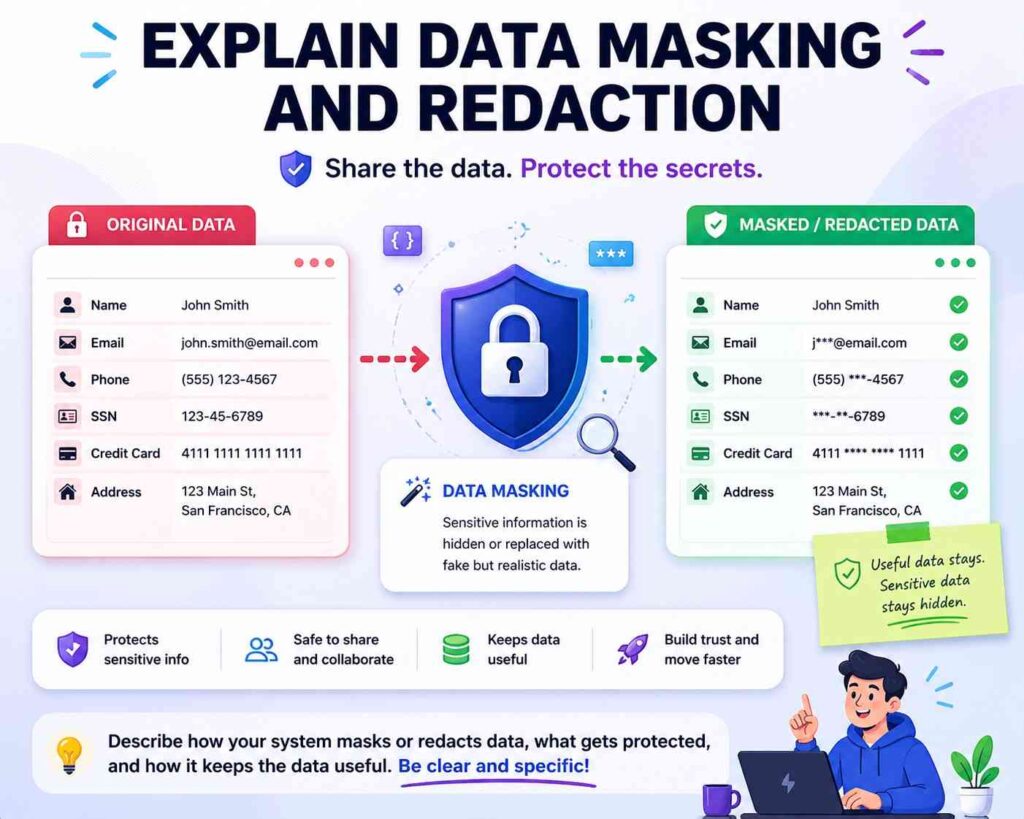
Masking means showing only part of data.
Redaction means removing or hiding data.
These can be patent-worthy when used in a new workflow.
A weak version says:
“The system hides sensitive data.”
A better version says:
“The system replaces all but the last four characters of a payment account number with mask characters before showing the account number to a user.”
That is specific.
For dynamic masking, describe the rule.
For example:
“The system masks a field based on the user role, the device trust value, and the requested action. A support user may view the customer name and order status but may see only a masked payment field. A billing user on a trusted device may view the full payment field.”
This gives context.
For AI outputs, you might write:
“The system checks a model output before display. When the output includes a field labeled as private, the system replaces the field value with a redacted label unless the user has a role linked to that field.”
For logs, you might write:
“The system stores a masked version of the token in the audit log. The system does not store the full token in the audit log.”
This kind of detail is helpful because logs can leak secrets.
Masking may sound simple, but the invention may be in when, where, and how the system masks data.
Explain Tenant Isolation
Cloud products often serve many customers, or tenants.
Tenant isolation is a key security feature.
Do not simply say:
“The system isolates tenant data.”
Say how.
For example:
“The system stores a tenant identifier with each record. When a user sends a query, the system adds the user’s tenant identifier to the query before reading records. The system returns only records that match the tenant identifier linked to the user.”
That explains one isolation method.
Another version:
“The system stores each tenant’s files using a tenant-specific encryption key. A file record stores a tenant identifier and a key identifier. The system uses the key identifier to request use of the tenant key only after checking that the user belongs to the tenant.”
This describes key-based tenant isolation.
Another version:
“The system runs workloads for different tenants in separate containers. A tenant policy service assigns each container a tenant value. The data service rejects a request from a container when the tenant value in the request does not match the tenant value of the requested data.”
This shows workload isolation.
Tenant isolation can involve data filters, keys, namespaces, containers, network rules, policy checks, storage separation, or compute separation.
If your invention improves tenant isolation, spell it out.
This is especially important for SaaS, dev tools, AI platforms, cloud infrastructure, data platforms, and enterprise apps.
Describe Secure Sharing
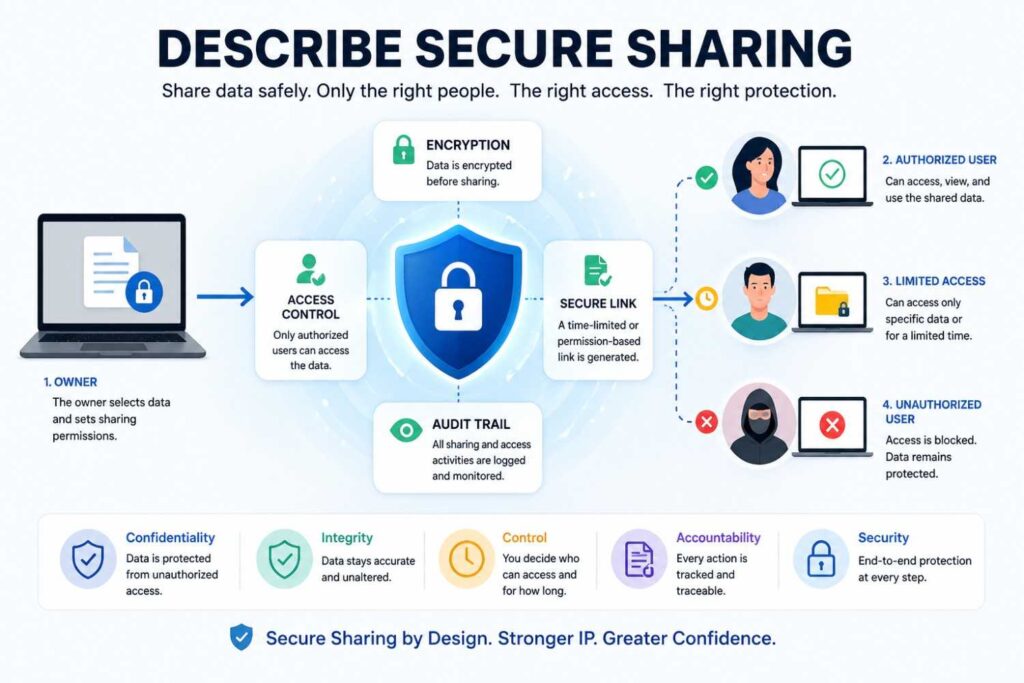
Many products let users share data. Sharing is where security often breaks.
A patent spec should describe the sharing flow in detail.
A weak version says:
“The user can securely share the file.”
A stronger version says:
“The system creates a share link linked to a file identifier, a recipient identifier, an expiration time, and an allowed action. When the recipient opens the share link, the system checks the expiration time and allowed action before showing the file.”
Better still:
“The system does not include the file key in the share link. The system stores the file key in a key service and releases use of the file key only after the recipient passes the share checks.”
Now the sharing design is clearer.
You can also describe revocation:
“When the owner revokes the share link, the system changes the share link state to revoked. Later requests using the share link are blocked even if the expiration time has not passed.”
You can describe limited access:
“The share link allows viewing but not downloading.”
You can describe watermarking:
“When the recipient views the shared file, the system adds a watermark that includes a recipient identifier and view time.”
You can describe one-time sharing:
“The system marks the share link as used after a first successful access and blocks later access using the same link.”
Sharing flows are rich with patent detail. Do not treat them as a single sentence.
Describe Secure Deletion And Retention
If your invention deals with deletion, retention, or data life cycles, describe it clearly.
A weak version says:
“The system securely deletes the data.”
A better version says:
“The system deletes the encrypted data record and also disables the key needed to decrypt the data record.”
This is more concrete.
For retention, you might write:
“The system stores a retention time with each record. When the retention time ends, the system moves the record to a deletion queue. A deletion worker deletes the record and writes a deletion event to an audit log.”
For legal holds or safety holds, you might write:
“The system blocks deletion when a hold flag is linked to the record. When the hold flag is removed, the system resumes the deletion process.”
For AI training data, you might write:
“When a user requests deletion of a training record, the system removes the training record from the active training store and marks model versions trained using the record. The system may use the mark to select a later model version that does not include the deleted record.”
That is a nuanced feature.
Deletion is not always simple. If your product has a smart deletion process, make sure the spec shows it.
Describe Secrets Management
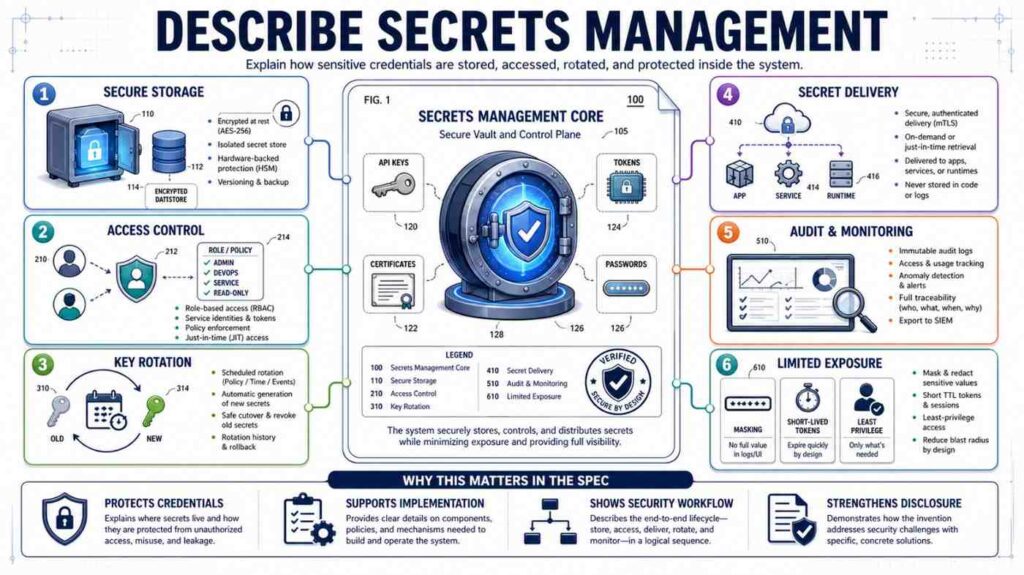
Startups often build systems that handle secrets: API keys, tokens, passwords, private keys, database credentials, webhooks, signing keys, and service credentials.
Secrets management can be a strong security area.
Do not say:
“The system protects secrets.”
Say where the secrets are stored and how they are used.
For example:
“The system stores a service credential in a secrets store. An application service requests the service credential when the application service needs to call an external service. The secrets store checks the identity of the application service before returning the service credential or before using the service credential on behalf of the application service.”
You can describe rotation:
“The system creates a new service credential before disabling an old service credential. During a transition period, the system accepts both credentials. After the application confirms use of the new credential, the system disables the old credential.”
You can describe limited scope:
“The credential allows access only to a selected API action and does not allow admin actions.”
You can describe leak response:
“When the system detects that a credential was exposed, the system changes the credential state to revoked and creates a replacement credential linked to the same service.”
Secrets are often hidden in the back end, but they can be central to your invention.
Describe Physical Security Signals When Devices Are Involved
For hardware inventions, security may use physical signals.
A device may detect case opening, movement, temperature, voltage, location, cable state, dock state, or sensor mismatch.
Describe these signals in plain words.
For example:
“The device includes a housing sensor that changes state when the housing is opened. When the housing sensor changes state, the device stops using a stored private key and sends a tamper event to the server.”
This is clear.
Another example:
“The device compares a sensor reading to an expected range before accepting a command. If the sensor reading is outside the expected range, the device blocks the command and enters a safe mode.”
This links physical state to security.
For location-based controls:
“The controller allows a maintenance command only when the technician device is within a set distance of the machine and the machine is in a maintenance state.”
For supply chain security:
“The system scans a device identifier during manufacturing and stores the device identifier in a registry. When the device first connects to the service, the service checks whether the device identifier is in the registry before issuing a device certificate.”
This is useful for hardware startups.
Explain How Security Changes Over Time
Security is not static.
Users change roles. Devices become risky. Keys expire. Models update. Policies change. Logs grow. Threats change.
A strong patent spec may describe how the system adapts.
For example:
“The system updates a device trust value over time. The system raises the trust value when the device passes health checks and lowers the trust value when the device misses updates, sends failed requests, or connects from an unusual network.”
That is clear.
Another example:
“The system stores a policy version with each access token. When a policy changes, the system rejects access tokens that include an older policy version for high-risk actions.”
This is a practical feature.
Another example:
“The system changes the data mask level during a session. If the user starts the session on a trusted network and later moves to an untrusted network, the system hides sensitive fields without ending the session.”
This is strong because it shows live security adjustment.
Time-based detail can make a feature more real.
Think about these moments:
Before session starts.
During session.
After session.
Before policy change.
After policy change.
Before key rotation.
After key rotation.
Before device update.
After device update.
If your invention handles time in a special way, write it down.
Explain What Happens Across Services
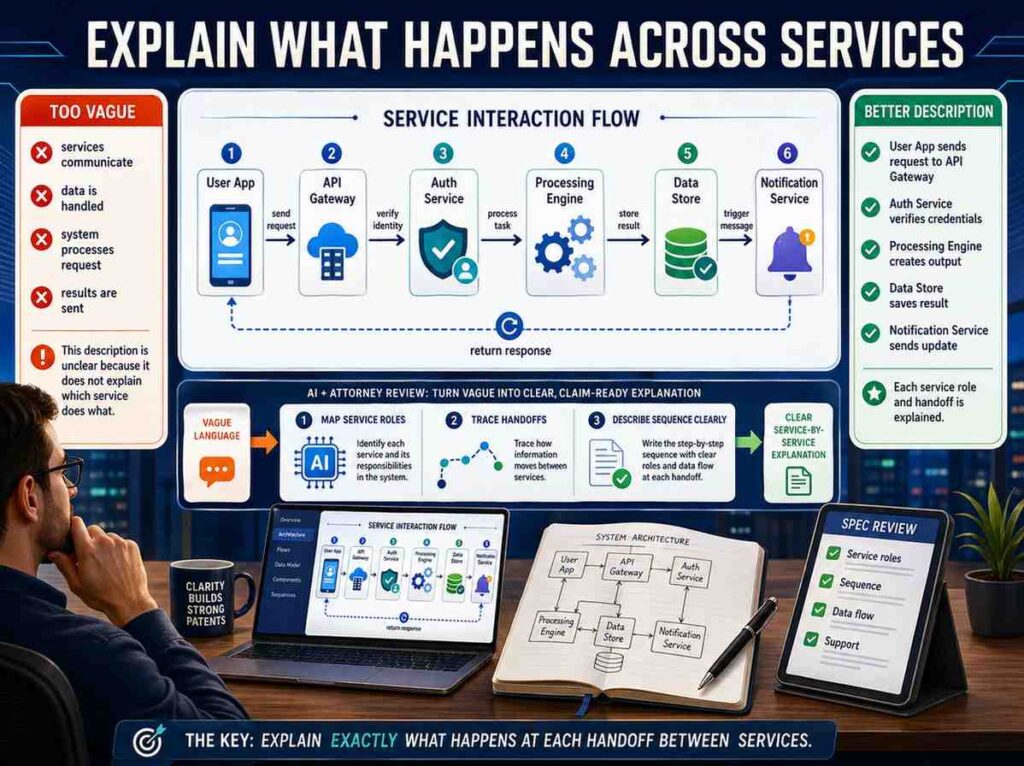
Many inventions are not one box. They are services talking to services.
Your spec should explain which service does what.
For example:
“The identity service authenticates the user. The policy service stores access rules. The data service stores files. When the user requests a file, the data service sends the user role and file label to the policy service. The policy service returns an access result. The data service uses the access result to allow, block, or mask the file.”
This is much clearer than:
“The platform checks access.”
Service boundaries matter.
They help the reader understand the architecture.
They also help support claims that may cover distributed systems.
You can describe different versions too.
“In another version, the data service stores a local copy of selected policy rules and checks access without calling the policy service for each request.”
This gives flexibility.
For startups, architecture often changes. A spec that describes both centralized and local policy checks may age better than one tied to a single design.
Avoid Over-Narrowing The Invention
Founders often describe only the current product build. That can make a patent too narrow.
For example, a spec might say:
“The system uses AWS KMS to store keys.”
That may be true. But if the invention is not about AWS KMS, you may want broader wording:
“The system stores keys in a key management service, such as a cloud key service, a hardware security module, or another protected key store.”
Then you can give AWS KMS as an example only if appropriate.
Another example:
“The system sends a Slack alert when a risky export is requested.”
If the invention is about alerting, not Slack, write:
“The system sends an alert through a messaging service, email service, dashboard, ticketing system, or other alert channel.”
This keeps the idea flexible.
Do not over-narrow to one vendor, one library, one field name, one threshold, one UI layout, or one protocol unless that detail is truly central.
At the same time, do not make everything so broad that the spec becomes vague.
The skill is to give concrete examples while also saying that other versions can be used.
That is where patent drafting and product knowledge need to work together.
PowerPatent helps founders avoid this trap. It helps capture what you built while also shaping the filing so it is not locked to one brittle version of your product. Explore the process here: https://powerpatent.com/how-it-works
Avoid Over-Broad Claims In The Spec Story

There is another side to the problem.
Some founders go too broad.
They write:
“The system secures all data in all environments.”
That is not useful.
A patent spec should not sound like a dream. It should sound like an invention.
Instead of claiming all security, focus on your actual improvement.
For example:
“The system changes access to a record based on both a user role and a live device trust value.”
That is specific.
Or:
“The system signs a machine command with a time-limited command record and requires the machine to check the signature before acting.”
That is specific.
Or:
“The system masks model outputs after checking the output against field-level privacy labels.”
That is specific.
Specific does not mean weak. Specific often means stronger.
The best patent specs describe a clear technical path.
Include Diagrams In Your Mind Even If You Are Writing Text
Even when you are only writing words, think like you are drawing a diagram.
What boxes exist?
What arrows connect them?
What data moves?
What checks happen?
What decisions are made?
What outputs are created?
For a security feature, a simple mental diagram might have:
User device.
Identity service.
Policy service.
Data store.
Key service.
Audit log.
Admin dashboard.
Now write the flow between them.
“The user device sends a request to the data service. The data service sends a token to the identity service. The identity service returns a user role. The data service sends the user role and file label to the policy service. The policy service returns a mask rule. The data service retrieves the file, masks selected fields based on the mask rule, and stores an audit record.”
This is almost a diagram in sentence form.
Patent specs often include actual drawings, but even the written description should be diagram-friendly.
If your security feature would be hard to draw, it may also be hard to understand. Simplify the flow until it can be drawn.
Describe “Secure By Default” In Concrete Terms

Many startups say their product is secure by default.
That is a nice product message. But in a patent spec, you need to explain the defaults.
For example:
“The system blocks access to newly created data sets until an owner assigns an access policy.”
This is a secure default.
Another example:
“The system creates a new user account with export rights disabled. Export rights are enabled only after an administrator links the user account to an export role.”
Another:
“The system treats a new device as untrusted until the device completes a certificate enrollment process.”
Another:
“The system hides sensitive fields unless a policy rule expressly allows the fields to be shown.”
These are real defaults.
If your invention changes default behavior in a useful way, say it.
Default rules are often powerful because users do not always configure systems correctly.
Describe Human Approval Loops
Security is not always automatic. Sometimes a human approval is part of the system.
If your invention uses approvals, describe the loop.
A weak version says:
“The system asks for approval.”
A better version says:
“When a user requests a high-risk action, the system creates an approval request. The approval request includes the user identifier, requested action, data set identifier, risk reason, and expiration time. The system sends the approval request to an approver linked to the data set. If the approver approves before the expiration time, the system allows the action. If the approval request expires, the system blocks the action.”
This is strong.
Approval features can include dual control, four-eyes review, manager approval, customer approval, admin approval, peer approval, or machine owner approval.
If the approver is selected in a smart way, describe that too.
For example:
“The system selects the approver based on the data set owner, the user’s team, and the type of requested action.”
If approval changes the access token, say so.
“For an approved action, the system creates a short-lived approval token linked to the action. The approval token cannot be used for other actions.”
This is a useful security detail.
Describe Policy Changes And Admin Controls
Security features often include admin tools.
A patent spec should describe them when they matter.
For example:
“An administrator creates a policy by selecting a data label, a user role, and an allowed action. The system stores the policy with a policy version. When the policy changes, the system updates the policy version and applies the changed policy to later access requests.”
This explains policy creation and versioning.
If the admin tool tests policy effects, describe that.
“The system shows a preview of which users would gain or lose access before the policy is saved.”
That can be a useful invention.
If the system prevents unsafe policy changes, describe that.
“The system blocks a policy change that would remove all owner roles from a data set.”
This is a security feature.
Admin controls are often overlooked because founders think of them as settings. But settings can be part of the invention if they create a new security workflow.
Describe Alerts With Context

Alerts are common. But vague alerts are not useful.
Do not say:
“The system alerts the administrator.”
Say what the alert includes and why.
For example:
“The alert includes the user identifier, device identifier, requested action, risk reason, and a link to revoke the session.”
Now the alert has action.
You can also describe alert routing.
“The system sends the alert to the owner of the data set when the event involves a data export. The system sends the alert to a device manager when the event involves a device health failure.”
This is better than sending every alert to everyone.
If the alert changes system state, describe that.
“When the alert is created, the system also lowers the session trust value until an administrator reviews the event.”
This makes the alert part of the control loop.
Good alerts do not just notify. They help the system respond.
Describe Session Security
Sessions are a common place for security inventions.
A session starts when a user, device, service, or agent gains access. A session may end, expire, change state, or become limited.
A weak version says:
“The system creates a secure session.”
A better version says:
“The system creates a session record after the user is authenticated. The session record includes a user identifier, device identifier, session start time, trust value, and allowed action set. The system updates the trust value during the session when the device state or user behavior changes.”
This is clear.
You can describe session expiration:
“The system ends the session when the session age exceeds a limit or when the device trust value falls below a threshold.”
You can describe session downgrade:
“The system changes the session from full access to limited access when the user changes network location.”
You can describe session binding:
“The system binds the session to the device identifier. If the same session token is later used from another device identifier, the system rejects the request.”
This is useful.
Session security is often where product behavior meets technical control. Capture it.
Describe API Security
For developer tools and platforms, API security may be central.
Do not simply say:
“The API is secure.”
Describe API keys, scopes, tokens, signing, quotas, request checks, and logging.
For example:
“The system issues an API token linked to a developer account and a set of scopes. Each scope allows a selected API action. When the API gateway receives a request, the gateway checks whether the token includes the scope needed for the requested action.”
That is basic but useful.
For request signing:
“The client creates a signed request using a secret linked to the API token. The signed request includes a time value and request path. The API gateway verifies the signature and rejects the request when the time value is outside an allowed time window.”
For least privilege:
“The system suggests a narrower scope for a token based on the API actions used during a test period.”
That could be an inventive feature.
For secret scanning:
“The system checks code changes for exposed API tokens. When a token is found in a code change, the system revokes the token and creates an alert.”
API security features can be very patent-relevant, especially when tied to a new developer workflow.
Describe Cloud Workload Security

Cloud systems may use containers, serverless functions, service identities, workload policies, and network rules.
If your invention secures workloads, say how.
For example:
“The system assigns a workload identity to each container. When a container requests data, the data service checks the workload identity and the tenant identifier before returning the data.”
For runtime policy:
“The system creates a runtime policy based on the expected behavior of the workload. If the workload later calls a service that is not in the runtime policy, the system blocks the call and records an event.”
For build-to-run security:
“The system links a deployed workload to a build record. The build record includes a source code identifier and a signed build value. The runtime service starts the workload only when the signed build value matches an approved build record.”
This is useful for DevSecOps and infrastructure startups.
Again, plain words. Exact steps.
Describe Blockchain Or Ledger Features Without Hype
If your invention uses a blockchain, ledger, or hash chain, do not rely on the word alone.
Explain what is stored, what is checked, and why it matters.
A weak version says:
“The system stores records on a blockchain for security.”
A better version says:
“The system creates a hash of each audit record and stores the hash in a ledger. The system stores the full audit record in a database. Later, the system computes a new hash of the audit record and compares the new hash to the hash stored in the ledger. If the hashes differ, the system detects that the audit record changed.”
This explains the function.
You may not need blockchain at all. A hash chain or signed log may be enough. But if your invention uses a ledger in a specific way, describe the specific way.
Do not say “immutable” without explaining how changes are detected or blocked.
Describe Secure Computation And Local Processing
Some inventions keep data safe by processing it in a certain place or in a certain form.
For example, data may stay on a user device. A model may run locally. A server may receive only a result. A system may compute on encrypted data. A trusted execution environment may protect code and data during processing.
If this matters, describe the path.
For local processing:
“The user device receives raw sensor data and runs a local model on the raw sensor data. The user device sends only a risk label to the server. The server does not receive the raw sensor data.”
For secure enclave use:
“The server loads the processing code into a protected execution area. The protected execution area receives encrypted input data, decrypts the input data inside the protected execution area, creates an output, and sends the output outside the protected execution area.”
For federated learning:
“Each user device trains a local model update using local records. The user device sends the model update to a server without sending the local records. The server combines model updates from multiple user devices to update a shared model.”
If the invention is about privacy-preserving computation, your spec must make the data flow very clear.
Describe Threat Detection As A Chain
Threat detection is not just “detecting threats.”
It often has a chain:
Collect signals.
Create features.
Compare to rules or model.
Create score or label.
Take action.
Update records.
Your spec should show the chain.
For example:
“The system collects login events, device health values, and data export events. The system creates a behavior record for a user account. The behavior record includes a normal login region, normal device set, and normal export size. When a later request differs from the behavior record, the system raises a risk score for the request.”
This is clear.
For model-based detection:
“The system sends request features to a detection model. The detection model returns a risk label. The policy service uses the risk label to choose whether to allow, limit, or block the request.”
If the model is trained in a special way, explain that too.
“The detection model is trained using past audit records labeled as allowed, blocked, or confirmed misuse.”
But do not overstate. If the invention is not the model training, keep the model description simple.
Threat detection features become stronger when tied to response actions.
Detection alone is often less useful than detection plus control.
Describe Watermarks And Fingerprints

Watermarks can help trace leaks.
Fingerprints can help identify files, devices, models, or users.
Describe how they are created and used.
For example:
“The system adds a watermark to a document when the document is viewed or downloaded. The watermark includes a user identifier or a value derived from the user identifier, a document identifier, and a time value.”
For invisible watermarks:
“The system changes selected document values in a way that is not visible to the user but can later be detected by the system.”
For model outputs:
“The system adds a pattern to selected model outputs. The pattern is linked to the user account that requested the output. If the output later appears outside the system, the system can compare the pattern to stored user patterns.”
For device fingerprints:
“The system creates a device fingerprint from a set of device values. The system uses the device fingerprint to recognize a device during later sessions.”
Be careful with privacy. If your fingerprinting feature protects users, explain the controls around it.
Describe Security Benefits Without Making Them The Whole Invention
Benefits matter. They help the reader understand why the feature exists.
But benefits are not a substitute for steps.
A good spec may say:
“This can reduce the chance that an old command is reused by an attacker.”
That is a benefit.
But the spec should also say:
“The device rejects commands with a time value outside an allowed window.”
That is the mechanism.
Always pair benefit with mechanism.
Here are good pairings:
The system masks fields, which can reduce exposure of sensitive data on risky devices.
The system rotates keys after policy changes, which can limit access under old rules.
The system signs audit records, which can help detect later changes.
The system binds sessions to device identifiers, which can reduce token reuse from another device.
The system blocks commands with old counters, which can reduce replay of prior commands.
This style is simple, persuasive, and grounded.
Use Plain Technical Words
You do not need legal jargon.
You do not need to write like a court.
You need to be clear.
Use words like:
receives
checks
stores
sends
blocks
allows
creates
updates
compares
encrypts
decrypts
signs
verifies
masks
logs
alerts
selects
routes
limits
These words are strong because they show action.
Avoid empty words like:
leverages
utilizes
robust
seamless
next-generation
military-grade
enterprise-grade
world-class
fully secure
state-of-the-art
Those words may sound polished, but they do not help the patent spec.
Security patent writing should be plain, active, and exact.
Make The Spec Useful For Claims Later
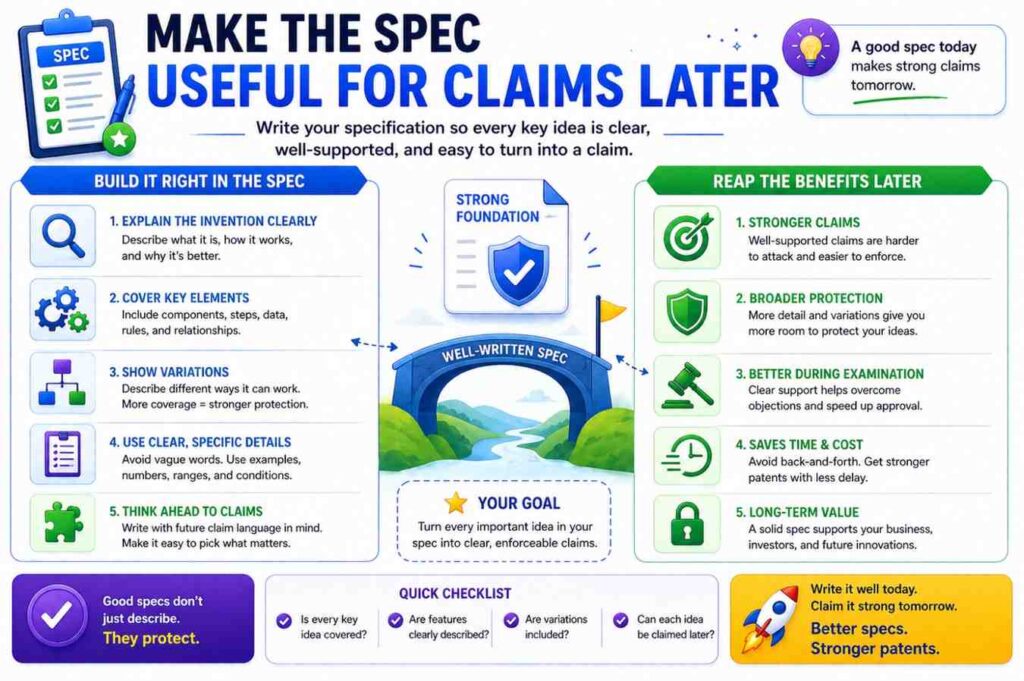
The patent claims are the legal boundary. The spec supports those claims.
You do not need to write claims in the spec. But you should write the spec with claims in mind.
That means describing the core feature in more than one way.
For example, if your invention is risk-based masking, the spec may describe:
The system receiving a request.
The system identifying a data label.
The system identifying a device trust value.
The system selecting a mask rule.
The system creating a masked response.
The system logging the mask rule used.
This gives future claims several pieces to work with.
If the spec only says “the system hides data when risk is high,” there is less support.
Good specs give claim builders raw material.
That is why early detail matters. Once an application is filed, adding new matter can be limited. The USPTO explains that the written description requirement helps ensure the application shows possession of the invention, and the MPEP discusses the relationship between written description and later claim support. (USPTO)
In plain terms: put the important technical detail in before filing.
A Practical Drafting Pattern You Can Use
Here is a simple pattern for describing almost any security feature in a patent spec.
Start with the protected asset.
Then describe the risky event.
Then describe the actors.
Then describe the data used for the security decision.
Then describe the check.
Then describe the result.
Then describe failure cases.
Then describe examples.
You do not need to present this as a list in the spec. You can write it as clean paragraphs.
For example:
“The system protects machine control commands sent from a user dashboard to a field device. A risky event may occur when an old command is resent or when a command is sent from a user device that is no longer trusted.
To reduce this risk, the dashboard creates a command record that includes a user identifier, device identifier, target device identifier, command value, time value, and command identifier. The dashboard signs the command record and sends it to the field device.
The field device checks the signature, the time value, and the command identifier before acting on the command. If the signature is invalid, the time value is outside an allowed time window, or the command identifier was already used, the field device rejects the command and stores a rejection event.”
That paragraph is compact, but it teaches a lot.
It names the asset.
It names the risk.
It names the data.
It names the check.
It names the outcome.
That is the kind of writing you want.
Example: Describing A Secure Login Feature
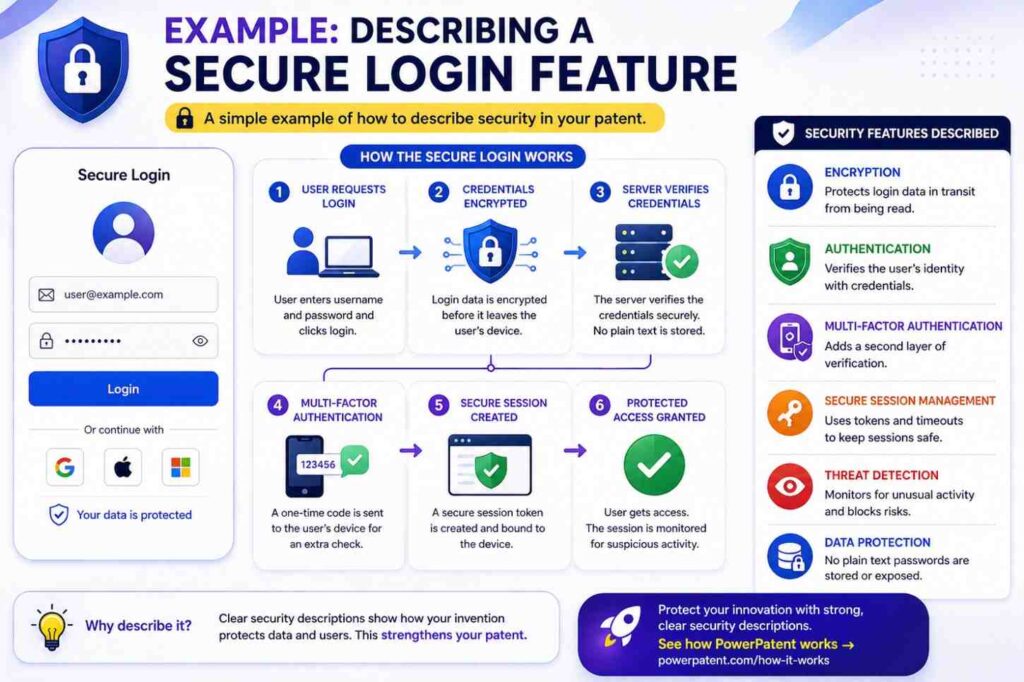
Let’s turn a common feature into patent-spec language.
Weak version:
“The system provides secure login using multi-factor authentication.”
Better version:
“The system receives a login request from a user device. The login request includes a user identifier and a device identifier. The system checks whether the device identifier is linked to the user account. If the device identifier is linked to the user account, the system allows the user to complete a first login flow. If the device identifier is not linked to the user account, the system asks the user for a second proof before creating a session.”
Stronger version:
“The system creates a session record after the user passes the login flow. The session record includes the user identifier, the device identifier, a session start time, and a trust level. The system sets the trust level to a first value when the device identifier is linked to the user account and to a lower value when the user passed the second proof from a new device. The system allows different actions based on the trust level. For example, the system may allow viewing account data at the lower trust level but may block payment changes until the device becomes trusted.”
This version is much better because it shows a security feature that continues after login.
It is not just “MFA.” It is adaptive session control.
Example: Describing Encryption For Stored Data
Weak version:
“The system encrypts stored data.”
Better version:
“The system encrypts each stored file using a file key. The system stores the encrypted file in a file store and stores a key identifier with the file. The file key is stored in a key service and is not stored with the encrypted file.”
Stronger version:
“When a user requests the file, the system checks a user role and a file policy before asking the key service to use the file key. If the user role satisfies the file policy, the key service allows use of the file key to decrypt the file. If the user role does not satisfy the file policy, the system does not decrypt the file and returns an access denial message.”
This version connects encryption to access control.
That is often more valuable than encryption alone.
Example: Describing Security For AI Model Outputs
Weak version:
“The system prevents the AI model from leaking private data.”
Better version:
“The system checks a model output before sending the model output to a user. The system compares the model output to a set of sensitive field patterns. If the model output includes a sensitive field, the system replaces the sensitive field with a masked value.”
Stronger version:
“The system also checks a user permission record before replacing the sensitive field. If the user permission record allows the user to view the sensitive field, the system may send the sensitive field. If the user permission record does not allow the user to view the sensitive field, the system sends the masked value and stores an audit record that identifies the prompt, the sensitive field type, and the masking action.”
This is strong because it describes input, output, permission, masking, and logging.
Example: Describing Secure Device Commands
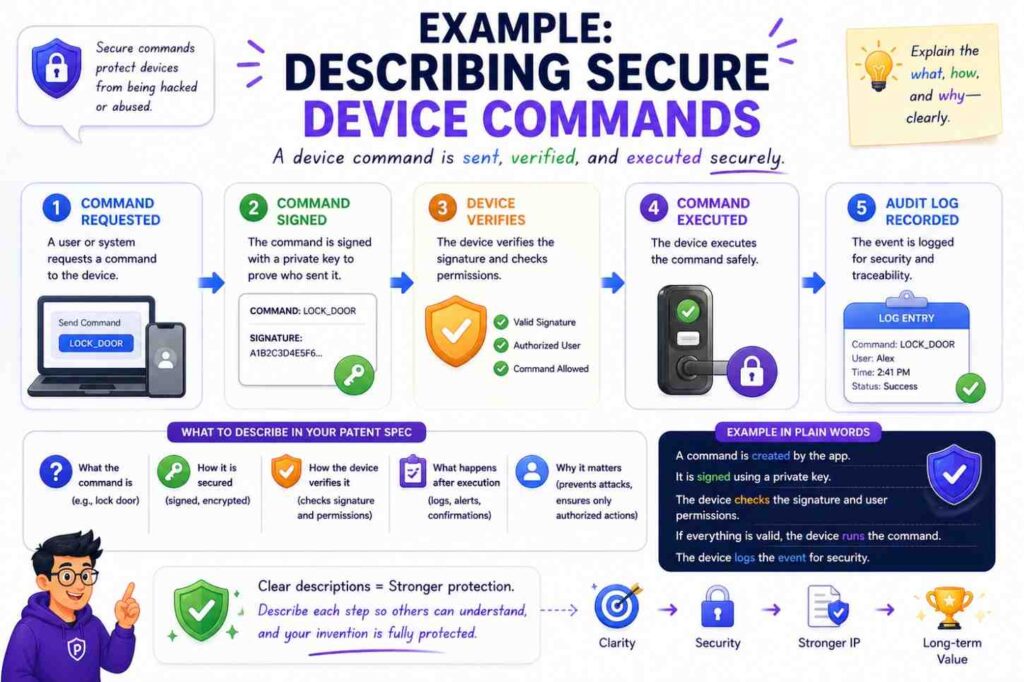
Weak version:
“The device receives secure commands from the server.”
Better version:
“The server creates a command record that includes a target device identifier, a command value, a time value, and a command identifier. The server signs the command record. The device verifies the signature before performing the command.”
Stronger version:
“The device also checks whether the time value is within an allowed time window and whether the command identifier was already used. If the command identifier was already used, the device rejects the command. If the command is accepted, the device stores the command identifier in a used-command list.”
This clearly addresses replay protection.
Example: Describing Secure File Sharing
Weak version:
“The system lets users securely share files.”
Better version:
“The system creates a share record when an owner shares a file with a recipient. The share record includes a file identifier, recipient identifier, allowed action, expiration time, and share state. When the recipient requests the file, the system checks the share record before allowing access.”
Stronger version:
“The system allows the recipient to view the file when the share state is active and the current time is before the expiration time. The system blocks download when the allowed action is view-only. When the owner revokes sharing, the system changes the share state to revoked and blocks later recipient requests.”
This turns a generic feature into a clear security workflow.
Example: Describing Audit Trail Protection
Weak version:
“The system stores tamper-proof audit logs.”
Better version:
“The system stores audit records and signs each audit record. Each audit record includes an event type, user identifier, resource identifier, action result, and time stamp.”
Stronger version:
“The system also stores a hash of a prior audit record in a later audit record. To check the audit log, the system recomputes hashes for the audit records and compares the recomputed hashes to stored hash values. If a stored audit record was changed or removed, the comparison fails.”
This explains tamper detection.
The Best Security Specs Sound Like A Builder Explaining The System
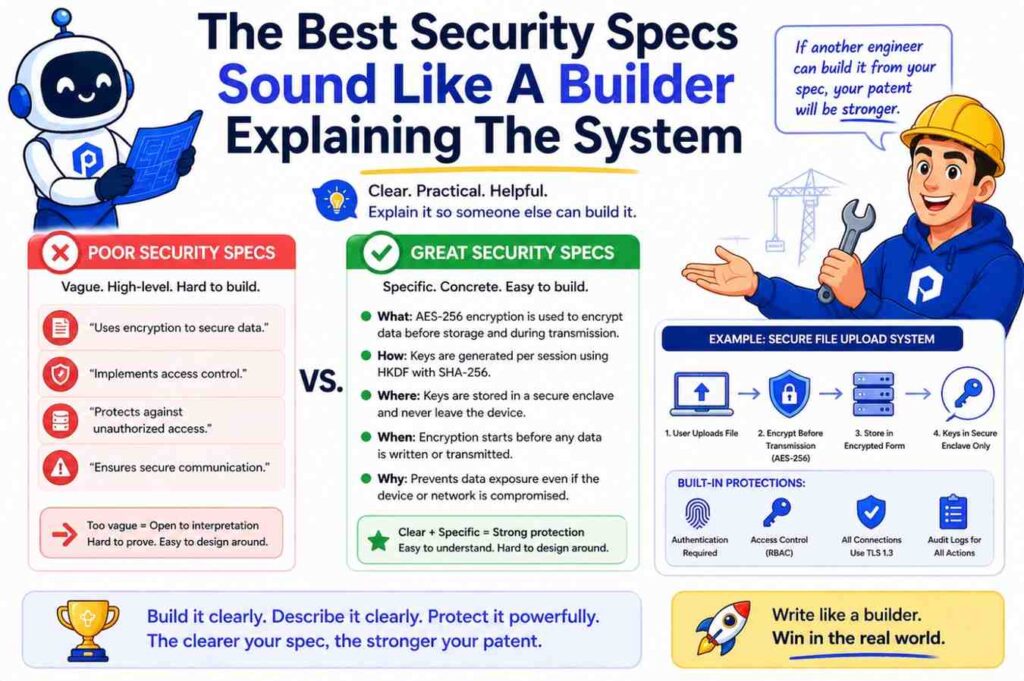
The best patent specs are not stuffed with jargon. They sound like a careful engineer explaining the system to another engineer.
They are calm.
They are specific.
They do not brag.
They do not hide the ball.
They show the invention step by step.
For security features, this matters because words like “secure” and “trusted” are too easy to say and too hard to trust.
A good spec earns trust by showing the work.
It says what is protected.
It says what can go wrong.
It says what data is checked.
It says where the check happens.
It says what the system does when the check passes.
It says what the system does when the check fails.
It says how the system logs, updates, limits, masks, signs, encrypts, rotates, revokes, or alerts.
That is how a security feature becomes more than a product claim.
It becomes part of a patent story.
Common Mistakes To Avoid
The biggest mistake is using security labels without detail.
“Encrypted,” “secure,” “trusted,” and “private” are not enough by themselves.
Another mistake is describing only the result. Saying “unauthorized users are blocked” does not explain how the system knows a user is unauthorized.
Another mistake is leaving out failure cases. A security feature should say what happens when checks fail.
Another mistake is over-focusing on known tools. If your invention is not about the encryption algorithm itself, do not spend all your space naming algorithms. Spend more space on how your system chooses, applies, and controls encryption.
Another mistake is forgetting the user interface. If the security feature changes what the user sees or can do, describe that.
Another mistake is ignoring architecture. Say what happens on the device, server, gateway, model runtime, key service, policy service, or data store.
Another mistake is filing too early with thin detail. A quick filing can be useful, but a vague filing can leave important ideas unsupported.
PowerPatent helps founders move fast without leaving out the details that matter. The platform helps turn real product knowledge into a patent-ready draft, with real attorney oversight before filing. You can see the workflow here: https://powerpatent.com/how-it-works
How To Work With Engineers When Drafting Security Features
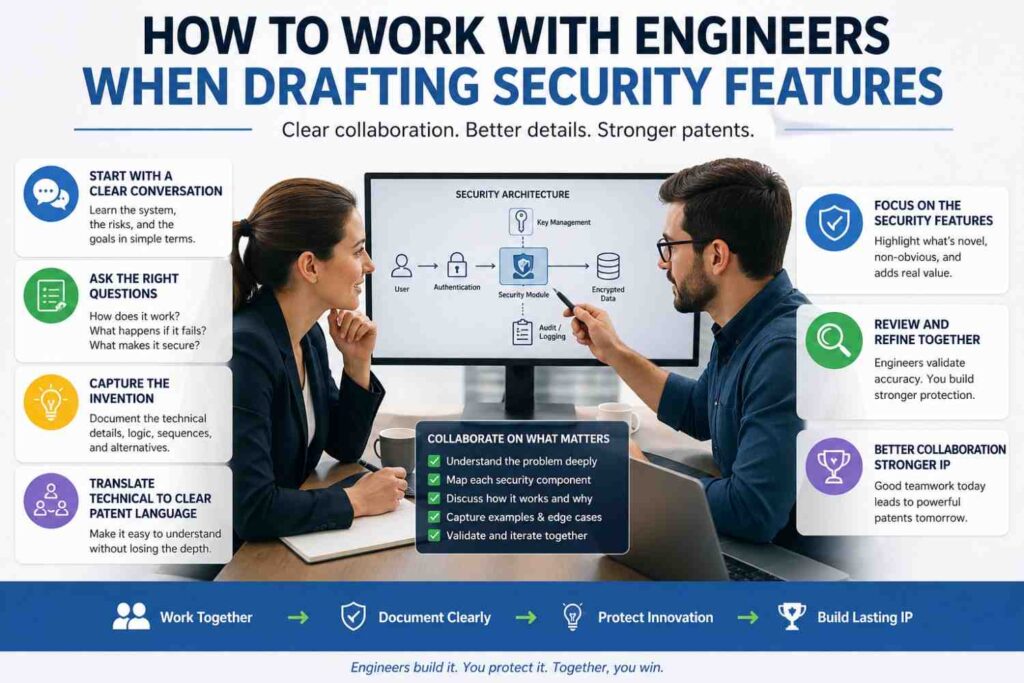
If you are a founder, do not ask your engineer, “Is this secure?”
Ask better questions.
Ask what the system protects.
Ask what bad action the system blocks.
Ask what inputs the system checks.
Ask where the check happens.
Ask what happens if the check fails.
Ask what data is logged.
Ask what happens when a user changes roles.
Ask what happens when a device becomes untrusted.
Ask what happens when a key is rotated.
Ask what happens when the policy service is down.
Ask what makes this design different from a normal design.
These questions pull out patent-ready detail.
Engineers often know the details but do not think to include them in patent notes. They may assume a detail is “obvious” because it is obvious to them. But if the detail supports the invention, it should be captured.
A good patent process should make this easy. It should not force engineers to become lawyers. It should help them explain the build in their own words, then shape those words into a strong filing.
That is the kind of workflow PowerPatent is designed for.
How To Keep Trade Secrets In Mind
Some security details may be trade secrets.
A patent application is published in many cases, so you should think carefully about what you disclose.
But you also need enough detail to support the patent.
This is a balance.
For example, you may not need to disclose a private detection rule in exact form. But you may need to describe the types of inputs used, how the score affects access, and how the system responds.
You may not need to disclose a secret threshold value. But you may describe that the threshold can be set by policy, learned from past behavior, or changed based on action type.
You may not need to disclose production key material. In fact, you should not. But you may describe how keys are created, stored, selected, rotated, and revoked.
You may not need to disclose every internal rule. But you should disclose enough that the invention is real and supported.
This is a place where attorney guidance matters.
PowerPatent combines smart intake tools with real patent attorney oversight so founders can move quickly while still making careful decisions. Start here: https://powerpatent.com/how-it-works
A Strong Security Description Has Layers
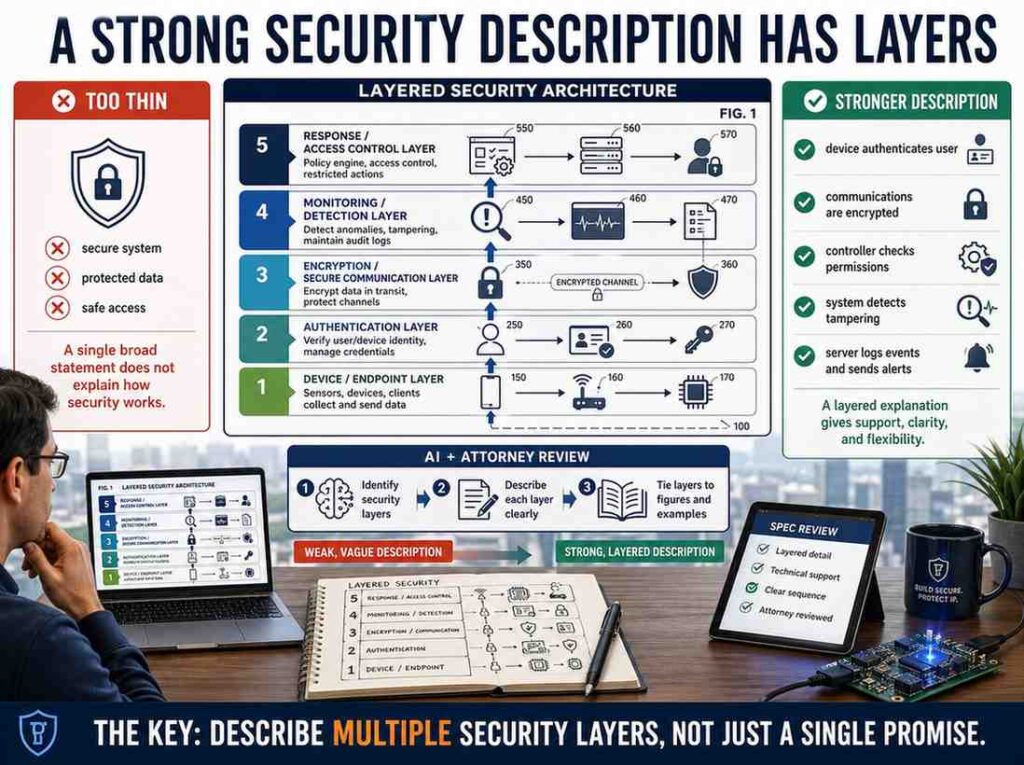
Think of security detail in layers.
The first layer is the plain statement:
“The system controls access to sensitive records.”
The second layer is the asset and risk:
“The system controls access to customer payment records to reduce exposure when a user signs in from an untrusted device.”
The third layer is the inputs:
“The system uses a user role, device trust value, data label, and requested action.”
The fourth layer is the rule:
“The system allows viewing but blocks download when the device trust value is low.”
The fifth layer is the system action:
“The system creates a masked response, hides download controls, and stores an audit event.”
The sixth layer is variation:
“The system may use different trust limits for different data labels or may require second approval instead of blocking download.”
This layered style gives the spec depth without making it hard to read.
Security Features In Patent Specs Should Be Clear Enough To Build
A patent spec is not a product brochure.
It should not be vague.
It should not sound like marketing.
It should not say “secure platform” and move on.
It should help a skilled reader understand the system.
The USPTO’s disclosure rules are built around that idea: the specification must describe the invention and how to make and use it in full, clear, concise, and exact terms. (USPTO)
For a founder, that means your patent spec should answer a simple question:
Could a skilled builder understand how this security feature works from the description?
If not, add more detail.
Not random detail. Useful detail.
Describe the asset.
Describe the actors.
Describe the data.
Describe the check.
Describe the result.
Describe failures.
Describe examples.
That is enough to make most security features much clearer.
Final Thought
Security features are often where the real invention lives.
Not because you used encryption.
Not because you used login.
Not because you used a token.
But because of the way your system applies checks, changes access, protects data, handles risk, controls devices, masks outputs, rotates keys, signs records, verifies commands, or responds when something looks wrong.
That is what your patent spec should capture.
Do not settle for “the system is secure.”
Show how the system keeps something safe.
Show the flow.
Show the choices.
Show the fallback.
Show the real build.
That is how you turn security from a vague promise into patent-ready detail.
And when you are ready to protect what you are building, PowerPatent can help you move from idea to strong filing with smart software and real attorney oversight. See how it works here: https://powerpatent.com/how-it-works
Leave a Reply