A strong patent starts with strong details. Not fancy words. Not long meetings. Not a rushed form full of thin answers. The real value comes from the small technical choices the inventor made while building the invention. What problem did they see? What did they try first? What failed? What changed? What makes the final version work better than the old way?
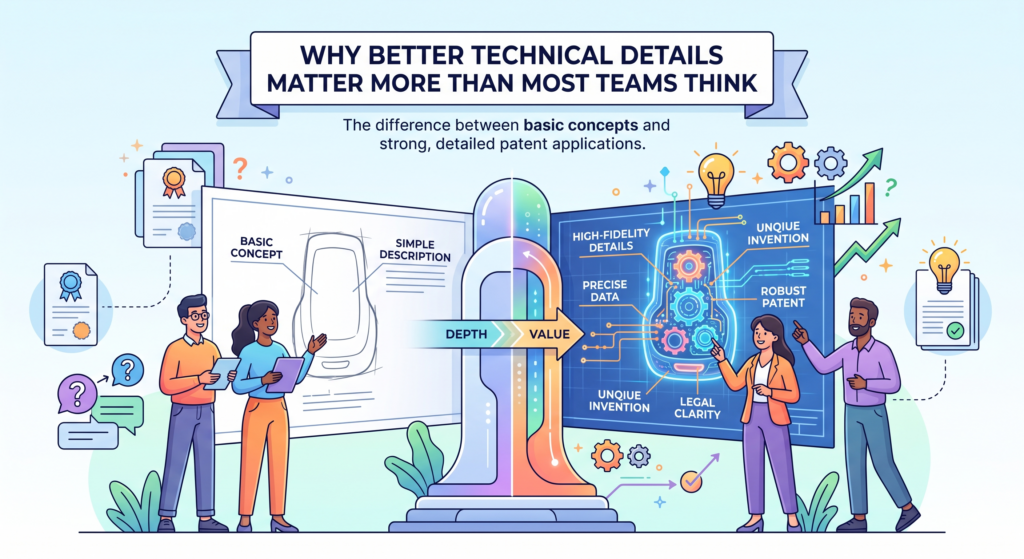
Why Better Technical Details Matter More Than Most Teams Think
Most inventors do not hide details on purpose. They are busy. They are building, testing, fixing bugs, shipping updates, talking to users, and trying to stay alive as a company. When someone asks them to “explain the invention,” they often give the short version.
They describe the result, not the path. They explain what the product does, not how the product actually works. They talk about the big win, but skip the small choices that made the win possible.
That is where many patent efforts become weak.
A patent is not just a story about a good idea. It needs the real technical meat. It needs the parts, steps, flows, rules, data, signals, models, checks, controls, and design choices that make the invention different.
If those details are missing, the draft may sound clean, but it may not protect the thing that matters most.
For a founder, that can be painful. You may spend time and money on a filing, only to find later that the patent does not cover the strongest part of your system.
You may also miss backup ideas that could have helped when the patent office pushes back. This is why detail collection is not a small admin task. It is the base layer of strong IP.
At PowerPatent, this is one of the big problems we help solve. The goal is simple: make it easier for technical teams to explain what they built, while real patent attorneys guide the process and help turn those details into better protection. You can see how that works here: https://powerpatent.com/how-it-works
Good Invention Details Protect the Real Edge
The real edge of an invention is often not the broad idea. It is usually the exact way the team solved the hard part.
For example, a startup may say, “We built an AI tool that finds bad data before training.” That sounds useful, but it is not enough. The stronger details may be hidden inside the system. Maybe the tool compares data drift across time windows.
Maybe it scores samples based on how much they change model output. Maybe it uses a feedback loop from failed predictions. Maybe it removes data only when two separate checks agree. Those choices matter.
The broad idea tells people the goal. The technical details show the invention.
This difference is key because many other teams may chase the same goal. Many companies want faster models, cleaner data, safer robots, better chips, stronger batteries, and better medical tools.
The patent must show what this team did in a way that is clear and hard to copy around.
The Best Details Often Sound Too Small at First
Inventors often skip details because they think those details are too small. They may say, “That part is just an implementation choice.” But in patents, those choices can be gold.
A timing rule may matter. A threshold may matter. A special order of steps may matter. A fallback mode may matter. A way to reduce noise may matter. A new way to store intermediate results may matter.
A trick that saves memory, cuts compute cost, prevents failure, or makes the system easier to scale can become the core of a strong patent story.
This is why the person collecting details must not ask only, “What is the invention?” That question is too broad.
It invites a shallow answer. A better question is, “What did you do differently because the normal way did not work?”
That question opens the door to real substance.
Start by Framing the Invention Around the Hard Problem
Before you ask for diagrams, code notes, examples, or system steps, start with the hard problem. This gives the whole conversation a clear center. Without it, inventors may jump from feature to feature.
They may explain the product in the same way they would explain it to a customer, investor, or new hire. That can be helpful, but it is not enough for a patent.
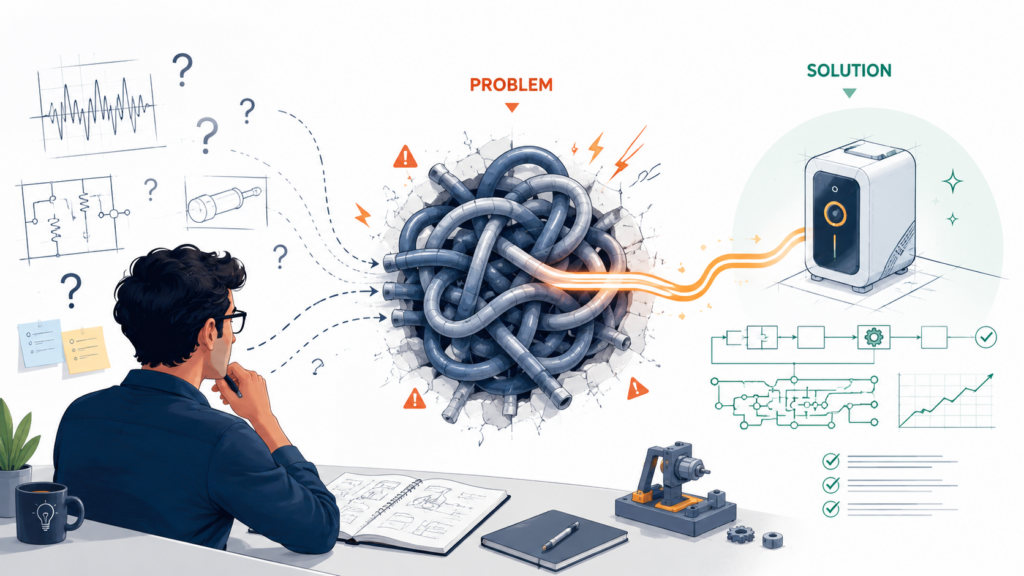
The hard problem is the reason the invention exists. It is the pain that forced the team to make a new technical choice. When you find that pain, every later question becomes sharper.
A good patent detail session should begin with a simple prompt: “What was hard about this before your invention?” Then stay quiet and let the inventor talk. Do not rush to fill silence. Do not turn the answer into legal language. Just listen for friction.
The friction may be speed. The old method was too slow. It may be cost. The old system used too much compute. It may be accuracy. The old model failed on edge cases. It may be safety.
The old control loop reacted too late. It may be scale. The old database design broke under load. It may be trust. The old system could not explain why it made a decision.
Once the hard problem is clear, the invention becomes easier to explain. The details stop feeling random. They become proof that the team solved something real.
This is also where founders should slow down. A rushed invention intake often misses the best story. PowerPatent helps teams move fast without skipping the deep questions that matter.
The software helps organize the invention, while attorney oversight helps make sure the right details are captured before drafting begins. Learn more here: https://powerpatent.com/how-it-works
Ask What Broke Before the Invention Worked
One of the best ways to get rich technical details is to ask what failed first.
Inventors love to talk about the working version. That is natural. They are proud of it. But the failed versions often show why the final version is special.
If the team tried three normal methods and all three failed, that tells you something important. It shows that the final design was not random. It was shaped by real technical pressure.
Ask the inventor what they first assumed would work. Then ask why it did not. Maybe the model was accurate in the lab but failed in real-time use. Maybe the sensor data was too noisy.
Maybe the hardware overheated. Maybe the cloud process was too slow for users. Maybe a rules-based system could not handle rare cases. Maybe a database query worked during testing but failed at production scale.
These failed paths are not wasted history. They help reveal the invention’s reason for being.
Failure Details Help Build Better Backup Positions
A strong patent should not depend on one thin idea. It should have layers. If the broad version faces trouble, the team should have narrower details to fall back on. Failed attempts can help create those layers.
For example, if the team learned that one data filter was not enough, but a two-stage filter worked, that matters.
If they learned that a fixed threshold failed, but a changing threshold worked, that matters. If they learned that local processing was too weak, but a split edge-cloud design worked, that matters.
These details give the patent team more material. They can help explain the invention in a way that is more grounded. They can also help protect the practical version the company actually uses.
The key is to ask about the journey, not just the outcome. The path from broken to working is where many of the strongest patent details live.
Turn the Problem Into a Clear Technical Story
Once the hard problem is clear, the next step is to shape it into a simple technical story. This does not mean making it sound dramatic. It means making it easy to follow.
A strong story often moves in this order: the old way had a limit, the team found why that limit mattered, the team changed the system in a specific way, and the new system produced a better result. That is clear. That is useful. That gives the patent team a structure.
For example, instead of saying, “Our platform improves model training,” the better story might be, “The old training process treated all data samples the same. That wasted compute on samples that did not help the model.
Our system ranks samples based on their likely effect on model change, then trains first on the samples that are expected to improve the model most. This cuts training time while keeping accuracy high.”
That version gives real direction. It names the old limit. It names the new technical action. It explains the result.
A Clear Story Keeps the Draft From Becoming Vague
Vague drafts often happen when the invention intake starts too broadly. If the team only says “AI improves workflow,” the draft may also stay broad.
It may use many words but say very little. That is dangerous because broad words without strong detail can be easy to challenge and hard to enforce.
A clear technical story pushes everyone toward better substance. It helps the inventor explain the actual system.
It helps the attorney ask sharper follow-up questions. It helps the company see what is worth protecting now and what may need a separate filing later.
The story does not need to be perfect at the start. It just needs to be honest and specific. Once the hard problem is clear, the rest of the intake becomes much more useful.
Use the Inventor’s Own Words Before You Clean Anything Up
The fastest way to lose good technical detail is to clean the inventor’s words too early. This happens all the time. A founder explains the invention in plain, messy, real language.
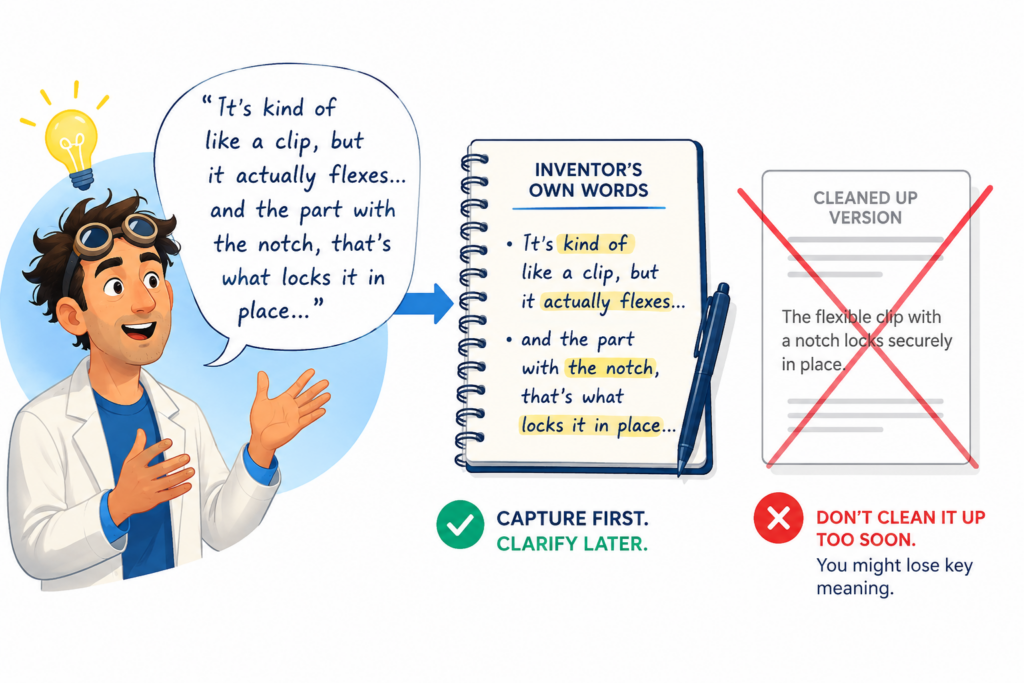
Someone on the patent side turns it into polished language right away. The polished version sounds better, but it can lose the true meaning.
At the start, do not try to sound perfect. Try to be accurate.
Inventors often use rough words because they are close to the work. They may say, “We sort of trick the model here,” or “This part catches the weird cases,” or “We made a guardrail so the system does not go wild.”
Those phrases may not belong in the final patent draft, but they are useful clues. They show where something important may be hiding.
The person collecting details should write those words down before changing them. Later, the patent team can turn them into cleaner technical language.
But first, the raw version matters. It can reveal how the inventor thinks about the system, what they believe is new, and where the real work happened.
This is especially important with software, AI, robotics, biotech tools, chips, and hardware systems. In these fields, small choices carry big value.
If you force the inventor into stiff wording too soon, they may stop explaining the invention naturally. They may give short, safe answers. That is the opposite of what you want.
PowerPatent is built to help teams capture the invention clearly without forcing inventors into old, heavy forms.
The process helps turn raw technical notes into stronger patent material with attorney review, so founders can move fast without losing the deep details. You can explore it here: https://powerpatent.com/how-it-works
Capture the Rough Explanation First, Then Translate It Later
The first version of an invention explanation should feel more like a builder talking at a whiteboard than a legal memo. It should be direct.
It should include half-finished terms, product names, test names, variable names, and real examples. These details may look messy, but they are often the bridge to the strongest draft.
If the inventor says, “We use the confidence score to decide whether to trust the sensor,” do not replace that right away with a broad phrase like “data is processed to improve accuracy.”
The broad version is weaker. It hides the mechanism. It removes the trigger. It makes the invention sound like every other invention.
Instead, keep the inventor’s words and ask what the confidence score means. Ask how it is made. Ask where it comes from. Ask what happens when it is high, low, or unclear.
Ask whether the system always uses it or only uses it in certain cases. Ask whether the score changes over time. Ask what happens when two scores disagree.
That is how rough language becomes strong detail.
Raw Words Often Point to Hidden Decision Logic
Many inventions are not just a thing. They are a set of decisions. The system checks something, compares something, chooses something, blocks something, updates something, or sends something to another process.
Inventors may describe this decision logic in casual words because they built it quickly and know it by feel.
A phrase like “we only run the heavy model when needed” can hide a valuable architecture.
It may mean the system uses a light model first, checks the risk level, and only then calls a larger model. That could save cost and time. It could also be a key technical feature.
A phrase like “we clean the bad inputs before they poison the output” can hide a filtering process. It may include pattern checks, source checks, anomaly scores, and feedback from past errors.
This is why every rough phrase deserves a second look. The words may be casual, but the system behind them may be very precise.
Do Not Let Templates Flatten the Invention
Templates can be helpful when they keep the process organized. But they can also flatten the invention if they force every inventor to answer the same shallow questions.
A template that only asks for the title, summary, benefits, and drawings is not enough for a technical patent.
The problem is not the form itself. The problem is when the form replaces the conversation. A strong intake should adapt to the invention.
If the invention is a control system, the questions should explore signals, timing, feedback, safety states, and edge cases.
If it is an AI invention, the questions should explore data, model flow, training, inference, confidence, error handling, and feedback loops.
If it is a hardware invention, the questions should explore parts, layout, materials, heat, tolerances, movement, power, and failure modes.
A generic intake may miss all of this.
Good detail collection feels guided, but not boxed in. It gives the inventor a path. It also leaves room for surprises.
The Best Follow-Up Question Is Often “What Happens Next?”
When an inventor explains one step, do not jump to the next topic too fast. Ask what happens next. Then ask again. This simple question can unpack the invention in a way that broad questions cannot.
For example, the inventor says, “The system flags risky data.” Ask what happens next. They may say, “It sends the data to a second check.” Ask what happens next.
They may say, “If the second check agrees, the data is held out of training.” Ask what happens next. They may say, “The system stores the reason code and uses it to tune the next scan.”
Now you have a chain. That chain may be far more valuable than the original summary.
The goal is not to annoy the inventor. The goal is to reveal the working path of the invention. Each “next” question turns a vague feature into a real process.
It also helps you see where the system makes choices, handles errors, and improves over time.
Separate the Product Pitch from the Patent Story
Founders are trained to pitch. They know how to tell investors what the product does, why the market cares, and why users will buy it. That skill is useful for building a company, but it can get in the way during invention intake.
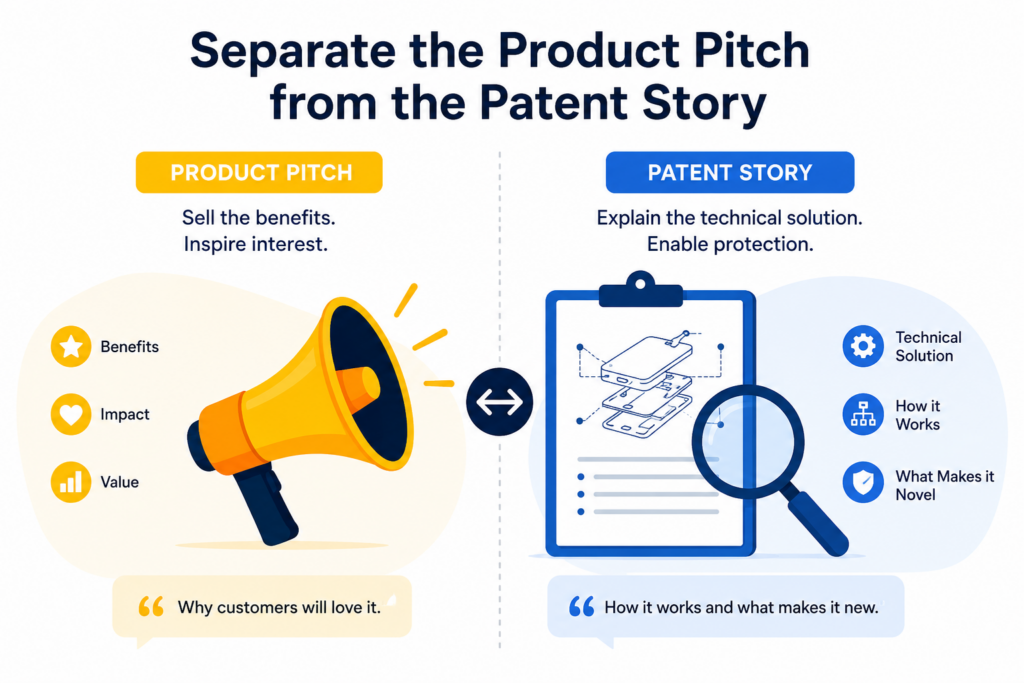
A product pitch is about value. A patent story is about how the technical solution works.
Those are not the same thing.
A founder may say, “We help hospitals reduce delays.” That is a strong business point, but it does not tell the patent team what to protect.
The useful details might be how the software predicts bottlenecks, how it ranks tasks, how it handles missing data, how it updates schedules when a device goes offline, or how it avoids unsafe recommendations.
The product pitch tells the world why the invention matters. The patent story tells the patent team what the invention is.
Both matter, but they must be kept separate at the right time. If they get mixed too early, the intake may collect lots of market language and too little technical substance.
That leads to a draft that sounds exciting but does not capture the real engine.
PowerPatent helps founders bridge this gap. It lets technical teams explain what they built while helping shape those details into patent-ready material with real attorney oversight.
That means the company does not have to choose between moving fast and being careful. See how it works here: https://powerpatent.com/how-it-works
Ask for the Mechanism Behind Every Benefit
Every claimed benefit should lead to a mechanism question. If the inventor says the system is faster, ask why.
If they say it is safer, ask how. If they say it is more accurate, ask what changed. If they say it uses less power, ask which part uses less power and what caused the drop.
Benefits are important, but they are not enough by themselves. The mechanism is where the patent value lives.
For example, “faster search” is a benefit. The mechanism may be a new index structure, a pre-filter, a caching method, a query rewrite process, or a way to predict which data blocks matter. Each of those could point to a different invention.
“Better battery life” is a benefit. The mechanism may be a charging control rule, a heat-aware power mode, a new cell layout, or a way to predict usage patterns before power is allocated.
“Safer robot motion” is a benefit. The mechanism may be a sensor fusion method, a motion planning constraint, a dynamic safety zone, or a fallback state.
The best intake turns every benefit into a chain of cause and effect.
Cause and Effect Makes the Invention Easier to Defend
A strong patent story should show why the invention produces the result. It should not just claim that the result happens. This is where cause and effect matters.
If the invention reduces compute cost, what step reduces the compute? Does the system skip certain work? Does it compress data? Does it reuse prior results? Does it choose among models? Does it stop early when confidence is high enough?
If the invention improves accuracy, what step improves accuracy? Does it remove noise? Does it weigh certain inputs more heavily?
Does it use a feedback signal? Does it train on harder examples first? Does it adjust thresholds based on context?
When you collect this cause-and-effect chain, the final patent draft can be more grounded. It can explain not only what the system does, but why those steps matter.
That helps the reader understand the invention. It also gives the patent attorney more ways to draft claims that match the real technical advance.
Use Customer Language Only After the Technical Core Is Clear
Customer language can help explain the value of the invention in simple terms. It can show why the invention matters in the real world. But it should not replace the technical core.
The right order is simple. First, capture the technical core. Then connect it to user value.
For example, a customer may care that a tool helps them find security risks faster. But the patent team needs to know how the tool finds those risks. Does it scan code in a new way?
Does it map permissions across services? Does it learn from past fixes? Does it rank risks by likely harm? Does it show only risks that are reachable in the deployed system?
Once those details are clear, the customer value becomes much stronger. You can say, “This helps teams find real security risks faster because the system filters out issues that are not reachable in the live environment.” That is useful because it links the value to the mechanism.
The Patent Story Should Sound Like a Builder Explaining a Working System
A good patent story should not sound like a sales deck. It should sound like a clear builder explaining how the system works.
That does not mean it should be dry. It should still be easy to read and understand. But it should focus on the working parts.
It should show the inputs, the steps, the checks, the outputs, and the improvements. It should make the invention feel real.
When an intake captures only the pitch, the final draft may use broad words like “optimize,” “enhance,” “automate,” and “improve” without enough detail. These words can be useful when backed by substance. Alone, they are weak.
The stronger path is to ask, “What does the system actually do to create that benefit?” Then keep asking until the answer includes a clear technical action.
That is how you move from pitch to protection.
Build the Detail Session Around the System Flow
One of the best ways to collect invention details is to walk through the system flow from start to finish.
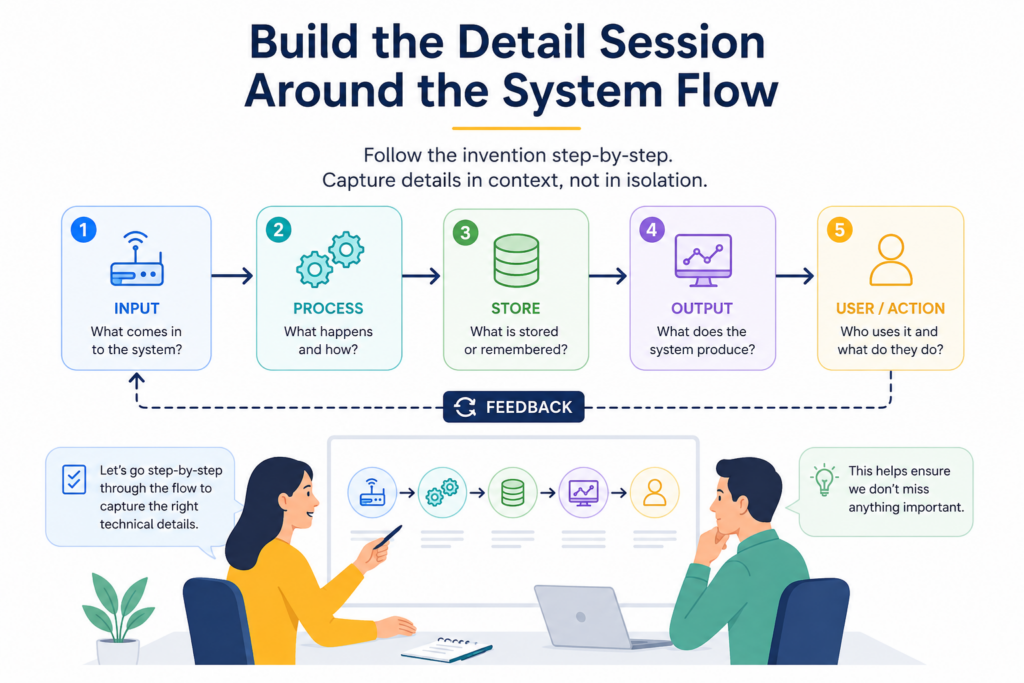
This sounds simple, but it is often skipped. Many teams jump straight into the “new part” without first mapping the full path around it. That can create gaps.
A system flow shows how the invention works in motion. It starts with the input and follows the work until the output, action, result, or stored update.
Along the way, you can see which parts are normal, which parts are new, and which parts are important support pieces.
This is especially helpful because inventors often understand their system in chunks. One engineer may know the data pipeline. Another may know the model.
Another may know the user interface. Another may know the hardware link. The invention may live in the way these chunks work together. If you do not map the full flow, you may miss the connection point that makes the system special.
The flow does not need to be a polished diagram at first. It can be a rough path. Data comes in. The system checks it. It is transformed. A score is created.
A decision is made. An action is taken. A result is stored. A later process uses the result. That basic path can open the door to rich detail.
PowerPatent helps teams gather and organize these details so they are not lost in scattered notes, chats, or rushed meetings.
With software plus attorney oversight, founders can turn the real working flow into a stronger patent process. You can learn more here: https://powerpatent.com/how-it-works
Start With the Input and Follow the Invention Step by Step
The easiest place to start is the input. Ask what the system receives. It may receive sensor data, code, images, user actions, model outputs, network logs, lab readings, device states, messages, or power signals. Then ask where that input comes from and what format it is in.
After that, follow the input through the system. What is checked first? What is changed? What is ignored? What is stored? What is compared? What is scored? What is sent to another part of the system?
This step-by-step walk is powerful because it stops the inventor from staying too abstract. It forces the invention into motion. It also shows where the system makes choices.
For example, an inventor may say, “We analyze patient signals.” A flow-based intake would ask which signals, from which device, at what time, with what sampling rate, and under what conditions.
It would ask how the system handles missing signals. It would ask whether signals are combined or kept separate. It would ask what happens before an alert is shown.
That is where the useful details begin.
Every Step Should Have a Reason
A strong intake does not just ask what the system does. It asks why each step is there.
If the system filters data, why does it filter it? If it uses two models, why not one? If it updates a threshold, what problem does that solve? If it stores a reason code, who or what uses it later? If it delays an action, what risk does that avoid?
Inventors may think the reason is obvious. It is not. The patent team needs the reason because it helps explain the value of the step. It also helps separate key steps from background steps.
Sometimes a step exists only because the team needed a practical fix. That practical fix may be very important. Maybe the system batches work because real-time processing was too costly.
Maybe it uses a local cache because network delays caused bad user experience. Maybe it checks device health before sending a command because stale data caused unsafe behavior.
The reason behind the step often reveals the invention’s technical strength.
Mark Which Parts Are New, Known, Optional, or Required
When the flow is clear, the next job is to separate the parts. Not every part of the system is new. That is fine. Most inventions use known parts in new ways. The key is to know which parts matter.
Ask the inventor to mark which steps are new, which are old, which are optional, and which are required for the best version to work. This simple separation can save huge amounts of time.
If everything is described as new, the patent team may waste time on normal background features. If nothing is marked as new, the team may miss the real invention.
If optional parts are treated as required, the patent may become too narrow. If required parts are treated as optional, the draft may become too vague.
The goal is not to make final legal decisions during intake. The goal is to create a clear technical map.
Optional Details Can Become Valuable Patent Layers
Inventors sometimes dismiss optional features because they are not always used. That is a mistake. Optional features can be very useful in a patent filing because they create layers.
Maybe the basic invention works with one sensor, but an optional version uses two sensors to check each other.
Maybe the core method works with a fixed model, but an optional version updates the model based on user feedback. Maybe the system usually runs in the cloud, but an optional version runs part of the process on the edge device when latency matters.
These optional versions may protect future product paths. They may also help the attorney draft broader and narrower coverage. That gives the company more flexibility.
The key is to capture them early. Once time passes, optional ideas are easy to forget. They may stay in old tickets, prototype notes, or one engineer’s memory. A good detail session brings them into the record before they are lost.
Ask for Examples That Show the Invention Working in Real Life
Abstract answers are easy to give and hard to use. Real examples are harder to fake and much easier to build on. That is why every invention intake should ask for examples.
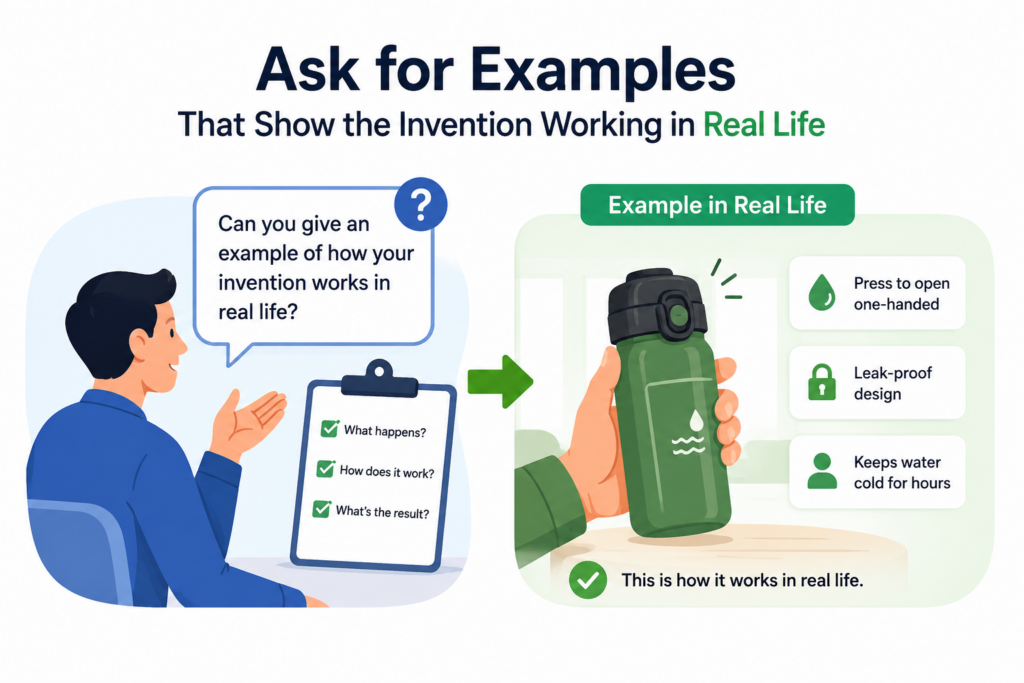
An example shows how the invention behaves in a real case. It can include sample inputs, decisions, outputs, error cases, and results.
It can show what the system does when everything works, and what it does when something goes wrong. These examples help the patent team understand the invention faster and draft with more confidence.
Inventors often think examples are not needed because they already explained the concept. But concepts can hide missing details. An example brings those gaps to the surface.
For instance, an inventor may say, “The system detects unusual machine behavior.” That is useful, but still broad.
A real example may show that the system receives vibration readings, compares them to a rolling baseline, checks whether temperature changed at the same time, and sends an alert only when both the vibration score and heat score cross separate limits. That example gives much more substance.
Examples also help founders see which parts of the invention are strongest. The moment an inventor walks through a real case, they often remember important details they forgot during the high-level explanation.
PowerPatent helps inventors capture these kinds of practical examples in a structured way, then supports the process with real attorney review.
That helps the final patent work match the actual invention, not just a thin summary. See how PowerPatent works here: https://powerpatent.com/how-it-works
Use a Normal Case, a Hard Case, and a Failure Case
A single example is helpful. Three types of examples are much better.
A normal case shows the basic path. It explains what happens when the system receives a clean input and everything works as planned. This is useful because it gives the patent team a simple working story.
A hard case shows why the invention matters. It may involve noise, missing data, delay, low confidence, conflicting signals, high load, rare user behavior, or an edge condition. This is often where the new technical value appears.
A failure case shows what the system does when it cannot safely complete the task. This can be just as important as the success path.
Modern inventions often include fallback modes, safety checks, retry logic, alerts, blocks, or human review triggers. These details can be valuable because they show the invention is built for real use, not just a perfect demo.
Edge Cases Often Reveal the Strongest Patent Material
The best patent detail may come from edge cases. That is because edge cases force the system to make special choices.
A model may work well on common inputs but fail on rare ones. A robot may move safely in open space but struggle near people.
A battery system may work under normal load but overheat during fast charging. A medical tool may make good predictions when data is complete but need special handling when readings are missing.
When the inventor explains how the invention handles these cases, you can often find the most defensible details.
Ask what the system does when inputs are wrong, late, incomplete, noisy, too large, too small, or out of order.
Ask what happens when two signals disagree. Ask what happens when confidence is low. Ask what the system does when a user overrides it. Ask whether it learns from the override.
These questions lead to the kind of details that make a patent feel real and hard to copy.
Ask for Before-and-After Examples
Before-and-after examples are especially strong because they show the change caused by the invention. They do not just explain what the system does. They show how it improves on the old way.
A before-and-after example might compare the old model and the new model on the same input. It might compare power use before and after a new control rule.
It might compare error rates before and after a new filtering method. It might compare time to result before and after a new data structure.
The numbers do not need to be perfect during early intake. Even rough ranges can help. But the inventor should explain what changed and why the change matters.
For example, “The old method took twenty minutes” is useful. “The new method takes three minutes because it avoids scanning records that cannot affect the answer” is much better. It connects the result to the technical action.
Results Are Stronger When They Are Tied to a Technical Choice
A result by itself can sound like a claim with no support. A result tied to a technical choice sounds much more credible.
If the invention improves speed, tie the speed gain to the step that caused it. If the invention reduces errors, tie the error drop to the rule or model change that caused it.
If the invention improves safety, tie the safety gain to the check, limit, or fallback mode that caused it.
This kind of detail helps everyone. It helps the attorney write a better draft. It helps the founder understand what may be worth protecting.
It helps future readers see that the invention is not just a wish. It is a working solution with a clear cause.
Good examples are not side notes. They are one of the best ways to collect patent-ready detail.
Pull Technical Details from Code, Models, Drawings, and Build Notes
Inventors do not always explain everything in a meeting. Some of the best details live in the things they built.
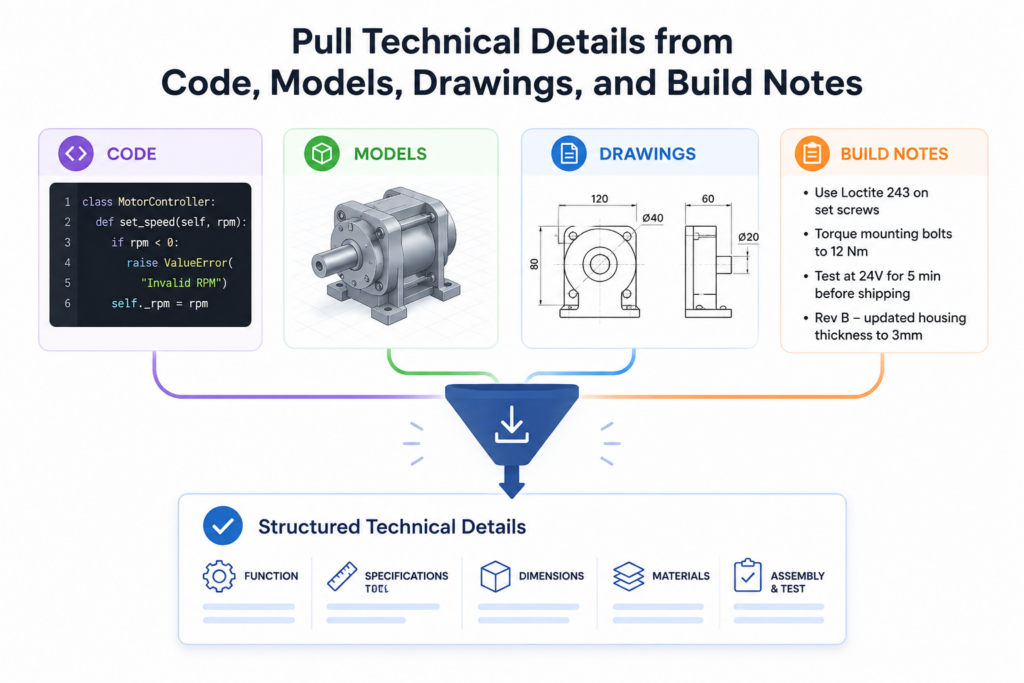
Code, model cards, architecture diagrams, lab notebooks, test logs, design files, pull requests, issue tickets, and internal docs can reveal details that no one remembers to mention.
This is why a strong invention intake should not depend only on conversation. The conversation is important, but it should be paired with technical artifacts.
For software, code comments and pull requests can show why a feature changed. For AI, training notes and evaluation logs can show what improved.
For hardware, CAD files and test reports can show what shape, material, layout, or tolerance mattered. For robotics, simulation logs can show how the system handled movement, safety, and timing.
The goal is not to dump every file into the patent process. That would create noise. The goal is to find the parts that explain how the invention works and why it is different.
Founders often worry that collecting this material will slow the team down. It does not have to. With the right process, a team can pull focused technical detail without turning patent work into a burden.
PowerPatent helps teams bring invention details together with smart software and attorney oversight, so the process feels built for modern technical teams. Learn more here: https://powerpatent.com/how-it-works
Look for Changes, Not Just Final Files
The final version of a system is useful, but the change history may be even better. Invention often lives in the change.
A pull request may show that the team replaced one method with another because the first method failed. A test log may show that a new threshold reduced false alerts.
A design note may show that a part was moved because heat was damaging nearby components. A model evaluation may show that one training method worked better on rare cases.
These changes tell the story of technical progress. They can show what the team learned and what choice solved the problem.
When collecting details, ask the inventor to point to the change that made the biggest difference. It may be a code commit, a model version, a prototype revision, a circuit change, a workflow update, or a new rule in the system.
The Reason for a Change Is Often More Valuable Than the Change Itself
A code change that says “updated scoring logic” is helpful, but the reason behind it is more helpful.
Did the old score overvalue noisy data? Did it fail on new users? Did it create too many false alerts? Did it slow the system down? Did it make the output hard to trust?
The “why” behind the change shows the problem the invention solved. It also helps explain why the final design matters.
This is why invention collectors should ask inventors to bring not only the final artifact, but also the reason behind key changes.
The reason may be in a ticket, a comment, a Slack thread, or simply in the inventor’s memory. Capture it before it fades.
A patent that reflects the learning path often feels much stronger than a patent that only describes the final product.
Use Drawings to Find Missing Details
Drawings are not just for the final patent filing. They are also one of the best tools for collecting details. When an inventor draws a system, gaps become visible.
A box-and-arrow drawing can show where data moves. A timeline can show when steps happen. A state diagram can show how the system reacts to different conditions.
A hardware sketch can show how parts connect. A model pipeline can show where data is cleaned, transformed, scored, and used.
Even a rough drawing can uncover questions that words missed.
For example, a drawing may show that the system sends data to two separate modules before making a decision.
That raises a question. Why two? What does each one do? What happens if they disagree? Is one faster and one more accurate? Does the system use both every time?
Those questions may lead to important patent details.
A Good Drawing Shows Movement, Timing, and Choice
Many weak diagrams show only parts. Stronger diagrams show movement, timing, and choice.
Movement means the path of data, signals, energy, material, or control. Timing means when things happen and whether order matters. Choice means where the system decides between two or more actions.
These three things help reveal the invention.
If a diagram shows that a sensor reading goes to a filter, then to a predictor, then to a control unit, ask whether that order matters.
If the control unit can choose among three actions, ask what rule controls that choice. If feedback returns to the predictor, ask what is updated and when.
These are the details that turn a simple picture into a patent-ready explanation.
Get the Inventor to Explain the “Why Not” Behind the Design
One of the most useful questions in any patent detail session is also one of the most missed: “Why did you not do it the normal way?”
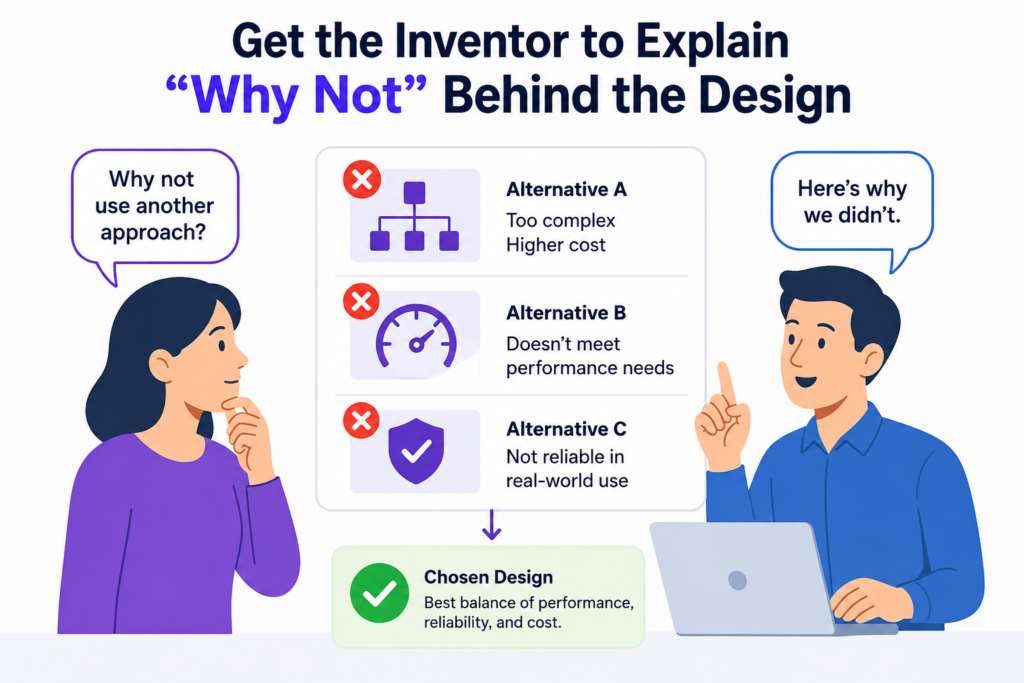
That question is powerful because it pushes past the final design and gets to the tradeoffs behind it.
Most inventions are not born from a blank page. They come from trying the obvious thing, finding a limit, and building around that limit. The “why not” helps you see what the inventor rejected and why the chosen path matters.
This is important because a patent draft that only describes the final system can feel flat. It may explain what the system does, but not why the design choices are meaningful.
When you collect the “why not,” you get a clearer view of the technical pressure behind the invention. You also get better language for explaining the practical reason the invention exists.
For example, a team may say they use a smaller model before a larger model. That is useful.
But the deeper detail may be that running the larger model on every input was too slow and too costly, while using only the smaller model missed rare high-risk cases. The invention may live in the way the system decides when to switch from one model to the other.
That is not just a feature. That is a design choice shaped by a real problem.
This type of detail is easy to lose when teams rush. PowerPatent helps founders slow down in the right places without making the patent process feel heavy.
It helps capture what was built, why it was built that way, and how attorney oversight can turn those details into stronger protection. You can see the process here: https://powerpatent.com/how-it-works
Ask Which Simple Options Failed or Were Rejected
Inventors often compare their final design to a weak old system, but the best comparison may be to the simple option they almost used.
That simple option is often what another team would try first. If your inventor can explain why it failed, you may uncover the heart of the invention.
A simple option might be a fixed rule, a single model, a basic filter, a standard database query, a manual review step, a larger sensor, a heavier battery, a stronger material, or a direct connection between two components.
These choices may look obvious at first. But in a real system, they may fail for reasons that are deeply technical.
Maybe the fixed rule worked in the lab but failed when user behavior changed. Maybe the single model was accurate but too slow. Maybe the standard query returned the right answer but could not scale.
Maybe the manual review step solved safety but created delay. Maybe the larger sensor improved accuracy but added heat and power issues.
When you ask why these choices were not used, the inventor may explain constraints that shape the invention.
Rejected Choices Help Show the Invention Was Not Just Cosmetic
A cosmetic change makes something look different. A technical invention makes something work differently or work better. Rejected choices help show that difference.
If the inventor says, “We tried a normal threshold, but it failed when the signal drifted over time,” that points to a deeper solution. Maybe the final system uses a threshold that changes based on recent baseline behavior.
Maybe it uses a second signal to confirm the change. Maybe it resets the baseline only after stable readings are seen for a set time.
Those are not surface details. They are design rules.
A strong patent intake should make room for these rules. It should not treat them as side comments. Often, the rule that fixed a rejected approach is the part most worth protecting.
Ask What Tradeoff the Team Chose
Every invention has tradeoffs. Speed versus accuracy. Cost versus quality. Safety versus convenience. Battery life versus performance.
Privacy versus personalization. Local processing versus cloud power. Simple design versus flexible design.
When an inventor explains a tradeoff, listen closely. Tradeoffs often reveal strategy. They show that the team did not just build a feature. They made a careful technical choice under limits.
For example, a device may process data on the edge because sending all data to the cloud creates delay and privacy risk. But edge processing has less compute power.
So the invention may use a small local model first, send only uncertain cases to the cloud, and update the local model later. That design is built around a tradeoff.
A software system may cache results to improve speed, but caching can create stale output. The invention may include a freshness score or a smart invalidation rule that decides when cached data can still be trusted.
The tradeoff is not background. It is the reason the system looks the way it does.
Tradeoffs Create Stronger Questions Than Generic Intake Forms
A generic form may ask, “What are the advantages of the invention?” That is fine, but it can produce weak answers like “faster,” “better,” and “more efficient.”
A tradeoff question gets better material. Ask what the team gave up to gain the improvement. Ask what problem appeared when they improved one part. Ask how they stopped that problem from hurting the system.
If the system became faster, did accuracy suffer? If not, what kept accuracy stable? If the device used less power, did response time suffer?
If not, what changed? If the model became smaller, did it lose rare-case performance? If not, what training or routing method protected that performance?
These questions push the inventor toward the deeper mechanics. They also help the patent team find the real invention instead of writing around surface benefits.
Turn Inventor Interviews Into Working Sessions, Not Status Calls
A weak invention meeting feels like a status call. People join, give updates, explain the feature at a high level, and leave with vague notes. That kind of meeting may feel productive, but it often does not produce enough patent detail.
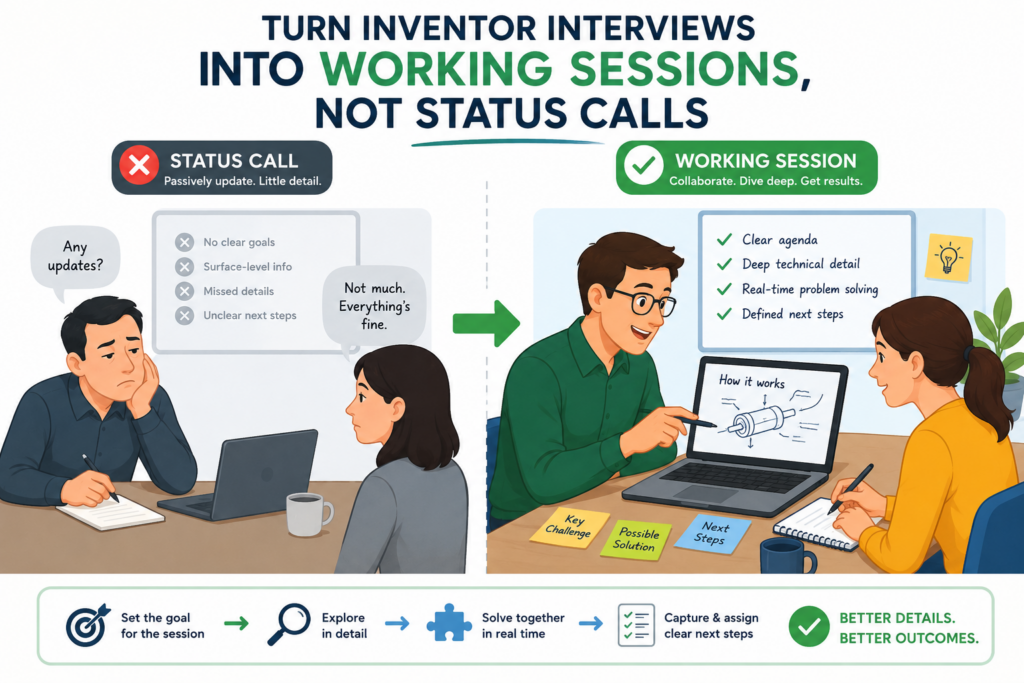
A strong invention meeting is a working session.
In a working session, the goal is not to hear a polished update. The goal is to build the invention record together. The inventor explains. The collector asks follow-up questions. The group sketches flows.
They compare old and new methods. They capture examples. They mark open questions. They find missing pieces before they become drafting problems.
This approach works better because inventors often remember details while they are explaining. One answer triggers another.
A rough drawing reminds them of an exception. A question about a failed test reminds them of a design choice. A comparison to an old method reminds them of a hidden advantage.
The meeting should feel active. It should not feel like the inventor is being interviewed by someone who is just filling a form. It should feel like two smart people are trying to make the invention clear.
This is one reason PowerPatent is built for modern technical teams. It helps founders and inventors bring structure to the process while still keeping the human judgment of real patent attorneys.
That blend can help teams collect stronger details without drowning engineers in old-school paperwork. See how it works here: https://powerpatent.com/how-it-works
Prepare With a Thin Map, Not a Full Script
Before the session, create a thin map of what you think the invention is. This map should be simple.
It may include the hard problem, the suspected new feature, the likely system flow, and the main unknowns. The goal is not to decide the invention before the inventor speaks. The goal is to make the session sharper.
A full script can hurt the meeting because it locks the conversation into fixed questions. If the inventor says something surprising, a scripted interviewer may miss it. A thin map gives structure while leaving room to follow the best thread.
For example, the thin map might say that the invention appears to involve reducing false alerts in an industrial sensor system.
The session can then focus on what caused false alerts, what signals are used, how the system decides that an alert is real, and what happens when readings conflict.
That is far better than starting with a blank page.
The Best Sessions Follow the Invention, Not the Agenda
A good agenda helps. But the invention should lead.
If the inventor suddenly explains that the most important part is not the sensor itself but the way readings are grouped over time, follow that.
If they reveal that the real breakthrough came from a failure mode in the field, follow that. If they mention that the team had to redesign the model because the first version failed on rare cases, follow that.
Do not force the conversation back to a fixed order too quickly. The best details often appear in side paths.
The collector’s job is to notice when a side path is valuable. A casual comment like “that was the part that made it finally work” should stop the room.
Ask what “that” is. Ask what changed. Ask why it mattered. Ask whether the system still works without it.
Those moments can become the core of the patent.
Use Live Notes That the Inventor Can Correct
Live notes are useful because they let the inventor see what is being captured. This reduces mistakes. It also helps the inventor notice gaps.
The notes should not be fancy. They should capture the plain meaning of the invention.
They should include the inventor’s words where possible, especially when those words point to a technical choice. The inventor should be able to say, “No, that is not quite right,” or “Yes, but only when this condition is true.”
That correction is valuable. It keeps the record honest.
Many problems happen when notes are taken privately and cleaned up later without inventor review. The final notes may sound good but contain small errors. In technical inventions, small errors can matter a lot.
A step may happen before another step, not after. A model may be used only in certain cases, not always. A signal may be optional, not required.
Live correction helps avoid those mistakes early.
A Shared Screen Can Reveal Gaps in Real Time
When the inventor sees the flow, the terms, and the examples being written, they often catch missing details.
They may say, “We also store the confidence score,” or “The fallback only happens after two failed reads,” or “That module does not make the final decision; it only ranks the options.”
These small corrections can change the patent story.
A shared working record also makes the session feel more useful to the inventor. They can see progress.
They can see their complex work becoming clear. That builds trust and reduces the feeling that patent work is a black box.
For founders, this matters. The best invention details come when engineers feel understood, not interrogated.
Capture Timing, Order, and Conditions With Care
Timing is often where the invention hides. The same steps in a different order can create a different result.
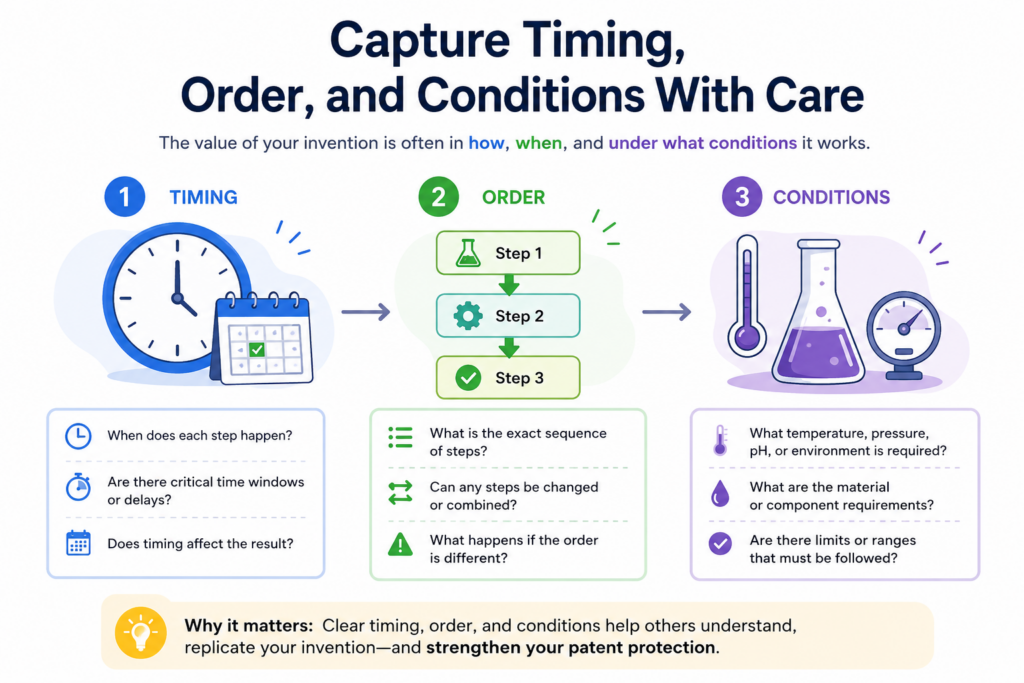
A condition that triggers a step can be more important than the step itself. A delay, retry, update window, or timing rule can be the thing that makes the system work.
Many invention intakes miss timing because they focus on parts. They ask what modules exist, what data is used, or what output is created. Those questions matter, but they do not always capture how the system behaves over time.
Ask when each step happens. Ask what happens first. Ask what must happen before the next step starts.
Ask whether steps run in parallel or in sequence. Ask whether the timing changes based on load, confidence, risk, user action, device state, or outside conditions.
This is especially important in software, AI, robotics, networks, chips, medical devices, and control systems.
In these fields, timing can change everything. A robot that reacts in fifty milliseconds may be safe, while one that reacts in two seconds may not be.
A fraud system that checks risk before approval is different from one that checks after approval. A data system that updates a model after feedback may work better than one that updates on a fixed schedule.
PowerPatent helps teams capture these kinds of details early, before they get lost in implementation notes or memory.
With smart software and real attorney oversight, founders can build a stronger patent record around how the invention actually works. Learn more here: https://powerpatent.com/how-it-works
Ask What Triggers Each Step
A trigger is the event or condition that causes the system to act. It may be a new input, a threshold crossing, a timer, a user request, a sensor change, a confidence score, a failed check, a detected risk, or a state change.
Triggers matter because they explain control. They show that the system is not just doing steps in a vague order. It is responding to defined conditions.
For example, a system may not always run a full analysis. It may run a quick check first and only trigger the full analysis when the quick check finds a risk. That trigger can reduce cost and improve speed.
A device may not always enter a low-power mode. It may do so only when motion is low, battery level is below a set point, and no safety event is active. That trigger logic may be central to the invention.
When collecting details, ask the inventor to explain each trigger in plain words. What starts the step? What stops it? What changes it? What happens if the trigger is almost met but not fully met?
Conditions Often Define the Real Scope of the Invention
A step may sound broad until you learn the condition. For example, “the system sends data to a second model” is broad.
“The system sends data to a second model when the first model’s confidence is below a threshold and the input comes from a high-risk source” is much more useful.
The condition tells you when the invention acts. It may also reveal what makes the invention different.
This matters for patent drafting because the condition can become a key layer of protection.
It can also help avoid describing the invention too broadly or too narrowly. If the condition is required, the attorney needs to know. If it is optional, the attorney needs to know that too.
A careful intake should capture both the condition and the reason for the condition. The reason is often the technical problem the invention solves.
Ask Whether the Order Can Change
Not every step must happen in one fixed order. Sometimes the order is required. Sometimes it is flexible.
Sometimes the system can run steps in parallel. Sometimes the system chooses the order based on context.
This distinction is important.
If the order is required and the intake misses that, the draft may fail to explain a key part of the invention. If the order is flexible and the draft makes it sound fixed, the patent may become too narrow. Both problems can hurt.
Ask the inventor whether step A must happen before step B. Ask what happens if the order is reversed.
Ask whether steps can be skipped. Ask whether some steps happen at the same time. Ask whether the system changes the order based on speed, accuracy, safety, or cost.
These questions can uncover valuable technical detail.
Flexible Order Can Be a Feature, Not a Minor Detail
In some inventions, the ability to change the order is part of the improvement.
A system may run a cheap check before an expensive check when load is high, but reverse the order when risk is high. A medical device may process one signal first during normal use, but process a different signal first during an emergency.
A database system may choose a query path based on live data distribution. A robot may plan a path differently depending on whether a human is nearby.
These are not random details. They are control strategies.
When the inventor explains flexible order, ask what rule controls the choice. Ask what data the rule uses.
Ask whether the rule is fixed, learned, or updated. Ask whether there are limits on when the order can change.
That level of detail can give the patent team strong material to work with.
Make the Inventor Explain What the System Knows at Each Point
A system can only make a decision based on what it knows at that moment. That sounds obvious, but it is one of the most useful ways to collect better details.
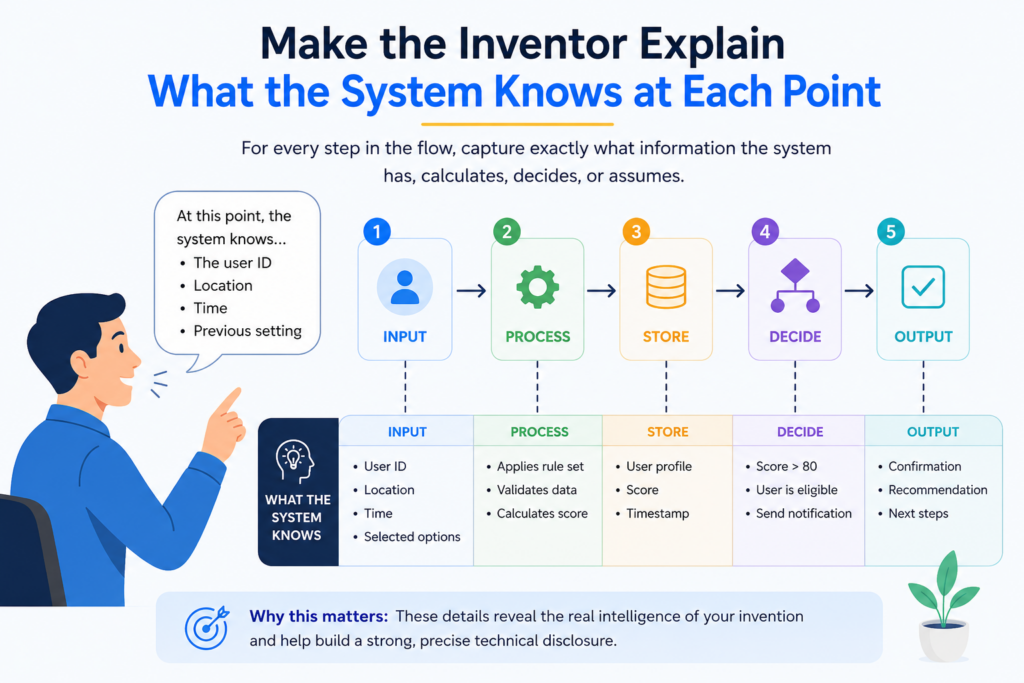
When inventors describe a system, they often explain it from the outside, after the result is known.
They may say, “The system knows the user is at risk,” or “The model knows the data is bad,” or “The device knows the signal is stale.” But during actual operation, the system may not “know” that directly. It may infer it from signals, scores, timestamps, history, or rules.
The intake should uncover those internal signals.
Ask what information is available at each step. Ask what is not available yet. Ask what the system has to estimate. Ask how it handles uncertainty. Ask what it stores for later use.
This is especially important for AI and machine learning systems. A model output may look simple, but the invention may involve how confidence is calculated, how uncertainty is handled, how feedback is used, or how the system decides whether to trust the output.
PowerPatent helps founders capture these deeper system details without needing to become patent experts.
The platform helps organize the invention, while real patent attorneys help turn the detail into stronger protection. You can see how it works here: https://powerpatent.com/how-it-works
Ask What Data Is Used, Ignored, and Created
A strong intake should not only ask what data goes into the system. It should ask what data is ignored and what new data is created.
Ignored data can matter. The invention may improve performance by skipping low-value data, filtering noisy data, or blocking unsafe inputs. Created data can matter too.
The system may create scores, labels, embeddings, reason codes, risk levels, confidence values, states, summaries, or control signals. These created values often drive later steps.
For example, a system may receive thousands of events but ignore events that cannot affect the final outcome. That choice may cut cost.
Another system may create a “trust score” for each sensor before combining readings. That created score may be central to the invention.
Ask where each created value comes from. Ask whether it is stored. Ask whether it changes over time. Ask which later step uses it.
Intermediate Values Are Often Patent Gold
Inventors often focus on the final output because that is what users see. But intermediate values may be more important for patent protection.
An intermediate value is something the system creates along the way. It may never appear in the user interface. It may only be used inside the system. But it can reveal the real technical method.
A model may create a confidence score. A robot may create a risk map. A network tool may create a reachability score. A battery system may create a heat stress value. A data platform may create a freshness rank.
These values can explain how the invention makes better decisions.
Ask the inventor to name every internal score, state, tag, or signal that affects behavior. Then ask how it is made and used. This can turn a shallow description into a rich technical record.
Ask How the System Handles Uncertainty
Real systems deal with uncertainty all the time. Inputs can be noisy. Models can be unsure. Sensors can disagree. Users can behave in strange ways. Hardware can age. Networks can drop. Data can arrive late.
An invention may be valuable because it handles uncertainty better than the old way.
Ask what the system does when confidence is low. Ask what happens when data is missing. Ask how the system handles conflict.
Ask whether it asks for more data, falls back to a safer mode, waits, retries, routes the case to another model, or flags the result for review.
These answers are often far more useful than the sunny-day version of the invention.
Uncertainty Handling Shows the Invention Is Built for the Real World
A demo can work when conditions are clean. A real invention must work when conditions are messy.
If the system includes a special way to handle low confidence, missing data, or conflicting signals, capture it carefully.
These details show practical strength. They may also be hard for competitors to copy without understanding the same field problems.
For example, a health tool may delay an alert until it confirms a signal with a second reading, unless the risk score is above a certain level.
A fraud system may block a transaction only when a risk score is high and the device history is abnormal. A robot may slow down when object tracking confidence drops, even before a collision risk is confirmed.
These are working rules. They deserve attention.
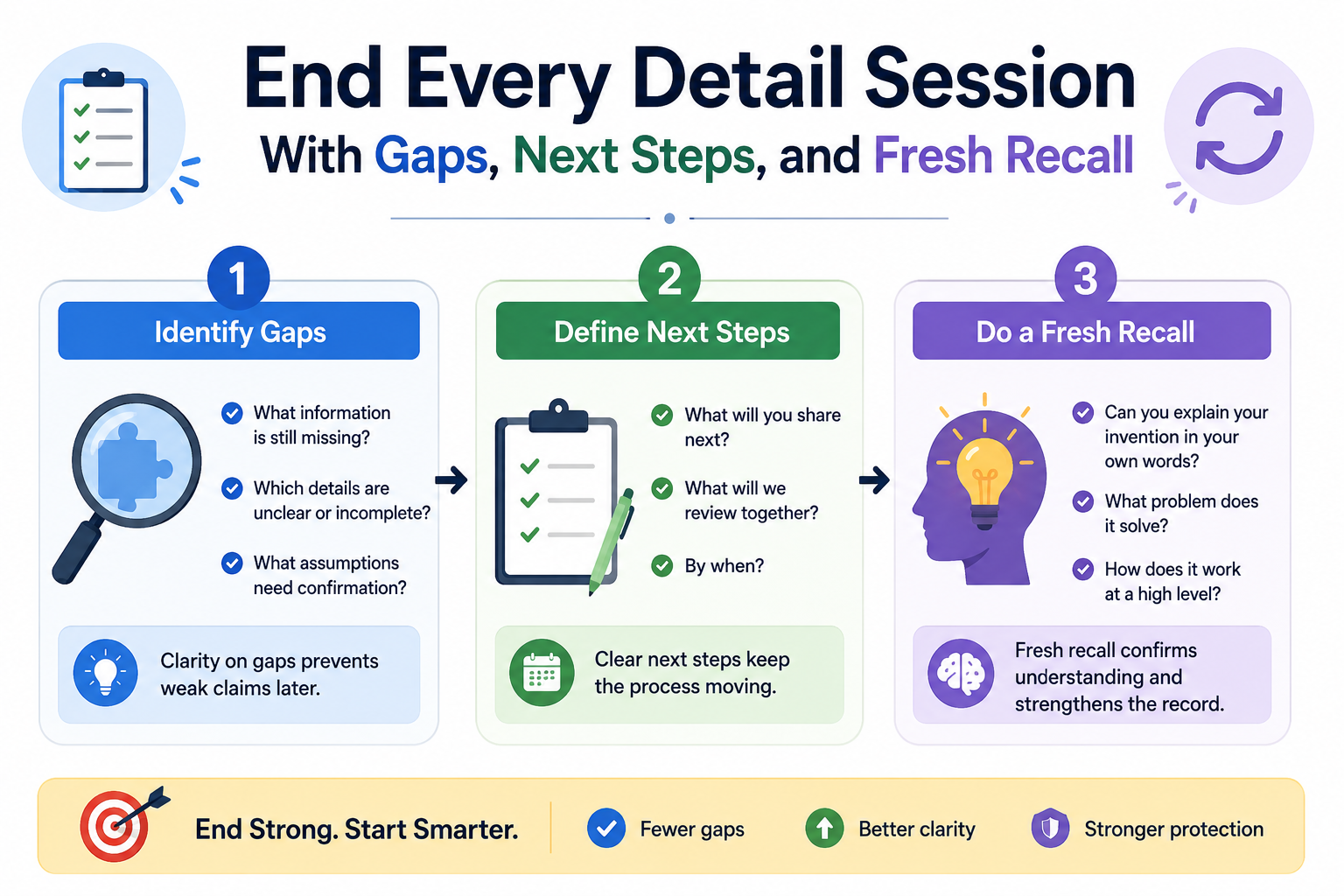
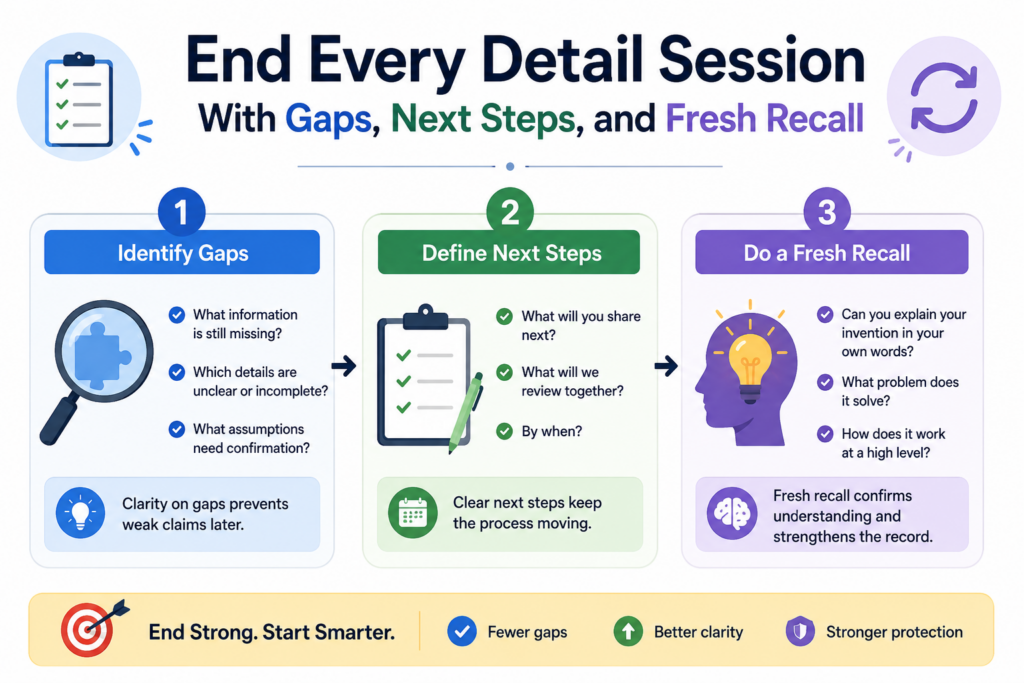
End Every Detail Session With Gaps, Next Steps, and Fresh Recall
The end of an invention session is not a wrap-up formality. It is a chance to catch the details that did not fit neatly into the main conversation.
Inventors often remember important facts near the end because the discussion has warmed up their memory.
They may suddenly recall an early test, a rejected design, a useful metric, or a future version. If the meeting ends too quickly, those details may disappear.
A strong ending should do three things. It should name the open gaps. It should confirm the strongest parts of the invention. It should ask the inventor what has not been asked yet.
That last question matters. A simple prompt like “What part of this did we not cover that you think is important?” can reveal a lot.
Inventors know their work. They may sense that something important was missed even if they do not know how to frame it.
This is also a good time to ask what files, diagrams, logs, or examples should be shared after the session. The goal is to keep momentum while the invention is still fresh.
PowerPatent helps teams turn this kind of raw invention knowledge into a cleaner, attorney-reviewed patent process.
It gives founders a faster way to move from technical detail to stronger protection. See how it works here: https://powerpatent.com/how-it-works
Confirm the Core Invention in Plain Words
Before ending, repeat the core invention back to the inventor in simple language. This is not about making it sound polished. It is about checking whether you truly understood it.
For example, you might say, “So the key idea is that the system uses a quick confidence check first, then sends only uncertain cases to a larger model, and then uses the larger model’s result to update future routing decisions.” The inventor can then confirm, correct, or sharpen that summary.
This step prevents misunderstanding. It also helps the inventor hear the invention from the outside.
Sometimes they will say, “Yes, but the update only happens after human review,” or “The larger model does not update the route directly; it creates a label that is used in the next training cycle.”
Those corrections can be very important.
Plain-Language Confirmation Helps Avoid Costly Rework
Many drafting problems come from small misunderstandings that were never corrected early. The patent team thought a feature was required when it was optional.
They thought a step happened before another step when it happened after. They thought the model made the decision when it only created a score.
These mistakes are much easier to fix during intake than after a draft is prepared.
A plain-language recap gives the inventor one last chance to fix the record. It also helps the attorney start from a clearer base. That can save time, reduce frustration, and improve the final filing.
Capture What Might Be Invented Next
A detail session should focus on what has been invented, but it should also ask about near-future versions.
This does not mean guessing wildly. It means asking what the team already sees as likely next steps based on the current invention.
Founders often have a roadmap in their heads. Engineers often know the next version they want to build.
Some of those future ideas may be natural extensions of the current invention. Others may be separate inventions that deserve their own filing later.
Ask what the team plans to add next. Ask which parts are already tested, which parts are designed, and which parts are only ideas. Ask whether the current system was built to support those future versions.
This helps the company avoid missing protection for important product paths.
Roadmap Details Can Help Build a Smarter Patent Strategy
A patent strategy should not only protect what exists today. It should also support where the company is going.
If the team is moving from a cloud-only system to edge deployment, that matters. If the model will soon learn from user feedback, that matters.
If the hardware design will support a smaller form factor, that matters. If the software will move from human review to automated control, that matters.
These roadmap details can help the patent team decide whether to include certain embodiments, file more than one application, or plan future filings.
For a startup, this is strategic. Good patent work should support fundraising, partnerships, product growth, and defensibility. It should not be a box-checking task.
Better detail collection is where that smarter strategy begins.
Conclusion
Better patent work starts with better invention details. When you ask sharper questions, slow down at the right moments, and capture the real choices behind the build, you give your patent team stronger raw material. The goal is not to make inventors do legal work.
The goal is to help them explain what they built, why it matters, how it works, and what makes it hard to copy. PowerPatent makes this process faster and cleaner by combining smart software with real attorney oversight, so founders can protect t
Leave a Reply