Linking an application to your account sounds small. It feels like a quick click. A box you check. A thing you rush through so you can get back to building. But that one click decides who can see your work, who can change it, and who owns the trail you leave behind. For founders and engineers, that trail often leads straight to your most valuable asset: your ideas. This article is about that moment. The moment you connect an app, a tool, or a platform to your account. We will talk about what really happens behind the scenes, why access and permissions matter more than most people think, and where teams quietly get burned. No scare tactics. No legal talk. Just clear, practical truth you can use right away.
What Really Happens When You Link an Application
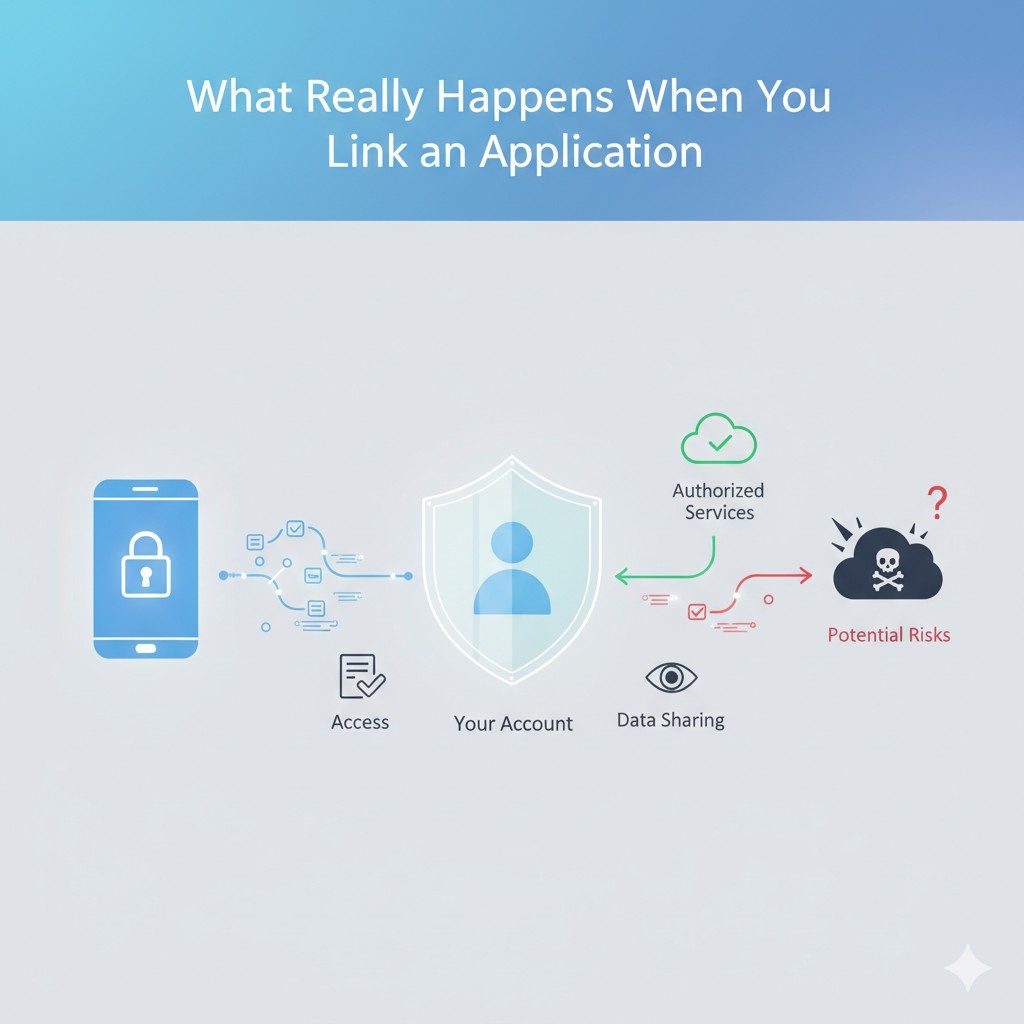
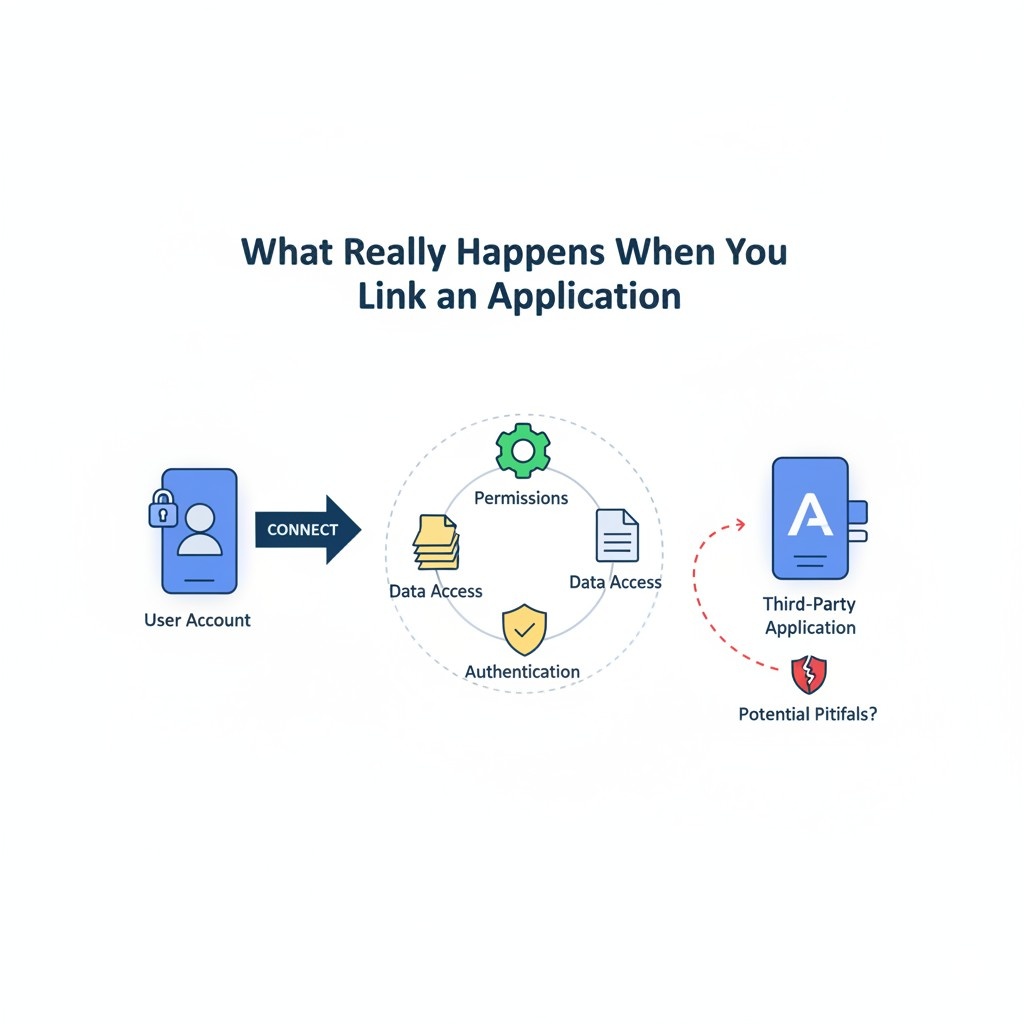
When a business links an application to an account, most people think one thing happens: the tool starts working. In reality, several quiet decisions are made at the same time.
These decisions affect data flow, ownership, control, and long-term risk. This section breaks down what is actually going on when that connection is made, using plain words and real business context.
The Moment You Click “Allow”
That single click feels harmless. It often happens during a busy day when speed matters more than caution.
But the second you approve a connection, you are granting the application a defined level of reach into your account. This reach may include reading data, changing data, copying data, or even sharing it with other systems.
For a business, this means internal work, product drafts, technical notes, and early ideas may now live outside your direct control.
The key action here is to slow down just enough to understand what kind of door you are opening. Even five extra seconds of attention can prevent months of cleanup later.
How Applications See Your Data
Applications do not see your account the way you do. They see structured data, fields, histories, and patterns. This is powerful for automation, but it also means the app may understand your workflows better than a new hire would.
For companies building new technology, this can include logs, design changes, timestamps, and decision paths. All of this tells a story.
A smart move is to treat any connected app as if it were a silent observer in your office. If you would not explain your core invention to a stranger, you should think twice before letting an app scan related data.
Why Default Settings Favor the Application, Not You
Most applications are designed to reduce friction. That means defaults are often set to give the tool broad access so it works smoothly from day one. From the app’s point of view, this is efficient. From a business point of view, it can be risky.
The strategic move is to assume that default settings are generous. After linking, go back into the account and review what was granted.
Adjusting permissions right after connection is far easier than fixing overexposure later. This habit alone separates careful operators from reactive ones.
The Difference Between Convenience Access and Control Access
Not all access is equal. Some permissions allow an app to simply view information. Others allow it to edit, delete, or export data. Many teams treat these as the same, but they are not.
For businesses, especially startups, control access is where risk lives. If an app can change or move information, it can affect records tied to ownership, timelines, and authorship.
A smart practice is to reserve full control access for tools that are central to operations and have a clear business case. Everything else should stay limited.
What Gets Logged and What Does Not
When applications interact with your account, some actions are logged and others are not. Logs are important because they show who did what and when. But many tools only log their own activity, not the full context.
This matters when questions come up later about who created something first or when a key idea was documented. Businesses that care about defensible records should favor tools that create clear, time-stamped trails.
This is one reason founders are moving toward platforms like PowerPatent, where invention work is captured in a structured, attorney-reviewed way instead of scattered across disconnected tools.
You can see how that works at https://powerpatent.com/how-it-works.
How Linked Apps Can Change Internal Behavior
Once an app is linked, teams tend to trust it. They assume it is safe because it is already connected.
Over time, people share more freely inside the tool, forgetting that it is not a neutral notebook but an active system with rules and outputs.
For leadership, the actionable step is to set simple internal guidance. Make it clear what kind of work belongs in which tools. When everyone understands that not all apps are equal, sensitive work stays where it should.
Data Flow Does Not Stop at Your Account
A common misunderstanding is that data stays between you and the app. In reality, many applications connect to other services. Your data may pass through analytics systems, storage providers, or partner platforms.
This does not mean the app is doing something wrong. It means the system is larger than it looks. Businesses should review where data flows after the initial link.
Even a basic understanding of downstream connections helps you decide whether a tool fits your risk level.
The Long Memory of Connected Systems
Applications remember. Even if you disconnect later, copies of data may still exist in backups or logs. This is normal, but it is rarely explained upfront.
The strategic takeaway is to assume that anything shared could live longer than the connection itself.
That mindset encourages cleaner data hygiene. Share only what is needed, when it is needed, and through tools designed for long-term protection.
Linking Apps During Early-Stage Building
Early-stage companies move fast. Tools are added quickly to solve immediate problems. This is understandable, but early decisions often shape long-term structure.
If you are building new technology, this is the stage where invention records matter most. Linking casual tools to core idea work can blur timelines and ownership.
A better approach is to separate experimentation tools from systems used to document and protect innovation.
PowerPatent was built to give founders speed without losing control, combining software ease with real attorney oversight. That balance is hard to get from general-purpose apps.
Turning Linking Into a Strategic Act
Linking an application should be treated as a business decision, not a technical chore. It affects trust, control, and future flexibility. The most effective teams build a simple habit: pause, review, adjust, and document.
This does not slow you down. It keeps you clean. And in a world where your ideas are your edge, clean systems are not optional.
Access Is Power: Who Can See, Edit, and Share Your Work
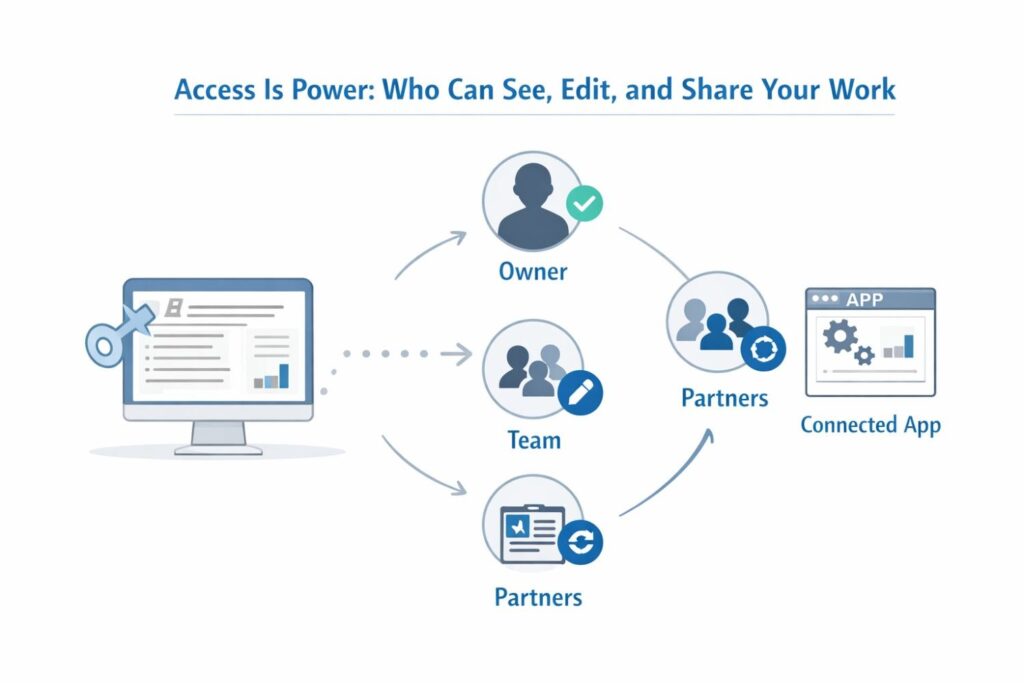
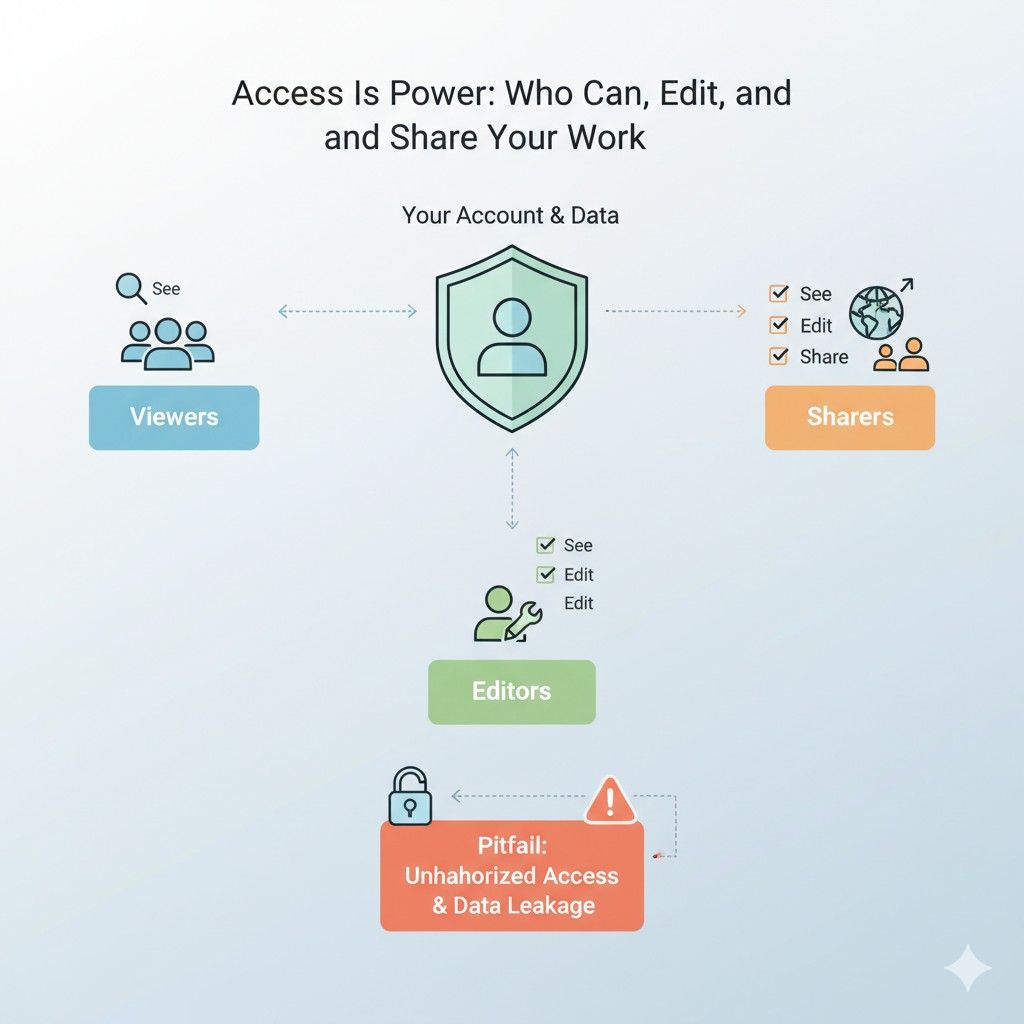
Access sounds like a technical word, but it is really about power. Inside every connected application is a quiet decision about who gets to look, who gets to touch, and who gets to move things around.
For a business, this decides how ideas travel, how mistakes spread, and how control is either kept or lost over time.
This section focuses on access in real terms. Not theory. Not policy talk. Just how access actually works inside modern tools and what smart companies do differently.
Seeing Is Not Passive
Many teams believe that view access is harmless. If someone or something can only see data, it feels safe.
But seeing is not passive. When an application can view your work, it can analyze patterns, store copies, and learn how your business operates.
For companies building new products, even read-only access can reveal direction, timing, and strategy. A strong move is to treat view access as meaningful access.
Before granting it, ask whether the app truly needs visibility into sensitive areas or if a smaller window would still get the job done.
Edit Rights Shape Reality
Edit access is where reality gets shaped. An application that can edit data can change wording, overwrite fields, or adjust records in ways that are hard to notice in the moment.
For businesses, this becomes critical when records are tied to product decisions, technical progress, or invention timelines.
A quiet edit made by an automated system can later raise questions about what was original and what was changed.
The best practice is to limit edit access to tools that are essential and well understood, and to regularly review what those tools are allowed to modify.
Sharing Happens Faster Than You Think
Some applications are built to collaborate. That means they can share data with other users or systems by design. Once access is granted, information can move quickly beyond the original account.
This is where many teams get surprised. They assume access stays local, but collaboration features push data outward.
A smart business move is to test this early. Share a small, non-sensitive item and trace where it goes. Understanding that path makes future decisions clearer and safer.
Internal Roles Are Often Overlooked
Access is not only about external apps. It is also about who inside your company can see and do what. As teams grow, permissions often stay flat. Everyone ends up with broad access because it is easier.
Over time, this creates risk. New hires may see old drafts. Contractors may touch core systems. For founders, the action step is to align access with responsibility.
People should see what they need to do their job, not everything that exists. This protects the business without slowing it down.
Access Changes as the Company Evolves
What made sense at ten employees may not make sense at fifty. Early on, openness helps speed. Later, structure protects value.
Many companies forget to update access as they scale. Old permissions linger. Former tools stay connected.
This creates silent exposure. A simple quarterly review of connected apps and access levels can close gaps before they turn into problems. It is one of the highest return habits a business can build.
How Access Affects Ownership Stories
Ownership is not just about legal papers. It is also about stories told by data. Who created something. When it was changed. Who had the ability to change it.
When many tools and people have access, those stories get blurry. This matters when raising money, selling a company, or protecting an invention. Clean access control helps keep clean stories.
This is why platforms focused on invention, like PowerPatent, are designed to clearly track authorship and timing while still letting teams move fast. You can explore that approach at https://powerpatent.com/how-it-works.
Temporary Access Often Becomes Permanent
Businesses often grant access for a short-term need. A consultant joins. A sprint requires extra tools. A partner needs visibility. The intention is temporary.
But temporary access is rarely removed on time. It stays because nothing breaks. Over months and years, this adds up. The fix is simple but powerful. Tie access to time.
When granting it, set a reminder to review or remove it. This small habit prevents long-term exposure.
Automation Has Its Own Identity
Automated systems often act like invisible users. They have accounts, permissions, and abilities just like people do. But they do not raise their hand when something feels off.
For businesses, this means automation needs even more careful access control. If a script or integration can act freely, it will.
The strategic approach is to give automation the narrowest role possible. Let it do one job well instead of many jobs loosely.
Access Decisions Signal Company Values
How a company handles access sends a message internally. Loose access says speed matters more than care. Thoughtful access says the work matters and deserves protection.
This does not mean locking everything down. It means being intentional. Teams that understand why access is structured a certain way tend to respect systems more.
That respect leads to better data, cleaner records, and fewer surprises.
Turning Access Into an Advantage
When access is handled well, it becomes an advantage instead of a risk. Work flows smoothly. People trust systems. Important information stays intact.
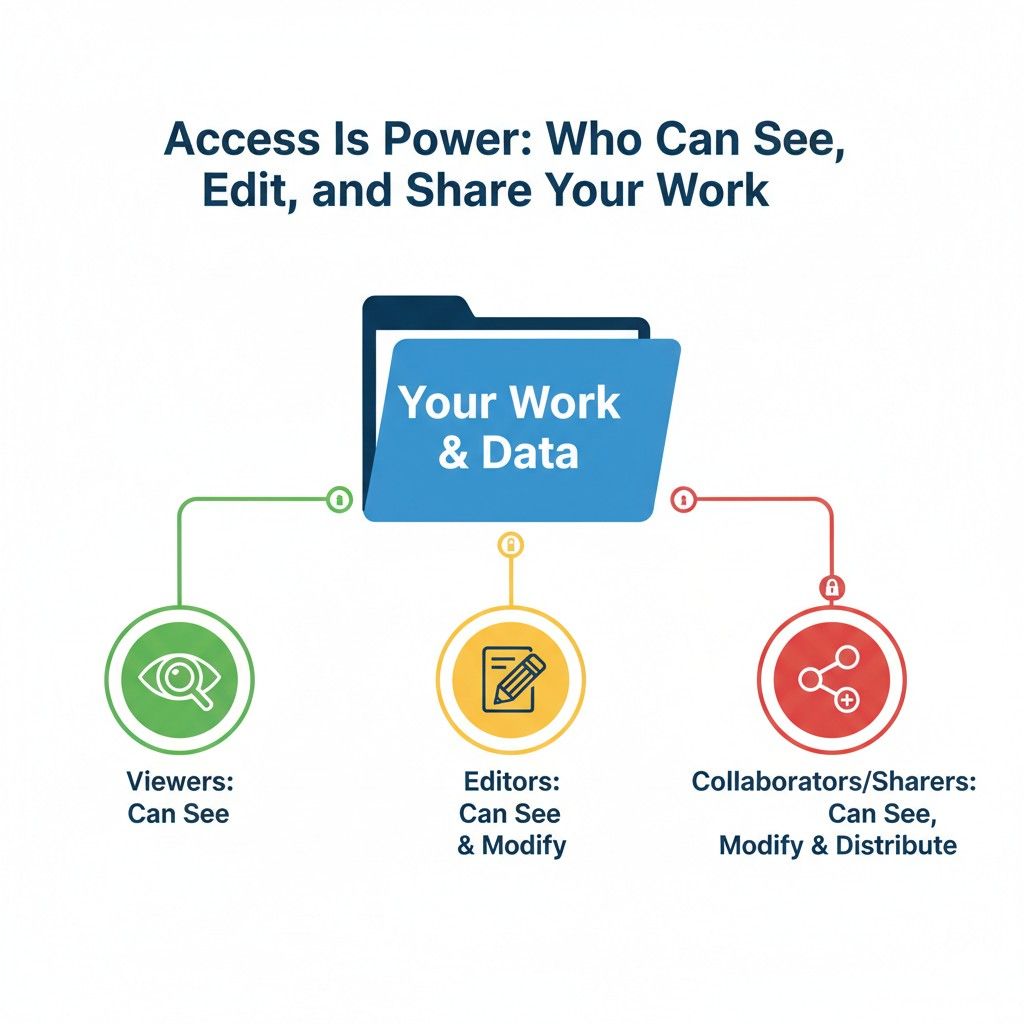
For founders and leaders, the goal is not perfection. It is awareness. Know who can see, who can change, and who can share. Review it often. Adjust as the business grows. And use tools built with protection in mind from the start.
Permissions You Should Never Ignore (But Most People Do)
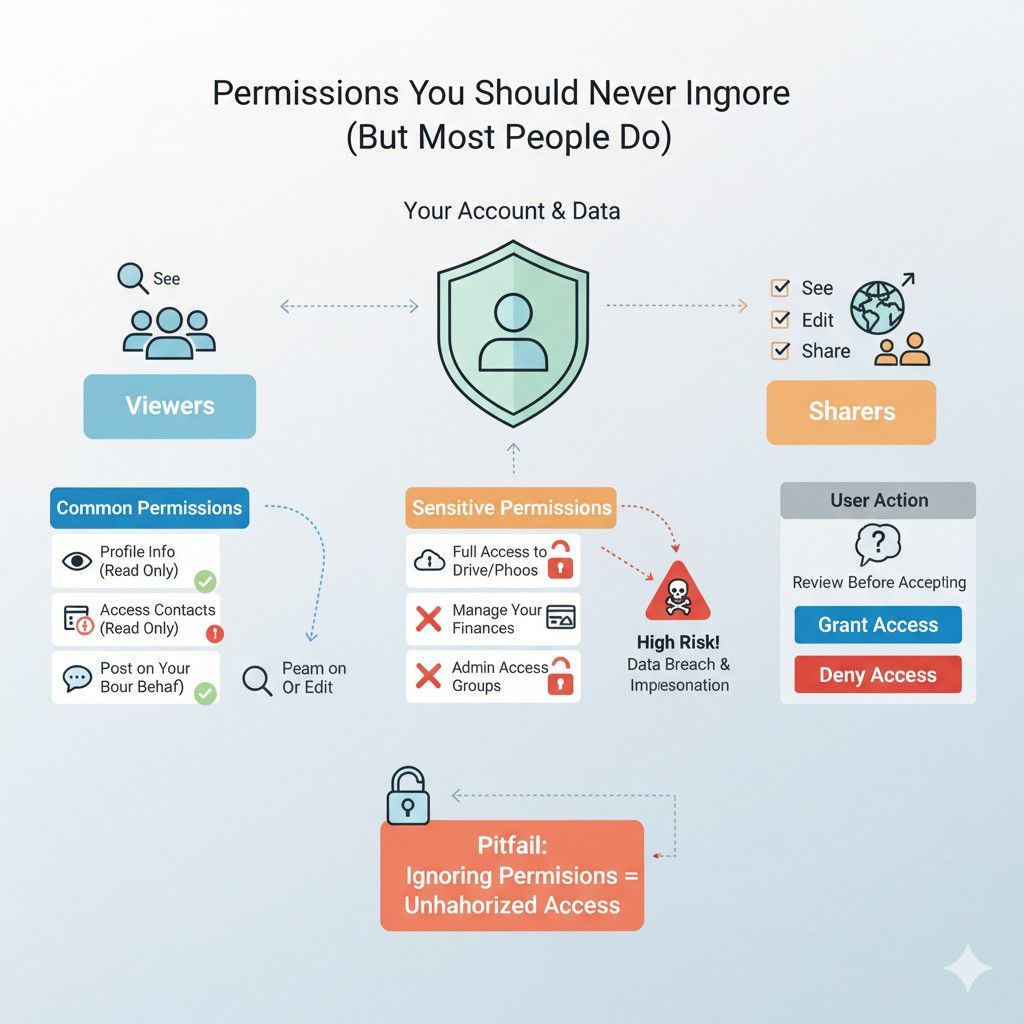
Permissions sit one layer deeper than access. Access decides who gets in. Permissions decide what happens once they are inside.
This is where most problems start, not because teams are careless, but because permissions are easy to overlook and hard to fully understand at a glance.
This section focuses on the permissions that quietly shape risk, control, and clarity for a business, especially one building new technology.
Permissions Are Rules, Not Settings
Many people treat permissions like simple switches. On or off. Allowed or denied. In reality, permissions are rules that guide behavior over time. They decide what an application is allowed to do again and again without asking.
For a business, this means a single approval can authorize hundreds or thousands of future actions. The strategic shift is to think of permissions as long-term agreements, not one-time approvals.
Before granting them, imagine the permission being used every day for a year. If that feels uncomfortable, it is worth revisiting.
The Danger of Broad Language
Permission screens often use friendly but vague language. Phrases like manage your data or improve your experience sound harmless. But behind those words can be wide-reaching authority.
Companies should train themselves to pause at broad wording. If a permission is not specific, assume it is large.
The safest move is to only approve permissions that clearly match a known need. If the connection still works with fewer permissions, that is a win.
Read and Write Is a Big Divide
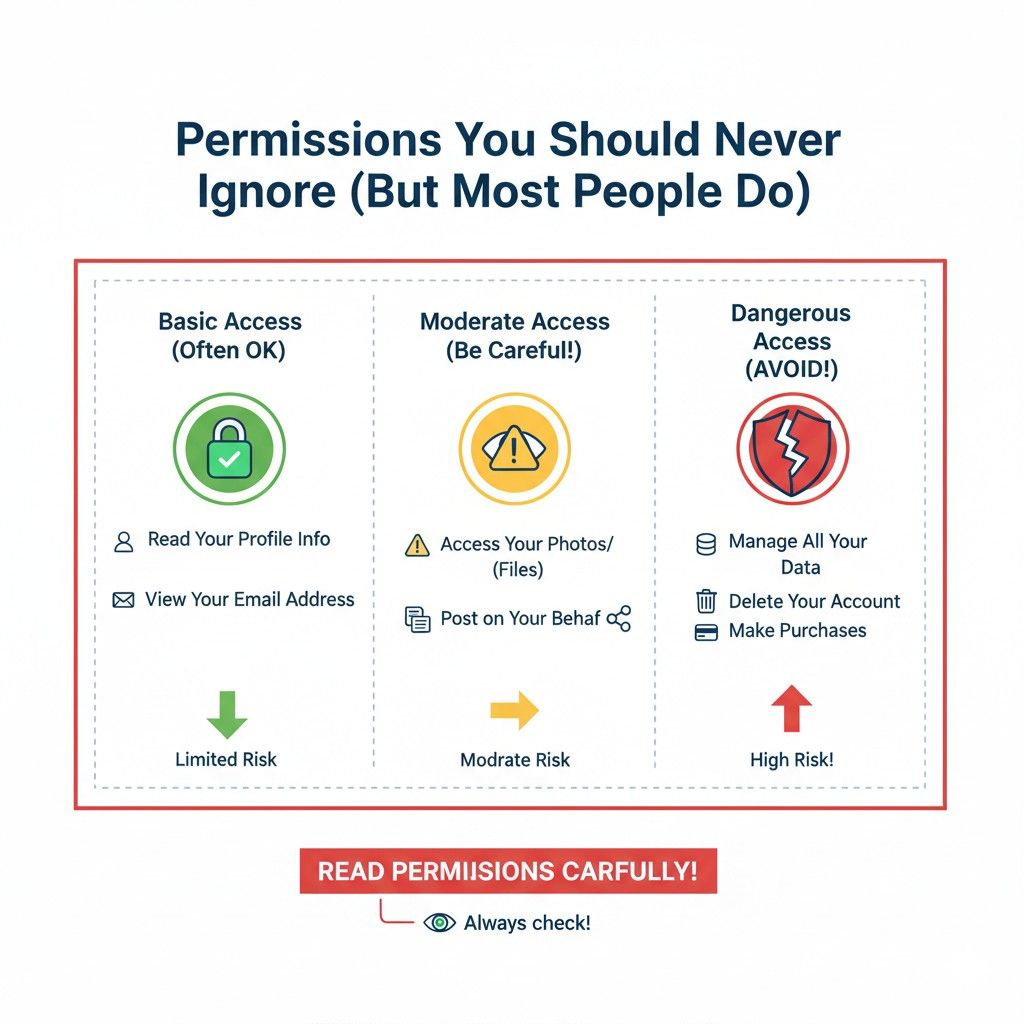
One of the most important permission lines is between reading and writing. Reading lets an app observe. Writing lets it act.
For businesses, write permissions deserve special care. A tool that can write can change records, update descriptions, or alter histories. Even small automated changes can add confusion later.
The practical step is to default to read permissions first, then add write permissions only when there is a clear, tested reason.
Delete Permissions Are Rarely Needed
Delete permissions are often bundled in without much thought. They seem logical, but in practice, few tools truly need the ability to delete data.
From a business perspective, deletion removes evidence. It erases trails. It creates gaps in timelines.
A safer approach is to avoid delete permissions whenever possible. If something needs to be hidden or archived, that is often better than full removal.
Permissions Can Outlive the Tool’s Usefulness
Tools come and go. Permissions often stay. An app that was critical six months ago may now sit unused, still holding powerful permissions.
This is where many companies get caught off guard. The solution is simple but requires discipline.
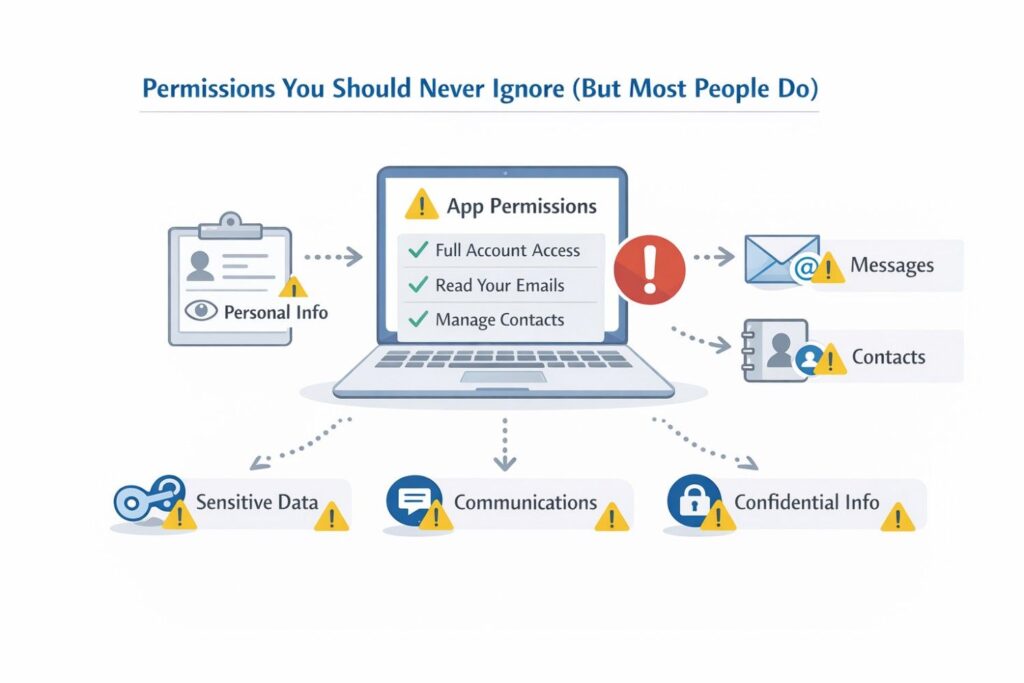
When a tool stops being useful, review and revoke its permissions. Treat this as part of offboarding, just like you would with an employee.
How Permissions Affect Trust Inside Teams
When people know that tools have broad permissions, they adjust their behavior. They share less or move work to side channels. This creates fragmentation and hidden work.
Clear, limited permissions build trust. Teams feel safer using shared systems. That safety leads to better documentation and cleaner collaboration. Over time, this makes the company stronger and more transparent.
Permissions and the Story of Creation
For founders, one of the most overlooked impacts of permissions is how they affect the story of creation. Who added what. Who changed what. When it happened.
Permissions that allow edits or exports can blur that story. This matters when you need to prove originality or show progress.
Using systems designed to capture invention work with clear permission boundaries helps preserve that narrative.
PowerPatent focuses heavily on this, giving teams structure without slowing them down. You can see that approach in action at https://powerpatent.com/how-it-works.
Third-Party Permissions Multiply Risk
When an application connects to another application, permissions stack. One approval can cascade into several systems.
Businesses should be aware of this chain effect. Ask where permissions travel next. Even a rough map is better than none. This awareness helps you choose tools that respect boundaries instead of expanding silently.
Reviewing Permissions Is a Leadership Task
Permission reviews are often left to IT or ignored entirely. But they are a leadership concern because they shape risk and value.
Founders and executives do not need to know every technical detail. They do need to ask the right questions.
What tools have broad permissions. Why they have them. Whether they still need them. These questions alone can prevent major issues.
Turning Permissions Into a Safety Net
When handled well, permissions protect more than they restrict. They create guardrails that keep mistakes small and contained.
The goal is not to lock everything down. It is to design systems where errors do not spiral. Thoughtful permissions do exactly that. They let teams move fast while keeping core work intact.
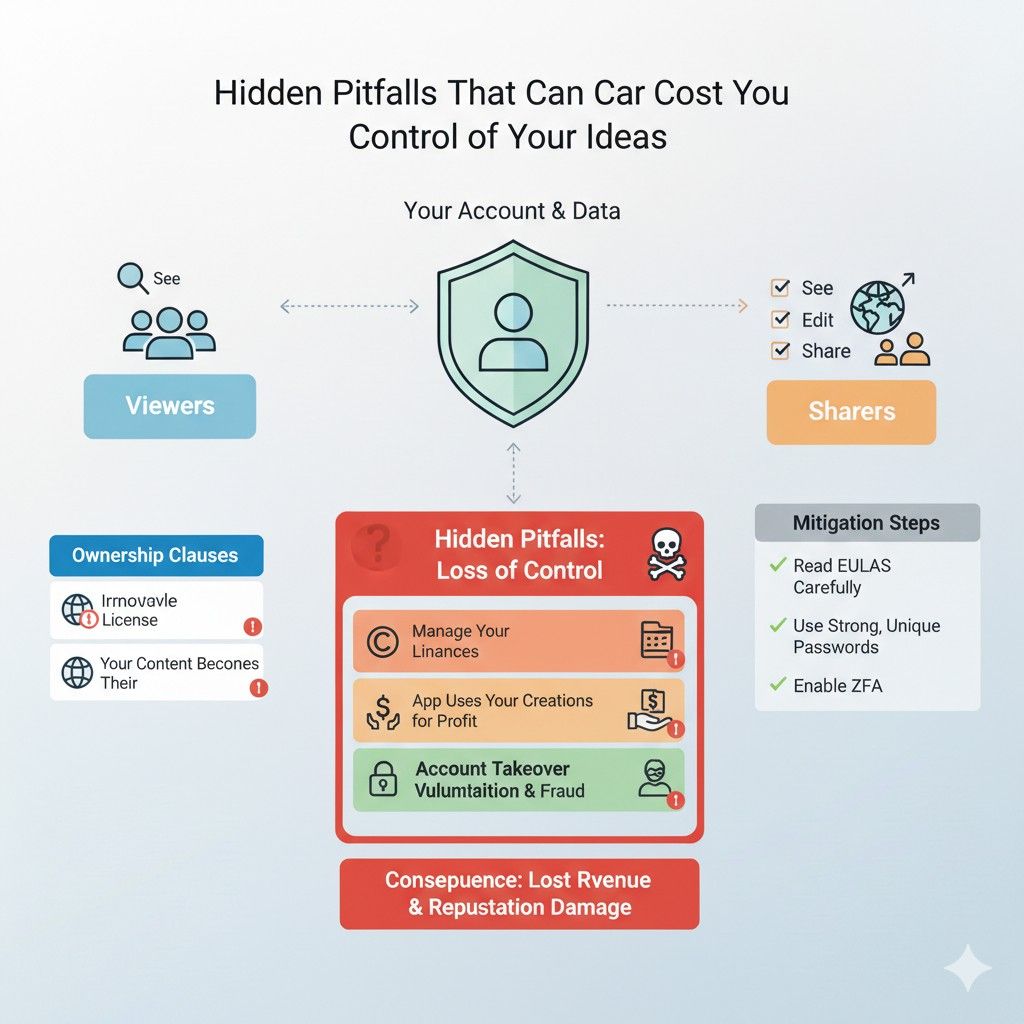
Hidden Pitfalls That Can Cost You Control of Your Ideas
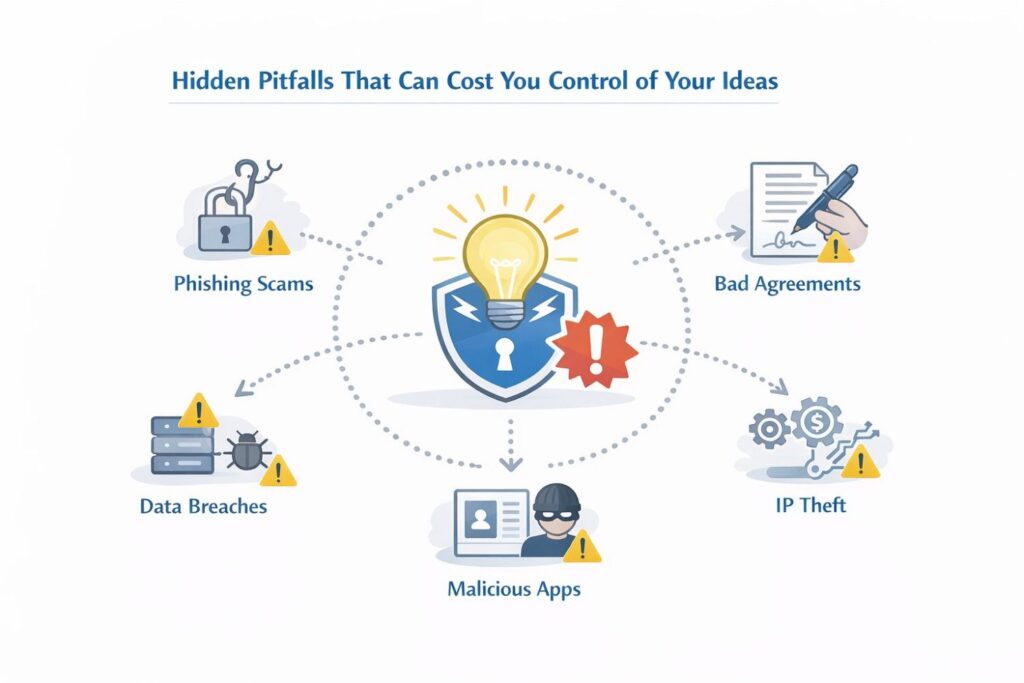
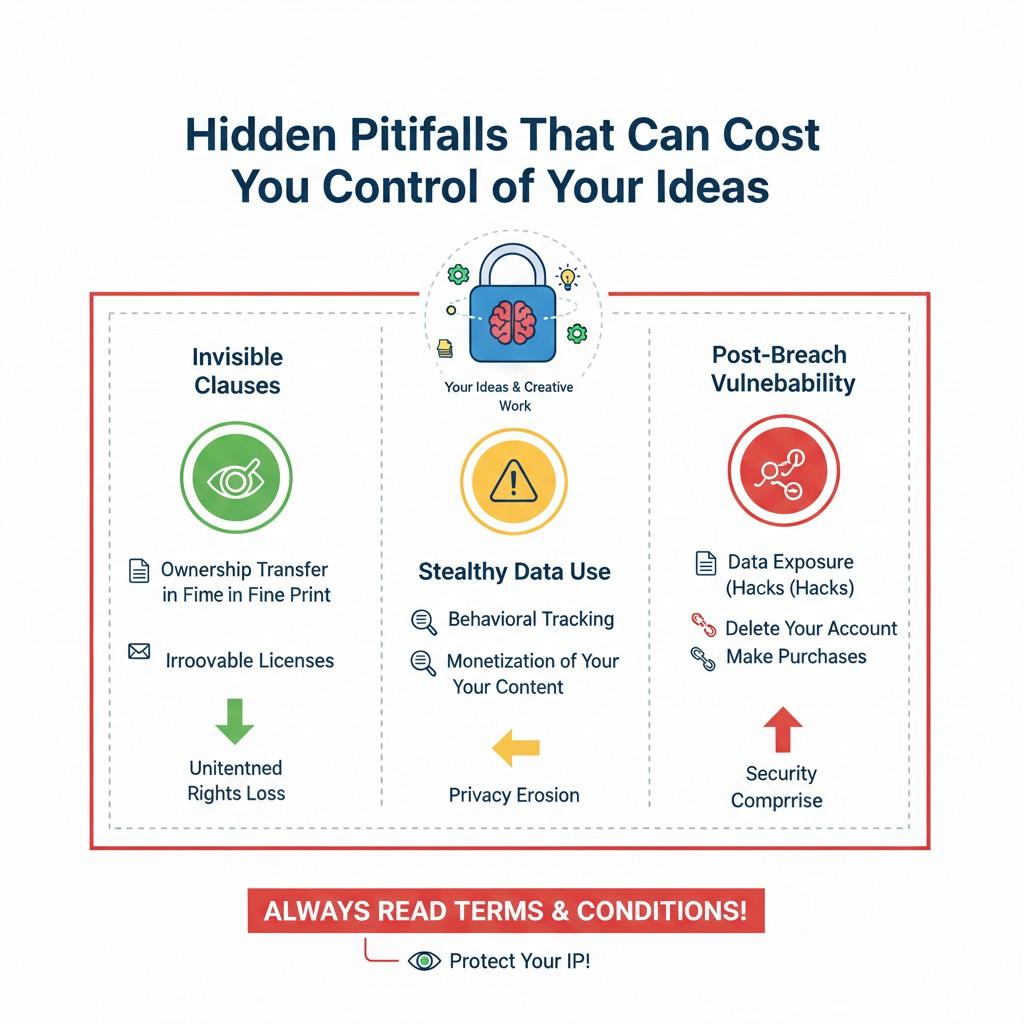
Most businesses do not lose control of their ideas in one dramatic moment. It happens slowly. Quietly.
Through small decisions that feel harmless at the time. These are the pitfalls that rarely show up in product roadmaps or sprint reviews, but they shape who truly owns and controls the work years later.
This section focuses on those hidden risks and how to avoid them without slowing your team down.
When Speed Becomes the Only Metric
Startups prize speed. It is often the difference between winning and falling behind. But when speed becomes the only metric, control starts to slip.
Teams link tools quickly, grant permissions broadly, and move on. Over time, systems grow messy. Important work lives in too many places. The fix is not to slow down, but to define what deserves care.
Core ideas, technical breakthroughs, and invention records should move through controlled systems, not convenience tools.
The Illusion of Ownership Through Access
Many founders assume that if their company account owns the tool, the company owns the output. This is not always true.
Access does not equal ownership. Some applications retain rights to store, analyze, or reuse data.
Others make it hard to extract clean records later. Businesses should look beyond access and ask where the data ultimately lives and in what form. Clear ownership comes from clarity, not assumptions.
Fragmented Documentation Weakens Your Position
When ideas are spread across chat tools, notes apps, task managers, and emails, the story of how something was built becomes fragmented.
This fragmentation weakens your position when you need to show how an idea evolved. It also increases the chance that key context is lost.
A strong move is to centralize invention-related work in a system designed for that purpose. This does not replace other tools, but it creates a single source of truth for what matters most.
Tools That Optimize for Sharing, Not Protection
Many modern tools are built to share by default. Sharing drives growth and engagement. Protection is often secondary.
For businesses working on valuable technology, this creates tension. A tool that makes sharing easy may also make leakage easy.
The answer is not to avoid collaboration, but to choose platforms that balance collaboration with control.
PowerPatent was built with this balance in mind, combining easy workflows with safeguards that protect invention data. You can see how that works at https://powerpatent.com/how-it-works.
Silent Changes Rewrite History
Automations, integrations, and syncing tools can change data without drawing attention. A field updates. A timestamp shifts. A description gets rewritten.
These silent changes can rewrite history in subtle ways. When questions come up later, it becomes hard to explain what happened.
Businesses should favor systems that make changes visible and traceable. Transparency is a form of protection.
Offboarding Is Often Incomplete
When people leave a company, access is usually removed. But connected tools are often forgotten.
Former employees may no longer log in, but the systems they set up still run. Permissions still exist. Data still flows.
A thorough offboarding process should include a review of linked applications and automations. This step is often skipped, but it closes major gaps.
Early Decisions Become Hard to Undo
The tools you choose early shape habits. Habits shape culture. Culture shapes systems.
Once a team gets used to documenting work in a certain place, moving it later is painful. That is why early decisions matter so much.
Choosing tools that respect ownership and clarity from the start saves effort later. It also makes scaling smoother.
The Cost of Cleaning Up Later
Many founders plan to fix things later. Later usually means when there is time or money. In reality, cleanup is expensive.
Reconstructing invention timelines, tracking down old versions, and proving authorship takes time and legal effort.
Preventing that mess is far cheaper. Thoughtful access, permissions, and tool choices act as insurance you never have to file a claim on.
Control Does Not Mean Control Freak
Some leaders worry that control will slow creativity. In practice, the opposite is often true.
When teams know that core work is protected, they feel freer to explore. Control creates safety. Safety creates confidence. Confidence leads to better ideas and faster progress.
Building With the End in Mind
Every company hopes for growth, funding, or an exit. All of those moments involve scrutiny.
Investors and buyers look for clean systems and clear ownership. Hidden pitfalls become visible under that light. Building with the end in mind means treating access, permissions, and tool choices as strategic from day one.
Turning Awareness Into Action
Awareness alone is not enough. Action turns insight into protection.
Start by reviewing what is connected, who has access, and what permissions exist. Decide what deserves structure. Use tools designed to protect what you are building, not just move it faster.
PowerPatent exists to help founders do exactly that. It gives you speed without sacrificing control, and clarity without complexity.
If you want to see how it fits into your workflow, you can explore it anytime at https://powerpatent.com/how-it-works.
Wrapping It Up
Linking applications to your account is never just a technical step. It is a business decision that shapes control, clarity, and confidence over time. Every connection creates a path for data to move, change, and tell a story about how your work came to life. When those paths are clean and intentional, your business stays strong. When they are messy or ignored, risk quietly builds.
Leave a Reply