Upload errors and timeouts sound small, but they can quietly cause big damage. A missed submission, a broken upload, or a failed save can cost you days, weeks, or even your place in line. For founders and engineers, this is not just a tech issue. It is a risk issue. When you are filing anything important, especially work tied to your invention, you need to know how to stop these problems before they happen and how to recover fast when they do. This guide explains exactly that. No filler. No scare talk. Just clear steps, plain words, and real actions you can use right away to protect your work, your time, and your momentum while you build.
Why Upload Errors Happen at the Worst Possible Time
Upload errors almost never show up when things are calm. They appear when deadlines are tight, when pressure is high, and when the cost of delay is real. For businesses, this timing is not random.
It is the result of how modern systems, teams, and workflows collide at the exact moment something matters most. Understanding this pattern is the first step toward stopping it from hurting your company.
Pressure Creates Fragile Moments
When a business is rushing to submit something important, everything becomes more fragile. Teams work late, files move fast, and decisions happen quickly.
This speed often hides small issues that would normally be caught. A single unstable connection or an unchecked file can turn into a failed upload at the worst moment.

Businesses that expect these fragile moments are better prepared to protect their work instead of reacting in panic.
Deadlines Change How Systems Behave
As deadlines get closer, systems face heavier use. More people upload at the same time, servers work harder, and platforms slow down. Even strong systems can struggle during peak hours.
This is why uploads often fail right before cutoffs. Businesses that plan submissions earlier reduce their exposure to these high-risk windows and gain more control over outcomes.
File Size Grows Without Notice
Over time, files quietly grow. More data, more images, more logs, more comments. What started as a clean document becomes heavy without anyone noticing.
Large files are harder to upload and easier to break during transfer. Businesses that set size checks early avoid sudden failures that only appear when time is already gone.
Small Errors Stack Up Silently
Upload failures rarely come from one big mistake. They come from many small ones stacking up.
A slow network, a half-synced folder, an outdated browser, or a background process can all add stress to an upload. Each issue alone may not cause a problem.
Together, they create the perfect failure moment. Businesses that reduce these small risks consistently experience fewer surprises.
Human Focus Drops Under Stress
When people feel rushed, attention drops. Fields get skipped, confirmations go unread, and warnings are ignored. Upload systems often give quiet signals before failing, but stressed users miss them.
Businesses that design calmer submission workflows help teams stay focused and reduce last-minute errors that feel random but are not.
Systems Are Built for Normal Use, Not Rush Use
Most platforms are designed for steady behavior, not panic-driven behavior. When users refresh pages, retry uploads fast, or open many tabs, systems can lock or timeout.

Businesses that train teams to pause and reset instead of forcing retries reduce system strain and increase success rates.
Internet Stability Is Often Assumed, Not Checked
Many teams assume their internet is fine because it works most of the time. During critical uploads, even brief drops matter. A one-second loss can break a submission.
Businesses that test connections before important uploads catch weak signals early and avoid silent failures that show up only at the end.
Cloud Sync Tools Can Interfere Quietly
Auto-sync tools are helpful, but they can clash with manual uploads. When a file is still syncing while being uploaded elsewhere, conflicts happen.
Businesses that pause sync tools during key submissions reduce file lock issues and corrupted uploads that appear without clear explanation.
Security Layers Add Hidden Delay
Firewalls, VPNs, and security scans protect businesses, but they also slow data transfer.
During large uploads, these tools can trigger timeouts. Businesses that test submissions inside their real security setup avoid learning this lesson when it is already too late.
Platforms Rarely Warn You Early Enough
Most systems do not clearly warn users when an upload is at risk. They fail at the end, not the start.
This design shifts risk onto the user. Businesses that assume platforms will not save them take extra steps to verify progress and keep backup copies ready.
The Cost of Failure Is Higher for Growing Companies
For early-stage and fast-growing businesses, a failed upload is not just an inconvenience. It can delay funding, filings, or product launches. Time lost is momentum lost.

Companies that treat uploads as business-critical actions, not admin tasks, protect their growth path more effectively.
Lost Submissions Create Hidden Recovery Costs
When an upload fails, recovery takes more than time. Teams must recheck files, revalidate data, and rebuild trust in the process. This drains focus and energy.
Businesses that prevent errors save not only time but also mental bandwidth that should stay on building.
Ownership Gaps Increase Risk
When no one clearly owns a submission, small steps fall through. Who checked the file.
Who confirmed the upload. Who saved the proof. Businesses that assign clear ownership reduce confusion and catch problems before they become failures.
Proof Is Often Missing Until It Is Needed
Many platforms do not give strong proof of submission. If a failure happens, teams struggle to show what was done.
Businesses that capture screenshots, timestamps, or confirmations protect themselves if a dispute or delay arises later.
Why This Matters for IP and Invention Work
When submissions involve inventions or technical work, the risk is even higher. Timing can affect priority and protection. A failed upload here is not just annoying.
It can change outcomes. This is why many founders choose systems designed to reduce these risks from the start.
Platforms like PowerPatent help teams submit invention work with built-in checks, smart workflows, and real attorney oversight so fewer things are left to chance. You can see how this works in practice at https://powerpatent.com/how-it-works.
Turning Awareness Into Control
Understanding why upload errors show up at the worst time gives businesses leverage. Once you know the patterns, you can design around them. This is not about luck.
It is about preparation. Teams that slow down slightly, check early, and use tools built for important submissions move with more confidence and fewer surprises.
Building Processes That Expect Reality
The best businesses assume things will go wrong and plan for that reality. They create space for retries, confirmations, and recovery before pressure hits.
They do not trust last-minute success. This mindset turns uploads from a risk into a controlled step in a larger system.
If you want to see how modern tools can remove many of these failure points from invention and patent submissions, take a look at how PowerPatent is built to support founders at https://powerpatent.com/how-it-works.
How to Prevent Failed Submissions Before You Hit Upload
Prevention is where most businesses win or lose. Once an upload fails, you are already reacting. When prevention is done right, uploads stop feeling risky and start feeling routine.
This section focuses on what smart teams do before they ever click submit, long before pressure kicks in. These actions are quiet, simple, and often invisible, but they remove most of the danger from the process.
Treat Uploads as Critical Events, Not Small Tasks
Many teams treat uploads like simple admin work. Something quick. Something easy.
This mindset is the root of many failures. Important submissions deserve the same care as product launches or investor meetings.

When a business treats uploads as critical events, the tone changes. People slow down, double-check, and take ownership. This shift alone prevents a large share of avoidable errors.
Build Time Buffers Into Every Submission
One of the most effective ways to prevent failure is also one of the least used. Build time buffers. Submitting early removes pressure, spreads load, and gives room to fix issues without panic.
Businesses that plan uploads ahead of deadlines avoid peak system traffic and give themselves space to recover if something breaks.
Lock Files Before Uploading
Files that change during upload are a common hidden cause of failure. A document that is still being edited, synced, or generated can break mid-transfer.
Businesses that lock files before uploading reduce corruption and mismatch errors. This means closing editing tools, pausing sync software, and saving a final version that will not change.
Standardize File Naming Early
Inconsistent file names cause confusion, especially under stress. Wrong versions get uploaded, or files get overwritten. Businesses that use simple, clear naming rules prevent these mistakes.
When names clearly show what the file is and when it was finalized, teams move faster with fewer errors.
Check File Size With Real Limits in Mind
Platforms often allow uploads up to a stated limit, but real limits can be lower depending on network speed and security layers. Businesses that test file size against real conditions avoid edge-case failures.
Splitting large files or compressing them ahead of time removes risk before it appears.
Use Stable Networks for Important Uploads
Public Wi-Fi and unstable connections are fine for browsing but risky for critical uploads.
Businesses that switch to wired or trusted networks for important submissions dramatically reduce failure rates. This small habit change saves hours of recovery work later.
Reduce Background Activity Before Uploading
Background apps consume bandwidth and system resources. Cloud backups, updates, and streaming tools all compete with uploads.
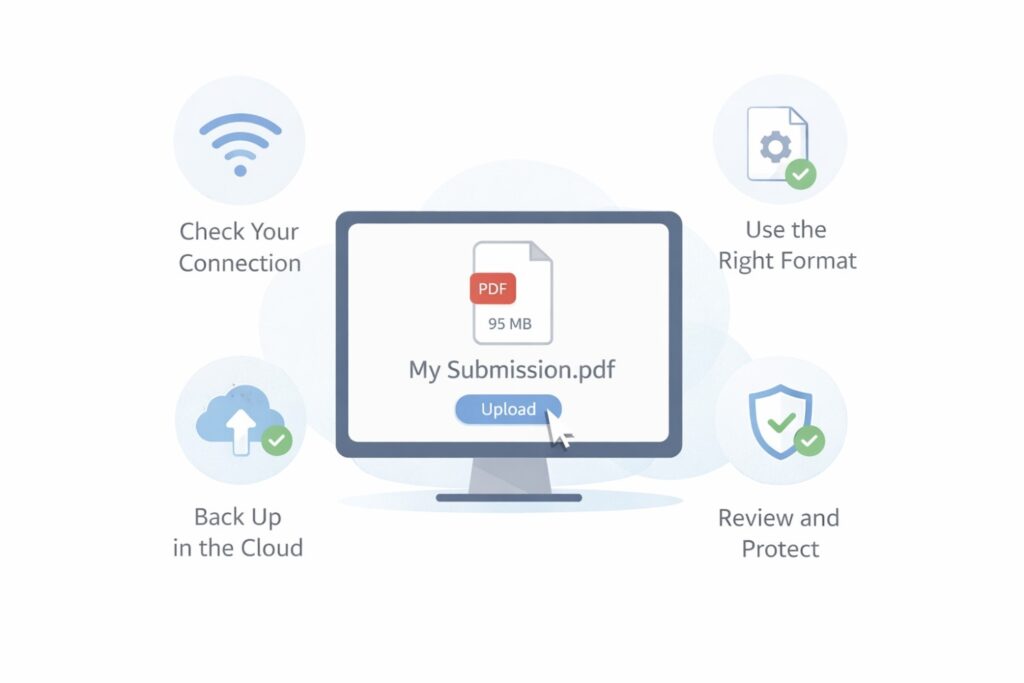
Businesses that pause non-essential activity before submitting create cleaner conditions for success. This is especially important for large or time-sensitive files.
Test the Process With Low-Risk Files
Running a test upload with a small file reveals problems early. It shows whether the system is responsive, whether logins work, and whether confirmations appear as expected.
Businesses that test before real submissions catch issues while stakes are low, not when outcomes matter.
Know the Platform’s Weak Points
Every platform has patterns. Some struggle at certain times. Some timeout after inactivity. Some fail silently. Businesses that learn these behaviors adjust their approach.
This knowledge often comes from past experience, but it can also come from choosing tools designed to reduce these weak points from the start.
Train Teams on What Success Looks Like
Many upload failures happen because users assume success without proof. Teams click submit and move on.
Businesses that train teams to wait for clear confirmation reduce false success assumptions. Knowing what a real completion signal looks like is a simple but powerful prevention step.
Save Proof Automatically
Screenshots, confirmation emails, and timestamps matter. Businesses that save proof as part of the process protect themselves if something goes wrong later.
This habit turns uncertainty into evidence and makes recovery much easier.
Assign Clear Responsibility
When everyone is involved, no one is responsible. Businesses that assign one person to own the upload reduce mistakes.

Ownership means someone checks readiness, watches progress, and confirms completion. This clarity prevents last-minute confusion.
Create Calm Around the Moment of Submission
Stress creates mistakes. Businesses that create calm conditions around submissions see better outcomes.
This can mean scheduling uploads when teams are rested, avoiding distractions, and giving the task full attention. Calm is a technical advantage, not a soft one.
Avoid Last-Minute System Changes
Updates, patches, and tool changes right before submissions increase risk. Businesses that freeze systems before important uploads reduce unknown behavior. Stability matters more than new features in these moments.
Practice Recovery Before You Need It
Knowing how to recover from failure is part of prevention. Businesses that understand retry steps, support channels, and backup paths respond faster when issues appear.
This preparation reduces downtime even when prevention fails.
Prevention Is Easier With the Right Tools
Some platforms are simply better built for important submissions. They include progress tracking, auto-save, clear confirmations, and human oversight.
For invention and patent-related work, this matters even more. PowerPatent is designed to reduce submission risk by combining smart software with real attorney review, so founders are not left guessing at critical moments.
You can see how this approach works at https://powerpatent.com/how-it-works.
Make Prevention a Habit, Not a One-Time Fix
The strongest businesses turn prevention into habit. They do not rely on memory or luck.
They build systems that guide behavior automatically. Over time, upload failures become rare, not because people are perfect, but because the process supports them.
Prevention Protects Momentum
Every prevented failure saves time, focus, and confidence. Businesses that master this step move faster overall because they are not constantly recovering.

Prevention is not about slowing down. It is about removing friction so progress stays smooth.
What to Do When a Timeout or Error Already Happened
Even the best teams face failures. Networks drop. Platforms freeze. Files stall at ninety-nine percent.
When this happens, the difference between a small delay and a serious problem is how you respond in the first few minutes. Recovery is a skill. Businesses that practice it stay calm, move fast, and protect their position.
Stop and Preserve the State First
The first instinct after a failure is to retry fast. This often makes things worse. When an error appears, the priority is to preserve what exists. Do not refresh right away.
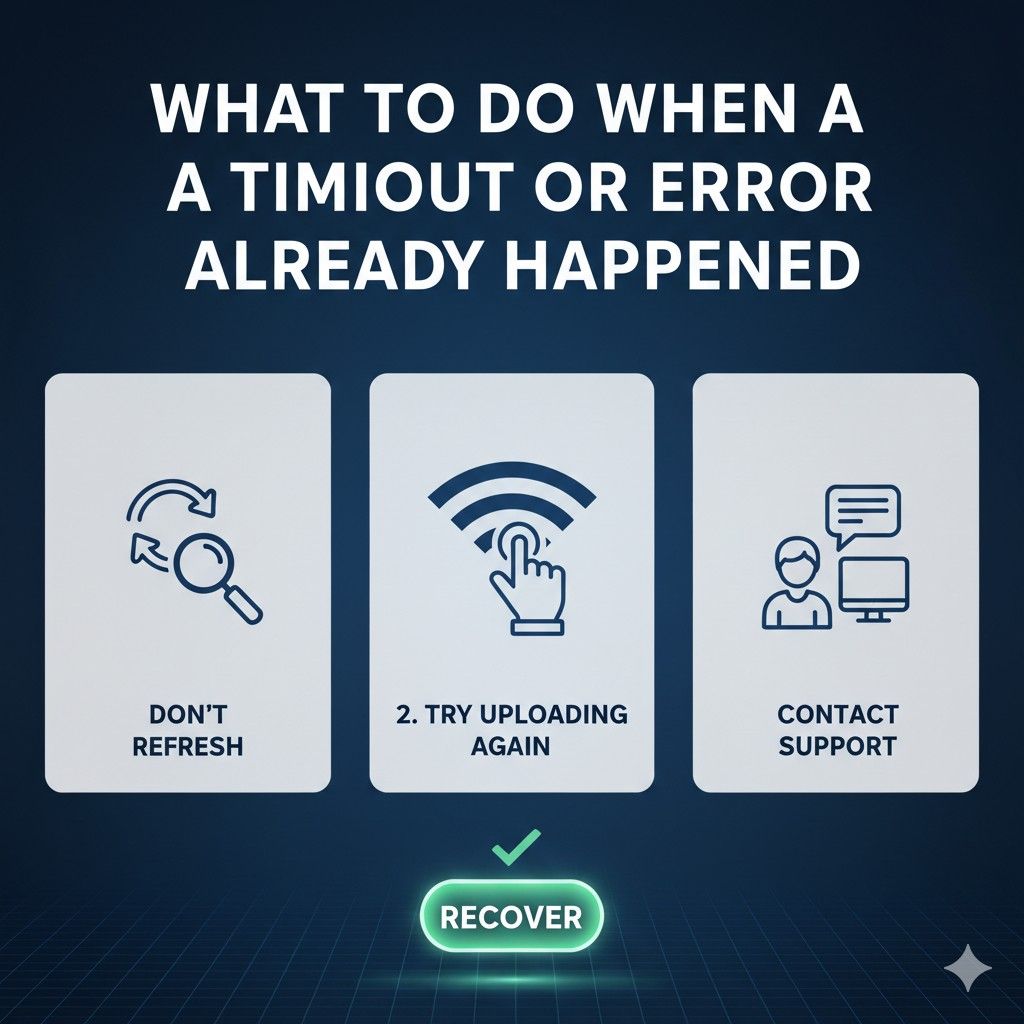
Do not close the browser without thinking. Businesses that pause long enough to capture the current state avoid losing hidden progress that can still be recovered.
Capture Proof While the Screen Is Still Visible
Error messages disappear quickly. Logs reset. Timers vanish. Businesses that capture screenshots or screen recordings right away protect themselves.
This proof helps internal teams understand what failed and gives support teams something concrete to act on. Recovery moves faster when facts are clear.
Read the Error Without Emotion
Errors feel personal when deadlines are tight, but they are signals, not judgments. Businesses that read error messages carefully often find clues about size limits, session timeouts, or connection issues.
Even vague messages narrow the problem space and guide the next move.
Check Whether the Upload Actually Finished
Some systems fail loudly even when the upload succeeded quietly. Files may appear in the system but not trigger a success message.
Businesses that verify by checking file listings, confirmation pages, or follow-up emails avoid unnecessary reuploads that create duplicates or conflicts.
Avoid Immediate Rapid Retries
Retrying the same action again and again can lock accounts or trigger rate limits.
Businesses that wait a few minutes before retrying give systems time to reset. This pause often turns a failure into a clean success on the next attempt.
Change One Variable at a Time
When retrying, changing everything at once hides the real issue. Smart recovery changes one thing only. A different browser. A different network. A smaller file.
Businesses that isolate variables learn faster and avoid repeating the same failure pattern.
Restart the Session Cleanly
Timeouts often come from expired sessions. Logging out, closing the browser, and starting fresh removes stale tokens and memory issues.
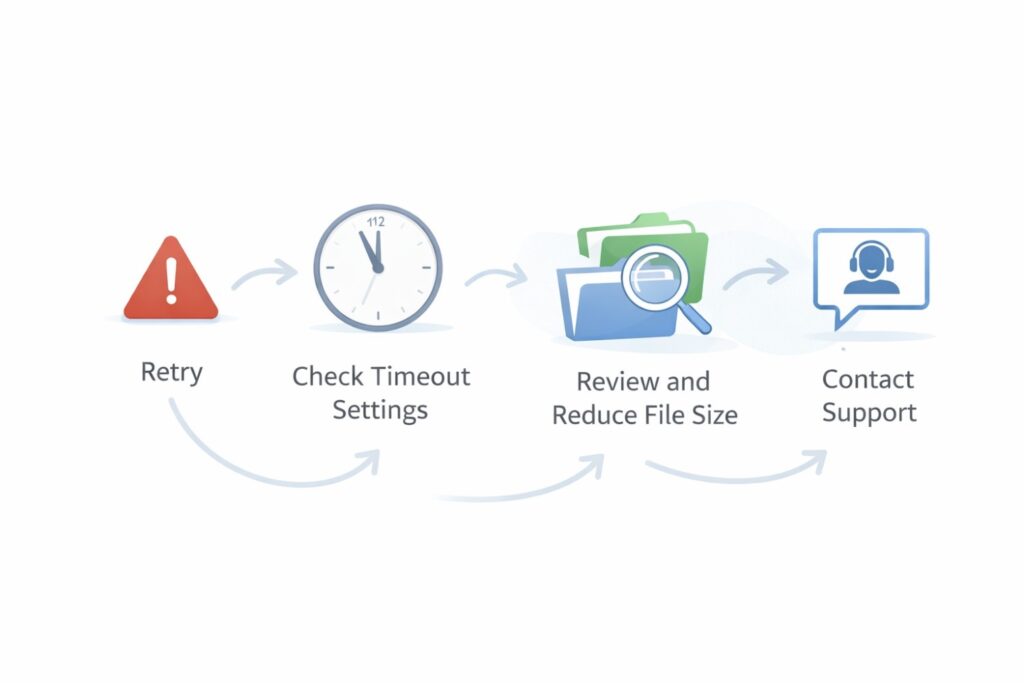
Businesses that restart cleanly instead of forcing broken sessions see higher success rates on retries.
Reduce File Complexity Before Retrying
Large or complex files fail more often after an error. Businesses that simplify files before retrying improve odds. This might mean compressing data, splitting files, or removing non-essential elements. Recovery favors simplicity.
Check Local System Health
Errors are not always external. Low disk space, high memory use, or background updates can interrupt uploads. Businesses that check system health quickly catch issues that platforms cannot detect for them.
Switch Networks If Possible
If a timeout happens once, it may happen again on the same connection. Businesses that switch networks remove one major risk factor.
A wired connection or a different trusted network often resolves problems immediately.
Use Support Channels Early, Not Last
Waiting too long to contact support wastes time. Businesses that reach out early with clear proof get help faster. Support teams can see backend logs and confirm whether data was received even when the front end failed.
Document the Recovery Steps Taken
Keeping a short record of what was tried helps teams avoid looping through the same actions. Businesses that document recovery steps build internal knowledge that reduces future downtime.
Understand When Not to Retry
Some failures require waiting. Server outages, maintenance windows, or system-wide issues cannot be fixed locally.

Businesses that recognize these cases stop wasting effort and reschedule strategically instead of forcing retries.
Protect Priority and Timing When It Matters
For submissions tied to priority or deadlines, recovery has higher stakes. Businesses that can show attempted submission time and error proof are better positioned if timing questions arise later.
This is why saving evidence is not optional.
Learn From Each Failure Immediately
Recovery is not complete until learning happens. Businesses that review what failed and why right after recovery reduce the chance of repeat errors. This turns each failure into a system improvement instead of a recurring pain.
Build Recovery Into the Process
The strongest teams assume failures will happen and plan recovery steps ahead of time. They know who to contact, what to capture, and how to retry. This preparation removes fear from the moment of failure.
Why Tool Choice Changes Recovery Speed
Some platforms make recovery hard. Others design for it. Tools that auto-save, track progress, and show clear status reduce panic when things break. For invention and patent submissions, this difference is critical.
PowerPatent is built with recovery in mind, combining software checks with real attorney oversight so founders are not left alone during critical moments.
You can see how this approach reduces risk at https://powerpatent.com/how-it-works.
Recovery Protects Trust and Momentum
How a business recovers affects trust inside the team. Calm, fast recovery builds confidence. Chaotic recovery drains morale. Businesses that master this skill move forward without lingering doubt.
From Reaction to Resilience
Recovery is not about fixing one error. It is about building resilience. When teams know they can handle failure, they stop fearing it.

This confidence shows up in faster execution and better decisions across the company.
Wrapping It Up
Upload errors and timeouts are not random accidents. They are predictable results of pressure, timing, system limits, and human behavior. Businesses that treat them as unavoidable annoyances stay stuck in recovery mode. Businesses that understand them, plan for them, and design around them move faster with far less stress.
Leave a Reply