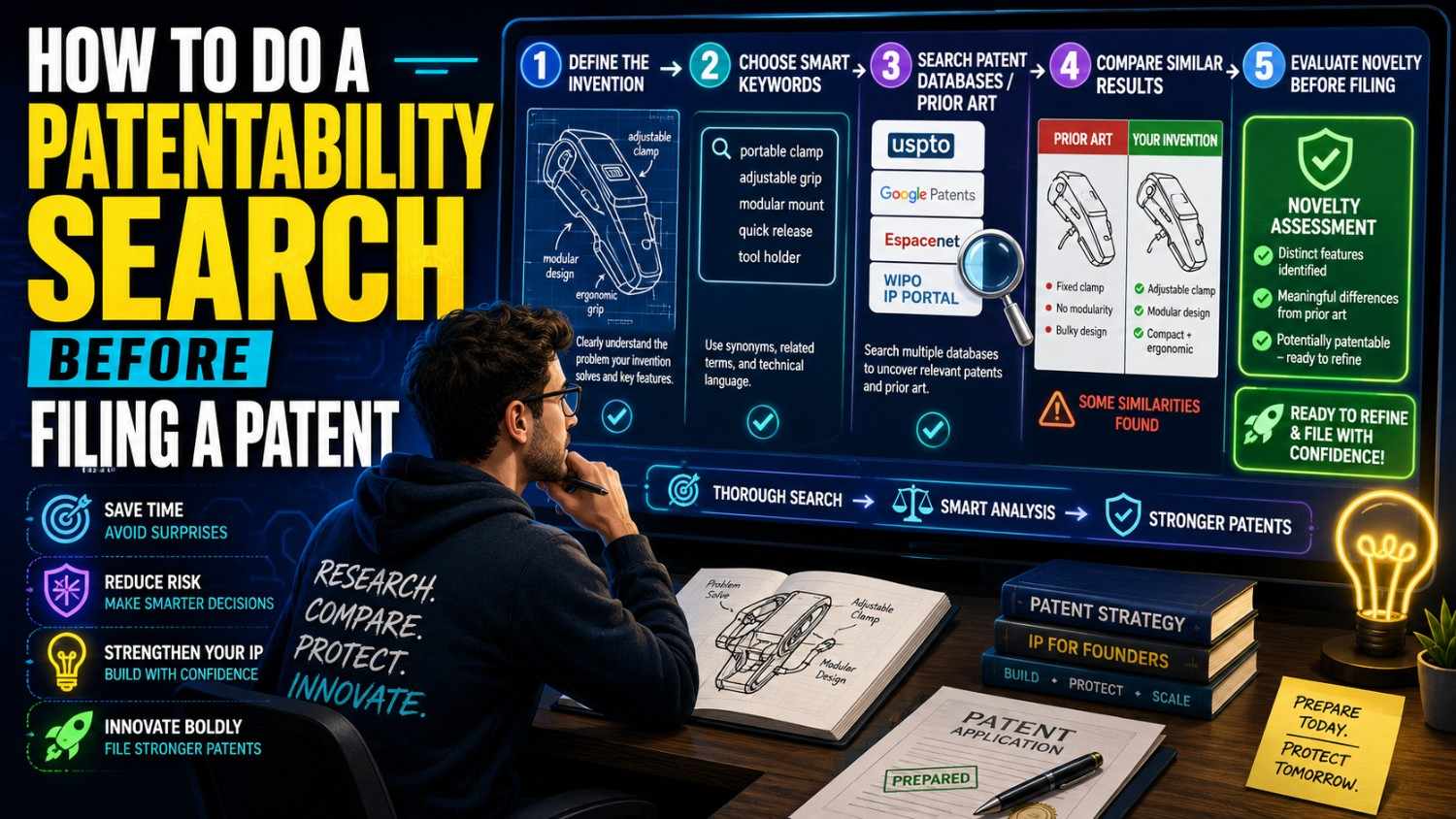
You have an invention. You think it is new. But before you file a patent, you need to check what already exists.
That check is called a patentability search.
It helps you see if your invention may be new enough to protect. It also helps you file a stronger patent, avoid waste, and move with more confidence.
If you want help turning your invention into a real patent plan, PowerPatent combines smart software with real patent attorney oversight so founders can protect what they are building faster and with less stress. See how it works here: https://powerpatent.com/how-it-works
What a Patentability Search Really Means
A patentability search is a search for old public information that may be close to your invention.
That old public information can include patents, patent applications, research papers, product pages, videos, manuals, open-source code, technical blogs, standards, and other public records.
The goal is not to prove your invention is amazing.
The goal is to find out what came before.
When you file a patent, the patent office will look at old public information. If someone already described your invention before you filed, that can be a problem. If someone described most of it, that can also matter.
A patentability search helps you see those risks early.
It also helps you find the real new part of your invention.
Many founders think the patent should cover the whole product. But often, the best patent covers the special technical method inside the product. That method may be hidden under the hood. It may be the data flow, the model step, the sensor setup, the control rule, the device shape, the feedback loop, or the way several parts work together.
A search helps you find that part.
It turns a broad idea into a sharper invention.
That is where good patent work begins.
Why You Should Search Before Filing
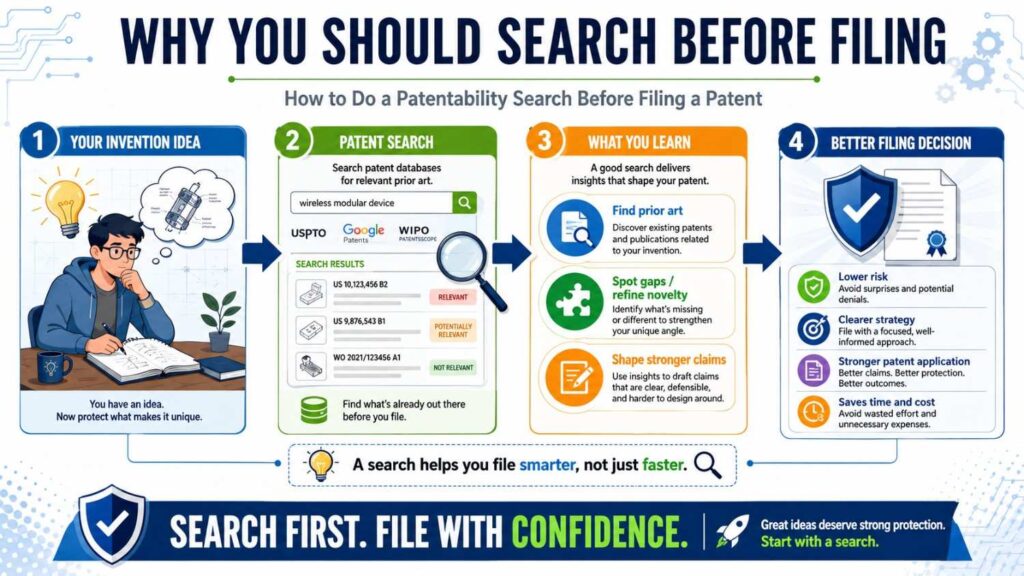
You can file a patent without doing a search first.
But that is risky.
You may spend money on an idea that was already shown by someone else. You may file claims that are too broad. You may miss the strongest part of your own invention. You may get surprised later when the patent office finds old work that is very close.
A search does not remove all risk. No search can find everything. But it gives you a better view.
For a startup, this matters a lot.
You are already moving fast. You have product work, customers, investors, hiring, sales, and a hundred other things pulling at you. You do not want to waste time filing a weak patent. You also do not want to skip protection on something that could become very valuable.
A patentability search helps you make a smarter call.
It can help you decide whether to file now, change the filing angle, gather more technical detail, improve the invention, or focus on another invention instead.
It is not just a legal step.
It is a business step.
It helps you protect your company’s hard work with more care.
PowerPatent was built for this kind of founder reality. You need speed, but you also need quality. You need software that helps organize the invention, and you need real attorney oversight so the final work is not just fast, but strong. Start here: https://powerpatent.com/how-it-works
What You Are Looking For
When you do a patentability search, you are looking for prior art.
Prior art means old public information that may show your invention, or parts of it, before your filing date.
Prior art can be a granted patent. It can be a published patent application. It can be a research paper. It can be a user manual. It can be a GitHub repo. It can be a YouTube demo. It can be a public sales page. It can be a conference talk. It can be a standards document. It can even be an old blog post that clearly explains the same idea.
The form does not matter as much as the content.
The key question is this:
Did someone publicly teach the same invention before you filed?
If yes, your invention may not be new.
But this is where founders need to be careful. Similar does not always mean the same.
A prior patent may solve the same problem but use a different method. A paper may describe one part of your system but not the full flow. A product may have the same result but not reveal how it works. A competitor may have filed around one version, while your team built a better version.
Your job is not to panic when you see something close.
Your job is to study it.
What does it show? What does it miss? What does your invention do differently? Why does that difference matter?
Those questions are the heart of a good patentability search.
Start With a Clear Invention
Do not start with the search box.
Start with your invention.
Most poor patent searches fail because the invention was not clear enough at the beginning.
If you search for a vague idea, you get vague results. If you search for a marketing phrase, you miss technical prior art. If you search for your product name, you find almost nothing useful.
Before you search, write a plain-language summary of your invention.
Do not try to sound like a lawyer. Do not use patent words. Do not make it fancy. Write it like you are explaining it to a smart founder friend.
What problem does your invention solve?
How did people solve that problem before?
What does your invention do differently?
What are the main parts?
What data, signals, steps, materials, or devices are used?
What result gets better?
What is the part that competitors would want to copy?
This simple writing step will make the whole search better.
For example, do not write, “We use AI to improve customer service.”
That is too broad.
Write something like this:
“Our system reviews a support ticket, checks recent product usage, looks at billing risk, reads the customer’s past support history, and creates a churn risk score. If the score is high, the system sends the ticket to a senior support agent and suggests a next action based on the customer’s account state.”
That is much better.
Now you can search for the actual invention.
You can search ticket routing, churn risk scoring, product usage signals, account health, customer support escalation, and AI-based retention workflows.
A good invention summary turns a fuzzy search into a real search.
Find the Core Technical Idea
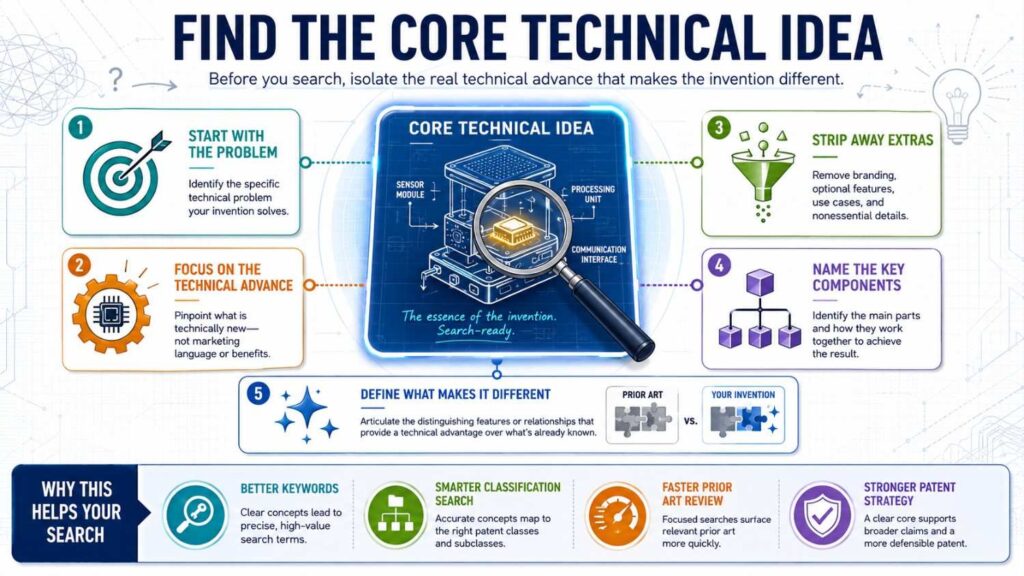
Your product may have many features.
Not all of them are the invention.
The invention is usually the part that makes the product work in a new or better way.
It may be deep inside the system. It may not be visible to users. It may not be the thing your sales page talks about.
For a software company, the invention may be a data processing method, a model training loop, a ranking system, a security step, or a way to reduce compute cost.
For a hardware company, the invention may be a physical arrangement, a sensor layout, a cooling path, a power system, a control circuit, or a way parts move together.
For an AI company, the invention may be how data is chosen, how prompts are built, how tools are selected, how outputs are checked, how the model is updated, or how the system reduces errors.
For a biotech or medical company, the invention may be a composition, delivery path, assay method, sensor setup, treatment step, or special use of a known material in a new setting.
The core technical idea is what you should search first.
Imagine you built a warehouse robot platform. The product has dashboards, fleet views, route maps, alerts, analytics, and user settings. But the invention may be a method where robots share local signals with nearby robots to predict aisle blockage before a central controller detects it.
That is the core.
If you search “warehouse robot dashboard,” you may miss it.
If you search “decentralized robot congestion prediction using local robot signals,” you are much closer.
The better you define the core, the better your search will be.
Separate the Product From the Invention
Founders often blur the product and the invention.
That is normal. You live inside the product every day.
But patents are not about protecting your whole company. They protect specific inventions.
Your product may include branding, design, pricing, onboarding, dashboards, workflows, integrations, customer support, and analytics. Some of that may matter for business. Not all of it matters for patentability.
The invention is the technical thing that is new.
Let’s say your startup built a tool that helps engineers fix bugs faster.
The product may include login, chat, code review, incident tracking, Slack alerts, GitHub integration, and dashboards.
But the invention may be a method that links logs, traces, recent commits, and dependency changes to rank likely root causes, then generates a patch only in files connected to the top-ranked cause.
That is what you search.
When you separate the product from the invention, you avoid weak searches.
You stop searching for the app category and start searching for the technical engine.
This is also how you file stronger patents.
A broad product claim may be easy to reject. A clear technical improvement may have a better chance.
Break the Invention Into Simple Parts
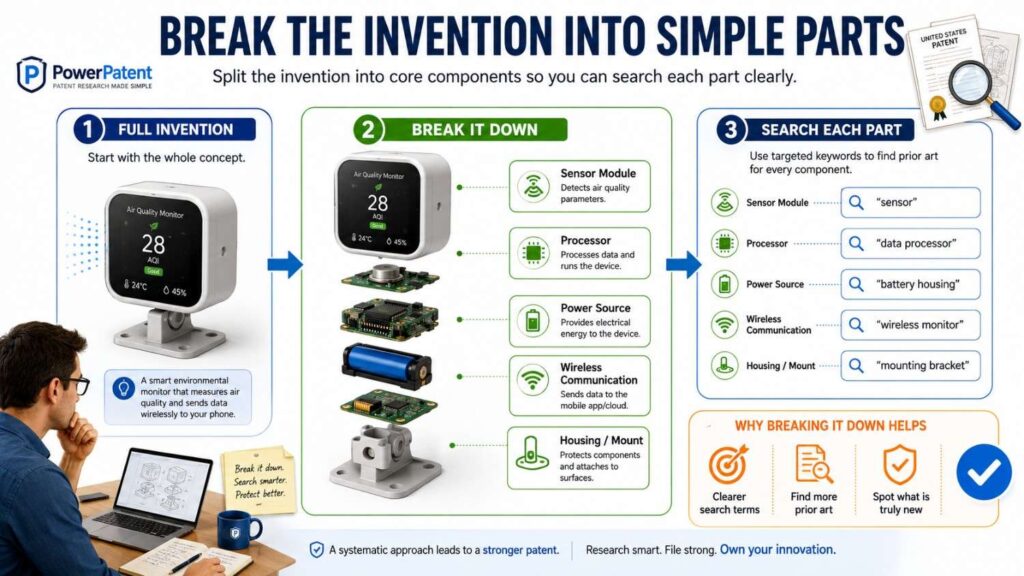
Once you know the core, break it into simple parts.
A useful pattern is:
Input, process, output, result.
What comes into the system?
What does the system do?
What comes out?
What improves because of it?
For a software invention, the input may be user data, sensor data, logs, files, images, text, network traffic, model scores, or system events.
The process may be ranking, filtering, matching, training, compressing, routing, detecting, encrypting, predicting, or controlling.
The output may be a score, alert, command, report, selected route, model update, changed device state, or suggested action.
The result may be lower power use, less delay, better safety, higher accuracy, less memory, fewer errors, better privacy, or faster recovery.
This structure helps you search.
If you search only the full invention, you may miss close references. If you search each part and then combinations of parts, you will see the field more clearly.
For example, say your invention uses a small model on a device to decide when to wake a larger model.
You should search the small model part. Search the wake-up part. Search the larger model part. Search edge inference. Search low-power AI. Search selective model activation. Search model cascade systems. Search the full flow too.
The point is to see both the forest and the trees.
A patent examiner may later combine old references. One reference may show the small model. Another may show model wake-up. Another may show edge deployment.
If you already know that, you can write a better patent.
Gather Search Words Before You Search
Patent searching is not just typing one phrase.
People describe the same idea in many ways.
Your team may say “AI agent.” A patent may say “automated task execution system.” A paper may say “planning module.” A product doc may say “workflow automation assistant.”
Your team may say “edge AI camera.” A patent may say “image processing apparatus at a remote node.” A paper may say “embedded vision inference system.”
Your team may say “smart routing.” A patent may say “dynamic path planning.” A robotics paper may say “multi-agent navigation under congestion constraints.”
Before you search, gather word groups.
Use plain words. Use technical words. Use older words. Use problem words. Use result words. Use competitor words. Use industry words.
For example, if your invention is about reducing power use in a wearable sensor, your word groups may include wearable, mobile device, sensor, biometric device, low power, power saving, battery conservation, duty cycle, wake-up, sampling rate, motion trigger, signal quality, artifact removal, and physiological monitoring.
Then mix and match.
Search “low power wearable sensor sampling.”
Search “battery saving biometric monitor motion.”
Search “adaptive duty cycle physiological sensor.”
Search “motion triggered heart rate sensor.”
Search “wearable device reduce power sampling rate.”
Each search opens a different door.
The right prior art may be behind a door you did not expect.
Search the Problem
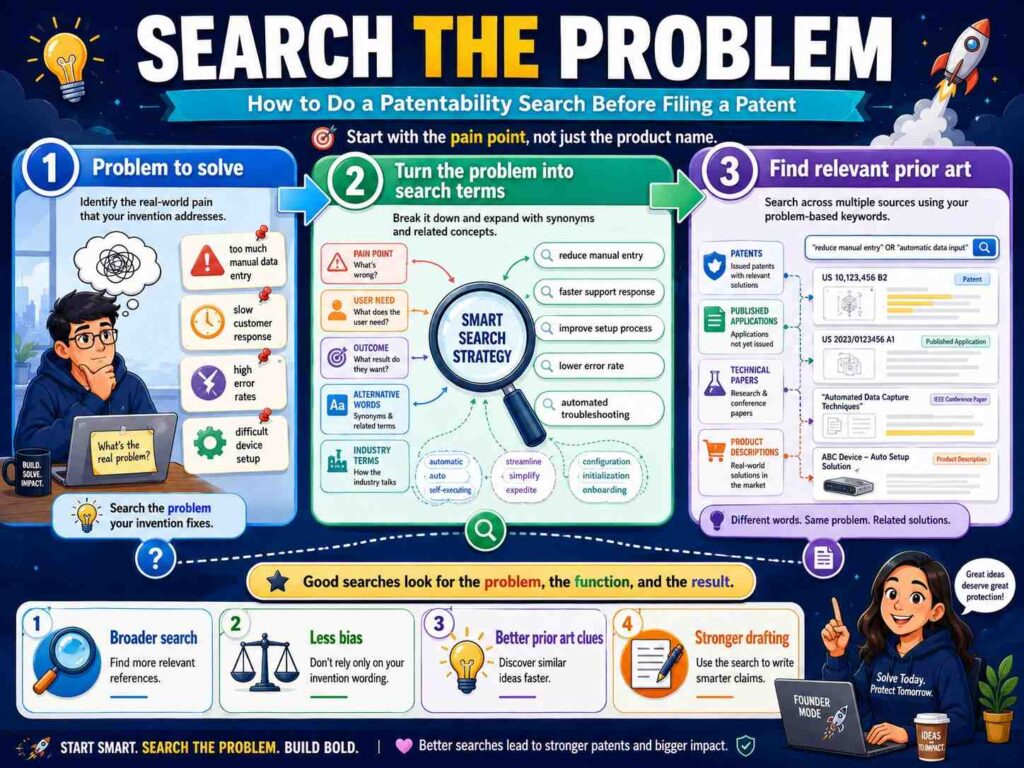
One of the best search tricks is to search the problem, not just your solution.
Why?
Because older work may solve the same problem with different words.
If your invention reduces false alarms in a factory safety camera, search false alarms. Search factory safety detection. Search industrial vision false positive reduction. Search event detection noise. Search low-confidence alert suppression.
If your invention improves model speed on a mobile device, search latency. Search inference speed. Search on-device model optimization. Search real-time prediction. Search mobile neural network scheduling.
If your invention helps robots avoid traffic, search robot congestion. Search multi-robot traffic. Search warehouse blockage. Search decentralized path planning. Search collision avoidance.
Problem words are powerful because they lead you to people who faced the same pain.
Even if their solution is different, their work may still matter.
It may show what was known. It may show what failed. It may show common approaches. It may help you explain why your invention is better.
A strong patent often tells a simple story:
People had this problem. The old ways did not fully solve it. Our invention solves it in this new way.
You cannot tell that story well until you know the old ways.
Search the Result
Also search the result your invention creates.
Does it reduce power use?
Does it cut latency?
Does it use less memory?
Does it improve privacy?
Does it lower false positives?
Does it make a device safer?
Does it reduce network traffic?
Does it improve signal quality?
Does it make a robot move more smoothly?
Does it speed up training?
Does it lower compute cost?
Search those results with your field.
For example, “reduce latency distributed inference,” “lower memory neural network edge device,” “improve privacy federated learning,” “reduce false alarms sensor system,” or “battery saving wearable physiological monitor.”
Result-based searching helps you find work that may not use your exact method but aims for the same benefit.
That matters because patents are often judged against what others already tried.
If many old documents tried to get the same result, you need to show why your path is different.
This can make your patent stronger.
Instead of saying, “Our invention is faster,” you can say, “Old systems tried to improve speed by doing X or Y. Our system does Z, which reduces delay without adding this other cost.”
That is a better story.
Search the Parts, Then the Whole
A common mistake is searching only for the full invention.
That can miss important prior art.
Search the parts first.
Then search pairs of parts.
Then search the full combination.
Imagine your invention has three key parts: a sensor signal, a prediction model, and a control action.
Search the sensor signal alone in your field.
Search the prediction model alone.
Search the control action alone.
Then search sensor plus prediction.
Then prediction plus control.
Then sensor plus control.
Then search all three together.
This may feel slow, but it teaches you the shape of the field.
You may learn that the sensor is old. The prediction model is old. The control action is old. But the specific way your system combines them is not shown.
That can still be valuable.
Many inventions are new combinations.
But to protect a combination, you need to understand what parts were already known and what makes your combination special.
That is where a careful search helps.
Start With Google Patents
Google Patents is a good first tool for many founders.
It is easy to use. It searches many patents and published applications. It also shows similar documents, citations, dates, inventors, owners, and classifications.
Start with your best phrase.
Do not expect perfect results.
Scan the first page. Look at titles, snippets, drawings, and owners. Open anything that feels close.
When you open a patent, read the abstract first. Then look at the drawings. Then scan the detailed description. Then look at the claims.
Do not get stuck trying to understand every sentence.
Patent language can be stiff. Focus on meaning.
What does this document teach?
What problem does it solve?
What parts does it use?
What steps does it show?
How close is it to your invention?
If it is close, save it.
If it is not close but uses useful words, save those words.
Google Patents can also show “similar documents.” Use that feature. One good result often leads to better results.
Also check who owns the patent. Search that owner. Check the inventors. Search those inventors. Look at the classification codes. Search within those codes.
A good search grows from one useful result to a cluster of related results.
Search the USPTO Database
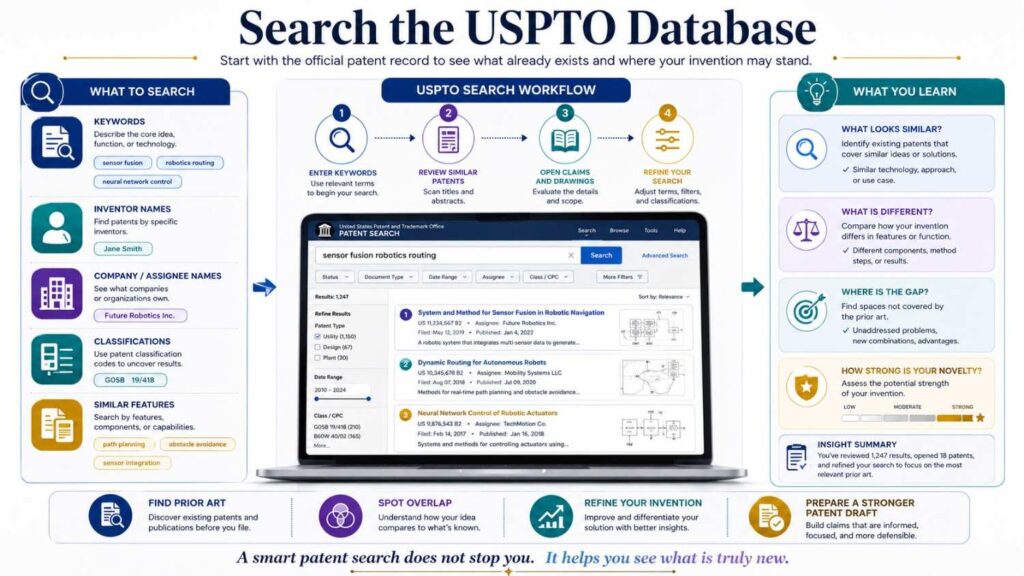
If you care about U.S. filing, you should also search U.S. patent records.
The USPTO has patent search tools that let you look at U.S. granted patents and published applications.
Google Patents often covers U.S. records too, but checking USPTO tools can still help.
You may search by keyword, inventor, owner, publication number, patent number, or classification.
For founders, the biggest value is often cross-checking.
If you found a close Google Patents result, search the publication number or patent number in the USPTO system. Look at the official record. Check related applications if available. See whether there are family members or continuation filings.
You do not need to become a database expert.
But you should know that official patent systems may show details that search engines do not highlight.
If the invention matters, you want a careful view.
Search Global Patent Databases
Prior art can come from many countries.
Even if you file in the United States, a public patent document from Europe, China, Japan, Korea, Canada, Australia, or another country may still matter.
That is why global search matters.
Google Patents includes many international documents, but you can also use tools like Espacenet and WIPO PATENTSCOPE.
Espacenet is useful for global patent searching. PATENTSCOPE is useful for international patent applications.
Do not worry if some documents are hard to read or translated awkwardly. You can still learn from titles, abstracts, drawings, claims, and machine translations.
Search globally when your field is active worldwide.
This is especially important in AI, robotics, chips, wireless systems, electronics, batteries, medical devices, biotech, manufacturing, climate tech, and materials.
A lot of technical work is filed outside the U.S.
Your search should not stop at your home country.
Search Research Papers

Patents are only part of prior art.
Research papers can be just as important.
If your invention is technical, search papers.
Use Google Scholar, arXiv, PubMed, IEEE, ACM, conference sites, university pages, and field-specific databases.
For AI, search arXiv and major conference papers.
For biotech and medical inventions, search PubMed and scientific journals.
For robotics, search conference papers, lab pages, and engineering publications.
For chips, wireless, materials, and energy, search technical papers, standards, and government research.
Many ideas appear in papers before they appear in patents.
This is especially true in fast-moving fields.
A paper may not use patent-style language. It may not mention products. But if it explains the method, it can still matter.
When reading papers, focus on the abstract, figures, method section, experiments, and conclusion.
Ask the same questions:
What does it teach?
What is similar?
What is missing?
What is different about your invention?
Save close papers in your notes.
Search Product Pages and Manuals
Sometimes the closest prior art is a product.
A company may have sold or shown something similar before you filed.
Start with competitor websites. Search their product pages, help docs, user guides, technical docs, API docs, white papers, release notes, and demo videos.
Product marketing pages are often too vague. But manuals and docs may reveal details.
Search with words like manual, datasheet, documentation, developer guide, API, architecture, setup, integration, release notes, teardown, demo, and white paper.
For example, a product page may say, “Our system uses smart routing.”
That may not teach much.
But the developer docs may say, “The system ranks each request based on queue depth, latency score, device status, and user priority, then routes the request to the lowest-cost node that satisfies the service rule.”
That is much more useful.
If public product docs describe your core idea, take that seriously.
If the product only shows a result but not how it works, it may be less direct. Still, save it if it seems close.
Search Open-Source Code and Developer Docs
For software and AI inventions, open-source materials can be important.
Search GitHub, GitLab, package docs, issue threads, README files, technical blogs, and API examples.
A repo can show an algorithm. A README can explain a workflow. An issue thread can discuss a solution. A docs page can show system behavior.
Search your key terms on GitHub.
Search related libraries.
Search old project names.
Search “algorithm,” “implementation,” “architecture,” “pipeline,” “workflow,” “agent,” “scheduler,” “router,” “optimizer,” or other technical words tied to your invention.
Open-source prior art can be messy, but it can matter.
If a public repo clearly teaches the same method before your filing date, it may affect patentability.
This is one reason software founders should search beyond patents.
The patent office may find papers and patents. Competitors may later find open-source materials. You want to know about them early.
Search Standards and Protocols
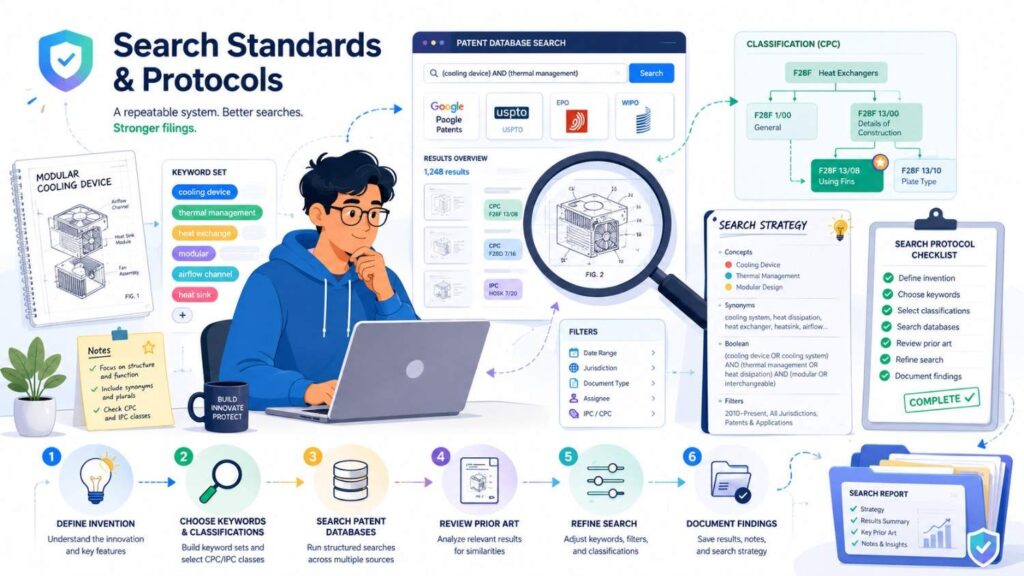
If your invention touches networking, wireless, video, audio, encryption, chips, data exchange, medical data, industrial systems, or connected devices, search standards.
Standards documents can be prior art.
They may describe technical methods in great detail.
Search standards bodies, working group drafts, RFCs, protocol specs, industry consortium docs, and technical proposals.
For example, if your invention involves device communication, search protocol documents.
If it involves video compression, search codec standards and proposals.
If it involves wireless control, search telecom and wireless standards.
If it involves healthcare data, search health data exchange standards.
If your invention improves a known standard, your search should include that standard’s history.
Standards can be long and dry. But they often contain the exact technical details that matter.
Search Competitors
Competitor searching is one of the most useful parts of a patentability search.
Search the companies in your space.
Search their old names too. Startups change names. Companies get acquired. Products get renamed.
In patent databases, search competitors as assignees or applicants. Then scan what they have filed.
Look for patents near your product area. Look for repeated inventors. Look for filing dates. Look for similar diagrams. Look for words that appear again and again.
This gives you two benefits.
First, you may find prior art.
Second, you learn competitor strategy.
You may see that a competitor has filed heavily around one path but ignored another. You may see that big companies care about a technical problem you are solving. You may find white space.
Do not assume a competitor patent blocks you from building. That is a different question. A patentability search is about whether your invention is new enough to patent.
Still, competitor patents are very useful signals.
They show what others thought was worth protecting.
Search Inventors
If you find one close patent, search the inventors.
Inventors often work on related ideas across many years.
They may have filed at a university, then a startup, then a large company. They may publish papers too.
Search inventor names in patent databases and search engines.
Look for related filings, papers, talks, and projects.
This can uncover prior art that keyword searching misses.
It can also show how a technical area developed.
For example, one inventor may have filed early work on sensor calibration, later work on device control, and then a paper on model-based correction. If your invention touches all three, that inventor’s work may be important.
Following people can be just as useful as following keywords.
Use Patent Classification Codes
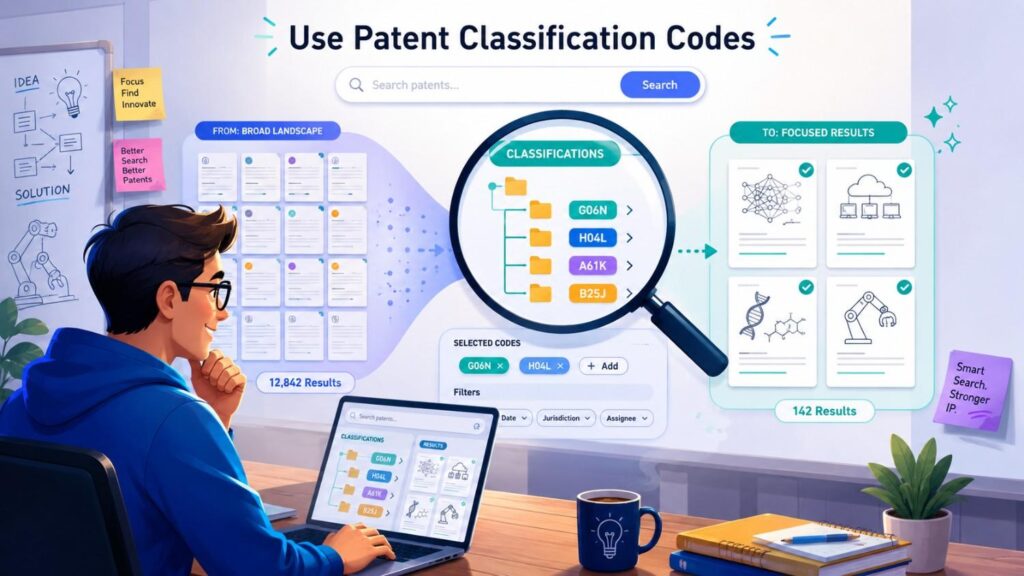
Patent classification codes group patents by technical subject.
They can help you find documents that use different words.
When you find a close patent, look for its CPC or IPC classification codes.
Click or search those codes. Then combine the code with your keywords.
This can reveal patents that would not show up from normal text searching.
For example, two patents may describe similar technology with very different language, but they may share a classification code.
You do not need to master the code system.
Use it like a trail.
Find a good patent. Look at its codes. Search those codes. Find more patents. Repeat.
This is one way to move from a surface search to a deeper search.
Read Drawings Before Dense Text
Patent documents can be hard to read.
The drawings are often easier.
Start there.
Look for block diagrams, flowcharts, device layouts, sensor positions, system architecture, data paths, and method steps.
If the drawings look very close to your invention, read more carefully.
If they are far away, skim and move on unless the text seems relevant.
Drawings often show the heart of the invention.
For software and AI patents, drawings may show system blocks, data flows, model steps, user devices, servers, databases, and decision points.
For hardware patents, drawings may show physical structure, part placement, movement, airflow, fluid flow, heat paths, electrical connections, or sensor positions.
For medical devices, drawings may show the patient interface, delivery path, sensor placement, actuator, or safety mechanism.
A drawing can save you time.
It can also help you spot close art faster.
Read the Abstract, But Do Not Stop There
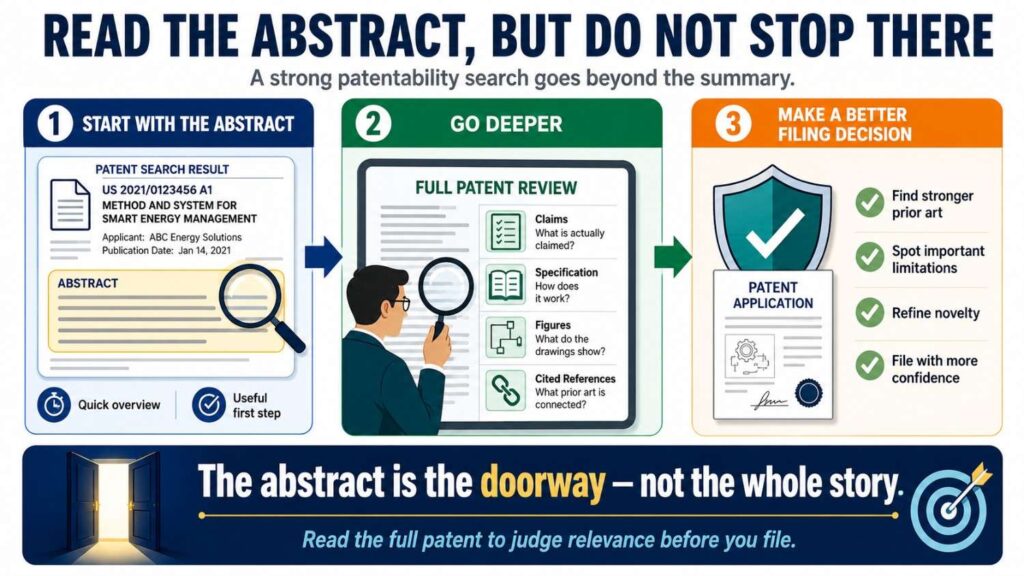
The abstract is a short summary.
It is useful, but it is not enough.
A patent can teach important details outside the abstract.
After reading the abstract, scan the background and detailed description.
The background tells you what problem the inventor cared about.
The detailed description gives examples of how the invention works.
The claims show what the applicant is trying to protect.
For patentability, the whole document can matter.
Even if the claims are narrow, the description may still teach your idea.
This is a key point.
Do not ignore a patent just because the claims are not exactly your product. If the description shows your core method, it may still be important prior art.
Learn to Read Claims Simply
Patent claims look strange because they are written in a special style.
Do not let that stop you.
Start with claim 1.
Break it into small pieces.
Ask what each piece means.
Then compare it to your invention.
Does your invention have this part?
Does it do this step?
Does it use this kind of data?
Does it create this output?
Does it require something your invention does not require?
Does your invention have an extra step that changes the result?
You are not trying to make a final legal judgment. You are trying to understand closeness.
Claims can show what the patent owner thought was important. They can also help you see how others framed similar inventions.
If a claim maps closely to your invention, save it and get help reviewing it.
If it is only partly close, note the difference.
Good notes here can save time later.
Compare Each Close Reference to Your Invention
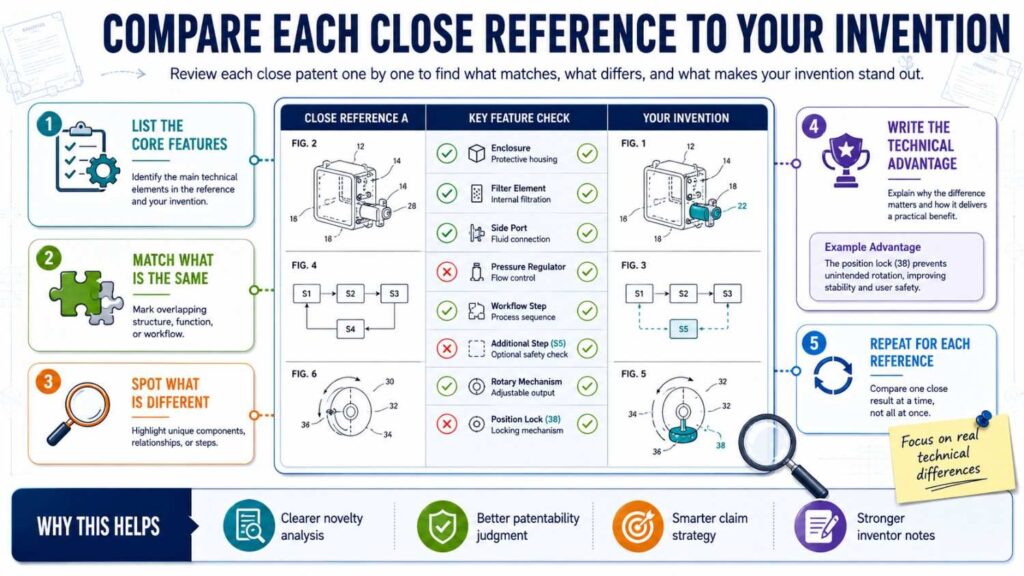
When you find a close reference, slow down.
Do not just save the link and move on.
Compare it.
Write what it teaches in simple words.
Then write how it matches your invention.
Then write what it does not show.
Then write why your difference matters.
For example:
“This patent uses a motion sensor to wake a camera. It saves power by turning the camera on only after motion is detected. Our system is different because it first classifies motion using a low-power model and only wakes the larger vision model if the motion matches a safety-risk pattern. This reduces power use while avoiding many false wake-ups.”
That is a useful note.
It shows similarity, difference, and value.
This kind of note can later help with drafting.
It can also help your team explain the invention to a patent attorney.
Do Not Panic When You Find Similar Work
Finding similar work is normal.
Most inventions live in a field that already exists.
A close patent does not always mean you cannot get a patent.
It may mean you need to narrow your claim.
It may mean you need to focus on your improvement.
It may mean the broad idea is old, but your implementation is new.
This happens all the time.
For example, “routing robots” may be old. But your specific way of predicting local congestion before central map updates may be new.
“Using AI in support tickets” may be old. But your specific event-level churn risk workflow may be new.
“Low-power cameras” may be old. But your model cascade and safety-trigger process may be new.
The search is not there to crush your idea.
It is there to sharpen it.
The best question is not, “Did anyone do something similar?”
The best question is, “What exactly is new in our version?”
Look for Technical Differences That Matter
Not all differences help.
A new color, name, layout, industry label, or business use may not be enough.
You want a technical difference.
A technical difference changes how the system works.
It may change what data is used, how signals are processed, how a model is trained, how a device moves, how a sensor is placed, how a command is triggered, how an error is handled, how power is saved, or how privacy is preserved.
The difference should also create a real benefit.
A good difference sounds like this:
“Our system does X instead of Y, which reduces latency.”
“Our device places the sensor at A instead of B, which improves signal quality.”
“Our model updates locally instead of centrally, which protects private data.”
“Our method wakes a high-power part only after a low-power check, which saves battery.”
“Our control loop adjusts pressure based on two signals instead of one, which reduces unsafe spikes.”
That is the kind of difference patents can often be built around.
Use the “So What?” Test
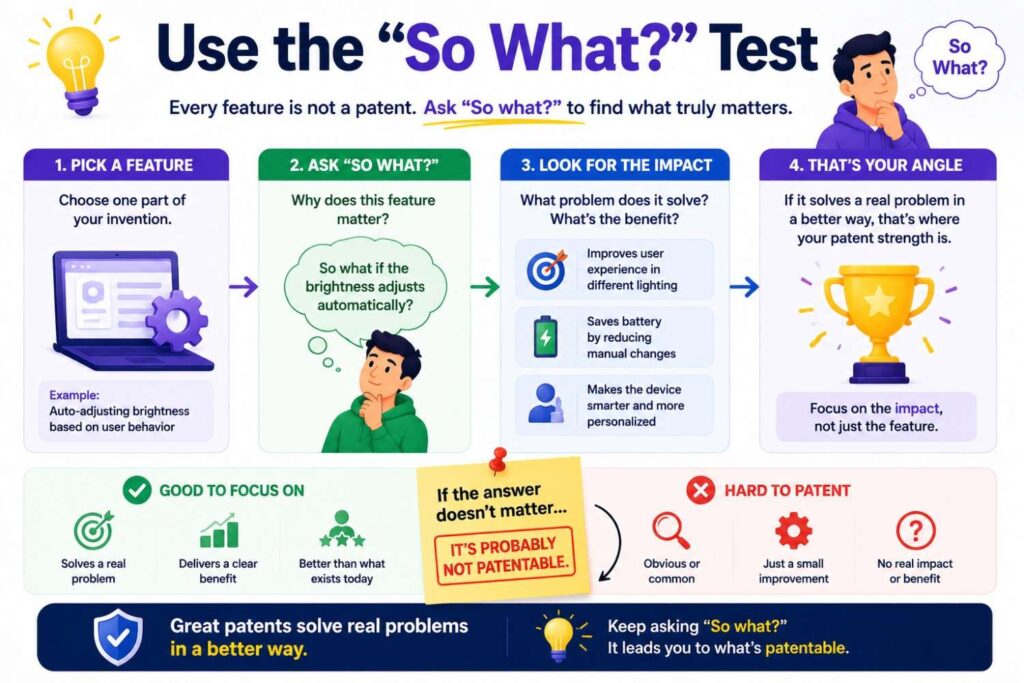
After you identify a difference, ask, “So what?”
If the answer is weak, the difference may not matter.
“Our dashboard shows the alert in blue instead of red.”
So what?
Probably not much for patentability.
“Our system delays sending an alert until two independent sensor signals confirm the event.”
So what?
That may reduce false alarms.
Now you have something stronger.
The “so what?” test keeps your patent strategy honest.
It forces you to connect the technical difference to a real benefit.
Founders should use this test often.
It helps you avoid filing patents on thin ideas.
It also helps you explain strong ideas with more power.
Search for Obvious Variations
A patentability search is not only about exact matches.
You also need to look for close variations.
If your invention uses a camera, search similar systems using lidar, radar, ultrasound, thermal sensors, or motion sensors.
If your invention uses a neural network, search similar methods using classifiers, decision trees, statistical models, or rule-based systems.
If your invention runs on a mobile device, search edge devices, embedded systems, local computing nodes, and remote terminals.
If your invention routes warehouse robots, search drones, autonomous vehicles, factory carts, delivery robots, and multi-agent systems.
Why?
Because old work in a nearby field may still matter.
A patent examiner may say that a known method from one setting could be used in another. Whether that argument works depends on the facts, but you should know what is nearby.
Searching variations also helps you draft better.
You may want your patent to cover more than your current product version. If your invention can work with different sensors, devices, models, or settings, your application should describe those options.
PowerPatent can help founders capture those variations so the filing is not too narrow or too vague. See how the process works here: https://powerpatent.com/how-it-works
Search Dates Carefully
Dates matter in patentability.
You need to know whether a reference was public before your filing date.
For patents, look at the filing date, publication date, and priority date.
For papers, look at publication dates and online posting dates.
For product pages, manuals, blog posts, GitHub commits, and videos, look for public dates.
This can be tricky.
A webpage may change over time. A GitHub repo may have many commits. A paper may appear first as a preprint and later as a journal article.
You do not need to become a records expert during a first pass. But you should capture dates when you can.
If something close came after your filing date, it may not be prior art against that filing. If it came before, it may matter.
When in doubt, save the reference and ask a patent professional.
Watch Out for Your Own Public Disclosures
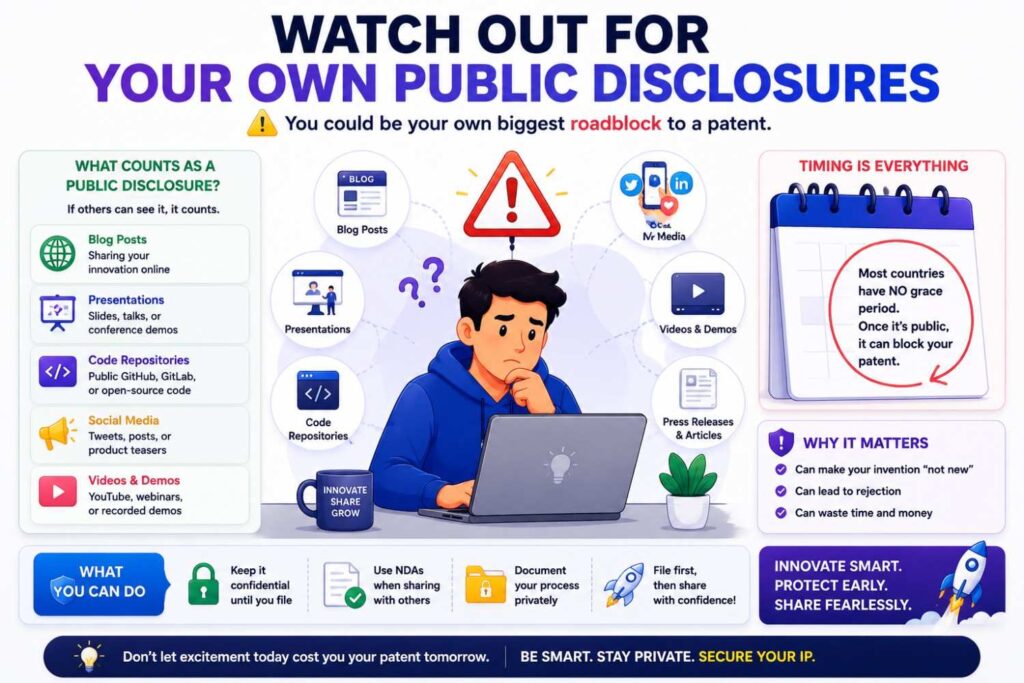
Your own public sharing can create issues.
If you posted the invention in a blog, demoed it at a public event, published a paper, released code, shared detailed docs, or gave a public talk before filing, that may matter.
In some places, public disclosure before filing can hurt patent rights. In the U.S., there may be some grace period rules, but you should not rely on them without legal advice.
The safer habit is simple:
File before you publicly reveal the technical details.
You can talk about benefits. You can market your product. But be careful with the secret sauce before filing.
If you already disclosed, do not panic. Act quickly and get guidance.
This is one reason speed matters. A modern patent process should help you file before public launch, not months after the market already knows how your system works.
PowerPatent helps founders move from invention notes to a filing path faster, with attorney oversight built in. Explore it here: https://powerpatent.com/how-it-works
Keep Good Notes
A search without notes becomes chaos.
You will forget which terms worked. You will forget why a patent mattered. You will lose links. You will mix up references.
Keep a simple search log.
For each close result, write the title, link, date, owner, short summary, what matches, what is missing, and why your invention is different.
For each search, write the terms you used and where you searched.
This does not need to be fancy.
A spreadsheet or simple document is enough.
The key is to write notes in plain words.
Do not copy huge chunks of patent text. Summarize what matters.
Your future self, your cofounder, and your patent attorney will thank you.
Build a Simple Prior Art Chart
For the closest references, create a simple comparison chart.
Put your invention’s key parts on one side.
Put each reference across the top or in rows.
Then mark what each reference shows and what it does not show.
This helps you see patterns.
Maybe every reference shows the input, but none show your processing step.
Maybe several references show the model, but none show your feedback loop.
Maybe a competitor shows the device, but not your sensor placement.
Maybe old papers show the algorithm, but not your low-power hardware use.
These gaps can become your patent angle.
A chart also helps you avoid fooling yourself.
Sometimes you think a reference is far away. Then you chart it and see it has every major part. Other times you think a reference is scary. Then you chart it and see it misses the key step.
Clarity is the point.
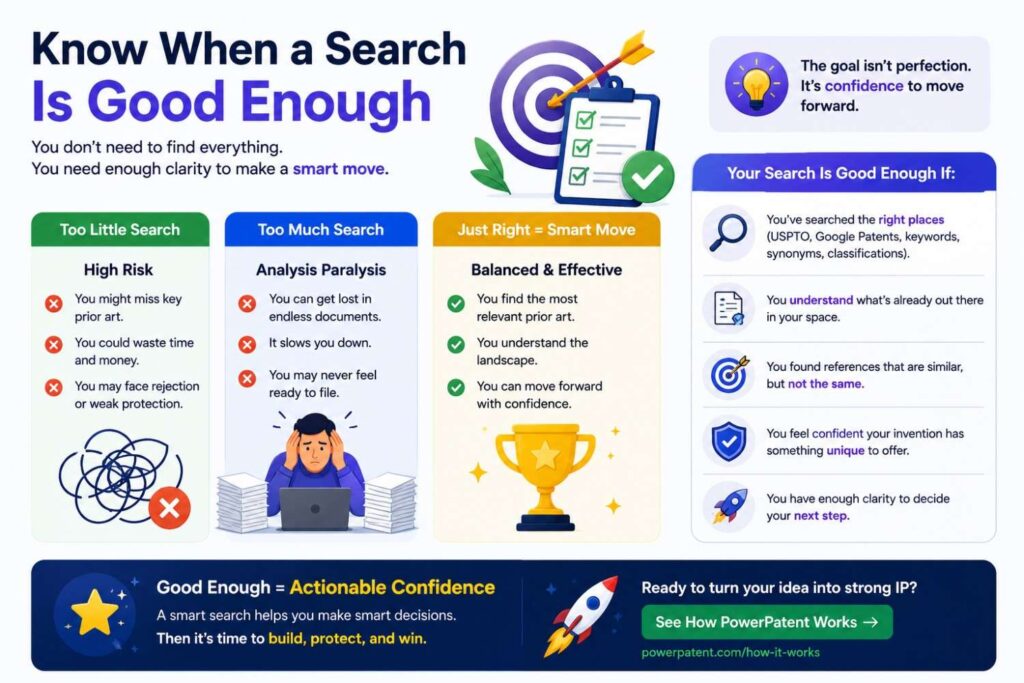
Know When a Search Is Good Enough
A search can go on forever.
There is always another term, another database, another paper, another competitor, another language.
For a startup, the search needs to be practical.
A good first-pass search should cover the main keywords, synonyms, problem terms, result terms, competitor names, close patent classes, major patent databases, and key non-patent sources.
You should have reviewed the closest references and written down the likely differences.
At that point, you have enough to make a better filing decision.
You may still want a professional search, especially for important inventions. But you do not need infinite certainty before taking action.
The purpose of a patentability search is not perfection.
It is better judgment.
What to Do If the Search Looks Clear
If you search well and do not find close prior art, that is a good sign.
It does not guarantee a patent. But it may mean your invention has room.
Do not stop after one clean search.
Try broader terms. Try older terms. Try competitor names. Try problem and result words. Try papers and products.
If the search still looks clear, move toward filing.
Do not wait too long.
If the invention matters and you may disclose it soon, file while the window is open.
This is where PowerPatent can help. You can bring your invention details, diagrams, code notes, and search findings into a guided process that helps turn them into an attorney-reviewed patent filing. Learn more here: https://powerpatent.com/how-it-works
What to Do If You Find Close Prior Art
If you find close prior art, do not assume the invention is dead.
Study the difference.
Ask what your invention adds.
Ask what benefit your added step creates.
Ask whether the old reference works in the same setting.
Ask whether your version handles a problem the old version ignores.
Ask whether your system uses different inputs, timing, models, control rules, hardware, materials, or outputs.
Then narrow the filing angle.
You may not be able to claim the broad concept. But you may be able to claim the improvement.
For example, if old patents show robot routing, you may focus on your local congestion prediction method.
If old papers show model compression, you may focus on your deployment rule that selects compression levels based on device heat and battery state.
If old products show customer ticket scoring, you may focus on your event-level churn risk trigger and routing flow.
Good patents often come from smart narrowing.
Broad is not always better.
Strong and defensible is better.
What to Do If the Same Invention Already Exists
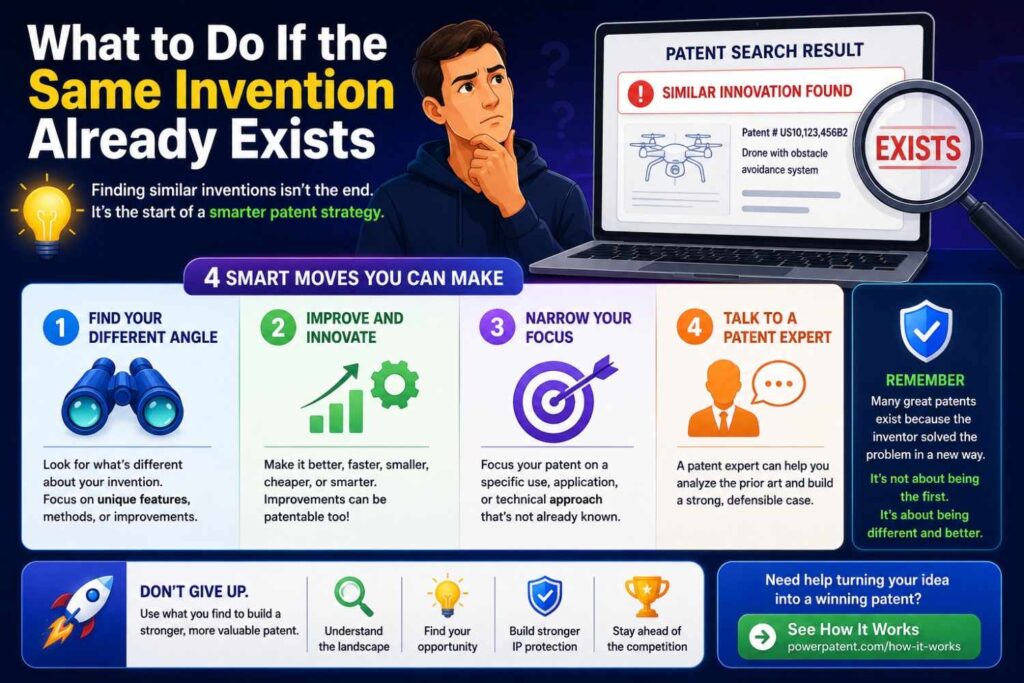
Sometimes the search finds something that looks almost identical.
That can be disappointing.
But it is still useful.
First, make sure it is truly the same. Read carefully.
Second, check the date.
Third, look for improvements in your version.
Fourth, consider whether another part of your product is more patentable.
Maybe the broad invention is old, but your scaling method is new. Maybe the core idea is known, but your training pipeline is new. Maybe the device exists, but your calibration process is new. Maybe the workflow is old, but your privacy-preserving architecture is new.
If nothing seems new, filing may not be worth it for that invention.
That is not failure.
That is money saved.
A patentability search helps you avoid spending on weak ideas so you can invest in stronger ones.
Do Not Confuse Patentability With Freedom to Operate
This is a big point.
A patentability search asks whether you may be able to get a patent on your invention.
A freedom-to-operate search asks whether you can sell your product without infringing someone else’s active patent.
These are different questions.
Old expired patents can count against patentability because they show what was already known. But they may not block you from selling because they are expired.
An active patent may not show your invention fully, but its claims may still cover part of your product.
For founders, the first question is often patentability: “Can we protect this?”
Later, especially before launch or scale, you may also need to ask freedom to operate: “Can we sell this safely?”
Do not mix them up.
A patentability search is about newness and filing strength.
Freedom to operate is about product risk.
Both matter, but they serve different goals.
Do Not Confuse Patentability With Market Novelty
Your product can be new in the market but not patentable.
Maybe no one is selling it now, but someone described it in a patent years ago.
Your product can also look similar in the market but still include a patentable improvement.
Maybe competitors offer the same result, but your system does it in a new technical way.
Market novelty and patent novelty are not the same.
A patentability search looks at public technical teachings, not just products people can buy today.
This is why founders should not rely only on competitor websites.
The most important prior art may be a patent application that never became a product, or a research paper from a lab, or a technical document from another industry.
The market can mislead you.
The prior art tells a deeper story.
How to Search AI Inventions Before Filing
AI inventions can be tricky because many teams use the same buzzwords.
“AI assistant,” “agent,” “copilot,” “automation,” and “machine learning” are not enough.
You need to search the actual technical workflow.
For AI, ask what is special.
Is it the data selection?
Is it the training method?
Is it the prompt construction?
Is it the tool selection process?
Is it the way outputs are checked?
Is it the memory system?
Is it the feedback loop?
Is it the deployment method?
Is it how the model runs on limited hardware?
Is it how private data is protected?
Is it how the system handles uncertain outputs?
Then search those details.
For example, if your AI agent chooses tools based on user intent and system state, search tool selection, task planning, workflow orchestration, natural language command execution, agent planning, and automated software tool invocation.
If your invention reduces hallucinations by checking outputs against a source graph, search retrieval verification, grounded generation, source validation, knowledge graph checking, and confidence scoring.
If your system runs models across edge and cloud devices, search distributed inference, model partitioning, edge-cloud AI, dynamic model placement, and latency-aware inference.
Also search research papers. AI prior art often appears in papers first.
The best AI patent searches avoid hype words and focus on the machinery.
How to Search Software Inventions Before Filing
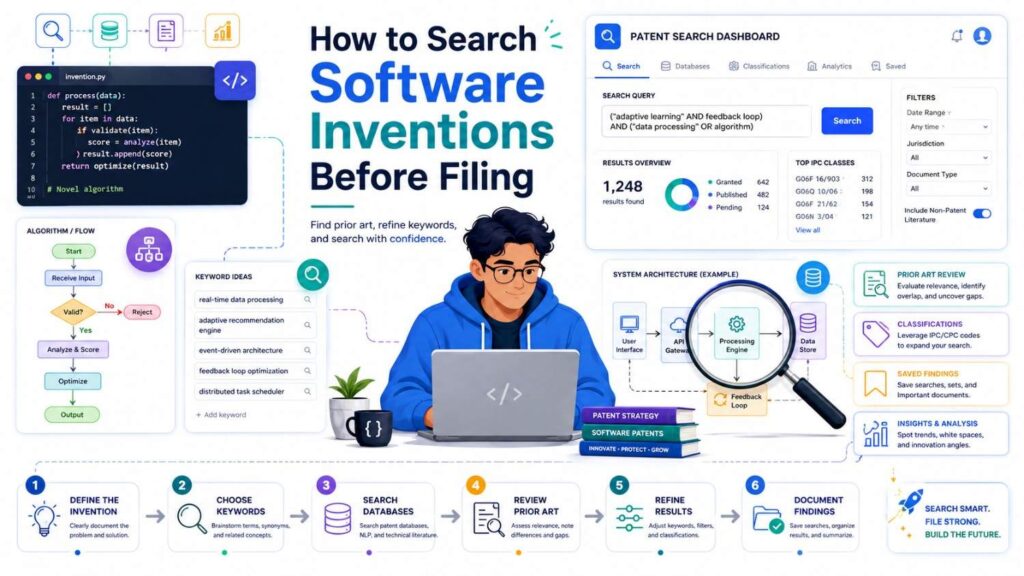
Software patent searches should focus on technical behavior.
Do not search only the business use.
Search how the software works.
What data enters the system? How is it changed? What decision is made? What output is sent? What machine behavior changes? What technical problem is solved?
For example, “software for finance teams” is too broad.
But “a system that detects duplicate invoices by comparing vendor metadata, payment history, invoice line embeddings, and approval graph position” is searchable.
Software prior art can be found in patents, papers, open-source code, docs, product manuals, and old technical blogs.
Search all of them.
Also search older language.
Your startup may use modern terms like “workflow engine,” “copilot,” or “agent.” Older references may use “rule engine,” “expert system,” “automated assistant,” “script execution system,” or “decision support tool.”
Software fields change words quickly.
Search across time.
How to Search Hardware Inventions Before Filing
Hardware searches need a close look at structure.
Search by part names, arrangement, movement, signal flow, material, shape, connection, sensor placement, power path, heat path, fluid path, manufacturing step, and control method.
Drawings are especially useful.
If your invention is a device, look at patent figures. Compare the physical layout.
If your invention is a machine, look at how parts move and interact.
If your invention is a sensor system, look at placement, spacing, calibration, signal processing, and environmental protection.
If your invention is a manufacturing method, search process steps, tools, materials, temperatures, pressures, timing, and quality checks.
Hardware prior art may also appear in product manuals, datasheets, supplier catalogs, teardown videos, and technical standards.
A product may not be patented but still be public.
Search the real-world market too.
How to Search Medical Device Inventions Before Filing
Medical device searches often need both patent and scientific searching.
Search the device structure, patient interface, sensor method, delivery path, control logic, safety mechanism, treatment workflow, and clinical use.
Look at patents, research papers, FDA materials, product manuals, clinical trial records, conference abstracts, and device company documents.
Small differences can matter.
A sensor location, fluid path, pressure range, locking structure, calibration method, or safety fallback may be important.
But because the field is sensitive and technical, attorney and expert review can be especially valuable.
A founder search can still help.
It can find the closest devices, common approaches, known problems, and likely gaps.
That gives your patent team a better starting point.
How to Search Biotech and Chemistry Inventions Before Filing
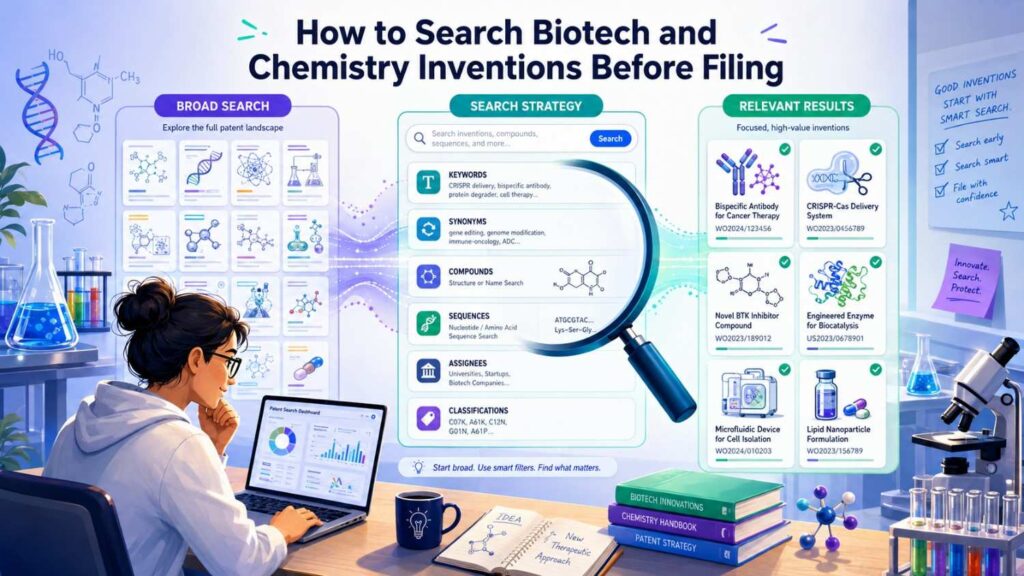
For biotech and chemistry, details matter deeply.
Search compounds, compositions, sequences, targets, pathways, cell types, delivery methods, formulations, ranges, assays, biomarkers, and uses.
Use patent databases and scientific sources.
Search PubMed, Google Scholar, patent databases, clinical trial records, product labels, and conference materials.
Use synonyms. Use old names. Use class names. Use target names. Use structure-related terms where relevant.
These searches can get complex quickly.
If the invention is central to your company, professional help is important.
Still, your team’s own search can be useful because you know the science and the problem.
Write clear notes on what you find and how your invention differs.
How to Search Robotics Inventions Before Filing
Robotics inventions often combine hardware, software, sensors, and control.
Search each layer.
Search the robot structure, sensors, path planning, obstacle detection, localization, fleet coordination, control loops, safety stops, charging, task assignment, and failure recovery.
Use terms from robotics research, not just product language.
Search multi-agent systems, autonomous navigation, dynamic path planning, simultaneous localization and mapping, sensor fusion, collision avoidance, decentralized control, and task allocation.
Also search nearby fields.
A method used for drones may matter for warehouse robots. A path-planning method for vehicles may matter for delivery robots. A factory automation method may matter for mobile robots.
Robotics prior art is often spread across patents, papers, product docs, and conference materials.
Be ready to search widely.
How to Search Climate Tech and Energy Inventions Before Filing
Climate and energy inventions can involve materials, hardware, software, controls, chemistry, and systems.
Search the technical layer that matters.
For batteries, search materials, electrode structure, charge control, thermal management, safety, manufacturing, and diagnostics.
For solar, search module structure, power electronics, tracking, cleaning, coatings, and grid control.
For carbon capture, search sorbents, reactors, flow paths, regeneration methods, sensors, and process control.
For grid software, search load forecasting, demand response, distributed energy control, fault detection, and optimization.
Also search government reports, academic papers, standards, pilot projects, product documents, and patents.
Climate tech often builds on old industrial methods. The new invention may be an improvement in cost, scale, control, materials, or deployment.
Your search should focus on that improvement.
How to Use Search Results to Shape Claims
Claims are the legal boundaries of a patent.
You may not draft them yourself, but your search can help shape them.
If prior art shows the broad idea, your claim may need to focus on your specific improvement.
If prior art shows one input, your claim may focus on using two inputs in a new way.
If prior art shows cloud processing, your claim may focus on local device processing.
If prior art shows manual control, your claim may focus on automatic control based on a signal.
If prior art shows one sensor placement, your claim may focus on your new placement and result.
Search results help decide what should be broad and what should be specific.
This is one reason a search before filing can make the patent stronger.
Without it, you may draft claims that aim at old ground.
With it, you can aim at the real opening.
Why Filing Too Broad Can Hurt
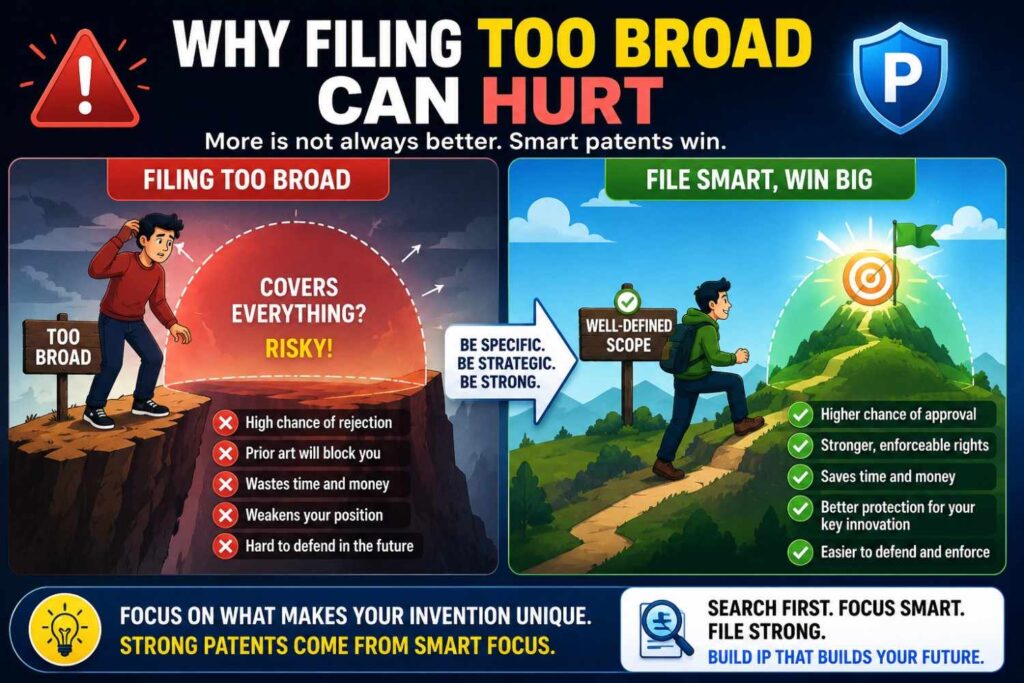
Founders often want the broadest patent possible.
That makes sense. Broad sounds powerful.
But too broad can be weak.
If broad claims cover old ideas, they may be rejected. Even if allowed, they may be easier to challenge later.
A useful patent has the right scope.
It should be broad enough to matter but specific enough to stand.
A patentability search helps find that balance.
If the field is open, you may have room for broader claims.
If the field is crowded, you may need focused claims around the key improvement.
Focused does not mean weak.
A focused patent on a feature competitors need can be very valuable.
The goal is not to sound big.
The goal is to protect what gives your company an edge.
Why Filing Too Narrow Can Also Hurt
The opposite mistake is filing too narrow.
Some founders only describe the exact product version they built.
That can make the patent easy to design around.
If your patent only covers one sensor, one model, one layout, one threshold, one device type, or one workflow, competitors may avoid it with small changes.
A good patent application should describe variations.
If your invention can use different sensors, say so.
If the model can be a neural network, decision tree, classifier, rules engine, or other model, describe options where accurate.
If the system can run on a device, server, cloud, or hybrid setup, explain the useful forms.
If the control action can apply to different machines, include those examples.
Your search can help you see which variations are already known and which are important to include.
PowerPatent helps founders capture these details in a more structured way, so the filing does not miss important versions of the invention. See how it works here: https://powerpatent.com/how-it-works
Search Before a Provisional Patent
Many startups file provisional patent applications.
A provisional can be a smart first step, especially when you need an early filing date.
But a provisional is only useful if it clearly describes the invention.
A rushed, thin provisional may not protect much.
Doing a patentability search before a provisional can help you write it better.
You can include the technical difference over old work. You can add more examples. You can describe variations. You can avoid focusing on old features. You can make the invention story stronger from the start.
You do not always need a huge search before a provisional, especially if time is tight.
But even a focused search is better than none.
If you are about to disclose the invention publicly, speed matters. Still, search what you can and file with as much detail as possible.
Search Before a Non-Provisional Patent
A non-provisional patent application is examined by the patent office.
Before filing one, a deeper search is often useful.
By this stage, you want the application to be strong.
You want claims that make sense. You want the description to support fallback positions. You want examples that show the key benefit. You want to avoid being surprised by obvious prior art.
A search can help your patent attorney draft smarter claims and a stronger specification.
It can also help decide whether to file more than one application.
Sometimes one product contains several inventions. A search may show that one is crowded while another is open. That can guide filing strategy.
Search Before a Fundraise
Investors may ask about IP.
They may want to know what you have filed, what makes it protectable, and how it supports your moat.
A patentability search can help you answer with confidence.
You do not need to share sensitive details. But you can say that you reviewed prior work, found known approaches, and are filing around a specific technical improvement.
That sounds much stronger than, “We think we can patent it.”
It shows discipline.
It shows that you understand your space.
It also helps you avoid making claims that are too broad or risky.
For deep tech startups, this can matter in diligence.
A clean, thoughtful patent story can support the larger company story.
Search Before a Product Launch
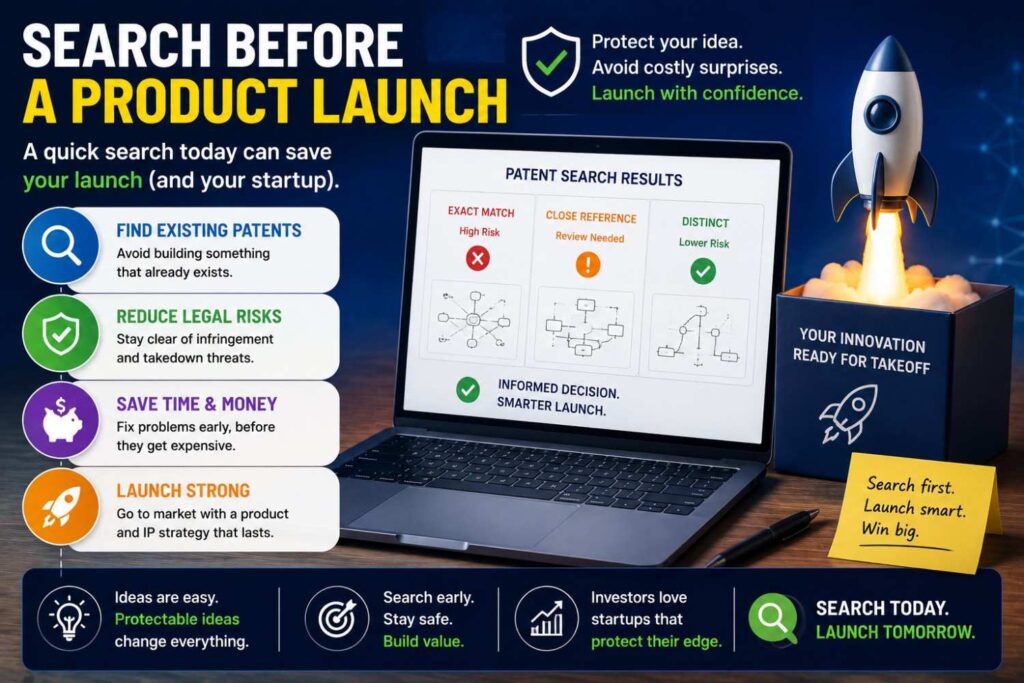
Before launch, ask what technical details will become public.
Will your docs explain the architecture?
Will your demo reveal how the system works?
Will your API show the workflow?
Will your blog post describe the method?
Will your customers see the secret sauce?
If yes, consider filing first.
A patentability search before launch can help you decide what to protect before you go public.
You do not need to file on every feature.
Focus on the inventions that matter most.
The ones competitors would copy.
The ones that drive your advantage.
The ones that are hard to keep secret once the product is live.
PowerPatent can help founders move quickly when launch is close and protection needs to catch up. Learn more here: https://powerpatent.com/how-it-works
Search Before Talking to Partners
Partnerships can create IP risk.
You may need to share technical details with a large company, supplier, lab, customer, or platform partner.
Before you do that, think about filing.
A patentability search can help identify which parts are worth protecting before the conversation.
This does not mean every partner is a threat.
But once technical details leave your company, control gets harder.
Use proper agreements. Be careful with what you share. And file early when the invention is important.
A search helps you know what to file.
Search Before Publishing a Paper or Blog Post
Technical content can be great for growth.
It can attract users, hires, investors, and partners.
But it can also reveal inventions.
Before publishing a technical blog post, paper, benchmark, architecture breakdown, open-source release, or detailed demo, ask whether it includes patentable material.
If yes, search and file first.
You can still publish. You can still teach. You can still build in public.
Just protect the core invention before you disclose it.
This is especially important for AI, developer tools, robotics, biotech, and deep tech teams that use technical content as part of their brand.
How to Turn Search Notes Into a Patent Plan
After the search, write a short plan.
It should say what the invention is, what prior art was closest, how your invention differs, why the difference matters, and what should be protected.
Keep it simple.
For example:
“Our invention is a low-power edge camera method. The closest prior art uses motion detection to wake a camera. Our method differs by using a low-power classifier to identify risky motion patterns before waking a larger local model. This reduces power use and false wake events. The filing should focus on the model cascade, wake-up rule, and local safety event generation.”
That is useful.
It gives a patent attorney a clear starting point.
It also helps the team align.
Everyone can see the same filing angle.
What to Share With Your Patent Attorney
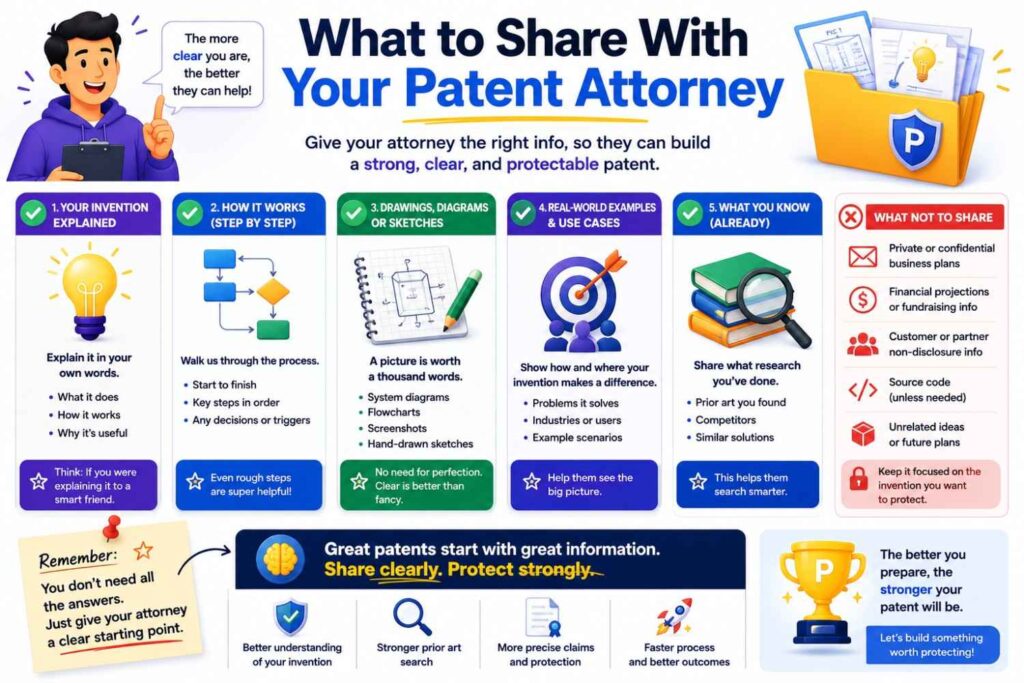
When you are ready for help, share your invention summary, diagrams, search notes, close references, product docs, and any technical examples.
Do not hide close prior art.
Your attorney needs to know what you found.
Sharing close art does not weaken your patent process. It helps make it better.
It allows the attorney to draft around known issues, focus on real differences, and avoid wasting time.
Also share failed approaches.
If your team tried old methods and they did not work, that can be helpful. It may show why your solution was not simple.
Share test results if you have them.
If your invention reduces latency by a certain amount, lowers power use, improves accuracy, or prevents failures, those facts can support the story.
The more useful detail you provide, the stronger the patent work can be.
Why Real Attorney Oversight Still Matters
AI tools and search tools are helpful.
But patent judgment is still important.
A search result may look close but not be a serious issue. Another may look harmless but matter a lot. Claim scope can be subtle. Filing strategy can affect future rights. Public disclosure rules can be tricky.
Real attorney oversight helps protect against mistakes.
The best workflow does not replace attorneys with software.
It gives attorneys better inputs and lets software speed up the process.
That is the PowerPatent model.
Founders get a faster, clearer way to turn technical work into patent filings, while real patent attorneys remain part of the process. See how it works here: https://powerpatent.com/how-it-works
What a Bad Patentability Search Looks Like
A bad search is shallow.
It uses one phrase. It searches only Google. It ignores patents. It ignores papers. It ignores competitor filings. It does not use synonyms. It stops when the first page looks clean.
A bad search also focuses on the wrong thing.
It searches the product category instead of the technical invention.
It searches the brand language instead of the system behavior.
It searches “AI platform” instead of the actual model workflow.
It searches “smart device” instead of the sensor and control method.
A bad search also has poor notes.
It saves links without explaining why they matter.
That makes the search hard to use later.
The fix is simple.
Search the real invention. Use many words. Look in more than one place. Compare close results. Write clear notes.
What a Good Patentability Search Looks Like
A good search is thoughtful.
It starts with a clear invention summary.
It identifies the core technical idea.
It uses synonyms, problem terms, result terms, competitor names, classifications, and non-patent sources.
It studies close references carefully.
It compares each reference to the invention.
It looks for meaningful technical differences.
It ends with a clear filing angle.
A good search does not need to be perfect.
It needs to be useful.
It should help answer this question:
“Based on what we found, what part of our invention appears new and worth protecting?”
If you can answer that, the search did its job.
Example: Searching an AI Sales Tool
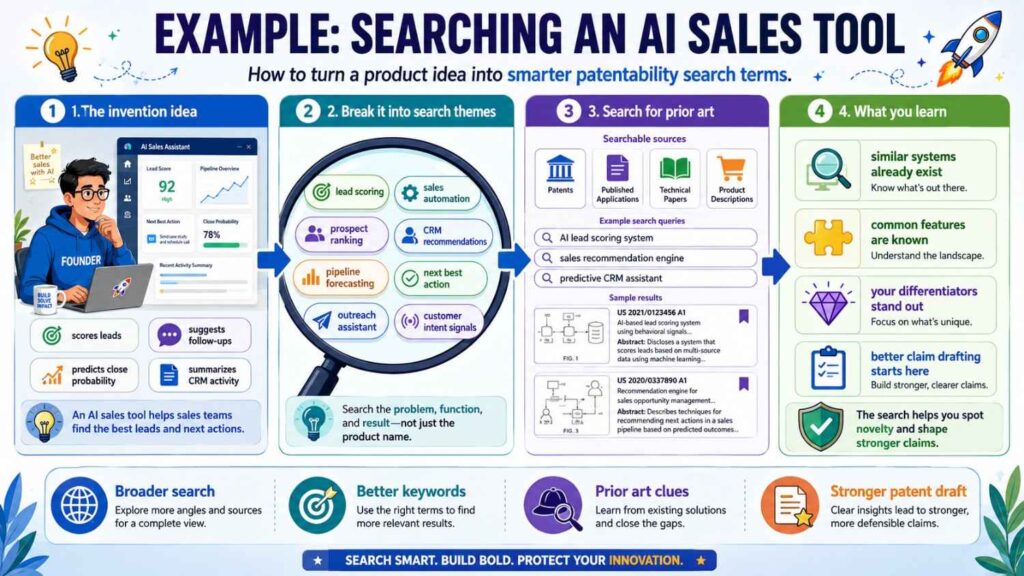
Imagine your startup built an AI sales tool.
The pitch is simple: “Our AI helps sales teams close deals.”
That is not enough for a patent search.
You dig deeper.
The actual invention is a system that reads customer emails, product usage signals, CRM stage changes, and support activity. It predicts when a deal is at risk because the buyer has gone quiet after a technical blocker. Then it suggests a specific technical follow-up based on the blocker type.
Now the search is clearer.
You search AI sales assistant, deal risk prediction, CRM activity scoring, customer engagement prediction, sales email analysis, product usage sales signals, technical blocker detection, and automated follow-up recommendation.
You find many sales tools. You find lead scoring. You find email analysis. You find churn prediction.
But maybe none of them detect technical blockers by combining product usage, support history, and CRM silence in this way.
That may be your patent angle.
The patent is not “AI for sales.”
The patent may be a specific risk detection and follow-up method using technical signals from product and support systems.
That is stronger.
Example: Searching a Medical Sensor
Imagine your team built a wearable medical sensor.
The pitch is: “Our wearable tracks blood flow more accurately.”
You need more detail.
The invention may be a sensor arrangement that uses two light paths and a motion signal to remove noise during movement.
Now search wearable blood flow sensor, optical sensor motion correction, photoplethysmography artifact removal, dual light path wearable, motion-compensated blood flow measurement, and physiological sensor signal correction.
You find old wearables. You find motion correction papers. You find optical sensor patents.
Some are close.
Then you see that old systems use a motion sensor to filter noise after the reading. Your system changes the sampling pattern during motion and compares two light paths before calculating flow.
That may be the difference.
The search helps you focus on sensor arrangement and real-time sampling control, not just “better wearable.”
Example: Searching a Battery Invention
Imagine your startup built battery management software.
The pitch is: “We improve battery life.”
Too broad.
The invention may be a method that predicts cell imbalance using early temperature changes and adjusts charging before voltage drift appears.
Search battery management, cell balancing, temperature-based charge control, early imbalance detection, thermal signal battery charging, adaptive charging, and battery pack prediction.
You find many systems for charge control and cell balancing.
But maybe most react to voltage changes after imbalance starts. Your method predicts imbalance earlier from thermal patterns.
That could be the filing angle.
The search helps you describe the technical benefit:
Earlier prediction, safer charging, longer battery life, fewer failures.
That is much better than a broad claim to “improving battery life.”
Example: Searching a Developer Tool
Imagine your startup built a tool for code review.
The pitch is: “Our AI reviews code better.”
Not enough.
The invention may be a method that builds a dependency graph from recent code changes, production logs, and test coverage, then selects only the tests that are likely to fail because of a specific change.
Search test selection, code change impact analysis, dependency graph testing, production log code analysis, AI code review, targeted regression testing, and failure prediction software.
You find old test selection tools. You find code analysis papers. You find AI review products.
But maybe none use production logs to adjust the dependency graph before selecting tests.
That may be your difference.
The patent should focus on the graph update and test selection method.
The search helps you avoid trying to patent generic AI code review.
Example: Searching a Robotics Invention
Imagine your company built a delivery robot.
The pitch is: “Our robot avoids people better.”
You need to be more specific.
The invention may be a method where the robot predicts pedestrian intent based on short motion changes, sidewalk width, and eye-level obstacle context, then chooses a path that reduces sudden stops.
Search pedestrian intent robot, autonomous delivery robot path planning, sidewalk navigation, dynamic obstacle avoidance, motion prediction, social navigation robot, and local path adjustment.
You find lots of robotics prior art.
That is expected.
Then you compare.
Old systems predict pedestrian motion. Others avoid obstacles. Others use sidewalk maps. But maybe your system combines motion changes and sidewalk width to choose a path that avoids sudden stops in tight spaces.
That may be the patentable improvement.
In crowded fields, the difference may be narrow but still important.
How Search Helps You Avoid Costly Mistakes
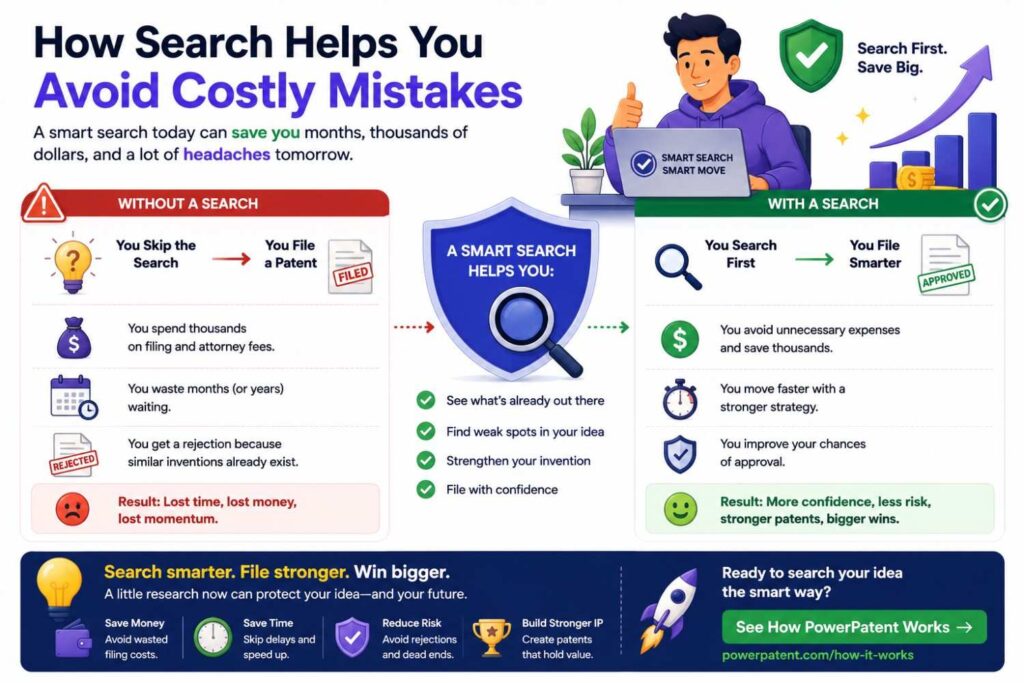
A patentability search can save money in many ways.
It can stop you from filing on an old idea.
It can help you avoid claims that will likely be rejected.
It can show when your invention needs more detail.
It can reveal that another feature is more worth protecting.
It can help your attorney draft faster and better.
It can also save business pain.
You may avoid telling investors a weak IP story. You may avoid public disclosure before filing. You may avoid building a portfolio around the wrong thing.
For startups, these are real wins.
A search is not just a checkbox.
It is a way to protect focus.
How Search Helps You Move Faster
This may sound odd, but searching can speed you up.
Without a search, you may hesitate. You may wonder if filing is worth it. You may go back and forth with lawyers. You may draft too broadly, get rejected, and spend more time later.
With a search, you can act with more confidence.
You know the closest art. You know your difference. You know the filing angle. You know what details to include.
That makes the next step clearer.
PowerPatent is built around this same idea: speed with structure. The platform helps founders organize technical details and move toward attorney-reviewed patent filings without the slow old-school process. See how it works here: https://powerpatent.com/how-it-works
How Often Should You Do Patentability Searches?
Do not search only once in the life of your company.
Your product will change. Your team will solve new problems. New inventions will appear.
Set a regular habit.
Every few months, review what your team built.
Ask what technical problems were solved.
Ask what changed in the system.
Ask what improved speed, cost, power, privacy, safety, accuracy, scale, or reliability.
Ask what competitors would copy.
Then search the best candidates.
This is how startups build a strong patent portfolio over time.
Not by filing random ideas.
By capturing the real technical work that creates company value.
How to Make Patent Searching Part of Product Work
Patentability searches should not feel separate from product work.
They should connect to it.
When engineers solve a hard problem, capture it.
When a model starts working better, ask why.
When a device becomes smaller, safer, or cheaper, record what changed.
When a customer problem forces a clever workflow, write it down.
When a scaling issue leads to a new architecture, flag it.
These moments may be inventions.
The search comes next.
You do not need every engineer to become a patent expert. But you can build a culture where technical wins are noticed and protected.
That culture can become a real advantage.
What Engineers Should Know About Patentability Searches
Engineers often think patents are about big, shiny breakthroughs.
Sometimes they are.
But many patents protect practical technical improvements.
A smarter control rule.
A new sensor setup.
A lower-power model flow.
A safer device state.
A more reliable failover method.
A better calibration step.
A faster testing method.
Engineers may call these “implementation details.”
But implementation details can be valuable.
A patentability search helps show whether those details are new.
It also helps turn engineering work into company assets.
What Founders Should Ask Their Teams
Do not ask your team, “Do we have patentable ideas?”
That question is too broad.
Ask what was hard to build.
Ask what competitors would struggle to copy.
Ask what changed the product’s performance.
Ask what reduced cost, latency, compute, power, or risk.
Ask what failed before the team found the current solution.
Ask what is hidden behind the user interface.
Ask what would be painful if a bigger company copied it.
Those answers often point to inventions.
Then you can search.
How to Avoid Repeating Old Patent Language
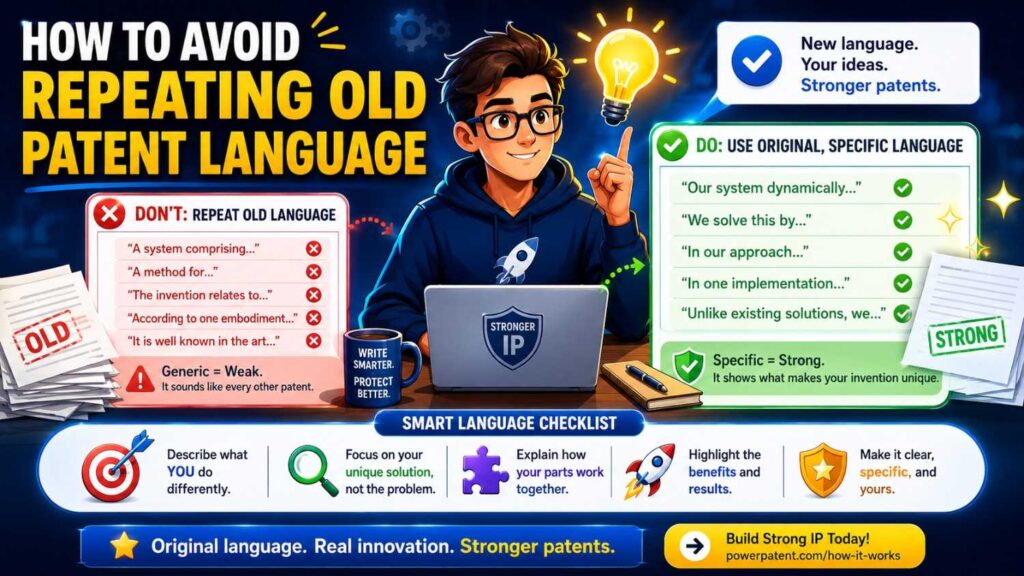
When you search, you will read a lot of patent text.
Do not copy it into your own application.
Use it to understand the field.
Your invention should be described in your own clear technical terms.
Copying old language can confuse the filing and may pull your invention toward someone else’s framing.
Instead, write what your system actually does.
Use precise words.
Use examples from your product.
Use diagrams and technical detail.
The goal is not to sound like every other patent.
The goal is to protect your invention clearly.
How to Use Diagrams in the Search Process
Diagrams help a lot.
Draw your invention before or during the search.
Draw the system blocks.
Draw the data flow.
Draw the device layout.
Draw the method steps.
Draw the feedback loop.
Draw the before and after.
Then compare your diagram to patent drawings you find.
This makes differences easier to see.
If a prior patent has the same flowchart as your system, that is important.
If the flowchart is missing your key decision step, note that.
If a device drawing shows the same parts but in a different arrangement, study why your arrangement matters.
Diagrams make abstract ideas concrete.
They also help patent professionals draft better applications.
How to Search When Your Invention Has Multiple Parts
Some inventions are systems with many pieces.
For example, an AI medical platform may include data intake, cleaning, model training, risk scoring, clinician review, alert timing, and outcome feedback.
You may not be able to search everything deeply at once.
Start with the part that seems most new and valuable.
Then search the next most important part.
Then search the combination.
Do not get lost in minor features.
Focus on what drives the advantage.
If several parts seem patentable, you may have more than one invention.
That can be good.
A product can support multiple patent filings.
The search can help decide what to file first.
How to Search When You Do Not Know the Right Words
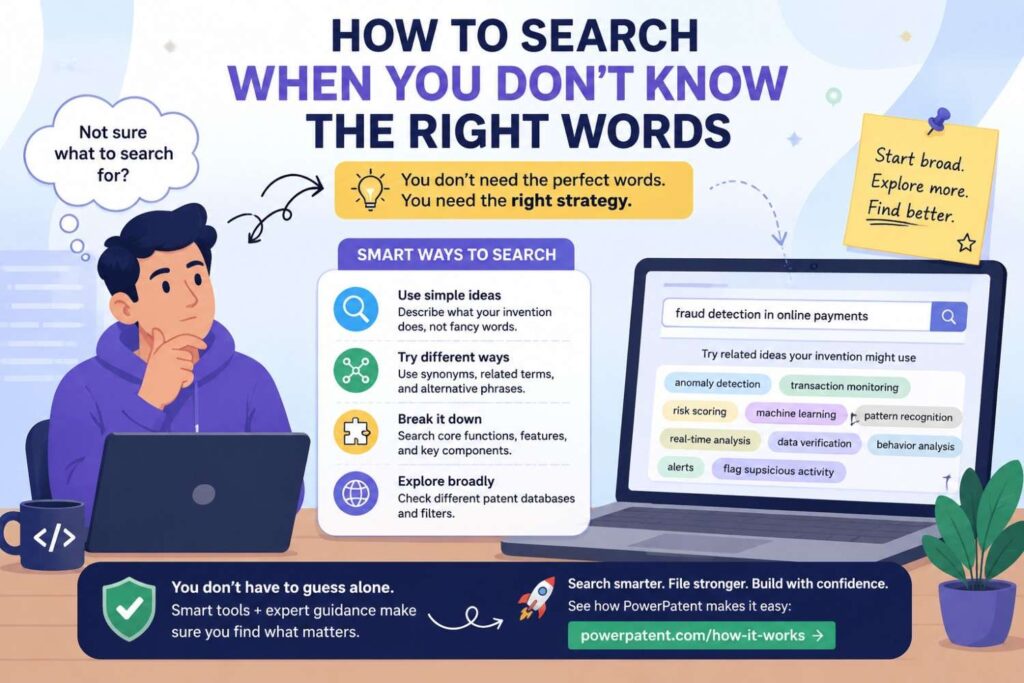
Sometimes you do not know how the patent world describes your idea.
Start with your own words.
Find one somewhat close result.
Then mine that result for better words.
Look at its title, abstract, claims, description, classification codes, citations, and similar documents.
Write down terms you would not have used.
Search those terms.
This is how you learn the language of the field.
For example, you may search “AI checks answer for truth” and find little. Then you find terms like “response verification,” “grounding,” “source attribution,” “retrieval augmented generation,” “confidence scoring,” and “factual consistency.” Now your search improves.
Patent searching is iterative.
The first search teaches you how to do the second search.
How to Search Across Industries
Your invention may be new in your industry but old in another.
That matters.
A method for routing hospital equipment may look like a method used in warehouse robots. A fraud detection method may look like anomaly detection in cybersecurity. A battery control method may look like thermal control in another device.
Search nearby fields.
Ask where else the same technical problem appears.
Does another industry manage similar sensors, signals, models, flows, or constraints?
If yes, search there.
This can uncover important prior art.
It can also help you strengthen your invention.
If your system adapts a known idea to a new setting with new constraints, explain those constraints. What changed? Why was the adaptation not simple? What technical problem had to be solved?
Those details may matter.
How to Handle Foreign-Language Results
You may find foreign patent documents that are machine translated.
The translation may be awkward.
Do not ignore them.
Look at drawings, abstracts, translated claims, and key terms.
If a foreign document looks close, save it.
A patent professional can help review it more carefully.
Foreign-language prior art can be important.
Many technical fields are global. A Japanese, Chinese, Korean, German, or European filing may be very relevant.
A founder search may not fully analyze these documents, but it should not pretend they do not exist.
What to Do With Abandoned Patent Applications
You may find a patent application that was abandoned.
Do not ignore it.
Even if it never became a granted patent, it may still be prior art if it was published before your filing date.
For patentability, the question is often whether the information was public, not whether the patent is active.
An abandoned application may teach the same idea.
That can affect your ability to patent it.
This is another place where founders get confused.
An abandoned patent may not block you from selling in the same way an active patent might. But it can still hurt patentability.
Save it and compare it.
What to Do With Expired Patents
Expired patents can also be prior art.
They may no longer give the owner active rights. But they still show what was known.
If an expired patent describes your invention, it may prevent you from getting a patent on the same thing.
Again, patentability and freedom to operate are different.
An expired patent may be safe to practice from an infringement standpoint, but it may still block patentability.
This is why old patents matter in searches.
Do not filter only for active patents when doing patentability work.
What to Do With Very New Patent Applications
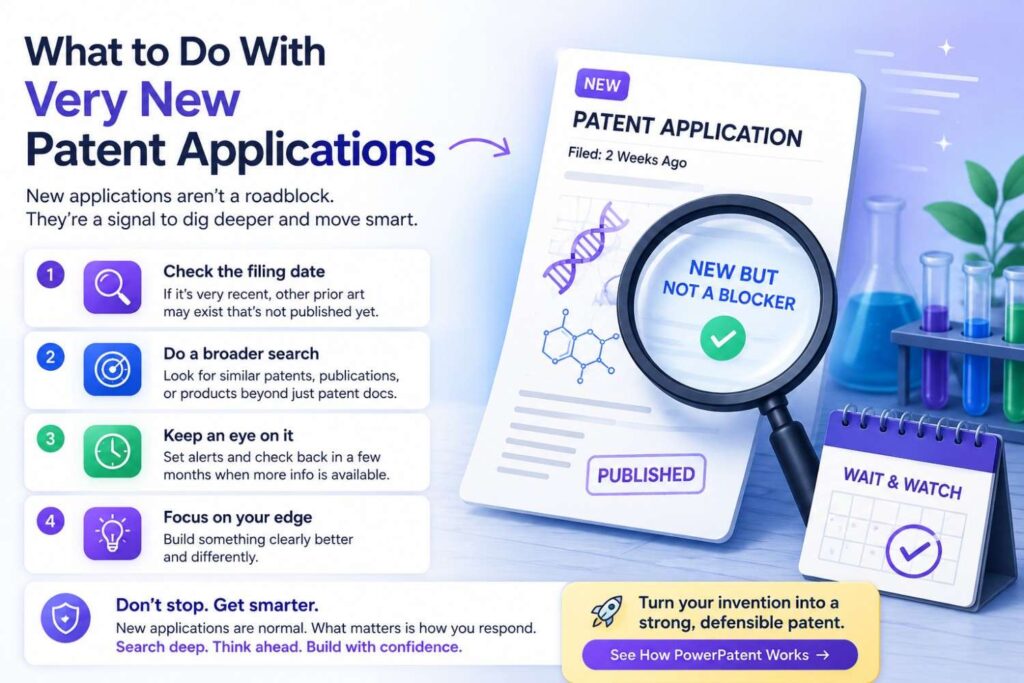
Patent applications often publish after a delay.
That means there may be recent filings that are not public yet.
A search cannot find unpublished applications.
This is one reason no search is perfect.
You may file today, and later a prior-filed but later-published application appears. That can create issues.
You cannot fully avoid this risk.
But you can reduce risk by filing early.
The earlier you file, the better your position against later public disclosures and later filings.
For startups, this is another reason not to wait too long.
How Much Detail Should You Search Before Filing?
Search enough to understand the field and the closest known work.
Do not search so long that you miss your filing window.
The right depth depends on the invention’s value, the field’s crowding, and your timing.
If the invention is central to your company, search more deeply and get professional help.
If you are days away from public disclosure, do a focused search and file quickly with strong detail.
If you are still exploring product direction, a lighter search can help decide whether the idea is worth more work.
Use judgment.
The search should serve the business.
It should not become a trap.
How PowerPatent Helps Founders After a Search
After a patentability search, you need to turn what you learned into action.
That means capturing the invention clearly, choosing the filing angle, preparing technical detail, and working with patent professionals.
PowerPatent helps with this step.
It gives founders a modern way to move from raw invention material to a patent filing process. You can bring technical notes, diagrams, code details, model workflows, and search findings. The platform helps structure the invention, while real patent attorneys provide oversight.
That combination matters.
You stay close to the invention. You move faster. You avoid the slow black-box process that makes many founders put patents off.
See how PowerPatent works here: https://powerpatent.com/how-it-works
What to Prepare Before Starting With PowerPatent
Bring the clearest materials you have.
Bring your invention summary.
Bring diagrams.
Bring product specs.
Bring architecture docs.
Bring model details.
Bring data flow notes.
Bring screenshots if they help explain the system.
Bring test results.
Bring close prior art references.
Bring notes on how your invention differs.
Do not worry about making it sound legal.
Plain technical detail is better.
The goal is to show what you built and why it matters.
The patent language can come later.
A Simple Invention Summary You Can Write Today
Here is a simple way to write your invention summary in normal words.
Start with the problem.
Explain what was hard, slow, costly, risky, or broken.
Then explain the old way.
How do people usually handle this problem?
Then explain your new way.
What does your invention do differently?
Then explain the system.
What parts, data, steps, models, sensors, devices, or materials are used?
Then explain the result.
What gets better?
Then explain variations.
What other ways could the invention work?
This summary can be short, but it should be clear.
Once you have it, your search becomes much easier.
The Best Search Mindset

A patentability search is not about proving that you are right.
It is about finding the truth early.
Founders who search well are not afraid of prior art. They want to know what exists. They want to see the real field. They want to file smarter.
That mindset is powerful.
If the search shows your idea is strong, you can move with confidence.
If the search shows problems, you can adjust before spending too much.
If the search reveals a better filing angle, you can protect the thing that really matters.
Either way, you win.
Common Founder Questions
A lot of founders ask whether they need a search before every patent filing.
Not always, but it is usually wise.
At minimum, do a practical search before filing. For important inventions, get professional help.
Founders also ask whether finding prior art means they should not file.
Not always. Many patents are improvements over prior art. The question is whether your improvement is new and meaningful.
Founders ask whether they can do the search themselves.
Yes, for a first pass. A founder-led search can be very useful. But for important inventions, attorney review is still important.
Founders ask whether they should wait until the product is finished.
Usually no. If the invention is clear enough to describe, waiting may create risk. You can often file before the final product is complete.
Founders ask whether patents are worth it for software.
They can be, when the invention is technical and clearly described. The key is to focus on how the system works, not just the business idea.
A Practical Search Workflow You Can Use
Here is a simple workflow you can follow.
Write the invention in plain words.
Find the core technical idea.
Break it into inputs, process, outputs, and results.
Create search terms using synonyms, problem words, result words, and technical words.
Search Google Patents.
Search USPTO, Espacenet, or PATENTSCOPE when useful.
Search papers, GitHub, product docs, manuals, and standards.
Search competitors and inventors.
Review close results.
Compare each result to your invention.
Write the technical differences.
Decide the filing angle.
Bring your findings into a patent process with attorney oversight.
That is the whole path.
It is not easy, but it is very doable.
The Final Test Before Filing
Before you file, try to answer this in one clear paragraph:
“Our invention is different from the closest known work because…”
If you cannot finish that sentence, you may need more search or more invention detail.
If you can finish it clearly, you are in a much better position.
For example:
“Our invention is different from the closest known work because it uses a low-power model to classify motion patterns before waking a larger local vision model, which reduces power use and false wake events in industrial safety monitoring.”
That is clear.
Or:
“Our invention is different because it updates a code dependency graph using production log signals before selecting targeted regression tests, which reduces test time while still catching failures linked to recent changes.”
That is clear.
Or:
“Our invention is different because it predicts battery cell imbalance from early thermal signals before voltage drift appears, which allows safer charge adjustment sooner.”
That is clear.
Clarity before filing is valuable.
Final Thoughts
A patentability search helps you file smarter.
It shows what already exists. It helps you find the true new part of your invention. It helps you avoid weak claims. It helps you explain your technical edge. It helps you make better business decisions before you spend money filing.
You do not need to be a patent expert to start.
Write the invention clearly. Search with care. Use many words. Look beyond patents. Study close results. Find the difference. Then get the right help.
For founders, this is how patents become less scary and more useful.
You are not filing paperwork just to check a box.
You are protecting the work that makes your company special.
When you are ready to turn your invention into a real patent path, PowerPatent can help you move faster with smart software and real patent attorney oversight.
Start here: https://powerpatent.com/how-it-works
Leave a Reply