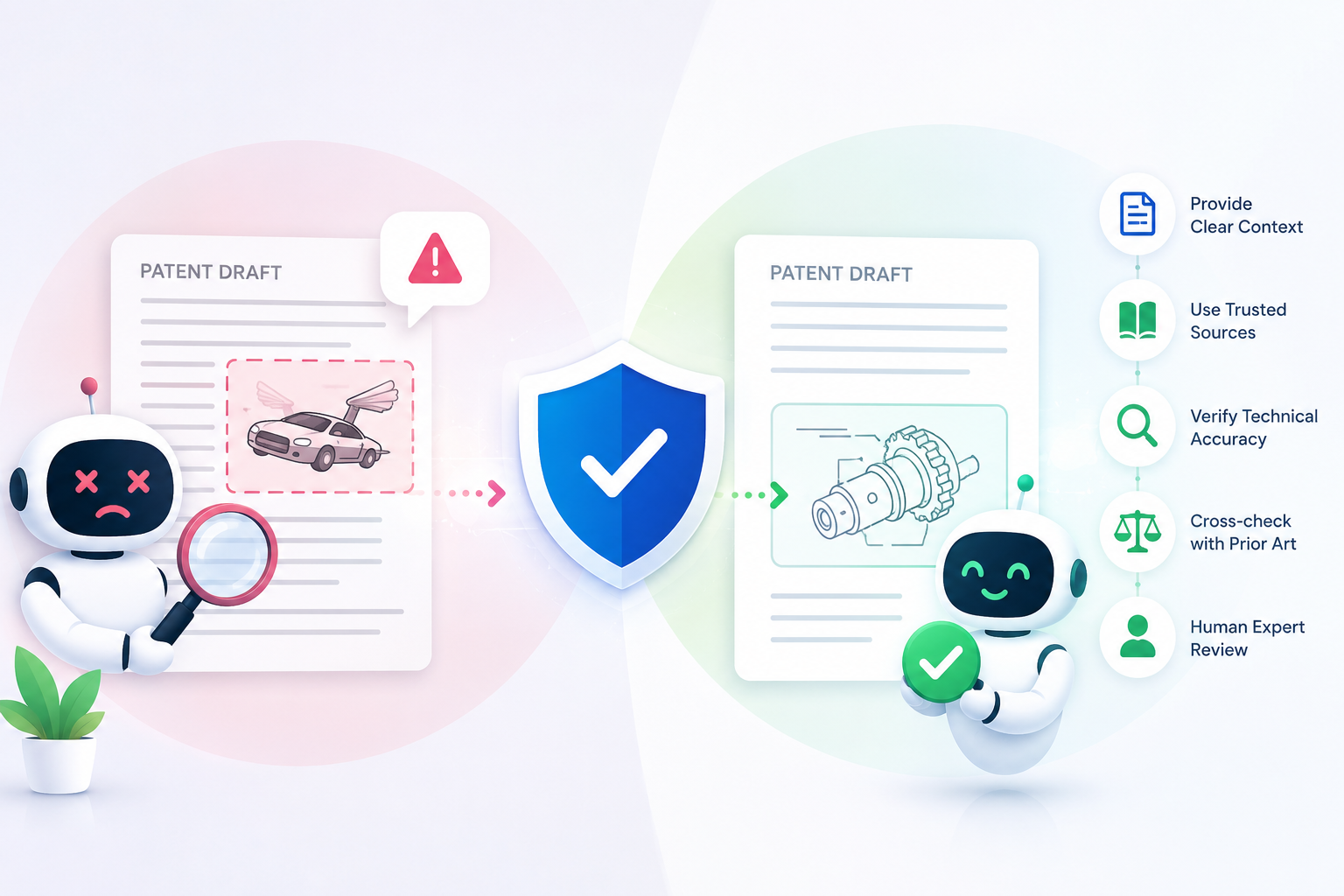
AI can make patent drafting faster. It can spot missing details, compare claim words, check flow, and help your team move with more control. But AI can also make things up. You can see how PowerPatent helps founders protect inventions with more speed and confidence here: https://powerpatent.com/how-it-works
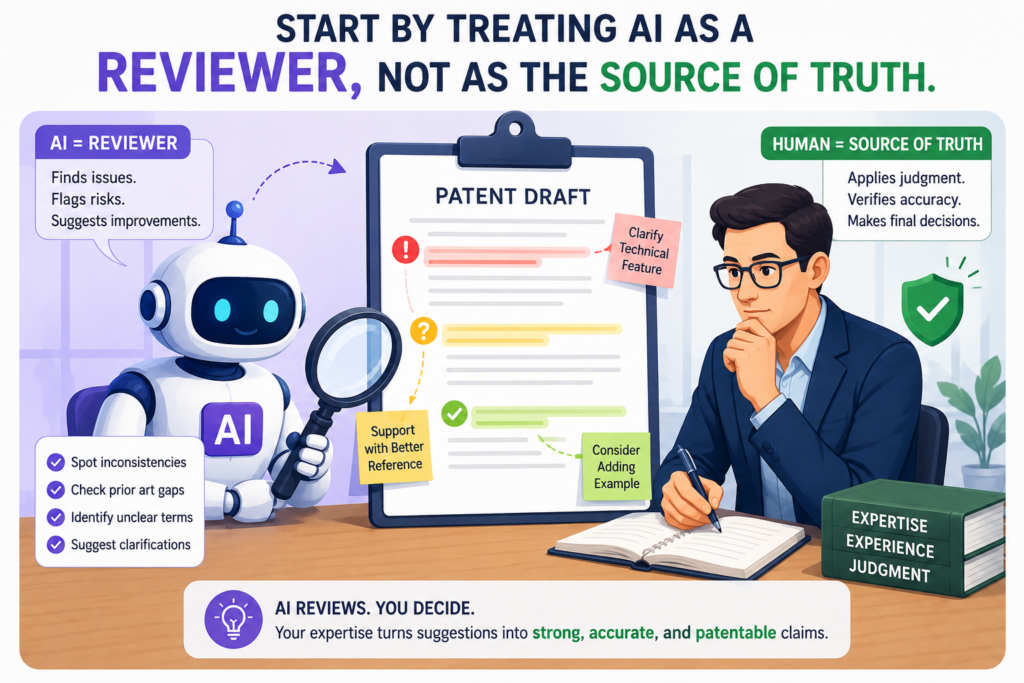
Start by Treating AI as a Reviewer, Not as the Source of Truth.
AI becomes risky when a team gives it too much power too soon. That is the first mistake.
Many founders use AI to review a patent draft and then assume the output is correct because it sounds clean, sharp, and sure of itself. But confidence is not the same as truth.
AI can write with a strong voice while being wrong about the invention, the claim scope, the parts, the use case, or the problem being solved.
The safer way is to treat AI like a fast helper sitting beside your team. It can point out places that look weak. It can ask questions.
It can compare sections. It can find gaps in the draft. But it should never be treated as the final judge of what the invention is or what the patent should say.
This matters a lot for technical founders because your invention may live in small details. A model setting, a data flow, a sensor step, a control signal, a training method, a hardware link, or a timing rule may be the real heart of the invention.
If AI smooths over that detail, removes it, changes it, or replaces it with a more common version, the draft may look better on the surface while becoming weaker underneath.
A patent draft should be checked against what was actually built, not what sounds likely.
AI often tries to fill gaps. That is useful when writing a simple email. It is dangerous in patent work. If the draft says the system uses a neural network, AI may add training data details that sound normal.
If the draft says the device sends a signal, AI may assume the signal is sent wirelessly. If the draft says the software ranks results, AI may invent a scoring method that your team never used.
That kind of added text can feel helpful, but it can also create false support. A patent should reflect the real invention. It should not drift into a version that sounds nice but is not yours.
This is why every AI-reviewed patent draft should be tied back to founder notes, product specs, drawings, code comments, test results, lab notes, system diagrams, and real attorney review.
The goal is not to make the draft sound more advanced. The goal is to make it true, clear, and strong.
The easiest way to reduce hallucinations is to force AI to show its work.
Do not ask AI, “Is this patent draft good?” That question is too broad. It invites vague praise and shallow edits. A better prompt is direct and grounded.
Ask the AI to mark each statement that describes a feature, result, step, or benefit, and then ask it whether that statement appears in the source notes you gave it.
This changes the job. The AI is no longer trying to sound smart. It is being used as a checker. It must compare the draft against the real material.
For example, if your draft says, “The system reduces battery use by 40 percent,” the AI should be asked where that number came from. If there is no test data, no founder note, and no engineering record, that line should be flagged.
Maybe the system does reduce battery use, but the draft should not make that claim unless the team can support it.
This same rule applies to words like “automatic,” “real time,” “secure,” “adaptive,” “optimized,” and “novel.”
These words can be useful, but they must match the invention. AI loves strong words. A strong patent draft needs accurate words.
At PowerPatent, this is why the process is built around smart software plus real attorney oversight.
The software helps move faster, but the review stays grounded in what the founder actually built. You can see how that works here: https://powerpatent.com/how-it-works
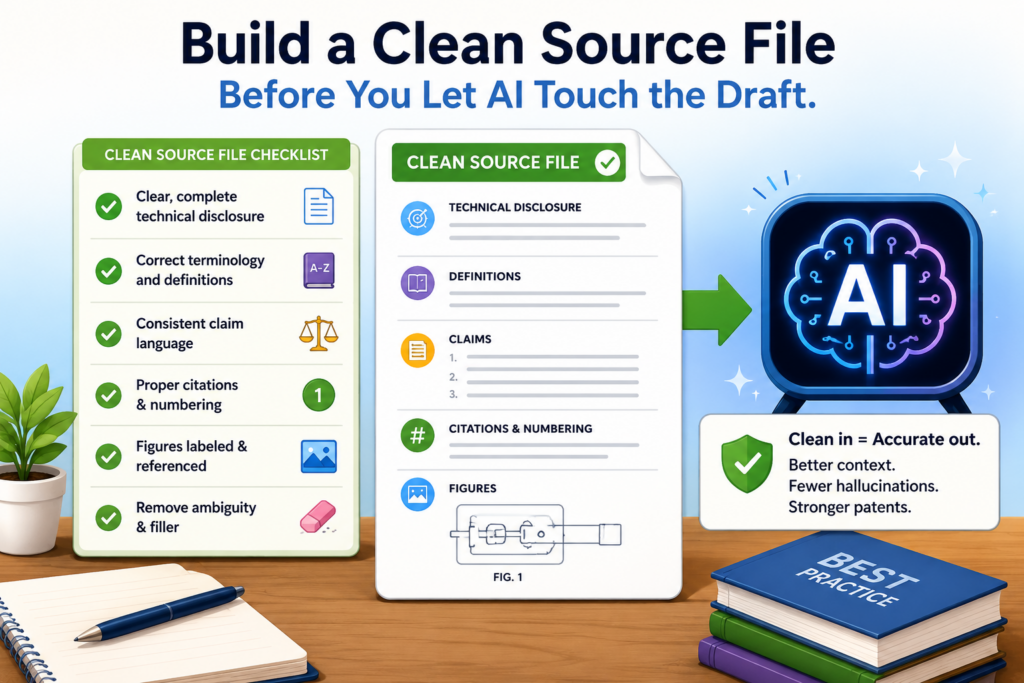
Build a Clean Source File Before You Let AI Touch the Draft.
The quality of an AI review depends on the quality of the material you give it. If your source notes are messy, thin, or mixed with guesses, the AI has more room to hallucinate. It may connect dots that should not be connected.
It may treat a future idea as if it already exists. It may blend two versions of the invention into one draft. This is how a patent can become polished but wrong.
Before AI reviews a patent draft, the team should prepare a clean source file. This does not need to be fancy. It just needs to be clear.
The file should explain what the invention does, what parts are real, what parts are optional, what has been tested, what is only planned, and what problem the invention solves.
This source file becomes the truth base. It gives AI a fence. Without that fence, AI may wander.
Your source file should separate facts from ideas that are still being explored.
Founders often think out loud. That is normal. A team may say, “Later we might add edge processing,” or “This could also work for medical images,” or “Maybe the system can support drones.”
Those future ideas can matter, but they should not be mixed with what the current invention actually does.
When AI sees all of those notes together, it may treat them as equal. It may write as if the drone use case is already built.
It may claim the model works on medical images even if you only tested it on warehouse images. It may add edge processing as a required part of the system even if that is only a future plan.
That can create serious problems. If a required claim feature is not actually part of your best version, the claim may become too narrow.
If the draft includes examples that are not real, it may confuse the story of the invention. If the patent attorney has to spend extra time untangling what is real from what is imagined, the filing process slows down.
A clean source file helps avoid this. It should make the difference between “built,” “tested,” “planned,” and “possible” very clear in plain words.
A strong source file makes the AI review more useful and less creative.
AI is most helpful when it has less room to guess. That is why your source file should include simple, direct statements. Explain the main problem. Explain the old way people handle that problem.
Explain what your invention changes. Explain the main steps. Explain the parts that must be there. Explain the parts that can change. Explain what makes your approach faster, safer, cheaper, more accurate, or easier to use.
This does not need to sound like legal writing. In fact, it should not. It should sound like an engineer explaining the build to another smart person.
For example, instead of writing, “The platform leverages intelligent infrastructure to improve user outcomes,” write what actually happens.
Say, “The system checks sensor data every two seconds, compares it to a saved baseline, and changes the motor speed when the reading moves outside the safe range.” That kind of detail gives AI less space to invent.
The source file should also include “do not say” notes. This is a simple but powerful move. If your system does not use blockchain, say that.
If your model is not trained on user data, say that. If the device does not need a cloud server, say that. AI may add common technology patterns unless you block them early.
This is also where PowerPatent can help founders move with more control. Many patent delays start because the core invention is not captured in a clean way.
PowerPatent helps turn technical ideas into organized patent material, with real attorney oversight to keep the draft on track. You can learn more here: https://powerpatent.com/how-it-works
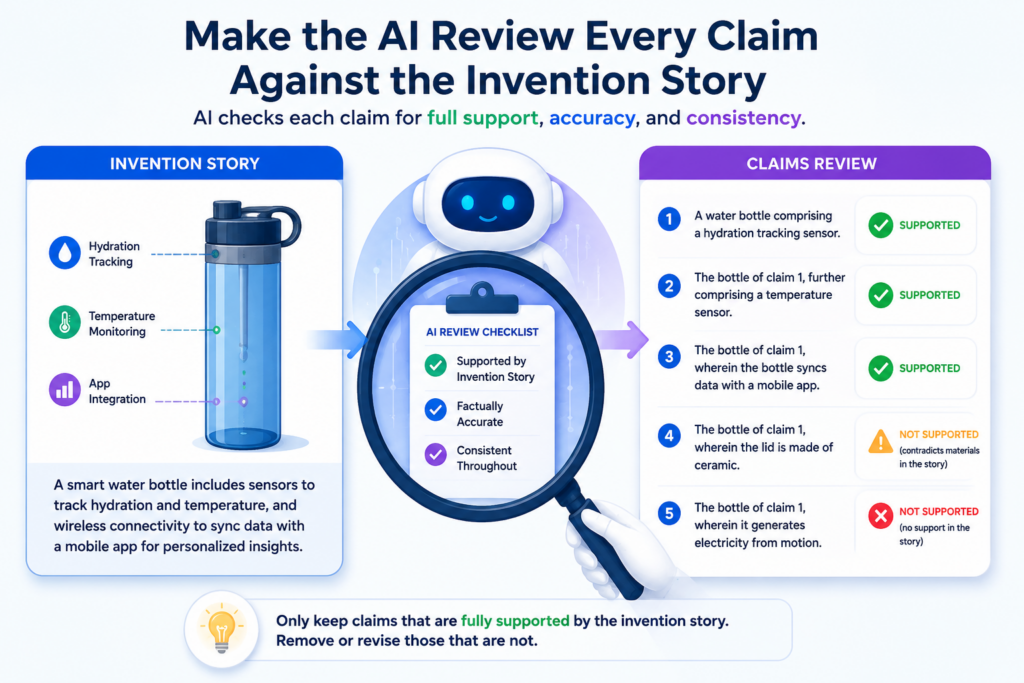
Make the AI Review Every Claim Against the Invention Story.
Claims are the most important part of a patent draft. They define what you are trying to protect. That is also where hallucinations can do the most damage.
A wrong detail in the background may be annoying. A wrong detail in a claim can change the whole value of the filing.
AI can be useful here, but only when the review is narrow and strict. The AI should not be asked to make the claims sound more impressive.
It should be asked to check whether each claim matches the invention story and whether each claim has support in the draft.
A claim should not float by itself. It should connect back to the real system, real method, or real device your team built. If the claim says the system receives a signal, the draft should explain that signal.
If the claim says a model updates a score, the draft should explain the score. If the claim says a module performs a step, the draft should explain what that module does in plain terms.
The best claim review starts with plain English before it moves into claim language.
Patent claims can look strange to founders. They often use a careful structure that does not feel like normal writing. That is why a plain English claim map is so helpful.
Before trusting an AI review, ask it to restate each claim in simple words. Then compare that plain version to the invention.
This step often exposes problems fast. If the plain version sounds broader than what you built, the claim may need more support.
If it sounds narrower than your invention, the claim may be giving away too much. If it includes a feature that your product does not use, that may be a hallucination or a drafting error.
This is not a replacement for attorney review. It is a way to make the review sharper before the attorney steps in.
Founders can often spot a mismatch when the claim is translated into plain words. They may not know the legal rules, but they know their own invention.
For example, if the AI says, “This claim covers a system that predicts machine failure using temperature, vibration, and sound data,” the founder may notice that sound data is not part of the invention. That one catch can prevent a bad claim from moving forward.
Every claim should be tested with the same simple question.
The question is this: “Where did this come from?”
That question should be asked for every key claim word. If the claim says “training,” where is the training described? If it says “threshold,” where is the threshold explained? If it says “mobile device,” where did the mobile device come from? If it says “real time,” what does real time mean in your system? If it says “encrypted,” what is being encrypted and how do you know that is true?
This simple question keeps the draft honest. It also helps founders avoid a very common trap, which is letting AI add standard tech words that sound good but do not match the actual build.
A careful AI review should also look for missing links. Sometimes the draft describes a great feature in the details section, but the claims do not cover it.
Other times the claims include a broad idea, but the draft does not give enough examples. AI can help flag these mismatches, but the final call should come from a person who understands both the invention and the patent plan.
This is where real attorney oversight matters. A founder may know the product deeply. AI may scan the draft quickly.
But a patent attorney can help decide how to protect the invention without adding unsupported or risky language.
PowerPatent is built for that kind of workflow. It helps founders move fast without handing the steering wheel to AI alone.
The result is a clearer draft, better review, and more confidence before filing. You can explore the process here: https://powerpatent.com/how-it-works
Give the AI a Strict “No New Facts” Rule Before It Reviews Anything.
The most useful rule for AI-reviewed patent drafts is also the simplest: the AI should not add new facts unless those facts came from your source material. This one rule can stop many bad edits before they enter the draft.
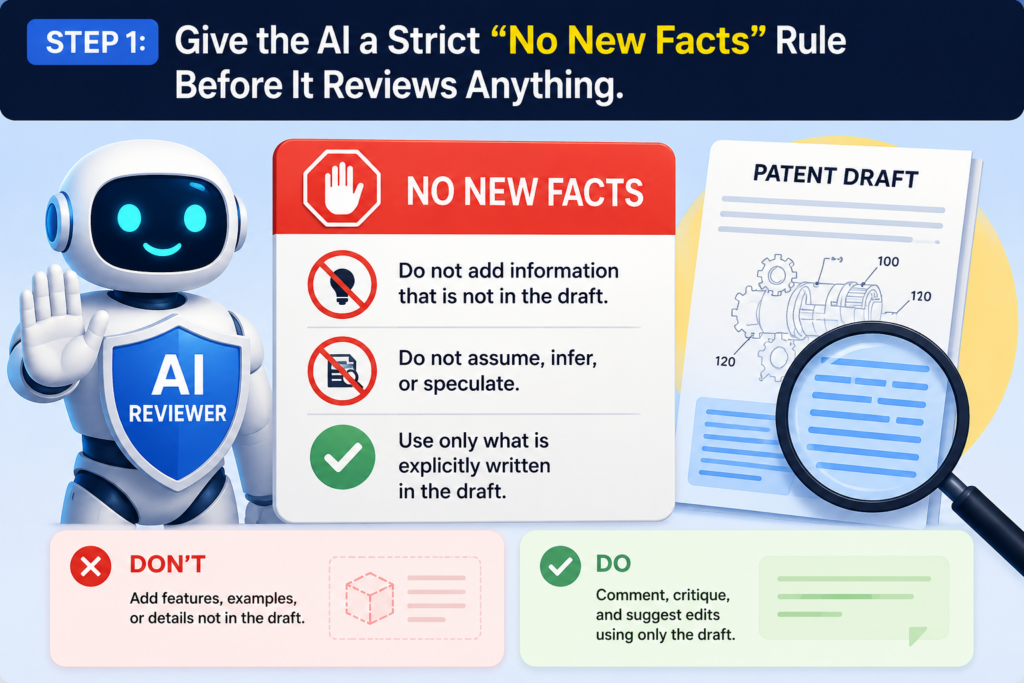
Patent drafts are not a place for clever guesses. They are not a place for “likely” details. They are not a place for features that sound normal in your field but were never part of your invention.
AI often tries to be helpful by filling empty space. That habit can work in simple writing, but it can hurt a patent draft.
If your notes say your device tracks pressure, the AI may add temperature tracking because many similar devices use both.
If your system uses a local model, the AI may mention a cloud server because that is common. If your software flags a risky event, the AI may say it “prevents” the event, even when it only warns the user.
These small changes may look harmless, but they can change the meaning of the invention.
A good AI review should improve the draft without changing the facts. It should make the writing clearer. It should find gaps. It should point out claims that do not match the details.
It should flag places where the draft sounds too broad or too thin. It should not invent test results, add parts, create use cases, or turn future plans into working features.
The safest AI prompt is the one that limits what the AI is allowed to do.
Before you ask AI to review a patent draft, tell it exactly what it can and cannot do. The prompt should say that the AI may only use the source file, the draft, and any notes you provide.
It should say that the AI must not add any feature, number, result, example, hardware part, software module, data type, model type, user group, or business use unless that item appears in the source material.
This may sound strict, but strict is good here. A patent draft should not be creative in the wrong way. It should be careful.
It should be rich with detail, but the detail must come from the real invention. There is a big difference between making a draft stronger and making it less true.
You can also ask the AI to label every suggested change. The label should show whether the change is a clarity edit, a support issue, a possible missing detail, or a risky new fact.
This makes the review easier to trust because you can see why the AI made each suggestion. It also helps your attorney focus faster because the risky changes are easier to spot.
A “no new facts” rule protects the draft from quiet drift.
Quiet drift is one of the most common AI problems in patent work. It happens when the draft slowly moves away from the real invention without anyone noticing. One sentence gets polished.
A feature gets renamed. A possible example becomes a main example. A planned version becomes part of the core system. By the end, the draft still sounds like your invention, but it is not quite the same.
That is dangerous because founders are often moving fast. You may read the draft and think, “This sounds close enough.” But close enough is not enough when you are trying to protect the real work your team built.
To stop quiet drift, keep a simple review habit. Every time the AI changes a technical statement, ask whether the change is based on the source material.
If not, remove it or mark it for attorney review. Do not let polished language hide weak support.
PowerPatent helps founders avoid this kind of drift by combining smart software with real attorney oversight.
The goal is not just speed. The goal is speed with control, so your patent draft stays tied to the real invention while still moving fast. You can see the process here: https://powerpatent.com/how-it-works
Break the Draft Into Small Review Zones So the AI Cannot Blur the Details.
AI makes more mistakes when the job is too large and too vague. If you paste a full patent draft into an AI tool and ask, “Please review this,” you are asking for trouble.
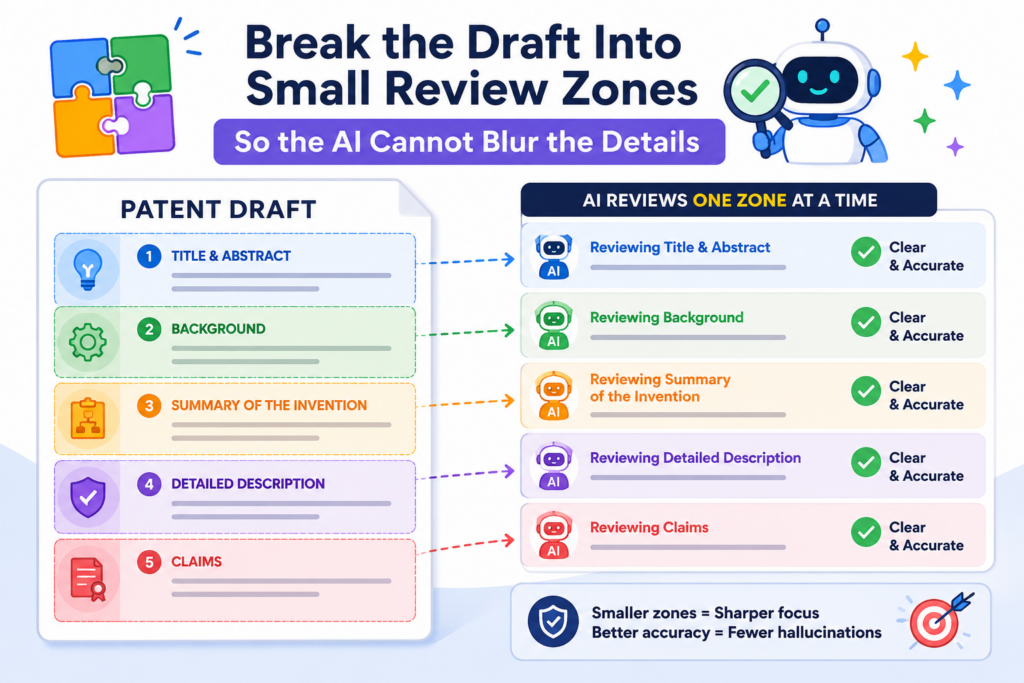
The AI may give broad comments. It may miss key issues. It may talk about tone instead of truth. It may praise the draft while ignoring the parts that matter most.
A better way is to break the draft into small review zones. Each zone should have one clear job. Review the title by itself. Review the abstract by itself. Review the background by itself.
Review the summary by itself. Review the drawings and descriptions together. Review the claims against the detailed description. Review the examples against the source file. This keeps the AI focused.
When the AI works on one zone at a time, it is less likely to blend ideas from different parts of the draft. It also becomes easier for your team to check the output.
You can look at one section, one issue, and one set of suggestions. That is much better than sorting through a long AI answer that tries to fix everything at once.
Small review zones make hidden errors easier to catch.
Patent drafts often contain repeated ideas, and that is normal. The same invention may appear in the summary, the drawings, the detailed description, and the claims. But each section has a different purpose.
A detail that belongs in an example may not belong in a broad claim. A benefit that belongs in the summary may need support in the detailed description. A drawing label may need to match the same name used in the text.
AI can help find these issues, but it needs a narrow task. For example, you can ask it to compare all names used for the same part.
If the draft calls one part a “controller,” then later calls it a “processor,” then later calls it a “control unit,” the AI can flag that.
Sometimes those words may all be fine. Sometimes they may create confusion. Either way, you want to know.
You can also ask the AI to review one drawing at a time. It should check whether each part shown in the drawing is described in the text and whether each described part appears in the drawing when needed.
This type of review is simple, but it catches many messy draft problems before they reach the attorney.
A focused review creates better questions for the founder.
The goal of AI review is not to replace founder input. The goal is to bring better questions to the founder. When the AI reviews small zones, it can create sharper questions.
Instead of asking, “Is this draft accurate?” it can ask, “Does the sensor send raw data or processed data?” That question is useful.
Instead of asking, “Does this claim look right?” it can ask, “Should the alert step be required in every version, or is it only one example?” That question can change the strength of the patent.
These focused questions help founders explain the invention faster. They also help avoid long attorney calls where everyone has to hunt through vague notes.
A clean question can save time, reduce confusion, and lead to a better draft.
This is especially helpful for technical teams. Engineers may not love legal writing, but they can answer direct technical questions. They know whether a model runs on-device or in the cloud.
They know whether the system needs a camera. They know whether a step is required or optional. AI becomes useful when it helps pull out that knowledge in a clear way.
PowerPatent is built around this kind of founder-friendly workflow. The software helps organize the invention, and attorney oversight helps turn that raw detail into a stronger patent path.
Founders can move faster without losing control of the truth. To see how the process works, visit https://powerpatent.com/how-it-works
Make the AI Flag Unsupported Results, Not Just Grammar Problems.
One of the biggest risks in AI-reviewed patent drafts is the use of strong result claims that are not backed by real support.
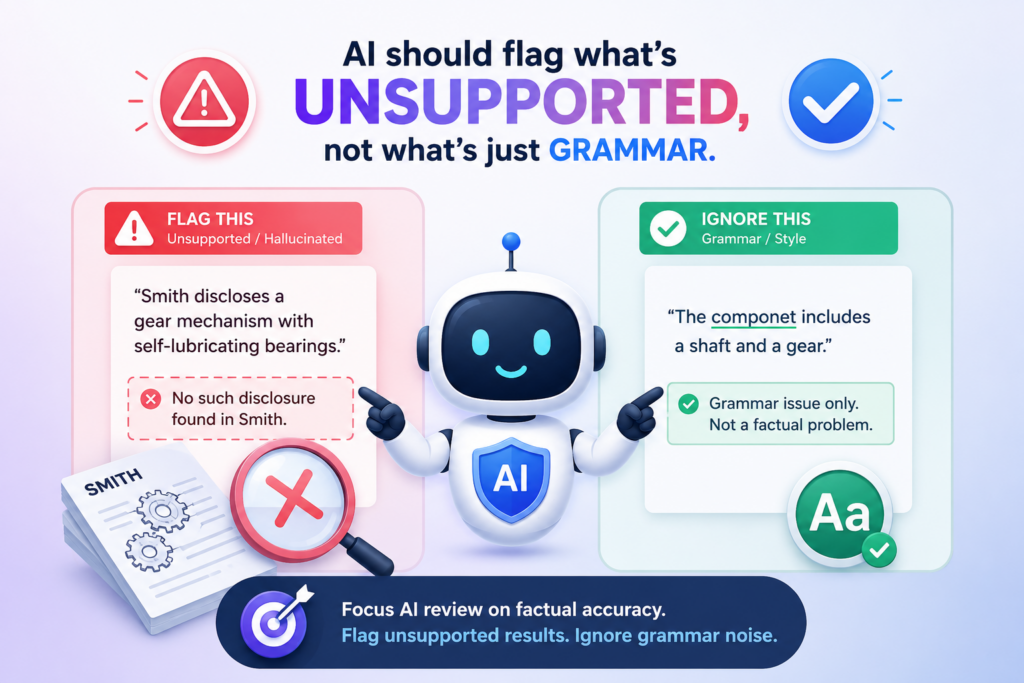
These are lines that say the invention is faster, safer, cheaper, more accurate, more secure, or more efficient. Those lines may be true. They may also be half-true, untested, or added because they sound good.
AI often likes strong benefit language. It may write that a system “greatly improves accuracy” or “reduces processing time” or “prevents failure.” The problem is that these claims need care.
A patent draft can explain benefits, but it should not create numbers or outcomes that the team cannot support. A made-up result can make the draft look better in the moment and weaker later.
This is why your AI review should focus on unsupported results. Grammar matters, but truth matters more. A clean sentence that says the wrong thing is still a problem.
A polished draft that includes fake gains is still risky. The AI should be trained by your prompt to look past style and ask whether each result has a real basis.
Every performance claim should be tied to a test, a reason, or a clear limit.
When the draft says the invention improves something, the next question should be simple: how do we know? Sometimes the answer is test data. Sometimes it is a clear technical reason.
Sometimes it is a measured result from a prototype. Sometimes it is a reasonable benefit based on how the system works. But the draft should not act like a result is proven when it is not.
For example, there is a big difference between saying, “The system reduces delay by 30 percent in a test using 10,000 sample requests,” and saying, “The system may reduce delay by processing data locally before sending a smaller update to the server.”
The first statement is based on a test. The second is based on a design reason. Both may be useful, but they should not be written the same way.
AI can help by marking each result claim and asking what support exists. It can also suggest softer wording when support is not yet strong.
That does not mean the draft should sound weak. It means the draft should be honest. Honest drafting is stronger than hype.
Words like “always,” “never,” and “guarantees” should raise a red flag.
AI may use words that sound powerful but are too broad. A patent draft should be careful with words that promise too much. If the draft says the system “always detects fraud,” that is likely too strong unless there is a very special reason.
If it says the device “never overheats,” that may be unsafe unless your team can support it. If it says the model “guarantees accurate output,” that is a warning sign.
Better wording often leaves room for real-world use. A system may “detect a likely fraud event,” “reduce overheating risk,” or “improve output accuracy in one or more operating modes.”
The exact wording should be reviewed by a patent attorney, but the AI can help find words that need a closer look.
This is a key place where founders should not rely on AI alone. The line between a useful benefit and a risky promise can be thin.
A patent attorney can help decide how to describe the value of the invention without overclaiming or adding support problems.
At PowerPatent, this is part of the reason attorney oversight is built into the process. AI can move quickly through the draft and flag weak spots.
A real patent professional can then help shape the language so the draft stays useful, clear, and tied to the invention. That mix gives founders more confidence before they file. Learn more here: https://powerpatent.com/how-it-works
Check That the AI Did Not Turn Optional Features Into Required Features.
A very common AI drafting problem is when an optional feature gets written like it is required. This can happen in a quiet way. The source notes may say the system can use GPS, but the AI writes that the system does use GPS.
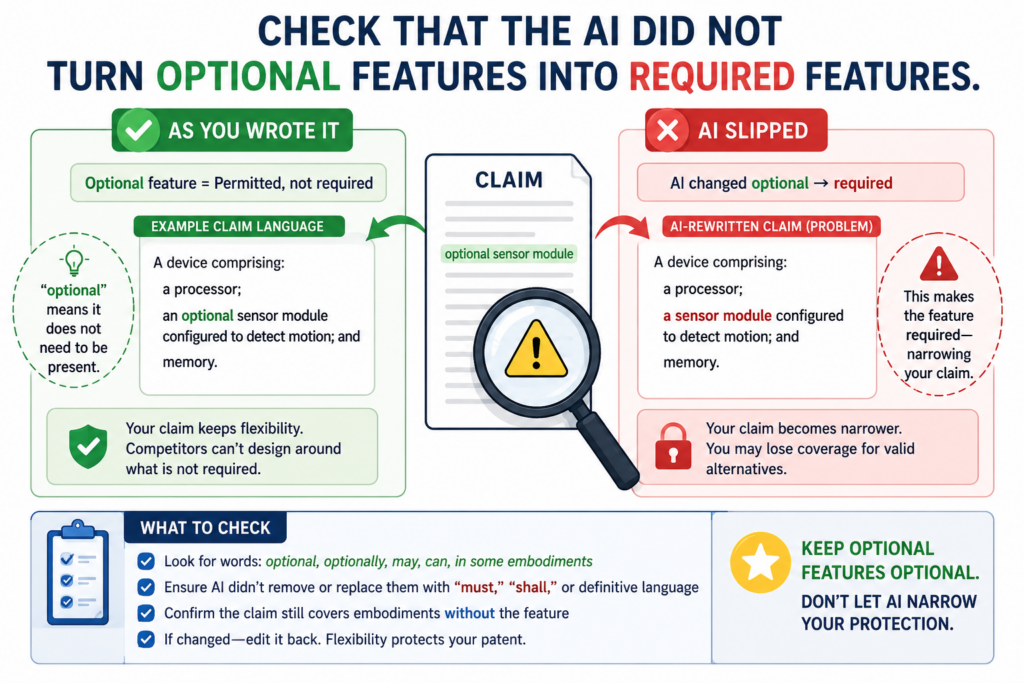
The founder may say the device may include a camera, but the AI makes the camera sound like part of every version.
The draft may mention one example where data is stored in the cloud, and the AI may make cloud storage sound central to the invention.
This can hurt patent value because patents often need room. Your first product may use one design, but the invention may be broader than that design.
If the draft makes every optional part sound required, the patent may protect less than it should. It may give competitors a path to design around you by leaving out one feature that was never truly needed in the first place.
The danger is not just that AI invents facts. Sometimes it takes real facts and puts them in the wrong place. A real feature can still cause harm if the draft treats it as required when it is only one example.
The AI should sort each feature into core, optional, example, or future.
A strong review should ask what role each feature plays in the invention. Some features are core. Without them, the invention does not work. Some features are optional.
They help in some versions but are not always needed. Some features are examples. They show one way to build the invention. Some features are future ideas. They may matter later, but they are not part of the current build.
AI can help sort these features, but only if the prompt asks for that task directly. Do not ask whether the draft “looks broad.”
Ask the AI to identify each technical feature and state whether the draft presents it as required or optional. Then compare that against the source file and founder knowledge.
This review often reveals narrow wording. The draft may say, “The system includes a camera,” when it should say that one version may include a camera.
The draft may say, “The method stores the data in a cloud database,” when local storage could also work. The draft may say, “The model is trained using labeled images,” when the broader idea may also work with other labeled data.
Optional features should support the invention without shrinking it.
Optional features are not bad. In fact, they can make the draft stronger when used well. They give examples. They show depth.
They help explain different versions. They may create backup positions if the broad idea is challenged. But they must be placed carefully.
A good draft makes it clear when a feature is only one way to build the invention. That helps keep the door open for other designs.
It also helps the attorney shape claims with the right scope. The broad claim can focus on the core idea, while narrower claims can cover useful versions.
AI can help find places where the draft gets this wrong. Ask it to search for language that turns examples into limits.
Words like “must,” “requires,” “only,” “always,” and “necessary” should be checked. They may be correct in some places, but they should never slip in by accident.
This is where founder control matters. You know what parts of the invention are truly needed.
Your attorney knows how to protect those parts with care. AI can help organize the review, but it should not decide what is core.
PowerPatent helps founders keep that control while still moving fast.
The platform helps capture invention details and supports a workflow where AI helps, but real attorney review keeps the patent plan grounded. See how it works here: https://powerpatent.com/how-it-works
Use a Human Checkpoint Before Any AI Suggestion Enters the Draft.
AI suggestions should not flow straight into a patent draft without a human checkpoint. This is one of the most important habits a team can build. The faster the tool, the more careful the gate must be.
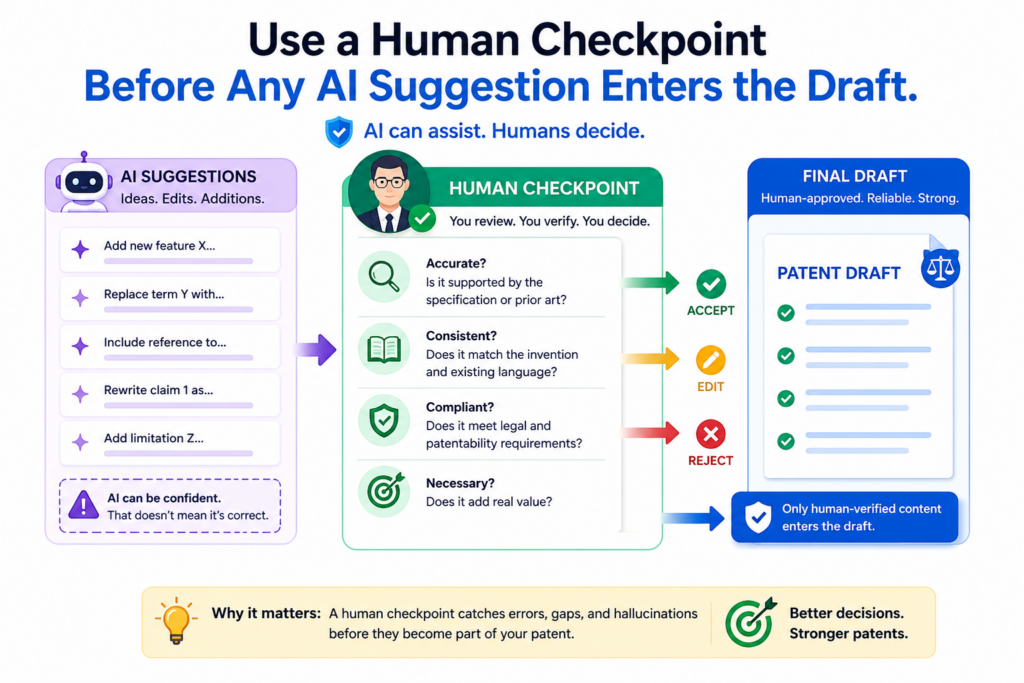
AI can produce many edits in seconds, but speed can hide risk. A bad edit can look smooth, and once it enters the draft, it may be hard to notice later.
A human checkpoint does not need to be slow. It just needs to be real. Someone who understands the invention should review each technical change before it becomes part of the working draft.
That person may be a founder, engineer, product lead, or patent attorney. The key is that the reviewer must know what the invention actually does.
The checkpoint should focus on truth first. Does the change match the source file? Does it match the product? Does it match the prototype?
Does it match the claim plan? Does it add a feature that is not real? Does it remove a detail that matters? Does it make a result sound proven when it is not?
Human review should protect the invention from smooth but wrong language.
AI is very good at making text sound clean. That is part of the risk. A messy sentence often gets attention because it looks wrong.
A smooth sentence can slip by because it feels finished. But a smooth sentence that changes the invention is worse than a rough sentence that tells the truth.
For example, a founder may write, “The app sends a warning when the score is high.” AI may change that to, “The app prevents unsafe operation when the score exceeds a threshold.”
That sounds stronger, but it may not be true. Sending a warning is not the same as preventing operation. A warning gives information. Prevention takes control. That difference can matter a lot.
The human checkpoint catches this kind of shift. It asks whether the AI made the sentence clearer or changed what the system does. That question should be asked again and again.
The best checkpoint is simple enough that the whole team can use it.
A good checkpoint should not feel like a legal exam. It should be easy for an engineer or founder to apply.
For each AI suggestion, ask whether the change is true, whether it is supported, whether it changes scope, and whether it should be reviewed by the attorney. Those four ideas can stop many problems.
The checkpoint should also protect important technical words. If the AI changes “score” to “probability,” that may matter. If it changes “classify” to “predict,” that may matter.
If it changes “image frame” to “video stream,” that may matter. Technical teams know these differences. The review process should make space for them.
This is also why the final patent draft should not be built by AI alone. Patent work needs judgment. It needs context. It needs a clear view of what the company is building now and where it may go next.
AI can speed up the review, but people must decide what belongs in the draft.
PowerPatent gives founders a better way to work through this. The platform is designed to help capture technical detail, reduce delays, and keep attorney oversight in the loop.
That means founders can move faster without giving up the human judgment that strong patents need. Learn more here: https://powerpatent.com/how-it-works
Create a Version History So Every AI Edit Can Be Traced Back.
A patent draft should have a clear version history. This is especially important when AI is part of the review process. Without version history, it becomes hard to know where a sentence came from.
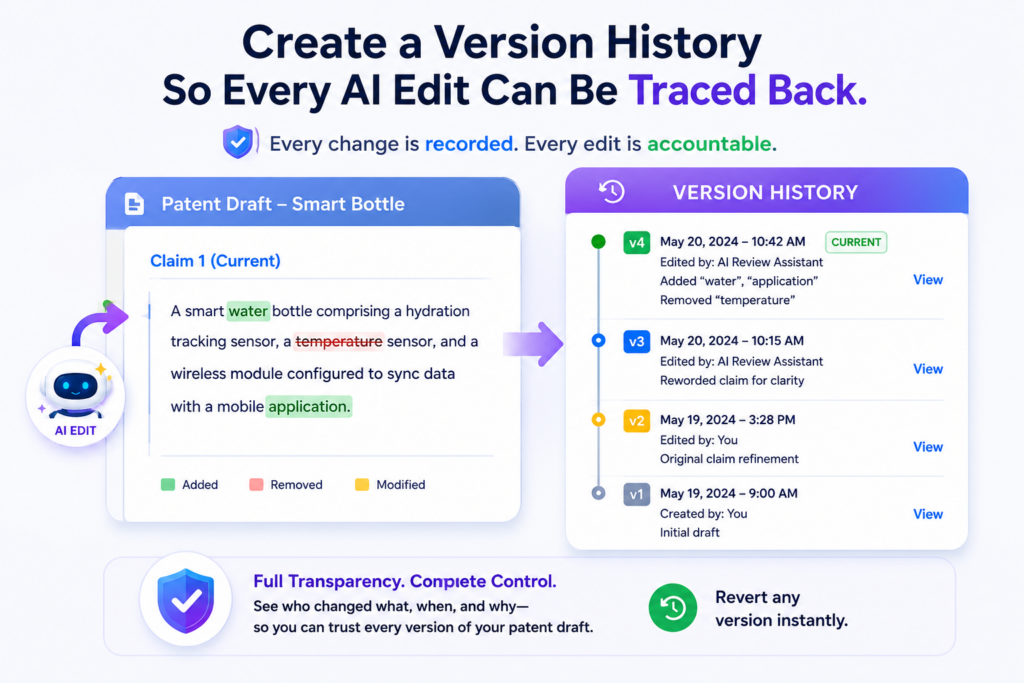
Was it written by the founder? Was it added by AI? Was it changed by an attorney? Was it copied from source notes? Was it based on test data? If the team cannot answer those questions, the draft becomes harder to trust.
Version history creates accountability. It gives the team a record of changes. It helps reviewers see what was added, removed, or rewritten.
It also makes it easier to catch hallucinations because every AI edit can be checked against the source material.
This does not need to be complex. The team can use a working document with tracked changes, comments, clear labels, and dated notes.
The important point is that AI edits should not disappear into the draft as if they were always there. They should be visible until a human approves them.
Traceability keeps the review clean when many people are involved.
Patent drafting often involves several people. A founder may explain the invention. An engineer may add technical details. An AI tool may flag gaps.
A patent attorney may shape the draft. A product person may clarify use cases. When all of these voices feed into one document, traceability matters.
If there is no clear record, the team may waste time debating where a detail came from. One person may think the system uses a certain step because it appears in the draft.
Another person may say that step was only a possible future feature. The attorney may have to pause and ask for more detail. This slows down filing and can create stress at the worst time.
A version history prevents that. It lets the team look back and see when a line was added and why. If a sentence came from AI, the team can check whether it was approved.
If a result claim came from a founder note, the team can find that note. If a claim term changed during review, the team can see who changed it.
Every AI edit should have a reason before it becomes part of the draft.
A useful AI edit should not just be accepted because it sounds better. It should have a reason. Maybe it makes the sentence clearer. Maybe it fixes a mismatch.
Maybe it removes an unsupported claim. Maybe it points out a missing example. Maybe it brings the claim language closer to the detailed description.
When each edit has a reason, the team can review faster and with more confidence. The attorney can see which changes are simple and which need judgment.
The founder can focus on technical truth instead of reading the whole draft from scratch each time. The AI becomes part of a controlled process, not a loose writer making hidden changes.
This also protects the company as the invention changes. Startups move fast. The product may change between the first draft and the filing date.
A version history helps the team update the patent draft without mixing old facts with new facts. It shows what changed and what still needs review.
For founders, this habit is more than document cleanup. It is a way to protect the value of the invention. A draft with clear support, clear edits, and clear human approval is much stronger than a draft that was patched together in a rush.
PowerPatent helps founders move through this with more order and less stress. The platform brings structure to the patent process while keeping real attorney oversight where it matters most.
That is how AI becomes a speed tool, not a risk engine. You can explore how PowerPatent works here: https://powerpatent.com/how-it-works
Use a Claim Map So the AI Cannot Hide Weak Support.
A claim map is one of the best ways to keep an AI-reviewed patent draft honest. It connects each claim idea to the part of the draft that supports it.
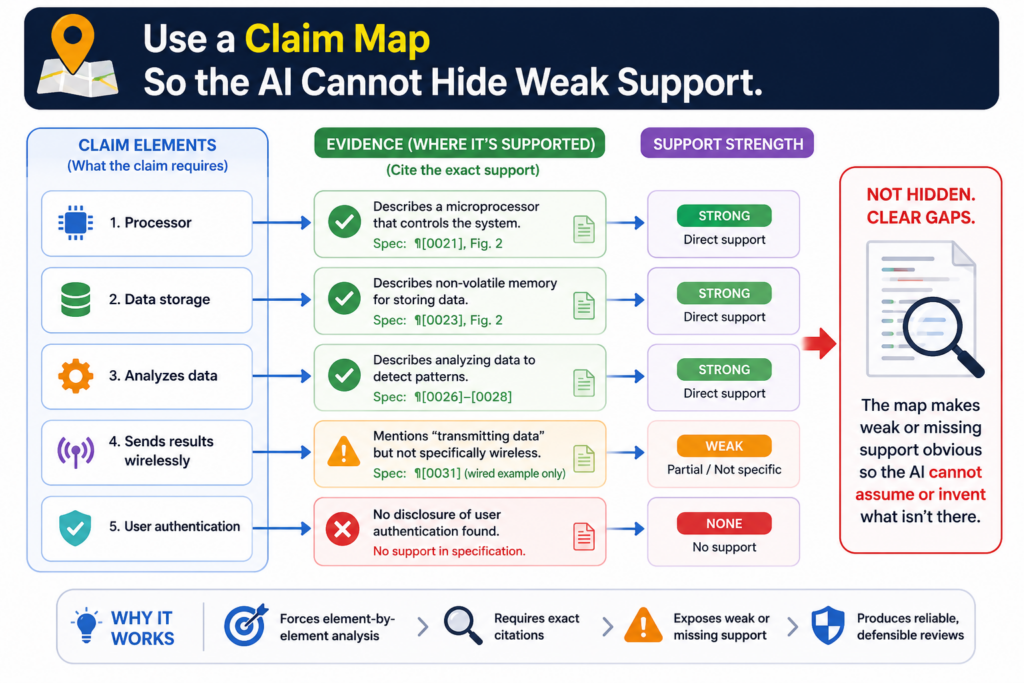
This makes it much harder for a made-up feature to sneak into the claims. It also helps founders see whether the draft protects the real invention or only sounds like it does.
A claim map does not need to be hard to use. Think of it as a simple match between what the claim says and where that idea appears in the rest of the draft. If the claim says the system receives sensor data, the draft should explain the sensor data.
If the claim says the model updates a risk score, the draft should explain how the score is updated. If the claim says the device controls a machine, the draft should explain what kind of control happens.
The point is not to turn founders into patent lawyers. The point is to make the draft visible. A claim should not be a mystery.
A founder should be able to read a plain version of the claim and understand what it is trying to cover.
A claim map turns AI review into a fact-checking job.
Without a claim map, AI may review claims in a loose way. It may say the claims are “clear” or “well supported,” but that is not enough.
You need the AI to show where each claim idea comes from. That turns the review from a style check into a support check.
For example, the AI can be asked to take one claim at a time and match each major step to a paragraph in the draft. If it cannot find support, it should flag the issue.
If the support is weak, it should say what is missing. If the claim uses a word that does not appear anywhere else in the draft, it should call that out.
This is where many hallucinations are caught. The claim may include a “prediction engine,” but the draft may only describe a scoring rule.
The claim may mention “encrypted user data,” but the source notes may never mention encryption. The claim may include “real-time adjustment,” but the product may only update once per hour.
The best claim map also checks whether the claim is too narrow.
Hallucinations are not only about fake details. Sometimes the bigger problem is that AI adds real but narrow details into the wrong place.
A claim may include one example as if it were required. That can make the claim weaker because it protects less.
A claim map helps catch this. When you map each claim part to the invention story, you can ask whether that part is core or optional.
If the claim requires a camera, but the invention can work with other sensors, that should be reviewed.
If the claim requires cloud storage, but the system can work locally, that should be checked. If the claim requires one data format, but other formats can work, that may be too tight.
AI can help create this map, but a human must review it. The founder knows the invention. The attorney knows how to shape protection. The AI can help organize the work, but it should not decide the final scope.
This is why PowerPatent is built around both software and real attorney oversight. The software helps founders move faster and see the invention more clearly.
Attorney review helps make sure the patent path is not built on weak or made-up details. You can learn how the process works here: https://powerpatent.com/how-it-works
Make the AI Explain What It Is Unsure About Instead of Guessing.
A good AI review should not sound certain all the time. In fact, too much certainty can be a warning sign.
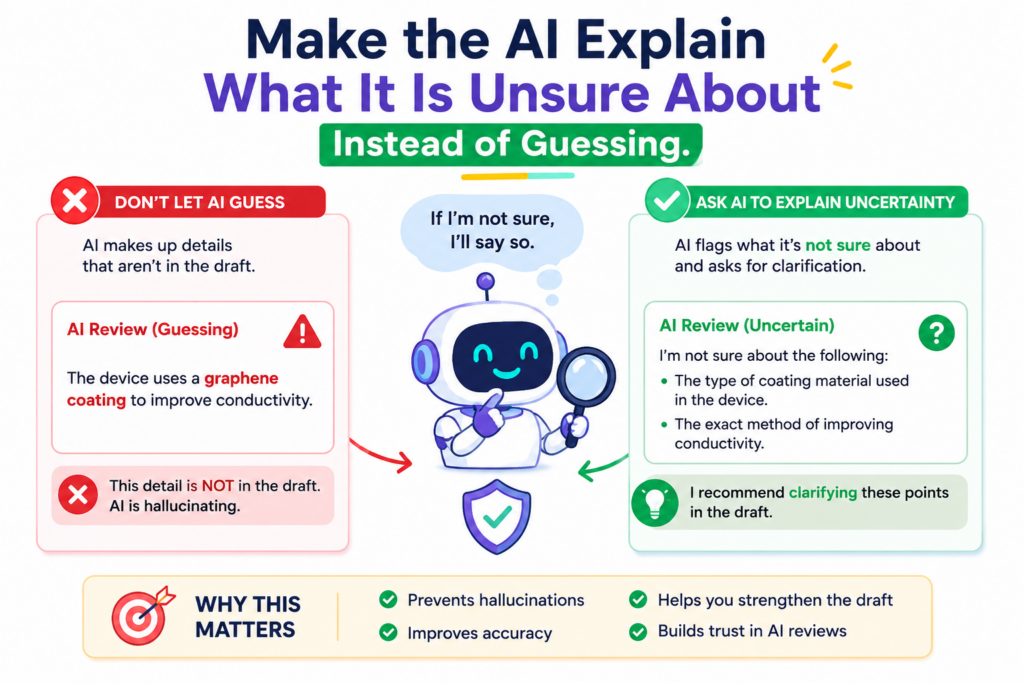
Patent drafts have many parts that require judgment. If the AI acts like every answer is obvious, it may be hiding weak support, missing facts, or making guesses.
The safer path is to ask the AI to state what it is unsure about. This changes the review in a useful way.
Instead of forcing the AI to produce a polished answer, you are forcing it to show the gaps. Those gaps are often the most valuable part of the review.
For a founder, uncertainty is not a bad thing. It is a signal. It tells you where the draft needs more detail.
It tells you where the attorney may need to focus. It tells you where your team may need to explain the invention in clearer terms.
Unclear areas should become founder questions, not AI-made answers.
When AI finds a gap, it may be tempted to fill it. That is exactly what you want to prevent. If the draft does not explain how a score is calculated, the AI should not invent a formula.
If the draft does not say where data is stored, the AI should not assume cloud storage. If the draft does not explain how a device is powered, the AI should not add a battery.
Instead, the AI should turn each gap into a question. The question should be simple and direct. It should ask what is missing in plain language. For example, it may ask whether the score uses a fixed rule or a trained model.
It may ask whether the sensor data is raw or filtered. It may ask whether the alert is shown to a user, sent to another system, or used to control a device.
Those questions help the founder give better input. They also reduce the chance that the draft will be filled with guesses.
A strong uncertainty log keeps the draft clean.
An uncertainty log is a simple place where the team records open questions.
It can include questions from AI, questions from the attorney, and questions from the founder. The key is that uncertain points stay visible until someone answers them.
This is much safer than burying uncertain ideas inside the draft. If the AI is not sure whether a feature is required, that should not become a claim limitation by accident.
If the team is not sure whether a benefit has test support, that benefit should be marked for review. If a future use case is possible but not yet real, that should be labeled clearly.
An uncertainty log also helps your attorney work faster. Instead of reading a polished but unclear draft and trying to guess what needs attention, the attorney can see the exact questions that need judgment.
This makes the process cleaner and more focused.
PowerPatent helps founders avoid the old slow back-and-forth by giving structure to the invention capture and review process. AI can help find gaps, but attorney oversight helps decide what those gaps mean for the patent.
That is how founders can move faster without letting uncertainty turn into made-up content. See how PowerPatent works here: https://powerpatent.com/how-it-works
Compare the Draft Against the Product Before You Compare It Against Other Patents.
Many teams want to use AI to compare their patent draft against other patents right away. That can be useful later, but it should not be the first check.
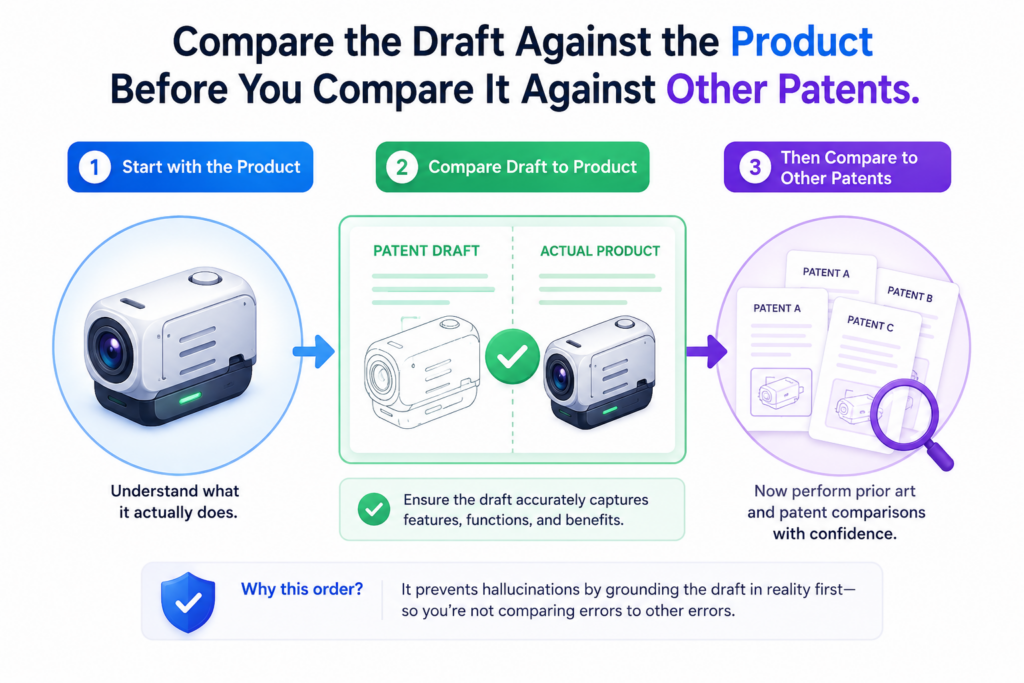
The first check should be against your own product, prototype, code, model, hardware, workflow, or test setup.
This matters because the draft must first be true to your invention. If it is not, outside comparisons may only make the problem worse.
AI may pull in language from similar patents and make your draft sound more like everyone else’s work.
It may add standard terms from the field. It may push the draft toward what is common instead of what is special about your build.
A strong patent starts with the real invention. That means the draft should be checked against the system your team actually made or plans to protect. Only after that should you look outward.
Product-first review keeps the invention from becoming generic.
AI tends to move toward patterns. If many inventions in your field use a certain phrase, AI may use that phrase too.
If many systems include a certain part, AI may assume your system does as well. This can make your patent draft sound normal, but normal is not the goal.
The goal is to capture what your team did differently. Maybe your model uses less data. Maybe your device works in a harsh setting. Maybe your system reduces a manual step.
Maybe your method makes a better choice with fewer inputs. Maybe your invention solves a small but painful problem that others ignored.
Those details often come from the product, not from other patents. They come from the build. They come from the hard tradeoffs your team made.
They come from the bug that forced a better design. They come from the test that showed one method worked and another failed.
Outside patent review should not rewrite the invention story.
There is a place for comparing your draft with other patent material. It can help find common language, possible gaps, and areas where your invention may need clearer separation.
But this should be done carefully. The AI should not copy the shape of other patents into your draft.
It should not import features just because they appear in similar filings. It should not make your invention sound broader, narrower, or different based on outside text.
The best use of outside review is to ask what must be clarified. If similar patents use cloud training and your invention uses local training, that difference should be made clear.
If similar systems need manual setup and yours avoids that step, the draft should explain how. If others use three sensors and your invention works with one, that may be important.
This type of review keeps the focus where it belongs. The outside world can help sharpen the story, but it should not replace the story.
PowerPatent gives founders a better path here because it helps organize the invention before the drafting process gets buried in legal form. The platform is made for teams that want to protect what they are building without slowing down.
Smart software helps move the work forward, and real attorney oversight helps keep the draft grounded. You can explore the workflow here: https://powerpatent.com/how-it-works
Conclusion
Avoiding hallucinations in AI-reviewed patent drafts comes down to one simple rule: let AI help, but never let it guess. Keep the draft tied to real source notes, real product details, real test data, and real human review.
Use AI to find gaps, check support, flag risky words, and ask better questions, not to invent features or make the invention sound bigger than it is.
For founders, this means faster patent work without losing control. PowerPatent brings smart software and real attorney oversight together so your ideas stay clear, accurate, and protected. Learn how it works here: https://powerpatent.com/how-it-works
Leave a Reply