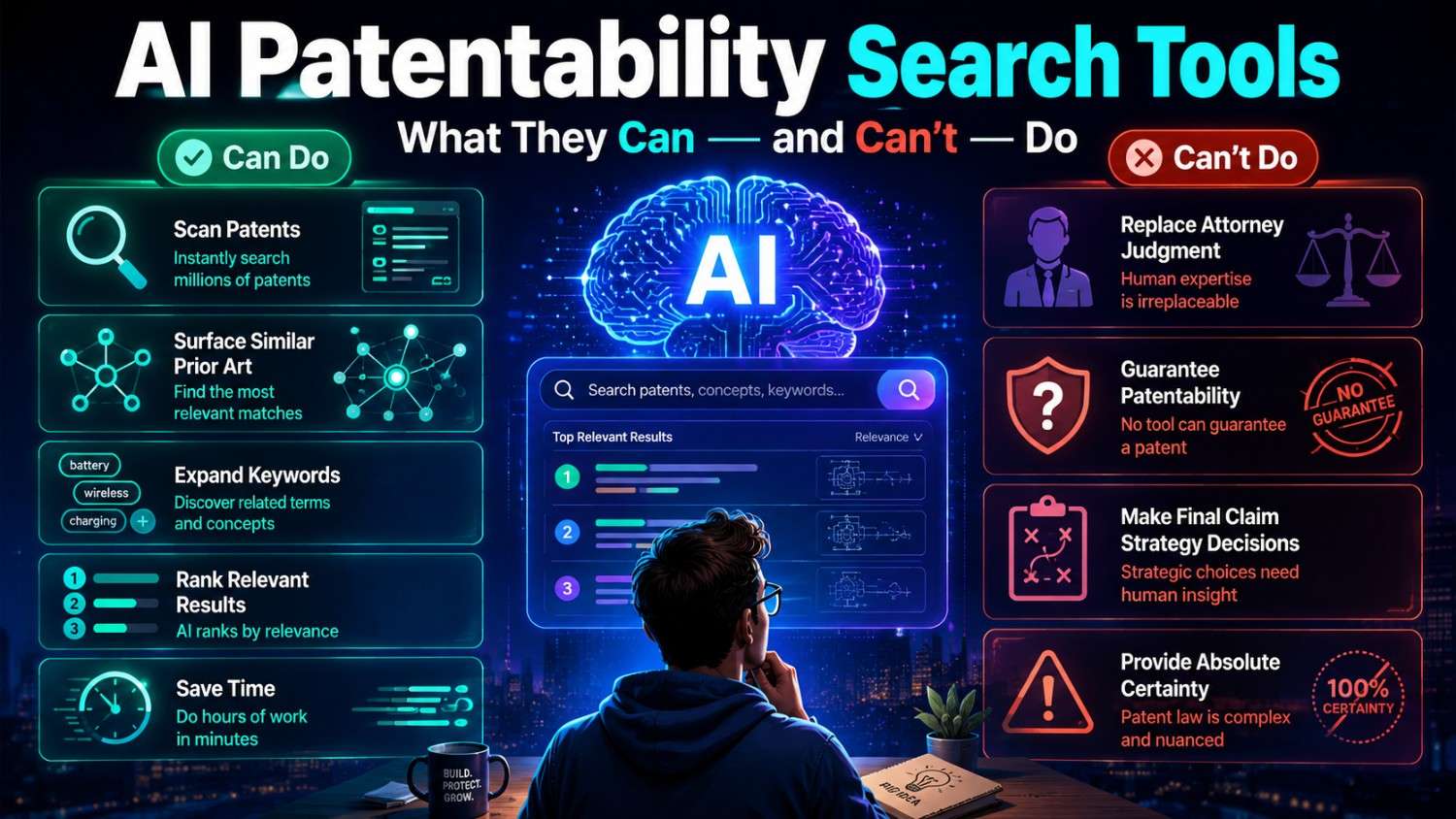
AI patentability search tools can save time.
They can also create false confidence if you use them the wrong way.
That is the whole tension.
For founders, engineers, and inventors, AI can make patent search faster, clearer, and less painful. But it cannot replace good invention capture, careful review, or real patent attorney judgment.
This guide explains what AI patentability search tools can do, what they cannot do, and how to use them wisely before you file.
If you want a faster way to turn your invention into an attorney-reviewed patent filing, PowerPatent helps founders combine smart software with real patent oversight. See how it works here: https://powerpatent.com/how-it-works
What a Patentability Search Is Really For
A patentability search is a search for old public information that may affect whether your invention can be patented.
That old public information is called prior art.
It can include patents, patent applications, research papers, product pages, GitHub repos, YouTube demos, manuals, datasheets, blog posts, standards, technical reports, and more.
The goal is not to find every document in the world.
No one can promise that.
The goal is to find the closest known work before you spend time and money filing.
A good search helps answer practical questions.
What already exists?
What parts of your invention look old?
What parts still look new?
Which features may be worth claiming?
Which claims may be too broad?
Which details should be added to the filing?
Which invention in your product is actually the strongest one?
That last question matters a lot.
Many founders start with a broad product idea. They think the invention is “AI for sales,” “robotic picking,” “smart battery safety,” or “clinical automation.” A search often shows that broad idea is not new.
But inside that product, there may be a specific technical move that is new and valuable.
A patentability search helps find that move.
AI tools can help with this process because search is full of language, sorting, and comparison work.
But the search is not the final legal answer.
It is a tool for better decision-making.
Why AI Patentability Search Tools Are Getting Attention
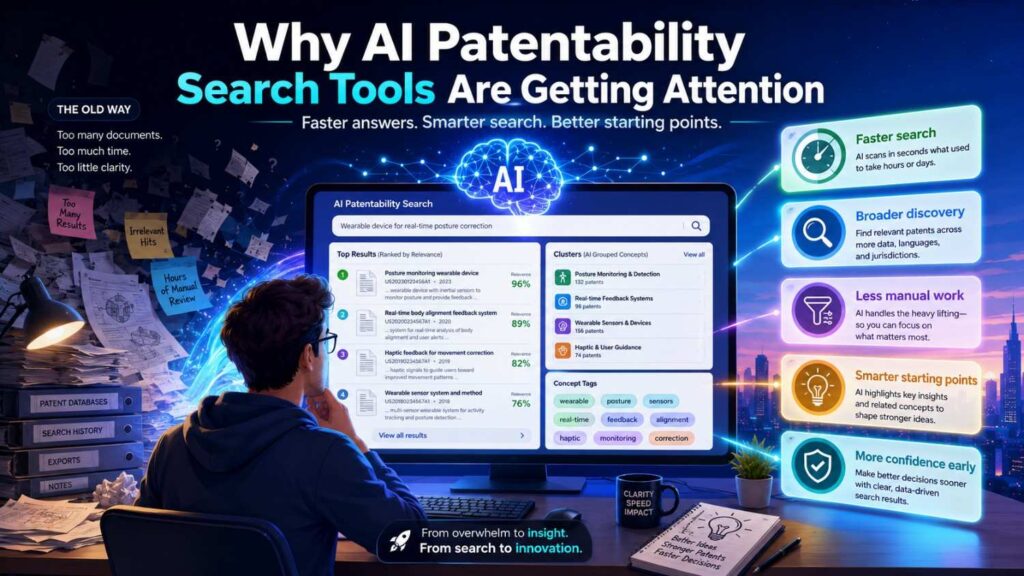
Patent search used to be hard to start.
You had to know the right databases. You had to guess the right words. You had to understand patent language. You had to read long documents. You had to sort through noisy results. You had to compare references to your invention by hand.
That is a lot for a busy startup team.
AI tools make the first steps easier.
You can describe your invention in normal words. The tool can suggest search terms. It can find similar patents. It can summarize long references. It can cluster results. It can show related concepts. It can help compare a source to your invention.
This is useful.
It lowers the starting cost.
It helps founders search earlier.
It helps engineers share what they built.
It helps patent teams review more information faster.
But attention can turn into hype.
Some teams start to think, “If the AI tool says nothing close exists, we are safe.”
That is dangerous.
AI tools are helpful, but they are not all-knowing. They may miss sources. They may misunderstand your invention. They may search only some databases. They may miss non-patent literature. They may rank the wrong result as important. They may summarize a close reference too loosely.
Used well, AI is a force multiplier.
Used blindly, AI is a shortcut that can lead you into trouble.
PowerPatent is built around the better path: smart software plus real patent attorney oversight. Learn how it works here: https://powerpatent.com/how-it-works
What AI Patentability Search Tools Can Do
AI tools are strong at helping with the messy early parts of search.
They can take a plain-language invention description and create search paths. They can suggest patent-style terms. They can find synonyms and older phrases. They can identify nearby technical fields. They can search by meaning, not only by exact words. They can summarize long documents. They can compare features. They can help prepare notes for attorney review.
That is a lot.
For a startup, this can change the speed of the process.
Instead of waiting until the end of product development, your team can run a smart early screen while the invention is still fresh. Instead of handing a vague product pitch to a patent attorney, you can bring a clearer invention summary and a short list of close sources.
That makes the whole process better.
AI tools are also useful because inventors often describe things differently from patents.
An engineer may say “retry logic.”
A patent may say “failure recovery operation.”
A founder may say “AI review assistant.”
A paper may say “document classification with feedback.”
A GitHub repo may say “review_bot.”
AI can help connect these different names.
That is one of its biggest strengths.
The same idea can hide behind many words. AI helps you search beyond your first words.
AI Can Help Turn a Product Pitch Into Searchable Invention Parts
Founders often explain inventions in market language.
That is normal.
You are used to talking to customers, investors, and partners.
But patent search needs technical parts.
If you say, “We built an AI platform for supply chain risk,” that is too broad for a serious search.
AI can help break it down.
It may ask what data goes in, what the system predicts, what action it takes, what improves, and where it runs.
Maybe the invention is not “AI supply chain risk.”
Maybe it is a system that combines supplier delay signals, weather data, port congestion, purchase order timing, and factory inventory to reroute orders before a shortage happens.
That is much more searchable.
AI can help identify the problem, setting, inputs, process, output, and improvement.
Those pieces become search paths.
This is very useful because the first version of an invention description is often too vague.
A better description leads to better search.
A better search leads to better filing choices.
Why Product Pitches Hide the Real Patent Story
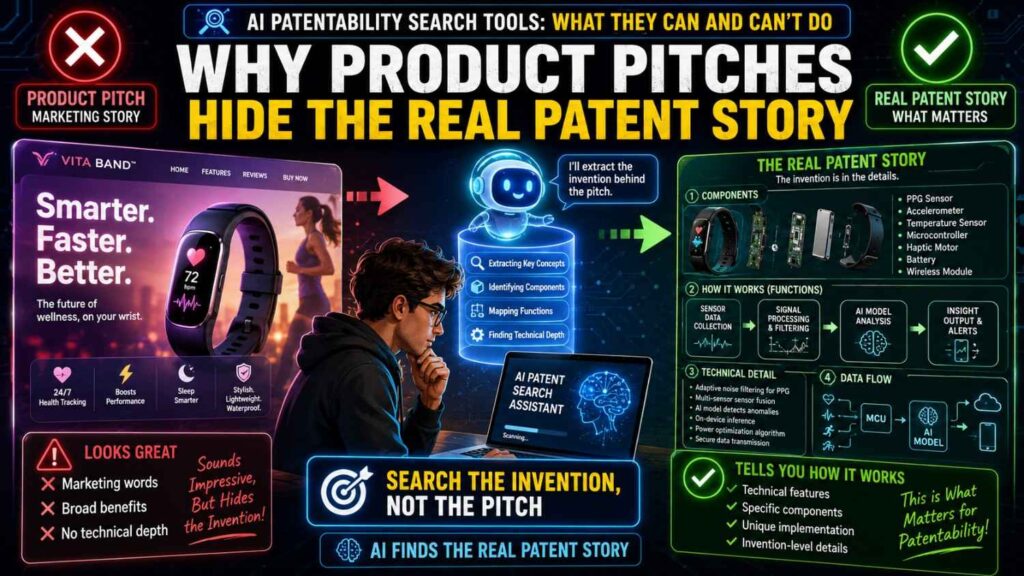
A product pitch is built to be simple.
It removes detail so buyers can understand the value fast.
That is good for sales. It is not enough for patent search.
A pitch may say, “We help hospitals reduce admin work.”
The real invention may be a way to match doctor speech, chart data, billing rules, and prior note edits to find missing documentation before submission.
A pitch may say, “We automate cloud cost control.”
The real invention may be a system that predicts waste by comparing workload patterns, reserved capacity, deployment events, and team ownership, then applies safe rightsizing rules only when risk is low.
A pitch may say, “We make robots safer around people.”
The real invention may be a control loop that changes robot speed based on predicted human path, tool state, and task urgency.
AI helps expose this hidden layer.
It can take the pitch and ask what has been removed. What data is being used? What decision is being made? What step is automatic? What rule prevents a bad action? What technical result improves?
This matters for businesses because the patent value is rarely in the slogan. It is in the specific system that makes the promise true.
Start With the Claim Behind the Claim
Every product pitch makes a claim to the market.
“We are faster.”
“We are safer.”
“We are more accurate.”
“We reduce cost.”
“We remove manual work.”
“We catch problems earlier.”
The patent search should ask a deeper question: what technical thing makes that claim true?
AI can help by turning each market claim into a technical search question.
If the product is faster, ask what step was removed, parallelized, predicted, cached, compressed, or moved closer to the user.
If the product is safer, ask what risk is detected, blocked, checked, scored, isolated, verified, or logged.
If the product is more accurate, ask what new data is used, what noise is filtered, what model is updated, what feedback is captured, or what threshold is changed.
If the product reduces cost, ask what resource is avoided, shared, scheduled, rightsized, reused, or shut down.
This is highly practical.
Before using an AI patentability search tool, write the top three claims your sales team makes about the product. Then ask AI to convert each one into possible technical mechanisms.
Those mechanisms become stronger search targets than the pitch itself.
Separate the Feature From the Engine
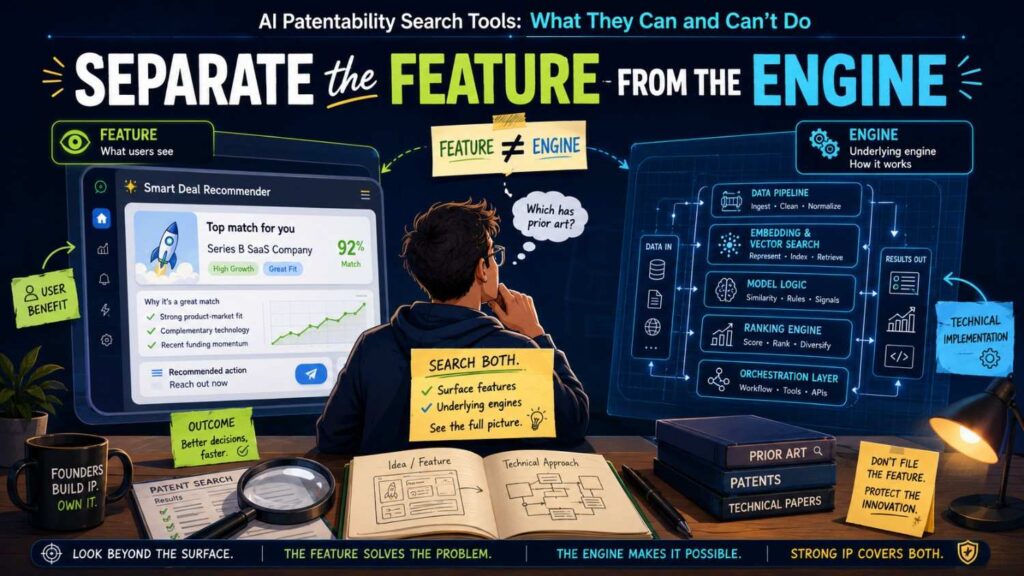
Businesses often confuse a product feature with the engine behind it.
A feature is what the user sees.
The engine is what makes it work.
For patent search, the engine is often more important.
A user may see a “recommended next action.”
The engine may compare user behavior, account health, past outcomes, and timing signals to select that action.
A user may see a “risk score.”
The engine may combine event logs, identity signals, device history, location change, and transaction context.
A user may see a “smart alert.”
The engine may suppress alerts when sensor data conflicts with motion state, recent calibration, or environmental noise.
AI can help separate these layers.
Ask it to create two versions of the invention. One version should describe what the user sees. The other should describe what the system does behind the scenes.
Then search both, but treat the engine as the deeper search path.
This helps businesses avoid filing around a surface feature when the stronger invention is the hidden method.
Map the Product Into a Technical Chain
A product pitch often describes the end result.
A patent search needs the chain that leads to that result.
AI can help map that chain.
For many software and AI products, the chain looks like this:
The system receives data.
It cleans or selects the data.
It compares, ranks, predicts, or detects something.
It applies a rule or threshold.
It triggers an action.
It records the result.
It may learn from feedback.
For hardware, the chain may look different.
The system senses a condition.
It converts that condition into a signal.
It filters or compares the signal.
It changes a physical state.
It prevents failure or improves performance.
It may recalibrate after use.
When AI maps the chain, each link becomes a search point.
This is strategic because the broad end result may be old, while one link in the chain may be new.
For example, “detecting equipment failure” may be old. But selecting a sensor window only after a vibration pattern and temperature drift occur together may be new.
A business should not stop at searching the outcome. It should search the chain.
Find the Decision Point
Many strong inventions have a key decision point.
The system decides whether to alert, route, block, approve, retry, shut down, escalate, update, compress, retrain, or ignore.
That decision point is often where the patentable detail lives.
AI can help find it.
Give AI the product pitch and ask, “Where does the system make a decision that changes what happens next?”
Then ask what information supports that decision.
For example, an AI security product may decide whether to force step-up authentication. The decision may depend on device history, user behavior, transaction value, location change, and session risk.
A battery system may decide whether to trigger a safety response. The decision may depend on gas level change, pressure rise, local temperature gradient, and time since last charge event.
A code review system may decide whether a senior engineer must review a pull request. The decision may depend on service ownership, incident similarity, changed files, test coverage, and customer impact.
Search the decision point deeply.
Search what triggers it, what data supports it, what action follows it, and what happens when the system is uncertain.
This gives businesses a sharper path than broad product searching.
Identify the Control Lever
A control lever is the thing your system changes.
It may change a route, a threshold, a model setting, a physical actuator, a workflow step, a user permission, a resource allocation, or a risk level.
The control lever matters because it connects the invention to real action.
AI can help identify it from a pitch.
For example, a pitch says, “We optimize warehouse robots.”
The control lever may be robot speed, path choice, grip force, task order, charge timing, or collision buffer distance.
A pitch says, “We reduce cloud waste.”
The control lever may be instance size, workload schedule, storage tier, cache policy, reserved capacity, or auto-shutdown timing.
A pitch says, “We improve AI compliance.”
The control lever may be answer blocking, source selection, approval routing, policy matching, model choice, or audit logging.
Once you know the control lever, search becomes more concrete.
Search the lever plus the data that controls it.
This is useful for businesses because control levers are often what competitors must copy to get the same result.
If your patent protects the right control lever, it may better protect the business value.
Turn Customer Language Into Search Language
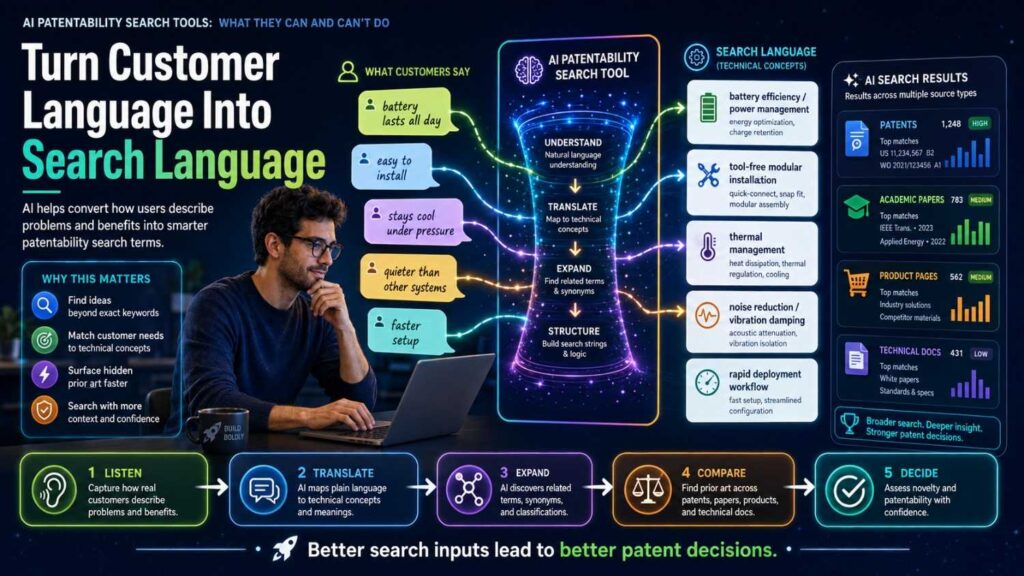
Customer language can be a great starting point, but it needs translation.
Customers say things like:
“We need fewer false alarms.”
“We need to know which issue matters first.”
“We need reviews to move faster.”
“We need safer automation.”
“We need audit-ready answers.”
“We need fewer manual checks.”
AI can translate those pains into search language.
“Fewer false alarms” may become false positive reduction, alarm suppression, context-aware alerting, signal filtering, threshold adaptation, and confidence scoring.
“Which issue matters first” may become priority ranking, risk scoring, impact prediction, queue ordering, severity classification, and triage automation.
“Audit-ready answers” may become source attribution, evidence retrieval, policy validation, decision logging, traceable output generation, and compliance workflow.
This is helpful because public prior art may use customer language in product pages and technical language in papers or patents.
A strong search uses both.
Businesses should collect the exact phrases customers use in sales calls, support tickets, and pilots. Then use AI to convert those phrases into technical search terms.
This turns market learning into patent strategy.
Connect Search Parts to Business Risk
Not every invention part deserves the same search depth.
Some parts are central to the business. Some are minor. Some are easy for competitors to copy. Some are hidden. Some will be public soon. Some drive revenue. Some are just implementation details.
AI can help rank invention parts by business risk.
Ask it to split the pitch into technical parts, then label each part by likely business importance.
Which part supports the main customer promise?
Which part is visible in the product?
Which part would a competitor copy first?
Which part is tied to pricing?
Which part helps with compliance, safety, or performance?
Which part will appear in docs, demos, or public pages?
Search the high-risk, high-value parts first.
This keeps the process focused.
A startup does not have endless time. AI can produce many possible search paths, but business judgment should decide which ones matter most.
Use AI to Create a Search Brief
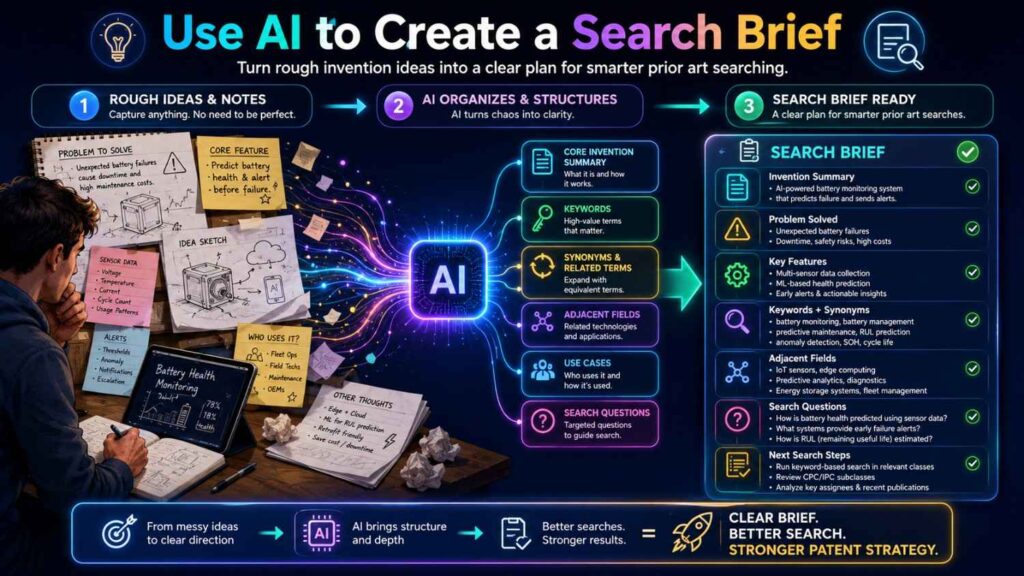
One of the most useful outputs is a short search brief.
A search brief is not a legal memo. It is a practical guide for what to search.
It should include the plain product pitch, the technical invention summary, the key data inputs, the core process, the decision point, the control lever, the technical improvement, the business value, and the first search paths.
AI can draft this from founder and engineer notes.
Then the team can review it before searching.
This step prevents wasted effort.
If the search brief says the invention is about “AI scheduling,” but the engineers say the real invention is “safe rescheduling under machine downtime risk,” you can fix the search before running it.
A good search brief aligns product, engineering, and patent counsel.
It makes sure everyone is searching the same invention.
Ask Better Questions Before You Search
AI tools work best when you ask sharp questions.
Before starting the search, businesses can use questions like these:
What is the smallest technical step that makes the product promise true?
What data does the system use that a basic version would not use?
What decision does the system make without a human?
What action changes because of that decision?
What hard constraint does the system handle?
What would a competitor need to copy to match our result?
What part will be visible in a demo, product page, API doc, or customer workflow?
What part is hidden but central to performance?
What part did engineers struggle with most?
What part would we be upset to see a competitor launch next quarter?
These questions are simple, but they are powerful.
They turn a pitch into search-ready invention parts.
They also help the business decide what deserves patent attention.
A Practical Team Exercise
Gather one founder, one product lead, and one engineer.
Take the product pitch and ask each person to describe the invention in one sentence.
The founder will likely describe the market value.
The product lead will likely describe the user workflow.
The engineer will likely describe the system behavior.
Give all three versions to AI.
Ask it to merge them into a technical invention map with problem, inputs, steps, decision point, output, improvement, constraints, and business value.
Then ask AI to create search paths for each part.
This exercise can reveal gaps fast.
The founder may learn that the patentable idea is not the broad platform. The engineer may realize a hidden workaround is the real asset. The product lead may point out that a visible workflow needs protection before launch.
In less time than a long meeting, the team can move from pitch language to a sharper search plan.
The Best Output Is Not More Words
AI can generate a lot of text.
That is not the goal.
The goal is better focus.
A useful AI output should help the business answer a few clear questions.
What is the actual invention?
What parts should we search first?
What terms should we use?
What sources should we check?
What prior art would be most dangerous if it exists?
What part of the invention may be most valuable to claim?
If the AI output does not answer those questions, ask for a tighter version.
For patentability search, clarity beats volume.
From Pitch to Patent Strategy
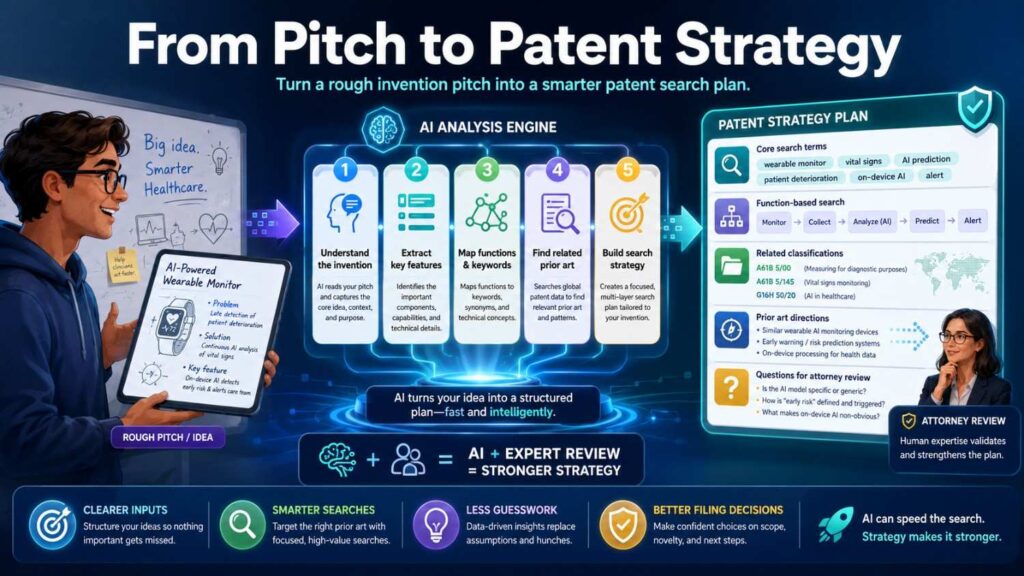
The move from product pitch to searchable invention parts is not just a search step.
It is the start of patent strategy.
Once the invention is broken into parts, the business can make smarter choices.
It can decide what to file now, what to keep as a trade secret, what to search more deeply, what to disclose publicly, and what to hold back until a filing is ready.
It can also avoid filing around weak slogans.
A patent based on a vague pitch may look broad, but it often lacks strength.
A patent based on a clear technical mechanism, tied to business value and searched against the right sources, has a much better chance of becoming a useful asset.
That is why this step matters.
AI helps businesses move from “Here is what we sell” to “Here is what we built that may be protectable.”
That shift can change the quality of the whole patent process.
AI Can Suggest Better Search Terms
A search is only as good as the words and concepts behind it.
AI can suggest better terms quickly.
For example, if your invention is a system that checks whether an AI answer is backed by approved company documents, AI may suggest terms like document-grounded answer generation, source verification, retrieval-based response validation, policy-based response control, enterprise knowledge grounding, and confidence-based answer suppression.
Those terms are much better than only searching “AI answer checker.”
If your invention is a battery fault system, AI may suggest thermal runaway detection, battery vent gas sensing, electrolyte vapor monitoring, pressure-based fault detection, temperature gradient analysis, sensor fusion, and battery management safety.
If your invention is a code review tool, AI may suggest pull request risk scoring, change impact analysis, reviewer recommendation, source code defect prediction, service ownership mapping, incident similarity, and deployment risk.
This term expansion matters because prior art rarely uses your exact wording.
Patent writers use one set of words.
Researchers use another.
Developers use another.
Product teams use another.
AI can help you search across all of them.
AI Can Search by Meaning
Traditional search often depends on exact words.
AI can search by meaning.
That means it can find documents that describe similar ideas even if the words are different.
This is useful in patent work because patent language can be broad and strange.
Your team may say “detects a battery leak.”
A patent may say “determines an abnormal condition in an energy storage system based on sensor output.”
Your team may say “routes support tickets to the right engineer.”
A patent may say “assigns a service request to a responsible entity based on context data.”
Your team may say “checks AI answers against approved sources.”
A paper may say “grounded generation with retrieval and evidence verification.”
Meaning-based search can connect these.
It is not perfect.
But it can uncover results that keyword search misses.
For founders, this is one of the most valuable parts of AI patentability search.
It helps you escape your own language.
AI Can Help Find Adjacent Fields
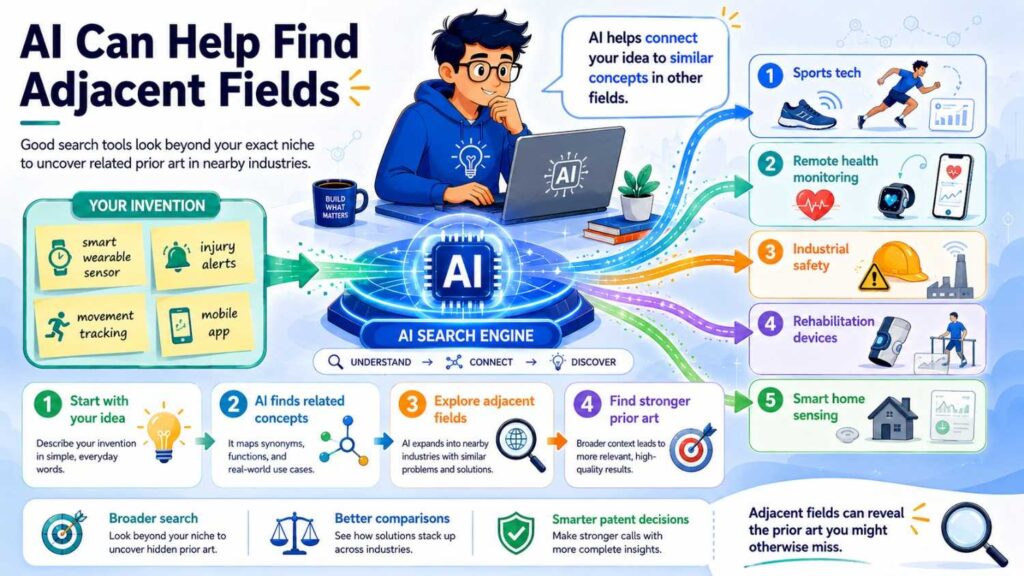
The closest prior art is not always in your exact field.
A method used in industrial sensors may be relevant to medical wearables.
A routing method used in call centers may be relevant to incident response.
A signal filtering method used in aerospace may be relevant to robotics.
A fraud detection method used in banking may be relevant to cybersecurity.
AI can help suggest adjacent fields based on the function of your invention.
This is important because founders often search only their market category.
But patent examiners and competitors may look more broadly.
If the same technical problem was solved in another field, that old work may matter.
AI can help ask, “Where else does this problem appear?”
That question can improve search quality.
It can also improve business strategy.
If many fields have solved a similar problem, your filing may need to focus on your special constraint, setting, or implementation.
If few fields show similar work, that may support a stronger patent story.
AI Can Help Search Non-Patent Literature
Patent databases are important, but prior art is bigger than patents.
AI can help search non-patent literature by suggesting where to look and what terms to use.
For software, that may include GitHub, API docs, engineering blogs, product docs, tutorials, and changelogs.
For AI, that may include papers, preprints, model cards, repos, benchmarks, demos, and technical reports.
For hardware, that may include manuals, datasheets, application notes, teardown videos, supplier catalogs, and standards.
For robotics, that may include lab videos, control code, papers, simulation files, and demo pages.
For cybersecurity, that may include tools, CVE writeups, standards, conference talks, and open-source scanners.
AI can help map these sources.
It can also help turn one invention into source-specific search terms.
For example, the patent term may be “context-based alert generation.” The GitHub term may be “alert_router.” The product doc term may be “smart escalation.” The YouTube term may be “incident routing demo.”
AI can help you search all of those worlds.
This is a major advantage for modern startups.
AI Can Summarize Long References
Patents are long.
Papers are long.
Manuals can be long.
Repos can be messy.
AI can summarize them quickly.
This helps with triage.
Instead of reading every result deeply, you can use AI to get a first-pass view.
What problem does this reference solve?
What method does it use?
What inputs and outputs are shown?
What figures or examples seem close?
What parts may matter to our invention?
This can save a lot of time.
But there is a key rule.
Do not rely on a summary for close art.
If a reference looks close, someone needs to read it carefully.
AI summaries are useful for sorting. They are not a substitute for review.
Small details can matter in patent work.
A summary may miss them.
AI Can Rank Results by Relevance
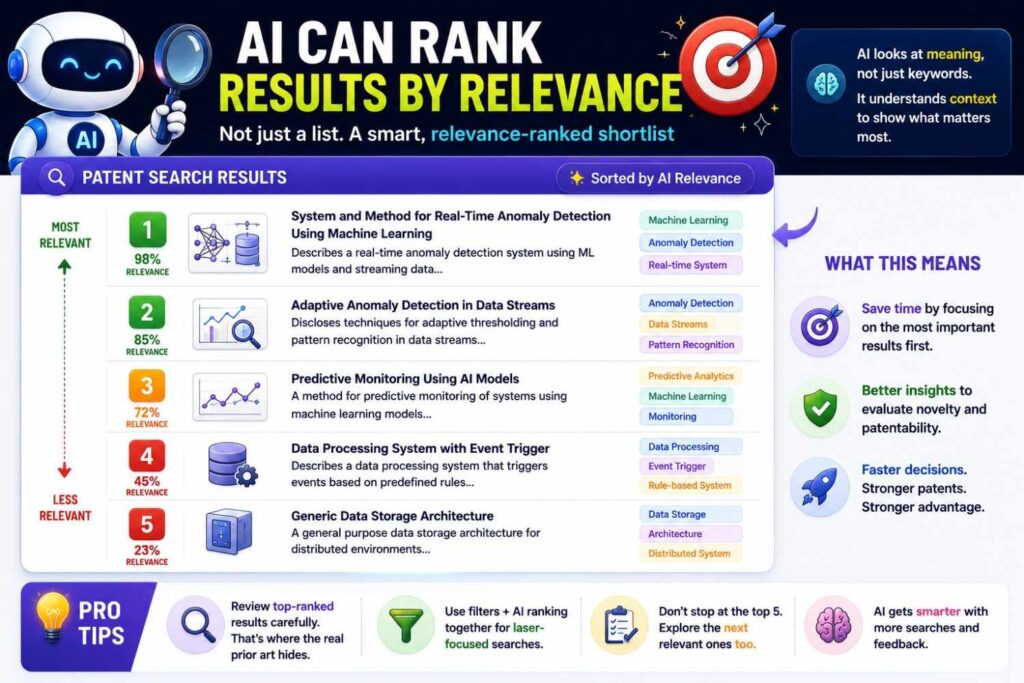
Search can return too many results.
AI can help rank them.
Instead of sorting only by keyword match, AI can compare each result to your invention description.
It may rank sources higher if they share the same problem, input, method, output, setting, or improvement.
This helps you focus.
A document with the exact keyword may be less relevant than a document with different words but the same technical idea.
AI can help spot that.
For busy founders, this is valuable.
You do not need more results.
You need the right results.
AI can help reduce noise and surface closer references.
Still, ranking is not final.
A lower-ranked result can still matter. A higher-ranked result can still be wrong.
Use ranking as a guide, not a verdict.
AI Can Cluster Results Into Themes
When a search returns many sources, AI can group them into themes.
This helps you understand the field.
For example, a search on battery safety may cluster into gas sensing, temperature monitoring, pressure detection, cooling control, cell balancing, enclosure design, and emergency shutdown.
A search on AI contract review may cluster into clause extraction, risk scoring, redline suggestion, playbook rules, document retrieval, human feedback, and audit logs.
A search on code review automation may cluster into reviewer recommendation, defect prediction, test selection, dependency graphs, incident analysis, and deployment risk.
These clusters help you see where your invention fits.
They also help you spot crowded areas.
If one cluster has many close sources, your filing may need to be more specific there.
If another cluster is thin but tied to your business edge, that may be worth deeper review.
AI can turn a messy result list into a useful map.
AI Can Help Compare References to Your Invention
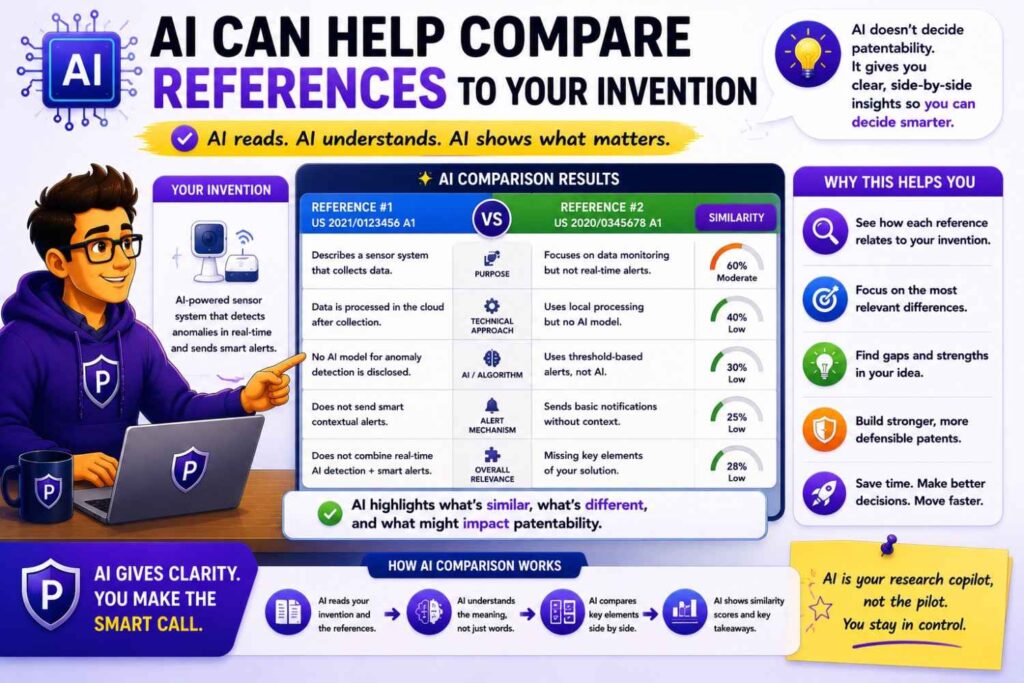
A patentability search is not just finding sources.
It is comparing sources.
AI can help build a feature map.
A feature map lists the key parts of your invention and checks which references show each part.
For example, a code review invention may include changed files, file ownership, past incidents, live traffic impact, reviewer availability, and risk-based routing.
AI can help compare a source against those features.
It may say a reference shows file ownership and reviewer assignment, but does not appear to show past incident similarity or live traffic impact.
That is useful.
It helps your team see where the source is close and where it may differ.
It also helps your patent attorney focus review.
The key is to avoid treating AI’s comparison as a legal conclusion.
AI can help organize facts.
A patent professional should decide what those facts mean for claims.
AI Can Help Find the Real Invention
Many founders start with the wrong patent target.
They want to patent the whole product.
Search often shows that the broad product category is old.
AI can help dig deeper.
It can compare prior art and ask where your system differs.
Maybe the invention is not “AI for support tickets.”
Maybe it is using incident history and live on-call load to route urgent tickets.
Maybe the invention is not “battery safety monitoring.”
Maybe it is comparing gas changes with local temperature gradients in a specific time window.
Maybe the invention is not “robotic grasping.”
Maybe it is a recovery step that uses tactile slip data and camera pose updates without resetting the task.
AI can help surface these narrower, stronger ideas.
This is important for business.
A broad weak patent may not help much.
A focused patent on the real technical edge may be much more valuable.
AI Can Help Prepare Better Attorney Review
AI can help organize the search before attorney review.
It can create a short invention summary.
It can list key features.
It can record search paths.
It can summarize close sources.
It can note dates.
It can compare references to the invention.
It can flag open questions.
This makes attorney review more efficient.
Instead of starting from a vague idea, the patent team starts from structured information.
That can save time.
It can also improve quality.
Attorneys can focus on claim strategy, legal impact, and drafting choices.
PowerPatent helps create this kind of workflow by combining smart invention capture tools with real patent attorney oversight. See how it works here: https://powerpatent.com/how-it-works
What AI Patentability Search Tools Cannot Do
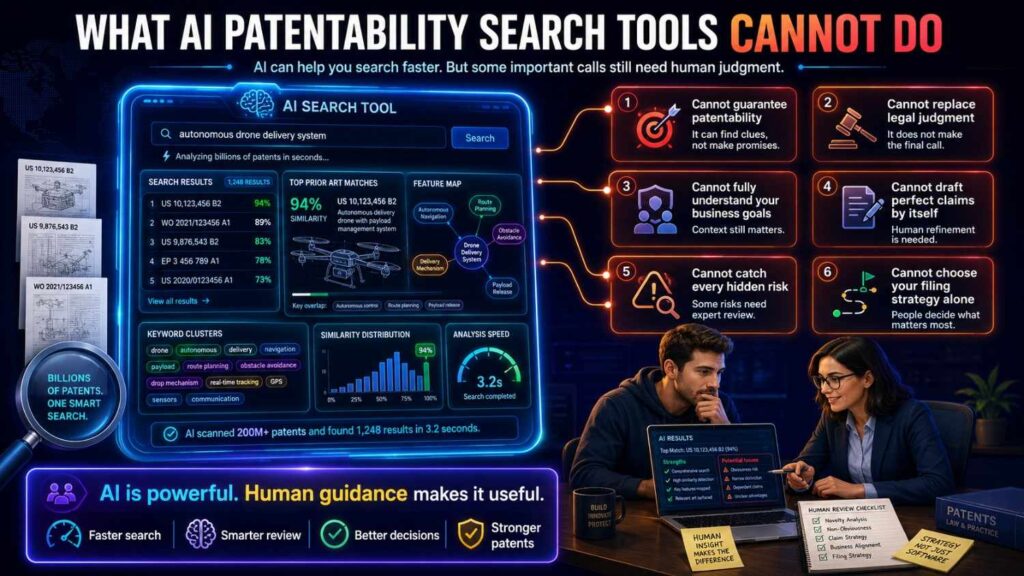
AI tools are useful, but they have limits.
This part matters.
The most dangerous thing a founder can do is treat an AI search result as a guarantee.
AI cannot guarantee that your invention is patentable.
AI cannot guarantee that all prior art has been found.
AI cannot replace a patent attorney.
AI cannot fully understand your business strategy unless you explain it.
AI cannot always judge whether a source truly teaches a feature.
AI cannot always handle dates, versions, or public availability correctly.
AI cannot always search every database, every language, every archive, every video, every repo, or every paywalled source.
AI can make search better.
It cannot make search perfect.
That is the line to remember.
AI Cannot Prove There Is No Prior Art
No tool can prove a negative.
If an AI search does not find close art, that does not mean no close art exists.
It may mean the search terms were weak.
It may mean the invention was described poorly.
It may mean the source is outside the tool’s database.
It may mean the source uses different words.
It may mean the source is in a paper, repo, manual, archived page, foreign document, or video transcript that the tool did not search.
This is why “no close results” should not end the process.
It should lead to better questions.
Did we search old terms?
Did we search adjacent fields?
Did we search non-patent sources?
Did we search product docs, GitHub, YouTube, and papers?
Did we search the problem, the result, the inputs, the outputs, and the constraint?
AI can help ask these questions.
But it cannot prove the world is empty.
AI Cannot Decide Patentability by Itself
Patentability is a legal question.
It involves novelty, obviousness, claim scope, filing strategy, and many other issues.
AI can help find and compare sources.
But deciding what those sources mean for a patent filing requires legal judgment.
A source may show one feature but not the full invention.
Two sources may be combined.
A source from another field may matter.
A date may be unclear.
A public disclosure may or may not qualify in the way you think.
A claim may need to be narrowed.
A specification may need more fallback detail.
These are not simple keyword decisions.
A patent attorney should review close references and guide claim strategy.
AI can support that work.
It should not replace it.
AI Cannot Fix a Vague Invention Description
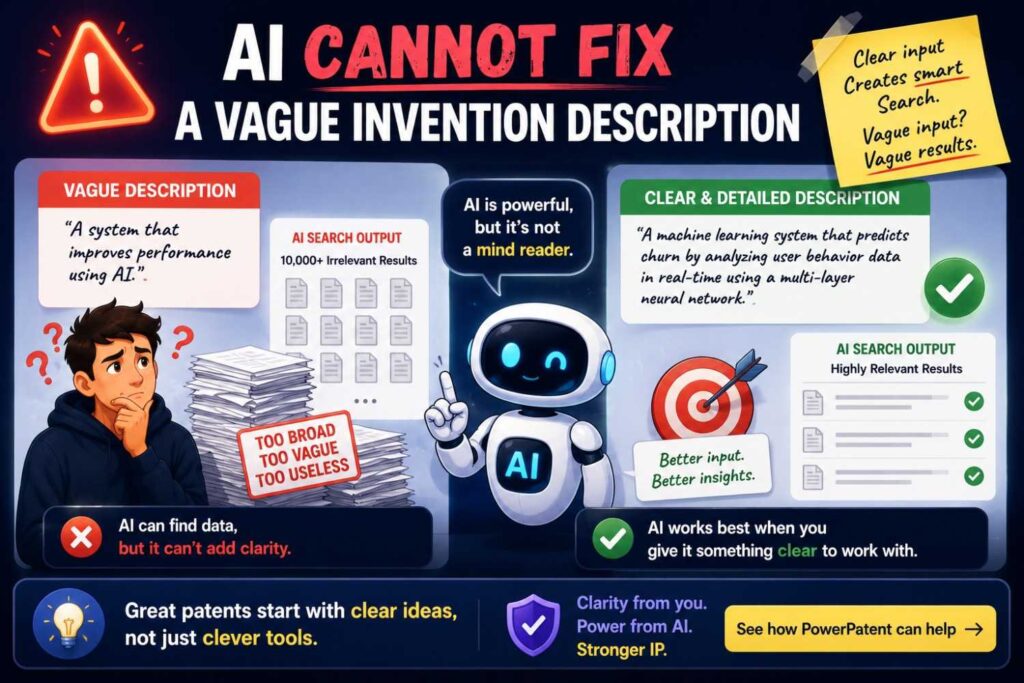
AI needs good input.
If your invention description is vague, the search will be vague.
If you tell the tool, “We use AI to improve logistics,” it may return broad and noisy results.
If you explain that your system predicts supplier delay risk using weather data, port congestion, purchase order terms, and factory inventory, then reroutes orders before shortage, the search can become much stronger.
AI is not a mind reader.
It needs the real invention.
Founders should spend time capturing the details before searching.
What problem does the invention solve?
What data or parts go in?
What steps happen?
What comes out?
What improves?
What constraints make it hard?
What did the team try before?
What is different from known approaches?
Better input leads to better search.
This is why PowerPatent focuses on invention capture, not just filing forms. Strong patents start with clear technical detail. Learn more here: https://powerpatent.com/how-it-works
AI Cannot Read Your Team’s Mind
A lot of invention knowledge lives inside the team.
Engineers know what was hard.
Product leaders know what customers value.
Founders know what competitors may copy.
AI cannot know those things unless you provide them.
For example, AI may think the core invention is the model.
But your team may know the model is standard and the real invention is the data pipeline.
AI may think the novelty is a user interface.
But your engineers may know the hard part is the low-latency control loop behind it.
AI may focus on a broad feature.
But your sales team may know customers pay for a specific compliance workflow.
This is why AI search works best when guided by the business and technical team.
Use AI as a partner, not an oracle.
AI Cannot Always Search the Right Sources
Some AI tools search only patent databases.
Some search patents and papers.
Some include web results.
Some do not search GitHub well.
Some do not handle YouTube.
Some do not include old manuals, standards, archived pages, product docs, or paywalled content.
This matters.
If your field is software, open-source code may be critical.
If your field is robotics, videos and papers may matter.
If your field is hardware, manuals and datasheets may matter.
If your field is cybersecurity, tools and conference talks may matter.
If your field is AI, preprints, repos, model docs, and product demos may matter.
Before trusting an AI search, ask what sources it actually searched.
A great search across the wrong sources is still weak.
AI Cannot Always Understand Code Correctly
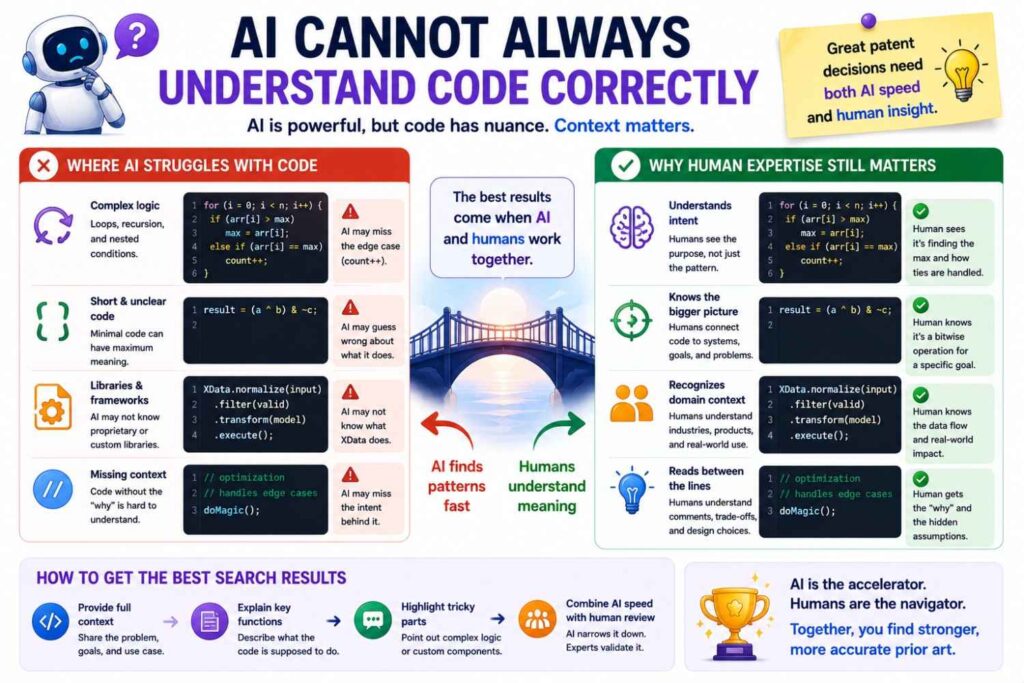
AI can help read code, but code can be tricky.
A repo may have dead code.
A function name may be misleading.
A feature may be incomplete.
A branch may be experimental.
A test may show an edge case, not normal behavior.
A README may exaggerate what the code does.
AI may summarize the repo too broadly.
For close software prior art, engineers should review the code.
They should check examples, tests, main files, issues, pull requests, and releases.
AI can speed up the first pass.
It should not be the final code reviewer for important references.
AI Cannot Always Understand Videos Correctly
Videos can show important prior art.
But they can also be hard to interpret.
A robot demo may show recovery behavior, but not the internal control method.
An AI demo may show an answer, but not whether it used retrieval, fine-tuning, rules, or manual setup.
A hardware video may show a device, but not hidden internal structure.
AI can summarize transcripts and point to time marks.
But it may not know what is actually happening behind the scenes.
For close video sources, human review matters.
Watch the relevant part.
Check the description.
Look for linked slides, papers, docs, or repos.
Record what is shown and what is only guessed.
That difference matters.
AI Cannot Always Handle Dates and Versions
Dates matter in patentability search.
A source before your filing date may matter.
A source after your filing date may not matter in the same way.
AI tools may not always handle dates carefully.
A product page may show a current update date, not the first publication date.
A GitHub repo may have commit dates, release dates, and import dates.
A paper may have a preprint date and a journal date.
A YouTube video may have an upload date and an event date.
A standard may have drafts and final versions.
A manual may have several revisions.
If a source is close, record date evidence and ask for attorney review.
Do not rely on a casual AI date summary.
Timing can be too important.
AI Cannot Always Judge What Is “Close”
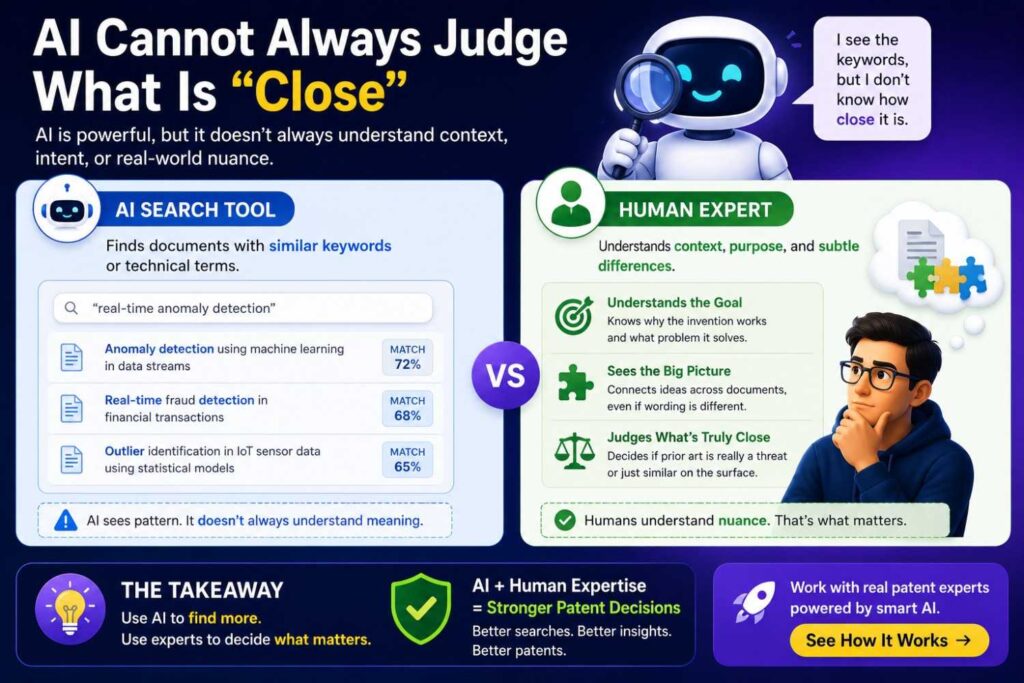
AI may rank a source as close because it shares many words.
But it may solve a different problem.
Or it may rank a source lower because the words differ.
But the idea may be very close.
AI can be very helpful for relevance ranking, but it is not perfect.
A founder or engineer should review the most likely results.
A patent professional should review close references.
The right question is not, “Did AI say this is close?”
The right question is, “Does this source show the key technical feature that matters to our invention?”
That requires careful reading.
AI Cannot Replace Strategic Claim Drafting
Finding prior art is only one part of patent work.
The next part is deciding what to claim.
AI can suggest possible differences.
It can organize features.
It can identify fallback ideas.
But claim drafting is strategic.
A good claim protects the business edge while staying aware of prior art.
It must be clear. It must be supported by the specification. It must avoid known art. It must leave room for practical enforcement. It must fit the company’s product and roadmap.
That is attorney work.
AI can help prepare the ground.
It cannot replace the judgment needed to build a strong patent.
AI Cannot Replace a Strong Specification
A patent is not only claims.
The specification matters too.
It should describe the invention with enough detail and useful examples.
Prior art search helps show which details should be included.
If old art shows the broad idea, your filing may need to describe the specific improvement more deeply.
AI can help identify these details.
But the team still needs to provide real technical substance.
How does the system work?
What variations are possible?
What inputs can be used?
What steps happen?
What technical benefit is achieved?
What fallback versions should be described?
AI cannot invent missing technical detail after the fact.
Your patent is only as strong as the invention detail you capture.
AI Cannot Know Your Public Disclosure Risk Unless You Tell It
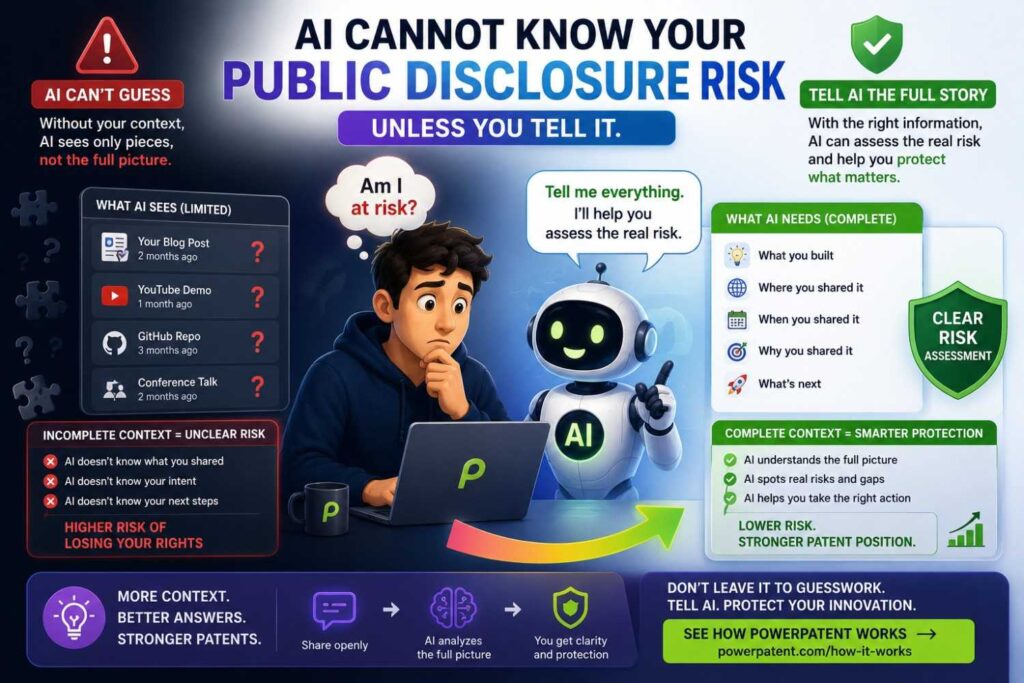
Startups publish fast.
They launch pages, docs, demos, code, videos, pitch decks, papers, and blog posts.
These disclosures can affect patent strategy.
AI cannot know what your team plans to publish unless you tell it.
Before filing, ask what technical information is already public or about to become public.
Did you post code?
Did you publish docs?
Did you show a demo?
Did you give a conference talk?
Did you send detailed materials to customers?
Did you publish a paper?
Did you upload a YouTube walkthrough?
AI can help review public materials if you provide them.
But your team must raise the issue.
PowerPatent helps founders move earlier, so patent work happens before key disclosures instead of after. See how it works here: https://powerpatent.com/how-it-works
Where AI Tools Are Most Useful in the Patentability Process
AI tools are most useful at the start and middle of the search.
They help define the invention.
They help create search paths.
They help expand terms.
They help search by meaning.
They help summarize results.
They help cluster sources.
They help compare features.
They help prepare review notes.
They are less useful as the final decision maker.
The final decision needs human judgment.
Founders and engineers need to confirm the technical facts.
Patent attorneys need to judge legal meaning and claim strategy.
This split is important.
Let AI do the high-volume support work.
Let humans do the high-judgment work.
That is the smart workflow.
Where AI Tools Are Least Reliable
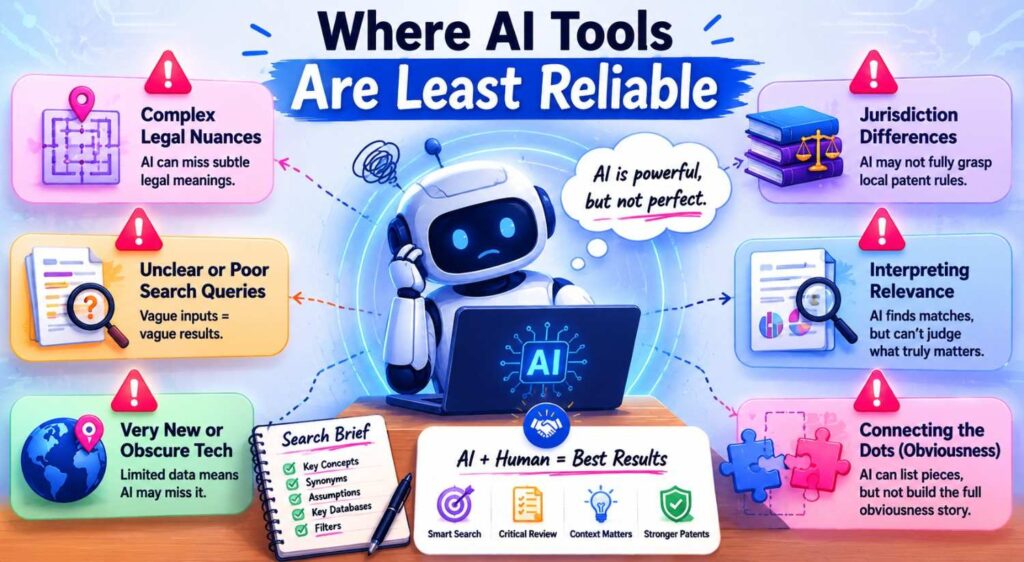
AI tools are less reliable when the invention is vague.
They are less reliable when the source is outside their database.
They are less reliable with missing dates.
They are less reliable with videos that lack transcripts.
They are less reliable with complex code.
They are less reliable with very new fields where terms are still changing.
They are less reliable when the key difference is subtle.
They are less reliable when the question is legal, not factual.
This does not mean you should avoid AI.
It means you should use it with care.
Know where the tool is strong.
Know where review is needed.
How Businesses Should Evaluate AI Patentability Search Tools
Not all AI search tools are the same.
Businesses should evaluate them based on workflow, not just flashy demos.
A good tool should help you describe the invention clearly.
It should search by meaning, not only keywords.
It should help expand terms.
It should support patent and non-patent sources, or at least make clear what it does not cover.
It should summarize results in plain language.
It should help compare features.
It should preserve source links and dates.
It should make attorney review easier.
It should not pretend to give a guaranteed legal answer.
A tool that says “patentable” or “not patentable” with too much confidence should be treated carefully.
The best tools help humans make better decisions.
They do not hide uncertainty.
Ask What Sources the Tool Searches
This is one of the most important questions.
Does the tool search patents only?
Does it include published applications?
Does it include international patents?
Does it search research papers?
Does it search product docs?
Does it search GitHub?
Does it search standards?
Does it search manuals?
Does it search web pages?
Does it search archived pages?
Does it handle YouTube transcripts?
Does it include foreign-language sources?
You need to know.
If your invention is in software and the tool does not search GitHub or developer docs, the search may miss key sources.
If your invention is in hardware and the tool does not search manuals or datasheets, it may miss key sources.
If your invention is in AI and the tool does not search papers or repos, it may miss important work.
Source coverage matters.
Ask How the Tool Uses Your Invention Description
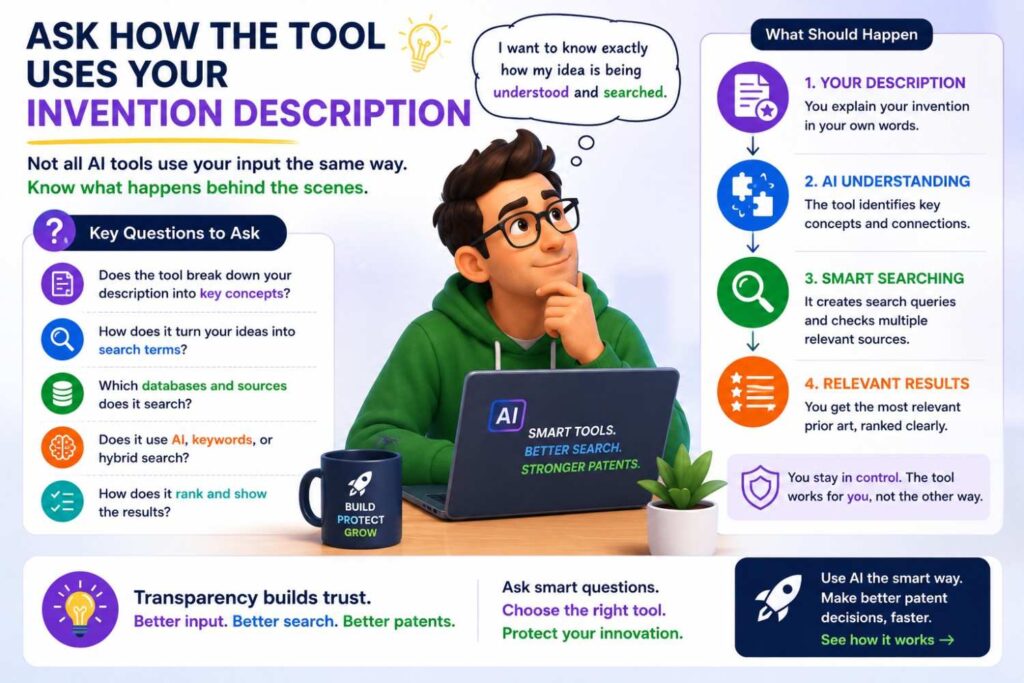
Some tools treat your invention as a block of text and search for similar text.
Better workflows break the invention into parts.
Problem.
Setting.
Inputs.
Steps.
Outputs.
Technical improvement.
Constraints.
Business value.
This structure helps search.
It also helps comparison.
Before using a tool, ask whether it helps you clarify the invention or just takes whatever you paste.
A tool that helps improve the invention description can produce better results.
A tool that accepts vague input may return vague output.
Ask Whether the Tool Shows Its Work
A useful AI patentability search tool should show why a result matters.
It should not only give a score.
It should explain which parts of the reference match your invention.
It should show key passages when possible.
It should identify missing or unclear features.
It should link to the source.
It should help you verify.
Black-box results are risky.
If you cannot see why a reference was ranked highly, it is hard to trust.
For patent work, transparency matters.
You need to review the source, not just the AI’s opinion.
Ask Whether the Tool Supports Attorney Review
The best AI search workflow ends with better human review.
Ask whether the tool lets you export results.
Ask whether it saves notes.
Ask whether it records search paths.
Ask whether it tracks dates.
Ask whether it supports feature comparisons.
Ask whether it helps prepare materials for counsel.
A tool that only gives a quick answer may feel fast, but it may not help the real filing process.
A tool that creates organized review material can be much more valuable.
PowerPatent is built around this practical handoff between software and attorney oversight. Learn more here: https://powerpatent.com/how-it-works
Ask Whether the Tool Handles Non-Patent Literature
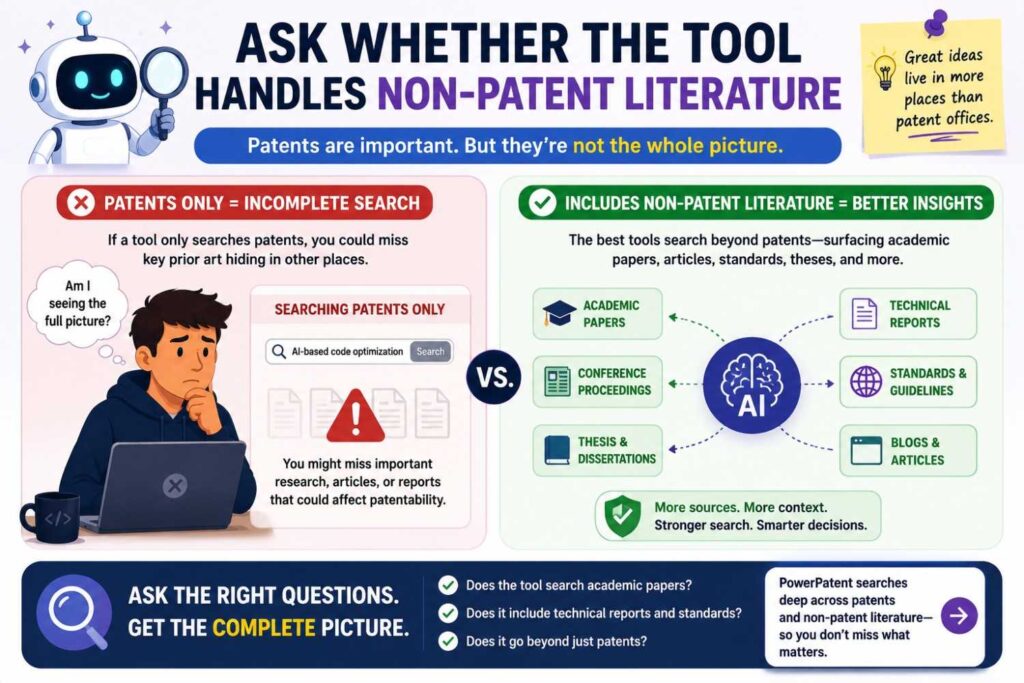
For many startups, this is critical.
If your field moves fast, non-patent literature may be where the best prior art lives.
Product pages, GitHub repos, YouTube demos, papers, API docs, release notes, manuals, standards, and technical blogs can all matter.
A tool that ignores these sources may give false comfort.
At minimum, the workflow should help you search them separately.
AI can suggest terms and source types even if the tool itself does not crawl everything.
The key is awareness.
Do not let a patent-only tool become your whole search strategy.
Ask Whether the Tool Handles Dates and Versions
A good tool should help track dates.
For patents, that may include filing dates, publication dates, and priority dates.
For papers, that may include preprint dates and publication dates.
For GitHub, that may include commit dates, releases, and tags.
For product pages, that may include release notes, archive dates, and page dates.
For videos, that may include upload dates and event dates.
Dates can be tricky.
No tool will handle every case perfectly.
But a tool should make it easy to record and review date evidence.
If timing matters, get attorney review.
Ask Whether the Tool Helps Find Search Gaps
A good AI tool should not only return results.
It should help you see what you have not searched yet.
Did you search old terms?
Did you search adjacent fields?
Did you search non-patent sources?
Did you search competitor materials?
Did you search the problem and the result?
Did you search data sources and constraints?
Did you search by workflow steps?
Gap detection is valuable.
It helps prevent false confidence.
A tool that helps ask better questions can be more useful than one that only gives a result list.
The Smart Workflow for Using AI Patentability Search Tools
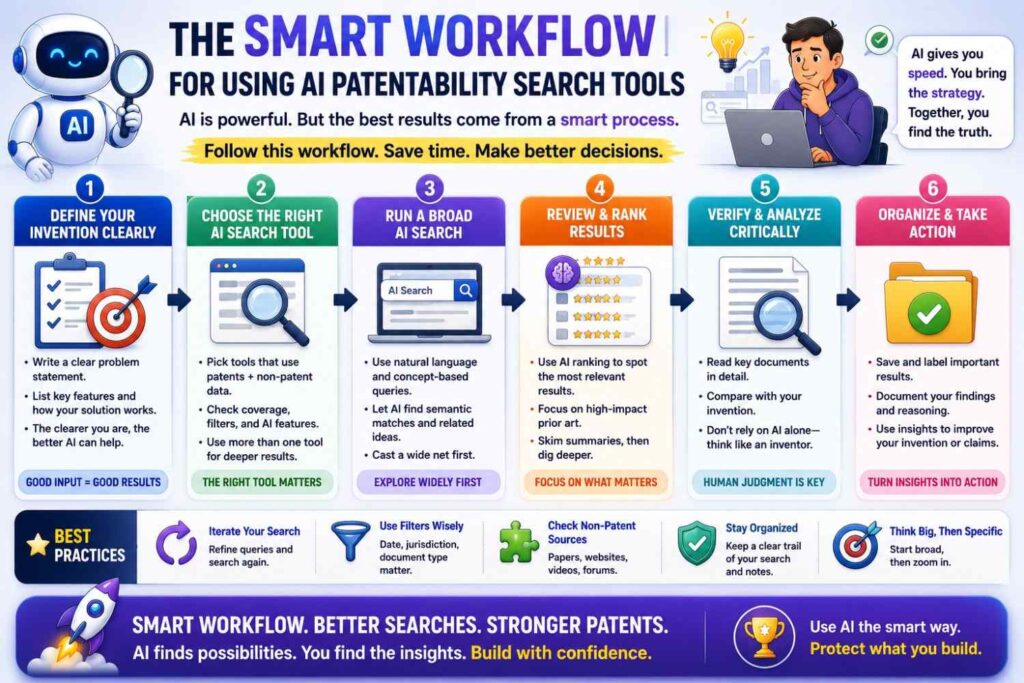
Start with invention capture.
Do not begin with a vague product phrase.
Write the invention in plain words. Include the problem, setting, inputs, steps, outputs, improvement, and constraints.
Then use AI to create search paths.
Search the method, the problem, the result, the data sources, the workflow, the hard constraint, the buyer pain, and the competitor wording.
Then search across source types.
Patents matter, but so do papers, repos, docs, product pages, manuals, standards, and videos.
Then use AI to summarize and cluster results.
Build a feature map.
Compare close sources.
Record dates and notes.
Then bring the material to a patent attorney.
Use attorney review to decide claim strategy.
That is the safe way to use AI.
It gives you speed without pretending the machine has the final answer.
A Practical Example: AI Contract Review
Imagine your company built an AI contract tool.
It checks draft contracts against a company playbook, finds risky clauses, suggests fallback language, and learns from approved redlines while keeping each customer’s data separate.
A simple AI search might look for “AI contract review.”
That is not enough.
A better AI-assisted search breaks the invention apart.
The problem is contract risk and slow review.
The inputs are draft contracts, playbook rules, prior approved language, user edits, and customer-specific data.
The method includes clause detection, risk scoring, fallback language selection, redline suggestion, feedback learning, and data separation.
The output is a suggested redline or review result.
The improvement may be faster review with safer customer-specific learning.
Now search paths are clearer.
Search legal NLP papers.
Search contract lifecycle product docs.
Search GitHub legal text tools.
Search demos of contract AI tools.
Search playbook automation.
Search accepted edits feedback.
Search privacy-preserving learning.
AI can help summarize results and compare them.
Maybe clause detection is old.
Maybe risk scoring is old.
Maybe fallback suggestions are old.
But the customer-separated learning from approved redlines may be less common.
That could become the key patent discussion.
A Practical Example: Battery Safety
Imagine your startup built a battery system that detects early failure by comparing gas sensor data, pressure changes, and local temperature gradients.
A weak search is “battery safety AI.”
A better AI-assisted search asks what is technically happening.
The system uses gas, pressure, and temperature inputs.
It compares changes over time.
It detects early fault conditions.
It may reduce false alarms.
It may trigger cooling, shutdown, or isolation.
AI can suggest search paths like thermal runaway detection, vent gas sensing, electrolyte vapor monitoring, pressure-based fault detection, temperature gradient analysis, battery sensor fusion, and BMS fault response.
It can also suggest sources like patents, battery papers, gas sensor datasheets, BMS firmware repos, supplier application notes, safety standards, and test videos.
After searching, AI can help compare sources.
One source may show gas sensing.
Another may show temperature monitoring.
Another may show pressure alarms.
The key question may be whether any source shows the same comparison logic and timing window.
That is where attorney review should focus.
A Practical Example: Code Review Risk Scoring
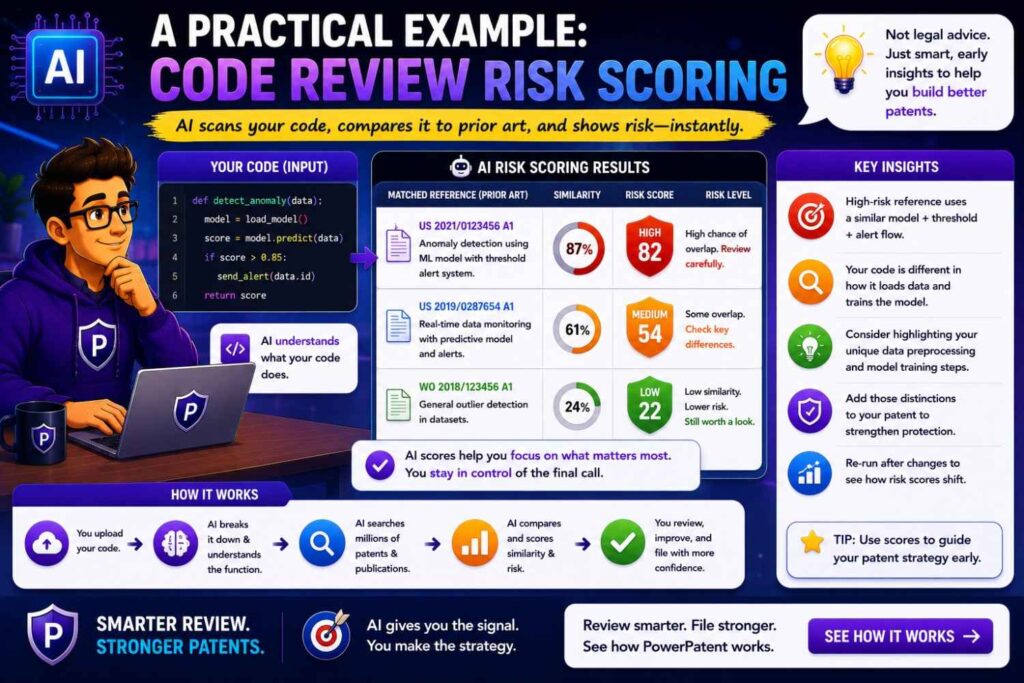
Imagine your invention scores pull requests based on changed files, service ownership, past incidents, live traffic impact, and reviewer availability.
AI can create better terms than “AI code review.”
It may suggest change impact analysis, pull request risk scoring, reviewer recommendation, CODEOWNERS, service ownership graph, incident similarity, deployment risk, software defect prediction, test selection, and production outage prevention.
It may suggest source types like GitHub Actions, code review bots, CI tools, observability docs, incident management platforms, engineering blogs, and software engineering papers.
Search may show many known pieces.
Reviewer recommendation may be known.
File ownership may be known.
Defect prediction may be known.
Incident response may be known.
But using live traffic impact and incident similarity to route review may be less common.
AI can help build the feature map.
A patent attorney can then decide whether that combination supports a strong filing.
A Practical Example: Robotic Grasp Recovery
Imagine your robot detects a failed grasp, uses tactile feedback and updated camera data, and retries without resetting the task.
AI can expand the search beyond “robot grasping.”
Search paths may include grasp failure detection, tactile slip detection, visual servoing, closed-loop grasping, bin picking recovery, pose update, retry policy, force control, and failure-aware manipulation.
AI may suggest papers, robotics repos, lab demos, YouTube videos, product pages, and conference talks.
It can summarize transcripts and papers.
It can compare whether sources show slip detection, camera updates, retry from current state, force adjustment, or task reset avoidance.
The key may not be the grasp itself.
It may be the recovery sequence.
That is the kind of insight AI can help surface.
A Practical Example: Medical Wearable Alerts
Imagine your wearable reduces false clinician alerts by checking motion and body position before sending a warning.
AI can suggest search terms like motion artifact reduction, posture-aware monitoring, wearable physiological signal filtering, false alarm suppression, activity-aware thresholds, remote patient monitoring, clinician alert logic, and alarm fatigue.
It may suggest sources like medical papers, device manuals, patient monitoring product docs, regulatory materials, YouTube training videos, and patents.
AI can help compare sources by feature.
Do they use motion?
Do they use posture?
Do they adjust thresholds?
Do they require persistence over time?
Do they alert clinicians?
Do they reduce false alarms in the same way?
This helps the team focus the filing on the exact signal and alert logic, not just the broad wearable device.
How to Use AI Search Results in a Patent Meeting
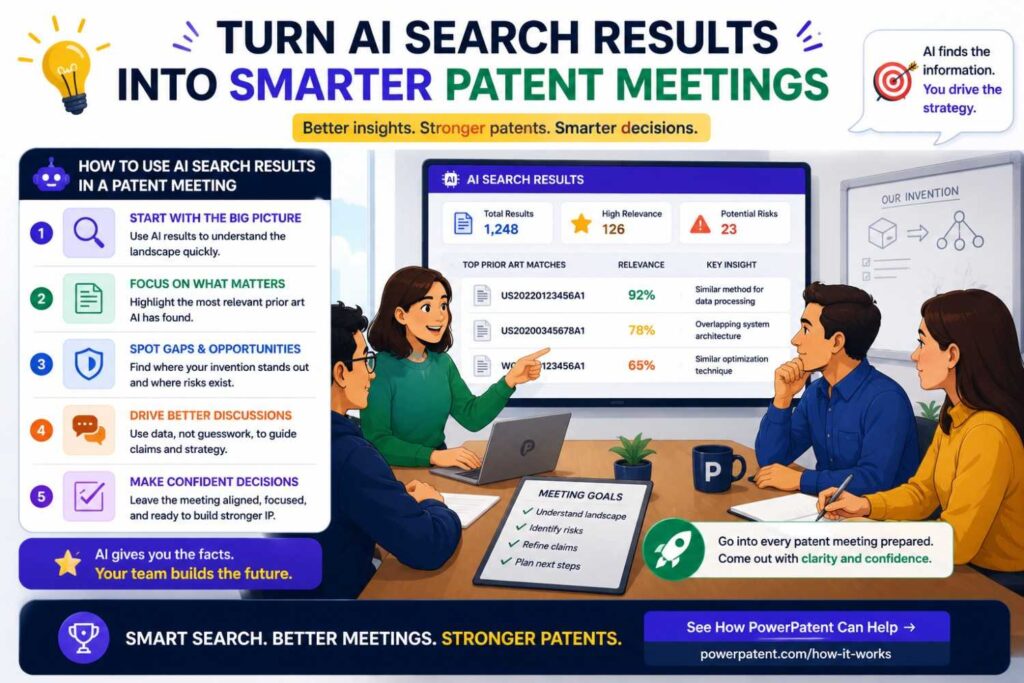
Bring organized material.
Do not bring a pile of random links.
Bring a short invention summary.
Bring the key features.
Bring the top search paths.
Bring the closest references.
Bring plain notes on what each source shows.
Bring date information if you have it.
Bring questions.
For example:
“This source shows automatic routing based on ticket text and priority. It does not appear to use incident similarity or live on-call load. Should our claim focus on that combination?”
That is a useful attorney conversation.
It is much better than asking, “Can we patent this?” with no context.
AI can help prepare these notes.
Your patent attorney can help decide what they mean.
How to Avoid False Confidence From AI Tools
Use AI results as leads, not proof.
Run more than one search path.
Search patents and non-patent sources.
Search old terms, not only new buzzwords.
Search adjacent fields.
Read close references yourself.
Have engineers verify technical details.
Have patent counsel review close art.
Record sources and dates.
Be honest about uncertainty.
The goal is not to force a yes.
The goal is to understand the field well enough to make a smart filing decision.
How to Avoid Wasting Time With AI Tools
AI can also make you search too much.
It can generate endless terms.
It can suggest too many paths.
It can produce long summaries.
It can create work that feels useful but does not move the decision forward.
Stay focused.
Start with the business value.
What part of the invention matters most to customers?
What part would competitors copy?
What part will be public soon?
What part is technically hard?
Search those paths first.
For a core invention, go deeper.
For a minor feature, do a lighter screen.
AI should help you make decisions faster, not bury you in analysis.
How to Use AI Tools Before Public Launch
Before launching a technical feature, use AI to screen quickly.
Capture the invention.
Ask AI for search paths.
Search patents and likely non-patent sources.
Look for competitor product pages, docs, repos, and demos.
Summarize close sources.
Review with counsel.
Decide whether to file before disclosure.
This can prevent last-minute panic.
It also helps align product, engineering, marketing, and patent strategy.
If the feature is important, do not wait until after the launch page is live.
PowerPatent helps founders move earlier and faster, so important inventions can be reviewed before public disclosure. Start here: https://powerpatent.com/how-it-works
How to Use AI Tools During Product Development
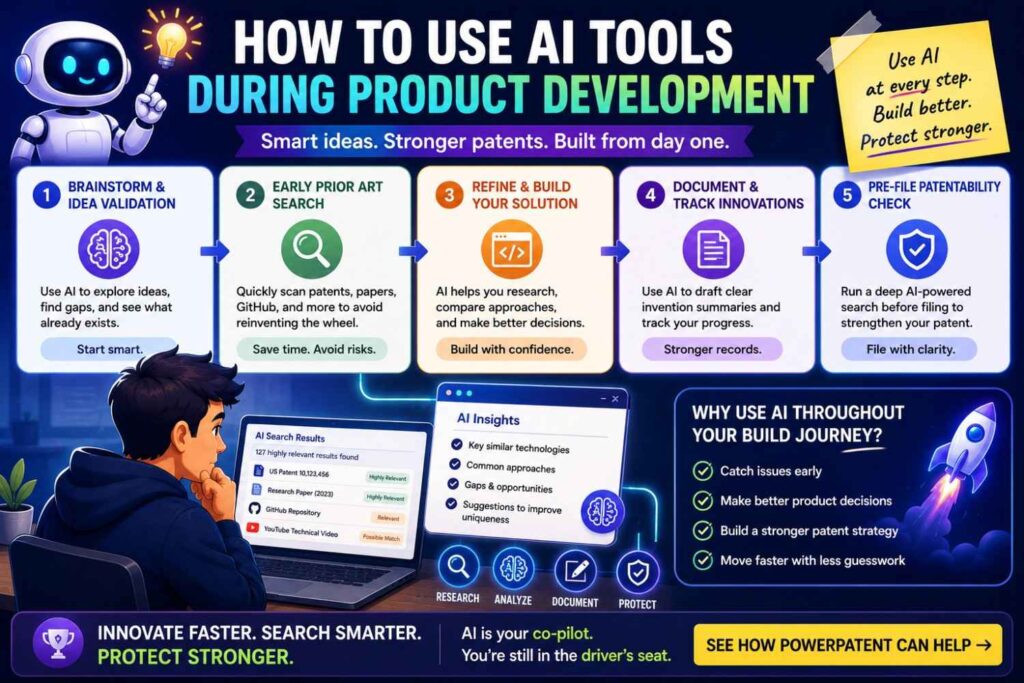
AI patentability search should not happen only at the end.
Use it during product development.
When engineers solve a hard problem, capture it.
When a model starts working in a new way, search it.
When a hardware test reveals a clever design, search it.
When a customer need leads to a technical workaround, search it.
This helps you spot patentable ideas while they are fresh.
It also helps you avoid filing too late.
AI makes early search easier because it can turn rough notes into search paths.
The earlier you search, the more options you have.
How to Use AI Tools for Portfolio Planning
A startup may have many invention ideas.
AI can help sort them.
For each idea, AI can help create a quick search map, find obvious close art, and identify possible claim focus areas.
Then the business can rank ideas.
Which ideas protect core revenue?
Which ideas cover visible product features?
Which ideas are hard to design around?
Which ideas are likely to be copied?
Which ideas are crowded?
Which ideas seem more open?
This can guide patent portfolio planning.
The goal is not to file everything.
The goal is to file the right things.
AI can help make that decision more informed.
How to Use AI Tools With Engineers
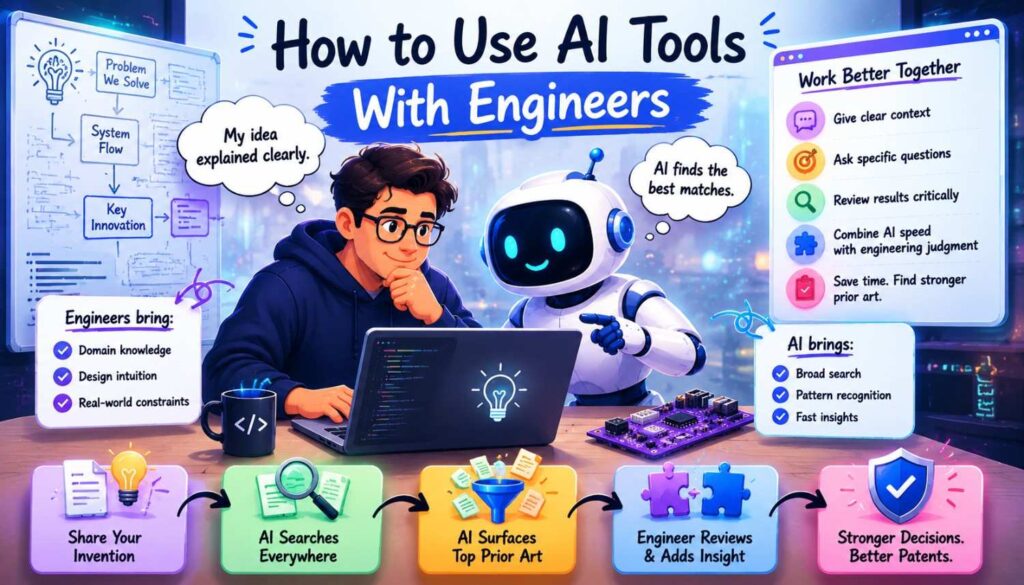
Engineers should be part of AI-assisted search.
They know what the system really does.
They know which terms are accurate.
They know which prior sources were used.
They know whether a search result is technically close or only sounds close.
Use AI to ask engineers better questions.
What was the hard part?
What failed before this worked?
What data sources are essential?
What constraints did we solve under?
What public papers, repos, docs, or demos did we use?
What would a competitor copy?
AI can organize the answers.
But the answers need to come from the builders.
How to Use AI Tools With Patent Counsel
Do not use AI in a silo.
Bring the results to counsel.
Ask counsel to review the closest references.
Ask which features matter.
Ask whether the filing should focus on a narrower improvement.
Ask what details should be added to the specification.
Ask what fallback positions should be described.
Ask whether more search is needed.
AI can make the meeting more productive.
It can prepare the map.
Counsel helps choose the route.
What a Good AI-Assisted Search Output Looks Like
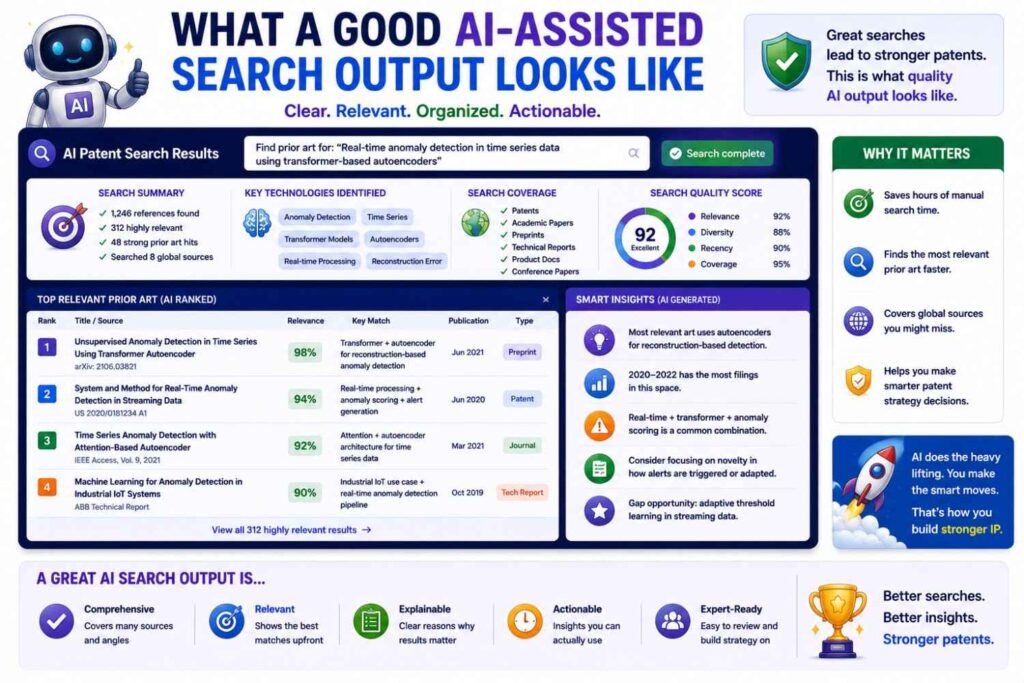
A useful output is clear and reviewable.
It should include the invention summary.
It should list the key features.
It should show the search paths used.
It should include close sources with links.
It should summarize what each source teaches.
It should note missing or unclear features.
It should record dates when possible.
It should flag questions for attorney review.
It should not simply say “patentable” or “not patentable.”
That is too shallow.
A good output helps humans make a better decision.
Red Flags in AI Patentability Search
Be careful if a tool gives a simple yes or no without showing sources.
Be careful if it does not explain why results are relevant.
Be careful if it searches only patents but your field is open-source heavy.
Be careful if it ignores dates.
Be careful if it does not let you export or review results.
Be careful if it turns vague input into confident output.
Be careful if it claims to replace attorney review.
The more confident the tool sounds, the more you should ask how it got there.
Patent strategy needs evidence, not vibes.
Green Flags in AI Patentability Search
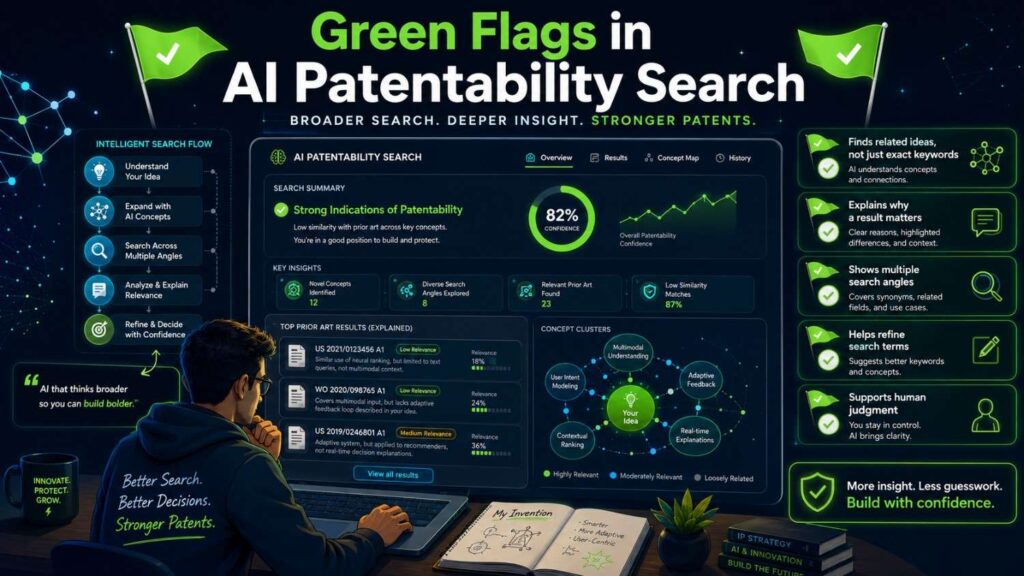
A strong tool helps clarify the invention.
It suggests multiple search paths.
It searches by meaning.
It supports source review.
It shows why a reference matters.
It helps compare features.
It includes non-patent source awareness.
It tracks dates or makes them easy to record.
It supports attorney review.
It makes uncertainty clear.
It helps the team move faster without pretending the work is finished.
That is what businesses should look for.
Why AI Search Should Be Paired With Attorney Oversight
AI can make search faster.
Attorney oversight makes the result safer and more useful.
A patent attorney can review the close art, assess claim risk, shape the filing, and decide how to describe the invention.
This matters because patents are business assets.
A weak filing may look good at first but fail when tested.
A stronger filing is built around the real technical edge and the known prior art.
AI helps find and organize that prior art.
Attorneys help turn the knowledge into better patent strategy.
That combination is the sweet spot.
PowerPatent brings smart software and real patent attorney oversight together so founders do not have to choose between speed and quality. Learn more here: https://powerpatent.com/how-it-works
The Best Way to Think About AI Patentability Tools
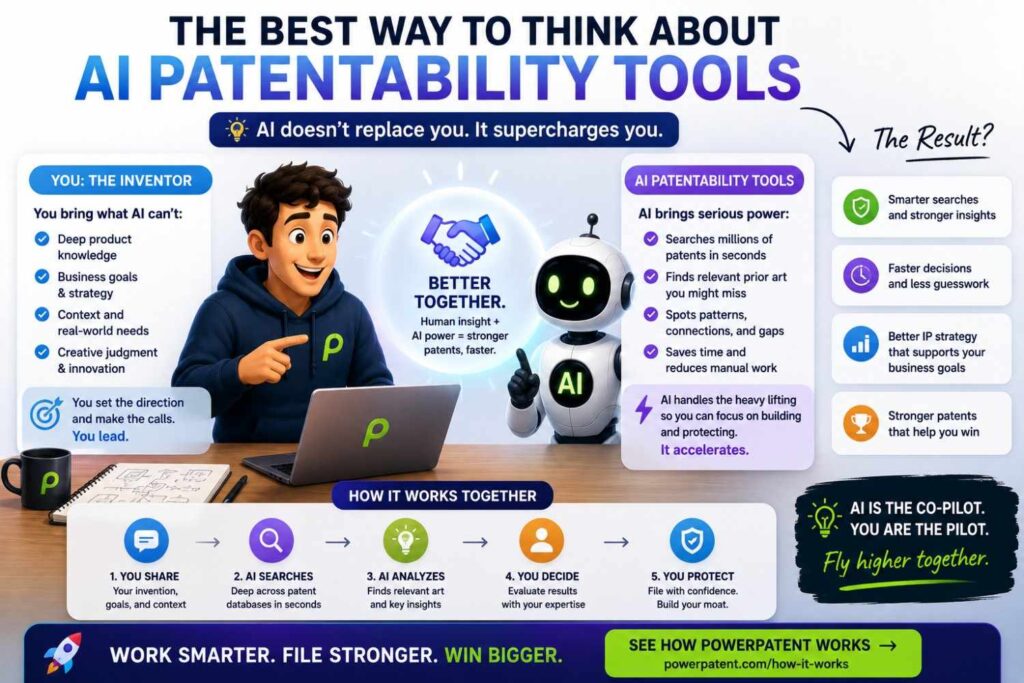
Think of AI as a search partner.
Not a judge.
Not a lawyer.
Not a guarantee.
A partner.
It helps you ask better questions.
It helps you find better words.
It helps you scan more sources.
It helps you understand documents faster.
It helps you prepare for real review.
That is valuable.
But the business still needs strategy.
The engineers still need to explain the invention.
The attorney still needs to guide the filing.
When everyone plays the right role, AI becomes powerful.
A good way to think about AI is this: it helps you move from guesswork to a clearer first map.
Without AI, a founder may start with one broad search and stop too soon. With AI, the team can explore more angles before making a filing decision. It can search the product promise, the technical method, the data sources, the workflow, the constraint, and the likely competitor wording.
That wider view helps the business make better choices.
It can show when an idea is too broad. It can reveal a smaller invention that is more valuable. It can help decide whether to file now, search more deeply, or bring in counsel before a launch.
The key is to treat AI output as a draft map, not the territory itself.
Your team still needs to walk the ground. Engineers should check the technical match. Founders should connect the search to business value. Patent counsel should decide what the references mean for claims.
Used this way, AI does not replace judgment. It makes judgment faster, better informed, and easier to act on.
The Bottom Line
AI patentability search tools can help founders find prior art faster and smarter.
They can expand search terms, search by meaning, summarize long sources, cluster results, compare features, and prepare better attorney review.
They can help you avoid weak searches and find the real invention inside a product.
But they cannot guarantee patentability.
They cannot prove no prior art exists.
They cannot replace attorney judgment.
They cannot fix vague invention details.
They cannot always search every source, understand every code repo, read every video, or handle every date correctly.
The best approach is simple.
Use AI to speed up search and organization.
Use engineers to verify technical facts.
Use patent attorneys to make legal and claim decisions.
That is how businesses get the most value from AI without falling for hype.
If you are building something worth protecting, PowerPatent can help you move faster with smart software and real patent attorney oversight. See how it works here: https://powerpatent.com/how-it-works
Closing Thought
AI tools are changing patent search.
They make it easier to start. They make it easier to search broadly. They make it easier to understand long sources. They make it easier to prepare for attorney review.
That is a big win for founders.
But the best patents still come from clear invention details, smart search, honest comparison, and careful claim strategy.
AI can help with all of that.
It just should not do it alone.
Use the tool.
Trust the process.
Bring in real review.
Then file around the part of your invention that truly matters.
That is how AI helps you move faster without losing control.
Leave a Reply