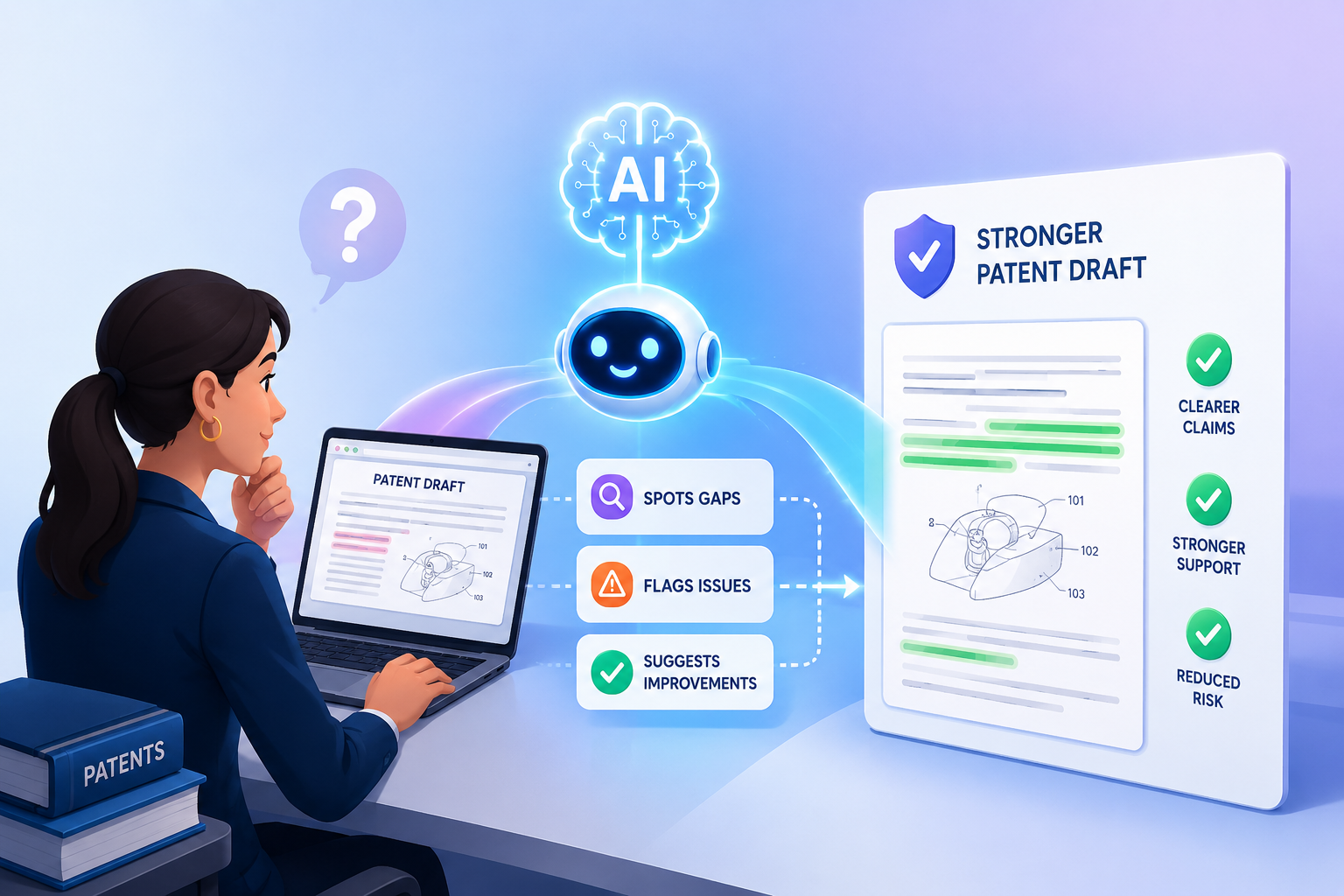
Junior patent attorneys carry a hard job. They must read dense invention notes, check claim language, spot missing details, compare the draft to the real product, and make sure the story of the invention is clear. One missed feature can weaken a patent. One vague sentence can create confusion later. One rushed review can lead to costly back-and-forth with a founder, engineer, or senior attorney.
AI Helps Junior Attorneys Review Like a Second Senior Set of Eyes
A junior patent attorney is often asked to review a draft before they have seen enough real patent mistakes to spot them fast.
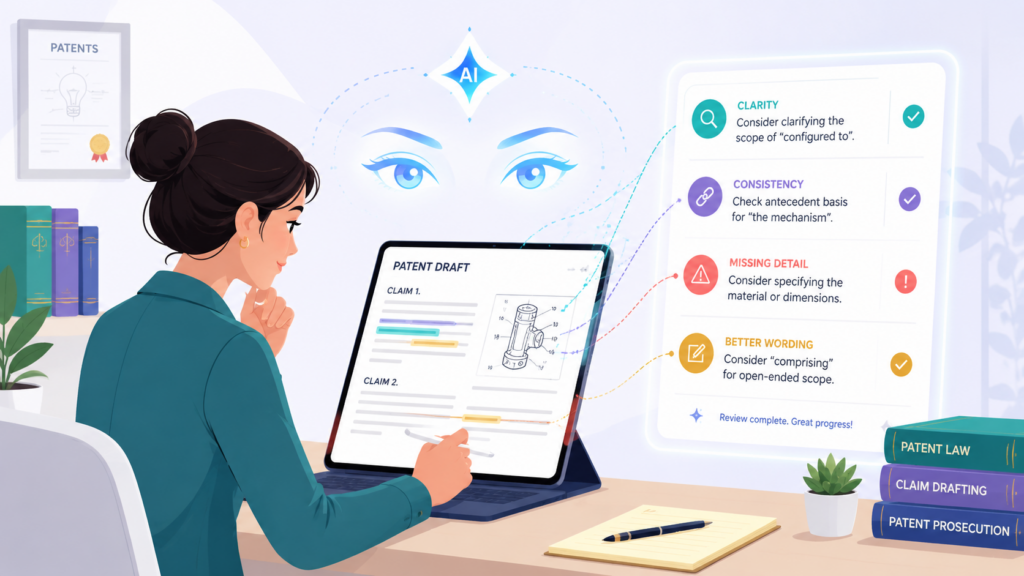
That is normal. Patent review is a skill built by reading many drafts, seeing how claims fail, watching senior attorneys fix weak language, and learning how small gaps can turn into big problems later.
AI can speed up that learning curve because it gives the junior attorney a structured way to check the draft instead of relying only on memory.
This matters because a patent draft is not just a document. It is a map of the invention. It needs to show what the invention does, how it works, why it is different, and what parts deserve protection.
When the draft is thin, the founder may feel safe, but the patent may not be strong. When the draft is unclear, the attorney may spend too much time fixing avoidable issues. When the claims do not match the details, the whole filing can become harder to defend.
The best use of AI is not to let it “approve” a draft. That is the wrong way to think about it. AI should help junior attorneys ask better questions.
It should point to weak areas, missing support, unclear terms, mismatched figure references, broad claims with thin backup, and places where the draft sounds smart but says very little.
The attorney still makes the call. AI simply helps them see more of the draft, faster.
AI Makes the First Review Less Random
Many junior attorneys review a patent draft from top to bottom and mark issues as they see them. That can work, but it often leads to uneven review.
The attorney may spend too much time polishing sentences and not enough time checking whether the claim has real support.
They may fix grammar but miss that the key feature appears in the claims and never shows up in the detailed description. They may notice a typo in a figure label but miss that the invention story is weak.
AI helps by turning review into a repeatable process. The junior attorney can ask the system to compare the claims against the written description. They can ask it to list every claim term that does not appear in the specification.
They can ask it to find vague words such as “may,” “can,” “configured to,” “based on,” or “module” and explain whether each one is supported by enough detail. This does not mean each word is bad. It means the attorney now knows where to look.
That small shift changes the work. The junior attorney is no longer just reading. They are testing the draft. They are checking whether each part holds up. They are moving from passive review to active review.
The Better Question Is Not “Is This Draft Good?”
A weak AI workflow starts with a lazy prompt. A junior attorney should not ask, “Is this patent draft good?” That kind of question invites a shallow answer.
A better question is, “Which claim terms are not clearly explained in the detailed description, and what exact passages should be strengthened?” That is specific. It turns AI into a review helper instead of a vague writing critic.
This is where training matters. Junior attorneys should learn to ask AI for evidence inside the draft. The tool should point to sections, terms, and missing links. It should not just give a nice answer.
When AI says a term is unclear, the attorney should ask where the term appears, how it is used, and what support is missing. This makes the review more grounded.
The United States Patent and Trademark Office has said the use of AI tools by parties and practitioners is not prohibited, but it has also warned that people using AI must still follow existing duties and must not leave AI unchecked.
That is the right balance for patent draft review. Use AI, but do not outsource judgment to it.
For firms and founders, this is why a platform like PowerPatent can be so useful. It is not about replacing attorneys with software.
It is about giving the legal team better tools, better structure, and better speed while still keeping real attorney oversight in the loop. You can see how that works here: https://powerpatent.com/how-it-works
AI Helps Junior Attorneys Find Missing Support Before It Becomes Expensive
One of the most important jobs in patent draft review is checking whether the claims are supported by the rest of the application. In simple words, the claims say what the inventor wants to protect.
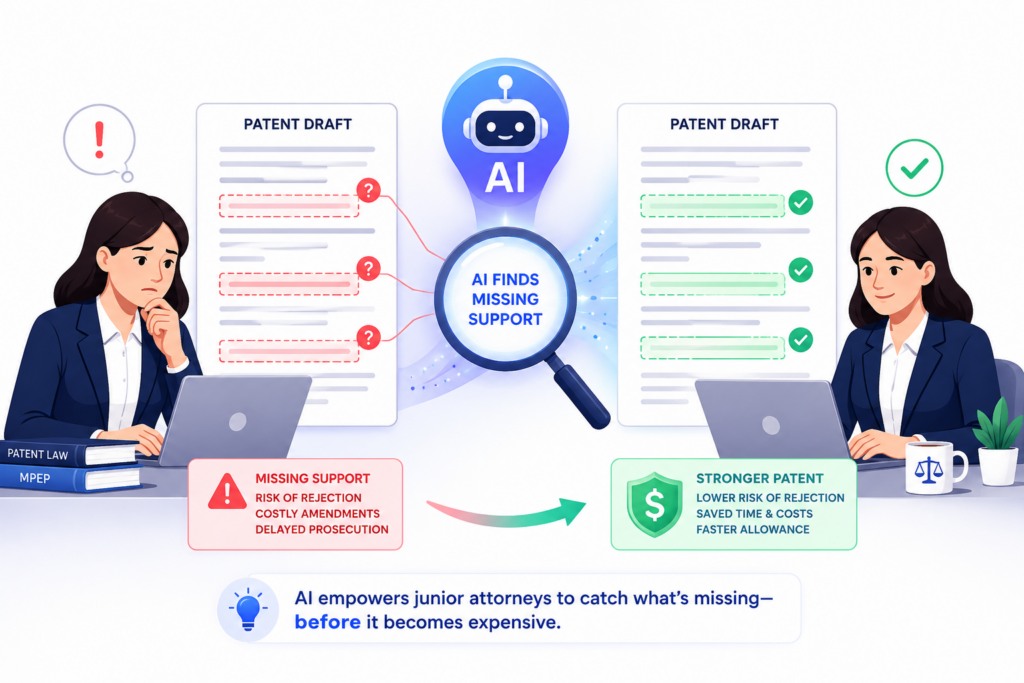
The rest of the draft needs to explain those ideas with enough detail. If the claims reach too far beyond what the draft explains, the patent may become weaker, harder to argue for, and easier to attack.
This is where junior attorneys can struggle. Claims are often written in broad terms. The specification is often long.
The invention may be technical. The founder may have sent notes, diagrams, code comments, product screenshots, model flows, or short answers from engineers.
A junior attorney must connect all of it. They need to ask, “Does the draft actually teach what the claim says?” That is not always easy to do by hand, especially under time pressure.
AI can help by building a support map. The junior attorney can use AI to match each claim phrase to the parts of the draft that explain it.
If a claim says the system “selects a model based on a confidence score,” the AI can search the draft for where the model selection step is explained, where the confidence score is defined, how the score is made, what data is used, and what happens after selection.
If the draft only says the system “uses AI to select a model,” then the attorney has found a gap worth fixing.
The Support Map Is Where Good Review Starts
A support map is a simple idea. Take each key claim phrase and find the matching support in the draft. If support exists, the attorney can check whether it is strong enough.
If support is missing, the attorney can ask the inventor for more detail before filing. This step can save real time because it catches problems early, when they are still easy to fix.
AI makes this much faster. It can scan the draft and return a table-like view in plain language, even if the final work product is not a table.
It can say that one term appears often but is never explained. It can show that another term appears in the claims but only appears once in the summary.
It can show that a figure includes a step that the claims never mention. It can also show that the abstract describes the invention one way while the claims focus on something else.
The junior attorney should not accept this output as truth. They should use it as a review path. AI may miss a subtle disclosure. It may think support is weak when an attorney would see enough backup.
It may also miss the legal meaning of a phrase. But it can still help the attorney move faster through the first pass and spend more time on the hard calls.
Missing Support Often Hides in Plain Sight
Many patent drafts look complete because they are long. That can be dangerous. A long draft can still miss the most important details.
It may describe the product at a high level but not explain the part that makes the invention new. It may describe what the software does but not how it does it.
It may include a flow chart but not explain what data moves from one step to the next. It may use a broad term in the claim but never give examples.
AI is very useful here because it does not get tired. It can keep checking the same pattern across the whole draft. It can find terms that are used in different ways.
It can flag when “user profile,” “account profile,” and “customer profile” may refer to the same thing but are not clearly tied together.
It can spot when the claims mention “training data,” but the draft later calls it “sample data” or “input records.” These may seem like small wording issues, but in patent work, unclear words can create pain.
The junior attorney’s job is to turn these flags into better questions. Instead of sending the founder a broad note like “please clarify the AI system,” the attorney can ask, “When the system chooses the model, what score is used, where does the score come from, and what happens if two models have the same score?” That kind of question gets better answers. Better answers create a better draft.
This is also where PowerPatent fits the way modern teams work. Deep tech founders do not want slow, vague back-and-forth. They want a clear path from invention details to a strong filing.
PowerPatent helps teams turn technical work into patent-ready material with smart software and real attorney review, so fewer key details get lost. Learn more here: https://powerpatent.com/how-it-works
AI Helps Junior Attorneys Check Whether the Claims Match the Real Invention
A strong patent draft should protect the real invention, not a loose idea around it. This is one of the hardest parts of review. A junior attorney may read a claim and think it sounds broad and useful.
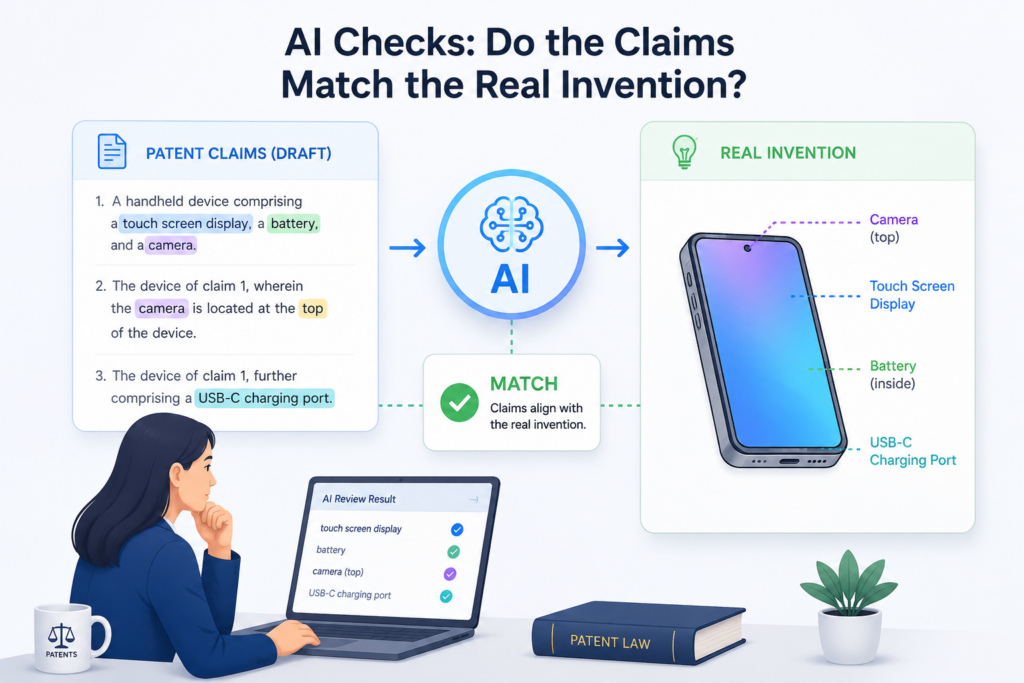
But the better question is whether the claim matches what the founder actually built, tested, designed, or plans to ship.
AI can help close that gap by comparing the draft against invention notes, product details, diagrams, code summaries, model flows, and engineer comments.
This matters because many patent drafts drift away from the real invention. The draft may start with a strong technical idea, but after several rounds of writing, the claims may become too abstract.
They may sound clean, but they may no longer capture the part that makes the product special. Or the opposite may happen.
The claims may become too narrow because the drafter focused on one example and missed the bigger idea behind it.
AI helps junior attorneys slow down at the right place. It can compare the claim language with the invention materials and ask a simple but powerful question: “What part of the real system is not covered here?”
That question can lead to better claims, better fallback positions, and a better conversation with the inventor.
The Draft Should Follow the Invention, Not Just Sound Like a Patent
Patent writing has a style. That style can be useful, but it can also hide weak thinking. A claim may sound formal while still missing the heart of the invention. A sentence may sound polished while saying almost nothing.
A junior attorney who is still learning may assume that formal language means strong language. AI can help break that habit by forcing the draft to connect back to real technical facts.
For example, assume a startup built a system that routes customer support tickets to different AI agents based on urgency, past user behavior, and predicted churn risk.
A weak claim may say the system “processes a request using an artificial intelligence model.” That is too plain. It misses the routing logic, the churn signal, the agent choice, and the business reason the system is better.
AI can help the junior attorney compare that claim to the invention notes and point out what is missing.
It may show that the draft talks about “processing,” while the real invention is about “choosing the right agent before response generation.”
It may show that the draft describes an AI model, but the real value is in how the system uses different scores to select the next action. That is the kind of insight that leads to a better patent draft.
A Good Review Looks for the Center of Gravity
Every invention has a center of gravity. It is the part that makes the idea matter. In software, it may be the data flow.
In AI, it may be how a model is selected, trained, tuned, checked, or used. In hardware, it may be the shape, sensor placement, timing method, or control loop. In biotech, it may be a test step, mixture, marker, or treatment path.
The exact field changes, but the review goal stays the same. Find the center of gravity and make sure the draft protects it.
AI can help junior attorneys find that center by summarizing the invention from different angles. The attorney can ask AI to explain the invention as a product manager, as an engineer, as a competitor, and as a patent reviewer.
Each view may reveal something different. The product view may show the customer benefit. The engineer view may show the technical steps.
The competitor view may show what others might copy. The patent view may show where the claim needs stronger support.
The junior attorney should then ask, “Does the current draft make that center clear?” If the answer is no, the draft needs work. Maybe the claim needs a key step added. Maybe the specification needs more examples.
Maybe the figures need to show the data path. Maybe the background needs to frame the problem more sharply. AI can flag the issue, but the attorney must decide the fix.
This is a very practical use case for PowerPatent. Founders often have the invention details spread across chats, decks, notes, code, and product docs.
PowerPatent helps bring those pieces into a clearer patent workflow, with smart software and real attorney oversight.
That means the draft is more likely to reflect what the team is truly building. See the process here: https://powerpatent.com/how-it-works
AI Helps Junior Attorneys Find Claim Gaps Before a Competitor Does
A patent draft should not only describe the invention. It should also make copying harder. That means junior attorneys need to review the draft from the eyes of a competitor.
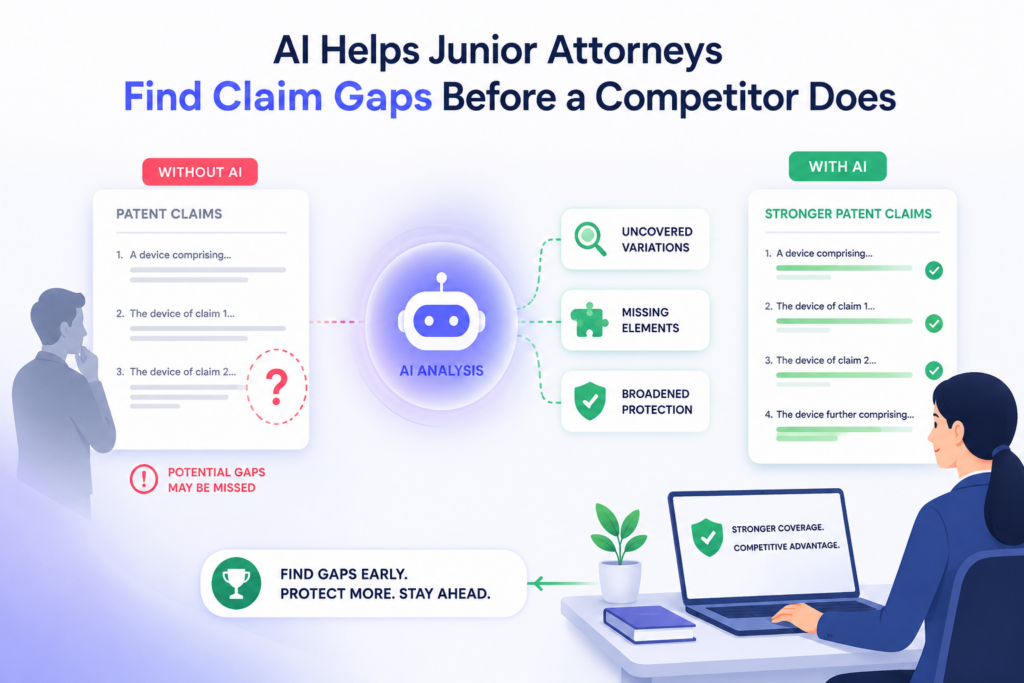
This is not about being aggressive for no reason. It is about asking how another company might copy the core idea while changing small details. If the draft only protects one narrow version, a competitor may find an easy way around it.
This is one place where AI can be very useful. A junior attorney can ask AI to read the claims and suggest possible design-arounds. A design-around is a different way to do something similar without using the exact wording of the claim.
AI can point out where the claim depends too much on one data source, one order of steps, one type of model, one device, or one narrow example. That gives the attorney a chance to improve the claim set before filing.
The goal is not to make every claim huge and vague. That can backfire. The goal is to build a smart range.
A good patent draft often has broader claims, narrower claims, and backup details that support different versions of the invention. AI can help junior attorneys see whether that range exists.
A Strong Draft Gives the Founder More Than One Path
Many early drafts protect only the main version of the invention. That may feel safe because it closely matches what the founder built.
But startups change fast. The product may move from one model to another. The system may stop using one input and start using a better one.
The team may replace a rule-based step with a learned model. The invention may move from a server to an edge device. If the patent draft only covers the first version, it may age badly.
AI can help by asking, “What other versions of this invention should be described?” The junior attorney can use AI to look for missing alternatives.
For example, if the draft says the system uses a neural network, AI may suggest adding support for other machine learning models when that is true.
If the draft says the system uses GPS data, AI may suggest support for other location signals if the invention could work that way.
If the draft says the system sends an alert to a mobile app, AI may suggest other outputs, such as a dashboard, message queue, API call, or control signal.
This does not mean the attorney should blindly add every option. Extra words can create clutter if they are not tied to the real invention. The junior attorney should use AI suggestions as prompts for inventor questions.
They can ask, “Would this also work with other inputs?” or “Is this step required, or is it just one example?” These questions often unlock better patent coverage.
AI Can Help Test the Edges of Each Claim
A useful review technique is to test the edge of each claim. The attorney can ask, “What must a competitor do to fall inside this claim?” Then they can ask, “What small change might let them fall outside it?”
AI can help run this exercise quickly. It can suggest weak edges, narrow words, missing alternatives, and terms that may be too tied to one product version.
For example, a claim may require that a score is “displayed to a user.” But what if a competitor uses the score internally and never displays it? A claim may require that data is “received from a wearable device.”
But what if a phone sensor provides the same data? A claim may require three steps in a fixed order. But what if the system performs two steps at the same time? These are not small review points. They can change how useful the patent becomes.
AI is strong at generating these “what if” checks. The junior attorney remains responsible for deciding which ones matter.
Some design-arounds may be silly. Some may be outside the business goal. Some may not be supported by the invention. But the exercise itself is valuable because it trains junior attorneys to think beyond the page.
This is where patent review becomes more strategic. The junior attorney is not just correcting the draft. They are helping protect the business.
They are thinking about how the startup may grow, how the product may change, and how others may copy the best part.
PowerPatent is built for this kind of modern patent work, where speed matters but strategy still matters more. Learn how PowerPatent helps teams file better patents faster here: https://powerpatent.com/how-it-works
AI Helps Junior Attorneys Review the Specification With More Care
A patent draft can have strong claims and still fail the reader if the specification is weak. The specification is where the invention gets explained. It should tell the full story in a clear way.
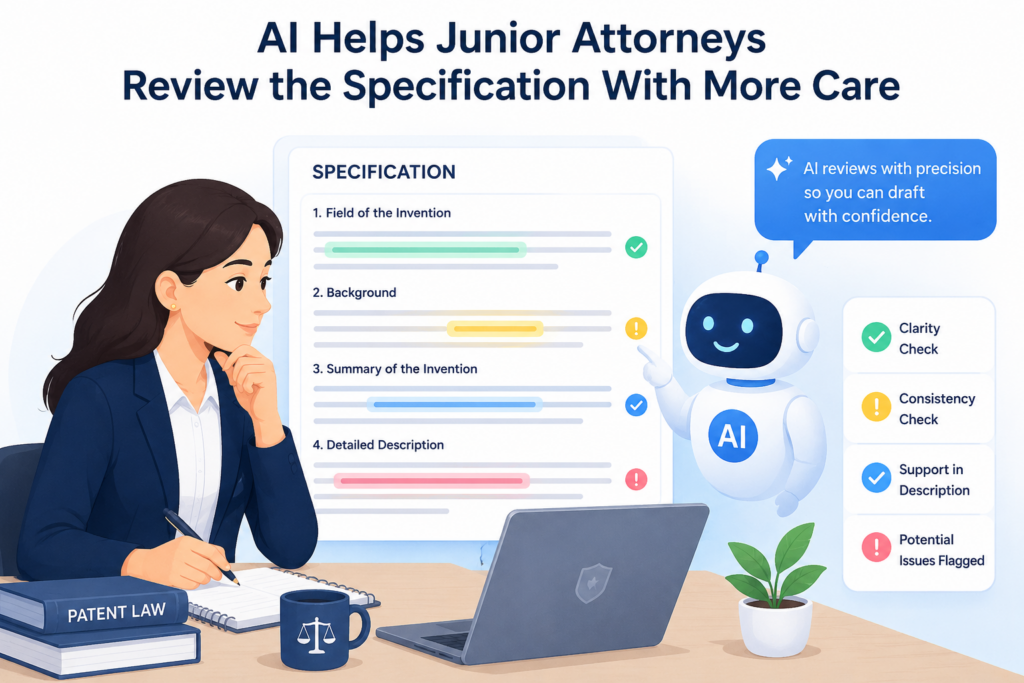
It should show the problem, the system, the parts, the steps, the data, the choices, the results, and the useful variations. For a junior attorney, this is a lot to check. AI helps by turning that large review into smaller checks that are easier to manage.
The main mistake junior attorneys should avoid is reading the specification like a normal article. Patent drafts are not normal articles. A normal article can be smooth and still be useful.
A patent draft needs to be clear, full, and flexible. It must explain enough detail so the claims feel grounded. It must also leave room for other versions of the invention. AI can help junior attorneys test both sides.
The Specification Needs to Teach the Invention, Not Just Describe It
A weak specification often says what the invention does, but not how it does it. That is a big issue in software and AI patent drafts. A draft might say the system “uses a model to generate a prediction.” That sounds clear at first, but it leaves many questions open.
What data goes into the model? What does the model output? How is the output used? What happens if the result is wrong? What makes this different from a common system?
AI can help junior attorneys find these shallow areas. The attorney can ask AI to mark sentences that describe a result without explaining the steps behind the result.
This is powerful because many patent drafts hide weak detail behind polished words. A sentence can look complete while skipping the part that matters most.
Once AI finds these spots, the junior attorney can decide what needs to be fixed. Sometimes the answer is a better paragraph.
Sometimes the answer is a new figure. Sometimes the answer is a question for the inventor. The key is not to let vague language pass just because it sounds technical.
AI Can Help Build Better Inventor Questions
The best junior attorneys learn how to ask sharp questions. They do not ask the inventor, “Can you explain more?” That is too broad. Most inventors are busy, and broad questions often lead to broad answers.
A better question is, “When the system ranks these outputs, what exact inputs affect the rank, and which input matters most?” That kind of question gets useful detail.
AI can help create these questions from the draft. It can read a weak paragraph and suggest what is missing. It can turn a vague step into a set of focused questions.
It can show where the draft needs examples, fallback options, or clearer data flow. This helps the junior attorney sound more prepared and helps the inventor answer faster.
For PowerPatent users, this is one of the biggest wins. Founders do not want long email chains that go nowhere. They want the attorney to understand the invention and ask for the few details that matter.
PowerPatent helps teams collect and shape those details faster, with smart software and real attorney review. You can see how the process works here: https://powerpatent.com/how-it-works
The Specification Should Support More Than One Product Version
A startup’s first product is rarely the final product. The first version may use one model, one sensor, one data source, or one workflow.
Six months later, the team may change almost everything. A good patent draft should be tied to the invention, not trapped inside one early build.
AI can help junior attorneys look for places where the specification is too narrow. If the draft only talks about a mobile app, AI can ask whether the same invention could work through a web app, API, dashboard, device, or backend service.
If the draft only talks about one model type, AI can ask whether other model types could work. If the draft only talks about one kind of user, AI can ask whether the system could apply to other users, roles, or settings.
This does not mean the draft should include random possibilities. It should only include real versions that make sense. The junior attorney should use AI to find possible gaps, then confirm with the inventor.
The goal is to make the patent draft strong enough to protect where the startup is going, not only where it is today.
The Review Should Remove Empty Words and Add Real Detail
AI can also help junior attorneys separate empty language from useful detail. Empty language sounds nice but does not teach much.
Words like “efficient,” “improved,” “optimized,” and “intelligent” may be fine in some places, but they need support. The draft should explain what changed, how it changed, and why that change helps.
A better draft does not just say the system is faster. It explains what part of the process is faster. It does not just say the system improves accuracy.
It explains what signal, rule, model, step, or check helps improve the output. AI can flag broad benefit words and help the attorney ask whether each one is backed by a real technical reason.
This kind of review makes the specification stronger. It also makes the attorney stronger. Over time, the junior attorney starts to see weak patterns faster. AI becomes less like a crutch and more like a training partner.
AI Helps Junior Attorneys Review Claims With More Discipline
Claims are the hardest part of a patent draft because every word matters. A claim needs to be broad enough to matter, clear enough to understand, and supported enough to stand on its own.
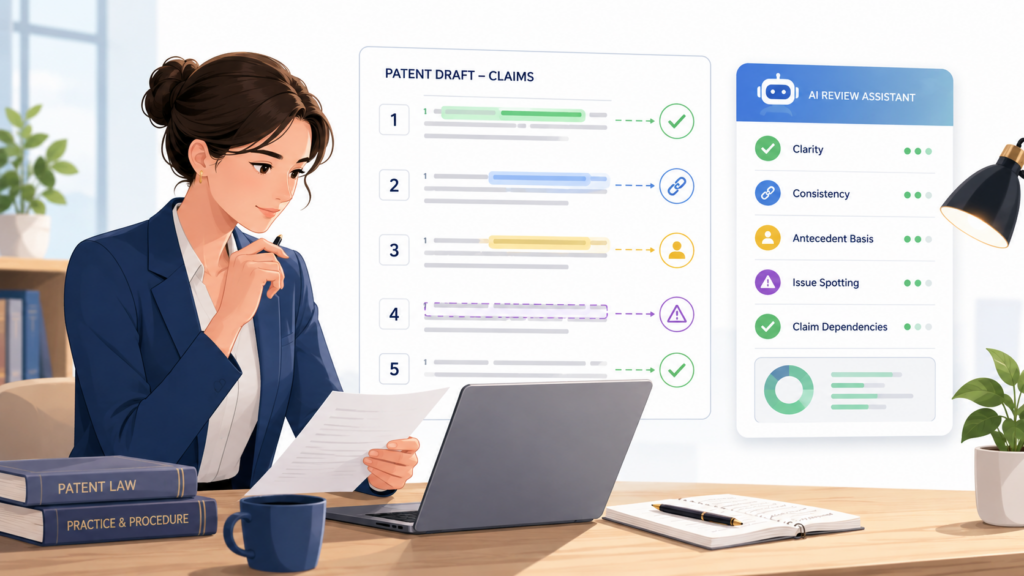
Junior attorneys often feel pressure here. They may worry about making the claim too broad, too narrow, too vague, or too easy to avoid. AI can help by giving them a steady review process.
The first thing AI can do is help the attorney read the claim as a chain of ideas. A claim is not just a long sentence. It is a set of parts that work together. Each part should have a purpose.
Each step should connect to the next. Each term should be clear. AI can break that claim into plain language so the junior attorney can see whether the logic makes sense.
A Claim Should Tell a Clean Technical Story
A strong claim should not feel like a pile of words. It should tell a clean story about the invention. It should explain the main actors, the key inputs, the important steps, and the useful output.
The reader should be able to understand what is happening, even if the claim uses formal patent style.
AI can help junior attorneys test that story. The attorney can ask AI to explain the claim in simple words. If the explanation does not match the real invention, that is a warning sign.
If AI cannot tell what a step means, a human reader may also struggle. If the claim sounds like it covers a broad idea but misses the actual technical move, the attorney knows where to focus.
This is not about making AI the judge. It is about using AI to reveal confusion. Claims often become unclear because the drafter has read them too many times.
The junior attorney may also be too close to the draft after working on it for hours. AI gives a fresh pass. It can show how the claim reads to a new reader.
AI Can Flag Terms That Need Cleaner Meaning
One common claim problem is inconsistent language. A draft may use “profile,” “user record,” “account data,” and “customer data” as if they mean the same thing. Sometimes they do.
Sometimes they do not. If the claim uses one term and the specification uses another, confusion can grow.
AI can scan for these issues quickly. It can list terms that appear in the claims but are not used often in the specification. It can find terms that appear to overlap.
It can also flag words that may be too broad without support. This helps the junior attorney decide whether to align the language, define the term more clearly, or ask the inventor what each term means.
The best move is usually not to add heavy definitions. Simple, steady language is often better. If the invention uses the same thing in several places, call it the same thing unless there is a good reason not to. AI can help find where the draft breaks that rule.
AI Can Help Review Claim Scope Without Guesswork
Scope means how much the claim covers. Junior attorneys must learn to think about scope in a practical way. A claim that is too narrow may not help much. A claim that is too broad may be hard to support.
AI can help by showing what the claim clearly covers, what it may not cover, and where the boundaries are weak.
A useful review question is, “What feature does this claim require that a competitor could remove?” AI can help answer that. It might point out that the claim requires a specific device when the invention could work on many devices.
It might show that the claim requires a display step when the real value happens before anything is displayed. It might show that the claim requires a certain order of steps when the order may not matter.
The junior attorney should then check the invention details. If the narrow feature is truly needed, keep it. If it is only an example, the claim may need a broader version or the specification may need more support for alternatives.
AI Makes Claim Review Faster, But Not Automatic
There is a danger in using AI for claims. The danger is trusting a clean output too much. AI may suggest claim language that sounds good but is not tied to the invention.
It may smooth over hard questions. It may suggest broad wording without enough support. That is why attorney review is still vital.
The right use of AI is controlled. Let AI find patterns, gaps, and possible issues. Let the attorney decide what matters. Let the attorney check the facts with the inventor. Let the attorney make the legal and strategic call.
That is the value of a system like PowerPatent. It helps speed up the work without removing human judgment. It gives teams smart software, but keeps real attorney oversight where it belongs.
For founders and legal teams that want better patents without slow old-school workflows, PowerPatent is built for that path. See how it works here: https://powerpatent.com/how-it-works
AI Helps Junior Attorneys Catch Figure and Description Problems Earlier
Figures can make a patent draft much easier to understand. They show the system, the flow, the device, the interface, the data path, or the steps in a process. But figures can also create problems when they do not match the text.
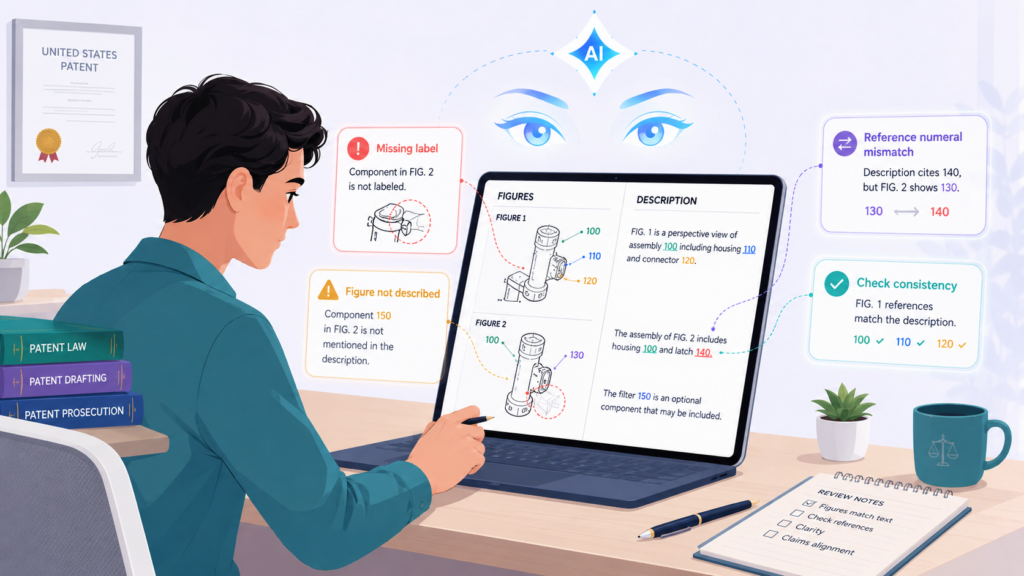
A figure may show a part that the description never explains. The description may mention a part that the figure does not show. Reference numbers may be wrong. Steps may appear in a different order. A junior attorney needs to catch these issues before filing.
AI is very helpful here because figure review is detail-heavy. It is easy for a human reviewer to miss small mismatches after reading a long draft.
AI can compare figure labels, reference numbers, and written descriptions to find places that need attention. It can also help the junior attorney check whether each figure has a clear reason to exist.
Every Figure Should Earn Its Place
A figure should not be included just to make the patent look complete. It should help explain the invention. If a figure shows a system, the text should walk through the parts.
If a figure shows a process, the text should explain each step. If a figure shows a user interface, the text should explain what the user sees and why it matters. If a figure shows model training, the text should explain the data, training path, output, and use.
AI can help junior attorneys ask whether each figure is pulling its weight. The attorney can ask AI to summarize what each figure appears to teach based on the description. If the summary is thin, the figure may not be explained well.
If the figure seems important but the claims never touch it, the attorney may need to ask whether the claim set is missing something. If the claims rely on a process but the figures only show a broad system block diagram, the draft may need a better flow chart.
This kind of review helps junior attorneys move beyond surface checking. They are not just asking, “Are the numbers correct?” They are asking, “Does this drawing help protect the invention?”
Reference Numbers Should Not Create Confusion
Reference numbers look small, but they matter. When the same number points to different things, the draft becomes confusing.
When a part is numbered in a figure but never named in the text, the reader has to guess. When the text says “sensor 110” but the figure labels it as “sensor 120,” the draft looks careless.
AI can help find these issues quickly. It can scan the written description for reference numbers and compare them against figure descriptions.
It can flag numbers that are missing, repeated in odd ways, or attached to different names. It can also find places where the text refers to “the module” or “the component” without a clear link back to a figure.
The junior attorney should still check the drawings manually. AI may not fully understand image details unless the figures are described in text or processed through the right tool.
But even a text-based scan can catch many avoidable problems.
AI Can Help Make Figure Descriptions More Useful
Many figure descriptions are too short. They say, “Figure 2 shows a process for generating a result.” That tells the reader almost nothing.
A stronger description explains the flow in enough detail to support the claims. It shows what data is received, how it is handled, what choices are made, what output is created, and how the result is used.
AI can help junior attorneys expand thin figure descriptions. It can compare a flow chart to the claim language and suggest where the text needs more detail.
It can also help make sure the same step is described in a steady way across the draft.
This is especially useful for AI and software inventions. Many key ideas live in the flow. The invention may not be one model by itself.
It may be how data is prepared, how a score is made, how the model output is checked, or how the system reacts when confidence is low.
If the figure descriptions do not capture those steps, the draft may miss the invention’s best part.
Good Figure Review Leads to Better Founder Conversations
When a junior attorney finds figure gaps early, the conversation with the founder becomes much better. Instead of asking broad questions, the attorney can point to a specific step and ask what happens there.
They can say, “The figure shows a feedback loop after the model output, but the text does not explain what data returns to the system. What is sent back, and how does it change the next result?”
That is a useful question. It respects the founder’s time. It also gets the kind of detail that can make the patent stronger. PowerPatent is designed to support this kind of focused review.
It helps turn technical material into clearer patent drafts, while attorneys guide the final strategy. Founders can explore the workflow here: https://powerpatent.com/how-it-works
AI Helps Junior Attorneys Review Patent Drafts for Business Value
A patent draft is not only a legal document. For a startup, it is also a business tool. It can help protect a core product, support fundraising, make copying harder, strengthen a partnership, or create value for a future exit.
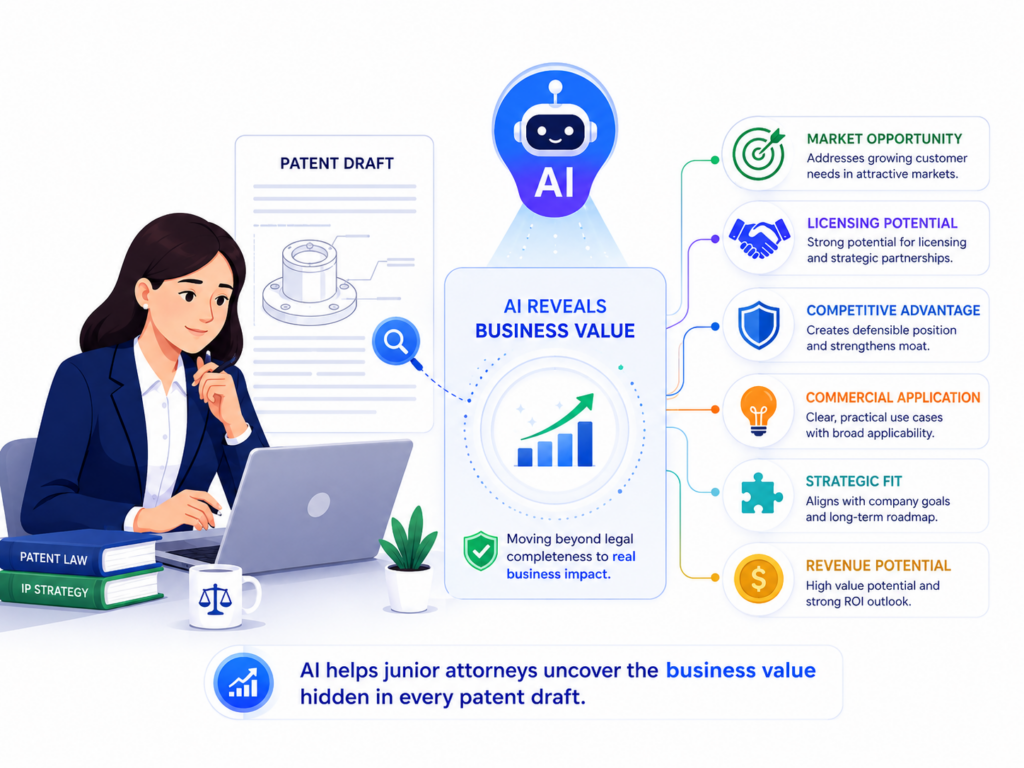
Junior attorneys who understand this will review drafts better. They will not only ask, “Is this technically correct?” They will also ask, “Does this protect what the company needs to protect?”
AI can help junior attorneys make that shift. It can compare the patent draft with a product summary, pitch deck, roadmap, or technical memo. It can show whether the draft lines up with the startup’s main value.
It can flag when the draft spends too much time on a side feature and not enough time on the core system. It can also help the attorney see whether the patent story would make sense to a founder, investor, or technical buyer.
The Best Patent Drafts Protect the Reason Customers Care
A startup patent should not be built around random technical details. It should protect the part of the invention that gives the company an edge.
That edge may be speed, accuracy, safety, cost savings, better automation, better data use, better control, or a new user experience. The draft should make that edge clear.
AI can help junior attorneys find whether the draft explains the business value in plain terms. This does not mean turning the patent into a sales page. It means making sure the technical story is tied to a real problem.
If the invention lowers false alerts, the draft should explain how. If it reduces compute cost, the draft should describe what step saves compute.
If it improves model output, the draft should explain what input, training method, check, or feedback loop makes that possible.
This matters because a patent that does not connect to the company’s real advantage may be less useful. It may look fine on paper but fail to support the startup’s goals. AI helps junior attorneys review the draft through that wider lens.
AI Can Compare the Draft to the Product Roadmap
Startups move fast. The invention being patented today may become part of a larger platform tomorrow.
A junior attorney should review whether the draft supports future product paths that are already likely. AI can help by comparing the draft to roadmap notes and finding missing future versions.
For example, the current product may use human review after an AI output. The roadmap may move toward automatic action when confidence is high.
If the patent draft only describes human review, it may miss the future version. Or the current product may run in the cloud, while the roadmap includes edge use.
If the draft only talks about cloud servers, the attorney should ask whether edge support should be added.
This does not mean guessing wildly. It means using real business context to write a better draft.
The junior attorney can ask the founder which future paths are realistic. AI helps reveal the gap. The attorney helps decide what to include.
AI Can Help Junior Attorneys Think Like a Competitor and an Investor
A competitor reads a patent differently from an inventor.
A competitor asks, “What can I copy safely?” An investor asks, “Does this protect something important?” A junior attorney should learn to review from both angles. AI can help simulate those views.
When reviewing as a competitor, AI can suggest what parts of the invention seem easy to design around.
When reviewing as an investor, AI can explain whether the draft appears tied to a real product advantage. These are not final answers, but they are useful prompts. They help the attorney think beyond grammar and formatting.
A strong review may show that the claims cover a technical process, but not the feature that makes the product valuable.
Or it may show that the specification explains the product well, but the claims focus on a small backend step that competitors may not need. These insights can change the direction of the draft.
Business-Aware Review Makes Junior Attorneys More Valuable
A junior attorney who can connect patent language to business goals becomes more than a draft checker. They become a stronger advisor.
They can help senior attorneys spot strategy issues earlier. They can ask founders better questions. They can help keep the patent focused on what matters.
This is why PowerPatent is a strong fit for modern startups and law firms. It helps bring invention details, business context, and attorney review into one clearer path.
The result is a faster process with less confusion and better control. To see how PowerPatent helps founders protect what they are building, visit https://powerpatent.com/how-it-works
AI Helps Junior Attorneys Create a Better Final Review System
The final review is where many patent drafts either get sharper or stay messy. By this point, the claims may have changed, the specification may have grown, figures may have been updated, and inventor comments may have been added.
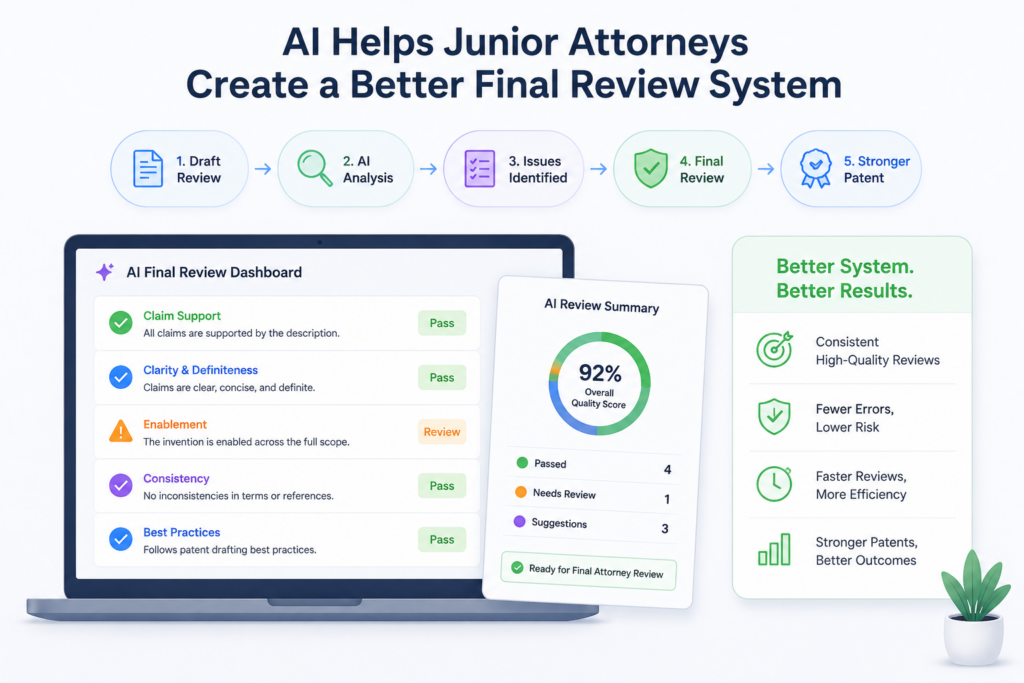
It is easy for small mistakes to creep in. AI helps junior attorneys run a more complete final check before the draft goes to a senior attorney, client, or filing team.
The best final review system is not just a spell check. It should test the draft from several angles.
The junior attorney should check claim support, term consistency, figure alignment, invention coverage, fallback detail, technical clarity, and business fit. That sounds like a lot because it is a lot. AI helps by making the process repeatable.
A Final Review Should Be Built Like a Quality Gate
A quality gate is a point where the draft must pass certain checks before moving forward.
For patent drafts, this is useful because it stops rushed work from becoming filed work. AI can support the quality gate by running the same review steps each time.
The junior attorney can use AI to ask whether every claim term has support. They can ask whether the abstract matches the claims. They can ask whether the title is too narrow or too broad.
They can ask whether each figure is described. They can ask whether the draft uses the same term in different ways. They can ask whether examples are tied to the invention or just floating in the text.
This does not replace the attorney’s review. It makes the attorney’s review cleaner. Instead of trying to remember every possible issue, the junior attorney follows a steady path. That reduces mistakes and builds confidence.
AI Can Help Catch Late-Stage Drift
Late-stage drift happens when edits change the draft in one place but not another. A claim may be updated, but the summary still reflects the old version.
A new figure may be added, but the detailed description may not fully explain it. A term may be changed in the claims but not in the abstract. These issues are common because patent drafts move through many hands.
AI is very good at finding drift. It can compare sections and ask whether they still match. It can find old terms that should have been replaced.
It can flag when the claims now focus on one feature while the summary still focuses on another. It can also show when an example no longer supports the current claim direction.
The junior attorney should treat these flags as a final cleanup map. Some flags will matter. Some will not. But the process helps prevent avoidable errors from reaching the client or filing stage.
The Final Review Should Make the Senior Attorney’s Job Easier
A junior attorney’s review is not only about finding problems. It is also about helping the senior attorney make faster, better decisions.
A strong junior review should surface the key issues clearly. It should not bury the senior attorney in small comments while missing the main risk.
AI can help the junior attorney prepare a clear review note. The note can explain what was checked, what issues were fixed, what questions remain, and where senior judgment is needed.
This is valuable because senior attorneys often need to focus on strategy. They do not want to spend time finding basic mismatches that could have been caught earlier.
For example, instead of saying, “Please review claim scope,” the junior attorney can say, “Claim 1 requires a confidence score and a routing step. The specification supports both, but the current draft only gives one example of the routing rule.
I recommend asking the inventor whether other routing rules should be added.” That is much more useful.
AI Turns Review Into a Skill-Building Loop
The best part of using AI in review is not just speed. It is learning. Junior attorneys can compare their own notes with AI’s flags.
They can see what they missed. They can ask why a phrase may be unclear. They can build better instincts over time.
This creates a feedback loop. Each draft becomes a chance to improve. The junior attorney learns to spot weak support, vague terms, narrow claim traps, figure mismatches, and business gaps. AI helps them practice faster, but the human judgment still grows through real work.
That is the future PowerPatent is built for. Patent work should not feel slow, unclear, or trapped in old habits. With smart software and real attorney oversight, founders and legal teams can move faster while still protecting the work that matters.
To see how PowerPatent helps turn technical ideas into stronger patent filings, visit https://powerpatent.com/how-it-works
AI Helps Junior Attorneys Review Prior Art Notes Without Losing the Invention Story
A junior attorney often receives a patent draft along with some notes about similar products, papers, public tools, or older patents. This can feel heavy fast.
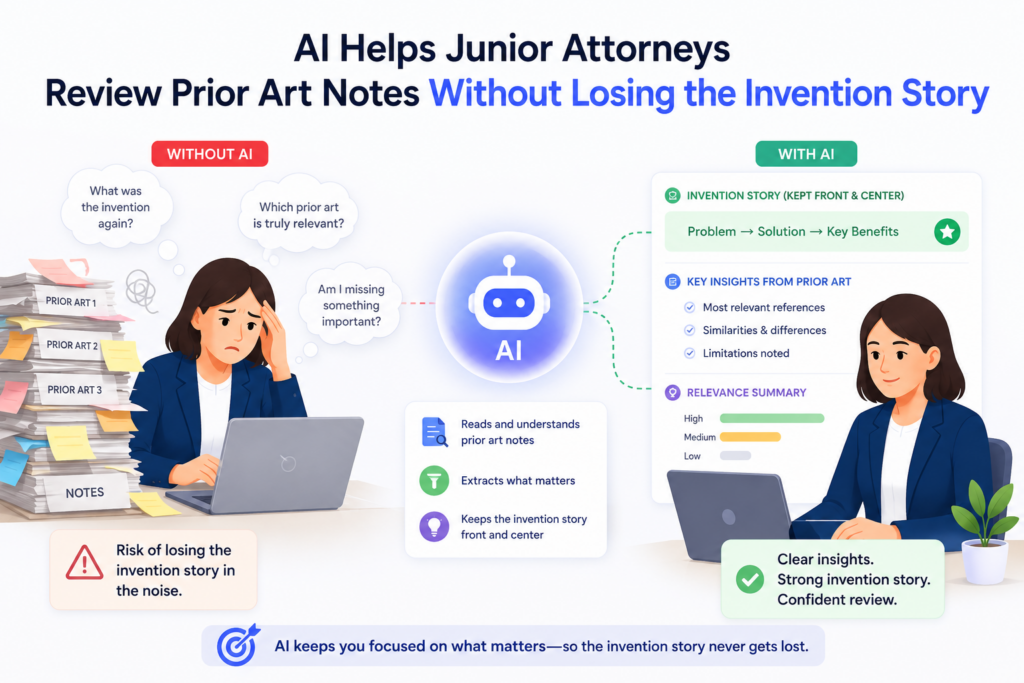
The attorney has to understand what came before, what the inventor built, what is different, and how the draft should explain that difference without making the invention sound small. AI can help by turning a messy pile of prior art notes into a clearer review path.
The key is not to let AI decide whether the invention is new. That is still attorney work. The better use is to let AI organize the comparison.
It can help show what the draft says the invention does, what the known systems appear to do, and where the real difference may live. This helps the junior attorney focus on the right question: “Does the draft clearly explain the part that makes this invention different?”
This is important because junior attorneys sometimes react to prior art in the wrong way. They may make the claim too narrow too soon. They may remove useful language because one old reference sounds close.
They may focus on the wrong difference because the inventor’s notes were not clear. AI can help slow that process down and make it more exact.
The Best Prior Art Review Starts With a Plain-English Difference
Before changing claims, the junior attorney should be able to explain the invention in simple words.
Then they should be able to explain how it is different from the closest known work in simple words. If that plain-English difference is not clear, the draft is not ready for deep claim editing.
AI can help with this first pass. The junior attorney can ask AI to compare the invention summary with prior art notes and state the likely point of difference in plain language.
The output might say that the old system detects an event after it happens, while the new system predicts the event early and changes the control setting before harm occurs.
Or it might show that the older system uses one model for all users, while the new system picks a model based on user state and past response data.
That plain statement is not the final legal answer. It is a working theory. The attorney must test it against the draft, the claims, the figures, and the inventor’s real product. But once the theory is clear, the review becomes much sharper.
AI Helps Prevent Panic Narrowing
Panic narrowing happens when a reviewer sees similar prior art and quickly cuts the claim down to a tiny version of the invention.
This can make the draft safer in one sense, but weaker in a business sense. The founder may end up with claims that cover only one small build, while the larger invention remains exposed.
AI can help junior attorneys avoid this by showing more than one possible difference. Instead of reacting to the first overlap, the attorney can ask AI to identify several ways the invention may differ from the older work.
One difference may be the input data. Another may be the timing. Another may be the output. Another may be the feedback loop. Another may be how the system handles low-confidence cases.
This gives the attorney options. They can talk with the senior attorney and inventor about which difference matters most.
They can decide what belongs in the broad claim and what belongs in backup claims. They can also improve the specification so the difference is not buried.
PowerPatent helps teams handle this kind of review with more control. It helps turn technical details, inventor notes, and attorney review into a cleaner path, so important differences do not get lost in long email threads.
Founders and firms can see the process here: https://powerpatent.com/how-it-works
AI Helps Junior Attorneys Turn Weak Inventor Answers Into Strong Follow-Up Questions
Inventors are often busy. They may answer patent questions quickly, using short notes, screenshots, rough diagrams, or voice comments. That is not because they do not care.
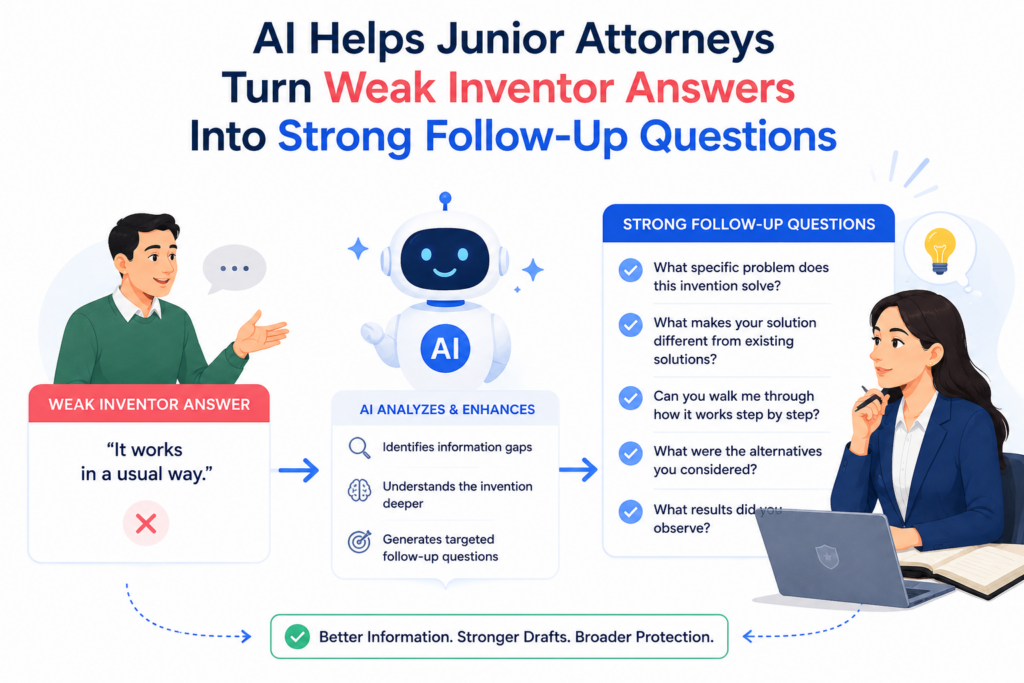
It is because they are building, selling, hiring, fixing bugs, and trying to keep the company moving. A junior attorney needs to take those rough answers and turn them into useful patent detail. AI can help make that work much better.
A weak inventor answer might say, “The system ranks users based on risk.” That is not enough for a strong draft.
The attorney needs to know what “risk” means, what data is used, how the ranking is made, how often it changes, what happens after ranking, and what makes the method different from normal scoring. AI can help the junior attorney see what is missing without wasting time.
This is one of the most practical uses of AI in patent review. It helps junior attorneys stop asking broad questions and start asking precise questions.
Precise questions lead to better answers. Better answers lead to stronger drafts.
Better Questions Save More Time Than Faster Writing
Many people think AI is useful because it writes fast. That is true, but in patent work, faster writing is not the main win.
The bigger win is faster clarity. A draft written quickly from weak facts is still weak. A draft written from strong facts can be shorter, clearer, and much more useful.
AI can read an inventor’s answer and help the attorney turn it into a follow-up. For example, if the inventor says the system “uses feedback to improve the model,” AI can suggest asking what kind of feedback is used, who provides it, how it is stored, whether it changes training data, whether it changes model weights, and whether it affects future outputs in real time or later.
The attorney can then choose the best two or three questions instead of sending a long, tiring list.
This makes the founder experience better. Founders do not want to answer twenty vague questions. They are more likely to give strong answers when the attorney asks the exact thing needed.
AI Helps Junior Attorneys Hear What Is Not Being Said
A strong patent review often depends on noticing missing information. The inventor may explain the result but not the process. They may explain the model but not the data.
They may explain the user screen but not the backend logic. They may explain the current version but not the other versions the team already knows are possible.
AI can help junior attorneys catch these silent gaps. It can compare an inventor answer to the claim and show what part of the claim still lacks detail.
It can ask whether a step is required or just optional. It can flag places where the inventor uses a business word like “better match” or “smart routing” without explaining the technical action underneath.
The attorney should then turn those gaps into direct follow-ups. Instead of saying, “Please provide more technical detail,” the attorney can say, “What data fields are used to decide the match, and does the system weigh any field more than the others?” That is simple. It is respectful. It gets the answer the draft needs.
This is the kind of workflow PowerPatent is built to support. It helps founders give better invention details without getting buried in legal process.
It also helps attorneys review those details faster and with more focus. See how PowerPatent works here: https://powerpatent.com/how-it-works
AI Helps Junior Attorneys Make Patent Drafts Easier for Founders to Review
A patent draft may be strong from a legal point of view, but if the founder cannot review it, there is still a problem. Founders need to confirm that the draft matches the invention.
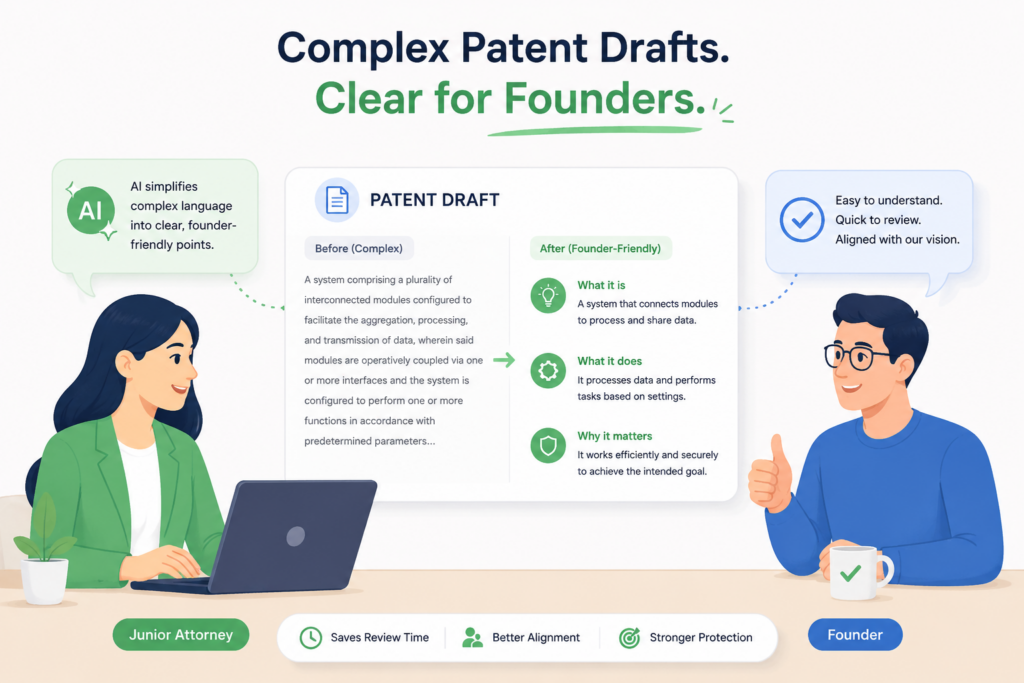
They need to spot wrong assumptions. They need to say when a feature is missing or when a detail is not accurate. If the draft is hard to read, the founder may skim it, miss issues, or approve something that does not fully protect the product.
Junior attorneys can use AI to make founder review much easier. This does not mean dumbing down the patent. It means creating a plain-English review layer around the draft.
AI can summarize the draft, explain the claims in simple words, and highlight the key technical choices the founder should confirm. That helps the founder give better feedback without needing to understand every patent phrase.
This is a major quality boost. Many draft errors come from poor review communication. The attorney sends a long document. The founder feels lost. The founder gives light comments.
The draft moves forward with hidden mistakes. AI can help fix that by making review easier and more focused.
The Founder Should Know What They Are Approving
A founder should not approve a patent draft just because it looks formal. They should understand what the draft is trying to protect.
They should know the main claim idea, the key examples, the parts that must be correct, and the assumptions the attorney made. AI can help the junior attorney prepare that explanation.
For example, the attorney can use AI to create a simple founder note that says, in plain words, what the patent covers.
It might explain that the draft focuses on choosing a model based on confidence, using feedback to improve later choices, and changing the user flow when the system is unsure. Then the founder can check whether that matches the product.
This makes the review more real. The founder is no longer just reading pages. They are checking the story.
They can say, “Yes, that is the core idea,” or “No, the real value is not the model choice. It is the fallback path when the model is wrong.” That feedback can change the patent for the better.
AI Helps Turn Claims Into Founder-Friendly Checks
Claims are hard for many founders to read. They may understand the invention deeply but still struggle with claim language.
AI can help by turning each main claim into a simple check. The attorney can ask AI to restate the claim as a plain-English description and then ask the founder whether each part is accurate.
This helps the founder catch errors. Maybe the claim says the system receives sensor data from a wearable device, but the product can also receive it from a phone.
Maybe the claim says the system sends a notification, but in the real product it sends an API command. Maybe the claim says a user approves the result, but the product only asks for approval when confidence is low.
These details matter. AI helps the junior attorney expose them in a way the founder can respond to. The founder does not need to edit claim language. They only need to confirm the facts.
PowerPatent makes this easier by helping founders and attorneys work from a clearer shared view of the invention.
The goal is not just a fast draft. The goal is a draft the founder understands, trusts, and can stand behind. Learn more here: https://powerpatent.com/how-it-works
Conclusion
AI helps junior attorneys review patent drafts with more speed, sharper judgment, and fewer missed details. It helps them check claim support, spot weak wording, test scope, improve inventor questions, and prepare cleaner notes for senior attorneys. But the best results come when AI supports human review, not replaces it.
A strong patent still needs real attorney thinking, founder input, and a clear link to the product’s true value. That is the PowerPatent advantage: smart software plus real attorney oversight, built for faster, stronger patent work without slowing down the people building the future. See how it works here: https://powerpatent.com/how-it-works
Leave a Reply