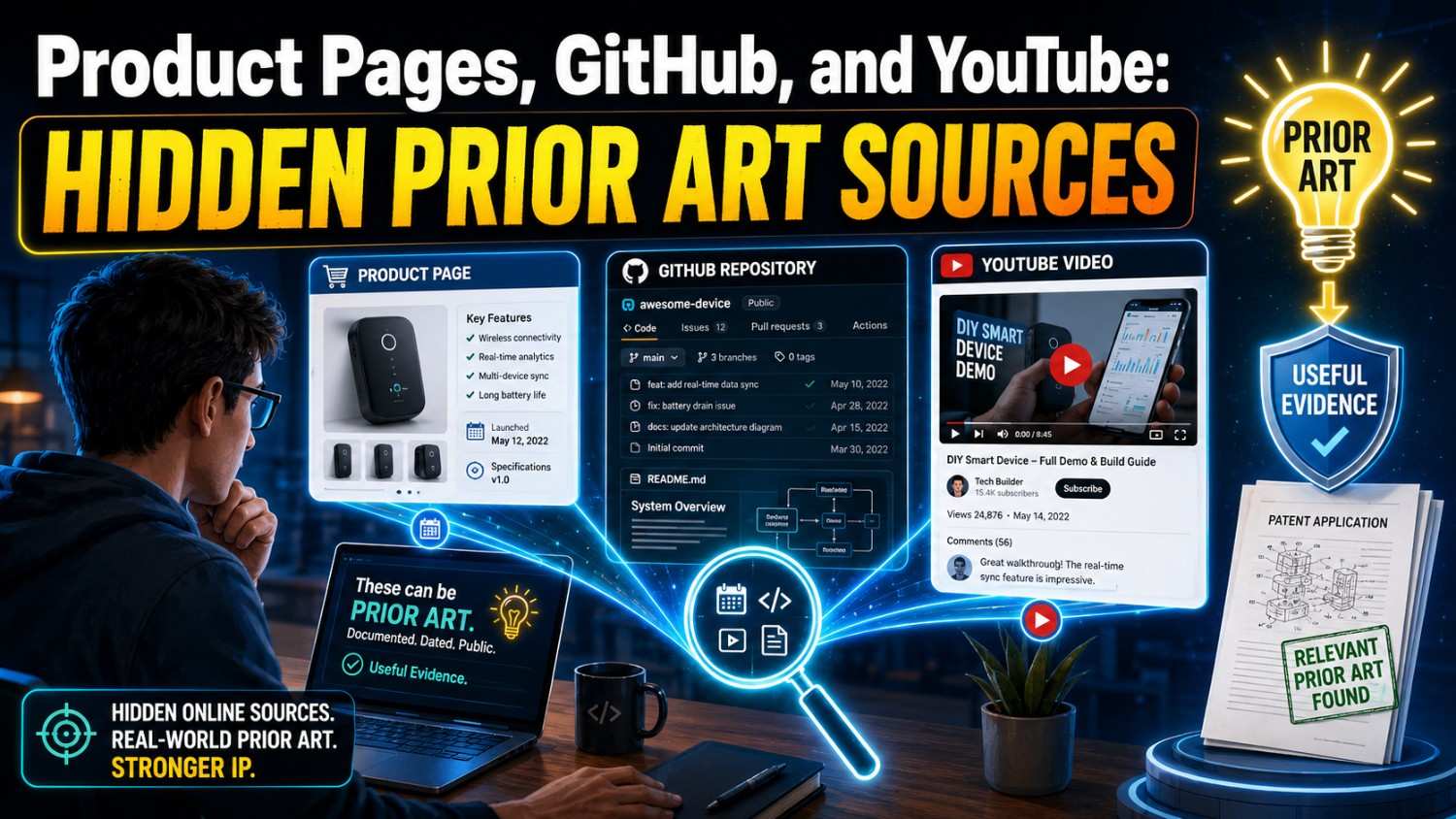
Prior art does not always look like a patent.
Sometimes it looks like a product page. Sometimes it is buried in a GitHub repo. Sometimes it shows up in a YouTube demo where an engineer explains how something works for three minutes.
If you are about to file a patent, these hidden sources matter.
This guide shows founders, engineers, and inventors how to search product pages, GitHub, and YouTube before filing, so you can protect the real edge of what you built.
And if you want a faster way to turn your invention into a strong, attorney-reviewed patent filing, PowerPatent can help. See how it works here: https://powerpatent.com/how-it-works
Prior Art Is Bigger Than Patents
When most founders hear “prior art,” they think of old patents.
That is a good start, but it is too narrow.
Prior art can be any public information that shows an invention, a feature, a method, a system, or a key part of your idea before your filing date.
That public information can live almost anywhere.
It can be in a research paper, a manual, a blog post, a conference slide, a public code repo, a product launch page, a support doc, a video demo, a changelog, an API guide, a forum thread, or a dataset page.
That is why a patent search that only checks patent databases can miss a lot.
For modern startups, this is a serious point.
Software teams ship features before filing patents. AI labs publish papers and code. Hardware companies post manuals and datasheets. Developer tool companies publish docs. Robotics labs post demos. Security teams share tools. Cloud companies write deep engineering blogs. Founders give product walkthroughs on video. Open-source builders push working code.
The closest old work may not be in a patent at all.
It may be public in plain sight.
This is why product pages, GitHub, and YouTube deserve real attention before you file.
They are not side sources.
They can be central sources.
Why These Sources Are Easy to Miss
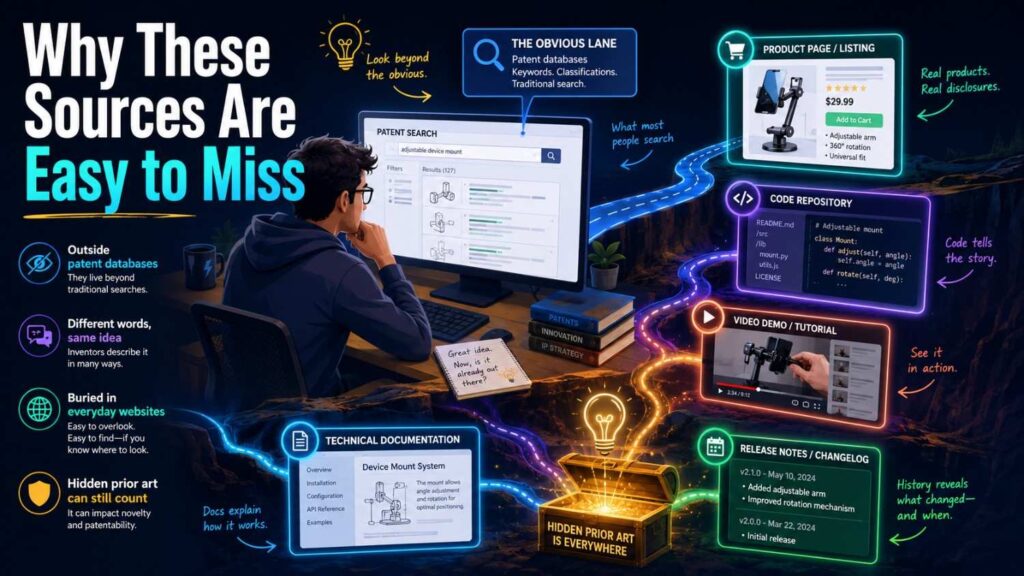
Product pages, GitHub, and YouTube are messy.
Patent databases have structure. They have filing dates, publication numbers, claims, inventors, owners, and classification codes.
The open web does not behave that way.
A product page may use marketing words. A GitHub repo may use developer slang. A YouTube demo may show the feature visually without saying the term you searched. A changelog may mention a key feature in one short line. A README may hide important detail under setup steps. A video transcript may say “this thing” instead of the formal name.
This makes searching harder.
It also makes these sources dangerous to ignore.
A founder may search patents and find nothing. Then a patent examiner, investor, buyer, or competitor finds a public repo from two years ago that shows the same core method.
That is a painful surprise.
It is better to know early.
Early search gives you options. You can change claim focus. You can add details. You can file on a narrower but stronger improvement. You can decide not to file a weak idea. You can find a better invention inside the product.
The goal is not to prove that nothing exists.
The goal is to understand what exists so you can protect what is truly yours.
That is the kind of clarity PowerPatent helps founders build into the patent process. Learn more here: https://powerpatent.com/how-it-works
The Hidden Prior Art Mindset
A strong search starts with the right mindset.
Do not ask only, “Has anyone patented this?”
Ask, “Has anyone publicly shown this?”
That one shift changes everything.
A product page can show a user-facing feature. A GitHub repo can show the working method. A YouTube demo can show the system in action. A support doc can show settings and rules. A release note can show when the feature went live. An API page can show the data flow. A tutorial can show how users connect parts. A demo video can show the sequence of steps.
None of these may look like legal documents.
They do not need to.
If they teach the important part of the invention, they may matter.
For a founder, this means your search must be practical. You are not only searching formal databases. You are searching where builders share, sell, explain, and ship.
This is especially true if you build in AI, software, developer tools, robotics, hardware, cybersecurity, climate tech, cloud systems, or medical technology.
In these spaces, public details often appear outside patents first.
Search the Real Invention, Not the Brand Story
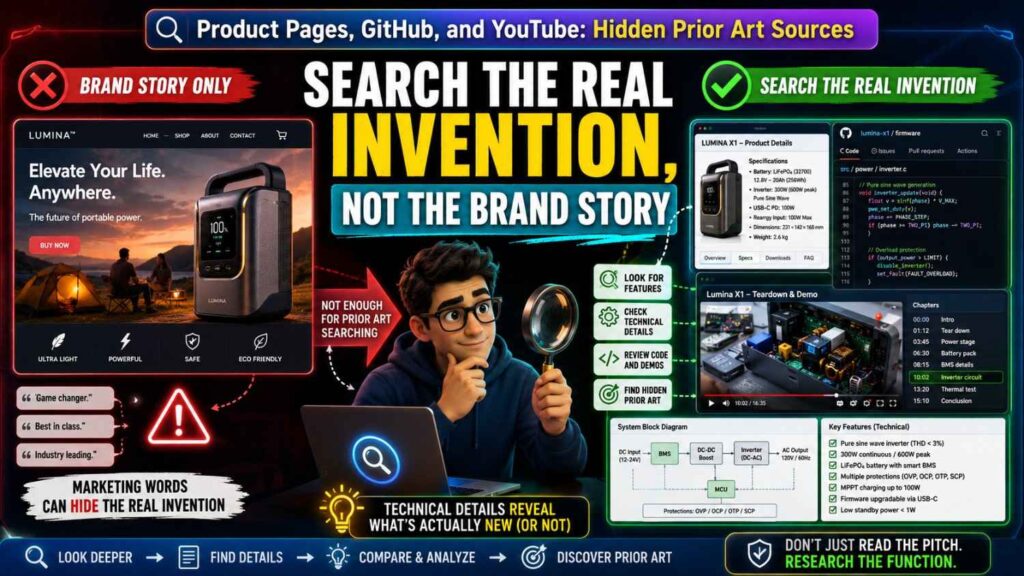
Before you search product pages, GitHub, or YouTube, you need to define the invention.
Not the brand.
Not the pitch.
Not the market category.
The invention.
A product page may say, “AI-powered automation for support teams.” That is not enough.
The actual invention might be a method that routes tickets based on incident history, service ownership, user impact, and live on-call load.
A startup may say, “smart battery safety.” That is not enough.
The actual invention might be a system that compares vent gas sensor data with local temperature gradients to detect early cell failure with fewer false alarms.
A company may say, “robotic picking made easy.” That is not enough.
The actual invention might be a grasp recovery method that uses tactile slip data and camera updates to retry without resetting the full task.
Search the technical move.
That means you search the problem, the inputs, the steps, the output, the setting, and the improvement.
If you do not define those parts, your search will stay shallow.
A shallow search feels fast, but it creates false comfort.
A focused search may take more thought, but it gives you useful results.
Write One Clear Sentence First
Before searching, write one simple sentence.
Use plain words.
For example:
“The system predicts which software change may cause a production incident by comparing the pull request with past incidents, file ownership, and service dependency data.”
That sentence gives you search fuel.
You can search “production incident pull request prediction.”
You can search “service dependency code change risk.”
You can search “file ownership reviewer recommendation incident history.”
You can search “GitHub pull request risk scoring.”
You can search product docs for “incident routing,” “code risk,” “change intelligence,” and “service ownership.”
You can search YouTube for demos of tools that show this workflow.
The sentence turns a vague product idea into searchable parts.
This is the same habit that helps with patent drafting.
Strong patents start from clear technical facts.
PowerPatent helps founders capture those facts early, so the filing is not built from a loose product pitch. See the process here: https://powerpatent.com/how-it-works
Why Product Pages Matter
Product pages are often dismissed as marketing.
That can be a mistake.
A product page may show that a feature was publicly offered. It may explain a workflow. It may show screenshots. It may include diagrams. It may name inputs and outputs. It may link to docs. It may show a demo. It may list integrations. It may mention automation rules, alerts, models, sensors, dashboards, APIs, or system behavior.
Even when a product page is light on detail, it can lead you to deeper sources.
A landing page may link to documentation.
A feature page may link to a webinar.
A pricing page may list advanced features.
A support article may explain how the feature actually works.
A release note may show when it launched.
A case study may describe the system in use.
A public help center may reveal configuration steps.
Product pages are doorways.
They may not be the final prior art source, but they can point to it.
For startups, competitor product pages are especially useful. They show what others have already made public. They also show how competitors frame the problem, which terms they use, and which features they treat as important.
That can sharpen your search and your patent strategy.
What to Look for on Product Pages
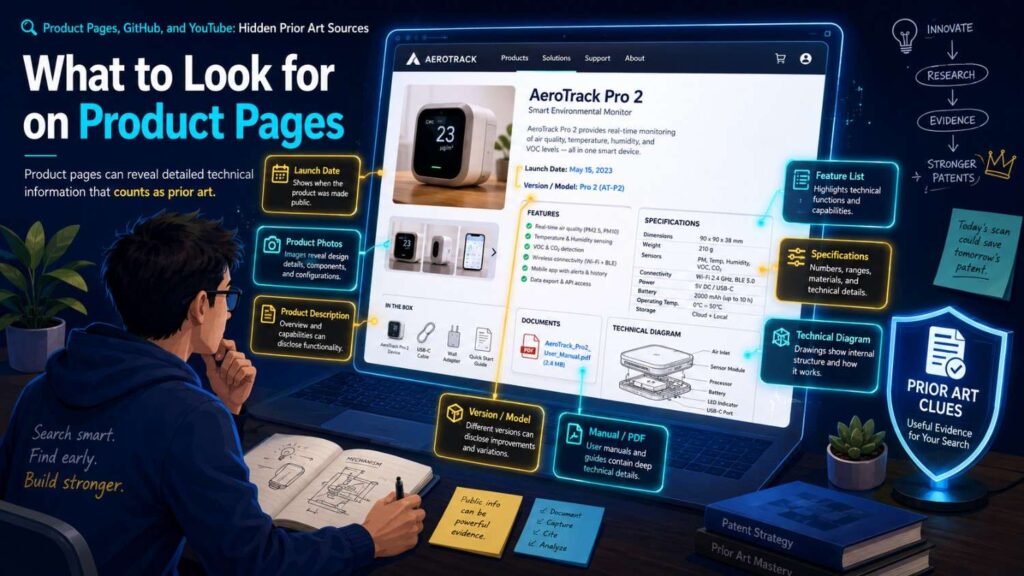
When you study a product page, do not read it like a customer.
Read it like an inventor.
Look for what the system does.
Does it detect something? Rank something? Route something? Predict something? Match users to data? Trigger an alert? Change a setting? Recommend an action? Control hardware? Generate content? Verify a risk? Reduce noise? Improve speed?
Then look for what it uses.
Does it use logs, sensor data, user behavior, model outputs, code changes, location data, images, audio, health data, payment history, service maps, or device signals?
Then look for the result.
Does it reduce false alarms, lower latency, improve accuracy, save power, prevent fraud, increase yield, reduce downtime, or improve safety?
These details turn marketing pages into search leads.
A product page that says “automatically triages incidents using service context” may lead you to search service context, incident triage, ownership graph, alert routing, and on-call automation.
A page that says “detects battery risk before thermal runaway” may lead you to search gas detection, cell venting, pressure changes, temperature gradients, and early warning.
A page that says “keeps AI responses grounded in approved company knowledge” may lead you to search retrieval, policy rules, source checking, hallucination reduction, and answer verification.
The value is often in the clues.
Product Screenshots Can Teach a Lot
Screenshots are not just decoration.
They can show workflows, settings, fields, labels, outputs, and system states.
A dashboard screenshot may reveal that a product scores risk based on certain inputs.
A settings screenshot may reveal rule logic.
A workflow screenshot may show the order of steps.
A graph may show how the system groups data.
A mobile screen may show alert timing or user actions.
If your invention has a user interface or workflow, screenshots can be important.
Look closely at labels.
A screenshot may show “confidence score,” “similar incidents,” “recommended owner,” “auto-escalate,” “sensor drift,” “model feedback,” “policy match,” or “root cause.”
Those labels become search terms.
They can also reveal close features.
Do not overstate what a screenshot shows. A picture may not explain the full method. But it can point you to deeper docs and help you compare features.
Product Docs Are Often Better Than Product Pages
The product page sells.
The docs explain.
If a feature matters, search the docs.
Documentation may show setup steps, API calls, configuration options, data formats, event triggers, model behavior, permissions, outputs, webhooks, integrations, and workflows.
This can be much closer to the invention than the landing page.
For software and AI, docs are often one of the best hidden prior art sources.
A developer doc may show exactly how to call an API, what data is sent, how results are ranked, how errors are handled, or how a model response is grounded.
A support doc may show how admins configure rules, thresholds, routing, alerts, or permissions.
A troubleshooting page may reveal failure modes and recovery steps.
A best practices guide may describe how the system should be used to solve a technical problem.
When you find a product page that looks close, always look for docs.
Search the company domain for the feature terms. Add words like docs, API, guide, help, manual, setup, integration, configuration, and release notes.
The deeper source is often one click away, but not always obvious.
Release Notes and Changelogs Can Prove Timing
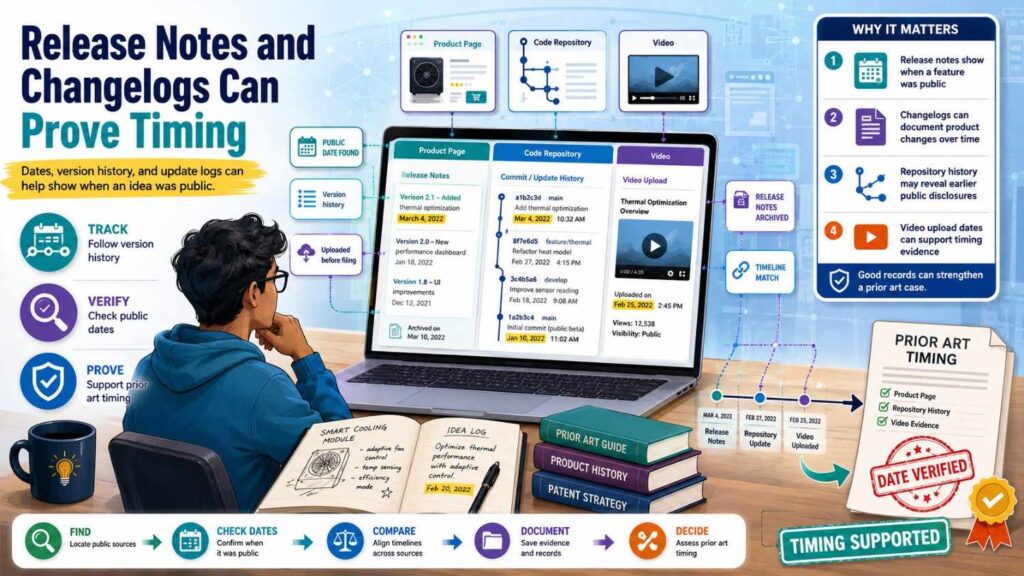
Dates matter.
A feature that was public before your filing date may matter in a prior art search.
Release notes and changelogs can show when a feature became public.
They may also include technical clues.
A changelog might say, “Added automatic routing based on service ownership.”
Another might say, “Added model confidence threshold for document extraction.”
Another might say, “New sensor calibration flow reduces false alerts.”
Those short lines can be important.
They can lead to docs, demos, or code.
They can also help show that a public feature existed by a certain date.
When you search product pages, do not stop at the current page.
Look for version history, release notes, changelog, updates, what’s new, launch notes, and archived docs.
For APIs and developer tools, changelogs are often gold.
They show the evolution of the system in plain terms.
Archived Product Pages Can Matter
The web changes.
A product page today may not show what it showed last year.
A company may rename a feature. It may remove old docs. It may rewrite a page after launch. It may merge products. It may hide older details.
Archived pages can help you see what was public at a past time.
This can matter if you are trying to understand whether a competitor disclosed a feature before your filing date.
Archived pages are also useful when a product has changed.
A current doc may describe version 3. But old version 1 may be the one that matters.
For important searches, note whether the page is current or archived. Record dates. Save page titles, URLs, and version details when you can.
You do not need to become an archive expert for every search.
But if a source looks close, timing matters. Do not ignore old versions.
Product Pages in AI
AI product pages can be vague.
They often say “smart,” “agentic,” “autonomous,” “context-aware,” “AI-powered,” or “self-learning.”
Those words do not tell you enough.
Look for the real technical feature.
Does the product retrieve documents? Does it use embeddings? Does it rank sources? Does it call tools? Does it use human feedback? Does it check policy rules? Does it route tasks? Does it classify risk? Does it run on-device? Does it protect private data? Does it generate structured outputs? Does it verify answers?
Search those actions.
AI product pages often link to docs, model cards, API references, eval reports, and demos. Those sources can be more useful than the landing page.
For example, a product page may say “AI assistant for compliance.”
The docs may show that the assistant checks user prompts against a policy library, retrieves approved clauses, ranks evidence, and blocks answers when confidence is too low.
That is much more specific.
If your invention is in AI, do not search only the broad AI label.
Search the workflow behind it.
Product Pages in Hardware
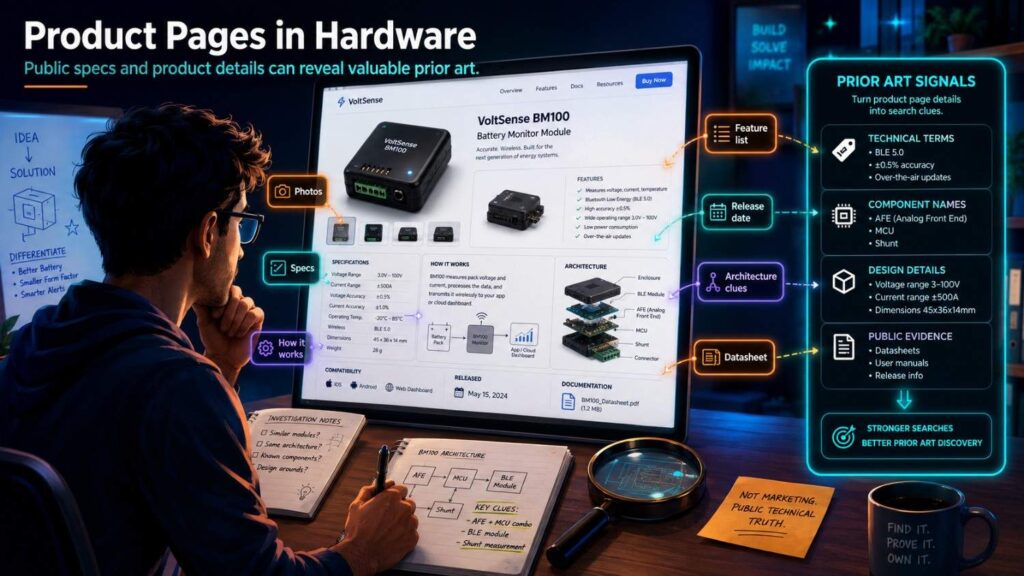
Hardware product pages may show physical features.
They may include diagrams, specs, datasheets, installation guides, safety notes, and manuals.
Look for structure, materials, sensor placement, signal paths, mounting methods, cooling paths, calibration steps, and control behavior.
A product page for a sensor may show operating range, sampling rate, mounting position, compensation method, output format, and fault modes.
A product page for a battery system may show pack layout, cooling method, safety monitoring, enclosure design, and alert logic.
A product page for a robot may show end effector design, degrees of freedom, sensing, control modes, and recovery behavior.
Hardware prior art is often visual and practical.
Do not rely only on text search.
Open datasheets. Look at figures. Read manuals. Watch installation videos. Check teardown posts. Search supplier docs.
A small diagram can change the whole search.
Product Pages in Developer Tools
Developer tools often publish rich docs.
They may show APIs, SDKs, workflows, event schemas, plugins, integrations, and automation logic.
If your invention is in developer tools, search product docs hard.
Look for terms like webhook, event, pipeline, trigger, rule, policy, scan, deploy, rollback, preview, test, monitor, incident, ownership, dependency, and graph.
Developer docs may show more than patents because the product must teach users how to build with it.
An API reference can reveal input-output pairs.
An integration guide can reveal data flow.
A config page can reveal rules.
A tutorial can reveal the sequence of steps.
If you built something for engineers, assume other engineers may have written about similar workflows in docs, blogs, and repos.
Search accordingly.
Why GitHub Matters
GitHub is not just a code host.
It is a public record of how software works.
For many modern inventions, GitHub may be the most important non-patent source.
A repo can show code, docs, examples, tests, issues, discussions, commits, branches, releases, and dates.
It can show a method in working form.
It can show that a feature was public before a patent filing.
It can show how developers named a problem.
It can also link to papers, blogs, demos, packages, and docs.
This matters for software, AI, robotics, data tools, infrastructure, cybersecurity, embedded systems, hardware control, and even biotech tools.
A patent search may miss open-source work because the repo has no patent classification, no patent title, and no claims.
But if the repo teaches the same method, it can matter.
That is why GitHub should be part of your search before filing.
GitHub Search Is Different
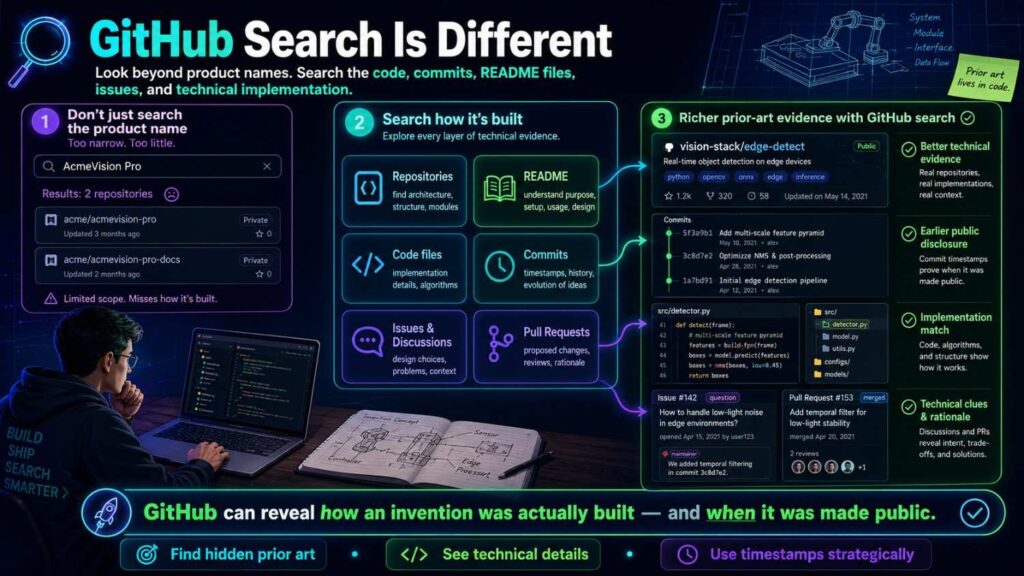
GitHub search is not like patent search.
Patents use formal words. GitHub uses builder words.
A patent may say “determining a ranked set of candidate documents based on vector representations.”
A repo may say “semantic_search,” “embed_docs,” “rerank,” or “retrieve_top_k.”
A patent may say “assigning a service request to a responsible entity.”
A repo may say “ticket_router,” “owner_matcher,” or “triage_bot.”
A patent may say “detecting an abnormal operating condition.”
A repo may say “anomaly_detector,” “fault_check,” or “bad_sensor_filter.”
So your GitHub search must include practical terms.
Search function names, file names, package names, framework terms, model names, task names, and common developer phrases.
Also search acronyms and short names.
Developers love short names.
Start With the README, But Do Not Stop There
The README is the front door.
It often explains the project, setup, features, examples, and links.
Read it first.
But do not stop there.
Many important details live in docs folders, examples, notebooks, tests, config files, issues, pull requests, and commit messages.
A README may say “supports automatic triage.”
The code may show that triage uses labels, embeddings, ownership files, incident tags, and confidence thresholds.
A README may say “battery monitor demo.”
The scripts may show gas thresholds, temperature comparison, sampling windows, and alert logic.
A README may say “agent workflow.”
The examples may show tool selection, memory updates, retry logic, and policy checks.
If a repo looks close, open the folders.
Search inside the repo for your key terms.
Look at examples. Look at tests. Tests often reveal expected behavior in simple form.
Issues and Pull Requests Can Reveal Design History
GitHub issues and pull requests are often overlooked.
They can show why a feature was added, how it works, what problem it solves, and when it became public.
An issue may say, “We need to route incidents based on service ownership and recent deploys.”
A pull request may show the code that does it.
A discussion may explain why the old method failed.
A maintainer comment may describe the algorithm in plain words.
These sources can be valuable because they are often more direct than polished docs.
They show the build process.
If a repo is close to your invention, check issues and pull requests with your terms.
Search for bug, feature request, design, proposal, RFC, discussion, fix, improve, add, support, and refactor.
Those words often lead to useful threads.
Commits and Releases Can Help With Dates
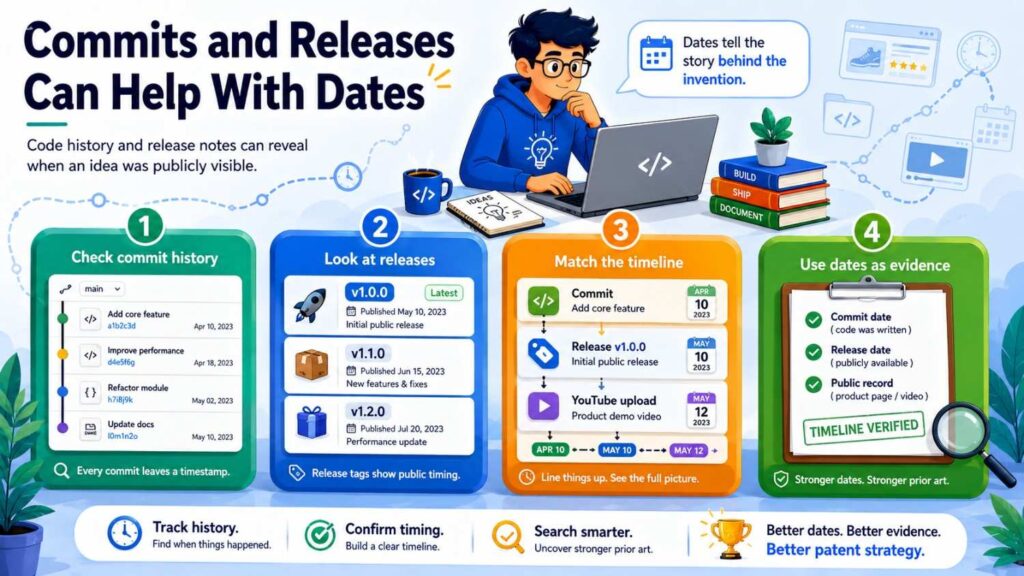
GitHub gives date clues.
Commits show when code was added or changed.
Releases show when a version was packaged.
Tags show version points.
Issues and pull requests show discussion dates.
This can help you understand timing.
Be careful, though.
A commit date is not always the full legal answer. Repos can be imported, rebased, mirrored, or changed. Public availability can raise questions. But dates are still useful search facts.
Record them.
If a repo is close, save the commit hash, release version, tag, or issue link when possible.
Do not just save the main repo URL.
The main branch may change later.
For patent review, a stable point in time is more useful.
GitHub Stars Are Not the Same as Relevance
Do not search only popular repos.
A small repo can still be close prior art.
A university project with 12 stars may show your method.
A student thesis repo may include a working version.
A company sample repo may show an integration.
A research lab repo may be linked from a paper and have little activity.
Popularity helps you triage, but it is not proof of importance.
Search for closeness, not fame.
That said, stars, forks, releases, and package downloads can help you decide which results to inspect first when there are many.
Use them as sorting signals, not final filters.
GitHub for AI Prior Art
AI work often appears on GitHub quickly.
Papers link to code. Developers build demos. Model tools publish examples. Frameworks include sample agents, retrieval pipelines, fine-tuning scripts, eval tools, and safety checks.
If your invention involves AI, search GitHub carefully.
Look for task names, model names, dataset names, method names, and workflow terms.
For retrieval systems, search embedding, vector search, rerank, top-k, chunking, citation, grounding, context window, and retrieval augmented generation.
For agents, search tool use, planner, executor, memory, reflection, retry, workflow, action selection, function calling, and guardrails.
For model safety, search policy check, moderation, eval, hallucination, refusal, confidence, verification, and source attribution.
For fine-tuning, search feedback, preference data, accepted edits, human review, adapter, LoRA, and active learning.
Then look at examples and notebooks.
AI repos often show the full flow in a notebook, not in the README.
GitHub for Developer Tool Prior Art
Developer tool inventions often have public analogs.
Search repos for bots, linters, scanners, CI tools, code review tools, incident tools, observability tools, deployment tools, and security tools.
Use practical terms.
Pull request, reviewer, owner, CODEOWNERS, risk score, dependency graph, static analysis, test selection, flaky test, rollback, deploy, incident, alert, runbook, service catalog, and change impact are all useful terms.
If your invention works inside GitHub itself, search GitHub Actions and marketplace examples.
Workflows can be prior art too.
An action may show how a feature was automated before.
Search YAML files, action docs, and example repos.
Developer tools are often built in the open.
Do not assume the best art is in patents.
GitHub for Robotics and Hardware
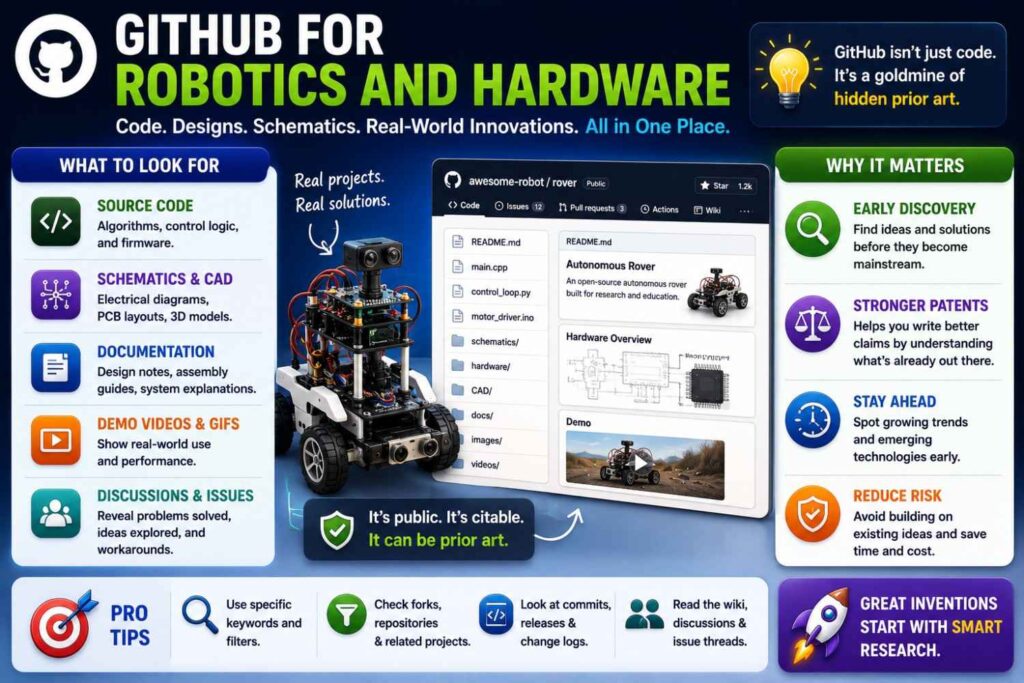
Robotics teams often publish code for control, planning, perception, simulation, calibration, and demos.
Hardware teams may publish firmware, CAD files, test scripts, sensor drivers, control loops, and reference designs.
If your invention has software controlling hardware, GitHub may be very important.
Search the sensor, actuator, board, robot platform, control method, and task.
Look at config files and launch files.
They may reveal sensor setup, timing, thresholds, coordinate frames, and control modes.
Look at simulation files.
They may show physical layout and behavior.
Look at firmware.
It may show safety checks, calibration, and fault handling.
Hardware prior art is not only mechanical drawings.
It can be code that makes the device work.
GitHub Search Tactics That Actually Help
Start broad, then narrow.
Search your main task. Then add the input, output, and method.
Search file names and function names.
Search exact phrases from papers or docs.
Search older terms.
Search abbreviations.
Search the problem phrase plus “repo,” “github,” “python,” “notebook,” “demo,” or the framework name.
When you find one close repo, check its topics, dependencies, forks, related papers, and linked project page.
Then search those names.
Good GitHub search is trail-following.
One repo leads to a paper. The paper leads to a lab. The lab leads to a demo. The demo leads to another repo. The repo links to a package. The package docs show the feature in more detail.
Follow the trail until the same ideas repeat.
What to Record From GitHub
For a close repo, record the repo name, owner, URL, license if relevant, date found, key commit or release, important files, and a plain note.
Write what it shows.
For example:
“This repo shows routing pull requests to reviewers using file ownership and past review history. It does not appear to use production incident similarity or customer impact scoring.”
Or:
“This notebook shows retrieval plus reranking for question answering. It does not appear to block answers based on document policy level or user role.”
Or:
“This firmware includes a battery temperature threshold alert. It does not appear to compare gas sensor changes with local temperature gradients.”
These notes are useful.
They help your patent team see the gap.
They also keep your search organized.
Why YouTube Matters
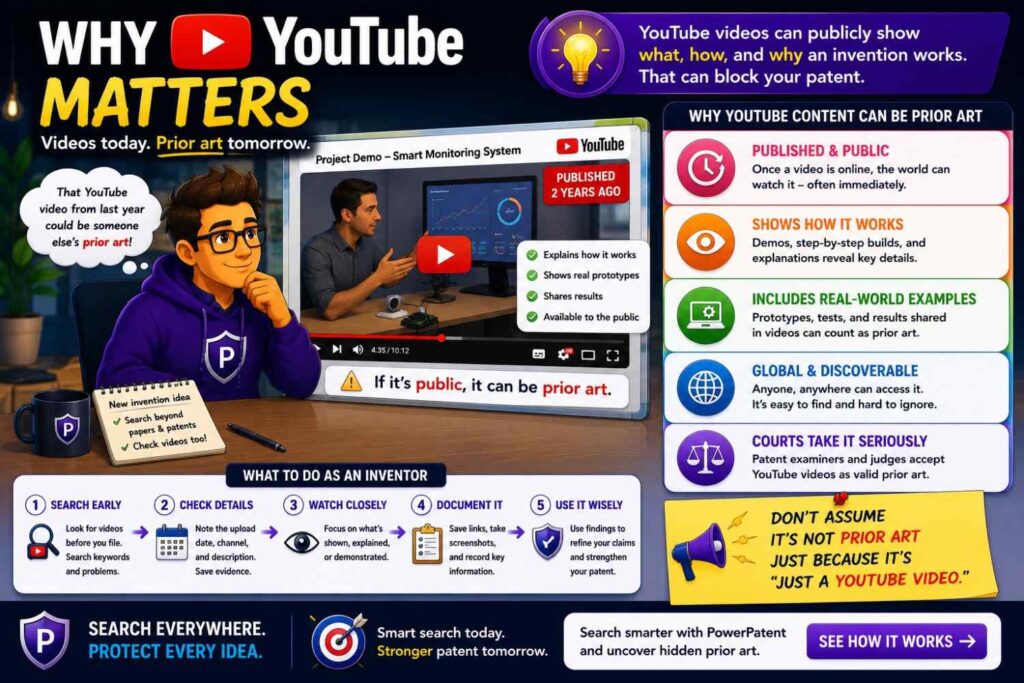
YouTube may sound informal, but it can be a serious prior art source.
A public video can show a product, system, workflow, robot, device, demo, code walkthrough, conference talk, webinar, tutorial, teardown, or lab result.
Sometimes the video shows more than the written docs.
A robotics demo may show recovery behavior.
A software walkthrough may show settings and outputs.
A hardware teardown may show internal parts.
A conference talk may explain the method.
A webinar may show a workflow before it appears in docs.
A tutorial may teach users how to build the same system.
Videos are easy to overlook because they are slower to search.
But they can reveal hidden prior art that text search misses.
If your invention is visible in operation, search YouTube and other public video sources before filing.
YouTube Search Starts With the Right Words
YouTube titles are often broad.
A close video may not use your exact phrase.
Search the product category, problem, feature, and demo terms.
Use words like demo, tutorial, walkthrough, webinar, conference talk, teardown, prototype, test, benchmark, setup, review, comparison, and launch.
For example, if your invention is an AI workflow tool, search “AI agent workflow demo,” “tool calling agent tutorial,” “RAG system walkthrough,” “document assistant grounding demo,” and “AI compliance assistant webinar.”
If your invention is a robotic grasp method, search “robot grasp recovery demo,” “tactile grasping robot,” “bin picking failure recovery,” “robot manipulation clutter demo,” and “visual servoing grasp tutorial.”
If your invention is a battery monitoring system, search “battery thermal runaway sensor demo,” “battery gas detection test,” “EV battery safety monitoring webinar,” and “battery pack fault detection presentation.”
Use many angles.
A video may be titled for users, not patent searchers.
Transcripts Are Your Friend
Videos take time.
Transcripts make them searchable.
When a video has a transcript, search inside it for your key terms.
Look for words like detect, predict, route, rank, compare, threshold, sensor, model, feedback, alert, control, calibrate, and recover.
Also search for your field terms.
A transcript can help you decide whether to watch the full video.
If the transcript looks close, watch the relevant section.
Record the time mark.
For example, note that the key workflow appears around 12:40, or the speaker explains the signal comparison around 18:10.
This makes later review much easier.
If no transcript exists, use the title, description, chapters, comments, slides, and linked resources.
Many videos link to docs, code, papers, or product pages.
Follow those links.
Demos Can Show What Words Hide

Some inventions are best understood by watching them work.
A video demo can show timing, sequence, user flow, physical movement, alert behavior, model response, or failure recovery.
For UI-heavy inventions, a demo may show the exact workflow.
For robotics, a demo may show motion and recovery.
For hardware, a demo may show structure and operation.
For AI tools, a demo may show how inputs become outputs.
Do not assume that a video is weak just because it is not formal.
A clear public demo can be important.
But be careful.
A video may show the result without teaching the internal method. It may show that something works, but not how.
That distinction matters.
Still, the video can lead to deeper sources. The description may link to a repo, paper, manual, or product page.
Use the video as a clue and a source.
Conference Talks on YouTube
Many technical talks live on YouTube.
These can be very rich prior art sources.
A talk may include slides, diagrams, architecture, design choices, metrics, and lessons.
Search conference names if you know the field.
For AI, search workshop, conference, tutorial, and paper talk terms.
For software, search engineering conference, dev conference, observability, security, infrastructure, and cloud terms.
For robotics, search robotics conference, lab demo, manipulation, navigation, and control.
For hardware, search technical symposium, teardown, design review, and industry workshop.
When you find a talk, look for slides.
Slides can be easier to search and cite internally.
Also search the speaker name and talk title. There may be a paper, blog, repo, or deck.
A talk is often part of a larger source chain.
Webinars and Product Walkthroughs
Product webinars can show details that product pages hide.
A sales page may say “automated risk detection.”
A webinar may show the dashboard, rules, thresholds, data sources, alerts, and admin settings.
That can be useful.
Search competitor names plus webinar, demo, walkthrough, product tour, launch event, training, and workshop.
For enterprise tools, webinars are common.
They may include Q&A, where speakers explain features in plain words.
Do not watch every webinar end to end.
Use chapters, transcripts, and slide previews. Focus on parts that show the feature.
Record key time marks and links.
Tutorials Can Be Prior Art Too
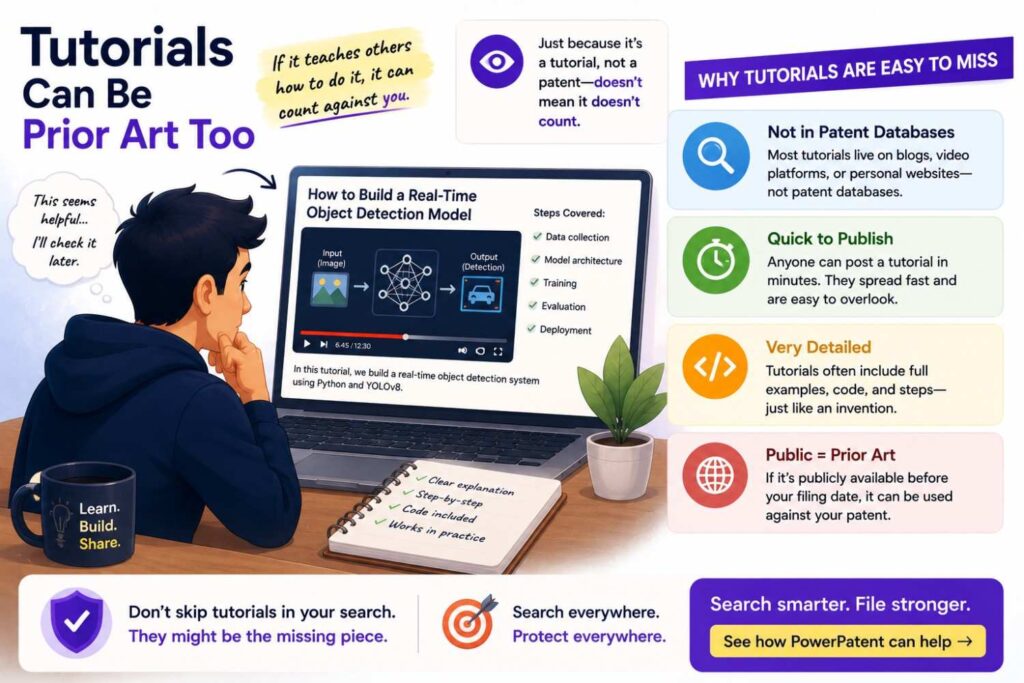
A tutorial can teach how to build a system.
For software and AI, tutorials are especially important.
A blog or video may show step-by-step code for a feature close to your invention.
For example, a tutorial may show how to build a RAG chatbot with source citations, an agent that calls tools, an automated incident bot, a code review classifier, or a sensor dashboard.
A tutorial may use open-source tools, but the combination can still matter.
Search “how to build,” “tutorial,” “from scratch,” “walkthrough,” and “example” with your feature terms.
Look for linked repos.
Tutorials often include code, notebooks, and docs.
If your invention is a specific improvement over common tutorials, search those tutorials so you can understand what is standard.
Then focus your filing on what goes beyond the common build.
YouTube for Hardware Teardowns
Teardowns can reveal hidden structure.
A public teardown may show internal parts, board layout, sensor placement, seals, cooling paths, connectors, chips, and mechanical design.
If your invention is hardware, search product name plus teardown, disassembly, repair, inside, review, and analysis.
Teardowns may not explain every method, but they can show physical design.
They may also identify component part numbers that lead to datasheets and application notes.
For consumer electronics, medical devices, robots, battery systems, sensors, and industrial hardware, teardown videos can be useful.
Again, record what is actually shown.
Do not infer too much from a video.
But do not ignore visible structure either.
YouTube for Robotics Prior Art
Robotics work is often shown in videos.
A robot behavior may be public long before a patent is found.
Search demo terms, lab names, conference names, task names, and robot platform names.
Look for motion, sensing, recovery, planning, grasping, navigation, human interaction, and safety behavior.
A video may show whether a robot retries a grasp, changes grip, avoids obstacles, recovers from failure, maps a space, or learns from demonstration.
For robotics, visual proof can be powerful.
But pair video search with papers and code.
A video may show the behavior. A paper or repo may explain the method.
Together, they give a clearer picture.
YouTube for AI and Software Prior Art
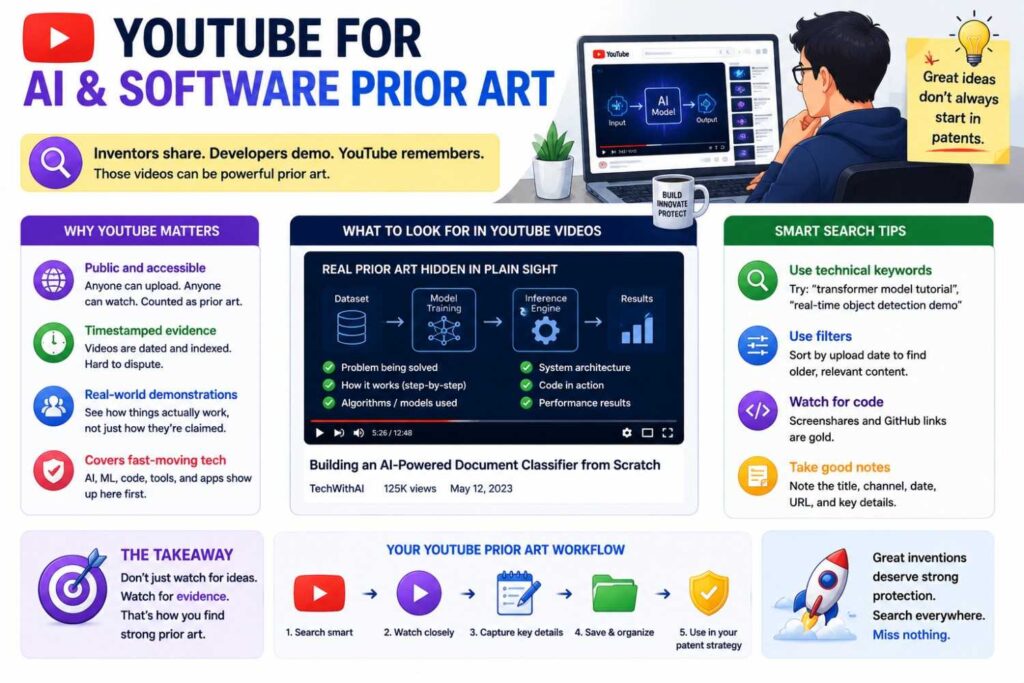
AI and software videos often show workflows.
A demo may reveal prompts, settings, model outputs, retrieval steps, tool calls, dashboards, logs, approvals, or human review loops.
Search for demos from competitors, open-source projects, cloud providers, and AI tool builders.
Look for videos that show the actual screen.
A talking-head video may be less useful than a walkthrough with UI and steps.
Check descriptions for GitHub links.
Many AI demos link to repos, notebooks, or docs.
The video may be the doorway. The code may be the stronger source.
How to Compare Product Pages, GitHub, and YouTube
Each source type has a different strength.
Product pages show public features and market claims.
GitHub shows working code and implementation detail.
YouTube shows behavior, demos, and explanations.
A strong search uses all three.
Imagine you find a competitor product page that says it routes support tickets with AI.
The docs show the system uses ticket text and tags.
A YouTube webinar shows the routing workflow.
A public GitHub integration shows the event schema and routing logic.
Together, those sources give a much clearer view than any one source alone.
This is how hidden prior art search works.
You connect clues.
You do not rely on one page.
The Search Loop
A good search is a loop.
Start with product pages.
Pull feature words.
Search GitHub for those words.
Find repos.
Pull developer terms.
Search YouTube for demos using those terms.
Find videos.
Pull speaker names, project names, and linked papers.
Search product docs and release notes.
Then search patents and papers with the better terms you learned.
Each source teaches you how to search the next source.
This is why the first query is rarely the best query.
The search improves as you learn the language of the field.
Hidden Prior Art Search for AI Startups
AI startups should be extra careful.
AI work spreads fast across papers, repos, demos, product docs, model cards, and tutorials.
A patent search alone is not enough.
If your invention involves retrieval, agents, fine-tuning, evals, routing, safety, privacy, model compression, synthetic data, monitoring, or feedback, search the open web deeply.
Product pages may show similar workflows.
GitHub may show sample implementations.
YouTube may show demos and tutorials.
Research papers may show the core method.
Docs may show API behavior.
The broad phrase “AI assistant” will not help much.
Search the specific path from input to output.
What data goes in? What model step happens? What decision is made? What rule blocks or allows action? What output is produced? What feedback changes the next run?
That is where the invention lives.
That is where the search should aim.
Hidden Prior Art Search for Software Startups
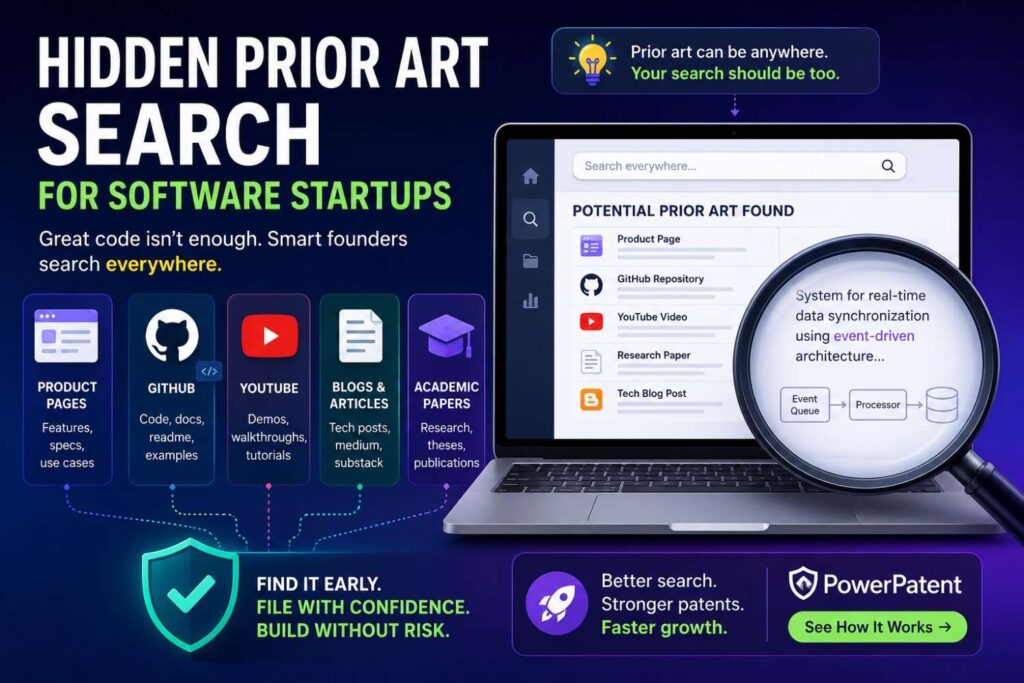
Software startups often ship and document before they file.
So do their competitors.
If your invention is software, search product docs, GitHub, developer forums, API references, changelogs, tutorials, and videos.
Search the workflow and data flow.
For example, if your invention selects tests based on code changes, search test selection, impacted tests, change-based testing, dependency graph, CI optimization, flaky tests, and pull request test prediction.
If your invention routes alerts, search alert routing, incident triage, service ownership, escalation rules, on-call load, and runbook automation.
If your invention improves security, search detection rules, telemetry, risk scoring, identity signals, policy engine, and response automation.
Software prior art often hides in practical sources.
Look where builders explain how to use or build the tool.
Hidden Prior Art Search for Hardware Startups
Hardware startups should search product pages, manuals, datasheets, teardown videos, supplier docs, GitHub firmware, and installation guides.
A patent search may find formal filings, but public product material can show real designs.
Search by component, structure, function, and failure mode.
If your invention is a seal, search the seal environment and failure problem.
If it is a cooling path, search the heat source, fluid path, airflow, packaging, and control.
If it is a sensor mount, search the sensor, placement, vibration, calibration, and housing.
If it is firmware, search code and device docs.
Hardware systems often combine physical and software features.
Search both.
A mechanical drawing may show structure. Firmware may show behavior. A demo may show operation. A manual may show user steps.
Together, they reveal the field.
Hidden Prior Art Search for Robotics Startups
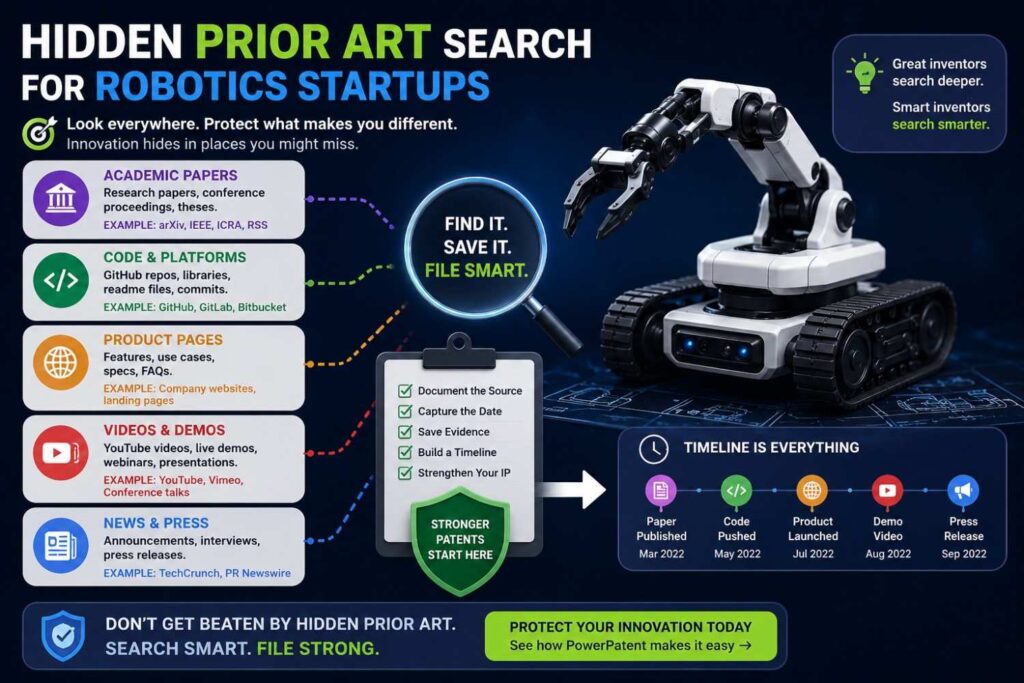
Robotics teams should search papers, videos, GitHub, product pages, lab pages, and hardware docs.
Robots are visual systems.
A demo can reveal behavior that words miss.
A repo can reveal control logic.
A paper can explain the method.
A product page can show commercial features.
Search the task, sensor, control method, environment, failure mode, and recovery behavior.
Do not search only “robot arm” or “warehouse robot.”
Search the hard move.
Grasp recovery. Slip detection. Tactile servoing. Dynamic obstacle avoidance. Human intent prediction. Force-limited control. Multi-robot task allocation. Sim-to-real calibration. Failure-aware planning.
Those are better search paths.
Hidden Prior Art Search for Cybersecurity Startups
Cybersecurity work often appears in tools, blogs, talks, GitHub repos, CVE writeups, standards, and conference videos.
Product pages may show detection features.
GitHub may show rules, scanners, proof-of-concept tools, and automation scripts.
YouTube may show conference talks and demos.
Search the threat, data source, detection method, response step, and system setting.
If your invention detects account takeover, search login signals, device fingerprint, behavior model, risk score, impossible travel, session anomaly, and step-up authentication.
If it detects software supply chain risk, search dependency scanning, package reputation, malicious package detection, build provenance, SBOM analysis, and CI policy enforcement.
Security prior art can be scattered.
Search broadly and record dates carefully.
Hidden Prior Art Search for Medical and Health Tech Startups
Medical and health tech founders should search product manuals, clinical papers, regulatory materials, device docs, videos, and public product pages.
A patient monitoring feature may appear in a user manual.
A signal processing method may appear in a paper.
A device workflow may appear in a training video.
A support doc may show alert settings.
A product page may show the feature publicly.
Search the signal, condition, device, workflow, alert, clinician action, false alarm problem, and patient setting.
If your invention is software, search health IT docs and product guides.
If it is hardware, search manuals, datasheets, and videos.
Because medical technology is high stakes, involve patent professionals early.
Founder search is useful, but legal and technical review matter.
The Danger of Relying on One Source Type
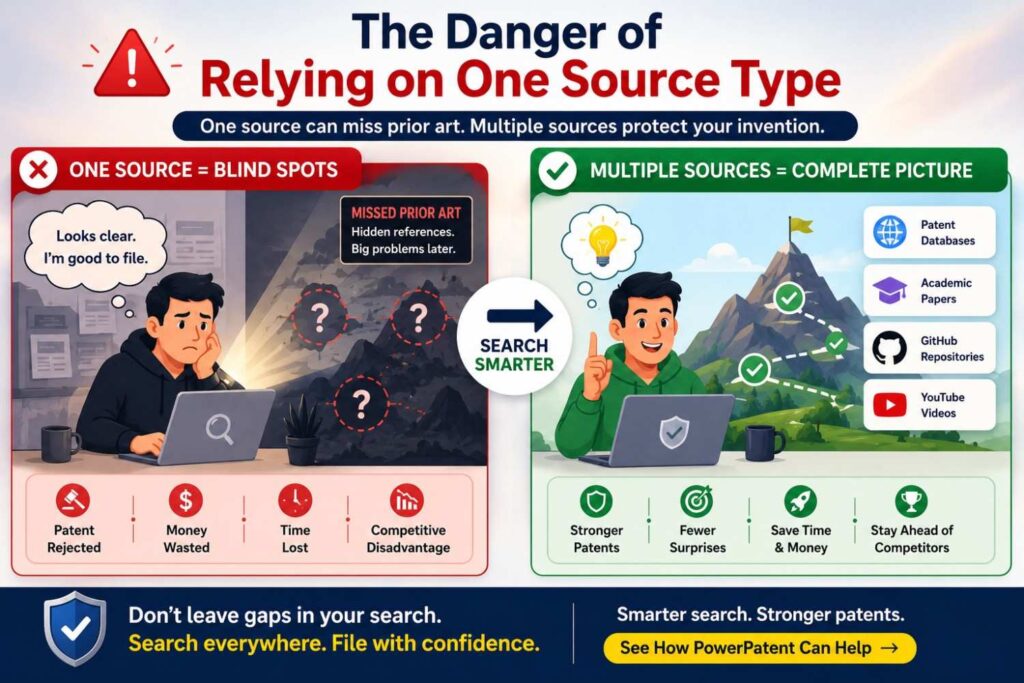
Each source type misses things.
Product pages may hide technical detail.
GitHub may not show the commercial workflow.
YouTube may show behavior but not code.
Patents may use different words.
Papers may show theory but not product use.
Docs may show setup but not invention history.
That is why a serious search uses several source types.
You are trying to build a clear picture, not win a search contest.
The best prior art search often feels like detective work.
One source gives a clue. Another confirms it. A third adds timing. A fourth shows implementation.
The truth is in the pattern.
How to Know Whether a Hidden Source Is Important
A hidden source is important when it teaches a key part of your invention.
It may show the same problem, the same input, the same process, the same output, the same system setting, or the same improvement.
The closer it gets to the heart of your invention, the more attention it deserves.
Ask simple questions.
Does this source show what we thought was new?
Does it solve the same problem in the same way?
Does it use the same data, sensor, model, rule, control path, or workflow?
Does it show the same result?
Does it predate our filing?
If the answer may be yes, save it and review it carefully.
Do not decide too fast.
A source that looks harmless may become important when combined with another source.
A source that looks scary may miss the key detail that makes your invention strong.
This is why feature comparison matters.
Feature Comparison Is the Founder’s Best Friend
When you find a close source, compare features.
Write your key invention parts in plain language.
Then check what the source shows.
For example, your invention may include ticket text, incident history, service ownership, customer impact, on-call load, and root cause prediction.
A product doc may show ticket text and service ownership.
A GitHub repo may show incident similarity.
A YouTube demo may show customer impact in the routing screen.
No one source may show everything, but together they may be close.
Or maybe none show on-call load as part of the model.
That gap may matter.
Feature comparison turns a messy search into useful insight.
It also helps your patent attorney understand the field faster.
PowerPatent helps founders organize invention details so attorney review can focus on the real technical edge. Explore how it works here: https://powerpatent.com/how-it-works
Do Not Hide Bad News From Your Patent Team
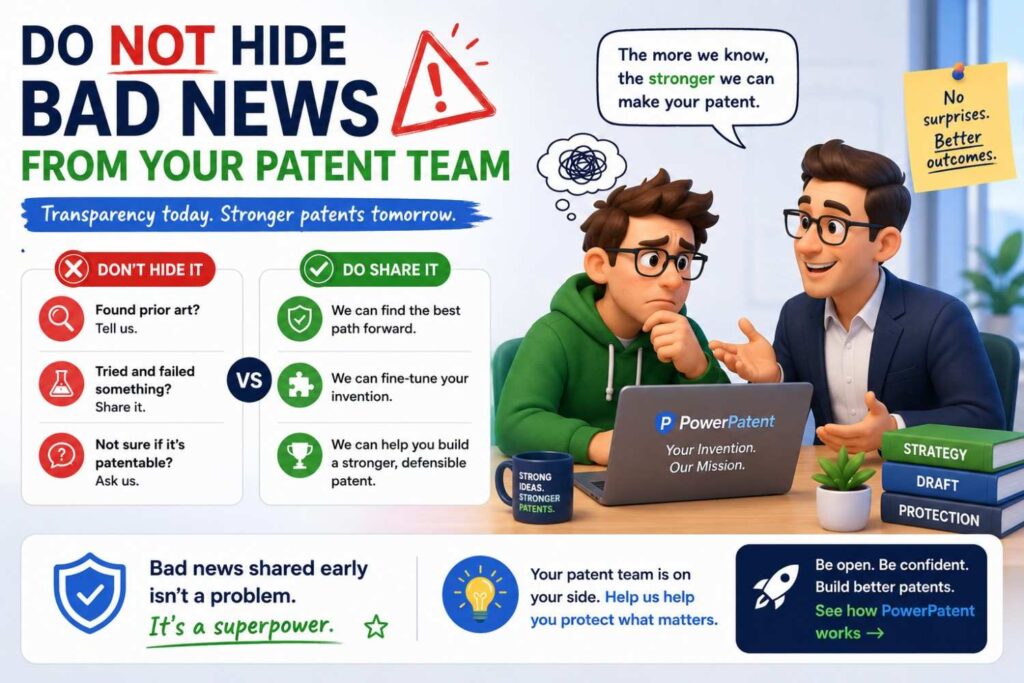
If you find a close product page, repo, or video, share it.
Do not hide it because it feels scary.
A patent team can only help with the facts it sees.
Close prior art does not always kill a patent.
It may simply change what you claim.
It may show that the broad idea is old, while your specific improvement is still strong.
It may help your attorney draft better fallback positions.
It may show that another invention in your product is more valuable to file.
The worst outcome is not finding close art.
The worst outcome is missing it until later.
Early truth is useful.
Late surprise is expensive.
Product Pages Can Help You Find Claim Language
Even though product pages are not patents, they can help you understand market language.
They show how customers talk about the problem.
They show feature names.
They show benefits.
They show common workflows.
This can help your patent drafting team choose examples and context.
Patent claims should not be marketing copy, but the specification can benefit from clear real-world framing.
If many products describe “alert fatigue,” “incident triage,” “false positives,” or “model drift,” that tells you the problem language in the market.
Your patent can explain the technical solution in a way that connects to that problem.
Good patents are technical, but they should still be understandable.
GitHub Can Help You Find Technical Terms
GitHub shows how builders name things.
Those names can improve your search.
If developers call a method “reranking,” search reranking.
If they call a file “owner_resolver,” search owner resolution.
If they use “guardrails,” search guardrails, policy checks, validation, and safety filters.
If they use “drift detector,” search drift detection, data drift, concept drift, and model monitoring.
The repo language may differ from patent language, but it can reveal the practical field.
Those terms can help you find more docs, papers, and patents.
YouTube Can Help You See the User Flow
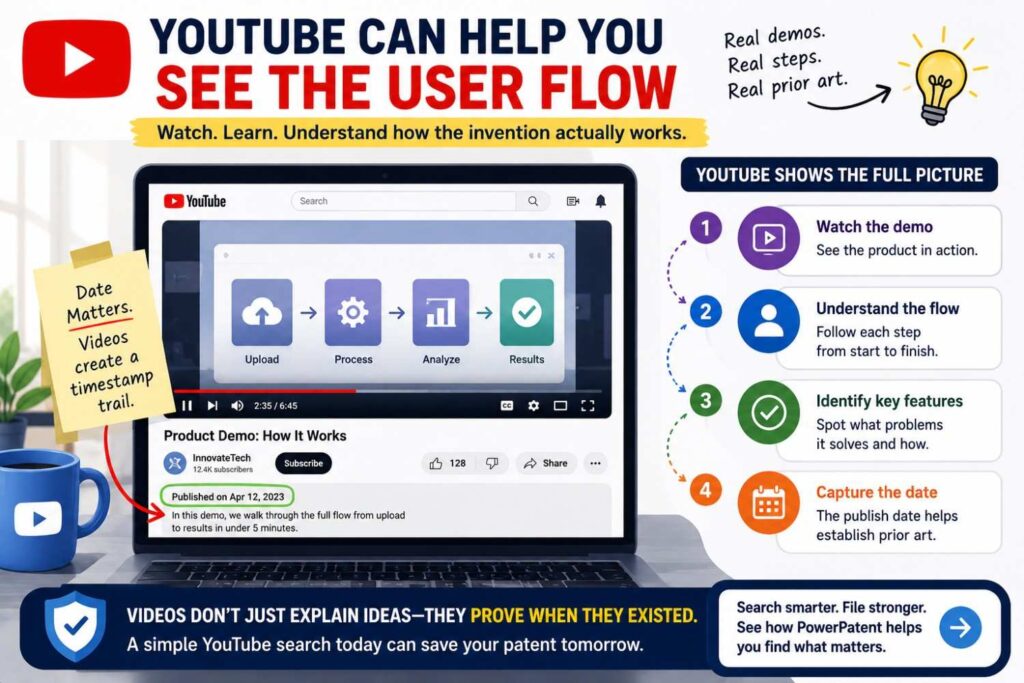
For many inventions, flow matters.
A product may use known parts in a new sequence.
A video can show that sequence.
For example, an AI tool may first retrieve documents, then ask a user to approve sources, then generate a response, then log the decision for audit.
A product doc may list these features separately.
A video may show the full flow.
A robot may detect a failed grasp, rotate the wrist, recheck the object pose, and retry.
A paper may discuss each part.
A video may show the sequence.
If your invention is a workflow, do not skip video search.
Search Your Own Public Materials
Hidden prior art can include your own public disclosures.
Your website, blog, docs, GitHub repos, YouTube demos, pitch videos, conference talks, and launch posts may reveal your invention.
Before filing, search your own materials.
What have you already shown?
What have you said in public?
What code is public?
What videos are online?
What docs are indexed?
What did your team share in a talk?
This matters because your own disclosures can affect patent strategy.
Do not wait until after launch to ask these questions.
Build a habit: before sharing technical details publicly, ask whether the invention should be captured and filed first.
PowerPatent helps founders move faster on this step, so patent work does not become a last-minute scramble. Learn more here: https://powerpatent.com/how-it-works
Search Competitor Materials With Care
Competitor product pages, repos, and videos can be rich sources.
Search competitor names with feature terms.
Search their docs.
Search their YouTube channels.
Search their GitHub organizations.
Search their engineers and researchers.
Search their launch posts and webinars.
Do not copy their work.
Learn the landscape.
Your goal is to understand what they have already disclosed and where your invention differs.
This can help with patent strategy and product strategy.
Maybe a competitor shows a broad feature, but not your technical method.
Maybe they use a different architecture.
Maybe they solve the same problem with more manual steps.
Maybe they have a gap your invention fills.
Search helps reveal that.
Search by People, Not Just Companies
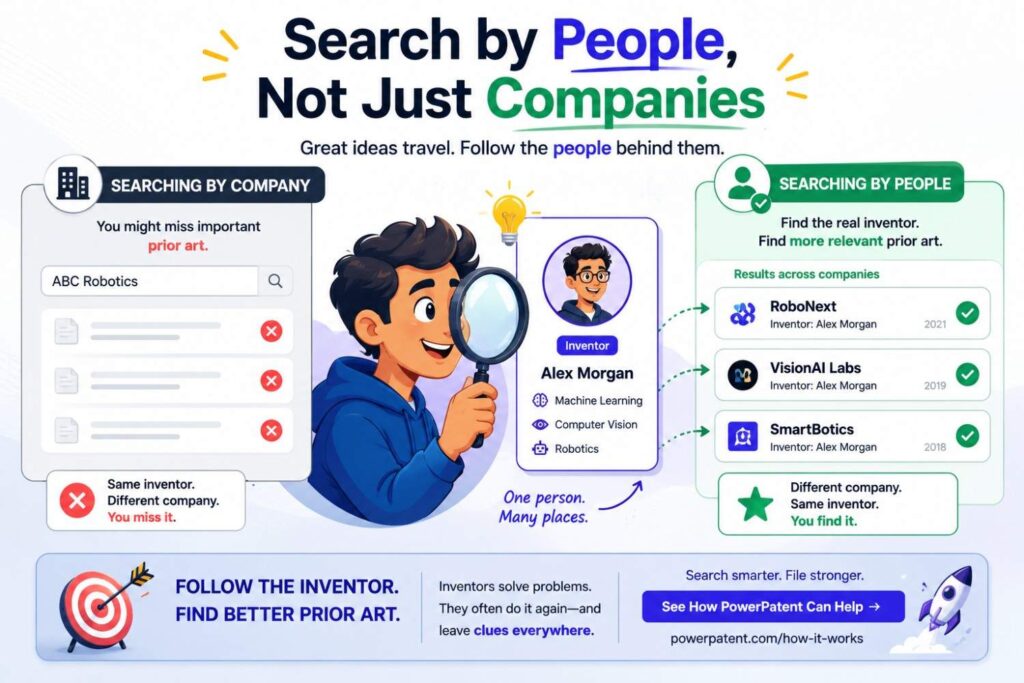
Engineers and researchers often publish under their own names.
A company page may be thin, while an engineer’s talk is detailed.
A repo may live under a personal account, not the company account.
A paper may come from a university lab before a startup forms.
A YouTube conference talk may be posted by the event, not the company.
Search names.
If you find one close source, search the author, speaker, maintainer, inventor, lab, and project name.
This often uncovers connected materials.
A person may have a paper, repo, slide deck, demo, blog post, and patent all around the same topic.
Following people is one of the best ways to find hidden prior art.
Search by Project Names
Projects often have names that are not obvious from the feature.
A research system, open-source tool, or internal product may use a codename.
Once you find that name, search it everywhere.
Search the project name plus paper, GitHub, demo, slides, docs, release, video, and patent.
Project names can unlock clusters of sources.
One YouTube demo may mention the project name.
That name may lead to a repo.
The repo may link to a paper.
The paper may cite older work.
The older work may reveal the real prior art.
Good search follows these names.
Search by File Names and Error Messages
This is a more technical move, but it can help.
If your invention relates to software, search unique file names, function names, config keys, event names, error messages, or API fields.
Developers often reuse terms across docs, repos, and examples.
For example, a product doc may show an API field called “risk_score.” Search that with the product area.
A demo may show “owner_resolution.” Search that term.
A repo may include “incident_similarity.” Search it on the web.
These small terms can lead to hidden sources.
They are often more precise than broad feature names.
Search by Screenshots and UI Labels
UI labels can be great search terms.
If a product screenshot shows “similar incidents,” “confidence threshold,” “source grounding,” “auto-escalate,” “model drift,” “policy match,” or “recommended reviewer,” search those phrases.
The same labels may appear in docs, videos, release notes, or support pages.
A UI label can reveal the internal concept behind the feature.
It can also help you compare products.
If several tools use the same label, the concept may be common.
If your invention uses a different technical path behind a common label, make sure the filing explains that path.
Search by API Fields
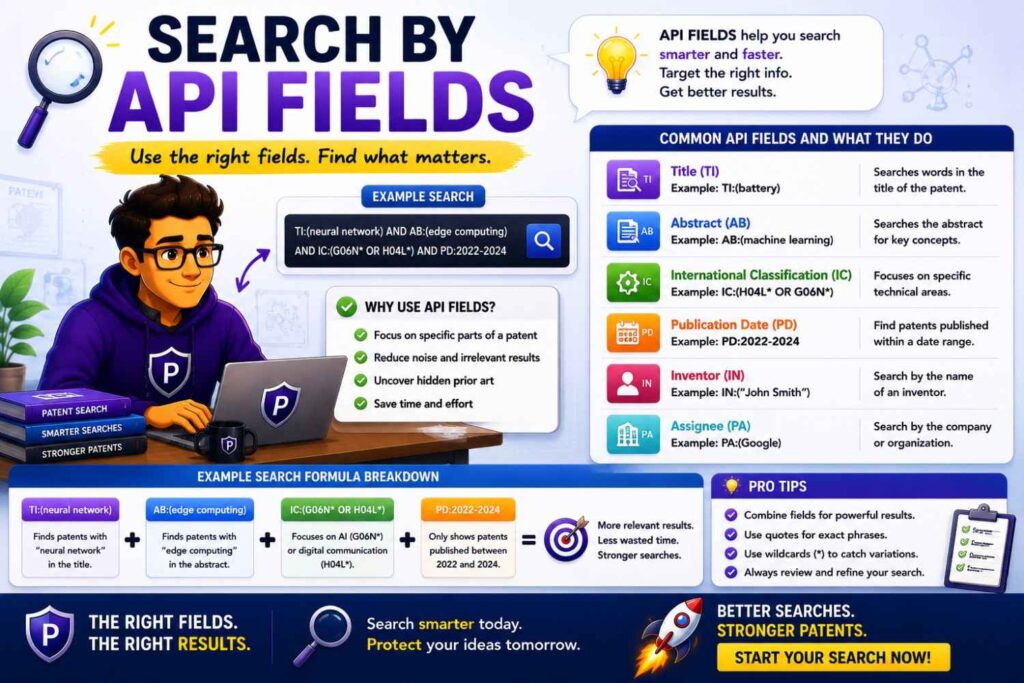
API docs can be very revealing.
They show inputs and outputs.
They may show data types, response fields, events, errors, and workflows.
If your invention involves software, search API fields and endpoint names.
A field like “confidence,” “risk_score,” “source_ids,” “policy_result,” “assigned_owner,” “incident_id,” “embedding,” “rerank_score,” or “drift_status” can tell you what the system does.
Search these terms with the product category.
Also look at sample requests and responses.
Examples often show real flow.
An API page may be more technical than a product page and easier to search than a video.
Search by Package Names
Software features may be packaged as libraries.
Search package managers, module names, and install commands.
A package may have docs, examples, changelogs, and source code.
For AI and developer tools, package pages can reveal common methods.
Search the package name plus docs, GitHub, examples, tutorial, and release notes.
If your invention uses a known package, search what that package already supports.
Your patent should not claim the standard behavior of a public library as if it were new.
Your invention may be how you use it in a specific system, with a special data flow, constraint, or improvement.
Search by Hardware Part Numbers
For hardware, part numbers can unlock prior art.
A teardown may reveal a chip or sensor part number.
A product page may list components.
A manual may mention replacement parts.
Search those part numbers.
You may find datasheets, application notes, reference designs, evaluation boards, firmware, and design guides.
These sources can show standard ways to use the part.
If your invention depends on a sensor, chip, actuator, battery module, or controller, understand what the supplier already taught.
Supplier docs are often highly technical.
They can be more relevant than broad product pages.
Search by Standards Terms
Product pages and docs may mention standards.
If they do, follow that trail.
Search the standard name with your feature.
Look for specs, profiles, implementation guides, test methods, and working group materials.
Standards can show known protocols, formats, safety steps, and system behavior.
For networking, telecom, cybersecurity, medical devices, payments, automotive, energy, and hardware, standards may be very important.
If your invention improves how a standard is implemented, search the standard first.
You need to know what is required and what is optional.
Your invention may live in the optional, improved, faster, safer, or more private way of doing the standard task.
Search by Customer Use Case
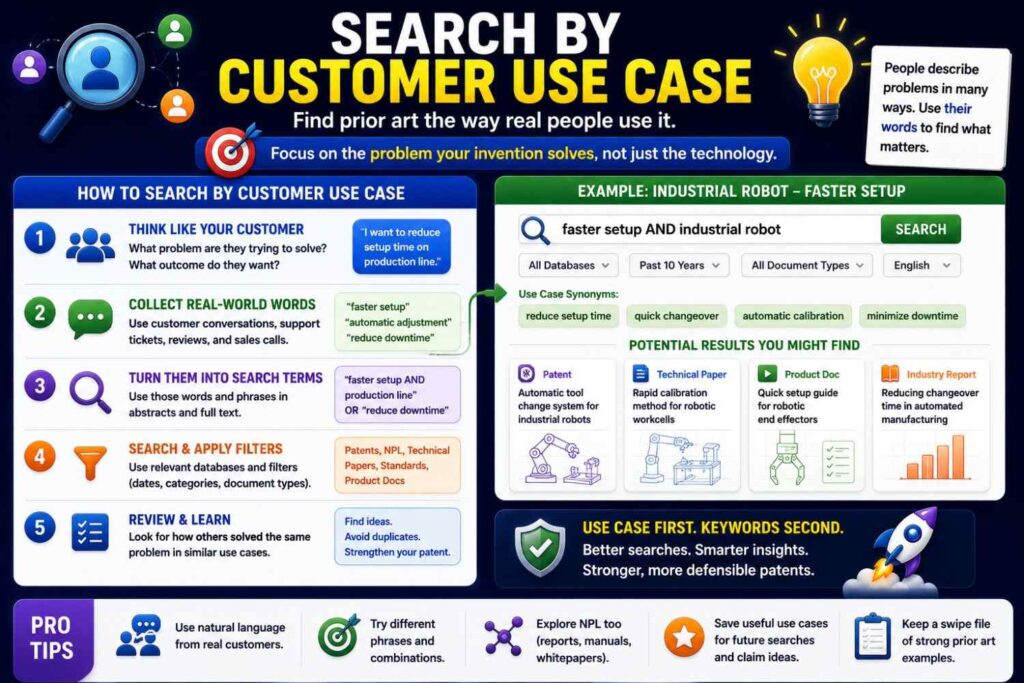
Product pages often describe use cases.
Search those use cases.
A product may say it helps “reduce alert fatigue,” “speed SOC triage,” “prevent downtime,” “automate claims review,” “improve battery safety,” or “detect manufacturing defects.”
Those use cases are search paths.
Search them across GitHub and YouTube too.
A use case phrase may lead to tutorials, demos, webinars, and open-source tools.
This is useful when the technical method is hard to name.
Start with the pain, then follow the sources to the method.
Search by Failure Mode
Failure modes are powerful search terms.
Many inventions exist to prevent, detect, or recover from failure.
Search the failure.
For batteries, search thermal runaway, venting, swelling, dendrites, electrolyte leakage, overcharge, short circuit, and cell imbalance.
For software, search downtime, failed deploy, flaky test, incident, data drift, timeout, race condition, memory leak, and security breach.
For robotics, search failed grasp, slip, collision, occlusion, localization failure, and path blockage.
For AI, search hallucination, prompt injection, unsafe output, stale retrieval, low confidence, model drift, and privacy leak.
Failure terms often lead to practical docs, issue threads, tutorials, and demos.
They also help identify the real value of your invention.
Search by Improvement
Search what gets better.
Lower latency. Less power. Fewer false positives. Higher yield. Better recall. Faster recovery. Stronger privacy. Lower cost. Smaller size. Better safety. Less data. Higher uptime.
Combine the improvement with the field and method.
For example, “reduce false positives anomaly detection logs,” “lower latency vector search edge,” “reduce power wearable sensor inference,” “improve yield defect detection semiconductor,” or “faster robot grasp recovery tactile.”
Improvement search can uncover sources that solve the same pain in a different way.
Those sources may not block your invention, but they help define the field.
They can also show why your approach matters.
How Hidden Prior Art Changes Claim Strategy
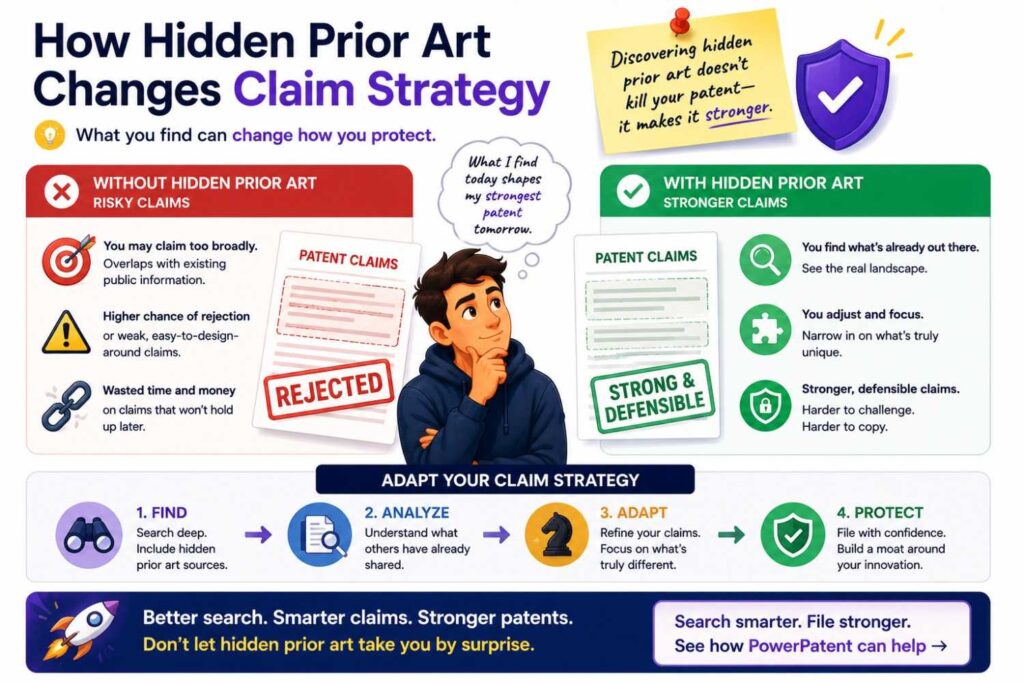
Hidden prior art can change what you claim.
If product pages show the broad feature, you may need to claim the specific technical method.
If GitHub shows the core algorithm, you may need to claim your deployment architecture, data flow, or safety layer.
If YouTube shows the workflow, you may need to focus on internal steps that the video does not show, if those steps are new.
If all three show pieces of your system, your attorney may need to craft claims around a narrower but stronger combination.
This is not bad.
It is better to file smart claims than broad claims that fail later.
Prior art search is not there to shrink your ambition.
It is there to aim your protection at the real moat.
Hidden Prior Art Can Reveal Better Inventions
Sometimes hidden prior art shows that your first idea is not the best patent target.
Maybe the visible product feature is common.
But your internal method for making it fast, safe, private, or reliable is special.
Maybe the GitHub world already has a simple version.
But your production version solves scale, security, latency, or compliance in a new way.
Maybe YouTube demos show similar user flows.
But none show your behind-the-scenes control path.
The search can help you find the stronger invention inside the product.
This is one of the biggest wins.
The goal is not just to avoid bad patents.
The goal is to find good ones.
How to Search Without Slowing the Team Down
Founders worry that search will slow everything.
It does not have to.
Make it focused.
Start with one invention sentence. Search the key product pages, docs, repos, and videos. Save close sources. Write short notes. Bring them to your patent team.
Do not boil the ocean.
Match the search depth to the importance of the invention.
For a small feature, a quick screen may be enough.
For a core technical moat, search deeply and get professional help.
The point is to avoid blind filing, not to turn every feature into a month-long research project.
PowerPatent is built for founders who need speed and quality at the same time. It helps teams capture inventions, organize details, and move toward attorney-reviewed filings without old-school friction. See how it works here: https://powerpatent.com/how-it-works
Build Search Into Your Launch Process
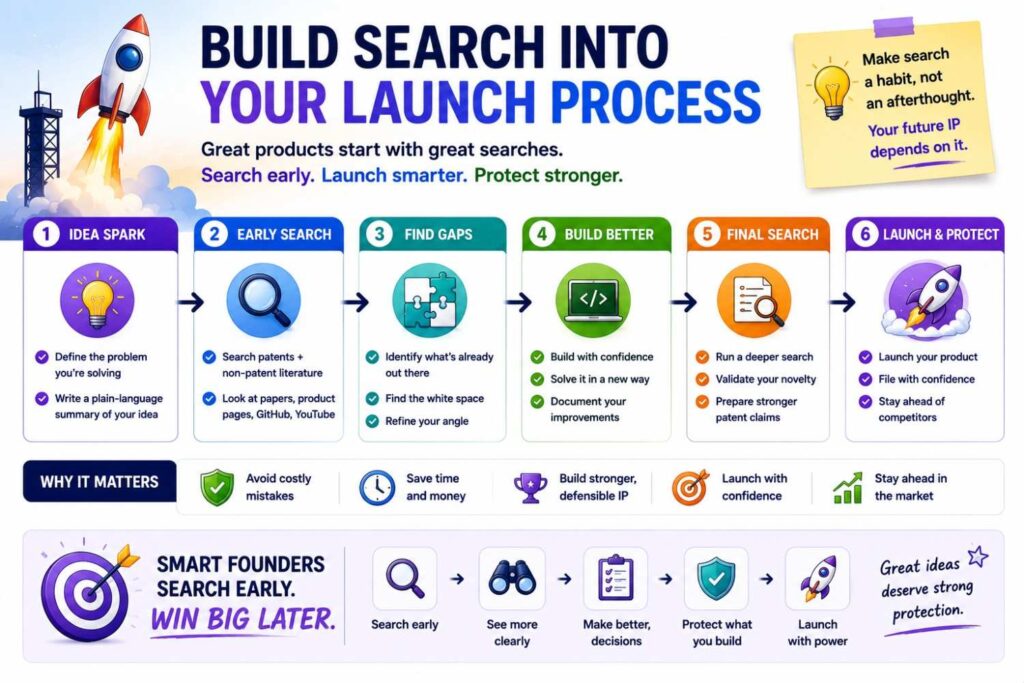
Product launches create pressure.
Teams want to publish pages, docs, demos, videos, and code.
That is good for growth, but it can create patent problems if the technical invention is disclosed before filing.
Before a launch, ask a simple question.
Are we about to show something technical that we may want to patent?
If yes, capture the invention and review it before launch.
Search similar product pages, GitHub repos, and YouTube demos.
Then decide whether to file before public release.
This habit can save pain later.
It also helps align product, engineering, marketing, and patent strategy.
Your public story and your patent plan should not fight each other.
Build Search Into Engineering Culture
Engineers often know the best prior art.
They know which repos they studied.
They know which YouTube demos inspired tests.
They know which docs solved a problem.
They know which competitor features seemed close.
They know what was hard and what was new.
Ask them.
When capturing an invention, ask the engineering team what public sources they used, what they found, what they rejected, and what they improved.
This is not about blaming anyone for reading public material.
Engineers should learn from the world.
It is about understanding the old work so the patent can focus on the real new work.
A good patent process respects builders.
It does not force them to speak legal language.
PowerPatent helps turn engineering knowledge into patent-ready detail, with real attorney oversight. Learn more here: https://powerpatent.com/how-it-works
What to Bring to Your Patent Team
Do not bring only a product deck.
Bring the invention sentence.
Bring a short note on why it matters.
Bring close product pages, docs, GitHub repos, and YouTube videos.
Bring dates when you have them.
Bring screenshots or time marks if useful.
Bring notes on what each source shows and what it seems to miss.
Bring your view of the real difference.
This makes attorney review much better.
A patent team can help decide what the sources mean legally. But they need the technical facts.
Your search gives them a stronger starting point.
A Practical Example: AI Agent Workflow
Imagine your startup built an AI agent that handles customer onboarding.
It reads a customer’s setup data, chooses tools, performs checks, asks for human approval when risk is high, and updates the onboarding plan based on the result.
A broad search for “AI onboarding agent” may not find much.
A better search starts with the workflow.
Search product pages for AI onboarding, workflow automation, tool-calling agents, approval workflows, and customer setup automation.
Search GitHub for agent workflow, tool use, planner executor, human approval, risk gate, onboarding automation, and task retry.
Search YouTube for AI agent demos, onboarding automation demos, tool calling walkthroughs, and human-in-the-loop agent tutorials.
You may find many agent demos.
Some show tool use. Some show task planning. Some show human approval. Some show retries.
Now compare.
Does any source show your specific risk check? Does it use customer setup data in the same way? Does it update the onboarding plan after each tool result? Does it preserve an audit trail? Does it ask for approval only under certain conditions?
The invention may not be “AI agent.”
It may be the risk-controlled onboarding flow.
That is a stronger target.
A Practical Example: Code Review Risk Scoring
Imagine your startup built a tool that scores pull requests based on past incidents, service ownership, dependency maps, and live traffic impact.
Search product pages for code risk, pull request risk, change intelligence, incident prevention, service ownership, and deployment risk.
Search GitHub for pull request risk score, reviewer recommendation, CODEOWNERS, change impact, incident similarity, dependency graph, test selection, and deploy risk.
Search YouTube for code review automation demos, incident prevention engineering talks, service ownership demos, and CI risk scoring walkthroughs.
You may find tools that assign reviewers. You may find repos that select tests based on changed files. You may find talks about service ownership. You may find product docs about deployment risk.
Now compare feature by feature.
The broad pieces may be known.
Your unique part may be how live traffic impact changes the score, or how past incidents are matched to code changes, or how the system routes review before deployment.
That is where the patent work should focus.
A Practical Example: Battery Safety Monitoring
Imagine your team built a battery safety system that combines gas sensing, pressure sensing, and local temperature gradients to detect early failure.
Search product pages for battery safety monitors, thermal runaway detection, EV battery gas sensors, battery pack fault detection, and energy storage safety systems.
Search GitHub for battery management system fault detection, BMS thermal runaway, gas sensor battery, temperature gradient battery, and battery safety firmware.
Search YouTube for battery thermal runaway tests, gas detection demos, EV battery safety webinars, battery pack teardown, and BMS fault detection presentations.
Then follow supplier docs.
A gas sensor product page may lead to an application note.
A YouTube test may mention sensor types.
A GitHub BMS project may include threshold logic.
Now compare.
Maybe gas sensing is old. Maybe pressure sensing is old. Maybe temperature monitoring is old.
Your invention may live in the timing window, signal comparison, sensor placement, calibration, or response logic.
Without hidden source search, you may miss the best way to claim it.
A Practical Example: Robotic Grasp Recovery
Imagine your robot uses tactile feedback and updated camera data to recover from a failed grasp without restarting.
Search product pages for robotic picking, grasp recovery, tactile sensing, bin picking, and failed pick recovery.
Search GitHub for grasp failure, tactile servoing, visual servoing, slip detection, grasp retry, robot manipulation, and bin picking.
Search YouTube for robot grasp recovery demo, tactile grasping robot, bin picking failure recovery, and manipulation in clutter.
Robotics videos may show close behavior.
Repos may show control loops.
Papers may explain methods.
Product pages may show commercial features.
Compare the recovery process.
Does the source detect slip? Does it update pose? Does it retry from the current state? Does it adjust force? Does it avoid full reset? Does it learn from failure?
Those details decide where the invention may be.
A Practical Example: Medical Alert Filtering

Imagine your wearable device reduces false clinical alerts by checking motion and body position before sending a warning.
Search product pages for wearable patient monitoring, false alarm reduction, motion artifact filtering, posture-aware monitoring, and remote clinician alerts.
Search GitHub for wearable sensor filtering, motion artifact removal, posture detection, physiological signal processing, and alert threshold.
Search YouTube for wearable monitor demos, patient monitoring alarm demos, sensor patch setup videos, and clinical monitoring webinars.
Then search manuals and support docs.
Medical devices often have user guides that explain alerts, thresholds, and setup.
Compare the sources.
Do they use motion? Do they use posture? Do they require persistence over time? Do they alert clinicians? Do they adjust thresholds? Do they reduce false alarms in the same way?
This search can help your patent team focus on the real signal-processing and alert logic.
How to Handle Unclear Sources
Not every source will be clear.
A product page may imply a feature but not explain it.
A video may show a result but not the method.
A repo may have code that is hard to read.
Do not force certainty.
Mark the source as a lead.
Write what it appears to show and what is unclear.
Then look for linked docs, papers, demos, issues, or manuals.
If the source is important, bring it to your patent team.
It is better to say “this may be close” than to ignore it because you are unsure.
Patent strategy works better with honest uncertainty.
How to Avoid Overreading Marketing Claims
Product pages can exaggerate.
A page may say “fully autonomous” when the system is mostly rule-based.
It may say “AI-powered” when the feature uses simple matching.
It may say “real-time” loosely.
Do not assume the deepest technical method from marketing words alone.
Look for support.
Find docs, demos, screenshots, APIs, manuals, or code.
A product page can be a clue, but stronger sources show more detail.
This matters because patent decisions should not be based on hype.
They should be based on what the source actually teaches.
How to Avoid Overreading Code
Code can also be tricky.
A function name may sound close, but the code may not do what you think.
A repo may be a toy demo, not a complete system.
A branch may be experimental.
A file may be unused.
Read carefully.
Look for examples, tests, docs, and execution flow.
If you are not sure, ask an engineer on your team to review it.
For patent purposes, the question is not whether the repo is polished.
The question is what it publicly teaches.
Still, be precise.
Do not say a repo shows more than it shows.
How to Avoid Overreading Videos
Videos can be persuasive because you see something happen.
But a video may not reveal internal details.
A robot may recover from failure, but the video may not show whether it uses tactile feedback, vision, force control, or a scripted sequence.
An AI demo may show a good answer, but not whether it uses retrieval, fine-tuning, rules, or human review.
A dashboard may show a score, but not how the score is made.
Treat videos as evidence of visible behavior and as leads to deeper sources.
When possible, pair the video with docs, code, papers, or slides.
The Role of Dates in Hidden Prior Art
Dates are critical.
A product page, repo, or video matters differently depending on when it became public.
Record dates as you search.
For product pages, note publication dates if shown, release note dates, archive dates, or update dates.
For GitHub, note commit dates, release dates, issue dates, pull request dates, and tags.
For YouTube, note upload dates and event dates if available.
Be careful with updated pages.
A page may show a current update date, not the original disclosure date.
A repo may have old commits but a newer public release.
A video may be uploaded after the event happened.
If dates are important, ask your patent team to review them.
Do not guess.
Hidden Prior Art and Provisional Patents
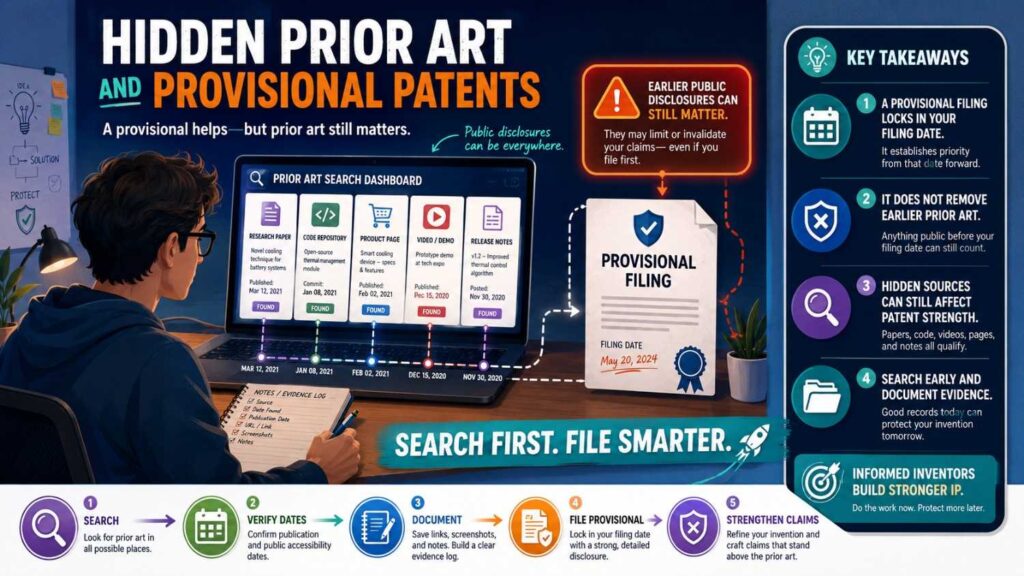
Many founders file provisional patent applications to move fast.
That can be smart.
But a provisional still needs enough detail to support the invention.
Hidden prior art search helps you write a better provisional.
If product pages show the broad feature, your provisional should explain the technical improvement.
If GitHub shows a basic implementation, your provisional should describe what your system does differently.
If YouTube shows the workflow, your provisional should include the internal steps that make your version work.
A vague provisional can create false comfort.
A focused provisional, written with awareness of the old work, can be much more useful.
PowerPatent helps founders move quickly while still capturing real technical detail and getting attorney oversight. Start here: https://powerpatent.com/how-it-works
Hidden Prior Art and Fundraising
Investors care about defensibility.
They may not ask you to explain every prior art source.
But they may ask what makes your technology hard to copy.
If you understand the landscape, you can answer better.
You can say the broad category is active, but your patent filing focuses on the specific technical improvement that competitors do not show.
That sounds much stronger than “we searched and did not see anything.”
It shows control.
It shows that your patent strategy is based on real technical difference, not hope.
For deep tech startups, that matters.
Hidden Prior Art and Acquisitions
During diligence, buyers may look closely at patents.
They may compare your filings to public sources.
They may search product pages, GitHub, and YouTube too.
If your patent claims are too close to public sources, that can reduce confidence.
If your filings clearly protect a technical improvement over known sources, that can help.
The best time to find hidden prior art is before you file, not during diligence.
Early search can make later review smoother.
It can also help you build a cleaner IP story over time.
Hidden Prior Art and Competitor Challenges
Competitors may search hard if your patent matters.
They may look for old product pages, public repos, videos, docs, and talks.
They may find sources that a simple patent search missed.
This is why strong patents should be drafted with hidden prior art in mind.
You do not need to find every possible source.
No one can promise that.
But you should search the most likely places.
If your field is open-source heavy, search GitHub.
If your field is demo-heavy, search YouTube.
If your field is product-doc heavy, search docs and product pages.
Meet the field where it lives.
How PowerPatent Helps Founders Move Smarter
PowerPatent helps founders protect inventions without getting trapped in slow, confusing patent work.
The platform helps you capture what you built, explain the technical edge, organize details, and move toward filings with real patent attorney oversight.
That matters because hidden prior art search is only useful if it connects to better filing strategy.
Finding product pages, repos, and videos is not the final goal.
The goal is to write stronger patents.
A stronger patent focuses on the real invention, includes the right detail, and is shaped with awareness of what was already public.
PowerPatent brings software speed and attorney review together, so founders can move fast without flying blind.
See how PowerPatent works here: https://powerpatent.com/how-it-works
A Simple Search Plan Before Filing
Start with one clear invention sentence.
Search product pages for the problem, feature, outcome, and competitor terms.
Open docs, release notes, support pages, screenshots, and API guides.
Search GitHub using developer terms, function words, task names, and repo topics.
Read READMEs, examples, tests, issues, pull requests, commits, and releases when a repo looks close.
Search YouTube using demo, tutorial, walkthrough, webinar, teardown, conference talk, and prototype terms.
Use transcripts, chapters, descriptions, and linked resources.
Record close sources, dates, and notes.
Compare features.
Bring the results to your patent team.
That is a practical search plan.
It is not perfect. No search is.
But it is much better than filing blind.
What Good Notes Look Like
Good notes are short and specific.
For a product page:
“Competitor page shows automated alert routing using service ownership and severity, but does not explain use of live customer impact or incident similarity.”
For a GitHub repo:
“Repo shows reviewer recommendation based on file paths and ownership. It does not appear to score pull requests using production incident history.”
For a YouTube demo:
“Video at 14:20 shows robot retrying a failed grasp after slip, but does not explain whether the retry uses tactile feedback or camera pose update.”
These notes help.
They separate what is shown from what is missing.
That is exactly the kind of clarity patent teams need.
The Best Hidden Source Is the One That Teaches the Key Step
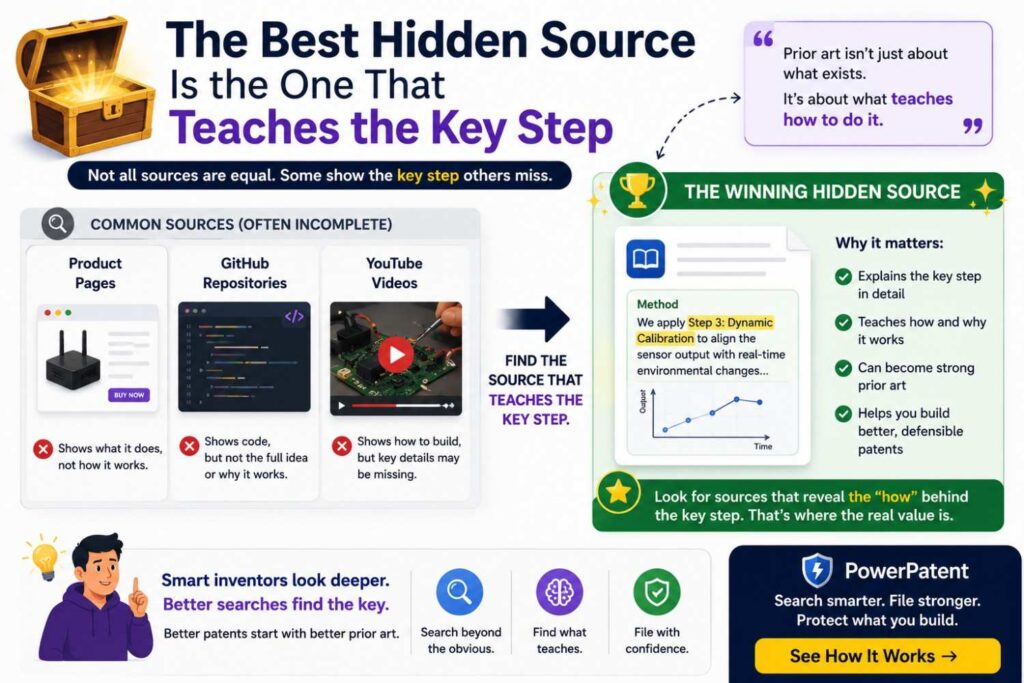
Do not chase every page.
Chase the key step.
The best hidden prior art source is the one that teaches the part you thought was new.
It may be a small GitHub test.
It may be a product screenshot.
It may be a two-minute part of a YouTube demo.
It may be an API example.
It may be a release note.
It may be a support article.
Stay focused.
A patent search is not about collecting links.
It is about understanding the invention in context.
The Bottom Line
Product pages, GitHub, and YouTube can hide important prior art.
They matter because modern builders publish, demo, document, and ship in public.
If you search only patents, you may miss the real field.
Before filing, search the places where your industry shares technical work.
Read product pages like an inventor.
Read GitHub like an engineer.
Watch YouTube like a detective.
Save close sources. Record dates. Compare features. Get attorney review.
This process can help you avoid weak claims, find stronger invention points, and file with more confidence.
And if you want a smoother way to turn your technical edge into a patent filing, PowerPatent can help. It combines smart software with real patent attorney oversight, so founders can move faster and avoid costly mistakes.
See how PowerPatent works here: https://powerpatent.com/how-it-works
Closing Thought
Your invention deserves more than a quick patent search.
It deserves a real look at the world it will enter.
That world includes patents, but it also includes product pages, GitHub repos, YouTube demos, docs, manuals, talks, and code.
The old work may be hiding in places that look ordinary.
Find it early.
Learn from it.
Then protect the part of your invention that is truly new, useful, and hard to copy.
That is how smart founders file better patents.
That is how strong IP starts.
Leave a Reply