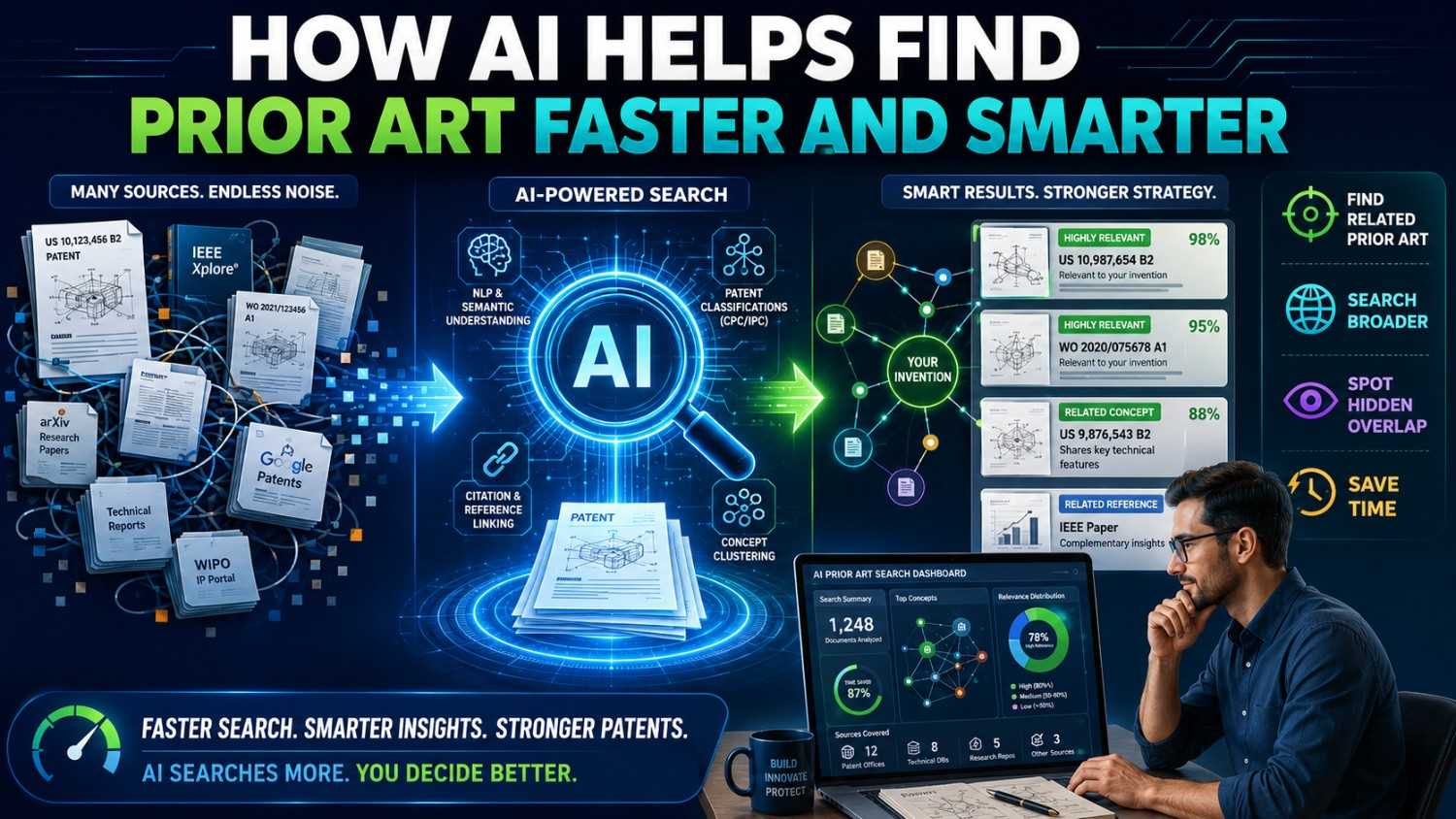
Prior art search used to feel slow, stiff, and hard to start.
You had to guess the right words, scan long patent pages, jump between tools, and hope you did not miss the one source that mattered.
AI is changing that.
It does not replace good judgment. It does not replace a real patent attorney. But it can help founders, engineers, and patent teams find better prior art faster, spot patterns sooner, and make smarter filing choices.
If you are building something hard and want to protect it without slowing your team down, PowerPatent helps you move from invention details to attorney-reviewed patent filings with smart software and real human oversight. See how it works here: https://powerpatent.com/how-it-works
Prior Art Search Is a Search for Truth
Prior art search is not just a paperwork step.
It is a search for truth.
You are trying to learn what people already showed, built, wrote, filed, sold, demoed, or published before your patent filing.
That old work can shape your patent. It can limit broad claims. It can point to better claim language. It can show where your invention is truly different. It can also help you avoid spending time and money on a weak filing.
A good search is not only about finding documents.
It is about finding the few documents that matter.
That is where many founders get stuck.
They do not know which words to search. They do not know which databases matter. They do not know how patent language works. They may search the product name instead of the invention. They may stop after one query. They may miss papers, code, product docs, and videos. They may find a pile of results but have no idea which ones are close.
AI can help with all of this.
Not by making the legal decision for you.
By helping you search, sort, compare, and understand faster.
That speed matters for startups.
When your team is moving fast, patent work cannot feel like a wall. It needs to fit into the build cycle. AI can help make that possible.
What AI Can Actually Do in Prior Art Search
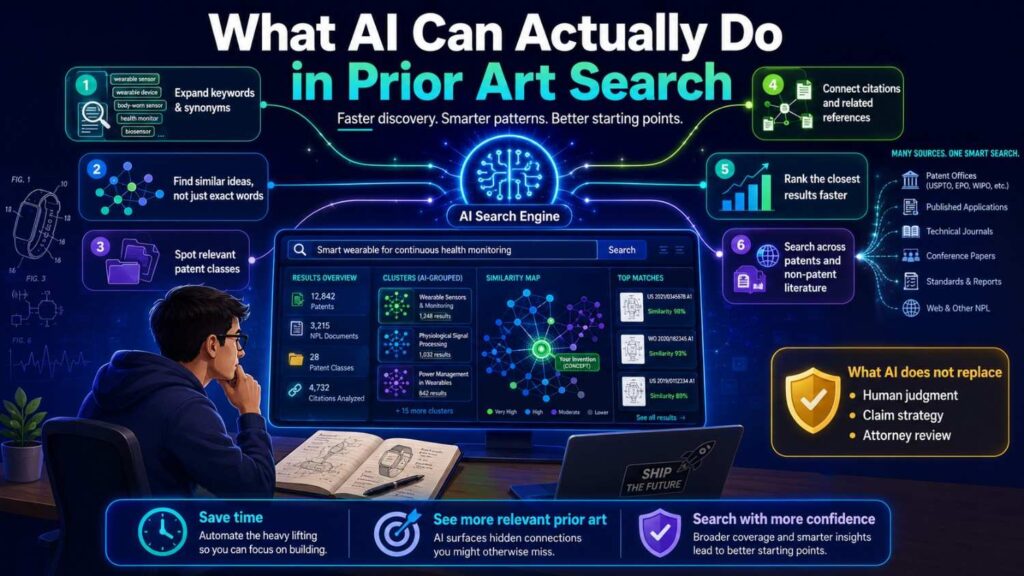
AI is useful because prior art search is full of language problems.
The same invention can be described many ways.
A founder may say “AI code reviewer.” A patent may say “automated source code analysis.” A paper may say “defect prediction.” A GitHub repo may say “pr-risk-bot.” A product page may say “change intelligence.”
Same area. Different words.
Old search methods depend heavily on the exact words you type.
AI can help bridge those word gaps.
It can suggest synonyms. It can translate product language into patent language. It can find related concepts. It can cluster similar documents. It can summarize long patents. It can compare a reference to your invention. It can pull out key features. It can help search non-patent sources. It can turn a rough technical description into better search paths.
This does not mean AI always gets it right.
It can miss things. It can misunderstand. It can summarize too loosely. It can sound confident when it should be careful.
So the right way to use AI is not blind trust.
The right way is guided search.
You provide the invention details. AI helps expand the search. Humans review the close results. Patent professionals decide how the results affect filing strategy.
That is the model founders should trust.
Smart software plus real review.
That is also the core idea behind PowerPatent: help technical teams move faster while keeping attorney oversight where it matters. Learn more here: https://powerpatent.com/how-it-works
Why Traditional Prior Art Search Is So Slow
Traditional prior art search can be slow for simple reasons.
First, you need good search words.
That sounds easy until you try it.
Patent writers use broad terms. Engineers use specific terms. Researchers use academic terms. Product teams use market terms. Standards groups use formal terms. Open-source projects use developer terms.
If you search only your own words, you miss things.
Second, you need to search many source types.
Patents are important, but prior art can also live in papers, product docs, manuals, standards, GitHub repos, YouTube demos, blog posts, datasets, and public talks.
Each source uses different language.
Third, you need to read long documents.
A patent can be dense. A research paper can be technical. A repo can have dozens of files. A product doc can have many pages. A video can take time to scan.
Fourth, you need to compare details.
It is not enough to ask whether a result “seems similar.” You need to compare features. Does it show the same input? The same method? The same output? The same system setting? The same improvement?
That takes time.
AI helps because it can speed up each stage.
It can help create better queries. It can scan and summarize. It can surface key passages. It can group similar sources. It can build feature maps. It can help you see where the close art is close and where it is different.
The founder still needs judgment.
But the work becomes less painful.
AI Helps You Search the Invention, Not the Product
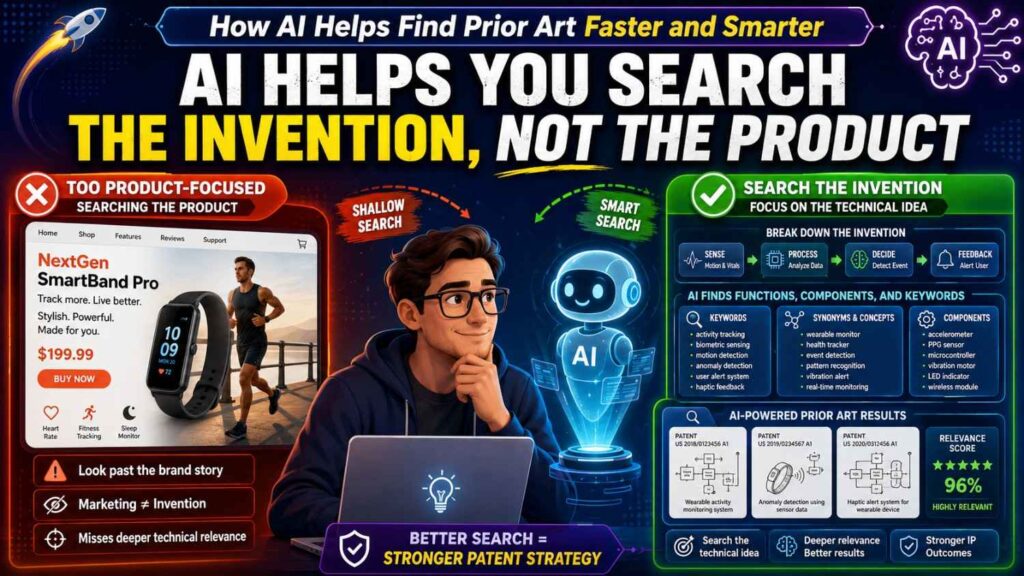
One of the biggest founder mistakes is searching the product instead of the invention.
A product is the thing users see.
An invention is the technical move that makes something work better.
For example, your product may be “AI for customer support.”
The invention may be a way to route tickets based on message text, prior incidents, service ownership, customer value, and live on-call load.
Those are different searches.
A search for “AI customer support” is broad and noisy.
A search for “ticket routing based on service ownership and incident history” is more useful.
AI can help founders make this shift.
You can give AI a product description and ask it to identify the technical parts. It can help pull out the problem, inputs, steps, outputs, constraints, and improvement.
It may say the key parts are ticket classification, incident matching, routing logic, workload balancing, and escalation prediction.
Now you have search paths.
This is powerful because many founders are too close to the product. They describe it the way they sell it. AI can help reframe it the way prior art search needs it: as a set of technical functions.
That does not mean AI decides what is patentable.
It means AI helps you ask better search questions.
Better questions lead to better results.
AI Helps Turn One Idea Into Many Search Paths
A weak search uses one phrase.
A stronger search uses many paths.
AI is good at helping create those paths.
This is more than a search trick. It is a business advantage.
When a company files a patent, it is not just trying to describe an idea. It is trying to protect a market position. That means the search should not only ask, “Has anyone used these words before?” It should ask, “Where could someone have already shown this same value, this same function, or this same technical move?”
AI can help turn one invention into several smart search angles so your team does not miss the real landscape.
One Invention Can Have Many Faces
Most inventions have more than one face.
There is the customer-facing face. This is how sales, marketing, and users talk about it.
There is the engineering face. This is how the system works under the hood.
There is the patent face. This is how the idea may be described in broad technical terms.
There is the competitor face. This is how another company might build or explain something similar.
There is also the academic face. This is how a researcher might describe the same method in a paper.
AI can help create search paths for each face.
Suppose your invention is:
“A wearable patch reduces false health alerts by checking motion and body position before sending a warning to a clinician.”
A customer-facing search path might include false health alerts, fewer patient monitor alarms, wearable alert accuracy, and remote patient monitoring alerts.
An engineering search path might include motion artifact filtering, posture-aware thresholding, accelerometer-based signal correction, sensor fusion, and activity-aware alarm suppression.
A patent-style search path might include physiological monitoring device, patient condition determination, context-based alert generation, and body position dependent signal processing.
A competitor search path might include product pages for wearable patient monitors, alarm fatigue tools, remote monitoring patches, and clinician alert platforms.
An academic search path might include wearable physiological signal processing, motion artifact reduction, posture classification, and false alarm reduction in patient monitoring.
Each path looks different, but all point toward the same invention.
That is the power of AI-assisted search planning. It helps your team see the invention from many sides before you file.
Search the Business Value, Not Just the Mechanism
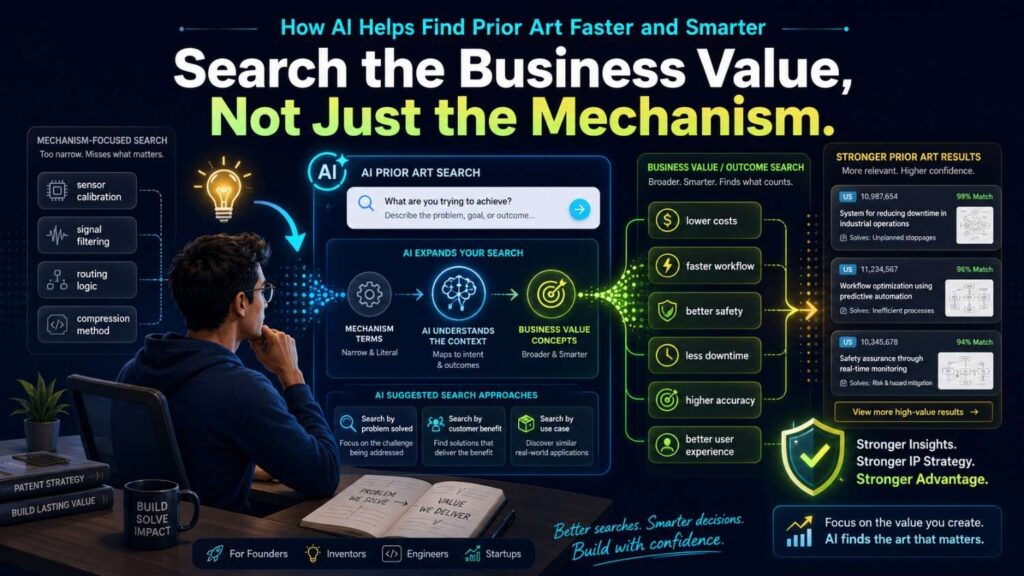
Founders often search the mechanism first.
That makes sense. The mechanism is the technical heart.
But businesses should also search the value the invention creates.
If your system reduces false positives, search that business outcome. If it cuts cloud cost, search cost reduction. If it improves yield, search yield improvement. If it lowers latency, search real-time response. If it prevents downtime, search outage prevention and incident reduction.
Why does this matter?
Because competitors and prior sources may describe the same idea by the benefit, not the method.
A product page may not say “posture-aware signal filtering.” It may say “reduces false alarms during patient movement.”
A GitHub repo may not say “customer-impact weighted incident routing.” It may say “prioritize alerts by blast radius.”
A conference talk may not say “adaptive threshold update.” It may say “we changed the alert limit based on live context.”
AI can help translate a technical mechanism into value-based search paths.
This is useful for business teams because it connects patent search to market risk. If many companies already promise the same outcome, your filing may need to focus on the exact technical way you deliver it. If few sources show the same outcome in your setting, that may point to a stronger story.
Search the Buyer’s Problem
A smart search also follows the buyer’s pain.
Businesses buy technology to solve pain. That pain often appears in public pages, reports, case studies, product reviews, and conference talks.
AI can help turn an invention into pain-based search paths.
For a cybersecurity tool, the pain may be alert fatigue, account takeover, slow investigation, false positives, or missed threats.
For a robotics tool, the pain may be failed picks, downtime, slow calibration, unsafe human interaction, or poor performance in clutter.
For an AI product, the pain may be hallucinations, stale answers, privacy leaks, hard approvals, slow review, or low trust.
For a battery product, the pain may be early fault detection, thermal runaway risk, false alarms, pack downtime, warranty cost, or safety compliance.
These pain terms can uncover sources that do not use your invention words at all.
That is important for businesses because buyers and competitors rarely talk like patent drafters. They talk about pain. AI helps you search that language too.
Search the Workflow Around the Invention
Many patents are not only about one step. They are about a flow.
A system receives data, checks something, decides something, triggers an action, and records the result.
A founder may search only the main step. AI can help search the full workflow.
For example, an AI support tool may not just classify a ticket. It may receive the ticket, pull customer history, match similar incidents, check service ownership, rank experts, route the ticket, request approval, and learn from the outcome.
Each step is a search path.
If you search only “ticket classification,” you may miss prior art around expert routing, service graphs, incident similarity, or feedback loops.
A business should care about this because the market advantage may sit in the flow, not the model.
Many teams use similar models. The moat may be the workflow around the model: what data is used, when the system acts, who approves, how risk is scored, and how results are fed back.
AI can help map the flow and create search paths for each stage.
This gives your patent team a better chance of finding the part that is truly worth protecting.
Search the Data Advantage
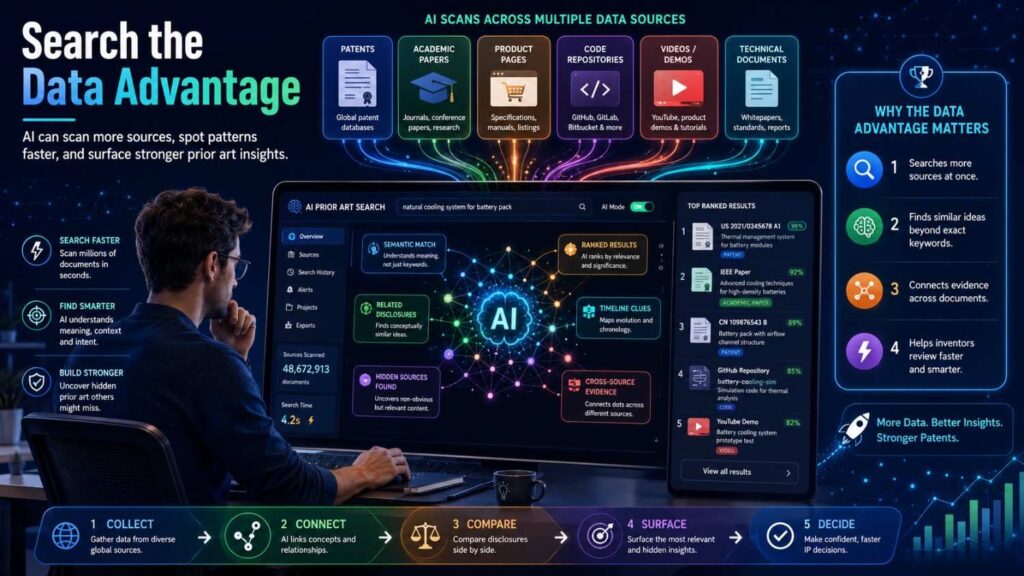
For many startups, the invention is not only the algorithm.
It is the data advantage.
The system may use a special mix of data sources. It may use timing data, user feedback, sensor context, customer history, system logs, physical measurements, or private records in a new way.
AI can help create search paths around each data source and each data combination.
For example, a code review invention may use pull request text, changed files, file ownership, deployment history, incident history, and live traffic data.
A normal search might focus on “AI code review.”
A smarter search asks whether anyone used incident history for code review, whether anyone used live traffic impact for deployment risk, whether anyone used file ownership for reviewer routing, and whether anyone combined those signals.
This is highly actionable for businesses.
When you prepare to file, ask AI to list every data source your invention uses. Then ask it to create searches for each data source alone and for the most important pairs.
That can reveal whether your data mix is common or rare.
If the data mix is rare and tied to a real business outcome, it may be a strong place to focus the patent discussion.
Search the Constraint That Makes the Invention Hard
The best inventions often solve a problem under a hard constraint.
The system works with low power. It works in real time. It works with little training data. It works on a small device. It works without sending private data to the cloud. It works in heat, noise, motion, low bandwidth, or high risk.
Those constraints can be more important than the broad idea.
AI can help turn constraints into search paths.
Instead of only searching “defect detection,” search real-time defect detection, low-light defect detection, low-data defect detection, on-device defect detection, and privacy-preserving defect detection.
Instead of only searching “AI assistant,” search offline AI assistant, role-based AI assistant, audit logged AI assistant, private data AI assistant, and low-latency AI assistant.
This matters for business strategy because constraints are often where defensibility lives.
Many competitors can copy a broad feature. Fewer can make it work under the same hard limits.
Before filing, ask AI:
“What constraints make this invention hard to copy, and what search paths should we use for each constraint?”
That one question can uncover better prior art and better claim focus.
Search the Competitor’s Likely Workaround
A strong patent search should also think like a competitor.
If a competitor wanted the same business result, how might they describe it? How might they build around it? What terms would they use in docs, blogs, talks, or code?
AI can help simulate these search paths.
For example, if your invention routes incidents using an ownership graph, a competitor might call it service mapping, dependency-aware routing, team assignment, escalation automation, or incident ownership resolution.
If your invention verifies AI answers against approved sources, a competitor might call it grounded generation, source-backed answers, citation enforcement, policy-based response control, or enterprise knowledge validation.
This is strategic because patents are business tools. You do not only want to know whether someone used your exact words. You want to know whether the market has already shown similar ways to reach the same value.
Ask AI to create search paths from the view of three groups: a direct competitor, an open-source developer, and a researcher.
The overlap between those paths often reveals the most important prior art zones.
Search the Revenue Feature
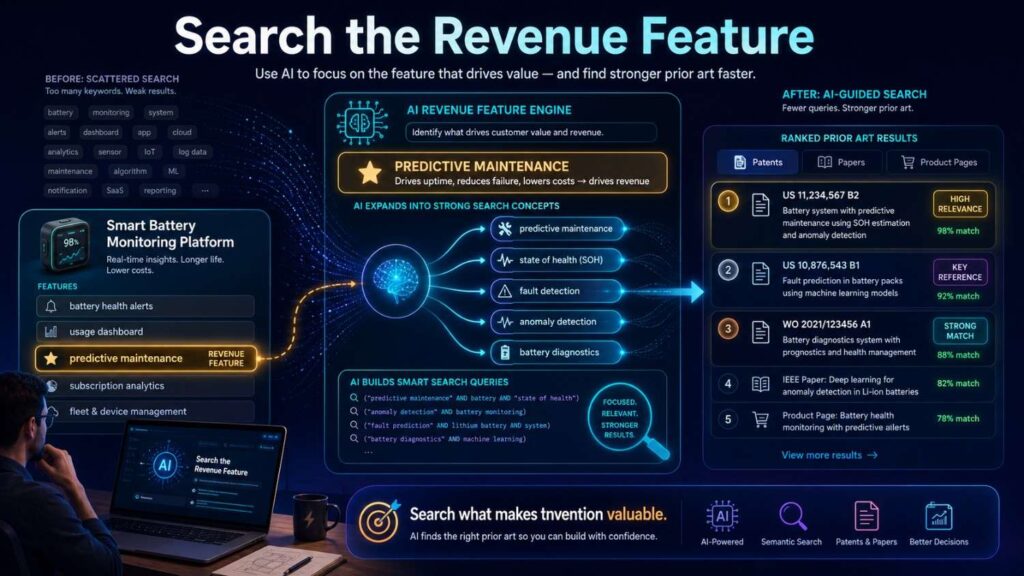
Not every technical feature matters equally.
Some features are nice to have. Others drive revenue, retention, pricing power, or enterprise adoption.
Businesses should search the revenue feature deeply.
If customers pay because your system reduces downtime, search downtime reduction. If they pay because it passes audits, search audit trail and compliance workflow. If they pay because it saves human review time, search review automation and approval routing. If they pay because it prevents safety events, search early warning and fault prevention.
AI can help connect product value to search strategy.
Give AI your invention and ask:
“Which parts of this invention are most likely tied to customer value, pricing power, or competitive advantage? Create search paths for those parts.”
This helps your team avoid wasting search time on low-value details while missing the features that matter most to the business.
A patent filing should protect the business edge, not just the cleverest technical part.
Sometimes those are the same. Sometimes they are not.
AI can help start that conversation.
Search What Happens Before and After
A prior art search often focuses on the central step.
But many inventions are defined by what happens before or after that step.
Before the model runs, the system may clean data, select sources, check permissions, create embeddings, detect context, or choose a sensor window.
After the model runs, the system may route a task, block an action, trigger an alert, request approval, update a threshold, create an audit log, or retrain a model.
AI can help search these surrounding steps.
This is useful because competitors may already show the central step, but not the full operating loop.
For example, many sources may show AI risk scoring. Fewer may show what happens after the score: human approval, automatic rollback, escalation based on customer tier, or model update from the outcome.
For businesses, these before-and-after steps are often where the product becomes useful.
The model alone may not be the moat. The system around the model may be.
Turn Search Paths Into Business Decisions
The goal of creating many search paths is not to make the team busy.
The goal is to make better decisions.
After AI helps create search paths, sort them by business importance.
Ask which paths relate to your core moat. Ask which relate to public product claims. Ask which relate to features competitors can easily copy. Ask which relate to features customers pay for. Ask which relate to technical details that will be disclosed soon.
Then search the highest-value paths first.
This keeps the work focused.
For a core invention, you may search every path deeply. For a smaller feature, you may do a lighter screen. For a launch-critical feature, you may focus on public disclosure risk and competitor materials.
AI helps generate the map. Business judgment helps choose the route.
A Simple Action Plan for Teams
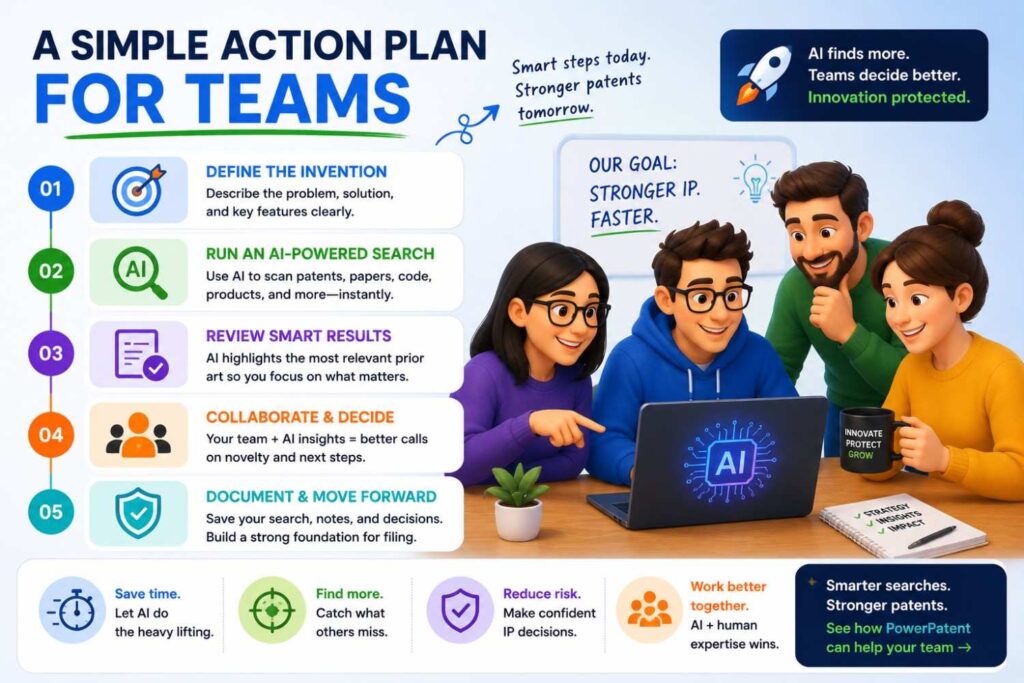
Use AI to create at least five search paths before filing.
One should follow the technical method.
One should follow the business outcome.
One should follow the buyer pain.
One should follow the data sources.
One should follow the hardest constraint.
For important inventions, add more paths for competitor wording, open-source wording, academic wording, workflow steps, and before-and-after actions.
Then run searches across patents and non-patent sources.
Save the closest results from each path.
Compare which path finds the strongest prior art.
That last step matters. If the strongest prior art comes from the buyer-pain path, your product category may already be crowded. If it comes from the data-source path, your data mix may need careful claim work.
If it comes from the constraint path, your constraint may be the key battleground. If no path finds close art, that may be a useful signal, but only after the search was broad enough.
This is how AI turns one idea into a real search strategy.
Not just more keywords.
More ways to understand the field, reduce risk, and protect the part of the invention that can matter most to the company.
AI Helps Find Synonyms and Older Terms
Prior art often hides in old language.
That is a big problem in fast-moving fields.
A new phrase may sound fresh, but the core idea may be older.
“Agentic AI” may connect to software agents, autonomous agents, task planning, tool selection, workflow automation, and decision systems.
“Vector database” may connect to similarity search, approximate nearest neighbor, vector indexing, high-dimensional search, and embedding retrieval.
“Digital twin” may connect to virtual model, simulation model, asset model, state estimation, and process simulation.
“Edge AI” may connect to on-device inference, embedded machine learning, low-power inference, and local model execution.
AI can help generate these older and adjacent terms.
This is one of the biggest gains.
A normal keyword search may miss old work because it uses only new words.
AI can suggest the older roots.
It can also suggest words from nearby fields.
For example, a robotics invention may connect to control systems, motion planning, machine vision, tactile sensing, and failure recovery. A founder may search only “robot arm demo.” AI can help expand to the real technical map.
This does not replace a skilled searcher.
But it gives founders a much better starting point.
AI Helps Translate Between Founder Language and Patent Language
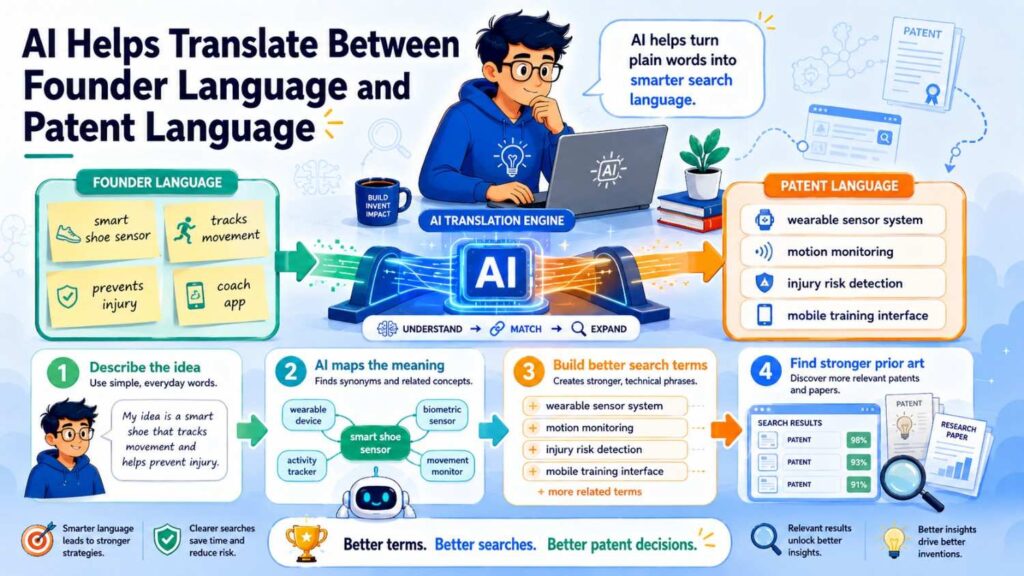
Patent documents often use strange words.
A phone may be called a mobile computing device.
A drone may be called an unmanned aerial vehicle.
An AI model may be called a trained machine learning system.
A code review tool may be called a source code analysis system.
A retry feature may be called a failure recovery operation.
This can make patent searching hard for founders.
AI can help translate.
You can describe your invention in normal words and ask AI for patent-style terms.
For example:
Founder phrase: “The app checks if a generated answer is backed by approved documents.”
Patent-style search terms might include: source verification, evidence-backed response generation, document-grounded natural language output, policy-based answer validation, retrieval-based response control, and confidence-based answer suppression.
Those terms can improve search.
AI can also go the other way.
It can summarize a patent in plain English so the founder understands what it really says.
This is very useful.
A founder does not need to become fluent in patent language overnight. AI can help bridge the gap.
But again, human review matters.
Patent language can be subtle. A summary is a guide, not a final legal answer.
AI Helps Search Beyond Patents
Prior art is not limited to patents.
This is where AI can be very useful.
AI can help you think of non-patent sources to search. It can suggest papers, code terms, product doc terms, standards terms, video demo terms, and forum terms.
For software and AI, this is critical.
The closest art may be in a GitHub repo, research paper, model card, API doc, tutorial, or engineering blog.
For hardware, the closest art may be in a datasheet, manual, teardown video, supplier application note, or product guide.
For robotics, it may be in a demo video, lab page, paper, or open-source control stack.
For cybersecurity, it may be in a tool repo, conference talk, CVE writeup, or standards document.
AI can help you build a search plan for each source type.
It can say: for this invention, search patents, papers, GitHub, product docs, YouTube demos, standards, and supplier docs. Then it can suggest terms for each source.
That saves time.
It also helps founders avoid the biggest blind spot: searching only patents and missing the real public record.
PowerPatent helps teams capture invention details and move toward stronger filings with attorney oversight, so search and drafting are connected instead of scattered. See how it works here: https://powerpatent.com/how-it-works
AI Helps Summarize Long Patents
Patents can be long and hard to read.
A founder may open a close result and give up after two pages.
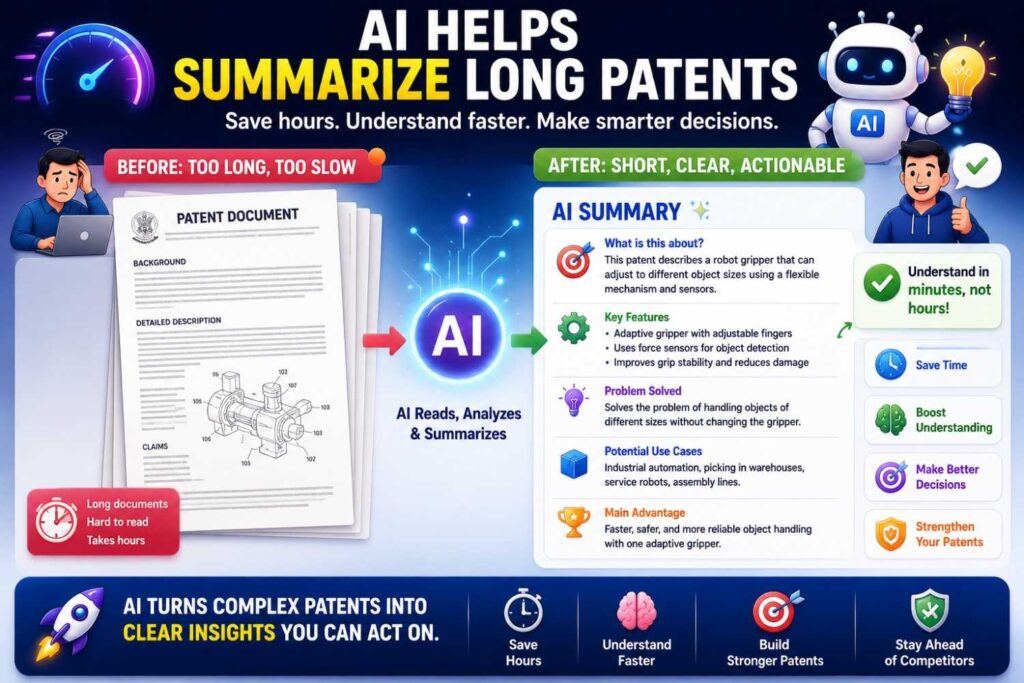
AI can help by summarizing the key parts.
It can explain the title, abstract, main problem, claimed system, key steps, drawings, and possible relevance.
It can also help identify which parts of the patent to read first.
For example, AI may tell you that the closest part is in the claims and figures around the alert routing workflow, while the rest of the document is broad context.
This does not mean you should rely only on the summary.
For close art, someone still needs to read the source carefully.
But AI can speed up triage.
It helps you decide which documents deserve deeper review.
That is a big deal when search results include hundreds or thousands of references.
AI can help reduce the pile to a short list.
AI Helps Summarize Research Papers
Research papers can also be hard to scan.
They may use math, dense methods, and field-specific terms.
AI can help summarize the problem, method, dataset, experiment, result, and relevance to your invention.
It can also help compare a paper to a product idea.
For example, if your invention is about reducing hallucinations in an enterprise AI assistant, AI can summarize papers on retrieval, grounding, reranking, source verification, and answer validation.
It can help you see whether a paper teaches the same control step or only a related method.
This saves time, especially when you need to scan many papers.
But be careful.
AI summaries can miss small details.
In patents, small details can matter.
Use AI to triage and understand. Use human review for close sources.
AI Helps Read GitHub Repos
GitHub can be a goldmine, but it is messy.
A repo may have a README, docs, notebooks, tests, examples, issues, pull requests, and many code files.
AI can help explain what the repo does.
It can summarize the README. It can trace a workflow through files. It can identify key functions. It can explain tests. It can compare code behavior to your invention.
For example, if your invention routes pull requests based on incident risk, AI can help inspect a repo that assigns reviewers based on ownership. It can tell you whether the repo appears to use incident history, dependency graphs, or traffic impact.
That kind of comparison is useful.
AI can also help search inside code using related terms.
It may suggest looking for words like owner, reviewer, risk, incident, dependency, graph, deploy, impact, and score.
This helps founders and engineers search faster.
Still, code review should involve someone technical. AI can explain, but engineers should verify close findings.
AI Helps Scan Videos and Transcripts
YouTube and other video sources can hide useful prior art.
A demo may show a workflow. A webinar may reveal settings. A robotics video may show a behavior. A teardown may reveal hardware. A conference talk may explain a method.
Videos are slow to search manually.
AI can help when transcripts are available.
It can summarize the transcript. It can find time marks where key terms appear. It can identify the parts that discuss your feature. It can help decide whether the video needs deeper review.
For example, if your invention is a robot grasp recovery method, AI can scan a transcript for slip detection, retry, tactile sensor, camera update, visual servoing, and failure recovery.
If your invention is an AI compliance assistant, AI can scan for policy check, source grounding, approval workflow, confidence threshold, and audit log.
This can save hours.
But video evidence still needs care.
A demo may show behavior without explaining the internal method. AI can help flag relevance, but humans should decide what the video actually teaches.
AI Helps Cluster Results
A common search problem is overload.
You search a term and get thousands of results.
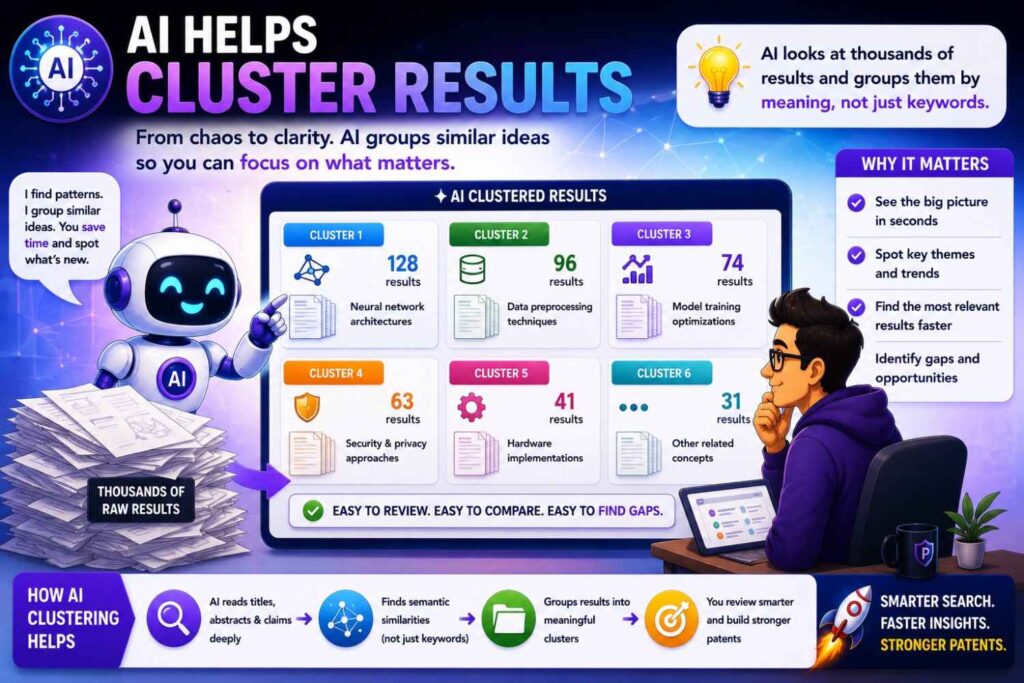
AI can help group results by theme.
For example, a search for battery safety may produce groups like gas detection, thermal runaway prediction, pressure monitoring, cooling control, cell balancing, enclosure design, and emergency shutdown.
A search for AI document review may produce groups like clause extraction, risk scoring, redline generation, playbook rules, human feedback, retrieval, and audit logs.
This clustering helps you see the landscape.
Instead of reading one random result after another, you see the main buckets.
That helps you ask better questions.
Which bucket is closest to our invention? Which bucket is crowded? Which bucket seems open? Which terms appear again and again? Which companies or labs show up often?
AI can turn a messy result pile into a map.
A map is much easier to use.
AI Helps Rank Results by Relevance
Not all search results matter.
Some are broad. Some are far away. Some use the same words but solve a different problem. Some are close but hard to spot from the title.
AI can help rank results by likely relevance.
It can compare titles, abstracts, snippets, claims, or summaries to your invention description.
It can flag documents that share the same problem, inputs, method, output, or improvement.
This is better than sorting only by date or keyword match.
A document that never uses your exact phrase may be more relevant than one that repeats it.
AI can help catch that.
The key is to give AI a clear invention description.
If your invention description is vague, the ranking will be weak.
If your description is specific, the ranking can be much more useful.
This is why invention capture matters so much.
Before you can search well, you need to describe the invention well.
AI Helps Build Feature Maps
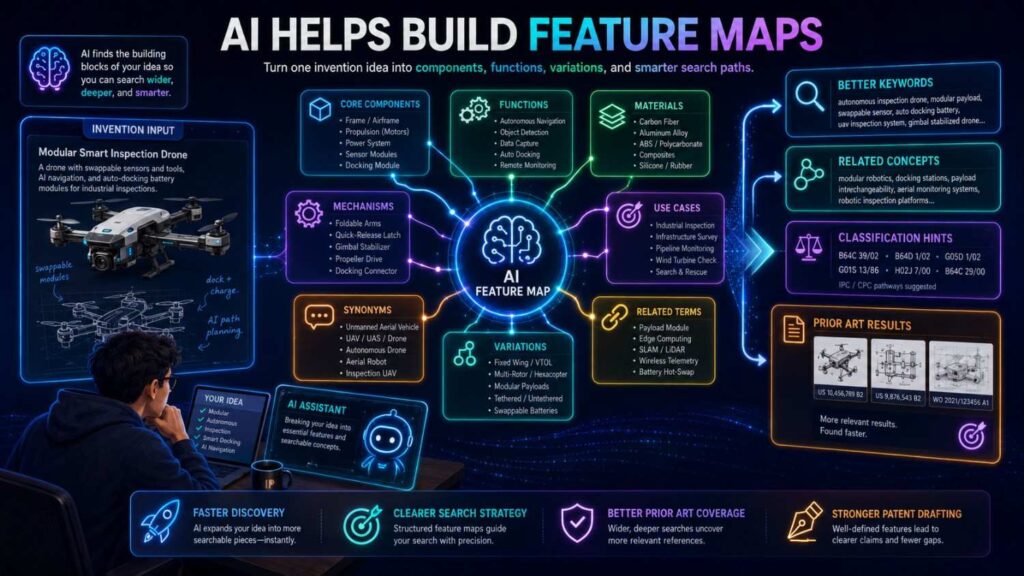
A feature map is a simple tool.
You write the key parts of your invention, then compare prior art sources against those parts.
For example, your invention may have these parts:
It receives pull request data.
It maps the changed files to service ownership.
It compares the change to past incidents.
It estimates customer impact.
It routes review to an expert based on risk and availability.
AI can help build that feature map from your invention summary.
Then, for each prior art source, AI can help mark what appears to be shown and what appears to be missing.
This is not a legal conclusion.
It is a working comparison.
It helps founders see why a source is close.
It helps patent teams focus review.
It also helps avoid vague notes like “kind of similar.”
Specific notes are much more useful.
For example:
“This reference shows reviewer routing based on file ownership, but does not appear to use production incident similarity or customer impact.”
That kind of note can guide claim strategy.
AI Helps Find the Real Difference
Sometimes a founder finds close prior art and feels stuck.
AI can help compare the source to the invention and surface possible differences.
Maybe the old source uses the same input but a different output.
Maybe it solves the same problem but in a different setting.
Maybe it uses a fixed threshold while your system adapts the threshold.
Maybe it works offline while yours works in real time.
Maybe it uses one sensor while yours combines two signals.
Maybe it routes tasks based on static ownership while yours uses live load and customer impact.
AI can help identify these gaps.
That is useful because the first idea founders want to patent is often broad.
The search may show the broad idea is old.
But the real invention may still be there, hidden in a specific improvement.
AI can help find it faster.
A patent attorney then helps decide whether that difference is meaningful for filing.
AI Helps Avoid False Confidence
A bad search can make you feel safe for the wrong reason.
You type one phrase. Nothing close appears. You assume the invention is new.
That is false confidence.
AI can reduce this risk by expanding the search.
It can suggest other words, older terms, adjacent fields, non-patent sources, and related problems.
It can ask, in effect, “Have you searched this angle too?”
For example, if you search “AI sales email coach,” AI may suggest searching sales message scoring, email response prediction, writing feedback, CRM engagement prediction, sequence optimization, and conversation intelligence.
If you search “smart battery alarm,” AI may suggest thermal runaway detection, battery fault diagnosis, gas sensing, pressure monitoring, vent detection, and battery management system safety.
This broader view helps founders avoid the trap of one-query searching.
A strong search is not one query.
It is a learning loop.
AI makes the loop faster.
AI Helps Avoid Result Overload
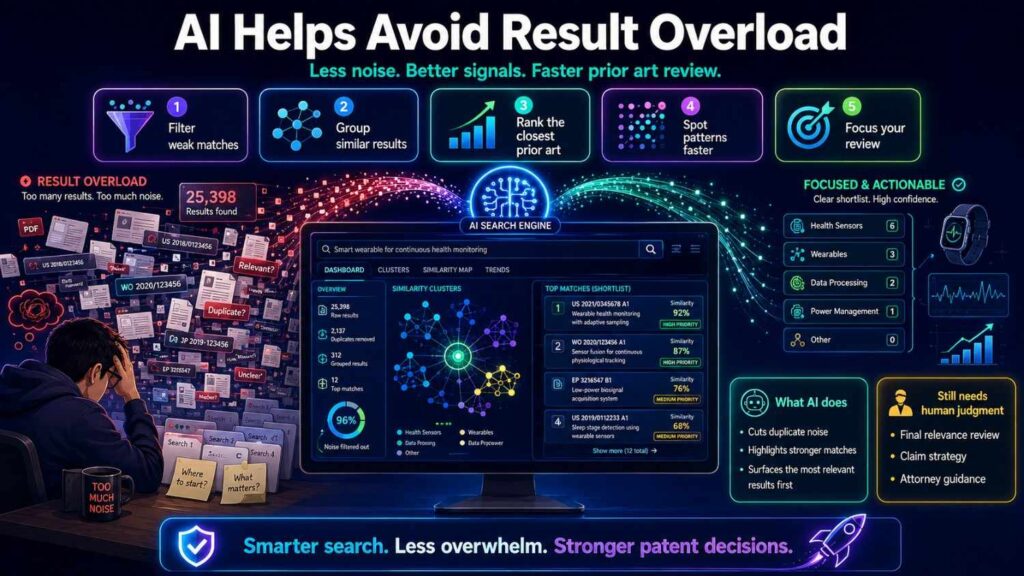
The opposite problem is overload.
You search a broad term and get too much.
AI can help narrow.
It can suggest which features to add to the query. It can separate results by field. It can help filter out unrelated meanings. It can point to the most likely source types.
For example, “token” can mean many things. AI can help narrow token as language model token, authentication token, crypto token, game token, or hardware token.
“Cell” can mean battery cell, biological cell, radio cell, or spreadsheet cell.
“Model” can mean machine learning model, CAD model, physical model, or business model.
AI can help disambiguate.
This saves time and reduces noise.
Founders do not need more results.
They need closer results.
AI can help move from volume to relevance.
AI Helps Search by Meaning, Not Just Words
Traditional keyword search is word-based.
AI search can be meaning-based.
This is often called semantic search, but the simple idea is this: the tool looks for sources that mean something similar, even if the words differ.
That can be very useful in prior art.
A patent may say “determining an abnormal operating condition based on correlated sensor outputs.”
You may say “detecting battery failure by comparing gas and temperature data.”
The words are different, but the meaning is close.
AI can help connect them.
This is one reason AI search can find references that pure keyword search misses.
It can also find adjacent sources.
For example, an AI tool may find that your robot recovery method is related to control loops in industrial automation, even if the word “robot” is not central.
Meaning-based search is powerful.
But it should not replace keyword search.
The best approach uses both.
Keyword search is precise. AI meaning search is broad. Together, they cover more ground.
AI Helps With Classification Search
Patent classification search groups patents by technology area.
It is useful, but many founders find it hard.
AI can help identify likely classification areas from an invention description.
It can also explain class titles in plain English.
It can help suggest related classes when an invention spans fields.
For example, a medical robot may touch robotics, surgery, imaging, force control, user interfaces, and safety systems.
AI can help map these areas.
It can also help compare classes by the kinds of documents they contain.
This does not make classification search effortless.
Patent classes can be messy. Documents can be placed in surprising buckets. Some inventions cross several areas.
But AI can make the first step less painful.
It can help founders and patent teams move from one close patent to nearby classes faster.
AI Helps Search International Sources
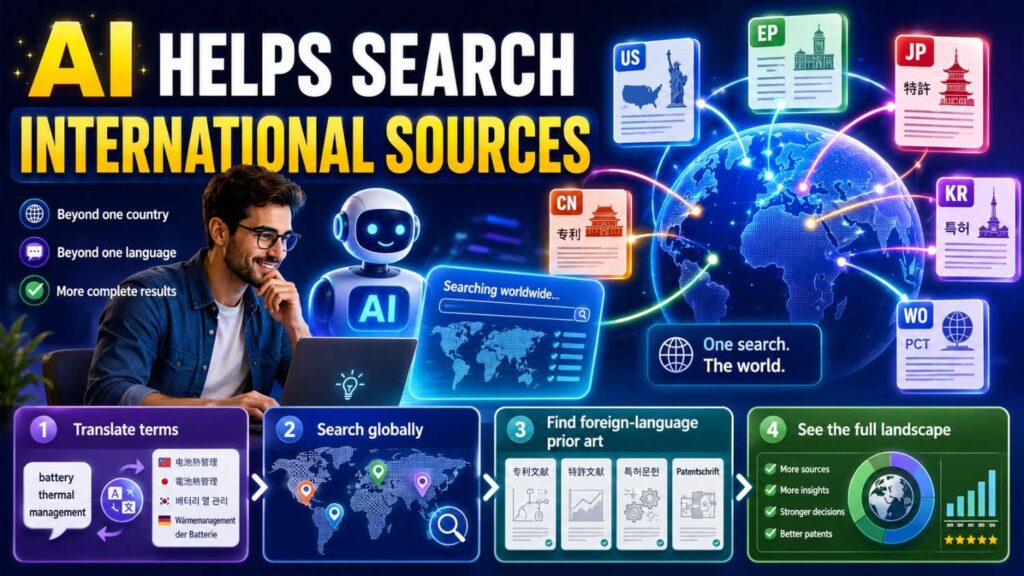
Prior art can come from anywhere.
International sources add language issues.
A useful patent, paper, product page, or manual may be in another language. Machine translations may be rough. Terms may differ by region.
AI can help by translating search terms, summarizing translated documents, and suggesting region-specific wording.
For example, a battery term used in one country may differ from another. A medical device term may have local naming. A software feature may be described differently in translated docs.
AI can help bridge those gaps.
This is useful for global fields like electronics, automotive, telecom, batteries, robotics, semiconductors, and medical devices.
Again, be careful.
Translation can lose detail. Legal review may be needed for close sources.
But AI can make international searching more accessible.
AI Helps Capture Engineer Knowledge
Engineers often know the best prior art.
They know which repos they used. They know which papers inspired the build. They know which product docs they studied. They know which demos looked close. They know what failed. They know what was hard.
But that knowledge often stays in Slack, notebooks, code comments, or someone’s head.
AI can help capture it.
A guided tool can ask engineers simple questions.
What problem did you solve?
What did you try first?
What public sources did you look at?
What was different about your final design?
What inputs does the system use?
What outputs does it produce?
What improves?
Those answers can feed search.
They can also feed patent drafting.
This is one of the most important uses of AI in the patent process.
It helps turn builder knowledge into structured invention detail.
PowerPatent is designed for this kind of workflow. It helps founders and engineers capture the real invention, then supports attorney-reviewed patent filings. See how it works here: https://powerpatent.com/how-it-works
AI Helps Write Better Search Notes
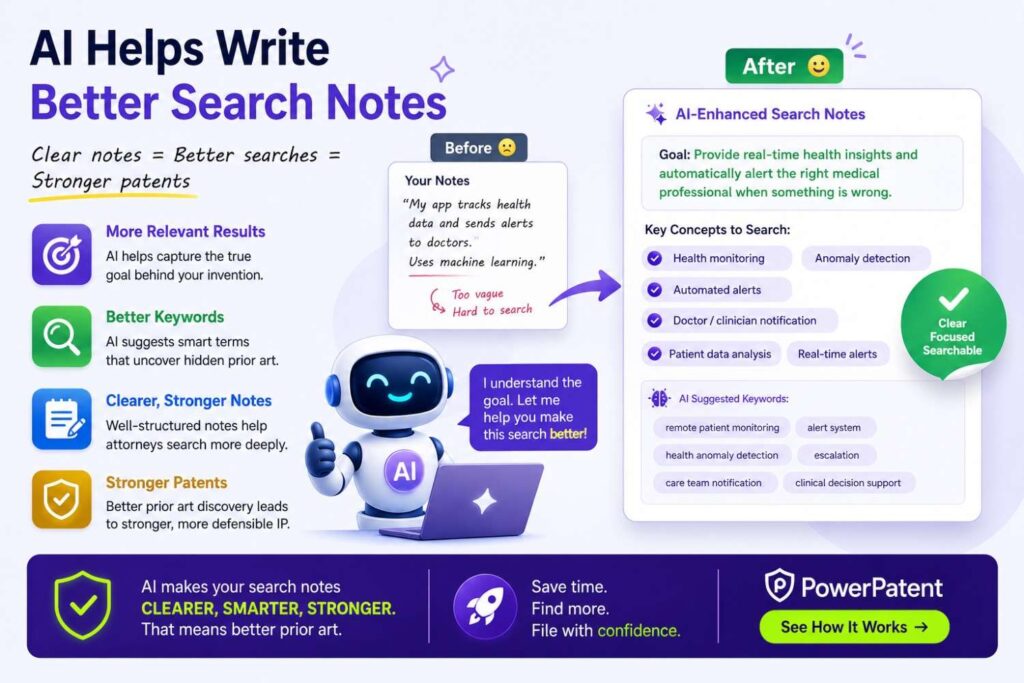
Search notes matter.
Without notes, prior art search becomes chaos.
AI can help turn messy findings into clear notes.
For example, you can paste a source summary and your invention summary. AI can draft a note like:
“This source shows automatic support ticket routing using ticket text and priority tags. It does not appear to use past production incident similarity or live on-call load.”
That is useful.
It is short. It separates what is shown from what is missing. It helps later review.
AI can also help keep the notes consistent.
For each source, it can record the source type, date, key teaching, close features, missing features, and questions for attorney review.
This saves time and makes attorney review easier.
A clean search record can improve the whole patent process.
AI Helps Spot Search Gaps
AI can help review your search plan and ask what you missed.
For example, if you searched patents and papers for an AI invention, AI may suggest checking GitHub, model cards, product docs, API guides, tutorials, and YouTube demos.
If you searched product pages for a hardware invention, AI may suggest checking manuals, datasheets, application notes, supplier catalogs, teardown videos, and standards.
If you searched only modern buzzwords, AI may suggest older terms.
If you searched only your field, AI may suggest adjacent fields.
This is valuable because founders often do not know what they do not know.
AI can act like a checklist partner.
It helps reduce blind spots.
It still cannot promise a perfect search.
No tool can.
But it can help you search more thoughtfully.
AI Helps Prepare for Attorney Review
A patent attorney needs clear technical facts.
AI can help prepare those facts.
It can organize the invention summary, search terms, close sources, feature comparisons, dates, and open questions.
This makes attorney review more efficient.
Instead of starting with a vague pitch, the attorney gets a structured view.
Here is the invention.
Here are the key features.
Here are the closest sources found so far.
Here is what they show.
Here is what they may not show.
Here are the possible claim focus areas.
That is a better starting point.
It does not replace attorney analysis.
It improves the input.
Better input can lead to better patents.
AI Helps Founders Move Faster Before Public Disclosure
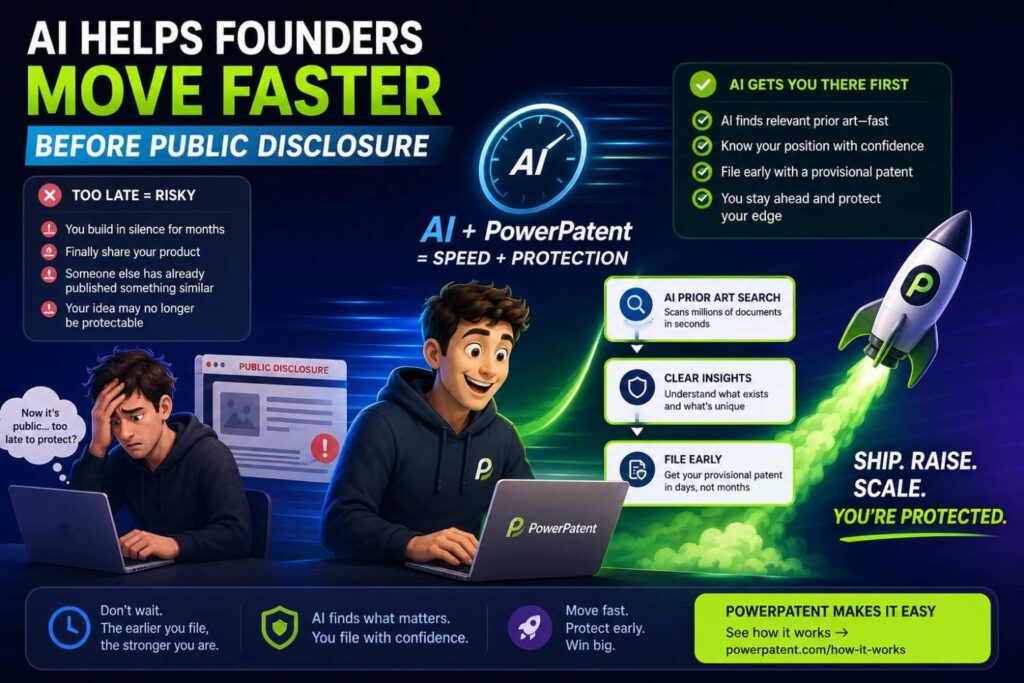
Startups move quickly.
They publish landing pages, push code, demo products, talk to customers, pitch investors, and release docs.
Patent work often happens late.
That creates risk.
AI can help speed up early screening before public disclosure.
If your team is about to launch a technical feature, AI can help capture the invention, suggest search paths, scan likely sources, summarize close references, and prepare a quick review package.
This can help you decide whether to file before launch.
Speed matters here.
A slow process may get skipped.
A faster process is more likely to become a habit.
PowerPatent helps founders move quickly from technical idea to attorney-reviewed patent action, without the old delay-heavy process. Learn more here: https://powerpatent.com/how-it-works
AI Helps With Portfolio Strategy
A startup may have many technical ideas.
Not all deserve a patent filing.
AI can help sort them.
It can help compare invention ideas against known sources. It can group ideas by technical area. It can identify which ideas seem crowded and which seem more open. It can show where competitors are active. It can help map the patent and non-patent landscape.
This helps founders make better portfolio choices.
Maybe one broad product idea is crowded, but a specific data pipeline is less crowded.
Maybe the core model method is already common, but the privacy-preserving deployment is strong.
Maybe the hardware device is known, but the calibration method is new.
Maybe the visible feature is easy to copy, so it deserves patent attention.
AI can help surface these patterns faster.
Patent professionals can then help decide what to file.
A smart portfolio protects the business, not just a list of cool ideas.
AI Helps Find Competitor Patterns
Prior art search often reveals competitors.
AI can help group sources by company, lab, product, or inventor.
It can show which players keep appearing in a field.
It can summarize what each one focuses on.
For example, in battery safety, one company may file around gas sensing, another around cooling, another around pack control, and another around fault response.
In AI document tools, one group may focus on extraction, another on redlining, another on retrieval, and another on compliance workflows.
This is useful for patent strategy and business strategy.
You may see crowded areas and open areas.
You may see competitor gaps.
You may see where your invention fits.
AI can help create this landscape view faster than manual review alone.
AI Helps Find Prior Art in Adjacent Fields
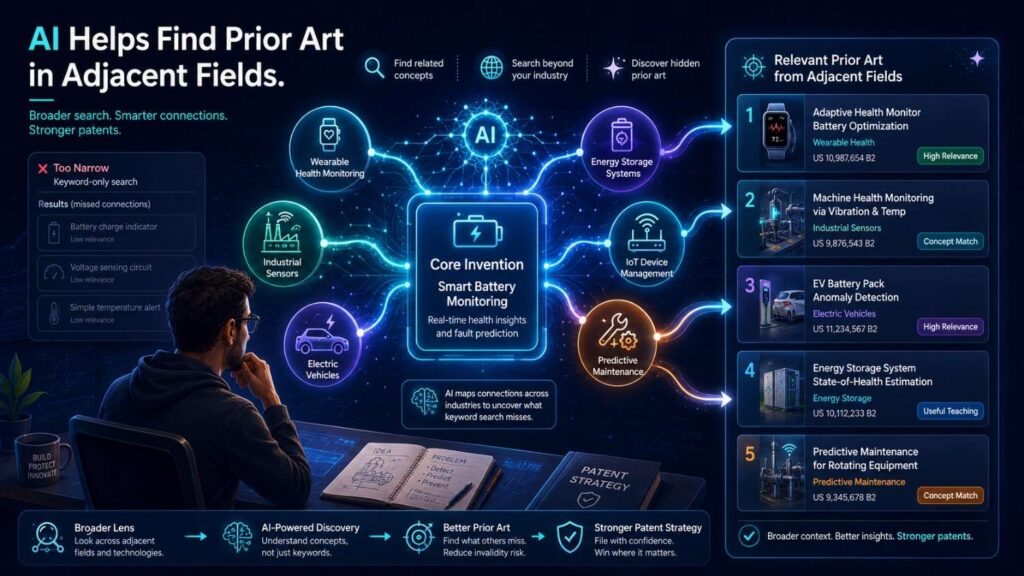
Some of the best prior art comes from nearby fields.
A method used in industrial sensors may apply to medical wearables.
A routing method used in call centers may apply to incident response.
A control method used in drones may apply to warehouse robots.
A data validation method used in finance may apply to health records.
AI can help find these adjacent fields.
Because it searches by meaning, it can suggest related domains where the same technical problem appears.
This is valuable because founders often search only their product category.
But patent examiners and competitors may look more broadly.
AI helps widen the view.
The trick is to keep the technical function and remove the product label.
Instead of “AI legal redlining,” search “document revision recommendation based on policy rules and prior edits.”
Instead of “drone obstacle avoidance,” search “real-time path planning around moving obstacles.”
Instead of “wearable false alert reduction,” search “motion artifact filtering and context-aware alarm suppression.”
AI can help create these cross-field queries.
AI Helps Explain Why a Reference Matters
A search result is only useful if you know why it matters.
AI can help explain relevance.
It can say a source is close because it uses the same input data, solves the same problem, or produces the same output.
It can also say where the source seems different.
For example:
“This paper is relevant because it uses vibration and current data to detect motor faults. It may differ because it does not appear to update thresholds on an edge device in real time.”
That kind of explanation helps founders learn the landscape.
It also helps them talk to patent counsel more clearly.
The point is not to let AI make final calls.
The point is to turn search results into understandable information.
AI Helps Find Better Questions
Good prior art search depends on good questions.
AI can help generate those questions.
For example, after reviewing your invention, AI might ask:
Is the novelty in the input data, the model, the timing, the hardware placement, the control action, the user workflow, the privacy boundary, or the error recovery?
That question is useful.
It helps the team think.
A founder may assume the invention is the whole product. AI can prompt the team to find the specific technical difference.
AI can also ask what public disclosures already exist, which competitors have similar features, which open-source tools were used, and which papers were known to the team.
These questions make the patent process more honest and more complete.
AI Helps Improve Invention Disclosure Quality
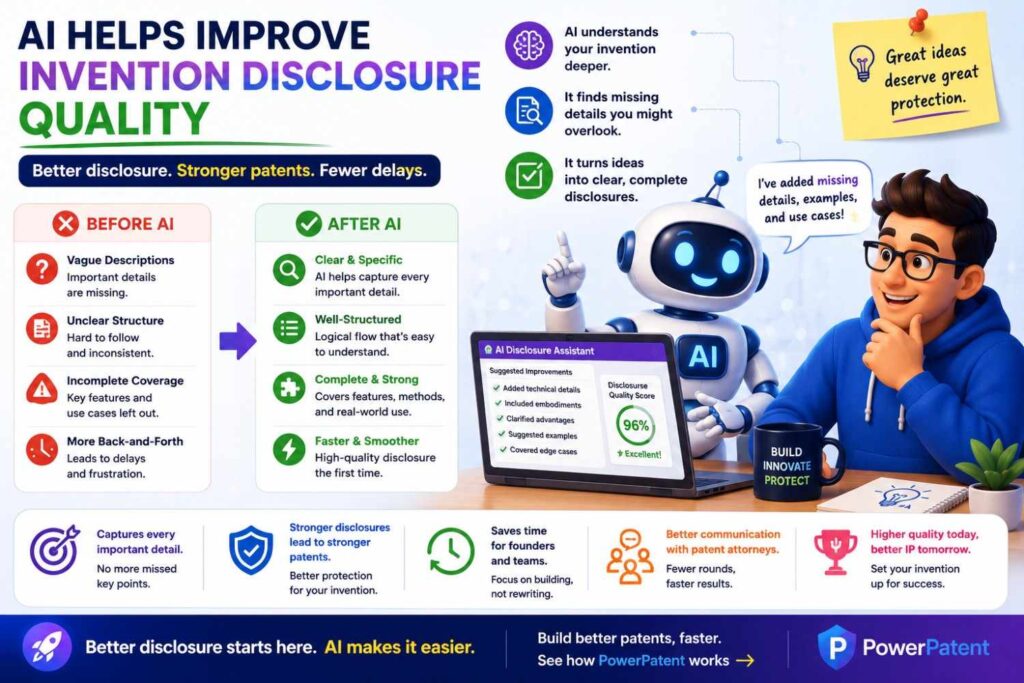
An invention disclosure is the information your team gives the patent team.
Weak disclosures lead to weak filings.
AI can help improve disclosures by asking for missing details.
If you say, “Our system uses AI to detect defects,” AI can ask:
What kind of defects?
What data is used?
What model output is produced?
What happens after detection?
What improves over prior methods?
What constraints does the system handle?
What examples show the method working?
What alternatives should be included?
These questions help turn a vague idea into a real invention record.
That record helps search.
It also helps drafting.
The better the disclosure, the better the search and the stronger the patent can be.
PowerPatent helps technical founders capture these details in a guided way, with attorney oversight built into the process. See how it works here: https://powerpatent.com/how-it-works
AI Helps Find Prior Art Faster, But Not Perfectly
It is important to be honest.
AI is not magic.
It can miss sources.
It can misunderstand technical details.
It can summarize too broadly.
It can suggest terms that are not useful.
It can produce false confidence if no one checks the work.
It can also be limited by the sources it can access.
Some databases are not fully open. Some content is behind paywalls. Some videos have no transcript. Some code is hard to parse. Some product pages change over time. Some documents are in images or scans.
So AI should be treated as a powerful assistant, not the final judge.
The best workflow keeps humans in charge.
AI helps search and organize.
Engineers verify technical meaning.
Patent professionals review legal impact.
That balance is what makes AI useful and safe.
The Biggest Risk: Using AI Without Context

AI needs context.
If you give it a vague invention description, it will give vague search help.
If you say “AI tool for finance,” the search paths will be broad.
If you say “a system that flags suspicious invoices by comparing vendor behavior, purchase order terms, approval chain history, and payment timing,” the search paths get much better.
The quality of AI output depends on the quality of your input.
This is why invention capture comes first.
Before asking AI to search, explain the invention clearly.
What problem does it solve?
Where does it run?
What data or parts go in?
What steps happen?
What comes out?
What improves?
What is different from known methods?
When you provide this context, AI can help much more.
The Second Risk: Letting AI Decide Patentability
AI should not decide whether your invention is patentable.
That is legal judgment.
AI can help find sources, summarize them, compare features, and prepare notes.
But questions like novelty, obviousness, claim scope, filing strategy, and disclosure duties need professional review.
This is not a small point.
A source may look different but still matter.
Several sources may be combined.
A source may be public but not useful in the way you think.
A date may be unclear.
A feature may be shown in one field and applied in another.
These are hard issues.
Use AI to get smarter faster.
Use a patent attorney to make the filing decisions.
That is the safe and effective path.
The Third Risk: Ignoring Non-Patent Sources
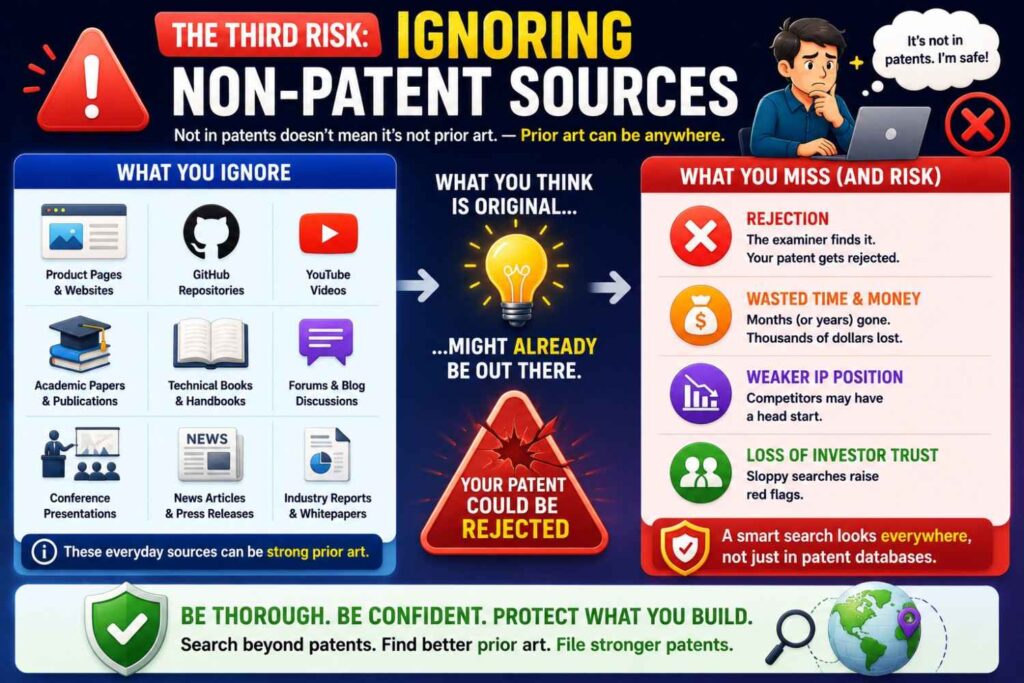
Some AI tools focus mainly on patents.
That can be useful, but it is not enough for many startups.
If you are in AI, software, robotics, security, hardware, climate tech, or biotech, non-patent sources may be critical.
You need to search papers, GitHub, product docs, YouTube demos, standards, manuals, datasets, and technical blogs.
AI can help, but only if your workflow includes those sources.
Do not let a shiny patent search tool make you forget the open web.
Prior art lives where people share technical work.
For modern builders, that is often outside patent databases.
The Fourth Risk: Missing Dates
Dates matter in prior art.
AI summaries may not always handle dates carefully.
A product page may have an update date, not a launch date.
A GitHub repo may have many commit dates.
A paper may have a preprint date and a journal date.
A YouTube video may be uploaded after the event occurred.
A manual may have a version date.
If a source is close, record the date evidence carefully.
Do not rely on a casual AI summary.
Ask your patent team to review timing when it matters.
AI can help collect dates, but humans should verify close cases.
The Fifth Risk: Over-Summarizing Close Art
AI summaries are great for triage.
But close art needs careful reading.
A summary may skip a small feature that matters.
It may say a source does not show something when the detail is buried in a figure, example, appendix, code file, or dependent claim.
If a source looks close, read it.
Use AI to guide you, not to replace review.
For patents, check the claims, figures, abstract, and detailed description.
For papers, check the method, figures, experiments, and appendix.
For GitHub, check examples, tests, key code files, issues, and releases.
For videos, check the relevant time marks and linked materials.
Close sources deserve human attention.
How Founders Should Use AI for Prior Art Search
Start with a clear invention summary.
Then ask AI to break the invention into search paths.
Ask for synonyms, older terms, adjacent terms, and source-specific terms.
Use those terms in patent databases, paper search, GitHub, product docs, YouTube, and the open web.
Bring the best results back to AI for plain-language summaries.
Ask AI to compare each source to your invention feature by feature.
Save the close sources and write clear notes.
Then bring the results to a patent professional.
That is the practical workflow.
It is simple, but it works.
The goal is not to make AI the decision maker.
The goal is to help your team learn faster.
A Simple AI Prompt for Search Planning
Here is a plain prompt founders can use:
“I am preparing to search prior art for this invention: [describe the invention in simple words]. Break it into problem, setting, inputs, method steps, outputs, and technical improvement. Suggest search terms for patents, research papers, GitHub, product docs, and YouTube. Include older terms, synonyms, and adjacent-field terms.”
This prompt helps create a search map.
Then you can ask:
“Which of these search paths are most likely to find close prior art, and why?”
Then:
“Create a feature map for this invention so I can compare search results.”
These prompts help turn a vague search into a structured one.
A Simple AI Prompt for Comparing a Source
After finding a source, you can use a prompt like:
“Compare this source to my invention. Identify which key features appear to be shown, which are missing or unclear, and what questions I should ask a patent attorney. Do not make a legal conclusion.”
This is important.
You want help with comparison, not a fake legal answer.
AI can then produce a useful note.
For example:
“The source appears to show automatic routing based on ticket content and priority. It is unclear whether it uses past production incidents. It does not appear to consider live on-call load. Attorney review should focus on whether the combination of incident similarity and load-based routing is meaningfully different.”
That kind of note is very useful.
A Simple AI Prompt for Finding Better Terms
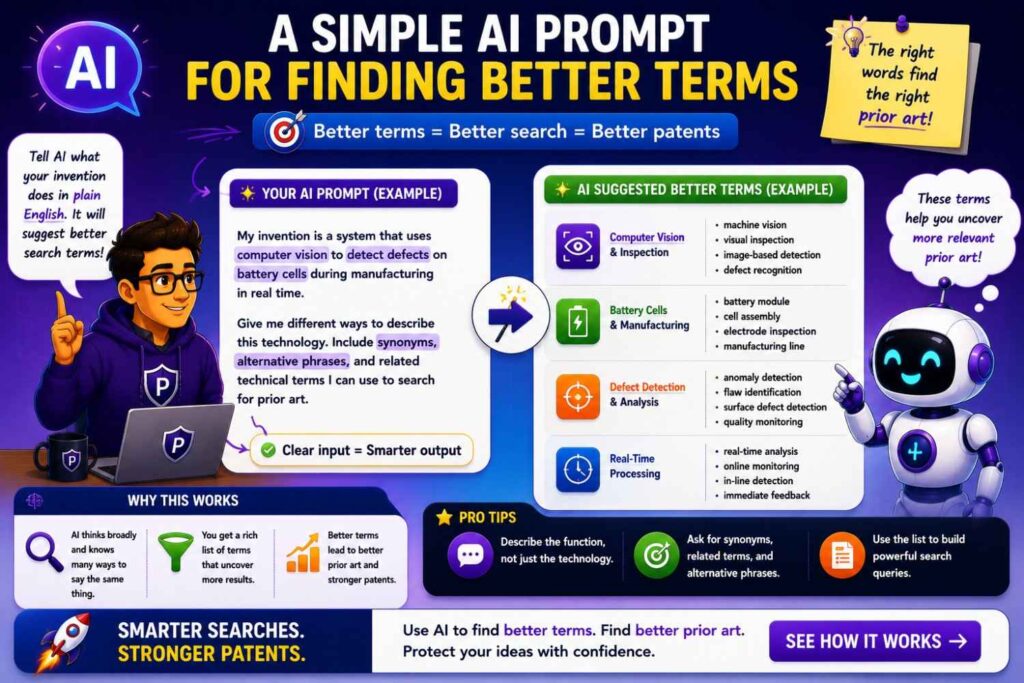
Another useful prompt is:
“Give me 30 different ways this invention might be described by a patent writer, researcher, open-source developer, product marketer, and standards group.”
This works because different people name the same idea differently.
The patent writer may use broad system terms.
The researcher may use method terms.
The developer may use file and function terms.
The product marketer may use benefit terms.
The standards group may use formal interface terms.
Searching across these languages helps you find more prior art.
A Simple AI Prompt for Non-Patent Literature
For non-patent search, try:
“Where outside patents might this invention already be publicly described? Suggest specific source types and search terms for each. Include product pages, docs, GitHub, YouTube, papers, standards, manuals, and engineering blogs.”
This helps prevent a patents-only search.
It also forces the search to match the field.
For a software invention, AI may suggest GitHub, API docs, product changelogs, tutorials, and engineering blogs.
For a hardware invention, it may suggest datasheets, manuals, supplier application notes, teardown videos, and standards.
For robotics, it may suggest papers, code, lab demos, YouTube, and product videos.
Source choice matters.
AI can help you choose better sources.
A Simple AI Prompt for Search Gaps
After you search, ask:
“Here are the searches I ran and the sources I checked. What search gaps remain? What terms, source types, adjacent fields, or older phrases should I still check before attorney review?”
This prompt is useful because it turns AI into a second set of eyes.
It may catch that you searched only patents and papers but missed GitHub.
It may catch that you searched only “RAG” and missed “question answering with retrieval.”
It may catch that you searched only “drone” and missed “unmanned aerial vehicle.”
Small gaps can matter.
AI can help find them.
AI Search Example: AI Contract Review
Imagine your startup built an AI contract review tool.
The product checks contract drafts against a company playbook, finds risky clauses, suggests fallback language, and learns from approved redlines while keeping each customer’s data separate.
A weak search is “AI contract review.”
AI can help expand it.
It may suggest clause extraction, legal document analysis, contract risk scoring, fallback clause recommendation, redline suggestion, negotiation playbook, accepted edits feedback, privacy-preserving model update, legal NLP, and policy-based document review.
It may suggest non-patent sources: legal NLP papers, open-source contract datasets, GitHub repos, contract lifecycle product docs, demos, webinars, API docs, and legal tech blogs.
Now the search is much stronger.
As results come in, AI can help summarize.
Maybe many sources show clause extraction.
Maybe several show risk scoring.
Maybe product docs show playbook checks.
Maybe GitHub repos show legal text classification.
But fewer sources show learning from approved redlines while keeping customer data separate.
That may be the real invention focus.
The search moved from a vague product idea to a specific technical edge.
AI Search Example: Battery Safety
Imagine your team built a battery system that detects early cell failure by comparing gas sensor data, pressure changes, and local temperature gradients.
A weak search is “battery safety AI.”
AI can help break it down.
Search paths may include thermal runaway detection, vent gas sensing, electrolyte vapor detection, pressure monitoring, temperature gradient analysis, battery management system fault detection, sensor fusion, false alarm reduction, and early warning control.
AI may suggest source types: patents, battery safety papers, sensor datasheets, BMS firmware repos, supplier application notes, standards, product manuals, and YouTube test videos.
As you search, AI can help compare sources.
A paper may show gas detection.
A manual may show temperature alarms.
A repo may show BMS threshold logic.
A supplier note may show pressure sensing.
The question becomes: does any source show the specific comparison logic and timing used by your system?
That is a better patent question.
AI Search Example: Code Review Risk
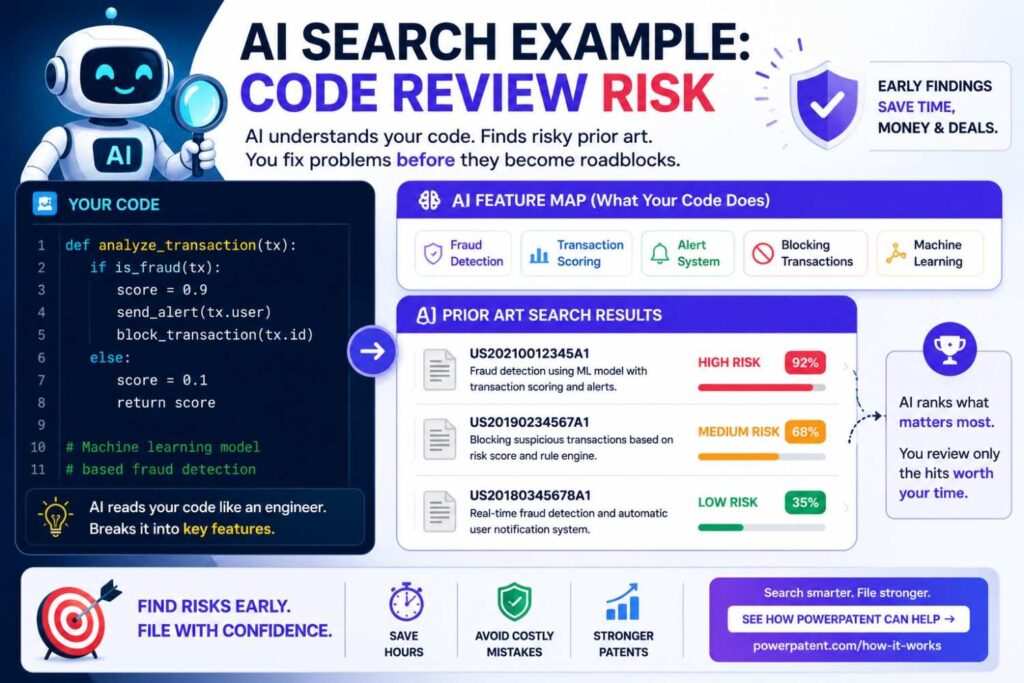
Imagine your invention scores pull requests based on changed files, service ownership, past incidents, live traffic impact, and reviewer availability.
AI can help generate terms like pull request risk scoring, change impact analysis, reviewer recommendation, CODEOWNERS, service ownership graph, incident similarity, deployment risk, test selection, production incident prediction, and software defect prediction.
It can also suggest GitHub Actions, code review bots, CI tools, incident management docs, engineering blogs, and conference talks.
Search results may show many pieces.
Reviewer recommendation may be known.
Change impact analysis may be known.
Test selection may be known.
Incident management may be known.
But the combination with live traffic impact and reviewer availability may be less common.
AI can help build the feature map so the attorney can focus on that combination.
AI Search Example: Robotic Grasp Recovery
Imagine a robot detects a failed grasp, uses tactile feedback and updated camera data, then retries without resetting the whole task.
AI can suggest terms like grasp failure detection, tactile slip detection, visual servoing, closed-loop grasping, bin picking recovery, manipulation in clutter, pose update, force control, retry policy, and failure-aware planning.
It can suggest papers, robotics code, YouTube demos, lab pages, product videos, and conference talks.
AI can also help scan video transcripts for slip, retry, tactile, camera, pose, and recovery.
It can summarize papers and compare methods.
Maybe old art shows slip detection. Maybe old art shows visual servoing. Maybe old art shows retry policies. Your question becomes whether your specific recovery sequence is new and useful.
That is much sharper than “Can we patent robot grasping?”
AI Search Example: Medical Wearable Alerts
Imagine your wearable reduces false alerts by using motion and body position before notifying a clinician.
AI can suggest motion artifact reduction, posture-aware monitoring, physiological signal filtering, false alarm suppression, wearable patient monitor, remote clinician alert, activity-aware threshold, and alarm fatigue.
It can point to medical papers, product manuals, device docs, regulatory materials, YouTube training videos, and patents.
AI can help summarize manuals and papers.
It can compare whether sources use motion, posture, persistence over time, clinician notification, threshold adjustment, and alert suppression.
This can help the patent team focus on the exact signal-processing and alert logic.
How AI Changes the Role of the Founder
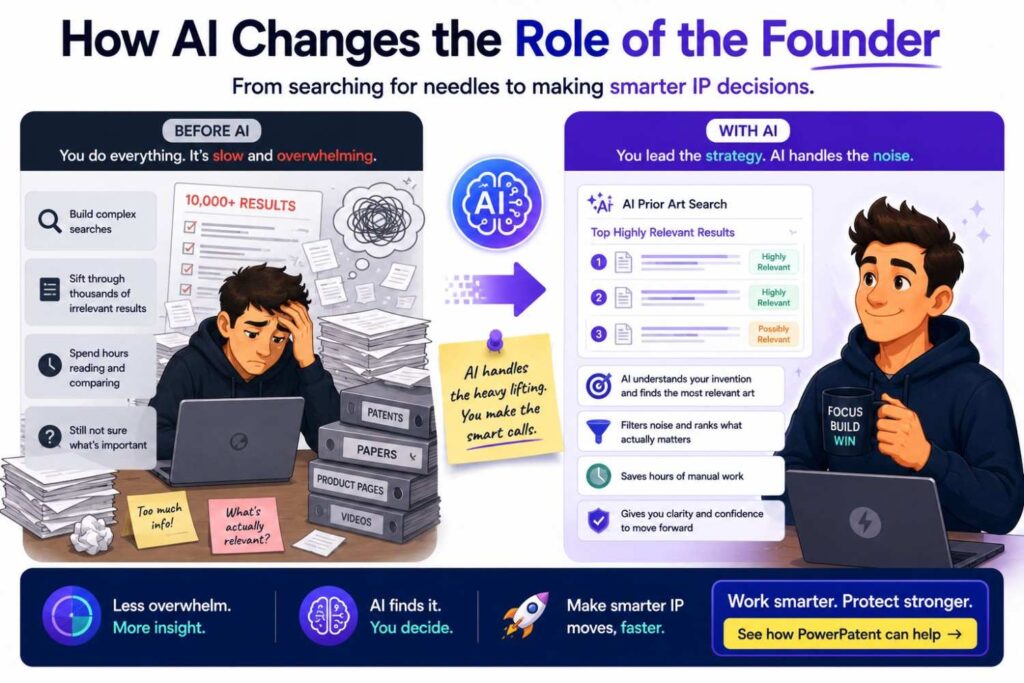
AI does not remove the founder from prior art search.
It makes the founder more useful.
Founders know the business value. Engineers know the technical edge. AI helps turn that knowledge into search paths, summaries, and comparisons.
This is a better role for founders than blindly typing keywords into a database.
You can guide the search with context.
You can identify what matters.
You can review the closest sources.
You can help your patent team understand the real invention.
The founder’s job is not to become a patent lawyer.
The founder’s job is to help surface the truth about what was built and why it is different.
AI makes that easier.
How AI Changes the Role of the Patent Attorney
AI does not make patent attorneys less important.
It changes where their time can be spent.
Instead of spending too much time cleaning up vague invention notes, attorneys can review better-prepared materials.
They can focus on claim strategy, legal analysis, drafting decisions, and risk.
They can look at close sources with more context.
They can decide what matters and what does not.
AI can help with search and organization, but attorney judgment remains essential.
For startups, this is the best of both worlds.
Software helps move fast.
Attorney oversight helps protect quality.
That is the PowerPatent approach. See how it works here: https://powerpatent.com/how-it-works
How AI Helps Reduce Patent Cost Waste
Weak patent work is expensive.
Not only because filing costs money.
It also costs time, attention, and future leverage.
If you file on the wrong thing, you may miss the real moat.
If you file claims that ignore close prior art, you may face problems later.
If you do not search enough, you may spend money drafting around a broad idea that was already public.
AI can help reduce this waste.
It can help find close art earlier.
It can help reveal the real invention sooner.
It can help prepare better information for attorneys.
It can help decide which ideas deserve deeper review.
This does not mean AI makes patents cheap or easy.
It means AI can make the process smarter.
For founders, smarter is what matters.
How AI Helps Speed Without Cutting Corners
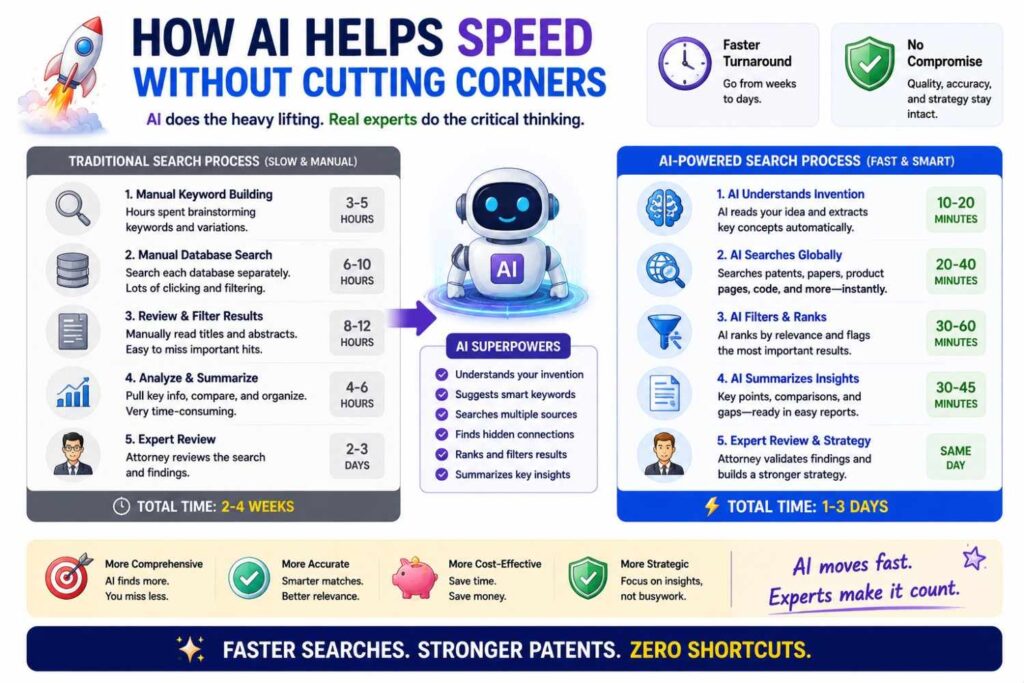
Speed is only useful if quality stays high.
A fast bad patent is still a bad patent.
AI helps when it speeds up the right things: term expansion, source triage, summarization, clustering, feature mapping, and preparation.
It should not speed through judgment.
Close art still needs review.
Claims still need care.
Filing strategy still needs attorney input.
The best AI patent workflow is not “click button, get patent.”
It is “capture better information, search smarter, review faster, draft with more clarity.”
That is how AI helps without cutting corners.
What AI Cannot Do
AI cannot guarantee that all prior art has been found.
No search can guarantee that.
AI cannot decide legal patentability by itself.
AI cannot fully understand your business strategy unless you explain it.
AI cannot know every hidden source, private disclosure, or non-indexed document.
AI cannot replace attorney judgment.
AI cannot turn a vague idea into a strong patent if the team does not provide real technical detail.
These limits matter.
AI is powerful, but it is still a tool.
The best results come from a good workflow.
What AI Can Do Very Well
AI can help you start faster.
It can help you find better words.
It can help you search broader sources.
It can help you summarize long documents.
It can help you compare features.
It can help you organize notes.
It can help you spot gaps.
It can help your team speak more clearly with patent counsel.
It can help you find the real technical edge sooner.
That is enough to make a big difference.
The Best Workflow: AI Plus Human Review
The best prior art workflow combines AI and people.
Start with the founder and engineering team.
Capture the invention in plain words.
Use AI to expand search terms and source types.
Search patents and non-patent sources.
Use AI to summarize and cluster results.
Use AI to compare close sources to the invention.
Have engineers verify technical details.
Have patent professionals review legal impact and claim strategy.
Then draft with awareness of the old art.
This workflow is faster than old manual-only work.
It is also safer than AI-only work.
That balance is the future of patent work for startups.
Why This Matters for Deep Tech Startups
Deep tech founders build hard things.
AI systems, chips, robots, batteries, medical devices, climate tools, cybersecurity systems, biotech platforms, quantum tools, and advanced hardware all move fast and involve complex prior art.
A simple keyword search is rarely enough.
There may be patents, papers, repos, standards, manuals, datasets, supplier docs, and demos.
AI can help search across this complexity.
It can help connect words across fields.
It can help summarize technical material.
It can help spot the real improvement.
For deep tech startups, this can be a major advantage.
Better search means better patents.
Better patents can support funding, partnerships, licensing, exits, and long-term defense.
Why This Matters Before Fundraising
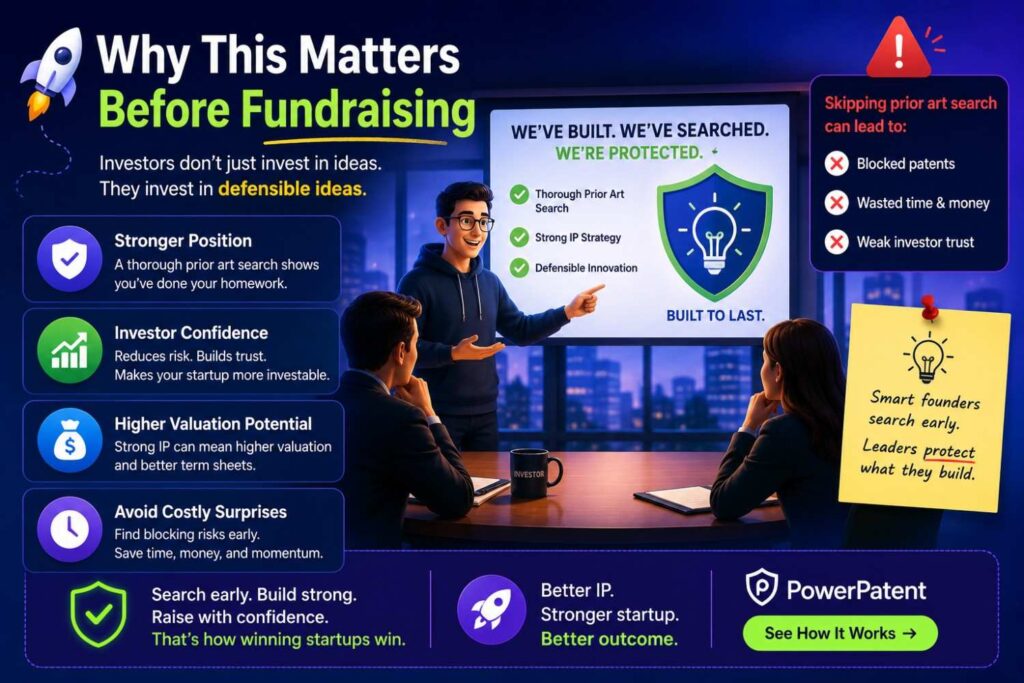
Investors want to know what makes your company hard to copy.
A weak IP story hurts.
A thoughtful IP story helps.
AI-assisted prior art search can help you understand your landscape before investor conversations.
You can explain that the field is active, but your filing focuses on a specific technical improvement.
You can speak with more confidence.
You can avoid broad claims that sound good but may not hold up.
You can show that your team understands the old work and knows where your edge lives.
That is a stronger story.
Why This Matters Before Launch
Before launch, your team may publish product pages, docs, videos, code, and demos.
That can reveal your invention.
AI can help you quickly screen whether a technical feature should be captured and reviewed before disclosure.
It can help identify close public sources.
It can help prepare a filing discussion.
This is useful because launch timelines are tight.
If the patent process is too slow, teams may skip it.
AI can make the first step faster, so patent review becomes part of the launch process instead of an afterthought.
PowerPatent helps founders handle this with less friction, combining smart software with attorney oversight. Start here: https://powerpatent.com/how-it-works
Why This Matters After You Find Close Art
Finding close art is not the end.
It is the start of better strategy.
AI can help analyze what the close art shows and where your invention differs.
It can help identify fallback features.
It can help suggest which examples should be described in the filing.
It can help organize the invention into claim-ready parts.
A close source may show that your broad idea is old.
But your specific improvement may still be strong.
AI can help you find that improvement faster.
Then your patent attorney can decide how to claim it.
AI Helps Make Patent Work Less Intimidating
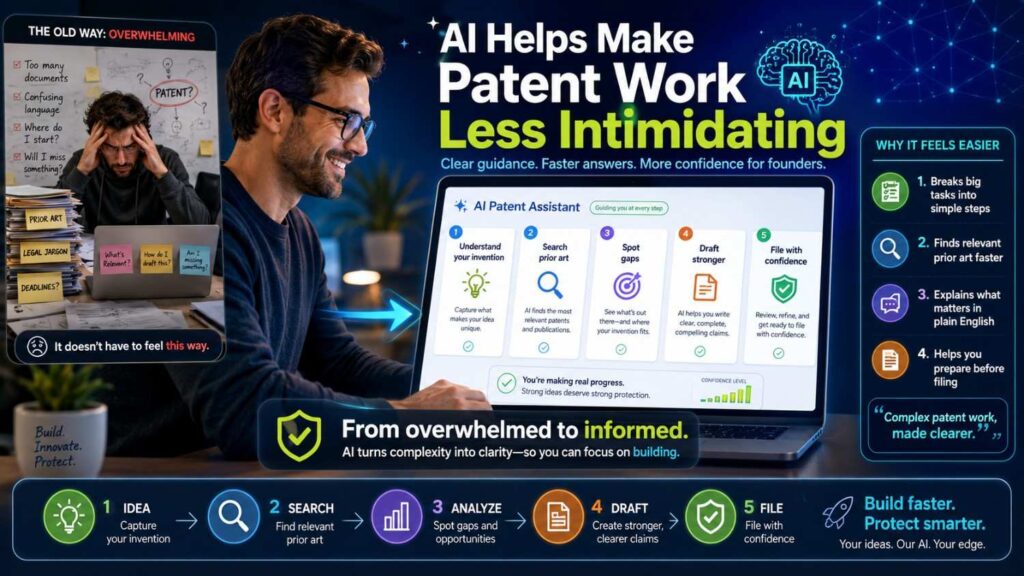
Patent work can feel confusing.
Founders may avoid it because they do not know where to start.
AI lowers the starting cost.
It can explain patent documents in plain English.
It can suggest search paths.
It can turn messy technical notes into organized invention summaries.
It can help founders ask better questions.
This matters because when patent work feels easier, teams are more likely to do it early.
Early is better.
Early search helps shape filing strategy.
Early filing can protect important ideas before public disclosure.
Early clarity can prevent wasted effort.
AI Helps Keep the Process Founder-Friendly
Founders do not need more slow processes.
They need clear steps.
AI can help make patent work feel less like a legal maze and more like a product workflow.
Capture the invention.
Search the field.
Review close sources.
Find the edge.
Prepare the filing.
Get attorney review.
Move forward.
That is the flow.
PowerPatent is built around that kind of founder-friendly process. It helps technical teams move faster while still getting real patent attorney oversight. See it here: https://powerpatent.com/how-it-works
The Future of Prior Art Search
Prior art search will keep changing.
AI tools will get better at semantic search, document clustering, source linking, code understanding, video transcript review, and feature comparison.
Search will become more conversational.
Founders will be able to describe an invention in normal words and get a structured search plan.
Patent teams will be able to review more sources faster.
Engineers will be able to contribute technical context without learning legal language.
But the core goal will stay the same.
Find what came before.
Understand what is different.
Protect the real invention.
AI makes that faster and smarter, but the purpose does not change.
The Founder’s AI Prior Art Playbook
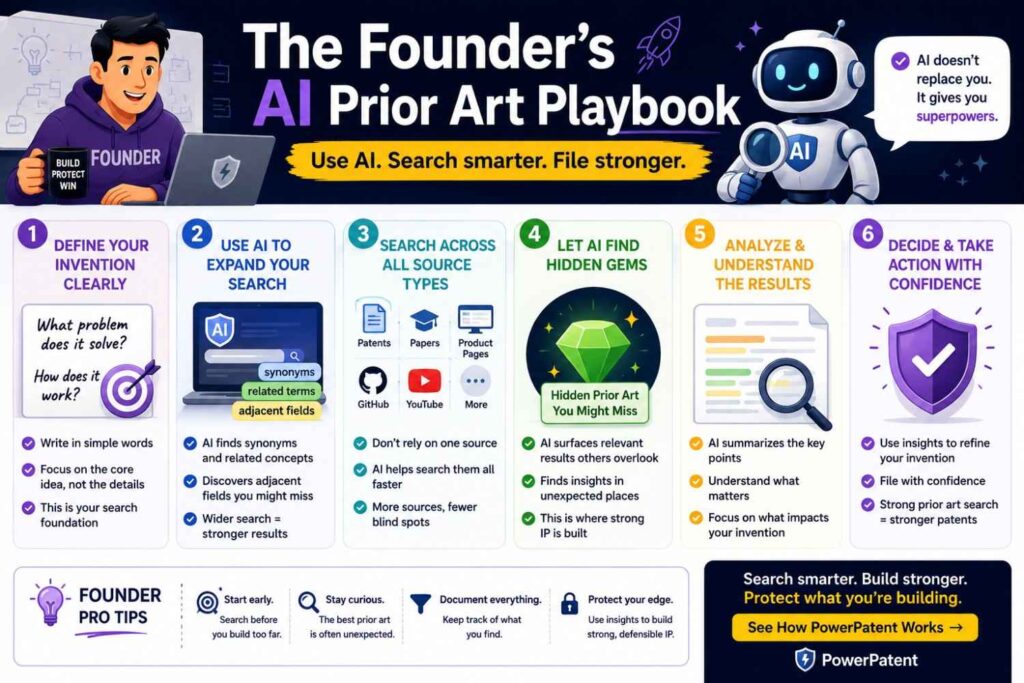
Start by writing the invention in plain words.
Explain the problem, setting, inputs, steps, outputs, and improvement.
Use AI to expand terms and source types.
Search patents, papers, GitHub, product docs, YouTube, standards, manuals, and blogs.
Use AI to summarize results and rank likely relevance.
Build a feature map.
Compare close sources.
Save notes and dates.
Bring the material to a patent professional.
File around the real technical edge.
That is the playbook.
It is not complicated.
It just requires care.
The Bottom Line
AI helps find prior art faster by reducing the time spent guessing words, scanning long documents, and sorting noisy results.
AI helps find prior art smarter by connecting related ideas, surfacing hidden terms, searching across source types, and comparing references to the real invention.
But AI should not work alone.
The best results come from AI plus engineers plus patent attorneys.
AI helps you search.
Engineers help verify the technology.
Patent attorneys help decide what it means for your filing.
That combination gives founders speed, control, and confidence.
If you are building something worth protecting, do not rely on a one-line keyword search. Use AI to learn the field faster. Use human review to make smart filing choices. Then protect the part of your invention that truly matters.
PowerPatent helps founders do exactly that with smart software and real patent attorney oversight. See how it works here: https://powerpatent.com/how-it-works
Closing Thought
Prior art search used to feel like looking for a needle in a haystack.
AI does not remove the haystack.
But it gives you a better map, better words, better filters, and better ways to compare what you find.
That can change the whole patent process.
You can move faster.
You can search wider.
You can read smarter.
You can find the real edge sooner.
And when you know the real edge, you can protect it with more care.
That is how stronger patents start.
That is how founders turn hard technical work into real IP value.
When you are ready to turn your invention into a smarter patent plan, visit PowerPatent: https://powerpatent.com/how-it-works
Leave a Reply