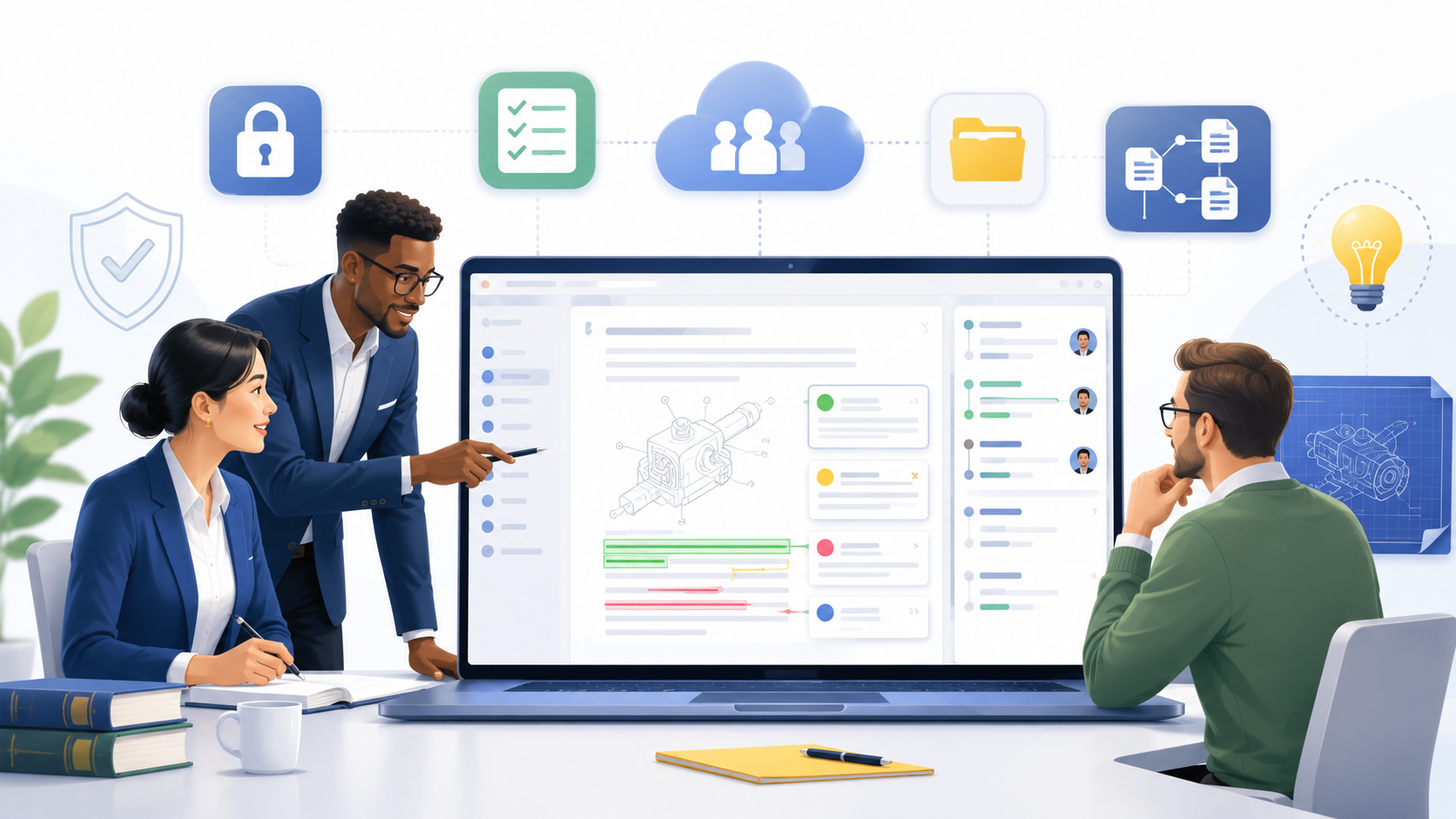
Patent work has changed. Clients move faster. Inventors expect clear updates. Teams are often spread across offices, homes, and time zones. A single patent matter may touch an attorney, a patent agent, a paralegal, an inventor, a reviewer, and sometimes a founder who wants answers now. To see how PowerPatent helps firms and founders move faster with smart software plus real attorney oversight, visit https://powerpatent.com/how-it-works
The Best Patent Collaboration Software Should Match How Patent Work Really Happens
Patent work is not normal document work. A patent matter does not move in a straight line from draft to review to filing. It moves more like a living project. The idea changes. The claims change.
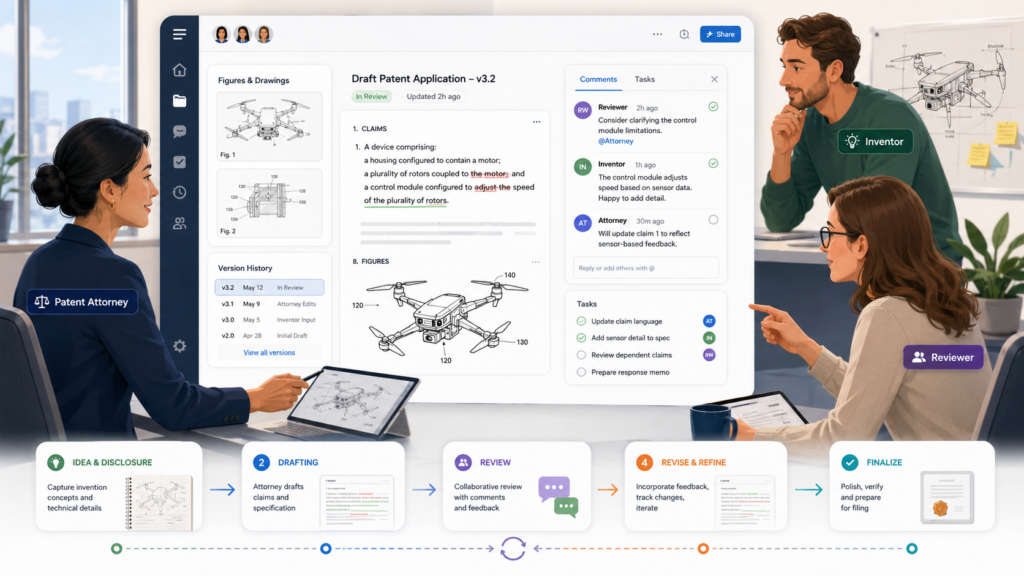
The drawings change. The inventor adds new details. The attorney spots a stronger angle. The client asks what matters most. Then the team has to bring all of that into one clean filing plan.
This is where many general tools fail.
A normal file-sharing tool can hold documents, but it does not understand patent work.
A normal project tool can track tasks, but it does not understand invention intake, claim strategy, inventor review, prior art, office action history, or filing deadlines.
A normal chat tool can help people talk, but it does not create a safe, clear record of what changed, who approved it, and what still needs to be done.
Patent collaboration software should fit the real shape of patent practice. It should help a law firm manage the whole path from first idea to final filing, without forcing the team to chase people across email, folders, messages, and spreadsheets.
The software should bring the whole patent matter into one shared workspace
A strong platform should give each matter a clear home. When someone opens a matter, they should be able to understand what is happening without asking five people for updates.
The invention notes, inventor answers, draft versions, drawings, claim ideas, prior art references, filing details, tasks, comments, and deadlines should all live in one place.
This sounds basic, but it is one of the biggest time savers in patent practice. When every matter has one trusted workspace, the team stops wasting time looking for the latest file.
Attorneys can review faster. Paralegals can prepare forms with more confidence. Inventors can respond in context. Firm leaders can see where work is stuck.
The result is not just speed. It is control.
Patent work has too many moving parts to depend on memory. If a key point about the invention is buried inside an email from three weeks ago, that detail can be missed.
If a client approved one version but the team edits another, mistakes can happen. If a paralegal is waiting on a missing inventor answer but no one knows, the filing date can slip.
The best patent collaboration software reduces these risks by making the matter easy to see, easy to update, and easy to move forward.
A shared workspace should not become a junk drawer
There is a big difference between storing everything and organizing everything. Many systems turn into digital junk drawers.
They collect documents, comments, drafts, and messages, but they do not help the team make sense of them.
A good patent collaboration platform should guide the matter. It should make the next step clear. It should show what is ready, what is missing, what needs review, and what needs a decision.
It should not require the attorney to dig through twenty folders just to find the latest claim set or the final inventor comments.
For law firms, this matters because time lost to searching is time clients do not want to pay for. It also creates stress inside the firm.
When people are unsure where things live, they ask more questions, send more messages, and interrupt each other more often.
A clean workspace helps the firm feel calm. Everyone can see the same source of truth. Everyone can work from the same facts. Everyone can move faster without losing quality.
The tool should support both legal strategy and team execution
Patent collaboration is not only about communication. It is also about strategy. The best software should help attorneys think clearly about the invention, the market, the claims, and the filing path.
At the same time, it should help the team handle practical work such as collecting documents, assigning tasks, tracking drafts, and meeting deadlines.
If a tool only helps with admin work, attorneys may still need separate systems for drafting and strategy.
If a tool only helps with drafting, the firm may still need separate tools for client intake, review, reminders, and task tracking. That creates a broken workflow.
A better approach is one connected system.
The attorney should be able to move from invention intake to draft planning without leaving the matter. The team should be able to turn missing inventor details into clear follow-up tasks.
The client should be able to answer questions in plain language without needing to understand patent terms. The partner should be able to check status without asking the team for a meeting.
That is the power of software built for patent work.
PowerPatent was built around this idea: smart software helps organize and speed up the work, while real patent attorneys stay involved where judgment matters most.
Firms and founders can see how that model works here: https://powerpatent.com/how-it-works
The platform should make the hard parts easier, not just faster
Speed is useful only when it protects quality. A tool that helps a team move fast but creates confusion is not a win.
In patent work, a rushed mistake can be costly. The wrong claim focus, a missed inventor detail, or a weak draft can hurt the value of the patent later.
The right platform should make hard work easier by improving the way the team thinks, not by hiding the work.
It should help collect better invention details. It should make review comments clearer. It should reduce back-and-forth. It should help attorneys see gaps before they become problems.
For example, when inventors submit information, the software should guide them with simple questions.
It should help them explain what is new, what problem they solved, how the invention works, and what other versions may exist. These details are often where stronger patents come from.
The same is true during review. A good platform should help reviewers comment on the right parts of the draft. It should keep feedback tied to the matter.
It should show what has been resolved and what still needs attention. This helps the attorney keep control without having to rebuild the full history from scattered emails.
The firm should look for software that improves client experience
Clients judge a law firm by more than the final filing. They judge the whole process. They notice when updates are slow.
They notice when questions repeat. They notice when the attorney seems organized or not. They notice when the process feels smooth.
Patent collaboration software can make a firm feel more modern and more responsive.
For startup clients, this is especially important. Founders are used to fast tools. They track product work in modern systems. They ship code, review designs, and manage teams with clear dashboards.
When patent work feels like a black box, they get nervous. They want to know what is happening and what they need to do next.
A strong platform gives clients a simple window into the work without exposing internal firm clutter. They should be able to see the status, answer questions, upload helpful files, review drafts, and approve next steps in a way that feels easy.
This does not mean clients should control the legal strategy. It means they should feel informed, guided, and included.
Client clarity can become a major firm advantage
Many law firms compete on experience, cost, and trust. Better collaboration helps with all three. When clients understand the process, they are less likely to send urgent status emails.
When inventors can provide better information, attorneys can draft with more confidence. When the firm can show progress clearly, clients feel more secure.
This can also help with client retention. A founder who has a smooth first patent experience is more likely to come back for the next filing.
A general counsel who sees clean reporting is more likely to send more work. A partner who can show a better process may win more business from technical clients.
Patent collaboration software is not just an internal tool. It can become part of the firm’s brand.
The message to clients is simple: we are careful, we are fast, and we make the process easier for you.
Patent Collaboration Software Should Protect the Firm’s Work Without Slowing the Team Down
Patent work carries some of the most sensitive information a client will ever share.
Before a product is public, before a funding round closes, before a company announces a new feature, the patent team may already have the core idea, the technical drawings, the model design, the system flow, the code notes, the data plan, and the future product path.
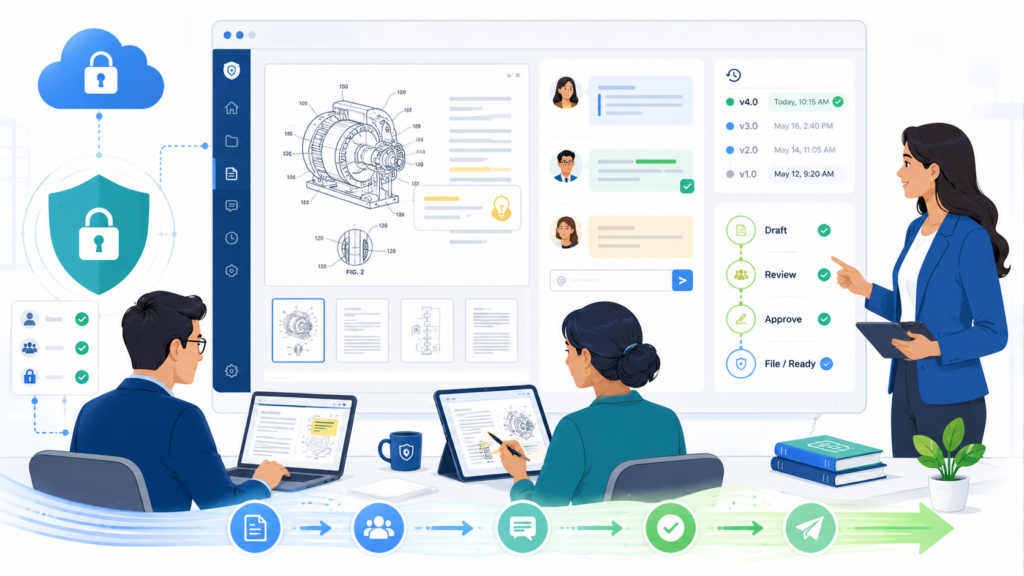
That is powerful information.
It is also risky information.
A law firm cannot treat patent files like normal business files. A draft patent application may reveal a startup’s next product. A claim chart may show how the company plans to protect a market.
Inventor notes may include details that competitors would love to see. Even a simple email about a filing plan may expose timing, strategy, and business goals.
So the software must protect the work at every step. But protection cannot mean friction so heavy that people avoid the system.
When a tool is too hard to use, teams go around it. They send files by email. They download drafts to personal machines. They use side channels. They save copies in places the firm cannot control.
That is how risk grows.
Good patent collaboration software makes the safe path the easy path. It gives attorneys, staff, inventors, and clients a secure place to work, but it does not make them fight the tool every day.
Security should feel built in, not bolted on.
The platform should give the firm clear control over access
The first security question is simple. Who can see what?
In patent work, the answer should never be vague. A partner may need full access to a client portfolio. An associate may need access only to selected matters.
A paralegal may need filing and form access. An inventor may need to view and comment on one draft, but not see internal attorney notes. A client business leader may need status updates, but not every working file.
The software should make these access lines easy to set and easy to check.
This matters because patent matters often involve many people who do not belong to the same company or team. A startup may have outside engineers, co-founders, advisors, university contacts, or former employees.
A law firm may have docketing staff, contract patent agents, foreign counsel, and subject matter reviewers. Without clear access controls, a firm may give too much visibility to the wrong person without meaning to.
Strong software should let the firm manage roles with care. It should show who has access, what they can do, and when access was granted.
It should make it easy to remove access when a project ends or when a person leaves the client’s company.
Access control should match real patent roles
Many tools only offer simple roles like owner, editor, and viewer. That may work for a small document team, but patent work needs more care. The software should support the way law firms actually divide work.
For example, an inventor may need to answer technical questions and review invention details, but should not edit legal claim language.
A filing specialist may need final documents, forms, and submission data, but may not need early strategy notes.
A client executive may need portfolio status and key dates, but not every draft comment. A technical reviewer may need one version of a specification, but not billing data or client communications.
When software supports these real roles, the firm can work faster and with less worry. People get what they need, and nothing more.
This also helps with client trust. Clients want to know that their private ideas are handled with care. When the firm can show a clean access process, it sends a clear signal: we take your invention seriously.
The platform should support modern security habits
Patent collaboration software should include basic security features that modern firms now expect.
It should support strong login methods, account controls, activity records, and safe file handling. These are not fancy extras. They are the price of doing serious work.
The USPTO itself has moved toward stronger electronic access and identity steps for Patent Center users.
Patent Center is the USPTO’s tool for filing and managing patent applications online, and the USPTO has also moved toward added identity verification and two-step authentication in its electronic systems.
That shows the larger direction of patent work: more online activity, more user verification, and more need for secure digital practice.
Law firms should expect the same serious approach from their own collaboration tools.
The platform should help the firm see what happened inside a matter. It should record key actions, such as uploads, downloads, comments, approvals, access changes, and final document movement.
When something is unclear, the team should not have to guess. The system should help answer the question.
Activity records create confidence when work gets complex
Patent work often moves quickly near a filing date. Drafts change. Claims are revised. Drawings are corrected. Inventors respond late at night.
A paralegal prepares filing documents. An attorney gives final approval. In that rush, small questions can become big problems.
Was this the version the client reviewed? Who added this drawing note? Did the inventor approve the final technical description? Was the updated claim set sent to the right reviewer? When was this document downloaded?
A clear activity record helps answer those questions.
This does not mean the firm should watch every tiny action in a heavy-handed way. It means the firm should have a reliable history when accuracy matters.
Patent work rewards careful records. The software should support that care without making the process painful.
The platform should reduce risky workarounds
The true test of security is not what the product page says. The true test is what busy people do under pressure.
When a filing date is near, will the attorney use the system, or will they send the draft by email because the system is slow?
Will the inventor upload files, or will they text screenshots because the portal is confusing? Will the paralegal use the approved folder, or will they keep a local copy because version control is poor?
A secure tool that people avoid is not secure in practice.
Law firms should look for patent collaboration software that is simple enough for real use. Inventors should not need a training course to answer questions.
Attorneys should not need ten clicks to find the current draft. Staff should not need to copy data between five systems. The easier the safe path feels, the more the team will use it.
This is where good design becomes risk control.
A clean, guided process helps keep sensitive information inside the right system. It lowers the odds of side emails, wrong attachments, duplicate drafts, and missing approvals. It also makes the firm look more polished to clients.
Good security should support speed, not fight it
Some firms think they must choose between speed and safety. That is a false choice. The right patent collaboration software should give both.
It should let the team move quickly because the work is organized. It should let attorneys review faster because the latest files are clear.
It should let clients respond sooner because the questions are easy to understand. It should protect the matter because access, actions, and documents are controlled.
For patent law firms, this is not just a technology choice. It is a practice quality choice.
A firm that handles sensitive invention data in a clean, secure, and simple way can build deeper trust with clients. That trust can become a reason clients stay, send more work, and refer other founders.
PowerPatent is built for this balance. It uses smart software to reduce friction while keeping real patent attorney oversight in the process, so founders and teams can move faster without feeling exposed. See how it works here: https://powerpatent.com/how-it-works
Patent Collaboration Software Should Make Invention Intake Much Better
The first version of an invention story is often messy. That is normal. Inventors think in systems, code, parts, models, tests, edge cases, and user problems.
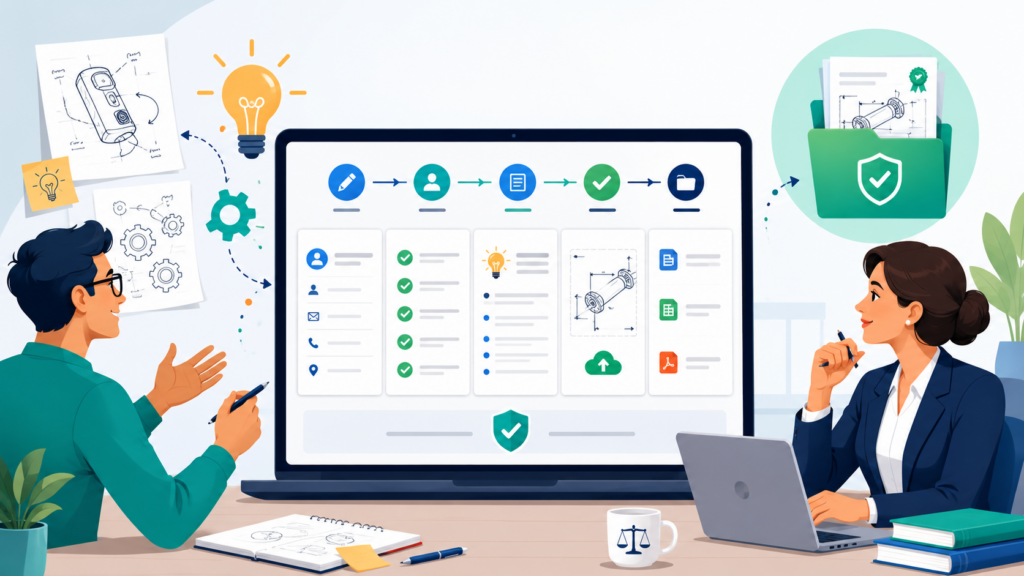
They may not know which details matter for a patent. They may describe the product as it exists today, but forget to explain other ways it could work.
They may focus on one feature, while the stronger invention is hidden inside a workflow, architecture, training method, data pipeline, hardware setup, or user interaction.
A good patent attorney can pull this out. But that work becomes much harder when intake is weak.
Many firms still use long forms, static questionnaires, kickoff calls, email threads, and shared folders. These methods can work, but they often miss depth. Inventors give short answers because the form feels cold.
They skip details because they do not understand the question. They attach files without context. Then the attorney has to spend more time asking follow-up questions.
Patent collaboration software should make invention intake sharper, easier, and more useful.
It should help the inventor explain the idea in plain language. It should guide them to share the right details.
It should help the legal team spot gaps early. It should turn raw invention notes into a stronger starting point for drafting and strategy.
The software should help inventors explain what is new
One of the most important parts of intake is helping the inventor explain what is actually new. This sounds simple, but it is often hard.
Inventors may say, “We built a faster system.” That is a result, not the full invention. The attorney needs to know how the system became faster. Was it a new data structure? A new model flow?
A new sensor layout? A new way to route requests? A new training method? A new control loop? A new way to reduce memory use? A new way to combine steps that were separate before?
The software should help draw out this kind of detail.
It should ask simple questions that make inventors think. What problem existed before? What did you change? Why does the change matter?
What happens inside the system? What are other ways to build it? What parts are required, and what parts are optional? What did you test? What surprised you?
These questions should not feel like a legal exam. They should feel like a smart product conversation.
Better intake gives attorneys better raw material
A patent draft is only as strong as the facts behind it. If the attorney receives thin facts, the first draft may be thin too. Then the team has to fix the problem later, when everyone is busier and the filing clock is closer.
Strong intake helps prevent that.
When inventors give richer answers at the start, attorneys can make better choices. They can identify stronger claim paths. They can describe more versions of the invention.
They can capture technical advantages more clearly. They can ask targeted follow-up questions instead of broad ones. They can also avoid spending paid time trying to decode vague notes.
For law firms, this improves both quality and margin. The attorney spends more time on judgment and less time chasing basic facts. The client gets a better process. The team has fewer surprises near filing.
This is one of the biggest reasons patent collaboration software should be built for patent work, not just general client intake.
The software should collect files with context
Inventors often have helpful materials. They may have code notes, diagrams, pitch decks, product specs, lab data, screenshots, design documents, architecture charts, test results, Git commit notes, or internal planning documents. These files can be valuable, but only if the team understands what they show.
A shared folder full of files is not enough.
The software should help inventors attach files to the right part of the invention story. A diagram should connect to the system flow it shows.
A test result should connect to the benefit it supports. A screenshot should connect to the user action it explains. A code snippet should connect to the feature or process it helps describe.
Context saves time.
Without it, attorneys must open each file, guess why it matters, and ask follow-up questions. That creates delay. With context, the team can quickly see how each file supports the invention.
File intake should reduce confusion, not create more of it
A bad file process creates clutter fast. Inventors upload old decks, rough diagrams, duplicate drafts, screenshots without labels, and files with names like final_v3_real_latest. The attorney then has to sort through a pile of material and decide what matters.
A better platform should help label files, connect them to questions, and mark which ones are important.
It should make it clear whether a file is background material, a technical reference, a drawing source, a draft figure, a prior version, or final review material.
This is not just neatness. It affects the quality of the patent.
When the team can clearly see the support for the invention, it becomes easier to write a fuller and more useful application.
It also becomes easier to create drawings that match the text and claims. That alignment matters because a patent application should tell one clear story from start to finish.
The software should turn intake into action
In many firms, intake creates a pile of information, but not a clear next step. The attorney reads the answers, takes notes, sends more questions, and starts a draft somewhere else. The intake tool ends there.
That is not enough.
Patent collaboration software should turn intake into action. If an inventor’s answer is incomplete, the system should make it easy to ask a follow-up in the same place. If a file is missing, the team should be able to request it.
If the invention has several possible claim angles, the attorney should be able to mark them for review. If a drawing is needed, the platform should help move that need into the workflow.
The intake should become the foundation of the matter, not a dead form.
Great intake helps the firm scale without becoming sloppy
As a law firm grows, intake quality becomes harder to control. One attorney may ask excellent questions. Another may move too quickly. One client may provide rich detail.
Another may give short answers. One matter may be carefully organized. Another may be scattered from day one.
Software can help create a stronger baseline.
It can guide inventors through a better process every time. It can remind the team what to ask. It can make gaps visible.
It can help junior team members follow a strong method. It can help partners keep quality high without personally managing every detail.
This is how firms scale patent work without letting quality drop.
The goal is not to replace attorney skill. The goal is to give attorney skill better inputs.
PowerPatent helps founders turn raw technical ideas into stronger patent work with guided software and real attorney review.
For teams that want speed without losing the human judgment that patents need, the process is explained here: https://powerpatent.com/how-it-works
Patent Collaboration Software Should Make Draft Review Clear and Fast
Draft review is where many patent projects slow down.
The attorney sends a draft. The inventor reads part of it. The founder forwards it to another team member. Someone comments in Word. Someone else replies by email.
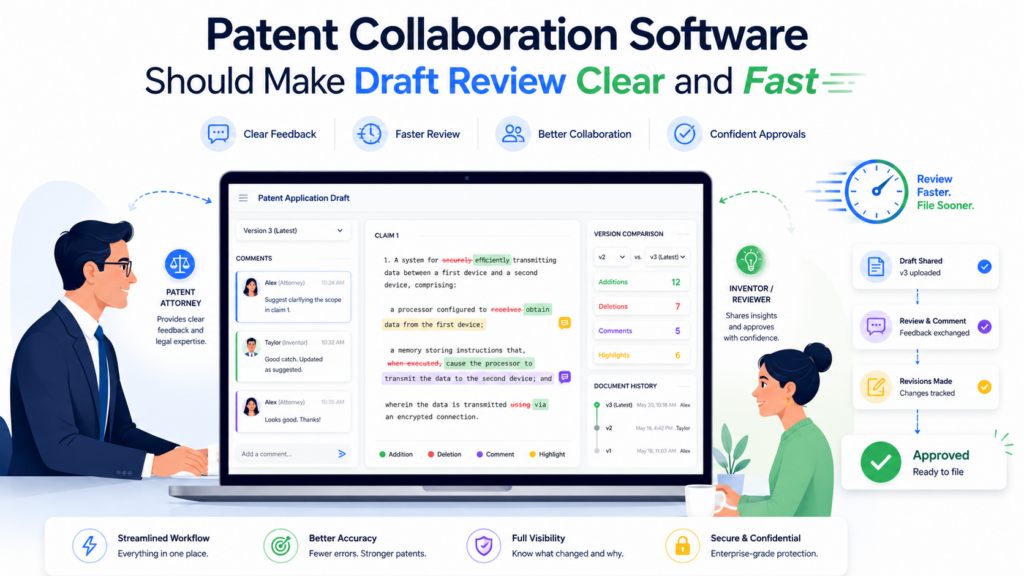
A technical lead sends a long message with edits. A partner adds claim comments in a separate version. The paralegal asks which file is final. The client asks whether the filing is still on track.
This is how review turns into a maze.
Patent applications are dense documents. Even when written well, they contain many parts that must match each other. The claims must match the description. The drawings must match the text.
The abstract must match the core idea. The examples must support the broad version of the invention. If review is scattered, errors can slip through.
Patent collaboration software should make draft review calm, clear, and controlled.
The platform should show which draft is current, who is reviewing it, what comments remain open, what changes have been made, and what still needs approval. It should help the legal team keep the review moving without losing the thread.
The software should keep comments tied to the right part of the draft
Patent review comments are only useful when they are clear. A comment like “This part is wrong” does not help if no one knows which part the reviewer meant.
A note like “Add the other version we discussed” is not useful if the attorney has to search old emails to find that discussion.
Good collaboration software should keep comments tied to the exact part of the draft, figure, claim, or invention detail being discussed.
This saves time and prevents mistakes. When the inventor comments on a system step, the attorney should see the comment in context.
When a partner comments on claim scope, the attorney should see which claim language raised the issue. When a reviewer says a drawing is missing a component, the drawing note should stay tied to that figure.
This helps the team move from vague feedback to precise action.
Review comments should become decisions
A common problem in patent review is comment drift. People leave comments, but no one knows which comments have been accepted, rejected, answered, or turned into edits. The draft may improve, but the team still has open loops everywhere.
Patent collaboration software should help turn comments into decisions.
A comment should be easy to resolve once handled. A question should be easy to answer in context. A suggested change should be easy to track. The attorney should be able to see what still needs attention before final approval.
This matters most near filing. When a deadline is close, the team needs a clean view of unresolved issues.
They should not have to search a long email chain to find the one technical point that still needs inventor input.
A good review system protects the team from last-minute confusion.
The software should help inventors review without feeling lost
Inventors are smart, but most are not trained to read patent drafts. A founder may understand the product deeply but still struggle with claim language.
An engineer may know the system but not know why the draft describes several versions that do not exist yet. A scientist may wonder why the application repeats certain terms.
If review feels too hard, inventors may skim. That is dangerous.
Patent collaboration software should help inventors review the parts where their input matters most. It should guide them toward technical accuracy, missing versions, incorrect steps, unclear terms, and important alternatives.
It should help them give useful feedback without requiring them to act like patent lawyers.
The best review process makes inventors feel useful, not overwhelmed.
Guided review can improve patent quality
A strong inventor review can catch details the legal team may not know. The inventor may spot that one component is optional, not required.
They may explain that a step can happen in a different order. They may identify another technical benefit. They may reveal that a feature works for a wider set of use cases than first described.
These details can make the patent stronger.
But the software has to help draw them out. A simple “please review” message is not enough. The platform should ask the inventor to check specific things. Is this technically correct?
Are there other versions? Is any part too narrow? Does this drawing match the system? Are there terms your team would not use? Does this describe the product as built and as it may be built later?
This kind of guided review makes feedback more useful. It also helps the attorney avoid late changes that could have been caught earlier.
The software should manage versions without chaos
Version control is one of the biggest pain points in patent drafting.
Patent teams often deal with drafts, redlines, clean versions, figure updates, claim revisions, client comments, partner comments, and final filing copies. When versions are scattered, mistakes become more likely.
The software should make it obvious which document is the current working draft and which documents are old. It should preserve history without making the workspace cluttered.
It should let the team compare changes when needed. It should prevent people from editing the wrong version.
This is especially important because the USPTO supports filing certain patent application documents in DOCX format through Patent Center, including specifications, claims, abstracts, and drawings.
That makes clean document control even more important, because the firm needs confidence that the final document being prepared for filing is the correct one.
Final review should feel like a controlled handoff
A patent filing should not end with a frantic search for the right attachment. The final review should be a controlled handoff from drafting to filing.
The software should help confirm that the draft has been reviewed, comments have been resolved, drawings are ready, inventor details are complete, client approval has been received, and filing documents are prepared. The goal is not to add ceremony. The goal is to prevent avoidable errors.
A clear final review process helps everyone breathe easier.
The attorney knows the legal work is ready. The paralegal knows which files to use. The client knows what has been approved. The firm knows the matter is moving forward with control.
That kind of control is what modern patent clients expect. It is also what busy patent teams need.
PowerPatent helps teams move from invention details to attorney-reviewed patent work with a smoother process and fewer loose ends. See the workflow here: https://powerpatent.com/how-it-works
Patent Collaboration Software Should Help Firms Manage Deadlines and Workload With Precision
Patent work is full of dates that matter. Filing targets, priority deadlines, client review dates, foreign filing windows, office action response dates, inventor follow-up dates, drawing deadlines, partner review dates, and internal draft dates all shape the work.
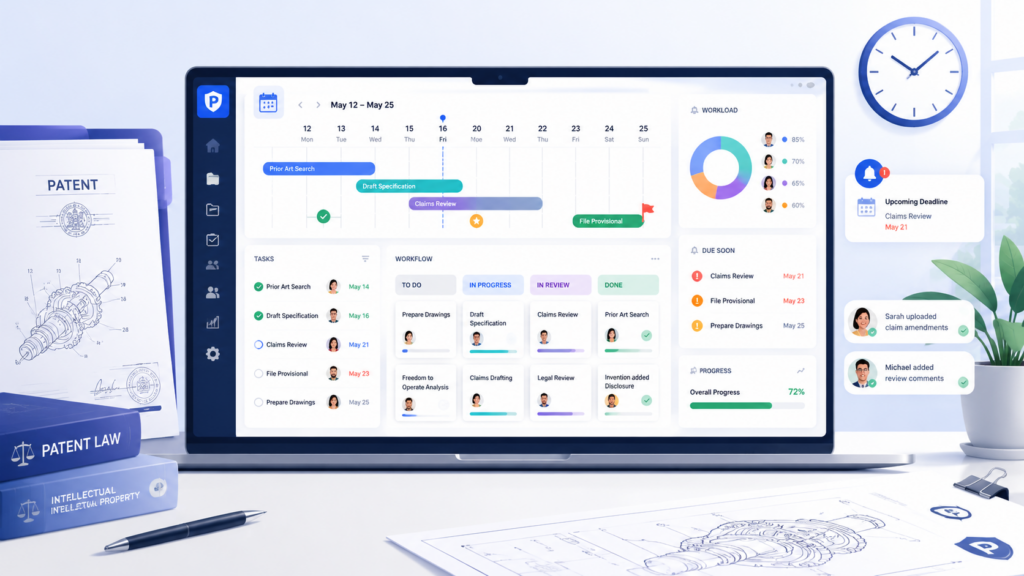
A missed date can damage trust. In some cases, it can damage rights.
That is why patent collaboration software must treat deadlines as part of the work, not as a separate calendar problem.
A firm should not have to rely on scattered reminders, private notes, email flags, or one person’s memory. Every matter should show what is due, who owns it, and what must happen next.
This is not only about avoiding mistakes. It is also about running the firm better.
When deadlines are clear, attorneys can plan their time. Staff can prioritize. Partners can see capacity. Clients can get realistic updates. The firm can avoid the constant fire drill feeling that burns out good people.
The software should connect tasks to the matter, not just to a person
A task by itself is weak. A task connected to the full matter is useful.
If a paralegal sees “prepare filing documents,” that helps a little. But if that task is connected to the final draft, inventor names, filing type, client approval, drawings, and target filing date, it becomes much more useful.
The person doing the work has context. They do not need to ask around for basic information.
Patent collaboration software should keep work connected to the matter. Tasks should not live in a separate system that has no link to documents, comments, or client answers. When tools are split, context gets lost.
A connected task system helps the team move faster because each action is tied to the right files and facts.
Task ownership should be clear before the work is late
Many patent delays happen because no one is sure who owns the next step. The attorney thinks the inventor is reviewing.
The inventor thinks the attorney is revising. The paralegal thinks the partner has approved. The partner thinks the associate is waiting on client input.
This kind of confusion is common when work is handled through email.
The software should make ownership visible. Each key step should have one clear owner.
The system should show whether the step is waiting on the firm, the client, the inventor, outside counsel, or another reviewer. It should make stalled work easy to spot before the date becomes urgent.
This is one of the simplest ways to improve firm performance. When every matter has a visible next step, fewer things fall through the cracks.
The software should help partners see workload across the firm
A single patent matter may look fine on its own. The real challenge appears when a firm has dozens or hundreds of active matters. Some are in intake. Some are in drafting.
Some are waiting on inventor answers. Some are near filing. Some have office actions. Some need client decisions. Some are stuck because a key attorney has too much work.
Firm leaders need a way to see this without calling a meeting every day.
Patent collaboration software should give partners and managers a clear view of workload.
They should be able to see which matters are moving, which are stuck, which deadlines are near, and which team members are overloaded. This helps the firm plan before pressure builds.
Better visibility also helps with client service. If a key client has ten active matters, the firm should be able to give a clean status update without spending hours collecting information from different people.
Workload visibility protects both quality and profit
When teams are overloaded, quality can suffer. People rush reviews. Drafts wait too long. Comments are missed. Clients get slower replies. Staff become stressed. Attorneys spend more time reacting and less time thinking.
Workload visibility helps prevent this.
If partners can see bottlenecks early, they can shift work, adjust timelines, bring in help, or reset client expectations.
They can protect quality before the team is under too much pressure. They can also protect profit because rushed, chaotic work often creates rework.
Patent collaboration software should help firms manage the business side of patent practice without turning attorneys into spreadsheet managers.
The software should create client-ready status without extra work
Clients ask for updates because they want confidence. They want to know that their invention is moving. They want to know what is needed from them. They want to know whether the filing plan is on track.
The problem is that many firms create status updates manually. Someone checks the docket. Someone asks the attorney.
Someone checks the draft. Someone reviews email. Someone updates a spreadsheet. Then the client receives an update that may already be stale.
A better platform should make status visible as work happens.
The firm should be able to see the matter stage, current owner, open items, upcoming deadlines, and client requests in one place.
A client-facing view should show simple, clean updates without exposing internal notes. This helps clients feel informed without creating extra work for the firm.
Better status updates reduce noise
When clients do not know what is happening, they ask. When they ask, the firm stops to answer. When the answer is unclear, more emails follow. This creates noise for everyone.
Clear status reduces that noise.
A founder who can see that the draft is in attorney review does not need to send a status email. An inventor who can see that two questions are waiting for them knows what to do.
A general counsel who can see upcoming filing targets can plan budget and internal approvals.
This makes the firm feel more responsive, even when the team is not sending constant emails.
For startups and technical teams, this matters a lot. They are used to real-time visibility in their own work. A patent process that gives them clear status feels modern and trustworthy.
PowerPatent gives founders a clearer way to move through the patent process with smart software and attorney oversight, so teams are not left guessing what happens next. Learn more here: https://powerpatent.com/how-it-works
Patent Collaboration Software Should Fit the Firm’s Drafting and Filing Workflow
A patent collaboration tool should not stop at messages and tasks. It should fit the full drafting and filing workflow. Otherwise, the firm still has to jump between too many places.
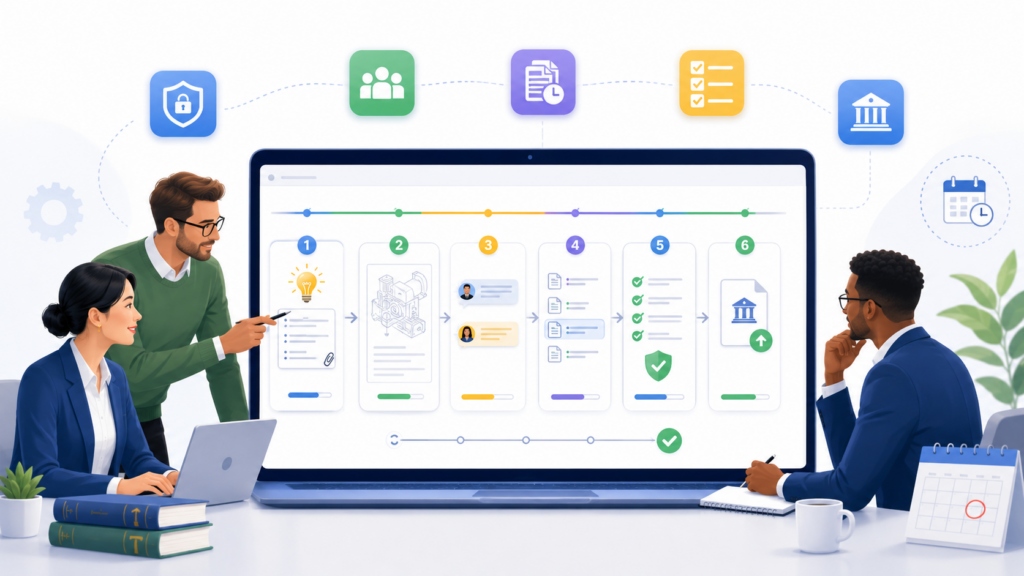
Patent teams need to move from invention facts to draft strategy, from draft strategy to application text, from application text to review, and from review to filing documents. If each step lives in a different tool, the team loses time and control.
A good platform should support the way patent work moves. It should not force the firm into a generic workflow made for sales teams, marketing teams, or simple legal matters.
Patent drafting has its own rhythm. Patent filing has its own rules. Patent teams need software that respects both.
The software should support patent-specific drafting steps
Patent drafting is not just writing. It is structured thinking.
The attorney has to understand the invention, identify the core idea, decide what should be broad and what should be narrow, describe enough versions, align drawings with text, prepare claims, and make sure the full application supports the filing strategy. That requires judgment.
Software cannot replace that judgment. But it can support it.
A strong patent collaboration platform should help organize invention details, claim ideas, drawing notes, technical advantages, and open questions in a way that supports drafting.
It should help the attorney see the raw material clearly. It should reduce the time spent sorting information. It should help the team avoid missing important support.
Drafting support should not turn into blind automation
Law firms should be careful with tools that promise to create patents with little human thought. Patents are too important for that.
A fast draft that misses the real invention can create a false sense of progress. A tool that fills pages but does not capture strategy may hurt the client later.
The better model is attorney-led work supported by smart software.
The software should help collect details, organize context, suggest structure, and reduce manual friction. But the attorney should guide the legal strategy, review the claims, shape the disclosure, and make sure the work fits the client’s goals.
This is especially important for deep tech, software, AI, hardware, biotech, robotics, and other technical fields where the strongest protection often depends on subtle details.
A platform that helps attorneys think better is more valuable than one that simply produces more text.
The software should prepare the team for electronic filing realities
Patent filing is now deeply digital. The USPTO’s Patent Center is used for electronic filing and management of patent applications, and it provides a single online interface for filing activity. The USPTO also offers a training mode for users to practice filing.
This matters for collaboration software because the firm’s internal workflow should prepare clean, complete filing materials.
The tool should help the team know which documents are final, which forms are needed, whether inventor data is complete, whether drawings are ready, and whether the correct filing package has been assembled.
A collaboration platform does not need to replace official filing systems. But it should make the handoff into filing cleaner.
If the firm uses DOCX documents for filing, the platform should help preserve document control and reduce version confusion.
The USPTO allows Patent Center registered users to file certain application documents in DOCX, including the specification, claims, abstract, and drawings, and has described DOCX as part of its modernization efforts.
Filing readiness should be visible before the final day
The worst time to discover a missing signature, wrong inventor name, unclear drawing, or unresolved draft comment is the day of filing. Filing readiness should be checked earlier.
Patent collaboration software should help the team see readiness as the matter moves forward. Are all inventors confirmed? Are assignments needed? Are drawings final? Has the client approved the draft?
Have comments been resolved? Are filing instructions clear? Is the priority claim correct? Are all needed documents in place?
The platform should make these items visible in plain language. This helps the whole team, not just the attorney. It also helps newer staff follow the firm’s process without constant supervision.
The software should support repeatable workflows without making every matter feel the same
Law firms need repeatable workflows. They help maintain quality, train staff, manage deadlines, and reduce errors.
But patent matters are not all the same. A provisional application for a startup MVP is different from a continuation strategy for a mature portfolio.
A first filing for an AI model is different from a mechanical device filing. A design patent is different from a utility application. An office action response is different from a new application.
The software should let the firm create standard workflows that can be adjusted for matter type.
This gives the firm consistency without rigidity. The team can start with a trusted process, then adapt it to the client, technology, and filing goal. That balance is important. Too much freedom creates chaos. Too much rigidity slows down expert work.
Good workflows help junior team members grow faster
A strong platform can also be a training tool. When the workflow is clear, junior attorneys, patent agents, and staff can see how strong patent work moves.
They learn what questions to ask, what documents matter, what steps come next, and where judgment is needed.
This helps the firm grow talent without relying only on memory and shadowing.
It also helps partners delegate with more confidence. When the process is visible, a partner can review the important points instead of micromanaging every step. That frees senior attorneys to focus on strategy, client advice, and high-value review.
For firms that want to grow patent work without losing quality, this is a major advantage.
PowerPatent’s model is built around a similar belief: software should make the process easier, but real patent professionals should still guide the work where it counts.
See how PowerPatent helps move ideas toward stronger patent protection here: https://powerpatent.com/how-it-works
Patent Collaboration Software Should Make Prior Art Work Easier to Share and Use
Prior art work can shape the whole patent plan. It can help the attorney understand what already exists, where the invention may be stronger, and which claim paths may be worth more care.
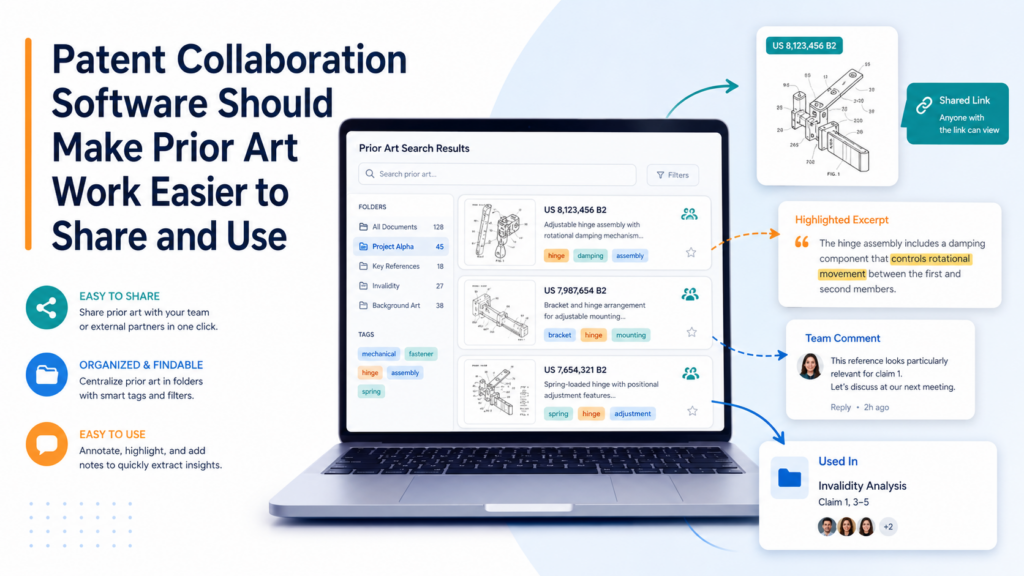
It can also help the client make better business choices before spending more money on drafting, filing, or follow-on work.
But in many firms, prior art notes are hard to use.
A search report may live in one folder. Inventor comments may live in email. Attorney notes may sit in a private document. Claim ideas may be marked up in a separate draft.
The client may have their own list of known products, papers, patents, and competitor systems. When these items are split apart, the firm loses the full picture.
Patent collaboration software should help teams bring prior art into the matter in a useful way.
It should not treat prior art as a side file. It should connect references to invention details, claim strategy, client notes, and attorney review.
A better prior art workflow does not mean the software has to do all the thinking. It means the system should help the team see the landscape clearly, keep notes organized, and make better decisions based on the right facts.
The software should let the team collect known references early
Inventors often know more prior art than they realize. They may know competitor products, open-source projects, academic papers, standards, old prototypes, public demos, blog posts, GitHub repos, documentation pages, or internal work from before the current invention.
They may not think of these as “prior art,” but they are useful background for the attorney.
The software should make it easy for inventors and clients to share these materials early. The process should be simple.
It should ask what products or papers are closest, what the inventor tried before, what competitors do, what is different about the new approach, and what public materials may matter.
This early context can save a lot of time.
It can help the attorney avoid drafting claims that are too close to known systems. It can reveal better points of difference. It can also help the firm give the client a more grounded view of the path ahead.
Early prior art collection helps avoid weak filing choices
When prior art is ignored until late in the process, the team may waste time building a draft around the wrong center.
Then, after a search or later review, the attorney may need to shift the claim focus. That can cause rework, delay, and client frustration.
A better approach is to collect known references during intake and keep them visible throughout the matter.
This does not require every matter to start with a full search. Some clients may not want that. Some filings may be time-sensitive.
Some provisional applications may be built with a different goal. But even then, known background should not be buried.
The software should make it easy to record what the client knows, what the inventor has seen, and what the team still needs to check.
The software should connect prior art notes to claim strategy
Prior art is most useful when it informs claim choices. If references are just stored in a folder, they may not change the work. If notes are connected to claim ideas, they become much more powerful.
The platform should allow attorneys to connect a reference to a specific feature, system step, claim term, or design choice.
This helps the team understand why a reference matters. It also helps reviewers see which parts of the invention may need stronger support, clearer wording, or a different angle.
For example, a reference may show a similar user interface but not the backend process. Another reference may show a related model architecture but not the training method.
Another may show the hardware layout but not the control logic. These differences matter. They can guide better claim drafting and better technical descriptions.
The system should help separate facts from legal judgment
A good collaboration tool should let different kinds of notes stay clear. Inventor comments, search notes, attorney analysis, client business comments, and drafting decisions should not all blur together.
This matters because not every note has the same purpose.
An inventor may say, “This product is similar but does not handle real-time updates.” A searcher may say, “This reference shows elements A and B.”
An attorney may say, “This suggests we should focus claim 1 on the update path, not the interface.” A client may say, “This competitor is our biggest concern.”
All of those notes are useful, but they are different.
The software should help the firm keep that clarity. When notes are clear, attorney judgment is easier to apply. When notes are mixed together, the review becomes slower and more confusing.
The software should make search work reusable across a portfolio
Many patent clients do not file one patent. They build a portfolio over time. A startup may start with one core filing, then add more filings as the product grows.
A larger company may file across a whole technical area. A law firm may handle related matters for the same client across multiple teams.
Prior art knowledge should not be lost after one filing.
Patent collaboration software should help firms reuse useful search work across related matters. If a reference was important in one case, it may matter again.
If a competitor product was reviewed for one invention, it may be helpful for another. If a technical area has known patents, the firm should not have to rediscover them from scratch each time.
This kind of reuse can improve both quality and speed.
Portfolio memory can become a strategic asset
A firm that remembers the client’s technical landscape can give better advice. It can spot patterns. It can help the client decide where to file next.
It can see when a new invention builds on old work. It can avoid repeating the same search effort over and over.
This is especially useful for startups in fast-moving fields like AI, robotics, medical devices, chips, climate tech, cybersecurity, fintech, and developer tools. These teams move quickly.
Their inventions often connect to each other. A platform that helps preserve portfolio memory can help the firm serve them with more insight.
Clients notice this.
They feel the difference between a firm that starts from zero every time and a firm that understands their technology over time. The second firm feels like a partner, not just a vendor.
PowerPatent helps technical teams move faster by turning invention details into organized patent work with software and attorney guidance. You can explore the process here: https://powerpatent.com/how-it-works
Patent Collaboration Software Should Make Client Communication Simple, Clear, and Controlled
Patent clients do not want silence. They also do not want long, confusing updates filled with legal terms. They want to know what is happening, what is needed from them, and what the next step means.
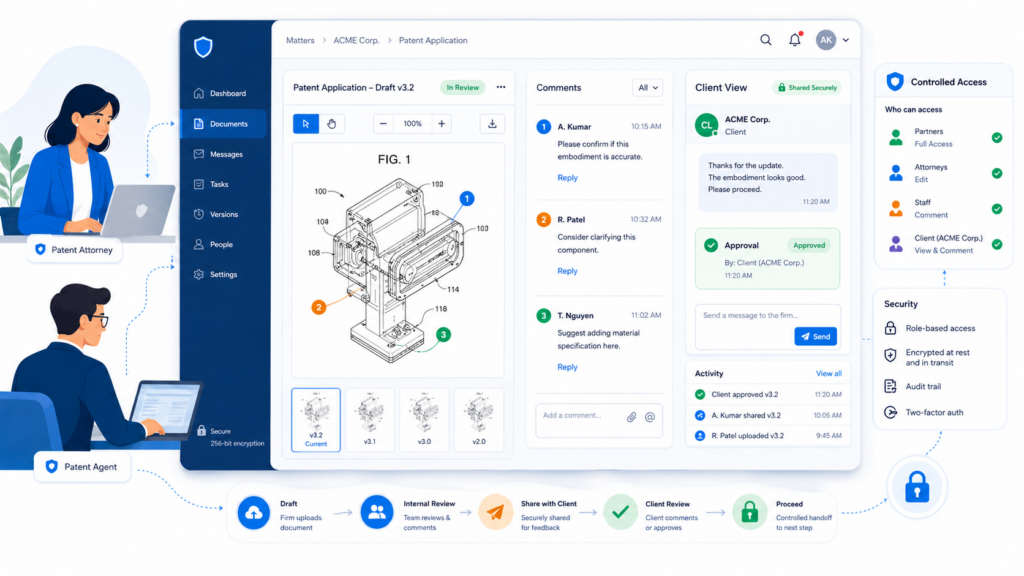
This is where many firms lose trust, even when the legal work is good.
A client may send an invention disclosure and then hear little for weeks. An inventor may answer questions but not know whether the answers were useful.
A founder may approve a filing budget but not know when the draft will be ready. A general counsel may ask for a status update because the internal team is asking them the same thing.
The problem is not always lack of effort. Often, the problem is that communication is spread across too many places.
Patent collaboration software should give the firm a better way to communicate. It should keep client messages tied to the matter. It should make requests clear.
It should show status in plain words. It should help the firm stay responsive without creating endless email work.
The software should make every client request clear
When a firm needs something from a client, the request should be easy to understand. The client should know exactly what is being asked, why it matters, and when it is needed.
Too often, patent requests are vague. An email may say, “Please review the attached draft and provide comments.”
That sounds simple, but it puts a lot of weight on the client. What should they review? Technical accuracy? Business scope? Claim language? Drawings? Examples? Missing alternatives? Inventor names? Filing details?
A better platform turns requests into clear steps.
It might ask the inventor to check whether the system description is correct. It might ask the founder to confirm filing priority.
It might ask a technical lead to add other ways the method could work. It might ask the client contact to approve the final draft for filing.
Each request should be specific enough that the client can act without guessing.
Clear requests lead to faster answers
Clients are busy. Founders are building. Engineers are shipping. In-house counsel is handling many issues at once. If a request feels unclear, it gets pushed aside.
Clear requests get answered faster.
When the client sees one focused question, they can respond quickly. When they see a guided review step, they know what to do.
When they see a deadline and the reason behind it, they are more likely to treat it as important.
This is not just about being nice to clients. It is a way to move patent work faster.
Better requests reduce delay. They reduce follow-up emails. They reduce incomplete answers. They also make the firm look more organized and easier to work with.
The software should reduce email overload
Email is useful, but it is a poor home for patent collaboration. It creates long threads, hidden attachments, duplicate versions, missed replies, and unclear approvals. It also mixes sensitive patent work with every other message in a person’s inbox.
A patent collaboration platform should move the core work out of email and into the matter workspace.
Email can still notify people. It can still alert them that a task is waiting. But the actual draft comments, invention answers, file uploads, approvals, and status updates should live in the system. That way, the matter history stays clean.
The best tools make fewer messages do more work
The goal is not to eliminate communication. The goal is to make each message more useful.
Instead of sending five emails asking for missing details, the platform should show the client a clean set of open questions.
Instead of sending a status email every week, the system should show progress. Instead of asking which draft is current, the client should see the right version in the workspace.
This lowers noise for everyone.
Attorneys get fewer interruptions. Staff spend less time hunting for information. Clients get less clutter. The whole process feels more professional.
For law firms, this can create a real market edge. Many clients do not compare patent firms only by legal skill.
They compare how easy the firm is to work with. A firm that gives clients a clean, simple process can stand out fast.
The software should allow firm-controlled client visibility
Client visibility is good. Unlimited visibility is not always good.
A law firm needs control over what clients see. Internal attorney notes, draft strategy debates, staffing discussions, early claim experiments, and internal quality checks may not belong in the client view. At the same time, clients should not be left in the dark.
The software should let the firm create a clean client-facing view. This view should show matter status, client tasks, shared documents, draft review items, key dates, and approved communications. It should hide internal clutter.
This helps the firm appear clear and calm while still protecting its internal process.
A clean client view builds trust
Clients often feel anxious during patent work because they cannot see the process. They may wonder whether the firm has started.
They may wonder whether the draft is on track. They may wonder whether their technical answers were received. They may worry that a key date will be missed.
A client view solves much of this anxiety.
It tells the client, “Your matter is moving. Here is what we have. Here is what we need. Here is what happens next.”
That kind of clarity builds trust. It also makes clients more willing to send more work. When a founder has a smooth first filing, they are more likely to protect the next invention too.
PowerPatent is designed to make the patent path clearer for founders, with smart software and real attorney oversight working together. See how the process feels here: https://powerpatent.com/how-it-works
Patent Collaboration Software Should Support AI Carefully, Not Blindly
AI can help patent teams move faster. It can help organize invention notes, summarize long technical material, create first-pass structure, suggest questions, compare documents, and surface gaps. For busy law firms, this can be very useful.
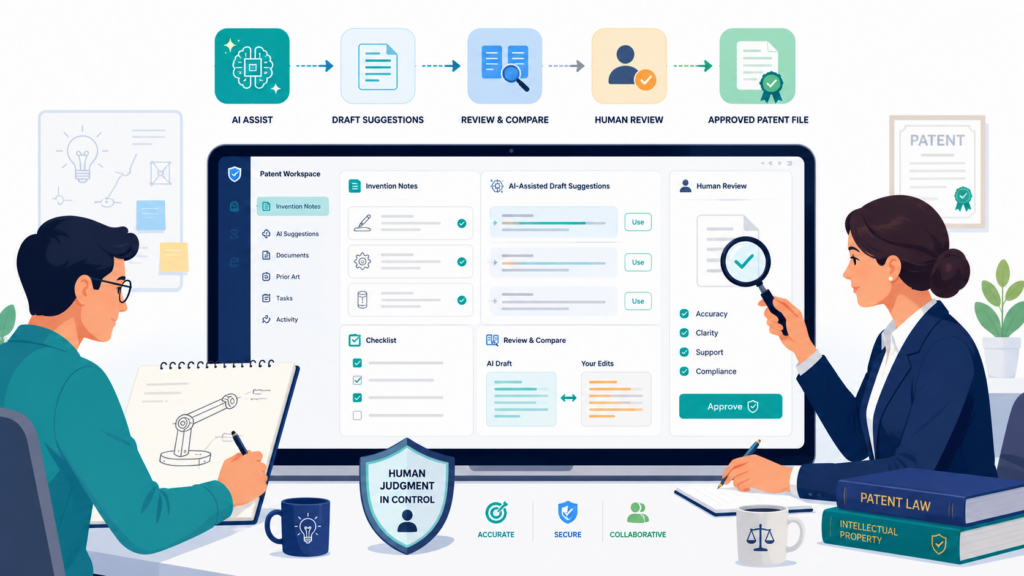
But AI must be handled with care.
Patent work is not just content production. It involves client secrets, legal judgment, technical accuracy, filing strategy, and long-term business value. A tool that uses AI without clear controls can create risk.
It may produce text that sounds good but misses the point. It may create errors. It may make claims too narrow, too broad, or poorly supported. It may fail to understand what truly matters about the invention.
Law firms should not ask, “Does this software have AI?” They should ask a better question: “Does this software use AI in a way that helps our attorneys do better work while keeping them in control?”
That is the standard that matters.
The software should use AI to improve inputs, not replace judgment
One of the best uses of AI in patent collaboration is improving the quality of raw information. AI can help turn scattered inventor notes into a clearer summary.
It can suggest follow-up questions when an answer is vague. It can help group technical details by system part, method step, benefit, or alternative version. It can help the attorney see gaps faster.
This kind of AI support is valuable because it improves the attorney’s starting point.
But the attorney still decides what matters. The attorney still shapes the claims. The attorney still checks accuracy. The attorney still decides what to include, what to leave out, and how to protect the client’s goals.
AI should act like a helpful assistant, not the decision maker.
AI should make review easier, not less careful
There is a danger in making patent work look too easy. If AI creates a polished draft, people may assume it is good. But clean words do not equal strong protection.
A draft can sound impressive while missing key versions of the invention. It can describe the product but fail to protect the broader idea. It can use terms that create problems later.
Good software should help users review AI-assisted work with care.
It should show where information came from. It should let attorneys check source material. It should make edits easy. It should help identify open questions. It should not hide weak spots behind confident language.
For law firms, this is critical. Clients are not paying only for words on a page. They are paying for judgment, care, and protection.
The software should be clear about data handling
AI tools raise serious questions about data. Patent matters often include confidential invention details. Law firms must know how those details are stored, used, processed, and protected.
Before choosing patent collaboration software with AI features, firms should ask how the platform handles client data.
They should understand whether data is used to train outside models, how long data is retained, what security controls are in place, who can access it, and what options the firm has to manage privacy.
The answer should not be vague.
If a vendor cannot clearly explain how client invention data is protected, the firm should be cautious. Patent clients share information before it is public. That information can be central to their company value.
AI privacy is also a client trust issue
Even if a tool is technically strong, clients may worry about AI. Founders may ask whether their code, model design, or product roadmap is being fed into outside systems.
In-house counsel may ask for written controls. Enterprise clients may have strict vendor rules.
A law firm should be ready to answer these questions with confidence.
The right software should help the firm explain its process in plain words. It should give the firm control. It should support responsible use. It should not force the firm into unclear data practices.
This can become a selling point. A firm that uses AI carefully can offer speed and modern service without sounding reckless.
The software should keep humans accountable
The strongest patent collaboration software will not remove humans from the loop. It will make humans more effective.
Attorneys should remain accountable for final work. Patent agents should review technical accuracy. Inventors should confirm key details. Staff should verify filing materials.
AI can help with speed, structure, and first-pass work, but it should not become the source of final truth.
A good platform should make this accountability visible.
It should show who reviewed the draft. It should show which comments were resolved. It should show which inventor answers support the description.
It should show when the client approved the filing version. It should help the firm prove that real review happened.
Human oversight is the difference between automation and trust
Clients do not want a black box. They want a better process. They want speed, but they also want confidence that a skilled person looked at the invention and made smart choices.
This is the space where PowerPatent stands out. It combines smart software with real patent attorney oversight, so founders get help moving fast without being left alone with a tool. That balance matters because patent work still needs human judgment.
You can see how PowerPatent brings software and attorney review together here: https://powerpatent.com/how-it-works
Patent Collaboration Software Should Help the Firm Build a Repeatable Quality System
Quality in patent work should not depend only on heroic effort. It should not depend on one partner remembering every detail, one paralegal catching every issue, or one associate creating their own checklist.
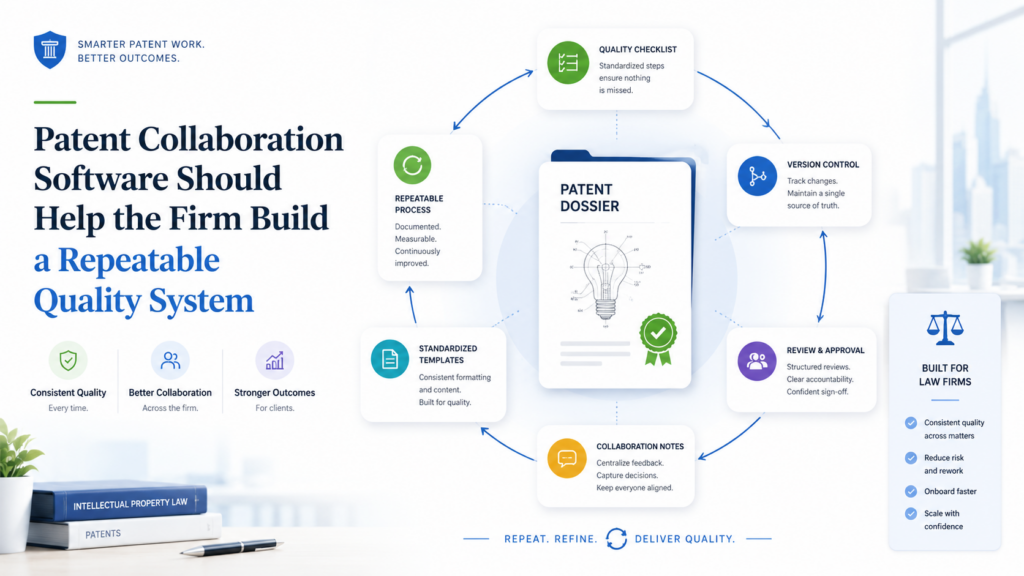
Good people matter, but strong systems make good people even better.
Patent collaboration software should help the firm build a repeatable quality system.
This means the platform should support clear intake, careful review, good version control, deadline tracking, client approvals, filing readiness, and matter history.
It should help the team do the right steps each time without turning the process into a burden.
Quality should feel natural inside the workflow.
When software supports quality in the background, the firm can grow without becoming chaotic. It can onboard new team members faster.
It can serve more clients with less stress. It can reduce rework. It can build a reputation for being both modern and careful.
The software should turn best practices into daily habits
Every strong patent firm has best practices. The problem is that best practices often live in people’s heads. A senior attorney knows what to ask during intake.
A skilled paralegal knows what to check before filing. A careful partner knows what claim issues to look for. But if those habits are not built into the workflow, they may not happen every time.
Software can help make good habits repeatable.
It can prompt better intake questions. It can require final review steps. It can flag missing information. It can show unresolved comments.
It can help confirm that drawings, claims, and descriptions are aligned. It can make sure client approvals are captured before filing.
This is not about adding busywork. It is about making quality easier to maintain.
Good systems reduce training gaps
Training is one of the hardest parts of growing a patent practice.
New team members need to learn how the firm works, how matters move, what quality looks like, and when to ask for help. If the process is hidden in emails and personal habits, training takes longer.
A good collaboration platform gives new team members a clearer path.
They can see matter stages. They can follow standard workflows. They can understand what information belongs where.
They can learn how the firm handles review, filing, and client communication.
This helps junior people become useful faster. It also reduces the pressure on senior staff, who no longer have to explain every small process step from scratch.
The software should make quality visible to firm leaders
Partners cannot review every action in every matter. But they need enough visibility to know whether the process is healthy.
Patent collaboration software should help leaders see quality signals. Are matters missing inventor input? Are drafts sitting too long without review? Are client comments unresolved?
Are filing packages being prepared late? Are certain teams overloaded? Are some clients always causing delays because requests are unclear?
These signals help leaders improve the practice.
The goal is not to blame people. The goal is to spot weak points in the system and fix them.
Visibility helps firms improve over time
A firm that can see its process can improve it. If many matters slow down during inventor review, the firm can improve its review instructions.
If filing readiness is often late, the firm can move checks earlier. If clients ask the same questions again and again, the firm can create clearer status pages or better explanations.
Without visibility, the firm is guessing.
With visibility, the firm can make smart changes. Small improvements can compound into a much better client experience and a more profitable practice.
The software should support consistency without killing attorney judgment
Some attorneys worry that software workflows will make their work too rigid. That concern is fair. Patent strategy cannot be reduced to a fixed checklist.
Every invention has its own shape. Every client has its own goals. Every filing plan needs thought.
The right software should not force attorneys into a box.
It should provide a strong base process while leaving room for judgment. It should help the team remember the important steps, but it should not pretend that all matters are identical. It should make routine work easier so attorneys can spend more time on strategy.
The best systems create freedom through structure
Structure can feel limiting when it is poorly designed. But good structure creates freedom.
When deadlines are clear, attorneys can focus. When intake is organized, drafting is easier. When review comments are tracked, final approval is calmer.
When client status is visible, fewer emails interrupt deep work. When filing readiness is checked early, the last day is less stressful.
This gives attorneys more room to do the work that truly matters.
For law firms, that is the real promise of patent collaboration software. It does not just help the team work faster. It helps the team work with more calm, more care, and more confidence.
PowerPatent gives technical founders and teams a clearer path from invention to patent work, supported by smart software and real attorney oversight. Learn how the process works here: https://powerpatent.com/how-it-works
Patent Collaboration Software Should Make Reporting Useful for Both the Firm and the Client
A patent portfolio can become hard to understand very quickly. At first, there may be one idea, one filing, and one founder asking for updates. Then the company grows. More inventors join.
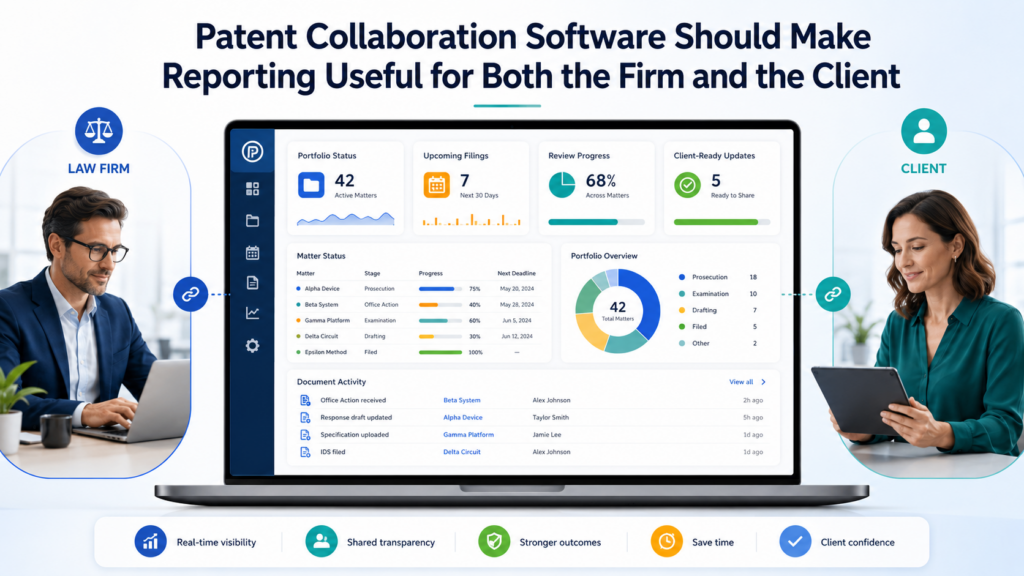
More product lines appear. More filings are planned. Office actions arrive. Continuations become possible.
Foreign deadlines come into view. Suddenly, the client no longer needs a simple update. They need a clear view of the whole patent picture.
This is where reporting matters.
But reporting should not mean exporting messy spreadsheets or building status decks by hand. Good patent collaboration software should create useful reporting as part of the normal workflow.
The information should already be there because the team is using the platform every day.
A law firm should look for software that can show the status of matters, key dates, work owners, missing client items, filing progress, portfolio stages, and upcoming decisions in a clean way.
The best reports are not long. They are clear. They help the reader act.
For the firm, reporting helps with planning. For the client, reporting helps with confidence. For both sides, it reduces confusion.
The software should show what matters now
Many reports fail because they show too much. A client does not need to see every internal task. A partner does not need a wall of minor updates.
A founder does not need a complex docket report filled with terms they do not understand.
Useful reporting starts with the question, “What needs attention now?”
The platform should make active issues easy to see. It should show which matters are waiting on client input.
It should show which drafts need attorney review. It should show which filings are near a target date. It should show which office actions need a response plan. It should show which matters may need a business decision.
This is much more useful than a static list of files.
A good report should guide action. It should help the firm and client decide what to do next.
A useful report should reduce meetings, not create more of them
Some firms spend a lot of time preparing for status calls. They collect updates from attorneys, paralegals, docketing teams, and clients.
Then they turn those updates into a report. Then they hold a meeting to explain the report. Then they send follow-up emails to clarify the same points.
That is too much friction.
Patent collaboration software should make reporting clean enough that many status questions can be answered without a meeting.
A client should be able to see where things stand. A partner should be able to check matter health. A team lead should be able to spot bottlenecks.
Meetings should be used for decisions, not for reading status out loud.
When reporting is built into the workflow, the firm can spend less time explaining what happened and more time deciding what should happen next.
The software should make portfolio reporting simple for growing clients
Startups often begin with one patent filing, but the real value comes when they build a portfolio around their product, roadmap, and market.
A portfolio should not feel like a pile of disconnected matters. It should tell a strategic story.
Patent collaboration software should help the firm show that story.
For a growing company, the report should make it easy to see which inventions have been filed, which ideas are still being evaluated, which product areas are covered, which filings are coming next, and which deadlines may affect future protection.
The report should be simple enough for a founder to understand and strong enough for a board, investor, or general counsel to trust.
This is especially important when a client is raising money, entering a partnership, preparing for diligence, or planning a product launch.
Patent status can become part of the company’s business story. If the firm can present that status clearly, it becomes more valuable to the client.
Good portfolio views help clients make smarter patent choices
Clients do not always know what to file next. They may have many ideas but limited budget. They may be unsure which inventions matter most.
They may want to protect a product but not know which parts are most defensible. They may be worried about competitors but unsure where to focus.
A clear portfolio view helps these conversations.
When the firm can show what is already covered and what is still open, the client can make better decisions. They can see gaps. They can rank inventions.
They can choose between a fast provisional filing, a more complete utility filing, a continuation plan, or waiting until the technology matures.
This makes the law firm feel more strategic. The firm is no longer just drafting documents. It is helping the client build an IP plan that supports the business.
PowerPatent helps founders see the patent path more clearly and move from technical ideas to attorney-reviewed protection with less friction. You can explore the process here: https://powerpatent.com/how-it-works
Patent Collaboration Software Should Work Well With the Tools the Firm Already Uses
No law firm wants another tool that creates more work. Patent collaboration software should make the firm’s process smoother, not force the team to rebuild everything from scratch.
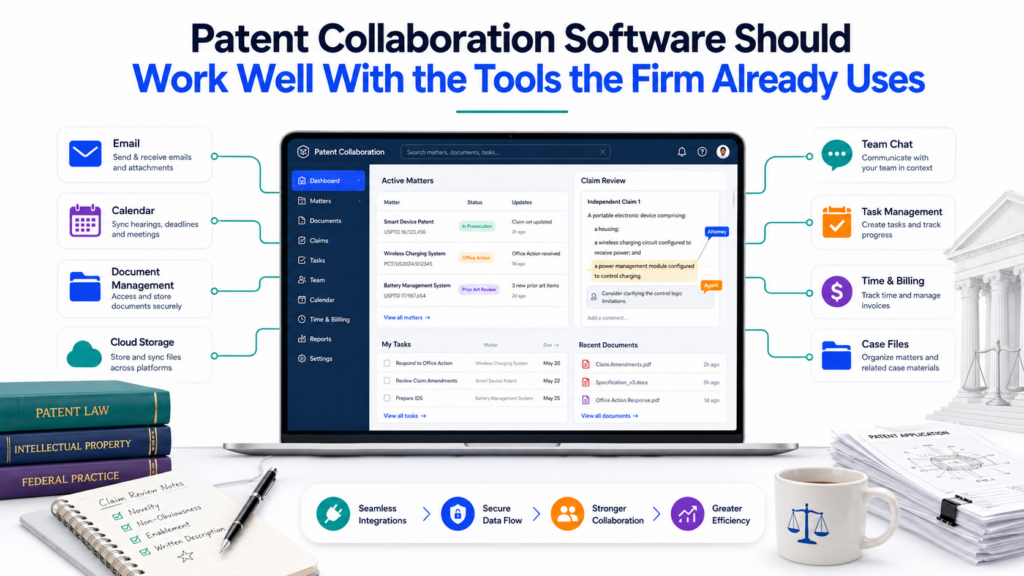
Most firms already use several systems. They may use a document system, a docketing platform, email, billing software, e-signature tools, cloud storage, filing tools, and internal knowledge systems.
Some firms have custom workflows built over many years. Others use simple tools but rely on strong habits.
A new collaboration platform should respect that reality.
The goal is not to replace every system on day one. The goal is to connect the patent work in a way that reduces friction. The platform should fit into the firm’s daily flow and make the most painful parts easier.
A tool that looks impressive in a demo can fail if it does not match how the firm actually works. Adoption matters.
If attorneys and staff do not use the tool, the firm will not get the benefit.
The software should reduce duplicate data entry
Duplicate entry is one of the clearest signs of a weak workflow. If the team enters client information in one system, matter details in another, deadlines in a third, and status updates in a spreadsheet, mistakes become likely.
Names can be spelled differently. Dates can drift. Matter numbers can be mixed up. Someone may update one place but not another.
Patent collaboration software should reduce this kind of repeated work.
When possible, it should connect with the systems the firm already uses or at least make data movement clean and controlled.
Client names, matter numbers, inventor details, filing dates, document status, and task owners should not have to be typed again and again by hand.
This saves time, but more importantly, it reduces errors.
Clean data helps the whole patent team
Good patent work depends on reliable information. If a date is wrong, the team may plan badly. If an inventor name is wrong, filing documents may need correction.
If a matter status is stale, a partner may give the client the wrong update. If a draft version is mislabeled, the wrong file may be reviewed.
Clean data is not just an admin concern. It affects legal work, client service, and firm trust.
The platform should help keep key information consistent. It should make the source of truth clear. It should avoid creating extra copies of important data that drift apart.
The software should fit attorney habits
Attorneys are busy. They will not adopt a tool just because firm leadership likes the dashboard. The tool must help them do their work faster or better.
Patent attorneys need quick access to invention details, drafts, comments, prior art notes, drawings, and deadlines.
They need to review without fighting the interface. They need to communicate with clients without creating extra steps. They need to maintain control over strategy.
If the platform adds clicks but does not remove pain, attorneys will return to email and local files.
The best software fits attorney habits while improving them. It makes the right action easy. It puts relevant context where the attorney needs it. It avoids busy screens. It respects the fact that deep patent work requires focus.
Adoption depends on daily usefulness
A firm should test software against real daily work, not just feature lists. Can an attorney open a matter and understand the current status in less than a minute?
Can a paralegal find final filing documents without asking around? Can an inventor answer a question without logging into a confusing portal? Can a partner see which matters need attention today?
These practical questions matter more than a long list of features.
A tool is valuable when people use it because it helps them, not because they were told to use it.
The software should support a clean rollout
Even the best software can fail with a poor rollout. Law firms should choose platforms that can be adopted in stages.
The firm may start with new matters, one client group, one practice team, or one type of filing. Then it can expand as the team gains confidence.
A clean rollout should include clear templates, simple training, firm-specific workflows, and support for moving active matters where needed.
The platform should not require the firm to stop working while everything is rebuilt.
Patent work cannot pause for software change.
Change management is part of software value
Some vendors sell features. Better vendors help the firm change how work gets done.
A strong provider should understand patent practice enough to help the firm design a practical workflow. It should help the firm avoid overbuilding.
It should help identify which steps should be standardized and which should stay flexible. It should help the team get early wins.
This matters because collaboration software is not just a tool. It is a new way of working.
When implemented well, it can reduce chaos, improve client experience, and help the firm grow. When implemented poorly, it becomes another system people avoid.
PowerPatent is built to make the patent process easier for technical teams, not heavier. See how its software-plus-attorney model works here: https://powerpatent.com/how-it-works
Conclusion
Patent collaboration software should help law firms work faster, stay organized, protect client ideas, and give clients a better experience from day one. The best tools do not just store files. They guide invention intake, track drafts, manage comments, protect sensitive data, show clear status, and keep attorneys in control.
For modern patent firms, this is no longer a nice extra. It is how strong, careful, client-friendly patent work gets done at scale. If your firm or technical team wants a smoother way to turn inventions into real patent work with smart software and attorney oversight, see how PowerPatent works here: https://powerpatent.com/how-it-works
Leave a Reply