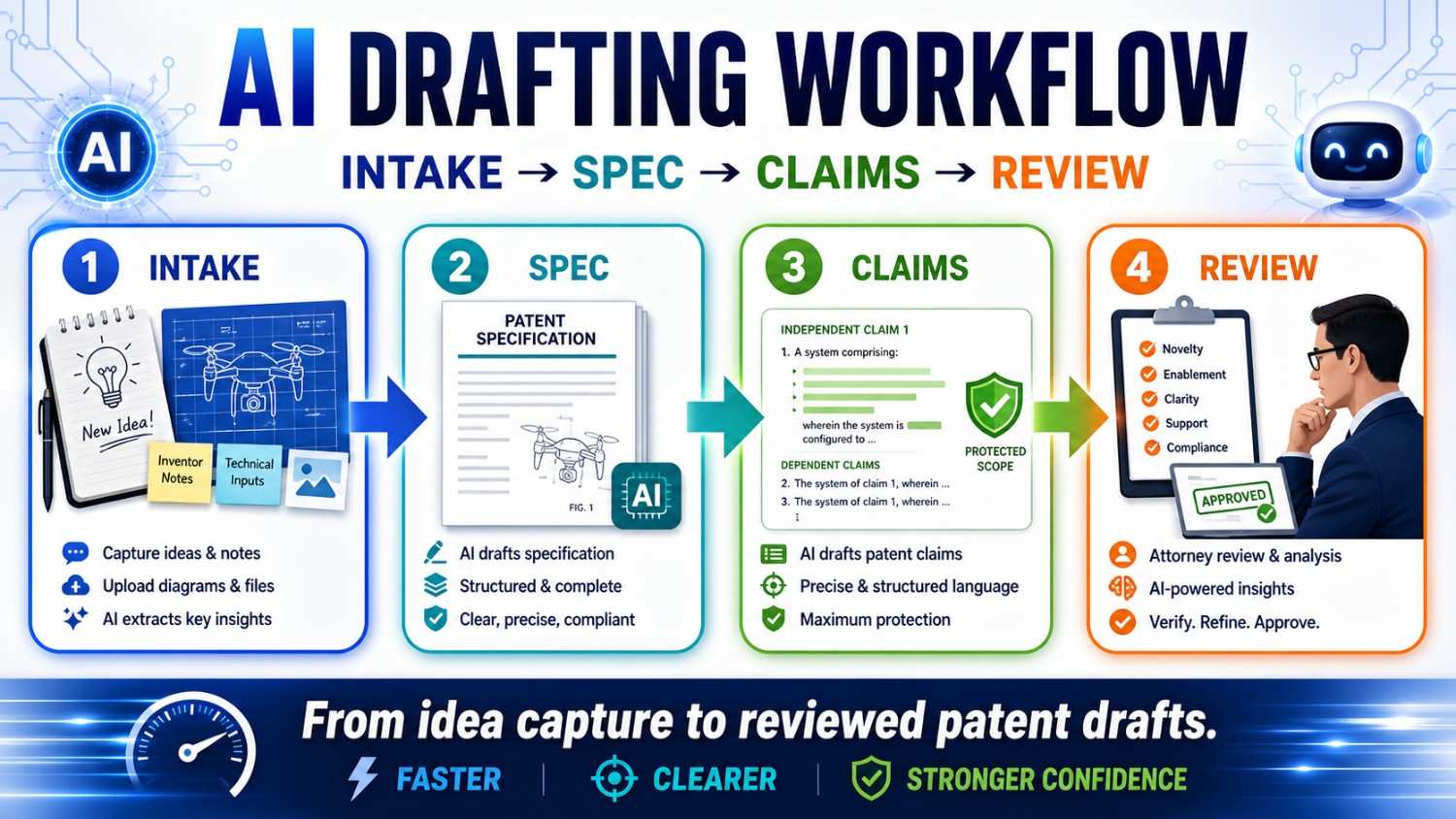
AI can make patent drafting faster. But speed only helps when the work follows a clear path.
For startups, the safest path is simple: collect the invention well, build a strong spec, draft claims that match the spec, and review everything before filing.
PowerPatent helps founders move through this process with smart software and real patent attorney oversight. You can see how it works here: https://powerpatent.com/how-it-works
Why the workflow matters
A patent draft is not just a document.
It is a record of what your startup built, why it matters, and what you want to protect.
When AI is used without a workflow, the draft can look clean but still be risky. It may describe the wrong invention. It may add fake parts. It may make optional features sound required. It may write claims that do not match the spec. It may use different names for the same thing. It may miss the real technical edge.
That is not a small issue.
A weak draft can waste time. It can slow down filing. It can make attorney review harder. It can also leave your startup less protected than you think.
A clear workflow fixes this.
The best AI patent drafting process has four main stages.
First comes intake. This is where you collect the invention.
Then comes the spec. This is where the invention is explained in detail.
Then come the claims. This is where the protection is shaped.
Then comes review. This is where the team checks truth, scope, support, and risk.
Intake → Spec → Claims → Review.
That flow sounds simple because it should be simple.
But each step matters.
If the intake is weak, the spec will be weak.
If the spec is thin, the claims will be hard to support.
If the claims are not checked, they may miss the business value.
If the review is rushed, small mistakes can become filing problems.
AI can help at every stage. But AI should not run the process alone.
The founder, inventor, engineer, and patent attorney each have a role.
That mix is what creates speed without careless risk.
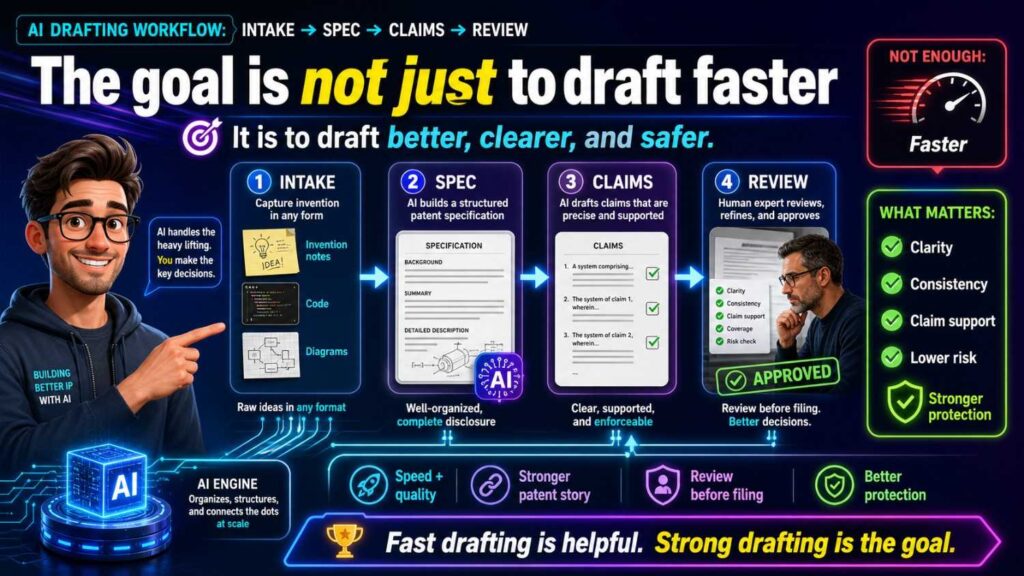
The goal is not just to draft faster
Startups often come to patents with one pain point: speed.
They need to file before a launch. Before a pitch. Before a public demo. Before a paper. Before a partner call. Before a code release.
That pressure is real.
AI can help. It can turn rough notes into structure. It can summarize invention details. It can draft first-pass text. It can compare claims and spec. It can find missing terms. It can help reviewers move faster.
But the goal is not speed alone.
The goal is a faster path to a stronger filing.
A fast but weak draft is not a win.
A fast draft that protects the wrong thing is not a win.
A fast draft that creates contradictions is not a win.
A fast draft that ignores attorney judgment is not a win.
The right goal is this:
Move quickly while keeping the invention clear, true, and well supported.
That is the balance founders need.
PowerPatent is built around that balance. It helps founders move from raw invention details to attorney-reviewed patent work without getting stuck in old-school delay. Learn more here: https://powerpatent.com/how-it-works
Stage one: Intake
Intake is where the patent process really begins.
It is the step where you collect the invention before drafting starts.
A lot of patent problems begin with poor intake.
The founder gives a short idea. The AI fills in the gaps. The attorney receives a vague draft. The engineer later says the draft is wrong. Then everyone has to go back and clean it up.
That is slow.
Good intake prevents that.
The purpose of intake is to capture the real invention in plain words.
Not legal words.
Not marketing words.
Plain words.
You want to know what problem the team solved, what was hard, how the system works, what parts matter, what can change, and what should not be included.
For AI-assisted drafting, intake is even more important because AI will write based on what it receives. If the input is thin, the output may be polished but wrong. If the input is clear, the draft has a much better chance of being useful.
Think of intake as setting the track before the train starts moving.
If the track points in the wrong direction, speed only gets you to the wrong place faster.
What good intake should capture
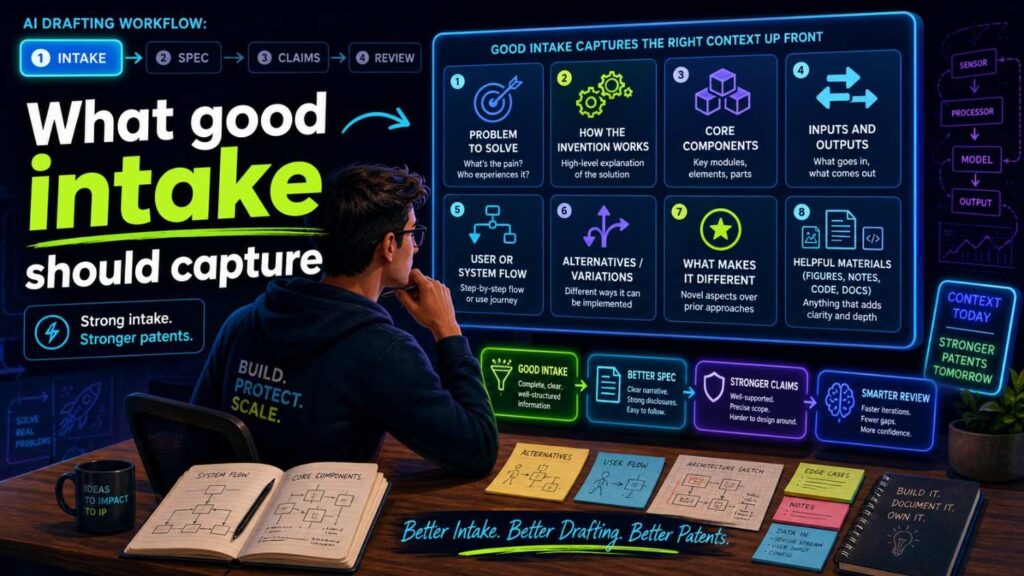
Good intake should answer the basic invention questions.
What problem does the invention solve?
What did people do before?
What was wrong, slow, expensive, unsafe, hard, or missing?
What does the invention do differently?
What are the main parts?
What data, signals, materials, or actions move through the system?
What is the output?
What happens because of the output?
What is required?
What is optional?
What should the draft avoid saying?
What future versions should be covered?
What would a competitor likely copy?
These questions are simple, but they are powerful.
They turn a vague idea into a draftable invention.
For example, a founder may start with:
“We use AI to improve factory maintenance.”
That is too broad.
A better intake might say:
“Our system receives machine sensor data, creates a failure risk score for a future time window, and changes the maintenance schedule before the machine reaches a failure state. The system may use vibration data, temperature data, motor current data, or other machine data. The risk model may run on an edge device or server. The dashboard is optional. The invention does not require GPS. The key idea is using predicted future failure risk to change maintenance before failure.”
Now the AI, attorney, and reviewer have something real to work with.
The difference is huge.
The first version invites guessing.
The second version guides drafting.
Intake should separate product from invention
Startups often describe the product because that is what they know best.
That is natural.
But a patent should protect the invention, not just the current product screen.
Your product may have a dashboard, app, API, model, database, and user workflow. The invention may be one technical part of that larger product.
For example, your product may help teams triage security alerts. The invention may be a new way to rank alerts based on model confidence and system risk. The dashboard may be useful, but it may not be the invention.
During intake, separate the product from the invention.
Ask:
Which details are just part of the current product?
Which details are the real technical edge?
Which details may change in the next version?
Which details would a competitor copy to get the same benefit?
This step prevents a common AI drafting problem: product lock-in.
Product lock-in happens when the draft makes the current product version sound like the whole invention.
For example:
“The invention includes a web dashboard with three panels.”
Maybe your product has that. But if the invention is the risk scoring method, the dashboard should be an example, not a required part.
A better intake note would say:
“The score may be displayed in a dashboard, sent through an API, used by a controller, or stored for later review.”
That keeps the patent focused on the core idea.
This is the kind of strategic clarity PowerPatent helps founders bring into the process early. See how PowerPatent works here: https://powerpatent.com/how-it-works
Intake should capture what is required and what is optional
This is one of the most important parts of the whole workflow.
Before drafting begins, write down what the invention must include and what it may include.
Required features are the core.
Optional features are examples or versions.
If you do not separate them, AI may mix them.
It may treat an optional dashboard as required.
It may treat one sensor as required.
It may treat cloud processing as required.
It may treat human approval as required.
That can narrow the patent.
For a startup, this can be costly because your product will change.
Today you may use a phone app. Tomorrow you may use an embedded device. Today the model may run in the cloud. Tomorrow it may run on edge hardware. Today you may show a score to a user. Tomorrow the system may take action automatically.
A good intake says what can change.
For example:
Required: receive machine data, create a failure risk score, use the score to change a maintenance action.
Optional: vibration data, temperature data, edge processing, server processing, dashboard display, technician alert, model update.
Avoid: do not require GPS, do not require a mobile app, do not say the system guarantees no failures.
This gives the AI guardrails.
It also gives the patent attorney a better base for claim strategy.
Intake should include what not to say
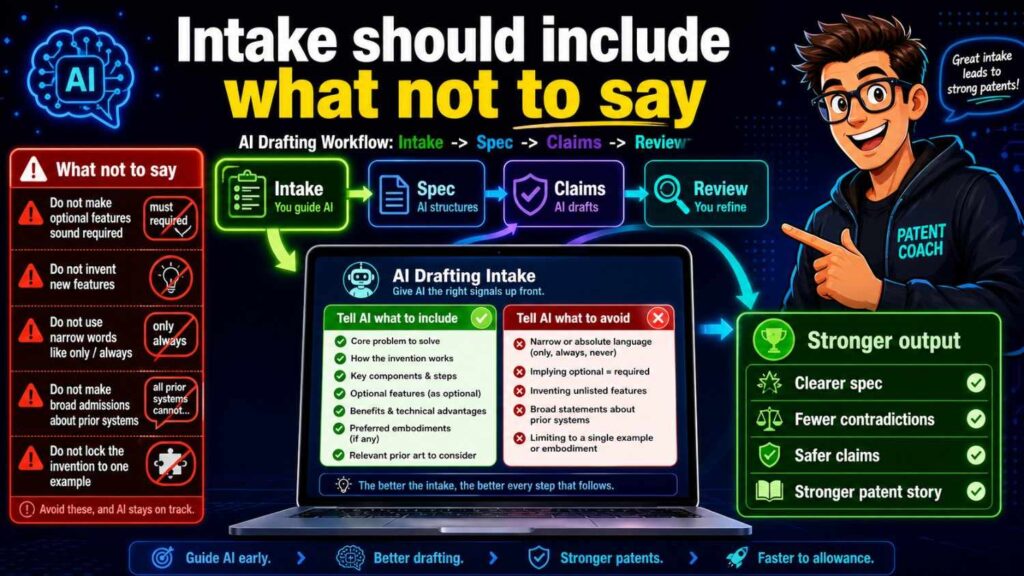
Most teams forget this.
They tell AI what to include, but not what to avoid.
That is risky.
AI may add common details that sound normal but are wrong for your invention.
For example, if your invention works without cloud access, tell the AI not to require a cloud server.
If your health tool only sends alerts, tell the AI not to say it diagnoses disease.
If your system does not use user identity, tell the AI not to add user profiles.
If your robot works indoors without GPS, tell the AI not to make GPS required.
If your AI model does not train on customer data, tell the AI not to say it does.
These “do not say” rules can save a draft.
They also help protect the business.
Sometimes your invention is strong because it avoids something. It avoids cloud delay. It avoids personal data. It avoids manual labeling. It avoids extra sensors. It avoids a high-cost hardware part.
If AI adds that avoided thing back into the draft, it can erase your advantage.
So intake should include a clear avoid section.
This is a simple habit, but it makes AI drafting much safer.
Intake should capture alternatives
A strong patent spec often describes more than one version of the invention.
This helps protect against easy design-arounds.
During intake, ask what can vary.
Can the system use different data types?
Can the model run in different places?
Can the output be a score, alert, ranking, recommendation, or control signal?
Can the device be a robot, vehicle, machine, phone, sensor, or server?
Can the process happen in real time or in batch?
Can the user approve the action, or can the system act automatically?
These alternatives should be real and useful.
Do not include random possibilities just to sound broad.
The goal is meaningful coverage.
For example, if your invention uses a risk score to control a robot, useful alternatives may include slowing the robot, stopping the robot, changing the path, sending an alert, or asking for approval.
Those are tied to the invention.
But adding a payment system or social sharing feature may not help.
AI can suggest alternatives, but humans should filter them.
Good intake gives the draft room to grow while keeping it grounded.
Intake should involve the right people
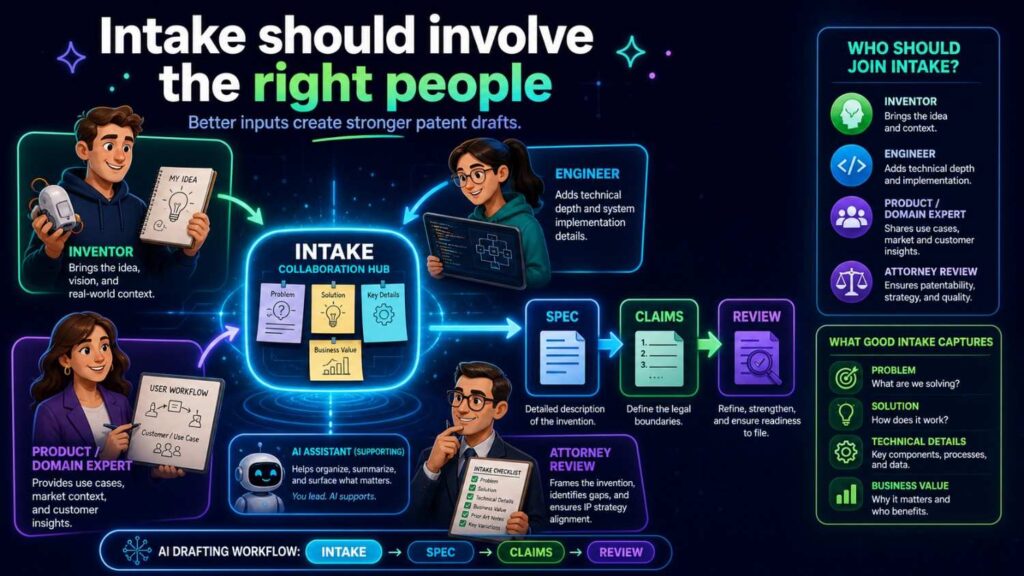
Patent intake should not be done by one person guessing.
The founder knows the business value.
The inventor or engineer knows the technical truth.
The patent attorney knows how the draft may support protection.
AI can help ask questions and organize answers.
Each role matters.
The founder can answer:
Why does this invention matter to the company?
What would a competitor copy?
What is the moat?
What future versions matter?
The engineer can answer:
How does the system work?
What data is used?
Where does processing happen?
What is required?
What is optional?
What is wrong or outdated?
The attorney can answer:
What needs more detail?
What claim angles may matter?
What alternatives should be supported?
What language may create risk?
When these roles work together, the intake becomes much stronger.
PowerPatent helps make this collaboration easier by giving founders a structured way to bring invention details into a patent workflow backed by attorney review. Learn more here: https://powerpatent.com/how-it-works
AI’s role in intake
AI can be very useful during intake.
It can act like an interview assistant.
It can ask follow-up questions.
It can turn messy notes into a clean invention brief.
It can identify missing details.
It can summarize engineer comments.
It can create a first version of the “must, may, avoid” framework.
It can ask whether different parts are required or optional.
But AI should not invent the answers.
The answers should come from the team.
A safe AI intake prompt might say:
“Ask me questions needed to understand the invention. Do not assume missing technical details. Mark anything unknown as unknown.”
That is much better than:
“Write a patent for my AI tool.”
The first prompt builds knowledge.
The second prompt invites guesses.
For startups, AI intake is powerful because it makes the process less painful. Founders do not have to start with legal forms. Engineers can explain the system in plain words. AI can organize the raw material.
Then the attorney can review a clearer invention record.
That saves time.
Intake output: the invention brief
The main output of intake should be an invention brief.
This brief is the source of truth for the draft.
It should be short enough to read quickly but detailed enough to guide drafting.
A useful brief includes the invention title, problem, solution, core flow, main parts, inputs, outputs, required features, optional features, avoided features, key benefits, example use cases, and open questions.
It should also include any diagrams, architecture notes, model flow notes, or product details that help explain the invention.
The brief does not need to be perfect.
It needs to be clear.
Once you have the brief, you can move to the spec.
Without the brief, drafting is much more likely to drift.
Stage two: Spec
The spec is the detailed description of the invention.
It explains how the invention works.
It supports the claims.
It describes examples.
It often explains figures.
It may describe alternatives and fallback versions.
The spec is the body of the patent application.
If the claims are the fence, the spec is the ground under the fence.
A claim that is not supported by the spec can become a problem.
That is why the spec should usually come before serious claim finalization, especially in an AI-assisted workflow.
You can brainstorm claim ideas early. But the spec gives the claims support.
A strong spec helps a patent attorney write better claims.
A weak spec limits what can be claimed.
The spec should start from the invention brief
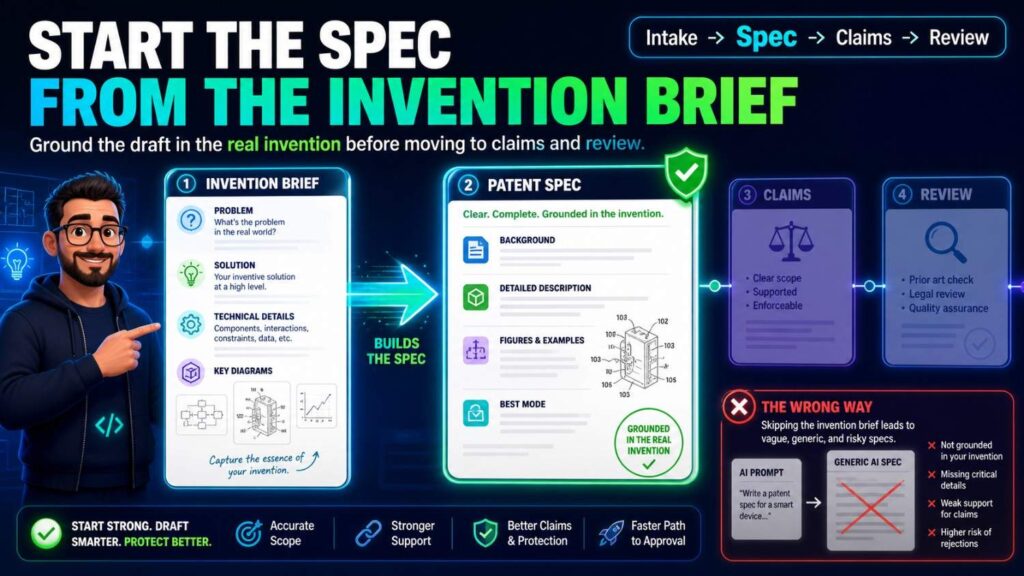
Do not let AI draft the spec from a vague prompt.
Use the invention brief.
The brief should guide every section.
If the brief says the model may run locally or on an edge server, the spec should not say only cloud processing.
If the brief says GPS is not required, the spec should not add GPS as a required part.
If the brief says the dashboard is optional, the spec should not make the dashboard central unless needed for an example.
AI should expand the brief, not replace it.
A good spec drafting prompt might say:
“Draft a patent specification based only on the invention brief below. Use the defined terms. Do not add features not in the brief unless marked as possible alternatives. Mark uncertain details with brackets.”
This kind of prompt keeps AI under control.
It also makes review easier because any bracketed gaps can be checked later.
The spec should tell one clear story
A strong spec has one main invention story.
That does not mean it covers only one version.
It can cover many versions.
But they should all connect to the same core idea.
For example:
“The system predicts future machine failure risk and changes maintenance timing before failure.”
Everything in the spec should support that.
The background should set up the problem.
The summary should explain the solution.
The figures should show the system or flow.
The detailed description should explain the parts and steps.
The examples should show useful versions.
The alternatives should keep the scope open.
When AI drafts a spec, it may add side paths.
It may talk about unrelated dashboards, user accounts, analytics reports, payment tools, or generic admin features.
Those may distract from the story.
During spec drafting, keep asking:
Does this section support the main invention?
If not, it may need to be cut, moved, or reframed as an optional example.
A patent spec should be rich, but not scattered.
The spec should explain the problem carefully
The problem section should not be long or dramatic.
It should be accurate.
AI may write sweeping statements like:
“All existing systems fail to predict machine failure.”
That may be too broad.
A safer version is:
“Some existing systems may detect machine issues only after a threshold is reached, which can limit the time available to schedule maintenance.”
That is more careful.
The problem should point to the invention.
If the invention improves edge latency, the problem should discuss delay, network dependence, or remote processing.
If the invention improves model updates, the problem should discuss update size, bandwidth, device limits, or deployment friction.
If the invention improves robot safety, the problem should discuss late detection, unsafe zones, changing conditions, or route planning.
A good problem statement sets up the solution without overclaiming.
This is where AI often needs editing.
The goal is not hype.
The goal is clarity.
The spec should explain the solution in simple words
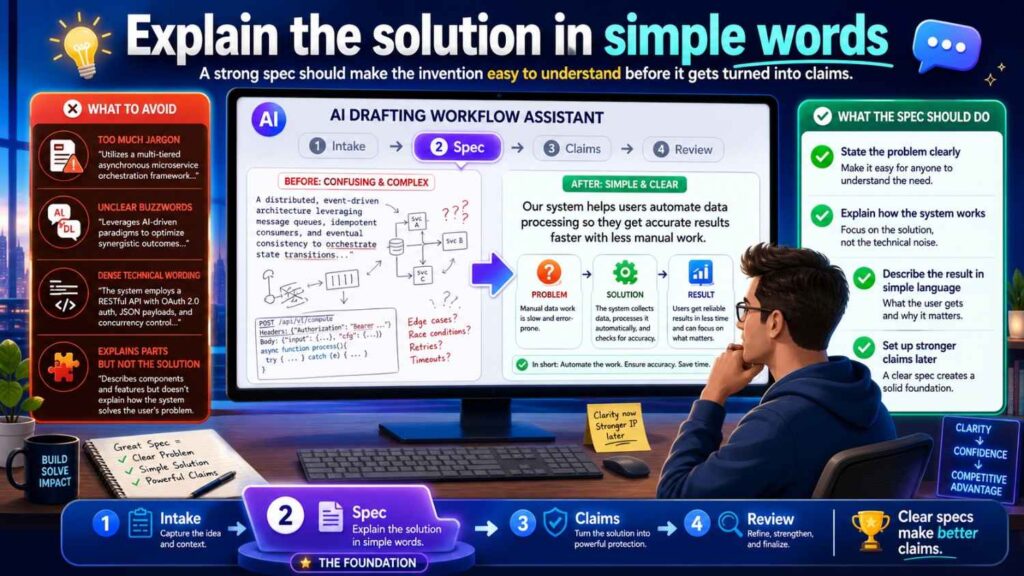
The solution should be easy to understand.
For example:
“In some examples, the system receives sensor data from a machine, applies a risk model to the sensor data, creates a failure risk score for a future time window, and changes a maintenance schedule based on the failure risk score.”
That is clear.
It tells what data is received, what model is used, what output is created, and what action happens.
A weak AI version might say:
“The platform applies intelligent optimization to improve operational resilience.”
That sounds polished, but it does not explain the invention.
A good spec should avoid fog.
It should use plain words wherever possible.
This helps founders review the draft.
It helps engineers catch mistakes.
It helps attorneys shape claims.
It helps future readers understand the patent.
Simple writing is not less professional.
It is better drafting.
The spec should define the main parts
After the overview, the spec should explain the main parts of the invention.
For a software or AI system, parts may include a user device, sensor, processor, model, data store, controller, server, edge device, interface, or scheduler.
For a hardware system, parts may include a housing, sensor, actuator, circuit, controller, connector, chamber, material layer, or support structure.
For a biotech tool, parts may include sample inputs, reagents, measurement devices, analysis modules, output reports, or control steps.
Each part should have a role.
Do not let AI create parts that do nothing.
For example, if the spec says there is a “feedback engine,” it should explain what feedback the engine receives, what it changes, and whether it is required.
If it says there is a “risk model,” it should explain the model’s input and output.
If it says there is a “controller,” it should explain what the controller controls.
A good spec makes each part earn its place.
The spec should explain the main flow
The flow is the heart of many inventions.
For AI and software, the flow is often data flow.
For robotics, it may be sensor-to-decision-to-control flow.
For hardware, it may be signal or movement flow.
For biotech, it may be sample-to-measurement-to-result flow.
The spec should walk through this flow step by step.
Not in a confusing list.
In a clear story.
For example:
The system receives machine data from one or more sensors. The system cleans or formats the data. The risk model uses the data to create a failure risk score. The scheduler uses the score to select a maintenance time. The system sends an alert or updates a maintenance plan.
That is easy to follow.
AI drafts sometimes skip from input to output too quickly. They may say “the system analyzes data and acts,” without enough detail.
Ask:
What happens to the data?
Where does it go?
What is created?
What uses the output?
What changes because of it?
The spec should answer those questions.
The spec should explain AI model inputs and outputs
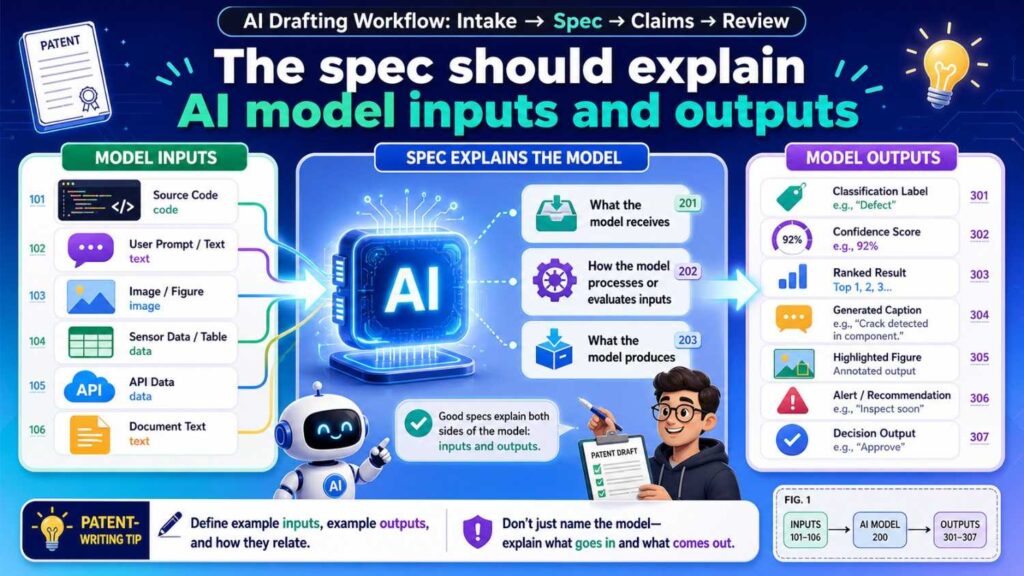
For AI inventions, this is critical.
A model should not be treated like magic.
The spec should explain what the model receives and what it produces.
For example:
“The risk model may receive vibration data, temperature data, and operating state data. The risk model may output a failure risk score that indicates a predicted risk of machine failure during a future time window.”
That is useful.
It gives concrete support.
It also helps claims.
If the claims later say “generating a failure risk score,” the spec has support.
If the claims say “based on sensor data and operating state data,” the spec has support.
AI-generated specs often use vague phrases like “the AI model processes the information.”
That may not be enough.
The workflow should force the draft to name inputs and outputs.
If the model input can vary, say so.
If the output can be a score, class, ranking, alert, or control signal, explain the versions.
Do not let the model become a black box unless the invention truly does not depend on model details.
The spec should separate training, use, and updating
AI patents often get messy here.
Training is one thing.
Using the trained model is another.
Updating the model is another.
A spec should not blur them unless the invention does.
For example, a model may be trained using historical machine data. During use, the model may receive live sensor data and create a risk score. Later, the model may be updated using new labeled data.
Those are three phases.
If the invention is about training, explain training.
If it is about using the model, explain use.
If it is about updating the model, explain updates.
AI may mix them.
It may say the model is trained every time data is received. That may be wrong.
It may say the model is fixed, then later say it updates in real time.
That creates confusion.
A strong spec uses clear phase language.
For example:
“In a training phase…”
“In a use phase…”
“In an update phase…”
This simple structure can make an AI-related patent much clearer.
The spec should describe examples without trapping the invention
Examples are valuable.
They make the invention real.
But examples should not become limits by accident.
For example, if the invention can use many sensors, an example may use a camera. But the spec should not say the invention requires a camera unless true.
A good sentence might be:
“In one example, the sensor data includes image data from a camera.”
A risky sentence might be:
“The invention uses a camera to collect sensor data.”
The second sentence may sound required.
AI often writes examples as if they are the invention itself.
Review that carefully.
Use phrases like “in one example,” “in some examples,” “in certain versions,” and “may include” where accurate.
This does not make the spec weak.
It makes it flexible.
A strong spec can describe a preferred version in detail while still making clear that other versions are possible.
The spec should include useful alternatives
Alternatives help protect the invention from small design changes.
If your invention uses sensor data, the spec can explain different sensor types when true.
If your invention creates a score, the spec can explain different ways the score may be used.
If your invention runs on a device, the spec can explain local, edge, and server versions if all are possible.
If your invention sends an alert, the spec can explain alerts, recommendations, commands, or schedule changes if those are useful actions.
But alternatives should be tied to the invention.
Do not let AI add random examples.
The purpose of alternatives is to cover realistic versions a competitor might use.
For startups, this is important because your product will evolve.
A good spec gives the patent room to grow with the company.
The spec should support future claim strategy
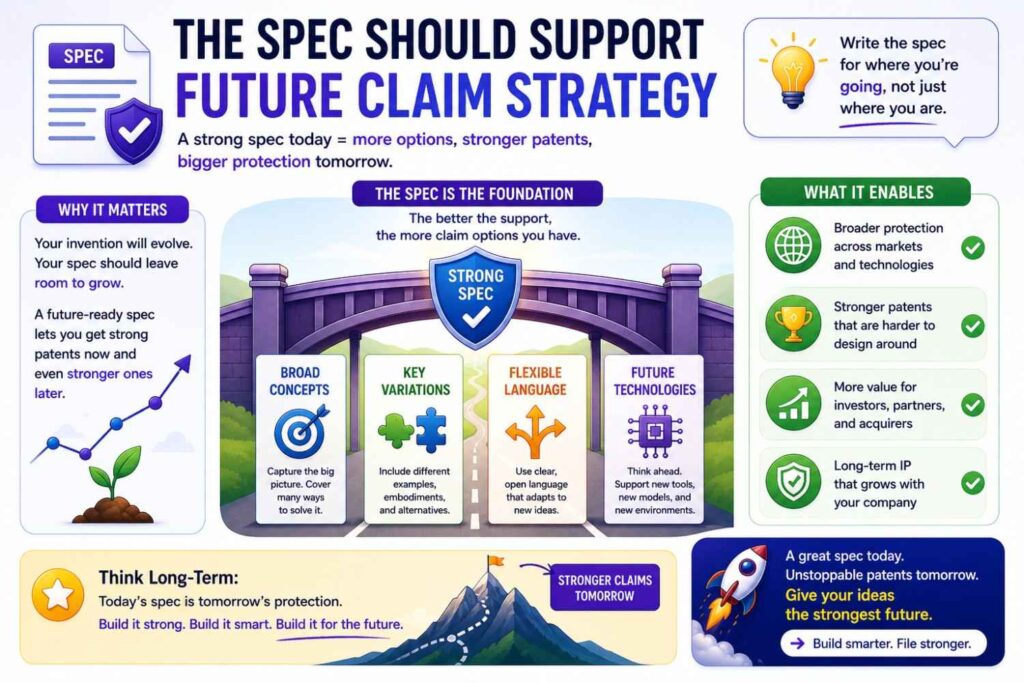
The spec is not only for today’s claims.
It may support future claim changes during examination.
That means the spec should include fallback positions.
A fallback position is a more specific version of the invention that still has value.
For example, if the broad idea is “using a risk score to change machine operation,” fallback positions may include specific data types, model inputs, threshold logic, edge processing, schedule changes, safety actions, or feedback updates.
These details may become useful later.
If they are not in the spec, it may be hard to rely on them later.
AI can help suggest fallback details, but the team should choose the ones that are true and valuable.
A patent attorney can guide this.
PowerPatent helps founders build specs with this kind of support in mind, so the draft is not just fast but useful for real patent strategy. See how it works here: https://powerpatent.com/how-it-works
The spec should match the figures
Figures should help explain the spec.
They may show system architecture, method steps, data flow, model phases, device structure, or control paths.
The spec should describe the figures clearly.
If Figure 1 shows a system, the spec should explain the main parts in Figure 1.
If Figure 2 shows a method, the spec should walk through the steps.
If Figure 3 shows a model pipeline, the spec should describe the inputs, model, outputs, and downstream action.
AI can help draft figure descriptions, but the descriptions must match the actual figures.
Check every label.
Check every reference number.
Check every arrow.
If the figure shows local processing, the spec should not say processing only happens in the cloud.
If the figure shows a user approval step, the spec should not say the action is always automatic.
If the figure labels the output as “risk score,” the spec should not call it “confidence label” without explanation.
Figures and spec should tell the same story.
The spec should avoid fake precision
AI may add numbers.
It may say a threshold is 80%, a delay is 10 milliseconds, a model has 12 layers, a sampling rate is 100 Hz, or a device sends data every 5 seconds.
Those details may sound technical.
But if they are guesses, they can be harmful.
Use numbers only when they are true and useful.
If a number is an example, say it is an example.
If a range is more accurate, use a range.
If the number does not matter, do not include it.
Fake precision can make a draft look stronger while making it less accurate.
A strong spec is specific where it should be specific and flexible where it should be flexible.
The spec should avoid overpromising
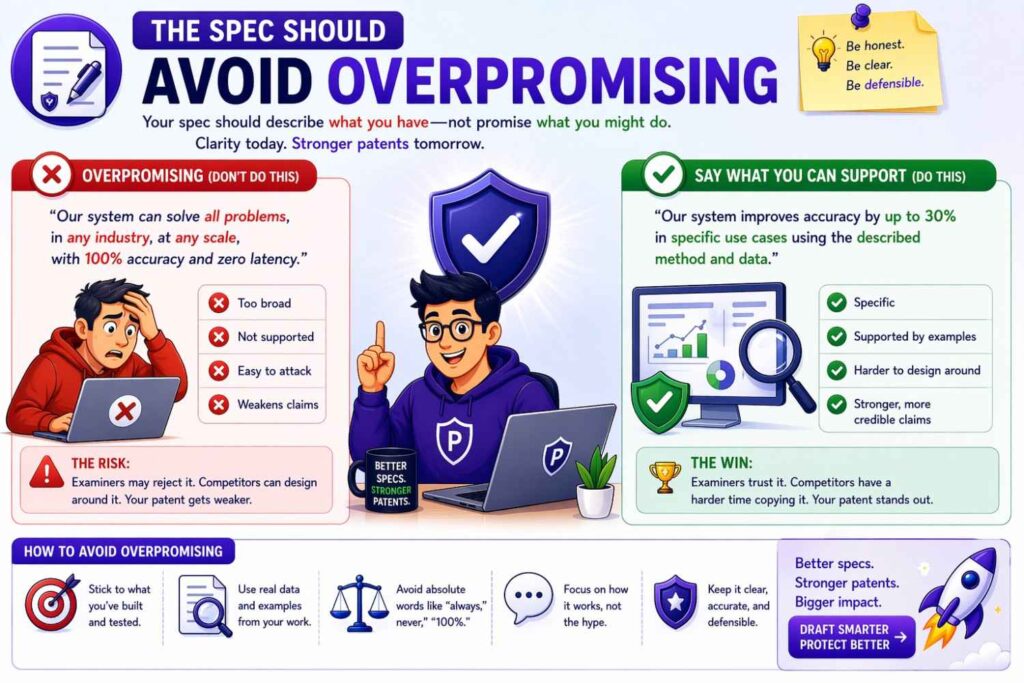
AI may write that the invention “guarantees accuracy,” “prevents all failures,” “eliminates risk,” or “ensures safety.”
Be careful.
A patent spec should be credible.
Most inventions reduce risk or improve performance. They do not guarantee perfect results.
A better phrase is often:
“The system may reduce delay.”
“The method may improve accuracy.”
“The process may help schedule maintenance earlier.”
“The device may reduce power use.”
Even better, tie the benefit to the mechanism.
For example:
“By generating a risk score before a machine reaches a failure state, the system may allow maintenance to be scheduled earlier.”
That is strong because it explains why the benefit happens.
Avoid hype.
Clarity builds trust.
Stage three: Claims
Claims are the part of the patent that define what you are trying to protect.
They are the legal edge of the invention.
For startups, claims matter because they shape the business value of the patent.
A spec can be long and detailed. But if the claims point to the wrong thing, the patent may not protect the real moat.
AI can help brainstorm claims. But final claim strategy needs attorney judgment.
The best workflow usually starts claims after the invention is clear and the spec has enough support.
That does not mean claims are ignored until the end. Claim ideas can guide the spec. But the claims should be checked against the spec before filing.
Claims should start from the moat
Before drafting claims, ask what the startup wants to protect.
What gives the company an edge?
What would a competitor copy?
What technical step matters most?
What part of the system creates value?
What part supports fundraising, partnerships, licensing, or exit value?
If the moat is a model update process, the claims should not focus only on a dashboard.
If the moat is a robotic control loop, the claims should not focus only on a generic sensor.
If the moat is a new data pipeline, the claims should not only cover a user interface.
AI may draft claims around whatever is easiest to describe.
Do not let that happen.
The claims should be aimed at the business-critical invention.
This is where founder input matters.
The founder may know which feature is strategic.
The attorney may know how to claim it.
The engineer may know what technical wording is accurate.
AI can help draft options, but humans must choose the target.
Claims should be supported by the spec
Every important claim element should have support in the spec.
If the claim says “failure risk score,” the spec should explain it.
If the claim says “edge device,” the spec should describe it.
If the claim says “model update package,” the spec should explain what that package may include.
If the claim says “changing a control setting,” the spec should explain control changes.
This is why claim drafting and spec drafting are connected.
A claim that sounds good but lacks support can create problems.
A strong workflow includes a claim support map.
Take each major claim phrase and find where it appears or is explained in the spec.
If support is missing, revise the spec or revise the claim.
Do not assume the connection is obvious.
Make it clear.
Claims should use terms from the spec
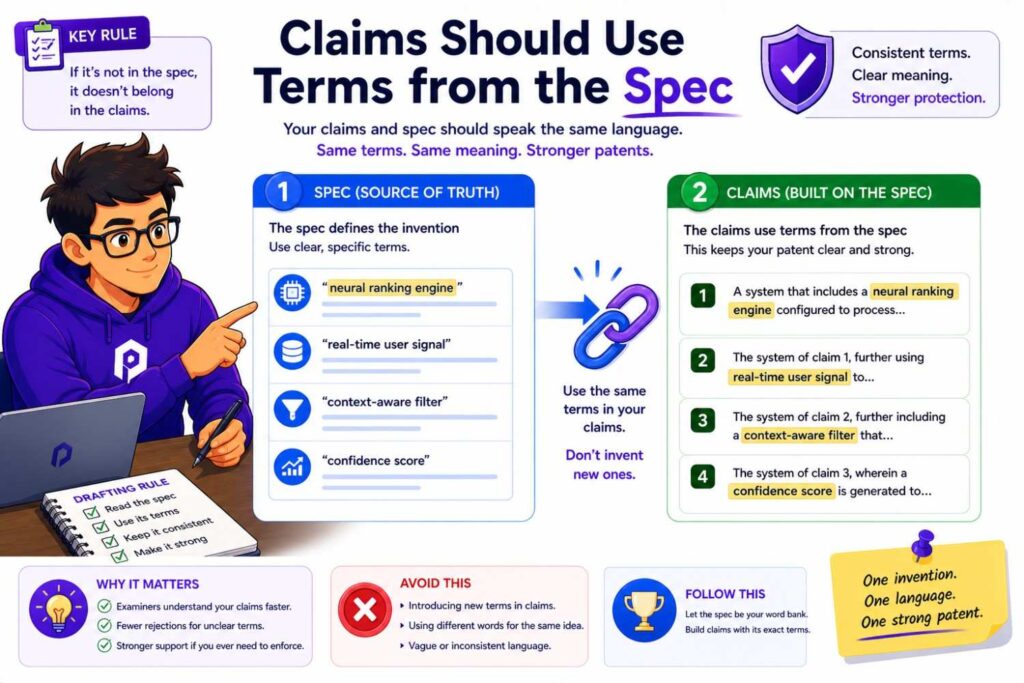
Term consistency matters.
If the spec uses “risk model,” the claims should not suddenly say “analytics engine” unless there is a reason.
If the spec uses “route risk score,” the claims should not say “danger value” unless those terms are linked.
Different terms can create confusion.
A clean claim set uses the same key terms as the spec.
This also helps founders review the claims.
If the words match the invention brief, the team can understand what is being protected.
AI-generated claims often use formal-sounding terms that do not appear in the spec.
Check for that.
If a claim term appears only in the claims, ask whether it needs support in the spec or whether the term should be changed.
Claims should avoid unnecessary limits
A claim can become too narrow if it includes details that are not required.
For example, if the invention is about creating a risk score from machine data, the claim may not need to require a mobile dashboard.
If the invention can use many sensors, the claim may not need to require a camera.
If the model can run in different places, the claim may not need to require a cloud server.
Unnecessary limits make it easier for competitors to design around the patent.
AI may add these limits because they were in the product notes.
That is why claims should be reviewed carefully.
Ask:
Does this element need to be in the claim?
Is it part of the core invention?
Is it only an example?
Could a competitor avoid the claim by changing this detail?
This is a key attorney review task.
A founder can help by saying which features are core and which are not.
Claims should not be too broad for the spec
The opposite risk also exists.
A claim may be broad but weakly supported.
For example, a claim may say “any device,” but the spec only describes one special machine.
A claim may say “any model,” but the invention really depends on a specific model update process.
A claim may say “any data,” but the spec only explains one data source.
Broad claims need support.
The spec should explain enough versions to make the broad language credible.
A claim can be broad and strong when the spec supports the breadth.
It can be broad and weak when it is just vague.
AI may create broad claims because broad claims sound impressive.
But patent strategy is not about sounding impressive.
It is about getting claims that can stand up and matter.
That takes judgment.
Claims should include fallback positions
A good claim set often includes broader claims and narrower claims.
The narrower claims can protect specific valuable versions.
These may include specific data types, processing locations, model update rules, control actions, user approval modes, thresholds, or hardware arrangements.
Fallback claims can be useful during patent examination.
If the broad claim faces pushback, the attorney may have narrower options.
AI can help suggest fallback claims based on the spec.
But the fallback features should be selected with care.
They should be true.
They should be valuable.
They should be supported.
They should make sense for the business.
A random narrow detail is not a good fallback if it does not matter.
Claims should cover likely design-arounds
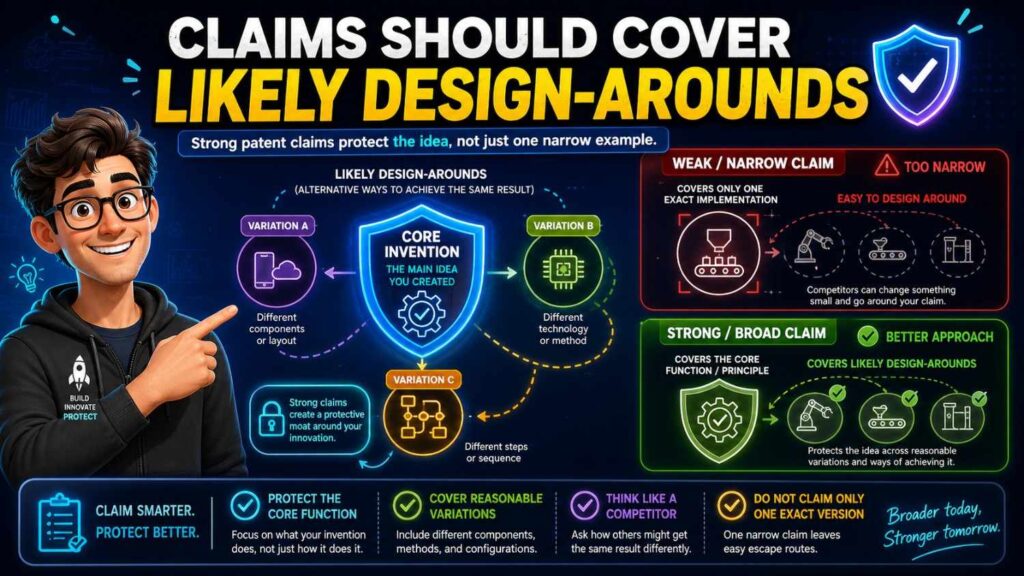
A competitor may try to copy the value while changing small details.
They may use another sensor.
They may move processing from cloud to edge.
They may replace a dashboard with an API.
They may use a different model type.
They may use a recommendation instead of a direct command.
They may use a different threshold.
Claims should be drafted with those moves in mind.
The spec should support alternatives.
The claims should avoid unnecessary lock-in.
This is not about claiming every possible thing.
It is about protecting the real invention against obvious workarounds.
AI can help brainstorm design-arounds.
For example, you can ask:
“How might a competitor avoid this claim while keeping the same technical benefit?”
The answer may help the attorney refine the claim strategy.
But again, AI is a helper, not the final judge.
Claims should match the startup’s filing goal
Not every filing has the same goal.
A startup may file to protect a core platform.
It may file before fundraising.
It may file before launch.
It may file to cover a specific product feature.
It may file to create a priority date for a fast-moving invention.
It may file to support future partnerships.
The claim strategy should match the goal.
If the goal is broad platform protection, the claims should not focus only on one narrow UI.
If the goal is to protect a specific hardware design, the claims should capture the structure carefully.
If the goal is to protect a model update method, the claims should focus on the update flow.
AI does not know the business goal unless you tell it.
PowerPatent helps founders bring the business context into patent drafting so the filing can support the company’s real strategy. Explore how it works here: https://powerpatent.com/how-it-works
AI’s role in claims
AI can help with claim drafting in several ways.
It can generate claim ideas.
It can translate claims into plain language.
It can map claim elements to the spec.
It can find terms in claims that are not in the spec.
It can suggest fallback features.
It can identify possible design-arounds.
It can compare claim scope to the invention brief.
These are useful tasks.
But claims are too important to leave to AI alone.
An AI claim may sound official while being poorly scoped.
It may include unnecessary limits.
It may miss the real moat.
It may be unsupported.
It may use terms that create confusion.
Patent claims need legal and strategic review.
The best use of AI is to speed up the work around claims, not replace the attorney’s role.
Stage four: Review
Review is where the draft becomes safer.
This is the stage where the team checks whether the intake, spec, claims, and figures all match.
Skipping review is one of the biggest mistakes in AI patent drafting.
AI can produce a complete draft quickly. That can create a false sense of confidence.
A complete draft is not the same as a good draft.
Review turns a draft into a filing candidate.
The review should include founder review, engineering review, attorney review, consistency review, and final filing review.
Each review has a different purpose.
Founder review
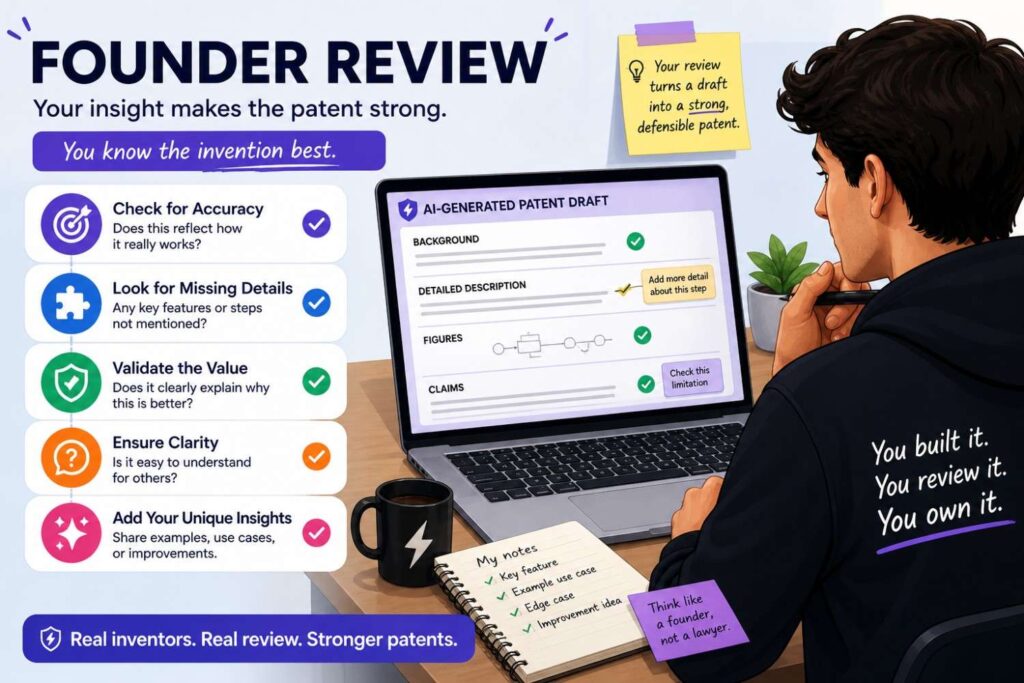
The founder review checks business fit.
The founder should read the title, abstract, summary, main claim, main figure, and key examples.
The founder should ask:
Does this protect what matters?
Does this match our moat?
Does this support our fundraising story?
Does this cover where the product is going?
Does it avoid locking us into one early product version?
Does it include anything we do not want to say?
Does it miss a key future version?
Founders should not worry about every legal phrase.
They should focus on strategy.
A patent may be legally polished but commercially weak if it protects the wrong thing.
Founder review helps prevent that.
Engineering review
Engineering review checks technical truth.
An engineer or inventor should read the technical sections and figures.
They should ask:
Does the system work this way?
Are the parts correct?
Are the data sources correct?
Are the steps in the right order?
Does the model input match reality?
Does the model output match reality?
Where does processing happen?
What is optional?
What is required?
Did AI add fake features?
Are old product details still present?
This review is critical.
AI may add details that sound reasonable but are wrong.
A patent attorney may not know that a detail is wrong unless the technical team flags it.
Engineering comments should be direct.
For example:
“The model does not train on live data.”
“The server is optional.”
“We do not use GPS.”
“The output is a recommendation, not a command.”
“The dashboard is not required.”
These comments make the draft stronger.
Attorney review
Attorney review checks patent quality and strategy.
A patent attorney should review claim scope, spec support, term consistency, examples, figures, fallback positions, and filing strategy.
The attorney should ask:
Are the claims aimed at the right invention?
Are they too narrow?
Are they too broad for the support?
Does the spec support each claim element?
Are there unwanted limits?
Are optional features handled correctly?
Do the figures help?
Should this be one filing or more than one?
Is the filing ready for its purpose?
This is where legal judgment matters.
AI can assist, but it cannot replace this review.
For startups, attorney review should be focused and efficient.
Good intake and AI-assisted structure help reduce wasted attorney time.
That is one of the main benefits of a modern workflow.
Consistency review
Consistency review checks whether all parts of the draft match.
Claims, spec, figures, abstract, and summary should tell one story.
Look for mismatches.
Does the claim require a feature that the spec calls optional?
Does the spec describe a feature that the claims ignore?
Does the figure show a cloud server while the claim says local device?
Does the abstract introduce a new feature?
Do terms change across sections?
Does the same score mean the same thing everywhere?
Do method steps appear in the same order?
Do reference numbers match?
This review can catch many AI drafting problems.
AI can help run searches and create comparison tables, but a person should decide what needs fixing.
A consistent draft feels calm.
An inconsistent draft feels patched together.
You want calm.
Review for fake AI details
This deserves its own pass.
Search for parts that were not in the invention brief.
Common AI-added parts include dashboards, user profiles, payment systems, admin portals, cloud servers, GPS modules, training databases, feedback loops, mobile apps, and generic analytics engines.
Some may be useful.
Some may be wrong.
For each one, ask:
Is this real?
Is it required?
Is it optional?
Is it useful?
Could it narrow the patent?
Could it create a privacy or product issue?
Should it be removed?
Do not leave AI-invented details in the draft just because they sound professional.
A patent should not protect a hallucinated product.
It should protect the real invention.
Review for false limits
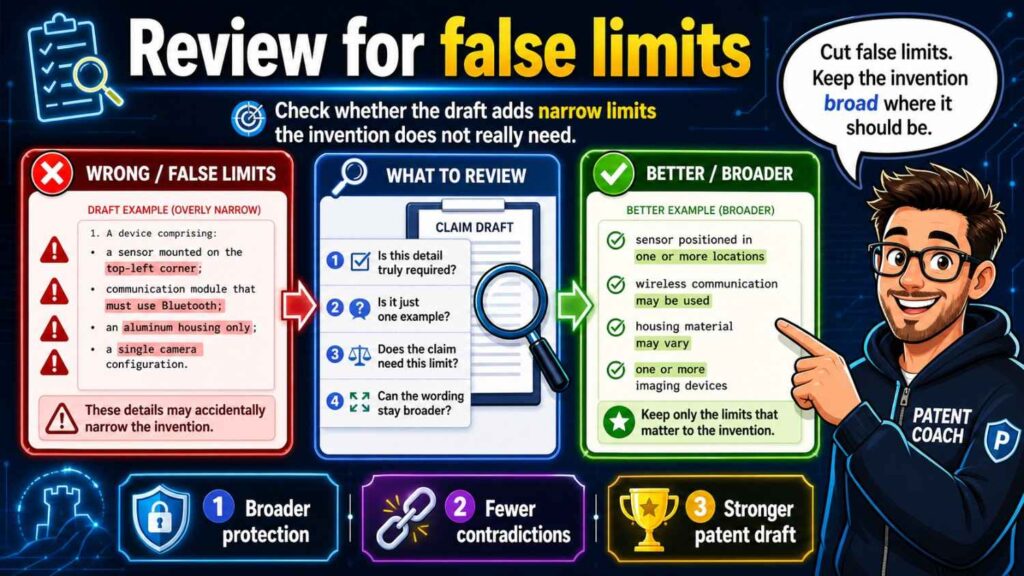
Search for strong words.
Always.
Only.
Must.
Required.
Necessary.
Essential.
Every.
These words can be dangerous if they are not true.
If the spec says the system “always” uses a cloud server, the claims may be read in that light.
If the spec says a camera is “required,” it may be harder to argue that other sensors are supported.
If the draft says the model “must” be a neural network, it may narrow the invention.
Use strong words only when the feature is truly required.
Otherwise, use softer and more accurate wording.
This review is one of the fastest ways to improve an AI-generated patent draft.
Review for claim support
Take the main claim and map it to the spec.
Every key claim element should have a clear place in the spec.
If the claim says “receiving sensor data,” find that support.
If it says “creating a risk score,” find that support.
If it says “changing a control setting,” find that support.
If you cannot find support, fix the spec or the claim.
Do this for important dependent claims too.
Claim support review is where many AI drafts fail.
The claims may sound good, but the spec may not back them up.
Do not skip this step.
Review figures carefully
Figures are often the easiest place to see whether the draft makes sense.
Look at each figure.
Does it show the invention?
Does it match the spec?
Does it support the claims?
Are labels consistent?
Are arrows correct?
Are method steps in the right order?
Are optional parts shown clearly?
Are old parts removed?
Does the figure include fake AI-added blocks?
A good figure can make a patent much stronger.
A confusing figure can create problems.
For technical founders, figure review is often more natural than claim review. Use that strength.
Review for future product fit
A patent filing should support where the startup is going.
During review, ask:
Does the spec cover likely future versions?
Does it avoid locking into the current product too tightly?
Does it cover alternate deployment setups?
Does it cover meaningful data source variations?
Does it cover likely customer use cases?
Does it cover likely competitor workarounds?
Does it avoid adding unrelated future guesses?
This is a founder and attorney review task.
The goal is to protect the platform, not just one snapshot.
Review for sensitive information
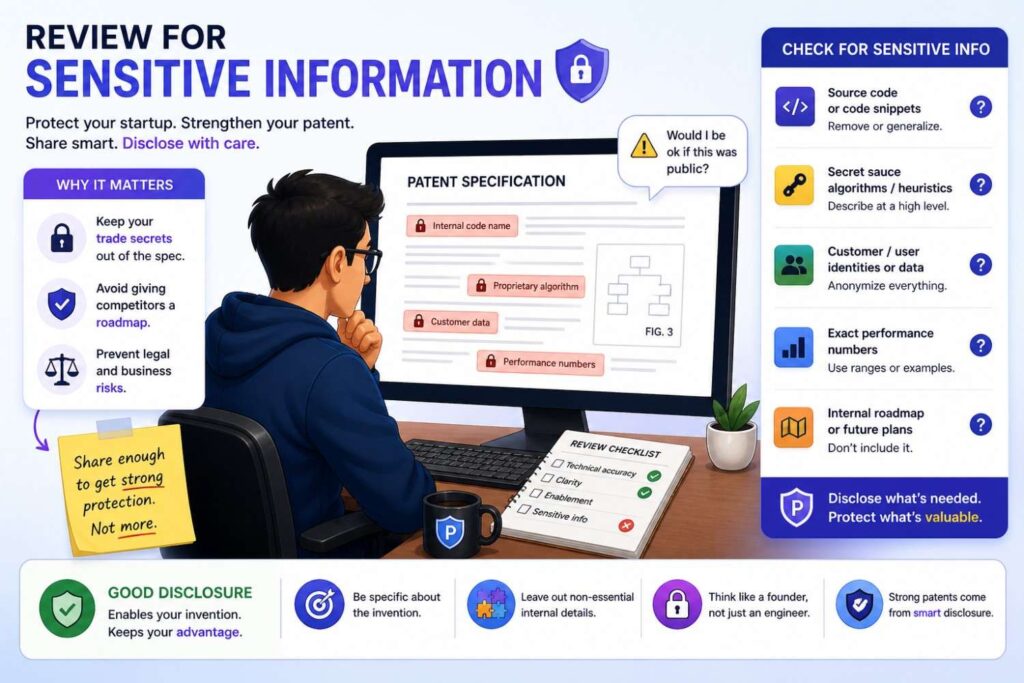
Patent applications may publish.
Do not include sensitive details unless they are needed and strategically chosen.
Review for customer names, private datasets, internal tool names, exact performance numbers, secret model details, code paths, private roadmaps, and trade secrets that may not need to be disclosed.
This does not mean making the spec vague.
It means being intentional.
The patent must describe the invention well enough.
But it should not casually reveal every internal detail.
Attorney guidance is important here.
The final review question
Before filing, ask one simple question:
Does this draft tell one clear, true, well-supported invention story?
If yes, the draft may be ready for filing after attorney approval.
If no, fix the gaps.
A patent draft should not feel like AI text stitched together.
It should feel like a clear explanation of a real invention.
That is the standard.
How the workflow looks in practice
Imagine your startup has built an AI system that reduces energy use in data centers by moving workloads based on predicted cooling load.
In intake, the team explains the problem. Data centers waste energy when workloads are placed without enough awareness of future cooling demand. The invention predicts cooling load and moves workloads before hot spots form. The system uses temperature data, workload data, and a prediction model. The output is a cooling load score or forecast. The action is workload placement. The system may run on a local controller or server. It should not be limited to GPUs unless needed.
In the spec stage, AI helps turn that into a clear description. The spec explains the data sources, prediction model, score, workload movement, and examples. It describes figures showing the data center system, method flow, and prediction pipeline. It explains that temperature sensors are examples and that other thermal data sources may be used.
In the claims stage, AI helps brainstorm claims. The attorney focuses the main claim on predicting cooling load and changing workload placement. Dependent claims may cover specific data types, time windows, device roles, and fallback actions.
In review, the founder checks whether the draft protects the business moat. The engineer checks whether the flow is technically correct. The attorney checks support and scope. The team catches that the AI added a user dashboard as required and changes it to optional. They also catch that one figure shows cloud-only processing, while the spec supports local control too. They fix the mismatch.
Now the draft is much stronger.
That is the workflow in action.
Another example: AI robotics
Imagine your startup built a warehouse robot that changes its route based on predicted safety risk.
In intake, the team captures the core story. The robot receives sensor data and map data. A risk model creates a route risk score for route segments. A route planner changes the path or speed based on the score. The model may run on the robot or an edge server. GPS is not required. A dashboard is optional. Human approval may be used in some modes.
In the spec stage, the draft explains route segments, sensor data, map data, risk score, route planner, and control actions. It describes examples where the robot slows, stops, reroutes, or sends an alert. It separates local and edge processing versions.
In the claims stage, the attorney focuses on the route risk score and route change. The claims avoid requiring one sensor unless needed.
In review, the engineer notices that the AI said the server always controls the robot. That is wrong. The team revises it so the robot may act locally in some examples. The founder notices that the claims focus too much on camera data, while the business value is risk-based route adjustment. The attorney adjusts the claim scope.
The result is a clearer patent story.
Another example: AI model updates
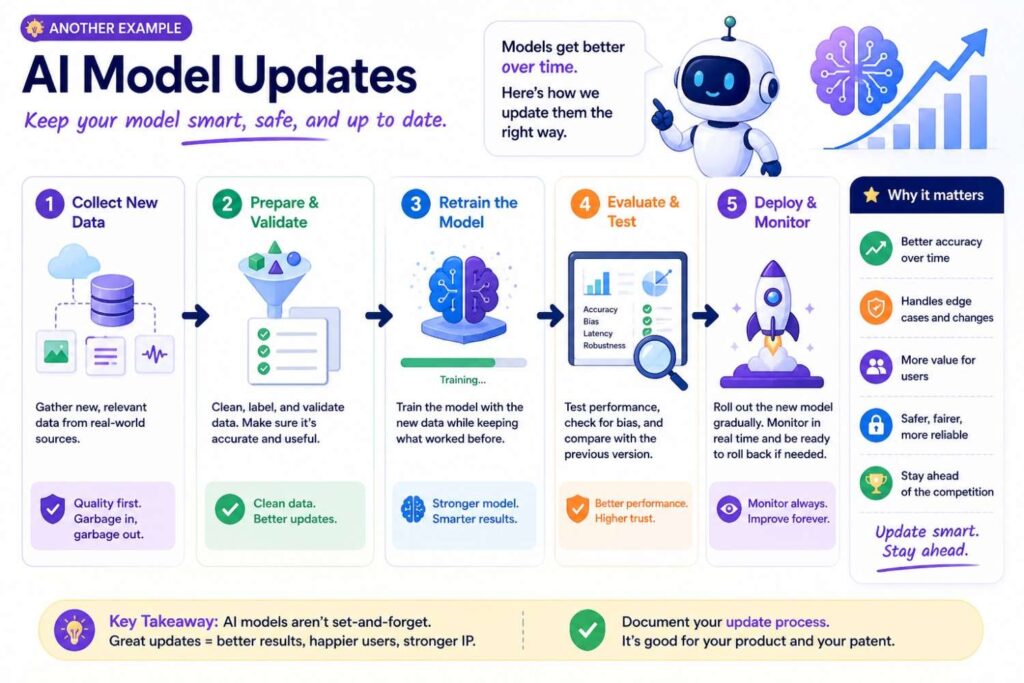
Imagine your startup built a way to send smaller model updates to edge devices.
In intake, the team explains that edge devices have limited bandwidth and power. The invention selects model update portions based on device state and sends a smaller update package. The update package may include changed parameters, compressed values, or selected layers. The system may use network state, battery state, model version, or device role. The invention should not require sending the full model.
In the spec stage, the draft explains update triggers, device state, package creation, transmission, installation, and validation. It includes examples for different device types and network conditions.
In the claims stage, the attorney focuses on selecting update portions and sending an update package based on device state.
In review, the team catches that AI added a step where the full model is always sent first. That conflicts with the invention. They remove it. They also add fallback examples for battery level, network quality, and model version.
Now the filing better protects the technical edge.
Why intake should not be rushed
It is tempting to skip intake and jump straight to drafting.
That feels faster.
It usually is not.
Weak intake creates rework.
The draft comes back with wrong details. Engineers mark it up heavily. Attorneys ask basic questions. The founder realizes the draft protects the wrong thing. Figures must be redone. Claims need to be rewritten.
That is slower than doing intake well.
Good intake does not need to take forever.
It just needs to be focused.
The team should capture the invention in plain words before drafting.
That is the best way to help AI help you.
Why the spec should not be treated as filler
Some people think the claims are everything and the spec is just background.
That is wrong.
The spec supports the claims.
It gives detail.
It provides examples.
It may support future claim changes.
A weak spec can limit what you can do later.
AI can produce long specs quickly, but length is not the same as quality.
A good spec should be clear, accurate, and connected to the invention.
It should explain the real technical flow.
It should include useful alternatives.
It should avoid fake details.
It should support the claims.
That is why the spec stage deserves care.
Why claims should not be generated blindly
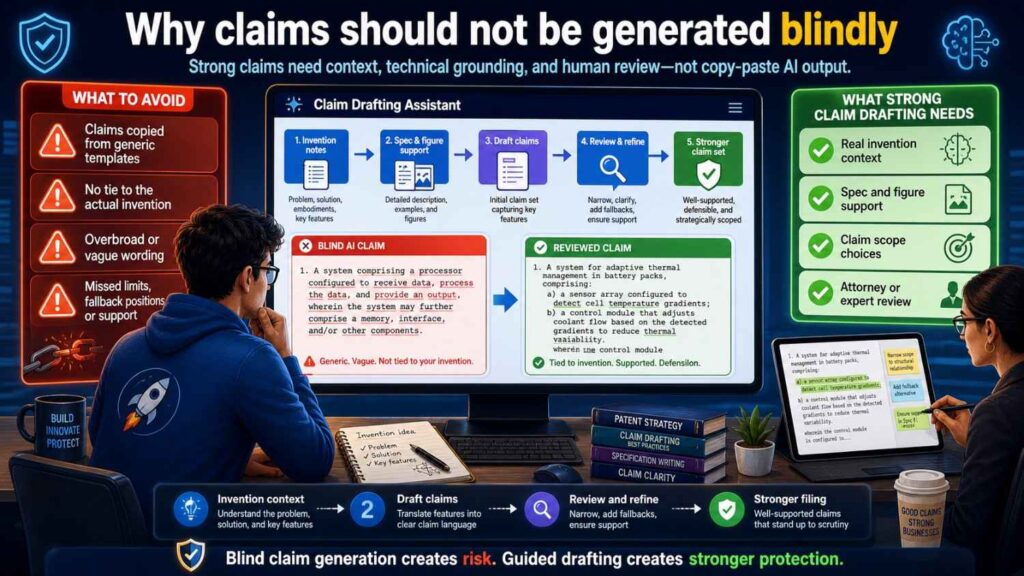
Claims are too important for blind generation.
AI can produce claim-like text.
But claim strategy is more than wording.
It is about scope, support, business value, fallback positions, and design-arounds.
A claim may look official and still be weak.
It may include unnecessary limits.
It may fail to cover the moat.
It may be too broad for the spec.
It may use confusing terms.
It may miss the way competitors would copy the invention.
Use AI to brainstorm.
Use attorney judgment to decide.
That is the safer path.
Why review should be structured
A random read-through is not enough.
Patent drafts are long. AI drafts can hide problems in polished language.
Structured review catches more.
Founder review catches business drift.
Engineer review catches technical errors.
Attorney review catches scope and support issues.
Consistency review catches mismatches.
Figure review catches visual problems.
Sensitive information review catches disclosure risk.
Each pass has a job.
This makes review faster and better.
The best AI workflow reduces back-and-forth
Old patent drafting can involve a lot of back-and-forth.
The attorney asks questions. The founder replies. The engineer clarifies. A draft appears. The team corrects it. Another draft appears. More questions follow.
AI and structured workflows can reduce that.
Good intake gives the attorney better starting material.
AI can turn notes into a first draft faster.
A spec checklist can catch problems early.
Claim support maps can reduce confusion.
Founder and engineer review can be focused.
Attorney review can spend more time on strategy and less time fixing basic mistakes.
This is how startups can move faster without lowering quality.
PowerPatent is designed for this modern workflow: smart software to speed up drafting and real patent attorneys to guide quality and strategy. See how it works here: https://powerpatent.com/how-it-works
Common workflow mistake: starting with claims too early
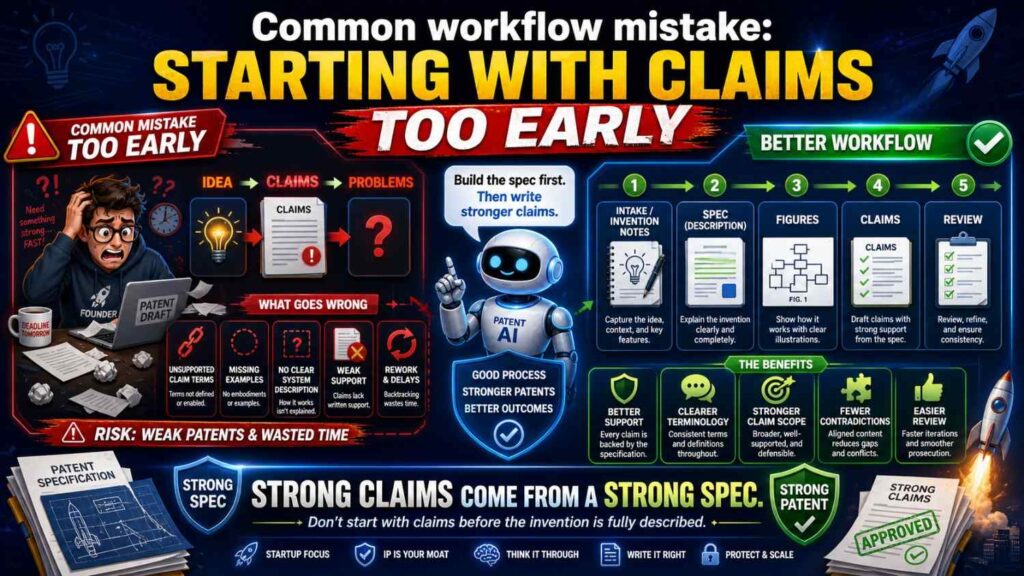
Some teams want claims first.
That can be useful for strategy.
But if the invention is not well understood yet, early claims can point in the wrong direction.
They may be too narrow.
They may miss the core idea.
They may use terms that are not supported.
They may shape the spec around a weak first guess.
A better approach is to use early claim sketches as a guide, not as final claims.
Start with intake.
Draft a clear spec.
Then refine claims against the spec and business goal.
This avoids locking into the wrong frame too soon.
Common workflow mistake: treating AI output as final
AI output is a draft.
Not a filing-ready answer.
It should be reviewed.
It should be checked against the invention brief.
It should be checked by an engineer.
It should be checked by a patent attorney.
It should be checked for support, consistency, and false limits.
AI can speed up drafting, but it does not remove responsibility.
A startup should never file a draft just because it looks complete.
Completion is not quality.
Common workflow mistake: overloading the spec with boilerplate
AI may add lots of generic patent text.
Some standard language may help.
Too much can bury the invention.
A patent spec should be detailed where it matters.
If the invention is a model update process, spend time on the update process.
If the invention is a hardware arrangement, spend time on the parts and connections.
If the invention is a robot control method, spend time on sensing, scoring, and control.
Do not let generic computer language take over the draft.
The invention should be easy to find.
Common workflow mistake: skipping figures
Figures can be powerful.
They help explain complex inventions.
They help engineers review.
They help attorneys connect claims to support.
They help future readers understand the invention.
For AI and software, figures can show system architecture, data flow, method steps, model pipelines, and update flows.
For hardware, figures can show structure, placement, movement, and connections.
For robotics, figures can show sensors, maps, control loops, and actions.
Do not treat figures as decoration.
Use them to make the patent stronger.
Common workflow mistake: not updating the spec after claim changes
Claims often change during review.
When they do, the spec should be checked again.
If the claim adds a new term, the spec should support it.
If the claim removes a feature, the spec may need to stop treating that feature as required.
If the claim broadens from camera data to sensor data, the spec should support other sensor types.
If the claim focuses on edge processing, the spec should explain edge processing well.
Claims and spec are connected.
Change one, check the other.
Common workflow mistake: not updating figures after spec changes
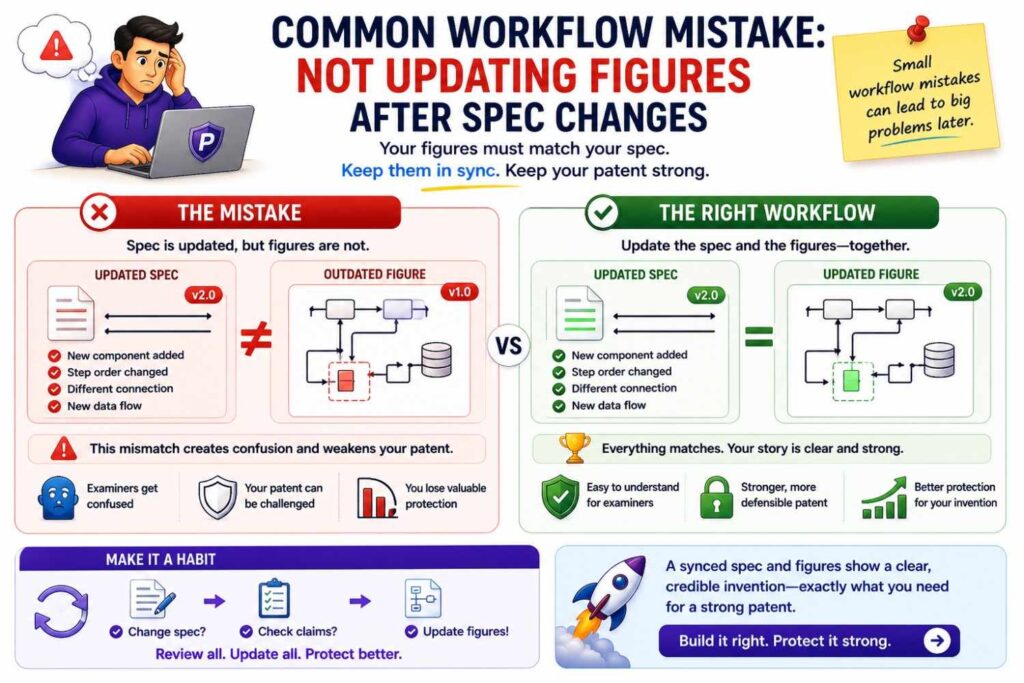
Figures can become outdated.
A figure may show an old architecture.
A figure may include a part that was removed.
A figure may use old labels.
A figure may show a cloud-only version after the spec adds local processing.
Review figures after major spec edits.
Make sure labels and reference numbers match.
Make sure the figure still supports the claims.
Old figures can create confusion.
How PowerPatent fits the workflow
PowerPatent helps founders move through the AI drafting workflow with more control.
At intake, the platform helps turn technical ideas, notes, code, and invention details into structured inputs.
At the spec stage, smart software helps create a clearer draft based on the real invention.
At the claims stage, the process helps connect the draft to claim strategy.
At review, real patent attorneys help check quality, scope, support, and filing readiness.
This matters because startups need both speed and trust.
AI alone can move fast but may create risk.
Traditional processes can be careful but slow and hard to manage.
PowerPatent brings together software speed and attorney oversight so founders can protect what they are building without getting buried in process.
You can explore how it works here: https://powerpatent.com/how-it-works
Building your own internal AI drafting workflow
Even if your team is early, you can start building a simple internal workflow.
When a new invention appears, capture it.
Write the problem.
Write the solution.
Write the key flow.
Write what is required.
Write what is optional.
Write what to avoid.
Add diagrams when possible.
Then use AI to organize the notes, not invent the invention.
Use the notes to draft the spec.
Use the spec to guide claims.
Use review passes before filing.
This can become a habit.
The more often your team captures inventions, the easier patent work becomes.
You do not need to stop building.
You just need a lightweight system for preserving what your team discovers.
What founders should do during intake
Founders should focus on value.
They should explain why the invention matters.
They should identify the moat.
They should point out what competitors might copy.
They should explain how the invention supports the roadmap.
They should mark product details that may change.
They should say what should not be disclosed or overstated.
This founder input helps the patent focus on business value.
Without it, the draft may protect a technical detail that is not actually strategic.
A patent should support the company’s future.
The founder helps define that future.
What engineers should do during intake
Engineers should focus on truth.
They should explain how the system works.
They should describe data flow, model behavior, hardware structure, control logic, or process steps.
They should say what was hard.
They should explain what failed before the final design.
They should mark required and optional features.
They should identify wrong assumptions.
They should provide diagrams or technical notes when possible.
Engineers do not need to write patent language.
They need to provide accurate technical substance.
AI and attorneys can help shape that substance into a patent draft.
What attorneys should do during intake
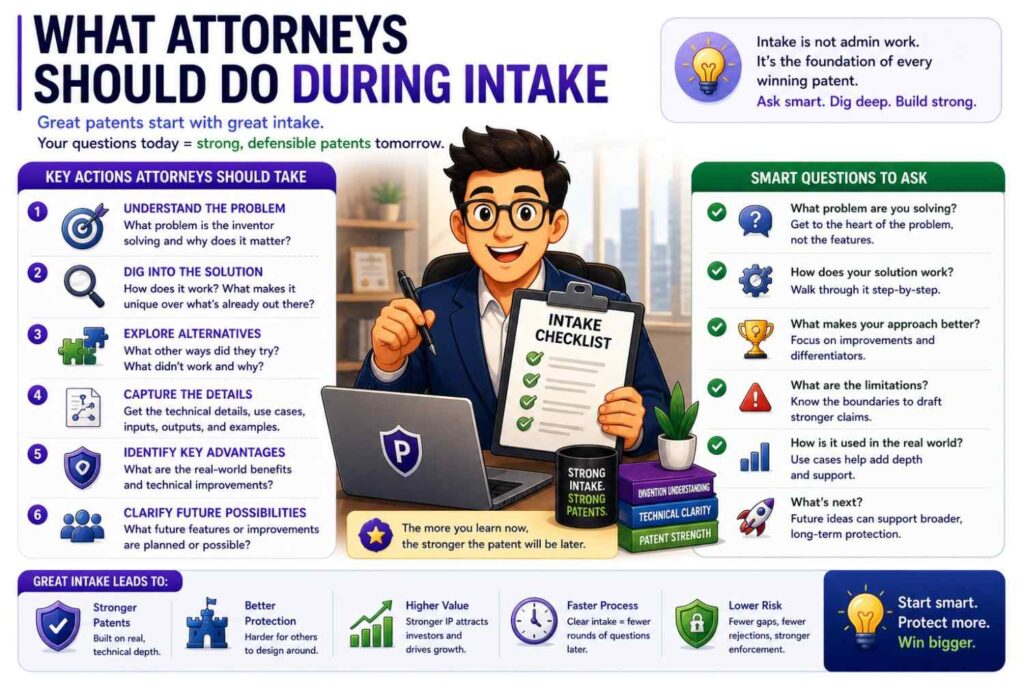
Attorneys should guide the questions.
They should help identify what needs more detail.
They should spot possible claim angles.
They should ask about alternatives.
They should ask about design-arounds.
They should help decide whether there may be multiple inventions.
They should flag possible disclosure issues.
Good attorney involvement early can prevent wasted drafting.
It is much easier to ask the right questions at intake than to fix a confused draft later.
What AI should do during intake
AI should organize, summarize, and ask.
It should not guess.
It can help turn notes into a clean invention brief.
It can create a term list.
It can identify open questions.
It can suggest possible alternatives for human review.
It can convert engineer notes into plain language.
It can compare the invention brief to the draft later.
AI is most useful when it helps people think clearly.
It is risky when it silently fills gaps.
What founders should do during spec review
Founders should check whether the spec protects the right story.
They should ask:
Does this sound like our invention?
Does this focus on the moat?
Does this cover the roadmap?
Does this avoid locking us into one product screen?
Does this avoid wrong claims about our product?
Does this support our investor story?
A founder does not need to rewrite the spec.
A founder should flag strategic problems.
What engineers should do during spec review
Engineers should check details.
They should read the parts that describe system flow, model behavior, data sources, deployment, hardware, and figures.
They should mark anything wrong.
They should identify missing steps.
They should confirm optional features.
They should check whether the model is described correctly.
They should make sure old product details are removed.
This review can be short but very valuable.
What attorneys should do during spec review
Attorneys should check whether the spec supports the planned claims.
They should look for gaps.
They should look for unwanted limits.
They should check whether examples are useful.
They should check whether alternatives are supported.
They should check whether the spec is detailed enough.
They should check whether the figures help.
They should shape the draft into something filing-ready.
What AI should do during spec review
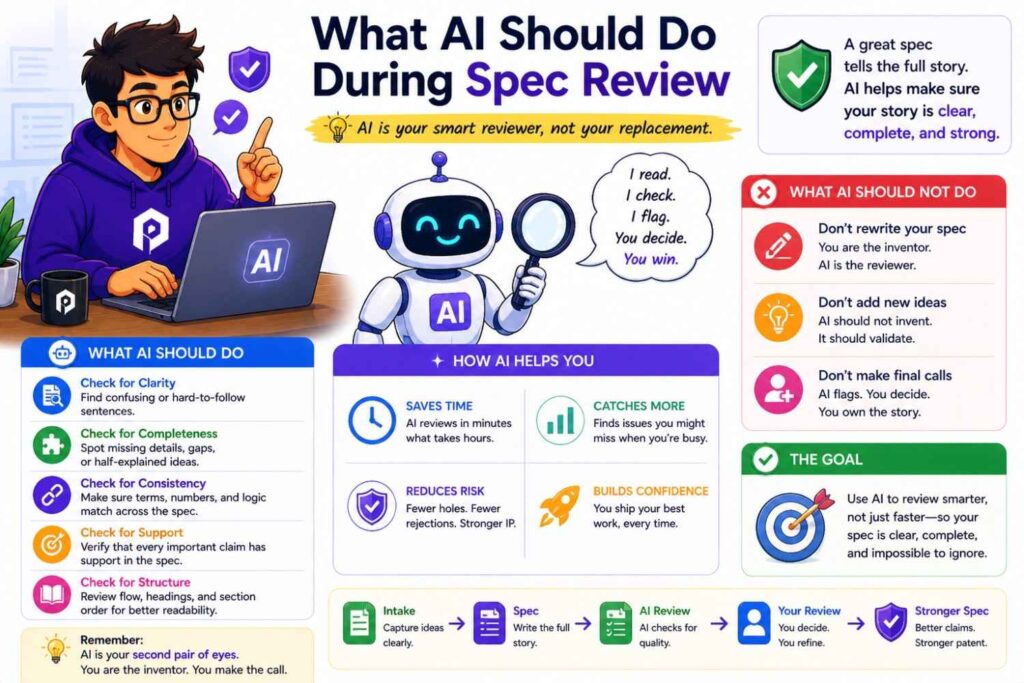
AI can help run checks.
It can list all key terms.
It can find term drift.
It can summarize each section.
It can compare the spec to the invention brief.
It can identify strong words like “must” or “always.”
It can list features that appear only once.
It can map figure labels to text.
It can help create a claim support table.
These tasks save time.
But final decisions should come from people.
The intake-to-spec handoff
The handoff from intake to spec should be clear.
The invention brief should be complete enough that the spec can be drafted without guessing.
Open questions should be marked.
For example:
“Confirm whether model updates happen on device.”
“Confirm whether dashboard is part of first release.”
“Confirm whether temperature data is required or optional.”
“Confirm whether human approval is required in safety mode.”
These open questions should not be hidden.
AI should not guess the answers.
If the answer is unknown, the draft can use bracketed notes until the team confirms.
This keeps uncertainty visible.
Visible uncertainty is safer than hidden guesswork.
The spec-to-claims handoff
The handoff from spec to claims should focus on support.
The attorney should be able to see the main invention, key examples, and fallback positions.
The spec should have consistent terms.
The figures should match the text.
The invention brief should still be available.
The claims should then be drafted or refined based on the supported invention.
If claim drafting reveals missing support, go back to the spec.
This back-and-forth is normal.
The key is to keep it controlled.
The claims-to-review handoff
Before review, the team should know what the claims are trying to protect.
A plain-language claim summary helps.
For example:
“Claim 1 protects creating a failure risk score from machine data and changing maintenance timing based on that score.”
That simple statement lets founders and engineers review the claim concept.
If the team says, “That is not our moat,” the claims need work.
If the team says, “That is right, but it should not require vibration data,” the attorney can adjust.
Plain-language summaries make claim review much easier.
How to know the workflow is working
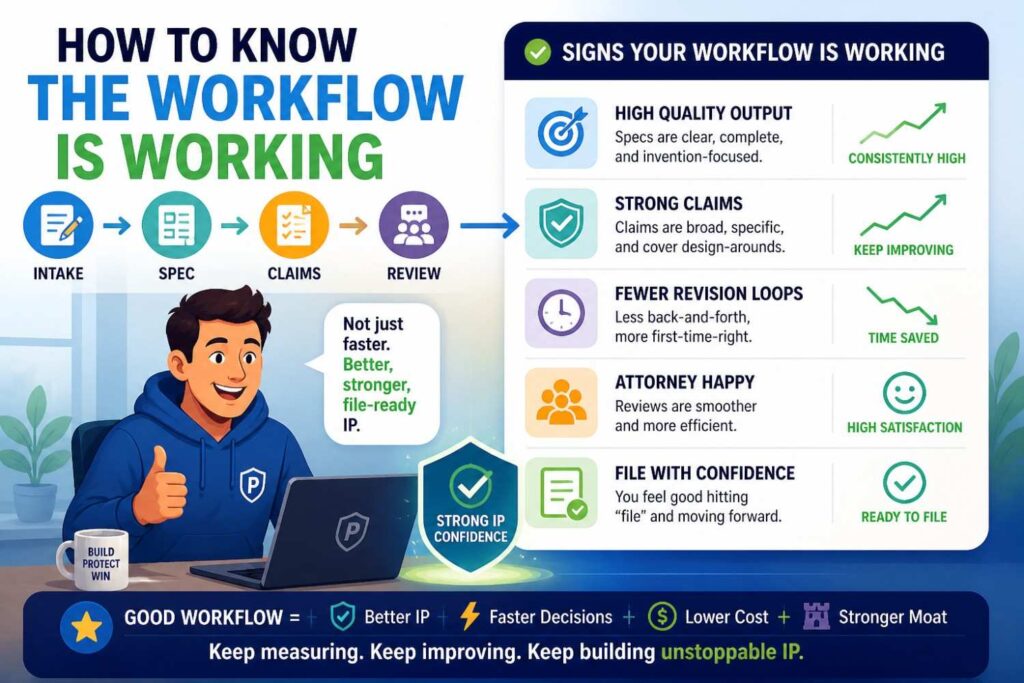
You know the workflow is working when the draft becomes easier to understand at each step.
The intake brief makes the invention clear.
The spec expands the invention without drifting.
The claims focus on the moat.
The review catches issues early.
The attorney spends more time on strategy and less time decoding vague notes.
The founder understands what is being protected.
The engineer agrees the draft is technically true.
The final draft tells one story.
That is what good looks like.
How to know the workflow is broken
The workflow is broken when the draft feels confusing.
The spec describes features the team does not recognize.
The claims focus on the wrong thing.
The figures show old architecture.
The model input and output change across sections.
The founder cannot explain what the patent protects.
The engineer finds basic technical errors.
The attorney has to ask the same questions that should have been answered during intake.
The AI output looks complete but does not match the invention.
When that happens, go back to intake.
Most drafting problems are really intake problems.
The role of checklists in the workflow
Checklists make the workflow repeatable.
Use an intake checklist to capture the invention.
Use a spec checklist to check quality.
Use a claims checklist to check support and scope.
Use a review checklist to catch final issues.
A checklist should not be heavy.
It should be practical.
For intake, ask what problem is solved, what the invention does, what is required, what is optional, what to avoid, and what the moat is.
For the spec, ask whether it explains the invention, supports the claims, uses terms consistently, includes useful examples, and matches the figures.
For claims, ask whether they protect the moat, avoid unnecessary limits, have support, and cover likely design-arounds.
For review, ask whether founder, engineer, and attorney checks are complete.
This structure helps teams move faster.
AI drafting should create visibility, not a black box
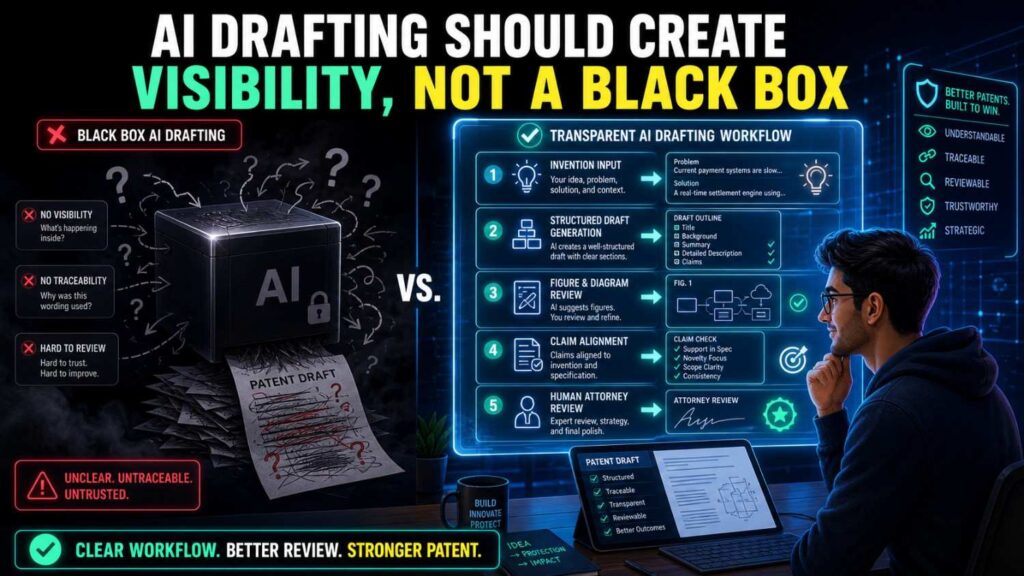
One of the problems with old patent workflows is that founders can feel out of the loop.
They send notes. Weeks pass. A draft comes back. It is hard to read. They are not sure what it protects.
AI can either fix that or make it worse.
It fixes it when the workflow is transparent.
The founder can see the invention brief.
The engineer can see the technical flow.
The attorney can see the source material.
AI assumptions are visible.
Open questions are marked.
Claims are summarized in plain words.
Review comments are clear.
It gets worse when AI becomes a black box.
The team enters a vague idea. A long patent draft appears. Nobody knows where details came from. The draft is hard to trust.
PowerPatent is focused on the better path: clear inputs, smart drafting, visible review, and attorney oversight. See how it works here: https://powerpatent.com/how-it-works
How this workflow helps with fundraising
Patents can support a fundraising story.
They show that the company is protecting technical work.
They can help investors understand the moat.
But only if the patent is aligned with the business.
The intake-to-review workflow helps because it starts with the moat.
It makes the founder define what matters.
It makes the spec explain the invention clearly.
It makes the claims focus on the protectable edge.
It makes review check whether the patent story matches the pitch.
For example, if your pitch says your edge is low-latency AI on edge devices, your patent draft should not focus only on a cloud dashboard.
If your pitch says your edge is a robotics safety control loop, your claims should not focus only on a generic camera feed.
The workflow keeps the patent and business story connected.
How this workflow helps before launch
Before launch, timing matters.
You may need to file before public disclosure.
AI can speed up drafting, but only if the invention is captured.
A startup with good intake notes can move much faster before launch than a startup starting from scratch.
The workflow helps by making each step clear.
Capture the invention.
Draft the spec.
Draft the claims.
Review quickly but carefully.
File with attorney oversight.
This is much better than panic-drafting from a vague product description.
The earlier you capture the invention, the easier launch-time filing becomes.
How this workflow helps technical teams
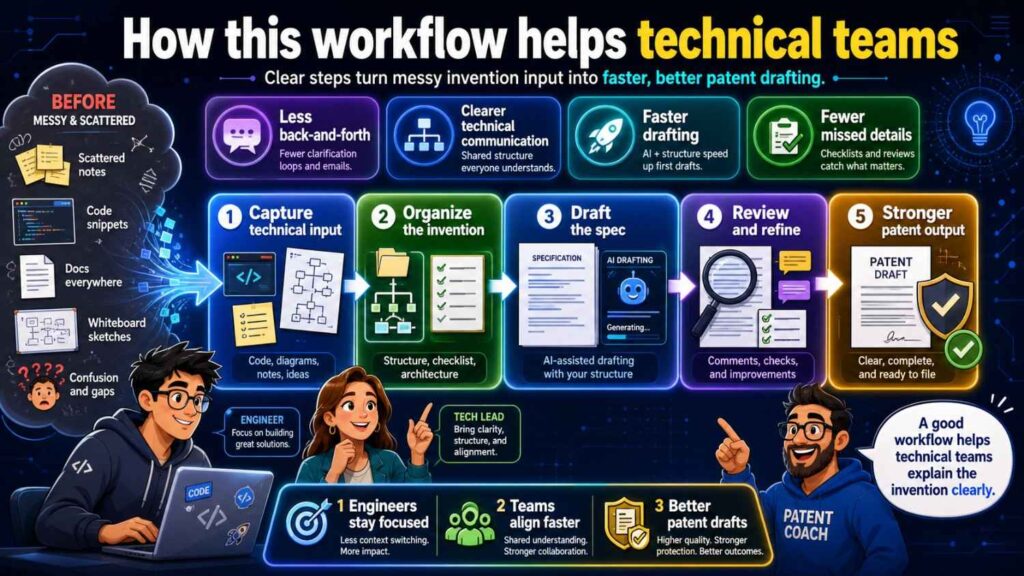
Technical teams do not want patent work to slow them down.
A clear workflow respects their time.
Engineers do not need to write legal text.
They need to answer focused questions and review technical accuracy.
AI can convert their notes into readable summaries.
Attorneys can use those summaries to draft.
The review can be targeted.
This is better than asking engineers to read a full legal document with no guidance.
It also helps capture inventions before details are forgotten.
That is important because startups move fast and technical decisions change quickly.
How this workflow helps attorneys
Attorneys benefit from better inputs.
Instead of receiving scattered notes, they receive an invention brief.
Instead of guessing what is required, they see required and optional features.
Instead of discovering wrong assumptions late, they see open questions early.
Instead of spending time cleaning AI hallucinations, they can focus on scope and strategy.
This makes attorney review more valuable.
It also helps reduce delays.
AI does not replace the attorney.
It helps prepare better material for the attorney.
The workflow for provisional filings
Many startups use provisional patent applications to move quickly.
The same workflow still applies.
A provisional does not need to be sloppy.
It should still describe the invention clearly.
It should still support future claims.
It should still include useful examples and figures.
It should still avoid fake details and false limits.
The intake may be faster. The spec may be less formal than a non-provisional. But the quality still matters.
A weak provisional may not give the support you expect later.
Use AI to speed up the provisional process, but keep review in place.
The workflow for non-provisional filings
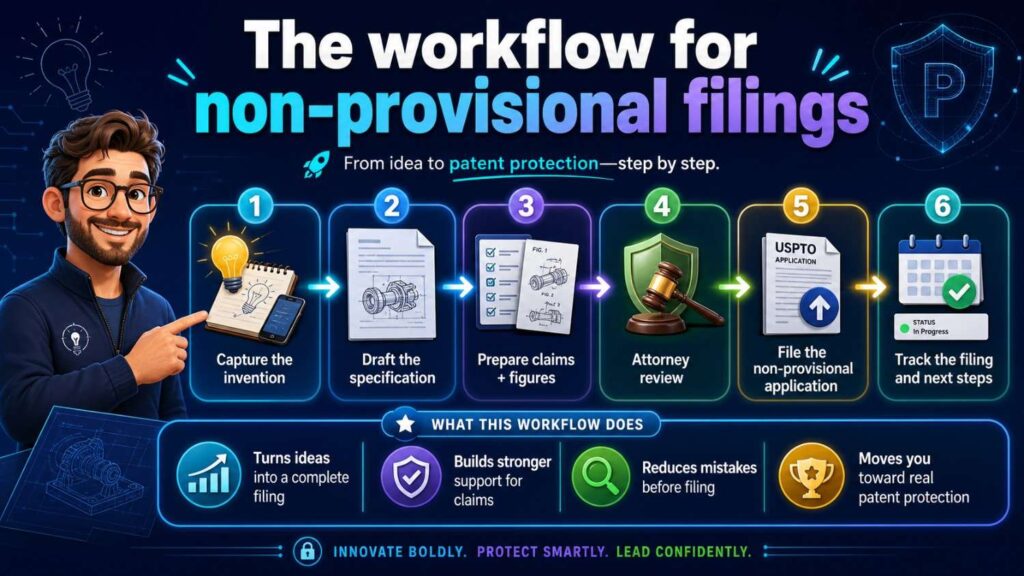
For non-provisional filings, the workflow should be more complete.
The spec should be polished.
The claims should be carefully drafted.
Figures should be formal and aligned.
Claim support should be checked.
Attorney review is essential.
AI can help reduce drafting time, but the final filing needs strong legal and technical quality.
The intake brief is still useful because it preserves the invention story and helps the team check whether the final application stayed on track.
The workflow for ongoing portfolios
A startup may file more than one patent over time.
The workflow can become a repeatable system.
Each time the team creates a new technical advance, capture it.
Each invention brief becomes part of the company’s IP record.
Some briefs may lead to filings.
Some may be saved for later.
Some may be kept as trade secrets.
Over time, the company builds a stronger patent portfolio because it is not relying on memory.
AI can help organize this knowledge.
PowerPatent can help turn that knowledge into a practical patent process with attorney guidance. Learn more here: https://powerpatent.com/how-it-works
How to keep the workflow simple
A workflow only works if people use it.
Do not make it too heavy.
The intake should be simple.
The spec review should be focused.
The claim review should include plain-language summaries.
The attorney review should be integrated.
AI should reduce work, not add confusion.
A good rule is this:
Make the process easy enough that the team will use it before every major disclosure.
If the process is too complex, people will skip it.
If it is clear and fast, it becomes part of the startup rhythm.
The human role in an AI drafting workflow
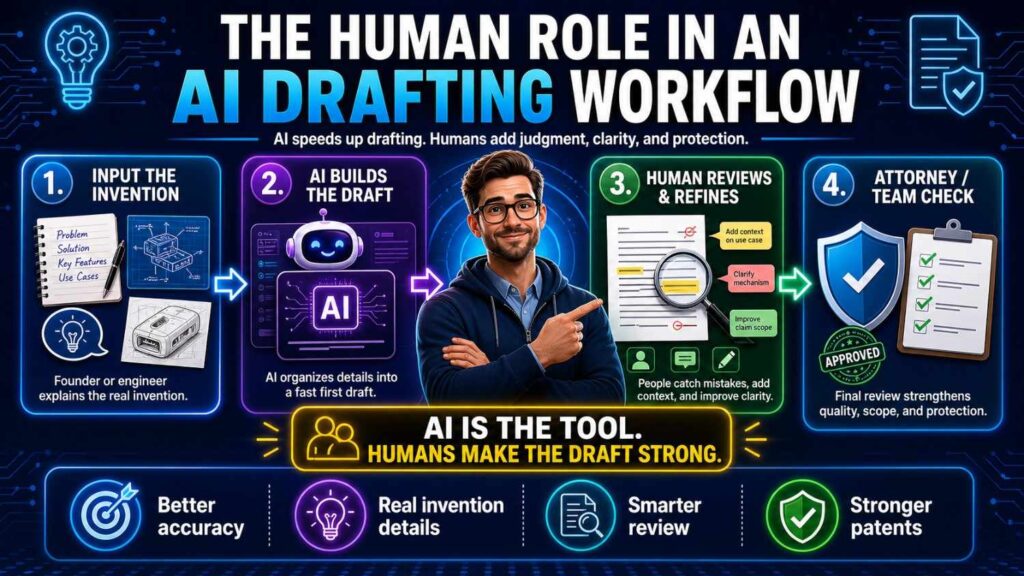
AI is powerful, but people still matter most.
The founder sets business direction.
The inventor explains the technical breakthrough.
The engineer checks truth.
The patent attorney shapes protection.
AI helps move information between those people faster.
It can draft, summarize, compare, and flag.
But it should not own the invention story.
It should not decide the moat.
It should not make legal strategy decisions alone.
The best workflow uses AI for speed and humans for judgment.
That is the safe balance.
The future of patent drafting for startups
The old way of patent drafting often felt slow and opaque.
The new way can be faster and clearer.
AI can help founders capture inventions sooner.
It can help engineers explain technical work in plain words.
It can help attorneys start from better material.
It can help teams review drafts with more confidence.
But the future is not AI-only patent filing.
The future is AI-supported patent work with real oversight.
That is the path that gives startups speed without giving up quality.
PowerPatent is built for that future. It helps startups protect what they are building with smart software, structured workflows, and real patent attorney review. See how it works here: https://powerpatent.com/how-it-works
Final thoughts
AI can make patent drafting much faster.
But the safest way to use AI is through a clear workflow.
Start with intake. Capture the real invention in plain words. Separate required features from optional ones. Mark what should not be included. Name the moat.
Move to the spec. Explain the invention clearly. Describe the parts, flow, examples, alternatives, figures, and technical benefits. Avoid fake details, false limits, and vague AI wording.
Then draft the claims. Aim them at the business-critical invention. Support them with the spec. Avoid unnecessary limits. Include useful fallback positions.
Then review. Let the founder check business fit. Let engineers check technical truth. Let patent attorneys check scope, support, and filing quality. Use AI to speed up checks, but keep people in control.
That is the path from idea to stronger patent filing.
Intake → Spec → Claims → Review.
Simple enough to follow.
Strong enough to protect what matters.
PowerPatent helps founders use this kind of workflow to turn real technical work into better patents, faster, with smart software and real attorney oversight. Learn how it works here: https://powerpatent.com/how-it-works
Leave a Reply