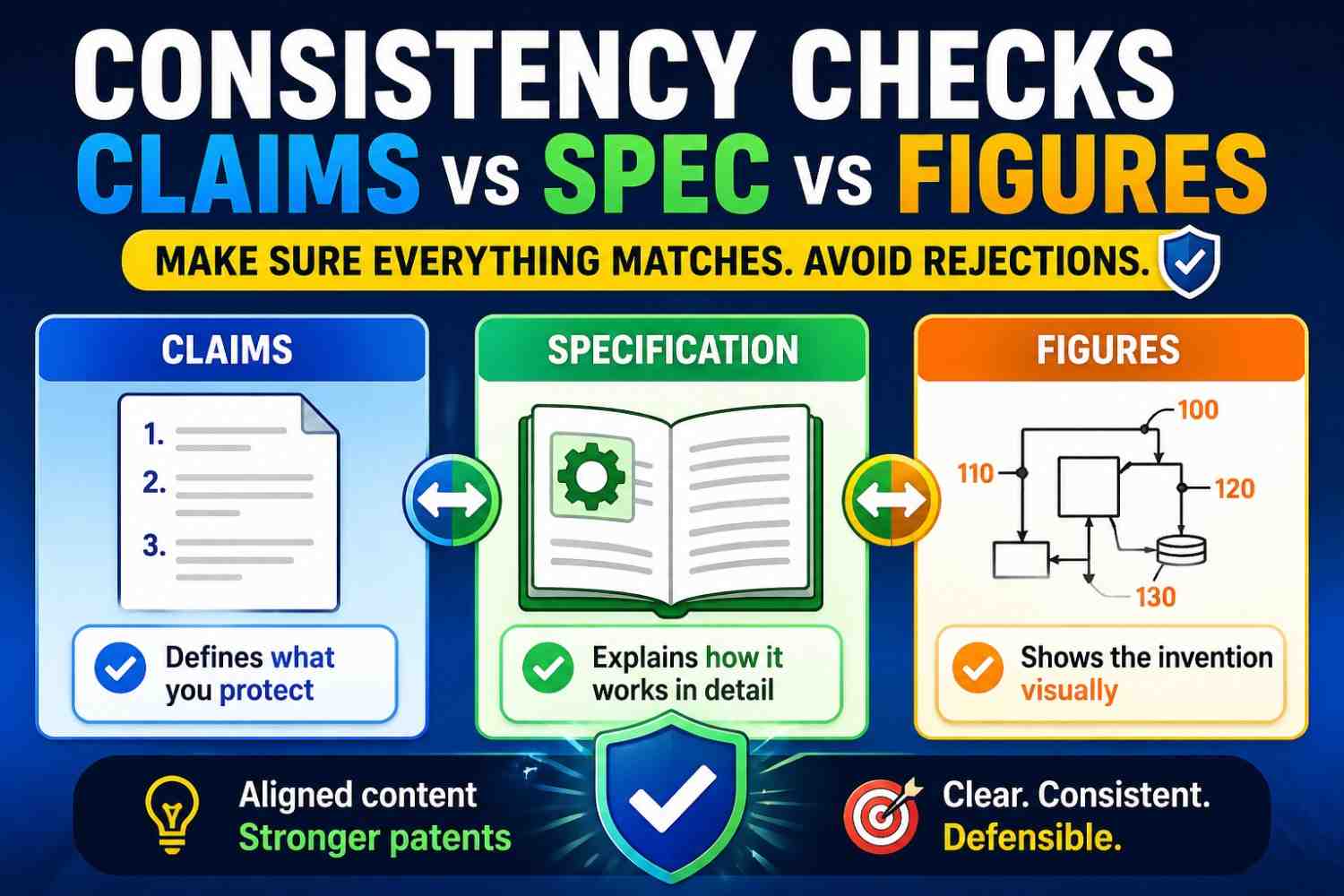
A patent draft has three big parts that must work together: the claims, the spec, and the figures. If these parts do not match, the patent can become weak, confusing, or harder to fix later.
This guide shows how to check them before filing, using plain words and a simple process your team can follow.
PowerPatent helps founders turn technical ideas into stronger patent filings with smart software and real attorney oversight. You can see how it works here: https://powerpatent.com/how-it-works
Why consistency matters so much
A patent is not just a long technical document.
It is a story about an invention.
The claims say what you are trying to protect. The spec explains the invention in detail. The figures show the invention in pictures.
All three should point to the same idea.
When they do, the draft feels strong. A reader can move from the claims to the spec to the figures and understand the invention without guessing.
When they do not, the draft feels messy. A claim may mention a part that is not shown in the drawings. A figure may show a step that the spec never explains. The spec may describe one version, while the claims protect something else.
That mismatch can create trouble.
It can slow down review. It can make the patent harder to examine. It can limit what you can claim. It can also give a future competitor a way to argue that the patent is unclear.
For startups, this matters because patents are business tools. They can support fundraising, deals, exits, licensing, and defense. A patent that looks rushed or inconsistent may not give the same confidence as one that tells a clear, steady story.
This is especially important when AI helps draft the patent. AI can create text fast. It can also create small mismatches fast. A part may be named one way in the claims, another way in the spec, and a third way in the figures. That is why consistency checks are not optional.
They are part of building a better patent.
First, understand the job of each part
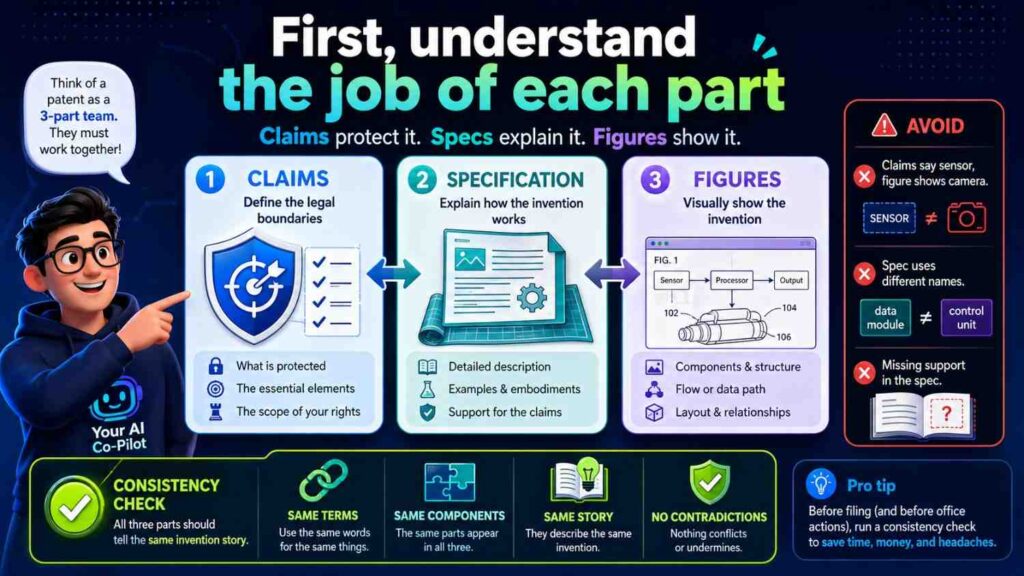
Before you can check claims, spec, and figures, you need to know what each one is supposed to do.
The claims define the edge of the protection. They are the “what we want covered” part.
The spec, short for specification, explains how the invention works. It gives the background, summary, details, and examples.
The figures show the invention visually. They may show devices, systems, data flow, method steps, screens, model pipelines, circuits, or parts of a product.
A good patent draft makes these parts work as a team.
The claims should not introduce a mystery part that the spec never explains.
The spec should not spend all its time on details that never appear in the claims.
The figures should not show a different invention from the one described in the text.
Think of the claims as the promise, the spec as the proof, and the figures as the map.
If the promise, proof, and map do not match, the reader gets lost.
That is the whole point of a consistency check: make sure nobody gets lost.
The simple rule: one invention story
Every strong patent draft needs one clear invention story.
That does not mean the draft can only cover one version. A good patent draft can cover many versions. But those versions should still connect to one main idea.
For example, say your invention predicts machine failure before it happens.
One version may run on a local device. Another may run on a server. One version may use vibration data. Another may use heat data. One version may alert a technician. Another may adjust a machine setting.
Those versions can all fit one story if the core idea is clear:
The system uses data to predict failure risk and triggers an action before failure occurs.
That story should show up in the claims. It should be explained in the spec. It should be visible in the figures.
If the claims focus on prediction, the spec should explain prediction. If the figures show only a dashboard and never show the prediction flow, something may be missing. If the spec mostly talks about machine scheduling but the claims protect sensor filtering, the story may be split.
A clear invention story is the base of every consistency check.
Without it, you are only checking words.
With it, you are checking meaning.
At PowerPatent, this is a big part of the workflow. The goal is not to create patent-looking text. The goal is to turn the real invention into a clean, strong filing with smart software and attorney review. You can explore that process here: https://powerpatent.com/how-it-works
Start with the claims
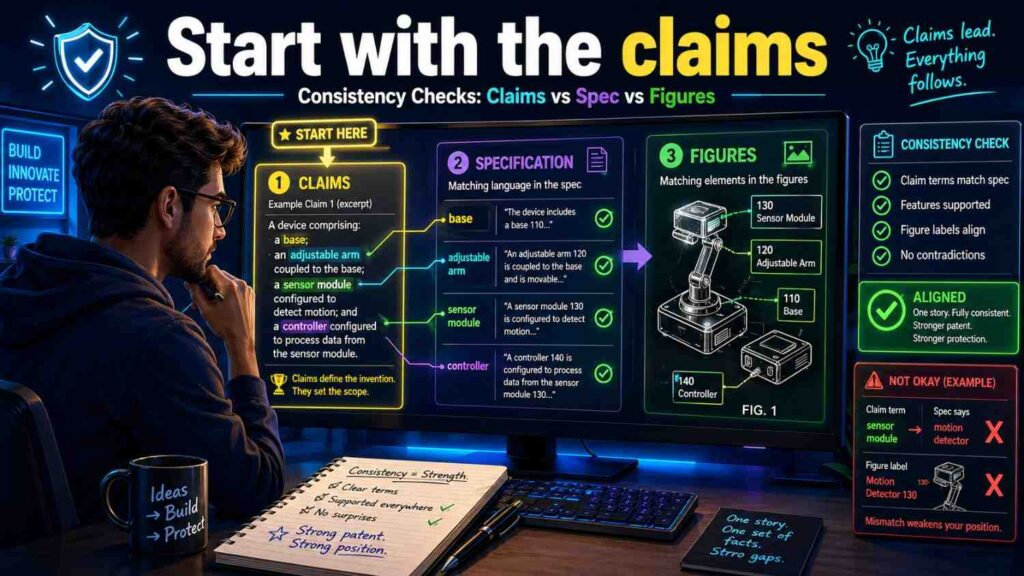
When doing a consistency check, start with the claims.
Why?
Because the claims define what matters most.
If a feature is in a claim, the spec should support it. The figures should help explain it when useful. The terms should stay steady across the whole draft.
Do not start by polishing the background. Do not start by fixing small grammar issues. Start with the claims.
Read the first independent claim slowly.
Ask what parts it requires.
For a software invention, the claim may require a processor, a model, input data, an output score, and an action. For a hardware invention, it may require a sensor, housing, controller, actuator, and signal path. For an AI invention, it may require training data, input features, a trained model, a prediction, and a response step.
Write those parts in plain words.
Then go to the spec and find where each part is explained.
Then go to the figures and find where each part appears, if the figures show it.
This is the core check.
A claimed part with no clear support is a warning sign.
A claimed step that does not appear in any example may need more detail.
A claimed term that uses a different name from the spec may need alignment.
This is not just a legal exercise. It is a clarity exercise.
If your own team cannot trace a claim into the spec and figures, a future reader may struggle too.
Match claim terms to spec terms
One of the most common draft problems is term mismatch.
The claim may say “risk score.”
The spec may say “failure score.”
The figure may say “prediction value.”
Maybe those all mean the same thing. Maybe they do not.
The reader should not have to guess.
A strong draft uses the same name for the same thing.
If the claim says “risk score,” then the spec should use “risk score” when talking about that same value. If the figure labels it as “risk score,” even better.
If you need more than one term, explain the relationship.
For example:
“In some examples, the risk score may also be referred to as a failure risk value.”
That helps.
But in most cases, it is better to choose one term and stick with it.
This matters a lot in AI and software patents because the same concept can get many names. A “model output” may become a “score,” “value,” “classification,” “prediction,” “label,” “alert level,” or “confidence measure.”
Those words may not be equal.
A confidence score is not always the same as a risk score. A classification is not always the same as a prediction. A label used for training is not always the same as an output label created during use.
Be precise.
When checking a draft, search for each core term. Read every place it appears. Make sure the meaning does not change.
This one habit can clean up a patent draft fast.
Check whether every claim part has a clear home in the spec
The spec should support the claims.
That means each claimed part should be described in enough detail that a reader can understand it.
If the claim says:
“generating a route risk score based on sensor data and map data,”
then the spec should explain what sensor data may include, what map data may include, how the score may be generated, and how it may be used.
The spec does not need to reveal every trade secret. But it should not leave the claim floating.
A claim without support is like a bridge with no ground under it.
When reviewing, create a simple claim map.
Take each major claim phrase and find the matching paragraph or section in the spec.
For example:
“receiving sensor data” should map to a section that explains data collection.
“applying a trained model” should map to a section that explains the model.
“generating a risk score” should map to a section that explains the output.
“changing a control setting” should map to a section that explains the action.
If you cannot find a matching section, add one or revise the claim.
Do not assume a reader will connect the dots.
Make the dots easy to connect.
Check whether the spec adds limits that the claims do not need
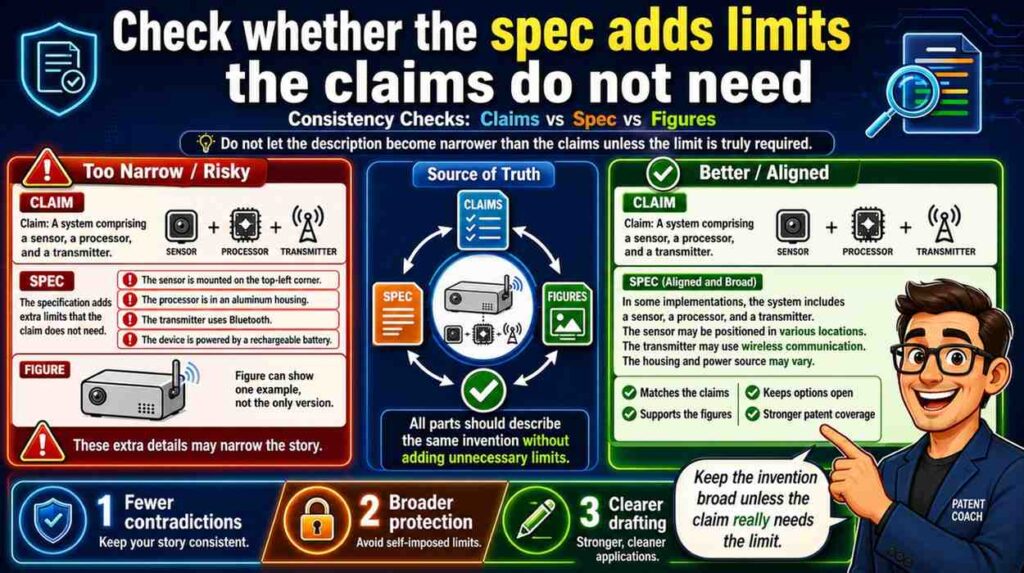
Consistency is not only about adding missing support.
It is also about avoiding accidental limits.
Sometimes the claims are broad, but the spec describes the invention in a narrow way.
For example, the claim may say the system uses “sensor data.”
But the spec may repeatedly say the invention uses a camera, and never says other sensors may be used.
That can make the draft feel narrower than intended.
If the invention can use many sensor types, the spec should say so.
A better spec might say:
“The sensor data may include image data, vibration data, temperature data, pressure data, motion data, audio data, or another type of data.”
Then it can give a camera example.
That way, the claim and spec work together.
The claim uses broad language. The spec supports that broad language with examples.
The same issue happens with model types.
If the claims say “model,” but the spec only says “neural network” again and again, the draft may feel limited to neural networks.
If you want broader coverage, the spec should explain that the model may be a neural network, decision tree, rules-based model, statistical model, or another prediction tool, depending on what is true for the invention.
Do not let one product example shrink the whole patent.
This is one reason founders need a thoughtful patent process. Your first product version is not always the full invention. PowerPatent helps founders capture the real technical idea, not just one narrow build. See how it works here: https://powerpatent.com/how-it-works
Check whether the figures show the claimed invention
Figures do not have to show every possible version.
But they should help explain the claimed invention.
If the claims are about a data flow, at least one figure should usually show that flow.
If the claims are about a device structure, at least one figure should show the structure.
If the claims are about a method, at least one figure may show the method steps.
If the claims are about a model pipeline, a figure may show the inputs, model, outputs, and action.
A figure can make a complex invention much easier to understand.
But if the figures show something different from the claims, they can create confusion.
For example, the claim may say the system includes an edge device that runs the model. The figure may show the model only in a remote cloud server. That mismatch needs attention.
Maybe the figure is old.
Maybe the claim is too narrow.
Maybe the invention supports both edge and cloud versions.
Whatever the answer is, the draft should say it clearly.
A good consistency check asks:
Does each important claim have visual support?
Do the figures show the same main parts as the claims?
Do the figure labels match the claim terms?
Do the arrows match the claimed flow?
Do the method steps match the claimed order?
If the answer is no, fix it before filing.
Check figure labels against the spec
Figure labels are easy to overlook.
They are also a common source of inconsistency.
A figure may label a block as “AI engine 120.”
The spec may call it “prediction model 120.”
The claim may call it “risk model.”
That is too many names unless the draft explains the relationship.
Figure labels should be boring in the best way. They should match the words used in the spec.
If the figure shows “risk model 120,” the spec should say “risk model 120.” If the claim uses “risk model,” even better.
Also check reference numbers.
If the spec says “sensor 110,” make sure the figure label 110 is actually the sensor.
If the spec says “controller 140,” do not let 140 point to a server in the drawing.
If Figure 2 includes steps 202, 204, and 206, make sure the spec does not refer to missing step 208 unless it exists.
These small errors can make a draft look careless.
They also slow down attorney review because someone has to untangle them.
A clean draft makes the invention feel real and well built.
Match method claim steps to method figures
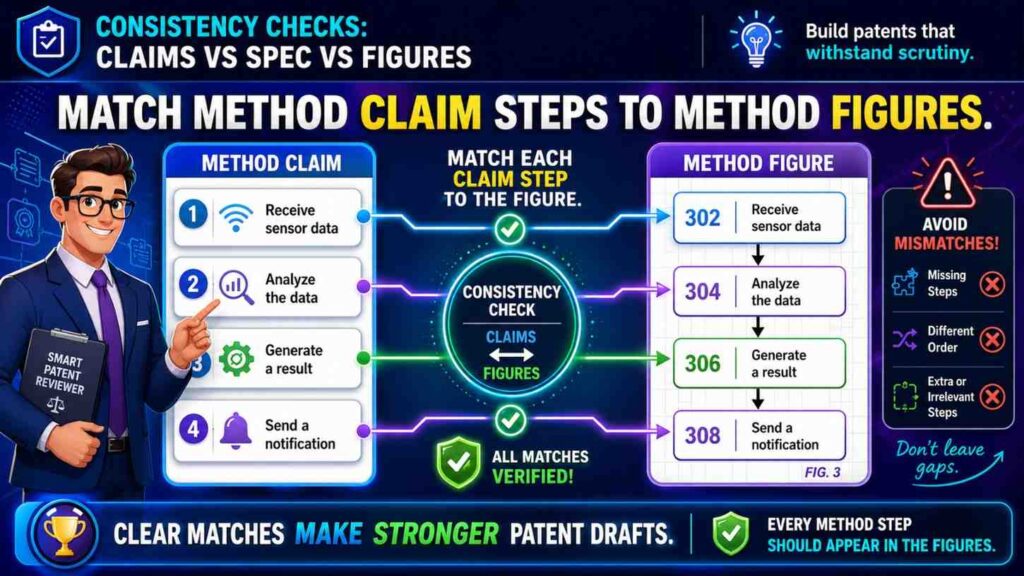
Many patents include method claims.
A method claim describes steps.
For example:
Receiving data.
Processing the data.
Generating a score.
Selecting an action.
Sending a control signal.
If the draft has a method figure, that figure should follow the same basic flow.
The exact words do not need to be identical, but the meaning should match.
If the claim says the score is generated before the action is selected, the figure should not show action selection before score generation unless the draft explains an alternative.
Step order matters when one step depends on another.
A system cannot use a score before the score exists. A model cannot train on labels before the labels are created. A controller cannot send a command based on data it has not received.
AI-generated drafts can mix up step order because they often generate sections separately. The claim may be created after the figure. The figure text may be based on a different version of the method. The result can look fine until you compare them side by side.
Do that comparison.
Put the claim steps next to the figure steps.
Then check the order, names, inputs, outputs, and actor for each step.
If the claim says a processor does the step, the figure should not imply a user does it unless both are supported.
If the figure says a server trains the model, the claim should not imply the local device trains it unless that is true.
This is where a simple review can prevent a serious mismatch.
Match system claims to system figures
System claims often name parts.
A processor. A memory. A sensor. A model. A server. A user device. A controller. A database. A network.
System figures often show those parts as blocks.
The check is simple: every major claimed part should be explained, and often shown.
If the claim requires a “feedback module,” where is it in the figure?
If the figure shows a “feedback module,” where is it in the spec?
If the spec explains feedback but the claims never mention it, is feedback important or just an example?
There is no single right answer for every draft. But there should be a reason.
The figure should not become a junk drawer full of parts that do not matter. The claims should not include parts that appear nowhere else. The spec should not explain a system that the claims ignore.
All three should be aligned.
For hardware inventions, this check is even more important. The position, connection, and function of parts can matter. If the claim says a sensor is coupled to a housing, the figure should not show it floating somewhere unrelated unless the spec explains the arrangement.
For software, the same rule applies in a different way. If the claim says a local processor applies a model, the system figure should make clear where the model runs.
Match data flow across claims, spec, and figures
For AI, software, robotics, and data products, data flow is often the heart of the invention.
Where does data come from?
Where does it go?
What changes it?
What is created from it?
What action happens because of it?
The claims may describe the data flow in words. The spec may explain it in detail. The figures may show arrows between blocks.
Those three views must match.
Suppose the claim says:
“receiving sensor data from a wearable device and generating a risk score at the wearable device.”
But the figure shows sensor data going from the wearable to a cloud server, and the server creates the score.
That is a mismatch.
Maybe both versions are valid. If so, the spec should say that the risk score may be generated at the wearable device, at a server, or partly at both.
But if the invention is specifically about on-device scoring, the figure should not show cloud-only scoring as the main path.
Data flow contradictions are especially risky because they change the nature of the invention.
A privacy-focused invention may depend on local processing.
A low-latency invention may depend on edge processing.
A scale-focused invention may depend on cloud coordination.
If the draft mixes these designs without care, it can weaken the story.
Trace the data.
Follow each arrow in the figures.
Then read the matching claim and spec text.
Make sure the same data moves through the same parts for the same reason.
Keep training flow and use flow separate
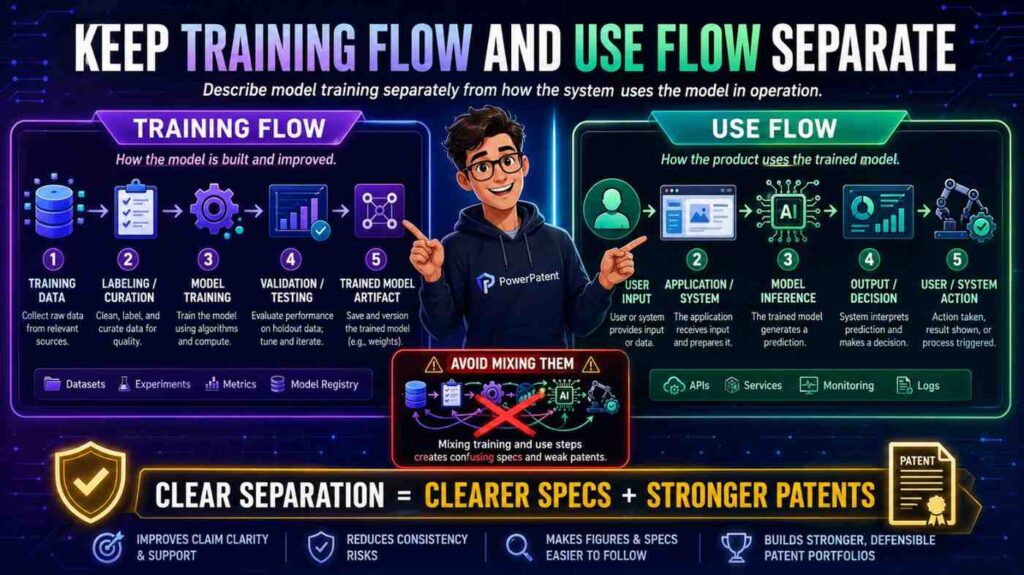
AI inventions often have two flows.
One flow trains or updates the model.
The other flow uses the model to create an output.
These should not be mixed unless the invention truly mixes them.
Training flow may include training data, labels, feature extraction, model parameters, validation, and updates.
Use flow may include live input data, model application, output score, decision, and action.
The claims may focus on one flow or both.
The spec should explain the flow being claimed.
The figures should show the difference clearly.
A common mistake is to show training data going into the model in a figure, while the claim is about using a trained model with live data. That is not always wrong, but it can confuse the reader if the draft does not explain what is happening.
Another common mistake is to say the model is “trained” every time it receives input. That may be wrong. In many systems, the model receives input during use but is not trained on that input.
Use plain labels.
“Training phase.”
“Use phase.”
“Model update phase.”
These labels can save a lot of confusion.
If a model is trained before deployment, say that.
If it is updated after deployment, say that.
If it is never updated on the user device, say that.
For AI patents, this separation is one of the most important consistency checks.
Keep optional features in their place
A patent draft may include optional features to show different versions.
That is useful.
But optional features often become inconsistent across claims, spec, and figures.
The spec may say a dashboard is optional.
The figure may show the dashboard as a central block.
The claim may require sending data to the dashboard.
Now the dashboard may not feel optional anymore.
That may be fine if the dashboard is core. But if the invention can work without it, the claim or figure may need adjustment.
A good draft makes optional features clear.
For example:
“In some examples, the system includes a dashboard.”
“In examples that include the dashboard, the dashboard displays the risk score.”
This keeps the optional feature from taking over the whole invention.
Figures can also show optional parts using dashed lines or clear labels, depending on drafting style.
The point is simple: do not let an optional part look required by accident.
This matters for startups because your product will change. You may have a dashboard today and an API tomorrow. You may use a mobile app now and a partner integration later. If the invention does not depend on the dashboard, do not let the draft lock you into it.
Watch for “required” words in the spec
Certain words can quietly create conflict.
Words like “must,” “always,” “required,” “only,” “necessary,” and “essential” are strong.
Sometimes they are correct.
Often they are too strong.
If the spec says the system “always” uses a cloud server, but the claims are written broadly enough to cover local processing, the draft may be inconsistent.
If the spec says a camera is “required,” but the claims say “sensor,” the draft may create confusion about whether other sensors are really supported.
Use strong words only when the feature is truly required.
Most examples should use softer words like “may,” “can,” “in some examples,” or “in one version.”
This is not about being vague. It is about being accurate.
A patent draft should protect the invention without adding false limits.
During consistency review, search for strong words.
When you find one, ask:
Is this truly required?
Does the claim require it?
Do the figures show alternatives?
Does the rest of the spec agree?
If not, revise.
This small word check can prevent a lot of scope loss.
Check the background against the invention
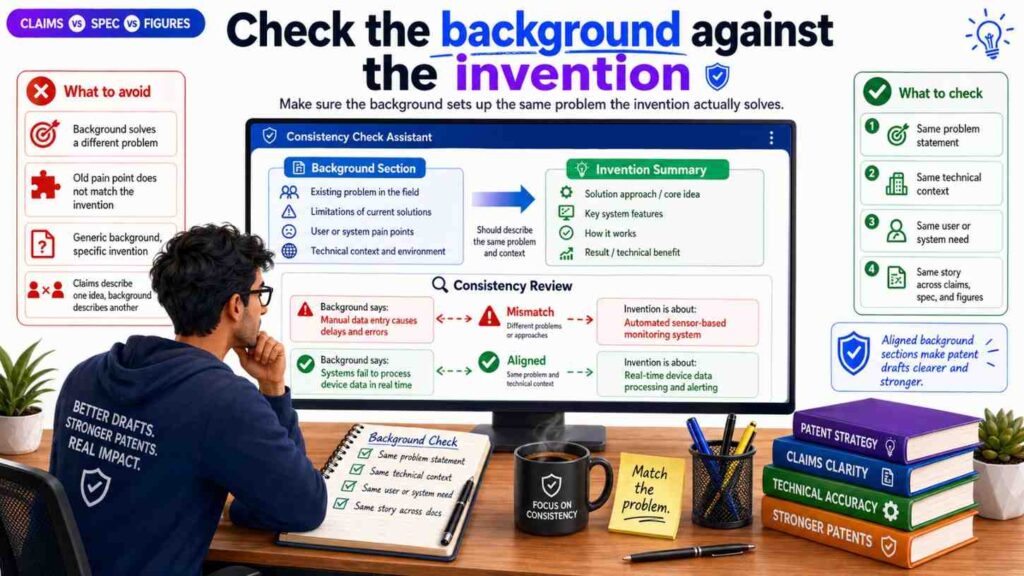
The background section can also create inconsistency.
AI often writes broad background text that sounds official but does not fit the invention.
For example, the invention may be about reducing model delay on edge devices. But the background may focus on poor user interface design. That mismatch makes the draft feel unfocused.
The background should set up the problem that the invention solves.
It should not introduce a different problem.
If the claims are about better data routing, the background should not make it sound like the main issue is model training unless both are tied together.
If the figures show a hardware device, the background should not focus only on cloud software unless that is part of the problem.
A good background is short, true, and aligned.
Do not let the background become a generic essay.
It should lead the reader to the invention.
Check the summary against the claims
The summary should reflect the claimed invention.
It should not be broader than the claims in a way that is unsupported.
It should not be narrower than the claims in a way that creates confusion.
If the claims cover a system and a method, the summary should mention both if both matter.
If the claims focus on generating a risk score and changing an action, the summary should not focus only on displaying data.
The summary is often created early, then the claims change later. When that happens, the summary may become stale.
Always review the summary after the claims are close to final.
Ask:
Does the summary still describe the same invention?
Does it use the same key terms?
Does it introduce features that are not in the claims?
Does it ignore features that are central to the claims?
The summary does not need to be long. It needs to be aligned.
Check the abstract last
The abstract should be a short, accurate snapshot.
It should not introduce new parts.
It should not use different names.
It should not overpromise.
It should not describe a version that the claims do not cover.
Because the abstract is short, people may not review it closely. That is a mistake.
AI often writes abstracts that sound polished but drift from the draft.
For example, the draft may be about ranking alerts, while the abstract says the system automatically repairs faults. That is a big difference.
Review the abstract after everything else.
Make sure it matches the claims, spec, and figures.
The abstract should feel like a clean mini-version of the patent story.
Check dependent claims carefully
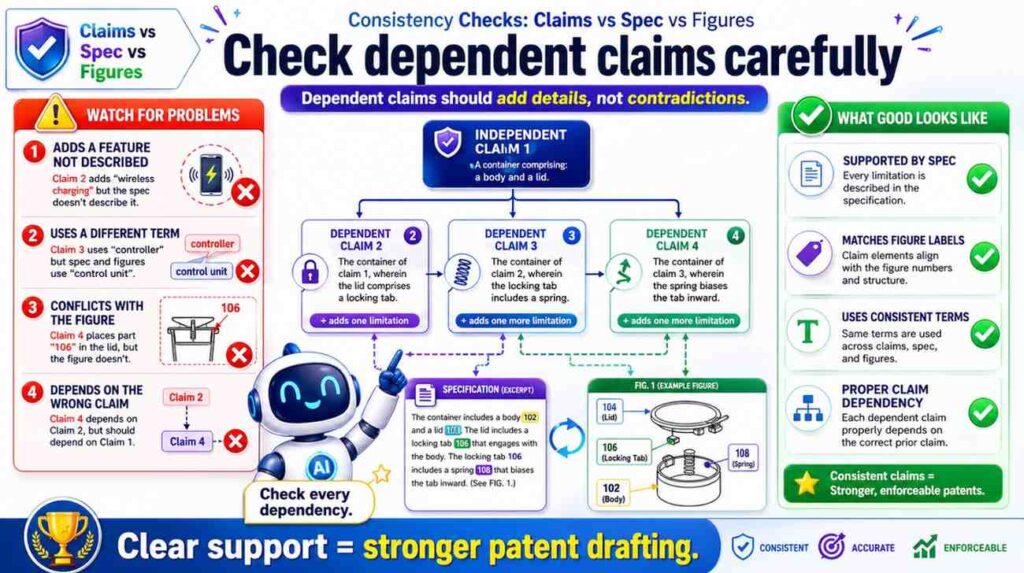
Dependent claims add details to broader claims.
They are useful because they protect specific versions.
But they can create consistency issues.
A dependent claim may add a feature that the spec barely explains. It may refer to a part not introduced in the base claim. It may narrow the invention in a way that conflicts with another dependent claim.
For example, claim 1 may say the model runs on a local device.
Claim 2 may say the model runs on a cloud server.
If claim 2 depends from claim 1, that may not make sense unless claim 1 allows the model to run in either place.
Another example:
Claim 1 may say the system uses sensor data.
Claim 3 may say the sensor data includes image data and vibration data.
Does that mean both are required? Or either one? The wording matters.
The spec should support the exact meaning.
When checking dependent claims, read the full chain.
Do not read claim 7 alone. Read claim 1, then claim 3, then claim 7 if claim 7 depends from claim 3.
Each added feature should fit cleanly.
This is one of the places where real attorney review is important. Claim chains can look simple but carry major scope effects. PowerPatent combines drafting tools with attorney oversight so founders do not have to catch every claim issue alone. Learn more here: https://powerpatent.com/how-it-works
Check that figures do not narrow the claims by accident
Figures often show one version of the invention.
That is normal.
But the spec should make clear that the figures are examples unless the invention truly requires that exact setup.
For example, a figure may show a phone, a cloud server, and a database.
If the invention can also work with a laptop, edge server, or local memory, the spec should say that.
Otherwise, a reader may think the invention is tied to the exact architecture shown.
This is especially important for software products because architecture changes fast.
A founder may start with a cloud app, then move some features to edge devices. Or a system may start with one database and later move to many storage systems. You do not want the patent draft to imply that one early architecture is the whole invention.
Figures should support the claims, not trap them.
The spec can help by saying things like:
“The example system shown in Figure 1 is one possible arrangement.”
That simple framing keeps the drawing useful without making it too narrow.
Check whether every figure is actually used
Every figure should earn its place.
If a figure is included, the spec should describe it.
If the spec describes Figure 4, there should be a Figure 4.
If Figure 5 shows a process, the text should explain that process.
A figure that is never explained creates confusion.
A figure that shows old or unused features can be worse than no figure at all.
This often happens when teams reuse old drawings or AI-generated figure descriptions.
A figure may remain from an earlier product version. The claims may have changed. The spec may have moved on. But the figure stays.
Do not let that happen.
During review, go figure by figure.
Ask:
Is this figure still needed?
Does the spec describe it?
Does it support the claims?
Does it use the right terms?
Does it show current or intended invention versions?
If a figure does not help, revise it or remove it.
A lean, aligned figure set is better than a large, confusing one.
Check whether the spec describes every reference number
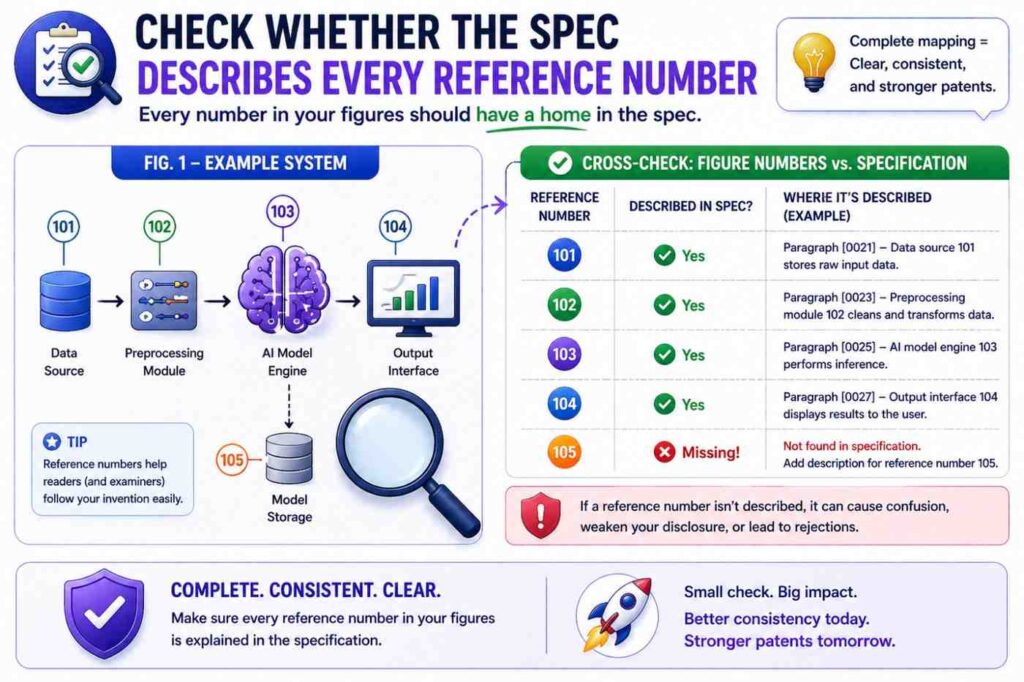
Patent figures often use reference numbers.
Each important number should be explained in the spec.
If the figure shows “model 130,” the spec should identify model 130.
If the figure shows “data store 150,” the spec should explain data store 150.
If the figure shows arrow 160, the spec may need to explain what flows through that arrow if the flow matters.
Unexplained numbers make the draft harder to read.
They can also signal that the drawing and text were not carefully matched.
Create a reference number table if needed.
It can be simple.
Number 110: sensor.
Number 120: processor.
Number 130: risk model.
Number 140: controller.
Number 150: data store.
Then compare the table to the figures and spec.
This is a basic drafting step, but it catches many mistakes.
Check whether the figures show the right level of detail
Too little detail can leave the claims unsupported.
Too much detail can distract or narrow the story.
For example, if the claim is about a model pipeline, a figure that only shows a user device and a server may be too thin. It may not show the model input, output, or action.
But if the figure shows every tiny internal software class, it may be too cluttered and may create unnecessary limits.
The right figure detail depends on the invention.
For AI inventions, helpful figures often show data sources, feature generation, model application, output creation, and downstream action.
For hardware inventions, helpful figures often show physical parts, connections, positions, and movement.
For platform inventions, helpful figures often show system components, user devices, servers, databases, and data paths.
The goal is not to draw everything.
The goal is to draw what helps the reader understand the claimed invention.
Check for product drift
Startups move fast.
The product may change while the patent draft is being prepared.
That can create drift.
The figures may show last month’s architecture. The spec may describe this month’s design. The claims may aim at next quarter’s roadmap.
Those may all be useful, but they must be handled with care.
If the invention covers all versions, explain them as alternatives.
If an old version is no longer relevant, remove it.
If a future version is important, make sure it has support.
Do not let time create contradictions.
A patent draft should not be a random snapshot of different product moments. It should be a deliberate protection plan.
Before filing, ask the engineering team:
What changed since we started this draft?
Do the claims still cover the key idea?
Do the figures still match?
Does the spec include any outdated statements?
Are there new versions we should support?
This review is worth doing because startup products do not stand still.
Check for AI-generated “filler” parts
AI may add parts that sound normal but are not part of your invention.
A user profile database.
An admin portal.
A payment module.
A cloud analytics engine.
A location tracker.
A recommendation engine.
A feedback loop.
Some may be real. Some may be made up.
If these parts show up in the spec or figures but not in the claims, they may be harmless examples. Or they may create confusion.
If they show up in the claims, they may narrow the invention by accident.
Review every added part.
Ask:
Is this real?
Is this optional?
Is this required?
Does this part support the invention?
Could this part create a privacy, safety, or business issue?
Should this part be removed?
AI can write with confidence. That does not mean the detail is true.
Founders should be careful here. Your invention may be strong because it avoids a common part. For example, it may avoid cloud processing, avoid personal data, or avoid manual labeling. If AI adds those things back in, the draft may contradict your real advantage.
Check for naming drift in the figures
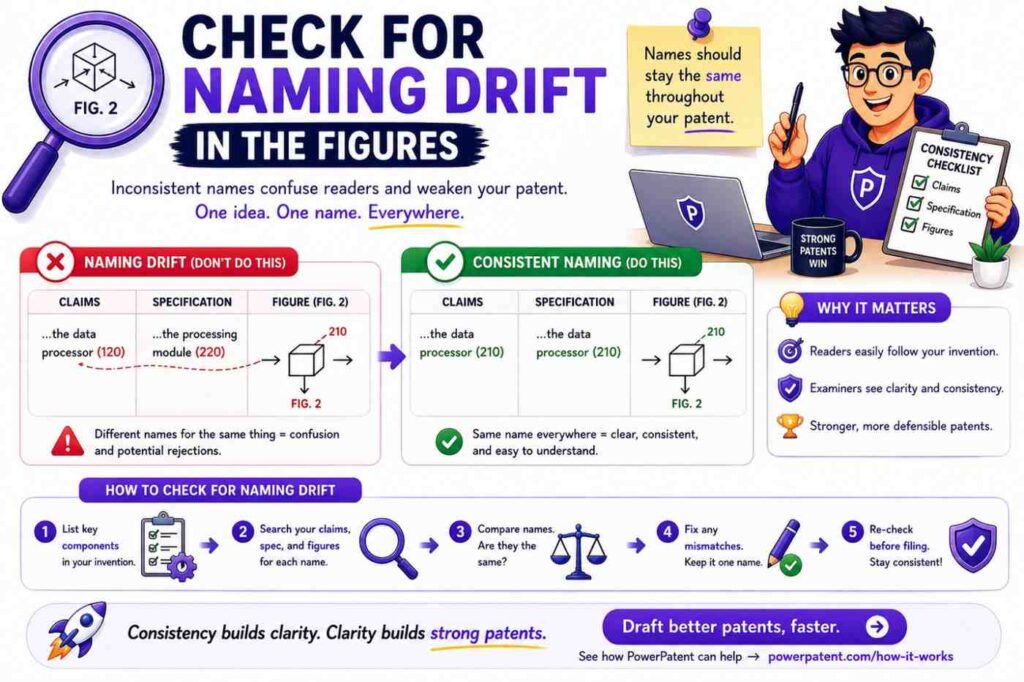
Figures may use short labels because space is limited.
That is fine.
But short labels still need to match the draft.
If the claim says “route risk score,” the figure should not label it “danger score” unless the spec explains that they are the same.
If the spec says “edge server,” the figure should not label it “cloud server” unless those are different examples.
If the claim says “control signal,” the figure should not label the same arrow “alert” unless the signal is actually an alert.
Labels shape how readers understand the invention.
Make them precise.
In technical drafts, a small label can change meaning. “Training data” is not the same as “input data.” “Prediction” is not the same as “classification” in every case. “User device” is not the same as “sensor device” if they play different roles.
Do not treat labels as decoration.
They are part of the patent story.
Check for actor confusion
A patent draft should make clear who or what performs each step.
The actor may be a processor, server, device, controller, model, user, robot, sensor, or system.
AI often blurs actors.
It may say “the system determines,” then “the model determines,” then “the server determines,” then “the user determines.”
Sometimes these all refer to different actions. Sometimes they conflict.
For each key step, identify the actor.
Who receives the data?
Who applies the model?
Who creates the score?
Who selects the action?
Who sends the command?
Who performs the action?
Then check claims, spec, and figures.
If the claim says the processor creates the score, the spec should not say the user creates it unless the user provides input rather than creating the score.
If the figure shows the server sending the control signal, the spec should not say the local device sends it unless both versions are intended.
Actor confusion can weaken the draft because it changes how the invention works.
This is very important for distributed systems. In a distributed system, different parts may perform different tasks. The draft must keep those roles clear.
Check for input and output mismatch
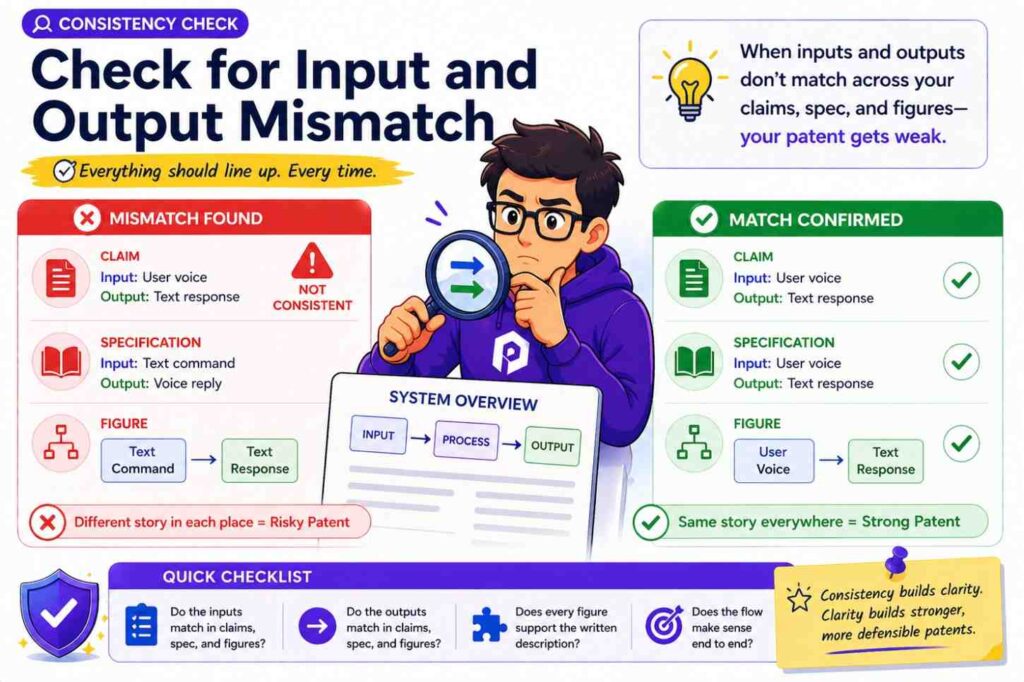
Every key process should have clear inputs and outputs.
A model receives something and creates something.
A controller receives something and sends something.
A database stores something and returns something.
A user interface receives something and displays something.
If the inputs and outputs change across the claims, spec, and figures, you may have a contradiction.
For example, the claim says the model receives sensor data and outputs a risk score.
The spec says the model receives user profile data and outputs a recommendation.
The figure says the model receives map data and outputs a route.
These may be related, but they are not the same.
A clean draft would explain whether the model can receive different inputs in different examples, or whether there are different models.
Do not leave that open.
For AI inventions, this check is critical.
The model’s input and output often define the invention.
If those drift, the whole patent story drifts.
Check whether examples support the claim scope
Examples make the invention concrete.
But examples should not undercut the claims.
If the claim is broad, the examples should show enough range to support that breadth.
For example, if the claim covers different types of sensors, the spec may include examples of several sensor types.
If the claim covers different deployment locations, the spec may include local, edge, and server examples when true.
If the claim covers different actions, the spec may explain alerts, control changes, recommendations, or scheduling changes.
This does not mean you need dozens of examples. It means the examples should support the kind of breadth the claims seek.
A claim that covers many versions but a spec that describes only one narrow version may feel weak.
On the other hand, examples should not be random. They should be tied to the core idea.
A strong patent draft gives enough examples to show the invention has room, while still keeping the story focused.
Check whether the claims are broader than the spec can support
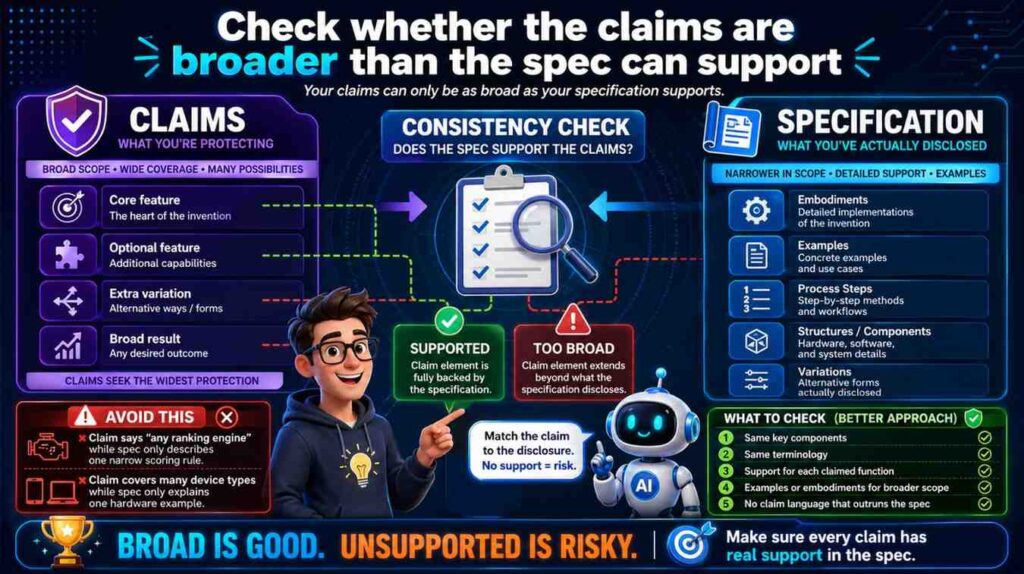
Founders often want broad claims.
That is natural.
But claims should be broad in a smart way.
If a claim is broader than the spec supports, it may face problems.
For example, the claim may cover “any user device,” but the spec only describes a special medical sensor with unique hardware. Maybe broader coverage is still possible. Maybe not. The draft needs to support it.
Another example: the claim may cover “any model,” but the spec only explains a specific neural network architecture that is central to the invention.
If the invention really depends on that architecture, broad “any model” language may be too loose.
The consistency check should ask:
Does the spec support the full claim?
Are there enough examples?
Are the broad terms explained?
Does the figure show only one version without saying others are possible?
This is not about making claims narrow. It is about making them defensible.
Good claim scope is not just wide. It is well supported.
PowerPatent helps founders avoid the common trap of filing broad-sounding but weak drafts. The platform pairs smart tools with real attorney guidance so the patent strategy matches the invention. See more here: https://powerpatent.com/how-it-works
Check whether the spec is broader than the claims
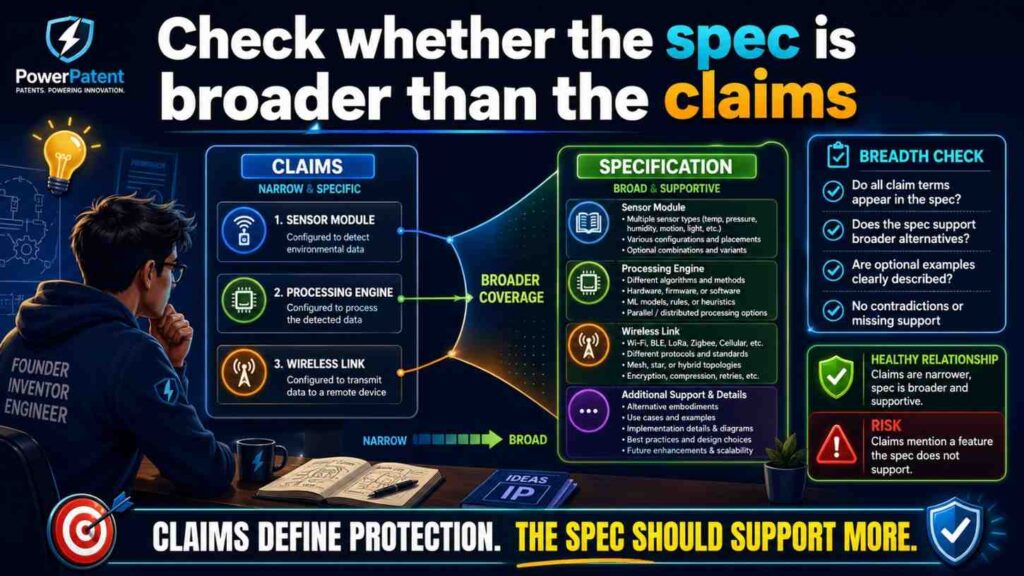
The opposite can also happen.
The spec may describe many valuable ideas, but the claims may cover only one small part.
That may be intentional. But sometimes it is a missed chance.
For example, the spec may describe a new way to collect training data, a new model update process, and a new deployment method. But the claims may only cover the dashboard.
If the dashboard is not the real moat, the claims may miss the value.
During consistency review, look for important ideas in the spec that do not appear in the claims.
Ask:
Is this detail just background?
Is it an optional example?
Or is it a second invention we should claim?
This is not always a simple call. It may require patent strategy. Sometimes the best move is to file more than one patent application. Sometimes the best move is to add claims. Sometimes the detail is not worth claiming.
But you should notice it.
A patent draft should not hide valuable invention points in the spec while the claims protect something minor.
Check the title
The title should match the invention without being too narrow.
AI may create titles that sound good but limit the idea.
For example:
“Cloud-Based Camera System for Warehouse Robot Safety”
That title may be too narrow if the invention is not limited to cloud, cameras, warehouses, or robots.
A better title might be:
“Systems and Methods for Risk-Based Machine Navigation”
The title is not the main protection. But it still contributes to the overall story.
If the title says one thing and the claims say another, the draft feels less consistent.
Review the title after the claims are drafted.
Make sure it points to the core idea.
Check cross-references
Patent drafts often refer to sections, figures, and examples.
These cross-references need to be correct.
If the spec says “as shown in Figure 3,” make sure Figure 3 shows that thing.
If it says “described above,” make sure the thing was actually described above.
If it says “the process of Figure 4,” make sure Figure 4 is a process.
AI may create cross-references that sound right but are wrong.
These are easy to miss because they look like normal patent language.
Review them carefully.
Wrong cross-references create friction for the reader. They also make the draft look less polished.
A strong patent draft should guide the reader smoothly.
Check for old names after edits
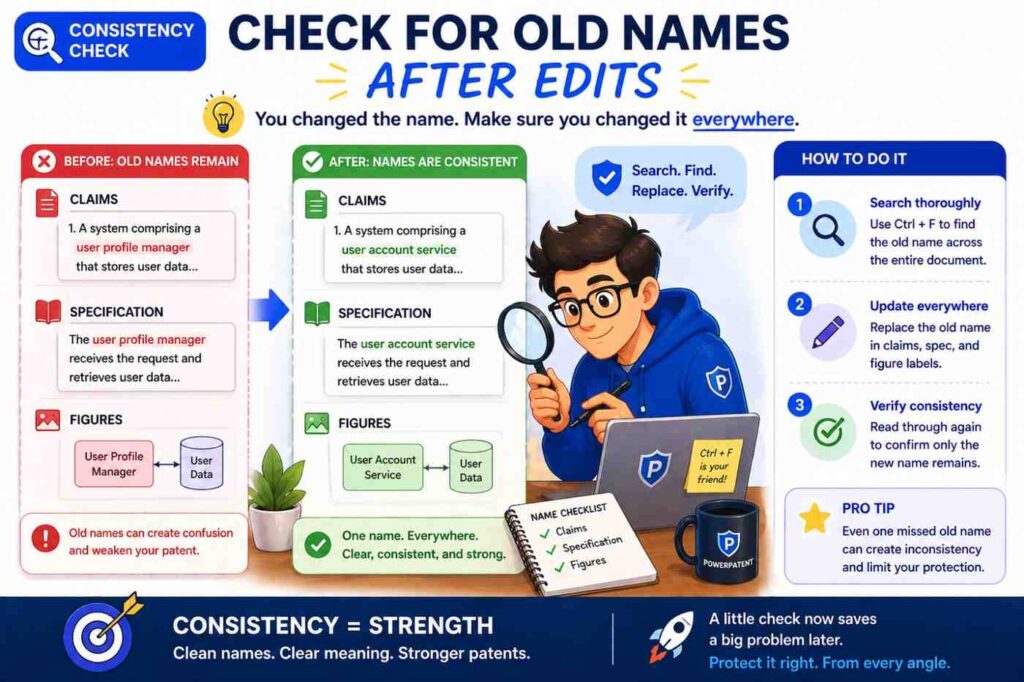
During drafting, names change.
“Prediction engine” becomes “risk model.”
“Mobile device” becomes “user device.”
“Cloud server” becomes “edge server.”
“Failure score” becomes “risk score.”
After a name change, old names may remain in the draft.
This creates inconsistency.
Use search.
Search for the old term. Replace it where needed. But do not blindly replace every instance. Sometimes an old term may refer to a different thing.
After big edits, run a name cleanup pass.
This is one of the easiest ways to improve draft quality.
Check claim numbering and figure numbering
Basic numbering mistakes can create confusion.
Claims should be numbered correctly.
Figures should be numbered correctly.
Reference numbers should not jump in confusing ways unless there is a reason.
Method steps should be referenced consistently.
If the draft says “claim 12” depends from “claim 14,” that is a problem.
If Figure 6 is described before Figure 5 without reason, that may confuse the reader.
If step 306 is described as happening before step 304, confirm that this is intended.
These checks are not glamorous. They are necessary.
A good patent draft should not make the reader work harder than needed.
Check for inconsistent use of singular and plural
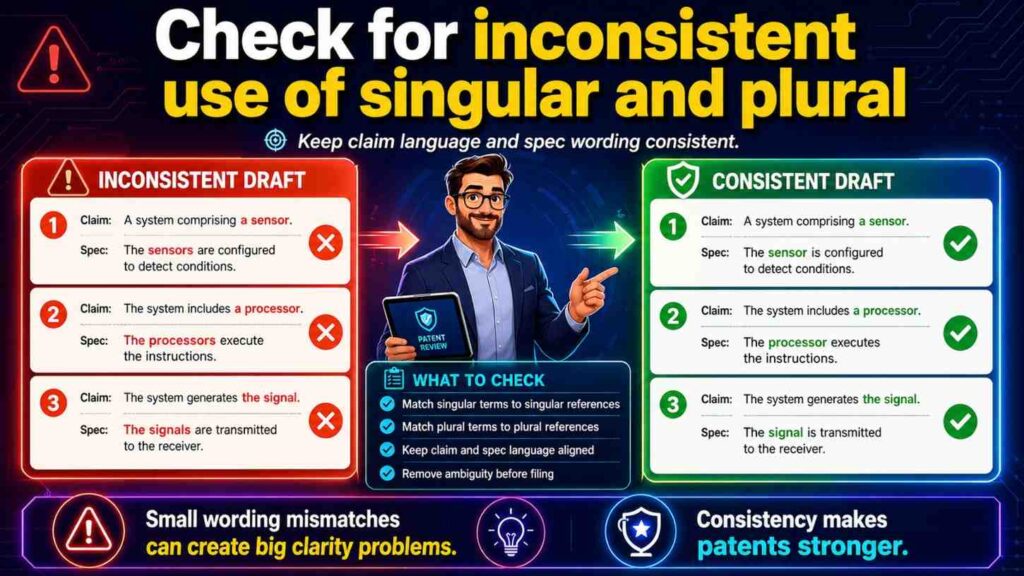
This seems small, but it matters.
The claim may say “a sensor.”
The spec may say “sensors.”
The figure may show three sensors.
This is not automatically a problem. In patent language, “a sensor” can often cover one or more sensors, depending on context. But the draft should still be clear.
If the invention can use one or more sensors, say so.
If it requires multiple sensors, say that.
If the figure shows three sensors only as an example, make that clear.
The same issue appears with models, servers, processors, devices, databases, and users.
A claim may say “a model,” but the spec may describe multiple models. Are those alternatives? A pipeline? An ensemble? Different phases?
Do not leave the reader guessing.
Simple wording can fix this:
“The system may include one or more sensors.”
“The model may include one model or multiple models.”
“The server may be a single server or a group of servers.”
Use this kind of language when true.
Check whether the figures support alternatives
If the spec describes alternatives, the figures may need to support them.
Not every alternative needs its own figure. But important alternatives may deserve one.
For example, if the invention can run locally or in the cloud, and that difference matters, the figures may show both architectures.
If the invention has a training phase and a use phase, separate figures may help.
If the invention can use different sensor types, the spec may be enough, but a figure may show a general sensor block rather than only one specific sensor.
The goal is to help the reader understand the breadth.
Figures can make alternatives feel real.
But too many figures can also add clutter. Use judgment.
The consistency question is:
Do the figures make the claimed range easier to understand?
If yes, they are doing their job.
Check for unsupported advantages
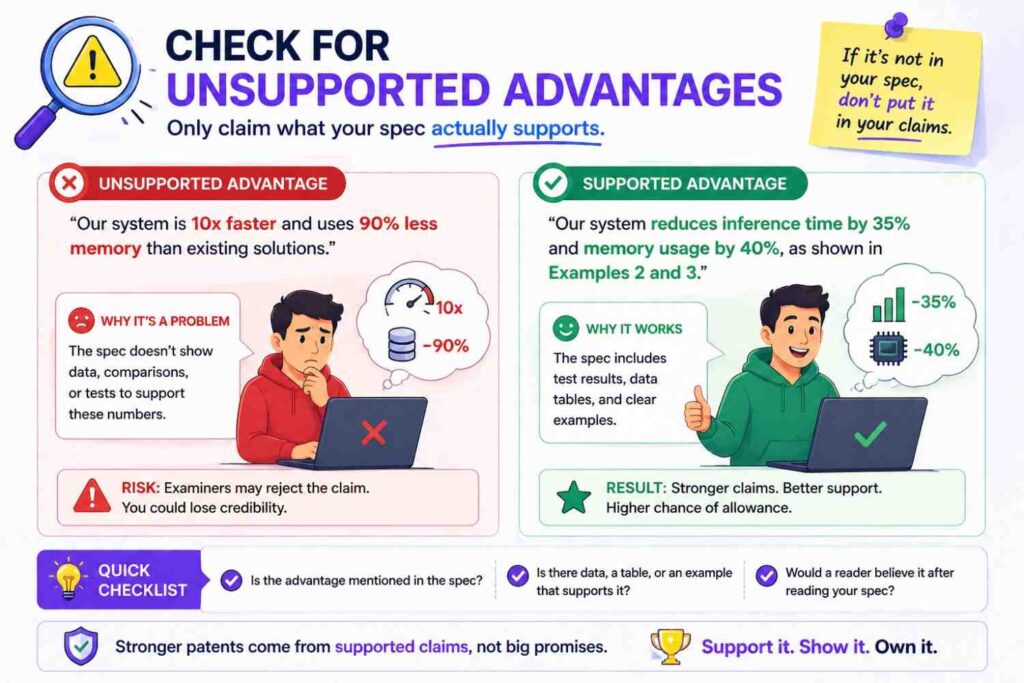
The spec may say the invention improves speed, safety, accuracy, privacy, or cost.
Those statements should match the described invention.
If the claims and figures show local processing, a speed or privacy benefit may make sense.
If the claims show a special data filtering step, a lower bandwidth benefit may make sense.
But if the spec says the invention “guarantees accuracy” and the claims only describe basic data collection, that is a mismatch.
Avoid big claims that are not tied to the mechanism.
A better approach is to say the invention “may improve” or “may reduce” a problem, then explain why.
For example:
“By generating the risk score at the edge device, the system may reduce delay caused by sending data to a remote server.”
That connects the benefit to the technical feature.
Clear benefit statements help the patent and the business story.
Unsupported hype does not.
Check that the patent does not read like marketing copy
PowerPatent writes for founders in plain words, but patent drafts themselves need to stay technically grounded.
The spec can explain benefits, but it should not sound like an ad.
AI may add phrases like “revolutionary,” “game-changing,” or “best-in-class.”
Those do not belong in a patent draft.
They can also create inconsistency because they promise more than the details show.
Use calm, clear language.
Say what the invention does.
Say how it may help.
Avoid hype.
A professional patent draft builds trust by being precise.
Check the “best” example is not treated as the only example
Your team may have a preferred version.
That is normal.
The product may work best with one model, one sensor, one architecture, or one workflow.
The patent draft should describe that version well.
But unless the invention truly requires it, the draft should also leave room for other versions.
For example, your best version may use a transformer model. But if the invention is really about how input data is selected before model use, the claims may not need to be limited to transformers.
The spec can say:
“In one example, the model is a transformer model.”
That protects the example without making it the whole invention.
This is a key consistency issue because the spec may repeatedly describe the best version, while the claims try to stay broader.
Make sure the spec includes enough general language to support that broader claim.
Check for mixed invention types
Some drafts mix system, method, device, and computer-readable medium language.
That can be useful.
But each claim type should be supported by the spec and figures.
If there is a system claim, the spec should describe the system parts.
If there is a method claim, the spec should describe the steps.
If there is a device claim, the spec should describe the device structure.
If there is software storage language, the spec should support software instructions being stored and executed.
Do not let claim types appear as boilerplate without real support.
AI may generate many claim types because it has seen that pattern. But the draft still needs to fit your invention.
A patent attorney can help decide which claim types make sense.
Check for mismatch between claim breadth and figure specificity
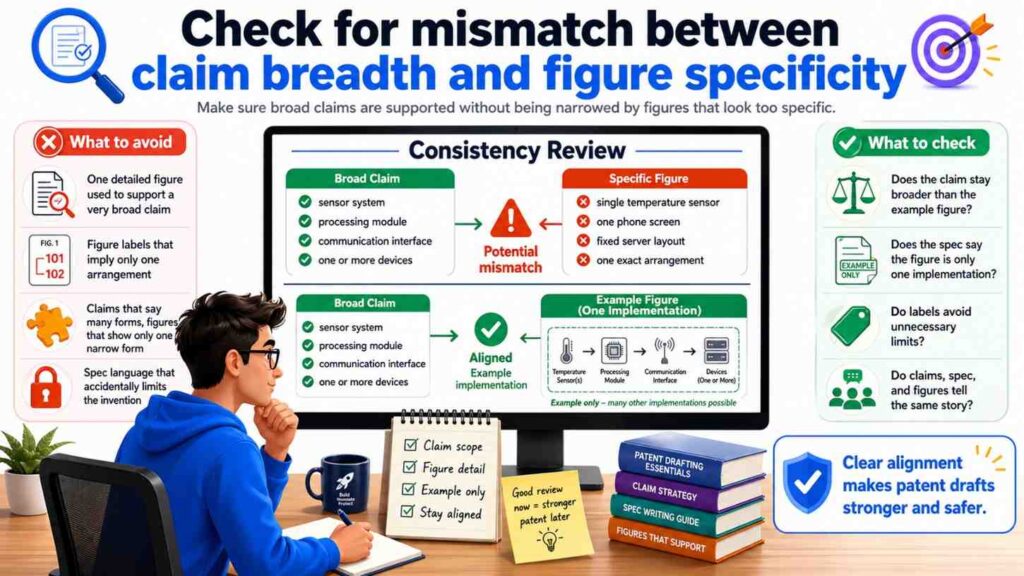
Figures are often specific. Claims are often broader.
That is okay.
But the spec should bridge the gap.
For example, the figure may show a robot in a warehouse.
The claim may say “machine.”
The spec should explain that the machine may be a robot, vehicle, industrial tool, drone, or other device, if true.
Without that bridge, the figure may make the claim feel unsupported.
This bridge language is important.
It tells the reader that the figure is only one example of a broader idea.
Many AI-generated drafts miss this because they describe the figure as if it is the invention itself.
Change “the invention includes the robot” to “in one example, the system includes a robot.”
That small edit keeps the scope open.
Check for inconsistent environments
A draft may describe the invention in one environment in the claims and another in the spec.
For example, claims may focus on hospitals, while the spec discusses factories. Or the figures may show cars, while the claims say drones.
Sometimes the invention can work in all these places. But the draft must say so.
If the environment is not central, use broader language.
If the environment is central, keep it consistent.
For example, if your invention is about patient monitoring, do not let the figure labels make it look like a generic factory sensor system unless there is a reason.
If your invention is about warehouse robots, do not let the claims drift into all vehicles unless the spec supports that breadth.
Context matters.
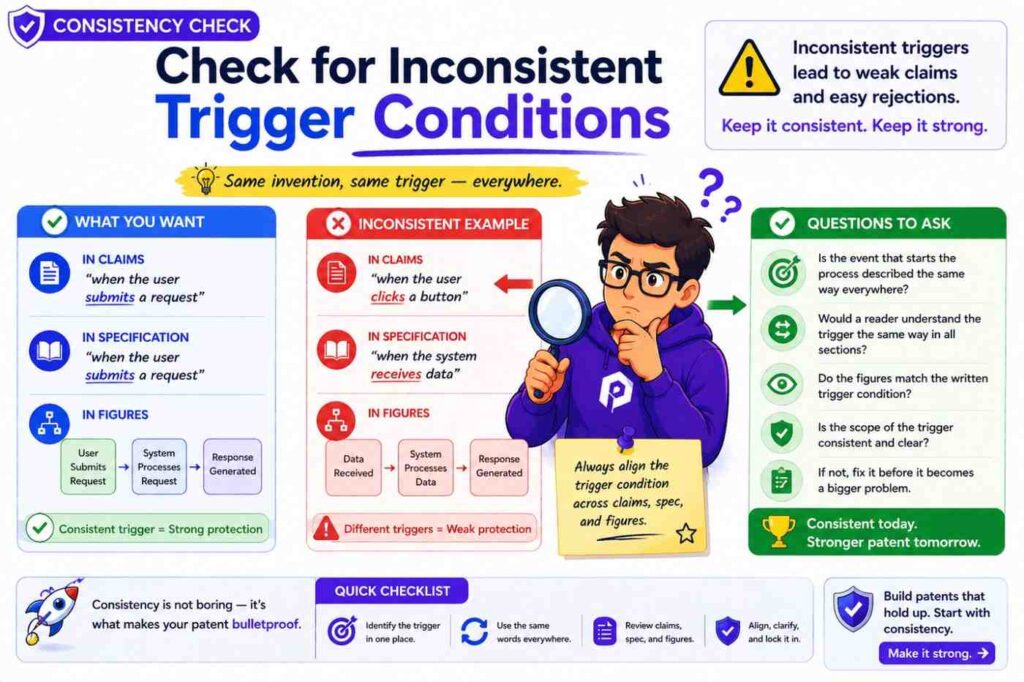
Check for inconsistent trigger conditions
Many inventions act when a condition is met.
A score passes a threshold.
A sensor detects a pattern.
A user request is received.
A model output matches a class.
A machine enters a state.
The trigger condition should match across the draft.
If the claim says an alert is sent when a risk score exceeds a threshold, the spec should not say the alert is sent when the score is below the threshold unless that is a different example.
If the figure shows an action after “confidence > 90%,” the spec should not say the action happens when confidence is below 50%.
Thresholds can vary, but the logic should be clear.
For AI systems, also check whether higher scores mean more risk or less risk.
One section may use a high score to mean high risk. Another may use a high score to mean high confidence of safety. That can create a serious contradiction.
Define the score direction.
Then keep it steady.
Check for inconsistent outputs
A system may output a score, label, alert, recommendation, ranking, command, report, or control signal.
These are not all the same.
If the claim says the system outputs a control signal, the spec should explain the control signal.
If the spec only describes a dashboard alert, the claim may be too different.
If the figure shows a recommendation going to a user, while the claim says an automatic command goes to a machine, that difference matters.
Maybe the invention supports both advisory and automatic modes. If so, say that.
For example:
“In one mode, the system outputs a recommendation for review. In another mode, the system outputs a control signal that changes operation of the machine.”
That makes the draft flexible and clear.
Do not blur outputs.
Outputs often define the business value of the invention.
Check for human-in-the-loop consistency
Many AI systems involve human review.
Some require it. Some do not. Some allow both modes.
The draft should be clear.
If the claim says the system automatically performs an action, the spec should not say a human must approve every action unless automatic and manual modes are separate.
If the spec says the user approves changes, the figures should not show direct machine control with no user step unless that is another version.
Human review matters for safety, compliance, workflow, and scope.
Use clear mode language.
“In some examples, a user approves the action before it is performed.”
“In other examples, the action is performed without user approval.”
Only include both if both are true and useful.
Check for cloud, edge, and device consistency
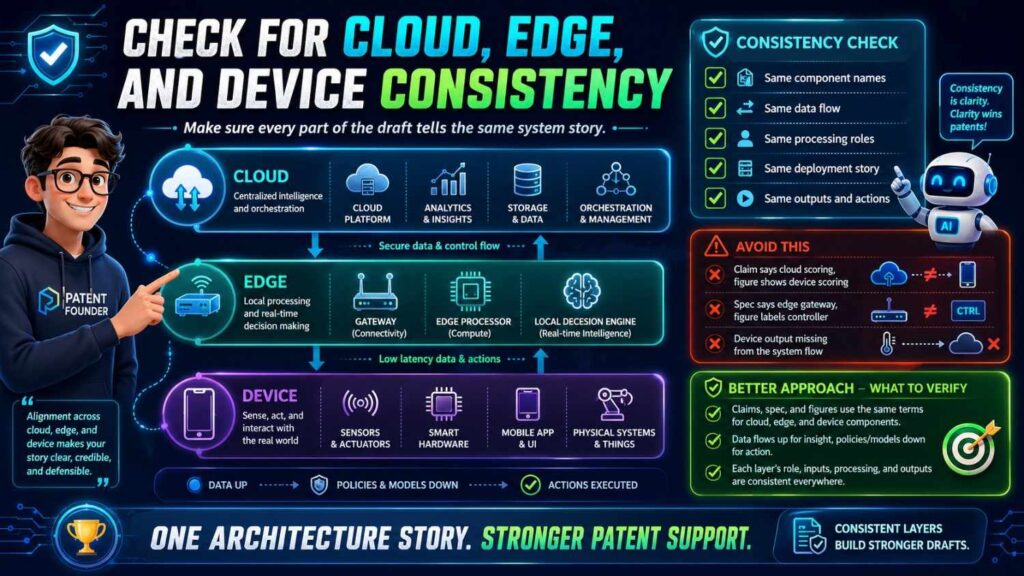
Modern systems often use cloud, edge, and device processing.
These words must be handled carefully.
A cloud server is not the same as an edge server.
An edge device is not always the same as a user device.
A local processor is not always the same as a remote processor.
If the claims say “local device,” the spec should not switch to “remote server” without explaining an alternative.
If the figure shows the model in the cloud, but the invention is about edge deployment, fix the figure or add another one.
This issue is very common in AI patent drafts because AI tools often assume cloud processing.
But many deep tech inventions are valuable because they do not rely on the cloud.
They may work offline. They may reduce delay. They may protect data. They may save bandwidth.
Do not let generic cloud language erase that value.
Check for security and privacy consistency
Security and privacy language must match the actual design.
If the spec says data is encrypted before transmission, the figures should not show raw personal data being sent without explanation.
If the claims focus on local processing for privacy, the spec should not repeatedly describe sending all user data to a server.
If the invention uses anonymized data, the draft should not also say the system identifies the same user unless the process is clear.
Security and privacy claims can be helpful, but they must be true and consistent.
Do not add them just because they sound good.
A careful draft avoids promises that the system does not keep.
Check for inconsistent data storage
Where is data stored?
On the device?
On a server?
In a database?
In memory only?
Temporarily?
Permanently?
Encrypted?
Deleted after use?
The claims, spec, and figures should not conflict.
If data storage is not central, keep the language broad.
If storage is central, describe it clearly.
AI may add a database because many systems use one. But your invention may not require a database. Or it may use temporary memory only.
Review storage language with your engineering team.
This is important because storage choices may affect privacy, speed, cost, and architecture.
Check for inconsistent model update language
Does the model update?
If yes, where and when?
If no, make that clear.
The draft may say the model is fixed after deployment. Later it may say user feedback updates the model in real time.
Both may be possible. But the draft should explain different versions.
Model updates can be central to an AI invention. They can also raise data and safety questions.
A clean draft might say:
“In some examples, the model is updated at a server using collected training data. In other examples, the model on the device remains fixed after deployment.”
That is clear.
Do not let model update language drift.
Check for inconsistent “real time” language
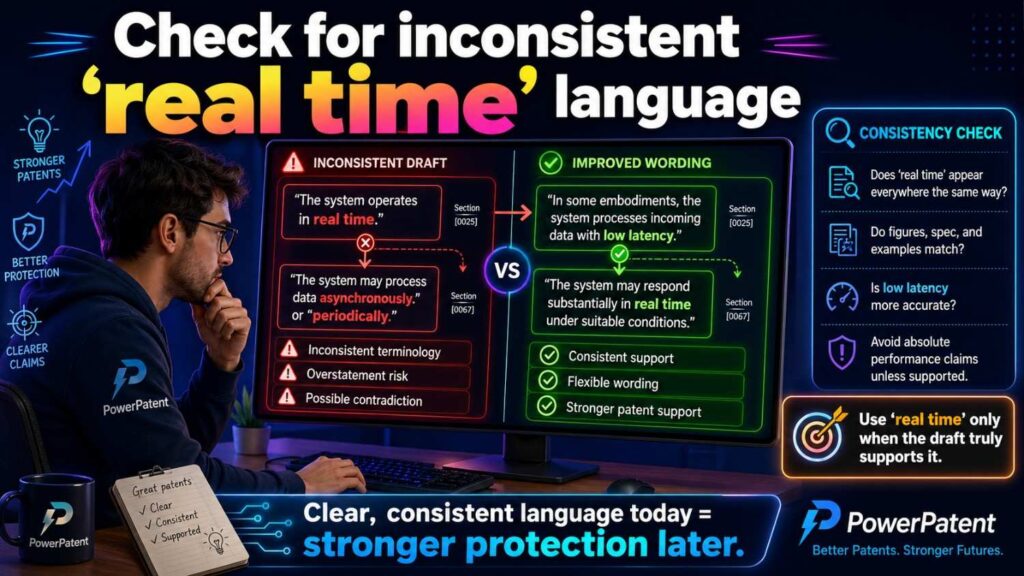
“Real time” is often used loosely.
One section may say the system acts in real time.
Another may say it processes data once per day.
That may be a contradiction unless the system supports both real-time and batch modes.
If real time matters, define it.
For example:
“In some examples, real time refers to processing during operation of the machine.”
If batch processing is also supported, describe it separately.
Do not use “real time” as decoration.
It should mean something.
Check for mismatch between figures and commercial product
The figures should not blindly copy the current product if the patent is meant to protect a broader invention.
For example, your current app may have three panels and a specific layout. The invention may be the model pipeline behind the app.
If the figures focus too much on the screen layout, the patent may feel tied to the user interface.
That may be fine if the UI is the invention. But if not, the figures should focus on the technical system.
Ask:
Are we showing the invention, or just the product?
Sometimes the answer is both. But you should know which is which.
A patent should protect what makes the product hard to copy.
Check for mismatch between the invention and roadmap
A good patent draft can support future product versions, not just today’s build.
But future versions should be described as possible versions, not mixed into the present system in a confusing way.
For example, today the system sends alerts. Next quarter, it may send automatic control commands.
The draft can include both if both are part of the invention strategy.
But it should say:
“In some examples, the system sends an alert. In other examples, the system sends a control command.”
Do not write as if both always happen unless that is true.
This helps the patent stay useful as the product grows.
Check for inconsistent problem-solution framing
The claims, spec, and figures should all support the same problem-solution arc.
If the problem is slow model response, the solution should show faster processing.
If the problem is poor sensor accuracy, the solution should show better sensor use or data handling.
If the problem is high manual review burden, the solution should show automation or better ranking.
A mismatch here weakens the draft.
The reader may ask:
What is this invention really improving?
The answer should be clear.
This also matters for conversion and business value. A founder should be able to explain the patent to an investor in simple words.
“Our patent covers a way to predict machine risk and adjust operation before failure.”
That is clear.
“Our patent covers some dashboard, model, and sensor stuff” is not.
Consistency helps you tell the story.
Check for support of the main advantage
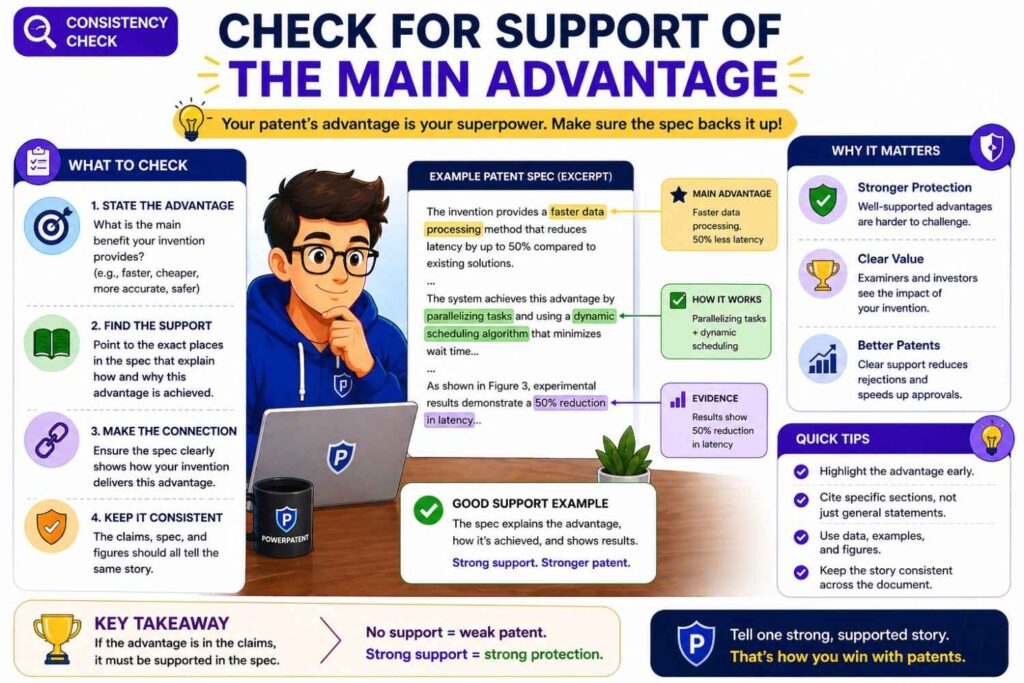
Every important advantage should connect to a technical feature.
If the draft says the invention reduces delay, where is the feature that reduces delay?
If it says the invention improves accuracy, where is the feature that improves accuracy?
If it says the invention saves power, where is the feature that saves power?
The claims do not always need to claim every advantage. But the spec should not make unsupported claims.
Figures can help show the mechanism.
For example, an edge-processing figure can support a lower-delay story.
A data-filtering figure can support a bandwidth-saving story.
A feedback-loop figure can support an improvement-over-time story.
Make the advantage visible.
Check consistency after every major revision
Do not wait until the end.
Every time the claims change, check the spec.
Every time the figures change, check the spec.
Every time the invention story changes, check the claims.
Patent drafting is connected work. One change can create three new mismatches.
For example, if you change “cloud server” to “edge server” in the claims, you must check the spec and figures for old cloud language.
If you remove a sensor from the claims, check whether the spec still treats that sensor as required.
If you add a model update step, check whether the figures show an update path.
Consistency is not a final polish step only.
It is part of the drafting process.
A practical consistency workflow
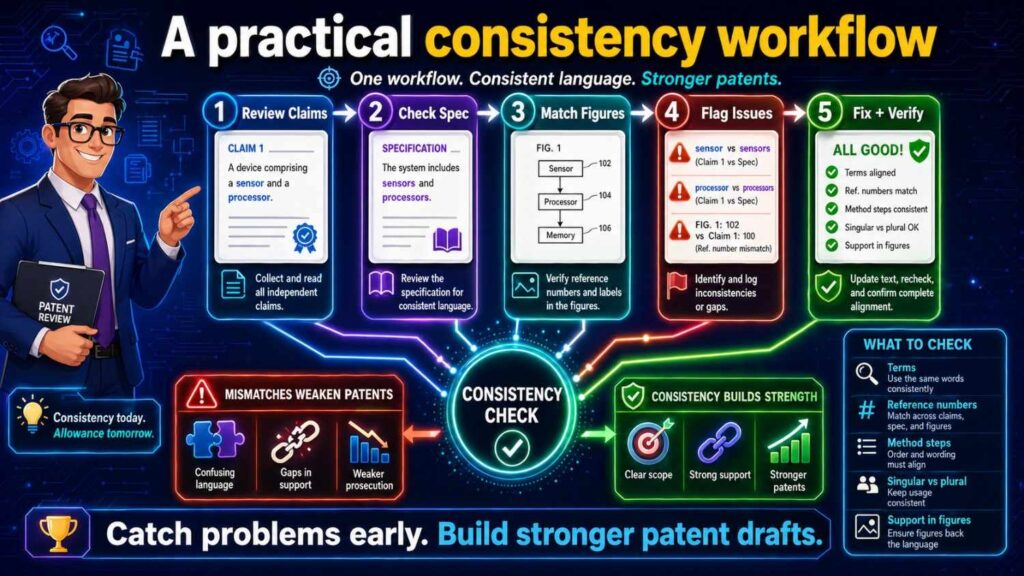
Here is a simple way to check claims, spec, and figures without getting lost.
Start with the independent claims. Highlight every key part, step, input, output, and actor.
Then read the spec and mark where each highlighted item is explained.
Next, review the figures and find where each key part or step appears.
After that, search the draft for old names, strong words, optional features, numbers, thresholds, and figure references.
Then review the dependent claims and make sure each one fits the claim it depends from.
Finally, read the whole draft once as a single story.
This process is simple, but it works.
It catches the most common issues before filing.
A founder-friendly example
Imagine your startup built an AI tool that helps factories avoid machine failure.
The claim says:
A system receives vibration data from a machine, applies a risk model to create a failure risk score, and changes a maintenance schedule based on the score.
Now check the spec.
Does it explain vibration data?
Does it explain the risk model?
Does it explain the failure risk score?
Does it explain how the maintenance schedule changes?
Does it mention other data types as optional, if you want that breadth?
Now check the figures.
Does one figure show the machine, sensor, model, score, and schedule change?
Does the data flow match the claim?
Does the model appear in the same place the spec says it runs?
Are the labels the same?
Now look for mismatches.
Maybe the spec says the model uses temperature data, not vibration data.
Maybe the figure shows an alert, not a schedule change.
Maybe the claim says the device changes the schedule, but the spec says a user changes it manually.
These are fixable.
But you need to catch them.
A clean version may say:
The system receives one or more types of machine sensor data, including vibration data or temperature data. The risk model generates a failure risk score. Based on the score, the system may change a maintenance schedule or send a maintenance alert.
Now the claims, spec, and figures can be aligned around a broader, clearer story.
Another example: software routing system
Imagine your invention routes support tickets to the right engineer.
The claim says:
The system receives a ticket, creates a ticket embedding, compares it with engineer skill profiles, and assigns the ticket to an engineer.
The spec should explain tickets, embeddings, skill profiles, comparison, and assignment.
The figures should show the ticket coming in, the embedding model or process, the skill profile store, the matching step, and the assignment output.
Now look for problems.
If the spec says the system ranks tickets by urgency, but the claim says it assigns tickets by skill match, those may be different inventions or different parts of one invention.
If the figure shows a human manager assigning tickets, but the claim says the system assigns them, that needs clarity.
If the claim says “engineer skill profile” but the spec says “user profile,” align the terms.
If the figure labels the output as “recommendation” but the claim says “assignment,” decide whether the system recommends or assigns.
That distinction matters.
A recommendation may require human action. An assignment may be automatic.
The draft should not blur them.
Another example: medical data tool
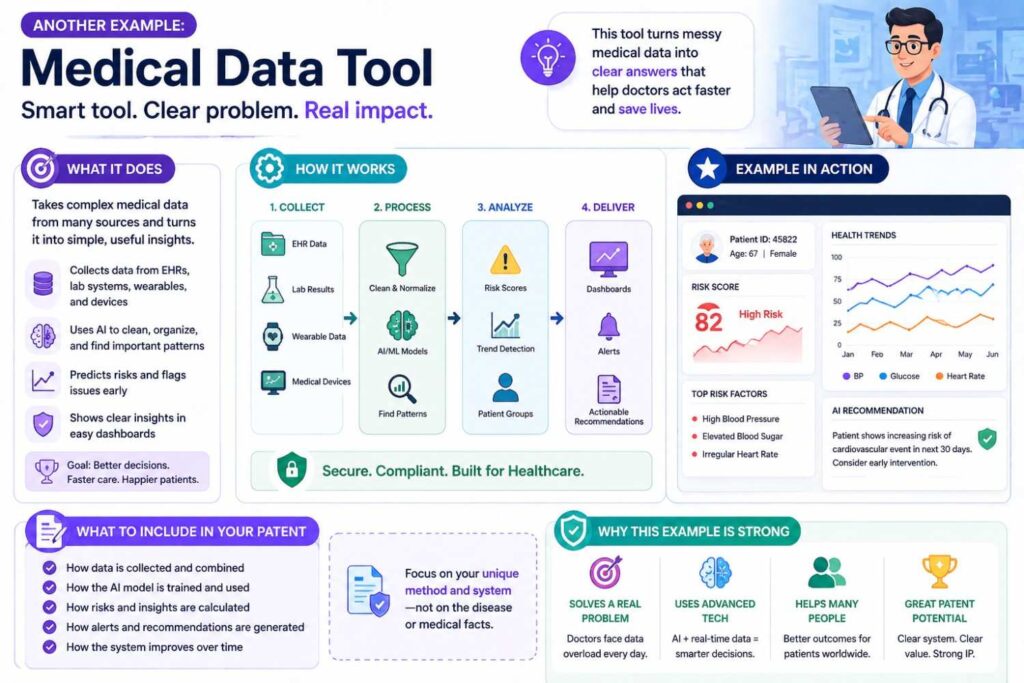
Imagine your startup built a tool that flags changes in patient data.
This area needs careful wording.
The claim may say:
The system receives patient sensor data, detects a change pattern, and sends an alert.
The spec should not casually say the system diagnoses a disease unless that is truly part of the invention and handled properly.
The figures should not show a “diagnosis engine” if the claims are about alerting.
The terms must match the intended scope.
“Alert” is not the same as “diagnosis.”
“Risk indicator” is not always the same as “medical conclusion.”
This kind of consistency is important because the words carry weight.
If your invention is an alert tool, keep the draft aligned with alerting.
Do not let AI add medical claims that your product does not make.
Another example: robotics control
Imagine your invention helps a robot avoid unsafe zones.
The claim says:
The robot receives map data and sensor data, creates a route risk score, and changes its path based on the score.
The spec should explain the map data, sensor data, score, and path change.
The figures should show the robot, map, sensors, model or scoring tool, and route update.
Now check for conflicts.
Does the figure show a remote server controlling the robot, while the claim says the robot changes its own path?
Does the spec say the route is changed only after user approval, while the claim says it changes automatically?
Does the claim say sensor data, while the spec only talks about camera data?
Does the figure show GPS, while the spec says GPS is not required?
These are common.
They are also easy to fix when caught early.
Why AI makes consistency both easier and harder
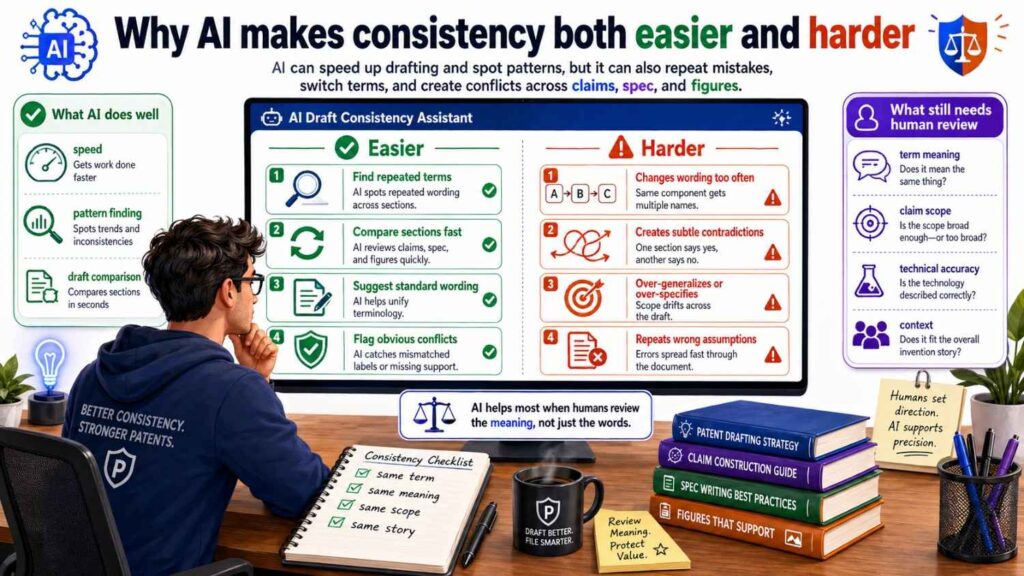
AI can help with consistency checks.
It can search for terms. It can compare sections. It can find missing references. It can suggest where claim terms need support.
But AI can also create inconsistency.
It may rename the same part. It may add boilerplate. It may invent a feature. It may write a figure description based on one version and claims based on another.
The answer is not to avoid AI.
The answer is to use AI inside a controlled process.
Give it clear invention notes.
Give it a term list.
Tell it which features are required and which are optional.
Ask it to flag assumptions.
Ask it to compare claims against the spec.
Then have humans review the result.
PowerPatent was built for this exact shift. Founders should be able to use smart software to move faster, while still having real patent attorneys involved where judgment matters. See how PowerPatent works here: https://powerpatent.com/how-it-works
The best consistency check is done before the draft is “done”
Many teams wait too long.
They draft everything, then check consistency at the end.
By then, the claims, spec, and figures may have drifted far apart.
It is better to check as you build.
After drafting the claims, outline the needed spec support.
Before creating figures, decide which claim parts need visual support.
After drafting the spec, update the claims if the real invention has changed.
After revising figures, update labels and text.
This keeps the draft aligned from the start.
It is like building software. You do not want to wait until launch to find out the front end and back end do not talk to each other.
A patent draft is similar. The parts need to connect.
What good consistency feels like
A consistent patent draft feels calm.
The same terms appear in the right places.
The figures make the text easier to understand.
The claims feel supported by the spec.
The examples feel connected to the claims.
The optional features are clearly optional.
The invention can be understood in one simple sentence.
That does not mean the invention is simple. Deep tech can be complex. AI systems can be layered. Hardware can be detailed.
But the story should still be clear.
A reader should not need to solve a puzzle.
Good drafting removes friction.
What poor consistency feels like
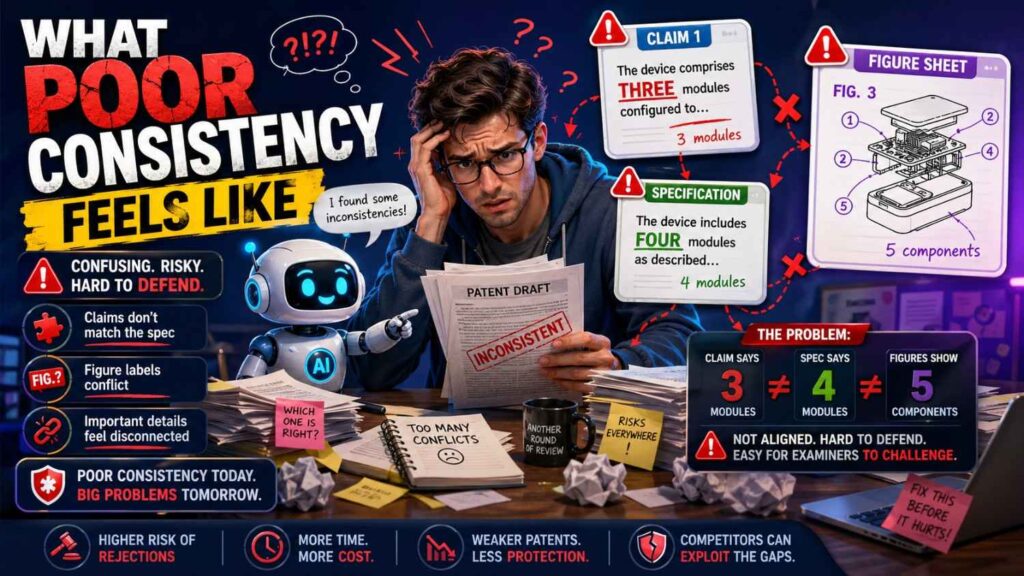
A weak draft feels jumpy.
Terms change without reason.
A model appears in the claims but not in the spec.
A figure shows a server that the text never mentions.
A claim requires a step that no example performs.
The spec says the feature is optional, but the claim requires it.
The drawing shows manual approval, while the claim says automatic action.
The abstract introduces a feature that appears nowhere else.
These issues make the draft harder to trust.
They also create work later.
It is much cheaper and faster to fix them before filing than after.
The business cost of inconsistency
For founders, consistency is not just a drafting issue.
An inconsistent draft can delay filing. That can matter when you are fundraising, launching, publishing, or talking to partners.
It can increase cost because attorneys must spend more time fixing the draft.
It can weaken investor confidence if the patent story is hard to explain.
It can reduce strategic value if the claims do not match the real moat.
It can create future risk if competitors find unclear language.
A good patent process saves time by preventing mess.
That is the whole idea behind PowerPatent: make the patent process faster and clearer while still keeping quality high through attorney oversight. Learn more here: https://powerpatent.com/how-it-works
The “one-page alignment test”
Before filing, try this.
On one page, write the invention in plain words.
Write the main claim idea in one sentence.
Write the key parts.
Write the key steps.
Write the main figure names.
Write the main benefit.
Now compare that page to the full patent draft.
If the draft supports the one-page story, you are in good shape.
If the draft keeps drifting away from that page, something needs work.
This test is powerful because it forces clarity.
A patent draft can be long, but the core idea should be easy to state.
If it is not, the draft may be trying to cover too much or may not be organized well.
When to involve a patent attorney
Do not wait until everything is perfect.
A patent attorney can help shape the claims, spot support issues, and decide how to handle alternatives.
This matters most when the invention is valuable, technical, or close to public release.
AI can assist, but it should not replace judgment.
An attorney can help answer hard questions like:
Should this be one application or more than one?
Are the claims too narrow?
Is the spec broad enough?
Do the figures support the claim strategy?
Are we protecting the product or the real moat?
Could a competitor design around this?
Founders do not need to become patent experts. They need a smart process and the right support.
That is what PowerPatent provides: software for speed, structure for clarity, and real attorney review for confidence. You can see the workflow here: https://powerpatent.com/how-it-works
Final consistency check before filing
Before filing, slow down for one final review.
Read the independent claims.
Then read the summary.
Then review each figure.
Then read the detailed sections tied to the claims.
Then check the dependent claims.
Then review the abstract and title.
At each step, ask one question:
Does this match the same invention story?
If yes, keep going.
If no, fix it.
Do not ignore small mismatches. Small mismatches can point to bigger confusion.
A clean filing starts with a clean story.
Final thoughts
Claims, spec, and figures should not feel like three separate documents.
They should feel like three views of the same invention.
The claims define it. The spec explains it. The figures show it.
When those parts match, the patent draft becomes easier to read, easier to review, and stronger as a business asset.
When they do not match, the draft can become confusing, narrow, or risky.
For founders using AI to speed up patent work, consistency checks matter even more. AI can help draft quickly, but it can also create quiet mismatches. The fix is a clear process: start with the claims, map them to the spec, check the figures, align terms, confirm actors and data flows, and involve real patent experts before filing.
Your invention deserves more than a fast draft.
It deserves a clear, strong, well-aligned patent story.
PowerPatent helps founders get there with smart software and real attorney oversight, so you can protect what you are building without getting stuck in old-school patent delays. See how it works here: https://powerpatent.com/how-it-works
Leave a Reply