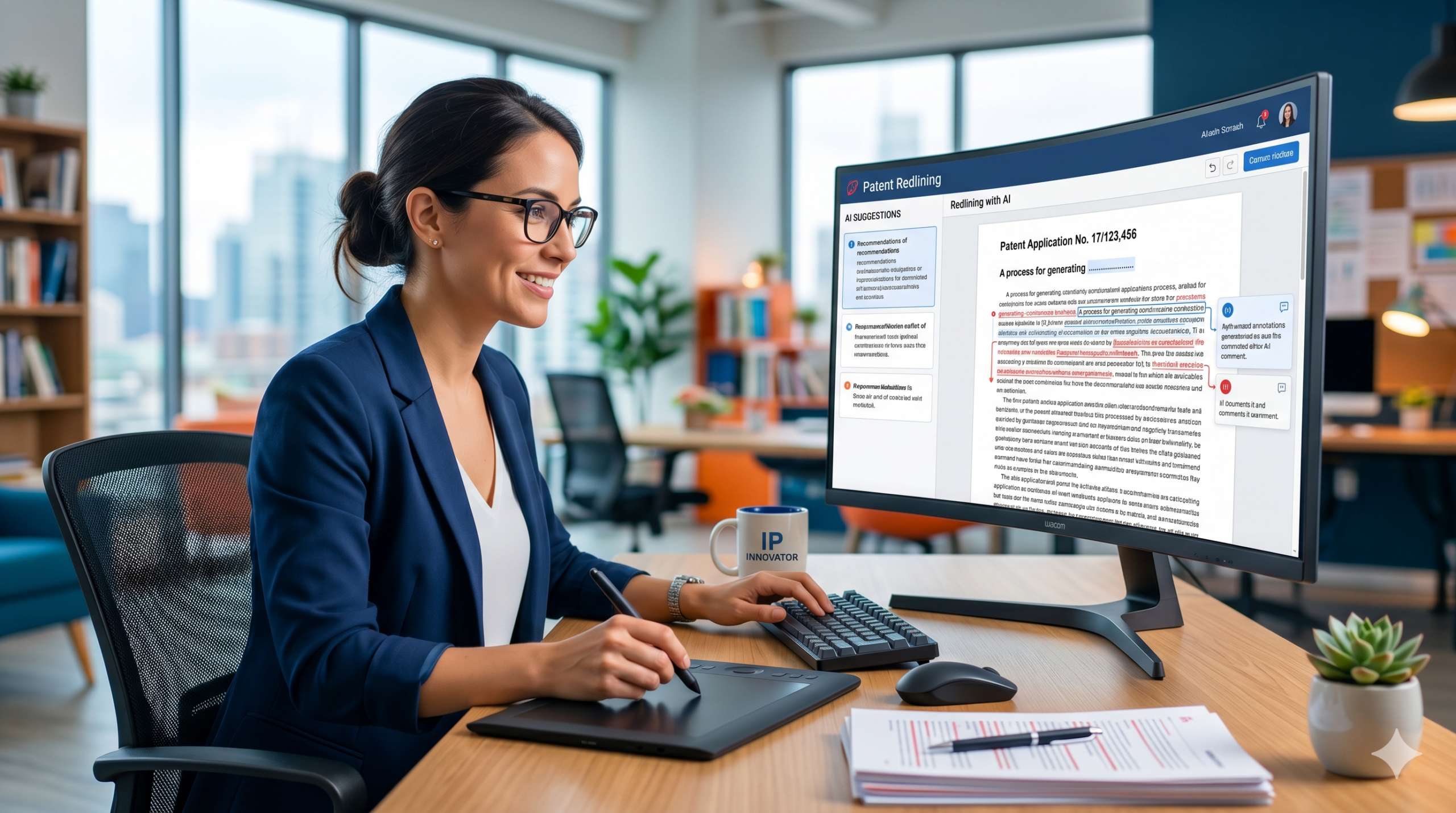
A patent application can protect the best parts of what your startup is building. But getting it ready can feel slow, messy, and painful. One draft turns into five. Comments pile up. Claims get moved. Words change. Engineers lose track of what was fixed. Founders wait days just to see what changed and why.
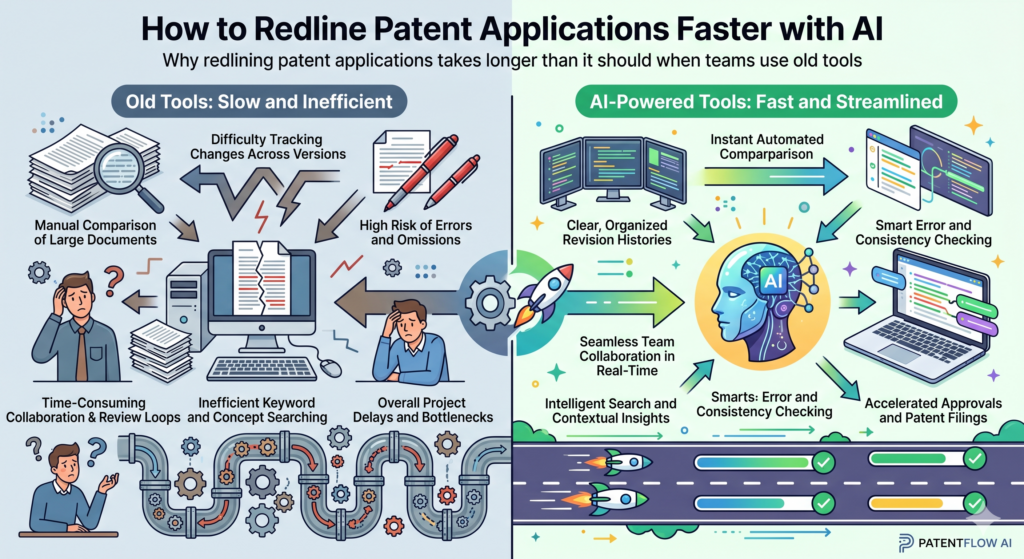
Why redlining patent applications takes longer than it should when teams use old tools
Redlining a patent application should be simple. You read the draft, mark what changed, fix weak spots, and move the application closer to filing. But in real life, it often feels much harder than that.
The draft is long. The claims are dense. The drawings may not match the text. The founder may use one term, the engineer may use another, and the attorney may rewrite both so the invention is clearer.
This is where time gets lost. It is not always the big legal work that slows things down. It is the back-and-forth. It is the small edits that create new questions.
It is the long comment thread where no one knows which version is final. It is the moment when a founder asks, “Did we already explain this feature?” and no one can answer fast.
AI can help by turning that messy review process into a cleaner workflow. It can compare drafts, show what changed, flag missing details, and help each person understand why an edit matters.
That means the team can spend less time hunting through text and more time making the patent stronger.
The real problem is not redlining itself but the hidden work around it
When people think of redlining, they often think of tracked changes in a document. But that is only the surface. The deeper work is checking whether each edit still supports the invention.
A small word change in a claim can affect the rest of the application. A removed sentence may leave a drawing unexplained.
A new phrase may sound good but create confusion if it is not used the same way across the draft.
This is why patent redlining is different from editing a normal business document. A pitch deck can survive a loose phrase. A blog post can survive a style change.
A patent application needs each part to work with the other parts. The claims, summary, drawings, examples, and detailed description all need to tell the same story.
AI can help here because it can review large sections quickly and find things a human may miss when tired. It can point out where a term appears in one place but not another.
It can find where the draft describes a feature in the body but leaves it out of the claims. It can also help explain changes in plain words so founders and engineers do not feel locked out of the process.
A faster review starts with knowing what changed and why it changed
The best redline process does not just show edits. It explains them.
A founder should not have to guess why a phrase was changed from “system” to “computing system,” or why a claim was narrowed, broadened, moved, or split. A clear redline should help the whole team understand the purpose behind the edit.
This is one of the strongest uses of AI in patent work. AI can help create a short explanation for each major edit. It can group changes by topic, such as claim scope, technical detail, drawing support, term consistency, or filing readiness.
This makes review faster because the team can focus on the edits that matter most.
For example, instead of reading a 60-page draft from top to bottom after every change, the founder can first review a summary of what changed. Then the engineer can check the technical parts.
Then the attorney can make the final judgment. This does not remove attorney review. It makes attorney review sharper and faster.
If your startup wants this kind of cleaner workflow, PowerPatent gives founders smart software plus real attorney oversight, so you can move from invention notes to a stronger filing with far less drag.
You can see how it works here: https://powerpatent.com/how-it-works
How AI changes the redline process from slow document review into guided patent review
AI is most useful when it does not try to act like a lawyer. The goal is not to let a tool make final legal calls by itself. The goal is to make the review process easier, faster, and more complete.
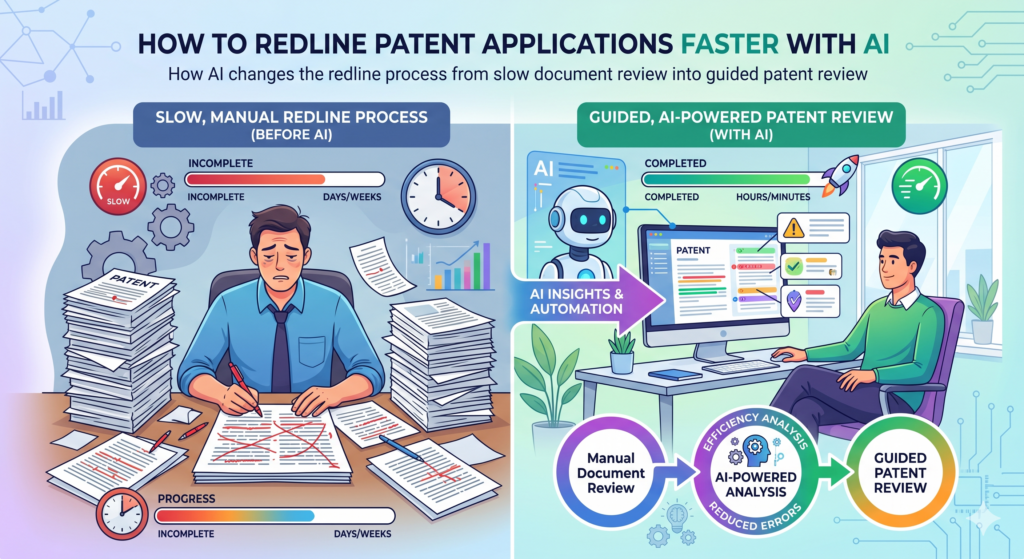
AI is very good at sorting, comparing, checking patterns, and finding gaps. Those jobs take humans a lot of time, but they are perfect for software.
In a patent application, that can mean comparing two drafts and showing not only what changed, but what type of change it was. Did the edit add a new feature? Did it remove an example? Did it change a claim term?
Did it add support for a drawing? Did it make the language more broad or more narrow? These are the kinds of questions that matter during redlining.
When AI helps answer those questions, everyone moves faster. The attorney can focus on judgment. The founder can focus on business value.
The engineer can focus on technical truth. The team is no longer stuck reading every line with the same level of effort.
AI can turn a messy redline into a clear review map
A normal redline can be hard to read because every change looks important. A typo fix, a major claim edit, and a new technical paragraph may all appear in the same sea of marked-up text.
That makes it easy to waste energy on small things and miss the edits that deserve real thought.
AI can help by making a review map. It can separate simple edits from important edits. It can show where claim wording changed.
It can point to new text that needs engineer review. It can highlight places where a term was added but not used elsewhere. This helps the team review in the right order.
A smart review map can also reduce panic. When founders see a heavily marked patent draft, it can feel like everything is broken. But many edits are normal. Some are cleanups.
Some are wording fixes. Some are there to make the invention easier to understand. AI can help explain that, so the team does not get lost in the noise.
The best AI redline workflow gives each person a clear job
A strong patent redline should not force everyone to review everything. That wastes time. A founder does not need to check every comma.
An engineer does not need to debate every style edit. An attorney does not need to spend hours asking whether a feature is still current if the software can route that question to the right person.
AI can help assign review tasks based on the type of edit. Technical edits can go to the inventor or engineer. Claim changes can stay with the attorney.
Business-sensitive parts can go to the founder. Drawing-related changes can go to the person who made or reviewed the figures.
This is very useful for deep tech startups because the invention often lives in many places. Part of it may be in code. Part of it may be in a model.
Part of it may be in a device, workflow, data pipeline, chip design, robotics system, or lab process. No single person may know every detail. A guided redline helps the right people check the right parts.
This is also where speed and quality work together. A rushed review can create risk. A slow review can kill momentum. AI helps reduce both problems by making the review more focused.
The team does not need to move carelessly. It can move with more confidence because the review path is clearer.
PowerPatent was built for founders who need this kind of control. It helps you move fast while still having real patent attorneys involved, so your filing is not just quick but also carefully reviewed. Learn more here: https://powerpatent.com/how-it-works
The first step is to prepare the draft before AI reviews the redline
AI works best when the input is clean. That means your team should not drop a messy, half-finished patent draft into an AI workflow and expect perfect results.
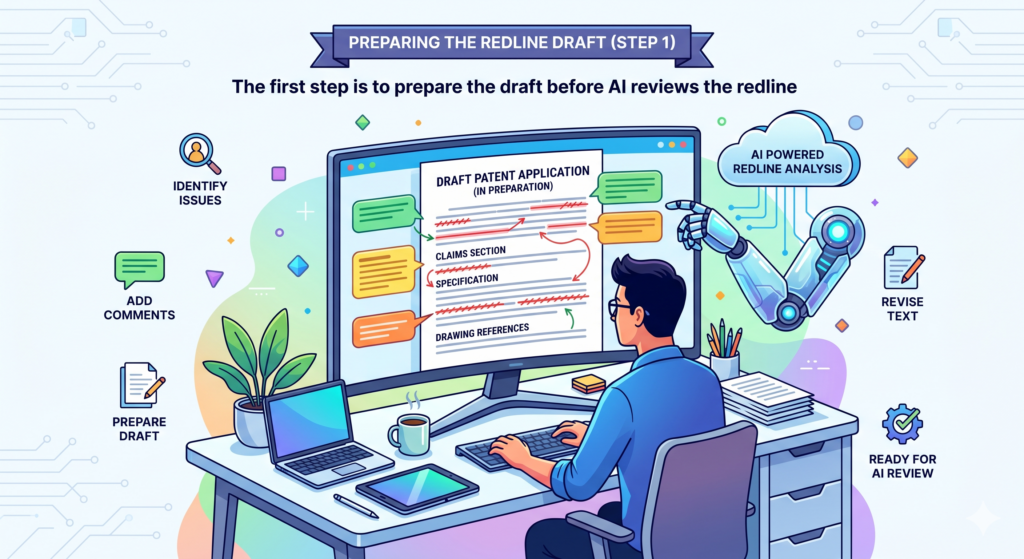
The better the draft is organized, the better the AI can help. This does not mean the draft must be final. It means the draft should have enough structure for the tool to understand what each part is doing.
A patent application usually has parts that serve different jobs. The claims define the invention. The detailed description explains how it works. The drawings show parts, steps, or systems.
The summary gives a high-level view. If these parts are mixed together or poorly labeled, AI may still help, but the results will be weaker.
Before redlining with AI, the team should make sure the draft uses clear section names, stable terms, and a known version history. This sounds basic, but it saves a lot of time.
When the AI knows which draft came first, which draft came second, and what each section is meant to do, it can produce a cleaner review.
Clean input helps AI find real issues instead of surface noise
A messy draft creates false alarms. AI may flag terms that are not really problems. It may miss important changes because the sections are unclear.
It may treat a moved paragraph as new text instead of seeing that the same idea was moved to a better place. That can waste the very time you hoped to save.
The fix is simple. Use clear draft names. Keep one source of truth. Do not let three people edit three different copies at the same time without a plan. Make sure the invention terms are used in a steady way.
If your system is called a “prediction engine,” try not to call it a “model unit,” “AI block,” and “forecast module” in random places unless those terms truly mean different things.
This is not about making the writing fancy. It is about making the invention easy to track. A cleaner draft gives AI a cleaner path. It also helps the attorney review faster because the document is easier to trust.
A simple version plan can save hours of review time
One of the most practical steps is to create a version plan before redlining starts.
The team should know which draft is being reviewed, who is allowed to edit it, and what kind of feedback is needed. This keeps the process from becoming a long loop of repeated edits.
For example, the first AI-assisted redline pass may focus only on technical gaps. The next pass may focus on claim support. The next pass may focus on term consistency.
The final pass may focus on attorney review and filing readiness. That kind of order matters because it stops the team from treating every issue as urgent at the same time.
This is especially helpful when your product is still changing. Many startups are filing while the invention is still alive. The model improves. The hardware changes.
The software flow gets updated. The team learns more from users. Without a clear version plan, the patent draft can fall behind the real invention.
AI can help you keep up, but it needs a steady process. The tool should support the team, not create a second layer of confusion.
When the process is clear, AI becomes a force multiplier. It helps everyone move faster without losing sight of what matters: protecting the invention in a strong, clear, and useful way.
How to use AI to compare patent drafts without losing the meaning of the invention
A patent redline is not only about seeing words that changed. It is about knowing whether the meaning changed in a safe way. This is where many teams get stuck.
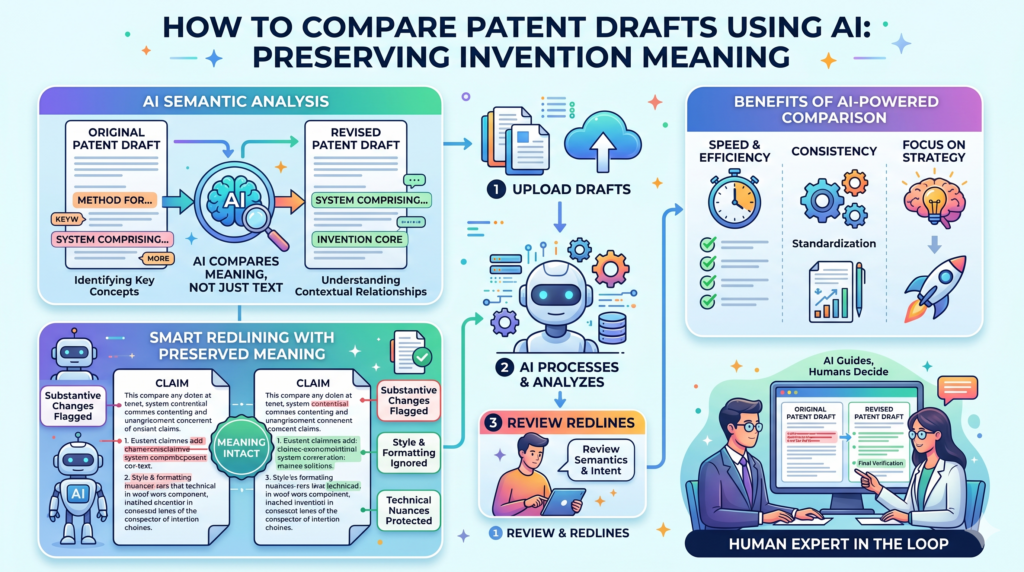
A sentence may look better after an edit, but the new words may say something narrower than before. Or a claim may look cleaner, but it may no longer match the way the product really works.
AI can help your team compare drafts at a deeper level. It can look at the old version and the new version and explain the real difference in plain words.
That matters because patent applications are long, and small edits can carry a lot of weight.
For example, the first draft may say that a system “generates a score.” The next draft may say that the system “generates a risk score using a trained model.” That change may be good because it adds more detail. But it may also raise a question.
Does the invention always require a trained model? Could the system also use rules, weights, or another method? A strong redline process helps the team catch that question before filing.
AI can show when a change makes the draft broader or narrower
One of the most useful redline checks is asking whether a change makes the patent application broader or narrower.
In simple words, broader language may cover more versions of the invention. Narrower language may cover fewer versions, but it may be clearer or easier to support.
Neither one is always right. The key is knowing what changed. AI can help by marking edits that add limits, remove limits, or change the way a feature is described.
It can also explain those edits in normal language so founders and engineers can review them faster.
This is very important when the invention has many possible forms. A startup may start with one use case but grow into many. A medical AI tool may later work in more settings.
A robotics control system may move from one type of machine to another. A chip design may support more tasks over time. If the draft becomes too narrow without the team noticing, the patent may not match the company’s future path.
The safest redline is the one that protects the business plan, not just the current product
A patent application should not only describe what exists today. It should also support where the invention may go next, as long as the future versions are real and tied to the invention.
That is why redlining should include business thinking, not just word edits.
AI can help the team compare the draft against the company’s likely product roadmap. It can flag places where the application only describes one version of the invention even though the team knows there are other versions.
It can also help spot where examples are too thin, where technical details are missing, or where a key feature is only mentioned once.
This does not mean the patent should become vague. A good application still needs clear support.
But it should not trap the invention inside one small example unless that is truly the right choice. The goal is to protect the core idea in a way that still makes sense as the startup grows.
This is where PowerPatent is built to help. Founders can use smart software to move faster, while real patent attorneys help shape the filing with care.
That mix gives you speed without making you feel alone in a high-stakes process. You can see the workflow here: https://powerpatent.com/how-it-works
How AI helps founders review claim changes without getting buried in legal language
Claims are the part of the patent application that most founders want to avoid reading. They can look strange. They can feel stiff.
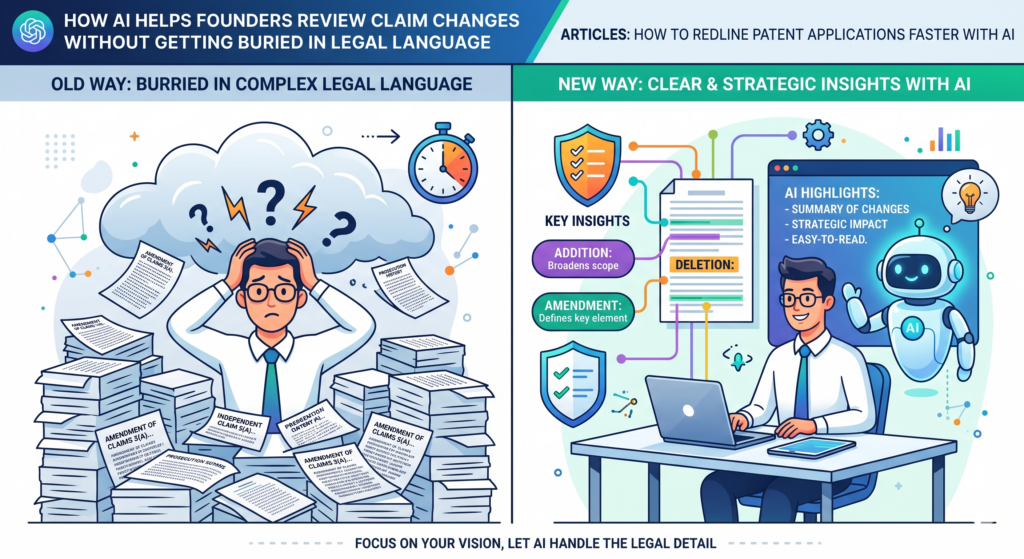
They often use words in a way that does not sound like normal product writing. But claims matter because they define the protected space around the invention.
The problem is not that founders are unable to understand claims. The problem is that claims are rarely explained in a founder-friendly way.
A redline may show that a claim changed, but it may not explain why the change matters. That is where AI can make a big difference.
AI can translate claim edits into plain language. It can show what feature was added, what step was removed, what term was changed, and what question the founder should answer.
This makes claim review less scary and much more useful.
A good AI claim review helps the founder make faster decisions
Founders do not need to become patent lawyers. They need to make smart decisions about what their company is protecting. AI can help by turning dense claim edits into simple review notes.
For example, if a claim was changed to include “training data received from a remote source,” AI can explain that the claim now appears to require remote data.
The founder can then decide whether that matches the product. If the system can also use local data, synthetic data, customer data, or stored data, the team can raise that point before filing.
This is the kind of issue that often gets missed when review is rushed. Everyone assumes the draft is fine because the words sound technical.
But the real question is whether the words match the invention and the business. AI makes those questions easier to see.
It can also help compare claims against the detailed description. If a claim uses a term that is not explained well in the body of the application, AI can flag it.
If the body describes a useful feature that never appears in any claim, AI can point that out too. This helps the attorney and founder decide whether the claims need more work.
Founders should review claims for fit, not style
When a founder reviews claim changes, the goal is not to polish the writing. The goal is to check fit. Does the claim cover the real invention? Does it leave out something important?
Does it include something that is not always required? Does it still make sense if the product changes slightly?
AI can guide that review by asking plain questions. If the draft says every version uses a neural network, but the product can also use another model type, that should be checked.
If the claim says a device has a sensor, but some versions use stored data instead, that should be checked. If the claim says the process happens in a certain order, but the software can run steps in a different order, that should be checked.
This kind of review is practical. It is not theory. It protects the company from filing something that is too small, too rigid, or too far away from the actual invention.
It also helps founders feel more in control, because they can understand the choices being made.
PowerPatent helps make this easier by combining AI tools with real patent attorney review.
That means founders can move faster, ask better questions, and file with more confidence. See how PowerPatent works here: https://powerpatent.com/how-it-works
How AI can find missing support before the redline becomes a filing problem
One of the most painful patent draft problems is missing support. This happens when a claim says something, but the rest of the application does not explain it well enough.
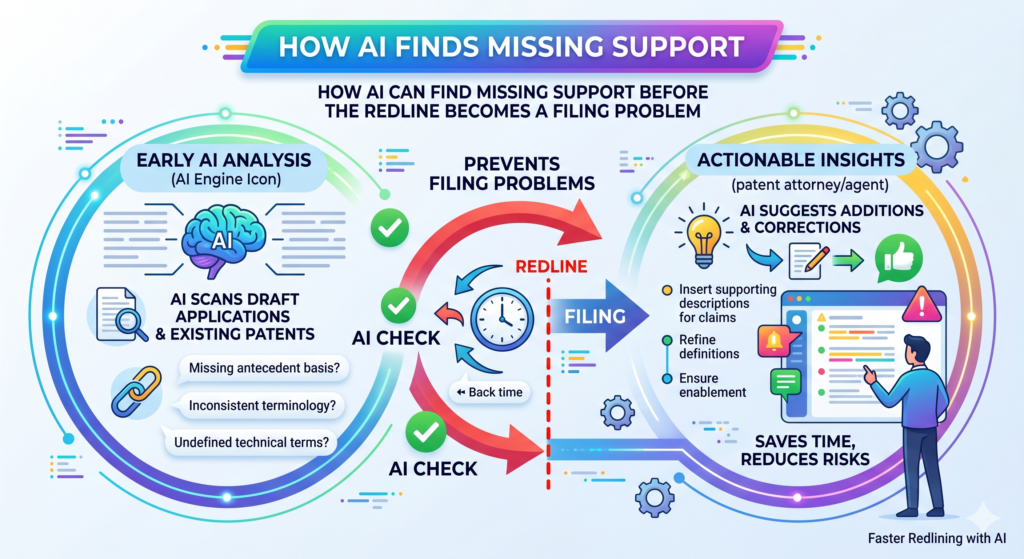
It can also happen when a drawing shows something that the text never describes, or when the text describes a feature but the claims never use it.
Missing support is easy to create during redlining. A team may add a claim feature late in the process. An attorney may move text around. An engineer may add a new technical detail in a comment.
A founder may ask to include a broader use case. Each change may be reasonable by itself, but the full draft still has to hold together.
AI can help by checking whether important claim terms appear in the description and whether those terms are explained in a clear way.
It can also compare drawings, figure labels, and written text to see whether the same parts are handled consistently.
AI can act like a first-pass support checker for the full draft
A support check is one of the best uses of AI because it is pattern-heavy and time-consuming.
The tool can scan the claims and then look for matching support in the rest of the application. It can point out where support is strong, thin, unclear, or missing.
For example, a claim may mention a “confidence score,” but the detailed description may only discuss a “score.” That may be fine, or it may need more detail.
AI can flag the mismatch so the attorney and technical team can decide what to do. A claim may mention “real-time adjustment,” but the body may not explain what real-time means in that system. AI can flag that too.
This saves time because the team does not need to manually search the whole draft for every claim phrase.
It also reduces stress near filing time. Instead of discovering gaps at the end, the team can find them while there is still time to fix them.
The best support check looks for weak explanations, not just missing words
A weak explanation can be just as risky as a missing one. Sometimes a term appears in the draft, but it is not explained enough. The word is there, but the meaning is thin. That can happen when a team assumes everyone knows how the product works.
The engineer may think a feature is obvious. The founder may think the business value is clear. But the patent draft needs to explain the invention for someone who was not in the product meetings.
AI can help by finding places where the draft uses a technical term without enough context. It can ask whether the application explains inputs, outputs, steps, system parts, data flow, model behavior, hardware links, user actions, or control logic.
It can also flag parts where the draft jumps from a problem to a result without showing how the invention gets there.
This is very useful for software, AI, robotics, biotech tools, clean tech systems, semiconductors, and other deep tech work. These inventions often have layers.
A feature may depend on data, timing, sensors, model updates, memory, training, testing, hardware limits, or user feedback. A strong patent application should make those links clear.
AI does not replace the attorney’s judgment. But it can make the support review much faster and more complete.
It helps the team see the draft as a connected system, not just a long document with edits.
How AI helps fix term drift before it weakens the patent application
Term drift is one of the quiet reasons patent drafts become hard to review. It happens when the same idea gets called by different names across the application. At first, this may not seem like a big issue.
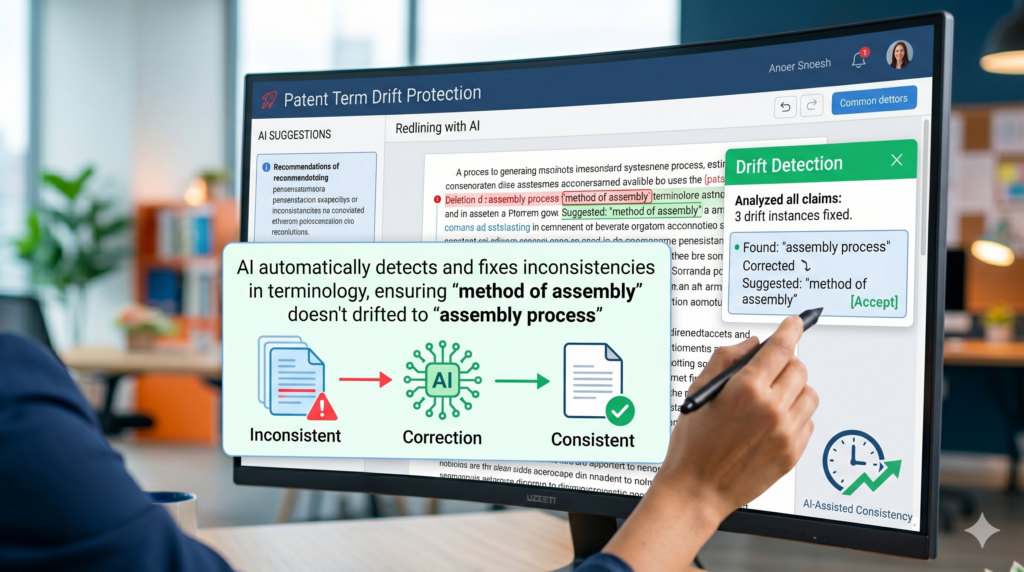
A founder may call something a “recommendation engine.” An engineer may call it a “ranking model.” A draft may later call it a “selection module.” All three may point to the same thing, but the document may not make that clear.
In a normal product meeting, people can work through that confusion. In a patent application, loose naming can create real trouble.
The draft may start to look like it describes three separate parts when it only means one. Or worse, it may look like one part does three different jobs when the invention actually uses different pieces for different tasks.
AI is useful here because it can scan the full application and find places where terms may have drifted. It can compare the claims, drawings, summary, and detailed description.
It can show when one term appears in the claims but another term appears in the body. It can also suggest where the team should choose one main name and use it with care.
A clean patent draft uses steady words so the invention stays easy to follow
A strong redline should make the application clearer with every pass. That does not happen when each edit adds a new name for the same thing.
The redline may look more polished, but the draft may become harder to understand. AI can help stop that by building a simple term map.
A term map shows the important names used in the draft and where they appear.
It can show that “training module” appears in one claim, “model trainer” appears in the description, and “learning unit” appears near a figure. The team can then decide whether these terms are meant to be the same or different.
This saves a lot of time because it turns a long guessing game into a focused review. Instead of asking, “Did we use the same words everywhere?” the team can see the issue right away.
Then the attorney can decide the best way to clean it up.
The best time to fix term drift is before the final attorney review
Waiting too long to fix term drift makes the final review harder. By the time the application is close to filing, every wording change feels risky. People are tired. The deadline may be close.
The team may not want to reopen parts of the draft. That is exactly why AI should help catch these issues early.
A good AI redline workflow can check term drift after each major draft change. When a new section is added, the system can ask whether the new language matches the rest of the application.
When claims are changed, it can check whether the claim terms still have support in the detailed description. When drawings are updated, it can check whether the figure labels match the written text.
This gives the team more control. The founder can understand the main terms. The engineer can confirm what each part does. The attorney can shape the final language with fewer loose ends.
PowerPatent helps founders avoid this kind of slow, messy review by using smart software together with real attorney oversight.
You get a faster path from invention to filing, without giving up the careful review a strong patent needs. See how it works here: https://powerpatent.com/how-it-works
How AI helps review drawings and figure text faster without missing key links
Patent drawings are not just pictures. They are part of the story of the invention. They help show how the system works, how parts connect, how steps happen, and how data or signals move.
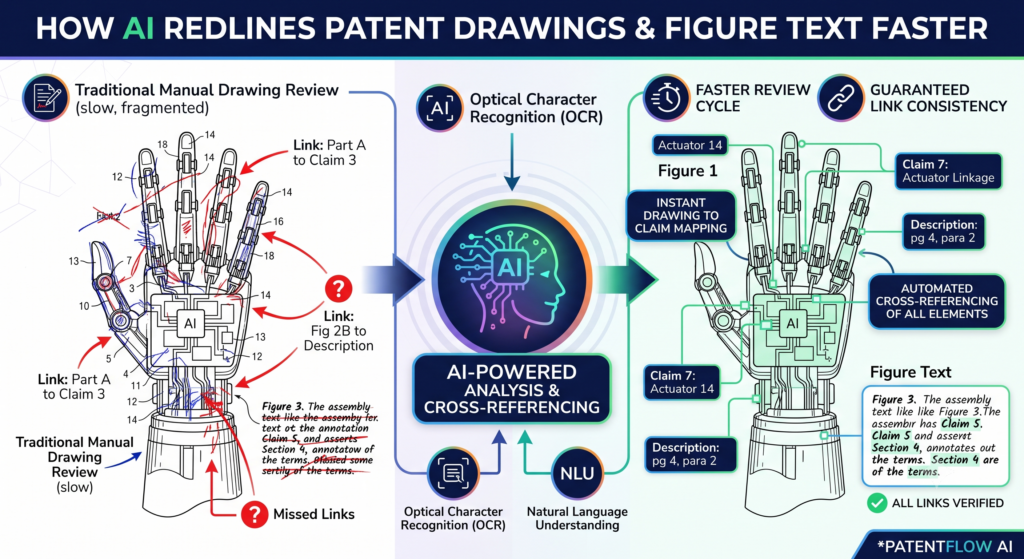
But drawings can also create review problems, especially when the text and figures fall out of sync.
This often happens during redlining. A new box gets added to a system diagram. A flowchart step gets renamed. A figure number changes.
A label is removed from one drawing but still appears in the written description. These small changes can create confusion when the application is reviewed.
AI can help by comparing the figure descriptions against the rest of the draft. It can check whether each figure is introduced, whether each important label is explained, and whether the drawing text matches the claim language.
This is not glamorous work, but it saves time and helps prevent filing a draft that feels unfinished.
Drawing review becomes faster when AI checks for missing connections
A strong patent application should make the drawings easy to follow. When a figure shows a “sensor interface,” the text should explain what that interface does.
When a flowchart shows “generate output,” the description should explain what kind of output is made and how it is used. When a claim mentions a “control signal,” the drawings or description should help support that idea.
AI can review these links quickly. It can point out when a drawing label appears only in the figure and not in the text.
It can also show when the text describes a part that does not appear in any figure. This gives the team a faster way to clean up the application before final review.
This is especially useful for hardware, robotics, medical devices, chips, sensors, cloud systems, AI tools, and other inventions where pictures carry a lot of meaning.
The more complex the system, the easier it is for drawing details to get out of sync. AI does not get tired while checking labels and references, so it can catch issues that humans often miss during a long review.
A drawing redline should help the reader understand the invention without extra calls
One sign of a good patent draft is that the reader does not need the founder to explain every figure on a call.
The application should carry the story on its own. That means the drawings and text should work together in a clear way.
AI can help make that happen by finding weak figure explanations. For example, the draft may say that Figure 2 shows a process, but it may not explain why each step matters.
Or it may list several parts of a device but not explain how those parts work together. AI can flag these gaps so the attorney and inventors can add the right detail.
This does not mean the draft should become long for no reason. The goal is not to stuff the application with extra words. The goal is to make sure each important drawing supports the invention.
Good drawing support can make the application easier to review, easier to file, and easier to understand later.
PowerPatent helps teams turn technical material, drawings, and invention notes into a cleaner patent workflow with software and real attorney help.
That means less confusion, fewer delays, and more confidence as you move toward filing. Learn more here: https://powerpatent.com/how-it-works
How AI helps engineers give better redline feedback in less time
Engineers often have the best knowledge of the invention, but they are usually the busiest people in the company.
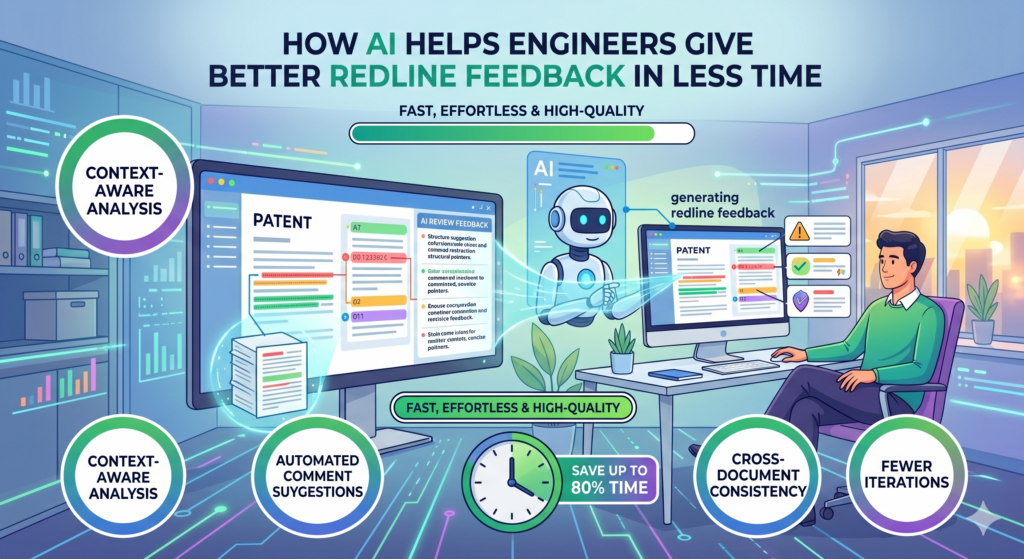
They are writing code, fixing bugs, training models, testing hardware, shipping features, and answering product questions. Asking them to read a long patent draft from top to bottom can slow everything down.
The result is predictable. Engineers delay the review. Or they skim the draft. Or they leave comments only on the parts that seem most wrong. This is not because they do not care. It is because the review process is too heavy and too vague.
AI can make engineer review much easier by turning a full redline into a focused technical check. Instead of asking the engineer to read everything, the system can show the exact parts where technical input is needed.
It can ask whether a feature works as described, whether a step is required, whether a model can work in another way, or whether a system part has been named correctly.
The best engineer review asks clear questions instead of sending a giant document
A weak review process says, “Please review the patent draft.” A strong review process says, “Please confirm whether this step is always required,” or
“Please check whether this model can also use this other input,” or “Please confirm whether this diagram matches the current system.”
AI can help create those focused questions from the redline. It can read the changes and turn them into practical review prompts.
This saves time because the engineer does not have to hunt for the issue. The issue is brought to them in plain words.
This is also better for quality. Engineers are more likely to give strong feedback when the question is specific.
They can say, “No, that step is optional,” or “Yes, but only after the model has been trained,” or “The current system uses a different data flow.” Those answers can then help the attorney improve the draft before filing.
A faster engineer review protects the product roadmap as well as the current build
A patent application should not freeze the invention in one narrow form unless that is the right strategy. Engineers often know which parts are fixed and which parts may change.
They know what was built first, what is being tested now, and what may be built next. That knowledge is very useful during redlining.
AI can help pull that knowledge into the review process. It can flag places where the draft sounds too absolute. For example, the application may say the system “always” performs a step, even though the engineer knows that step is optional.
It may say a model uses one type of input, even though the roadmap includes more input types. It may describe one deployment setup, even though the product may later run on edge devices, cloud systems, or customer servers.
These are the small details that can shape the value of a patent application. When AI helps engineers respond faster, the application can better reflect the real invention and the future path of the company.
This is one of the reasons PowerPatent is useful for technical founders.
It helps bring the software team, founder, and patent attorney into one faster workflow, so important details do not get lost in long email threads or messy document comments. You can explore the process here: https://powerpatent.com/how-it-works
How AI helps attorneys redline faster without cutting corners
A faster patent redline does not mean the attorney works less carefully. It means the attorney spends less time on repeat work and more time on judgment. That is the real value of AI.
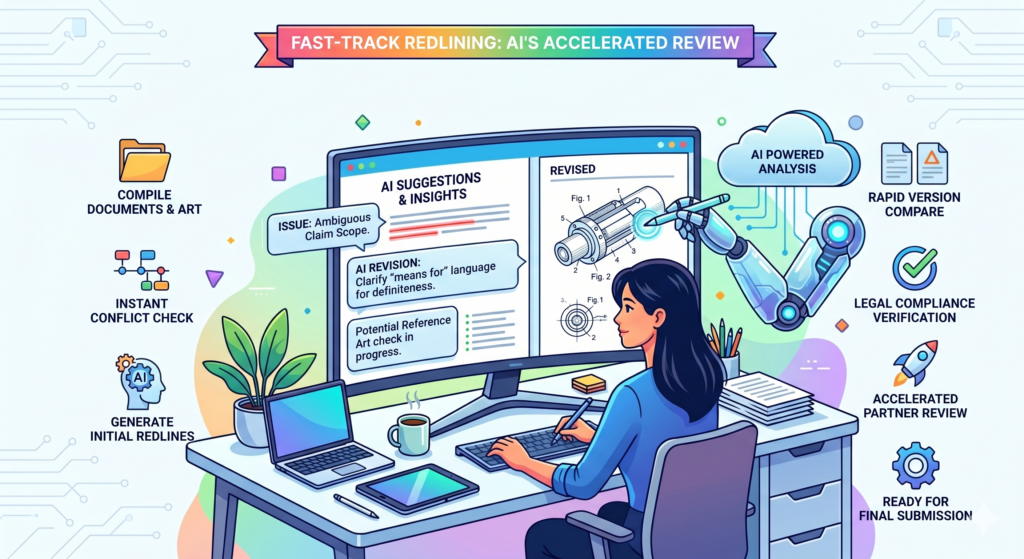
It can handle the heavy first pass, the compare work, the term checks, the support scans, and the simple issue spotting. Then the attorney can focus on the parts that need human skill.
This matters because patent work is not just editing. A strong patent application needs strategy. It needs choices.
It needs someone to decide what should be broad, what should be narrow, what needs more support, and what should be left out. AI can help surface the issues faster, but the final call should come from a real patent attorney.
When AI is used the right way, the redline process becomes cleaner. The attorney sees the problem areas sooner. The founder gets clearer questions.
The engineer spends less time guessing what to review. The whole team moves faster because the work is sorted before it becomes a pile of comments.
Attorney review gets stronger when AI removes low-value friction
Patent attorneys often spend a lot of time checking things that software can help find. They may search for repeated terms. They may compare claims to the description.
They may check figure numbers. They may look for changed wording across several drafts. This work matters, but it can take attention away from the harder questions.
AI can reduce that friction. It can prepare a draft review packet that shows what changed, what may need support, what terms drifted, and what technical issues need inventor input. That gives the attorney a cleaner starting point.
This does not make the attorney less important. It makes the attorney more useful.
Instead of wasting energy on document hunting, the attorney can spend more time shaping the application around the invention and the startup’s goals. That is where real value lives.
A good AI workflow gives the attorney better facts before final edits
The final redline should not happen in the dark. The attorney should know which features are core, which features are optional, which features may change, and which features are already in the product roadmap.
The attorney should also know where the draft may be thin or unclear.
AI can help gather those facts before the final review. It can turn redline changes into questions for the team. It can collect answers.
It can show where the draft now needs updates based on those answers. This creates a smoother path to filing because the attorney has more useful context.
For founders, this can change the whole experience. Instead of feeling like the patent process is a black box, they can see what is happening and why. They can understand what needs their input.
They can make decisions faster. That makes the filing process feel less like a delay and more like a smart part of building the company.
PowerPatent is built around this idea. It brings smart software and real patent attorney oversight together, so founders can move faster without guessing their way through the process. See how it works here: https://powerpatent.com/how-it-works
How to use AI to create a clean redline summary that founders will actually read
A long redline without a summary is hard to use. It forces everyone to dig through the whole draft before they know what matters.
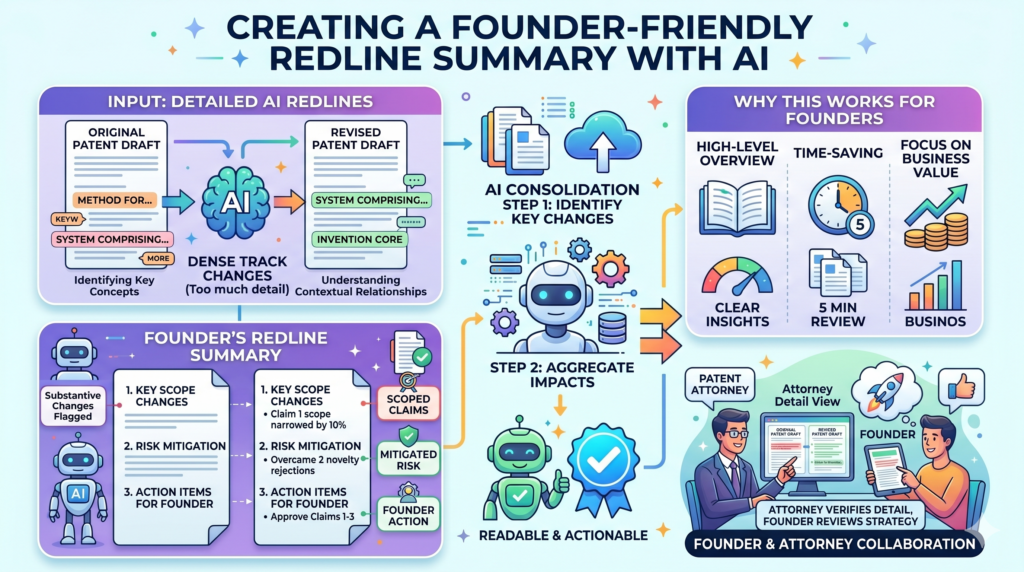
That may work for a short contract, but it does not work well for a patent application. Patent drafts can be long, technical, and full of small edits. Without a clear summary, the team can miss the big picture.
AI can help create a redline summary that is short, plain, and useful. The goal is not to replace the document. The goal is to guide the review.
A founder should be able to read the summary and know what changed, what needs attention, and what decisions must be made before filing.
The best redline summary does not sound like a machine report. It should sound like a smart person explaining the draft.
It should say where claim scope changed, where new technical support was added, where terms were cleaned up, where drawings were updated, and where the team needs to answer open questions.
A useful redline summary separates major changes from minor edits
One reason patent reviews feel slow is that every edit looks the same in a marked-up draft. A comma fix may sit next to a major claim change.
A small style edit may sit next to a new technical example. This makes review tiring because the reader has to decide what matters over and over again.
AI can sort changes by importance. It can show which edits are simple cleanup and which edits may affect the invention. This helps founders focus on decisions, not noise.
For example, the summary may explain that the draft now describes two new ways to train the model. It may say that claim language was changed to cover both cloud and edge use.
It may point out that a sensor example was removed because the team said it was not part of the core product. Those are useful points. They help the founder understand the story of the redline.
The summary should end with clear review questions, not vague requests
A weak redline summary ends with, “Please review.” That is not helpful. A strong summary ends with clear questions.
It may ask whether a step is always required, whether a data source is optional, whether a hardware part appears in all versions, or whether a new feature should be included before filing.
AI can draft these questions from the edits. This helps the team respond faster because no one has to guess what feedback is needed. The founder can answer business questions.
The engineer can answer technical questions. The attorney can use those answers to improve the draft.
This also makes the process feel less painful. Most founders do not mind helping with a patent when the task is clear.
What they hate is opening a huge document and not knowing where to start. AI can remove that feeling by turning the review into a small set of meaningful decisions.
PowerPatent helps make this kind of guided review possible. Instead of drowning in redlines, founders get a clearer path from invention details to attorney-reviewed filing.
You can explore the workflow here: https://powerpatent.com/how-it-works
How to use AI to spot risky words before they create review delays
Some words look harmless but can cause problems in a patent draft. Words like “always,” “must,” “only,” “required,” and “the invention is” can make the application sound tighter than it needs to be.
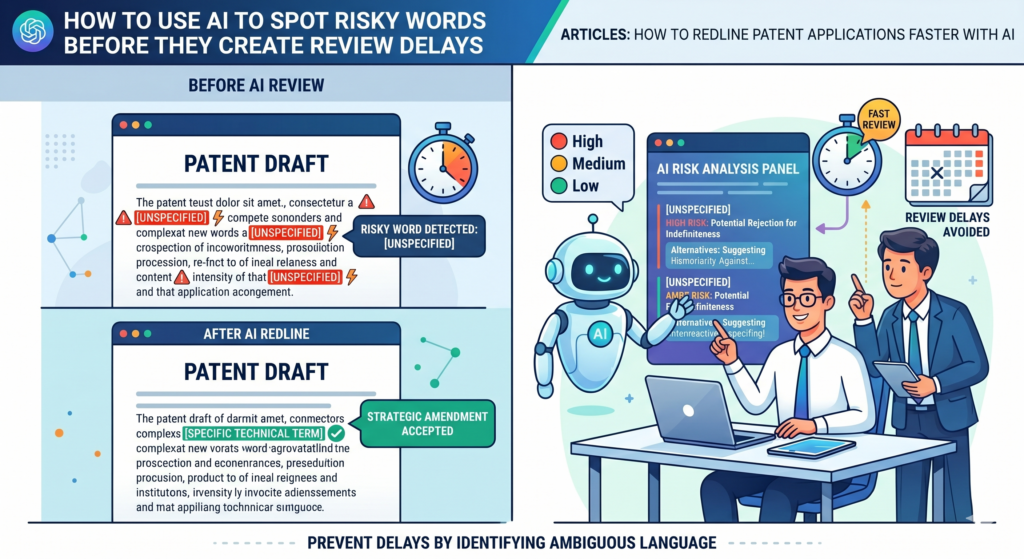
Sometimes those words are correct. Many times, they are not. During redlining, these words can slip into the draft without anyone noticing.
AI can help by scanning for words that may make the application too rigid. It can flag them for attorney review.
It can also ask the team whether the feature is truly required or whether it is just one version of the invention. This is a simple check, but it can save a lot of time.
For startups, this matters because products change fast. A feature that feels required today may become optional next month. A deployment setup that works now may not be the only path later.
A model input that seems central may be replaced by a better signal. A patent draft should not accidentally lock the invention into one narrow form unless that is the right choice.
AI can help the team avoid accidental limits in the redline
Accidental limits often appear when people try to make the draft sound clear. An engineer may say the system “requires” a step because that is how the current build works.
A founder may say the product “always” performs an action because that is the main customer flow. A drafter may use firm words to make the sentence cleaner.
The problem is that patent language needs care. If the invention can work in more than one way, the draft should usually make that clear.
AI can help find places where the redline may have become too narrow. It can then ask whether the wording should be softened, expanded, or supported with more examples.
This is not about making the patent vague. It is about making it accurate.
A good patent application should describe the invention with enough detail to be clear, while still leaving room for real versions that the team may build or already knows are possible.
Risky word checks work best when paired with human judgment
AI can find words that deserve a closer look, but it should not decide by itself whether those words are wrong. Sometimes a word like “must” is needed. Sometimes a step really is required.
Sometimes a narrow claim is part of the strategy. The point is to make sure the team sees the choice before filing.
This is where real attorney oversight matters. The AI can flag the issue. The founder and engineer can provide facts.
The attorney can decide how to handle it. That mix is much stronger than a rushed redline where risky words stay hidden until later.
The benefit is speed with care. The team does not waste hours manually searching for every possible limiting word. The attorney does not have to guess whether a feature is required.
The founder does not have to wonder if the draft still fits the business. Everyone gets a cleaner, faster path to a stronger application.
PowerPatent helps founders protect what they are building with smart AI tools and real attorney review, so speed does not come at the cost of quality. Learn how PowerPatent works here: https://powerpatent.com/how-it-works
How AI helps clean up long patent drafts without making them weaker
Long patent drafts are normal, especially for deep tech inventions. A good application may need to explain the system, the data flow, the model, the hardware, the user steps, the outputs, and many possible versions.
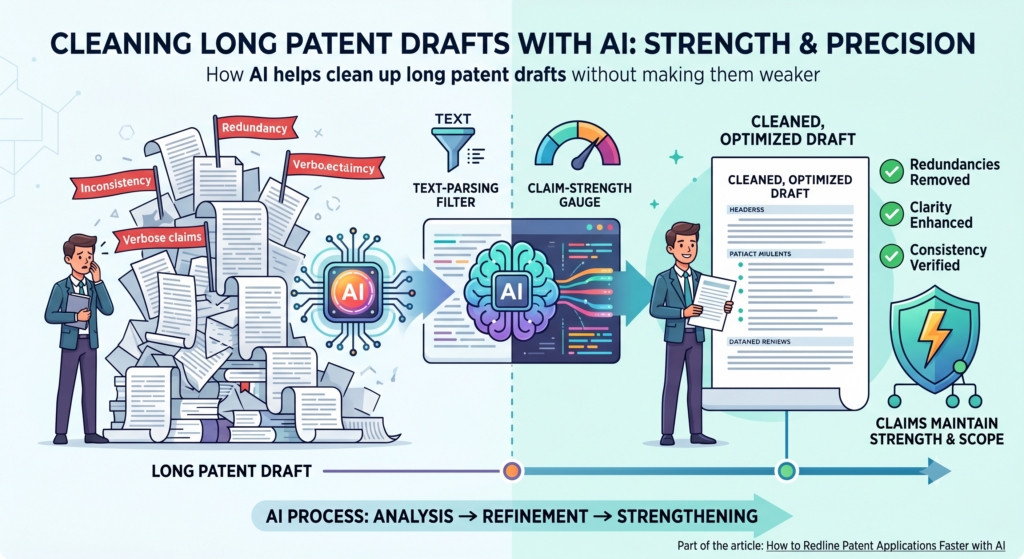
But long does not always mean strong. A draft can have many pages and still be hard to understand.
This is where AI can help during redlining. It can find repeated text, unclear sections, and places where the draft says the same thing in slightly different ways.
It can also help show where the writing is too thin and needs more detail. The goal is not to make the application short for the sake of being short. The goal is to make every part earn its place.
A patent application should feel complete, not bloated. If a section repeats the same idea five times, the reviewer may get tired.
If another section explains a key feature in only one sentence, the reviewer may not understand it. AI can help balance the draft so the important parts get more care and the weak parts are easier to find.
AI can separate useful detail from repeated filler
Many patent drafts become long because edits are added over time. One person adds a paragraph. Another person adds a similar paragraph later.
A claim term is explained once, then explained again in a slightly different way. A feature appears in the summary, the detailed description, and the examples, but the wording does not fully match.
AI can review the draft and show where the same idea appears more than once. This is useful because repeated text can create confusion.
If the same feature is described in two ways, someone may later ask whether those two descriptions mean the same thing or different things.
That does not mean every repeated idea should be removed. Some ideas need to appear in more than one place. A claim feature may need support in the detailed description.
A drawing label may need to be explained in the figure text. A key system part may need to appear in several examples. The point is to make repetition intentional, not accidental.
The best cleanup pass protects clarity before it protects length
A cleanup pass should never weaken the invention just to make the draft shorter. This is a common mistake when teams try to move fast.
They see a long section and cut it down, but they remove useful examples or support. Later, the team may realize that those examples helped explain an important version of the invention.
AI can help by showing what a removed sentence was doing. Was it explaining a claim term? Was it supporting a drawing? Was it describing an optional feature?
Was it giving an example of how the invention works in another setting? When the team knows the purpose of the text, it can make a smarter decision.
A strong AI redline workflow should label proposed deletions with care. It should help the attorney and founder see whether the draft is losing support, losing examples, or just losing extra wording.
This makes the review faster because people are not guessing what the edit means.
For founders, this matters because every patent dollar and every review hour should move the company forward.
PowerPatent helps teams turn technical material into cleaner, attorney-reviewed patent applications without getting trapped in slow document work. See how it works here: https://powerpatent.com/how-it-works
How AI helps redline software and AI patent applications with more precision
Software and AI inventions can be hard to redline because the invention may not live in one visible object.
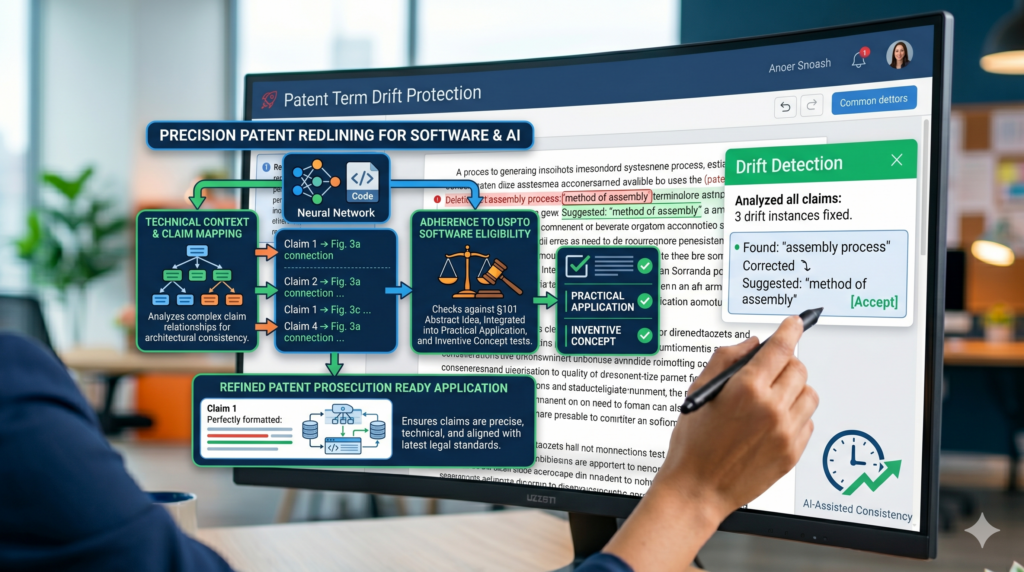
It may live in a data flow, a model update, a training method, a user signal, a control loop, or a way the system makes a decision. The strongest part of the invention may be hidden inside how the pieces work together.
This makes redlining more important. A small edit can change the meaning of the system. A draft may say the model is trained in one way, but the real product may use several training paths.
A claim may describe one input, while the software can use many. A section may describe the result but not explain the steps that create it.
AI can help by checking whether the application explains the full technical path. It can look for missing inputs, missing outputs, missing steps, unclear model behavior, and places where the draft sounds too simple for what the invention really does.
AI can help map the invention from input to output
A strong software patent draft should make the invention easy to follow. The reader should be able to see what data comes in, what the system does with that data, what changes inside the system, and what result comes out.
If the invention includes a model, the draft should explain how the model is used, trained, updated, selected, tuned, or combined with other logic when those details matter.
During redlining, AI can help create this map. It can compare the claims to the technical description and ask whether each step has enough detail.
It can flag a claim that says “generate a recommendation” when the body does not explain how the recommendation is generated.
It can also flag a draft that says “train a model” without explaining what training data is used or how the trained model affects the final output.
This helps engineers review faster because they can see the exact technical gaps. It also helps attorneys because they can shape the draft around the real invention, not just around broad product language.
Software redlines should protect more than the current codebase
A software product changes all the time. Code gets refactored. Models get replaced. APIs change. Data sources shift. The first product version may not be the version that matters most in two years.
A patent application should be tied to the invention, not trapped inside one temporary implementation.
AI can help find places where the draft leans too heavily on the current code. For example, the application may describe one stack, one database, one model type, one user flow, or one deployment setup.
If those details are only examples, the redline should make that clear. If they are required, the team should say so on purpose.
This is a tactical review step. Founders can ask whether the draft covers the way the product may grow.
Engineers can confirm which technical details are fixed and which ones can change. Attorneys can then decide how to reflect that in the application.
PowerPatent is built for this kind of startup reality. It helps founders protect software, AI, and technical inventions with smart tools and real attorney review, so the patent process fits the pace of building. Learn more here: https://powerpatent.com/how-it-works
How AI helps reduce back-and-forth between founders, engineers, and patent teams
A slow patent redline usually has too much back-and-forth. The attorney asks a question. The founder forwards it to an engineer. The engineer answers in a chat thread.
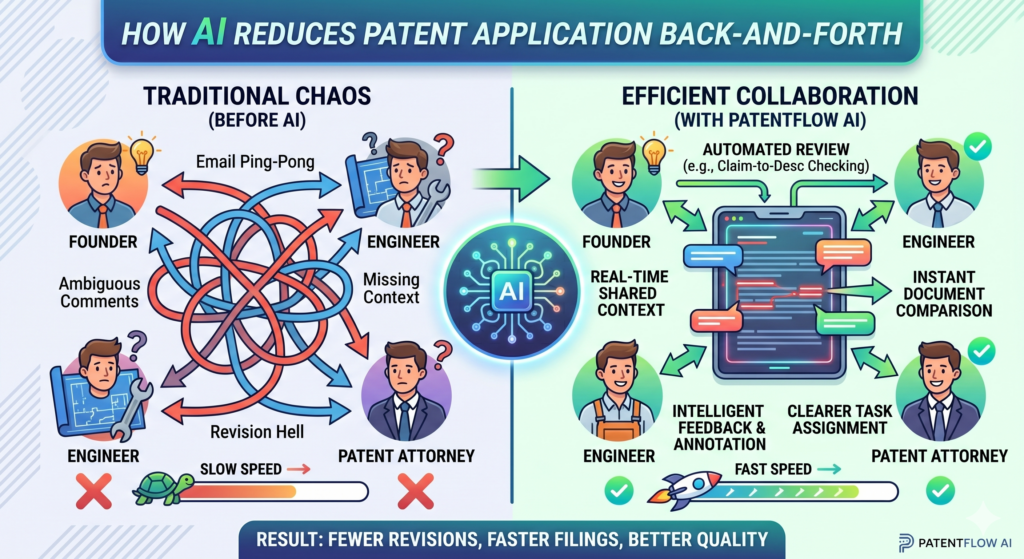
Someone copies that answer into a comment. Another draft is made. Then the same issue comes back because the answer was unclear or not fully added to the application.
This loop wastes time. It also creates risk because important details can get lost between tools. One answer may live in email.
Another may live in Slack. Another may be buried in a document comment. By the time the final draft is ready, no one is fully sure which answers were used.
AI can help by turning scattered review comments into a cleaner workflow. It can collect questions, group related issues, summarize answers, and show which parts of the draft need updates.
This makes the redline process feel less like a long chase and more like a guided review.
AI can turn open questions into clear decisions
Many patent delays come from unclear questions. A comment may say, “Please confirm this.” But confirm what? The wording? The technical step? The business use case? The product roadmap?
When questions are vague, people answer too broadly or too narrowly. Then the attorney has to ask again.
AI can help rewrite vague comments into clear decision points. Instead of asking an engineer to “review the model section,” the system can ask whether the model must be trained on customer data or whether other training data can be used.
Instead of asking the founder to “review claim scope,” the system can ask whether the company plans to support both cloud and on-device versions.
These focused questions save time because they lead to better answers. They also make the process easier for busy teams. A founder can answer a business question quickly.
An engineer can answer a technical question with more confidence. The attorney gets cleaner facts.
A strong redline process creates a record of why changes were made
Speed is useful, but memory is just as important. When a draft changes, the team should know why. Was a feature removed because it was not built yet? Was a claim changed because it was too narrow?
Was a term replaced because it did not match the drawings? Was an example added because the engineer confirmed another version?
AI can help keep this record. It can tie each major redline issue to the question, the answer, and the resulting edit.
This makes future review much easier. If someone asks why the draft describes a feature in a certain way, the team does not need to search through old messages. The reason is already tied to the edit.
This is especially helpful when a company files more than one patent. The lessons from one application can help the next one move faster.
The team can reuse clear terms, known system descriptions, and proven review steps. Over time, the patent process becomes less painful and more repeatable.
PowerPatent helps founders build this kind of smoother IP workflow, with AI support and real patent attorneys working together.
That means fewer dropped details, fewer slow review loops, and a stronger path to filing. See how PowerPatent works here: https://powerpatent.com/how-it-works
How AI helps redline patent applications when the invention keeps changing
Startups do not build in a straight line. A product can change while the patent draft is being written. A model may perform better after new training. A device may get a new sensor.
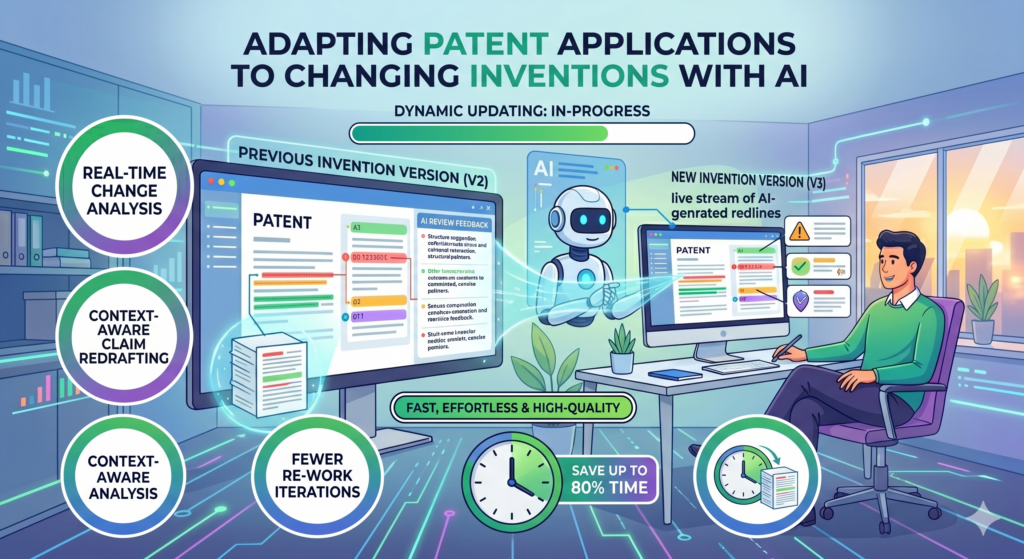
A workflow may change after customer testing. A feature that felt central last month may become less important after the next build.
This makes redlining harder. The draft may describe an older version of the invention while the team is already building the next one.
Without a fast review process, the patent application can fall behind the product. That creates stress because the team must decide what to update, what to keep, and what to leave out before filing.
AI can help by comparing the draft against the latest invention notes, product specs, technical diagrams, and engineer comments.
It can flag places where the application may no longer match the current build. It can also help show which changes are small product updates and which changes may affect the core invention.
AI can help separate product updates from patent-level changes
Not every product change needs to change the patent draft. Some updates are surface-level. A button moved.
A screen changed. A field was renamed. A backend service was refactored. These changes may not affect the invention at all.
Other changes matter more. A new model input may change how the system works. A new training step may become part of the core method.
A new hardware link may create a stronger technical story. A new automation step may be the difference between a basic product feature and a real invention.
AI can help sort these changes. It can review new product information and compare it with the patent draft.
Then it can point out where the application may need updates. This helps the attorney and founder focus only on changes that matter for protection.
The redline should protect the invention path, not every product detail
A patent application does not need to describe every tiny product choice. It needs to explain the invention clearly and with enough support.
When the product keeps moving, the redline process should focus on the parts that define the invention path.
That means the team should ask whether the change affects how the system works, what problem it solves, what result it creates, or what makes it different from normal approaches.
AI can help surface those questions fast. It can also show where the draft may be too tied to an old version.
For example, a draft may describe a model that uses three inputs. The newest product version may use five. The team should not blindly add every new input to the claims.
But it should consider whether the broader idea is that the system can use different input sets. That kind of thinking can make the application stronger.
PowerPatent helps startups handle this moving target with smart software and real attorney review.
You can protect what you are building while your team keeps building. See how it works here: https://powerpatent.com/how-it-works
How AI helps create faster redlines from invention notes, code comments, and product docs
Many patent applications start with scattered material. The founder has notes from investor calls. The engineer has comments in code. The product team has specs.
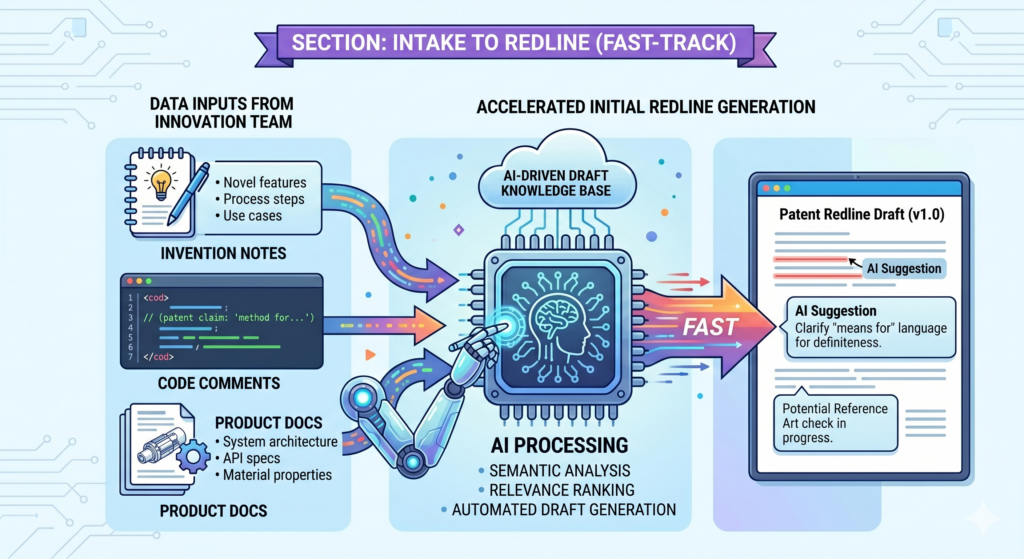
The CTO has architecture diagrams. The attorney has interview notes. The invention is real, but the source material is spread across many places.
This scattered start makes redlining slow. When someone edits the patent draft, they may not know which note supports which part.
When a feature changes, the team may not know where that feature first appeared. When a claim is added, the attorney may need to ask for more detail because the original source was thin or hard to find.
AI can help bring these materials together. It can read invention notes, technical docs, product flows, and draft text, then show where each idea appears in the application.
It can help find details that were missed. It can also help turn raw technical notes into clearer review questions.
AI can turn messy source material into cleaner patent review input
Engineers often write in shorthand. They may use internal names, quick notes, or comments that make sense only to the team.
Founders may explain the invention in business terms. Product docs may focus on users, not technical steps. Patent drafts need to bring these worlds together.
AI can help translate the source material into useful review input. It can identify the core technical idea, the main system parts, the data flow, the user action, and the output.
It can then compare those pieces against the patent draft.
This helps during redlining because the team can see whether the draft truly captured the invention.
If an engineer note says the system updates a model based on live feedback, but the draft only says the system “uses a model,” AI can flag that gap.
If a product doc shows a second use case that the draft does not cover, AI can raise it for review.
The best source review keeps the attorney in control while making the facts easier to see
AI should not decide what belongs in the patent application by itself. It should help organize the facts so the attorney can make better decisions faster.
The attorney still needs to decide what should be claimed, what should be described as an example, and what should be left out.
This is where AI gives the team leverage. It can reduce the time spent digging through scattered docs. It can show which details support which parts of the draft.
It can point out when an important technical note has not been used. It can also help founders and engineers answer questions without starting from zero every time.
A faster redline process often starts before the first redline. When the invention material is better organized, every later edit becomes easier. The team has a clearer record.
The attorney has stronger facts. The founder has more visibility. The engineer spends less time repeating the same explanation.
PowerPatent helps founders turn technical material into a real patent workflow with software and attorney oversight.
That means your code, models, diagrams, and invention notes can become part of a smoother path to filing. Learn more here: https://powerpatent.com/how-it-works
How AI helps make redline comments clearer and more useful
Comments can make or break a patent review. A good comment moves the draft forward. A bad comment creates confusion.
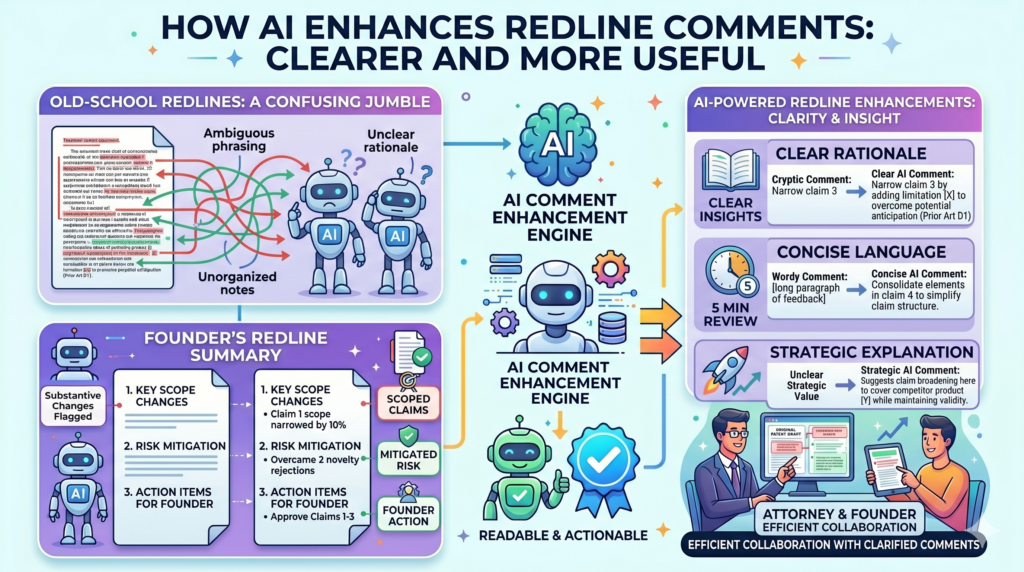
Many redlines slow down because the comments are unclear, too broad, or written for the wrong person.
A comment like “please revise” does not help much. A comment like “confirm whether this step is required in every version” is much better.
It tells the reviewer what to check and why it matters. AI can help turn rough comments into clear questions that lead to useful answers.
This is important because patent applications often need input from many people. The founder may care about the business direction. The engineer may know the system details.
The attorney may know how to shape the filing. AI can help make sure each person gets comments they can actually answer.
AI can route comments to the right person faster
A slow redline often sends every comment to everyone. That creates noise. The founder gets technical questions they cannot fully answer.
The engineer gets wording issues they do not care about. The attorney gets business questions that should have been answered by the founder first.
AI can help sort comments by topic. A comment about claim scope can go to the attorney. A comment about whether a step is optional can go to the engineer.
A comment about future product direction can go to the founder. A comment about drawing labels can go to the person who made the figures.
This makes the review faster because no one is wasting time on the wrong work. It also improves answers because each question goes to the person most likely to know the truth.
Clear comments reduce second-round edits and late-stage surprises
The biggest cost of bad comments is not the first delay. It is the second delay. A vague question creates a vague answer. That answer leads to another draft.
Then someone realizes the real issue was never solved. The team has to reopen the discussion near the end, when everyone thought the application was almost ready.
AI can help prevent that by improving the first comment. It can add context. It can explain why the question matters.
It can tie the comment to the exact redline change. It can ask for a yes, no, or short explanation instead of asking for a full document review.
This makes the review feel lighter while also making it more precise. The attorney gets cleaner feedback. The founder gets fewer confusing requests. The engineer can answer quickly without reading unrelated sections.
PowerPatent uses smart workflows to help founders avoid slow, messy patent review loops.
With AI support and real attorney oversight, the process becomes more guided, more clear, and much easier to move through. See how it works here: https://powerpatent.com/how-it-works
How AI helps redline patents for speed without lowering quality
Some founders worry that using AI means rushing. That is a fair concern. A patent application is not something to treat lightly.
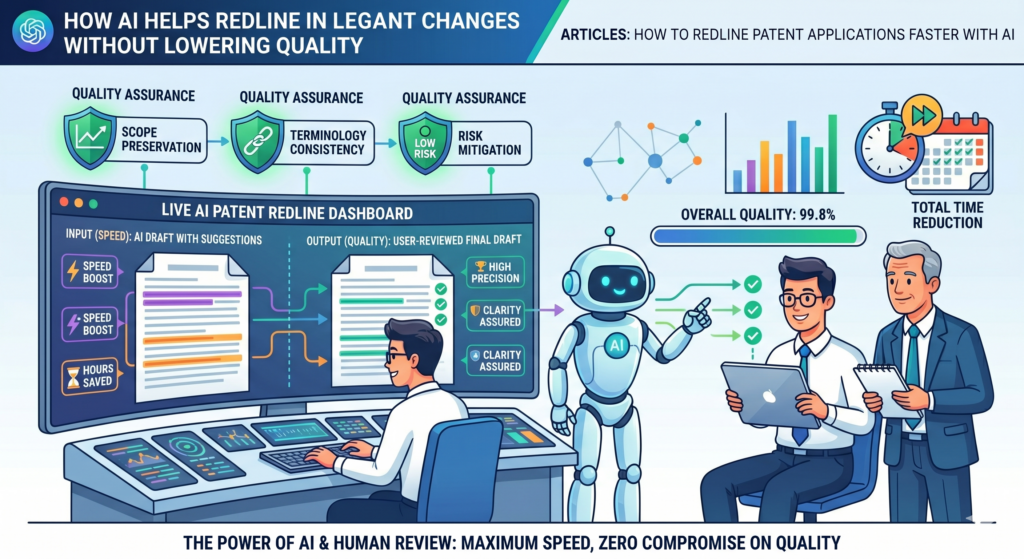
It can shape how a startup protects its technology, raises money, talks to partners, and builds long-term value.
But speed and quality are not enemies when the workflow is designed well. The real risk is not speed. The real risk is blind speed.
A team should not rush through a redline without knowing what changed. It should not let AI make final calls alone. It should not file a draft just because the document looks clean.
The right use of AI is different. AI helps the team see more, faster. It helps find gaps, compare drafts, explain changes, and guide review. Then real people make the important choices.
A strong AI workflow makes quality easier to check
Quality in a patent redline comes from clear support, steady terms, accurate technical detail, and smart claim strategy. AI can help check each of these areas before final attorney review.
It can show whether claim terms are supported in the description. It can flag term drift. It can point out missing drawing links.
It can show where a draft may be too narrow or too vague. It can also create summaries that help founders and engineers review the right parts.
This gives the attorney a better starting point. Instead of cleaning up a messy draft from scratch, the attorney can review a document that has already been checked for common issues.
That can make the final review faster and more focused.
The goal is not to automate judgment but to remove avoidable drag
The best patent teams do not use AI to replace thinking. They use it to remove avoidable drag.
They let AI handle the slow compare work, the search work, and the first-pass checks. Then they use human judgment for strategy, meaning, and final decisions.
This is the right balance for startups. Founders need speed, but they also need confidence.
Engineers need a process that respects their time. Attorneys need clean facts and clear input. AI can help all of them work together with less friction.
When used well, AI does not make the patent process feel cheaper or thinner. It makes it feel more controlled. It gives the team better visibility.
It reduces the chance that important details are missed because everyone was tired, rushed, or buried in comments.
PowerPatent was built for this balance. It helps founders move fast with AI-powered tools while keeping real patent attorneys in the loop.
That means you can protect your invention with more speed, more clarity, and more confidence. Explore how it works here: https://powerpatent.com/how-it-works
How to build a faster AI redline workflow from the first draft to the final filing
A fast AI redline workflow should not feel random. It should have a clear order. If the team uses AI only at the end, it may catch issues too late.
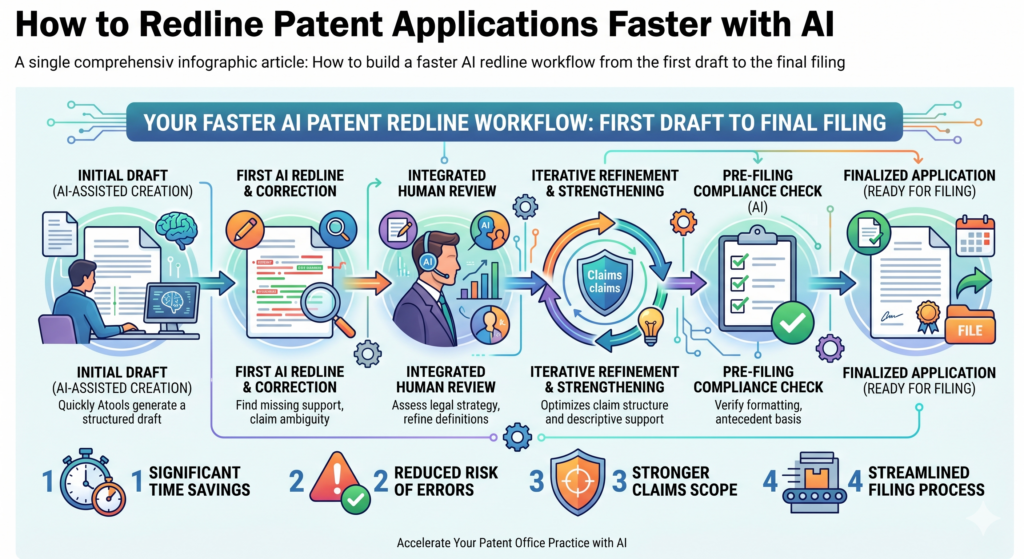
If the team uses AI without a plan, it may create too many comments. The best workflow uses AI at the right moments, so every pass makes the patent application stronger.
The process should start with a clean first draft. Then AI can help compare the draft against invention notes, product specs, diagrams, and founder comments.
After that, the team can review gaps, claim changes, term drift, and drawing support. Once those issues are handled, the attorney can make final edits with better facts and fewer open questions.
This kind of workflow helps everyone move faster because the work is staged. The founder is not asked to review everything at once.
The engineer is not buried in legal wording. The attorney does not have to chase scattered answers across ten tools.
A strong redline workflow gives each review pass one clear purpose
One of the biggest mistakes in patent redlining is trying to fix everything in one pass. That sounds faster, but it often creates more confusion.
People leave comments on style, scope, drawings, claims, examples, and product details all at the same time. The draft becomes crowded, and no one knows which edits matter most.
AI works better when each pass has one main job. One pass can check whether the draft matches the invention notes. Another pass can check whether claim terms are supported.
Another can look for risky words. Another can review drawings. Another can summarize all open questions before the attorney’s final review.
This does not need to be slow. In fact, it is often faster because each pass has a clear goal. The team knows what to check. The AI knows what to flag. The attorney knows what decisions still need to be made.
The final redline should feel like a quality check, not a rescue mission
The final review should not be the first time the team notices missing support or unclear terms. By then, the draft should already be organized, checked, and close to ready.
The final redline should be where the attorney sharpens the filing, not where everyone discovers that the invention was not fully captured.
AI helps make that possible by catching common issues earlier. It can show where a new claim feature needs more detail.
It can flag when a product update may affect the draft. It can explain big changes in plain words so founders can approve them faster.
For a startup, this is the difference between a patent process that slows the company down and one that supports the company’s speed.
PowerPatent helps founders create that kind of workflow with smart software and real attorney oversight. See how it works here: https://powerpatent.com/how-it-works
Conclusion
AI can make patent redlining faster, but the real win is not speed alone. The real win is control. When your team can see what changed, why it changed, where support is missing, and which questions still need answers, the whole filing process becomes clearer and safer. Founders move faster. Engineers spend less time guessing.
Attorneys focus on the hard calls that matter. That is how strong patents get built without slowing the company down. PowerPatent brings smart AI tools and real patent attorney oversight together, so you can protect what you are building with confidence today: https://powerpatent.com/how-it-works
Leave a Reply