A patent draft is not just a document. It is the story of your invention, written in a way that can protect your company, your product, and the work your team has built. Before you approve it, you need to slow down and check the right things. Not just typos. Not just names and dates. You need to check whether the draft truly captures what makes your invention valuable, how it works, why it is different, and how someone else might try to copy it.
Check Whether the Draft Protects the Real Business Value of the Invention
The first thing to check is not grammar. It is not the title. It is not whether the drawings look neat.
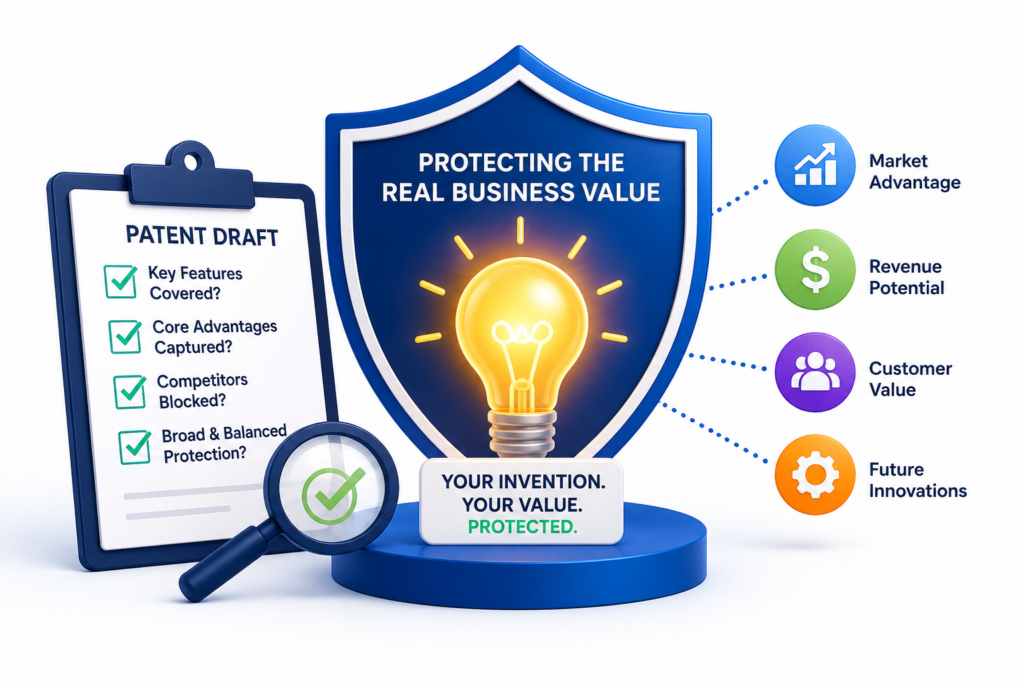
The first thing to check is whether the patent draft protects the part of the invention that matters most to the business.
A patent is not written just to explain an idea. It is written to protect a useful edge. That edge may be a faster system, a better model, a cleaner workflow, a new data process, a hardware change, a user experience improvement, or a way to reduce errors.
Before you approve the draft, ask yourself this simple question: if a competitor copied the best part of what we built, would this draft help us stop them?
That question should guide the whole review.
Make Sure the Draft Covers the Main Thing You Built
Many patent drafts describe the invention in a broad way, but they do not always land hard enough on the core breakthrough.
This can happen when the invention has many parts. The draft may spend time on setup steps, general software flow, or common system pieces, while the real value gets only a few lines.
Read the draft like a founder, not like a reviewer. Look for the part that made your team say, “This is what makes it work.” That part should be easy to find. It should be explained with enough detail that a reader can understand why it matters. It should not feel buried.
If your invention improves machine learning, the draft should make clear what is new about the training, inference, data handling, model structure, feature selection, feedback loop, deployment method, or output control.
If your invention improves a medical device, the draft should clearly explain the part that improves safety, accuracy, speed, comfort, or reliability.
If your invention improves a SaaS workflow, the draft should show the actual workflow change that gives users a better result.
The Draft Should Not Treat Your Breakthrough Like a Side Detail
A common mistake is approving a draft that mentions the best feature only once. That is risky.
The best feature should usually appear in the summary, detailed description, drawings, examples, and claims in some form. It does not need to be repeated in the same words, but it should be supported across the draft.
Think of the draft as a safety net. The more clearly the important idea is explained from different angles, the better chance it has of being useful later.
If the draft only names the breakthrough in passing, there may not be enough support for strong claim language later.
This is one reason founders use PowerPatent. The platform helps teams turn technical work into patent-ready material with smart software and real attorney oversight, so the important parts are less likely to get lost.
You can see how that works here: https://powerpatent.com/how-it-works.
Check Whether the Draft Covers Why the Invention Matters
A strong patent draft should not sound like a dry product manual. It should explain the problem in a clear way and show how the invention solves it. This does not mean adding hype. It means making the value plain.
If the invention reduces compute cost, the draft should explain how. If it lowers false positives, the draft should show what causes false positives and how the invention cuts them down.
If it improves battery life, the draft should connect the design choice to lower power use. If it makes an AI system safer, the draft should explain the control point, guardrail, review step, or feedback system that improves safety.
This matters because the value of the invention helps frame why the technical features are important. A reader should not need to guess why the invention is worth protecting.
The Problem Should Be Specific, Not Generic
Many drafts use broad problem language, such as “existing systems are inefficient” or “current methods are inaccurate.”
That is too weak if left alone. You want the draft to say what kind of inefficiency exists, where it happens, and what bad result it causes.
For example, “current systems waste compute” is less helpful than saying that a system runs full model inference on every input even when most inputs can be handled by a lighter process.
That gives the invention a clearer technical setting. It also helps show why your solution is not just a business idea, but a real improvement in how the system works.
When reviewing, look for vague problem statements. Then ask whether the draft could be made sharper. The goal is not to make it longer. The goal is to make it clearer.
Confirm That the Draft Protects the Product and the Platform
Your patent draft should not only cover what exists today. It should also cover the direction your product is likely to take.
This is where your founder view is very important. Your patent team may understand the invention, but you understand the roadmap.
Read the draft and ask whether it covers the version in production, the version being tested, and the version you expect to build next.
If the draft only covers the first version, it may become less useful as the product grows.
This is especially important for startups. Your product may change fast. The first version may be rough.
The real value may appear as the system scales, connects with other tools, handles more users, or processes more data. A good draft should protect the invention in a way that can grow with the company.
The Draft Should Include Practical Variations
Look for places where the draft says the invention must be done in one exact way. Sometimes that is needed. But often, narrow wording can create problems.
If your system can use different models, data sources, user interfaces, sensors, processors, thresholds, rules, or workflows, the draft should usually say so.
For example, if the invention works with a neural network, but could also work with another type of model, the draft should not accidentally limit itself to one model type unless that limit is intended.
If the invention uses a cloud server today but could run on-device tomorrow, the draft should support both if both are real options. If the invention uses one type of sensor now but could use others later, that should be considered.
This does not mean stuffing the draft with random guesses. It means making sure the draft reflects real, likely ways your invention may be used.
Check Whether the Claims Match What You Actually Want to Protect
The claims are the most important part of the patent application. They define the legal edge of the invention. The rest of the draft explains the invention, but the claims are where protection is shaped.
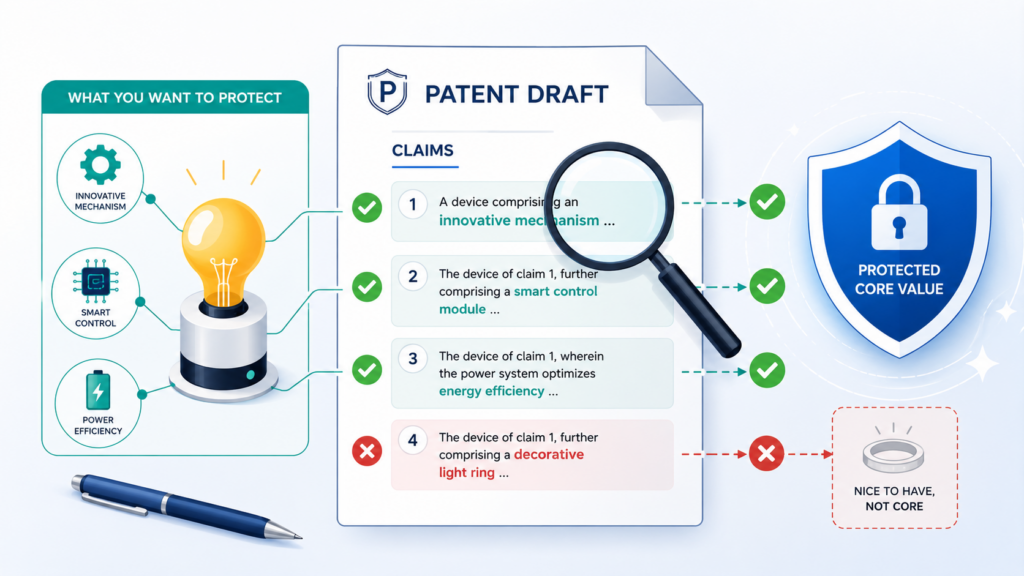
Many inventors review the description carefully and skim the claims because the claim language feels strange.
That is understandable, but it is also dangerous. If you only review the easy parts, you may approve a draft that explains your invention well but protects the wrong thing.
You do not need to master patent claim language. You just need to check whether the claims line up with the invention, the product, and the business goal.
Read the First Claim Like a Competitor
Start with the first independent claim. This is often the broadest claim. Read it slowly and ask whether a competitor could copy your key idea while leaving out one step or changing one piece.
If the answer is yes, the claim may be too narrow or may focus on the wrong feature. This is not always a problem because claims are often written with strategy in mind. But it is something you should flag before approval.
A good claim should not simply describe your exact product flow unless that is the right strategy. It should aim to cover the inventive concept in a way that reaches close copies and reasonable workarounds.
Every Required Claim Element Matters
In a claim, each required element can become a point a competitor may try to avoid.
If the claim requires a user device, a cloud server, a specific model, a certain input type, and a certain output type, then someone may avoid the claim by changing one of those pieces.
That does not mean claims should be vague. It means each required piece should earn its place.
Ask whether each part is truly needed for the invention, or whether it is just part of your current product setup.
For example, if your invention is about a new way to rank alerts based on live machine data, the claim may not need to require a dashboard, a mobile app, or a specific notification channel.
Those may be useful examples, but they may not be core to the invention.
This is where attorney oversight matters. PowerPatent helps founders work through this kind of review with software that keeps the process moving and attorneys who understand how claim choices affect long-term protection.
Learn more at https://powerpatent.com/how-it-works.
Check That the Claims Are Not Too Narrow
A narrow claim may be easier to understand, but it may also be easier to design around. When reviewing the draft, look for words that lock the invention into one form when the idea is broader.
Words like “only,” “must,” “always,” “single,” “fixed,” “specific,” or “exactly” can sometimes limit scope.
They may be correct in some cases, but they should not appear by accident. Also watch for claims that require a very specific order of steps when the order can change.
If your invention can work in several ways, the claims should not protect only one unless there is a clear reason.
This is especially important for software and AI inventions, where the same idea can often be built with different code, different models, or different system architecture.
The Claims Should Cover the Invention, Not Just the Demo
Startups often build a demo or MVP first. That version may include shortcuts, hard-coded settings, manual review, test data, or temporary tools. If the claim is written around the demo, it may miss the real commercial product.
Review the claims with this in mind. Ask whether the claim protects the invention as it should exist at scale, not only how it worked during the first test.
If the draft claims a manual step that will later become automatic, flag it. If it claims a test database that will later become a live data stream, flag it. If it claims a fixed threshold that will later become adaptive, flag it.
The best time to catch this is before filing.
Check That the Claims Are Not Too Broad Without Support
Broad claims can be powerful, but they need support in the draft. If a claim says the invention works across many settings, the detailed description should give enough detail to support that range.
A claim that is too broad without support may face trouble later. It may be rejected, narrowed, or harder to defend.
Your job as an inventor is to help make sure the draft has real technical backing for the claim language.
This does not mean every possible version needs a full build guide. But the draft should give enough examples, options, and technical detail so the claim does not feel like a wish.
Broad Language Should Still Be Technically Clear
There is a difference between broad and vague. Broad language covers more ground. Vague language leaves people confused. You want the first, not the second.
For example, “processing data to generate an output” is broad, but it may be too empty unless the draft explains what data, what processing, and what output matter.
A better draft may explain the types of inputs, the logic used, the model behavior, the decision path, and the result produced.
When reviewing claims, ask whether the words capture a clear technical idea. If the claim sounds like it could apply to almost any software system, it may need more focus.
Check Whether the Draft Explains the Invention Like a Builder Would Explain It
A strong patent draft should not feel like a foggy description of a product. It should feel like a clear, careful walk-through of how the invention works. It does not need to sound casual, but it must make sense.
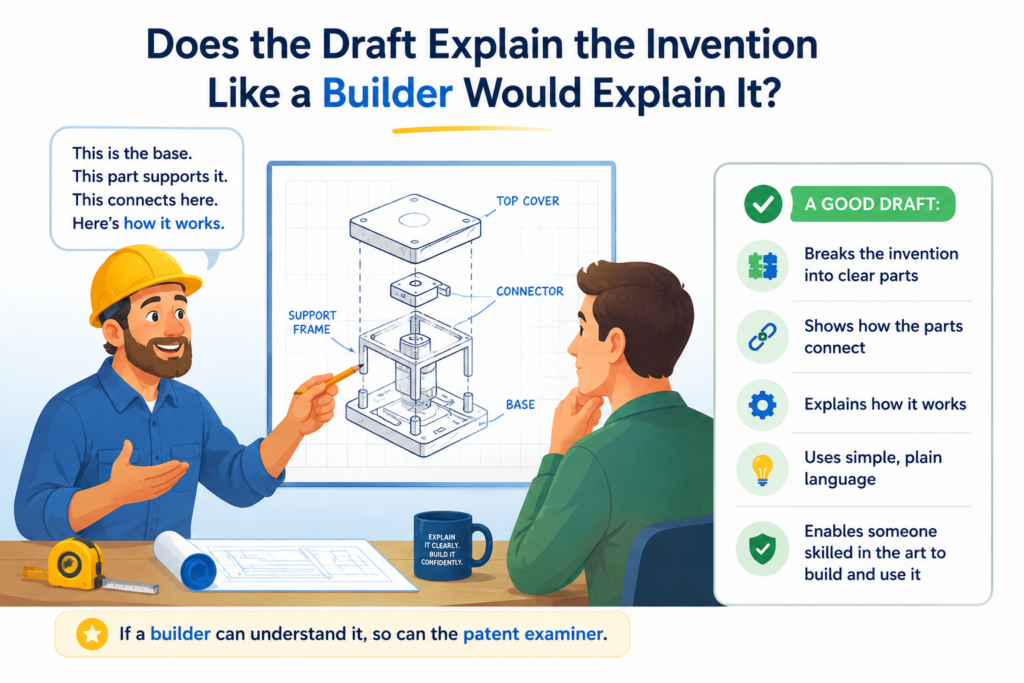
If you built the system, trained the model, designed the device, or mapped the workflow, you should be able to read the draft and say, “Yes, that is how it works.”
This is one of the most important parts of inventor review. Attorneys can shape the draft. Patent software can help organize the invention. But you bring the ground truth.
You know what is real. You know what is missing. You know when a phrase sounds close but is not quite right.
When you review, do not read passively. Read like you are checking a technical handoff to a future teammate.
Could that teammate understand the invention from the draft? Could they see what is different? Could they tell which parts are required and which parts are optional? Could they build a version without guessing at the core logic?
Make Sure the Technical Flow Is Correct
Start by checking the main flow from input to output. Every invention has a path. A system receives something, does something, and produces something.
A device senses something, changes something, controls something, or sends something. A software process takes data, transforms it, ranks it, filters it, stores it, sends it, or acts on it.
The draft should describe that path in a clean order. If the order is wrong, the invention may be misunderstood. If a key step is missing, the protection may be weaker. If a step is described too broadly, the true technical value may not come through.
Read the draft as if you are watching the invention run. At each step, ask what happens next. If you have to fill in too many blanks from memory, the draft needs more detail.
The Draft Should Show Cause and Effect
A good patent draft does more than name parts. It explains how one part affects another. This is where many weak drafts fall short. They say the system receives data and creates an output, but they do not explain the real logic in between.
For example, if your invention changes how a model responds based on user feedback, the draft should explain how feedback is collected, how it is weighted, how it changes the next output, and what problem that solves.
If your invention saves energy by turning off certain sensors, the draft should explain when that happens, what triggers it, and how the system keeps working safely.
Cause and effect is what makes the invention feel real. It also helps show why the invention is not just a goal, but a working technical solution.
Check the Draft Against Your Actual Code, Model, Prototype, or Design
Do not review the draft from memory alone. Compare it with the thing you actually built. Open the code, model notes, architecture diagram, lab results, product spec, design file, or internal doc. Then check whether the draft matches.
This step often catches hidden errors. A draft may say the system uses a confidence score when the product actually uses a risk score made from several values.
It may say a model is trained on labeled data when the system also uses weak labels or synthetic data. It may say a device sends raw sensor data when the device actually sends compressed features.
These details may matter. They can affect how well the draft supports the claims. They can also affect whether later improvements fit inside the original filing.
Small Technical Errors Can Create Big Confusion
Not every small error is fatal, but some can create avoidable problems. A wrong term can make the invention look different from what it is.
A wrong order of steps can make the claims harder to support. A missing condition can hide the real benefit.
Look for places where the draft uses a word that your team would not use. Check whether that word is just a simpler label or whether it changes the meaning.
For example, “classification,” “ranking,” “scoring,” and “prediction” may sound close, but they are not always the same. “Training,” “fine-tuning,” “prompting,” and “inference” can also mean very different things.
When you see a mismatch, mark it. Do not assume the reviewer will understand what you meant. Patent drafts should reduce confusion, not depend on private knowledge.
Make Sure the Draft Explains the Best Mode You Know
Your draft should explain the best way you currently know to carry out the invention. This does not mean giving away trade secrets that are not needed.
It means the patent should not hide the practical version so much that the draft becomes hollow.
If your team knows that one data structure works best, one sensor placement is better, one training flow gives better results, or one timing pattern avoids failure, the draft should usually include that practical knowledge in some form.
It can often be written as an example or preferred approach, without limiting the whole invention to that one version.
This is a balance. You want enough detail to support strong protection. You also want smart drafting so the application does not become narrow. That is why founders benefit from tools and attorney review working together.
PowerPatent helps teams capture deep technical details while still keeping the patent process fast and guided. You can explore the process here: https://powerpatent.com/how-it-works.
Practical Detail Makes the Draft Stronger
A draft that only says “the system improves accuracy” is weak. A draft that explains how the system improves accuracy is much stronger.
It may describe how noisy data is removed, how model outputs are checked, how a confidence score is adjusted, how edge cases are handled, or how users correct bad results.
Practical detail also helps future readers understand that the invention is more than an idea. It is a working solution. That can matter when the patent is reviewed, licensed, used in funding talks, or compared against a competitor’s product.
Your job is to make sure the draft reflects what your team actually knows.
Check Whether the Draft Covers Workarounds a Competitor Might Use
Approving a patent draft without thinking about workarounds is like locking the front door and leaving the side door open.
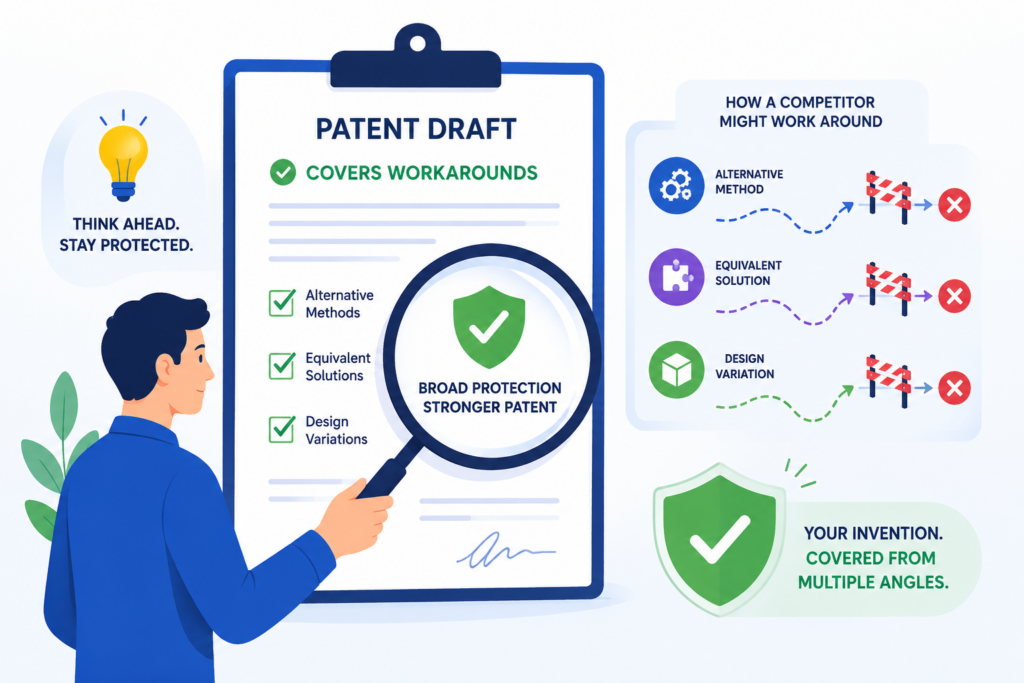
A competitor may not copy your product exactly. They may copy the value while changing the shape. Your review should help catch those escape routes before the application is filed.
This is where you should think less like the inventor and more like a rival team. Imagine a smart competitor sees your product, understands the benefit, and wants the same result without stepping into your patent.
What would they change? Would they swap a model? Move a process from cloud to device? Use a different sensor? Change the order of steps? Replace manual review with automation? Use a different interface?
A strong draft should not only cover your current design. It should cover reasonable variations that still use the heart of the invention.
Look for Places Where the Draft Is Too Tied to Your Current Product
Startups build what works now. Patents should often protect what the invention means beyond the first product version.
Your current product may use one vendor, one database, one model type, one cloud service, one app screen, or one hardware layout. But the invention may not depend on those choices.
If the draft names your current setup too often, it may accidentally narrow the invention. For example, if the invention is a better way to detect equipment failure, it may not need to be limited to a certain sensor brand.
If the invention is a safer way to control an AI agent, it may not need to be limited to a chat interface. If the invention is a new way to sync medical device data, it may not need to be limited to Bluetooth unless that is truly required.
Current Implementation Should Not Become an Accidental Fence
There is a difference between a useful example and a limit. Examples are good. They show how the invention can work. Limits are different. They can shrink protection.
When you review, look for wording that makes examples sound mandatory. A sentence that says “in one example” is usually more flexible than a sentence that says “the invention requires.”
A sentence that says “may include” often leaves more room than one that says “includes” in a narrow way. These wording choices should be made on purpose.
You do not need to edit every legal phrase yourself. But you should flag places where the draft seems to lock the invention into one product version even though other versions are real.
Think Through Substitute Parts
A competitor’s easiest workaround is often a substitute part. They may replace one component with another that performs a similar role. Your draft should consider those substitutes where they are technically reasonable.
For software, substitutes may include different model types, different storage systems, different ranking methods, different data pipelines, different feedback tools, or different deployment settings.
For hardware, substitutes may include different sensors, materials, processors, communication links, housing shapes, or control circuits.
For biotech or medical tools, substitutes may include different sample types, measurement methods, delivery paths, or analysis steps.
The point is not to list endless random options. The point is to cover real alternatives that someone skilled in the space would consider.
The Draft Should Capture the Role, Not Just the Name
One of the best ways to check for workaround protection is to ask whether the draft explains what each part does, not only what it is called. A “camera” may be one example of an image sensor.
A “neural network” may be one example of a predictive model. A “mobile app” may be one example of a user interface. A “server” may be one example of a computing system.
When the draft explains the role of a part, it can often support broader protection. When it only names a part, it may become easier to avoid.
For example, instead of only saying the system uses GPS, the draft may explain that the system uses location data from one or more sources. GPS can still be included as an example.
This gives the draft room to cover Wi-Fi location, cellular location, sensor fusion, or future location tools where appropriate.
Review the Claims for Design-Around Risk
After reading the description, return to the claims. Ask the workaround question again. Could a competitor avoid the claim by removing a nonessential step?
Could they perform the same core function in a different order? Could they use a different data type but get the same result? Could they split the process across two systems instead of one?
These questions are not meant to make you paranoid. They are meant to make the patent stronger before filing. A strong patent draft anticipates how the market may move.
A Patent Should Protect the Edge, Not the Packaging
Your product may have a beautiful interface, a clean dashboard, a polished workflow, or a clever onboarding path. Those things may matter, but they may not be the true patentable edge.
If the invention is really in the back-end logic, the claims should not depend too much on the front-end packaging.
If the invention is really in the device control method, the claims should not depend too much on the outer housing unless that housing is part of the invention.
The test is simple. Strip away branding, screen design, and product polish. What remains that is technically new and valuable? That is what the draft should protect.
PowerPatent is built for this kind of founder review. It helps you move from invention details to a patent draft with a clearer view of what should be protected, backed by real patent attorneys. See how it works here: https://powerpatent.com/how-it-works.
Check Whether the Draft Supports Future Product Growth
A patent draft should not only protect the invention as it looks today. It should leave room for where the invention is likely to go.
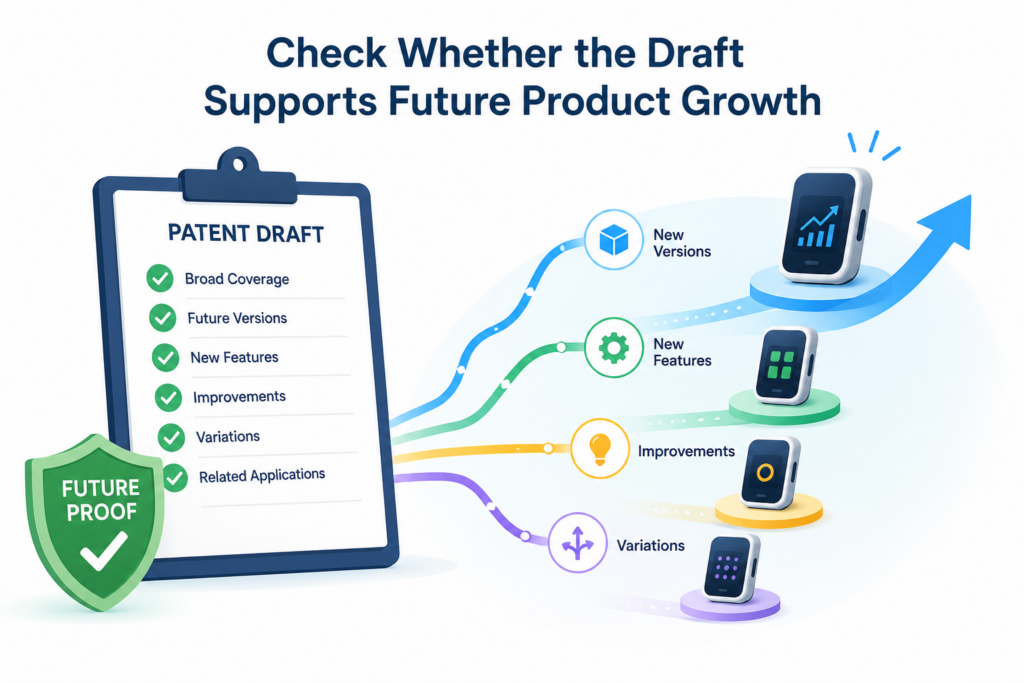
This matters deeply for startups because products change fast. The version you file around today may not be the version that wins the market one year from now.
Before approving the draft, read it with your roadmap open. Think about planned features, likely customer requests, scale problems, new integrations, new data sources, new hardware versions, and future automation.
Then ask whether the draft gives those future versions a place to live.
You do not need the draft to cover wild guesses. But it should cover natural next steps if they flow from the invention.
A patent that only protects the current MVP may lose value as your company grows.
Compare the Draft to the Product Roadmap
Your roadmap is one of the most useful review tools. It shows what your team believes the product will become. If the draft ignores that future path, it may be too narrow.
For example, your current system may use human review, but the roadmap may move toward automatic review. Your current AI tool may support one data type, but the roadmap may add text, audio, images, or sensor data.
Your current device may connect to a phone, but the roadmap may move to direct cloud sync. Your current workflow may support one user role, but the product may soon support teams, admins, auditors, or customers.
These planned changes should be discussed during draft review. Some may belong in the patent draft. Some may be better saved for later filings. But they should not be missed by accident.
Future Versions Need Support in the Description
Claims can sometimes be adjusted later during review, but they need support in the original draft. If the draft never mentions an important future version, it may be harder to claim that version later from the same filing.
This is why the detailed description matters so much. It can include examples, options, and variations that support broader protection.
A future version does not always need to be fully built. But it should be described clearly enough if it is part of the real invention path.
When reviewing, look for phrases that allow flexibility. The draft may describe different data sources, different computing environments, different levels of automation, different user roles, or different device layouts.
These variations can help the patent stay useful as the product grows.
Check Whether the Draft Covers Scaling Problems
Many inventions become more valuable at scale. A small prototype may work fine, but the real breakthrough may appear when there are many users, many devices, large data sets, strict timing needs, or high reliability demands.
If your invention solves a scaling problem, the draft should say so. It should explain what happens when the system grows and why your approach handles that growth better.
For example, if your system reduces model calls to cut cost, that matters more as usage rises. If your platform routes data in a smarter way, that matters more when many users act at once.
If your device batches signals to save power, that matters more in long-term field use. If your method reduces manual review, that matters more when customer volume grows.
The Draft Should Not Only Describe the Lab Version
A prototype is often cleaner than the real world. It may use controlled data, limited users, simple test cases, or ideal settings.
A commercial product faces messy data, edge cases, failures, delays, user mistakes, network issues, and changing conditions.
A strong draft should describe how the invention handles real-world use where possible.
This may include fallback steps, error handling, thresholds, retry logic, calibration, updates, alerts, model drift, safety checks, or privacy controls.
Do not approve a draft that makes the invention sound like it only works in a perfect test setup if your team has already solved harder real-world problems. Those solutions may be part of the value.
Decide What Belongs in This Filing and What Needs a Follow-Up
Sometimes review reveals that the invention has grown beyond the draft. That does not always mean the draft is bad. It may mean you need a filing plan.
There may be one core invention ready to file now and another improvement that deserves a later filing. There may be a platform-level invention and a feature-level invention.
There may be a hardware invention and a software control invention. A strong patent strategy often uses more than one filing over time.
Approval Should Fit the Patent Roadmap
Before you approve, ask whether this draft is meant to be the first filing, the main platform filing, a narrow feature filing, or a follow-on improvement filing. The answer changes what you should expect from the draft.
A first filing may need to capture the broad foundation. A feature filing may go deeper on one valuable part.
A follow-on filing may focus on what changed after real customer use. Knowing the role of the draft helps you review it fairly.
PowerPatent helps founders move faster without losing sight of strategy. The platform is built to help teams capture inventions as they grow, with attorney oversight so filings fit the business instead of slowing it down. Learn more here: https://powerpatent.com/how-it-works.
Check Whether the Drawings Actually Help the Patent
Drawings are not decoration. In a patent draft, drawings can make the invention easier to understand and can support the written description.
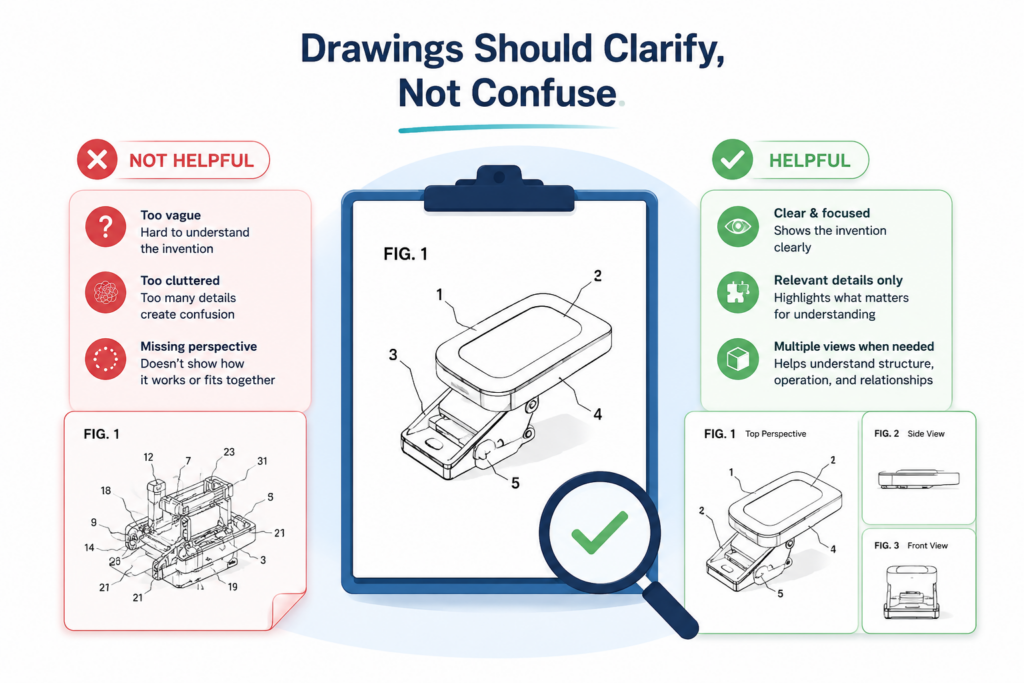
They can show systems, flows, devices, screens, data paths, model pipelines, user actions, and decision points. A good drawing makes the invention clearer. A weak drawing can leave important parts hidden.
When reviewing a patent draft, do not skip the figures. Many inventors move past them because they look simple or formal. That is a mistake. The figures often reveal whether the draft truly understands the invention.
Look at each drawing and ask what it teaches. If a figure does not teach anything useful, it may need to be improved.
If a key feature is missing from all figures, that feature may feel less central in the draft. If a drawing shows a wrong relationship between parts, it can confuse the whole application.
Check Whether Each Key Part Appears Somewhere
The most important pieces of the invention should usually appear in the drawings in some form. This does not mean every tiny detail needs a figure.
But if the invention depends on a special data flow, control loop, device layout, model pipeline, or user interaction, it should likely be shown.
For a software invention, useful figures may show system architecture, data movement, method steps, model training, inference, feedback, or user output.
For a device invention, useful figures may show components, connections, physical structure, signal paths, and operating states. For a process invention, useful figures may show sequence, decision points, inputs, and outputs.
Drawings Should Match the Written Description
Every figure should agree with the text. If the text says data moves from a device to a server, but the drawing shows it going somewhere else, flag it.
If the figure labels a component with a name that is not used in the description, flag it. If the claims mention a component that is missing from the figures, ask whether it should be shown.
These mismatches may seem small, but they can slow review and create confusion. A clean draft should feel consistent from start to finish.
Also check reference numbers. If the same part has different numbers in different figures, or if one number points to different things, the draft may need cleanup.
You do not need to solve the formatting yourself. You just need to notice when the drawings make the invention harder to follow.
Check Whether the Flowcharts Show the Real Logic
Flowcharts are common in software and AI patents. They can be very helpful when they show the actual logic of the invention. But they can also become too generic.
A weak flowchart might say receive data, process data, and output result. That may be true, but it does not teach much.
A stronger flowchart shows what kind of data is received, what decision is made, what condition changes the path, what model or rule is used, and what happens after the output.
If your invention includes a special decision point, the flowchart should show it. If the system handles edge cases in a new way, the flowchart should show that.
If the system improves performance by skipping, batching, ranking, splitting, or filtering steps, the figure should make that visible.
The Best Figure Often Shows the Inventive Turn
Every strong invention has a turn. That is the moment where the system does something different from ordinary systems. Maybe it changes a model prompt based on risk.
Maybe it selects a lower-power sensor mode. Maybe it routes a task to a human reviewer only when certain conditions are met. Maybe it builds a custom training set from live feedback.
The best figure should show that turn clearly. If all the figures look like normal background architecture, the drawings may not be doing enough work.
Review the figures with one goal: make the special part visible. When the special part is visible, the draft is easier to understand, easier to discuss, and often easier to strengthen.
Make Sure the Drawings Are Broad Enough
Just like the text, drawings can become too narrow. If every figure shows one exact setup, the draft may seem tied to that setup. This is not always bad, but it should be intentional.
For example, if the invention can run on a local device, a cloud server, or a hybrid system, the drawings may need to show that flexibility or the text should clearly explain it.
If the invention can use different input sources, the drawings should not make one source look like the only option.
If the invention can support different user roles, the figures should not make the workflow look limited to one user unless that is the goal.
Drawings Should Support Strategy, Not Just Explain the Demo
A drawing should help protect the invention, not merely document the current product. This is why you should review drawings with both the product and the future in mind.
Ask whether the drawings support the broad story you want the patent to tell. If the invention is platform-wide, do the figures show platform-level architecture?
If the invention is a control method, do they show the control loop? If the invention is a model improvement, do they show training and use? If the invention is a device structure, do they show the structure from useful views?
PowerPatent helps founders turn technical material into clearer patent drafts, including the kind of structured invention detail that supports strong figures. See how PowerPatent works here: https://powerpatent.com/how-it-works.
Check Whether the Draft Uses the Right Words for Your Technology
Words matter in a patent draft. One wrong word can make the invention sound narrower, broader, weaker, or just different from what you built.
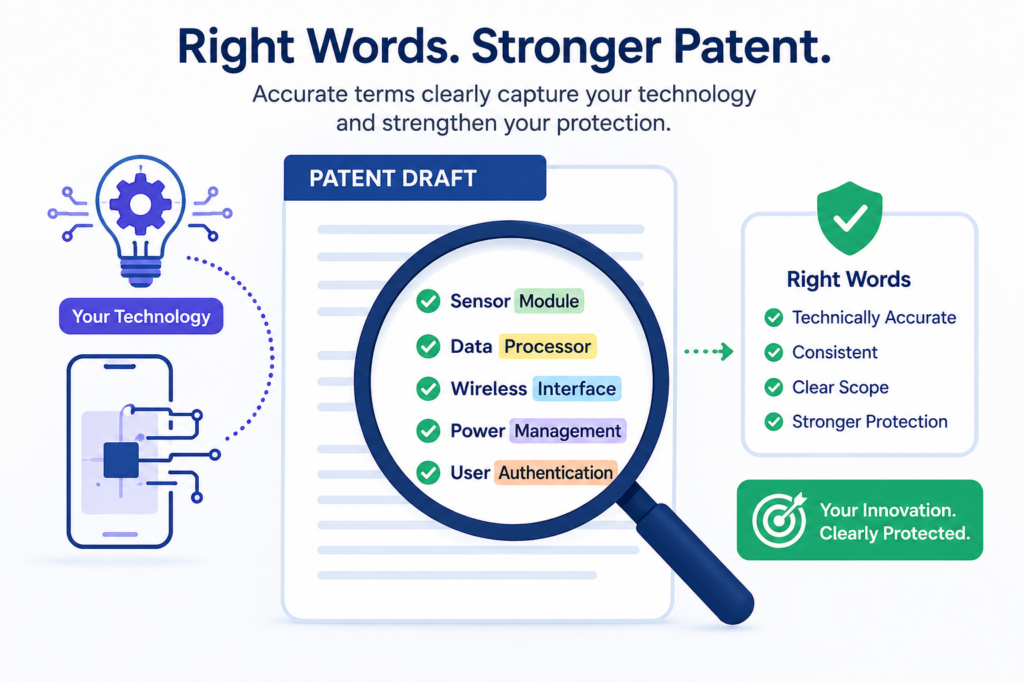
During review, your job is to make sure the draft uses words that fit your technology and your market.
This does not mean the draft must use every internal term your team uses. Internal names can be too casual or too tied to your product. But the technical meaning should be right.
The draft should not call something a “prediction” if it is really a ranking. It should not call something “training” if it is really inference. It should not call something “encrypted” if it is only encoded. It should not say “real time” if there is a delay that matters.
Patent drafts often use broad terms on purpose. That can be smart. But broad terms should still be accurate.
Check Key Terms for Technical Accuracy
Start with the words that appear often. These are usually terms for the main components, data types, method steps, outputs, and system roles. If a term appears in the title, summary, claims, or figure labels, review it carefully.
Ask whether each key term means what the draft seems to say it means. If the term has a special meaning in your field, make sure the draft does not misuse it. If the term could be read in more than one way, make sure the context is clear.
For AI inventions, be extra careful with words like model, classifier, embedding, vector, prompt, agent, policy, reward, inference, training, tuning, ranking, and confidence.
For hardware inventions, check words like sensor, actuator, controller, module, circuit, housing, layer, substrate, interface, and signal. For biotech or health inventions, check words tied to samples, measurements, diagnosis, treatment, risk, dose, and monitoring.
Do Not Let Marketing Words Replace Technical Words
Marketing language can help explain value, but it should not replace technical detail. Words like smart, seamless, intelligent, advanced, optimized, secure, scalable, and automated can be useful in a pitch. In a patent draft, they are not enough by themselves.
If the draft says the system is “smart,” it should explain what makes it smart. If it says the system is “secure,” it should say what security step is used.
If it says the process is “optimized,” it should say what is being improved and how. If it says the tool is “automated,” it should say what action is automatic and what triggers it.
This is not about making the draft sound fancy. It is about making the invention concrete.
Check Whether Words Accidentally Limit the Invention
Some words can narrow the invention without you noticing. This is common when a draft borrows terms from the current product. For example, your product may call something a “mobile notification,” but the invention may only require sending an alert.
Your team may call something a “dashboard,” but the invention may only require a user interface. Your prototype may use a “camera,” but the invention may work with other image sensors.
When reviewing, ask whether each term is the broad idea or just one example. If it is just one example, the draft should make that clear where appropriate.
Product Names Should Usually Stay Out
Internal product names, feature names, customer names, vendor names, and code names usually do not belong in a patent draft unless there is a very specific reason.
They can make the draft look tied to one commercial product instead of the invention itself.
If your draft uses internal names, check whether they should be replaced with clearer technical terms. A feature called “Guardian Mode” might be better described as a safety control mode.
A feature called “Smart Sync” might be better described as adaptive data synchronization. A tool called “Reviewer Hub” might be better described as a review interface.
The goal is to protect the invention in terms that make sense beyond your brand.
Check Whether the Draft Defines Important Terms Clearly
Some terms need a clear meaning in the draft. This is especially true if the term is central to the invention or could be read in different ways.
The draft does not always need a formal definition section, but it should use terms consistently.
If the draft uses “score,” “confidence value,” “risk level,” and “priority value” to mean the same thing, that may cause confusion. If they mean different things, the draft should explain the difference.
Consistency Builds Strength
A patent draft should not make readers guess whether two words mean the same thing. Consistency helps the attorney, the examiner, future investors, possible partners, and even your own team understand what was filed.
Read one section at a time and track key terms. If the same part is called a module in one place, a system in another, an engine in another, and a processor in another, ask whether that is intentional.
Sometimes varied terms can support breadth. Other times, they create confusion.
A clear draft can still be broad. In fact, clear broad language is often better than loose vague language.
Check Whether the Draft Tells a Strong Invention Story
A patent draft should tell a clear story. It should explain the old problem, the technical gap, the new solution, and the result. This story does not need drama. It needs direction.
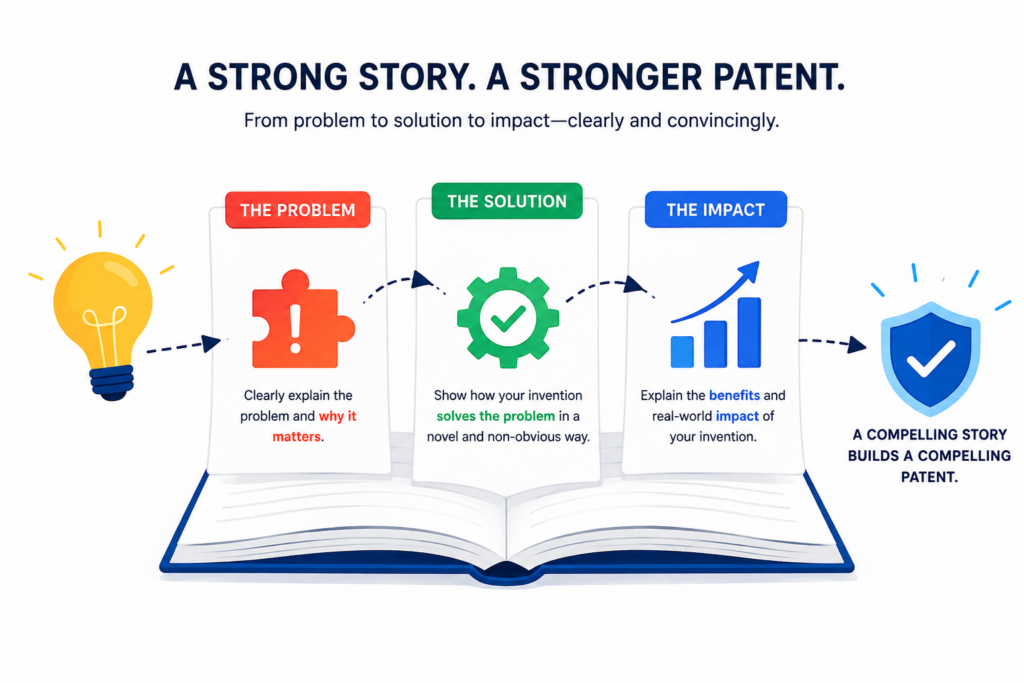
When the story is strong, the draft is easier to read and easier to defend. When the story is weak, the invention can feel smaller than it really is.
As the inventor, you are in the best position to judge whether the story is true. You know why you built the invention. You know what failed before. You know what insight led to the better approach. You know what changed after you made it work.
Before approving the draft, check whether that story comes through.
The Background Should Set Up the Real Problem
The background section should not be long, but it should be useful. It should explain the problem your invention addresses without overclaiming or making unsupported attacks on other systems.
A weak background says current systems are slow, expensive, inaccurate, or hard to use. A stronger background explains where the failure happens. It may say current systems process all data the same way even when some data needs special handling.
It may say current devices collect too much raw data, which drains power. It may say current AI workflows depend on static prompts that do not adjust to risk. It may say current review systems treat all alerts equally, which causes users to miss the important ones.
The more specific the problem, the stronger the setup.
The Problem Should Match the Solution
A common issue is a mismatch between the problem and the invention. The background talks about one problem, but the detailed description solves another. That makes the draft feel unfocused.
For example, the background may say the issue is speed, but the invention is mainly about accuracy.
Or the background may say the issue is user effort, but the claims focus on data security. These may all be connected, but the connection should be clear.
When you review, ask whether the draft sets up the exact problem your invention solves. If not, ask for the story to be tightened.
The Summary Should Make the Invention Easy to Grasp
The summary is often one of the first places a reader looks. It should give a clear view of the invention without drowning the reader in detail. It should state the main idea, the technical action, and the benefit.
This section should not read like a vague promise. It should not say only that the invention provides an improved system. It should explain what the system actually does in simple, concrete terms.
A Good Summary Creates a Clear Mental Picture
After reading the summary, a technical reader should have a basic picture of the invention. They should know what goes in, what happens, what comes out, and why that matters.
If the summary feels too abstract, flag it. If it is too narrow, flag it. If it leaves out the best part, flag it. If it focuses on a side feature instead of the core breakthrough, flag it.
Think of the summary as the cleanest version of the invention story. It should be broad enough to support strategy and clear enough to feel real.
The Detailed Description Should Prove the Story
The detailed description is where the draft earns trust. It should show how the invention works in enough detail to support the story told earlier. This is where examples, variations, components, and step-by-step operation matter.
Read this section carefully. Ask whether the examples are useful. Ask whether the draft explains the parts that make the invention different.
Ask whether the text supports the claims. Ask whether it includes the versions your team actually cares about.
The Draft Should Not Hide the “Aha” Moment
Every invention has an “aha” moment. It may be a technical insight, a design choice, a control rule, a data path, a model structure, a timing trick, or a way of combining parts that others missed.
The draft should not bury that moment. It should make it easy to see. If the reader cannot tell what the inventive idea is after reading the detailed description, the draft needs work.
PowerPatent helps technical founders bring that “aha” moment into the patent process without turning it into legal fog.
With smart software and real attorney oversight, PowerPatent helps teams move from invention to filing with more speed and confidence. See the workflow here: https://powerpatent.com/how-it-works.
Check Whether the Draft Avoids Harmful Narrowing Language
Some patent drafts become weak because they use words that sound harmless but create limits.
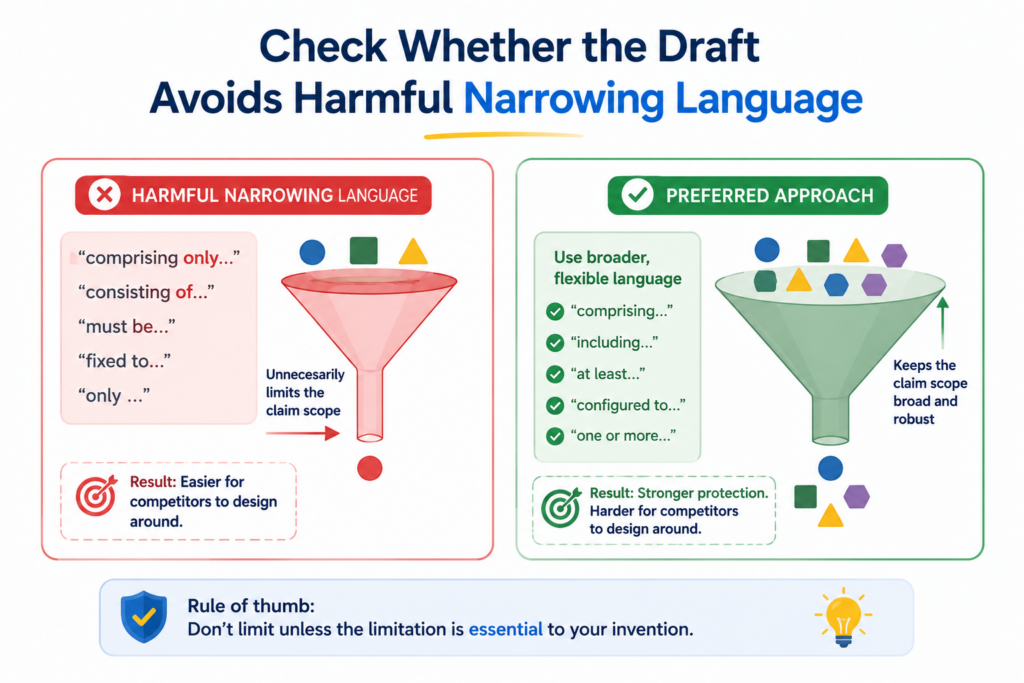
These limits may not matter today, but they can matter later when you try to use the patent against a copycat, explain it to an investor, or build claims around a broader product.
During inventor review, pay attention to words that make the invention seem smaller than it is. This is not about removing all detail. Detail is good. The risk is detail that sounds mandatory when it should be optional.
The safest approach is to ask a simple question whenever you see a very specific statement: is this always true for the invention, or is it only true for one version?
Watch for Words That Sound Absolute
Words like always, never, only, required, must, essential, fixed, identical, and exactly can be useful when they are true.
But they can also create avoidable limits. If the invention does not need such a strict rule, the draft should not imply one.
For example, if the system can use different thresholds, the draft should not say it always uses one fixed threshold. If the method can run steps in different orders, the draft should not say the order is always required.
If the device can use different materials, the draft should not make one material sound essential unless it really is.
Flexibility Should Be Built Into the Language
Flexible language does not mean unclear language. It means the draft explains the invention in a way that covers real variations.
Words like may, can, in some examples, in certain versions, or in one implementation can help show that a feature is optional when that is true.
But flexibility must be used with care. If everything is optional, the draft may become hard to understand. The goal is to make clear which parts are core and which parts are examples.
As the inventor, you can help by telling the review team what is truly required. If a feature is needed for the invention to work, say so. If it is only used in the current build, say that too.
Watch for One-Example Traps
A one-example trap happens when the draft describes only one version so fully that the invention appears limited to that version.
This is common when the draft is based on a product demo, a prototype, or a single technical memo.
For example, the draft may describe one type of input, one kind of model, one user flow, one device shape, one network setup, or one output format.
If those are only examples, the draft should include other reasonable options or state that alternatives may be used.
Examples Should Open Doors, Not Close Them
Examples are powerful because they make the invention real. But they should not close off other paths unless that is the strategy.
A good example says, in effect, “Here is one way the invention can work.” A bad example accidentally says, “This is the only way the invention works.”
When reviewing examples, ask what a competitor could change. If the example uses text data, could the invention also work with images, audio, video, sensor signals, logs, or structured data?
If the example uses a cloud server, could it work on-device? If the example uses a neural network, could it work with a rules engine or another model type?
Do not force extra options into the draft if they are not real. But do not let a real option go missing just because the first version used one setup.
Watch for Claims That Import Too Much Product Detail
Claims should protect the invention. They should not always include every product feature. If a claim includes extra product details, those details may become required for infringement. That can make the claim easier to avoid.
For example, if the claim requires a user profile, a dashboard, a subscription account, and a mobile alert, a competitor may avoid the claim by using a different user setup.
If those features are not part of the inventive concept, they may not belong in the broadest claim.
Product Completeness Is Not the Same as Patent Strength
Founders often want the claims to describe the full product because that feels complete. But a patent claim is not a product brochure. It does not need every feature. It needs the right features.
The best claim may feel surprisingly lean. It may focus only on the steps or parts that create the technical edge. The product can include many other things, but the claim does not always need them.
This is why claim review is so important. You are not just checking whether the claim is true. You are checking whether it protects the right center of gravity.
Check Whether the Draft Includes Enough Examples Without Becoming Too Narrow
Examples make a patent draft stronger. They show how the invention can work in the real world. They help support the claims. They give future readers more ways to understand the invention.
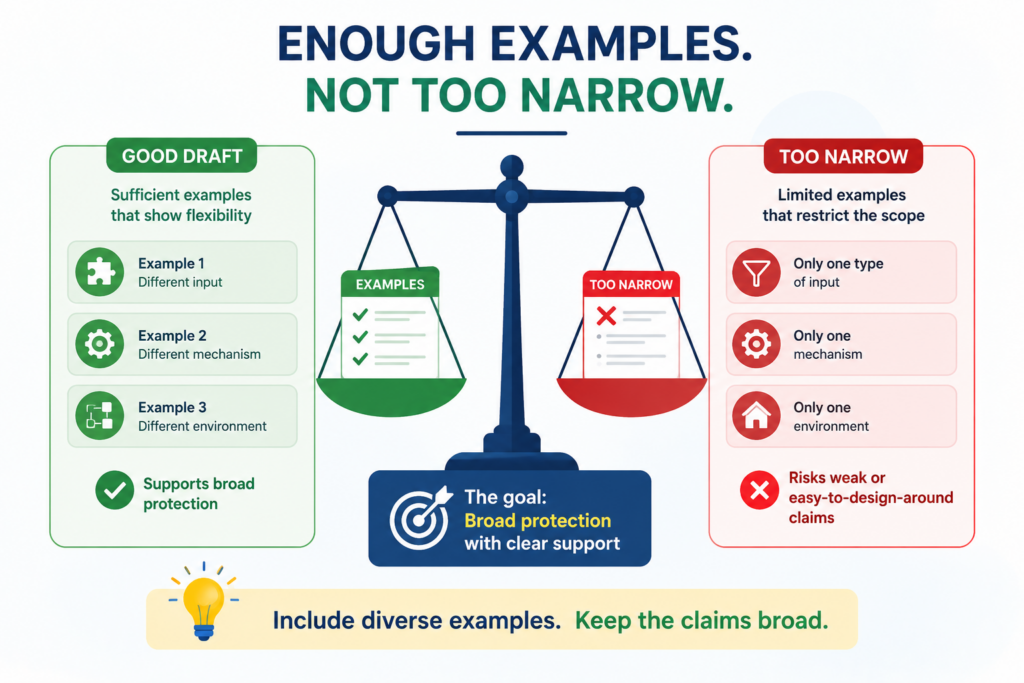
But examples must be handled carefully. Too few examples can make the draft thin. Too many narrow examples, written poorly, can make the invention feel limited.
Your review should focus on whether the examples are useful, accurate, and strategic. The draft should include examples that teach the invention, not examples that add noise.
A good example should make the reader smarter. It should show a real use case, a real technical path, or a real variation. It should not be filler.
Check Whether the Examples Cover the Most Valuable Use Cases
Start by asking whether the examples match your best commercial opportunities. If your biggest market is enterprise AI safety, the examples should not only describe a simple consumer chatbot.
If your device will first be used in hospitals, the examples should not only describe home use. If your software is built for high-volume data processing, the examples should not only describe a small test case.
Examples should help protect where the business is going. This does not mean every market needs its own long section. It means the draft should not ignore the use cases that matter most.
Examples Should Reflect Real Customer Pain
The strongest examples often connect the technical invention to a real customer problem.
For example, a system that ranks alerts is more meaningful when the example shows a user facing too many alerts and needing the system to surface the important ones.
A model improvement is more meaningful when the example shows noisy input data and explains how the system still produces a useful result.
This does not turn the patent into marketing. It makes the technical value easier to understand.
When reviewing, ask whether the examples feel real. If they sound generic, they may need to be sharpened.
Check Whether the Examples Show Different Versions
If the invention can be used in more than one way, the examples should show that breadth. One example may show the current product. Another may show a future version.
Another may show a different environment or data type. Another may show a different device or deployment model.
This can be especially useful for startups because it helps the draft support growth. It can also make it harder for competitors to argue that the invention is limited to one narrow setup.
Variation Should Be Intentional
Do not add variation for its own sake. Random examples can make the draft feel messy. The best variations are chosen because they protect real business paths or real technical alternatives.
For example, if your invention can run locally or in the cloud, that is a useful variation. If it can use multiple sensor types, that may be useful.
If it can apply to several data formats your roadmap already includes, that may be useful. If it can serve different user roles in a workflow, that may be useful.
Each variation should have a reason. It should either support broader claims, protect a likely product path, or make the invention clearer.
Check Whether Examples Are Written as Optional, Not Required
Examples should usually be framed as examples. If the draft uses one example but writes it like a required rule, it may create narrowing risk.
Look for language that makes examples sound mandatory. If the draft says the system “must” use a certain input, ask whether that is true.
If it says the device “requires” a certain shape, ask whether the invention depends on that shape. If it says the method “always” sends a report after a step, ask whether that always happens.
Good Examples Leave Room for Better Versions
Your future product may be better than today’s example. It may be faster, more automatic, more accurate, more secure, or more flexible. The draft should not make it hard to cover that improved version.
For instance, if today’s example uses manual review, but future versions may use automatic review, the draft should not define the invention around manual review unless manual review is the actual inventive feature.
If today’s example uses a simple model, but the platform may later use a more advanced model, the draft should leave room.
PowerPatent is designed for teams that keep building after the first filing. It helps founders capture what matters now while thinking ahead to what the product may become. See how PowerPatent helps here: https://powerpatent.com/how-it-works.
Check Whether the Draft Handles AI, Software, and Data Details With Care
For software and AI inventions, small details can carry a lot of weight. The value may not be in one screen or one button.
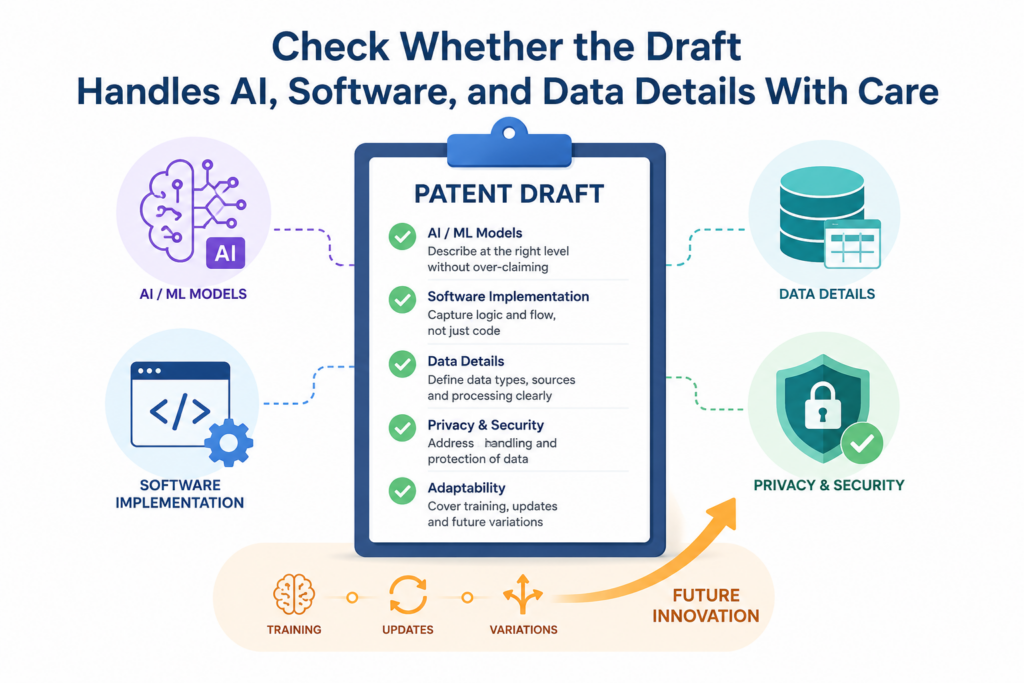
It may be in how data moves, how a model is trained, how a decision is made, how risk is scored, how feedback is used, or how the system changes its behavior over time.
That means the draft must do more than say “software performs a function.” It should explain the technical way the function is performed.
This is one of the biggest things founders should check before approving a patent draft for an AI or software product.
A strong draft should make it clear that the invention is not just an idea running on a computer. It should show a real technical process with inputs, rules, model steps, system actions, and useful outputs.
The reader should be able to see the machine-level or system-level improvement.
Make Sure the Draft Explains the Data Path
Most AI and software inventions begin with data. That data may come from users, sensors, logs, documents, APIs, images, audio, code, prompts, transactions, medical records, industrial machines, or another system.
The draft should explain where the data comes from, what form it has, how it is prepared, and why it matters.
If the invention depends on a special data structure, the draft should say so. If the system cleans data in a new way, it should explain that.
If the system combines data from different sources, it should show how. If the system chooses only certain data to reduce cost or improve accuracy, that choice should be described clearly.
A patent draft that skips the data path can make the invention feel thin. It may leave out the very part that makes the software work better.
Data Preparation May Be Part of the Invention
Founders often think the “main invention” starts when the model runs or when the user sees the result.
But in many products, the real breakthrough happens before that. It may be in how the system selects training examples, removes noise, groups records, creates features, builds embeddings, labels data, or formats inputs.
If your team spent weeks solving data quality problems, check whether that work appears in the draft. If the product works because the data is prepared in a special way, the draft should not treat that step as boring setup.
For example, a medical AI tool may become useful because it filters patient records before prediction. A code review tool may work because it maps code changes to past defect patterns.
A robotics system may improve because it fuses sensor readings before control decisions. Those are not side details if they drive the result.
Make Sure the Draft Explains the Model or Logic Without Over-Locking It
AI drafts need a careful balance. The draft should explain enough about the model or logic to make the invention real.
But it should not lock the invention to one model type unless that model type is truly required.
If the current system uses a transformer, the draft may still need to cover other model types if they can perform the same role.
If the current system uses a neural network, the invention may also work with rules, trees, support vector machines, clustering, ranking models, or other tools. If the invention depends on a specific model architecture, then the draft should explain why.
The key question is simple: is the model type the invention, or is the model only one way to carry out the invention?
Describe What the Model Does, Not Only What It Is
A draft becomes stronger when it explains the role of the model. Does the model classify risk? Rank items? Predict failure? Generate text? Extract facts? Match records? Detect anomalies? Route tasks? Create embeddings? Choose a control action?
That function matters. If a competitor uses a different model but performs the same inventive step, you do not want your draft to be trapped by a narrow model name that was only used because it matched your first version.
At the same time, do not remove useful model detail. If a special training loop, prompt structure, embedding comparison, reward function, output filter, or feedback update is what makes the invention different, it should be described. The goal is clear breadth, not shallow generality.
Check Whether the Draft Explains Feedback and Learning Loops
Many modern systems improve over time. They collect user feedback, observe outcomes, update scores, tune models, change rules, or alter future outputs. If that is part of your invention, the draft should explain the loop.
A feedback loop is often valuable because it makes the system adaptive. It may reduce errors, personalize results, detect drift, improve safety, or reduce human work.
But the draft should not just say “the system learns.” It should explain what is collected, when it is collected, how it changes the system, and what result improves.
Learning Should Be Described in Plain Technical Steps
The word “learning” can be vague. In a patent draft, it should be grounded. Does learning mean retraining the model? Fine-tuning it? Updating a rules table? Adjusting weights?
Changing a threshold? Modifying a prompt? Re-ranking outputs? Updating a user profile? Changing which data is shown to a reviewer?
These are different things. If the draft mixes them together, the invention may become unclear.
If your system uses one of these methods, check that the draft says so. If it can use several, check that the draft gives room for those options.
PowerPatent is especially helpful for technical teams working on AI, data, and software inventions because it helps turn deep product details into patent-ready drafts with real attorney oversight. You can see how the process works at https://powerpatent.com/how-it-works.
Check Whether the Draft Protects the User Workflow Without Confusing It With the Invention
Many startup inventions live inside a user workflow. The customer clicks, reviews, approves, scans, uploads, receives, edits, shares, or acts.
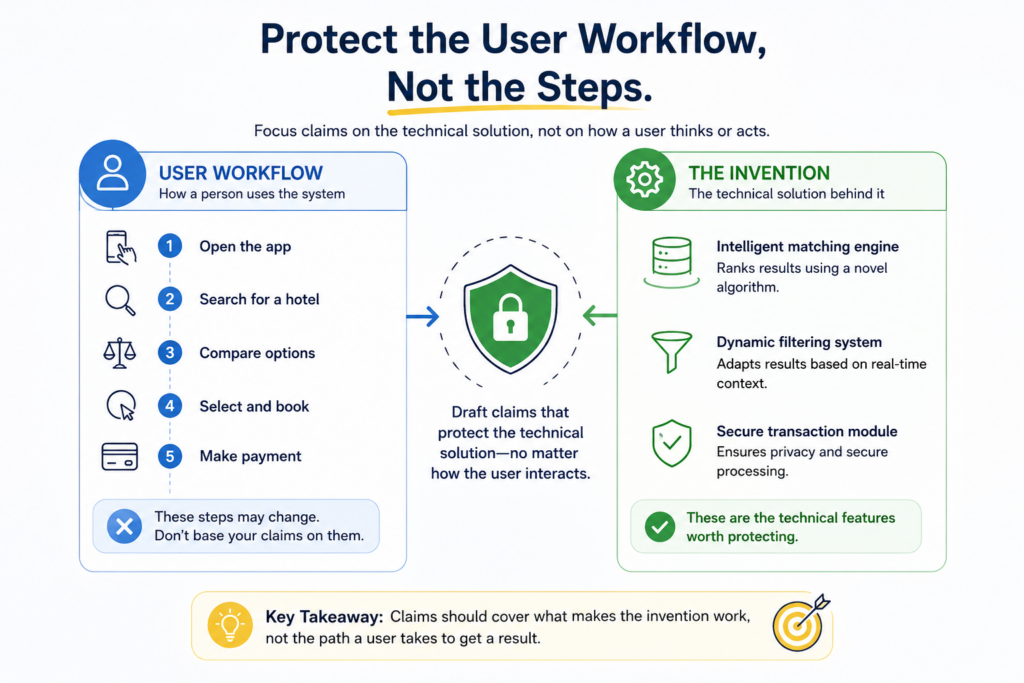
That workflow matters because it shows how the invention creates value. But the user workflow is not always the invention itself.
This is a key review point. A draft can become too focused on the user interface and miss the technical engine underneath.
Or it can ignore the user workflow so much that the invention feels abstract and hard to understand. The best draft usually connects both. It shows the user problem, then explains the technical process that solves it.
When you review, ask whether the draft uses the workflow to support the invention story without turning every user action into a required claim element.
Make Sure the Workflow Is Accurate
Start by checking whether the draft describes the real user path. Does the user upload the file before or after setting preferences? Does the system show a preview before final approval?
Does the user correct the output, or does the system ask for confirmation first? Does an admin review the result before it goes live? Does the system send an alert immediately or after a threshold is reached?
These details can matter. A wrong workflow may make the product sound clumsy, incomplete, or technically different. It may also cause the claims to include steps that do not match how the product works.
A strong draft should make the user path easy to follow without turning the patent into a product manual.
The User Step Should Have a Reason
Every user step in the draft should do work. It should help explain the invention, trigger a technical process, supply useful data, confirm a result, or show a practical use case.
If user steps are included just because they appear in the current product, they may add clutter.
For example, if the invention is a way to improve document analysis, it may not matter whether the user clicks “submit” or drags a file into a box.
But it may matter that the system receives a corrected output from the user and uses that correction to improve future analysis. One is interface detail. The other may be part of the invention.
During review, mark user actions that seem too specific. Ask whether they are needed for the invention or simply describe today’s interface.
Separate Interface Design From Technical Function
A beautiful interface may help your product win customers, but patent protection often depends on the technical function behind the interface. The draft should make that function clear.
If the interface shows a recommendation, the draft should explain how the recommendation is generated. If the interface shows risk levels, the draft should explain how risk is scored.
If the interface allows approval, the draft should explain what happens after approval. If the interface lets a user edit an output, the draft should explain whether those edits feed back into the system.
Screens Are Not Enough Without System Behavior
Some drafts include interface descriptions but do not explain the system behavior behind them. That is weak.
A screen that displays an alert is less meaningful than a system that detects a condition, ranks the condition by urgency, selects a recipient, and sends the alert in a controlled way.
When reviewing, ask whether each interface feature is tied to a backend action. If the draft shows what the user sees but not how the system creates it, the draft may need more technical depth.
This is especially important for SaaS, AI tools, developer platforms, fintech workflows, health platforms, robotics dashboards, and enterprise software.
The interface is often the visible layer, but the invention may be the decision engine below it.
Check Whether the Claims Depend Too Much on User Actions
Some claims require users to do many steps. That can be a problem if the invention is really performed by the system. A claim that depends heavily on user behavior may be easier to avoid if a competitor changes the user flow.
For example, if the claim requires a user to manually select three options, but your future product chooses those options automatically, the claim may not fit the future version.
If the claim requires a user to approve every output, but your roadmap moves to automatic approval for low-risk cases, the claim may become too narrow.
The Best Protection Often Follows the System’s Control Point
In many software inventions, the strongest focus is the system’s control point. That is the moment where the system makes the important technical choice.
It may choose which model to run, which data to trust, which task to route, which alert to send, which action to block, or which output to revise.
The user may still be part of the story. But the patent should not lose sight of the technical control point.
PowerPatent helps founders review these choices with more confidence because it combines smart software tools with real patent attorney oversight.
That means the draft can move quickly while still being checked for strategy. Learn more at https://powerpatent.com/how-it-works.
Conclusion
Approving a patent draft is a serious step, but it does not need to feel confusing. Your job is to check whether the draft protects the real invention, matches what you built, explains the value clearly, covers likely workarounds, supports future growth, and avoids narrow language that could hurt you later. Do not rush this review.
The strongest patents come from close teamwork between builders and patent experts. With PowerPatent, founders can move faster while still getting smart software support and real attorney oversight. See how PowerPatent helps protect what you are building at https://powerpatent.com/how-it-works.
Leave a Reply