Prior art can make or break a patent.
If you find the right prior art early, you can write a stronger patent. You can avoid weak claims. You can see what others have done. You can also spot the real new part of your invention before you spend months and a lot of money going the wrong way.
But here is the hard part.
Most inventors do not know how to search for prior art well. Even many smart founders and engineers start with the same move. They type a few words into Google Patents or another search tool, scan the first page, and hope they found the important stuff.
That can help. But it is not enough.
A good prior art search usually needs two kinds of searching: keyword search and classification search. Each one finds different things. Each one misses different things. The best search often uses both.
This guide explains how they work, when each one wins, where each one fails, and how you can use both to find better prior art before you file.
And if you want a faster way to turn your invention into a strong patent plan, PowerPatent can help you move from idea to attorney-reviewed filing with smart software and real patent oversight. You can see how it works here: https://powerpatent.com/how-it-works
What Prior Art Really Means
Prior art is anything that shows your invention, or part of your invention, was already known before you filed your patent.
It can be a patent. It can be a patent application. It can be a research paper. It can be a product page. It can be a public demo. It can be a thesis, a manual, a forum post, a video, a slide deck, or even source code that was public.
The point is simple.
If someone already showed the same idea before you, that old work can be used against your patent.
This does not mean you should panic. Many strong patents are built on small but important improvements. Your invention does not need to be magic. It does not need to be the first version of a broad idea. It needs to have something new and useful that can be claimed in a clear way.
That is why prior art search matters.
You are not only searching to see if your idea is “taken.” You are searching to learn the shape of the field. You are looking for the edges. You want to know what is old, what is crowded, what is weak, and where your invention still has room to stand.
A weak search gives you false peace.
A strong search gives you better control.
For a founder, that control matters. You can make smarter choices before you file. You can decide what to claim. You can decide what to leave out. You can avoid wasting budget on a patent that is too broad to survive. You can also avoid giving up too early when your real invention is still patentable.
That is the real goal.
Not just “find documents.”
Find the truth about the space.
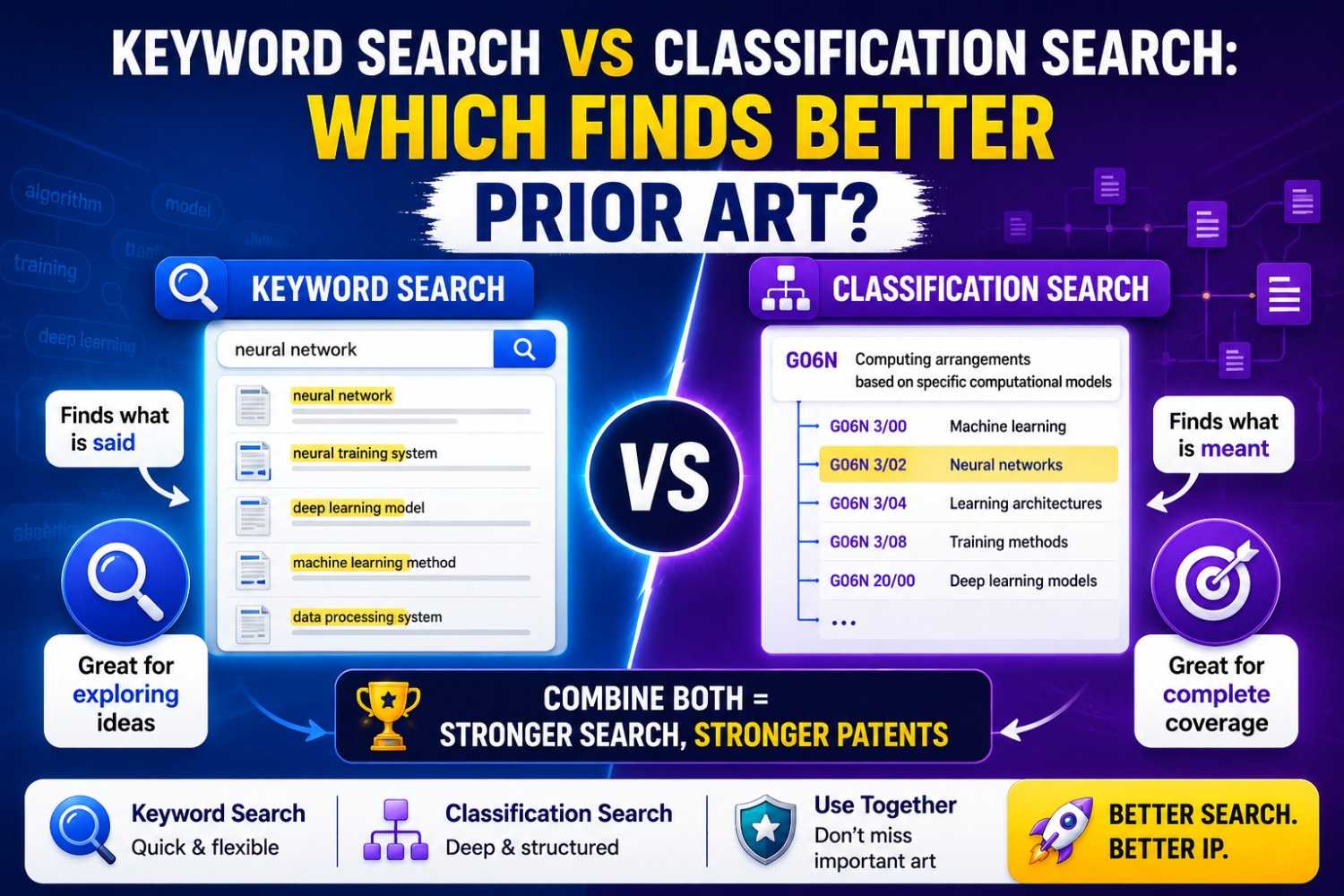
The Simple Difference Between Keyword Search and Classification Search
Keyword search is what most people know.
You search words.
For example, if your invention is a sensor system that detects leaks in a battery pack, you might search for “battery pack leak detection sensor,” “thermal runaway gas sensor,” or “EV battery moisture detection.”
The search tool looks for documents that contain those words or close versions of those words.
Classification search works in a different way.
Patent offices sort patent documents into groups based on what the invention is about. These groups are called patent classes. A classification search looks inside those groups.
So instead of searching only for the words “battery leak sensor,” you may search a patent class that covers battery monitoring, safety systems, leak detection, or gas sensing.
This matters because inventors do not always use the same words.
One patent may say “leak.” Another may say “fluid ingress.” Another may say “electrolyte escape.” Another may say “moisture intrusion.” Another may not say “leak” at all, even if it shows the same basic idea.
A keyword search may miss all of those.
A classification search may catch them because they sit in the same technical bucket.
The short version is this: keyword search follows language. Classification search follows technology.
Both are useful. But they are useful in different ways.
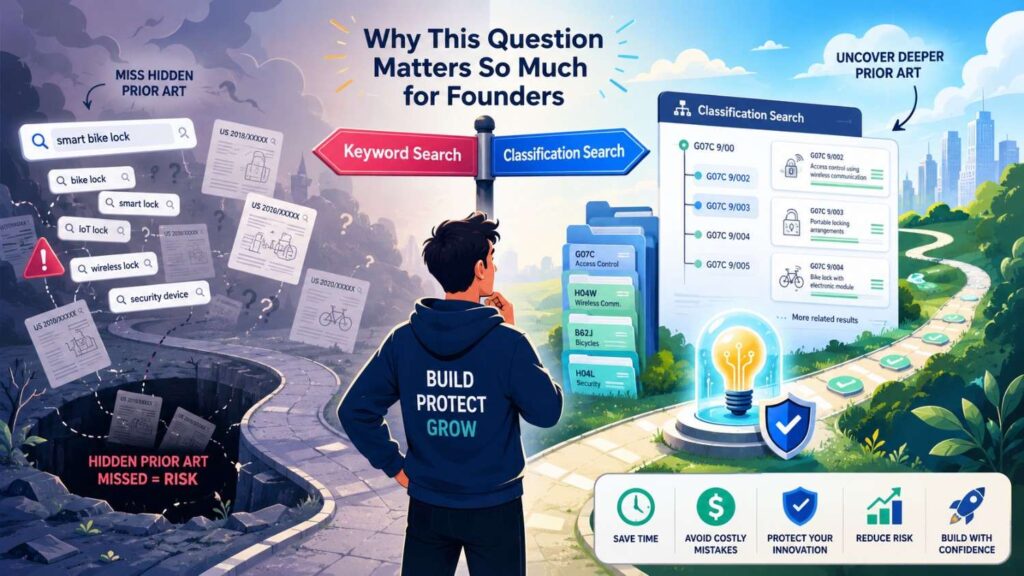
Why This Question Matters So Much for Founders
When you are building a startup, time is not soft. Every week matters. You are shipping code, talking to users, hiring, raising money, and trying to stay alive.
Patent work can feel like a side quest.
But IP can become a core asset. It can help you protect a technical edge. It can help with investors. It can help in deals. It can help you build a moat around the part of your product that is hard to copy.
The problem is that weak patent work often starts with weak searching.
A founder says, “I searched the exact phrase and nothing came up.”
That sounds good. But exact phrases are often a trap.
Patent writers use broad words. Researchers use narrow words. Engineers use product words. Marketing pages use simple words. Patent examiners use formal words. Different countries use different words. Older patents use older words.
The same idea can hide under ten names.
This is why a quick keyword search can miss the best prior art.
But classification search is not perfect either. Classes can be messy. Some documents are placed in odd buckets. Some inventions cross fields. Some new tech areas do not fit cleanly into old classes.
So the real question is not, “Which one is better forever?”
The better question is, “Which one is better for this search at this stage?”
That is where founders can make better moves.
When you understand both search types, you can do a far better first pass before you talk to counsel. You can explain your invention better. You can bring useful references. You can reduce back-and-forth. You can help your patent team focus on what matters.
That is exactly the kind of workflow PowerPatent is built for. It helps technical teams capture the real invention, organize the details, and move toward attorney-reviewed filings without losing speed. See the workflow here: https://powerpatent.com/how-it-works
What Keyword Search Does Well
Keyword search is fast.
That is its biggest strength.
You can start with the words you already use. You can search a product name, a feature name, a technical term, or a phrase from your design doc. You do not need to know patent classes. You do not need to study the patent office system first.
This makes keyword search a good first move.
It helps you get a feel for the space. You can see common terms. You can find major players. You can notice repeated claim language. You can spot older patents that keep showing up.
Keyword search is also great when the field has clear terms.
Some fields have words that are hard to replace. If you are searching for “CRISPR,” “LiDAR,” “blockchain,” “federated learning,” or “photonic waveguide,” those terms may bring useful results quickly.
Keyword search also works well when you search for named parts, standards, protocols, chemicals, materials, and known algorithms.
If your invention uses a specific type of sensor, chip, polymer, model structure, encoding method, or network protocol, keywords can pull in relevant art fast.
Keyword search is also good for non-patent prior art.
Patent classifications help mostly with patent documents. But prior art is not limited to patents. Blog posts, papers, GitHub repos, spec sheets, videos, and manuals may not have patent classes. For those, keywords are often your main tool.
This is very important for software and AI startups.
A lot of key work may show up in papers, open-source projects, developer docs, model cards, conference slides, or API docs. A class search alone may not find that.
So keyword search is not weak. It is powerful.
But it must be done with care.
The issue is not that keyword search is bad. The issue is that simple keyword search is too narrow.
Where Keyword Search Fails
Keyword search fails when people use different words for the same thing.
That happens all the time in patents.
A founder may call a feature “smart retry.” A patent may call it “adaptive re-transmission.” An engineer may call it “fallback logic.” A researcher may call it “dynamic error recovery.” A product page may call it “auto-healing.”
Same core idea. Different words.
If you search only for your own words, you may miss the prior art that matters most.
Keyword search also fails when patent writers avoid narrow terms.
Patent applications are often written to cover more than one version of an invention. So they may use broad words like “module,” “unit,” “component,” “processor,” “controller,” “resource,” “entity,” or “signal.”
Those words are not helpful by themselves. They appear everywhere.
A patent may not use your exact product term because the drafter wanted broad coverage.
For example, your team may say “drone.” A patent may say “unmanned aerial vehicle.” Your team may say “phone.” A patent may say “mobile computing device.” Your team may say “AI model.” A patent may say “trained machine learning system.”
A basic keyword search misses these shifts.
Keyword search also fails when the same word means many things.
Think of the word “cell.” It can mean a battery cell, a biological cell, a radio cell, or a spreadsheet cell. The word “token” can mean a crypto token, an auth token, a language model token, or a game token. The word “model” can mean a machine learning model, a CAD model, a business model, or a physical prototype.
A search for a broad word can drown you in junk.
Then there is the problem of spelling and region.
“Fiber” and “fibre.” “Color” and “colour.” “Optimization” and “optimisation.” Patent search tools may handle some of this, but not always in the way you expect.
Keyword search can also fail because older patents use older terms.
What you call “cloud computing” might be described in older art as “remote server processing.” What you call “edge AI” might appear as “local inference at a client device.” What you call “digital twin” might appear as “virtual representation of a physical system.”
The idea may be old even if the buzzword is new.
This is one of the biggest traps for startups.
New language makes old ideas look new.
A keyword search can make you feel safe because your favorite phrase did not exist ten years ago. But the core method may have been shown under another name.
That is where classification search can help.
What Classification Search Does Well
Classification search helps you escape your own words.
This is its main gift.
Instead of asking, “Which documents use my terms?” you ask, “Which documents are about this kind of technology?”
That can uncover patents that use strange, broad, old, or formal language.
Patent classes are built to group inventions by technical idea. They are not perfect, but they give you a map. When you find the right class, you can search a whole area without guessing every possible phrase.
This is useful when the field has many synonyms.
It is also useful when you are dealing with older art.
Patent classes can help you find old documents that never use today’s terms. For example, the old art may not say “machine learning,” but it may sit in a class that deals with pattern recognition, training, classification, or control systems.
Classification search is also strong for crowded patent fields.
In areas like batteries, semiconductors, robotics, telecom, medical devices, cybersecurity, and automotive systems, there may be thousands of documents. Keywords alone can give you too much noise or miss too much signal.
Classes let you narrow the field in a more structured way.
Classification search can also reveal who is active in a space.
When you search the right class, you may see the same companies again and again. That tells you who has been filing. It can show you where the field is dense and where it may be open.
This is useful for startup strategy, not just patent filing.
You may learn that one company owns many filings around a core sensor design, while another owns filings around data processing. You may see a gap in calibration, packaging, deployment, user interface, or system-level control.
That gap may be where your invention lives.
Classification search also helps you build better claim ideas.
When you read patents in the right class, you see how others describe the same technical problem. You see what they claimed. You see what they did not claim. You see which features were treated as important.
That can help your patent team write sharper claims.
Not broader for the sake of broad.
Sharper.
The goal is to protect the real edge, not stuff the filing with vague words.
Where Classification Search Fails
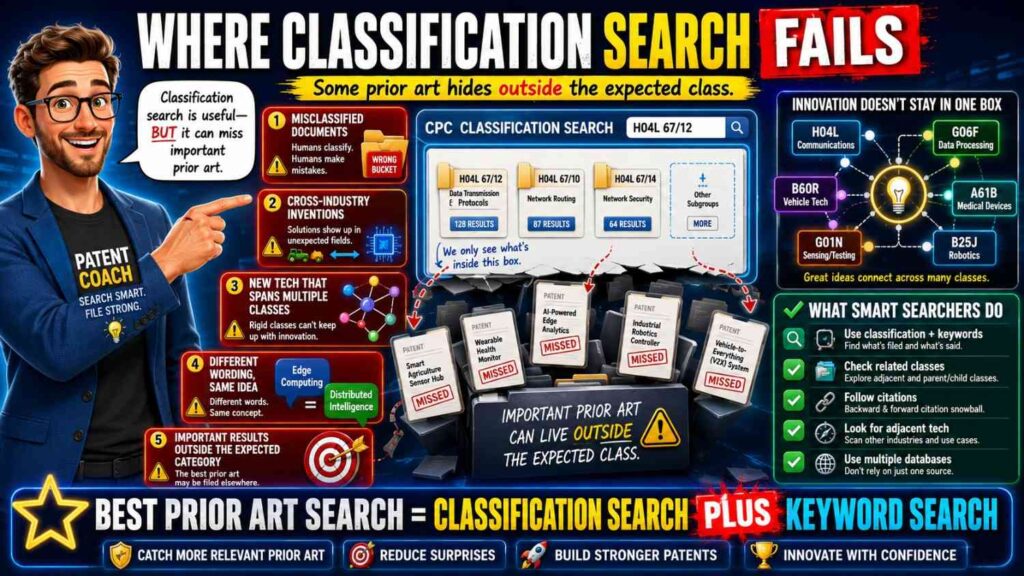
Classification search has its own weak spots.
First, you need to find the right class.
That is not always easy.
Patent classification systems can feel strange at first. The wording can be stiff. A class title may not use the same words you use. You may need to click through several levels before the right group appears.
For a busy founder, that can feel slow.
Second, inventions often sit across fields.
A new AI tool for chip design might belong in machine learning, semiconductor design, circuit layout, optimization, and CAD systems. A medical robot might belong in robotics, surgery, imaging, control systems, and user interfaces.
One class may not capture the whole invention.
If you search only one class, you may miss key art in a nearby class.
Third, documents can be classified in ways that surprise you.
A patent about a sensor may be classified under the system it supports, not the sensor itself. A patent about an algorithm may be classified under the device using the algorithm. A patent about a manufacturing method may be classified under the product being made.
This can make classification search feel like a maze.
Fourth, classification search is weaker for non-patent art.
Many papers, product docs, public code repos, blog posts, and standards docs do not have patent classes. If you rely only on classes, you miss a large part of the prior art world.
This is a serious issue in fast-moving fields.
Software, AI, crypto, developer tools, cloud systems, and open-source hardware often move in public long before patents are filed. A classification search can miss that public trail.
Fifth, classification search can pull in too much material.
A class may contain thousands of documents. Some may be close. Many may be only loosely related. Without good filters, you can lose hours.
So classification search is not a magic wand.
It is a map. A map helps, but you still need judgment.
So Which Finds Better Prior Art?
The honest answer is this: classification search often finds deeper patent prior art, while keyword search often finds faster and broader real-world prior art.
But the best result usually comes from combining them.
If you only use keyword search, you risk missing patents that use different words.
If you only use classification search, you risk missing non-patent art and cross-field references.
For serious patent work, the question is not “keyword or classification.”
The question is “how do we use each one at the right time?”
A strong search often starts with keywords to learn the field. Then it uses the best results to discover classes. Then it searches those classes. Then it uses the new results to improve the keywords. Then it checks non-patent sources.
This loop is how good search gets better.
You start with what you know. You find better terms. You find better classes. You find better documents. Those documents teach you still better terms and classes.
Search is not a straight line.
It is a learning loop.
That is also how strong patent drafting works. You do not just dump an invention into a form. You study the idea, the market, the old work, and the edge. Then you shape the claims around what is actually new.
PowerPatent is built to help founders move through that process with less friction. It helps teams capture invention details and work with real patent professionals so the filing is not based on guesswork. You can explore it here: https://powerpatent.com/how-it-works
Why “Better Prior Art” Does Not Always Mean “More Results”
Many people think a better search means more results.
That is not true.
More results can be worse.
A search that returns 50,000 documents is not useful if most are noise. A search that returns ten close references may be far more valuable.
Better prior art means closer prior art.
A close reference shows the same problem, the same system, the same method, or the same key feature. It may not show your full invention, but it gets near the heart of it.
A good prior art search is not a contest to collect the biggest pile.
It is a hunt for the few references that matter.
Those references help answer key questions.
What has already been done? What is still new? Which parts of your invention are likely easy to claim? Which parts need narrower claims? Which words should the patent use? Which features should be shown in detail? Which design choices create real value?
This is why search quality matters more than search volume.
Keyword search can create volume fast. Classification search can create structure. The win comes from using both to reach closeness.
When you find a truly close reference, do not treat it as bad news right away.
Treat it as a teacher.
Read it slowly. Ask what it shows. Ask what it does not show. Ask where your invention improves on it. Ask whether your new part is technical, specific, and useful.
A close reference can make your patent better because it forces you to be clear.
Many weak patents are weak because they never faced the closest prior art during drafting.
They were written in a bubble.
Then the examiner finds the close art later, and the claims must be cut down under pressure.
It is better to know early.
The Founder’s Mistake: Searching the Product, Not the Invention
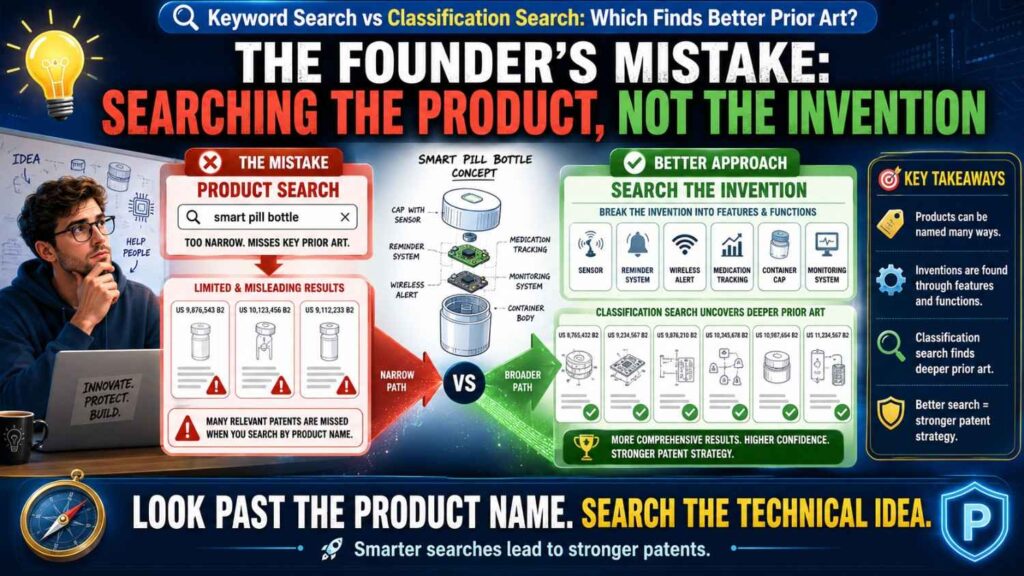
One of the most common mistakes is searching for the product instead of the invention.
A product is the whole thing users see.
An invention is the technical part that makes something work in a new way.
For example, a startup may say, “We built an AI tool for clinical notes.” If they search only that phrase, they may get broad results about medical note software.
But the real invention may be a way to detect missing facts before a note is signed. Or a way to align audio, chart data, and doctor edits. Or a way to show uncertainty only when it changes the action. Or a way to run a model on limited hospital hardware while protecting patient data.
Each of those inventions needs different search terms and maybe different classes.
The product is not enough.
You need to break the product into inventive parts.
This is where engineers can shine.
Engineers know the hard parts. They know what was painful to build. They know what failed. They know what tradeoff made the system work. They know what the model does that a normal system did not do. They know where the speed, safety, accuracy, cost, or reliability gain came from.
That is the stuff to search.
Not the slogan.
Not the landing page.
Not the broad product category.
The technical move.
When you search the real invention, both keyword search and classification search get better.
A search for “AI clinical notes” is broad and noisy. A search for “detecting missing clinical facts from physician edits” may be more useful. A classification search in health informatics plus natural language processing may add another layer.
This is why a good patent workflow starts by capturing the invention in detail.
PowerPatent helps technical founders explain what they built in a structured way, so the patent work starts from the real technical edge rather than a vague product pitch. You can learn more here: https://powerpatent.com/how-it-works
How to Start a Keyword Search the Right Way
A good keyword search starts before you type into a search box.
Start by writing one plain sentence that explains the invention.
Make it simple.
For example: “The invention detects early battery pack failure by comparing gas sensor signals with temperature changes across nearby cells.”
Now pull out the parts.
There is a problem: early battery pack failure.
There is a setting: battery pack, nearby cells.
There are inputs: gas sensor signals, temperature changes.
There is an action: comparing signals.
There is an outcome: detecting failure early.
Those pieces become search paths.
A weak search would use one long phrase.
A better search uses groups of related words.
For “battery pack,” you may try battery module, battery system, energy storage pack, lithium ion pack, traction battery, EV battery.
For “failure,” you may try thermal runaway, fault, leakage, venting, gas release, electrolyte leak, cell failure, abnormal condition.
For “detecting,” you may try monitoring, sensing, predicting, identifying, diagnosing, warning, estimating.
For “comparing,” you may try correlating, matching, fusing, combining, evaluating, determining based on.
Do not rely on one word.
Build word families.
Then search combinations.
You might search “battery gas sensor thermal runaway,” then “battery module vent gas temperature correlation,” then “energy storage pack gas detection cell failure,” then “battery fault diagnosis gas temperature sensor.”
Each search teaches you something.
When a good result appears, open it and steal its language.
Not the invention. The language.
Look at the title, abstract, claims, and summary. What words does that document use? Are there terms you did not think of? Are there broader terms? Are there older terms? Add them to your search list.
This is how keyword search improves.
You do not guess once. You learn and refine.
How to Avoid Keyword Search Traps
The biggest keyword trap is searching only exact phrases.
Exact phrase search has a place. It can help when you search for a known term, a product name, a standard number, or a unique phrase. But it can be too tight for invention search.
If your phrase is “predictive cooling for battery modules,” a close patent may say “preemptive thermal control of an energy storage system.” Exact phrase search will miss it.
Another trap is using only startup language.
Startup teams often create their own names for features. They may use internal names like “Guardian Mode,” “SmartSync,” or “SafePath.” Those words may not appear anywhere else.
Search the function, not the brand name.
Another trap is using only modern buzzwords.
A new field may have fresh labels, but the core methods may be older. Search for both the new phrase and the older technical idea.
For example, if you search “agentic AI workflow,” also search for task planning, automated workflow, software agent, action selection, tool selection, and planning system.
Another trap is ignoring verbs.
Nouns name things. Verbs reveal what the invention does.
A system may detect, rank, route, compress, compare, encrypt, train, align, filter, predict, schedule, authenticate, allocate, transform, merge, split, recover, or validate.
Search the action.
If your invention is a method, the action may matter more than the object.
Another trap is stopping when you find nothing.
No results do not prove novelty. They may prove only that your query was weak.
When a search gives no good results, change the words. Search broader. Search older terms. Search the problem. Search the input. Search the output. Search the setting. Search the opposite.
A strong search is patient.
But it does not have to be slow if you work in a clear way.
How to Use Patent Results to Find Better Keywords
One of the best keyword search tricks is to let patents teach you patent language.
Start with a few rough searches. Find any patent that is close enough to be useful. It does not need to be perfect.
Open it.
Read the abstract. Then read the first claim. Then skim the background. Then look at the drawings.
You are looking for words.
How does the patent name the problem? How does it name the device? How does it name the data? How does it name the step? How does it name the result?
You may notice that no one says “bug prediction.” They say “defect detection.” You may notice that no one says “robot hand.” They say “end effector.” You may notice that no one says “AI helper.” They say “automated assistant” or “software agent.”
Write those terms down.
Then run new searches.
This method turns a bad first search into a better second search.
It also helps you avoid a major patent mistake: using only your own naming style.
Patent search is partly a translation task.
You translate your invention from product language into patent language, engineering language, academic language, and examiner language.
The more translations you try, the more likely you are to find close art.
This is why founders should involve technical team members in the search process.
An outside searcher may know patent tools, but the engineer knows what the system is really doing. The best results come when both views meet.
How Classification Search Starts
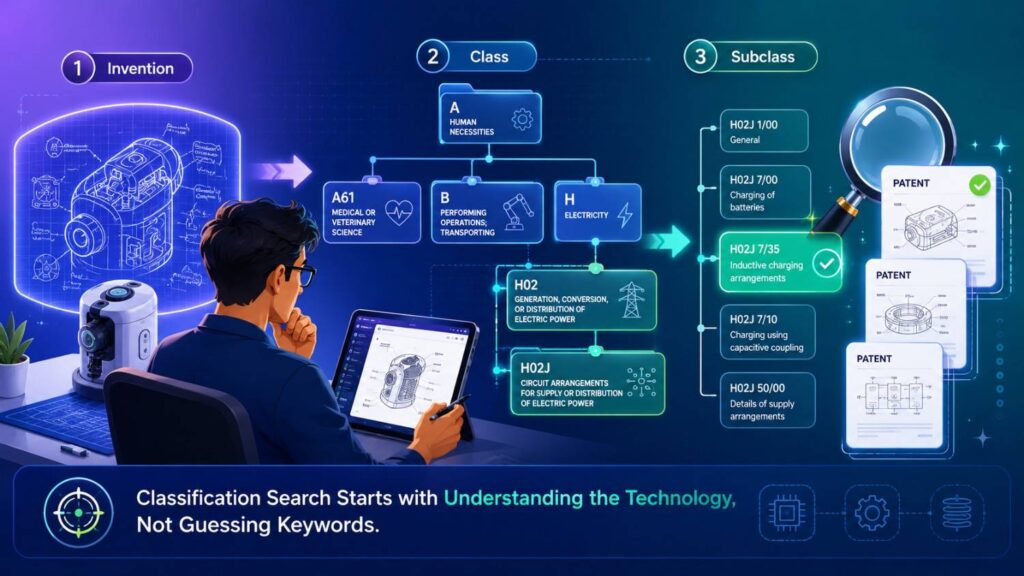
Classification search usually starts from a known reference.
Find one patent that is close to your invention. Then look at its classification codes.
Most patent databases show codes from systems like CPC or IPC. These codes are used to group patent documents by technical subject.
You do not need to become a classification expert overnight.
Start with one close patent. Look at its codes. Click the codes. Read the class title. See if it matches your invention.
If it does, search inside that class.
Then open the best results. Look at their codes too.
You may see the same code again and again. That is a clue that you found a useful bucket.
You may also see new related codes. Follow those too.
Classification search grows outward.
You begin with one near document. Then you follow its map markers into the larger field.
This is often easier than trying to find the right class from scratch.
Another way is to use a classification search tool or patent database that lets you search class definitions by word.
For example, you can search a term like “leak detection,” “battery monitoring,” or “speech recognition” inside the class system itself. Then you can read the class definitions and choose likely groups.
But do not trust class titles blindly.
Open real documents from the class. See whether they match your field.
A class that sounds right may be too broad. Another that sounds odd may contain the exact kind of art you need.
How to Know Whether a Class Is Useful
A useful class gives you close documents without too much junk.
When you search inside a class, scan the first set of results.
Do the titles and abstracts talk about your problem? Do the drawings look like your system? Do the claims use related steps? Do the same technical parts appear again and again?
If yes, the class may be useful.
If most results are far away, the class may be too broad or wrong.
You can also test a class by combining it with keywords.
For example, search inside a battery monitoring class using “gas,” “vent,” “electrolyte,” “temperature,” or “thermal runaway.” This gives you the structure of classification plus the focus of keywords.
This is often better than either method alone.
The class keeps you in the right technical area. The keywords point to the specific feature.
If the results are still too many, narrow by date, assignee, sub-class, or key feature.
If the results are too few, loosen the keywords or move up to a broader class.
Classification search is a tuning process.
You keep adjusting until the results feel close enough to be worth reading.
The goal is not to search every document in a class. The goal is to find the most relevant paths through the class.
The Best Search Uses a Loop
A strong prior art search is not one query.
It is a loop.
You start with simple keywords. You find a few documents. You study their words and classes. You search those classes. You find more documents. You collect new terms. You search again. You check non-patent sources. You compare everything to your invention.
Each step makes the next step better.
This loop works because you do not know the field at the start.
Even if you are an expert in your product, you may not know how patents describe the same field. You may not know who filed years ago. You may not know older terms. You may not know adjacent fields that solved a similar problem.
The search teaches you.
This is why a good search should feel like discovery, not data entry.
You are not proving your invention is new by typing one phrase.
You are learning the landscape.
Here is the core loop in plain words.
Search words. Read close results. Pull better words. Pull classes. Search classes. Combine classes with words. Read again. Search outside patents. Map what is old and what may be new.
That loop is simple, but it is powerful.
It also helps your patent attorney.
When you bring a clear invention summary and a few close references, the patent team can make better choices. They can focus on claim strategy. They can decide how to describe the invention around the old art. They can spot fallback positions.
This does not replace attorney judgment. It improves the raw material.
That is a big theme at PowerPatent: give founders better tools so they can move fast, while still getting real attorney oversight where it counts. See how the process works here: https://powerpatent.com/how-it-works
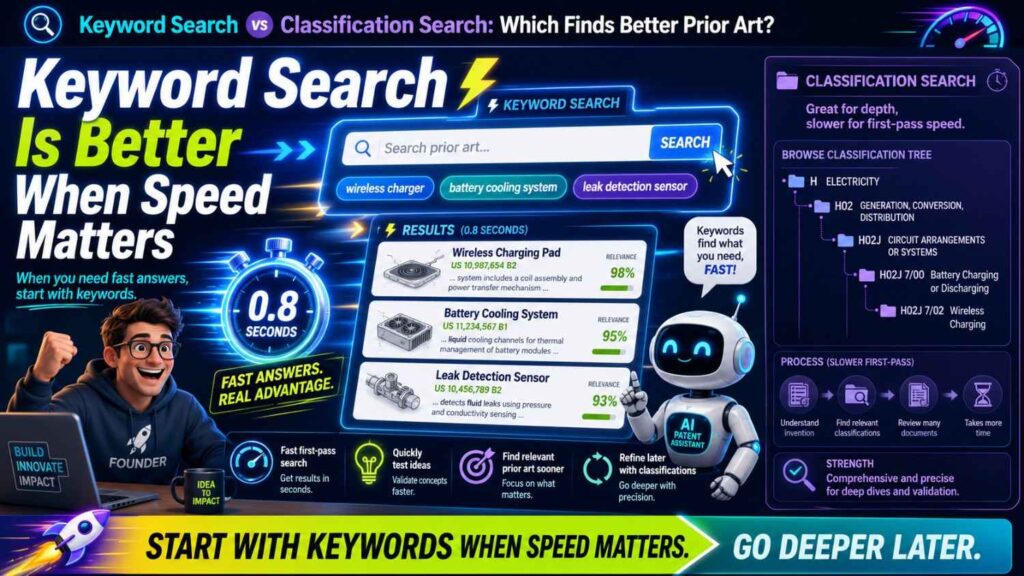
Keyword Search Is Better When Speed Matters
Sometimes you need a fast read.
Maybe you have an investor call soon. Maybe your team is deciding whether to file a provisional. Maybe you need to know whether a feature is worth disclosing. Maybe you are doing a first pass before a product launch.
In those cases, keyword search is often the best starting point.
It gives you quick signals.
You can search the main technical idea, scan the closest results, and see whether the field is crowded. You can identify obvious blockers. You can find key companies. You can learn common terms.
A fast keyword search is not a full clearance. It is not a guarantee. But it is useful.
It can tell you whether you are in a dense area or a sparse one. It can reveal that the broad idea is old. It can also show that your exact technical twist is not easy to find.
For startup teams, that early signal can help.
But do not confuse a fast signal with a final answer.
A quick keyword search is like checking the weather before a trip. It helps you plan, but it does not map every road.
Use it early. Use it often. Just do not stop there when the invention matters.
Classification Search Is Better When Claim Strength Matters
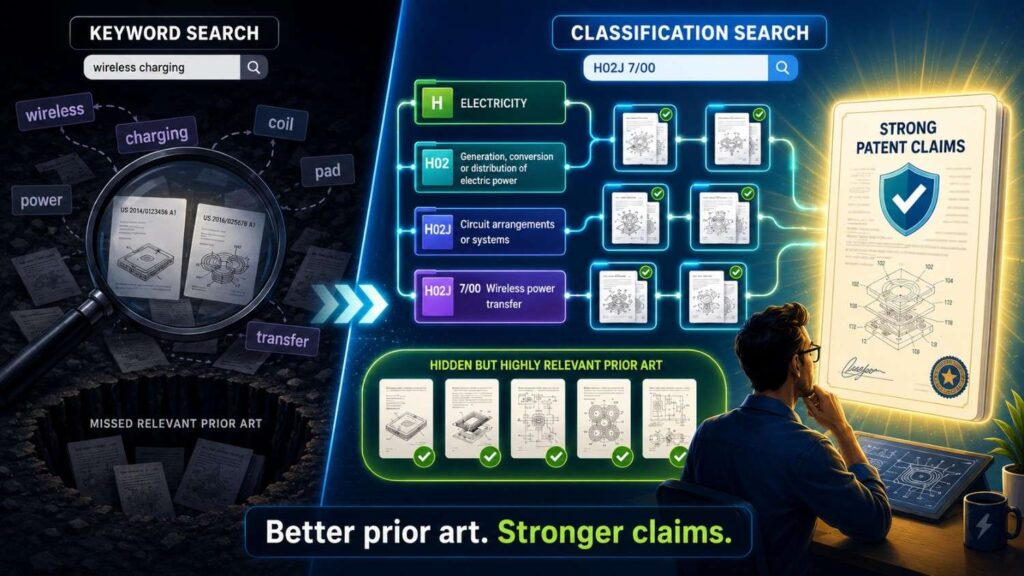
If you are preparing a serious filing, classification search becomes more important.
Patent claims are tested against patent prior art all the time. Examiners search patent databases. Competitors search patent databases. Investors may review patent filings. Buyers may look closely during diligence.
If you want stronger claims, you need to understand the patent field.
Classification search helps you do that.
It can reveal older patents that use different words but cover similar systems. It can show common claim patterns. It can show how broad others have tried to go. It can show where examiners may look.
This matters because claim strength is not about sounding broad.
A claim is strong when it is clear, useful, and built with awareness of the old art.
A claim that ignores close prior art may look broad at first, but it can collapse later.
A claim that is shaped around known art may be narrower, but much more useful.
For startups, this can be the difference between a patent that looks good in a pitch deck and a patent that has real value.
The goal is not to file paper.
The goal is to protect what makes your company hard to copy.
The Role of Non-Patent Prior Art
Patent searches often focus on patents, but non-patent prior art can be just as important.
This includes research papers, public code, product docs, manuals, standards, videos, talks, blog posts, public datasets, and technical forums.
In some fields, non-patent art may be the best art.
AI is a clear example. Many important ideas appear first in papers, repos, preprints, model docs, and conference talks. Patent filings may come later, or not at all.
Developer tools are another example. A feature may be shown in an open-source project years before anyone files a patent.
Hardware can also have non-patent art. A product manual, teardown, datasheet, or public demo can reveal a technical design.
Keyword search is the main tool for this world.
Classification search will not cover it well.
So if you are asking which search finds better prior art, remember that “better” depends on where the best art lives.
If the key old work is in patent filings, classification search may find it better.
If the key old work is in papers, code, products, or public docs, keyword search may find it better.
For many modern startups, the answer is both.
Your search should include patent databases and open web sources. It should include exact terms and broad terms. It should include class-based patent review and plain-language searches outside patent systems.
Skipping non-patent art can be risky, especially in fast technical fields.
Why Software Prior Art Is Hard
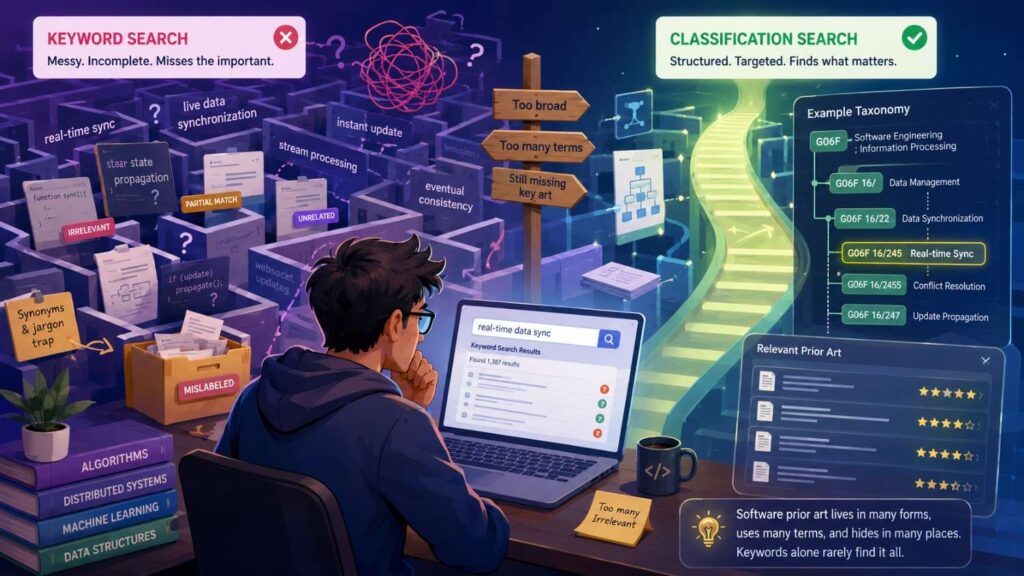
Software prior art is hard because software can be described at many levels.
A feature may be described as a user action, a backend process, a data flow, a model step, a rule, a system state, or a UI behavior.
For example, a startup may build a tool that predicts which support tickets need human review.
One document may call this “ticket triage.” Another may call it “case routing.” Another may call it “classification of service requests.” Another may call it “queue prioritization.” Another may show the same idea in a customer service platform without using any of those terms.
Software also changes names fast.
What used to be “expert systems” became “rules engines” in some settings. What used to be “statistical classification” may now be “AI decisioning.” What used to be “remote procedure calls” may now sit inside “microservices” language.
A keyword-only search can miss old software art because the words changed.
Classification search can help, but software classes can be broad. Software inventions often blend with business processes, devices, networks, security, databases, and user interfaces.
This means software search needs more care.
You need to search the function, not just the category.
Ask what the software does to data. Does it transform it? Rank it? Label it? Compress it? Encrypt it? Split it? Detect a pattern? Generate a control signal? Allocate a resource? Update a model? Prevent an error?
Those actions are often more searchable than the product label.
Also search the system context.
A method for routing support tickets might have close art in help desk tools, email systems, call centers, incident response systems, workflow engines, and CRM platforms.
The same method can appear in another field.
This is one reason classification search can help you find adjacent fields. But you still need creative keywords to cross boundaries.
Why AI Prior Art Is Even Harder
AI prior art adds another layer.
Many AI ideas are published first in papers. Some are shared in code. Some are described in model docs. Some are buried in product features. Some are patented.
The same idea may be called by different names in each place.
A patent may say “trained model.” A paper may say “transformer-based classifier.” A code repo may say “reranker.” A product page may say “smart sorting.”
AI also has broad building blocks that appear everywhere.
Training, inference, embeddings, vector search, ranking, classification, clustering, prompts, agents, retrieval, feedback, and fine-tuning are common terms. If you search only those words, you drown.
The key is to search the specific use of the AI.
What input is used? What output is made? What constraint is solved? What improves? What happens after the model result? How is feedback used? Where does the model run? How is privacy handled? How is latency reduced? How is error risk controlled?
For example, “using AI to review contracts” is broad.
A better search might focus on “detecting missing contract clauses based on clause embeddings and negotiation history.” Or “ranking contract risks based on playbook rules and model confidence.” Or “redlining a clause based on fallback language selected from prior accepted edits.”
Those are more specific.
Classification search can help find patent art around natural language processing, document analysis, legal tech systems, user interfaces, and machine learning workflows.
Keyword search can find papers, repos, and product docs.
AI prior art search should almost always use both.
And because AI moves fast, founders should capture inventions early. Waiting until after launch can create risks, especially if public demos, papers, docs, or customer materials reveal the invention before filing.
PowerPatent helps teams move faster from technical work to patent-ready invention records, with attorney review built into the process. See how it works here: https://powerpatent.com/how-it-works
Why Hardware Prior Art Has Its Own Search Pattern
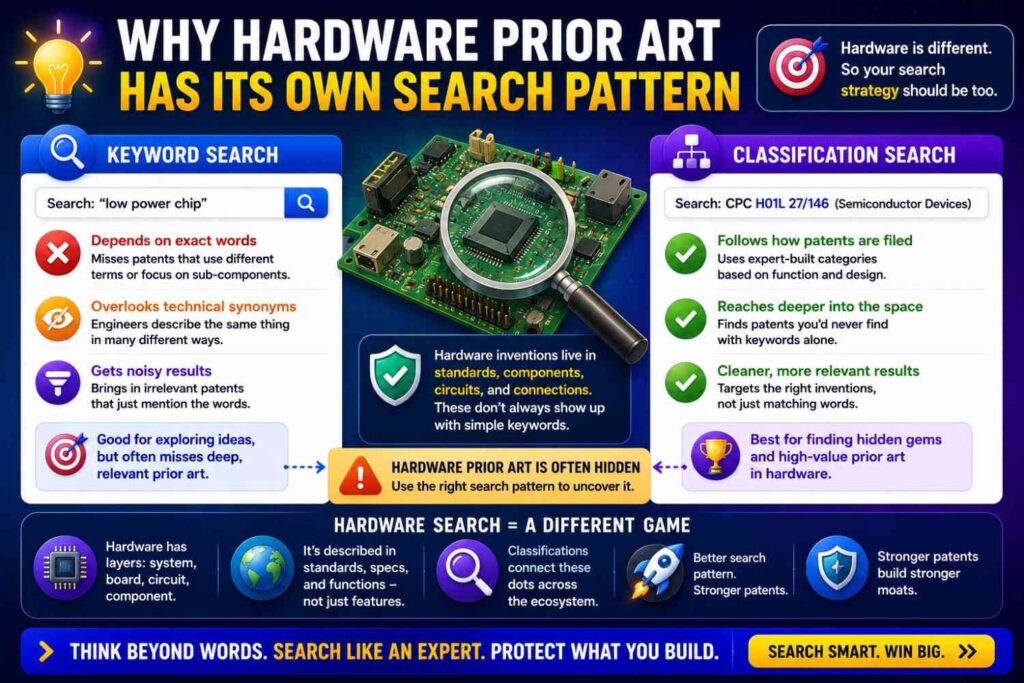
Hardware search is different.
Physical systems often have parts, shapes, positions, materials, sensors, signals, and manufacturing steps. Drawings matter more. Claim language may refer to structure in a very specific way.
Keyword search can help, but drawings may reveal close art that words do not.
A patent may not use your exact term, but the figure may show the same layout.
Classification search can be very useful for hardware because classes often track physical technology well. Battery pack structures, robotic joints, optical systems, medical tools, semiconductor packages, and manufacturing methods may have rich class systems.
For hardware inventions, search both structure and function.
If you built a new hinge, search the hinge shape, the motion, the load path, the locking method, the material, and the device using it.
If you built a sensor housing, search the sensor, the housing, the seal, the mounting point, the environment, and the signal path.
If you built a cooling system, search the heat source, fluid path, exchanger, control method, packaging, and failure modes.
Hardware prior art can hide in nearby industries.
A cooling idea for batteries may appear in server racks. A robotic gripper feature may appear in factory automation. A medical device latch may appear in aerospace or consumer devices. A packaging trick for sensors may appear in automotive electronics.
Classification search helps you explore these nearby areas.
Keyword search helps you cross them.
The best hardware search also uses images.
When you see a close figure, study it. Then read the text around that figure. The drawings may show the old solution more clearly than the abstract.
Why Deep Tech Search Needs More Than One Angle
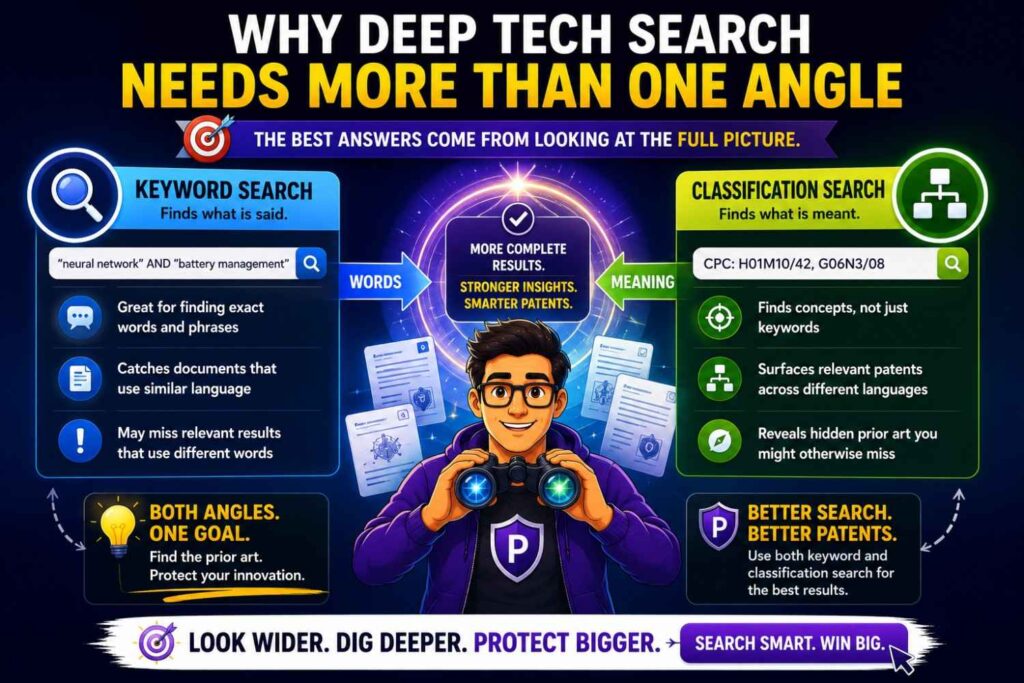
Deep tech inventions are often layered.
A single invention may include physics, software, hardware, data processing, control logic, materials, and system design.
One search angle will not be enough.
Take a quantum sensing startup. The invention may involve a physical sensor design, a control pulse sequence, signal processing, calibration, noise reduction, packaging, and a software interface.
A keyword search for the product may miss the pulse sequence. A class search for the sensor may miss the signal processing. A paper search may find theory but miss patent filings. A patent search may find devices but miss open research.
You need to break the invention into layers.
Search each layer.
Search the device. Search the method. Search the data. Search the control loop. Search the use case. Search the failure mode. Search the improvement.
This is tactical and important.
Many founders under-search because they think their invention is one thing.
But patentable ideas often live in parts of the system.
Your broad product may be known. Your exact way of making it reliable, faster, cheaper, safer, or easier to deploy may be new.
A layered search helps you find that.
It also helps you draft better patents.
Instead of one vague filing about a big product idea, you may find several invention points worth protecting.
This is where a strong invention capture process can create real value.
How to Break an Invention Into Searchable Parts
Before you search, write down the invention in plain language.
Then split it into parts.
Start with the problem.
What pain does the invention solve? Is it speed, cost, safety, accuracy, battery life, privacy, heat, noise, fraud, downtime, yield, or user error?
Then write the setting.
Where does it happen? A phone, robot, vehicle, chip, cloud system, hospital, factory, battery pack, satellite, browser, database, or wearable device?
Then write the inputs.
What data, signals, materials, parts, or user actions go in?
Then write the process.
What steps happen? What is compared, changed, trained, routed, filtered, measured, or controlled?
Then write the output.
What result comes out? A warning, score, control signal, design change, prediction, layout, dose, route, label, image, key, or physical movement?
Then write the improvement.
Why is this better? Faster? Safer? More accurate? Less power? Fewer parts? Less data? More private? Easier to scale?
Each answer becomes a search path.
This is better than typing the product name.
It also helps your patent team because it shows the invention clearly.
A founder who can explain the problem, inputs, process, output, and improvement is much easier to help than one who says, “It is basically AI for logistics.”
Simple structure creates better search and better patents.
The Power of Searching the Problem
Many people search only the solution.
That is a mistake.
Search the problem too.
If your invention solves overheating in a compact drone motor, search for overheating in compact drone motors, thermal limits in UAV motors, motor heat dissipation in small aircraft, and related phrases.
Why?
Because older documents often describe the same problem before they describe a different solution.
Those documents can lead you to useful classes, terms, and competitors.
Problem-based searching is especially useful when you do not know the right technical words yet.
It can also reveal that the field has been working on the same pain for years.
That does not mean your invention is not patentable. It means the problem is known. Your solution may still be new.
In fact, a known problem can help show why your solution matters.
But you need to know what others tried.
Search phrases like “reducing,” “preventing,” “detecting,” “improving,” “minimizing,” “compensating for,” “correcting,” “avoiding,” and “controlling.”
These words often appear in documents that discuss technical pain.
For example, instead of only searching “new battery separator,” search “preventing dendrite growth battery separator” or “reducing thermal shrinkage separator lithium ion battery.”
The problem points to the art.
The Power of Searching the Result

You should also search the result.
Sometimes the solution is described in many ways, but the result is stable.
For example, your system may “reduce false alarms.” The method may involve sensor fusion, threshold changes, model training, context windows, or anomaly scoring. But the result is still false alarm reduction.
Search that result.
If your invention increases yield, reduces latency, saves power, prevents spoofing, improves alignment, lowers heat, detects tampering, or reduces drift, search those outcome terms.
Result-based searching can uncover different solutions to the same goal.
Those solutions may not block your invention, but they help define the field. They may also reveal close methods.
In patents, the result often appears in the background, summary, or problem statement. It may not always appear in the claims.
So do not search only claim-like terms. Search human problem terms too.
This is one reason keyword search is still vital.
Classification search tells you the technical bucket. Keyword search lets you chase the pain and value.
The Power of Searching Inputs and Outputs
Many inventions can be found by searching their inputs and outputs.
This is especially true for software, AI, sensors, and control systems.
An AI system may take input A and produce output B in a new way.
A sensor system may combine signal A and signal B to detect condition C.
A control system may measure state A and adjust actuator B to keep condition C stable.
Search those input-output pairs.
For example, if your invention uses vibration data and current data to detect motor wear, search “vibration current motor wear detection,” “motor fault diagnosis vibration current,” and “detecting bearing wear from current and vibration.”
If your invention uses user edits to retrain a document model, search “user edits training document model,” “feedback from edits to update language model,” and “document correction feedback classifier.”
Input-output searches are powerful because they describe the technical path.
They are often more precise than product categories.
Classification search can then help you find related documents in motor diagnostics, machine learning feedback, or control systems.
Again, the best result comes from using both.
How to Search Around the Claim, Not Just the Idea
A patent does not protect a vague idea.
It protects claims.
So a good prior art search should think like a claim.
That means you search for combinations of features, not just one feature at a time.
If your invention has four parts, the closest prior art may show three of them. Another reference may show the fourth. That can still matter.
For a rough founder search, start by naming the must-have features.
For example: “a wearable device that measures skin temperature and motion, detects fever risk only when motion is below a threshold, and sends an alert to a caregiver device.”
Now search combinations.
Wearable + skin temperature + motion threshold.
Fever detection + motion sensor + caregiver alert.
Temperature monitoring + activity state + alert.
You may not find all features in one result. But you may find close pieces.
Then use classification search in wearable health monitoring, temperature sensing, and alert systems.
This helps you see whether your exact combination is new.
It also helps you find fallback positions.
Maybe the broad idea is old, but the motion-based filter is new. Maybe caregiver alerting is old, but the way you reduce false fever alerts is new. Maybe the device is old, but the calibration method is new.
A good search reveals these layers.
What to Do When Keyword and Classification Results Disagree
Sometimes keyword search says one thing and classification search says another.
Your keyword search may find nothing close, but the class search may find strong prior art.
That usually means your words were too narrow.
Or your keyword search may find many close papers, while classification search finds few close patents.
That may mean the field is research-heavy but not patent-heavy.
Or keyword search may find product docs that show the feature, while patent classes show only broad systems.
That can happen in software and tools.
Do not treat disagreement as a problem.
Treat it as information.
Each search type sees a different slice of the world.
When they disagree, ask why.
Are you using the wrong class? Are you using the wrong words? Is the field young? Is the key art in papers? Is the invention split across industries? Are old patents using a different naming style?
The answer will guide your next search.
The goal is not to force the tools to agree.
The goal is to understand the field better.
How to Read a Patent Search Result Fast
Patent documents are long. You do not need to read every word at first.
Start with the title.
Then read the abstract.
Then look at the drawings.
Then read the first claim.
Then search inside the document for your key terms.
Then read the background and summary if it still looks close.
The drawings often tell you whether the system is in the right world.
The first claim tells you what the patent is trying to protect.
The abstract tells you the broad story.
The background may reveal the problem.
If a document is not close after that quick scan, move on.
But if it looks close, slow down.
Compare it to your invention feature by feature.
Do not ask only, “Is this the same?”
Ask, “What does this teach?”
A reference may not be identical, but it may teach one key part. That matters.
Also check the family and citations.
A patent family may include related filings in other countries. Citations can lead you to older or newer related art. Forward citations can show who built on the idea later.
This is another way searches become loops.
How to Use Citations in Patent Search
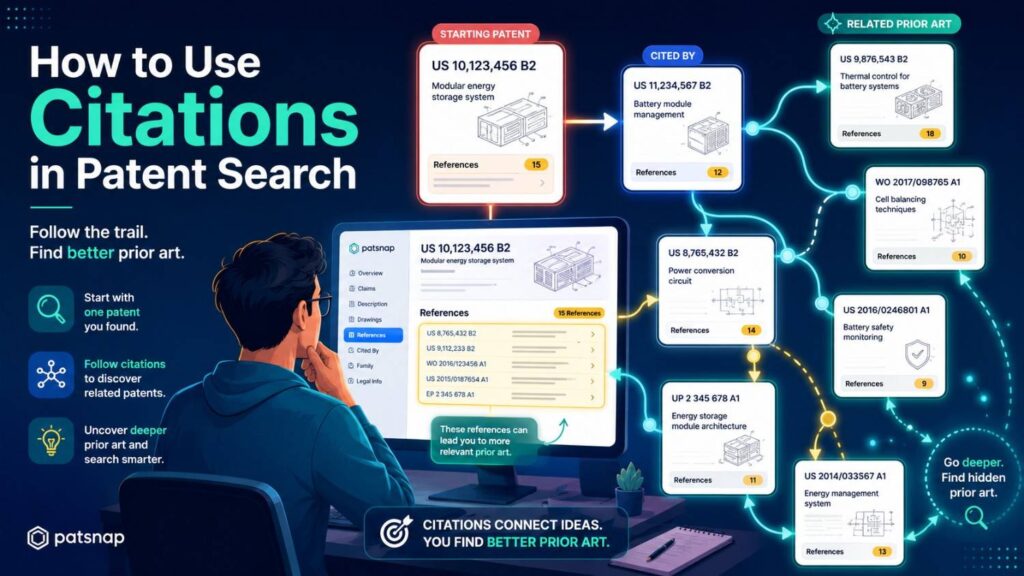
Patent citations are links between documents.
Backward citations point to older references.
Forward citations point to later documents that cite the patent.
Both can help.
Backward citations may reveal earlier art that the applicant or examiner thought was relevant. Forward citations may show later improvements and competitors.
If you find a close patent, check both directions.
This can be more useful than running another blind keyword search.
A close patent is like a trailhead. Its citations show nearby paths.
But do not trust citations alone.
Some key art may not be cited. Some cited art may be only loosely related. Some citations are added by examiners for narrow reasons.
Use citations as leads, not final proof.
Citations are especially helpful after classification search. If you find a strong class and one very close document, citations can help you move through the dense area with more focus.
How to Track What You Find
A search without notes becomes a mess.
You will forget which terms you used. You will forget why a reference mattered. You will search the same thing twice. You will lose the best document.
Keep a simple search log.
You do not need a fancy system.
Record the date, database, query, filters, key results, and notes.
For each close reference, write a short plain-language note.
For example: “Shows gas sensor in battery pack for thermal runaway, but does not compare gas with cell-to-cell temperature gradient.”
That one sentence is useful.
It tells your patent team what the reference shows and what it may not show.
Also tag the reference by feature.
Maybe it relates to sensor placement, data fusion, alert logic, calibration, packaging, or control response.
This makes it easier to compare art later.
A good search log saves time and improves patent drafting.
It also helps if your team needs to explain how you searched.
Most founders skip this step because they are moving fast. But a simple log takes little time and prevents confusion.
How Much Searching Is Enough?
There is no perfect answer.
You can always search more.
At some point, you need to decide whether you have enough information to make the next business decision.
For an early idea screen, a few hours of smart keyword searching may be enough.
For a serious patent filing, you likely want a deeper search that includes classification, citations, and non-patent sources.
For a major product line, funding event, acquisition, or high-stakes filing, you may want a professional search.
The right amount depends on value and risk.
Ask how important the invention is to your company. Ask how crowded the field is. Ask how costly a weak patent would be. Ask how soon you plan to disclose publicly. Ask whether investors or partners will care.
If the invention protects a core technical edge, do not rely on a quick keyword search.
That is like checking only the front door when the whole building matters.
Use a deeper process.
And get help when needed.
PowerPatent gives founders a way to move faster while still involving real patent professionals. That is the sweet spot: speed without flying blind. Start here: https://powerpatent.com/how-it-works
The Risk of Searching Too Late
Many teams search after they have already launched, pitched, published, or demoed.
That is not ideal.
Prior art search is most useful before you file and before major public disclosure.
Early search helps you decide what to protect. It helps you shape the filing. It helps you avoid overclaiming. It helps you identify the real inventive parts before they get buried in product work.
Waiting creates pressure.
If a public launch is next week, the team may rush. A rushed search may miss things. A rushed filing may be too thin. Key details may be left out.
The better move is to build patent capture into your product process.
When an engineer solves a hard problem, capture it.
When a model starts working in a new way, capture it.
When a hardware test reveals a clever design change, capture it.
When a customer need forces a technical workaround, capture it.
Then search before the invention gets disclosed.
This does not have to slow the team down. It just needs to be part of the build rhythm.
That is one reason PowerPatent focuses on making invention capture and patent preparation easier for technical teams. Founders can keep building while the patent process becomes less painful. Learn more here: https://powerpatent.com/how-it-works
How Search Changes Claim Strategy
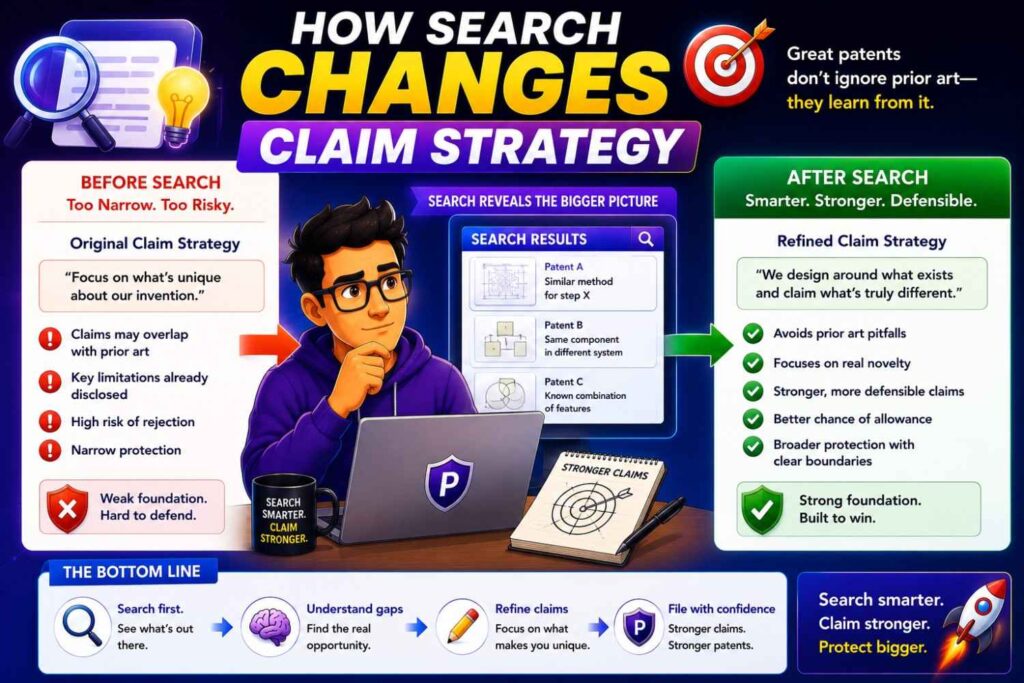
Prior art search does not just answer “new or not new.”
It shapes claim strategy.
If the search shows that the broad idea is old, you may claim the specific improvement.
If the search shows that one feature is crowded but another is rare, you may focus on the rare feature.
If the search shows similar systems but none with your data flow, your claims may emphasize the data flow.
If the search shows similar methods but not your deployment setting, your claims may include that setting.
If the search shows your exact feature in another industry, your team may need to think carefully about whether the transfer is enough.
This is strategic work.
A patent is stronger when it is drafted with the old art in view.
Without search, claims may be too broad, too vague, or aimed at the wrong part.
With search, the claims can point toward the real edge.
This does not mean you should make claims narrow out of fear.
It means you should make them smart.
A smart claim protects the thing that matters and has a better chance of surviving review.
How Search Helps You Find More Inventions
A good prior art search can reveal that your first idea is not the best patent idea.
This happens often.
A founder starts with a broad product concept. The search shows that the broad concept is old. At first, that feels bad.
Then the team looks deeper.
They realize the real invention is a specific calibration method, a deployment flow, a data structure, a hardware layout, a training loop, a safety check, or a failure recovery method.
That part may be far more valuable.
Search helps you find it.
It forces you to ask, “What did we actually do that was different?”
This question is gold.
It can turn a vague patent idea into a strong one.
It can also reveal multiple filings.
Maybe you have one invention around model training, another around inference speed, another around user feedback, and another around system safety.
A shallow search may miss that. A thoughtful search can uncover it.
For startups, this matters because a strong patent portfolio is not just one broad filing. It is a set of filings around the core technical moat.
When Keyword Search Beats Classification Search
Keyword search can beat classification search when you are dealing with fresh terms, public docs, research papers, code, or product material.
It also wins when you need a quick first pass.
If your invention relates to a named standard, protocol, model, library, chemical, chip, or dataset, keyword search may be the fastest path.
Keyword search also helps when the patent class is hard to identify or too broad.
For example, software inventions may span many classes. A focused keyword search can cut across them.
Keyword search can also find art that patent classification never touches.
A GitHub repo is not going to sit neatly in a patent class. A preprint may not be classified like a patent. A product manual may be invisible to class search.
So when the likely prior art is outside patent databases, keyword search is the better tool.
The key is to avoid lazy keyword searching.
Good keyword searching uses synonyms, old terms, broad terms, narrow terms, problem terms, result terms, input-output pairs, and phrases from close references.
When done well, keyword search is not basic.
It is creative and precise.
When Classification Search Beats Keyword Search
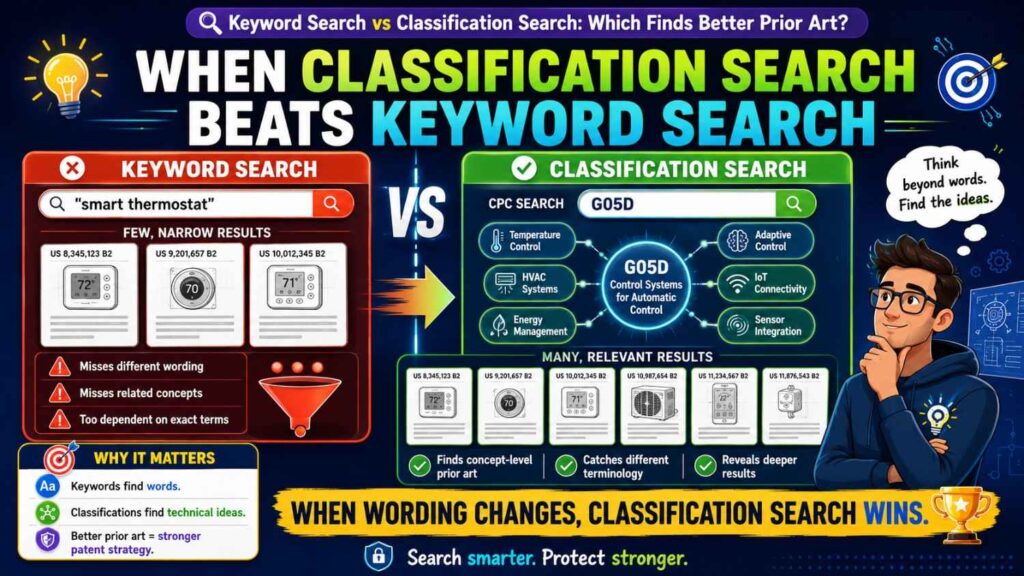
Classification search can beat keyword search when language is the problem.
If the field uses many terms for the same thing, classes can cut through the word mess.
If older patents use old language, classes can help you find them.
If patent writers used broad wording, classes can reveal documents that do not use your chosen terms.
Classification search also wins when you want a deeper view of a patent-heavy field.
In fields like telecom, semiconductors, batteries, medical devices, robotics, optics, and industrial systems, classification search can be very powerful.
It can also help when you find one close patent and want to know what else lives nearby.
Search the class. Search the sub-class. Search related classes. Combine classes with keywords.
This can uncover close references that a normal keyword search would miss.
Classification search is especially useful before drafting claims.
It helps you see how the patent office has organized the field, how others have claimed similar work, and where the dense areas are.
But classification search is only as good as the classes you choose.
If you choose the wrong class, you can miss the best art.
That is why it should be used with keywords, citations, and judgment.
The Best Practical Answer
For most serious patent work, classification search finds better patent prior art, but keyword search finds better overall prior art.
That sentence matters.
Patent prior art is not the whole world. Overall prior art includes patents, papers, products, code, docs, videos, and public use.
So if your goal is to prepare a strong patent filing, do both.
Start with keyword search to learn the terms.
Use good results to find classes.
Search the classes to find deeper patent art.
Use class results to find more keywords.
Search non-patent sources with those keywords.
Compare the closest references to your invention.
Then shape your claims around what is truly new.
That is the practical path.
It is not flashy. It works.
A Simple Prior Art Search Workflow for Founders
Start with a one-sentence invention summary.
Make it plain. Do not use marketing words.
Then split the invention into problem, setting, inputs, steps, outputs, and improvement.
Run keyword searches for each part and for key combinations.
Open close patents. Pull new words and class codes.
Search the most relevant classes.
Combine class codes with your best keywords.
Check citations from the closest patents.
Search papers, code, product docs, standards, and web sources.
Write notes on the closest references.
Compare each close reference to your invention.
Decide what looks old, what looks new, and what needs attorney review.
That is the workflow in plain form.
It is not about doing more work than needed. It is about doing the right work in the right order.
A founder can do a useful first pass this way.
A patent team can then build on it.
What to Bring to Your Patent Attorney
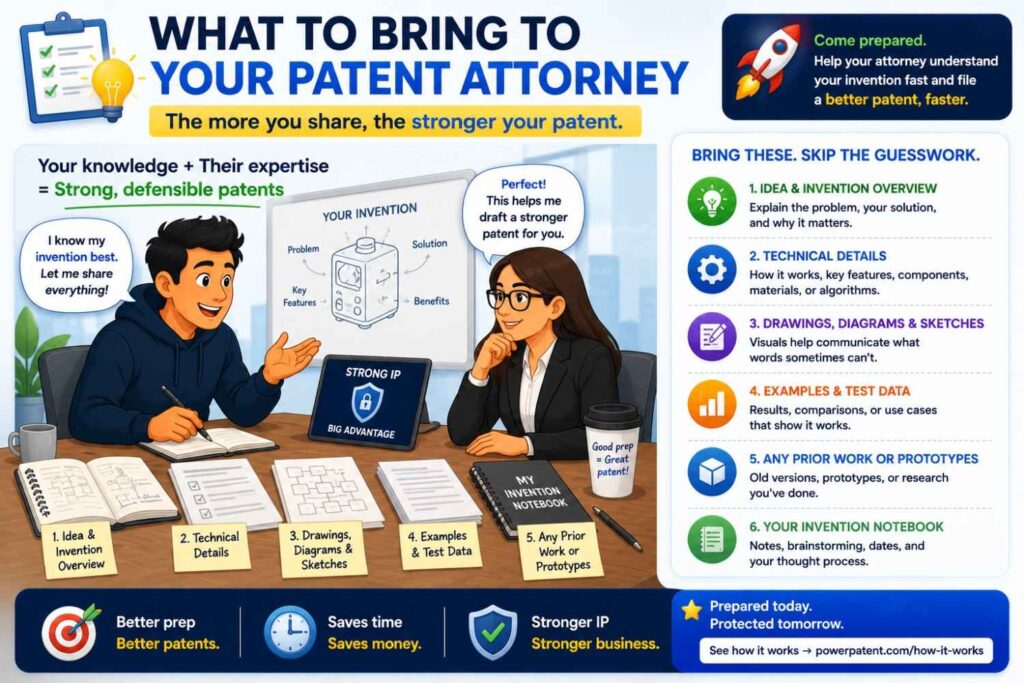
When you talk to a patent attorney or patent team, do not bring only a product deck.
Bring the invention.
Bring a short plain-language summary. Bring diagrams if you have them. Bring a few close references you found. Bring notes on what each reference shows. Bring the parts you think are different.
Also bring context.
What is the business value? What feature matters most? What will competitors copy? What must stay protected? What will be public soon? What might change in the next version?
This helps the attorney draft a stronger filing.
Patent work is not just legal work. It is technical strategy.
The better the input, the better the output.
PowerPatent is designed around that idea. It helps founders and engineers provide the right invention details, then supports the process with smart software and real attorney oversight. See the process here: https://powerpatent.com/how-it-works
Why This Matters During Fundraising
Investors do not expect every startup to have a giant patent portfolio.
But for deep tech, AI, hardware, biotech, robotics, semiconductors, climate tech, and other hard-tech fields, investors often care about defensibility.
They want to know what makes your company hard to copy.
A thoughtful patent strategy can help answer that.
A weak patent filing may not help much. A filing that clearly protects your technical edge can be more useful.
Prior art search supports that story.
It helps you avoid broad claims that sound nice but may not hold up. It helps you explain why your improvement matters. It helps you show that you understand the field.
This can build confidence.
Not because patents solve every problem.
They do not.
But because strong IP shows that you are serious about protecting the hard work behind the product.
Founders should not treat prior art search as a box to check.
They should treat it as part of building a moat.
Why This Matters Before Launch
Public launch can create patent pressure.
Once you share details, you may start legal clocks in some places. You may also give competitors a look at your technical edge.
That is why teams should think about patents before launch, not after.
Prior art search helps you decide what to file before the world sees it.
It also helps you decide how much technical detail to publish.
Some details may be fine to share. Some may be better captured in a filing first.
This is not about slowing down marketing.
It is about being smart.
A short early search and invention review can prevent painful mistakes.
If your team is close to launch and has a real technical invention, do not wait until the last minute.
PowerPatent can help founders move quickly from invention details to attorney-reviewed patent filings. You can start learning how here: https://powerpatent.com/how-it-works
How Search Helps Avoid Filing the Wrong Patent
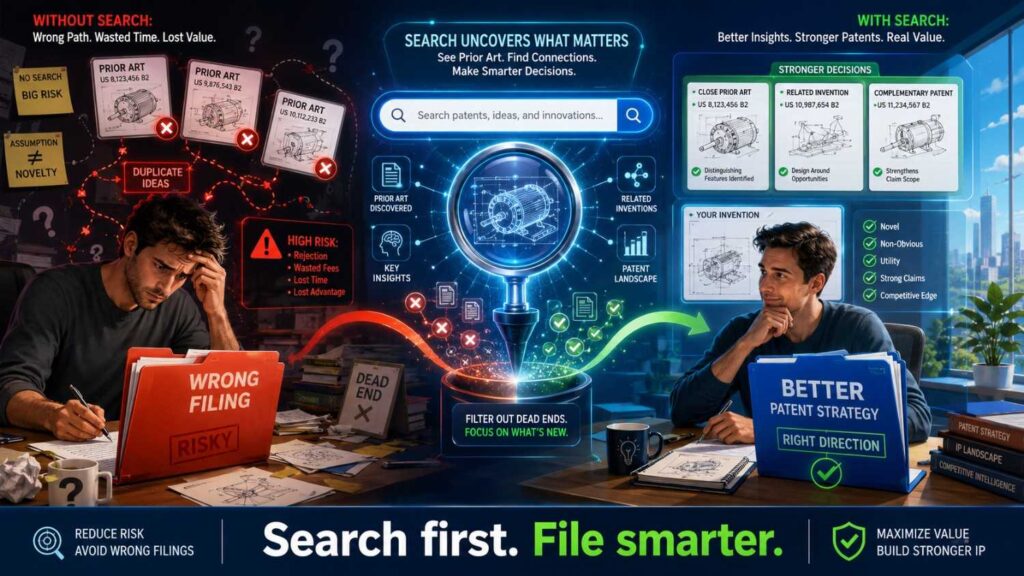
Some patents are weak because they protect the wrong thing.
This happens when the filing is based on a surface view of the product.
For example, a company may file around “a dashboard for monitoring machines.” But the real edge is a signal processing method that detects failure earlier with fewer sensors.
Or a startup may file around “AI for sales emails.” But the real edge is a feedback loop that learns from human edits while keeping private customer data separate.
Or a hardware company may file around a whole device. But the real edge is a small latch, seal, cooling path, or calibration step.
Prior art search can expose this.
If the broad product area is crowded, the search forces the team to dig.
What is actually new? What is hard to copy? What creates the performance gain?
That is where the patent should focus.
A good search does not just block bad ideas. It points to better ones.
The Danger of Overconfidence
Founders are optimistic. That is part of the job.
But patent search punishes overconfidence.
It is easy to think, “No one has done this because our product feels new.”
The product may be new. The market may be new. The user experience may be new.
But parts of the technical method may still be old.
That does not mean you cannot get a patent. It means you need to know which parts are new.
Overconfidence leads to broad claims, thin filings, and surprise rejections.
A careful search leads to smarter claims and better backup positions.
This is not about being negative.
It is about being prepared.
A strong founder wants the truth early.
Early truth is cheaper than late truth.
How to Search Without Killing Momentum
Founders fear that patent work will slow them down.
It can, if the process is heavy.
But a smart search process can fit into the startup rhythm.
You do not need to stop building for weeks.
You can start with a focused invention capture. Write the plain-language summary. Pull the key technical parts. Run a first-pass search. Save close references. Review with a patent team.
This can happen alongside product work.
The secret is to avoid messy, open-ended searching.
Set a clear purpose.
Are you doing a quick screen? Are you preparing a filing? Are you checking claim direction? Are you mapping a crowded field?
Each purpose needs a different depth.
Do not turn every search into a research project.
But also do not treat every invention like a five-minute Google search.
Match the search to the value of the invention.
That is how you move fast without being careless.
How PowerPatent Fits Into This
PowerPatent helps founders turn technical ideas into stronger patent filings without the old pain.
The platform is built for teams that move fast and build hard things. It helps capture the invention, organize the details, and support the path to a real patent filing with attorney oversight.
This matters because prior art search and patent drafting are not separate worlds.
The search helps shape the filing.
The invention details help shape the search.
The attorney review helps turn both into a better patent plan.
PowerPatent brings software and real patent professionals together so founders are not stuck choosing between speed and quality.
You can keep building, while your patent process becomes more clear, more guided, and less painful.
To see how PowerPatent works, visit: https://powerpatent.com/how-it-works
A Tactical Example: Battery Monitoring

Imagine your startup built a battery safety system.
The system uses gas sensors and temperature sensors to detect early signs of cell failure. It does not alert just because one signal crosses a limit. It compares gas changes with local temperature patterns to reduce false alarms.
A simple keyword search might be “battery gas temperature sensor failure detection.”
That may find useful results.
But it may miss patents that say “vent gas,” “volatile compound,” “electrolyte vapor,” “thermal event,” “cell abnormality,” “energy storage device,” or “accumulator module.”
So you expand the keyword families.
You search the problem: early thermal runaway detection, false alarm reduction, battery safety monitoring.
You search the inputs: gas sensor, temperature sensor, pressure sensor, electrolyte vapor, venting.
You search the process: correlating, comparing, sensor fusion, determining abnormal state.
You search the result: warning, shutdown, isolation, cooling, safety response.
Then you open close patents and look at their classes.
Maybe you find classes around battery monitoring, fault detection, safety control, and gas sensing.
You search inside those classes.
Now you find documents that never used your exact phrase.
Some show gas sensors. Some show temperature sensors. Some show sensor fusion. Some show false alarm logic. Some show control actions after detection.
Now you can compare.
Does any one reference show your full combination? If not, do several references show most of it? What is your real difference? Is it the comparison method? The sensor placement? The timing window? The response logic? The calibration?
This search gives your patent team real material.
It also helps the team focus the filing on the strongest technical point.
A Tactical Example: AI Code Review
Now imagine your startup built an AI code review tool.
The tool does not just flag risky code. It maps a pull request to past incidents, checks ownership data, predicts the likely failure mode, and routes the review to the right expert.
A simple keyword search for “AI code review” may find broad results.
But that phrase is too shallow.
Search the parts.
Code review, pull request, software defect, incident history, ownership data, expert routing, risk prediction, failure mode, repository graph, static analysis, machine learning classifier.
Search older terms too.
Software change risk, defect prediction, bug prediction, reviewer recommendation, change impact analysis, source code analysis, fault localization.
Then search non-patent sources.
This field may have papers, open-source tools, and blog posts. Keyword search is vital.
But also search patent classes around software development tools, program analysis, machine learning, workflow routing, and defect detection.
The class search may uncover patents from large software companies that do not say “AI code review” but describe similar risk scoring or reviewer assignment.
Now compare.
Maybe reviewer recommendation is old. Maybe defect prediction is old. Maybe incident mapping is old. But maybe the specific combination of incident history, ownership graph, and failure-mode routing is new.
That could be the invention.
Without a layered search, you might miss it.
A Tactical Example: Medical Device Sensor

Imagine your team built a wearable sensor patch.
It measures a body signal, filters out motion noise, and alerts a clinician only when the signal pattern stays abnormal across a set of body positions.
A keyword search may start with the body signal and the device type.
But the key invention may be the motion filter or alert rule.
So search motion artifact reduction, wearable sensor filtering, posture-based signal correction, abnormal signal alert, clinician notification, and patient monitoring.
Then find patent classes around wearable medical devices, physiological monitoring, signal processing, and alert systems.
Search within those classes.
Look at drawings. Wearable device patents often reveal sensor placement and system design in figures.
Also search papers. Medical sensing has a lot of academic prior art.
When you find close art, ask what it teaches.
Does it filter motion noise? Does it use posture? Does it alert a clinician? Does it require persistence across positions? Does it combine these steps in the same way?
That feature-by-feature comparison is what matters.
What a Good Search Note Looks Like
A useful search note is short and clear.
It does not need legal language.
For example:
“Reference A shows a wearable patch with motion-based noise filtering, but the alert is based on a fixed threshold and does not require the abnormal pattern to remain across multiple body positions.”
That is a good note.
It says what the reference shows. It says what it may not show. It points to a possible difference.
Another example:
“Reference B shows routing code reviews to experts based on file ownership, but does not use past incident similarity or predicted failure mode.”
This kind of note is far more useful than “kind of similar.”
Good notes speed up attorney review.
They also help the team think clearly.
How to Compare Prior Art to Your Invention
Use a simple feature map.
Write your key features in plain words.
Then mark whether each reference shows each feature.
You can do this in a simple table or document.
The point is not to create a legal chart. It is to see closeness.
If one reference shows every key feature, you may have a problem.
If one reference shows most features but misses the key improvement, your invention may still have room.
If several references each show pieces, your patent team will need to think about whether the combination would be seen as obvious.
This is where attorney judgment matters.
Do not try to make final legal calls alone.
But a feature map helps everyone have a better conversation.
It turns fear into facts.
The Role of Obviousness in Search
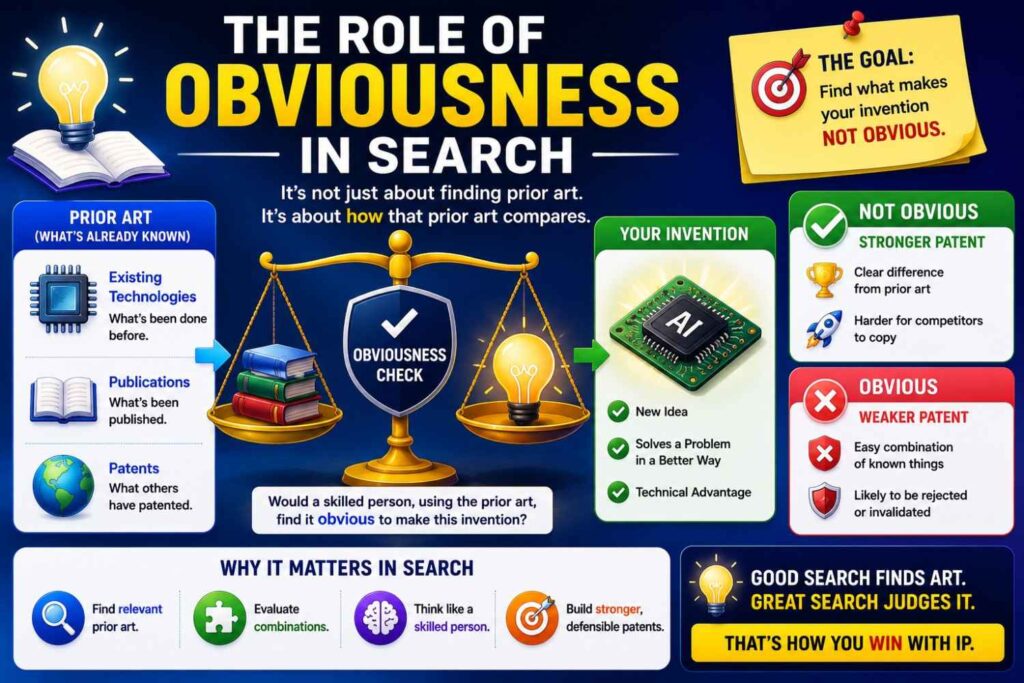
Novelty is about whether one old reference shows the same thing.
Obviousness is more complex. It asks whether your invention would have been an expected step based on what was already known.
You do not need to become a lawyer to understand the practical point.
Even if no single reference shows your full invention, a patent examiner may combine references.
That is why a good search looks for close pieces, not just exact matches.
If your invention combines known sensor A with known method B in a known setting, you need to understand that.
Maybe your combination still has a strong reason to exist. Maybe it solves a hard problem in a new way. Maybe the old art taught away from it. Maybe the result was not expected. Maybe the exact system design matters.
Those details can help.
But you need to know the old pieces first.
Keyword search can find pieces across fields. Classification search can find pieces in patent-heavy areas. Together, they give a better view of obviousness risk.
This is another reason “I found no exact match” is not enough.
Why Close Prior Art Can Be Good News
Founders sometimes hate finding close prior art.
It feels like a threat.
But close prior art can be useful.
It can confirm that the problem is real. It can show that big players care about the area. It can help you understand the field. It can sharpen your invention. It can help your patent team draft around what is known.
The worst situation is not finding close art.
The worst situation is missing close art and finding out later.
When you find close art early, you can act.
You can adjust claims. You can add technical detail. You can file on a more specific improvement. You can decide not to file. You can file a different invention. You can keep some details as trade secrets. You can move with open eyes.
That is power.
Prior art search is not there to crush your idea.
It is there to make your protection smarter.
How to Keep Search Human
Patent search can feel cold and mechanical.
But at its core, it is a human thinking task.
You are asking: what did people already try, and what did we do differently?
That question needs curiosity.
It needs humility.
It needs technical judgment.
Search tools are helpful, but they do not replace thinking.
A search engine may return results. A class system may group documents. But a person still needs to understand the invention, compare features, and see the real edge.
For founders, this is good news.
You do not need to become a patent search expert to add value.
You know the invention. You know what was hard. You know what matters in the product.
Bring that knowledge into the process.
The search will be better.
Common Red Flags in Search Results
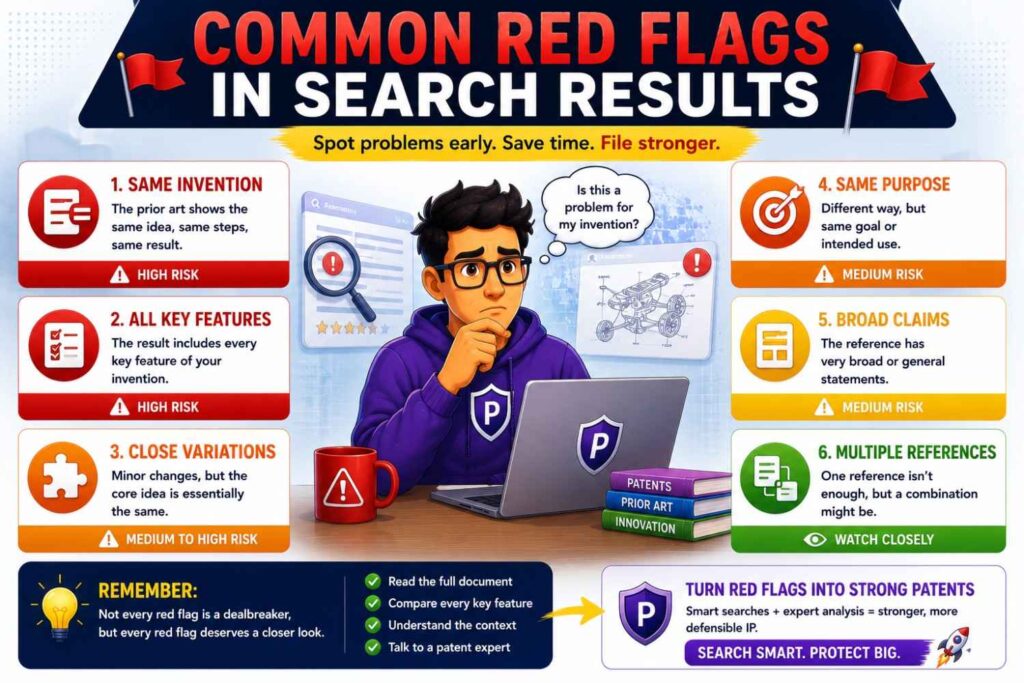
Some search results deserve extra attention.
If the same company appears again and again, study their filings.
If one old patent has many forward citations, it may be important.
If several documents use the same class and same feature terms, you may have found a dense area.
If a reference solves the same problem in the same setting, read it closely.
If a reference has drawings that look like your system, do not ignore it because the title sounds different.
If a paper or repo shows your key method, treat it seriously even if it is not a patent.
These red flags do not always mean you cannot file.
They mean slow down and compare carefully.
Common Green Flags in Search Results
There are also good signs.
If many references show the broad problem but none show your specific technical path, that may be promising.
If old solutions require extra hardware and yours avoids it, that may matter.
If old methods work only offline and yours works in real time, that may matter.
If old systems need labeled data and yours reduces that need, that may matter.
If old designs fail under a constraint that your invention handles, that may matter.
If old art teaches away from your approach, that may matter.
Do not overread these signs. They need review.
But they can help you spot where the invention may live.
Why Words Like “AI,” “Cloud,” and “Smart” Are Not Enough
Broad words are weak search terms and weak patent anchors.
“AI” is too broad. “Cloud” is too broad. “Smart” is too broad. “Automated” is too broad. “Secure” is too broad.
These words may belong in your search, but they should not carry the search.
Ask what the AI does. Ask what the cloud system changes. Ask what makes the device smart. Ask how security is improved.
For example, do not stop at “AI fraud detection.”
Search transaction features, device fingerprints, behavior patterns, graph links, model updates, risk scores, step-up authentication, false positive reduction, and fraud rings.
That is where the real invention may be.
Patent search rewards specific thinking.
So does patent drafting.
How Search Can Improve the Patent Specification
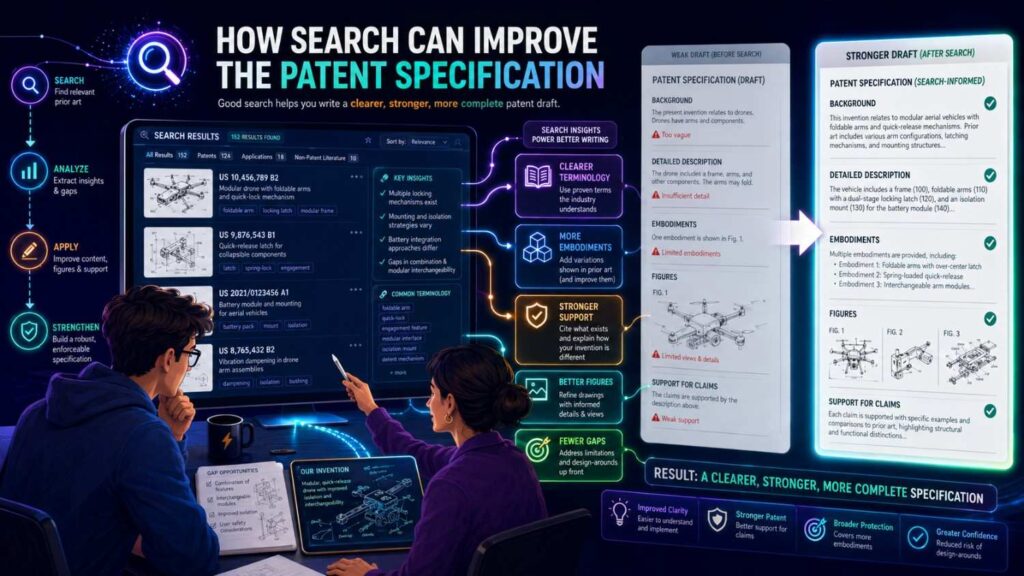
The patent specification is the detailed description of the invention.
Prior art search can improve it.
When you know the old art, you can describe your improvement more clearly.
You can include examples that show the difference. You can describe alternative versions. You can add fallback details. You can explain technical benefits.
This matters because patent claims may change during review.
A strong specification gives your patent team room to adjust.
A thin specification can trap you.
If the search finds that the broad claim is too close to old art, you may need to narrow. But you can only narrow to details that are properly described.
So prior art search helps you know which details to include.
For example, if old battery patents show gas sensing, your filing may need to explain your specific timing window, sensor placement, comparison logic, calibration, or response step.
If old AI patents show ranking, your filing may need to explain your special data structure, feedback loop, privacy method, or control flow.
This is why search and drafting should talk to each other.
Why a Provisional Still Needs Care
Some founders think provisional patent applications can be rough.
They can be less formal than non-provisional filings, but they still need enough detail to support later claims.
If a provisional is too thin, it may not help much.
Prior art search can make a provisional better by showing what details matter.
You may not need a full deep search for every provisional. But for key inventions, you should do enough searching to understand the field and capture the right technical details.
A rushed provisional based on a broad idea can create false comfort.
A thoughtful provisional focused on the real inventive parts can be much more valuable.
PowerPatent helps founders move quickly while still capturing the substance needed for stronger filings. Learn how here: https://powerpatent.com/how-it-works
How to Use Search for Portfolio Planning
If your startup is serious about IP, do not search only one invention at a time.
Use search to plan the portfolio.
Look at your product roadmap. Identify the hard technical areas. Search those areas. See where competitors are filing. See where the field is crowded. See where your team has unique improvements.
This helps you decide what to file first.
Maybe your core model method matters most. Maybe the deployment method matters more. Maybe the hardware packaging is the true moat. Maybe your data pipeline is hard to copy. Maybe your user feedback loop creates the advantage.
Search can help rank these.
A portfolio should protect the business, not just collect filings.
Keyword search helps you follow product and research language. Classification search helps you see patent density. Together, they help you make smarter filing choices.
How Competitor Search Fits In
Competitor search is related but different.
Instead of searching only the invention, you search companies.
Find patents by key competitors, large players, suppliers, customers, and research groups.
Then study their filings.
What classes do they use? What problems do they focus on? What features do they claim? What gaps do they leave?
This can help with prior art search because competitor filings often contain close technology.
It can also help with strategy.
You may learn that a competitor is filing heavily around one layer of the stack but not another. You may find that big companies care about a problem you also solve. You may find white space.
Do not copy competitor claims. Learn from the map.
A founder who knows the patent landscape can make better business choices.
The Limits of Founder-Led Search

A founder-led search can be very useful.
But it has limits.
Patent searching is hard. Claim analysis is hard. Obviousness is hard. International rules are hard. Search tools vary. Patent language is strange. Important art can be buried.
So do not treat your own search as final legal advice.
Use it as preparation.
It helps you understand the space. It helps you ask better questions. It helps your patent team work faster. It helps you avoid obvious mistakes.
But when the invention matters, get professional review.
The best setup is not founder-only or attorney-only.
It is a team process.
Founders and engineers bring technical truth. Patent professionals bring search skill, claim judgment, and filing strategy.
That combination is powerful.
PowerPatent is built around that combination: smart software for speed and structure, with real patent attorney oversight for confidence. See it here: https://powerpatent.com/how-it-works
A Practical Search Session Plan
A focused search session can be simple.
Start with the invention summary.
Spend the first part on broad keyword searches. Capture terms and close documents.
Spend the next part reading the best results and pulling better language.
Then find class codes from close patents.
Search those classes. Combine class codes with your best feature terms.
Check citations from the closest patents.
Then search non-patent sources using the best terms you found.
End by writing a short note: what looks old, what looks close, what still seems different, and what needs review.
This kind of session can produce real value without becoming endless.
The key is to stay focused on the invention, not the whole market.
How to Think About Search Tools
There are many patent search tools.
Some are free. Some are paid. Some are simple. Some are built for experts.
The tool matters, but the method matters more.
A great tool with lazy queries gives weak results.
A basic tool with thoughtful searching can still find useful art.
Look for tools that let you search full text, claims, abstracts, assignees, inventors, dates, citations, and classifications.
For deeper work, tools that support class browsing, family viewing, highlighting, and export can save time.
But do not let tool choice stop you.
Start with the search logic.
What words? What classes? What references? What citations? What non-patent sources? What feature comparison?
That logic travels across tools.
Why Search Is Part of Invention Quality
Many founders think patent quality is decided only by the attorney.
The attorney matters a lot.
But patent quality also depends on invention quality and information quality.
If the team shares only vague product ideas, the filing will be weaker.
If the team shares technical details, alternatives, test results, design choices, and close prior art, the filing can be stronger.
Prior art search improves information quality.
It helps everyone see the invention in context.
That context leads to better claims, better examples, and better strategy.
In other words, search is not just a defensive step.
It is part of building a better patent.
The Mindset Shift: From “Can I Patent This?” to “What Should I Protect?”
Many founders ask, “Can I patent this?”
That is a fair question, but it is not the best first question.
A better question is, “What part of this should we protect?”
That shift changes the search.
Instead of looking for one yes-or-no answer, you look for the strongest protectable parts.
The broad idea may be old. The specific improvement may be new.
The product category may be crowded. The deployment method may be open.
The algorithm may be known. The data pipeline may be unique.
The hardware device may be common. The calibration method may be valuable.
Search helps you find the answer.
This is a more useful way to think.
It leads to better patents and better business choices.
How to Decide What to File After Search
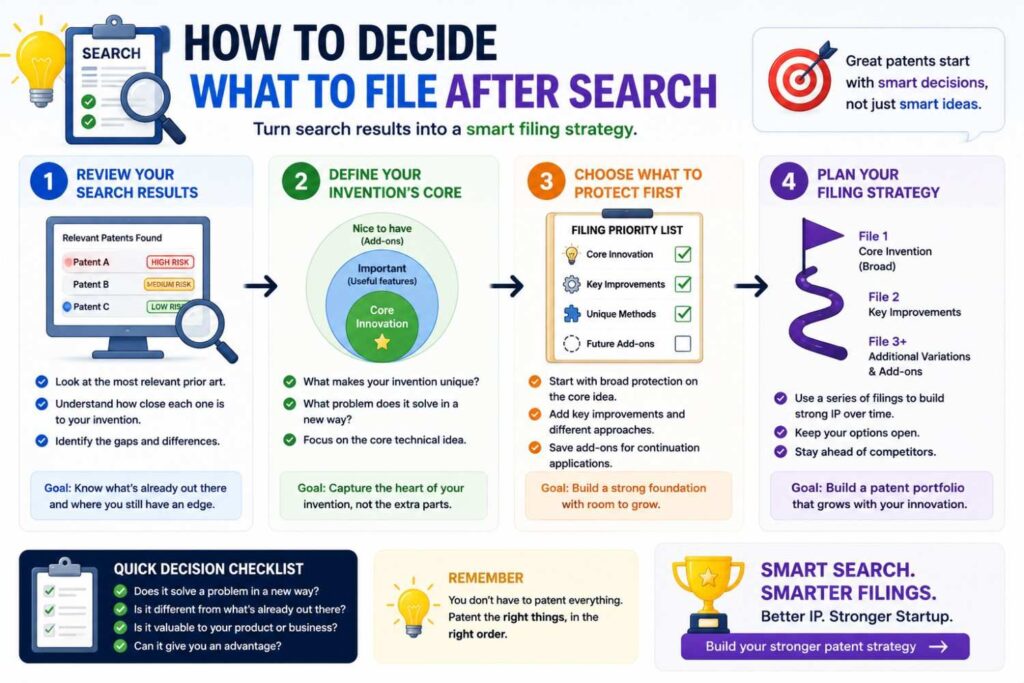
After a search, sort your invention points.
Which parts look clearly old? Which parts look close but different? Which parts look unique? Which parts matter most to the business? Which parts are easy for a competitor to copy? Which parts are hard to detect if copied? Which parts will be disclosed soon?
This helps you decide filing priority.
A feature that is unique, valuable, visible, and easy to copy may be a strong filing target.
A feature that is unique but hidden may require a different strategy. Maybe patent it. Maybe keep it as a trade secret. Maybe do both for different parts.
A feature that is old may not be worth claiming broadly, but it may still appear as context in a filing.
These decisions need legal and business judgment.
But search gives you facts.
Facts make strategy better.
Why “No Results” Is Not a Patent Strategy
It feels good when you search and find nothing.
But “no results” is not proof.
It may mean your query was too narrow. It may mean the terms are different. It may mean the art is in another class. It may mean the art is in papers or code. It may mean the tool did not index the right source.
Treat no results as a prompt to search differently.
Try older terms. Try broader terms. Try problem terms. Try result terms. Try class search. Try citations from nearby documents. Try non-patent sources. Try synonyms from another industry.
If you still find little after a thoughtful search, that may be a positive sign.
But the strength comes from the process, not the empty first page.
Why “Lots of Results” Is Not the End Either
Lots of results can feel discouraging.
But a crowded field does not mean you have no patentable invention.
It means you need to be precise.
In crowded fields, broad claims may be hard. But narrow, valuable improvements may still be protectable.
Many startups build in crowded fields. That is normal. Batteries, AI, robotics, medical devices, chips, and security are all crowded. Yet new patents are still filed because teams make specific improvements.
When you see many results, do not give up.
Look for what they actually show.
What do they not solve? What constraints do they ignore? What assumptions do they make? What tradeoffs do they accept? What part of your system is different?
A crowded field rewards careful claim strategy.
How Classification Search Helps With Crowded Fields
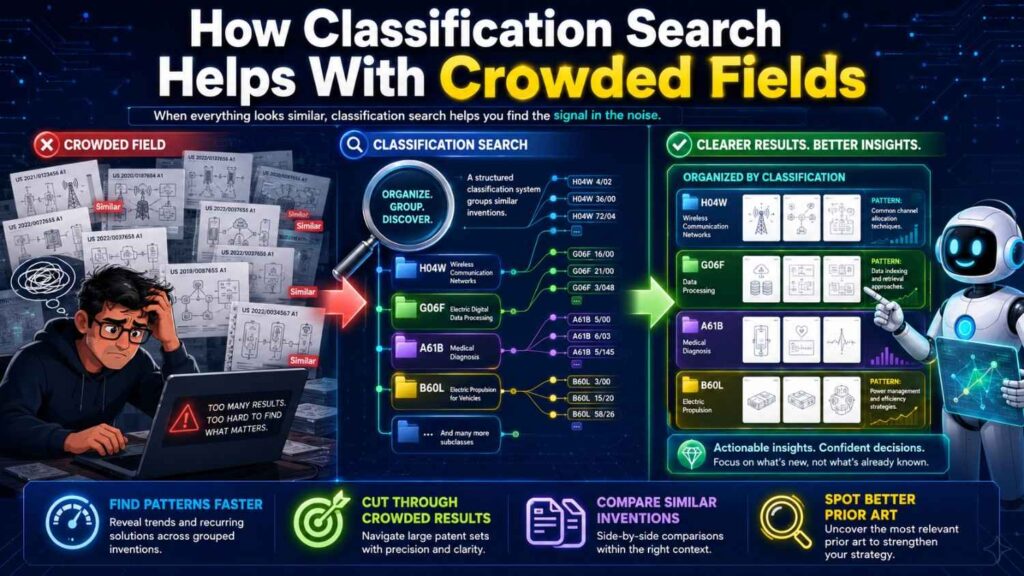
In a crowded field, keyword search can overwhelm you.
Classification search gives structure.
You can move from broad classes to narrower sub-classes. You can filter by feature terms. You can focus on assignees, dates, or citations. You can search within a technical bucket rather than the whole patent universe.
This is valuable when thousands of patents mention your keywords.
For example, “battery thermal management” may return a huge set.
A class-based search can focus on battery pack safety control, cooling structures, fault detection, or sensor arrangements.
Then keyword filters can narrow further.
The order matters.
Use classes to set the field. Use keywords to focus the feature.
That combination is often the best way to handle dense areas.
How Keyword Search Helps With New Fields
In a new field, classification may lag or feel awkward.
The patent system may not have a neat bucket for the newest trend. Early filings may be spread across older classes.
Keyword search helps you follow the emerging language.
For example, a new AI workflow concept may appear in papers, product docs, and blog posts before it has a clear patent class identity.
Search the new terms, but also search the older roots.
New fields are often old ideas with new tools.
The keyword search should include both the buzzword and the underlying technical action.
Then, as you find patents, look at their classes and build a class map.
This lets you move from new language to older patent structure.
Why International Search Can Matter
Prior art can come from anywhere.
A patent filed in another country, a foreign paper, or a public product manual can matter.
This is one reason search can be hard.
Different countries may use different terms. Machine translations may be rough. Classification can help because class codes can cross language barriers better than keywords.
If a Japanese, Korean, Chinese, German, or European patent uses translated wording that differs from your terms, keyword search may miss it.
Class search can still find it if it is in the right bucket.
This is a major advantage of classification search.
But non-English non-patent art may still require keyword creativity, translated terms, and better tools.
For high-value inventions, international searching should not be ignored.
How to Search Across Adjacent Fields
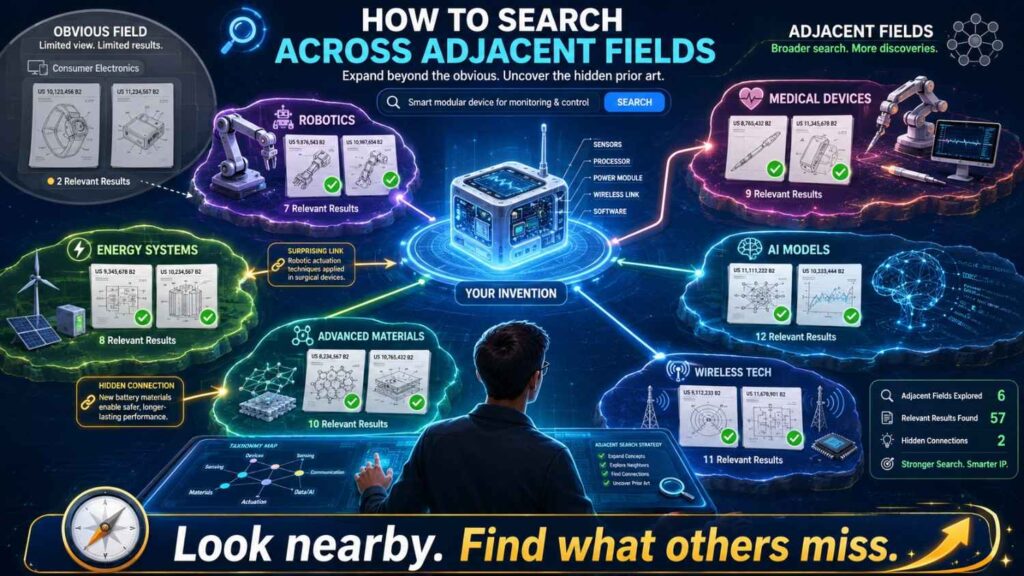
Some of the best prior art is not in your exact field.
A solution used in one industry may be applied in another.
For example, noise filtering in medical sensors may relate to noise filtering in industrial sensors. Path planning in warehouse robots may relate to path planning in drones. Fraud detection in banking may relate to anomaly detection in cybersecurity.
Keyword search can cross these fields if you search the function.
Classification search can cross them if you follow related classes.
To search adjacent fields, remove the product label and keep the technical action.
Instead of “drone battery cooling,” search “compact battery thermal management,” “airflow cooling battery module,” or “thermal control energy storage device.”
Instead of “AI legal redlining,” search “document revision suggestion based on prior edits,” “clause replacement recommendation,” or “text modification based on policy rules.”
This can uncover art that your competitors may also use against you.
It can also inspire better claim drafting.
The Human Skill Behind Great Search
Great search requires empathy for how other people describe things.
You need to imagine how an engineer, patent attorney, researcher, product manager, and examiner might each name the same idea.
The engineer may name the mechanism.
The product manager may name the benefit.
The researcher may name the method.
The patent drafter may name the broad system.
The examiner may search the class.
Your search should speak all of those languages.
That is why keyword search and classification search are not enemies.
They are two languages for finding the same truth.
What Founders Should Not Do
Do not search one phrase and stop.
Do not assume a new product name means a new invention.
Do not ignore patents because they are old.
Do not ignore papers because they are not patents.
Do not ignore a reference because the title sounds different.
Do not assume broad words like “AI” or “smart” will find the close art.
Do not wait until after launch to think about patents.
Do not draft claims in a vacuum.
And do not try to make legal conclusions alone when the invention matters.
A little humility goes a long way.
What Founders Should Do
Search the invention, not just the product.
Use keyword search to learn the field.
Use classification search to dig into patent art.
Use citations to move between close references.
Search non-patent sources, especially in software and AI.
Keep notes.
Compare references feature by feature.
Bring the best material to your patent team.
File before major public disclosure when possible.
Use the search to shape better claims.
That is the practical playbook.
Why Better Search Creates Better Conversations

A good search changes the patent conversation.
Instead of saying, “Can we patent this?” you can say, “Here is what we found. These references show A and B. We think our difference is C and D. Does that look like the right claim focus?”
That is a much better conversation.
It saves time. It shows clear thinking. It helps the attorney give better advice. It helps the founder make better decisions.
It also reduces fear.
Patent work feels scary when everything is vague.
It feels more manageable when the facts are on the table.
The Simple Rule of Thumb
Use keyword search when you need speed, broad coverage, and non-patent art.
Use classification search when you need depth, patent structure, and older or differently worded patent documents.
Use both when the invention matters.
That is the rule.
Do not make this harder than it needs to be.
The goal is not to become a search wizard.
The goal is to protect your startup’s real technical edge with more confidence.
Final Answer: Which Finds Better Prior Art?
Classification search often finds better patent prior art because it is not trapped by exact words.
Keyword search often finds better overall prior art because it reaches patents, papers, code, product docs, and the open web.
For a quick first look, start with keywords.
For a serious patent filing, add classification search.
For the best result, use a loop: keywords, close results, classes, class search, citations, non-patent sources, feature comparison, and attorney review.
That is how you move from guessing to knowing.
And that is how you give your patent a better chance of protecting what really matters.
If you are building something hard and want to protect it without slowing down your team, PowerPatent can help. It combines smart software with real patent attorney oversight, so founders can move faster and avoid costly patent mistakes.
See how PowerPatent works here: https://powerpatent.com/how-it-works
Closing Thought
A patent search is not about proving you are brilliant.
It is about learning the field well enough to protect your work wisely.
Keyword search gives you speed and reach.
Classification search gives you depth and structure.
Together, they give you a clearer view of the truth.
And in patents, truth found early is a gift.
It helps you file smarter. It helps you claim better. It helps you avoid wasted time. It helps you build a stronger moat around the invention your team worked so hard to create.
That is worth doing right.
Start with the words. Follow the classes. Read the close art. Find the edge. Then protect it with care.
When you are ready to turn that edge into a real patent plan, visit PowerPatent: https://powerpatent.com/how-it-works
Leave a Reply