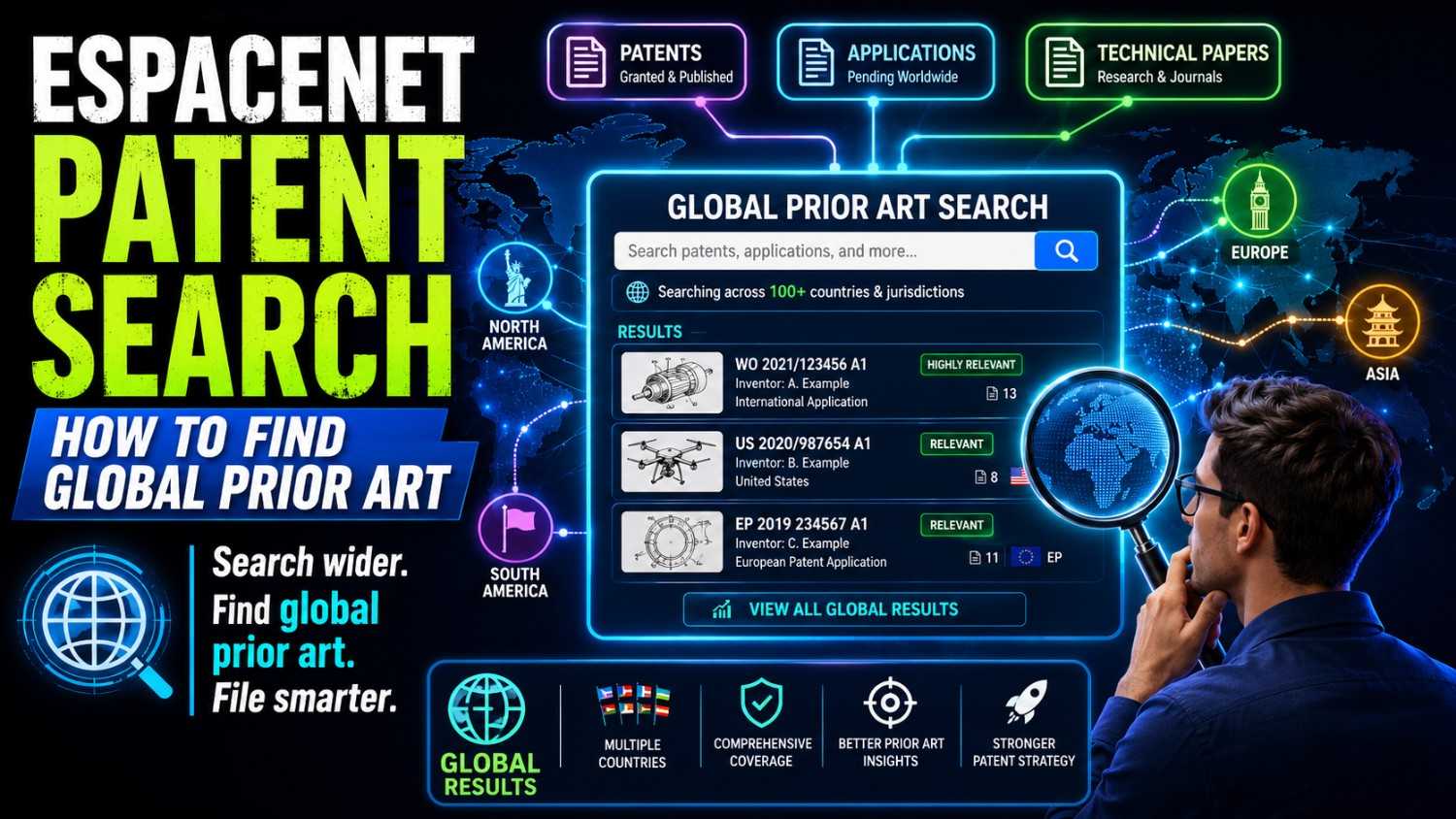
A good patent starts with a good search.
Before you spend months building, pitching, or filing, you want to know one thing: has someone already shown this idea before?
That is where Espacenet can help.
Espacenet is a free patent search tool from the European Patent Office. It lets you search patent papers from many countries in one place. For founders, engineers, and inventors, it can be one of the fastest ways to see what has already been built, filed, claimed, or published around the world.
But there is a catch.
Espacenet is powerful, but it is not always simple. The search box looks easy. The hard part is knowing what to type, what to read, what to ignore, and when a document is close enough to matter.
This guide will walk you through the process in plain words. You will learn how to search Espacenet, how to find global prior art, how to read patent results, and how to use what you find to make better patent choices.
And when you are ready to turn your invention into a strong patent plan, PowerPatent can help you move from search to filing with smart software and real attorney oversight. See how it works here: https://powerpatent.com/how-it-works
What Espacenet is, in simple words
Espacenet is a search engine for patents.
Think of it like Google, but for patent documents. Instead of searching blog posts, videos, and product pages, you search patent filings. These filings can include patent applications, granted patents, drawings, claims, summaries, inventors, owners, dates, and links to related filings in other countries.
It is run by the European Patent Office, often called the EPO. Even though it is European, it is not only for European patents. It includes patent documents from many parts of the world.
That matters because prior art is global.
A patent filing in Japan can hurt your United States patent plan. A published application in Germany can matter to your filing in India. A PCT application can show that someone else already described the same system years ago. A Chinese patent document may reveal a design that never became a product but still counts as public knowledge.
This is why global search matters so much.
Many founders think, “I checked Google and did not see it, so we are clear.” That is risky. Many inventions never show up as products. Many ideas never make the news. Many teams file patents quietly, then pivot, shut down, sell assets, or never launch. But the patent papers remain public.
Espacenet helps you find those papers.
It is not a magic answer machine. It will not tell you, “Yes, your invention is patentable.” It will not replace a skilled patent attorney. But it gives you a strong first look at the world around your idea.
Used well, it can help you avoid blind spots.
Used poorly, it can give false comfort.
This article is about using it well.
What prior art means
Prior art is any public information that came before your patent filing and is close to your invention.
That can include patents, patent applications, papers, product manuals, websites, videos, standards, open-source code, conference slides, forum posts, white papers, GitHub repos, product listings, or even old public demos.
Espacenet is mainly for patent documents, so it does not cover all prior art. But patent documents are a huge part of the search.
Here is the simple rule.
If someone publicly described the same idea before you filed, it may be prior art.
It does not have to be sold.
It does not have to be famous.
It does not have to be in your country.
It does not even have to be a granted patent.
A published patent application can be enough.
This is why prior art search is not just about checking who has a patent. It is about checking who has publicly taught the idea.
For a startup, that search can shape your whole IP strategy.
It can show you where your invention is truly new. It can show you which features are common. It can reveal terms that patent examiners may use. It can help your patent attorney draft stronger claims. It can help you avoid spending money on a weak filing. It can also help you spot ways to improve your invention before you file.
That last point is important.
A prior art search is not just a threat check. It is also a design tool.
When you find older systems, you can ask: what did they miss? What is slow, costly, insecure, manual, brittle, or hard to deploy? What is different about our architecture? What do we do in a cleaner way? What is the technical step that others did not show?
Those answers can become the heart of your patent.
This is why PowerPatent is built for technical teams. It helps founders and engineers capture those details early, turn them into clear invention material, and work with real patent professionals instead of trying to guess alone. You can see the workflow here: https://powerpatent.com/how-it-works
Why founders should search before filing
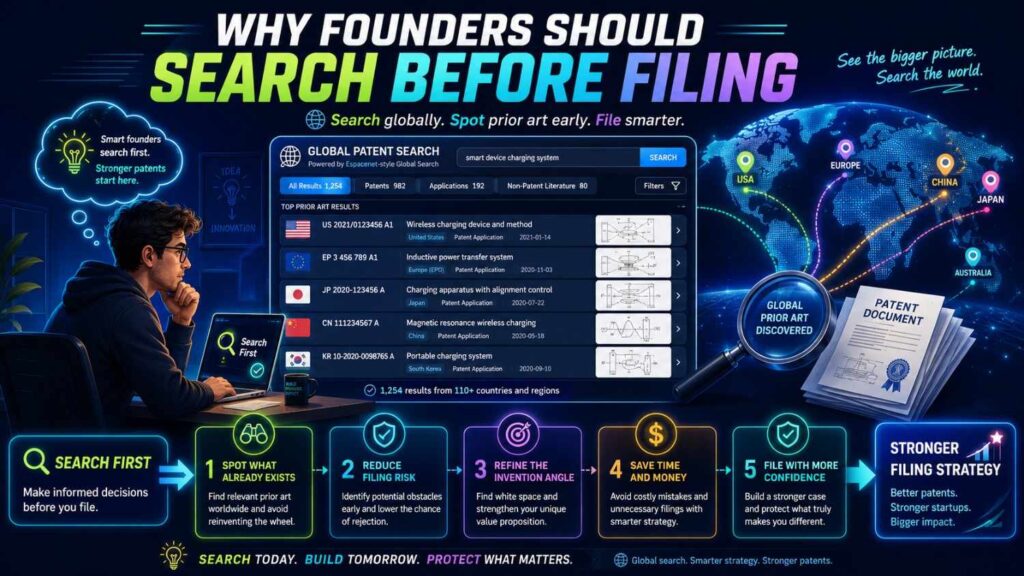
Founders move fast. That is good. But patent work has one hard truth: the words you file matter.
Once you file, your patent application becomes the base record for your invention. If it misses the real technical difference, you may not be able to fix that later. If it claims the wrong thing, the patent office may find old art and push back. If it is too broad in the wrong places and too thin in the right places, it can become weak.
A search helps you avoid that.
It gives you a map.
Without a search, you may describe your invention as if it is totally new. After a search, you may learn that the broad idea is old, but your specific method is strong. That is useful. You can focus the patent on what matters.
For example, say you built an AI tool that turns messy support tickets into structured bug reports. A first draft may say, “A system that uses machine learning to classify support tickets.” That may be too broad and likely old.
A search may show many old filings about ticket classification. But it may also reveal that none of them describe your exact method: using codebase context, runtime logs, user session traces, and a confidence-based developer review loop to create patch-ready issue bundles.
Now you have a sharper story.
The invention is not just “AI for support.” It is a specific technical workflow that improves how bugs move from user pain to engineering action.
That is the kind of detail that can matter.
Espacenet can help you find the old work, so you can better explain the new work.
Start with the invention, not the search box
The biggest mistake people make in Espacenet is typing one simple phrase and trusting the results.
They search “AI bug report generator,” scan the first page, see nothing perfect, and stop.
That is not a real prior art search.
Before you search, write down the invention in plain words. Do not write a legal claim. Do not use buzzwords. Just explain what the system does, what problem it solves, and what parts make it work.
A good starting note might look like this:
“Our system turns customer support messages into developer-ready bug reports. It links each message to product area, user account data, logs, recent code changes, and known incidents. It then creates a ranked bug report with likely root cause, affected version, and suggested owner. A human can approve or edit before the issue is sent to the engineering tracker.”
That one paragraph gives you much more to search than the title of the idea.
Now break it into search parts.
You have the problem: messy support messages.
You have the input: tickets, chats, logs, session data, account data, code changes.
You have the process: classify, link, rank, infer cause, assign owner, create report.
You have the output: structured bug report, issue ticket, defect record.
You have the improvement: faster triage, fewer duplicate bugs, better routing, better root cause guesses.
Each part can become a search path.
This matters because patent documents often use words that product teams do not use.
You may say “bug report.” A patent may say “software defect record.” You may say “support ticket.” A patent may say “user-submitted service request.” You may say “AI agent.” A patent may say “machine learning model,” “classifier,” “natural language processing module,” or “automated workflow engine.”
The words are different, but the idea may be close.
So do not start with one phrase. Start with the real parts of the invention.
Build a word bank before you search
Espacenet rewards patience.
A strong search often starts with a word bank. This is a simple set of terms that describe the same idea in different ways.
For the bug report example, your word bank could include ticket, request, message, complaint, issue, incident, defect, bug, fault, error, log, trace, session, telemetry, classification, triage, routing, assignment, root cause, resolution, developer, source code, code change, commit, repository, version, release, and workflow.
You do not need to search all of these at once. In fact, you should not.
The point is to stop thinking in your own product language only.
Patent search is part detective work. You are trying to find how other people described the same thing when they did not know your brand name, your product name, or your internal terms.
A good word bank should include normal words, technical words, old words, broad words, and narrow words.
Normal words catch plain descriptions.
Technical words catch formal patent language.
Old words catch older filings that used earlier terms.
Broad words catch nearby ideas.
Narrow words catch close matches.
This is also where engineers have an edge. You know the system parts. You know the data flow. You know the real constraints. Use that knowledge.
A business person may search “AI customer support.” An engineer may search “natural language classifier issue routing telemetry logs source repository.” The second search is more likely to find the documents that matter.
Search titles and abstracts first
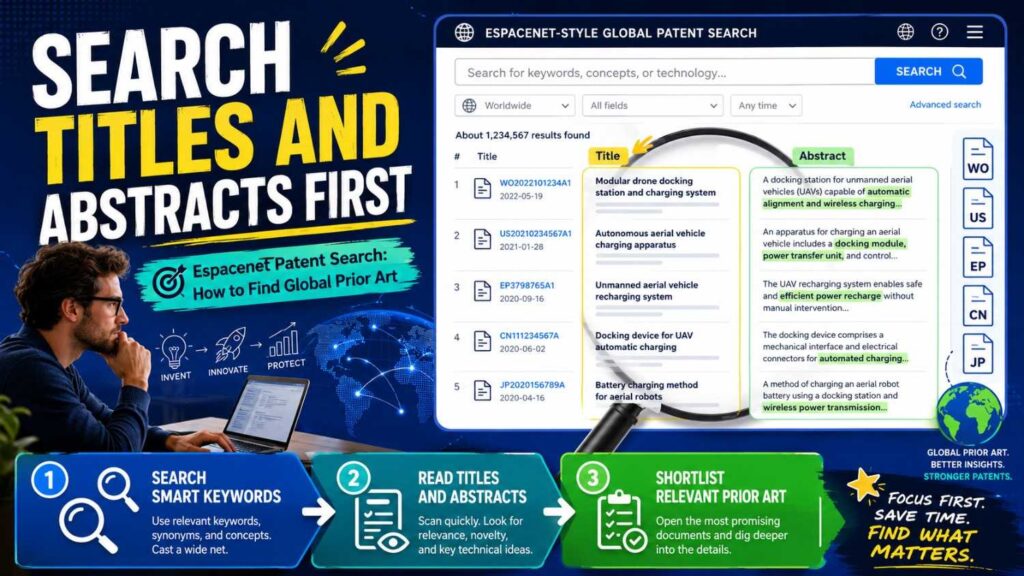
When you open Espacenet, you can start with a simple search.
A simple search is good for learning the landscape. It is not enough for a final answer, but it helps you see common words, company names, patent classes, and repeated themes.
Start with two or three key terms. Use words that are central to the invention.
For example:
bug report classification
support ticket triage
software defect root cause
incident routing machine learning
Do not panic if the first search returns too many results. That is normal.
Do not celebrate if it returns none. That is also normal.
Search is not about one perfect query. It is about moving from rough to sharp.
When you see results, open a few that look close. Read the title, abstract, drawings, and first claim. Do not read every line yet. You are trying to learn the language of the field.
Ask yourself:
What words do these patents use?
Which companies file in this area?
Which inventors appear more than once?
What patent classes show up?
What parts of the system are common?
What parts feel different from our invention?
This first pass is not about judgment. It is about orientation.
You are walking into a room and listening before you speak.
Use broader searches when your first search is too narrow
Many founders search too narrowly.
They search the exact product idea, find little, and assume the idea is clear.
But patent examiners may search broader. They may look at nearby systems that solve the same problem in a different field.
For example, your invention may process support tickets, but the closest art may come from medical triage, insurance claims, network alerts, help desk routing, call center automation, or software defect tracking.
The core idea may not be “support.” It may be “turning unstructured event data into structured action records.”
That means your search should expand.
Try searching the function, not just the market.
Instead of “customer support bug report,” search “unstructured message classification routing,” “incident triage root cause,” “automated defect record generation,” or “event log correlation issue assignment.”
This is where founders often find the real prior art.
Old patents may live in a different market, but still teach the same method.
This does not mean your invention is dead. It means you need to understand the difference.
The difference may be in the type of data, the sequence of steps, the model training method, the deployment setup, the feedback loop, the user interface, the integration layer, the timing, or the way the system improves over time.
A broader search helps you find the edges.
Use narrow searches when the results are too noisy
Sometimes Espacenet gives you too much.
You search “machine learning classification” and drown in thousands of documents. That is not useful.
When results are noisy, add a strong limiter.
Use one word for the core field and one word for the special feature.
For example, “defect telemetry,” “ticket source code,” “incident repository,” “support log correlation,” or “bug owner assignment.”
You can also add a company name, inventor name, or patent class once you learn them.
Narrow searches are best after you have done broad searches. First learn the field. Then zoom in.
The rhythm is simple.
Search broad. Learn words. Search narrow. Read close results. Search broader again. Then search with classes.
This back-and-forth is how good search works.
Learn to read a patent result without getting lost
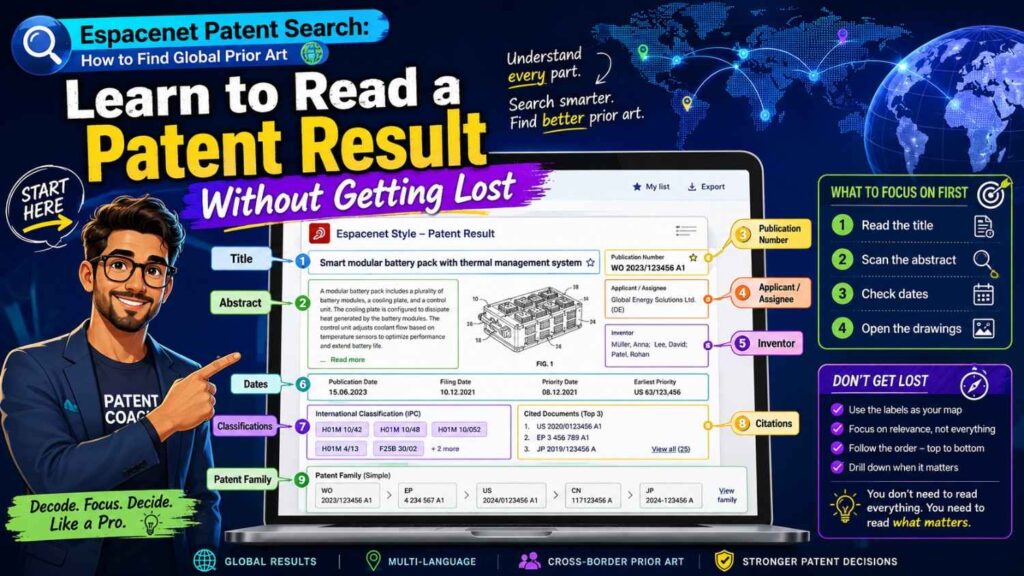
Patent documents can look long and dry. You do not need to read every word at first.
Start with the front page.
The title tells you the rough topic. The abstract gives a short summary. The drawings show the system shape. The applicants show who filed it. The inventors may lead you to more work. The dates tell you when it was first filed and published. The classification codes show the technical area. The family links show related filings in other countries.
Then read the claims.
The claims are the numbered sentences that define what the applicant says is their invention. They are often hard to read. Still, they are important.
For prior art search, you are not only asking, “Does this claim block us?” You are asking, “Does this document describe our idea?”
A patent can be prior art because of what it teaches in the description, not only because of what it claims.
That means you should also search inside the description.
Look for the parts of your invention: inputs, steps, models, rules, data structures, outputs, feedback loops, timing, hardware, sensors, interfaces, and examples.
If the document has drawings, use them. Drawings can make a complex patent much easier to understand. A system diagram can show data flow in seconds.
Do not get stuck on legal phrases. Translate the patent back into plain words.
Ask: what does this thing actually do?
If you can explain it to a teammate in one sentence, you understand it well enough for the first pass.
Pay close attention to dates
Dates matter in prior art.
The most important date is often the priority date. This is usually the earliest filing date connected to that patent family.
Why does it matter?
Because if a document’s priority date is before your filing date, it may be important prior art. If it is after your filing date, it may be less relevant for patentability, though it can still be useful for market awareness.
Do not rely only on the publication date.
A patent application may be filed first, then published later. In many systems, applications publish about 18 months after the first filing date. That means a document published today may have been filed much earlier.
In Espacenet, look for the priority date, filing date, publication date, and family members.
For a startup, this can change the story fast.
Suppose you started building in 2023 and filed in 2025. You find a patent application published in 2024. At first it feels newer than your work. But if its priority date is 2022, it may still matter.
This is one reason you should not handle final patent calls alone.
A search can help you find the documents. A patent attorney can help you understand how those dates affect your plan.
PowerPatent brings the two together: smart software to collect invention detail and real attorney oversight to help avoid costly mistakes. See the process here: https://powerpatent.com/how-it-works
Understand patent families
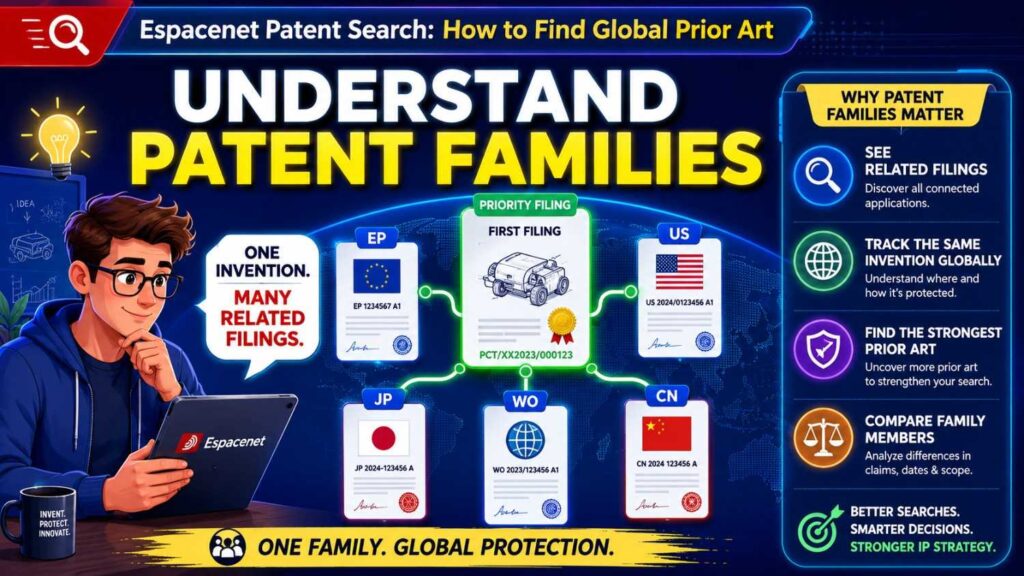
A patent family is a group of related patent documents that usually trace back to the same first filing.
Think of it like one invention with many country versions.
A company may first file in the United States, then file related applications in Europe, China, Japan, Korea, Canada, and other places. Each filing may publish as a separate document. Espacenet groups related documents so you can see them together.
This is helpful because global prior art can look bigger than it is.
You may see ten patent documents, but they may all belong to one family. That means they are likely different versions of the same invention, not ten separate inventions.
Patent families also help you find better text.
Maybe the Chinese version is hard for you to read. The same family may include an English PCT version. Maybe the European version has a clearer search report. Maybe the United States version has different claim wording. Reading family members can help you understand the invention faster.
When you find a close result, do not stop at one document. Open the family. Look at the earliest priority. Look at where it was filed. Look at the different titles and abstracts. Look at the claims in major countries.
This gives you a fuller picture.
Use machine translation, but do not trust it blindly
Espacenet includes translation features. This is very useful for global search.
Many important patent documents are not first written in English. You may find documents in Chinese, Japanese, Korean, German, French, or many other languages.
Machine translation can help you understand them quickly.
But be careful.
Patent words are technical. A translated phrase may be awkward. A small translation error can change how you read a step. A term may mean something special in one field.
Use translation for screening. Use it to decide whether a document is worth deeper review.
If a foreign-language document looks very close, do not make a big decision based only on a quick machine translation. Get help.
The best move is to flag it, save it, and share it with your patent team.
For technical founders, this is a smart habit. You do not need to become a global patent translator. You just need to spot risk early enough to handle it well.
Use classification codes to search like a pro
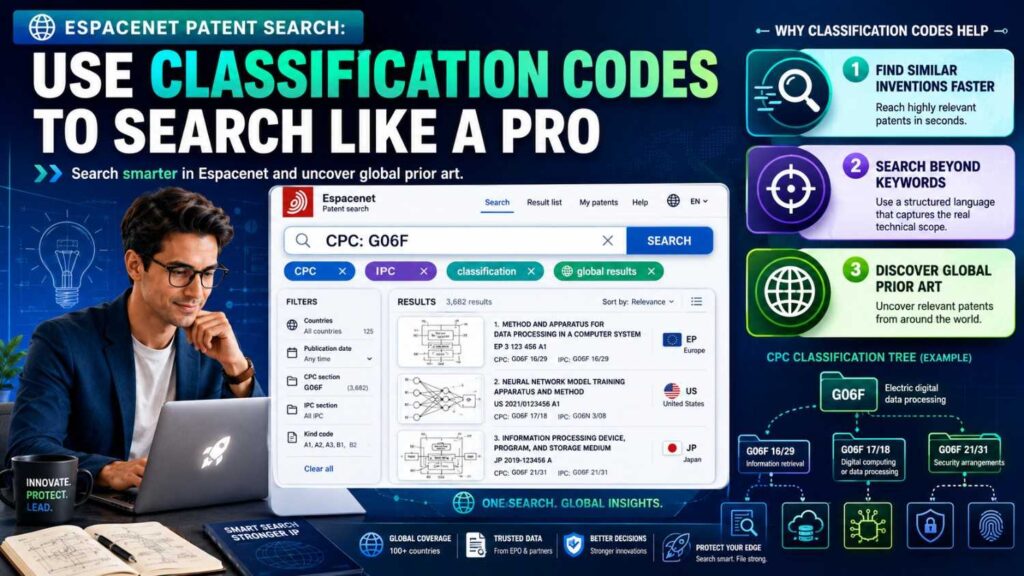
Keywords are useful, but they are not enough.
Patent offices classify inventions using codes. These codes group documents by technical subject.
Two common systems are IPC and CPC. IPC means International Patent Classification. CPC means Cooperative Patent Classification.
In plain words, these codes are labels that say, “This patent belongs in this technical area.”
Why should you care?
Because different inventors use different words for the same idea, but similar inventions often share classification codes.
A keyword search may miss a patent because it uses different terms. A classification search may still find it because the patent office placed it in the same technical area.
Here is a simple way to use classification without getting overwhelmed.
First, run a normal keyword search. Open three to five results that look close. Look at their CPC or IPC codes. If the same code keeps showing up, click it or search it. Then combine that code with your key terms.
For example, if several close documents share a class related to software defect detection, search that class with words like “ticket,” “triage,” “log,” or “root cause.”
This often produces better results than keywords alone.
Classification search is especially helpful when your invention uses terms that are new, trendy, or brand-specific.
For example, “AI agent” is a newer product phrase. Older patents may not use it. They may use “autonomous software module,” “automated assistant,” “intelligent agent,” or “workflow engine.” A class search can bridge that gap.
Do not try to master every classification system in one day.
Start by stealing the codes from close patents.
That is the practical path.
Search by company and inventor
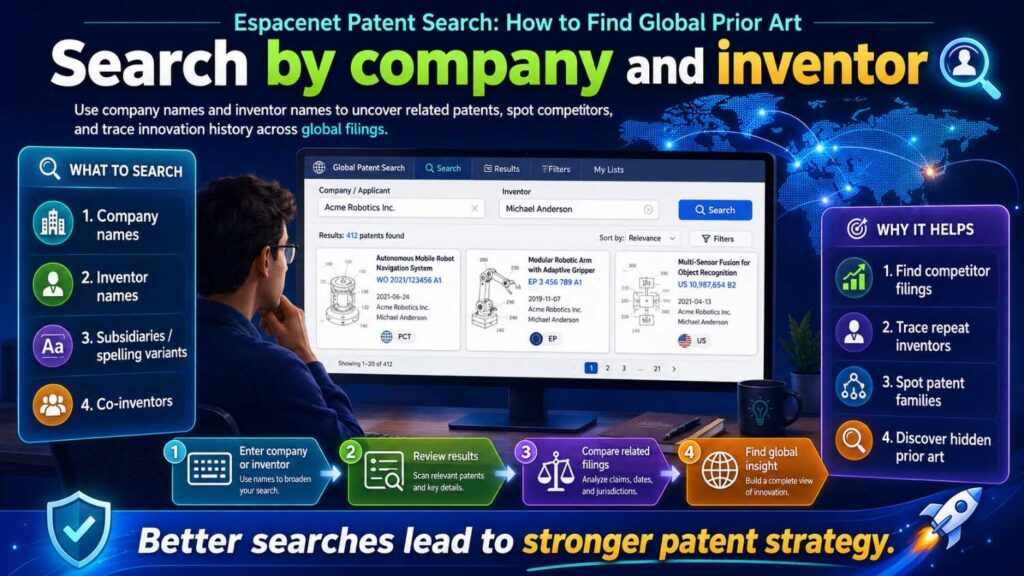
Competitor search is another useful path.
If you know companies active in your space, search their names in Espacenet.
But remember that company names can vary.
A patent may list an old company name, a parent company, a subsidiary, an acquired startup, a university, or a founder’s name. Names may be shortened or written in different ways.
Search variations.
If you are looking at a large company, search both the brand and the legal entity. If the company has acquired startups in your area, search those startup names too. If you know key technical leaders, search inventor names.
Inventor search can be powerful.
Engineers often move between companies. A person who filed patents at one startup may later file similar work at a big company. Their name can lead you through a trail of related inventions.
When you find a close patent, click the inventor names. See what else they filed. You may discover a cluster of work in the same field.
For startups, this can also reveal who has been thinking deeply about the same problem.
That can inform your product, hiring, partnership, and patent strategy.
Search by citations
Patent documents cite other patent documents.
These citations can lead you to important prior art.
There are two useful directions.
Backward citations show older documents cited by the patent or by the patent office. These can reveal the roots of an idea.
Forward citations show newer documents that cite the patent. These can reveal who built on it later.
If you find one very close patent, citations can turn that one result into a whole search path.
Read the backward citations to see what came before. Then read the forward citations to see how the field developed.
This is useful because one close result is rarely alone. It often sits inside a web of related filings.
Citation search can also help you find better keywords. Older patents may use broad technical words. Newer patents may use modern product words. Both can matter.
If a close document has been cited many times, take it seriously. That does not mean it blocks you. It means others and examiners have treated it as relevant in the field.
Search outside your exact product category
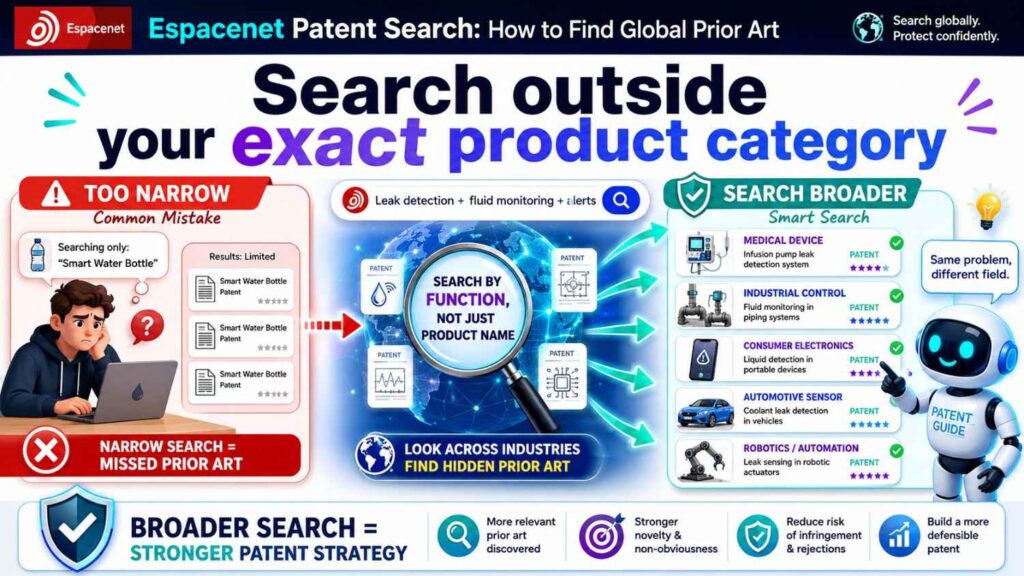
This is where many startup searches fail.
Founders search their product category. Patent examiners search technical features.
Your product may be in fintech, but the core invention may be about fraud scoring, identity matching, secure messaging, cryptographic proof, graph analysis, risk routing, or event detection.
Your product may be in health, but the invention may be about sensor fusion, signal filtering, anomaly detection, dosage tracking, workflow alerts, or secure data exchange.
Your product may be in robotics, but the invention may be about path planning, motor control, object detection, grasping, calibration, or battery use.
Search the technical engine, not only the customer use case.
Ask yourself what the invention would be called if it were used in another industry.
A “patient risk alert” may be similar to a “machine failure alert.”
A “bank fraud score” may be similar to a “network intrusion score.”
A “warehouse robot route planner” may be similar to a “vehicle path planner.”
A “drug discovery model” may be similar to a “molecular property prediction system.”
The market changes. The technical pattern may stay the same.
This does not mean all cross-field art will count the same way. But it can matter. It can also help you make your patent stronger by showing why your technical setting is special.
Keep a search log
A search log is simple, but it can save you later.
Write down what you searched, when you searched it, which results looked close, and why they matter.
Do not trust memory.
After two hours in Espacenet, many documents start to blur together. Patent titles sound alike. Applicant names repeat. One search leads to another. You may find a key result, close the tab, and struggle to find it again.
A search log prevents that.
For each close document, save the publication number, title, applicant, priority date, link, and a short note in plain words.
The note is the most important part.
Write something like:
“Uses ML to classify support tickets and route them to teams. Does not appear to use code commit history or runtime traces.”
That note helps your patent attorney fast.
It also helps your team understand what is known and what may be new.
You do not need fancy software for the first pass. A spreadsheet or document is enough. But as your patent work grows, you will want a cleaner system.
PowerPatent is designed to help teams turn messy invention notes into organized patent-ready material, with attorney review built in. Learn how the flow works here: https://powerpatent.com/how-it-works
Do not only search the main idea
A strong patent may protect more than the broad concept.
It may protect key workflows, fallback paths, training methods, data structures, user interfaces, deployment methods, device layouts, control loops, or system integrations.
So search those too.
For example, your main invention may be an AI medical intake tool. But the patentable value may live in the way the system handles missing patient data, escalates high-risk cases, updates a care plan, protects private data, or links outputs to clinician review.
If you search only “AI medical intake,” you may miss the important parts.
Search the sub-features.
This is especially important for software and deep tech.
The broad idea is often not enough. The strength is in how the system works.
Search each technical step.
Search the data pipeline.
Search the control logic.
Search the model update method.
Search the interface between modules.
Search the edge case handling.
Search the hardware setup if hardware is involved.
The more specific your search, the more useful your patent draft can become.
Compare what the old document teaches to what you do
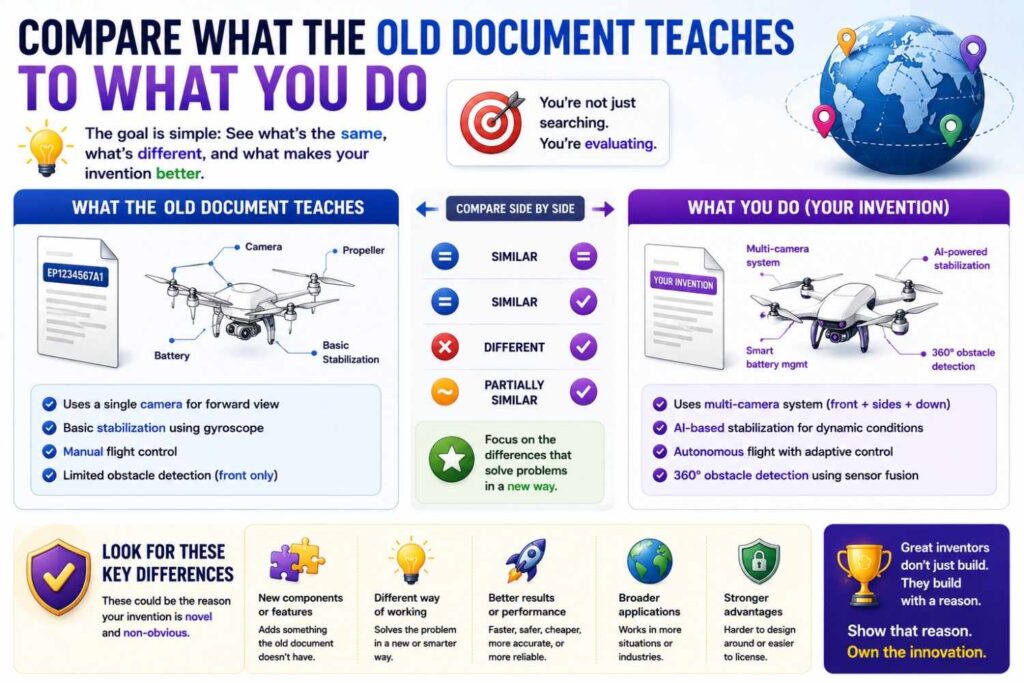
When you find a close patent, do not just mark it as “bad.”
Study it.
Write down what it teaches. Then write down what your invention does differently.
Be honest.
Do not force a difference that is not real. Do not say, “They use AI, we use machine learning.” That is not a strong difference. Do not say, “They do it in finance, we do it in healthcare,” unless the technical setup is truly different in a meaningful way.
Look for concrete differences.
Maybe they use batch processing and you use real-time streaming.
Maybe they use one data source and you combine three data sources.
Maybe they classify events, but you also generate a repair action.
Maybe they suggest a route, but you also verify safety constraints.
Maybe they train on labeled data, but you improve with weak signals from user edits.
Maybe they run in the cloud, but you run on-device with privacy limits.
Maybe they rely on a central server, but you use a distributed system.
Maybe they detect a fault, but you predict it before it happens.
These details matter.
A good prior art search does not just find obstacles. It helps you name your advantage.
Read the drawings before the dense text
Drawings are your friend.
Patent drawings often show system blocks, data flow, devices, screens, circuits, sensors, networks, or method steps.
For technical readers, a drawing can make the invention clear much faster than the written description.
When you open a result, look at the drawings early. Find the main system diagram. Look for labels. Then match those labels to the written text.
If the drawing shows a module that sounds close to your invention, search that label inside the document.
For example, a drawing may show “event correlation engine,” “risk scoring module,” “triage module,” “model update engine,” or “control unit.” Those labels can be better search terms than the patent title.
Also watch for flowcharts.
A flowchart can show the exact steps. If the steps match your invention, the document may be important. If the steps diverge, the flowchart can help you explain how your method is different.
Search in phases, not one long session
Prior art search works better in phases.
The first phase is discovery. You search broad terms, learn the field, and collect close documents.
The second phase is language building. You study the close documents and write down better terms, classes, applicants, inventors, and phrases.
The third phase is focused search. You use those better terms and classes to find closer documents.
The fourth phase is comparison. You compare each close document to your invention and mark what is same, what is different, and what is unclear.
The fifth phase is strategy. You decide what to highlight in the patent draft and what risks need attorney review.
Do not try to do all of this in one pass.
A rushed search often misses the best art.
Set a clear goal for each session. One session might be for keywords. One might be for classification codes. One might be for competitors. One might be for citations.
This makes the work calmer and more complete.
Know when a result is close enough to worry about
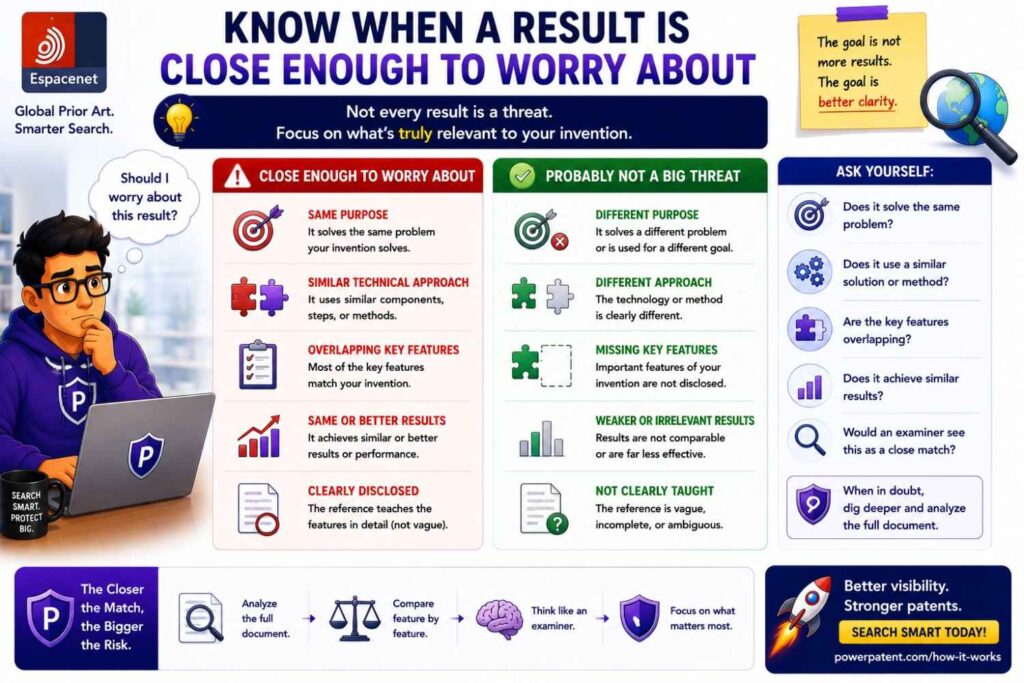
A document is worth attention when it shares the same problem, same inputs, same process, same output, or same technical effect as your invention.
It does not need to match every part.
A prior art document may still matter if it teaches the core step, even if it lacks your full product workflow.
For example, suppose your invention has five steps. A patent shows three of them. Another paper shows the other two. That combination may matter during patent review.
Again, this does not mean your invention cannot be patented. It means the drafting needs care.
A strong patent often explains not only the parts, but why the combination works in a new and useful way.
When you see partial matches, save them.
Do not ignore them because they are not identical.
Patent search is not a game of finding a clone. It is a search for teachings that could be used to question whether your invention is new or non-obvious.
That is why human review matters.
AI tools can help find and organize results. Experienced patent professionals can help judge how those results may affect claims.
That mix is exactly why PowerPatent combines smart software with real attorney oversight. You can explore the process here: https://powerpatent.com/how-it-works
Avoid the false “no results” trap
No results does not mean no prior art.
It may mean your search terms were too narrow. It may mean the patent uses different words. It may mean the closest art is in another industry. It may mean the document is in another language. It may mean the key point is buried in the description, not the title or abstract.
When you get no results, change the search.
Use fewer words. Use broader words. Use older words. Use synonyms. Search the output instead of the input. Search the problem instead of the solution. Search the system part instead of the product name. Search by classification.
A good searcher treats “no results” as a clue, not a conclusion.
Avoid the false “too many results” trap
Too many results also does not mean the idea is not patentable.
It may mean your search is too broad.
If you search “neural network image processing,” you will get a huge field. That does not tell you whether your specific training method, hardware setup, compression step, or safety check is new.
When results are too broad, narrow the search by adding a technical feature that is hard to replace.
For example, do not just search “robot navigation.” Search “robot navigation dynamic obstacle warehouse map update,” or “mobile robot path planning battery constraint charging station.”
The goal is not to prove the whole field is crowded. The goal is to find the closest old teaching to your specific invention.
Use Espacenet to learn competitor direction
Espacenet is not only useful before filing.
It can help you track what competitors are building.
Patent applications publish after a delay, so this is not real-time market intel. But it can still show direction.
You can search competitor names to see where they file. You can search recent publications in your class to see new activity. You can watch which problems large companies are trying to solve.
This can help with product strategy.
If a large company is filing many patents in one area, that may mean they care about it. If no one is filing in a niche, that may mean the niche is open, or it may mean the market is small. Either way, it gives you a signal.
For startups, patent search can also help with investor conversations.
You can say, “We reviewed the public patent landscape and found that older work focuses on X, while our approach focuses on Y.”
That is stronger than saying, “We think no one has done this.”
Investors like confidence. They like focus. They like teams that know the field.
A clean prior art search helps you sound prepared.
Use Espacenet before product launch
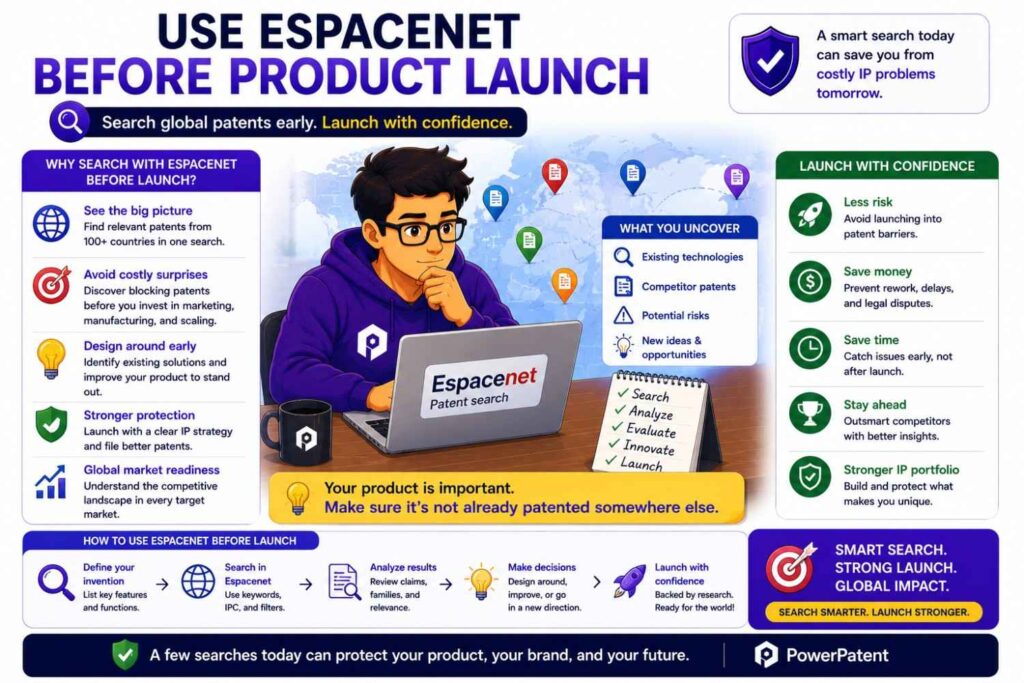
Many founders wait too long.
They launch, publish, pitch, post, and demo before thinking about patents. That can create problems.
Public disclosure can affect patent rights. The rules vary by country, and timing can be unforgiving.
A search before launch can help you decide what to file before you tell the world.
It can also help you decide what not to share in public yet.
For example, your public demo may show the user interface, but not the backend method. Your blog post may explain the customer value, but not the full technical workflow. Your pitch deck may describe the problem and result, but keep the unique system details out until filing.
This is not about hiding forever. It is about sequencing.
File first when needed. Publish after.
PowerPatent helps teams move faster here, because the platform is built to turn invention details into patent-ready work without dragging founders through a slow old-school process. You can see how it helps here: https://powerpatent.com/how-it-works
What to do after you find strong prior art
Finding strong prior art can feel discouraging.
But it is often good news in disguise.
It means you found a risk before spending more money. It means you can adjust. It means you can improve the invention story. It means your patent team can draft with eyes open.
When you find strong prior art, do three things.
First, summarize it in plain words.
Second, mark the overlap with your invention.
Third, write the differences.
Do not try to argue like a lawyer. Just be clear.
For example:
“This patent uses machine learning to route support tickets based on text. Our system also uses runtime logs, code change data, and customer session traces to generate a developer-ready report with likely root cause and owner.”
That simple note is useful.
It gives your patent team a starting point. It may also reveal where your invention needs more detail.
Maybe you need to explain how logs are matched to tickets. Maybe you need to show how code changes are ranked. Maybe you need to describe how confidence scores control human review. Maybe you need to include examples.
Prior art helps you draft better.
What to do when you find nothing close
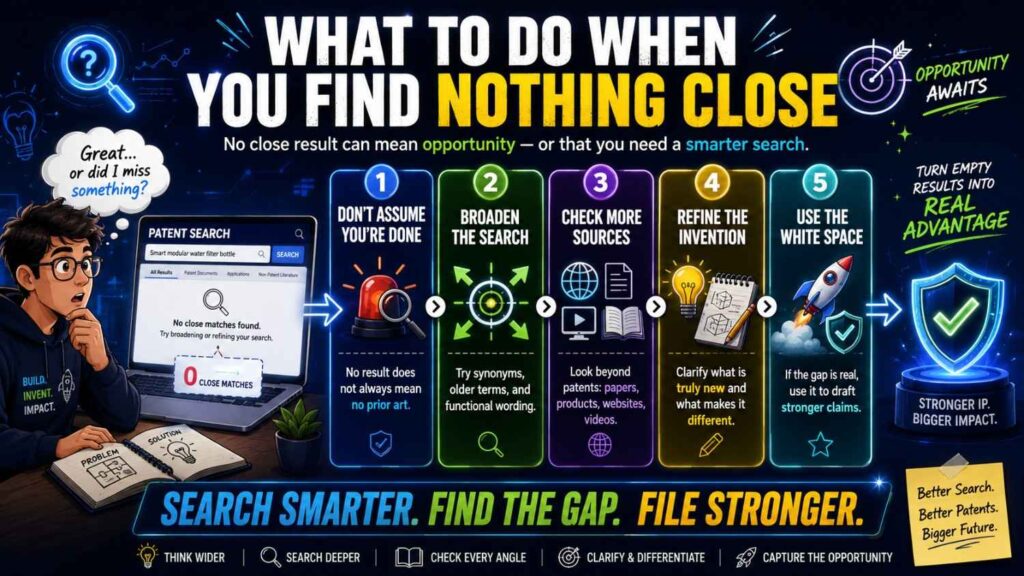
If you search well and find nothing close, that is encouraging.
But stay humble.
A clean search does not guarantee a patent. It means your first search did not find close patent documents. There may still be non-patent prior art. There may be foreign documents you missed. There may be documents using terms you did not try. The patent office may find something else.
Still, a clean search is useful.
It can help you move faster. It can help you decide to file. It can help you focus your draft on the technical story without overreacting to weak art.
Save your search log. Save the terms. Save the classes. Save the close-but-not-too-close documents.
Then talk to your patent team.
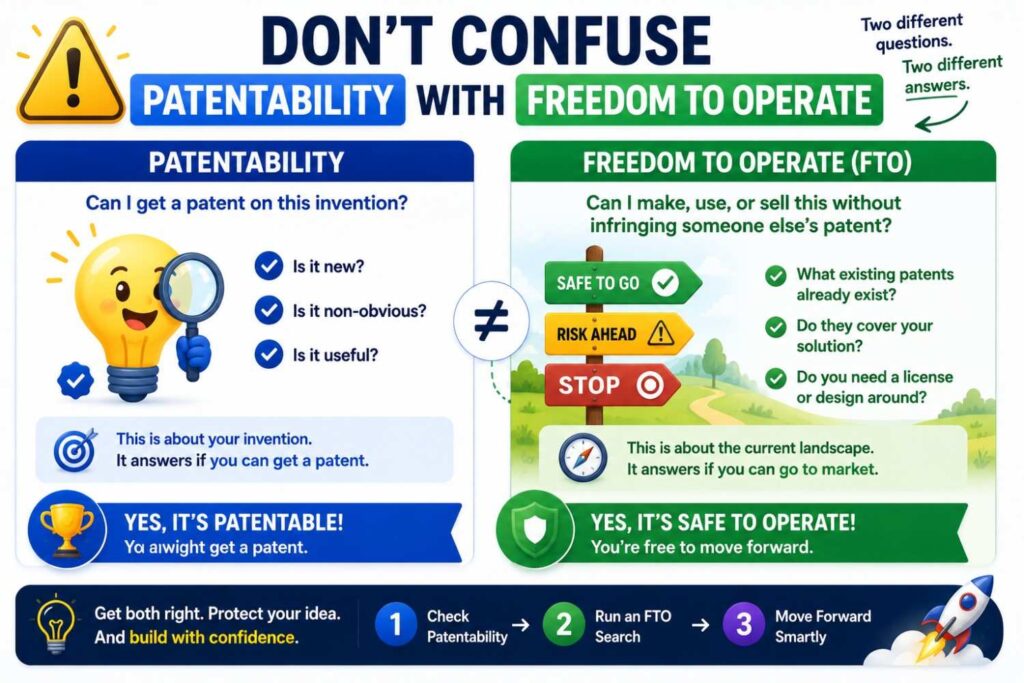
Do not confuse patentability with freedom to operate
This is a key point.
A prior art search asks: can we get a patent on this invention?
A freedom-to-operate search asks: can we make and sell this product without stepping on someone else’s active patent rights?
These are related, but not the same.
A patent document can be prior art even if it is expired. An expired patent may stop you from patenting the same thing, but it may not stop you from using it.
An active patent may not describe your exact invention in a way that blocks your patent, but its claims may still create risk for your product.
Espacenet can help with both types of search, but the analysis is different.
For founders, the simple takeaway is this: finding prior art is not the same as getting legal clearance to launch.
If you are near launch, fundraising, enterprise sales, acquisition talks, or a major product release, get legal help.
How Espacenet fits with Google Patents and other tools
Espacenet is one strong tool. It should not be your only tool.
Google Patents is often easier for quick keyword search. WIPO PATENTSCOPE is useful for PCT applications. National patent office sites can provide deeper local records. Academic search tools can help with papers. Product search and web search can find non-patent disclosures.
Espacenet is especially useful for global patent family views, classification browsing, machine translation, and European patent data.
A good search may use several tools.
Start where you are comfortable. Then cross-check.
If you find a key result in Google Patents, open it in Espacenet to inspect the family and classification. If you find a family in Espacenet, search the title in other tools. If you find a PCT document, check WIPO. If you find a product claim, search web pages and manuals.
Prior art can hide in many places.
The point is not to use every tool perfectly. The point is to avoid relying on one narrow view.
A practical Espacenet workflow for founders
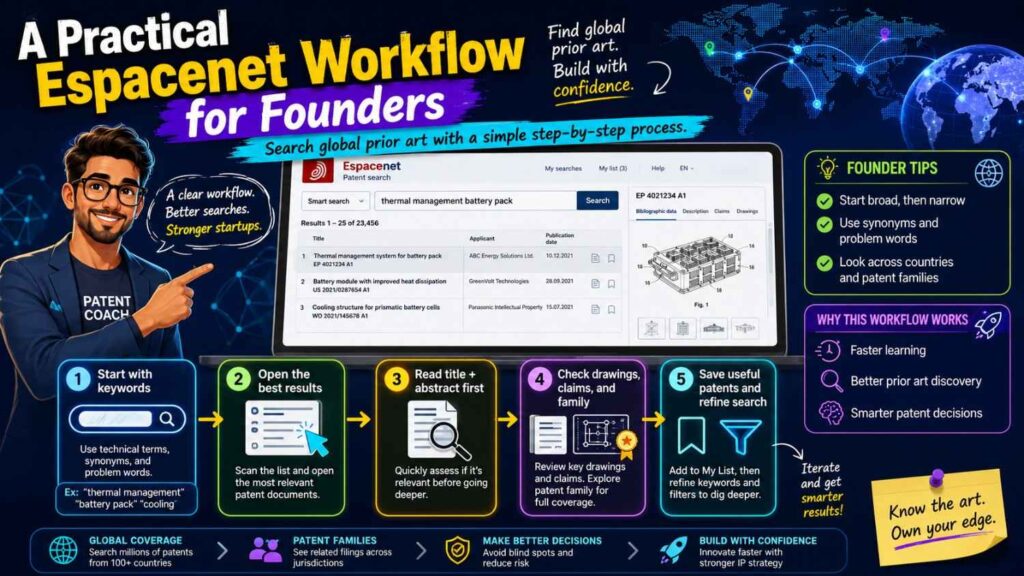
Here is a simple workflow you can use.
Start by writing your invention in one plain paragraph. Then write the key parts: problem, inputs, steps, outputs, and technical improvement.
Build a word bank from those parts.
Run broad keyword searches in Espacenet. Open the most relevant results. Save close documents.
Read titles, abstracts, drawings, and claims. Do not get lost in every detail yet.
Collect better words from the documents you find.
Collect CPC and IPC codes from close results.
Search those classes with your best keywords.
Search competitor names, inventor names, and known companies.
Use citations from close patents to move backward and forward.
Open patent families for close results and check priority dates.
Use translation for foreign documents, but flag close ones for deeper review.
Create a plain-English comparison for each close result.
Then use the search to improve your invention disclosure.
This workflow is simple, but it works.
It turns Espacenet from a giant database into a guided map.
How to write better search queries
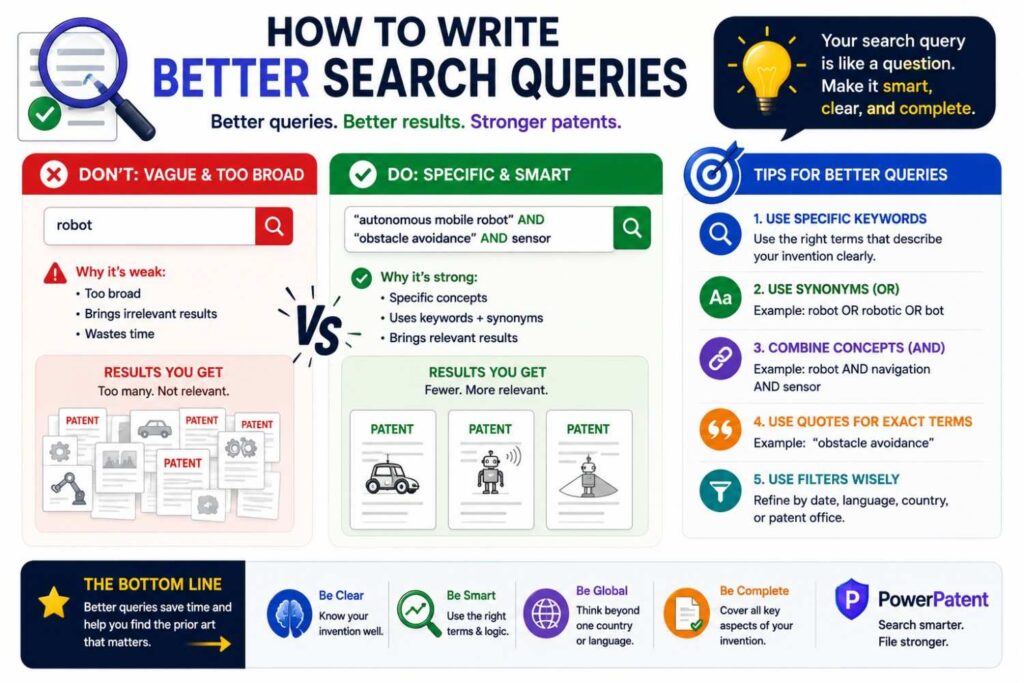
Good queries are short, clear, and flexible.
Do not paste a whole invention paragraph into the search box. That often fails.
Use two to five strong words.
Pair a broad word with a narrow word.
For example, “sensor calibration robot,” “battery path planning,” “anomaly detection log,” “transaction graph fraud,” “image compression edge device,” or “model update user feedback.”
Try different pairings.
Search the problem: “duplicate ticket detection.”
Search the method: “semantic clustering support request.”
Search the output: “structured defect report.”
Search the improvement: “reduce triage time software incident.”
Search the data source: “runtime log support ticket.”
Search the decision: “assign owner software defect.”
Each query gives a different angle.
If you find one close document, borrow its words. Patent search is full of borrowed language. The best terms often come from the patents you find, not from your first guess.
How to search AI inventions in Espacenet
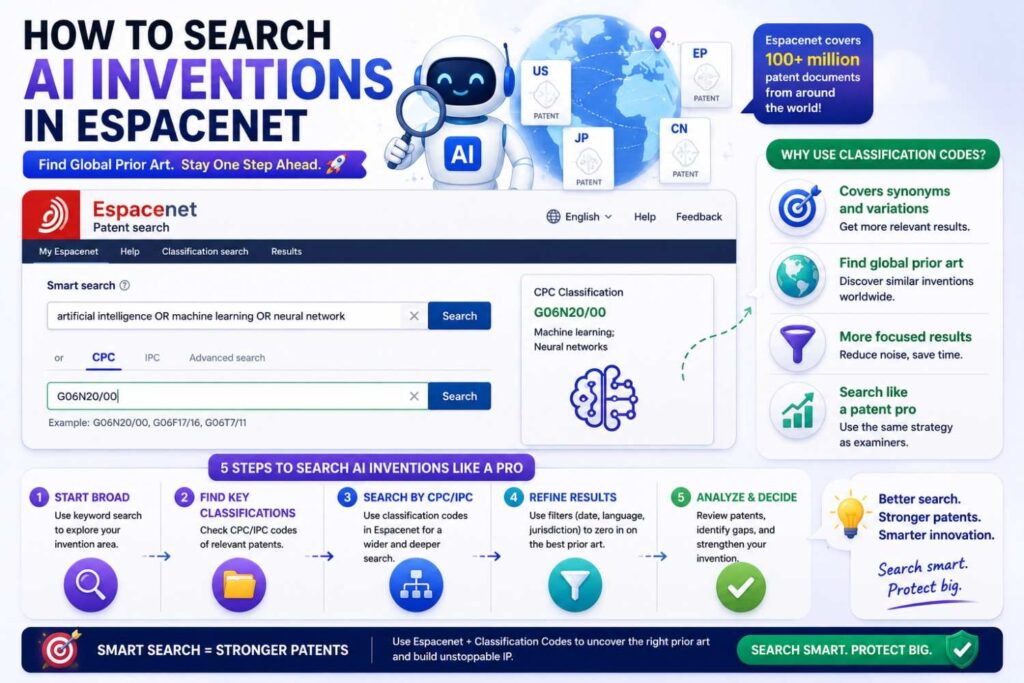
AI patent search is tricky because the same AI method can appear in many fields.
Do not search only “artificial intelligence.” That is too broad.
Search the task, the data, the model role, and the technical result.
For an AI diagnostic tool, search terms around signals, images, biomarkers, classification, risk score, alert, model training, confidence, and clinician review.
For an AI coding tool, search source code, repository, commit, bug, test generation, static analysis, code suggestion, developer workflow, and issue tracking.
For an AI robotics system, search perception, object detection, path planning, control, sensor fusion, grasping, obstacle avoidance, and real-time feedback.
For an AI drug discovery system, search molecule, protein, binding, property prediction, generative model, screening, candidate ranking, and assay feedback.
Then look for what is technically special.
Is it the training data?
Is it how the model is updated?
Is it how the model output controls a machine?
Is it how the system handles low confidence?
Is it how human feedback changes later results?
Is it how the model runs under memory, speed, privacy, or safety limits?
Those are the kinds of details that can make the patent story stronger.
How to search software inventions in Espacenet
Software search is not just about app features.
You need to search how the software works.
Look for data structures, workflows, network steps, security checks, user state changes, system events, timing, and error handling.
Suppose your invention is a new way to sync data across devices. Do not search only “sync app.” Search conflict resolution, version vector, distributed database, offline update, merge rule, device state, encryption key, and latency.
Suppose your invention is a developer tool. Search source code analysis, build pipeline, test selection, dependency graph, code review, commit ranking, and error trace.
Suppose your invention is a privacy tool. Search data masking, tokenization, access control, secure enclave, audit log, permission rule, and policy engine.
Software patents often live in the details.
The words “platform,” “dashboard,” and “AI” are usually not enough.
Search the engine under the product.
How to search hardware inventions in Espacenet
Hardware search often starts with the physical parts.
Search the device name, component names, materials, sensor types, positions, shapes, connections, movement, cooling, power, assembly, and control method.
Drawings matter a lot for hardware.
When you find a close hardware patent, compare the figures carefully. Look at how parts connect. Look at where sensors sit. Look at how fluid, heat, force, light, or signals move. Look at the order of assembly.
A small physical difference can matter if it solves a real problem.
For example, a new sensor placement may reduce noise. A new housing shape may improve airflow. A new hinge may reduce wear. A new battery layout may improve balance. A new optical path may reduce distortion.
Search both the part and the effect.
Do not only search “drone battery.” Search “drone battery thermal management,” “unmanned aerial vehicle battery mounting,” “battery pack center of gravity,” or “airflow cooling battery housing.”
How to search biotech and chemistry inventions in Espacenet
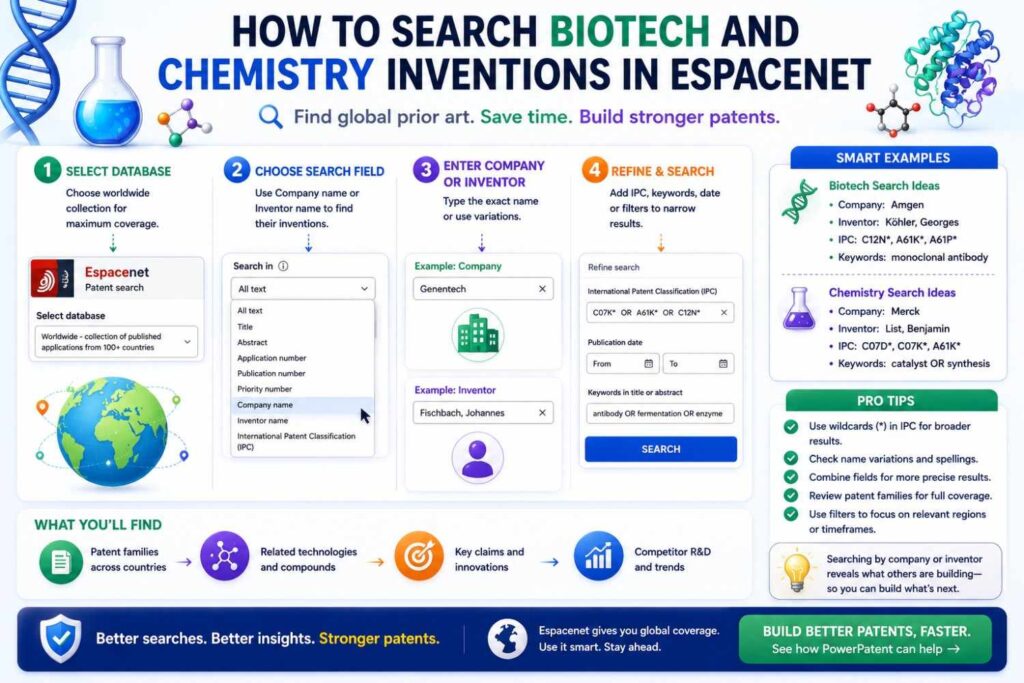
Biotech and chemistry searches can be more complex because names, sequences, formulas, and structures matter.
Search by compound names, target names, disease terms, assay terms, delivery methods, formulation parts, dosage forms, biomarkers, and mechanisms.
For biotech, also search related biological terms, pathways, variants, cell types, proteins, antibodies, nucleic acids, and expression systems.
For chemistry, search synonyms, families of compounds, functional groups, uses, process steps, catalysts, solvents, and reaction conditions.
In these fields, small differences can be huge, but they can also be hard to judge.
Espacenet can help you find families and older filings, but you should involve experienced patent counsel early.
What to save from each close result
When a result looks close, save enough detail so you can find it again and explain it later.
Save the publication number. Save the title. Save the applicant. Save the inventors if useful. Save the priority date. Save the link. Save the class codes. Save your short note.
Most important, save why it is close.
Do not just write “relevant.” That will not help later.
Write: “Shows model that routes support tickets by text, but does not use runtime trace data.”
Or: “Shows robot path planning with battery constraint, but not dynamic charging station selection.”
Or: “Shows image model running on edge device, but not the compression method used before inference.”
These notes become gold when drafting.
They help your patent team focus on the real gap.
How prior art improves your patent draft
A patent draft should not be a product brochure.
It should explain the invention in enough technical detail that someone can understand how it works.
Prior art helps you decide what detail to include.
If old art already shows the broad idea, your draft must explain the improvement.
If old art lacks your data flow, include the data flow.
If old art lacks your timing rule, include the timing rule.
If old art lacks your fallback path, include the fallback path.
If old art lacks your model update process, include the update process.
If old art lacks your hardware layout, include the layout.
If old art lacks your technical result, explain the result clearly.
This is where many DIY patent attempts fail. They describe the idea at a high level and skip the technical heart.
A search can show you what not to skip.
Why attorney oversight still matters
Espacenet is free. That is great.
But free search does not mean simple legal judgment.
You may find documents and still not know how they affect your claims. You may miss a key phrase. You may misunderstand priority dates. You may overlook a family member. You may think a document is harmless because it is old or expired, even though it still matters as prior art.
You may also find scary documents that are not as bad as they look.
This is why attorney oversight matters.
A good patent attorney can help decide what the prior art means, how to draft around it, and how to frame the invention without overclaiming or underselling it.
PowerPatent is built around that idea. You get the speed and structure of smart software, plus real patent attorney review. That means you do not have to choose between moving fast and being careful. See how PowerPatent works here: https://powerpatent.com/how-it-works
Common Espacenet mistakes
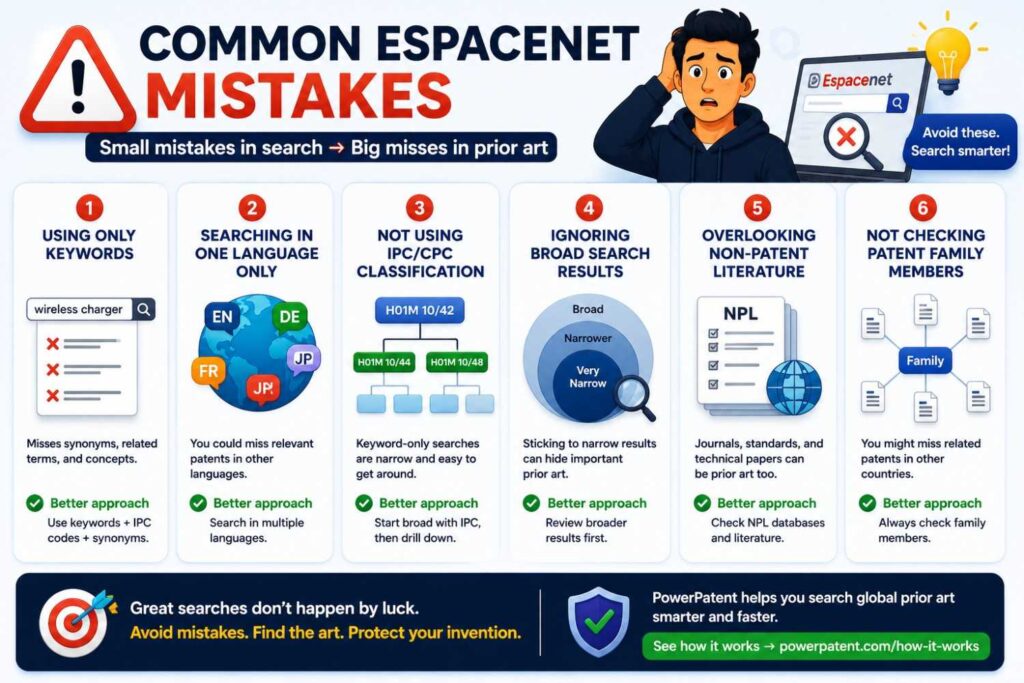
One common mistake is searching only one phrase.
Another is ignoring foreign patents.
Another is reading only titles.
Another is skipping patent families.
Another is forgetting priority dates.
Another is using only modern buzzwords.
Another is ignoring classification codes.
Another is stopping after the first page of results.
Another is treating a patent grant as the only thing that matters.
Another is assuming “not sold in the market” means “not prior art.”
The biggest mistake is using Espacenet to prove what you want to believe.
A good search is not about proving your invention is new. It is about finding the truth early enough to act.
A simple example search path
Let’s walk through a simple example.
Imagine you built a wearable device that predicts hand tremor episodes and adjusts haptic feedback before the tremor gets worse.
Start with the invention in plain words.
The device senses motion signals from the wrist and hand. It detects patterns that suggest a tremor episode is about to rise. It sends haptic feedback that helps steady the hand. It updates the feedback based on user response.
Now search the parts.
You might search “wearable tremor haptic feedback,” then “tremor prediction motion sensor,” then “hand tremor wearable stimulation,” then “adaptive haptic feedback tremor,” then “motion signal tremor episode prediction.”
Open close results. Look at drawings. Find class codes. Search those class codes with “haptic,” “tremor,” “wrist,” “prediction,” and “adaptive.”
Search companies making tremor devices. Search inventors from close patents. Search citations.
Now compare.
Maybe older art shows wearable tremor detection. Maybe another document shows haptic feedback for tremor reduction. Maybe another shows adaptive stimulation. Your key question becomes: does any document show predicting a future tremor rise and adjusting haptic feedback before it peaks using your specific sensor and control method?
That is a sharper question than “Is a tremor wearable new?”
This is how search improves thinking.
Another example: software startup
Imagine you built a system that detects risky code changes before deployment by combining code diffs, test history, incident data, and developer ownership patterns.
A weak search would be “AI code review.”
A better search looks at the real parts.
Search “code change risk prediction,” “software deployment incident prediction,” “commit risk score,” “test history code change,” “developer ownership defect prediction,” and “source code change incident correlation.”
Then open close patents and study the words.
Maybe patents use “software quality prediction,” “defect prediction,” “change request,” “version control,” or “repository mining.” Add those terms to your word bank.
Search by class. Search major developer tool companies. Search citations.
Now your patent story may become much stronger.
Instead of claiming “AI code review,” you may focus on a method that creates a deployment risk score using linked features from code diffs, test flakiness, past incidents, service ownership, and release timing, then triggers a specific review or rollout action.
That is more concrete.
Concrete is better.
Another example: climate tech startup
Imagine you built a system for managing battery storage across a group of buildings based on grid price, weather, occupancy, and battery health.
A broad search like “energy management battery” will be huge.
So split the idea.
Search “building battery energy management weather forecast,” “battery storage occupancy prediction,” “grid price battery dispatch building,” “battery health energy storage scheduling,” and “distributed building battery control.”
Then search related fields like microgrids, demand response, HVAC control, solar storage, and electric vehicle charging.
You may find many documents.
That is normal in climate tech.
Your job is to find what is specific about your control method.
Does your system balance battery aging with price? Does it coordinate many buildings? Does it reserve backup power based on weather risk? Does it learn occupancy patterns? Does it handle grid signals in real time? Does it control different battery chemistries differently?
Prior art helps you answer with precision.
Search is not the enemy of speed
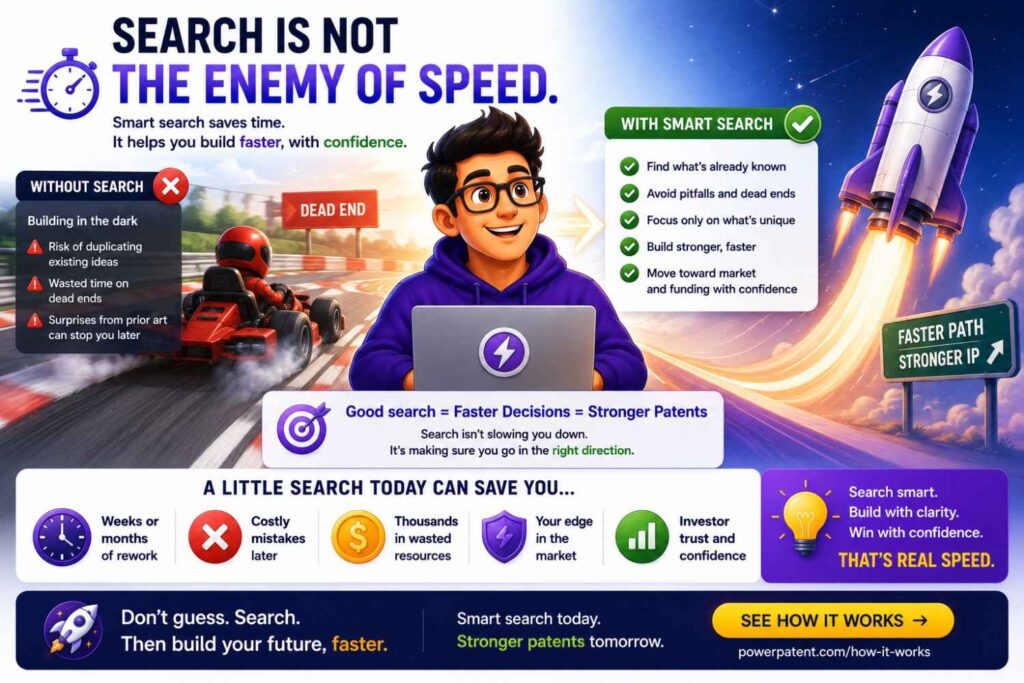
Some founders avoid prior art search because they think it will slow them down.
Bad search can slow you down.
Good search can speed you up.
It helps you avoid filing weak patents. It helps your attorney draft faster. It helps your team explain the invention better. It helps you make sharper product decisions. It helps you stop guessing.
The goal is not to spend weeks reading every patent ever written.
The goal is to find the closest known work soon enough to make smart choices.
For many teams, even a focused first pass can reveal the key landscape.
Then PowerPatent can help turn that insight into a cleaner filing path. Learn more here: https://powerpatent.com/how-it-works
How to involve your engineering team
Engineers should be part of the search.
They know the real invention. They know which parts were hard. They know what failed before the final design worked. They know the tradeoffs.
Ask engineers to review close patents and mark what is same or different.
Do not ask them, “Is this legally okay?” That is not their job.
Ask better questions.
Does this use the same inputs?
Does this follow the same steps?
Does this solve the same technical problem?
Does this use the same architecture?
Does this produce the same output?
What does our system do that this one does not?
What would break if we removed our special step?
Those answers help the patent team.
They also help engineers see the invention more clearly.
How to involve founders and product leaders
Founders and product leaders should help frame the value.
They can explain why the technical difference matters to customers.
Maybe it cuts setup time. Maybe it reduces false alerts. Maybe it works with less data. Maybe it avoids manual review. Maybe it runs faster. Maybe it protects privacy. Maybe it improves uptime. Maybe it lowers cost.
Patent work should not be pure marketing, but the real-world benefit matters.
A good invention story connects technical steps to useful results.
Espacenet helps identify the old technical steps. Your team helps explain the new result.
Together, that becomes stronger material.
When to stop searching and start filing
Search can become endless.
There is always one more query. One more class. One more citation. One more country. One more competitor.
At some point, you need to act.
You should move toward filing when you have searched the main terms, reviewed close results, checked key classes, looked at main competitors, and written clear differences.
You do not need perfect certainty.
Patent work never has perfect certainty.
You need enough knowledge to file smart.
If your invention is important and you are close to disclosure, do not wait for a perfect search. Get professional help and file before public release when needed.
Speed matters. But smart speed matters more.
How PowerPatent helps after an Espacenet search
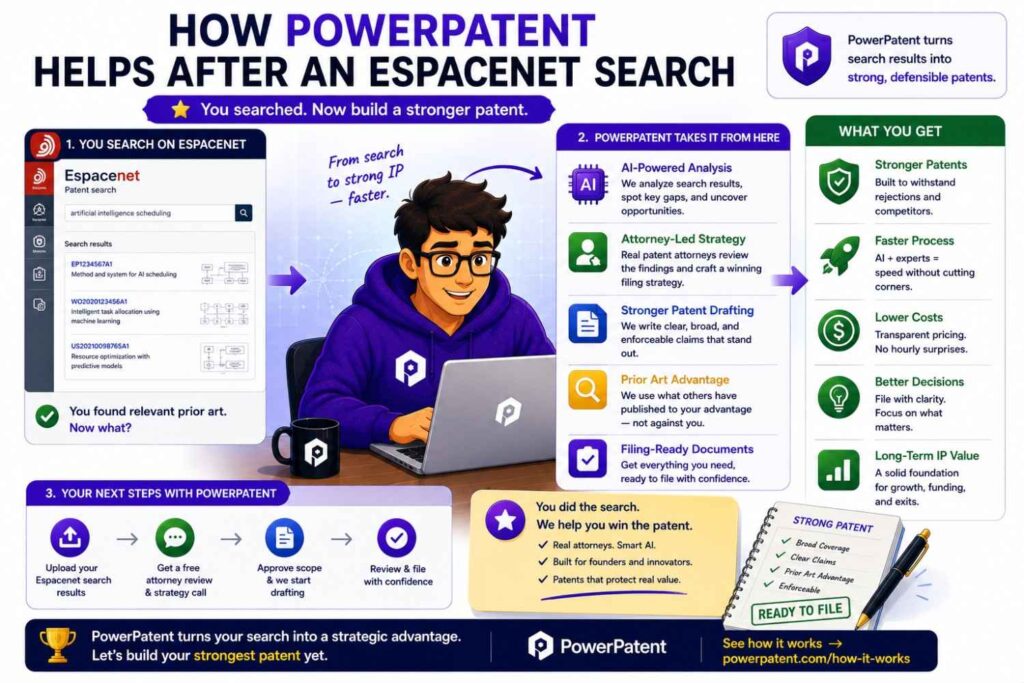
Espacenet helps you find documents.
PowerPatent helps you turn invention knowledge into patent action.
That difference matters.
A founder may finish an Espacenet search with ten close patents, three confusing foreign documents, a messy set of notes, and a stronger sense of what is new. That is valuable, but it is not yet a filing.
You still need to capture the invention clearly. You need to explain the technical details. You need to decide what to claim. You need attorney review. You need a process that does not drag for months.
PowerPatent is built for that step.
It helps technical teams organize invention details, work through the right questions, and move toward a stronger patent filing with real patent attorney oversight.
That is the sweet spot: software speed plus human judgment.
For a founder, that means less confusion, fewer delays, and more control.
For engineers, it means the patent process feels closer to how they already think: systems, steps, data, edge cases, and results.
For the company, it means a better chance of turning hard technical work into real protection.
Turn search notes into a business asset
An Espacenet search should not end as a folder of links.
For a business, the real value comes from turning those links into a clear view of the market. You want to know where your idea fits, who else is working nearby, what parts of the field are crowded, and where your team may have a real edge.
PowerPatent helps make that shift.
Instead of treating prior art as a one-time task, your team can use it as part of a broader patent plan. The search results can show which features are common, which technical paths are overused, and which parts of your product may deserve stronger protection.
This is useful for more than filing.
It can help with product planning, investor updates, board talks, partner deals, and acquisition prep. A company that can explain its invention clearly, show how it differs from older work, and point to a smart filing plan looks more prepared than a company that only says, “We have IP.”
A strong patent story is not just about owning papers. It is about showing that your team knows what it built and why it matters.
Build an invention map before you file
After an Espacenet search, one smart move is to build an invention map.
This is a simple view of your product broken into parts. You mark which parts are already known, which parts are improved, and which parts may be new enough to protect.
For example, a startup may have a core model, a data pipeline, a ranking method, a user review loop, and a deployment system. The search may show that the broad model is common, but the review loop and deployment system are different.
That changes the filing plan.
Instead of trying to protect the whole product in a vague way, the team can focus on the pieces that make the product hard to copy.
PowerPatent helps teams capture those details in a cleaner way. The goal is not to bury the attorney in random notes. The goal is to show the real invention shape: what the system takes in, what it does, what comes out, what changes over time, and what problem gets solved better than before.
For businesses, this is a big deal. It helps avoid weak filings that sound broad but do not protect much. It also helps avoid narrow filings that miss the best part of the invention.
Decide what to file now and what to save for later
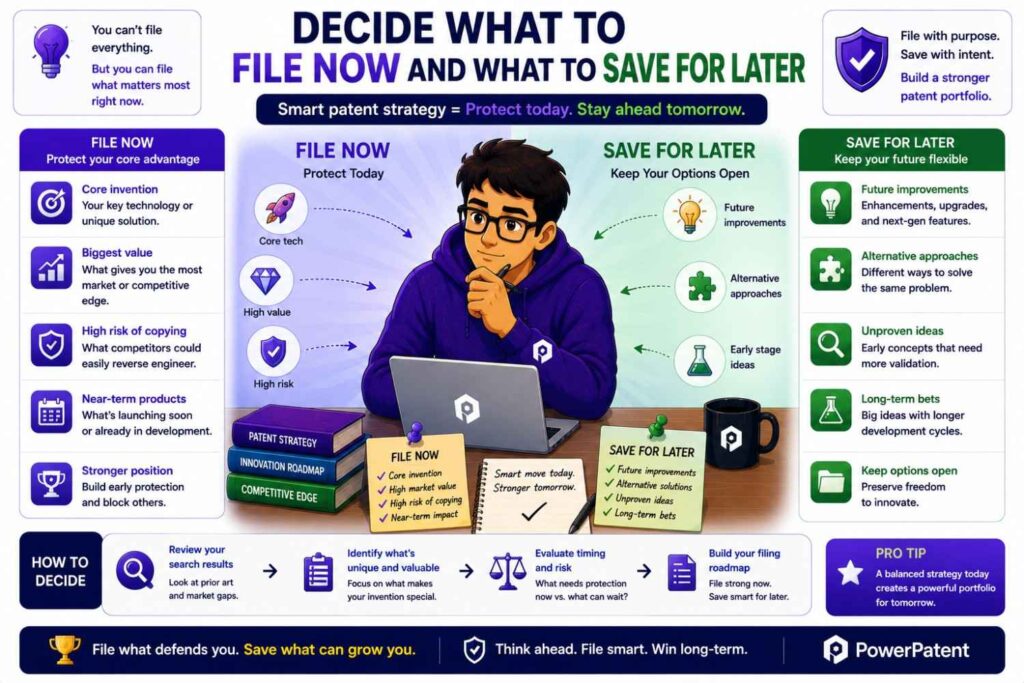
Not every idea should be filed at the same time.
After a search, your team may see that one part of the product is ready for filing, while another part is still changing each week. PowerPatent can help bring order to that decision.
A useful business move is to sort inventions into three groups.
The first group is ready now. These are features that are built, tested, and important to the company’s edge.
The second group needs more detail. These may be promising ideas, but the team still needs examples, diagrams, test results, or clearer technical steps.
The third group should be watched. These may be early ideas that could become valuable later, but filing today may be too soon.
This kind of sorting helps startups use patent budget wisely. It also helps leaders avoid the two common extremes: filing everything too early or waiting until it is too late.
With PowerPatent, teams can move faster because invention details are captured in a structured way. When an idea is ready, it does not have to start from a blank page.
Connect patents to company goals
A patent filing should support the business.
That sounds simple, but many companies miss it. They file patents without asking how the filings support revenue, funding, partnerships, or long-term defensibility.
After an Espacenet search, business leaders should ask a few plain questions.
Which invention protects the part of the product customers care about most?
Which invention makes the product hard for a larger competitor to copy?
Which invention supports the next fundraise?
Which invention may matter in a partner deal or future sale?
Which invention covers the technical roadmap, not just the current demo?
PowerPatent can help teams move from “we found some prior art” to “we know what we should protect and why.” That is the strategic jump.
For a young company, patent work should not feel like paperwork on the side. It should support the plan for growth.
Help attorneys move faster with better inputs
A patent attorney can do much better work when the input is clear.
A messy Espacenet search creates friction. A clean invention packet creates speed.
After your search, gather the closest documents, your notes on what they show, your technical diagrams, and your plain-English difference points. Then use PowerPatent to organize the invention around the facts that matter.
This can help reduce back-and-forth. It can also help the attorney spot the strongest claim angles earlier.
For a business, this matters because time is costly. Slow patent work can delay fundraising materials, product launches, public announcements, and partner talks. A cleaner process helps protect momentum.
The best patent process does not pull engineers away from building for weeks. It gets the right details from them in a focused way, then lets them get back to work.
Protect the roadmap, not just the first version
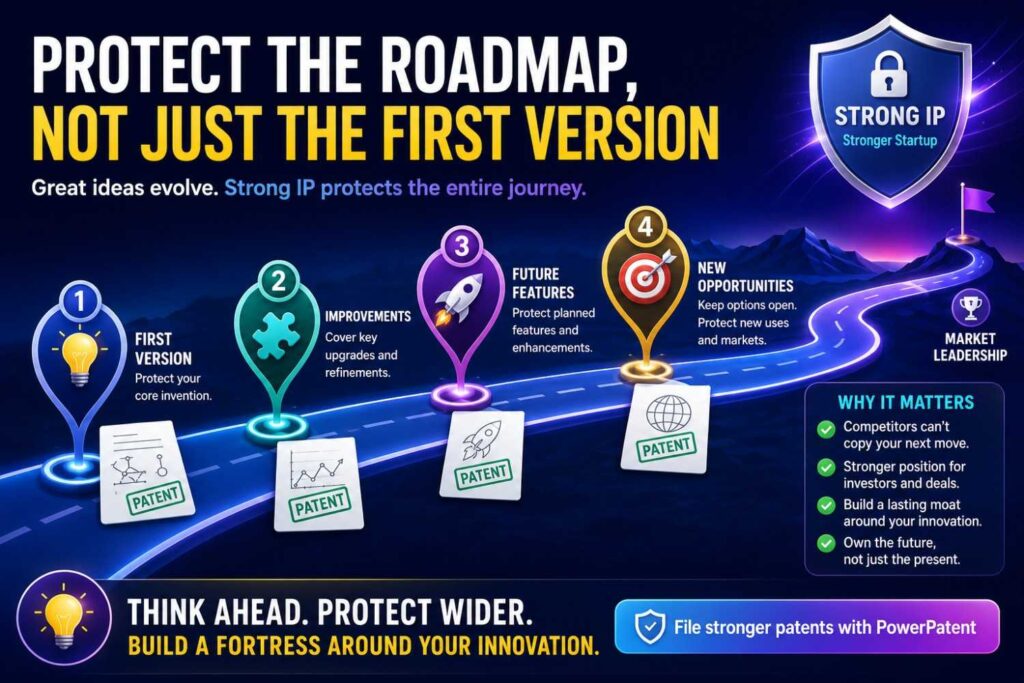
Your first product version is rarely the full invention story.
The best protection often looks ahead.
After an Espacenet search, you may see where the field is going. You may notice that competitors are filing around certain workflows, hardware setups, model updates, or data sources. That can help you think about your own roadmap more clearly.
PowerPatent can help teams capture not only what exists today, but also the planned variants that are already technically real.
For example, your current system may use one data source, but your roadmap includes three. Your first model may run in the cloud, but your next version may run on-device. Your first customer workflow may be manual, but your next release may automate the review step.
If those future paths are part of the real invention, they should be discussed early with your patent team.
This does not mean guessing wildly. It means protecting the natural next steps that your team already understands.
That can make a patent filing more useful as the company grows.
Create an IP rhythm inside the company
One search before one filing is helpful.
A repeatable IP rhythm is better.
Fast-moving companies create new ideas all the time. Engineers solve hard problems in sprints. Product teams test new workflows. Data teams improve models. Hardware teams fix small issues that make a big performance difference.
Many of those ideas disappear into tickets, Slack threads, code commits, and design docs.
PowerPatent helps businesses create a habit of capturing inventions before they get lost.
A simple rhythm can work well. Once a month, review major technical wins. Ask what changed, what was hard, what is now faster or safer, and what competitors would want to copy. Then decide which ideas deserve deeper review.
This turns patents from a last-minute scramble into a normal part of building.
It also helps leaders avoid the painful moment when they realize the company disclosed an important feature months ago and never filed.
Use prior art to sharpen your moat
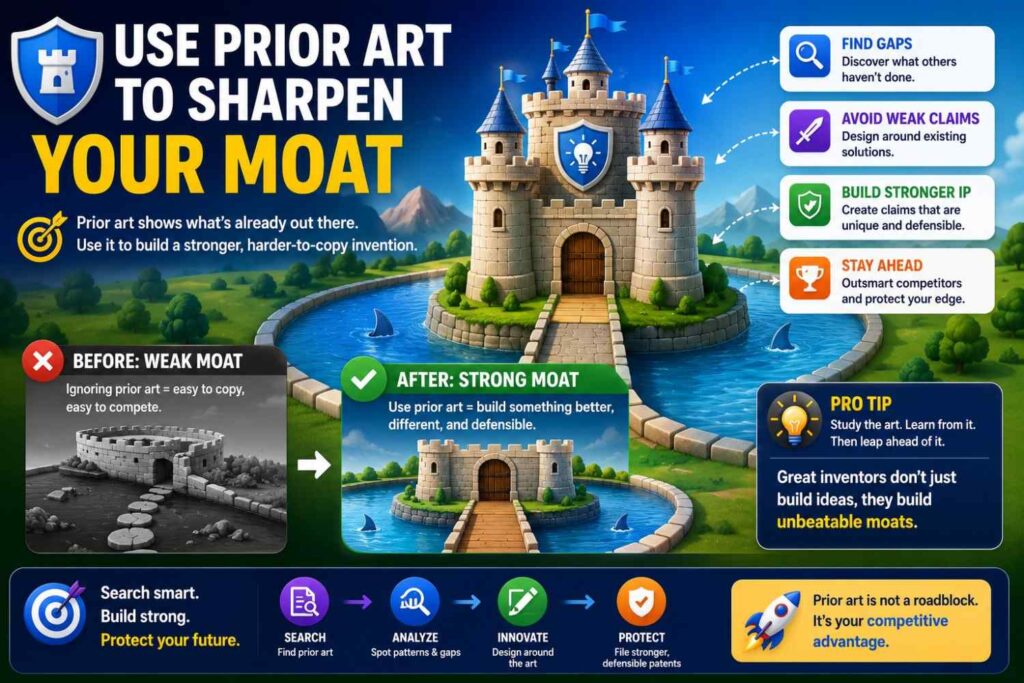
A moat is not just a buzzword. It is the reason your company is hard to beat.
Prior art search helps you see whether your moat is real.
If Espacenet shows that many companies have already described the broad idea, your moat may not be the category. It may be your data, your workflow, your system timing, your model update path, your hardware layout, your customer feedback loop, or your deployment method.
PowerPatent helps pull those details forward.
This is helpful for business leaders because it turns vague claims into sharper claims.
Instead of saying, “We use AI to automate claims review,” you may be able to say, “Our system links claim text, policy rules, past adjuster actions, and live exception handling in a way that cuts review time while keeping a human approval gate.”
That is clearer. It is more credible. It gives your patent team better material. It gives investors a stronger reason to believe your advantage can last.
Make patent decisions before public moments
Big public moments create patent risk.
A launch, demo day, customer rollout, conference talk, research paper, open-source release, grant pitch, or sales deck can all reveal details. Once details are public, patent options can become harder, especially outside the United States.
After an Espacenet search, PowerPatent can help teams prepare before those moments.
The practical move is simple: before any major public reveal, ask whether the feature includes a technical method that competitors would want to copy. If yes, capture it and review it before disclosure.
This is not about slowing the business down. It is about making sure speed does not create avoidable loss.
The best time to protect an invention is often right before the world hears about it.
Give investors a cleaner IP story
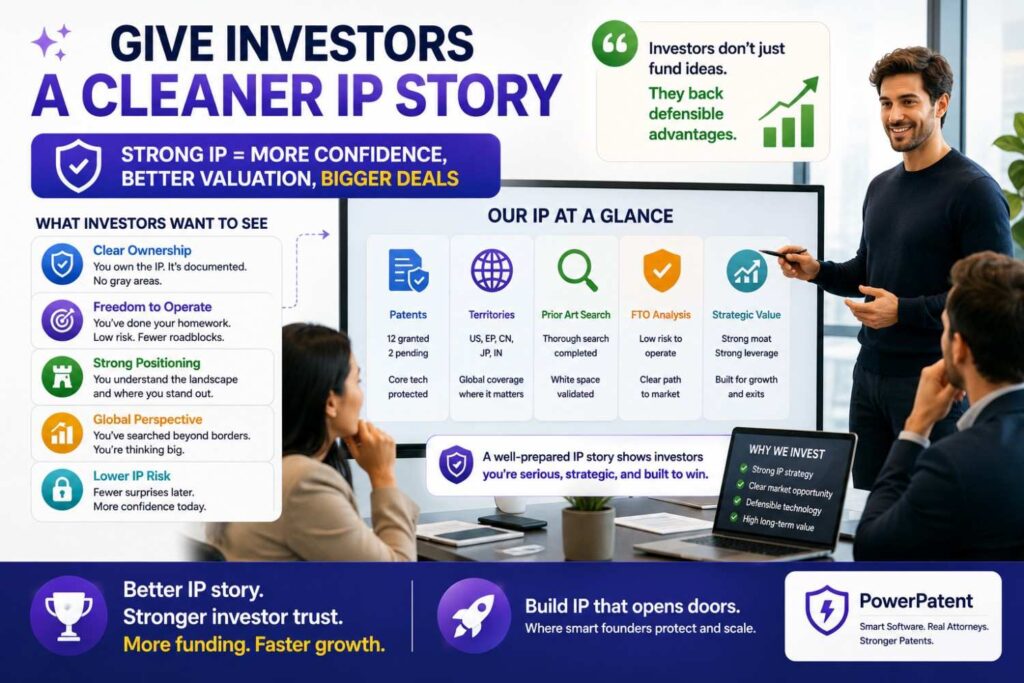
Investors do not want a pile of patent numbers with no meaning.
They want to know what the company owns, why it matters, and how it supports the business.
An Espacenet search gives useful context. PowerPatent helps turn that context into a cleaner story.
A strong investor-facing IP story may explain the core invention areas, the prior art landscape, the technical gaps your team found, the filings planned or already underway, and how those filings support the product roadmap.
This does not need to be long. It needs to be clear.
For example: “We found older work around generic ticket routing. Our filings focus on the way our system links runtime traces, code changes, and user messages to create developer-ready issue reports. That is the part customers rely on and the part we believe is hardest to copy.”
That is far more useful than saying, “We are patent pending.”
PowerPatent helps companies get to that level of clarity faster.
Turn confusion into a filing plan
Espacenet can leave founders with mixed feelings.
You may find old patents that look close. You may find documents in other languages. You may find huge companies filing near your space. You may find nothing close and wonder if you searched well enough.
PowerPatent helps turn that uncertainty into a plan.
The next step is not panic. The next step is structure.
Capture the invention. Mark the closest prior art. Explain the differences. Add diagrams. Add examples. Show the business value. Then work with attorney oversight to decide the best filing path.
That path may be a first filing on the core system. It may be a set of filings over time. It may be a narrower filing focused on the strongest technical improvement. It may be a decision to collect more data before filing a second idea.
The point is to make a smart move, not a rushed one.
Make the patent process easier for technical teams
Many engineers dislike patent work because it feels vague and slow.
PowerPatent makes the process feel more natural.
Instead of asking engineers to speak in legal terms, the process can focus on how the system works. What are the inputs? What are the steps? What breaks in older systems? What did the team try first? What finally worked? What is the technical result?
Those are questions engineers can answer.
This matters for businesses because the best invention details often live with the people building the product. If the process is painful, those details stay hidden. If the process is simple, the company gets better patent material.
A good patent starts with clear technical truth.
Move from search to action
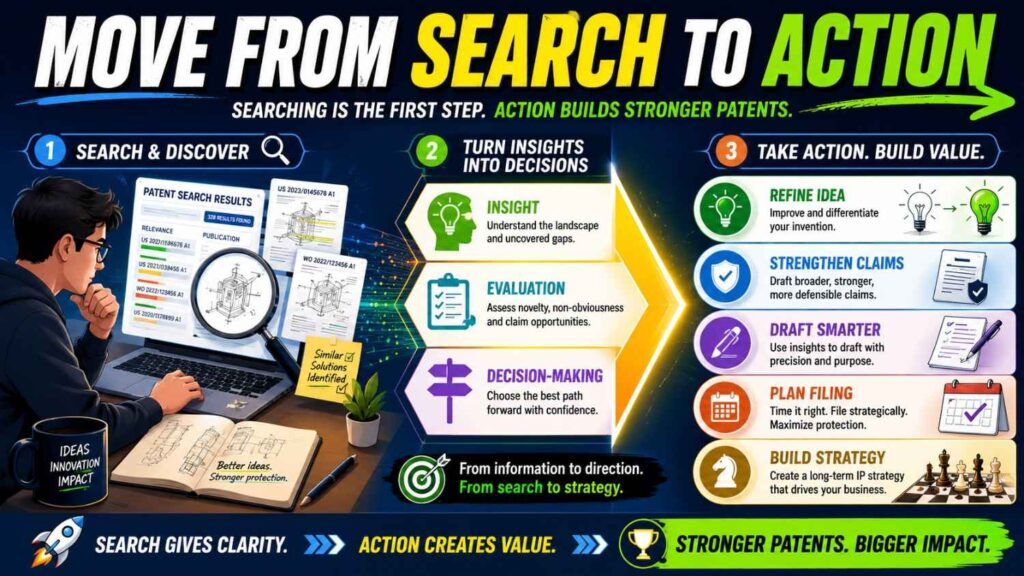
The main lesson is this: do not let an Espacenet search sit unused.
Search results are raw material. They need to become decisions.
Use them to decide what to protect, what to improve, what to watch, and what to discuss with counsel. Use them to make the invention clearer. Use them to build a stronger business story. Use them to prepare before launch, funding, or partner talks.
PowerPatent helps with that next step.
It gives startups a way to move from scattered search notes to a real patent workflow, backed by smart software and real attorney oversight.
For a growing company, that can mean faster filings, sharper protection, and fewer missed chances.
See how PowerPatent works here: https://powerpatent.com/how-it-works
A simple way to explain your search to your patent team
When you share your Espacenet search with a patent team, keep it clear.
Do not send a pile of links with no notes.
Send the invention summary, your search terms, the closest documents, and your plain-English comparison.
For each close result, explain what it shows and what your system does differently.
This makes the attorney’s job easier. It can also reduce back-and-forth.
Good inputs lead to better patents.
A patent attorney is not inside your product. They need your technical truth. The clearer you are, the better they can help.
The mindset that makes search work
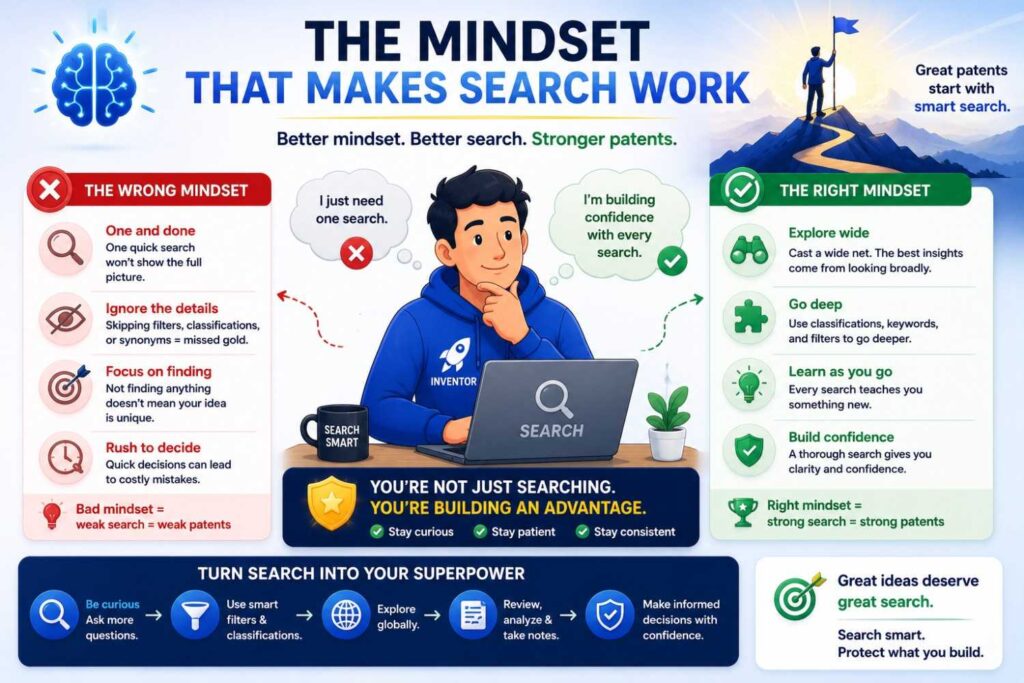
The best search mindset is curious, not defensive.
Do not be afraid to find similar work.
Similar work does not mean you failed. It means you are building in a real field. It means other smart people saw a real problem. It means there may be value.
Your job is to find your edge.
What did you solve that others did not?
What is your cleaner path?
What technical step makes the system work?
What tradeoff did you handle better?
What new data source, control loop, architecture, or workflow changes the result?
That is the heart of patent strategy.
Espacenet helps you see the field. PowerPatent helps you act on what you learn.
Final thoughts
Espacenet is one of the best free tools for finding global patent prior art.
It can help you search across countries, study patent families, translate foreign documents, inspect classifications, and learn what others have already filed.
But the tool is only as good as your process.
Do not search one phrase and stop. Do not read only titles. Do not ignore classes, families, dates, foreign documents, or citations. Do not treat “no results” as proof.
Start with the invention. Build a word bank. Search broad and narrow. Study close results. Compare them in plain words. Use what you find to make your patent stronger.
Most of all, do not let prior art search scare you away from protecting your work.
For founders, the goal is not to become a patent expert. The goal is to make better moves, faster.
If you are building something technical, valuable, and hard to copy, now is the right time to get serious about protection.
PowerPatent helps you turn your invention into a stronger patent filing with smart software and real attorney oversight, without the old-school headache.
See how it works here: https://powerpatent.com/how-it-works
Leave a Reply