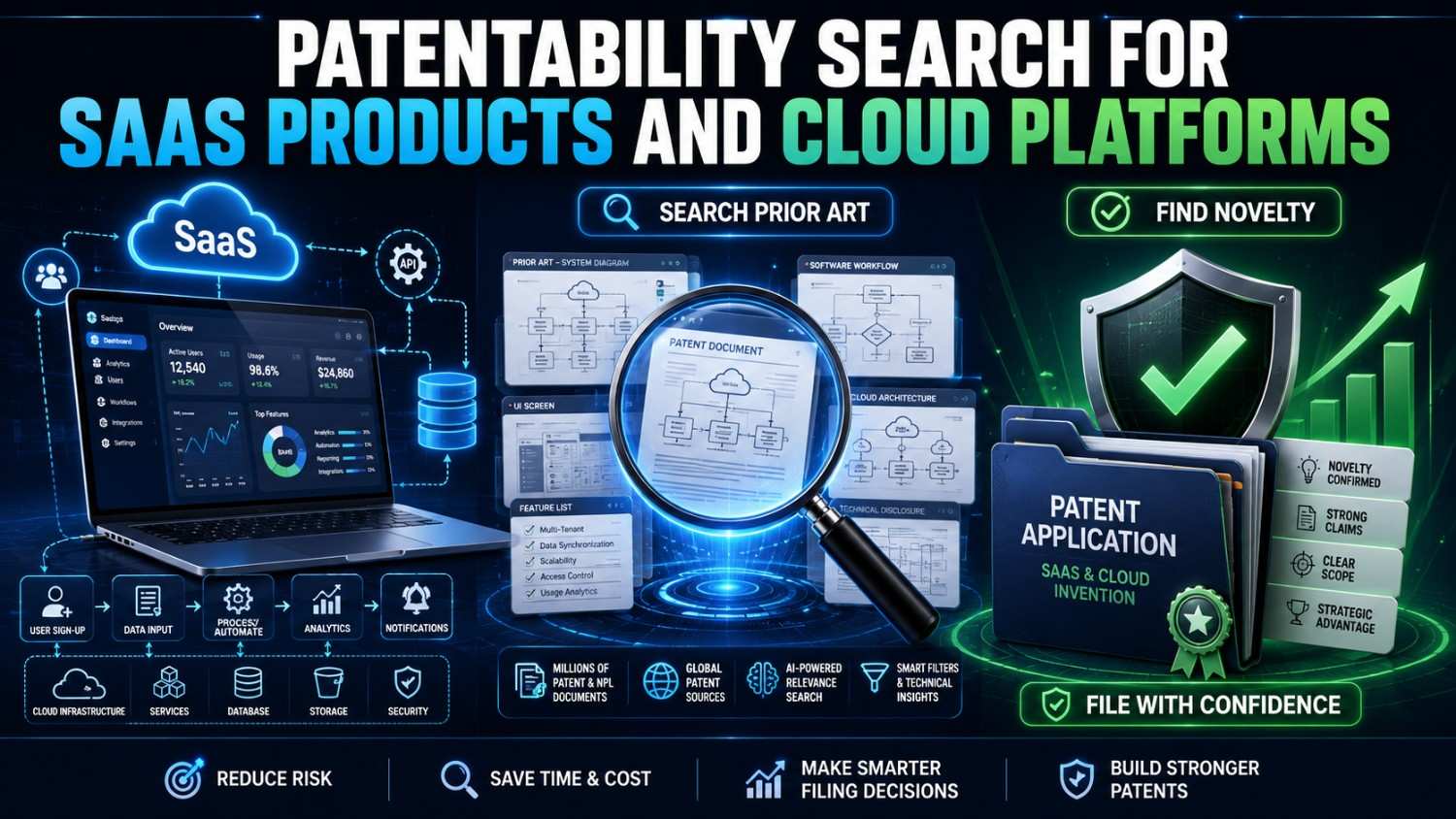
SaaS products move fast. Cloud platforms change every week.
But if your team has built something technically new, you should not wait until after launch to think about patents. A patentability search helps you find what came before, see where your real edge may be, and decide whether a filing makes sense.
PowerPatent helps SaaS founders, cloud teams, engineers, and inventors turn product workflows, platform architecture, AI features, code-level ideas, and technical breakthroughs into stronger patent filings with smart software and real patent attorney oversight. See how PowerPatent works here.
What a Patentability Search Means for SaaS and Cloud Products
A patentability search is a search for earlier public information that may be close to your invention.
That earlier information is called prior art.
For SaaS and cloud platforms, prior art can show up in many places. It may be a patent. It may be a published patent application. It may be a developer doc. It may be an API guide. It may be a product page. It may be a GitHub repo. It may be a technical blog. It may be a cloud architecture paper. It may be a security standard. It may be a conference talk. It may be a help center article. It may be a changelog. It may be a public demo video. It may be a white paper.
This is why SaaS patent searching is different from searching for a simple mechanical part.
The invention may not be visible on the screen.
It may be in how data moves.
It may be in how users are grouped.
It may be in how permissions are enforced.
It may be in how a workflow is triggered.
It may be in how events are ranked.
It may be in how AI output is checked.
It may be in how cloud resources are scaled.
It may be in how tenant data is isolated.
It may be in how a platform recovers from failure.
It may be in how logs are linked to user action.
It may be in how a customer-specific model is updated without exposing private data.
A patentability search helps you find out whether that technical idea is actually new enough to explore for patent protection.
It also helps you avoid filing on the wrong thing.
That matters because many SaaS products have the same surface story. Lots of platforms “automate workflows,” “use AI,” “sync data,” “manage tasks,” “track risk,” “route alerts,” or “improve collaboration.”
The patentable part is usually deeper.
Why SaaS Patent Searches Are Hard
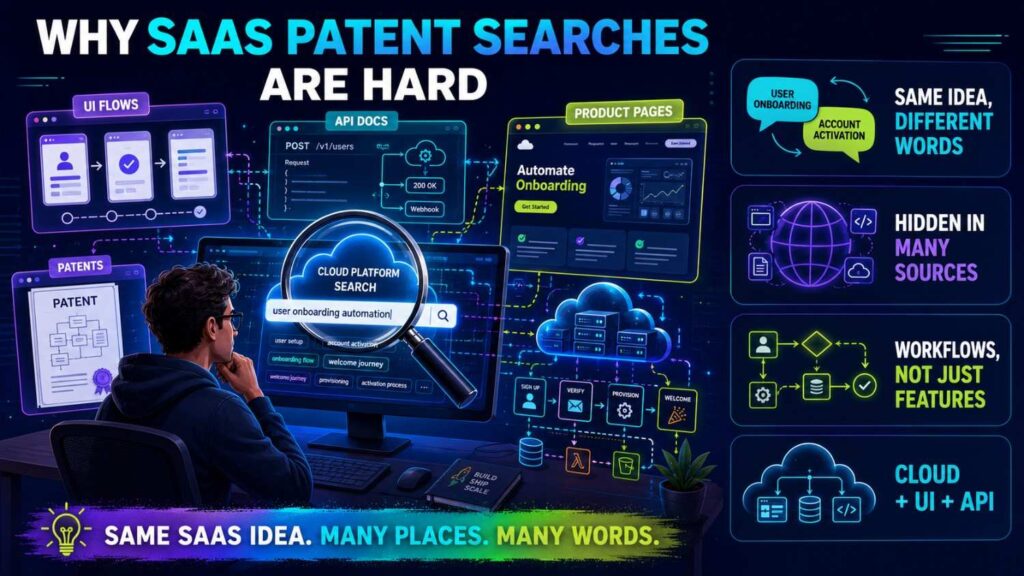
SaaS products are often built from familiar parts.
A database. A dashboard. A workflow engine. A rules system. An API. A queue. A user role system. A notification service. A model. A billing system. A cloud function. A permission layer. A log store. A report builder.
Those parts by themselves may be ordinary.
The invention may be the way they work together.
For example, your product may not be patentable just because it has a dashboard. But it may have a new way to group alerts by root cause before showing them, reducing duplicate warnings and saving review time.
Your product may not be patentable just because it uses an API. But it may have a new way to detect field-level data drift between connected SaaS systems and repair mismatched records without exposing private tenant data.
Your product may not be patentable just because it uses AI. But it may have a new way to verify AI-generated workflow actions against policy rules before the action is allowed.
Your product may not be patentable just because it runs in the cloud. But it may have a new way to scale compute based on risk level, customer priority, and predicted event load.
The hard part is finding the real technical move.
That is why a patentability search for SaaS should start inside the product.
Not with the tagline.
Not with the homepage.
Not with the category.
With the architecture.
Start With the Technical Invention, Not the SaaS Category
Most SaaS founders start too broad.
They search things like:
“AI project management.”
“Cloud compliance platform.”
“Sales automation software.”
“Customer support AI.”
“Data integration platform.”
“Security monitoring SaaS.”
“Workflow automation tool.”
These searches may show the market, but they do not show the invention.
A patentability search needs the technical idea.
A better invention statement sounds like this:
“Our invention detects broken data syncs between SaaS tools by comparing field-level change histories and replaying only the missing changes that pass a tenant-specific validation rule.”
Or:
“Our invention reduces cloud cost by grouping low-risk customer tasks into shared compute batches while routing high-risk tasks to isolated execution environments.”
Or:
“Our invention checks AI-generated workflow actions against customer policy rules, permission scope, and source data before allowing the action to run.”
Or:
“Our invention predicts support escalation risk by combining ticket text, product usage events, account health changes, and prior resolution patterns.”
Or:
“Our invention manages multi-tenant permissions by creating a temporary action token that expires when the underlying customer data state changes.”
These statements are searchable.
They name the method.
They show the technical path.
They give your patent team something real to work with.
PowerPatent helps founders and engineers turn product notes, code details, system flows, and feature ideas into patent-ready invention records, with attorney oversight where it matters. See how PowerPatent works.
Separate the Product Feature From the Patent Feature
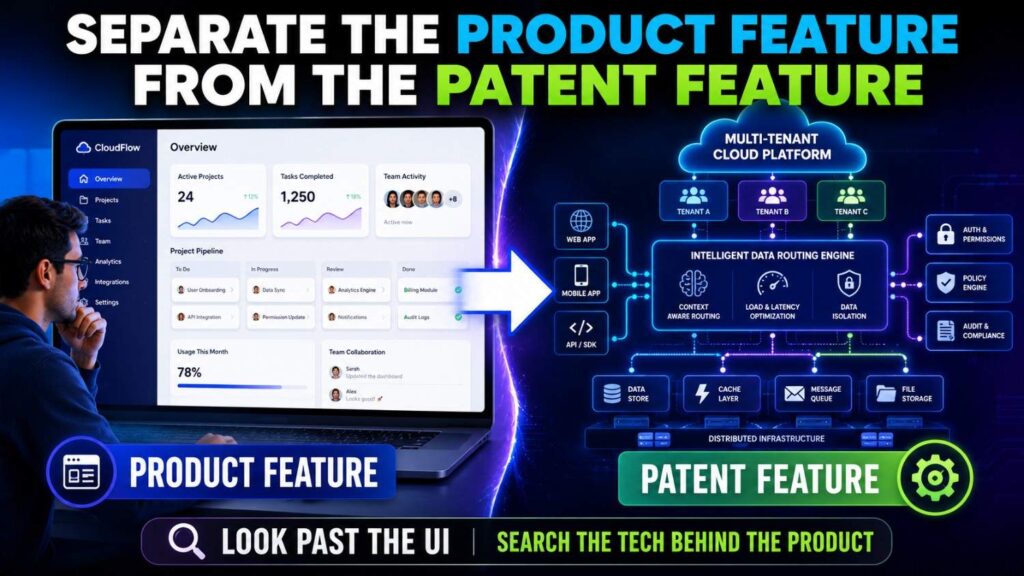
A SaaS feature is what the user sees.
A patent feature is often what the system does behind the scenes.
The user sees a clean report.
The patent feature may be how the system selects the records, removes duplicates, ranks risk, and updates the report without reprocessing the full dataset.
The user sees an AI suggestion.
The patent feature may be how the system checks the suggestion against customer permissions, policy rules, and source confidence.
The user sees a workflow automation.
The patent feature may be how the system chooses whether to run, pause, route, or ask for approval based on changing data state.
The user sees a synced CRM record.
The patent feature may be how the platform resolves conflicts between two systems without overwriting the more trusted field.
This split is important.
If you search only the user-facing feature, you may find too much noise. You may also miss the real invention.
Before searching, ask:
What happens behind the screen?
What data comes in?
What does the system compare?
What score is created?
What rule is applied?
What action is triggered?
What changes next time?
What technical result improves?
Those answers guide the search.
Name the Technical Problem
A strong patentability search starts with a problem.
Not just a business problem.
A technical problem.
For example, “sales teams waste time” is a business problem.
A technical problem may be:
“Customer activity data is spread across several SaaS tools and arrives with missing fields, conflicting timestamps, and different user identifiers.”
“Compliance teams need faster reviews” is a business problem.
A technical problem may be:
“Policy evidence is stored across cloud logs, tickets, documents, and user actions, but the system must link the evidence to the right control without exposing unrelated tenant data.”
“Support teams need better automation” is a business problem.
A technical problem may be:
“Tickets with similar text can require different fixes depending on product version, usage events, and recent configuration changes.”
“Cloud platforms need lower cost” is a business problem.
A technical problem may be:
“Running a large model or isolated job for every customer request wastes compute when many requests are low risk.”
Once the technical problem is clear, the search improves.
You no longer search “better compliance SaaS.”
You search “policy evidence mapping cloud logs tenant isolation control verification.”
That is much closer to the invention.
Break the Invention Into Searchable Elements
A patentability search becomes useful when you break the invention into parts.
For SaaS and cloud platforms, common elements include:
Data source.
Data transform.
Event trigger.
Tenant rule.
Permission check.
Risk score.
Confidence score.
Policy check.
Routing action.
Human review step.
Model call.
Output validation.
Feedback update.
Cloud scaling action.
Isolation boundary.
Audit log.
Recovery step.
You do not need to use a long list in the final patent. But you need these parts for searching.
Take this invention statement:
“Our invention checks AI-generated workflow actions against customer policy rules, permission scope, and source data before allowing the action to run.”
Break it down.
The system receives a user request or workflow event.
The system generates a proposed action using an AI model.
The system identifies customer policy rules linked to the action.
The system checks whether the user or automation has permission to perform the action.
The system checks whether source data supports the proposed action.
The system blocks, routes, or allows the action based on the checks.
The system records the decision in an audit log.
Now search each part.
Do not only search “AI workflow automation.”
Search “AI generated action permission check,” “policy rule validation workflow automation,” “source data verification automated action,” and “audit log blocked AI action.”
This is how you find closer prior art.
Identify the Core Technical Edge
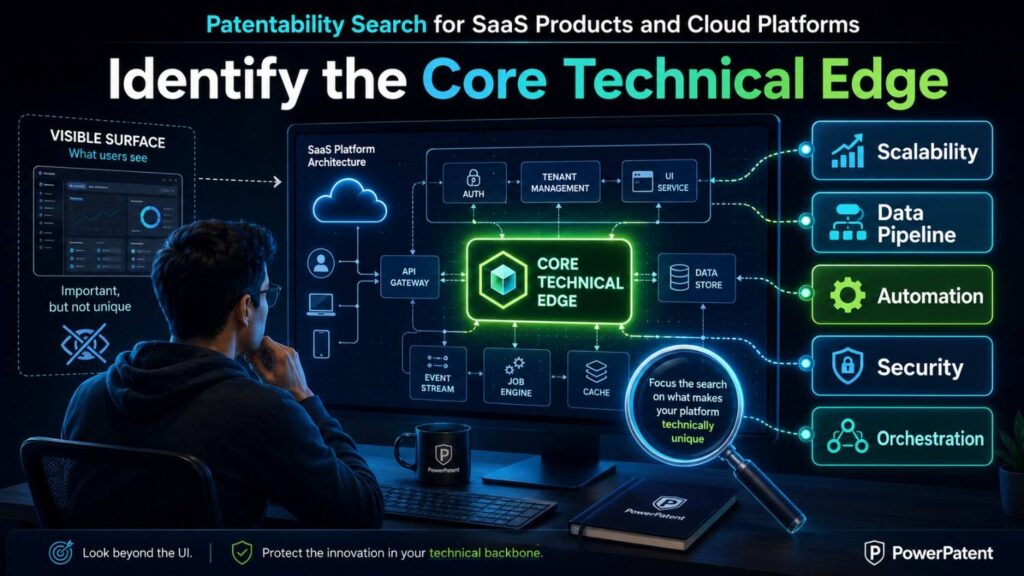
A SaaS platform may have dozens of features.
You cannot search all of them with the same depth.
First, identify the core technical edge.
Ask:
What feature makes customers choose us?
What part would a competitor copy first?
What part lowers cost?
What part improves accuracy?
What part makes the platform safer?
What part scales better?
What part reduces manual review?
What part is hard to build?
What part did we try three times before it worked?
That is where you search deeply.
For a workflow tool, the edge may be the approval trigger.
For a compliance tool, the edge may be the evidence mapping method.
For a data platform, the edge may be the conflict repair logic.
For an AI SaaS product, the edge may be the output verification step.
For a cloud platform, the edge may be the resource allocation or isolation method.
For a security product, the edge may be alert deduplication or attack-path scoring.
For a dev tool, the edge may be the way code changes are linked to production risk.
Search the edge, not the whole platform.
That is how you spend patent time wisely.
Search by Data Flow
Many SaaS inventions are data-flow inventions.
The system receives data, changes it, scores it, routes it, stores it, or uses it to trigger an action.
Search the flow.
What data comes in?
From where?
In what format?
How is it cleaned?
How is it linked to other data?
What rule is applied?
What decision follows?
What happens to the result?
For example, a SaaS data-sync invention may have this flow:
The system receives change events from two SaaS tools.
It maps fields across tools.
It detects conflicting updates.
It assigns a trust score to each field based on source, timestamp, user role, and prior correction history.
It applies the more trusted update.
It stores a replay record.
It alerts the user only if trust scores are close.
Search terms may include:
field-level sync conflict resolution
SaaS data change replay validation
multi-source record merge trust score
CRM field conflict timestamp user role
tenant-specific data sync repair
This is much better than searching “SaaS integration platform.”
Data flow often reveals the invention.
Search by Workflow Trigger
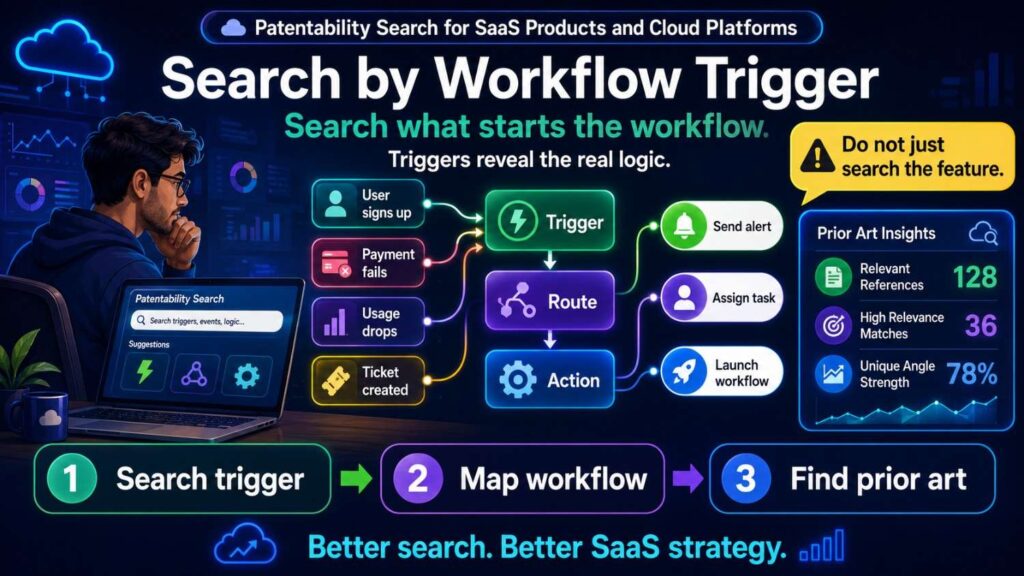
Workflow automation is common.
The patentable part is rarely “automate a workflow.”
It is usually the trigger, condition, routing rule, or feedback step.
Search the trigger.
What causes the workflow to run?
What causes it to pause?
What causes it to ask for approval?
What causes it to use AI?
What causes it to escalate?
What causes it to roll back?
What causes it to change the next workflow?
For example:
A workflow runs only when two risk signals agree.
A compliance task is created only when missing evidence is tied to a high-priority control.
An AI action is blocked when source confidence is low.
A support ticket is routed when usage events and ticket text match a failure pattern.
A deployment is paused when code changes affect a high-risk dependency.
Search terms may include:
workflow trigger risk score approval
policy-based workflow routing source confidence
conditional automation human review SaaS
AI action approval permission validation
event-driven workflow escalation threshold
The trigger is often where SaaS inventions live.
Search by Permission and Access Control
Many SaaS platforms handle permissions.
Most permission systems are not new. But specific permission controls can be valuable.
Search permission details.
Does the system use role-based access?
Attribute-based access?
Temporary tokens?
Field-level permissions?
Policy-based authorization?
Context-aware access?
Tenant-specific rules?
State-dependent permissions?
Approval-based access?
For example, your invention may not be “role-based access control.” That is common.
Your invention may be:
“A system that creates a temporary action token for an automated workflow, where the token expires when the underlying customer record changes or when the source evidence used to approve the action becomes stale.”
That is much more specific.
Search:
temporary action token workflow state change
permission token expires data state change
policy-based authorization automated action SaaS
field-level permission workflow automation
source evidence access control automated task
Permission features matter because they often tie to trust, compliance, and enterprise value.
Search by Multi-Tenant Architecture
SaaS platforms often serve many customers from shared infrastructure.
Multi-tenant architecture can create patentable technical problems.
How do you isolate data?
How do you share compute safely?
How do you avoid cross-tenant leakage?
How do you apply tenant-specific policy?
How do you scale without overprovisioning?
How do you run customer-specific models?
How do you store logs?
How do you handle tenant-specific encryption?
How do you roll out features safely?
Search those details.
For example:
multi-tenant data isolation policy rules
tenant-specific model update shared infrastructure
cross-tenant data leakage prevention SaaS
tenant-specific encryption workflow automation
multi-tenant audit log access control
shared compute isolated execution risk score
The invention may be in how your platform balances shared scale with tenant-specific safety.
That is a real cloud problem.
It can be very valuable if enterprise customers care about trust and security.
Search by Cloud Resource Management
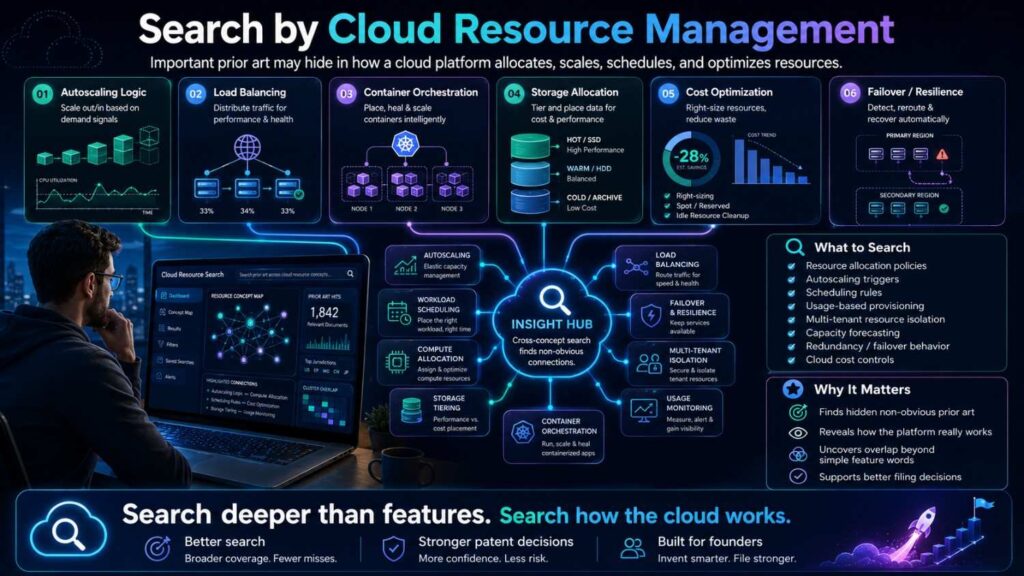
Cloud cost is a major SaaS issue.
If your platform has a better way to use compute, storage, queues, or models, search it.
Common cloud-related invention areas include:
Dynamic scaling.
Job batching.
Tenant-aware throttling.
Priority routing.
Cost-aware model selection.
Cold-start reduction.
Cache reuse.
Data partitioning.
Serverless orchestration.
Queue scheduling.
Workload prediction.
Resource isolation.
Failure recovery.
Search the specific method.
For example:
cloud job batching risk score tenant priority
SaaS workload prediction auto scaling customer tier
serverless cold start reduction workflow queue
multi-tenant compute isolation risk-based routing
cost-aware model selection SaaS
cache reuse tenant-specific data privacy
A cloud invention is stronger when it changes system behavior in a way that improves cost, speed, uptime, security, or reliability.
Do not claim “runs in the cloud.”
Claim the cloud method that solves a real technical problem.
Search by AI Feature, Not AI Buzzword
Many SaaS products now use AI.
That does not mean the AI part is patentable.
Search the specific AI workflow.
How is the prompt built?
How is context selected?
How is output checked?
How is confidence scored?
How is source support verified?
How is human review triggered?
How is feedback used?
How is the model routed?
How is customer data protected?
How is an AI action allowed or blocked?
For example, do not search only:
AI compliance SaaS
Search:
AI compliance evidence mapping policy control verification
LLM generated workflow action permission validation
source-grounded AI audit evidence review
AI output confidence human approval SaaS
tenant-specific AI model feedback policy rules
The best SaaS AI inventions often live around the model, not inside the model.
They may be about safe execution, review routing, source checking, policy matching, or feedback loops.
PowerPatent helps AI SaaS teams capture these workflows clearly so the filing can focus on what is actually different. See how PowerPatent works.
Search by API Behavior
SaaS platforms often expose APIs.
API behavior can reveal technical inventions.
Search how the API handles requests, permissions, retries, errors, rate limits, schema changes, and data mapping.
For example:
schema change detection API sync
API field mapping conflict resolution
tenant-specific API rate limit priority
API retry based on data consistency score
webhook event ordering SaaS
API permission scope automated workflow
Your invention may be in how your platform handles messy API events.
For example, many SaaS tools send webhooks out of order or with missing fields. If your platform reconstructs event order using multiple signals and repairs downstream records, that may be worth searching.
Do not search only the product category.
Search the API problem.
Search by Event and Log Handling
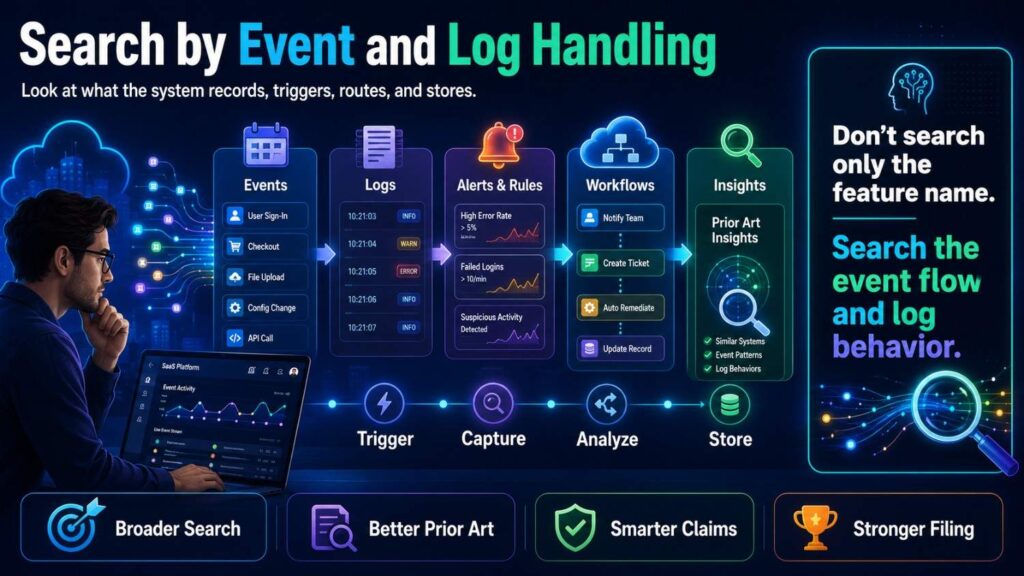
Cloud platforms generate events and logs.
Those logs may drive monitoring, compliance, security, billing, workflow automation, debugging, or AI training.
Search event logic.
How are events grouped?
How are duplicates removed?
How are events linked to users?
How are logs mapped to controls?
How are false alerts reduced?
How is root cause detected?
How is a timeline built?
How does the system decide what to show?
Search terms:
event deduplication root cause SaaS
cloud log mapping compliance control
user action event correlation audit
security alert grouping risk score
incident timeline event correlation cloud
log-based workflow trigger tenant policy
In SaaS, many valuable inventions reduce noise.
They help users see the few events that matter instead of drowning in alerts.
If your platform does this in a new technical way, search it deeply.
Search by Security and Compliance Control
Security and compliance SaaS products often contain technical inventions.
But the broad ideas are crowded.
“Compliance automation” is broad.
“Security monitoring” is broad.
“Risk scoring” is broad.
The invention may be:
Mapping cloud evidence to controls.
Detecting stale evidence.
Ranking risks based on asset dependency.
Linking policy exceptions to workflow approvals.
Generating audit packets without exposing unrelated tenant data.
Grouping alerts by attack path.
Validating AI-generated remediation steps.
Search the specific control method.
For example:
cloud evidence mapping compliance control
policy exception workflow approval risk score
audit evidence packet tenant data minimization
security alert attack path grouping
AI remediation validation permission check
stale compliance evidence detection SaaS
This is useful because enterprise SaaS buyers care deeply about trust.
A patent that protects how your platform creates trust can support real business value.
Search by Customer-Specific Configuration
SaaS products often become powerful because they adapt to each customer.
Customer-specific configuration can create technical problems.
How does the system learn customer rules?
How does it apply them safely?
How does it avoid breaking shared code?
How does it update workflows without downtime?
How does it test customer-specific automations?
How does it prevent one tenant’s settings from affecting another?
Search:
tenant-specific workflow configuration
customer-specific policy engine SaaS
dynamic workflow configuration validation
multi-tenant rule isolation
tenant-specific automation testing
configuration drift detection SaaS
customer-specific model threshold update
If your platform creates, validates, or updates tenant-specific logic in a new way, that may be a strong patent angle.
The key is not “customers can configure it.”
The key is the technical method that makes configuration safe, scalable, and reliable.
Search by Data Privacy and Isolation
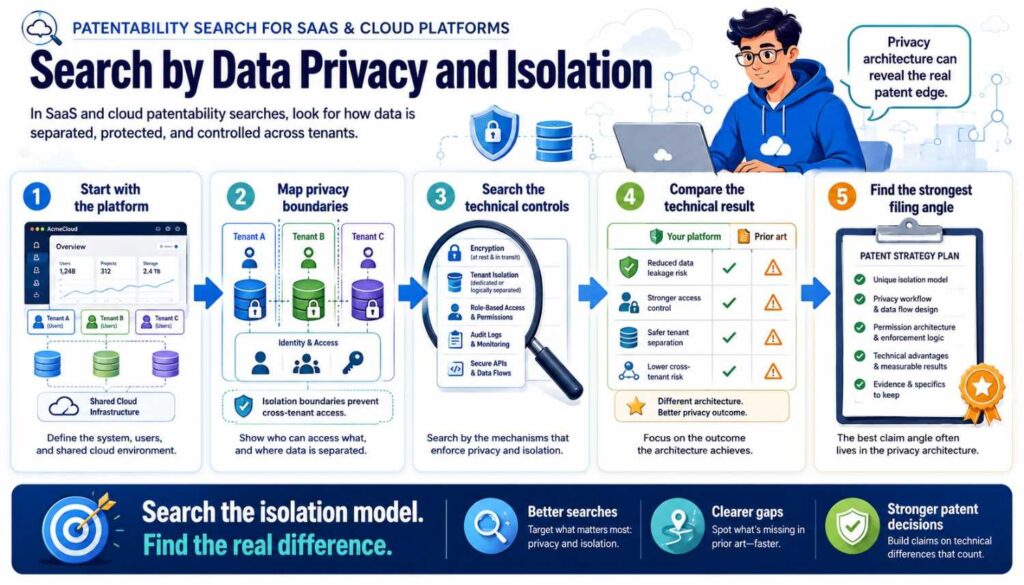
Privacy can be a technical invention when it changes how data is processed.
Search:
data minimization SaaS workflow
tenant data isolation AI model
privacy-preserving analytics multi-tenant
field-level redaction automated workflow
PII detection before model call
customer data masking cloud automation
private data routing local cloud model
Your invention may be:
Detecting sensitive fields before sending data to a model.
Running private workflows in isolated containers.
Masking data while keeping enough context for an AI answer.
Creating audit reports without exposing raw customer data.
Training customer-specific models without mixing tenant data.
Privacy is often central to SaaS sales.
If your privacy method is technical and useful, it may be worth searching and protecting.
Search by Reliability and Recovery
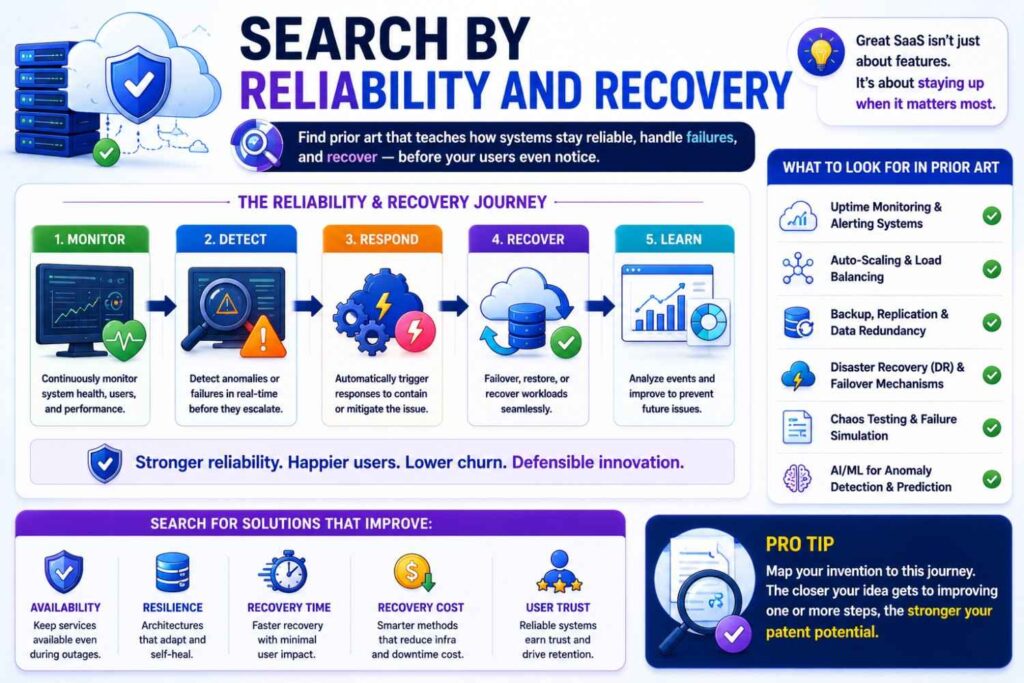
SaaS customers expect uptime.
Reliability features can be patentable when they use a specific technical method.
Search:
workflow retry state recovery
SaaS job replay idempotent events
cloud failure recovery workflow state
multi-region failover tenant state
event ordering recovery distributed system
partial failure workflow rollback
data sync replay missing event detection
A product may win because it does not lose customer work when something fails.
That may be a strong technical edge.
For example, if your system can replay only missing workflow steps after a failure without duplicating completed actions, search that.
If your platform detects out-of-order events and rebuilds the correct state, search that.
If your system fails over while preserving tenant-specific workflow state, search that.
Reliability is not just operations. It can be invention.
Search by Billing, Usage, and Entitlements
Billing may seem like a business feature, but some SaaS platforms solve technical entitlement problems.
For example:
Usage is tracked across many microservices.
Entitlements change during workflow execution.
A customer’s plan affects compute routing.
Billing events must be deduplicated.
AI token usage must be tied to tenant, user, model, and policy.
Temporary access must be granted after payment or approval.
Search:
usage metering distributed SaaS
entitlement enforcement workflow execution
AI token usage tenant billing
billing event deduplication microservices
plan-based compute routing SaaS
subscription entitlement state change access
If the feature is only pricing, it may not be a strong patent area. But if it solves a technical tracking, enforcement, or scaling problem, it may be worth searching.
Search Developer Tools and DevOps Prior Art
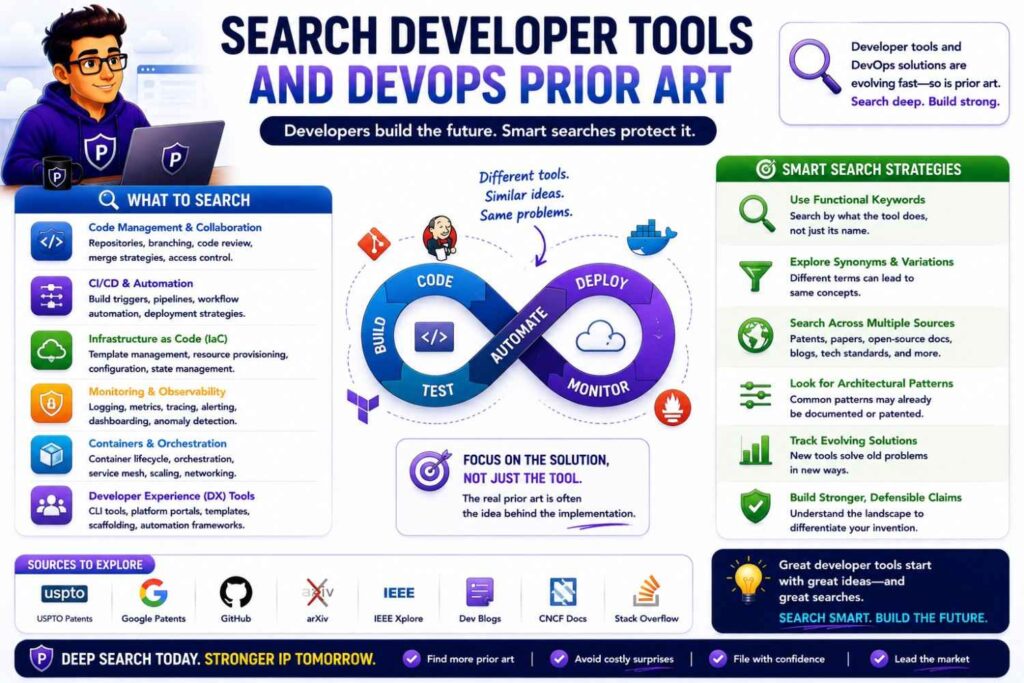
Many SaaS platforms include developer-facing tools.
Search developer tool prior art if your invention touches deployment, APIs, code review, testing, monitoring, infrastructure, observability, or incident response.
For example:
deployment risk prediction dependency graph
code change incident history rollback risk
API contract drift detection
test selection based on code dependency
observability alert root cause grouping
feature flag rollout risk score
cloud cost anomaly workload prediction
Dev tools often have strong technical substance.
The invention may be in how code changes are linked to runtime behavior.
Or how test cases are selected.
Or how rollouts are staged.
Or how incidents are predicted.
Search both patents and engineering blogs, because DevOps teams often publish technical details.
Search Across Adjacent SaaS Categories
Your invention may appear in another SaaS category.
A compliance evidence mapping method may look like a sales attribution method.
A ticket routing method may look like an incident routing method.
A workflow approval trigger may look like a medical triage system.
A permission token method may look like a cloud security method.
A data sync repair method may look like an ecommerce inventory sync method.
Search by function, not market.
If your platform routes uncertain cases to review, search across support, compliance, medical, finance, and security.
If your platform reconciles conflicting records, search CRM, ERP, data warehouses, ecommerce, identity, and billing.
If your platform groups alerts by root cause, search security, observability, IT operations, cloud monitoring, and industrial systems.
Related fields can reveal close prior art.
They can also show white space.
Search Older Software Systems
A SaaS invention may be new as a cloud product but old as an enterprise software method.
Old desktop software, on-prem systems, client-server tools, and enterprise platforms may count as prior art.
For example:
Workflow engines existed before modern SaaS.
Role-based permissions existed before cloud platforms.
Sync systems existed before today’s APIs.
Monitoring systems existed before cloud observability.
Ticket routing existed before AI.
Document management existed before modern collaboration tools.
Do not search only recent SaaS products.
Search the underlying function.
Your invention may still be different because it solves a cloud-specific problem, such as multi-tenant isolation, API event disorder, tenant-specific policy, model routing, or cloud-scale processing.
But you need to know the old ground first.
Search Open Source and Developer Forums
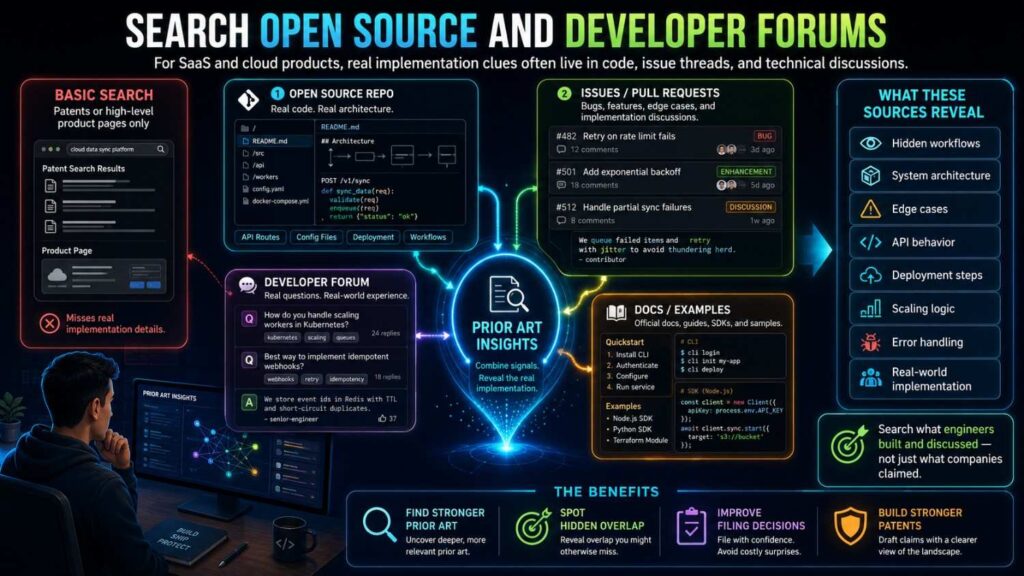
For SaaS and cloud inventions, open source can be important prior art.
A public repo may show a workflow engine, sync method, permission model, model routing logic, or deployment tool.
Developer forums may describe solutions to API sync, event ordering, schema drift, scaling, and access control problems.
Search GitHub, docs, issue threads, package pages, and technical examples.
Look for:
README files.
Architecture docs.
Examples.
Open issues.
Pull requests.
Release notes.
Config files.
Public discussions.
Open source prior art may not look polished, but it can teach a method.
If it was public before your filing, it may matter.
Search Product Docs and Help Centers
SaaS companies often explain important workflows in help docs.
Docs may show triggers, conditions, routing rules, permissions, data fields, and integrations.
Search competitor docs.
Search API docs.
Search help center articles.
Search changelogs.
Search release notes.
Search security white papers.
Search admin guides.
For example, a product page may say “automated compliance.” That is vague.
But a help article may explain exactly how evidence is collected, mapped, reviewed, and exported.
That may be close prior art.
Docs often reveal more than marketing pages.
Compare One Prior Art Reference at a Time
When SaaS teams review prior art, they often make one big mistake: they blend all the search results together too early.
They find one reference that shows a workflow engine, another that shows AI recommendations, another that shows permission checks, and another that shows audit logs. Then they conclude, “Everything is already out there.”
That may be true in a broad sense. But it may not answer the patentability question.
A smarter approach is to compare your invention against one prior art reference at a time first. This keeps the analysis clean. It helps you see whether one reference actually teaches the full invention, or whether the field only shows scattered pieces.
That difference matters for filing strategy.
Start With the Full Invention, Not Isolated Features
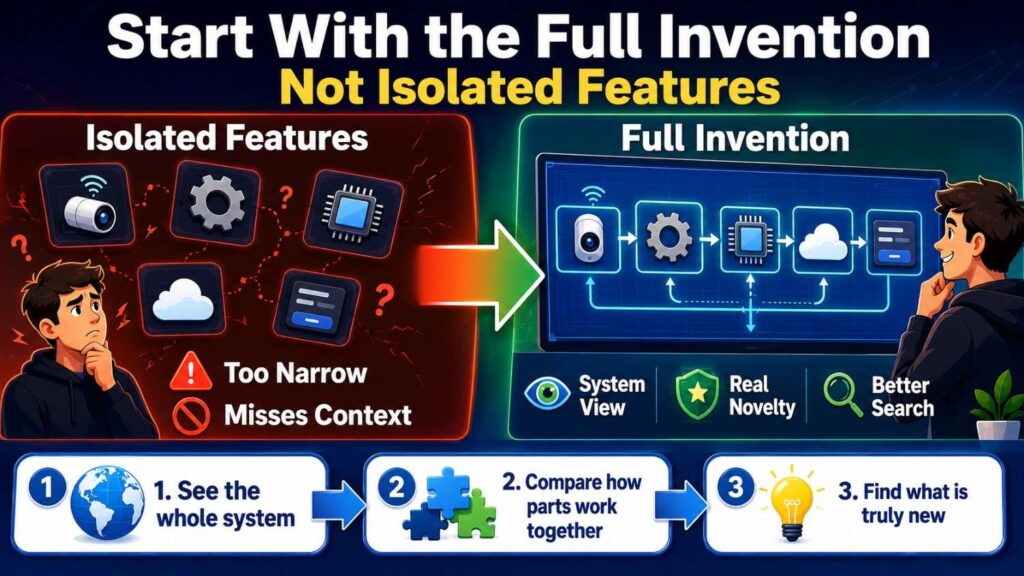
Before comparing references, write the full invention in one plain sentence.
For example:
“Our platform verifies AI-generated workflow actions against user permissions, customer policy rules, and source-data support before allowing the action to run, then records the decision in an audit log.”
Now break that invention into required parts.
The system creates an AI-generated workflow action. It checks user permission. It checks customer policy. It checks source-data support. It allows, blocks, or routes the action. It records the decision.
This full view matters because a prior art reference may show one part very well but miss the working combination.
A reference that shows permission checks does not automatically show source-data support.
A reference that shows AI-generated actions does not automatically show customer policy validation.
A reference that shows audit logs does not automatically show pre-execution blocking.
For businesses, this prevents weak strategic decisions. You do not want to abandon a strong filing opportunity just because the building blocks exist somewhere.
Create a “Single Reference Test”
Use a simple test for each close reference:
Does this one reference show every required part of our invention?
Not “does the whole search pile show it?”
Not “could we imagine adding this feature?”
Not “does this reference sound similar?”
Just this:
Does this one reference teach the full system?
This is especially useful for SaaS because most cloud products share common parts. Almost every enterprise platform has users, permissions, logs, APIs, dashboards, workflows, and integrations.
The question is not whether those parts exist.
The question is whether one reference shows them arranged in your specific way to solve your specific technical problem.
For example, if your invention is field-level sync repair using trust scores, ask whether one reference shows field-level conflict detection, trust scoring based on source and user role, replay of missing changes, and tenant-specific validation.
If it shows only record syncing and basic conflict handling, it may be close, but it may not show the full invention.
That distinction can guide whether you file broadly, file narrowly, search more, or shift focus.
Do Not Let a Scary Title Decide the Outcome
SaaS patent titles can sound huge.
“System and Method for Workflow Automation.”
“Cloud-Based Compliance Management.”
“Artificial Intelligence Platform for Enterprise Tasks.”
“Data Synchronization System.”
“Multi-Tenant Access Control.”
Those titles can scare founders. They can also mislead them.
A broad title does not mean the reference teaches your invention.
Read the actual details.
Look at the claims, figures, examples, architecture diagrams, and workflow descriptions. Search within the reference for your key terms. Check whether it explains the trigger, data flow, rule, or action that matters to your product.
A patent titled “Data Synchronization System” may only sync full records on a fixed schedule. It may not teach field-level replay based on trust scores.
A patent titled “AI Workflow Automation” may generate task suggestions but may not validate the task against source-data support before execution.
A patent titled “Compliance Platform” may collect evidence but may not generate tenant-safe audit packets that remove unrelated customer data.
The business lesson is simple: do not let a title kill a patent strategy. Make the reference prove it.
Mark the Difference Between “Shows,” “Suggests,” and “Mentions”
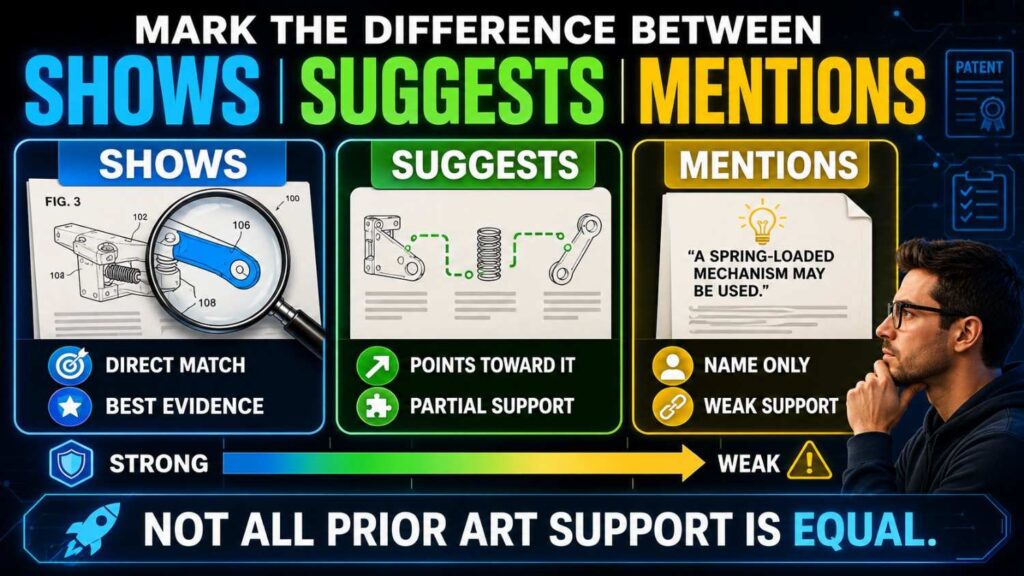
When reviewing one reference, use careful language.
A reference may clearly show a feature.
A reference may suggest a feature.
A reference may only mention a feature.
These are not the same.
For example, a reference may clearly show that a system checks user permissions before an action runs. That is a strong match.
Another reference may say that “security checks may be performed.” That is much weaker.
Another may mention “AI” in a broad list of possible tools but never explain how AI creates an action or how that action is validated.
For SaaS patent strategy, this difference matters.
If a reference clearly shows your core feature, the claim may need to move elsewhere.
If it only mentions a broad idea, the feature may still be useful if your implementation is specific.
If it suggests a feature but does not teach the full workflow, you may need attorney review to judge the risk.
A useful internal shorthand is:
“Shown” means the reference explains the feature in enough detail.
“Suggested” means the reference points toward it but does not fully explain it.
“Mentioned” means the word appears, but the method is not really taught.
This keeps the team from overreacting to vague prior art.
Compare the Same Level of Detail
A common SaaS mistake is comparing your detailed product against a broad prior art summary.
That is not fair.
If your invention is described at a deep level, compare it to the prior art at the same level.
For example, your invention is not just “AI checks compliance.” It may be:
“The system links each policy control to source evidence, checks whether the evidence is stale, removes unrelated tenant data, creates an audit packet, and logs reviewer approval.”
Do not compare that to a prior art sentence that says:
“The system may automate compliance review.”
That sentence is too broad to end the analysis.
Ask whether the reference teaches the same source evidence linking, stale evidence check, tenant data removal, audit packet creation, and reviewer approval log.
This is how you protect the real technical method.
For businesses, this is critical because your moat may be in operational depth. A competitor can make the same marketing claim. They may not have the same system.
Watch for Hidden Matches in Examples and Figures
Sometimes the title and abstract are not close, but the figures or examples are.
This happens often in cloud and SaaS patents.
A reference may have a dull title like “System for Managing Data.” But Figure 4 may show a workflow that looks very close to your event routing method.
A product doc may seem general. But an API example may expose a risk score, approval state, or replay token that maps to your invention.
A technical blog may not mention patents. But its architecture diagram may show the same queue, policy engine, validator, and audit log path.
When reviewing one reference, look beyond the first page.
Check:
Architecture diagrams.
Flowcharts.
API examples.
Data schemas.
Event names.
Decision branches.
Configuration examples.
Error handling.
Retry logic.
Admin workflows.
Audit records.
SaaS inventions often hide in diagrams and sample payloads.
A strong business process is to have an engineer review close references, not just a founder or attorney. Engineers are more likely to spot a hidden technical match.
Treat Product Docs Like Prior Art References
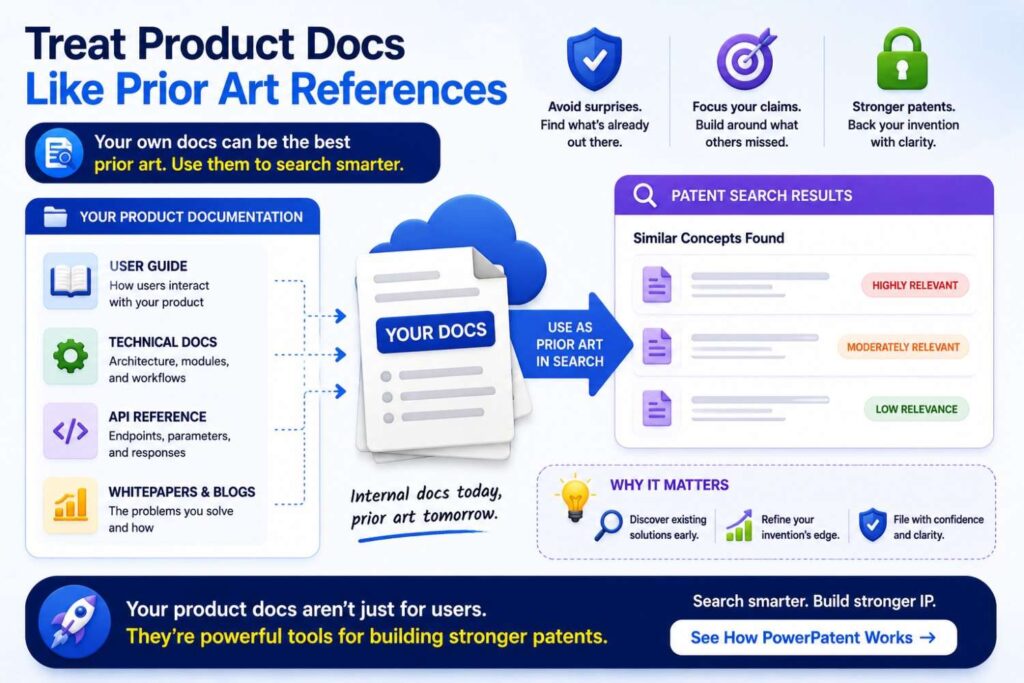
For SaaS, a prior art reference does not have to be a patent.
A help article, API guide, admin manual, or developer doc may be close enough to matter.
Compare each doc one at a time, just as you would compare a patent.
Do not say:
“Competitor docs show similar features.”
Say:
“This API doc shows event replay and retry tokens, but does not show field-level trust scoring or tenant-specific validation before replay.”
Or:
“This help article shows compliance evidence collection, but not automatic removal of unrelated tenant data before generating the audit packet.”
Or:
“This admin guide shows role-based approval, but not AI-generated action validation against source-data support.”
This level of detail turns competitor research into patent strategy.
It also helps product strategy because you can see what competitors really disclose, not just what they claim in marketing.
Use One-Reference Review to Find Better Claim Language
Comparing one reference at a time helps you choose better claim language.
If a reference uses broad “workflow automation” language, but your real difference is “pre-execution validation,” your claim language should lean toward validation.
If a reference shows “record sync,” but your gap is “field-level replay,” your claim language should focus on field-level handling.
If a reference shows “risk scoring,” but your difference is “risk-based compute isolation,” your claim language should not stop at scoring.
The search should change how you describe the invention.
This is one of the biggest business benefits of patentability search. It helps your team stop using market words and start using protectable technical words.
Instead of “AI assistant,” you may use “source-supported action validator.”
Instead of “sync engine,” you may use “field-level conflict repair and replay system.”
Instead of “compliance automation,” you may use “tenant-scoped evidence packet generator.”
Instead of “cloud optimizer,” you may use “risk-based workload isolation and batching system.”
Clearer language leads to stronger filing discussions.
Rank Each Reference by Business Threat
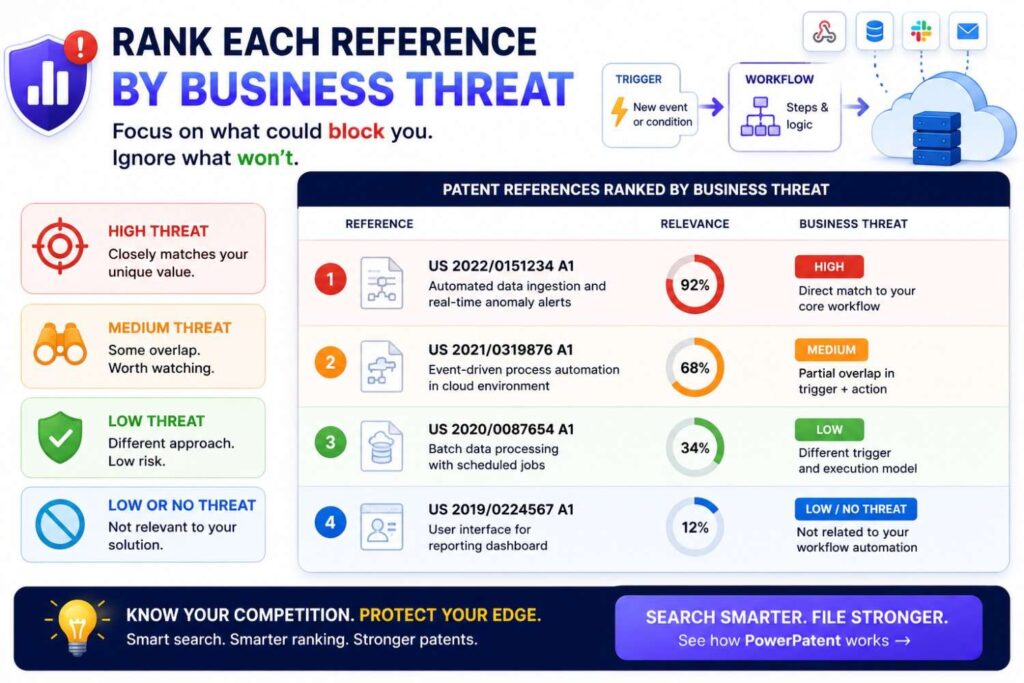
Not every close reference matters equally to the business.
After comparing one reference at a time, rank it.
Ask:
Does this reference cover the feature customers care about?
Does it show the feature competitors would copy?
Does it come from a direct competitor?
Does it show the same technical result?
Does it disclose a method close to our roadmap?
Does it make our broad claim weak?
Does it leave room for a narrower but valuable claim?
This creates a business-aware prior art review.
A reference may be legally interesting but not commercially important.
Another may show only one feature, but that feature may be central to your moat.
For example, a patent that shows a generic dashboard may not matter much. A help doc that shows tenant-safe evidence export may matter a lot if that is your key enterprise trust feature.
Use the search to rank risk by business impact, not just keyword overlap.
Identify Whether the Reference Hits Today’s Product or Tomorrow’s Roadmap
A prior art reference may not affect your current product, but it may affect your roadmap.
This is important for SaaS because platforms evolve quickly.
For example, your current product may only collect compliance evidence. Your roadmap may add AI-generated remediation actions. A prior art reference that teaches AI action approval may not be a threat today, but it may matter for your next filing.
Or your current sync system may repair records manually. Your roadmap may automate field-level replay. A reference showing automated replay may affect future claims.
During one-reference review, tag each close reference:
Current product risk.
Roadmap risk.
Background only.
Potential design-around clue.
This helps the business plan filings in the right order.
It also prevents surprises when product teams ship features that the patent strategy has not considered.
Use “What Does This Reference Not Do?” as a Strategic Question
Most teams focus only on what prior art does.
You should also ask what it does not do.
That missing space may be your filing opportunity.
For each close reference, write one sentence:
“This reference does not appear to…”
For example:
“This reference does not appear to validate AI-generated actions against source-data support before execution.”
“This reference does not appear to replay only missing field-level changes after a sync failure.”
“This reference does not appear to remove unrelated tenant records before creating an audit packet.”
“This reference does not appear to update a customer-specific workflow threshold based on reviewer outcomes.”
“This reference does not appear to isolate high-risk jobs while batching low-risk jobs in shared compute.”
These sentences become the seeds of claim strategy.
They also help founders explain the IP story to investors in plain language.
Look for the Missing Technical Result
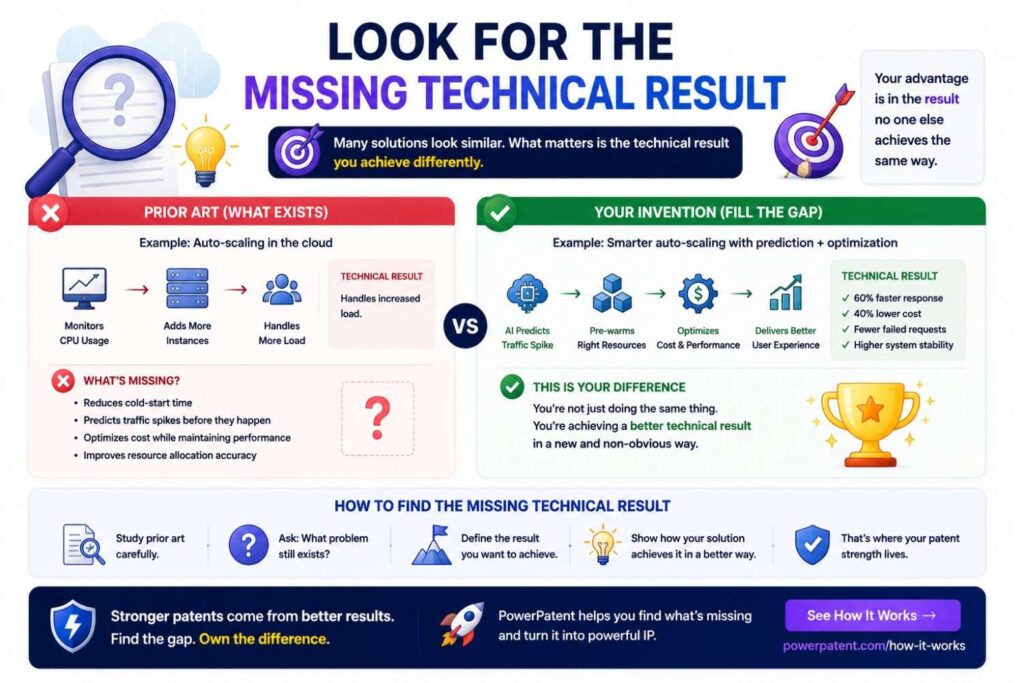
A prior art reference may show similar steps but not the same result.
That can matter.
For SaaS, results may include lower cloud cost, fewer unsafe AI actions, less data leakage, faster sync recovery, fewer duplicate alerts, fewer human approvals, more reliable audit logs, or better tenant isolation.
Ask:
What result does the reference try to achieve?
What result does our system achieve?
Are they the same?
A reference may use AI to suggest workflow actions for speed. Your invention may validate AI actions for safety before execution.
A reference may collect compliance evidence for convenience. Your invention may generate tenant-safe audit packets to reduce data exposure.
A reference may sync records to keep tools updated. Your invention may repair field-level conflicts without overwriting trusted data.
The technical result can help frame the difference.
For businesses, this matters because patents should protect the outcome customers pay for, not just the inner machinery.
Do Not Skip References That Use Different Words
A SaaS reference may describe your invention without using your terms.
Your team may say “tenant-safe audit packet.” A reference may say “scoped compliance artifact.”
Your team may say “source-data support.” A reference may say “evidentiary basis.”
Your team may say “field-level replay.” A reference may say “attribute-specific event reconstruction.”
Your team may say “AI action validation.” A reference may say “automated task authorization.”
When comparing one reference, translate the terms.
Do not reject it just because the words differ.
Ask what the system actually does.
This is where involving engineers helps. They can see functional matches even when wording is different.
Use One-Reference Review to Avoid Over-Narrowing
When founders find close art, they often want to add many details to the claim.
That can be a mistake.
If you add too many product-specific details, competitors may design around the claim.
One-reference review helps you add only what is needed.
For each close reference, ask:
What exact element is missing?
Can we distinguish over this reference with one meaningful technical feature?
Does that feature create the business value?
Is there a broader way to describe that feature?
For example, if a reference shows policy checks but not source-data support, you may not need to add every detail of your source scoring method to the broad claim. You might claim a broader “source-data support check” and use narrower claims for source age, source type, confidence score, and reviewer feedback.
This is where attorney guidance matters.
The business goal is to avoid prior art without shrinking the patent more than needed.
Use One-Reference Review to Spot Continuation Ideas
A close prior art reference may reveal new filing angles.
Suppose a reference blocks your broad workflow claim. It may still leave room around a specific improvement.
For example:
The broad compliance workflow is known, but tenant-safe audit packet generation may be open.
The broad sync engine is known, but field-level trust replay may be open.
The broad AI task suggestion is known, but pre-execution source validation may be open.
The broad alert grouping is known, but cross-system root-cause linking may be open.
If you already have a pending patent application with enough support, these angles may become continuation opportunities.
This is strategic because SaaS products evolve fast. A continuation can help pursue claims that match where the product and market are moving.
Build a Reference Summary That Executives Can Use
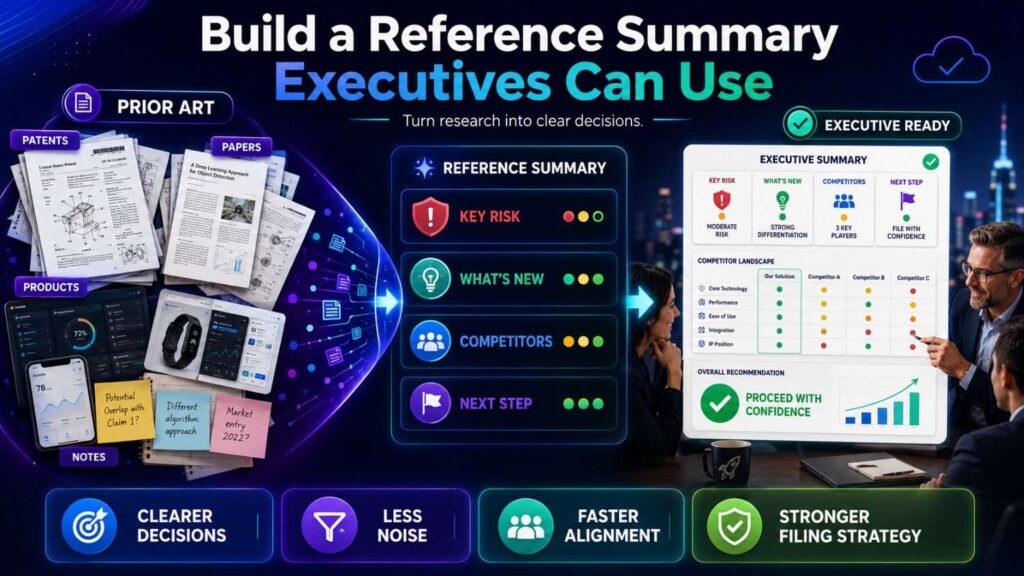
After reviewing each reference, write a short business summary.
Keep it simple.
For each reference, capture:
What it is.
Why it matters.
What it teaches.
What it does not teach.
Business risk.
Filing impact.
A good summary might sound like this:
“Reference A is a competitor help article on automated compliance evidence collection. It teaches pulling cloud logs into a control review workflow. It does not teach tenant-scoped evidence packet generation that removes unrelated records before export. Business risk is medium because it overlaps with our compliance module, but filing opportunity remains around privacy-safe audit packet creation.”
That is much more useful than dumping a link into a spreadsheet.
Executives need a decision, not a document pile.
Make the Final Decision After the One-Reference Pass
After reviewing references one by one, step back.
Ask:
Did any single reference show every required part?
Which reference was closest?
What feature did the closest reference miss?
Is the missing feature central to our business value?
Do other references show that missing feature?
Would combining them be natural?
Do we need more search?
Should we file now?
Should we refine the invention?
Should we keep part of it secret?
This creates a clean decision path.
For SaaS businesses, this approach prevents both overreaction and blind optimism.
You do not give up just because pieces exist across the field.
You also do not assume safety because no one uses your product name.
You compare carefully. Then you decide.
Turn the Review Into a Filing Recommendation
The output should be a practical recommendation.
For example:
“The broad idea of AI workflow automation is crowded. No single reviewed reference appears to show the full pre-execution validation path using permission scope, customer policy, and source-data support. The closest reference shows policy approval but lacks source-data support. Recommend filing around the validation layer, with backup claims covering audit logging, human review routing, source confidence scoring, and tenant-specific policy rules.”
Or:
“The broad idea of SaaS record syncing is known. One reference shows record-level conflict handling, but none reviewed shows field-level trust scoring and replay of missing changes after sync failure. Recommend filing around field-level replay and tenant-specific validation, while continuing to search event-sourcing and distributed sync prior art.”
That is the goal.
Search should lead to action.
PowerPatent helps SaaS teams organize invention details, prior art, and claim strategy so search results become filing decisions, not scattered links. See how PowerPatent works.
Build a Claim Map
A claim map is a simple comparison table.
List your invention elements on the left.
List the closest prior art references across the top.
For each element, mark whether each reference shows it.
Use plain labels:
Yes.
No.
Partial.
Unclear.
Then add short notes.
For example:
Element: AI generates proposed workflow action.
Reference A: Yes. It generates workflow suggestions.
Reference B: No. It routes tasks but does not use AI.
Reference C: Partial. It creates recommendations but not executable actions.
Element: Checks customer policy before action.
Reference A: No.
Reference B: Yes. It applies policy rules to workflows.
Reference C: No.
Element: Verifies source data supports action.
Reference A: No.
Reference B: Partial. It checks required fields but not source support.
Reference C: No.
Element: Blocks action and records audit log.
Reference A: Partial. It requires review but does not create audit log.
Reference B: Yes.
Reference C: No.
Now you can see where the invention may be.
This is much better than saying, “These products seem similar.”
Find the Strongest Gap
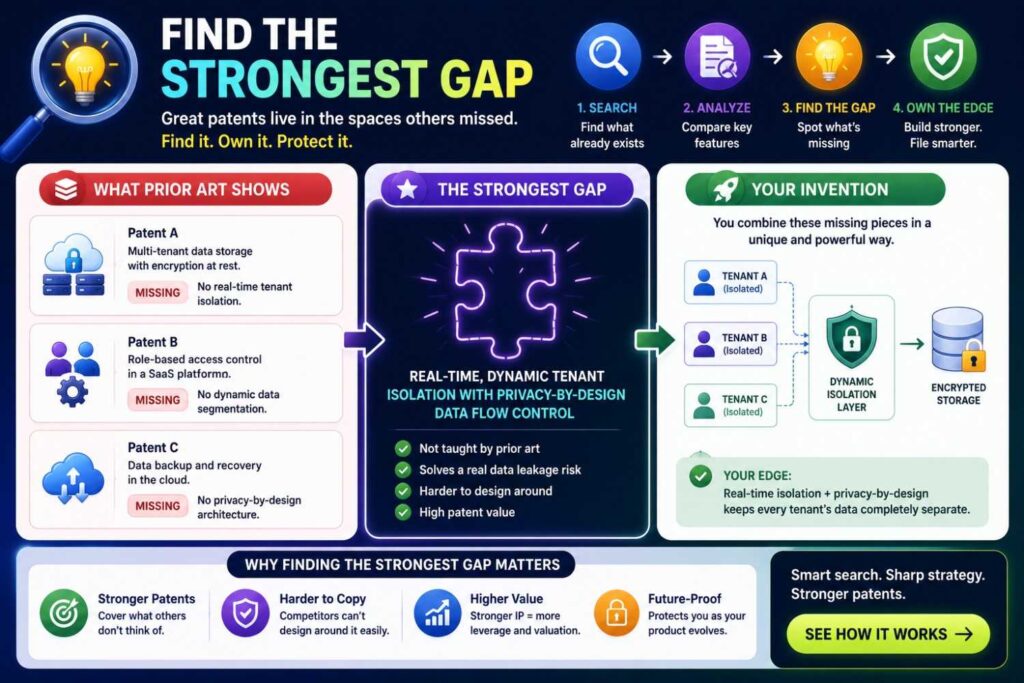
The strongest gap is the missing part that matters most.
It should be technical.
It should be tied to business value.
It should be hard for competitors to avoid if they want the same result.
For example:
The prior art routes tasks, but does not check source support before allowing AI-generated actions.
The prior art syncs records, but does not replay only missing changes based on field-level trust.
The prior art maps compliance evidence, but does not prevent unrelated tenant data from entering the audit packet.
The prior art scales jobs, but does not route high-risk tasks to isolated execution based on customer policy.
The prior art groups alerts, but does not group them by shared root-cause event across cloud logs, tickets, and deployment changes.
Those gaps can become patent strategy.
A gap that is merely cosmetic is weak.
A gap that changes cost, security, reliability, accuracy, or trust is much stronger.
Tie the Gap to Business Value
For SaaS, business value often comes from speed, trust, cost, scale, safety, or reduced manual work.
A patentability search should connect the technical gap to one of those.
For example:
Source-data verification reduces unsafe AI actions.
Field-level replay reduces broken integrations.
Tenant-safe audit packets reduce compliance risk.
Risk-based compute isolation reduces cloud cost while protecting high-risk jobs.
Root-cause alert grouping reduces alert fatigue and review time.
Temporary action tokens reduce permission errors.
Customer-specific workflow validation reduces failed automations.
This connection matters because a patent should protect the feature that drives the company’s moat.
Not every technical detail deserves a patent filing.
The strongest filings sit where technical difference meets business value.
Do Not Overvalue Generic Cloud Features
Running in the cloud is not enough.
Using a database is not enough.
Having a dashboard is not enough.
Using APIs is not enough.
Sending notifications is not enough.
Using a model is not enough.
Having user roles is not enough.
Storing logs is not enough.
These are common SaaS building blocks.
The invention is usually the specific way you use them.
For example:
Not “cloud storage,” but “tenant-specific encrypted evidence storage that generates audit packets without exposing unrelated records.”
Not “notifications,” but “alert suppression based on shared root-cause detection across multiple event streams.”
Not “API integration,” but “field-level conflict resolution using source trust and replay logs.”
Not “AI assistant,” but “AI action validation against policy, permission, and source data before execution.”
Search and claim the technical method.
Do Not Ignore Non-Patent Prior Art
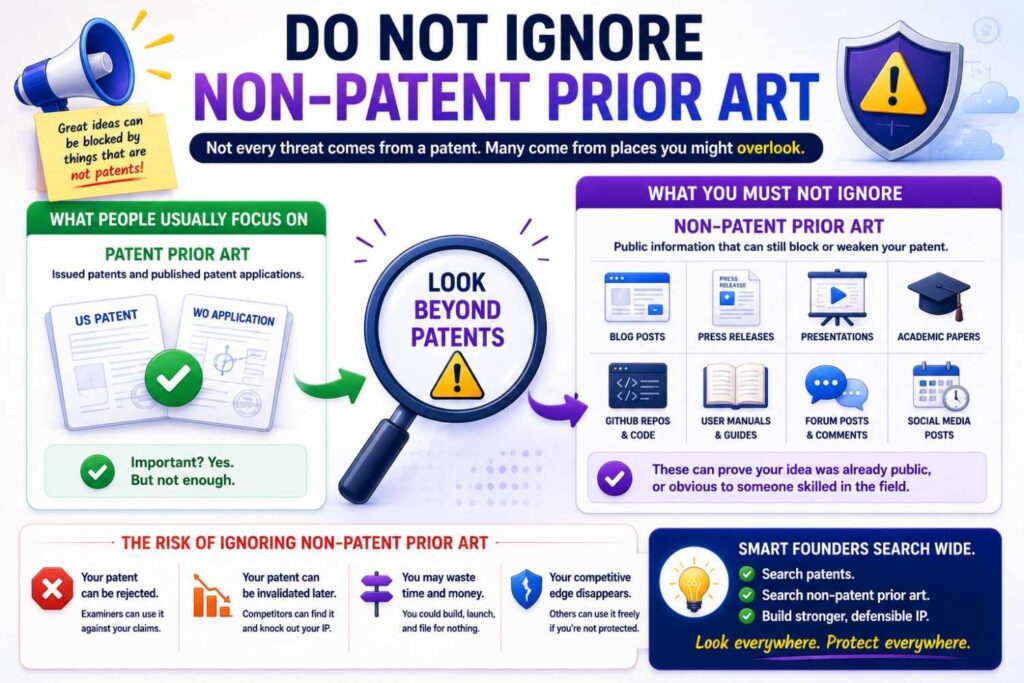
SaaS prior art often lives outside patents.
Technical blogs.
Open source repos.
API docs.
Security white papers.
Developer conference talks.
Product release notes.
Help center articles.
Cloud architecture guides.
Standards.
GitHub issues.
Forum posts.
Do not search only patents.
A competitor may have described the feature in a help article.
An open-source project may show the workflow.
A cloud provider blog may describe the scaling method.
A security standard may disclose the compliance control.
A conference talk may reveal the architecture.
For SaaS, non-patent prior art can be the closest art.
Do Not Confuse Patentability With Freedom to Operate
A patentability search asks whether your invention may be new enough to patent.
Freedom to operate asks whether your product may infringe someone else’s patent.
These are different questions.
You may be able to patent an improvement and still need to consider whether an older patent covers a broader system.
You may not be able to patent a feature, but you may still be free to use it if no active patent blocks it.
This article focuses on patentability.
If you are launching in a crowded SaaS category, especially security, cloud infrastructure, AI, fintech, healthcare, or enterprise automation, you may also need a freedom-to-operate review.
Search Before Launch
SaaS teams publish fast.
A launch page can reveal features.
A help doc can reveal workflows.
An API doc can reveal data structures.
A demo video can reveal AI behavior.
A customer webinar can reveal architecture.
A GitHub repo can reveal implementation.
A blog post can reveal the technical edge.
Before launch, ask:
What technical details will become public?
Are any of them worth patenting?
Have we searched them?
Should we file before release?
What details should stay private until filing?
This is especially important for AI SaaS and cloud infrastructure products, where docs often reveal core workflows.
PowerPatent helps founders act before launch so valuable invention details do not become public before the patent plan is ready. See how PowerPatent works.
Search Before Publishing API Docs
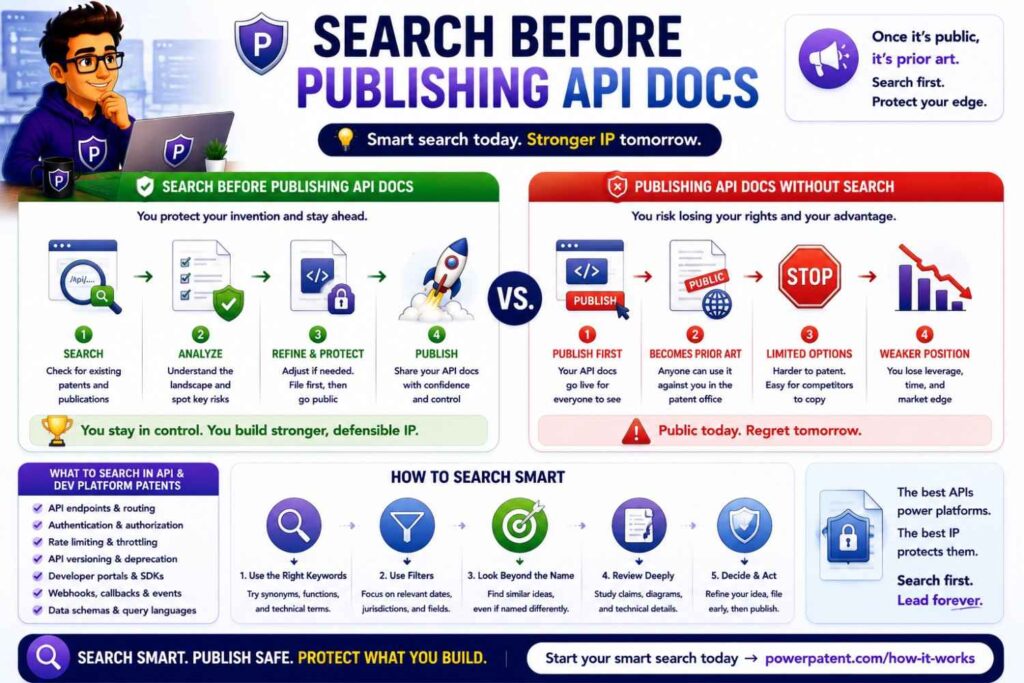
API docs can disclose more than a marketing page.
They may show endpoint structure, request fields, response fields, risk scores, confidence scores, policy checks, event order, retry logic, permission scope, and data mapping.
Before publishing API docs, review whether they reveal the invention.
For example, an API may expose:
A source confidence field.
A risk route field.
A policy validation status.
A model action approval state.
A replay token.
A root-cause event ID.
A tenant isolation flag.
A temporary action credential.
If those fields reveal the technical method, consider searching and filing first.
API docs are easy to overlook because they feel like product support. But they can become public technical disclosures.
Search Before Open Sourcing
Open source can be a great growth strategy.
It can build trust, adoption, and developer love.
But it can also disclose inventions.
Before open sourcing, ask:
Does the repo reveal the core method?
Does it show model routing?
Does it show data sync repair?
Does it show tenant isolation?
Does it show workflow triggers?
Does it show policy validation?
Does it show source verification?
Does it show scaling logic?
Does it show feedback updates?
If yes, run a patentability review before release.
You may still choose to open source. But make the decision with eyes open.
Search Before Fundraising
Investors like clear moats.
A vague answer like “we use AI and have patents pending” is not enough.
A stronger answer is:
“We searched the closest prior art. The broad workflow automation space is crowded, but our filing focuses on validating AI-generated workflow actions against permission scope, customer policy, and source data before execution. That control step is tied to enterprise trust and is central to our product.”
That is specific.
It shows the patent is not random.
It ties IP to business value.
A good search helps you speak with confidence without overclaiming.
Search Before Enterprise Sales
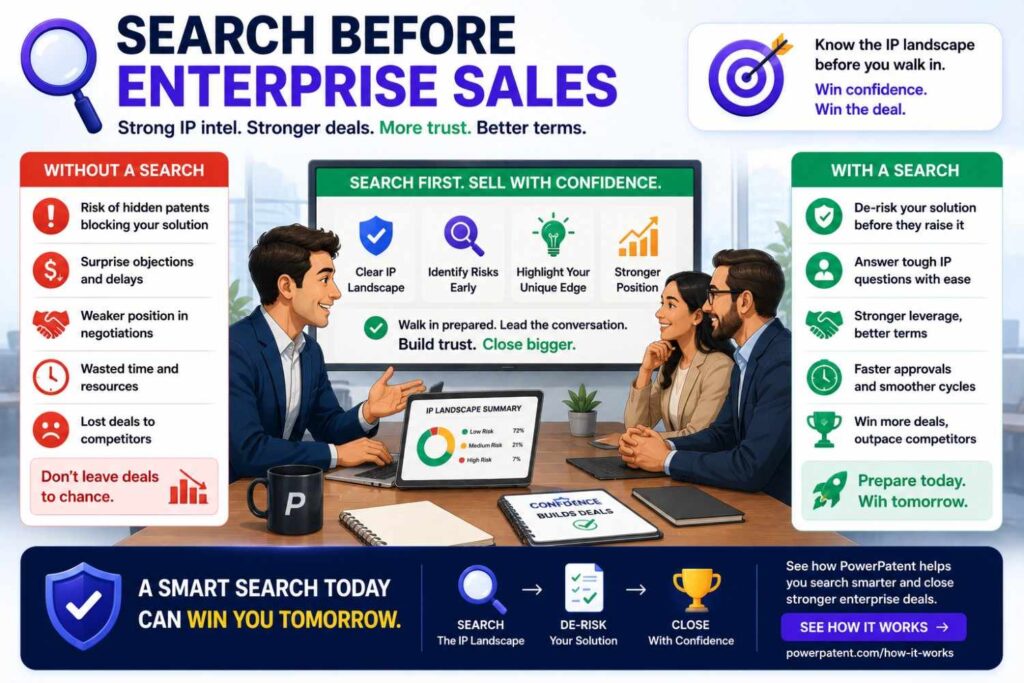
Enterprise buyers may ask about security, data use, compliance, privacy, and reliability.
A patentability search can help you understand which of those features are not just sales claims, but real technical advantages.
If your platform has a unique tenant isolation method, that may support sales.
If your AI action validation is unique, that may support trust.
If your compliance evidence packet avoids unrelated data exposure, that may support security reviews.
If your data sync repair reduces downtime, that may support large deployments.
A patent filing around those technical advantages can support enterprise credibility.
It shows you are not only building features. You are building defensible infrastructure.
Search Before Acquisition
Acquirers want to know whether your IP protects the thing they are buying.
For SaaS companies, that may not be the UI.
It may be the data pipeline, workflow engine, AI control layer, permission system, integrations, scaling method, or analytics engine.
A search-backed patent strategy helps tell that story.
It can show:
What technical feature drives product value.
What prior art was considered.
What gap the filing targets.
How claims map to the product.
What pending applications may still be adjusted.
What future versions are covered.
This can make diligence cleaner.
It can also reveal gaps before a buyer finds them.
Search Before Building a Patent Portfolio
A single SaaS product may contain many inventions.
One filing may cover AI action validation.
Another may cover field-level data sync repair.
Another may cover tenant-safe evidence generation.
Another may cover cloud workload routing.
Another may cover root-cause event grouping.
Another may cover customer-specific workflow validation.
Another may cover model feedback updates.
Search helps prioritize.
You may not file all at once.
Start with the features that are core, hard to copy, tied to business value, near public disclosure, and supported by technical detail.
A good portfolio grows with the product.
PowerPatent helps SaaS teams capture and organize inventions across the roadmap, so filings can be planned around real technical value. Learn how PowerPatent works.
Use Search to Decide Patent or Trade Secret
Some SaaS inventions may be better kept secret.
For example:
A backend ranking formula.
A model tuning method.
An internal cost optimizer.
A private data cleaning process.
A fraud signal weighting method.
A customer scoring model.
A hidden infrastructure scheduler.
If competitors cannot see or easily reverse engineer the method, trade secret protection may be worth discussing.
But if the method is exposed in product behavior, API docs, customer outputs, logs, integrations, or demos, patent filing may make more sense.
Search helps decide whether patent space exists.
Product visibility helps decide whether secrecy is realistic.
This is a strategic choice.
Do not assume every invention should be patented.
Do not assume every backend method should stay secret.
Make the decision deliberately.
Use Search to Improve Product Strategy
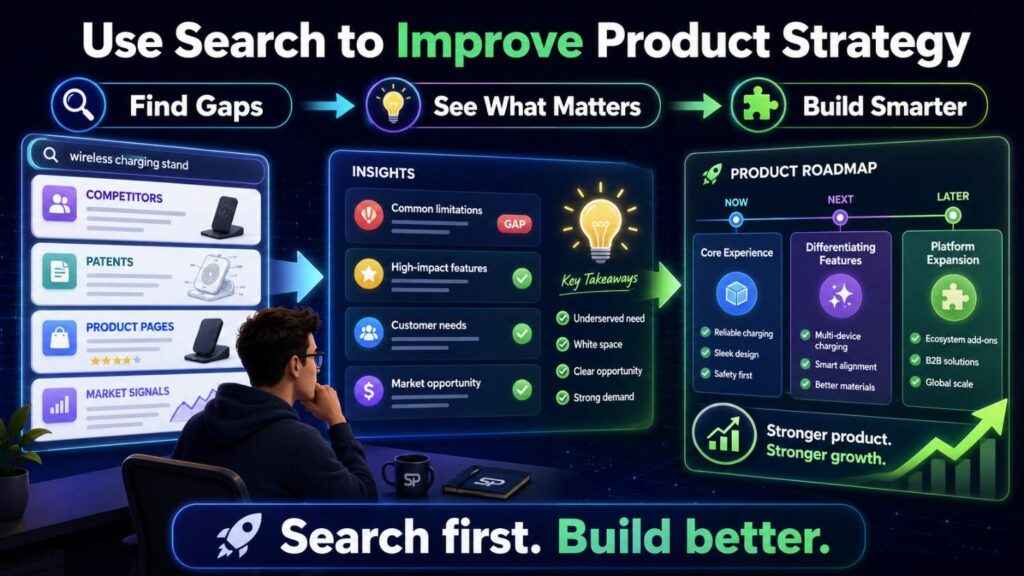
A patentability search can help product strategy.
It can show crowded areas.
It can reveal competitor focus.
It can uncover white space.
It can suggest stronger roadmap features.
It can show where the platform has a real technical edge.
For example, a search may show that many tools already do AI ticket routing. But fewer disclose a support workflow that asks one clarifying question only in a middle-confidence band and updates failure patterns after confirmed fixes.
That may guide product investment.
A search may show that many tools map compliance evidence. But fewer generate tenant-safe audit packets from mixed-source evidence without exposing unrelated data.
That may shape the roadmap.
A search may show that cloud workload scaling is crowded. But risk-based isolation for AI workflow actions may be less crowded.
That may guide architecture work.
Good patent search is not only about filing.
It can help build better products.
Build Search Into the Product Development Process
SaaS teams ship quickly.
Patent review should not happen once a year.
Build a lightweight habit.
When a feature solves a hard technical problem, capture it.
When an AI workflow changes output safety, capture it.
When a sync method reduces errors, capture it.
When a cloud method lowers cost, capture it.
When a permission design improves trust, capture it.
When a feedback loop improves accuracy, capture it.
Ask five simple questions:
What problem did we solve?
What method worked?
What failed before?
What result improved?
Will this become public soon?
If the answer looks important, run a focused search.
This process does not need to slow engineering.
It helps protect what engineering already built.
Involve Engineers in the Search
Engineers know where the invention lives.
They know the system flow.
They know what was hard.
They know what broke.
They know which part is elegant.
They know what a competitor would copy.
They know which terms to search.
A founder may say:
“Our AI makes compliance easier.”
An engineer may say:
“The key part is that we map evidence to controls using source lineage, then remove fields that are not needed for the audit packet.”
That second sentence is much more useful.
Bring engineers into the search process.
Ask them to draw the data flow.
Ask them to name the old approach.
Ask them to explain why it failed.
Ask them what changed.
Ask them where the logs show improvement.
The best patent search terms often come from the engineering story.
Involve Customer-Facing Teams Too
Sales, support, and customer success teams can help identify business value.
They know what customers ask about.
They know what closes deals.
They know what causes churn.
They know what feature competitors claim to have.
They know what users find hard.
For example, engineers may think a data sync repair method is minor. But customer success may know that broken syncs are the reason customers switch.
That means the feature may have high business value.
A patentability search should not be only technical. It should be technical plus strategic.
Search the features that matter to customers and are hard to copy.
Common Mistake: Searching Only the Category
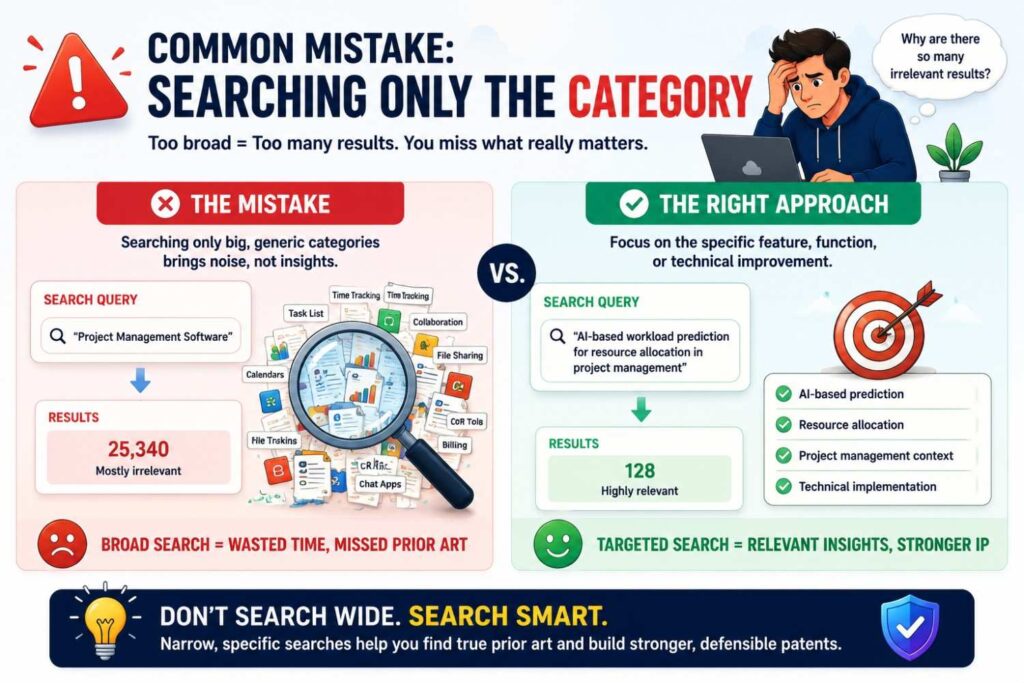
Searching “project management SaaS” or “AI compliance platform” is not enough.
Those terms are too broad.
Search the technical method.
What data is used?
What rule is applied?
What action follows?
What improves?
For example, search:
task priority model calendar dependency workload
policy evidence mapping cloud log control
AI action permission source validation
field-level CRM sync conflict trust score
root-cause alert grouping deployment log ticket
Specific searches find useful prior art.
Broad searches mostly create noise.
Common Mistake: Filing on the UI
A user interface may be part of the product, but the patentable invention is often deeper.
A dashboard may not be the invention.
The invention may be how the dashboard is generated.
A button may not be the invention.
The invention may be the workflow triggered by that button.
A report may not be the invention.
The invention may be how the system collects, filters, scores, and verifies the data inside the report.
If the UI creates a technical result, it may matter. But do not stop at the screen.
Search the backend method.
Common Mistake: Treating AI as the Invention
Using AI is usually not enough.
The invention may be how AI is used safely, efficiently, or accurately.
Search:
Prompt construction.
Context selection.
Source verification.
Model confidence.
Human review trigger.
Policy validation.
Permission checks.
Output blocking.
Action approval.
Feedback updates.
Model routing.
Data privacy.
For SaaS, AI inventions are often strongest when they solve enterprise trust problems.
Can the AI action be verified?
Can it be audited?
Can it be blocked?
Can it explain source support?
Can it respect tenant policy?
Can it avoid private data leakage?
Search those systems.
Common Mistake: Ignoring Cloud Infrastructure
SaaS founders sometimes think patents only cover user-facing features.
Not true.
Cloud infrastructure can be a strong invention area.
A new scaling method.
A workload isolation method.
A retry and replay system.
A data partitioning method.
A tenant-specific model update.
A privacy-preserving analytics process.
A cache invalidation method.
A distributed audit log.
A failure recovery process.
These can be valuable if tied to technical results.
Do not ignore infrastructure just because customers do not see it.
Sometimes the best patents protect what customers never see but always rely on.
Common Mistake: Ignoring Product Docs as Prior Art
Competitor docs can be very close prior art.
Search help centers, admin guides, integration docs, API docs, release notes, and changelogs.
A competitor may not have a patent, but if they publicly disclosed the method, it may still matter.
Docs often reveal workflow details that marketing pages hide.
Do not skip them.
Common Mistake: Not Tracking Dates
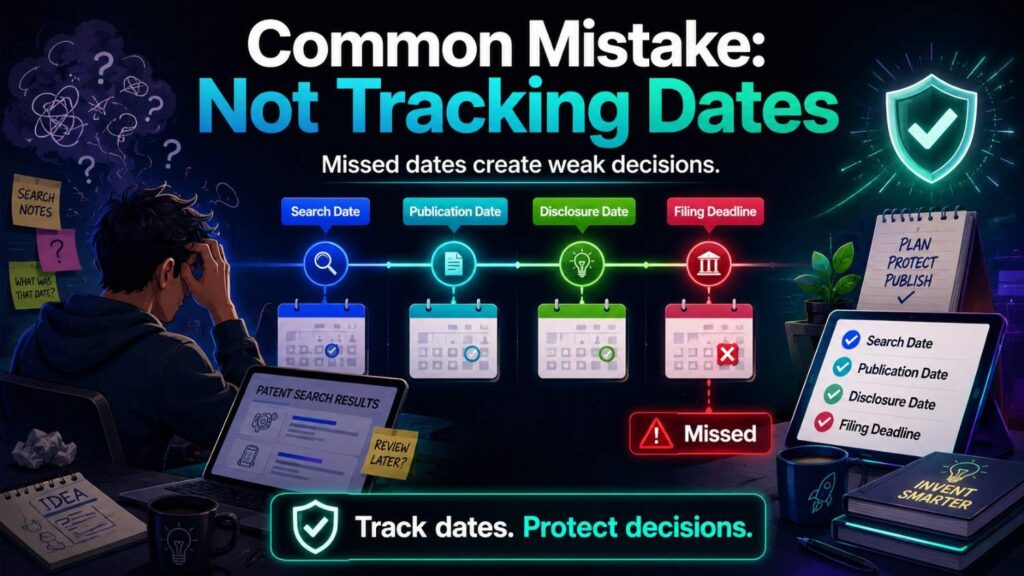
Dates matter.
Record publication dates for patents, docs, blog posts, GitHub commits, API docs, and release notes.
A current page may have changed over time.
A repo may have older commits.
A patent may have a priority date years before grant.
Your own public materials have dates too.
Keep them.
Your patent team needs timing information to assess risk.
Common Mistake: Stopping After “No Exact Match”
Exact matches are rare.
Prior art may use different words.
Search synonyms and related fields.
If your invention is “source trust,” search evidence score, source reliability, document provenance, citation support, grounding confidence, and reference quality.
If your invention is “workflow state repair,” search job replay, idempotent execution, event sourcing, distributed transaction recovery, and partial failure rollback.
If your invention is “tenant-safe audit packet,” search data minimization, evidence export, field-level redaction, access-scoped report, and compliance artifact generation.
Good search explores language.
What a Strong SaaS Search Finding Sounds Like
A strong search finding is specific.
For example:
“The broad idea of AI workflow automation is crowded. The closest references show AI-generated task suggestions and policy-based workflow approval. We did not find one reference that verifies an AI-generated action against permission scope, customer policy, and source-data support before allowing execution, while recording the decision in an audit log. This gap matters because it reduces unsafe automated actions in enterprise workflows. Recommend filing around the action validation layer, with backup claims for different policy sources and review outcomes.”
That is useful.
It names the crowded area, the closest art, the gap, the result, and the filing path.
Another example:
“The broad idea of SaaS data sync is crowded. The closest references show record syncing and conflict handling. We did not find one that uses field-level trust scores based on source, timestamp, user role, and prior correction history to replay only missing changes. Recommend filing around field-level replay and conflict repair.”
That is decision-ready.
What a Weak Search Finding Sounds Like
A weak finding says:
“No exact match found.”
Or:
“Our SaaS is different.”
Or:
“Competitors do not have this feature.”
Or:
“There are too many patents in this space.”
Or:
“The UI is unique.”
Those statements do not guide action.
A good finding must explain:
What was searched.
What the closest prior art teaches.
What it misses.
Why the missing part matters.
What should happen next.
That is the difference between search activity and patent strategy.
A Practical Patentability Search Workflow for SaaS
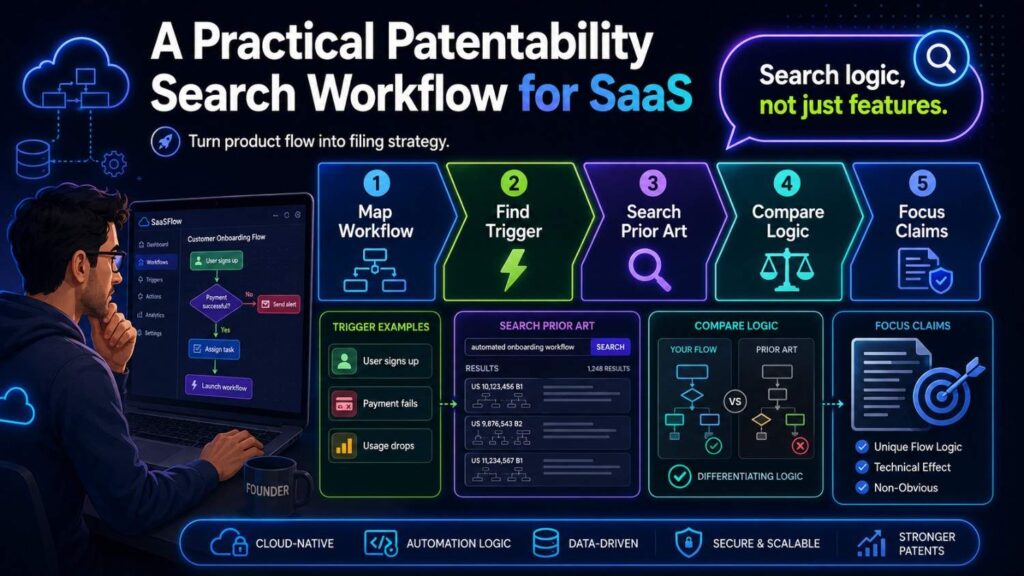
Start with a plain-English invention statement.
Name the technical problem.
Separate the user feature from the backend method.
Break the invention into data, rules, triggers, actions, and results.
Identify the core technical edge.
Build search terms with synonyms and older software language.
Search patents.
Search API docs.
Search help centers.
Search open source.
Search technical blogs.
Search cloud architecture papers.
Search security and compliance standards.
Search competitor products.
Search related SaaS categories.
Map the closest results element by element.
Find the strongest gap.
Tie the gap to business value.
Decide whether to file, refine, search more, pause, or keep the method secret.
That is the workflow.
It turns a vague product idea into a clear filing decision.
A Founder-Friendly SaaS Search Template
Use this template when your team finds a possible SaaS invention.
Invention name:
Product feature:
Plain-English invention statement:
Technical problem:
Backend method:
Data inputs:
Rules or scores:
Trigger:
System action:
Technical result:
Business value:
Search terms:
Patent results:
Product doc results:
Open-source results:
Technical blog results:
What the closest art teaches:
What it does not teach:
Strongest gap:
Why the gap matters:
Public disclosure risk:
Recommended decision:
This template keeps the search useful.
It also gives your patent attorney a much better starting point.
How PowerPatent Helps SaaS and Cloud Teams
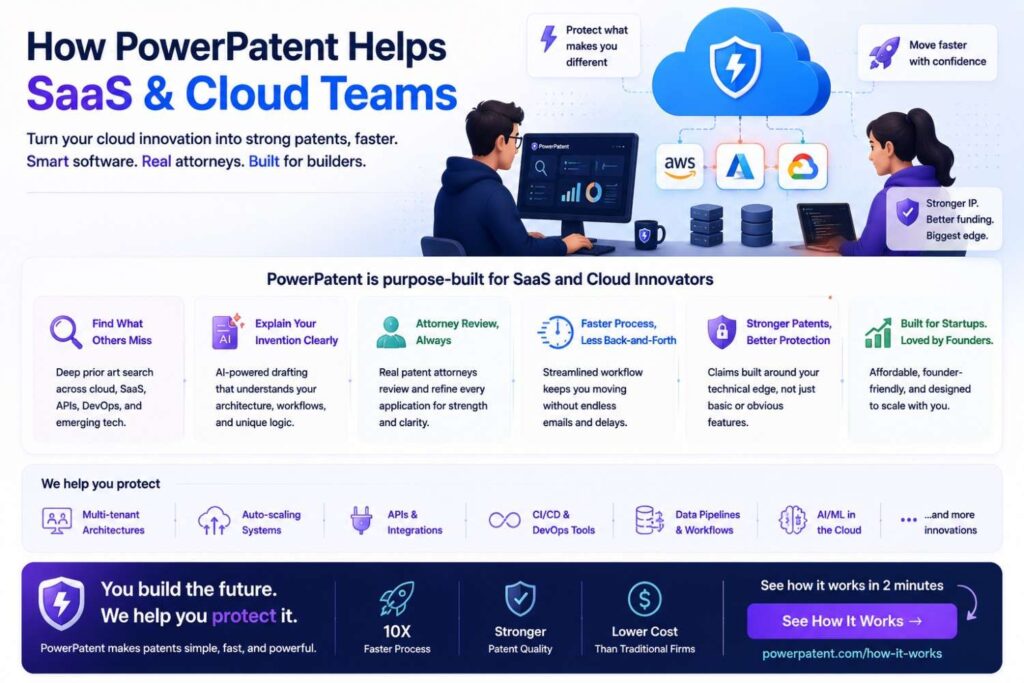
SaaS and cloud teams need patent workflows that move at product speed.
The invention may be in an API flow.
A workflow trigger.
A model validation step.
A tenant isolation method.
A cloud scaling rule.
A data sync repair process.
A compliance evidence map.
A security alert grouping method.
A feedback loop.
PowerPatent helps teams capture those details and turn them into stronger patent filings with real attorney oversight.
Instead of starting with a vague product summary, PowerPatent helps organize the actual technical story.
What the system does.
Why it works.
What came before.
What appears different.
What should be filed.
That helps founders protect real product value without slowing down the team.
Final Takeaway
A patentability search for SaaS products and cloud platforms should look under the hood.
Do not search only the product category.
Search the data flow, workflow trigger, permission rule, AI validation step, API behavior, tenant isolation method, cloud resource logic, event handling, security control, and feedback loop.
Look across patents, product docs, API guides, open-source repos, technical blogs, standards, and related SaaS fields.
Then compare the closest prior art against your invention element by element.
Find the real gap.
Tie that gap to business value.
Then decide whether to file, refine, search more, pause, or keep something secret.
For SaaS founders, this is how patent work becomes more than paperwork. It becomes a way to protect the technical systems that make the business hard to copy.
And when you are ready to turn product workflows, architecture, code-level ideas, cloud systems, and AI features into stronger patent filings, PowerPatent can help you move faster with smart software and real patent attorney oversight.
Leave a Reply