
Software and AI move fast. Patent work can feel slow.
But a good patentability search does not have to slow you down. It helps you find out whether your invention may be new, what the closest prior art looks like, and where your strongest patent angle may be.
For founders, engineers, and AI teams, this is not just legal housekeeping. It is how you protect the technical edge you are building.
PowerPatent helps startups turn software, models, workflows, code ideas, and product breakthroughs into stronger patent filings with smart software and real patent attorney oversight. See how PowerPatent works here.
What a Patentability Search Means for Software and AI
A patentability search is a search for things that came before your invention.
Those earlier things are called prior art.
Prior art can be a patent. It can be a published patent application. It can be a research paper. It can be a GitHub repo. It can be a product page. It can be a blog post. It can be a conference talk. It can be a public demo. It can be a model card. It can be API docs. It can be a thesis. It can be a standards document.
For software and AI, prior art is often spread everywhere.
That makes the search harder.
A hardware invention may have many patents. A pharma invention may have papers and patents. But a software or AI invention may be described in a patent, a code repo, a preprint, a developer forum, an open-source issue, a product changelog, or a slide deck from a conference.
That is why software patent searching needs a different mindset.
You are not only asking, “Has someone patented this?”
You are asking, “Has someone publicly taught this technical idea before?”
That is a bigger question.
It is also a more useful question.
A good search helps you decide whether to file, what to claim, what to avoid, and how to explain your invention clearly.
Why Software and AI Patent Searches Are Different
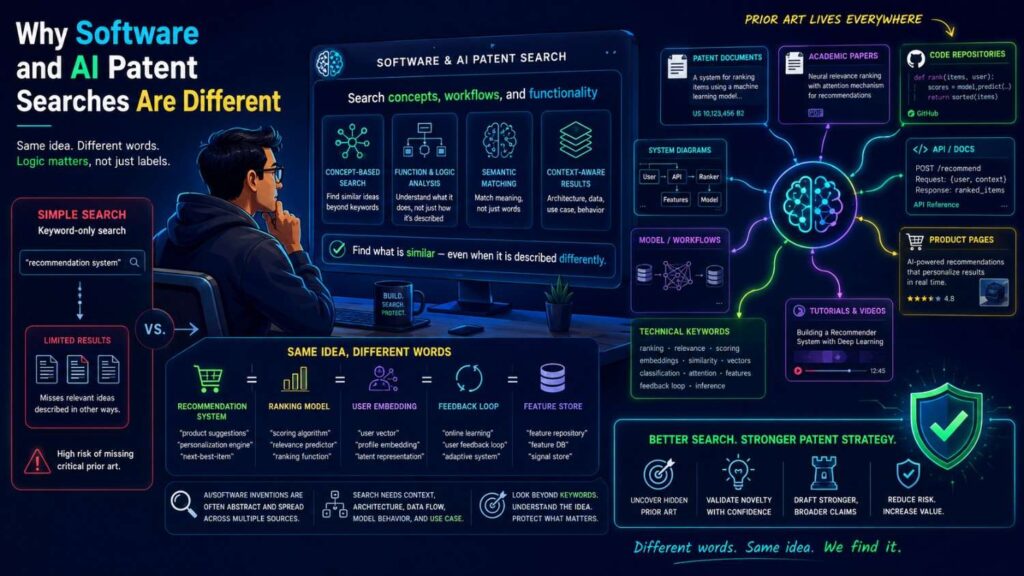
Software and AI inventions are often invisible from the outside.
A user may see a button, a result, or a dashboard. But the invention may live behind the screen.
It may be in the data flow.
It may be in how a model chooses inputs.
It may be in how a system checks model output.
It may be in how a workflow routes uncertain cases.
It may be in how feedback updates a score.
It may be in how the system saves compute.
It may be in how a local model decides when to call a cloud model.
It may be in how the system prevents unsafe AI answers.
This creates a search problem.
If your invention is hidden, normal product search may not find it.
For example, you may search “AI contract review tool” and find many products. But your invention may not be “AI contract review.” It may be a method for mapping generated clauses to source text, checking support, and sending unsupported parts to human review.
That is much more specific.
The same is true for AI coding tools, model monitoring, fraud systems, medical AI, data platforms, search products, robotics software, and developer tools.
The patentability search must look past the product label and into the technical method.
That is where the real invention often lives.
Start With the Invention, Not the Product
Most teams begin too broadly.
They search the product category.
“AI sales assistant.”
“Machine learning fraud detection.”
“Document automation.”
“Developer copilot.”
“Medical AI tool.”
“Voice assistant.”
“Data quality platform.”
These searches can be useful, but they are not enough. They find the market. They do not always find the invention.
Before searching, write down the invention in plain words.
Use this simple shape:
“Our invention does [main action] by using [specific technical method] so that [technical result] improves.”
For example:
“Our invention checks AI-generated answers by comparing model confidence with source trust so that unsupported answers are sent to review before users see them.”
That is much better than “AI answer tool.”
Another example:
“Our invention routes support tickets by combining ticket text, error logs, software version, and recent configuration changes so that the system can ask one clarifying question before assigning the ticket.”
That is much better than “AI customer support.”
Another example:
“Our invention reduces AI compute cost by running a small local model first, sending only uncertain cases to a larger cloud model, and updating the local threshold based on later review results.”
That is much better than “hybrid AI platform.”
A patentability search begins when the invention is clear enough to search.
If your team cannot write one clear sentence, pause.
Talk to the engineers. Look at the architecture. Read the design docs. Review the model flow. Ask what was hard. Ask what changed the result.
The invention may be smaller and stronger than the product story.
PowerPatent is built to help technical teams pull out these details from the work they already have: code notes, diagrams, model flows, product decisions, and engineering explanations. See how PowerPatent helps founders move from invention notes to filing.
Separate Business Ideas From Technical Ideas
Software startups often mix business value with technical invention.
That is normal.
A founder may say:
“Our platform helps sales teams close deals faster.”
That is useful for a pitch, but it is not the invention.
The invention may be:
“A system that scores sales call segments by matching customer objections to product proof points and updating the next-call prompt based on which proof points led to later conversion.”
Now you have something technical.
Another founder may say:
“Our AI helps lawyers review documents faster.”
That is a market claim.
The invention may be:
“A system that breaks a document into claim-like obligations, links each obligation to source text, detects missing support, and routes only unsupported sections to review.”
That is a technical workflow.
Another founder may say:
“Our tool makes cloud deployments safer.”
That is a product benefit.
The invention may be:
“A system that predicts rollback risk by comparing code change patterns, service dependency maps, and prior incident traces before deployment.”
That can be searched.
Patentability search works best when you focus on the technical mechanism.
Ask what the system does that is not just a human business choice.
Does it process data in a special way?
Does it create a new score?
Does it check output before use?
Does it change system behavior?
Does it reduce compute, memory, latency, or errors?
Does it improve safety, reliability, privacy, or accuracy?
Does it update itself using feedback?
Does it make a machine or software system operate differently?
That is where patentable value may live.
What Counts as Prior Art for Software and AI
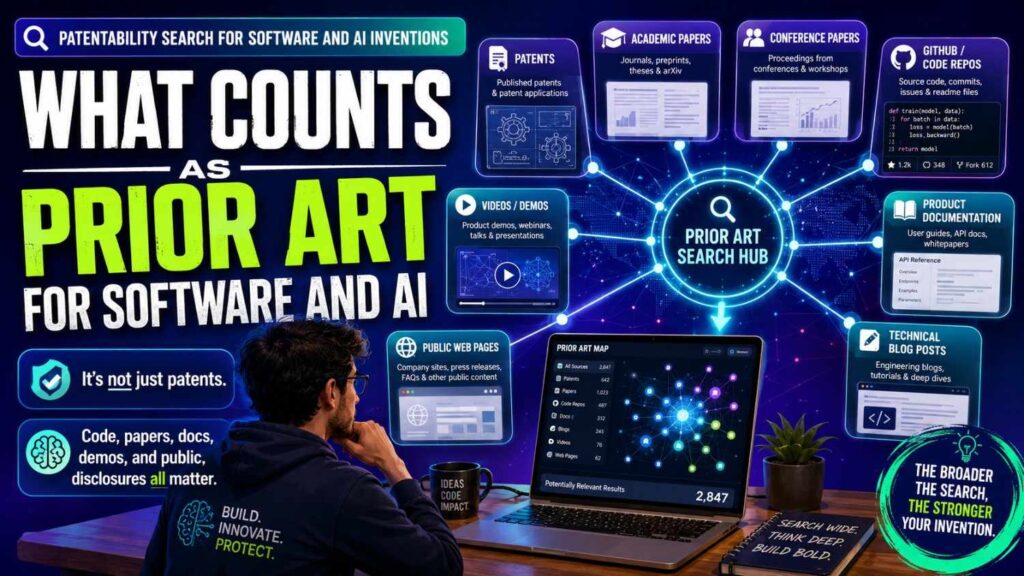
For software and AI, prior art can be messy.
A patent may describe the same workflow using formal language.
A paper may describe the same model pipeline using academic terms.
An open-source repo may show code that performs a similar step.
A product page may describe enough detail to matter.
A technical blog may teach the exact idea.
A demo video may show the workflow.
A benchmark report may reveal how the system works.
A model card may disclose training or safety steps.
An API doc may describe input, output, and routing logic.
A standards document may define a method others can use.
A public GitHub issue may describe a problem and a solution.
A conference slide may show an architecture.
This means your search should not stop at patent databases.
Patent databases matter. They are often the first place to look. But in AI and software, important ideas often become public outside patents first.
A strong search checks both patent and non-patent sources.
This is especially true for AI.
AI teams publish fast. They share preprints, code, evals, demos, and model details. A method may be public long before a patent application appears.
If you only search patents, you may miss the most important prior art.
The Two Main Patentability Questions
A patentability search helps with two main questions.
The first question is:
Is the invention new?
This means asking whether one earlier public source already shows all key parts of your invention.
The second question is:
Is the invention an easy next step from what already exists?
This means asking whether several prior art references could be combined in a way that makes your invention look predictable.
You do not need to use legal terms every day, but you should understand the logic.
For software and AI, the second question can be tricky.
Maybe one paper teaches confidence scoring.
Another paper teaches source ranking.
Another tool teaches human review.
Your invention may combine model confidence and source trust to decide when AI output should be reviewed.
No single source may show the full system. But a patent examiner may ask whether combining those pieces would have been obvious.
That does not mean you should give up.
It means your search should capture not only exact matches but also nearby pieces.
Strong patents often come from explaining why your particular combination is meaningful, why it solves a real technical problem, and why old systems did not do it the same way.
Do Not Search for “AI” Alone
Searching “AI” alone is almost useless.
It is too broad.
The same is true for “machine learning,” “neural network,” “large language model,” “automation,” “data platform,” “workflow,” and “analytics.”
These words are too common.
You need to search the specific technical action.
For AI inventions, search what the AI does and how it is controlled.
For example, instead of searching:
AI legal review
Search:
generated answer source verification human review
contract clause extraction source support score
LLM output citation confidence review routing
Instead of:
AI customer service
Search:
support ticket error log software version routing confidence
chatbot clarifying question confidence threshold ticket routing
failure pattern score configuration change support ticket
Instead of:
AI coding assistant
Search:
code suggestion acceptance feedback ranking
program repair model confidence test failure routing
developer edit history code completion ranking
The more specific your search, the better your results.
Search the method, not the buzzword.
Build a Search Map Before You Search
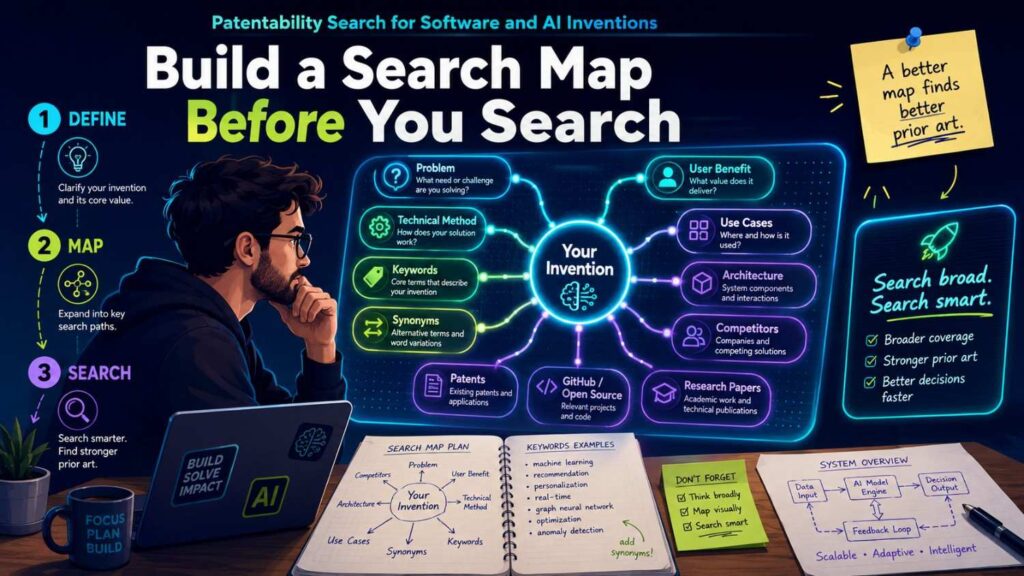
Before opening a search tool, make a simple search map.
Start with the technical problem.
Then write the solution.
Then write the key inputs.
Then write the key output.
Then write the technical result.
For example, imagine your invention is an AI system that verifies answers before showing them.
Technical problem:
AI answers can sound confident even when the source support is weak.
Solution:
Compare model confidence with source trust and route risky answers to review.
Inputs:
Generated answer, model confidence, source documents, source trust score, user question.
Output:
Display answer, hold answer, send to review, or ask for more source support.
Technical result:
Fewer unsupported high-confidence answers reach users.
Now turn each part into search terms.
Problem terms:
unsupported answer, hallucination, unreliable source, citation failure, answer verification.
Solution terms:
source trust, evidence score, citation support, confidence comparison, review routing.
Input terms:
model confidence, source document, retrieval result, knowledge graph, document provenance.
Output terms:
human review, block display, flag answer, route to reviewer.
Result terms:
reduce hallucination, improve answer reliability, prevent unsupported output.
This gives you a search plan.
Without this, you will wander.
Search in Layers
A good patentability search has layers.
The first layer is broad discovery. You search the product space and related technical field.
The second layer is method search. You search the exact workflow, score, trigger, model step, or data process.
The third layer is source search. You search patents, papers, code, product docs, and standards.
The fourth layer is citation search. You follow references from close results.
The fifth layer is competitor search. You search companies, inventors, products, labs, and assignees.
The sixth layer is claim mapping. You compare the closest prior art against the parts of your invention.
This layered approach is much stronger than typing one phrase and scanning the first page.
Software and AI inventions often hide behind different words.
A layered search helps you find the same idea even when other people describe it differently.
Search Patent Databases First, But Not Last
Patent databases are still important.
They can show what companies and inventors have already tried to protect.
For software and AI, patent language may feel strange.
A patent may not say “LLM chatbot.” It may say “natural language processing system.”
It may not say “AI hallucination.” It may say “unsupported generated response.”
It may not say “developer copilot.” It may say “code completion recommendation system.”
It may not say “vector database.” It may say “embedding-based retrieval store.”
It may not say “human-in-the-loop.” It may say “manual review workflow” or “user validation.”
This means you need to search both modern terms and formal terms.
Start with common tools like Google Patents for broad searching. Use USPTO Patent Public Search for U.S. patents and applications. Use Espacenet and PATENTSCOPE to look internationally.
Do not assume U.S. patents are the whole world.
Software and AI inventions are global. A relevant patent application may come from Europe, China, Korea, Japan, Canada, India, or another region.
If a foreign patent looks close, save it.
Machine translations are not perfect, but they can still reveal important prior art.
Search Research Papers and Preprints
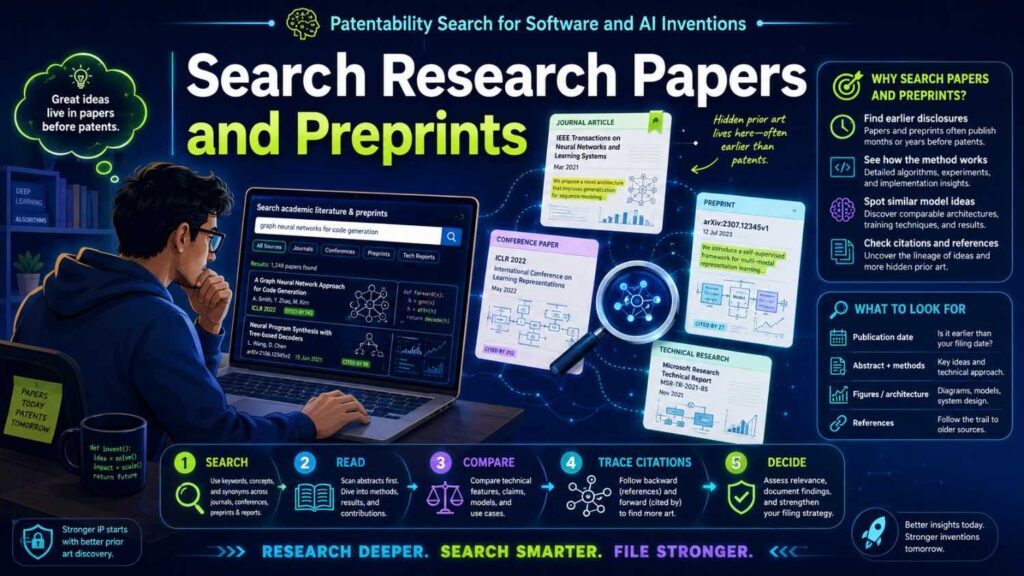
AI moves through papers quickly.
Many important AI ideas show up first in preprints, conference papers, workshop papers, or technical reports.
Search academic sources for:
The model method.
The evaluation method.
The data selection method.
The human review method.
The safety check.
The retrieval step.
The confidence score.
The feedback loop.
The deployment architecture.
For example, if your invention is about reducing hallucinations, search for papers on answer verification, retrieval-augmented generation, citation support, factual consistency, uncertainty estimation, and human review triggers.
If your invention is about model routing, search for papers on mixture of experts, adaptive inference, early exit, model cascades, confidence-based routing, and compute-aware inference.
If your invention is about training data quality, search for weak labels, active learning, data cleaning, label confidence, dataset filtering, and human feedback.
Do not only search the product use case.
Search the technical method.
A paper in medical AI may teach a method that applies to legal AI. A paper in search ranking may teach source trust. A paper in robotics may teach confidence-based control. A paper in software testing may teach code repair feedback.
Related fields matter.
Search GitHub and Open Source Projects
For software and AI, GitHub can be prior art.
A public repo can teach a method.
It may show code, architecture, data flow, config logic, model routing, prompt building, eval steps, or output checking.
Search GitHub for your core terms.
Search README files.
Search issues.
Search pull requests.
Search examples.
Search notebooks.
Search package docs.
A repo may not look like a formal publication, but it can still reveal public technical work.
For example, a repo may show:
A prompt pipeline for source-based answer checking.
A model cascade for cost reduction.
A confidence threshold for routing requests.
A code repair loop using test results.
A document chunking method for retrieval.
A guardrail method that blocks unsafe outputs.
A feedback system that updates ranking.
If it is public before your filing date, it may matter.
Open source is a gift and a risk.
It can help you build faster. It can also show that a method was already public.
Search Product Docs and API Docs
Product documentation can be surprisingly important.
Many software companies explain technical behavior in docs.
API docs may show inputs, outputs, request flows, model options, confidence fields, routing rules, user roles, and error handling.
Developer docs may reveal architecture.
Changelogs may show when a feature became public.
Help pages may show workflows.
Integration docs may show data mapping.
For example, if your invention routes AI answers to review based on source trust, search products that offer AI review, answer verification, citation checking, knowledge base grounding, or compliance workflows.
Look at their docs.
Do they describe the same trigger?
Do they use the same score?
Do they block output in the same way?
Do they update the trust score after review?
Often, marketing pages are vague. Docs are clearer.
Search both.
Search Technical Blogs and Conference Talks
Software teams often publish technical blogs.
These posts can be detailed.
They may explain how a company built a ranking system, routing system, model monitor, trust score, data pipeline, or review workflow.
AI companies also share architecture posts.
They may discuss hallucination control, retrieval, evaluation, model routing, latency reduction, data labeling, safety checks, or human feedback.
Conference talks can also matter.
A slide deck may show a workflow. A video may explain a system. A workshop presentation may reveal a method.
Search for your technical method plus words like:
architecture
pipeline
implementation
case study
engineering blog
talk
slides
conference
benchmark
open source
This is not glamorous work, but it can reveal close prior art.
Search Standards and Protocols
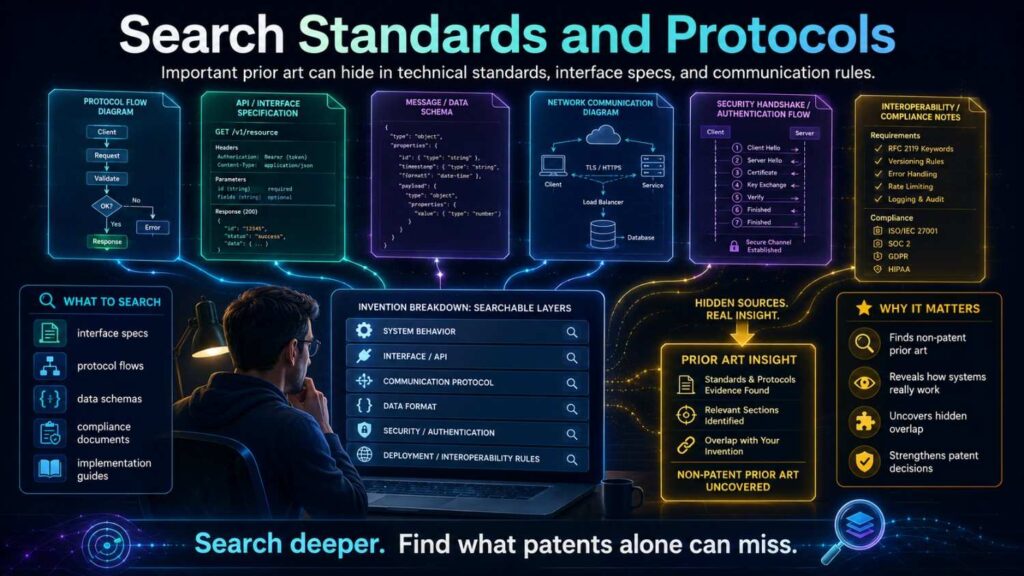
Some software inventions touch standards.
This is common in security, networking, data formats, cloud systems, telecom, video, privacy, identity, medical data, and AI safety.
If your invention involves a protocol, data exchange, authentication method, model reporting format, or compliance flow, search standards documents.
Prior art may be hidden in formal working group papers, drafts, or technical specs.
This matters because standards can describe methods in detail.
Even if your product is newer, a standards draft may have taught the core idea earlier.
Do not skip this step if your invention lives near a standard.
Search Competitors Carefully
Competitor search is useful, but it can mislead you.
It is useful because competitors may file patents near your product space.
It can mislead you because competitors are not the only source of prior art.
Search competitor company names, old company names, acquired company names, founder names, key engineer names, product names, and patent assignees.
Also search labs, universities, and open-source communities in the same space.
When you find competitor patents, do not panic.
Read them.
A competitor patent may sound broad but claim something narrow. It may cover a different method. It may be pending, expired, abandoned, or limited. It may still matter as prior art, but it does not always block your own patent.
Patentability and freedom-to-operate are related but different.
Patentability asks whether you can get your own patent.
Freedom-to-operate asks whether your product may infringe someone else’s patent.
This article focuses on patentability. If you are about to launch in a crowded space, you may also need a separate freedom-to-operate review.
Break the Invention Into Elements
After you collect search results, compare them properly.
Do not say, “This looks close.”
Break your invention into elements.
For an AI output verification invention, the elements may be:
The system generates an answer using a model.
The system creates a model confidence score.
The system creates a source-trust score.
The system compares model confidence and source trust.
The system routes an answer to review when source trust is low.
The system can route an answer to review even when model confidence is high.
The system blocks display or marks the answer until review is done.
The system updates source trust after review.
Now compare each prior art reference against those elements.
Does Reference A show all of them?
Does Reference B show only some?
Does Reference C show a different review trigger?
This is where the search becomes a decision.
A pile of results becomes a claim map.
PowerPatent helps founders and engineers organize invention details in a way that supports this kind of patent analysis, instead of leaving everything buried in scattered docs and chats. See how PowerPatent works.
Compare One Reference at a Time
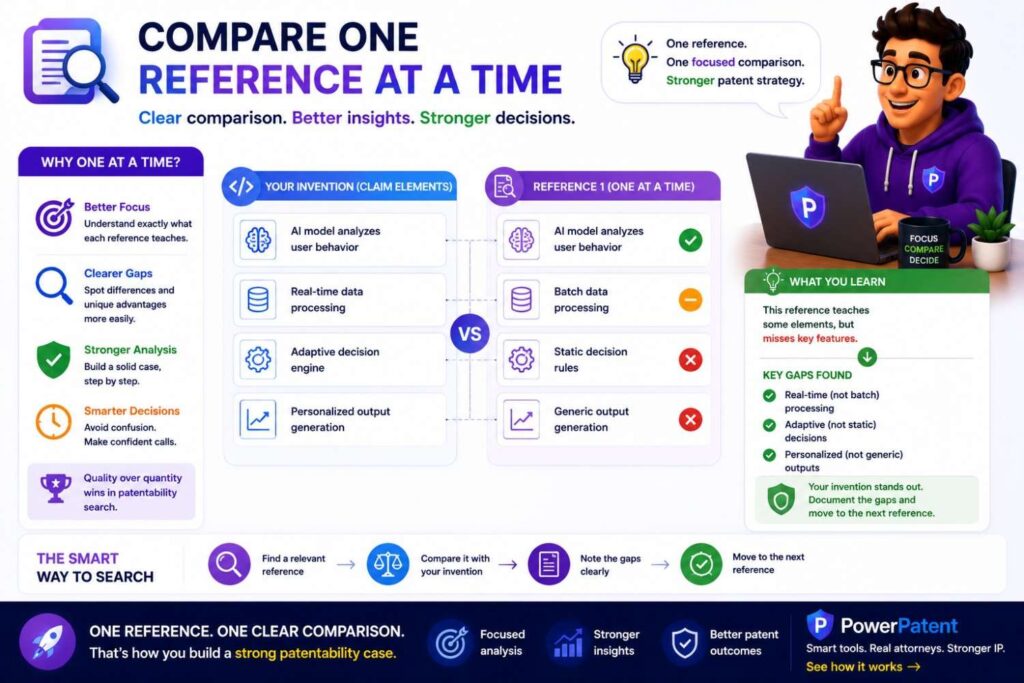
For novelty, compare one reference at a time.
If one prior art source shows every key element of your invention, your working claim may not be new.
If no single source shows every element, the invention may still be novel.
But do not stop there.
For obviousness, compare possible combinations.
Maybe one reference shows model confidence. Another shows source trust. Another shows human review.
The question becomes whether combining them in your specific way would have been an easy step.
This is where your technical story matters.
Why does your combination solve a problem old systems missed?
Why is your trigger different?
Why does your feedback loop matter?
Why did old systems not use this path?
What technical result improves?
Software and AI claims often live or die on these details.
Do Not Overvalue Vague Mentions
Prior art may mention your word without teaching your method.
For example, a patent may say “the system may use artificial intelligence.”
That does not teach your AI workflow.
A paper may say “confidence can be used.”
That does not teach your confidence-based routing logic.
A product page may say “verified answers.”
That does not teach your source-trust comparison.
A repo may include a review step.
That does not teach your specific trigger, feedback loop, or scoring method.
When mapping prior art, ask what the reference actually teaches.
Does it show enough detail?
Does it explain the same step?
Does it use the same input?
Does it produce the same output?
Does it trigger the same action?
Does it update the same state?
Does it solve the same problem?
Do not ignore vague references. But do not let them scare you more than they should.
Do Not Underestimate Close Art
The opposite mistake is dismissing close art too fast.
A patent may use different words but teach the same thing.
A paper may be in a different field but solve the same technical problem.
A repo may not be polished but may disclose the core method.
A product manual may not sound like a patent, but it may show the full workflow.
Be honest.
If a reference teaches your core element, say so.
If it teaches most of the invention, treat it seriously.
If you are unsure, mark it unclear and ask for attorney review.
A good patentability search is not marketing. It is decision work.
The goal is not to prove the invention is new at all costs.
The goal is to know what you have.
Find the Strongest Gap
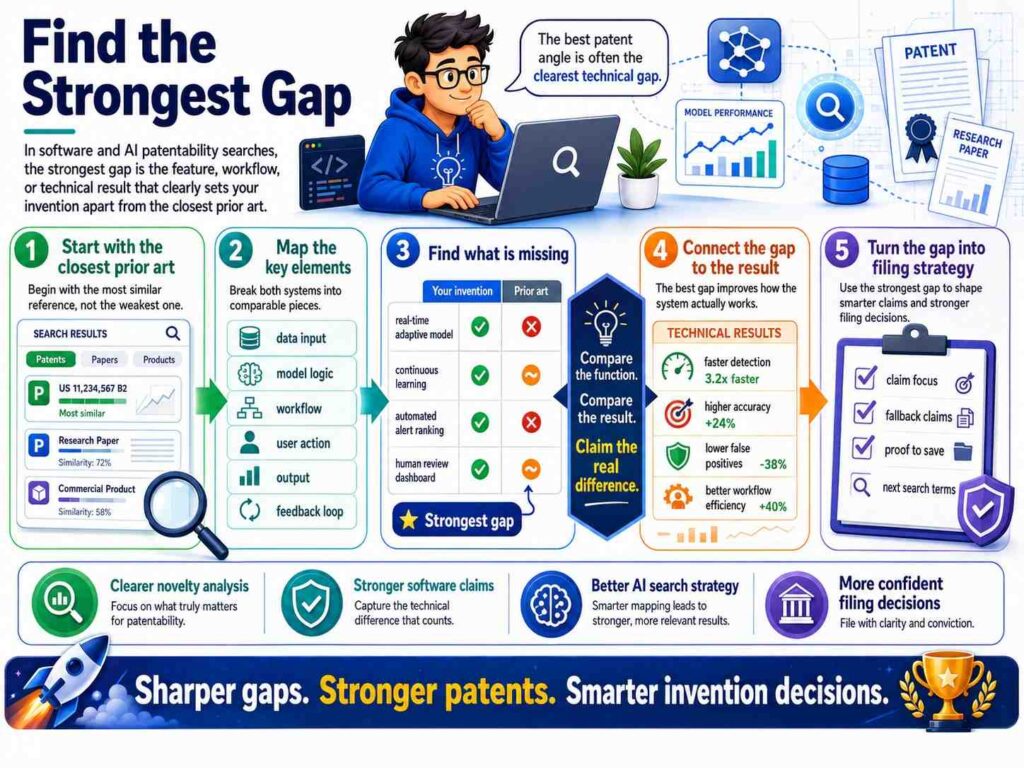
The most useful output of a patentability search is the strongest gap.
The gap is what the closest prior art does not show.
For software and AI, strong gaps often involve:
A special data input.
A special score.
A special review trigger.
A special feedback loop.
A special timing rule.
A special model routing rule.
A special verification step.
A special privacy control.
A special edge-device workflow.
A special way to reduce compute.
A special way to handle low-confidence or high-risk cases.
But the gap must matter.
A missing dashboard color is not useful.
A missing model-checking step that prevents unsafe output may be useful.
A missing field name is not useful.
A missing data relationship that changes routing may be useful.
A missing button is not useful.
A missing decision rule that reduces false positives may be useful.
Tie every gap to a technical result.
Tie the Gap to a Technical Result
Software and AI inventions are stronger when the difference creates a technical result.
That result may be:
Lower latency.
Less compute.
Less memory.
Fewer false positives.
Fewer false negatives.
Better model reliability.
Better source support.
Better safety.
Better privacy.
Better routing.
Better fault detection.
Less network traffic.
More stable deployment.
Faster recovery.
Better use of human review.
A patent story should not stop at “we do this differently.”
It should explain why the difference matters.
For example:
“Our system routes high-confidence answers to review when source trust is low, which catches unsupported outputs that confidence-only review may miss.”
Or:
“Our system uses a small local model before calling a larger cloud model, which lowers compute cost and reduces latency for easy cases.”
Or:
“Our system asks one clarifying question only in the middle-confidence range, which reduces needless handoffs while avoiding risky auto-responses.”
Or:
“Our system updates the model-routing threshold after review, which adapts future routing to the user’s actual error patterns.”
These are strong because they connect method to result.
Search for the Technical Result Too
Do not only search the method.
Search the result.
Sometimes people describe the same invention by the benefit, not the mechanism.
For example, if your invention reduces hallucinations, search for hallucination reduction, factual consistency, answer grounding, citation support, output verification, and evidence checking.
If your invention lowers compute cost, search for adaptive inference, model cascade, early exit, dynamic routing, conditional computation, and cost-aware inference.
If your invention reduces false alerts, search for false positive reduction, threshold adaptation, context-aware alerting, and dynamic baseline.
If your invention improves support routing, search for ticket triage, failure pattern matching, incident classification, and clarifying question selection.
Result words help you find prior art that uses different method words.
Method words and result words together make the search stronger.
Software Search Example: AI Support Ticket Routing
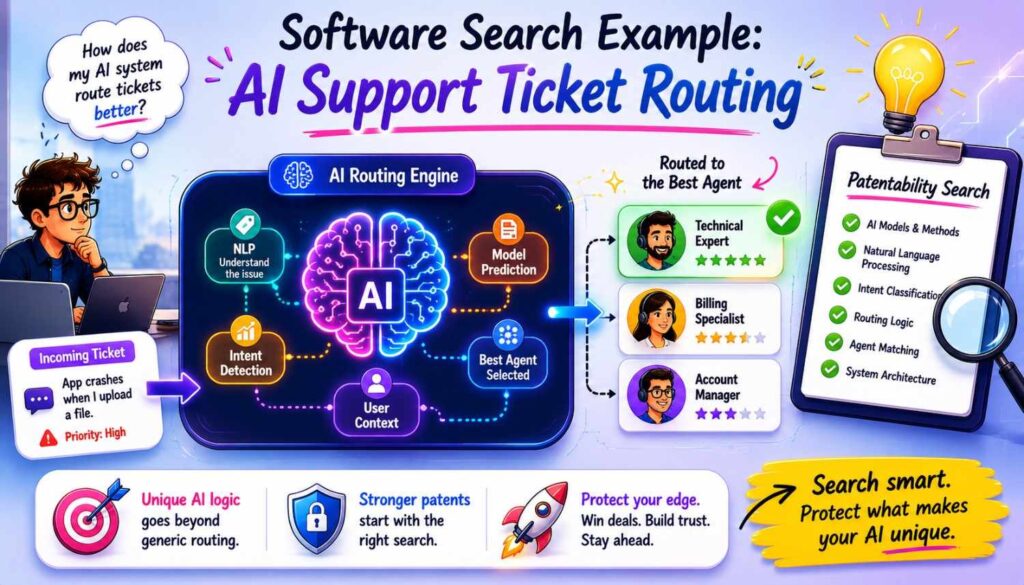
Imagine your startup built an AI support system.
The product story is:
“Our tool automates support tickets.”
That is too broad.
The invention may be:
“The system creates a failure-pattern score from ticket text, error logs, software version, and recent configuration changes. If the score is high, it suggests a fix. If the score is low, it routes to a specialist. If the score is in the middle, it asks one clarifying question.”
Now search.
Start broad:
AI support ticket routing
automated support ticket classification
support ticket triage machine learning
Then search the method:
support ticket error log software version classification
failure pattern score support ticket
configuration change error log ticket routing
confidence threshold clarifying question chatbot support
middle confidence support ticket question routing
Then search non-patent art:
GitHub support ticket classifier error logs
support ticket triage model confidence paper
incident classification configuration changes logs
Now compare.
You may find old systems that classify tickets by text.
You may find systems that detect incidents from logs.
You may find chatbots that ask questions.
You may find systems that route based on confidence.
But do you find one source that combines ticket text, logs, version, and recent configuration changes into a failure-pattern score, then uses a middle-confidence band to ask one clarifying question before routing?
That may be the gap.
Now tie it to a result.
The system reduces wrong auto-fixes and reduces unnecessary human handoffs.
That is a patentable-style story.
AI Search Example: Source-Trust Review
Imagine your startup built an AI research assistant.
The product story is:
“Our tool gives reliable answers.”
Too broad.
The invention may be:
“The system creates both a model confidence score and a source-trust score. It routes an answer to review when source trust is low, even if model confidence is high.”
Now search:
AI answer source trust confidence review
LLM output source reliability human review
generated answer evidence score confidence
citation support model confidence routing
source trust hallucination prevention
high confidence hallucination source verification
You may find prior art that uses model confidence.
You may find prior art that uses citations.
You may find prior art that ranks source reliability.
You may find prior art that uses human review.
Now compare.
The key may not be any one piece. The key may be the conflict rule.
When model confidence is high but source trust is low, the system still triggers review.
That matters because AI can be confidently wrong.
If the closest prior art only reviews low-confidence answers, your system targets a different failure mode.
That is the kind of distinction to bring to a patent attorney.
AI Search Example: Model Routing to Save Compute
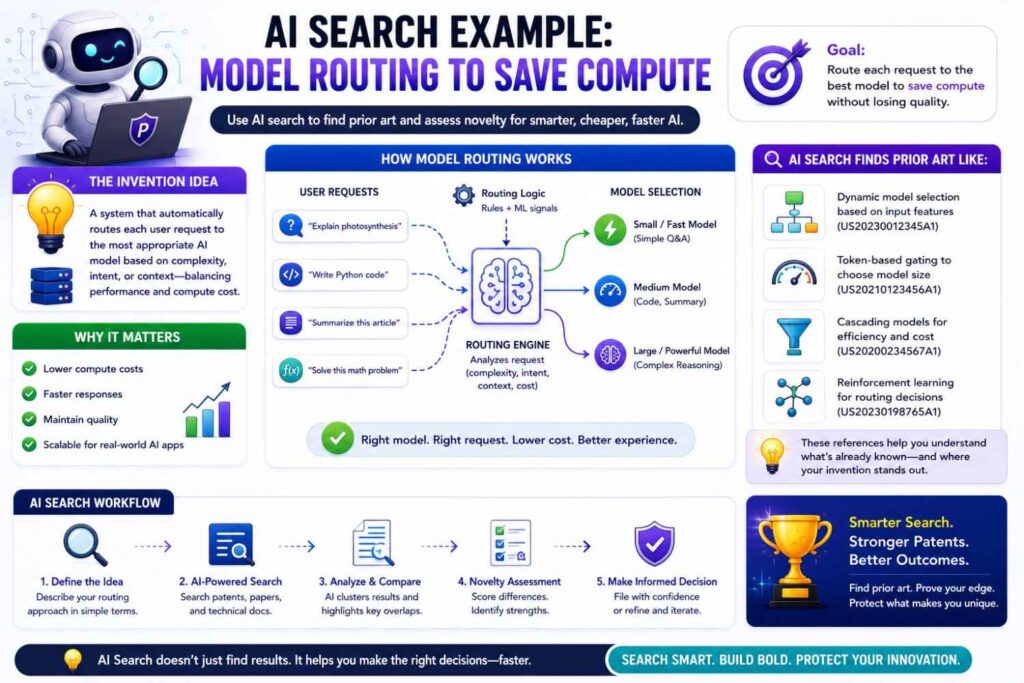
Imagine your startup built a system that uses small and large models together.
The product story is:
“Our AI is cheaper and faster.”
Too vague.
The invention may be:
“The system first runs a small local model, calculates uncertainty, sends only uncertain cases to a larger cloud model, and updates the uncertainty threshold based on later review outcomes.”
Search terms:
model cascade uncertainty threshold
small model large model routing confidence
adaptive inference local cloud model
conditional computation review feedback threshold
AI model routing cost latency confidence
edge model cloud model uncertainty routing
You may find many papers on model cascades and adaptive inference.
That means the broad idea may be crowded.
Look deeper.
Does the prior art update the routing threshold based on later review outcomes?
Does it adapt per user, per task, per device, or per data type?
Does it route for privacy as well as cost?
Does it keep certain data local unless uncertainty passes a threshold?
Does it use post-hoc review to tune the local model?
Your strongest angle may be the feedback update, privacy trigger, or per-user threshold.
The search helps you avoid filing only on “small model then big model,” which may already be known.
Software Search Example: Code Repair
Imagine your startup built an AI coding tool.
The product story is:
“Our AI fixes code.”
Very broad.
The invention may be:
“The system generates code repair suggestions, runs targeted tests, ranks suggestions based on test failure type and developer edit history, and updates future ranking based on which repairs the developer accepts.”
Search:
AI code repair test failure ranking
program repair developer feedback ranking
code suggestion acceptance history model
automated bug fix test result feedback
developer edit history code repair suggestions
You may find prior art for automated program repair.
You may find tools that run tests.
You may find systems that use developer feedback.
The question is whether one reference shows your full ranking loop.
Maybe the gap is:
Ranking code repairs using both targeted test failure type and developer edit history, then updating future rankings based on accepted repairs.
Tie it to result:
The system suggests repairs more likely to pass tests and match developer style.
That is a stronger patent angle than “AI fixes code.”
Software Search Example: Deployment Risk
Imagine your startup built a deployment safety tool.
The product story is:
“Our tool prevents bad deploys.”
Too broad.
The invention may be:
“The system predicts rollback risk by comparing code change patterns, service dependency maps, and prior incident traces before deployment, then blocks or stages deployment when risk exceeds a threshold.”
Search:
deployment risk prediction dependency map incident history
rollback prediction code change service dependency
software release risk machine learning incident trace
deployment gating risk score dependency graph
canary deployment risk prediction prior incidents
You may find prior art for canary deploys, monitoring, dependency graphs, and incident prediction.
The strong gap may be the specific combination of code change patterns, dependency maps, and prior incident traces before deployment.
Or it may be the action: blocking, staging, or changing rollout speed based on a risk score.
Or it may be the feedback: updating the risk model after deployment outcome.
A search helps you find which part is actually new.
Software Search Example: Data Cleaning and Labeling
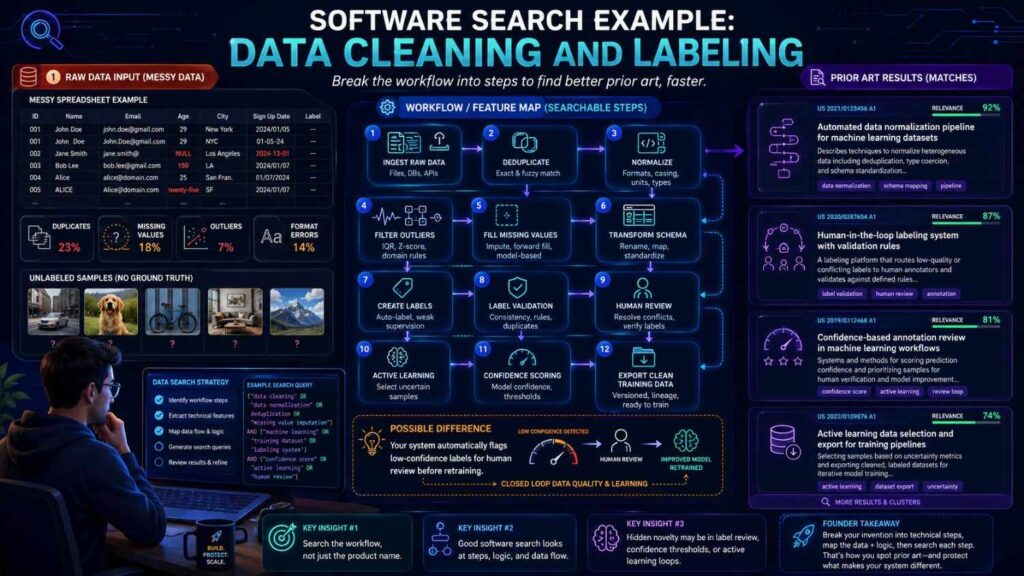
Imagine your startup built a data labeling platform.
The product story is:
“Our tool improves training data.”
Too broad.
The invention may be:
“The system identifies label conflicts by comparing model uncertainty, annotator history, and feature cluster position, then sends only high-impact conflicts to expert review.”
Search:
label conflict model uncertainty annotator history
active learning annotator reliability cluster
training data quality expert review uncertainty
label noise detection feature cluster annotator
human review high impact label conflict
You may find prior art for active learning, label noise detection, annotator reliability, and expert review.
The question is whether the prior art teaches your full selection rule.
Maybe the key is not detecting label conflict. It is choosing which conflicts get expert review based on model uncertainty and cluster impact.
Tie it to result:
The system improves dataset quality while reducing expert review load.
That is practical and patent-relevant.
How to Search When Your Invention Uses LLMs
LLM inventions need special care.
Many people now use large language models for everything.
A patentable invention usually needs more than “use an LLM to do X.”
Search the system around the LLM.
How are prompts built?
How is context selected?
How are sources ranked?
How is output verified?
How is uncertainty measured?
How is review triggered?
How are tools called?
How is memory updated?
How is private data handled?
How is the model routed?
How is output transformed into action?
How does the system avoid errors?
For LLM inventions, search terms often include:
prompt construction
retrieval augmented generation
source grounding
citation verification
tool use
agent workflow
human review
confidence scoring
output validation
guardrails
memory update
context selection
hallucination detection
model routing
task decomposition
But always connect these terms to your specific workflow.
Do not search “RAG” alone. Search the special RAG step you invented.
Do not search “guardrails” alone. Search the specific guardrail trigger.
Do not search “agent” alone. Search the tool selection and verification flow.
How to Search When Your Invention Uses Training Data
Some AI inventions are about training data.
The invention may be how data is chosen, cleaned, labeled, weighted, filtered, or updated.
Search for:
data selection
data curation
label noise
weak supervision
active learning
synthetic data
data weighting
training sample selection
hard example mining
annotator reliability
dataset filtering
feedback-based labeling
domain adaptation
continual learning
But again, go specific.
If your invention filters training samples based on disagreement between two models and a human label history score, search that.
If your invention creates synthetic edge cases based on failed deployments, search that.
If your invention weights training data based on user correction patterns, search that.
The novelty may be in the data process, not the model.
How to Search When Your Invention Uses Feedback
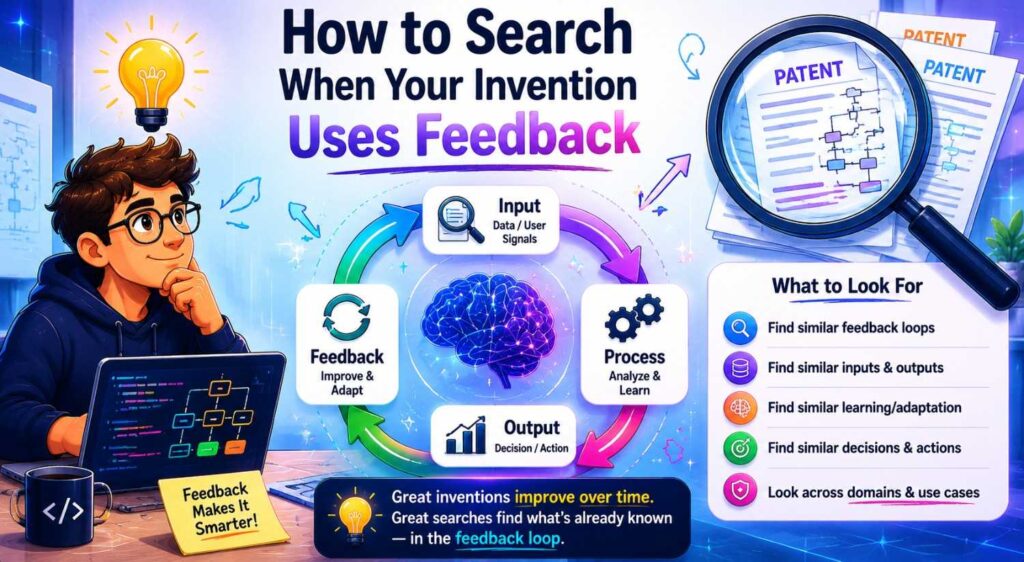
Feedback loops are common, but specific feedback loops can be valuable.
Search carefully.
Do not search only “feedback.”
Search what feedback changes.
Does feedback update a model?
Does it update a threshold?
Does it update a source-trust score?
Does it update a user profile?
Does it update a routing rule?
Does it update a prompt template?
Does it update a ranking model?
Does it update a safety policy?
For example:
user feedback source trust update
accepted suggestion ranking feedback
confirmed false alert threshold update
human review model routing threshold
developer edit feedback code suggestion ranking
support ticket resolution failure pattern update
Feedback matters when it changes future system behavior in a specific way.
A vague “the system learns from feedback” is weak.
A clear “the system updates a device-specific alert threshold after a confirmed false alert” is much stronger.
How to Search When Your Invention Saves Compute
Compute-saving inventions are increasingly important.
AI is expensive. Latency matters. Edge devices are limited. Cloud calls cost money.
Search for:
adaptive inference
conditional computation
early exit
model cascade
dynamic model routing
confidence threshold
edge inference
local cloud routing
resource-aware inference
cost-aware model selection
latency-aware model selection
token reduction
context compression
retrieval pruning
prompt compression
batching optimization
cache reuse
But search your specific method.
If your system compresses context based on source trust and question type, search that.
If it skips a large model when a small model’s confidence is high and the task is low risk, search that.
If it adjusts routing based on later human review, search that.
The result may be lower cost, lower latency, or less energy use.
Those are strong technical results.
How to Search When Your Invention Improves Safety
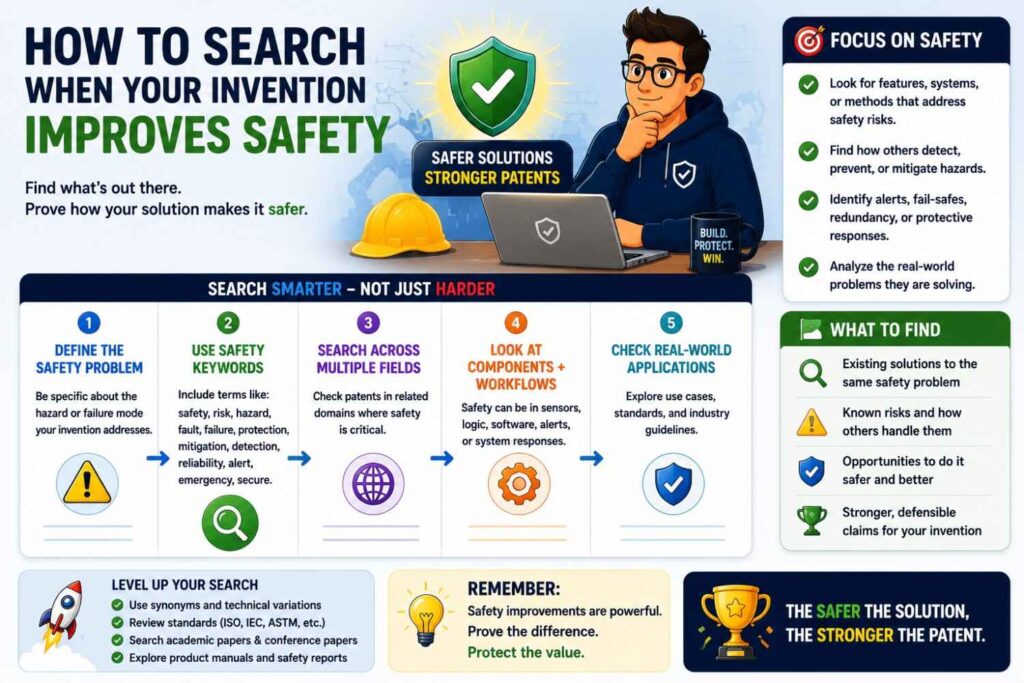
AI safety inventions can be valuable, but the space is crowded.
Search by failure mode.
Does your invention prevent unsafe medical advice?
Does it block unsupported financial output?
Does it check legal citations?
Does it detect prompt injection?
Does it protect private data?
Does it stop tool misuse?
Does it prevent autonomous agent errors?
Search terms may include:
prompt injection detection
tool call validation
AI output safety review
source-grounded response verification
private data leakage prevention
policy violation detection
AI agent action approval
model output risk scoring
human review trigger
unsafe output blocking
The key is the technical control.
A broad safety claim may be crowded.
A specific check, trigger, or control loop may be stronger.
How to Search When Your Invention Handles Privacy
Privacy software can involve patents too.
The invention may be how data is masked, split, processed locally, routed, encrypted, or checked.
Search for:
privacy preserving machine learning
federated learning
local inference
data minimization
differential privacy
secure aggregation
private retrieval
redaction pipeline
PII detection
privacy risk score
access control model output
data leakage detection
But focus on your specific workflow.
For example:
Does your system route requests locally if they contain private data?
Does it remove sensitive fields before model calls?
Does it use a risk score to choose between local and cloud models?
Does it verify that generated answers do not reveal hidden source data?
Does it log access without storing raw content?
Search those details.
Privacy claims can be strong when they change how the system operates, not when they only state a policy.
How to Search When Your Invention Is a Workflow
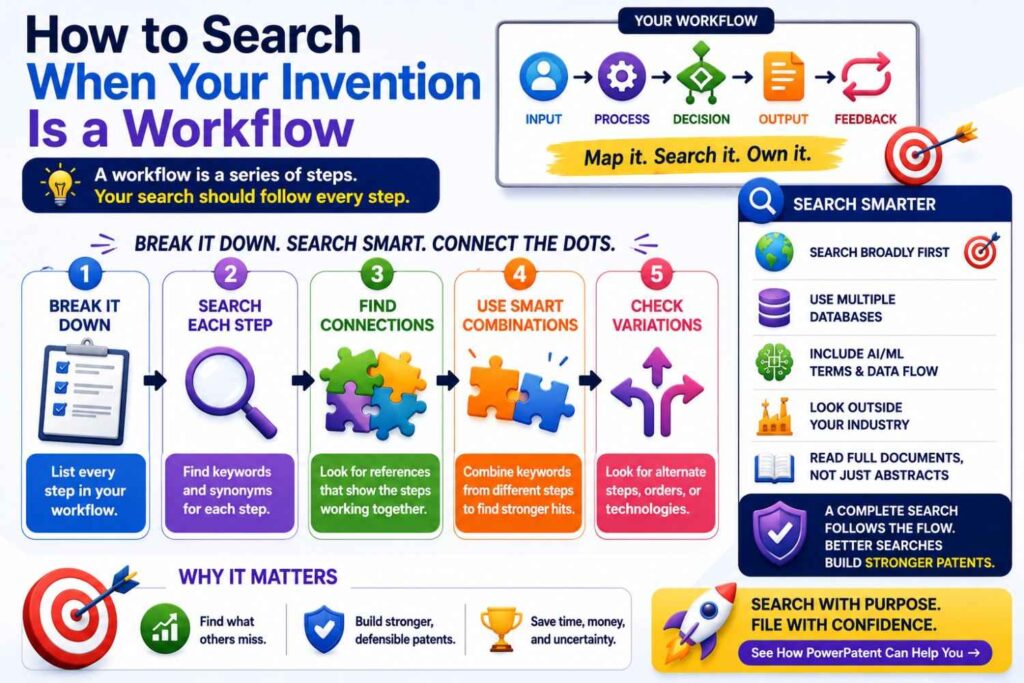
Many software inventions are workflows.
A workflow invention can be patent-worthy if it is a specific technical process that changes how a computer system works or improves a technical result.
Search by step order.
What happens first?
What score is created?
What condition is checked?
What branch is taken?
What output is blocked, routed, or changed?
What feedback is stored?
What happens next time?
For example, a workflow may be:
Generate answer.
Check source support.
Compare source trust to model confidence.
If conflict exists, route to review.
If no conflict exists, display with source links.
After review, update source trust.
Search each step and the sequence.
A prior art reference may have the same steps in a different order.
That can matter.
Order often creates the result.
How to Search When Your Invention Is a Data Structure
Some software inventions involve a special data structure.
For example:
A source graph.
A claim support map.
A dependency map.
A user correction profile.
A failure-pattern graph.
A model behavior history.
A risk event timeline.
A prompt fragment library.
A vector index with trust weights.
Search the structure and how it is used.
A data structure by itself may be hard to protect if it is abstract. But a data structure used to improve a technical process may be more meaningful.
For example:
“A source graph that links answer sentences to source passages and review outcomes, then controls whether future generated answers are shown or routed to review.”
That is more specific than “a source graph.”
Search:
source graph answer verification
claim support map generated text
dependency graph deployment risk
failure pattern graph support ticket routing
vector index trust weight retrieval
The value is in how the structure changes system behavior.
How to Use Search Results to Shape Claims
A patentability search is not done when you find results.
It is done when you use the results.
The search should help answer:
What should we claim broadly?
What should we claim narrowly?
What should we leave out?
What should we describe as backup?
What prior art should we avoid?
What technical result should we explain?
What feature is most valuable?
For example, a search may show that “model routing based on confidence” is old.
But “updating a per-user routing threshold based on later review outcomes” may be less common.
So the patent strategy may shift.
Another search may show that “source ranking” is old and “model confidence” is old.
But using low source trust to route high-confidence generated answers to review may be the gap.
So the claim focus changes.
This is good.
A search should sharpen the invention.
When Search Results Show the Broad Idea Is Crowded
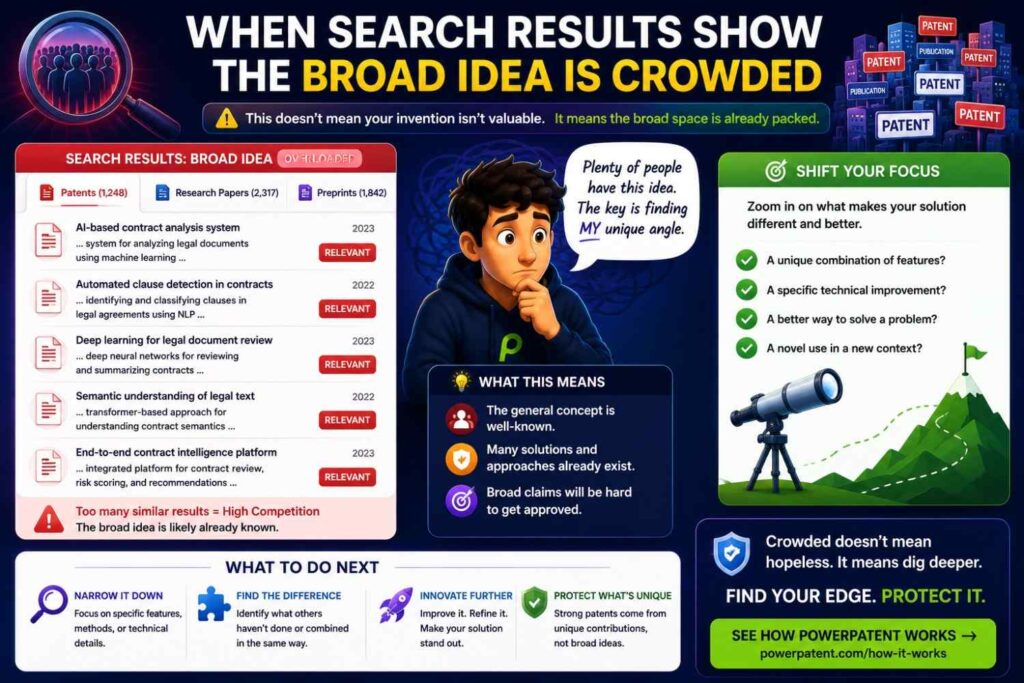
This happens often.
Do not panic.
Crowded fields can still have patentable inventions.
You just need a sharper angle.
If the broad idea is old, look for:
A new input.
A new score.
A new trigger.
A new output.
A new feedback loop.
A new timing rule.
A new data structure.
A new control step.
A new safety check.
A new compute-saving path.
A new way to handle edge cases.
For example:
“AI document review” is crowded.
But “routing generated claim elements to attorney review when the source support map shows missing basis” may be sharper.
“AI coding help” is crowded.
But “ranking repairs using targeted test failure type and developer acceptance history” may be sharper.
“Model monitoring” is crowded.
But “detecting drift by comparing confidence decay across matched user segments and updating alert thresholds after confirmed incidents” may be sharper.
The search helps you find this sharper path.
When Search Results Show a Direct Hit
Sometimes you find a reference that looks like a direct hit.
It shows the same inputs, same steps, same trigger, and same result.
That can be disappointing.
But it is useful.
Now you know.
You may still have options.
Maybe your product has another invention inside it.
Maybe your version has a meaningful improvement.
Maybe you can file on a narrower feature.
Maybe a different part of the system is stronger.
Maybe the idea is better kept as trade secret.
Maybe you should save your patent budget.
A direct hit is not wasted effort.
It prevents bad filing decisions.
PowerPatent helps founders make these decisions earlier, before they spend months and money on a weak patent path. See how PowerPatent supports smarter filing decisions.
When Search Results Are Unclear
Sometimes the search is messy.
You find many close references, but none are clear.
This is common in software.
The language may be broad. The system diagrams may be vague. The papers may use different terms. The product docs may not reveal enough.
In that case, mark the risk.
Do not force certainty.
A good conclusion might be:
“The broad idea is crowded. We found several references using confidence-based review and source ranking, but did not find a clear reference using source-trust conflict to route high-confidence model answers to review. More attorney review is needed before filing.”
That is honest.
It is much better than pretending the search proved everything.
Patentability search reduces uncertainty. It does not eliminate it.
Do Not Forget Filing Timing
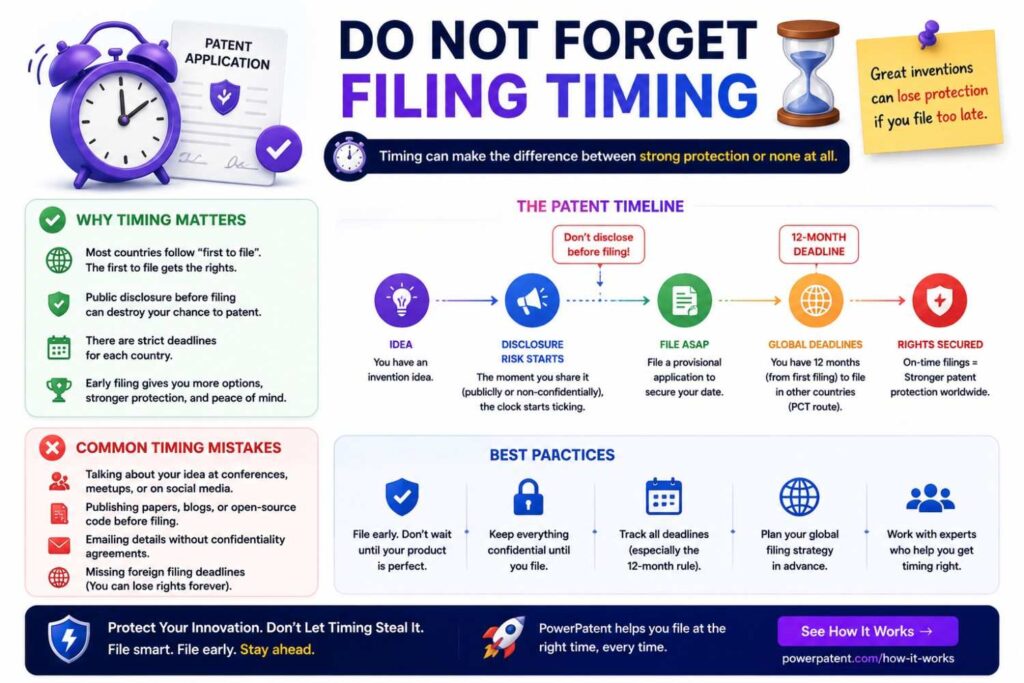
Search is only part of the decision.
Timing matters.
If you are about to launch, publish, open source, demo, pitch, or release technical docs, you may need to file before disclosure.
Software teams often share details without realizing it.
A blog post can disclose the invention.
A GitHub repo can disclose the invention.
A demo video can disclose the workflow.
A pitch deck can disclose the architecture.
API docs can disclose the method.
A conference talk can disclose the system.
Before you go public, ask:
Are we revealing the technical edge?
Have we searched it?
Do we want to file first?
What can we safely say?
What should stay private until filing?
PowerPatent is designed for fast-moving founders who need to protect technical work without slowing product momentum. See how it works.
Patentability Search Before a Provisional Filing
A provisional patent application can help you get an early filing date.
But it should not be vague.
A patentability search before a provisional can make the filing much stronger.
If the search shows that the broad idea is crowded, your provisional should focus on the specific technical difference.
If the search shows several possible claim angles, the provisional should describe them.
If the search shows a strong gap, the provisional should explain that gap and the technical result.
For software and AI, include:
System architecture.
Data flow.
Model flow.
Inputs.
Outputs.
Scores.
Thresholds.
Decision rules.
Review steps.
Feedback loops.
Alternative versions.
Technical results.
Do not file a thin provisional that only says “use AI to do X.”
That may not support strong claims later.
Patentability Search Before a Non-Provisional Filing
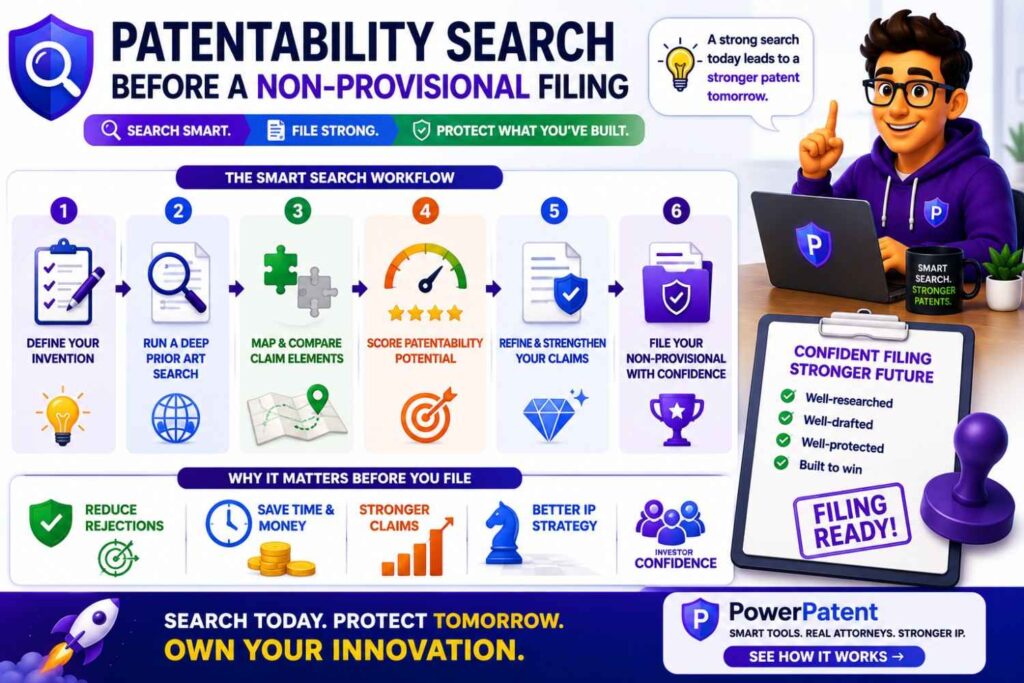
A non-provisional application will be examined.
That means prior art will matter.
Before filing, you should know the closest references and the best claim angle.
Your application should include enough detail to support broad claims and backup claims.
If your search shows the strongest gap is a feedback loop, explain it deeply.
If the strongest gap is a source-trust score, explain how it is made and used.
If the strongest gap is model routing, explain the routing conditions and alternatives.
If the strongest gap is data labeling, explain the selection and review process.
Strong drafting starts with a clear search-based understanding of the invention.
Patentability Search Before Fundraising
Investors may ask about your IP.
A weak answer is:
“We filed a patent on our AI.”
A stronger answer is:
“We searched the closest prior art. The broad AI review space is crowded, but the references we found do not show our workflow for routing high-confidence answers to review when source trust is low. Our filing focuses on that technical control step.”
That sounds grounded.
It shows you know your space.
It shows the patent is tied to your actual moat.
A patentability search helps you speak with confidence without overclaiming.
That matters in fundraising.
Patentability Search Before Acquisition
Acquirers may inspect your patents more closely.
They may ask what your claims cover.
They may compare them to prior art.
They may ask whether the patents protect your product.
They may ask whether pending claims can be adjusted.
A clear search record helps.
It shows the filing was not random.
It shows what gap you targeted.
It shows how the patent supports the business.
It may also help you identify continuation opportunities before diligence begins.
For startups, this can add real value.
Common Mistake: Searching the User Interface
Many software inventions have a user interface.
But the UI may not be the invention.
A dashboard, button, filter, or chart may be useful, but not always patent-strong.
Search and assess the backend logic.
What data creates the dashboard?
What grouping rule is used?
What alert is suppressed?
What workflow is triggered?
What model output is checked?
What threshold changes?
What action happens because of the UI state?
If the UI improves a technical process, it may matter. But do not stop at the screen.
For example, “displaying risk alerts” may be weak.
“Grouping risk alerts by shared root cause before display to reduce duplicate network messages and review load” is stronger.
The invention is the grouping and control logic, not just the display.
Common Mistake: Claiming “Use AI” Instead of the AI System
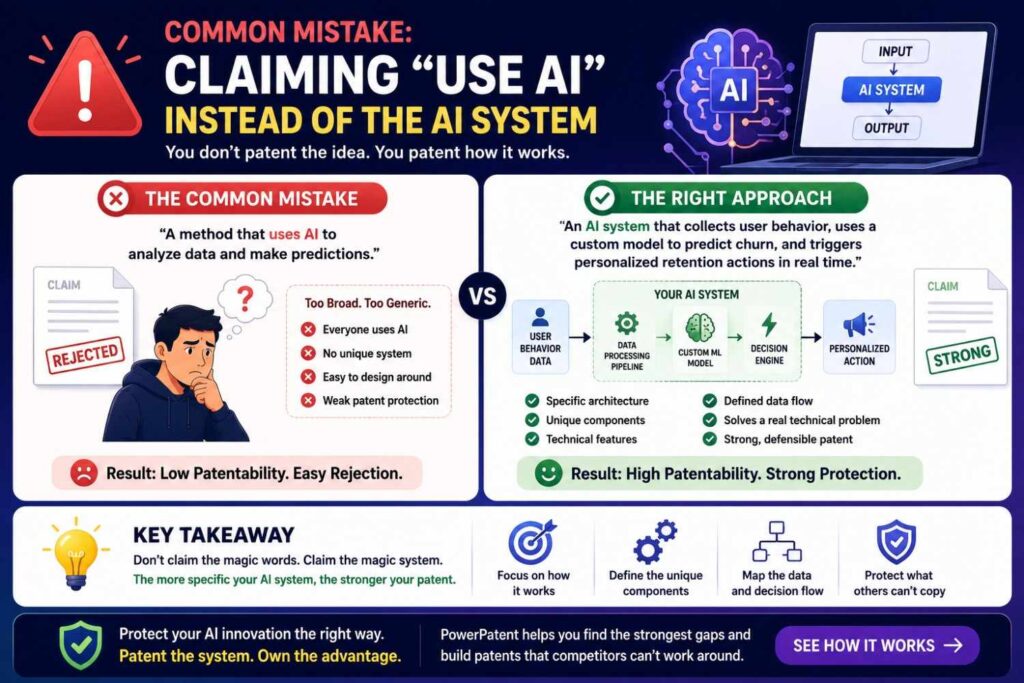
“Use AI” is not enough.
Many founders think adding AI makes something patentable.
It does not work that way.
You need to explain the technical system.
What model is used?
What data goes in?
How is the output checked?
What decision does the system make?
What happens when confidence is low?
What happens when source support is weak?
What feedback is stored?
What changes next time?
What technical problem is solved?
The patentability search should focus on those details.
The strongest AI patents often protect the workflow around the model, not the mere idea of using a model.
Common Mistake: Ignoring Old Software Patents
Software prior art can be old.
A workflow that feels modern may have roots in older rule-based systems.
For example, an AI document review method may face prior art from older search, classification, or workflow systems.
An AI support routing method may face prior art from older ticketing systems.
A model monitoring method may face prior art from older sensor or fault detection systems.
A deployment risk method may face prior art from older release management tools.
Do not search only recent AI filings.
Search the function.
Old art can matter.
It can also help you understand what is truly new about your implementation.
Common Mistake: Ignoring Non-AI Prior Art
Your AI invention may be anticipated by non-AI prior art if the core workflow is the same.
For example, if your invention routes documents based on a risk score, an older rule-based system may be relevant.
If your invention checks source support, an older citation-checking system may matter.
If your invention triages support tickets, older ticket routing software may matter.
If your invention detects anomalies, older statistical systems may matter.
Do not assume AI makes old workflows irrelevant.
Search the underlying technical process.
Then ask what the AI version does differently.
Maybe the new part is how the model confidence is used.
Maybe it is how feedback updates the system.
Maybe it is how source trust controls output.
Maybe it is how the workflow reduces compute.
Find the difference.
Common Mistake: Overlooking Your Own Public Work
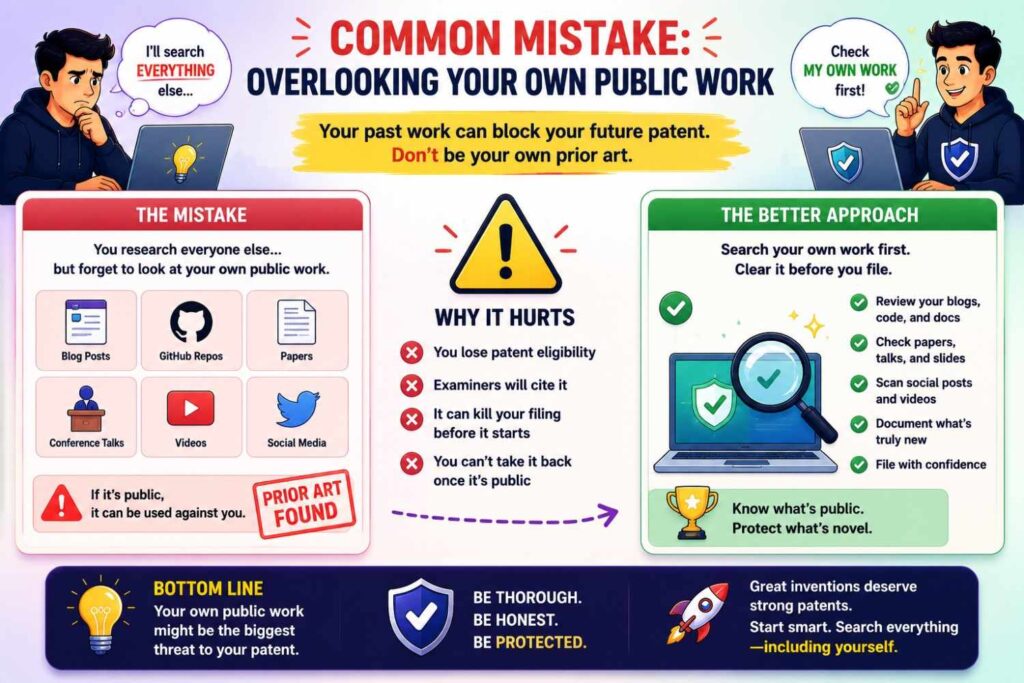
Your own public material can create issues.
Did you publish a blog post?
Release code?
Give a demo?
Share slides?
Post a video?
Publish API docs?
Submit a paper?
Talk at a conference?
Send an unrestricted pitch deck?
If yes, tell your patent team.
Do not hide it.
Timing matters.
Your own disclosure may affect filing options, especially outside the United States.
A patentability search should include your own public footprint.
Common Mistake: Stopping at Exact Matches
Exact matches are rare.
If you only look for exact matches, you may miss close art.
Search nearby concepts.
If your invention is source-trust review, search citation support, evidence scoring, document reliability, answer verification, and hallucination control.
If your invention is model routing, search adaptive inference, model cascade, early exit, and conditional computation.
If your invention is support routing, search ticket triage, incident classification, failure prediction, and chatbot clarification.
Patent examiners may use different words.
So should you.
Common Mistake: Giving Every Result Equal Weight
Not all search results matter equally.
Some are direct hits.
Some are close.
Some show one piece.
Some are background.
Some only share buzzwords.
Rank them.
The closest reference is the one that shows the most important elements.
Focus your analysis there.
A hundred weak results do not matter as much as one strong reference.
Build a Search Report That Helps Decisions
A useful patentability search report should be simple.
It should include the invention statement, search terms, searched sources, closest references, element-by-element comparison, strongest gap, technical result, risk level, and recommended next step.
Do not write a giant report no one reads.
The goal is a decision.
For example:
“The broad idea of AI support ticket routing is crowded. The closest references show text-based classification, confidence-based routing, and chatbot clarification. We did not find one reference that creates a failure-pattern score from ticket text, logs, version, and recent configuration changes and uses a middle-confidence band to ask one clarifying question before routing. Recommend filing around that workflow if it is core to the product, with backup claims covering confirmed-resolution feedback.”
That is useful.
It turns search into strategy.
Decide Whether to File, Refine, Search More, or Pause
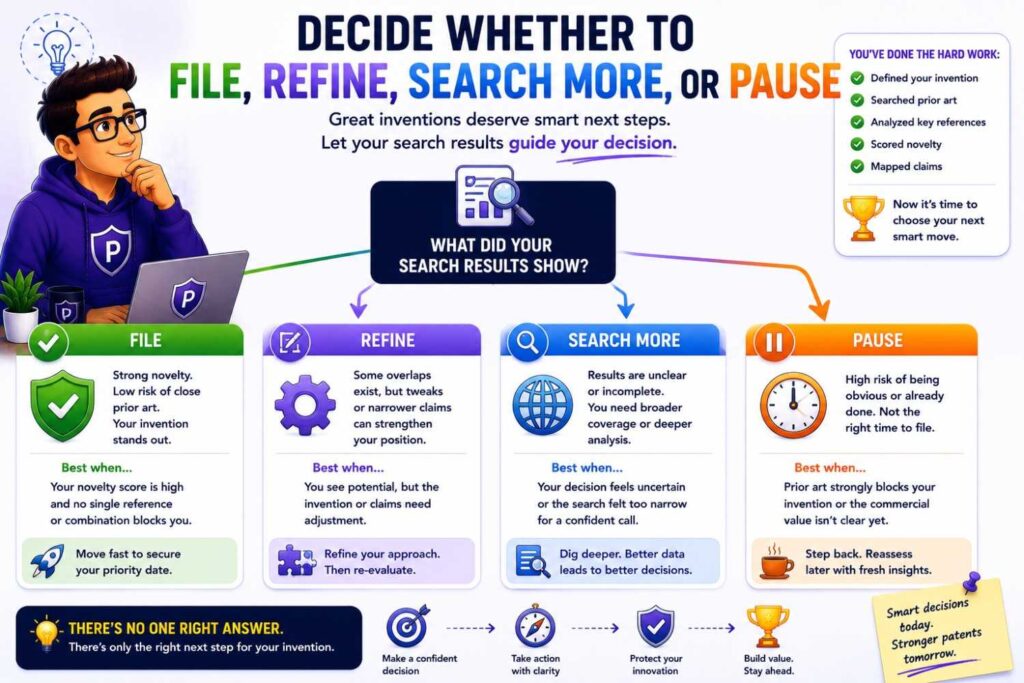
At the end of the search, make a decision.
There are four common outcomes.
You may file because the invention appears strong and timing matters.
You may refine because the broad idea is crowded but a narrower method looks good.
You may search more because the closest art is unclear.
You may pause because the invention is too close to prior art, too undeveloped, or not valuable enough.
A good patentability search does not always lead to filing.
Sometimes it saves money.
Sometimes it reveals a better invention.
Sometimes it changes the claim focus.
That is the point.
How PowerPatent Helps Software and AI Teams
Software and AI teams need a patent process that understands how they build.
The invention may be in code.
It may be in model behavior.
It may be in a prompt flow.
It may be in a data pipeline.
It may be in an internal tool.
It may be in an edge case fix.
It may be in the way human review is triggered.
Traditional patent workflows can miss these details if they start with a short founder summary.
PowerPatent helps teams capture the technical truth earlier. You can bring invention notes, system diagrams, code-level details, model workflows, and search results into a process designed for speed and quality. Real patent attorney oversight helps turn that raw material into a stronger filing path.
This helps founders avoid weak filings, missed invention details, and last-minute patent scrambles.
A Practical Search Workflow for Software and AI
Start with the invention sentence.
Then separate the product from the technical method.
Write the technical problem.
Write the technical result.
Break the invention into elements.
Build a search term bank.
Search patent databases.
Search papers and preprints.
Search GitHub and open-source docs.
Search product pages and API docs.
Search technical blogs and conference talks.
Search competitors and inventors.
Follow citations from close patents and papers.
Map the closest results against your invention elements.
Find the strongest gap.
Tie the gap to a technical result.
Decide whether to file, refine, search more, or pause.
That is the workflow.
It is not magic.
It is clear thinking.
A Founder-Friendly Search Template
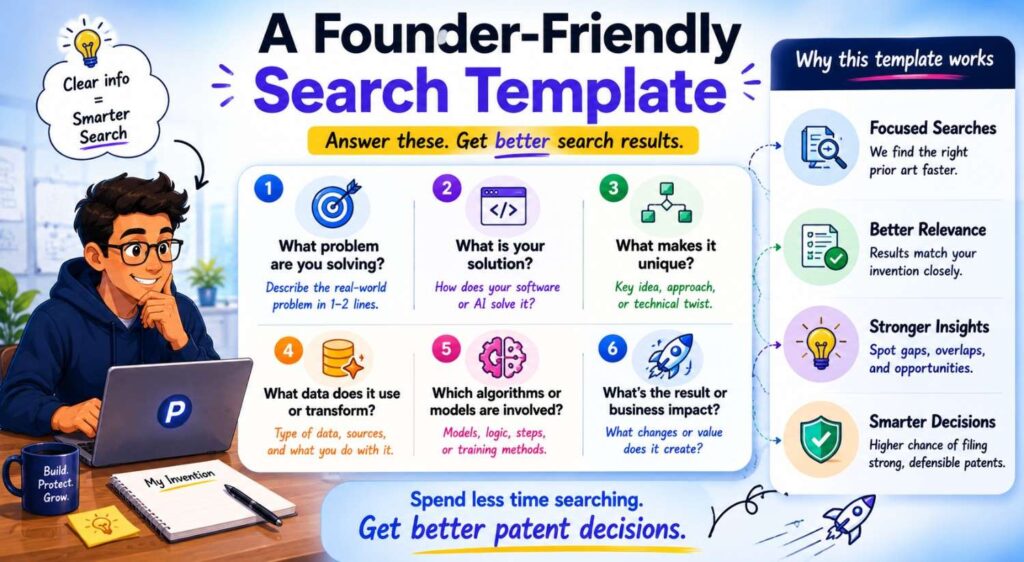
Use this when your team has a new software or AI invention.
Invention name:
Plain-English invention statement:
Product feature:
Technical problem:
Technical method:
Technical result:
Core element:
Required elements:
Search terms:
Patent search results:
Paper search results:
GitHub or open-source results:
Product or API docs results:
Closest prior art:
What the closest art shows:
What the closest art misses:
Strongest gap:
Why the gap matters:
Business value:
Disclosure timing:
Recommended filing decision:
This template can save hours.
It also gives your patent attorney a much better starting point.
What a Strong Patentability Search Finding Sounds Like
A strong finding is specific.
For example:
“The broad idea of AI answer generation is crowded. The closest references show model confidence scoring, source ranking, and human review. We did not find one reference that routes high-confidence generated answers to review when source trust is low. This gap matters because confidence-only systems may allow unsupported answers through. Recommend filing around the source-trust conflict review workflow, with backup claims for different source-trust inputs and review outcomes.”
That is strong because it names the crowded area, the closest pieces, the gap, the reason it matters, and the filing angle.
Another example:
“The broad idea of model cascades is crowded. The strongest possible gap is updating a per-user routing threshold based on later review outcomes. Recommend more searching on adaptive model routing with feedback before filing.”
That is honest and useful.
What a Weak Patentability Search Finding Sounds Like
A weak finding sounds like this:
“We searched and did not find anything exactly like us.”
That does not help much.
Or:
“Our product is unique because it has a better interface.”
That may be true, but it may not support a software patent.
Or:
“There are many patents in this space, so we cannot file.”
That may be too pessimistic.
Or:
“No one uses our brand terms, so we are clear.”
That may be too optimistic.
A useful search finding must compare technical elements.
It should answer:
What did we search?
What did we find?
What does the closest art teach?
What does it miss?
Why does the missing part matter?
What should we do next?
The Best Software Patent Searches Are Technical
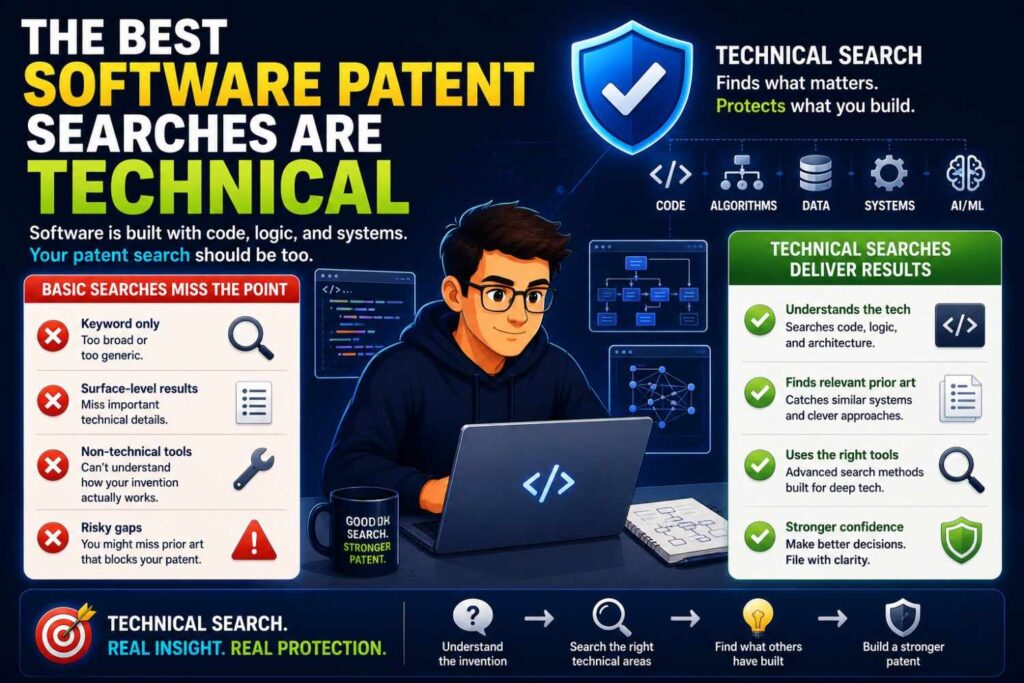
A strong software patent search should feel less like a keyword hunt and more like a technical teardown.
The goal is not just to find similar patents. The goal is to understand how other systems solve the same problem, where their methods stop, and where your system does something different in a way that matters to the business.
This is where many companies miss value.
They search the market name. They search competitor names. They search broad words like “AI automation” or “machine learning workflow.” Then they either find too much noise or assume nothing close exists.
A better search starts inside the system.
It asks how the software actually works.
What data enters the system? What happens to that data? What model, rule, score, or workflow changes it? What decision is made? What happens after that decision? What improves because of that path?
That level of detail is where software patent strength often lives.
Search the Architecture, Not Just the Feature
A product feature may look simple on the surface.
A user clicks a button. A report appears. A model gives an answer. A ticket gets routed. A risk score shows up on a dashboard.
But the patentable idea may be hidden in the architecture behind that moment.
For example, a user may see “AI answer approved.” That is not very specific. The real invention may be that the system checks source trust, compares it to model confidence, delays display when the two scores disagree, sends only the risky answer to review, and updates the source score after the review is complete.
That is much more technical.
So when your team runs a patentability search, do not only search the product feature. Search the architecture behind the feature.
Look for prior art that describes the same data path, the same scoring method, the same routing rule, the same feedback loop, or the same model control step.
A helpful business habit is to ask your engineers to draw the “invisible workflow” behind the customer-facing feature. Then search that workflow line by line.
This avoids a common trap: filing around what the customer sees while missing what the competitor would actually copy.
Find the Business-Critical Technical Step
Not every technical detail deserves patent focus.
Some details are just implementation choices. Others are core to the company’s advantage.
A strong search should help separate the two.
Ask this question:
If a competitor copied only one technical step from our system, which step would hurt us most?
That step deserves special attention.
It may be the way your system selects context for an LLM. It may be the way your platform routes uncertain cases. It may be the way your model learns from expert review. It may be the way your software reduces compute cost. It may be the way your product avoids false alerts.
Once you find that business-critical step, search it deeply.
Search it in patent databases. Search it in papers. Search it in GitHub. Search it in product docs. Search it in technical blogs. Search it in older systems that did not use AI but solved a similar workflow problem.
This gives the business a much sharper answer than “we searched the space.”
It lets you say:
“The broad market is crowded, but the key step that drives our advantage does not appear in the closest references we found.”
That is the kind of insight founders, investors, and patent attorneys can use.
Use Engineers to Expose the Real Invention
Engineers often know the patentable part before anyone else does.
They may not call it an invention. They may call it “the thing that finally worked.”
That is exactly what you want to find.
During a search, ask engineers what failed before the current design. Their answers can point to the most valuable search terms.
For example, an engineer may say:
“We first routed cases based only on model confidence, but too many bad answers got through. The fix was checking source trust separately.”
That tells you to search source trust, confidence conflict, answer verification, review routing, and hallucination control.
Another engineer may say:
“We tried sending every request to the large model, but costs were too high. Then we added a local model and only escalated uncertain cases.”
That tells you to search adaptive inference, model cascades, confidence routing, local-cloud AI routing, and cost-aware model selection.
Another engineer may say:
“The hard part was not detecting the error. It was knowing when not to alert.”
That tells you to search false positive reduction, dynamic thresholds, alert suppression, context-aware scoring, and feedback-based threshold updates.
The best search terms often come from the build story, not from the pitch deck.
Search the Failure Mode
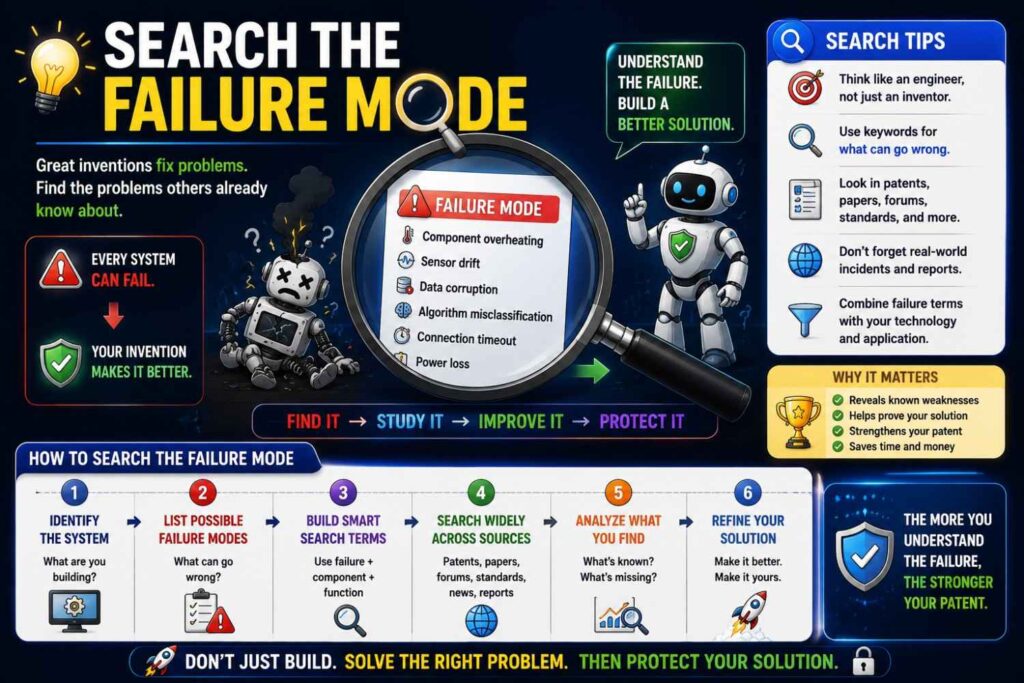
A smart software patent search looks for the failure mode your invention fixes.
This is very useful for AI products because many inventions come from controlling errors.
What does your system prevent?
Does it prevent unsupported AI answers?
Does it prevent bad code suggestions?
Does it prevent duplicate alerts?
Does it prevent private data from leaving a secure environment?
Does it prevent high-cost model calls for simple cases?
Does it prevent support tickets from going to the wrong team?
Does it prevent a deployment from reaching a risky service?
Once you name the failure mode, search it.
For example, do not only search “AI document review.” Search “unsupported generated answer,” “citation mismatch,” “source verification,” “answer grounding failure,” and “human review trigger.”
Do not only search “deployment automation.” Search “rollback prediction,” “risky deployment detection,” “dependency graph incident prediction,” and “release gating risk score.”
This helps uncover prior art that describes the same problem even if it uses a different product name.
From a business view, this is powerful because patents tied to failure modes often map directly to customer value. Customers do not just buy software because it has features. They buy it because it prevents costly mistakes.
Search the Decision Point
Most valuable software inventions have a decision point.
The system decides to show, block, route, rank, update, retry, escalate, compress, call a larger model, ask a human, or change a threshold.
That decision point is often where the invention lives.
So ask:
What decision does our system make that old systems did not make?
Then search that decision.
For an AI tool, the key decision may be whether to show an answer, send it to review, or ask for more source support.
For a support platform, the key decision may be whether to answer automatically, ask one clarifying question, or route to an expert.
For a model-routing system, the key decision may be whether to use a small model, a large model, or a human reviewer.
For a deployment tool, the key decision may be whether to release, stage, pause, or roll back.
Search terms should include the action, the trigger, and the result.
For example:
“route generated answer to human review based on source trust”
“select large model based on uncertainty and risk score”
“block deployment based on dependency graph and incident history”
“ask clarifying question based on middle confidence score”
This kind of searching is far stronger than broad product searching.
Search the Feedback Loop
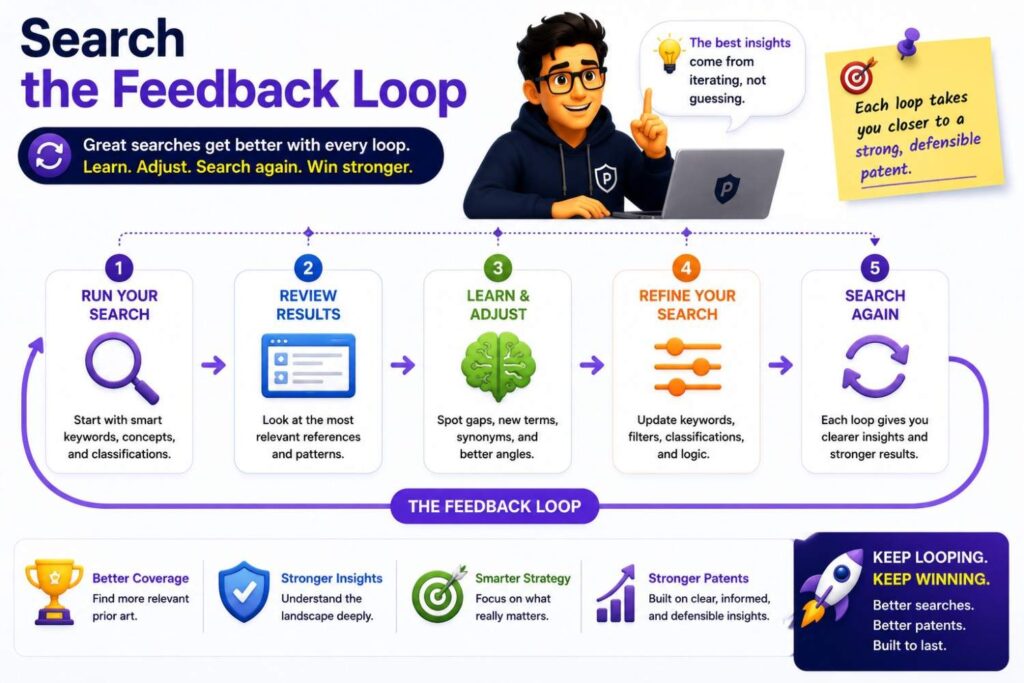
Feedback loops are often valuable in software and AI because they make the system improve over time.
But “feedback” is too broad.
You need to search what the feedback changes.
Does feedback update a model?
Does it update a threshold?
Does it update a user profile?
Does it update a source-trust score?
Does it update a prompt template?
Does it update a ranking rule?
Does it update a risk model?
Does it update a routing policy?
That distinction matters.
A prior art reference may say “the system uses feedback,” but your invention may update a very specific part of the workflow.
For example:
“The system updates the source-trust score after reviewer approval or rejection.”
That is different from simply collecting user feedback.
Or:
“The system changes the model-routing threshold after later review outcomes show that the small model was wrong.”
That is different from generic model training.
Or:
“The system updates a failure-pattern score only after the support fix is confirmed.”
That is different from routing tickets based on first impressions.
For business leaders, feedback loops are worth special attention because they can create a compounding advantage. The system gets better as customers use it. If that loop is hard to copy and central to performance, it may be a strong patent focus.
Search the Cost Advantage
Many software and AI inventions are valuable because they reduce cost.
That cost may be compute cost, cloud cost, review cost, support cost, latency cost, or failure cost.
A patentability search should look for the technical method behind that cost advantage.
For example, if your AI system is cheaper because it uses fewer tokens, search how it selects, compresses, or removes context.
If your system is cheaper because it calls a large model less often, search the routing rule that decides when escalation happens.
If your workflow is cheaper because fewer cases go to human review, search the confidence band, risk score, or review trigger.
If your platform is cheaper because it groups duplicate alerts, search root-cause grouping, alert clustering, event deduplication, and incident correlation.
This is strategic because cost advantages can be powerful moats.
A competitor may be able to copy your interface. It may be harder to copy the technical system that lets you deliver the same result at lower cost.
That technical system should be part of the search.
Search What Competitors Would Need to Copy
A patentability search should be tied to competitive reality.
Ask your team:
If a competitor wanted to match our product, what would they have to build?
Then search those pieces.
They may not need your full product. They may only need the model routing logic, the review trigger, the ranking method, the source map, the failure-pattern score, or the feedback update.
This helps keep the search focused on business value.
For example, if your product has ten features but only one creates the main performance lift, search that one deeply.
If your customers choose you because your system avoids false AI answers, search the verification workflow.
If customers choose you because your system is cheaper to run, search the compute-saving architecture.
If customers choose you because your system handles edge cases better, search the edge-case detection and control path.
Patent search is not just about finding old documents. It is about deciding what part of your advantage can and should be protected.
Turn Technical Search Into a Filing Strategy
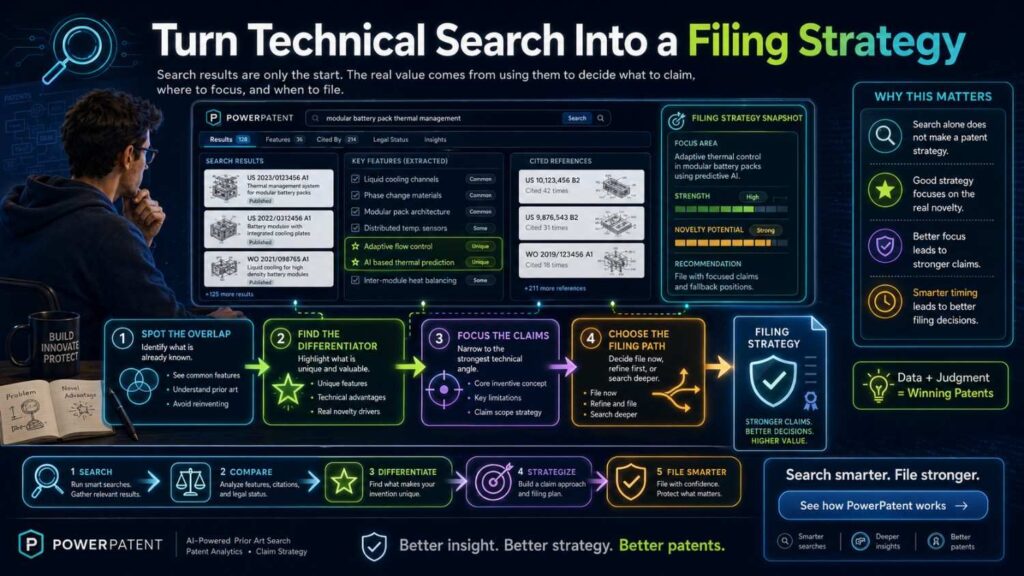
The best searches end with a strategy, not a pile of links.
After reviewing the closest results, write a plain decision note.
It should answer:
What broad idea is already crowded?
What technical step appears different?
What prior art is closest?
What feature should the filing focus on?
What backup features should be included?
What details need more engineer input?
What should be searched more?
A useful decision note might sound like this:
“The broad idea of AI support ticket routing is crowded. The closest references show text-based classification, confidence routing, and chatbot questions. The stronger angle appears to be the failure-pattern score that combines ticket text, error logs, software version, and recent configuration changes, plus the middle-confidence clarifying question. The filing should focus on that workflow and include backup versions for confirmed-resolution feedback.”
That is actionable.
It tells the business what to do next.
It also helps the patent attorney draft around the real technical edge instead of starting from a vague product summary.
Build a Repeatable Invention Review Habit
Software and AI teams ship often. That means patent search should not happen only once.
The best companies build a repeatable habit.
When a team solves a hard technical problem, capture it.
When a model workflow changes performance, capture it.
When a feedback loop improves accuracy, capture it.
When a cost-saving architecture works, capture it.
When a safety check prevents a bad output, capture it.
Then decide whether that invention deserves a search.
This does not need to be heavy.
A simple internal note can work:
What problem did we solve?
What old approach failed?
What technical method worked?
What result improved?
What would a competitor copy?
Is this going public soon?
That note can trigger a focused patentability search.
This is how businesses avoid last-minute patent scrambles. It also helps build an IP portfolio around real product progress, not random filing ideas.
PowerPatent is built to support this kind of workflow. It helps teams capture technical invention details and move them toward stronger patent filings with attorney oversight. See how PowerPatent works.
Make the Search Useful for Investors and Buyers
A technical patent search can also support fundraising and acquisition talks.
Investors and buyers do not want vague claims like “we have AI patents.”
They want to know what the patents protect and why it matters.
A good search helps you explain that.
You can say:
“We searched the closest prior art and found that general AI review is crowded. Our filing focuses on a more specific control step: routing high-confidence answers to review when source trust is low. That step is tied to the reliability advantage our customers care about.”
That is much stronger than saying your product is unique.
It shows discipline.
It shows you know the field.
It shows the patent strategy is connected to the product moat.
For businesses, this is the real value of a technical search. It turns IP from paperwork into a clear story about advantage, risk, and defensibility.
Protect the Hidden Work Before It Becomes Public
Many software inventions become public by accident.
A technical blog explains the workflow.
A demo video shows the review path.
API docs reveal the scoring fields.
A GitHub repo exposes the model routing logic.
A sales deck explains the architecture.
A conference talk walks through the pipeline.
Once that happens, patent options may become harder.
So the search should happen before public release when possible.
Before publishing technical content, ask:
Does this reveal a new workflow?
Does this show a model control method?
Does this expose a routing rule?
Does this explain a feedback loop?
Does this show a cost-saving architecture?
Does this disclose a safety check?
If yes, run a quick patentability review before sharing it widely.
This simple habit can protect major value.
Use the Search to Decide What Not to Patent
A technical search can also show what not to file.
That is just as important.
Some features are too close to prior art. Some are easy to design around. Some are not central to the business. Some are better kept as trade secrets. Some are not developed enough yet.
A smart business does not file patents just to collect filings.
It files where the technical edge is real and valuable.
Use the search to rank inventions.
Core and strong: consider filing.
Core but crowded: refine the claim angle.
Promising but unclear: search more or gather more engineering detail.
Useful but hidden: discuss trade secret strategy.
Weak or easy to avoid: save the budget.
This keeps patent spend focused.
For startups, that matters. Every dollar and every hour should support the company’s moat.
Keep the Search Close to the Roadmap
A software patent search should not only protect today’s feature.
It should also consider where the product is going.
If your current system uses model confidence, but the roadmap adds source trust, reviewer feedback, and automated second-model checks, the search should explore those future versions if they are real and technically understood.
If your current workflow routes tickets, but the roadmap adds automated fix validation and pattern updates, search those too.
If your current platform detects risk, but the roadmap changes system behavior automatically, that control step may be the stronger invention.
This helps the patent filing support growth.
The goal is not to patent a snapshot of today’s product if tomorrow’s product is already in view.
The goal is to protect the technical path the business is building toward.
PowerPatent helps founders capture both current builds and planned technical variations so patent filings can better match the company’s roadmap. Learn how PowerPatent helps teams file with more confidence.
Do Not Wait Until the Product Is Finished
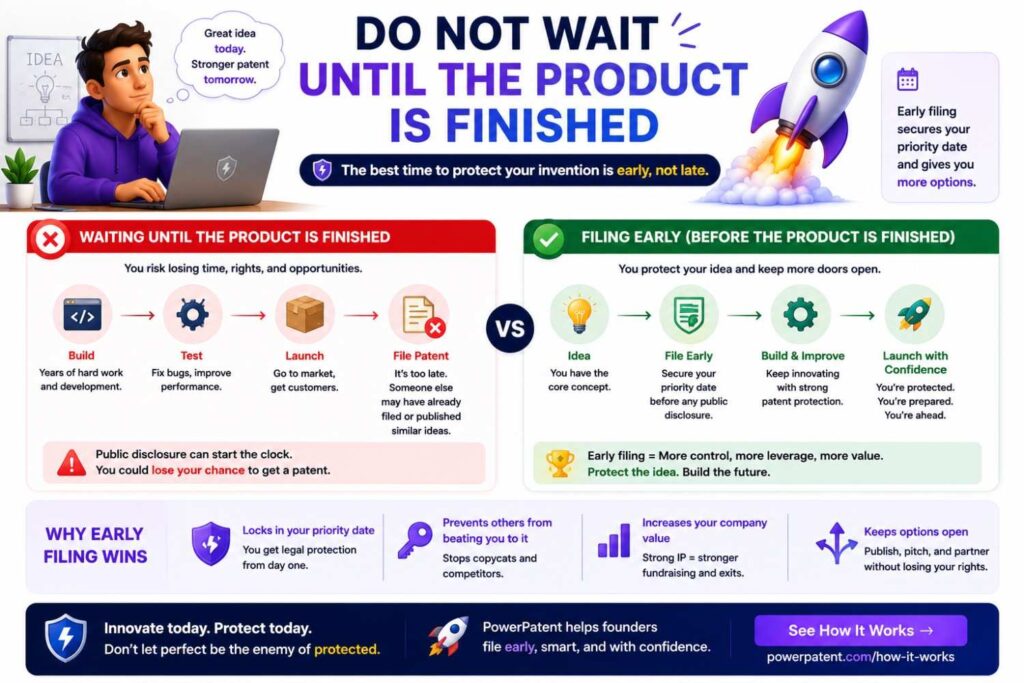
Software products change fast.
If you wait until everything is finished, you may miss the right filing window.
You do not need a perfect product to search.
You need a clear technical invention.
If the team can explain the system, inputs, outputs, decisions, and result, you can run a search.
This is especially important before public disclosure.
A launch, demo, API release, blog post, or open-source repo can reveal the invention.
Search and file before key disclosures when possible.
That does not mean filing on every idea.
It means making smart decisions early.
Final Takeaway
A patentability search for software and AI inventions is not about typing your product name into a patent database and hoping for the best.
It is about finding the real technical invention, searching the right sources, comparing the closest prior art, and turning that comparison into a filing decision.
Start with the method, not the buzzword.
Search patents, papers, code, docs, talks, and products.
Map the closest references against your invention.
Find the strongest gap.
Tie that gap to a technical result.
Then decide whether to file, refine, search more, or pause.
For software and AI founders, this workflow can protect time, money, and technical advantage.
And when you are ready to turn code, models, workflows, and invention notes into a stronger patent filing, PowerPatent can help you move faster with smart software and real patent attorney oversight.
Leave a Reply