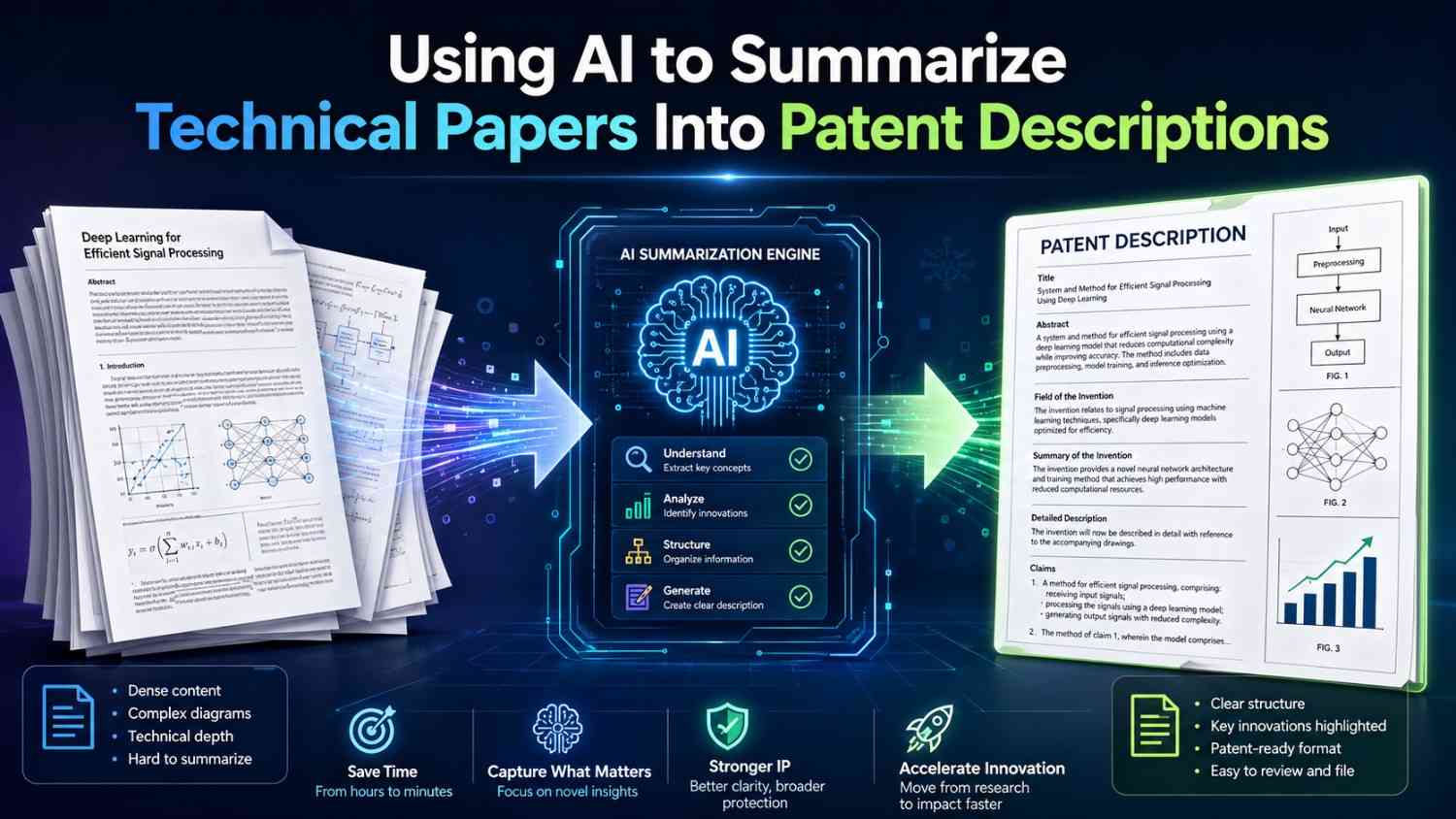
AI can help you turn dense research into clear patent language. But it cannot do the hard thinking for you.
A strong patent description needs more than a summary. It needs the real invention, the steps that make it work, the parts that make it different, and the useful ways someone can build it.
That is where AI can help a lot—when you use it the right way.
PowerPatent helps founders, engineers, and inventors turn technical work into stronger patent filings faster, with smart software and real patent attorney oversight. You can see how it works here: https://powerpatent.com/how-it-works
Why Technical Papers Are Hard To Turn Into Patent Descriptions
Technical papers are written for a certain kind of reader.
They are often written for researchers, reviewers, labs, or other experts. The writer may care about proving a result, comparing against past methods, showing test data, or explaining a new model.
A patent description has a different job.
A patent description must explain an invention in a way that supports protection. It must show what the invention is, how it works, what parts can change, and how someone skilled in the field could make and use it.
That means a paper and a patent description are close cousins, but they are not the same thing.
A paper may say:
“We propose a novel transformer-based framework for robust multimodal alignment under noisy supervision.”
That may be fine in a research paper.
But a patent description needs to say something more concrete:
“The system receives image data and text data. The system creates a first feature value from the image data and a second feature value from the text data. The system compares the two feature values and lowers the effect of a training pair when the image data and text data appear to be mismatched.”
That is much easier to understand.
It also starts to sound like something you can protect.
The key is not to make the paper shorter. The key is to turn the paper into invention language.
That is a different task.
AI Is Great At First Passes, But Weak At Ownership
AI tools are very good at reading long text and making it shorter. They can pull out main points, define hard terms, rewrite dense sections, and create rough outlines.
That is useful.
But a patent description is not just a clean summary.
A patent description must be owned by the inventor. It must reflect what the team actually built, tested, designed, or plans to build. It must not invent fake details. It must not blur what is new. It must not turn a research idea into a broad promise with no support.
This is the first rule:
AI can help you understand and organize a technical paper, but the inventor must confirm what the invention really is.
That may sound simple. It is very important.
If AI says the paper teaches one thing, but the real invention is in a different part of the system, the patent draft may miss the point.
For example, a paper may focus on model accuracy. But the patent-worthy idea may be the data pipeline that made training possible.
A paper may focus on a new material. But the invention may be the process used to produce the material at a useful scale.
A paper may focus on test results. But the protectable system may be the sensor layout, feedback loop, or control method.
A paper may focus on a new chip design. But the core invention may be the way power is routed during a certain state.
AI can summarize the words. It cannot always see the business value, product plan, or hidden engineering work behind those words.
That is why the best workflow combines AI speed with founder judgment and attorney review.
That is exactly the kind of workflow PowerPatent is built for. It helps founders move faster without treating patents like a copy-paste exercise. Learn more here: https://powerpatent.com/how-it-works
The Goal Is Not A Summary. The Goal Is A Patent-Ready Story
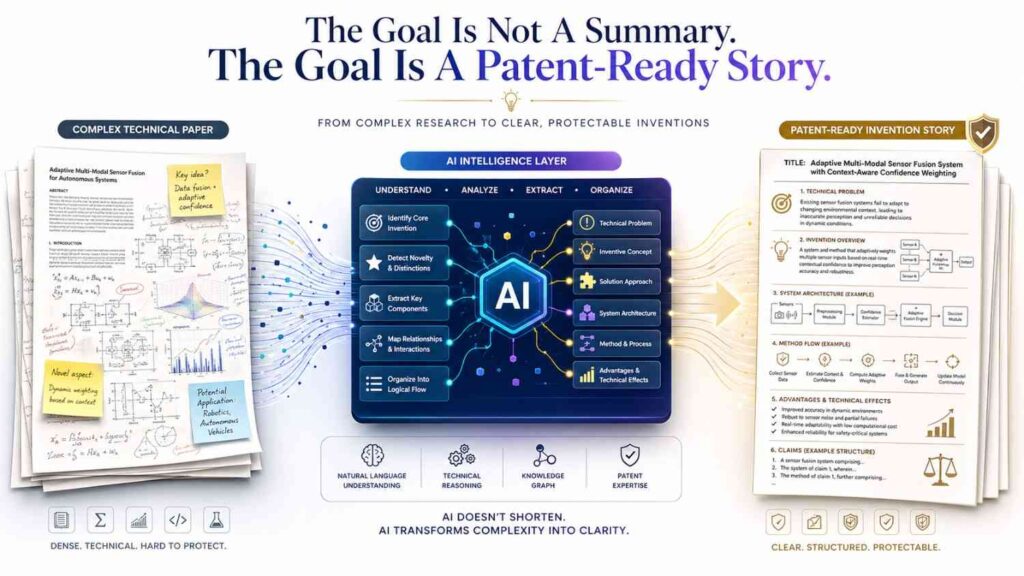
When you use AI on a technical paper, do not ask only for a summary.
A summary tells you what the paper says.
A patent description tells you what the invention does.
That difference matters.
A summary may say:
“The paper presents a method for improving battery life using adaptive charge control.”
A patent description should say:
“In one example, a battery control system measures a battery temperature, a present charge level, and a recent discharge pattern. The system selects a charge rate based on those values. When the battery temperature is above a limit, the system lowers the charge rate. When the battery has a repeated high-load pattern, the system changes the charge schedule to reduce wear.”
The second version is not just shorter or longer. It is more useful.
It shows parts, inputs, steps, decisions, and results.
That is the target.
When working with AI, your job is to keep pulling the output toward this kind of structure.
Ask: what is the system?
Ask: what does it receive?
Ask: what does it change?
Ask: what does it compare?
Ask: what decision does it make?
Ask: what happens after the decision?
Ask: what problem does this solve?
Ask: what can vary?
Those questions move the writing from academic summary to patent description.
Start By Separating The Paper From The Invention
A technical paper may include many things that do not belong in the center of a patent description.
It may include background, related work, math, experiments, charts, test sets, citations, limits, discussion, and future work.
Some of that is useful. Some of it is not.
Before you ask AI to write anything patent-like, ask it to separate the paper into simple buckets.
One bucket is the problem.
One bucket is the proposed solution.
One bucket is the parts of the system.
One bucket is the steps.
One bucket is the test results.
One bucket is what seems new.
One bucket is what may be optional.
This does not need to be formal. It just needs to be clear.
For example, you can ask AI:
“Read this paper and explain, in plain words, what problem it is trying to solve, what the proposed system does, what inputs it uses, what outputs it creates, and what steps appear to be central.”
That is a better prompt than:
“Summarize this paper.”
A generic summary may give you a neat paragraph, but it may not help with patent drafting.
A patent-focused extraction should pull out working parts.
For example, if the paper is about a new AI method for detecting defects in factory images, the useful patent data may include:
The system receives images from a camera.
The system normalizes the images.
The system creates defect heat maps.
The system compares heat maps to a threshold.
The system sends a repair flag when the score is high.
The system retrains using confirmed defect labels.
The system may adjust thresholds by part type.
That is the kind of raw material a patent description needs.
AI can help find it. But you need to ask for it.
Use AI To Translate Dense Terms Into Simple System Language

Researchers often write in compressed language.
One sentence in a paper may carry ten ideas.
AI can help unpack those ideas.
Suppose a paper says:
“The proposed architecture performs latent-space regularization using cross-domain consistency constraints.”
That sentence may be correct, but it is not friendly.
Ask AI:
“Rewrite this sentence as a simple system process. Use words like receive, create, compare, store, update, and send.”
You may get something like:
“The system creates a hidden feature value for data from a first source and a hidden feature value for data from a second source. The system compares the two feature values and adjusts the model when the values do not match in the expected way.”
That is much closer to patent language.
Patent descriptions do not need to sound fancy. They need to be clear.
This is where AI can save time. It can turn dense research words into simple action words.
But you still need to verify the meaning.
AI may simplify too much. It may also choose the wrong meaning when a term has several meanings.
A good workflow is to ask AI for a plain rewrite, then ask the inventor to mark what is correct, what is wrong, and what is missing.
That review step matters.
Do Not Let AI Flatten The Invention
AI often makes everything sound equally important.
That is dangerous.
In a technical paper, many parts may be normal. Only a few parts may be the real invention.
For patent work, you must find the center.
For example, a paper about a medical sensor may include a housing, battery, processor, wireless link, display, cloud server, and machine learning model. Many of these parts may be standard.
The real invention may be a signal cleaning step that removes motion noise in a new way.
If AI writes a broad description of the whole device, the important part may get buried.
A better approach is to ask AI to rank the technical features by likely importance.
Try asking:
“Which parts of this paper appear to be routine background, and which parts appear to be the main technical contribution? Explain why in simple words.”
Then ask a follow-up:
“Turn only the main technical contribution into a patent-style description with steps and examples.”
This keeps the AI from writing a bland system overview.
You want focus.
A patent description can include the full system, but it should not hide the spark.
The spark may be a small step.
It may be a timing rule.
It may be a data structure.
It may be a control loop.
It may be a model update.
It may be a way to choose one action instead of another.
It may be a way to reduce error, save power, speed up processing, protect data, or improve output quality.
AI can help you find candidates. The founder and attorney should help choose the real one.
Convert The Abstract Into A Problem Statement
Most technical papers have an abstract.
The abstract is a good starting point, but it is not enough.
AI can use the abstract to create a plain problem statement.
A good patent description often starts by explaining the problem in simple terms.
Not with drama. Not with hype. Just enough context.
For example, a paper abstract may say:
“Existing LiDAR perception systems exhibit degraded performance in adverse weather due to sparse point cloud corruption and low signal-to-noise ratios.”
A simple patent problem statement may be:
“Some vehicle sensing systems have trouble reading LiDAR data in rain, fog, or snow. In these conditions, the sensor data may include missing points or noisy points. This can make it harder for the vehicle to detect objects.”
That is clear.
Then you can move into the invention:
“The disclosed system receives LiDAR point data and weather data. The system identifies areas in the LiDAR point data that are likely to be affected by weather. The system changes how much weight those areas receive during object detection.”
This is much better than copying the abstract.
AI can do this transformation quickly, but you should keep the intro short. Patent descriptions do not need a long essay on the problem. They need enough background to frame the invention.
For a blog, paper, or internal invention note, this same rule applies.
Short problem. Clear solution. Then detail.
Turn Methods Into Steps
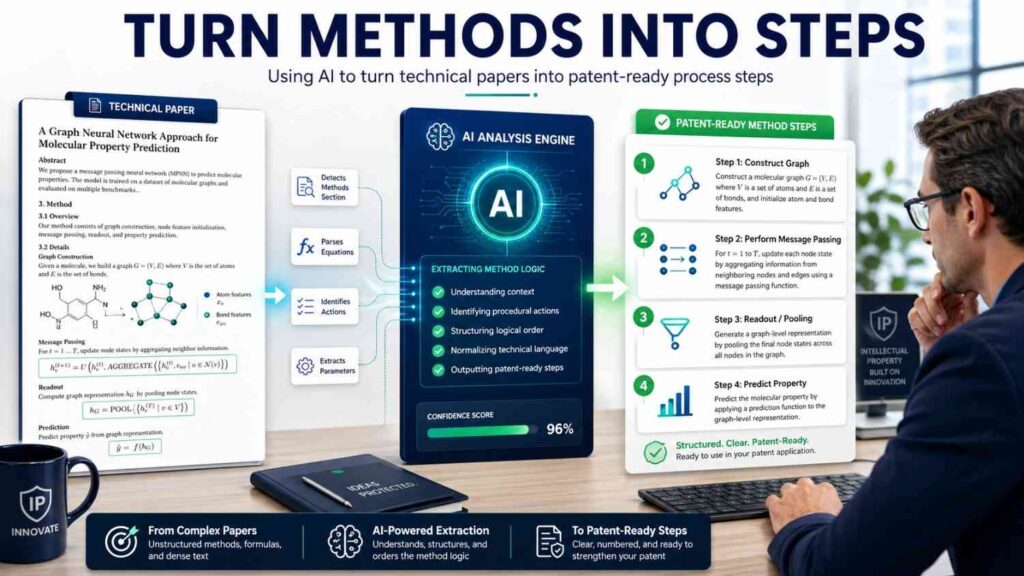
The methods section is often the richest part of a technical paper.
It tells you what the researchers actually did.
AI can help turn the method into patent-style steps.
But you should guide it.
Ask AI to use clear action verbs.
A good prompt is:
“Convert the method section into a step-by-step technical process. Each step should start with a system action, such as receiving, creating, comparing, selecting, updating, storing, sending, or training. Do not include legal claims. Do not add details that are not in the paper.”
This prompt helps reduce fluff.
For example, if the paper says:
“Our method first embeds the query and candidate documents into a shared vector space, then applies a learned re-ranking layer with context-aware negative sampling.”
AI might produce:
“The system receives a query and a set of candidate documents. The system creates a query vector for the query and document vectors for the candidate documents. The system compares the query vector to the document vectors to create a first ranking. The system applies a re-ranking model that uses context data from negative examples. The system outputs a revised ranking of the candidate documents.”
That is a good start.
Then a human should ask:
What is new?
Is it the shared vector space?
The re-ranking layer?
The context-aware negative sampling?
The way negative examples are selected?
The output ranking?
The training flow?
This review turns a method summary into an invention description.
Find The Inputs And Outputs
Every patent description becomes clearer when it names inputs and outputs.
Technical papers often mention inputs and outputs, but not always in one place.
AI can extract them.
Ask:
“What are the inputs used by the system in this paper? What outputs does the system create? For each input and output, explain where it appears in the process.”
This is a simple but powerful request.
For a robotics paper, inputs may include camera frames, force sensor data, joint angles, target position, grip state, and task history.
Outputs may include motor commands, grasp scores, motion paths, safety flags, or updated model values.
For a biotech paper, inputs may include sequence data, assay values, reagent amounts, temperature readings, sample IDs, and time values.
Outputs may include candidate molecules, predicted binding values, treatment labels, or process settings.
For a chip design paper, inputs may include clock signals, voltage states, memory access requests, instruction types, thermal values, or workload values.
Outputs may include power states, routing decisions, cache actions, or timing adjustments.
Once inputs and outputs are clear, the invention becomes easier to draft.
A patent-style paragraph may say:
“The system receives a first input, a second input, and a third input. The system creates an intermediate value based on the first and second inputs. The system compares the intermediate value to a condition based on the third input. The system then selects an output action.”
That structure can fit many fields.
Simple does not mean shallow.
Simple means readable.
Pull Out The Data Structures
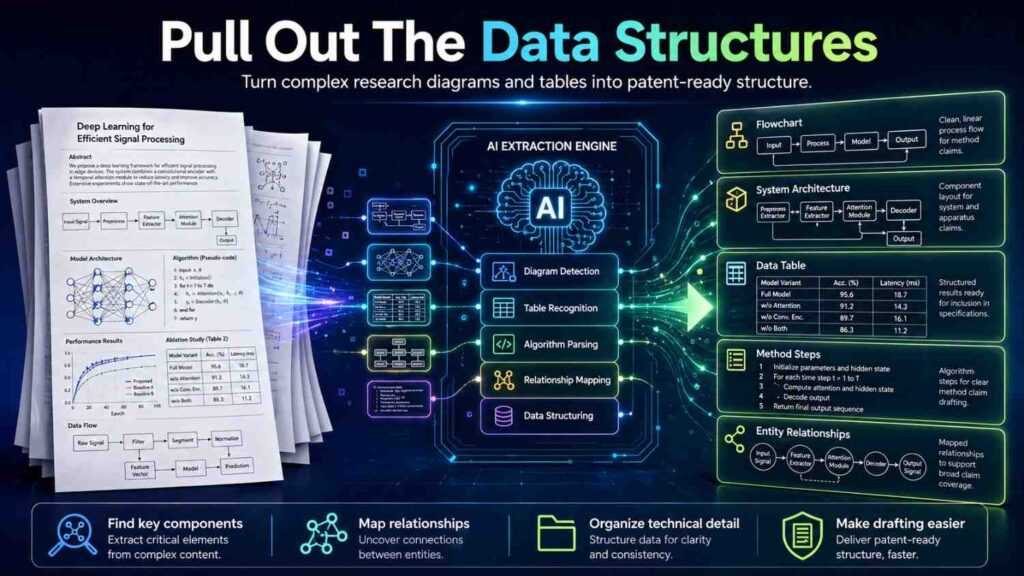
Technical papers often hide important data structures inside equations, diagrams, tables, or model descriptions.
A data structure can be a key part of a patent description.
It may be a feature vector, token sequence, graph, table, map, index, record, template, tree, matrix, label set, profile, policy, or state value.
AI can help identify these structures.
Ask:
“What data structures does this paper use or create? For each one, describe what fields or values it may include.”
This is useful because patent descriptions need nouns, not just verbs.
For example, an AI paper may create a “user context vector.” That vector may include recent actions, device type, time, location, and preference values.
A materials paper may create a “process recipe.” That recipe may include temperature, pressure, mixing time, cooling rate, and material ratio.
A security paper may create a “risk record.” That record may include user ID, device ID, action type, trust score, time stamp, and result.
A medical paper may create a “patient state record.” That record may include sensor readings, symptom labels, medication data, and risk score.
Once the data structure is clear, the description gets stronger.
Instead of saying:
“The system uses context.”
You can say:
“The system creates a context record that includes a user state, a device state, a recent action value, and a time value.”
That is much better.
Use AI To Find Variations
A good patent description does not only describe one exact version.
It also describes reasonable variations.
AI can help suggest variations based on the paper.
For example, if the paper uses image data, AI may suggest that the system could also use video frames, depth data, thermal data, or radar data, if those variations make technical sense.
If the paper uses a neural network, AI may suggest other model types.
If the paper uses a threshold, AI may suggest that the threshold can be fixed, learned, user-set, or changed based on conditions.
If the paper uses a cloud server, AI may suggest that steps can run on a local device, edge device, or remote server.
But be careful.
AI may suggest variations that are not supported by the invention.
A variation should be plausible. It should not be random.
The best prompt is:
“Suggest technically reasonable variations of this system that appear supported by the paper. Do not suggest broad ideas that are not connected to the described method. For each variation, explain what part of the system changes and what stays the same.”
This keeps the output grounded.
Variations matter because startups change. Your first product may not be your final product. A patent description that supports only one narrow version may age poorly.
At the same time, a description that tries to cover everything may become vague.
The balance is to describe real options.
PowerPatent helps founders capture both the current build and the broader invention path, with attorney oversight to keep the filing sharp. See how PowerPatent works here: https://powerpatent.com/how-it-works
Use AI To Create Plain Examples
Examples are very helpful in patent descriptions.
They show the invention in use.
AI can turn a paper method into practical examples.
For example, if the paper is about a new method for compressing model weights, AI can create examples for a phone, a drone, and a cloud service.
If the paper is about a new lab process, AI can create examples for different sample types or process settings.
If the paper is about a cybersecurity method, AI can create examples for login, data export, or API access.
The prompt can be simple:
“Create three plain examples of how this invention may be used. Each example should name the input, the main processing steps, and the output. Keep the examples grounded in the paper.”
Good examples should not be sales copy. They should teach.
For example:
“In one example, a drone receives images from a front-facing camera while flying near a building. The system creates feature values from the images and compares the feature values to a stored map. When the comparison shows that the drone is drifting from a planned path, the system changes a flight command to move the drone back toward the path.”
This example is simple. It shows input, processing, and output.
Examples also help catch gaps. If you cannot create a real example, you may not understand the invention yet.
Do Not Copy The Paper Into The Patent Draft
This is important.
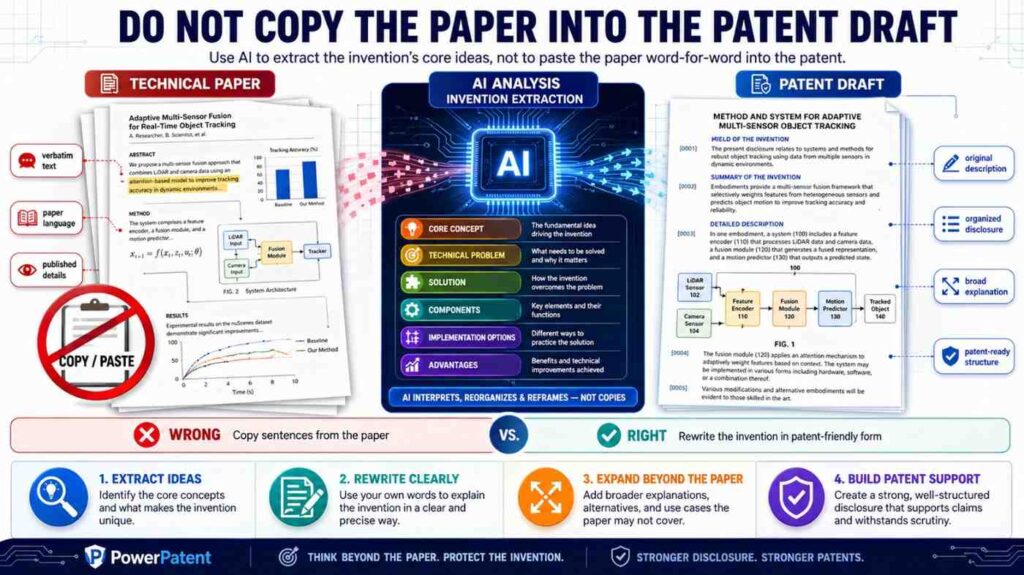
A patent description should not be a pasted version of a technical paper.
There are several reasons.
First, papers often include language that is not ideal for patent support.
Second, papers may focus on test results instead of invention structure.
Third, papers may describe only one narrow experiment.
Fourth, papers may include admissions about prior work that need careful handling.
Fifth, papers may be written by many authors, and the patent may relate to only part of the work.
Use the paper as source material, not as the final draft.
AI should help transform the paper.
It should not just compress it.
A good workflow is:
Read the paper.
Extract the invention.
Confirm with inventors.
Draft the technical description.
Add examples and variations.
Review for accuracy.
Then involve a patent attorney.
That final review matters. Patents are too important to treat like a normal writing task.
Watch For AI Hallucinations
AI can make things up.
It may add a sensor that is not in the paper.
It may assume a model is trained a certain way.
It may say the system uses encryption when the paper does not.
It may invent a data flow.
It may confuse results with steps.
It may turn a possibility into a fact.
This can be a serious problem in patent work.
A patent description should be accurate.
If AI adds false details, the draft may become misleading or weak.
You can reduce this risk by using strict prompts.
Try this:
“Use only information found in the paper. If a detail is not stated, mark it as not stated. Do not guess.”
Then ask:
“Which parts of your summary are directly supported by the paper, and which parts are inferred?”
This forces the AI to separate source facts from guesses.
You can also ask it to quote short source snippets for each major point, but be careful with copying. The goal is verification, not pasting.
The inventor should review every core technical statement.
This is one reason PowerPatent combines smart AI tools with real attorney oversight. AI can speed up the first pass, but strong filings still need careful human review. Learn more here: https://powerpatent.com/how-it-works
Use AI To Ask Better Inventor Questions
One of the best uses of AI is not drafting.
It is question generation.
After AI reads a technical paper, ask it to create questions for the inventor.
These questions can reveal what is missing.
For example:
“What part of the method is new compared to older methods?”
“Which steps are required and which are optional?”
“Can the method run on a local device, cloud server, or both?”
“What inputs are needed for the best version?”
“What happens when an input is missing or noisy?”
“What output does the system create?”
“How is the system trained or configured?”
“What changes when the system is used in a real product?”
“What parts have you actually built?”
“What parts are planned but not yet built?”
“What are the main benefits?”
“Are there any secret details that should not be disclosed?”
These questions are simple, but they are powerful.
A technical paper often leaves product details out. Inventor answers can fill the gap.
For example, a paper may describe a model. The inventor may explain that the real product runs the model on an edge device with a special update flow. That update flow may be patent-worthy.
AI can help surface that conversation.
Turn Equations Into Plain Process Steps
Many technical papers use equations.
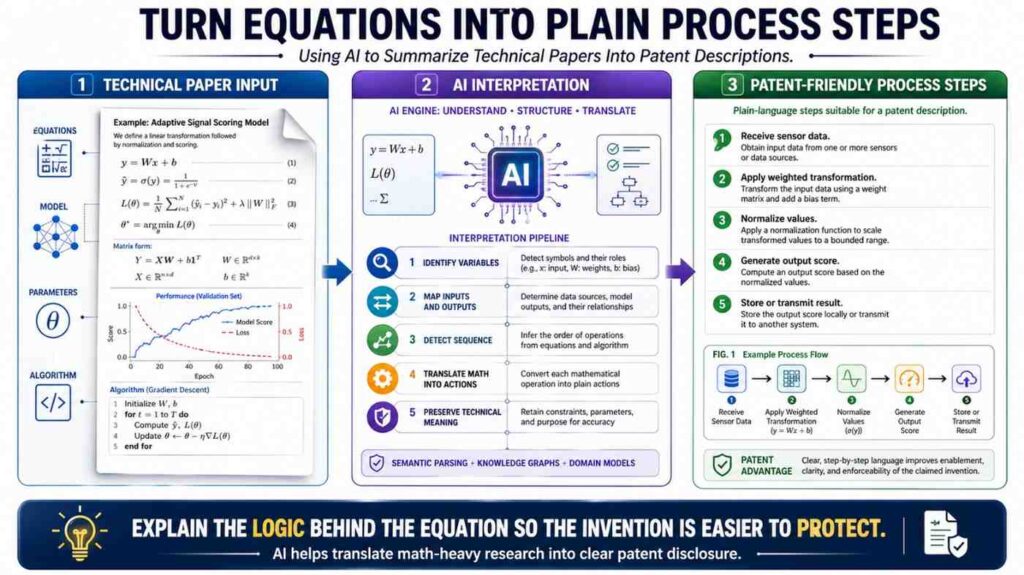
Patent descriptions can include equations, but they should not depend only on equations.
A reader should understand the process in words.
AI can help translate equations into steps.
For example, an equation may define a loss function that includes three terms. AI can explain:
“The training process uses a first error value based on prediction accuracy, a second error value based on consistency between two views of the same data, and a third error value that limits the size of the model output. The system updates model weights based on a combined value from the three error values.”
That is more readable.
If the equation is central, the patent description may still include it or describe it in more detail. But the plain version helps.
Ask AI:
“Explain this equation as a system process. Do not use math symbols unless needed. Explain what each term controls.”
Then ask:
“Which parts of this equation appear central to the invention?”
This helps find the protectable idea.
Sometimes the invention is not the equation itself. It is how the equation is used inside a larger system.
For example, a loss function may be used to train a model that must run on a low-power device. The patent story may be about the training method plus the deployment constraint.
AI can help connect those pieces, but only if prompted.
Turn Figures Into Words
Figures in technical papers can be very valuable.
They often show the architecture better than the text.
AI can help describe a figure in words, especially if you provide the figure caption and surrounding text.
A good figure-to-description prompt is:
“Describe this figure as a patent-style system flow. Name each block, what it receives, what it creates, and where the output goes.”
A model architecture figure may become:
“The system includes an input encoder, a feature combiner, a context module, and an output decoder. The input encoder receives raw input data and creates an input feature. The feature combiner combines the input feature with a context feature. The context module updates the combined feature based on stored context data. The output decoder creates an output value from the updated feature.”
That is a useful starting point.
For hardware, a figure may show sensors, controller, memory, actuator, and communication link.
For chemistry or materials, a figure may show process stages.
For software, a figure may show services and data flows.
Do not ignore figures. Many invention details live there.
Convert Results Into Benefits Carefully
Technical papers often include results.
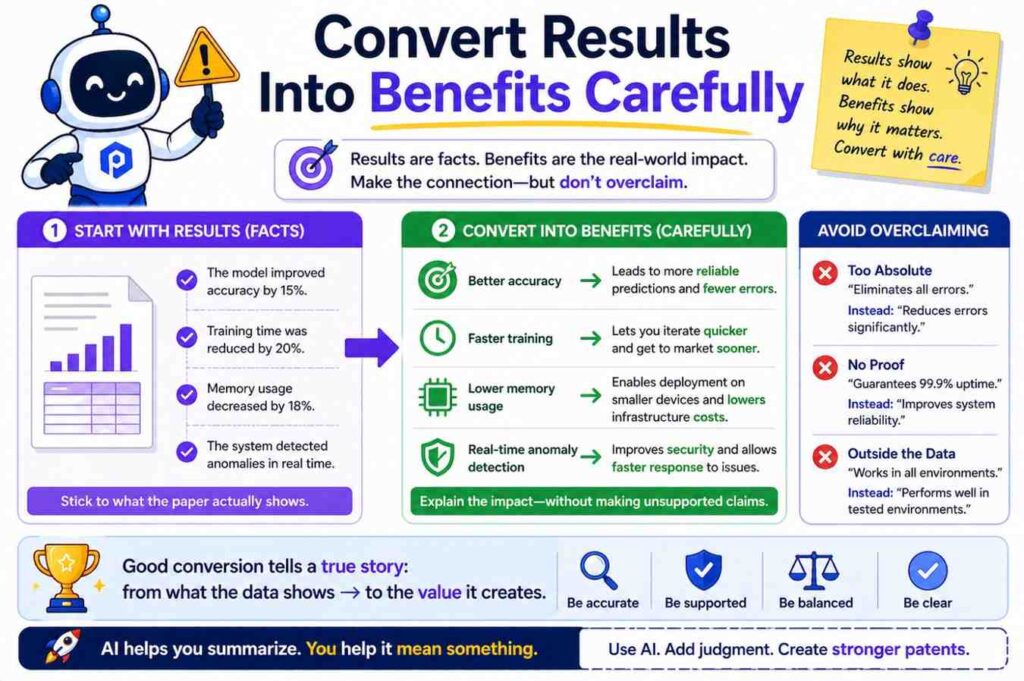
Accuracy improved by 12%.
Latency dropped by 30%.
Power use fell by 18%.
Yield increased.
Noise decreased.
Failure rate improved.
These results are useful, but a patent description should not rely only on them.
Results show why the invention may matter. They do not always show how it works.
Use AI to connect results to technical features.
Ask:
“What system features described in the paper appear to cause the reported improvement?”
Then ask:
“Explain the benefit in simple words without making unsupported claims.”
For example:
“The paper reports lower latency. The likely reason is that the system performs a first filtering step before running a heavier model. This may reduce the number of inputs sent to the heavier model.”
That is a useful explanation.
In a patent description, you can write:
“By filtering inputs before applying the second model, the system may reduce the amount of data processed by the second model. This may lower processing time in some cases.”
Notice the careful language: “may.”
Do not promise results that are not always true.
A good patent description can mention benefits, but the mechanism must come first.
Use AI To Create A Draft, Then Cut The Fluff
AI drafts often sound smooth but vague.
They may say:
“This innovative system provides a robust and scalable framework for enhanced performance in real-world environments.”
That sentence should be cut.
It does not teach anything.
Replace it with:
“The system receives sensor data from a device, removes values that fall outside an expected range, and creates a corrected sensor value for use by a control module.”
That teaches.
When editing AI output for patent descriptions, remove empty praise.
Words like innovative, advanced, powerful, robust, seamless, scalable, cutting-edge, and next-generation rarely help.
Replace them with actions.
What does the system receive?
What does it create?
What does it compare?
What does it store?
What does it change?
What does it send?
The best patent descriptions feel plain, but they carry weight.
They do not need fireworks.
They need structure.
Do Not Let AI Write Claims Too Early
Founders often want AI to jump straight to patent claims.
That can be risky.
Claims are important. They define the legal boundary of a patent. They should be drafted or reviewed by a patent professional.
Before claims, you need a strong description.
If the description is thin, the claims may have weak support.
So use AI first to build the invention record.
Create a plain invention summary.
Create a system overview.
Create step-by-step methods.
Create examples.
Create variations.
Create diagrams in words.
Create inventor questions.
Then move toward claims with attorney help.
This is a better order.
PowerPatent helps founders do this in a guided way, so the early AI work feeds a real patent process instead of becoming a risky shortcut. You can explore the workflow here: https://powerpatent.com/how-it-works
Build A Clean Patent Description From A Paper
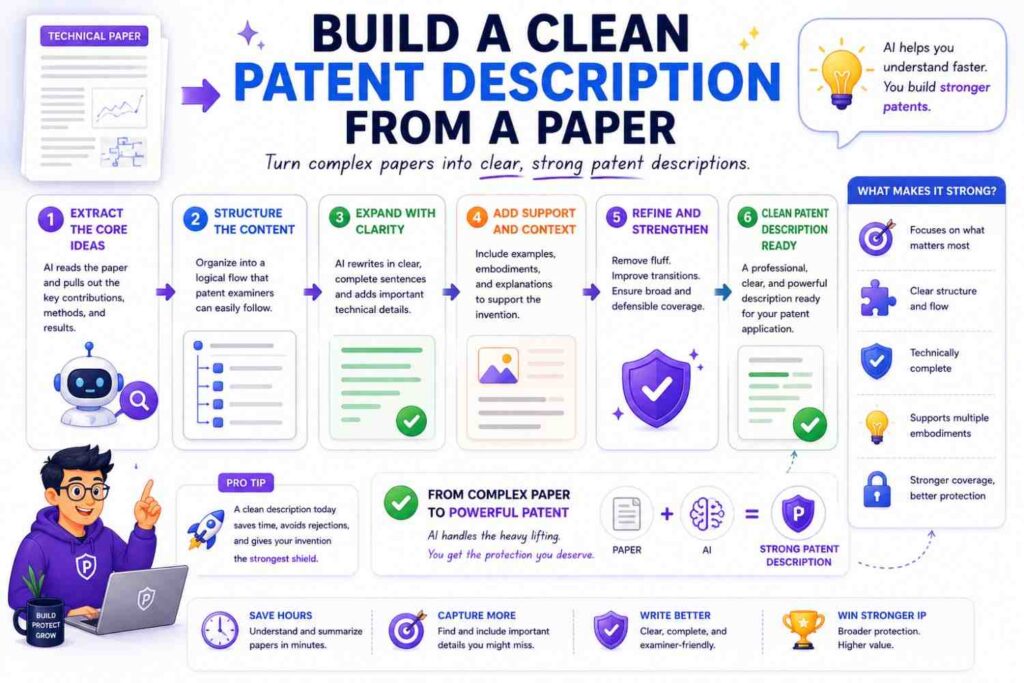
A strong patent description from a technical paper usually has a simple shape.
It starts with a short background problem.
Then it gives a high-level summary of the invention.
Then it describes the system parts.
Then it walks through the method.
Then it gives examples.
Then it describes variations.
Then it explains benefits.
Then it may describe implementation details.
That sounds formal, but it can still be written in simple words.
For example, the opening may be:
“Some systems that inspect factory parts use image models that perform poorly when lighting changes. A part may look different under a bright light than under a dim light, even when the part has no defect. This can cause false defect alerts.”
Then the invention summary:
“The disclosed system changes how image data is prepared before defect detection. The system creates a lighting value for an image and selects a correction rule based on the lighting value. The corrected image is then sent to a defect model.”
Then system parts:
“The system may include a camera, an image processor, a correction rule store, a defect model, and an alert module.”
Then method:
“The camera captures an image of a part. The image processor creates a lighting value for the image. The system selects a correction rule based on the lighting value. The system applies the correction rule to create a corrected image. The defect model creates a defect score from the corrected image. The alert module sends an alert when the defect score is above a limit.”
That is clear.
It is not full of jargon.
It is not a mere summary.
It is patent-style technical writing.
Use AI To Create Multiple Levels Of Detail
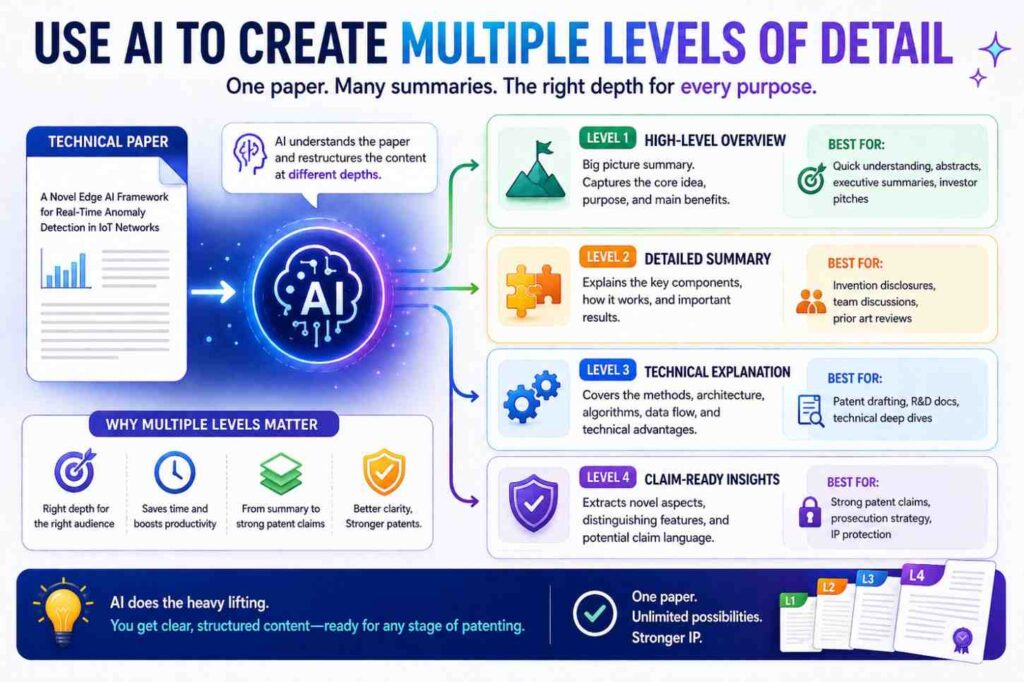
One useful trick is to ask AI for three levels.
First, ask for a one-paragraph plain summary.
Second, ask for a one-page technical description.
Third, ask for a detailed patent-style description.
This helps you see the invention at different distances.
The short summary helps founders and attorneys quickly understand the idea.
The one-page version helps check the flow.
The detailed version helps support a filing.
For example, the one-paragraph version may say:
“The system improves object detection in rainy weather by detecting noisy regions in LiDAR data and changing how those regions affect the object detection model.”
The one-page version may describe inputs, model stages, and outputs.
The detailed version may describe point groups, weather values, confidence values, thresholds, training steps, and examples.
Each level has a job.
AI can create all three quickly.
Then humans can edit.
Use AI To Compare The Paper Against Product Reality
A paper may describe a lab method. A product may use a different version.
That difference matters.
Ask AI to create a “paper versus product” checklist.
You can give it the paper summary and a product description, then ask:
“What parts of the paper match the product? What parts are missing from the product? What product features are not described in the paper? Which product features may be important for a patent description?”
This can reveal new invention material.
For example, the paper may describe a model. The product may include a model monitoring system, data update flow, user feedback loop, or privacy layer.
Those product features may be more valuable than the paper itself.
Do not assume the paper is the invention.
The invention may be the way the research becomes a working product.
That is often where startups create real value.
Use AI To Spot Missing Enablement Detail
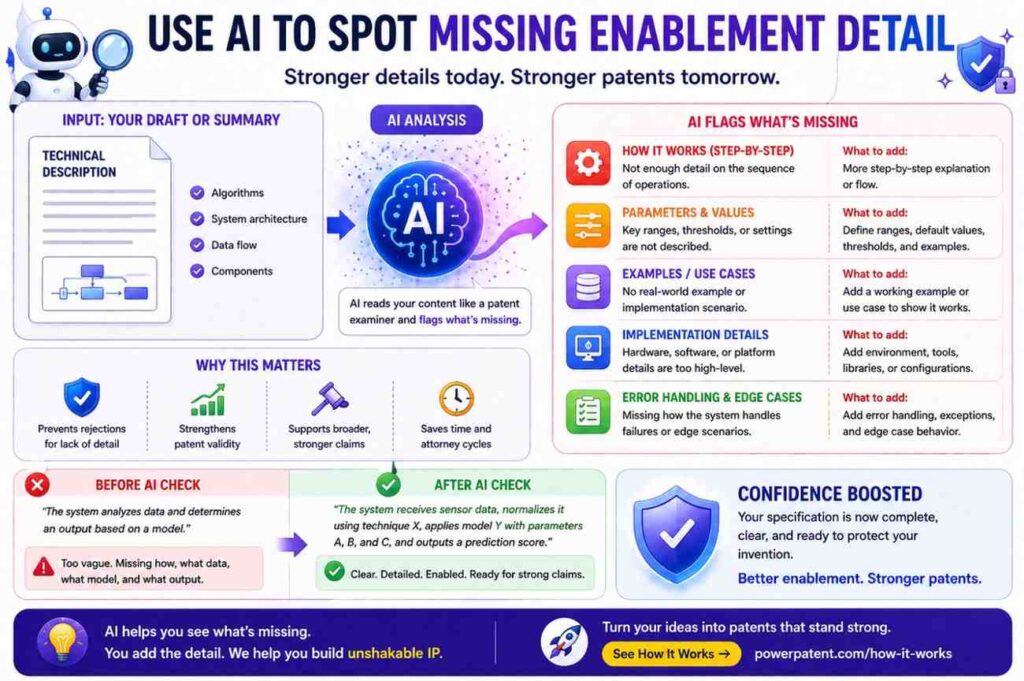
A patent description must teach enough.
AI can help check whether the draft has missing detail.
Ask:
“Read this draft patent description. What would a skilled engineer need to know to build the system that is not yet explained?”
This can produce useful gaps.
It may say the draft does not explain:
Where data comes from.
How a threshold is set.
What happens when data is missing.
How a model is trained.
How the system chooses between two actions.
How the output is used.
What device runs each step.
What is stored.
What changes over time.
What the error handling is.
These are good gaps to fix.
But do not let AI decide legal sufficiency. Use it as a helper.
A patent attorney should review the draft.
Use AI To Find Optional Parts
Patent descriptions often benefit from optional parts.
A system may work with or without certain features.
AI can help identify which parts seem required and which seem optional.
Ask:
“Based on the paper, which steps appear necessary for the main method, and which steps appear optional or replaceable?”
For example, a method may require receiving input data, creating a feature value, and selecting an output. But it may optionally include normalization, logging, user feedback, or retraining.
This matters because optional parts can support broader coverage.
If you describe every step as required, you may make the invention look narrower than it needs to be.
Use careful language.
“The system may normalize the input data before creating the feature value.”
“The system may store the output in a log.”
“The system may update a model based on user feedback.”
These optional details can be helpful.
But do not mark something optional if the invention truly needs it.
Again, human review matters.
Use AI To Create Better Titles And Section Headings
Technical papers often have formal section names.
Patent descriptions need clear section names too, but they can be simpler.
AI can help create headings like:
Technical Field
Background
Overview
Example System
Example Method
Training Process
Runtime Process
Device Implementation
Cloud Implementation
Examples
Variations
Benefits
You do not always need all of these. But they can help organize the draft.
For a startup invention note, simple headings may be enough.
The goal is to make the invention easy to follow.
A confused draft can hide a strong invention.
A clear draft makes attorney review faster and better.
Keep The Writing Human
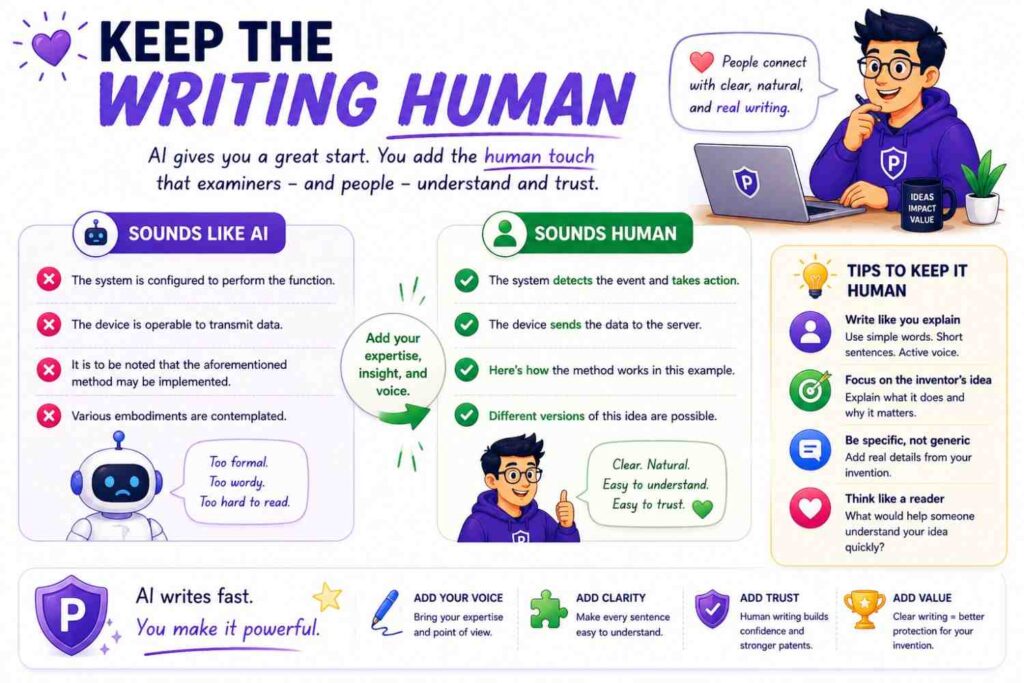
AI writing often has a certain smell.
It repeats phrases.
It uses broad praise.
It sounds too balanced.
It says “furthermore” too much.
It uses long sentences with little meaning.
Patent descriptions should be formal, but they should not be lifeless.
Use simple sentences.
Use active verbs.
Use concrete nouns.
Use examples.
Use short paragraphs.
A sentence like this is good:
“The system sends the corrected image to the defect model.”
A sentence like this is not useful:
“The system facilitates an enhanced image processing paradigm for improved defect evaluation.”
Do not write like that.
Simple language is not childish. It is strong.
Founders, engineers, examiners, attorneys, and investors all benefit when the invention is easy to understand.
Handle Prior Art Carefully
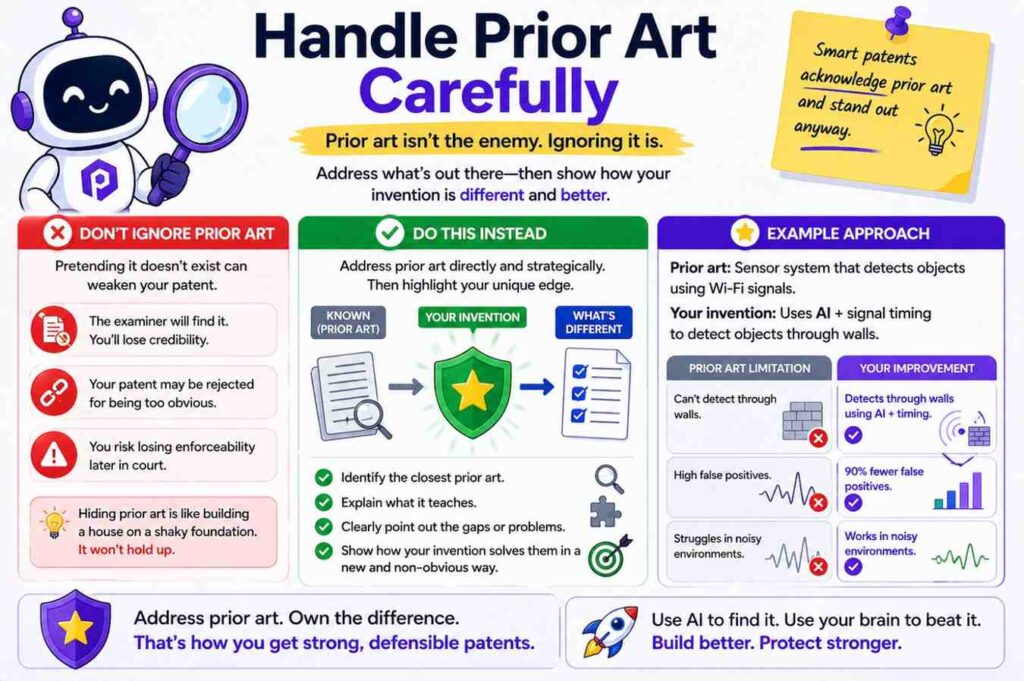
Technical papers include related work.
That section can be useful because it shows what came before.
But you need care.
Do not casually admit that everything important was known.
Do not copy broad statements from the paper into a patent draft without review.
AI can summarize related work, but attorney guidance is important.
A safer AI prompt is:
“Summarize the technical problem described in the related work section without making legal conclusions about what was known or obvious.”
This helps you understand the landscape without creating risky wording.
For example, instead of saying:
“Prior systems failed because they could not handle noisy data.”
You might say:
“Some systems may produce less accurate results when input data includes noise.”
This is softer and more precise.
Patent drafting is not just technical writing. Word choice matters.
Use AI To Create Invention Disclosure Notes
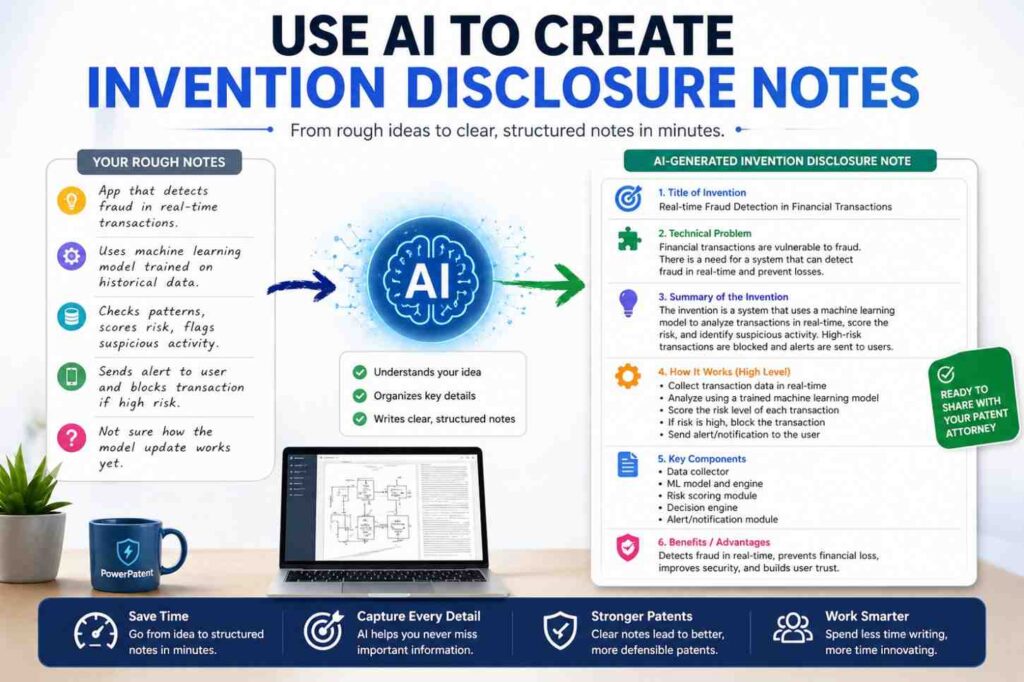
Before a patent application, many teams create an invention disclosure.
This is a record of the invention that helps the patent team.
AI can help turn a paper into an invention disclosure note.
A good disclosure note may include:
The problem.
The main solution.
The system parts.
The steps.
The inputs and outputs.
The key differences.
The best example.
The optional variations.
The test results.
The product use cases.
The inventors.
The dates.
The open questions.
You can ask AI to make a first draft, then have the inventor fill in missing details.
This is much faster than starting from a blank page.
PowerPatent is designed to make this process easier for busy founders. It helps collect technical information in a structured way and turns it into patent-ready material with attorney oversight. Start here: https://powerpatent.com/how-it-works
Make The AI Show Its Work
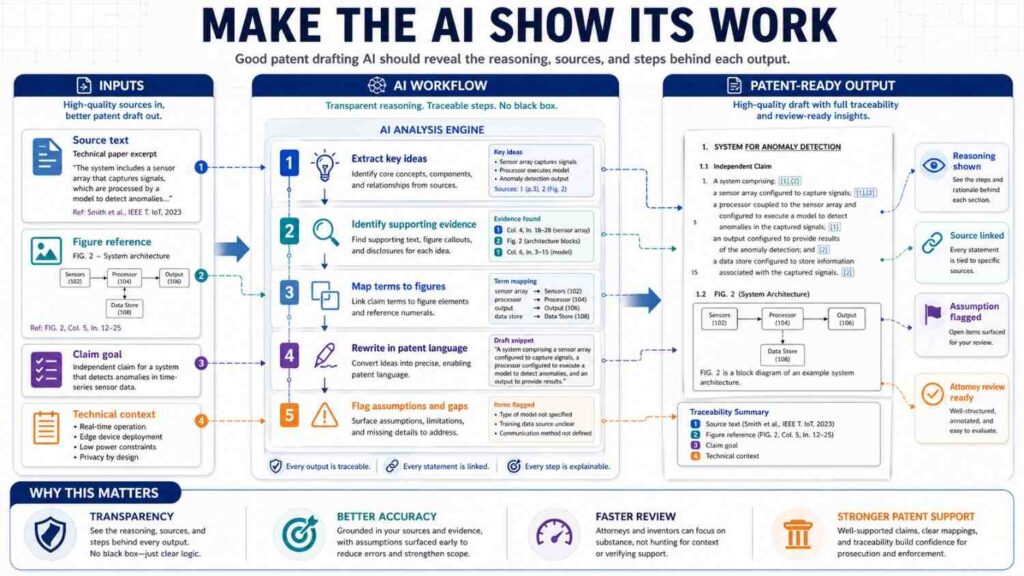
When using AI for patent descriptions, do not accept a polished draft right away.
Ask it to explain how it got there.
For example:
“For each paragraph in the patent-style description, state which part of the paper supports it.”
This helps spot unsupported additions.
You can also ask:
“Mark each sentence as directly supported, inferred, or suggested variation.”
This is very useful.
A sentence that is directly supported by the paper is safer.
A sentence that is inferred may still be fine, but it needs inventor review.
A suggested variation may be useful, but it needs a technical basis.
This simple marking process can improve trust.
It also helps the attorney see where the draft came from.
Use AI To Draft Around Figures Of Speech
Technical papers sometimes use vague phrases.
For example:
“Our method is robust to noise.”
“Our framework learns meaningful representations.”
“Our approach improves generalization.”
“Our system is efficient.”
These may be true, but they are not enough for a patent description.
Ask AI to convert each phrase into a mechanism.
For “robust to noise,” ask:
“What steps make the method handle noisy input?”
For “learns meaningful representations,” ask:
“What data is used to train the representation, and how is the representation used later?”
For “improves generalization,” ask:
“What training or processing step helps the model work on new data?”
For “efficient,” ask:
“What computation is reduced, skipped, shared, compressed, or moved?”
This is how you turn claims of performance into technical detail.
Preserve The Invention’s Business Value
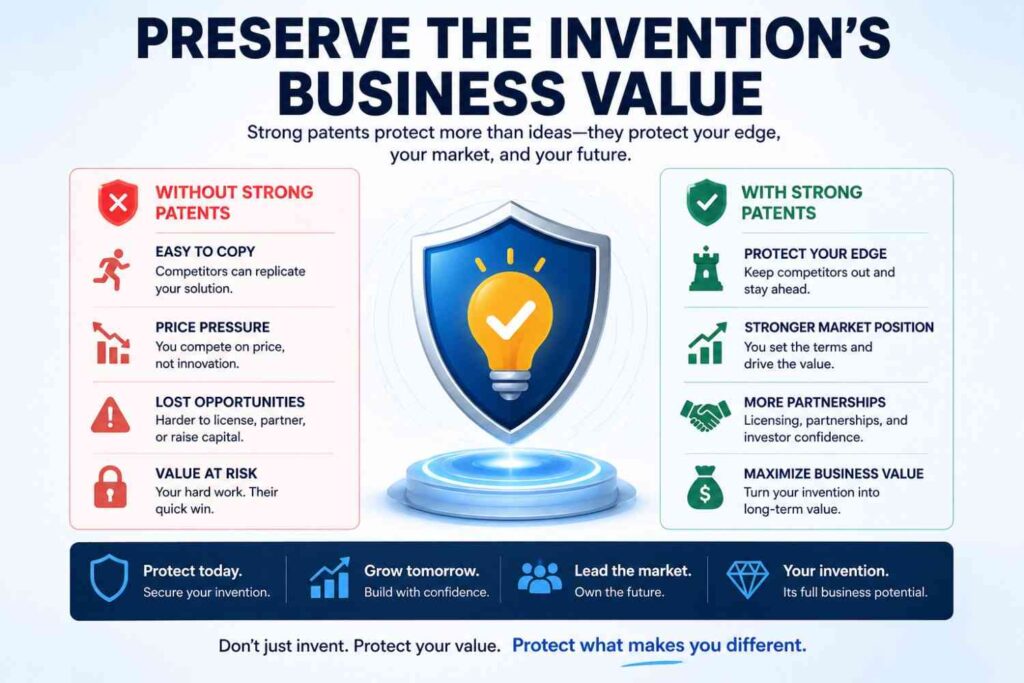
A technical paper may not know your business plan.
But your patent strategy should.
A founder may care about protecting the product, the platform, the workflow, the data loop, the model pipeline, the device behavior, or the integration with customers.
AI can summarize the paper, but it may not know which part matters commercially.
You should ask:
Which part would a competitor copy?
Which part saves customers time?
Which part makes the product hard to replace?
Which part creates better data?
Which part makes the system safer?
Which part lowers cost?
Which part gives better results?
Which part is hard to build?
Which part is unique to our team?
Those answers should shape the patent description.
For example, a paper may describe a model that predicts equipment failure. But your business edge may be the way customer feedback is turned into updated maintenance rules. That feedback loop should be described.
Do not let the paper alone decide the patent story.
Use AI To Create Competitor-Aware Descriptions Without Naming Competitors
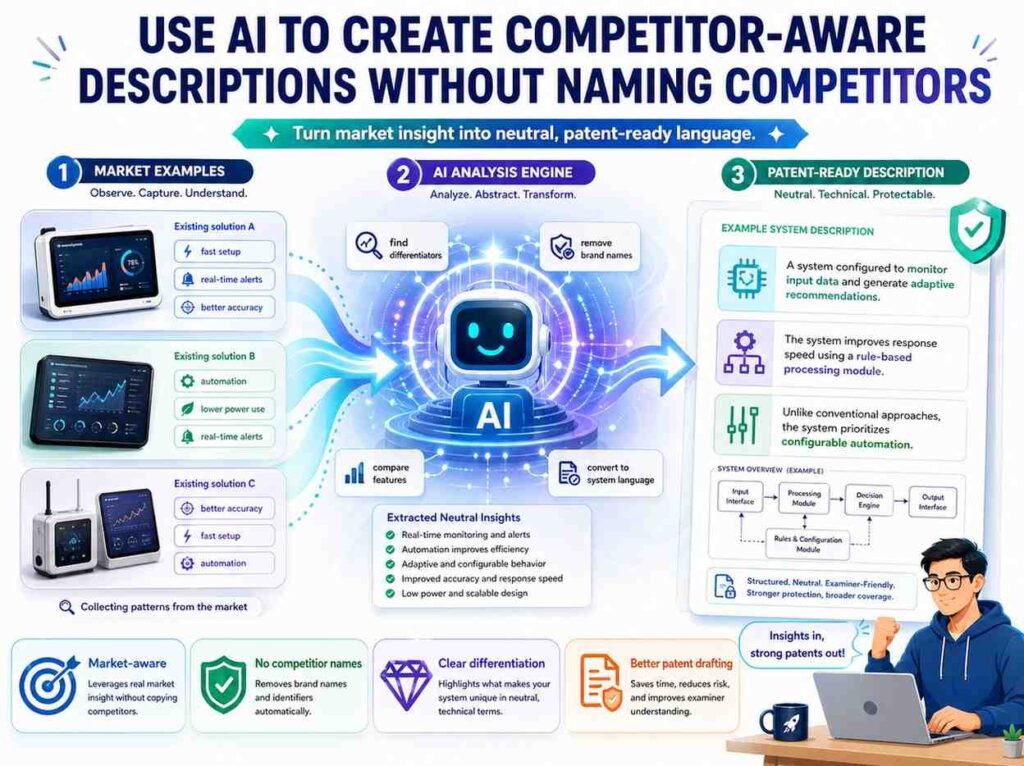
AI can help you think about design-arounds.
A design-around is a way someone might avoid a patent by changing the system.
Do not use AI to attack specific companies unless your attorney guides that work. But you can ask AI to think technically.
For example:
“How might a different system solve the same problem using a slightly different architecture? What parts of the described invention should be written broadly enough to cover reasonable variations?”
This can reveal whether your draft is too narrow.
If your draft says the system must use a neural network, but the invention could use another model, you may want broader language.
If your draft says the system must run in the cloud, but it could run on a device, add that variation.
If your draft says the sensor is a camera, but radar or LiDAR could work, describe those options if technically true.
A patent description should not be locked to one easy-to-avoid version.
Use AI To Improve Readability
After you have a draft, AI can help simplify it.
Ask:
“Rewrite this section using shorter sentences and simpler words while keeping the technical meaning.”
Then review the result carefully.
AI may remove important detail while simplifying.
A better prompt is:
“Do not remove any technical step. Keep all inputs, outputs, conditions, and examples. Only simplify sentence structure.”
This helps.
Readability matters.
A patent description can be technical and still readable.
For example, this is hard:
“The disclosed framework dynamically modulates downstream inference pathways contingent upon contextually derived uncertainty measurements.”
This is better:
“The system changes which inference path is used based on an uncertainty value created from context data.”
Same idea. Less fog.
AI Can Help With Many Fields
The same workflow works across deep tech.
For AI and software, use AI to extract model inputs, training steps, runtime steps, data flows, user actions, policy rules, and outputs.
For robotics, use AI to extract sensors, states, control loops, motion plans, safety checks, feedback signals, and commands.
For biotech, use AI to extract sample types, process steps, assays, markers, conditions, and results.
For medical devices, use AI to extract patient signals, device states, alerts, control actions, user steps, and safety rules.
For semiconductors, use AI to extract circuit blocks, signal paths, power states, timing rules, memory actions, and layout features.
For climate tech, use AI to extract sensor data, control rules, energy flows, material changes, and system outputs.
For cybersecurity, use AI to extract identity checks, risk scores, tokens, logs, encryption steps, and access rules.
For materials, use AI to extract compositions, process conditions, structures, measurements, and use cases.
The words may change, but the core question stays the same:
What does the invention do, step by step?
Example Workflow: From Paper To Patent Description
Imagine your team has a paper about a new AI method for predicting battery failure.
The paper includes background, equations, model training, test results, and charts.
A weak AI prompt would be:
“Summarize this paper.”
The output might say:
“The paper presents a machine learning method for predicting battery failure using sensor data. The method improves accuracy compared to baseline models.”
That is not enough.
A better first prompt is:
“Extract the invention from this paper. Identify the problem, system inputs, main processing steps, outputs, optional steps, and technical benefits. Use simple language.”
Now the output may say:
“The system receives battery temperature, voltage, current, charge cycles, and time data. The system creates a battery state value from the received data. The system compares the battery state value to past battery patterns. The system predicts a failure risk. The system sends a maintenance alert when the failure risk is above a limit.”
That is better.
Then you ask:
“What part appears to be the main technical contribution?”
AI may answer:
“The main contribution appears to be the way the system creates the battery state value using both recent sensor data and long-term charge cycle history.”
Now you ask:
“Draft a patent-style description focused on that contribution.”
AI may draft:
“In one example, a battery monitoring system receives a stream of battery sensor values from a battery pack. The sensor values include temperature, voltage, current, and charge state. The system stores a history of charge cycles for the battery pack. The system creates a short-term feature from the stream of battery sensor values and a long-term feature from the history of charge cycles. The system combines the short-term feature and the long-term feature to create a battery state value. The system provides the battery state value to a failure prediction model. The failure prediction model creates a failure risk value. When the failure risk value is above a limit, the system sends a maintenance message.”
That is a solid starting point.
Then an inventor reviews it and says:
“The key difference is actually that we adjust the model based on battery chemistry. The paper does not emphasize it, but our product does.”
Now the description improves:
“The system selects a model parameter set based on a battery chemistry value linked to the battery pack. The system applies the selected model parameter set when creating the battery state value.”
That detail may be very important.
This is the value of human review.
AI helps you get to the right conversation faster.
Example Workflow: From AI Paper To Patent Draft Section
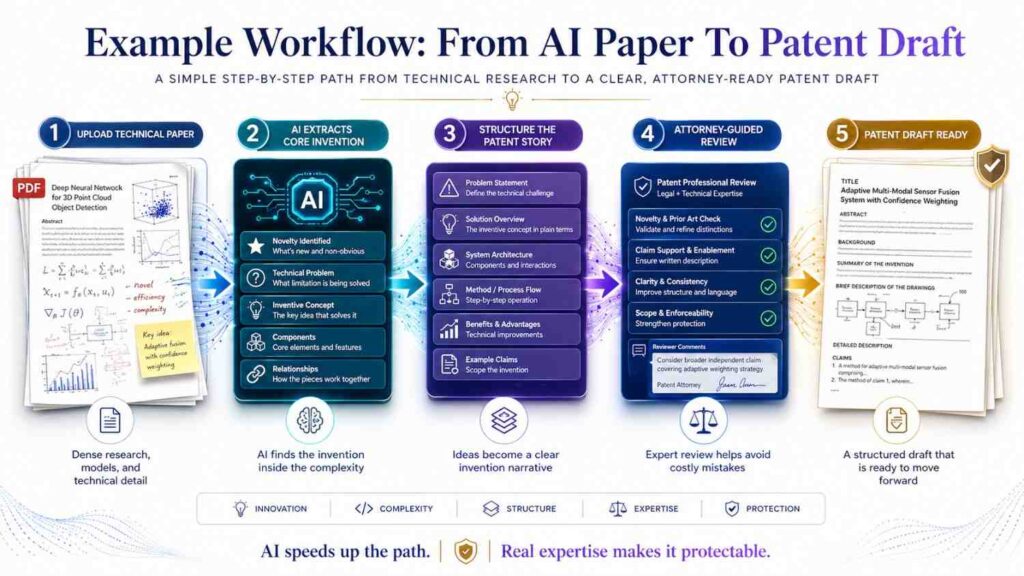
Imagine a paper about an AI model that summarizes customer support calls.
The paper may focus on model quality. But your invention may relate to protecting private data during summarization.
An AI summary may miss that unless you ask.
Try:
“Identify any parts of this paper that relate to data privacy, redaction, user permissions, or secure handling of call transcripts.”
The output may say:
“The paper mentions removing account numbers before model processing and checking user role before showing the summary.”
Now that can become patent material:
“The system receives a call transcript. Before sending the transcript to a summary model, the system detects sensitive fields in the transcript. The system replaces the sensitive fields with placeholder values. The summary model creates a summary using the modified transcript. After the summary is created, the system checks a user role before deciding whether to show the original sensitive fields, masked values, or no sensitive field values in the summary.”
This is much more patent-ready.
Notice that the invention is not just “AI summarization.”
It is a controlled data flow around summarization.
That may be the stronger idea.
Example Workflow: From Materials Paper To Patent Description
Imagine a paper about a new coating material.
The paper may include chemical formulas, test results, and microscopy images.
AI can help extract process steps.
Prompt:
“Turn the process described in this paper into simple manufacturing steps. Include materials, order of operations, temperature, time, pressure, and curing steps if stated. Do not guess missing values.”
The output may be:
“The process mixes a first polymer with a ceramic filler. The mixture is heated to a first temperature range. A solvent is added. The mixture is applied to a metal surface. The coated surface is cured for a set time. The cured coating is tested for wear resistance.”
Then ask:
“What process variables appear to affect the result?”
AI may identify filler ratio, cure time, temperature, coating thickness, or surface treatment.
Those variables can support patent description.
A draft may say:
“In some examples, the coating thickness may be selected based on an expected wear level. A thicker coating may be used for parts exposed to higher friction, while a thinner coating may be used for parts requiring lower weight.”
If true and supported, this adds useful range.
Example Workflow: From Robotics Paper To Patent Description
Imagine a paper about a robot hand that grasps soft objects.
The paper describes sensors and a control policy.
AI can extract the control loop.
Prompt:
“Describe the robot control method as a loop. Include sensor readings, state values, command generation, feedback, and stopping conditions.”
AI may write:
“The robot receives force sensor data and finger position data. The robot creates a grip state from the force sensor data and finger position data. The robot compares the grip state to a target grip state. The robot changes finger motor commands based on the comparison. The robot repeats the process until the grip state reaches the target grip state or a slip value is detected.”
That is strong.
Then ask:
“What happens if the object slips?”
The paper may say:
“The controller increases grip force when slip is detected.”
The patent description can say:
“When the slip value is above a limit, the controller increases a grip force command while keeping the finger position command within a safe range.”
That detail matters.
Robotics inventions often live in feedback loops. AI can help pull those loops out of dense text.
Example Workflow: From Security Paper To Patent Description
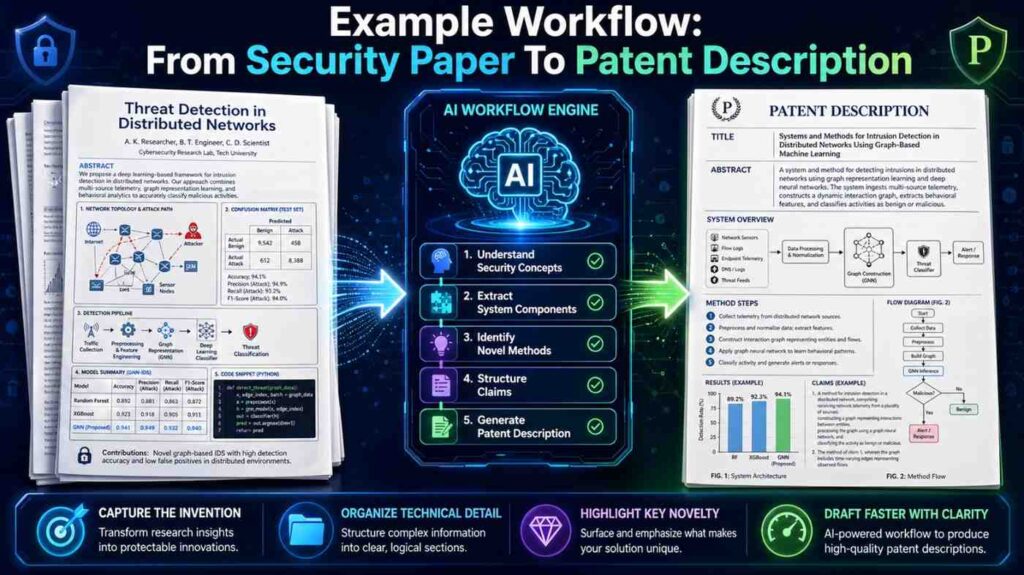
Imagine a paper about detecting insider threats using access logs.
The paper focuses on model accuracy.
AI can extract the decision process.
Prompt:
“Turn this insider threat detection method into a patent-style system process. Include log inputs, features, risk score, threshold, and response action.”
The result may be:
“The system receives access log records for a user. The access log records include file access events, login times, device identifiers, and data export events. The system creates a behavior profile for the user based on prior access log records. The system compares a new access event to the behavior profile. The system creates a risk score for the new access event. When the risk score is above a threshold, the system limits the user session and sends an alert.”
That is useful.
Then a founder might add:
“Our system does not block everything. It changes the interface to show read-only data.”
Now the patent description becomes more specific:
“When the risk score is above the threshold, the system changes the user interface from an edit mode to a read-only mode. In the read-only mode, the user may view selected records but cannot download or change the records.”
That is a real product feature.
Use AI To Build A “Claim Support Map”
Even before claims are drafted, AI can help create a support map.
A support map links important invention ideas to places in the description.
For example:
Feature: receives sensor data.
Support: paragraph 12.
Feature: creates short-term and long-term features.
Support: paragraphs 15-17.
Feature: selects model parameters based on battery chemistry.
Support: paragraph 19.
Feature: sends maintenance alert.
Support: paragraph 22.
This is useful for attorney review.
You can ask AI:
“Create a table that maps each core technical feature to the paragraph where it is described.”
Even if you do not use a table in the final blog or patent draft, the map helps check coverage.
If a core feature has no support, add detail.
If a paragraph supports nothing important, maybe cut it.
Use AI To Check For Repeated Ideas
AI drafts often repeat the same point.
A patent description can have some repetition, but too much makes it harder to read.
Ask AI:
“Find repeated ideas in this draft and suggest where to merge them without removing technical detail.”
This can clean up the draft.
But be careful. Sometimes repetition is intentional. Patent descriptions may describe an idea at a high level, then again in a detailed example.
Do not remove useful layers.
Remove only empty repetition.
For example, if three paragraphs say “the system improves accuracy” but none explain how, replace them with one paragraph that explains the mechanism.
Use AI To Create Better Alternative Language
Patent descriptions often need different ways to say the same idea.
For example, the current product may use a “phone,” but the invention may work with a “user device.”
The current product may use a “camera,” but the invention may work with an “image sensor.”
The current product may use a “server,” but the invention may work with “one or more computing devices.”
AI can suggest broader but still clear terms.
Ask:
“Suggest broader technical terms for product-specific words in this draft. Do not make the terms so broad that they lose meaning.”
This can help avoid narrow wording.
For example:
“iPhone” can become “mobile device.”
“Slack alert” can become “message through a communication service.”
“PostgreSQL table” can become “database record.”
“OpenAI model” can become “language model.”
“Raspberry Pi” can become “edge computing device.”
This does not mean you should erase all specifics. Specific examples are useful.
A good description can say:
“The user device may be a mobile phone, tablet, laptop, wearable device, or other computing device.”
That gives both clarity and range.
Use AI To Avoid Over-Claiming

AI can make strong statements.
It may write:
“The invention eliminates false positives.”
That is probably too strong.
A safer version is:
“The system may reduce false positives in some cases.”
Or better:
“By comparing the sensor value to a device-specific baseline, the system may avoid treating normal device behavior as a fault.”
That explains why false positives may be reduced.
Ask AI:
“Find any absolute or unsupported statements in this draft. Rewrite them in more careful technical language.”
Look for words like always, never, guarantees, eliminates, completely, fully, perfect, impossible, and all.
Patent descriptions should be confident but not careless.
Use AI To Build “Embodiment” Variants In Plain English
Patent language often uses “embodiments,” but you can think of them as versions.
AI can help describe versions.
For example:
“In one version, the model runs on a user device.”
“In another version, the model runs on a cloud server.”
“In another version, a first model runs on the user device and a second model runs on the cloud server.”
These versions can be very useful.
A prompt:
“Create three technically reasonable versions of this system: one local version, one cloud version, and one hybrid version. Keep the core invention the same.”
This can give you useful coverage.
For example:
“The local version may keep raw sensor data on the device. The cloud version may send sensor data to a server for processing. The hybrid version may process raw sensor data on the device and send a summary value to the server.”
That is clean and practical.
Use AI To Explain Why The Invention Helps
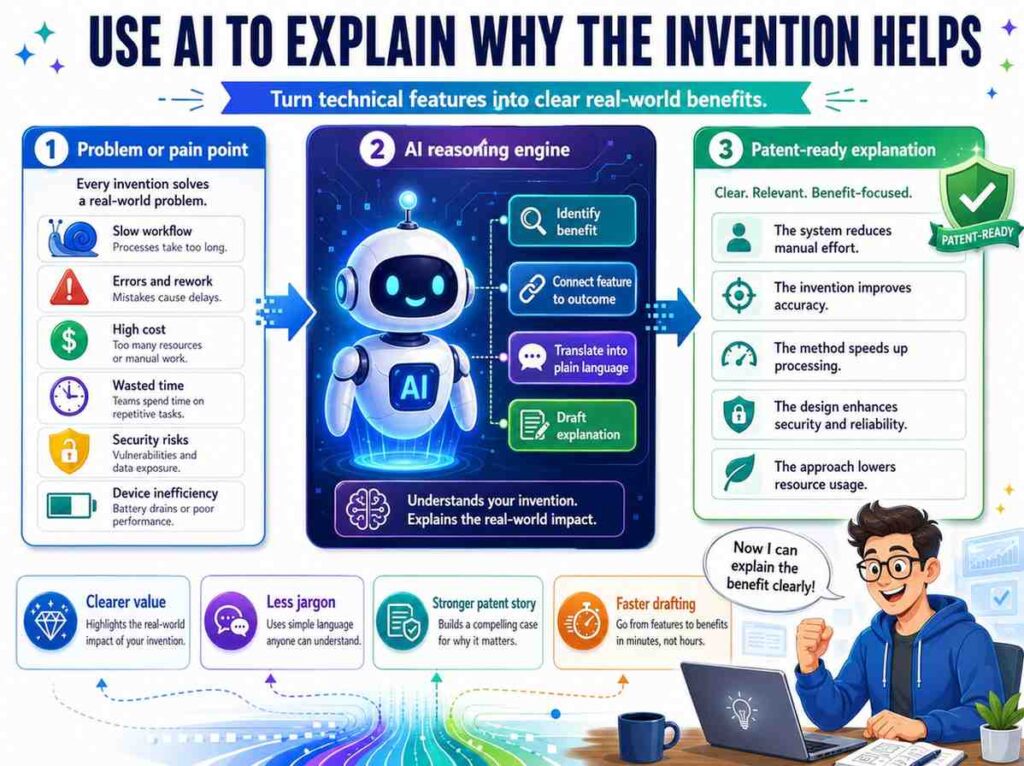
A patent description can include benefits.
AI can help write them in simple terms.
But each benefit should connect to a technical feature.
For example:
“The system may reduce network use because the user device sends a summary value instead of raw sensor data.”
That is good.
“The system may improve privacy because raw sensor data stays on the user device.”
That is good.
“The system may reduce delay because the first decision is made at the edge device before sending data to the server.”
That is good.
These benefits are tied to how the system works.
Avoid broad claims like:
“The system improves user experience.”
If you use that idea, explain why:
“The system may improve the user experience by showing a warning before blocking the action, which gives the user a chance to correct missing information.”
Now it teaches something.
AI Is Useful For Drafting Background, But Keep It Short
Background sections can get too long.
AI may write a long story about the field.
Cut it down.
A strong patent description does not need pages of history. It needs enough context to make the problem clear.
For example:
“Some machine learning systems need large amounts of training data. In some cases, the training data includes private user information. Sending all training data to a central server may create privacy or security concerns.”
That is enough for many inventions.
Then move to the solution.
Long background can create risk and waste space.
Keep it lean.
Use AI To Draft Drawings In Words
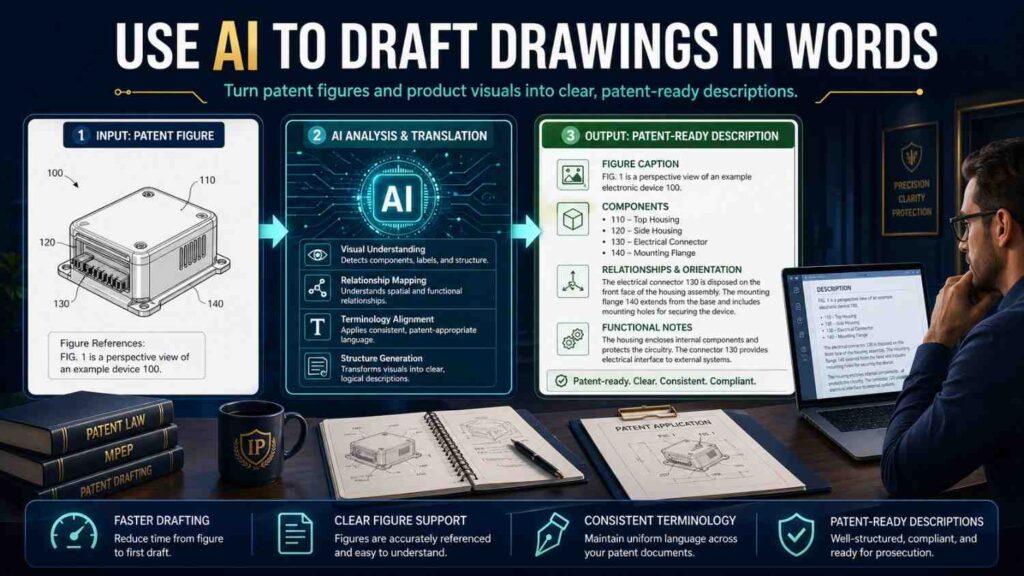
AI cannot always create formal patent drawings, but it can describe what drawings should show.
Ask:
“Suggest patent drawing figures for this invention. For each figure, describe the blocks and arrows in simple words.”
For example:
“Figure 1 may show a user device, a server, a model service, a policy service, and a data store.”
“Figure 2 may show a method flow for receiving data, creating a feature value, selecting a model, creating an output, and sending an alert.”
“Figure 3 may show a training process.”
“Figure 4 may show a runtime process.”
“Figure 5 may show an example user interface.”
This helps the patent team.
Drawings can make a complex invention easier to understand.
For software and AI inventions, flow diagrams are often very helpful.
Use AI To Create A Glossary
Technical papers often use terms that may confuse readers.
AI can create a plain glossary.
For example:
“Feature vector: a set of numbers that represents important parts of input data.”
“Risk score: a value used by the system to decide whether an action may be unsafe.”
“Training data: examples used to adjust a model.”
“Embedding: a set of numbers that represents text, image, audio, or other data.”
“Policy: a stored rule that tells the system what is allowed.”
A glossary can help internal teams and attorneys.
It may or may not go into the patent draft. But it helps everyone talk clearly.
Use AI To Spot Multiple Inventions
A single paper may contain more than one invention.
This is common.
For example, an AI paper may include:
A data cleaning method.
A model architecture.
A training method.
A deployment method.
A monitoring method.
A user feedback method.
A security method.
Each may be separate.
Ask AI:
“Identify whether this paper appears to contain more than one possible invention. For each possible invention, explain the problem solved, the main steps, and why it may be distinct.”
This can be very valuable.
A founder may think there is one patent idea. There may be three.
Or the reverse may be true. A paper may sound broad but contain only one solid invention.
AI can help spot candidates, but attorneys should guide filing strategy.
PowerPatent helps founders capture these invention clusters early, so strong ideas do not get lost in dense technical work. See how it works here: https://powerpatent.com/how-it-works
Use AI To Draft Around Implementation Levels
A patent description can describe an invention at different levels.
There is a system level.
There is a method level.
There is a data level.
There is a device level.
There is a user interface level.
There is a training level.
There is a runtime level.
AI can help draft each level.
For example, for an AI defect detection invention:
System level:
“The system includes an image sensor, an image processor, a defect model, and an alert module.”
Method level:
“The system receives an image, creates a corrected image, creates a defect score, and sends an alert.”
Data level:
“The image record includes a part identifier, image data, lighting value, correction rule identifier, and defect score.”
Training level:
“The system trains the defect model using labeled images and lighting values.”
Runtime level:
“The system applies the trained defect model to new images from a production line.”
User interface level:
“The system shows a part image with a marked defect region and a repair status.”
These levels make the description richer.
They also help future claims.
Use AI To Keep The Draft Grounded In Real Use
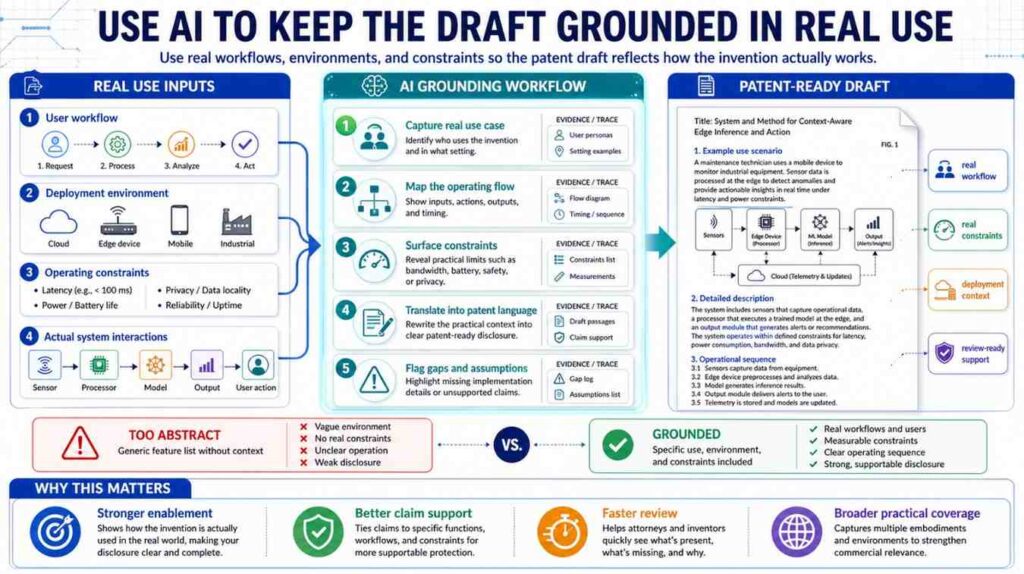
Technical papers can be abstract.
Patent descriptions benefit from real use cases.
Ask AI:
“Describe how this invention would be used in a real product or system. Keep the use case technically grounded and avoid marketing language.”
For example:
“In a factory, the system may inspect parts as they move along a conveyor. A camera captures each part. The system creates a defect score. If the score is high, the system sends a signal to remove the part from the line.”
This is simple and useful.
For a medical device:
“In a home monitoring system, a wearable device may collect heart rate and movement data. The system may create a risk value and send an alert when the risk value indicates a possible issue.”
For cloud software:
“In a data platform, the system may check a user role and a data label before showing sensitive fields in a dashboard.”
These examples make the invention easier to understand.
Use AI To Prepare For Attorney Review
A good AI-assisted draft should make attorney review easier, not replace it.
Before sending material to an attorney, use AI to prepare:
A plain summary.
A technical step list.
A list of possible inventions.
A list of inventor questions.
A list of key terms.
A list of figures to consider.
A list of variations.
A list of open issues.
This helps the attorney focus on strategy and protection.
It also saves founder time.
PowerPatent brings this kind of structure into the patent process, helping teams move from raw technical material to attorney-reviewed patent filings with less friction. Learn more here: https://powerpatent.com/how-it-works
A Simple Prompt Set You Can Use
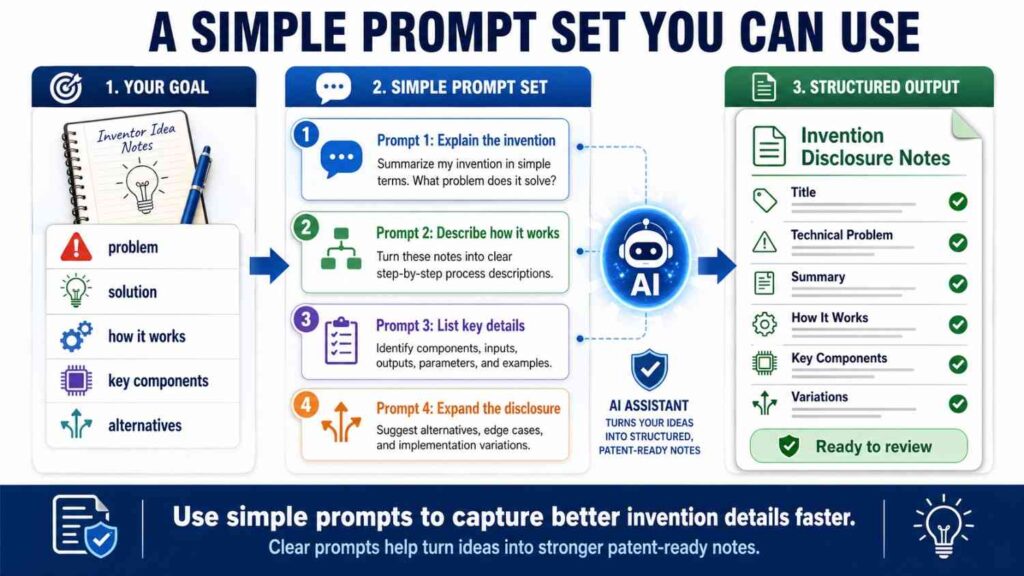
Here is a practical AI workflow you can use with a technical paper.
Start with:
“Explain this paper in plain words. Focus on the technical problem, the proposed solution, and the main steps.”
Then ask:
“Extract the system inputs, outputs, components, data structures, and decision points.”
Then ask:
“Which parts appear to be the main technical contribution, and which parts appear to be background or standard implementation?”
Then ask:
“Convert the main contribution into a patent-style technical description using simple words and active verbs.”
Then ask:
“Create three examples showing how the system works in real use.”
Then ask:
“Suggest technically reasonable variations that stay connected to the paper.”
Then ask:
“What details are missing that an engineer would need to build this?”
Then ask:
“What questions should the inventor answer before a patent draft is prepared?”
This prompt set is simple. It works.
But the answers still need review.
The Human Review Step Is Not Optional
AI can move fast. That is good.
But patent work rewards accuracy.
Before using an AI-generated description, an inventor should check:
Does this describe what we actually invented?
Does it add anything false?
Does it miss the best part?
Does it describe the product version?
Does it describe future versions we care about?
Does it include enough detail?
Does it expose anything we want to keep secret?
Does it make unsupported claims?
Does it confuse results with steps?
Does it name the right inventors?
That last point matters. Inventorship is not about who wrote the paper only. It depends on who contributed to the claimed invention. That should be handled carefully with legal guidance.
AI cannot decide inventorship.
AI can help organize facts, but humans must make the legal and technical calls.
Do Not Feed Sensitive Papers Into Random Tools Without A Plan
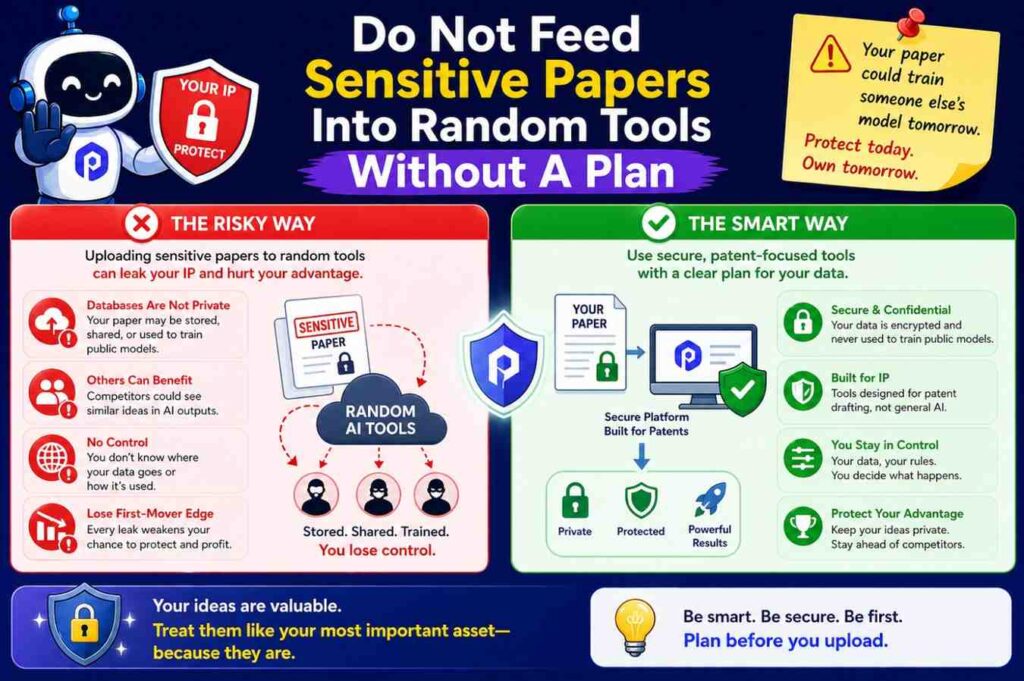
Many technical papers are public. Some are not.
Some may be internal drafts, confidential manuscripts, investor materials, customer studies, lab reports, source code documents, or unpublished research.
Be careful where you paste them.
Before using AI, think about confidentiality.
Use approved tools.
Check company policy.
Avoid public tools for sensitive material unless you know the terms and controls.
Do not paste trade secrets into systems that your company has not approved.
This is another reason founders should use a purpose-built workflow for patents.
PowerPatent is designed for patent work, not casual text generation. It helps founders handle technical material in a more structured, protected, and attorney-reviewed process. You can explore it here: https://powerpatent.com/how-it-works
AI Can Help You Move Faster Without Dumbing Things Down
Some founders worry that simple language will make the invention seem less advanced.
It will not.
Simple language makes the invention easier to see.
A great patent description can explain a hard idea in plain words while still giving deep technical detail.
For example:
“The system creates a first model output using a local model on the device. The system sends the first model output, but not the raw input data, to a server. The server creates a second model output using the first model output and stored context data. The server sends the second model output back to the device.”
That is simple.
It also describes a meaningful system.
You do not need to write like a journal article to protect deep tech.
You need to write like a clear builder.
The Best AI Output Still Needs A Patent Mindset
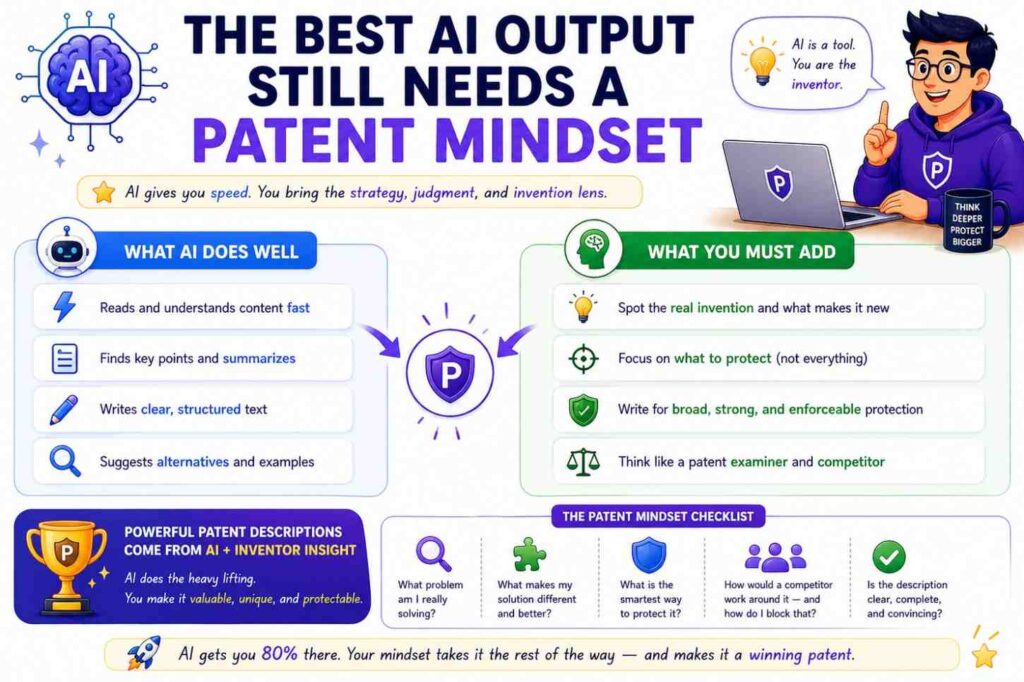
AI can summarize.
AI can rewrite.
AI can organize.
AI can ask questions.
AI can draft examples.
AI can spot gaps.
But patent descriptions need a patent mindset.
That means thinking about what is new, what is useful, what can vary, what competitors may copy, what details support the invention, and what should stay out.
A technical paper may be the seed.
AI may be the assistant.
But the patent description should be built with care.
The goal is not to make a pretty document.
The goal is to protect the thing that gives your startup an edge.
Final Thought
Using AI to summarize technical papers into patent descriptions can be a huge advantage.
It can save time.
It can make hard papers easier to understand.
It can pull out steps, inputs, outputs, examples, and variations.
It can help founders and engineers explain their work faster.
But AI should not be treated as the inventor, the attorney, or the final judge.
The best use of AI is as a strong first-pass helper.
Let it read.
Let it organize.
Let it simplify.
Let it ask questions.
Then bring in the people who know the invention, the product, and the patent strategy.
That is how you turn a dense technical paper into a clear patent description that actually supports protection.
PowerPatent helps founders do exactly that: move from technical work to stronger patent filings faster, with smart AI tools and real attorney oversight. See how it works here: https://powerpatent.com/how-it-works
Leave a Reply