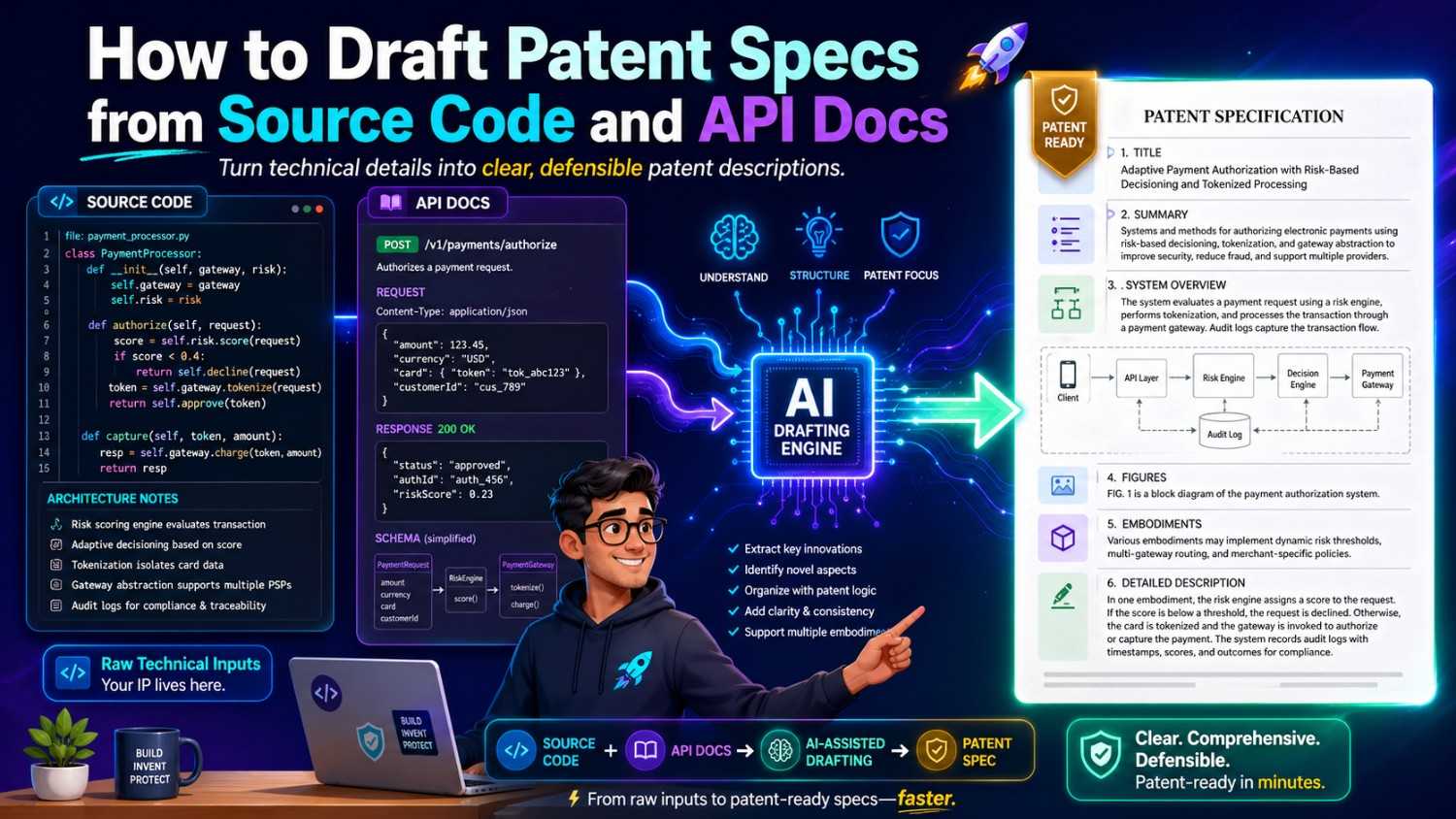
Most software teams already have the raw material for a strong patent hiding in plain sight. It is in the code. It is in the API docs. It is in the design notes, tickets, model cards, test cases, and launch plans. The hard part is turning that work into a clear patent spec that explains the invention in a way that protects the real value.
This guide shows how to do that in a practical way. You will learn how to read source code and API docs like an inventor, find what is new, map it into a patent spec, and avoid the common gaps that slow teams down.
And if you want a faster path, PowerPatent helps you turn code, models, and invention notes into stronger patent drafts with smart software and real attorney oversight. You can see how it works here: https://powerpatent.com/how-it-works
Start With The Big Idea, Not The Files
When a founder says, “We need to patent this code,” the first urge is often to open the repo and start reading. That is normal. It is also not the best place to begin.
A patent spec is not a code review. It is not a README. It is not a product doc. It is a clear story of the invention. It explains what problem the team saw, why old ways were not enough, what the new system does, and how it works in enough detail that another skilled person could understand it.
So before you touch the code, write one simple sentence:
The invention helps [user or system] do [important task] by using [new technical approach].
That sentence will not be perfect. It should not be perfect. Its job is to give you a starting point.
For example:
The invention helps a data platform find broken data pipelines faster by using runtime signals from API calls and code-level traces to predict likely failure points before the pipeline stops.
That one sentence tells you where to look. You will look for runtime signals. You will look for API calls. You will look for traces. You will look for prediction logic. You will also look for what happens before failure. This keeps you from wandering through the repo like you are reading a novel.
A patent spec should protect the thing that gives the startup an edge. The edge may not be the whole product. It may be one small workflow, one scoring method, one model update flow, one data structure, one sync rule, one compression trick, one safety check, or one way to connect systems that was painful before.
The first job is to name that edge.
Many teams skip this step. They hand over a codebase and hope the patent draft will somehow find the invention. That creates weak drafts. It also wastes time because the most important thing is not the volume of files. It is the sharpness of the idea.
PowerPatent is built for this exact problem. It helps founders pull the invention out of the noise and shape it into a clear patent workflow with attorney review. If your team has code and docs but no clean invention story yet, start here: https://powerpatent.com/how-it-works
What A Patent Spec Must Do
A patent spec has one main job. It must teach the invention clearly.
That sounds simple, but it has several parts. It should explain the field, the problem, the limits of older ways, the core solution, the system parts, the flow of steps, and several examples. It should also give enough detail so the claims have strong support.
Think of the patent spec as a bridge between your engineering work and your future business value.
Your code shows what exists today. Your patent spec should show the invention in a wider way. It should cover the version you built, but it should also cover likely changes.
Your code may use Python today and Go next year. Your API may use REST now and GraphQL later. Your model may run on one cloud service now and on edge devices later. Your patent spec should not lock the invention to details that are not truly required.
That is why drafting from source code takes judgment. You need to find what matters and what is just one build choice.
A patent spec should not copy code into prose line by line. That usually creates narrow coverage. It can also hide the invention under too much detail. The better path is to turn code into concepts, flows, components, and examples.
If the code says:
A service receives an event payload, checks a schema registry, loads a model profile, creates a feature vector, runs a risk score, applies a policy rule, and routes the event.
The patent spec might say:
In some examples, an event processing system receives event data from a client system, identifies a data schema linked to the event data, selects a processing profile based on the schema, creates a set of features from the event data, applies a risk model to the features, and routes the event according to a policy selected from the risk output.
That is not just nicer wording. It is broader. It protects the method even if the actual code changes.
The best patent specs are not vague. They are also not trapped in the current code. They are clear, rich, and flexible.
That balance is what founders need. They need protection that moves with the product.
Source Code Is Evidence Of Choices
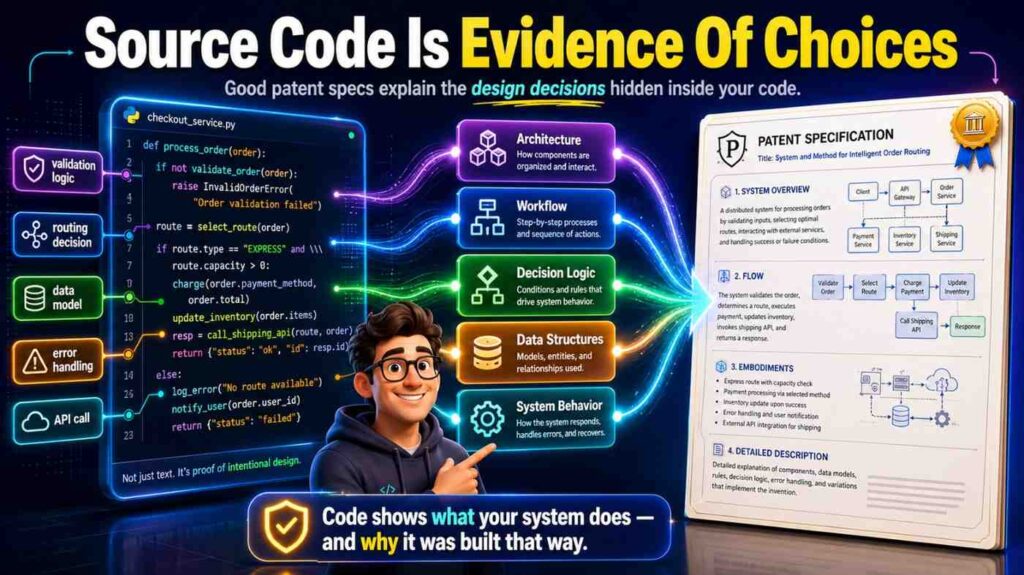
Source code tells you what the team chose to build. It shows paths, rules, edge cases, and data movement. It often holds the “why” in small details.
A config file may show that the team supports many model types. A test file may show that the system handles rare failure cases. A helper function may show a special way to turn raw logs into clean signals. A comment may explain why a normal method failed. A commit history may show a major shift from one design to another.
When you draft from code, you are not looking for every function. You are looking for design choices that solve a technical problem.
A strong sign of invention is a place where the code does not follow the obvious path.
Maybe the team does not call a model directly. It builds a shadow feature set first. Maybe the API does not return a normal status code.
It returns a confidence score tied to a repair plan. Maybe the system does not store full records. It stores a compact trace that can rebuild state later. Maybe the service does not wait for batch training. It updates a small part of a model as live use changes.
Those are the places to study.
Another strong sign is a repeated pattern. If several files support a special scoring flow, that flow may be the invention. If many tests protect one edge case, that edge case may be key. If one API endpoint has much more logic than others, it may carry the main value.
You should ask simple questions as you read:
What does this code make possible that was hard before?
What data does it use in a new way?
What decision does it make?
What result changes because of that decision?
What would break if this part were removed?
These questions help you move from code to invention.
API Docs Show The Product Shape
API docs are often more useful than teams expect. Code shows how the system works inside. API docs show how the system is used from the outside.
A patent spec often needs both views.
If source code is the engine, API docs are the dashboard. They show the request, the response, the inputs, the states, the errors, the auth flow, the rate limits, the callbacks, and the life cycle of a task.
API docs help you find the boundaries of the invention. They show which parts are exposed to other systems. They show what the user or client system sees. They also show the expected order of operations.
For example, an API doc may describe an endpoint like:
POST /predict-failure
The request includes a pipeline ID, recent event logs, schema versions, and deployment metadata. The response includes a failure risk score, likely failure node, suggested repair step, and confidence value.
That endpoint tells a lot. The invention may not be just “predicting failure.” It may be predicting failure by joining event logs, schema versions, and deployment metadata, then returning a repair step with confidence. That is much richer.
API docs also reveal terms that customers understand. That is useful because a patent spec should be technical, but it should still read clearly. If your product calls something a “repair plan,” do not bury it under a strange phrase unless needed. You can define it once and use it with care.
Good API docs also show variations. They may list optional fields. They may support streaming or batch modes. They may allow different sources. Each variation can become an example in the patent spec.
A patent spec with one example may feel thin. A patent spec with many real examples feels stronger. API docs are a fast way to find them.
The Simple Drafting Workflow
There is a clean way to draft a patent spec from code and API docs. It does not start with claims. It does not start with legal phrases. It starts with understanding the system.
First, find the invention story. Then map the system. Then trace the data. Then describe the key steps. Then add examples. Then add fallbacks and variations. Then make sure the claims you may want later have support in the spec.
That may sound like a lot, but each step is simple when done in order.
Start with a short invention brief. This is a plain-language note that says what the invention does and why it matters. Keep it to one page if possible.
Next, make a system map. Write the main parts in simple words. A client app. A server. A model. A data store. A policy engine. A queue. A device. A sensor. A training module. A scoring module. A routing module. Do not worry about perfect names yet.
Then trace one happy path. What happens when the system works as planned? What comes in? What changes? What goes out?
Then trace two hard paths. What happens when data is missing? What happens when a model is not sure? What happens when a request is delayed? What happens when a rule conflicts with another rule?
The hard paths are often where the invention shows up. Many products look simple when all inputs are clean. The real value shows when the system handles messy real life.
After that, pull details from code and docs. Use the real names of data fields when helpful. Use the real order of steps when important. Use sample payloads in a cleaned-up way. Add examples that show the invention in use.
Finally, step back. Ask whether the spec protects the main idea, not just the exact current build.
That is the core workflow.
PowerPatent can help speed up this process by turning engineering material into structured invention drafts while keeping real attorney review in the loop. For a deeper look at the process, visit https://powerpatent.com/how-it-works
Step One: Create A Code-To-Invention Brief
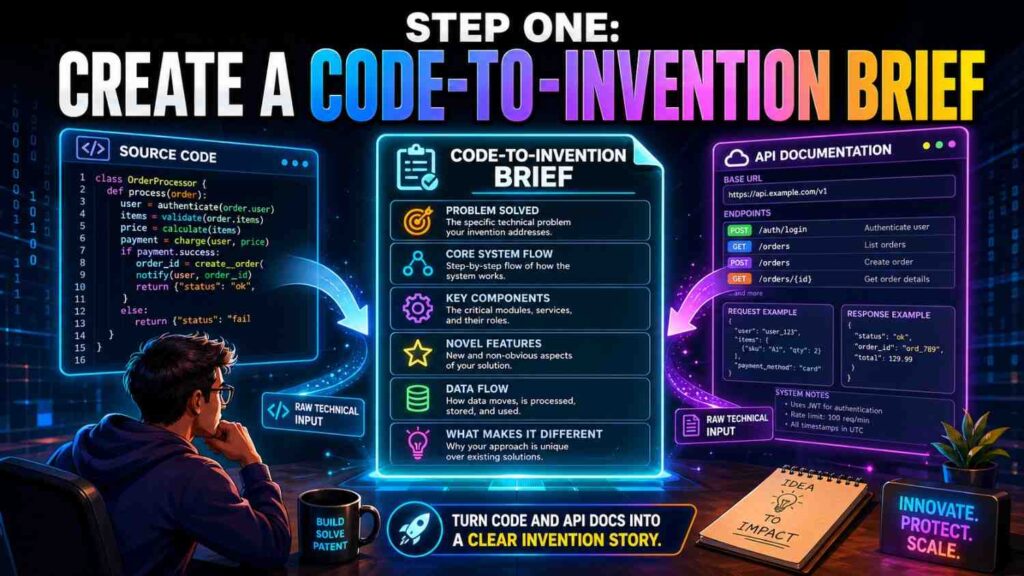
Before drafting the full patent spec, create a short brief. This is the anchor. It saves hours later.
The brief should answer a few plain questions in full sentences.
What problem does the invention solve?
What did older systems do?
Why was that not enough?
What does this system do differently?
What are the main parts?
What data moves through the system?
What output does the system create?
What improves because of the invention?
Keep the answers simple. Do not try to sound like a patent lawyer. In fact, simple words are better because they make the idea clear.
Here is a sample brief for a software invention:
The system helps teams detect risky code changes before they cause production issues. Older tools often scan code after a pull request or after deploy. They may look for known bugs, but they do not connect code changes to runtime patterns from similar services.
The new system links a code change to past runtime traces, finds services with similar change patterns, predicts the chance of a live issue, and suggests a safer rollout path. The system includes a code parser, a trace store, a similarity engine, a risk model, and a rollout planner.
It receives source code changes, service metadata, runtime traces, and deploy history. It outputs a risk score, a likely failure area, and a rollout plan.
That brief is not a patent spec yet. It is a map. It tells you what to pull from the source code and API docs.
A weak brief says, “Our system uses AI to improve deployment.” That is too thin.
A strong brief says, “Our system links code changes to runtime traces from similar services to predict live deployment risk and suggest a rollout plan.” That is much better.
Notice the difference. The second version tells you the data, the action, and the result.
Your brief should also name the business value. It may reduce downtime, cut manual review, improve model safety, speed up debugging, reduce false alerts, make cloud use cheaper, or help a device respond faster. These benefits belong in the background and summary sections of the patent spec. They also help readers understand why the invention matters.
The brief is where founders should stay close. Engineers may know the code, but founders often know the market pain. The strongest drafts combine both.
Step Two: Read The Repository Like A System
A large repo can feel scary. Do not read it from top to bottom. Read it like a system.
Start with the README, setup guide, architecture notes, and deployment files. These often show the main services and data flow. Then scan the folder names. Look for words that match the invention brief.
Folders like models, inference, routing, scoring, planner, agent, simulator, sync, feature, policy, pipeline, parser, telemetry, and orchestration may point to core logic.
Config files matter too. They show supported modes, model choices, thresholds, feature flags, and external systems. A feature flag may show that the invention can run in several ways. A threshold file may show how the system changes behavior based on risk. A deployment file may show where the invention runs.
Tests are gold. They show what the team cares about. If a test says “should recover state after partial failure,” that may point to a meaningful technical improvement. If a test says “should choose smaller model when latency budget is low,” that may show an adaptive model selection feature.
You should also look at commit messages or pull request notes when available. They can explain why the team changed the system. For example, a message like “replace static rule with live context score” may reveal the move that made the product novel.
As you read, create a table for yourself. You do not need to put this table in the final article or spec, but it helps drafting.
Use one row for each key code area. Write the file path, what it does, what data it uses, what decision it makes, and why it may matter.
A file path alone is not enough. The goal is to turn each file into plain meaning.
For example:
src/risk/similarity_matcher.py finds past services with similar code-change patterns and returns a similarity score used by the risk model.
api/routes/rollout_plan.ts receives risk output and creates a staged rollout plan with hold points when confidence is low.
workers/trace_indexer.go turns runtime traces into compact service signatures for fast lookup.
Now you have patent material.
Do not copy long code blocks into the patent spec. It is better to explain what the code does. You can add short pseudocode if it helps, but most of the value comes from clear system description.
The final patent spec should not depend on file names. File names change. The invention should be described by function.
Step Three: Find The Technical Problem
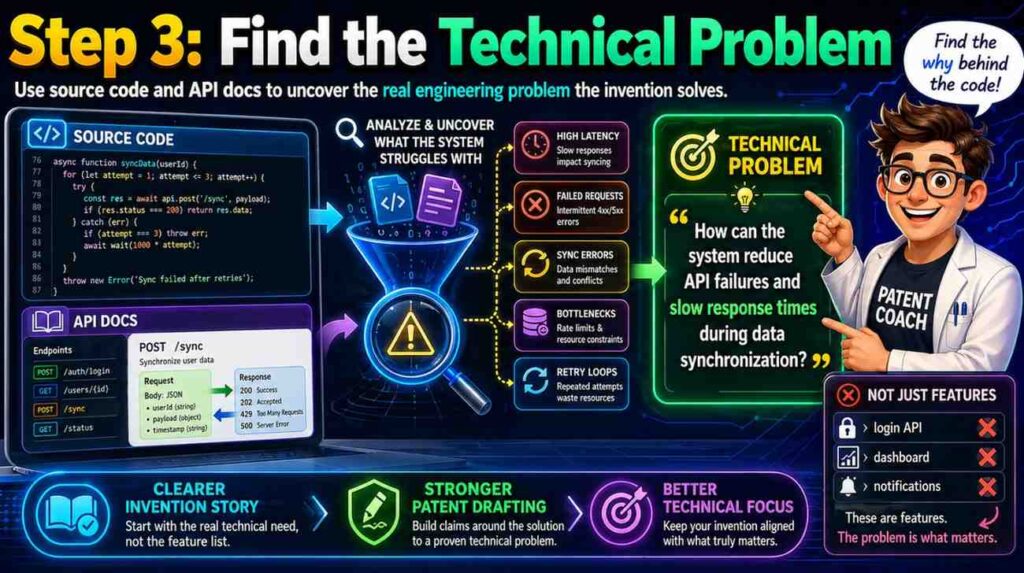
Every strong software patent spec needs a clear problem. Not a vague business problem. A technical problem.
“Customers waste time” is a business problem. “The system cannot detect schema drift before a downstream job fails” is a technical problem.
“Doctors need better tools” is broad. “A remote monitoring device sends noisy sensor streams that cause false alerts when motion and signal drop happen at the same time” is specific.
“AI answers are wrong” is vague. “A language model service cannot keep response grounding stable when source documents change during a live session” is much stronger.
The source code can help you find the technical problem because engineers write code to fix pain. Look for error handling, retry logic, fallback rules, caching, validation, deduping, model checks, memory controls, and state recovery. These areas often exist because something failed before.
API docs help too. Look at error codes. If the API has special errors like schema_conflict, low_confidence, trace_not_found, stale_context, unsafe_action, duplicate_event, or partial_state, those errors reveal technical pain.
A good patent spec should explain the problem in a way that feels real. It should not insult older tools. It should simply say that older ways had limits.
For example:
Some systems evaluate code changes using static rules. These systems may detect known risky patterns, but they may not account for runtime behavior of related services. As a result, a change that appears safe in code may still create high risk in production if it matches past changes that led to service errors.
That paragraph is clear. It sets up the invention.
Then the spec can say:
The disclosed system links code-change data with runtime traces from related services to create a risk score before deployment. This allows the system to identify risk that may not be visible from the source code alone.
Now the invention has a reason to exist.
This is also good copywriting. The reader sees the pain before seeing the fix. That makes the fix feel useful.
For founders, this matters because investors, acquirers, and partners often want to know what the IP protects. A patent spec that explains the real problem is easier to understand and easier to value.
Step Four: Identify The Novel Flow
Most software inventions can be described as a flow.
Data comes in. The system changes it. The system makes a choice. The system creates an output. The output changes what happens next.
Your job is to find the flow that is different.
In source code, the flow may cross many files. It may start at an API endpoint, pass through a service layer, call a model, store an event, and trigger a background job. In API docs, the flow may appear as several endpoints used in order.
You should write the flow as a short story.
A client sends a code change and service context to the system. The system creates a change signature. The system compares the change signature to stored signatures from past deployments. The system selects runtime traces linked to similar changes. The system creates a feature set. The system scores deployment risk. The system creates a rollout plan that changes based on the risk score and confidence value.
That is a flow. It can become the heart of the patent spec.
The flow should include the key decision points. A decision point is where the system chooses one path instead of another.
Maybe the system chooses a model based on input size. Maybe it chooses a repair step based on a failure graph. Maybe it delays an action when confidence is low. Maybe it switches from cloud processing to edge processing when latency rises. Maybe it stores a compact state when memory is tight.
Decision points are often more protectable than raw data handling. They show the system is doing something smart.
In a patent spec, you can write:
In some examples, when the confidence value is below a threshold, the rollout planner selects a staged rollout plan that includes one or more hold points. When the confidence value is above the threshold, the rollout planner selects a faster rollout plan.
That gives support for different behavior based on confidence. It also gives a clear example.
Do not overdo thresholds. A patent spec should not depend on one exact number unless that number is truly important. You can say “a threshold” or “one or more threshold values” and then give examples.
The same idea applies to model names, cloud vendors, database brands, and languages. Use general names unless the exact item matters.
The goal is to protect the flow, not the brand names inside the code.
Step Five: Pull Data Structures From The Code
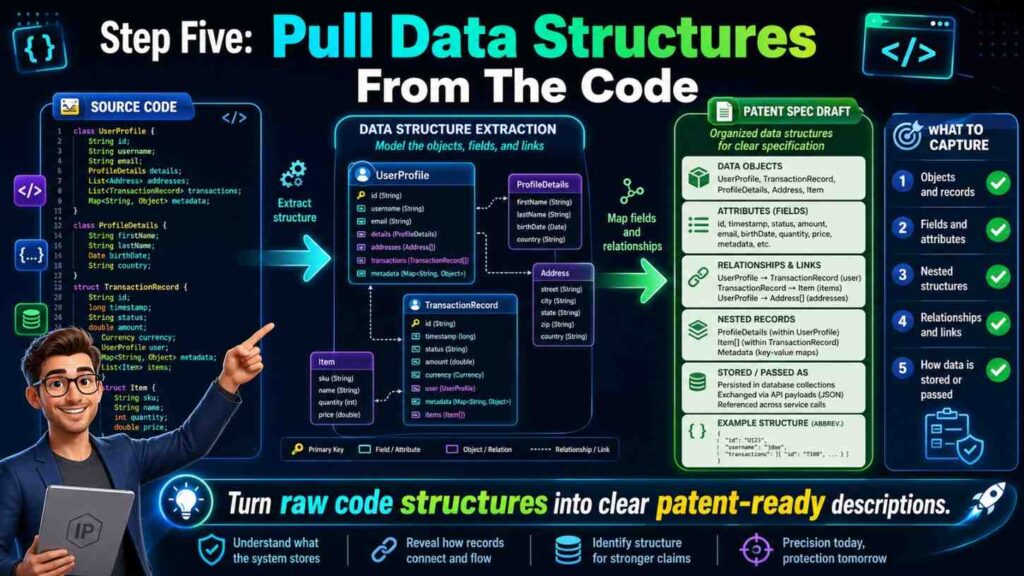
Data structures are often the skeleton of a software invention. They show what the system knows.
Look for objects, schemas, payloads, database tables, vector formats, graph nodes, embeddings, event records, tokens, indexes, caches, and state machines.
A data structure can be a major part of the invention if it lets the system do something new.
For example, a system may create a “change signature” from a code diff. That signature may include changed function types, dependency changes, test coverage gaps, recent incident links, and deployment size. The system may compare that signature to past signatures.
That data structure matters. It is not just storage. It enables the risk prediction.
When drafting the patent spec, describe the data structure in plain words. You can include example fields, but do not make the invention depend on every field unless needed.
A strong description might say:
The change signature may include one or more values that describe a code change. These values may include a file type, a changed function category, a dependency change, a test result, a code owner value, a deployment target, a service age value, or a past incident link. The system may use the change signature to find stored signatures from earlier deployments.
This language is simple and flexible. It supports many versions.
API docs are useful here because they often show request and response schemas. These schemas may include fields that are not obvious from the code. They may also show optional fields that should be included in the spec as variations.
If the API supports a field called confidence_reason, do not ignore it. That field may show the system explains why it chose a risk score. If the API supports a field called repair_action_id, that may show the system connects prediction to action.
Database migrations can also reveal data structures. A migration that adds a table called model_context_window or failure_graph_edges can be a clue.
Do not get lost in schema details. The key is to ask: what data does the invention need, and what new use does the system make of that data?
Step Six: Convert Functions Into Modules
Patent specs often describe a system as modules. A module is not always a physical thing. It can be software that performs a task.
Source code has functions and classes. A patent spec can turn those into modules with clear roles.
A parser module may read input. A feature module may create values. A scoring module may apply a model. A policy module may pick an action. A storage module may save state. A user interface module may show output.
Do not create too many modules. Too many parts make the spec hard to read. Group related functions into larger parts.
For example, if the code has five functions that clean logs, normalize timestamps, remove duplicate events, fill missing fields, and map source names, the patent spec can call this a “preprocessing module.” Then it can explain the actions inside.
This keeps the spec clean.
A good module description says what the module receives, what it does, and what it outputs.
For example:
A trace processing module may receive runtime trace data from one or more services. The trace processing module may remove duplicate trace events, normalize time values, identify service call paths, and create a service behavior profile. The service behavior profile may be stored in a profile store and later used by a risk scoring module.
That is clear. It also creates links between modules.
When drafting from code, watch out for names that are too tied to the current build. A function called buildRabbitPayload should not become “RabbitPayload module” unless the message queue type matters. A better phrase may be “message formatting module” or “event packaging module.”
The patent spec should use names that describe the invention, not temporary engineering choices.
This is one place where PowerPatent can save time. Founders can bring source code and docs into a guided process that helps turn code-level details into invention-level structure, with attorney review to check the draft. Learn more here: https://powerpatent.com/how-it-works
Step Seven: Use API Endpoints As Use Cases
API docs are a gift because they show real use cases.
Each endpoint can become a small example in the spec.
Take an endpoint like:
POST /create-policy
The request may include a risk score, user role, service tier, compliance mode, and action limit. The response may include a policy ID, allowed action set, blocked action set, review reason, and expiry time.
This can become a spec example:
In one example, a policy generation service receives a risk score and context data for a user or service. The context data may include a user role, service tier, operating mode, or action limit. The policy generation service creates a policy that identifies one or more allowed actions and one or more blocked actions. The policy may expire after a selected time period or may be updated when a new risk score is received.
That is useful. It turns an endpoint into invention support.
API endpoints also show workflow order. If the docs say a client first creates a session, then uploads context, then requests analysis, then confirms an action, the patent spec can describe that sequence.
Do not merely list endpoints. Explain how they work together.
For example:
A client system may first request a session token. The client system may then send context data linked to a task. After the context data is stored, the client system may request an output from a model service. The model service may use the stored context data and a live policy value to produce a response. The response may be sent to the client system with an explanation value that identifies the context data used by the model service.
That is much better than saying “the system has four endpoints.”
API docs also show where the invention touches the user. The response fields can be important because they show what the system delivers. If the system returns an explanation, confidence value, plan, label, control command, or safe alternative, that output should be in the spec.
Many weak patent specs focus too much on internal steps and forget the output. But the output is often where the business value is seen.
A founder should ask: what does the user get that they did not get before?
That answer should appear in the spec.
Step Eight: Add Examples That Feel Real
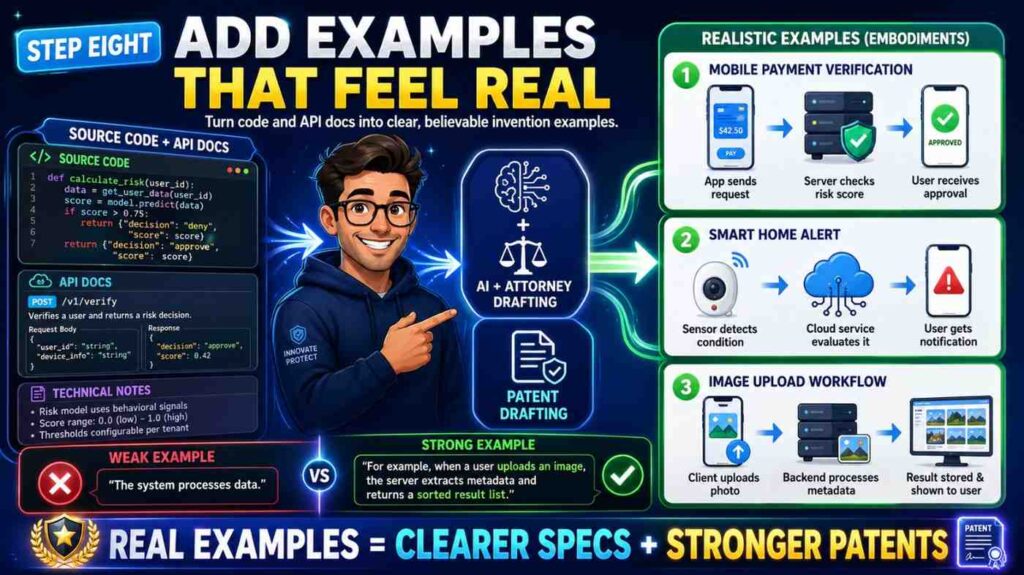
A patent spec with only abstract text feels weak. Real examples make it stronger and easier to understand.
You can pull examples from test cases, API examples, demo scripts, customer workflows, and bug reports. Clean them up. Remove private data. Keep the key facts.
For a code-based invention, examples can show different input types, system states, and outputs.
Example one may show the normal path. Example two may show missing data. Example three may show a high-risk case. Example four may show a low-latency mode. Example five may show a different kind of client.
You do not need dozens of examples. You need enough to show the invention has range.
Here is a simple example style:
In one example, a deployment service receives a code change that modifies a shared authentication library. The system creates a change signature that includes the library type, affected services, test results, and recent incident history. The system compares the change signature to stored signatures from past deployments and identifies several similar changes linked to login errors. Based on this match, the system raises a risk score and creates a rollout plan that first deploys the change to a small set of services.
That example is easy to follow. It also supports several claim ideas.
A second example might say:
In another example, the system receives a code change with no linked runtime trace data. The system detects the missing trace data and selects a fallback scoring path.
The fallback scoring path uses static code features and service metadata to create a preliminary risk score. The system may mark the risk score with a lower confidence value.
Now the spec supports a fallback path.
Fallbacks matter. They show the system can handle real-world conditions. They also give broader support.
When drafting examples, be careful not to make the invention sound limited to one industry unless that is the goal. If your system can work for health tech, fintech, logistics, robotics, and cloud tools, describe broad use and then give specific examples.
For example, say “a monitored system” or “a client system” before giving a detailed cloud deployment example. This helps keep the spec open.
Step Nine: Explain The Why Behind Each Step
A patent spec should not only say what happens. It should also explain why the step helps.
This does not mean marketing fluff. It means technical cause and effect.
For example, do not only write:
The system stores a compact event profile.
Add why:
The compact event profile may allow the system to compare later events without storing or scanning full event logs.
That one sentence matters. It explains the benefit of the design.
Do not only write:
The system selects a model based on a latency value.
Add why:
Selecting the model based on the latency value may allow the system to maintain response time while still using a more complex model when time is available.
This helps readers see the invention. It also helps later claim drafting because the benefit connects to the structure.
Source code often hides the why. You may need to infer it from comments, tests, or docs. Be careful. If you are not sure, ask the inventor or mark the point for review.
A good inventor interview question is:
Why did you build it this way instead of the normal way?
Another good one is:
What bad thing happens if you remove this step?
The answers often become powerful patent spec language.
For example, an engineer may say, “We use a two-stage score because the full model is too slow for every request.” That can become:
In some examples, the system first applies a lightweight filter to identify requests that may need deeper analysis. The system then applies a second model to the selected requests. This two-stage process may reduce compute use while preserving deeper analysis for higher-risk requests.
That is a strong technical explanation.
It is also simple.
Step Ten: Write The Background Without Overdoing It
The background section should set up the problem. It should be short, clear, and fair.
Do not write a long history of the field. Do not attack other products. Do not say “no one has ever done this” unless a patent attorney tells you it is safe and true. Keep it focused.
A good background has three parts.
First, what field are we in?
Second, what do systems in this field often do?
Third, what problem remains?
Here is an example:
Software deployment systems may evaluate code changes before release. Some systems use static checks, test results, or manual approval rules to decide whether a change can be deployed. These approaches may not fully account for runtime behavior of related services. As a result, a code change may appear safe before deployment even when similar changes caused production errors in the past.
That is enough.
Then the summary can introduce the invention:
A deployment risk system may link code-change data with runtime trace data from past deployments. The system may create a change signature for a new code change, compare the change signature with stored signatures, identify similar past changes, and create a risk score for the new code change. The system may use the risk score to create a rollout plan.
Clean. Direct. Useful.
The background is not the place for every feature. It is the place to make the reader care.
Founders often want to include the whole startup story. Resist that. The patent spec should tell the technical story.
The startup story belongs on your website and pitch deck. The technical story belongs in the patent spec.
PowerPatent helps keep those lines clear. It lets teams move fast without turning the patent process into a giant writing project. See the workflow here: https://powerpatent.com/how-it-works
Step Eleven: Draft The Summary In Plain English
The summary section is where the invention gets named in a clean way.
Do not use heavy legal terms. You can write plainly.
A good summary starts broad, then adds detail.
For example:
In some examples, a system may evaluate a software change before deployment. The system may receive code-change data and service context data. The system may create a change signature from the code-change data and the service context data.
The system may compare the change signature with stored signatures from prior deployments. Based on the comparison, the system may select runtime trace data linked to one or more prior deployments.
The system may create a risk score for the software change using the runtime trace data. The system may create a rollout plan based on the risk score.
This is the core. It reads like a method.
Then you can add variations:
In some examples, the rollout plan may include a staged rollout, a hold point, a rollback condition, a test action, or a request for human review. In some examples, the system may create a confidence value for the risk score. When the confidence value is below a threshold, the system may select a safer rollout plan or request more data.
Now the summary supports multiple paths.
Do not write “the invention is” too often. Use “in some examples” and “may” language to keep room for different versions.
Also avoid words that narrow the invention by accident. If the code uses Kubernetes, but the idea works in other deployment systems, do not make the summary depend on Kubernetes. If the code uses Python, do not say the invention requires Python. If the API uses JSON, do not make JSON required unless it is part of the idea.
A simple test is this:
Would the invention still work if we changed this detail?
If yes, keep the detail as an example, not a requirement.
Step Twelve: Draft The System Description
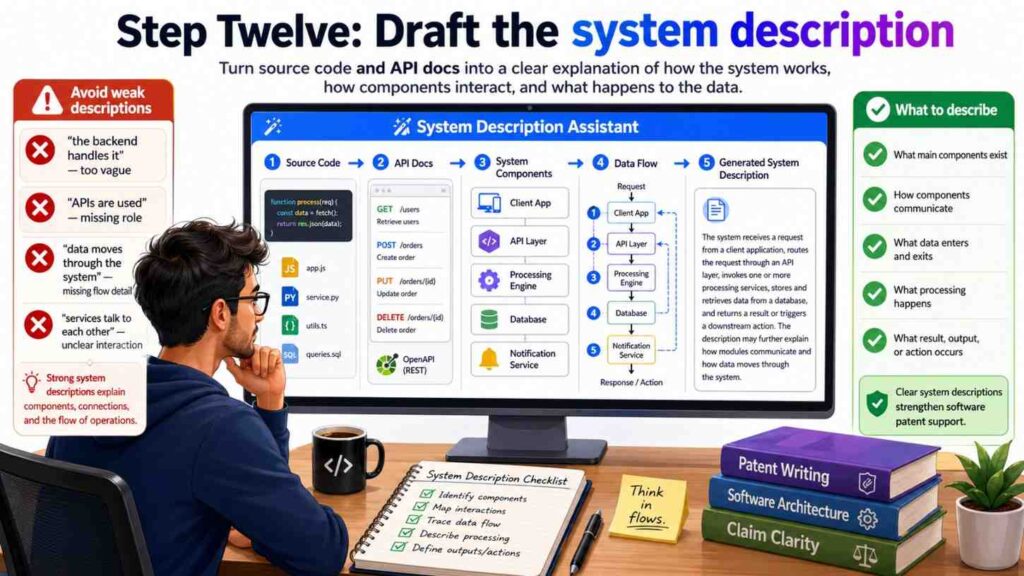
The system description explains the parts of the system and how they work together.
Start with a broad view.
A system may include one or more client devices, one or more servers, one or more data stores, and one or more software modules. The software modules may receive code-change data, process the code-change data, access runtime trace data, create one or more scores, and select one or more actions.
Then name the core modules.
For a code-to-risk invention, the modules might include a code analysis module, a trace processing module, a signature generation module, a similarity module, a scoring module, and a rollout planning module.
For an API security invention, the modules might include a request intake module, an identity module, a behavior profile module, a policy module, a risk module, and a response module.
For an AI model routing invention, the modules might include a prompt intake module, a context selection module, a model selection module, a safety check module, a response generation module, and a feedback module.
Each module should get a simple paragraph.
Here is the pattern:
The [module name] may receive [input]. The [module name] may perform [actions]. The [module name] may output [result]. The output may be used by [next module] to [next action].
This pattern is plain and effective.
For example:
The signature generation module may receive code-change data and service context data. The code-change data may include a code diff, a changed file identifier, a function name, a dependency value, or a test result.
The service context data may include a service name, a deployment target, a service owner value, a runtime metric, or an incident history value. The signature generation module may create a change signature that represents the code change in a form that can be compared with stored signatures.
That paragraph does real work. It gives examples of inputs. It explains the action. It explains the purpose.
Do not hide the important parts in one giant paragraph. Use short paragraphs. Patent specs can be dense, but they do not have to be painful to read.
Step Thirteen: Draft The Method Flow
The method flow is the step-by-step part.
This is often the easiest section to draft from source code and API docs because you can trace the real path.
Start with the broad method.
A method may include receiving input data, creating a processed data set, selecting stored data, applying a model or rule, creating an output, and causing an action.
Then add details.
For example:
A method may include receiving, by a deployment risk system, code-change data for a software change. The method may include creating a change signature based on the code-change data and service context data. The method may include comparing the change signature with stored signatures for prior software changes.
The method may include selecting runtime trace data linked to one or more prior software changes based on the comparing. The method may include creating a risk score for the software change using the selected runtime trace data. The method may include creating a rollout plan for the software change based on the risk score.
This reads like a claim, but it belongs in the spec too.
Then describe optional steps:
The method may include creating a confidence value for the risk score. The method may include selecting a first rollout plan when the confidence value is above a threshold and selecting a second rollout plan when the confidence value is below the threshold. The second rollout plan may include a smaller release group, a hold point, a rollback rule, or a request for review.
Optional steps are useful because they support future claim paths.
Use the API docs to add alternate flows.
If the API docs allow batch requests and streaming requests, say so.
If the API docs allow sync and async responses, say so.
If the API docs allow a client to request an explanation, say so.
If the API docs allow partial data, say how the system handles it.
The method section should be rich enough that a patent attorney can later write claims with choices. If the spec only has one thin flow, the claim options may be limited.
Step Fourteen: Add The Computer System Details Without Making It Boring
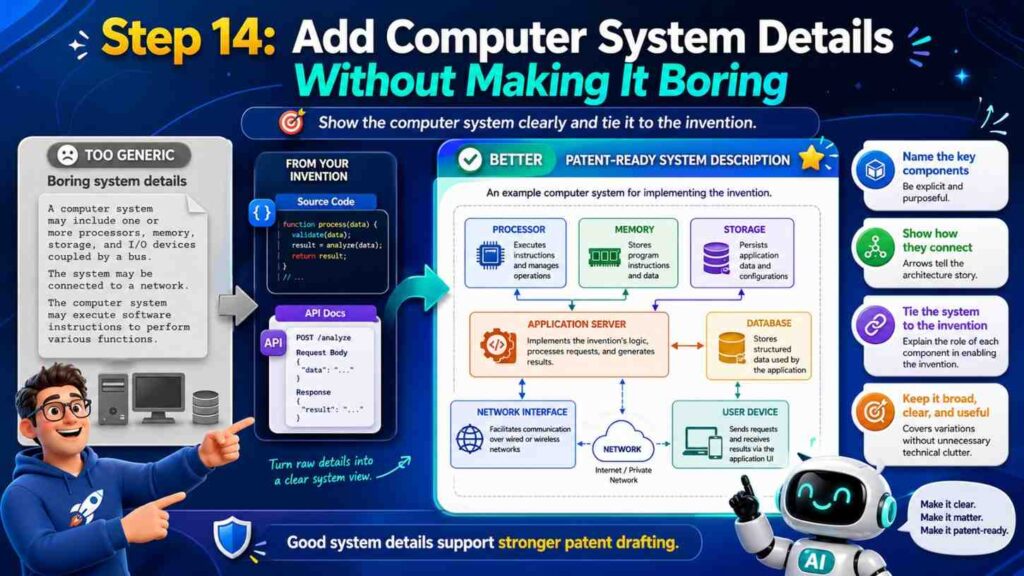
Software patent specs often include computer system details. This part can get dull fast, but it still matters.
You can keep it simple.
Explain that the system may run on one or more processors, servers, cloud systems, edge devices, mobile devices, or other machines. Explain that the instructions may be stored in memory. Explain that the system may communicate over a network. Explain that data stores may include databases, object stores, file systems, vector stores, graph stores, caches, or logs.
But do not let this generic section swallow the invention.
The computer system details should support the invention, not replace it.
For example:
In some examples, the trace store may be implemented using a database, a log storage system, a vector store, a graph database, or another storage system. The trace store may store runtime trace data, service behavior profiles, change signatures, similarity values, risk scores, rollout plans, or links between these items.
That is useful because it ties the storage options to invention data.
If the invention has edge and cloud versions, explain both.
For example:
In some examples, a first portion of the system may run on an edge device and a second portion may run on a cloud server. The edge device may create a local signal profile from sensor data and send the signal profile to the cloud server. The cloud server may compare the signal profile with stored profiles and return a control value to the edge device.
This supports distributed versions.
If the invention uses machine learning, describe it in practical words.
Do not just say “AI model.” Say what the model receives and what it outputs.
For example:
The scoring model may receive a feature set that includes a change signature, one or more similarity values, a service history value, a deployment size value, and a test result value. The scoring model may output a risk score and a confidence value.
That is clear. It is more useful than saying the system “uses artificial intelligence.”
Step Fifteen: Handle AI And Model Details With Care
Many modern software inventions use AI. A patent spec should explain the AI part with enough detail, but it should not make the invention too narrow.
Start with the role of the model.
Does it classify? Rank? Predict? Generate? Detect? Route? Summarize? Plan? Compress? Match? Segment? Convert? Recommend?
Then name the inputs and outputs.
A model without inputs and outputs is a black box. A patent spec should open the box enough for readers to understand how it fits into the system.
For example:
A model selection module may receive a task type, a latency value, a user tier value, a context size value, and a safety level. The model selection module may select a model from a set of models based on these values.
That is better than:
The system uses AI to select a model.
If the invention is in training, explain the training data and update flow.
For example:
The training module may receive labeled examples that link code-change signatures with deployment results. The training module may update a scoring model based on the labeled examples. In some examples, the training module may give higher weight to examples from services that have a similar architecture or deployment pattern.
That last sentence may be a key invention.
If the invention is in retrieval, explain what is retrieved and why.
For example:
The context selection module may select a subset of documents based on a task value, a user role, a freshness value, and a source trust value. The selected subset may be provided to a language model to reduce the chance that the model uses stale or low-trust context.
If the invention is in safety, explain the guardrail logic.
For example:
The safety module may compare a planned model action with a set of permitted actions for a user. When the planned model action is not permitted, the safety module may block the action and create an alternate action that is within the permitted set.
These details make AI patent specs stronger.
Do not flood the spec with model brand names. Model names change quickly. Use general terms unless the exact model is central to the invention.
Step Sixteen: Use Pseudocode Only When It Helps
Pseudocode can help explain a flow. But it can also make a patent spec too narrow or too code-like.
Use pseudocode when the invention depends on a clear algorithm. Keep it short and general.
For example:
Receive code-change data.
Create a change signature.
Find stored signatures with similarity above a threshold.
Select runtime traces linked to the stored signatures.
Create a risk score from the selected runtime traces.
Create a rollout plan based on the risk score.
That kind of pseudocode is safe and helpful.
But avoid long code blocks with actual variable names, framework imports, or product-only names. A patent spec is not a GitHub file.
If an algorithm has a special formula, explain the formula in words too.
For example:
The similarity value may be based on a weighted combination of file type similarity, dependency similarity, service role similarity, and incident history similarity. In some examples, the weights may be set by a user, learned from deployment data, or selected based on a service type.
This is often better than a single formula because it supports more versions.
Pseudocode should support the plain explanation, not replace it.
Step Seventeen: Capture Edge Cases
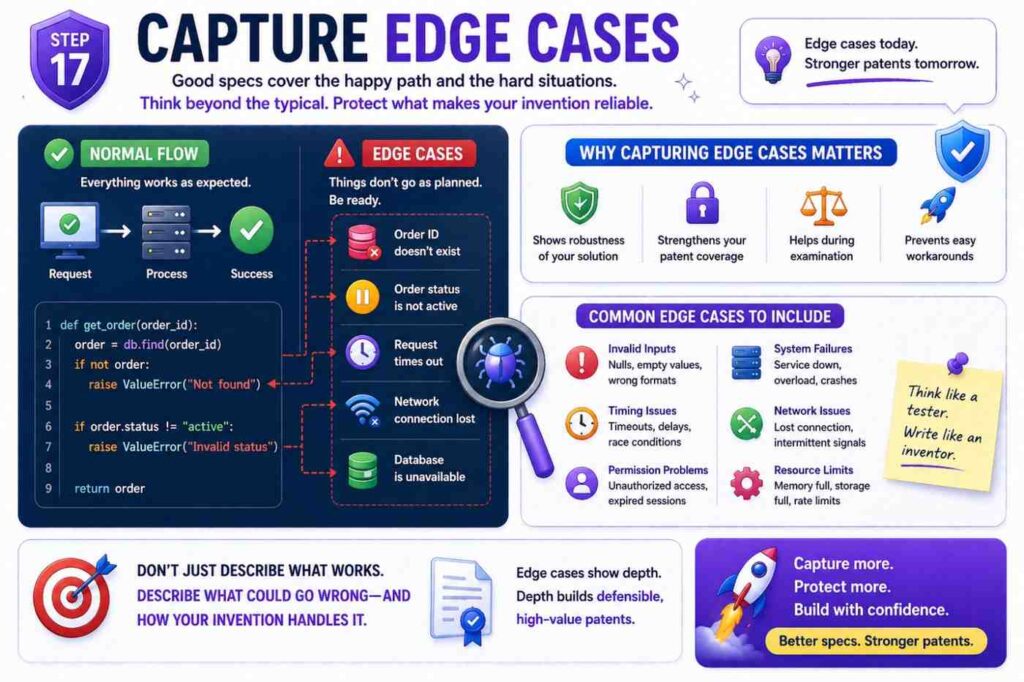
Edge cases are often where strong patent support lives.
Most teams know the normal path. But the hard path is where invention hides.
What happens when data is missing?
What happens when the API returns a partial result?
What happens when the model has low confidence?
What happens when two rules conflict?
What happens when a user changes a setting during a workflow?
What happens when a device loses connection?
What happens when a schema changes?
What happens when the system sees a new type of input?
The code has answers. Look at try-catch blocks, fallback functions, validation rules, retry queues, dead letter queues, timeout logic, version checks, conflict handling, and test cases.
Each important edge case can become a paragraph.
For example:
In some examples, when the system cannot identify stored signatures that satisfy a similarity threshold, the system may select a fallback scoring process. The fallback scoring process may use static code features, service metadata, or user-provided risk labels. The system may create a confidence value that indicates lower confidence due to the absence of similar stored signatures.
That is a strong fallback.
Another example:
In some examples, when runtime trace data is stale, the system may reduce the weight given to the runtime trace data or request updated trace data from a client system. The system may mark a risk score as preliminary until updated trace data is received.
This gives support for freshness handling.
Edge cases make the spec more real. They also show that the team thought deeply.
For startups, this matters because competitors often copy the normal path. The hard-path handling may be harder to copy and more valuable to protect.
Step Eighteen: Include Variations Before You Need Them
A patent spec should cover today’s build and tomorrow’s likely build.
You do not need to predict everything. But you should include reasonable variations.
Ask the engineering team:
What might we change in the next year?
What data source might we add?
What model might we swap?
What platform might we support?
What customer type might need a different workflow?
What part may move from server to edge?
What part may become real time?
What part may become batch?
The answers should appear in the spec.
For example:
If the current system only supports REST APIs, but the same idea could work with GraphQL, webhooks, streaming events, or message queues, say so.
If the current system only runs in the cloud, but the same idea could run on an edge device, say so.
If the current system only supports one model type, but the logic can work with rule models, tree models, neural networks, language models, or hybrid models, say so.
Do this in simple language.
For example:
Although some examples describe code-change data received through an API request, the code-change data may also be received from a version control system, a build system, a deployment system, a message queue, a webhook, a file upload, or another source.
This one sentence expands support.
Another example:
Although some examples describe runtime trace data for cloud services, the runtime trace data may describe applications, devices, robots, sensors, vehicles, industrial machines, or other systems that produce operational data.
Now the invention may reach more use cases.
The goal is not to claim the universe. The goal is to avoid narrow wording that does not match the real scope of the idea.
Step Nineteen: Tie Outputs To Actions
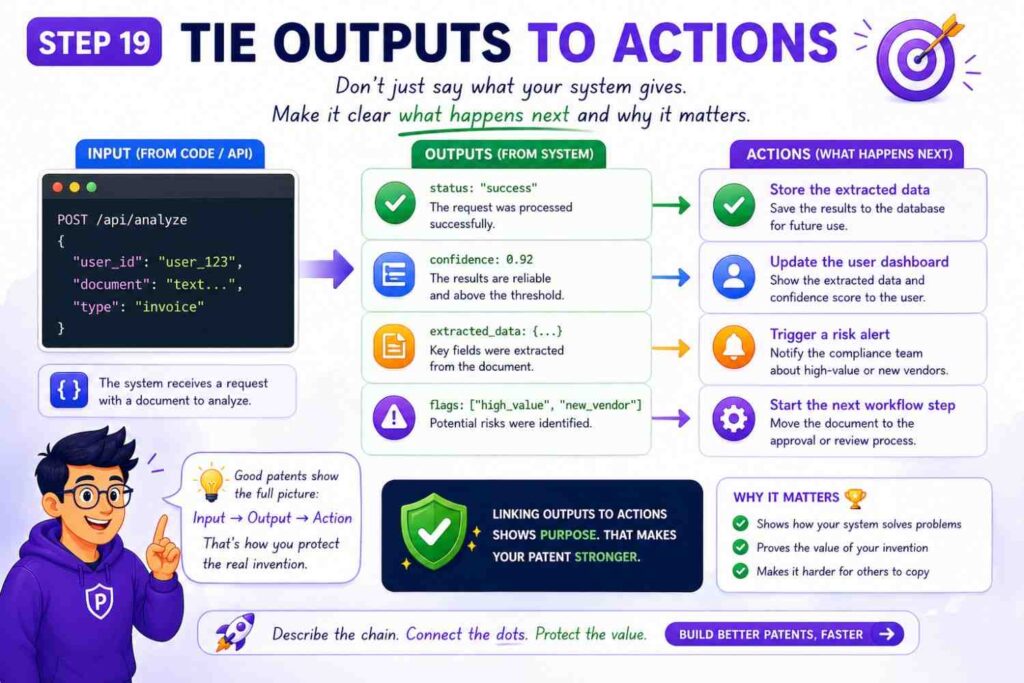
A software invention becomes more concrete when the output causes something.
A score is useful. A score that changes a system action is stronger.
A label is useful. A label that routes a request is stronger.
A model response is useful. A response that triggers a safe next step is stronger.
When drafting from code and API docs, trace what happens after the output is created.
Does the system send an alert?
Block a request?
Change a route?
Create a plan?
Update a policy?
Retrain a model?
Store a profile?
Start a workflow?
Ask for review?
Control a device?
The patent spec should say this clearly.
For example:
The system may use the risk score to select a rollout plan. The rollout plan may cause a deployment system to release the software change to a first group of services before releasing the software change to a second group of services.
That output affects a deployment.
Another example:
The system may use the confidence value to determine whether to return a model response to a user or route the response to a review queue.
That output affects routing.
Another example:
The control value may cause an edge device to reduce a motor speed, change a sensor sampling rate, or request cloud analysis.
That output affects a physical device.
Actions help the reader understand the invention’s impact. They also help avoid drafts that sound like pure data analysis with no use.
Step Twenty: Avoid The Common Drafting Trap
The most common trap is writing the patent spec too close to the current code.
This happens when the draft uses exact class names, exact endpoint names, exact field names, exact model names, exact cloud services, and exact thresholds. The result may protect only today’s version.
That is not what a startup wants.
A startup needs room to grow.
The second common trap is going too broad and saying almost nothing. A draft that says “the system receives data, processes it with AI, and returns a result” is not useful. It does not teach enough. It does not show the invention.
The best path is in the middle.
Use real code details to support the draft, but describe them as flexible examples.
For example, instead of:
The Node.js service calls /v1/risk/score and stores the result in MongoDB.
Write:
A risk scoring service may receive a request through an API endpoint and may store a risk score in a data store. In some examples, the API endpoint may be a REST endpoint, and the data store may include a document database.
That is broader and still supported.
Instead of:
The system uses GPT-4.1 to summarize logs.
Write:
A language model may create a summary of log data. The language model may be selected from a set of available models based on a task type, context size, latency value, cost value, or safety setting.
This protects the model selection logic and avoids locking the invention to one model.
Instead of:
The threshold is 0.72.
Write:
The threshold may be fixed, selected by a user, or learned from prior system outcomes.
Then, if useful, add:
In one example, the threshold may be 0.72.
Now you have both support and flexibility.
Step Twenty-One: Make The Spec Easy For Attorneys To Strengthen
A patent spec is not just a document. It is raw material for claims.
Claims are the part that define the legal boundaries. The spec must support those claims. If the spec does not describe an idea, it may be hard to claim later.
This is why drafting from source code and API docs should include claim support thinking early.
You do not need to write final claims yourself. But you should make sure the spec supports the main claim angles.
For a software invention, possible claim angles may include:
A system claim, where the parts are described.
A method claim, where the steps are described.
A computer-readable medium claim, where stored instructions cause a machine to perform the steps.
Do not worry about the names. The point is simple: describe the parts, the steps, and the software instructions.
Also support different points of view.
A client-side view may describe what the client sends and receives.
A server-side view may describe how the server processes data.
A device-side view may describe how a device uses an output.
A training-side view may describe how a model is updated.
A data-store view may describe how profiles or signatures are stored and linked.
These views give attorneys more options.
For example, a deployment risk invention may have a method for creating risk scores and another method for training the model using deployment outcomes. If the spec only describes scoring, the training claim may be harder later.
So ask:
What are the valuable workflows around the main invention?
How is the system set up?
How is it used?
How does it learn?
How does it update?
How does it fail safely?
These answers belong in the spec.
PowerPatent brings software and attorney oversight together so teams do not have to guess what support is needed. That can help you move from raw engineering material to stronger patent assets faster. See how it works: https://powerpatent.com/how-it-works
Step Twenty-Two: Use Figures To Make The Spec Clear
Figures can make a software patent much easier to read.
You do not need perfect design art. Simple block diagrams and flow charts are often best.
A source-code-based patent spec may use a few core figures.
One figure can show the system architecture.
One figure can show the main method flow.
One figure can show the data structure.
One figure can show an example workflow.
One figure can show a training or update process.
Keep each figure focused.
A system figure may show a client system, an API service, a processing service, a model service, a data store, and an action service. Arrows show data flow.
A method figure may show steps like receive input, create signature, compare signatures, select traces, create score, create plan, and cause action.
A data structure figure may show fields inside a change signature or profile.
A training figure may show outcome data flowing back into a model update service.
When drafting the spec, explain each figure in plain language.
For example:
Figure 1 shows an example system for evaluating a software change. The system includes a client system, an API service, a signature generation module, a trace store, a scoring module, and a rollout planning module.
Then describe each part.
Figures help attorneys and examiners see the invention. They also help founders review the draft. If a founder cannot understand the figure, the draft may not be clear enough.
You can often sketch figures from API docs and code folders. The architecture is usually already there. The task is to simplify it into the invention view.
Step Twenty-Three: Keep Security And Privacy In Mind
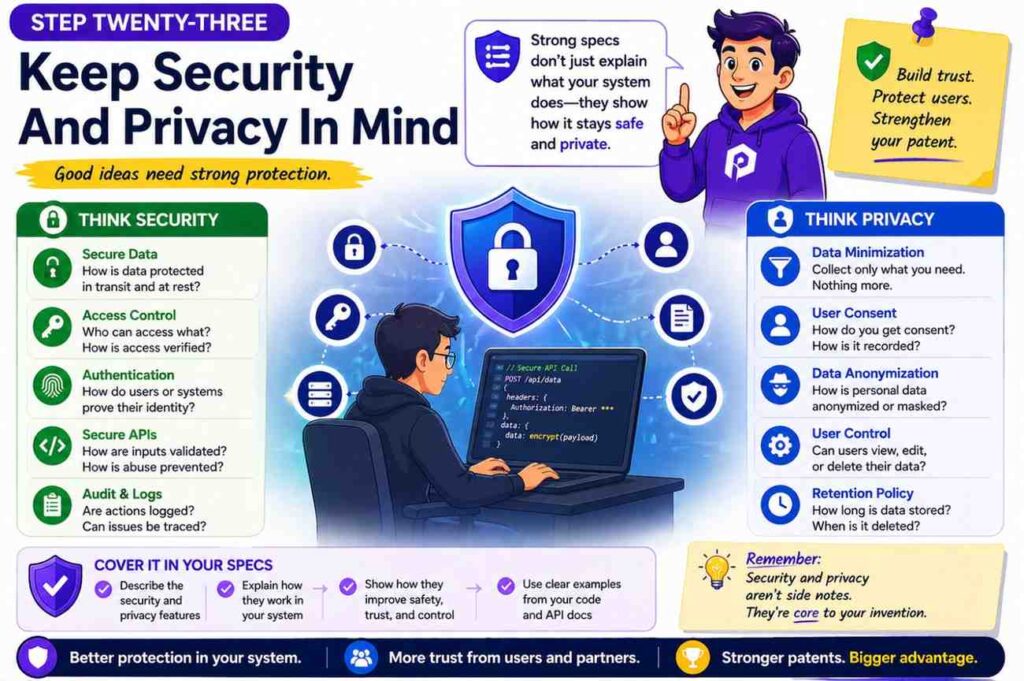
When drafting from code and API docs, be careful with secrets and private data.
Do not include API keys, tokens, passwords, customer names, private URLs, internal server names, or sensitive logs. Do not include private model weights or private training records unless your attorney says it is needed and safe.
A patent spec becomes public in many cases. Treat it as a document that others may read.
This does not mean hiding the invention. It means describing it without exposing secrets.
For example, instead of using a real customer name, say “a client system.”
Instead of copying a real event log, create a clean sample.
Instead of listing internal hostnames, say “one or more servers.”
Instead of including private training data, describe the type of data.
For example:
The training data may include labeled examples that link input records with later system outcomes.
That may be enough.
Security details can also be part of the invention. If the system has a special way to protect data while processing it, describe that.
For example:
In some examples, the system may create a privacy-preserving profile from raw event data. The profile may remove user identifiers while retaining values used for risk scoring.
That is a useful technical detail.
If your system uses access controls, encryption, token scopes, audit logs, or safe processing modes in a new way, include them when tied to the invention.
Step Twenty-Four: Do Not Let Legal Words Ruin Clear Thinking
Some teams think a patent spec must sound complex to be serious. That is not true.
Clear writing is stronger.
Use simple words. Use short sentences. Name the thing. Say what it does.
Instead of:
The aforementioned system effectuates optimization of deployment orchestration.
Write:
The system may improve deployment planning.
Instead of:
The module is configured to facilitate determination of operational risk.
Write:
The module may create a risk score.
Instead of:
The data is ingested by the platform.
Write:
The system may receive the data.
This is not dumbing it down. It is making the invention easier to see.
Patent writing does need care. It should avoid words that create unwanted limits. It should support different versions. It should be precise. But precise does not mean hard to read.
A founder should be able to read the draft and say, “Yes, that is what we built.”
An engineer should be able to read it and say, “Yes, that is how it works.”
An attorney should be able to read it and say, “Yes, I can build strong claims from this.”
That is the goal.
PowerPatent is designed around that idea. It helps turn deep tech into clear patent work without making founders suffer through old-school back-and-forth. Learn more here: https://powerpatent.com/how-it-works
Step Twenty-Five: Example Spec Outline For A Code-Based Invention
Here is a practical outline you can use when drafting from source code and API docs.
Start with the title. Keep it broad enough to cover the invention. A title like “Deployment Risk Evaluation Using Code-Change Signatures And Runtime Trace Data” is better than “Node Service For Risk Endpoint.”
Then write the field. One or two sentences are enough.
Then write the background. Explain the technical problem.
Then write the summary. Explain the core system and method.
Then write the brief description of the drawings. Name each figure.
Then write the detailed description. This is the main section. Include the system, modules, data structures, method flow, examples, variations, and computer system details.
Then support claim forms. Make sure the spec describes a system, a method, and stored instructions.
Then review for privacy, narrow terms, and missing examples.
That is the outline.
The detailed description is where most of the work happens. It may include these sections:
System overview.
Input data.
Data preprocessing.
Signature creation.
Stored profile comparison.
Model scoring.
Action selection.
Fallback handling.
Training and updates.
Example workflows.
Computer systems.
This is one of the few places where a list is helpful because it gives a clean map. But the final spec should still read like an explanation, not a checklist.
Step Twenty-Six: A Detailed Example From Code And API Docs
Let’s walk through a made-up example. The point is to show how raw engineering material becomes patent spec language.
Imagine your startup built a tool that helps teams prevent bad software deployments.
The repo has folders like code_parser, trace_indexer, risk_model, rollout_planner, and api_routes.
The API docs show endpoints like /submit-change, /risk-score, /rollout-plan, and /deployment-result.
The source code shows that the system creates a “change signature” from a code diff. It then searches for past deployments with similar signatures. It pulls runtime traces from those deployments. It creates a risk score. It also creates a rollout plan based on the score and confidence value. After deployment, it stores the result and uses it to improve future scores.
A weak patent spec might say:
The system uses AI to make software deployment safer.
That is not enough.
A better spec says:
A deployment risk system receives code-change data for a software change. The code-change data may include a code diff, a changed file path, a changed function type, a dependency change, a test result, or a build value. The system creates a change signature based on the code-change data.
The system compares the change signature with stored change signatures linked to prior deployments. Based on the comparison, the system selects runtime trace data from one or more prior deployments. The system creates a risk score for the software change using the selected runtime trace data and creates a rollout plan based on the risk score.
Now we have something real.
The API docs can add more detail.
The /submit-change endpoint receives a repo ID, commit hash, list of changed files, test status, and service metadata. The spec can say:
In some examples, the code-change data may be received from a version control system, a build system, a deployment tool, or a client device. The code-change data may include a repository identifier, a commit value, a changed file list, a test status value, or service metadata.
The /risk-score endpoint returns risk_score, confidence, top_match_ids, and risk_reasons. The spec can say:
The risk scoring module may output a risk score, a confidence value, one or more matching prior deployment identifiers, or one or more reason values. A reason value may identify a factor that affected the risk score, such as a similar prior failure, a missing test, a dependency change, or a stale runtime trace.
The /rollout-plan endpoint returns staged percentage values and hold conditions. The spec can say:
The rollout planning module may create a staged rollout plan. The staged rollout plan may include a first release group, a second release group, one or more hold conditions, one or more rollback conditions, or a review request. A hold condition may pause the rollout when a runtime signal exceeds a limit.
The /deployment-result endpoint receives success, errors, latency, rollback, and incident links. The spec can say:
After a deployment, the system may receive deployment outcome data. The deployment outcome data may include a success value, an error value, a latency value, a rollback value, or an incident link. The system may store the deployment outcome data with the change signature and may use the deployment outcome data to update a scoring model.
This is how you turn docs into patent support.
Notice that the spec does not copy the API doc word for word. It uses the doc as evidence and turns it into flexible language.
Step Twenty-Seven: Another Example For API-First Startups
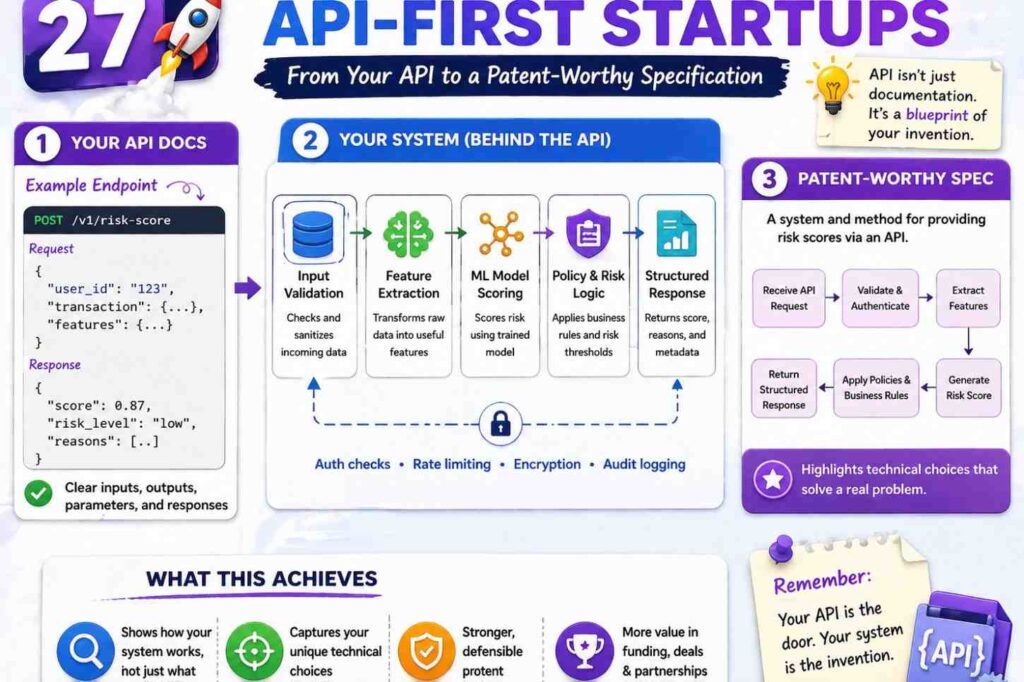
Some startups are API-first. The source code may be simple at first, but the API design is the product.
For example, imagine a company that built an API for safe AI agent actions. The API lets a developer send a planned action, user role, session context, and tool risk. The system returns allow, block, require review, or suggest alternate action.
The invention may not be the model itself. It may be the way the API checks an agent’s planned action against live context and policy before the action happens.
The patent spec could describe:
A policy control system receives action data for a planned action by an automated agent. The action data may identify a tool, a target resource, a user, a session, or an action parameter. The system receives context data linked to the planned action. The context data may include a user role, a trust level, a session state, a data sensitivity value, or a prior action value. The system selects a policy based on the context data and compares the planned action with the policy. The system creates an action control output that allows the planned action, blocks the planned action, requests review, or identifies an alternate action.
That is clear.
The API docs may show a field called alternate_action. That field is important. It means the system does not only block. It can guide the agent to a safer action.
The spec can say:
When the planned action is not allowed by the selected policy, the system may create an alternate action that satisfies the selected policy. The alternate action may preserve at least part of the goal of the planned action while changing a tool, target resource, parameter, or approval step.
That is a valuable idea.
The source code may show a policy conflict resolver. The spec can say:
When two policies apply to the planned action and create different results, the system may select a more restrictive result, request review, or select a result based on a policy priority value.
The test cases may show low-trust sessions, expired tokens, high-risk tools, and sensitive data. Each can become an example.
This is why API docs matter. They show product behavior in a way that maps well to patent specs.
Step Twenty-Eight: Another Example For AI Model Infrastructure
Now imagine a startup that routes AI requests across models.
The source code includes model_router, cost_estimator, context_ranker, safety_checker, and response_validator.
The API docs show /generate, /score-context, /route-model, and /feedback.
The invention may be a routing system that selects a model based on task type, context size, trust level, latency, and safety risk.
The spec could say:
A model routing system receives a request for a model output. The request may include a task value, prompt data, context data, user data, or response settings. The system creates a routing profile for the request. The routing profile may include a context size value, a latency target, a cost value, a trust value, a safety value, or a task type. The system selects a model from a set of models based on the routing profile and sends at least part of the request to the selected model. The system may validate a response from the selected model before returning the response.
That covers the main flow.
The code may show that the system uses a cheap model first, then escalates to a stronger model if confidence is low. The spec can say:
In some examples, the system may send the request to a first model to create a first output and a confidence value. When the confidence value is below a threshold, the system may send the request or a modified request to a second model. The second model may have a higher cost, larger context size, different safety setting, or higher accuracy value than the first model.
The API docs may show a response field called validation_status. The spec can say:
A response validator may compare the model output with source context, policy data, or output rules. The response validator may create a validation status that indicates whether the model output is approved, blocked, modified, or routed to review.
The feedback endpoint may update routing choices. The spec can say:
The system may receive feedback data linked to the model output. The feedback data may include a user rating, correction, approval value, error value, cost value, latency value, or safety event. The system may update one or more routing rules or model selection weights based on the feedback data.
This gives the spec more depth.
Many AI startups focus only on the model output. But the real invention may be in routing, grounding, validation, cost control, data selection, safety, or update loops. Source code and API docs can show which one is real.
Step Twenty-Nine: Another Example For Robotics And Edge Systems

Software patents are not only for cloud apps. Many robotics, device, and edge AI teams have code that controls real-world systems.
For example, a robotics startup may have source code for sensor fusion, path planning, edge inference, cloud updates, and safety fallback.
The API docs may describe commands sent between a robot and a cloud service.
A patent spec could describe:
A robotic control system receives sensor data from one or more sensors on a robot. The system creates a local environment profile from the sensor data. The system sends at least part of the local environment profile to a cloud service. The cloud service compares the local environment profile with stored environment profiles and returns a control policy. The robot selects a motion command based on the control policy and a local safety value.
This ties edge and cloud together.
The source code may show that if the network is poor, the robot switches to a local-only mode. The spec can say:
When a network quality value is below a threshold, the robot may select a local control policy without waiting for the cloud service. When the network quality value rises above the threshold, the robot may send stored environment profile data to the cloud service for later analysis.
That fallback may be central.
The API docs may show fields like battery_level, obstacle_density, map_confidence, and safe_stop_required. The spec can describe these as context values.
The code may show a special way to compress sensor data before sending it. The spec can say:
The robot may create a compact environment profile that includes selected features from the sensor data rather than sending raw sensor data. The compact environment profile may reduce network use while retaining values used by the cloud service to select the control policy.
This is clear and valuable.
For deep tech startups, these details are often where the moat lives. PowerPatent is built for deep tech teams that need to protect software-driven inventions without slowing down engineering. See how it works here: https://powerpatent.com/how-it-works
Step Thirty: How To Work With Engineers During Drafting
Engineers are busy. Founders are busy. Patent drafting can feel like a drain if the process is not clear.
The best approach is to ask focused questions and use real artifacts.
Do not start with “Tell me everything about the invention.” That is too broad.
Start with the code path.
Ask the lead engineer to walk through one important request from input to output. Record the steps in simple words. Ask where the new part happens. Ask what older systems did. Ask what was hard to make work. Ask what edge cases mattered.
Then review the API docs together. Ask which fields are essential and which are optional. Ask what response fields customers care about. Ask what errors the system handles in a special way.
Then review tests. Ask which tests protect the invention. Ask which tests were hard to write. Ask which failures led to the final design.
You can keep the meeting short by sending a pre-read.
The pre-read should include the invention brief, the key files, the key endpoints, and the draft flow. Ask the engineer to correct it.
Engineers are often better at correcting a draft than starting from a blank page.
A helpful question is:
“Where is this wrong?”
Another helpful question is:
“What part would a smart competitor copy first?”
That second question often points to the patentable core.
Keep the drafting process respectful. Engineers do not want legal theater. They want accuracy. Show them that the goal is to protect their work in clear words.
Step Thirty-One: How Founders Should Review The Draft
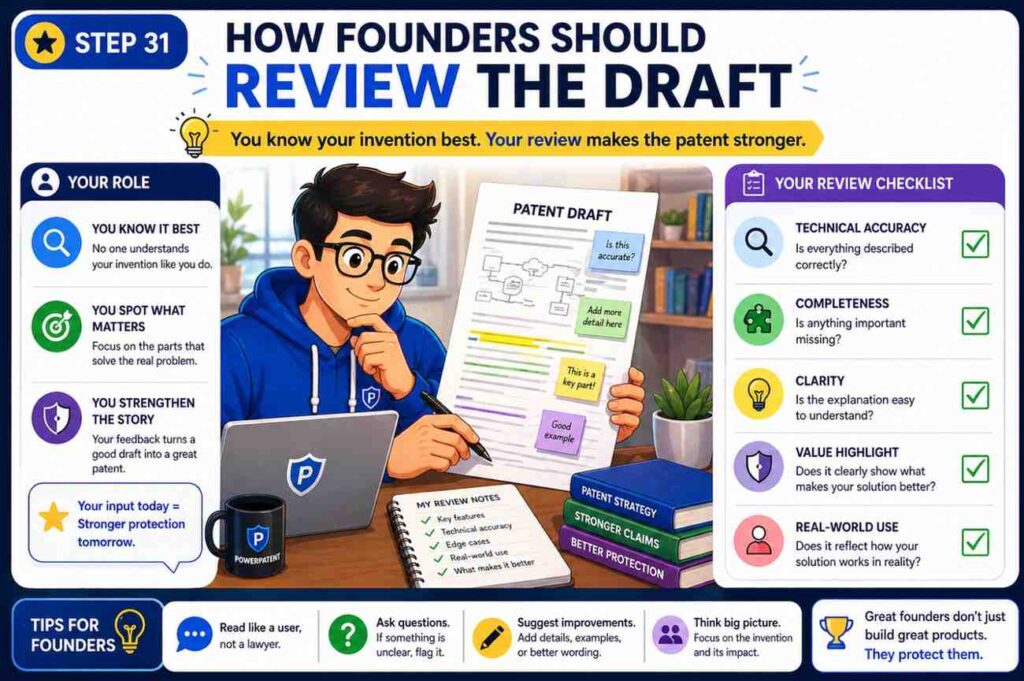
Founders should review the patent spec with three questions in mind.
First, does it protect what matters?
Second, does it leave room for where the product is going?
Third, does it explain the invention clearly enough that a technical reader can understand it?
Do not only check for typos. Check for strategy.
Look for narrow words. If the draft says “mobile app,” but the invention works on web apps, servers, devices, and APIs, change it to “client system” or “computing device” and use mobile app as one example.
If the draft says “PostgreSQL,” but any database could work, change it to “data store” and mention relational databases as one example.
If the draft says “daily batch job,” but you plan to support real-time streams, add real-time examples.
If the draft says “user clicks a button,” but the action can be automatic, add automated triggers.
If the draft only covers one customer use case, add more examples.
Founders should also check the “why.” Does the draft say why the approach is better? Does it explain speed, accuracy, safety, cost, latency, reliability, privacy, or control? These benefits should be tied to technical design.
Finally, founders should make sure the draft does not reveal secrets that should stay private.
A patent spec must teach the invention, but it does not need to expose every internal secret. Work with counsel to decide what belongs.
PowerPatent helps founders keep this moving. The platform is designed to help teams turn technical work into patent-ready drafts with attorney oversight, so founders can protect the moat without living in a document for weeks. Start here: https://powerpatent.com/how-it-works
Step Thirty-Two: How To Review For Missing Support
Missing support is one of the biggest risks in a patent spec.
It means the spec does not describe something you may want to claim later.
To check for missing support, compare the draft against the source code and API docs.
For each key module, ask whether the spec describes its inputs, actions, outputs, and variations.
For each key endpoint, ask whether the spec describes the workflow it supports.
For each key data structure, ask whether the spec describes the fields and how they are used.
For each key decision, ask whether the spec describes the rule, model, threshold, or logic that drives it.
For each key output, ask whether the spec describes what action the output causes.
Then check future versions.
If the roadmap includes new data sources, new model types, new deployment modes, or new customer workflows, add support now if they are tied to the invention.
This is much easier before filing than after.
A simple review method is to create a support matrix. Put the likely claim ideas on one side and the spec sections on the other. Mark where each idea is described. If an idea has no support, add detail.
For example:
Claim idea: create change signature from code diff and service context.
Support: summary, signature module section, method flow, example one.
Claim idea: select runtime traces based on similar prior changes.
Support: summary, trace selection section, method flow, example one.
Claim idea: use confidence value to select staged rollout.
Support: rollout planning section, fallback section, example two.
Claim idea: update model based on deployment outcome.
Support: training section, outcome endpoint section, example three.
This review takes effort, but it can save pain later.
Step Thirty-Three: How To Keep The Draft Broad But Honest
A strong patent spec should be broad, but it should also be honest.
Do not describe wild features that the team has no real basis for. Do not claim magic. Do not say the system works in ways it cannot support.
At the same time, do not limit the spec to one narrow build when the invention clearly works more broadly.
The right balance is to describe reasonable versions.
A reasonable version may be a different input source, a different model type, a different database, a different client device, a different network setup, or a different output action.
A stretch version may be a totally different field with no clear link. Be careful with that.
For example, if your system predicts risk for software deployments, it may be reasonable to describe risk prediction for other system updates, such as device firmware updates or machine configuration updates. But it may be too much to suddenly describe medical diagnosis unless the invention truly applies there.
A good patent spec uses phrases like “in some examples” and “may” to show options. But it still gives enough detail.
Broad does not mean empty.
Honest broad drafting says:
The system may receive operational data from a cloud service, edge device, robot, sensor system, or other monitored system.
Empty drafting says:
The system may receive any data from anywhere and do anything.
The first is useful. The second is not.
Step Thirty-Four: How To Use Comments And Commit History
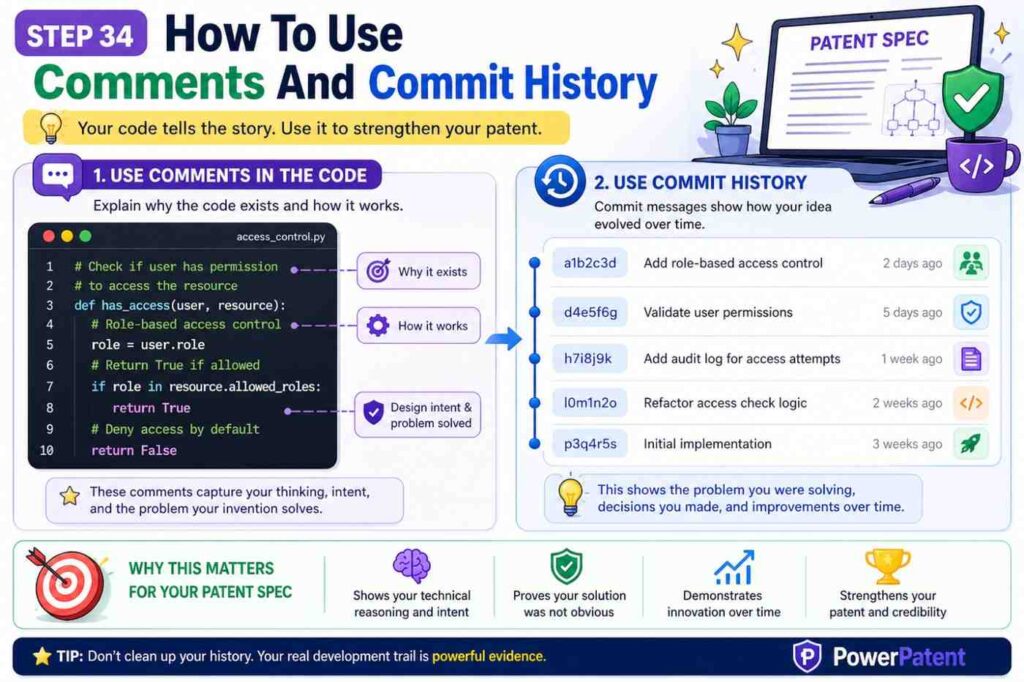
Comments and commit history can be very helpful, but use them wisely.
A code comment may explain a design choice. It may say why a simple solution failed. It may show a performance issue, a safety issue, or a data issue.
For example:
“Do not use full trace scan here; too slow for large services.”
That comment points to an invention detail. The spec can say the system creates compact profiles to avoid scanning full trace data.
A commit message may say:
“Switch to confidence-weighted rollout after false positive deploy blocks.”
That reveals a problem and a solution. The spec can describe using confidence values to pick rollout plans.
A pull request discussion may say:
“Customers need reason codes, not just scores.”
That can support reason values in the output.
Do not copy casual comments into the spec. Translate them into clear technical language.
Also be careful with comments that are jokes, guesses, or outdated. Confirm important points with the team.
Commit history can also show the timeline of invention. That may matter for internal records. Keep notes on when features were built and who contributed. Work with counsel on inventorship and filing timing.
Founders should not wait too long. Public launches, demos, sales decks, docs, and open-source releases can create timing issues. If you are getting close to sharing the invention publicly, it is smart to get patent help early. PowerPatent can help you move faster here: https://powerpatent.com/how-it-works
Step Thirty-Five: How To Use Tests As Patent Material
Tests often show the invention more clearly than production code.
Production code may be spread out. Tests show expected behavior.
Look for test names. They often say what matters.
“should select fallback model when context exceeds limit”
“should block action when policy confidence is low”
“should rebuild state from compact event profile”
“should route high-risk deployment to staged rollout”
Each test name can become a spec example or variation.
Test inputs can show important fields. Test outputs can show important decisions. Test mocks can show dependencies.
For example, a test may create fake runtime traces, a code diff, and a deployment outcome. The expected result may be a high-risk score and staged rollout. That is a perfect example for the spec.
Do not include exact test data if it is messy or private. Clean it.
The spec can say:
In one example, a software change modifies a shared authentication function and lacks a passing integration test. The system creates a change signature and identifies prior deployments with similar signatures that were linked to login errors. The system creates a high risk score and selects a staged rollout plan.
That may come from a test, but it reads like a real example.
Tests also show edge cases. If the team wrote tests for missing fields, stale context, duplicate events, or policy conflicts, include those cases.
A patent spec that includes edge cases feels much more complete.
Step Thirty-Six: How To Use Logs And Telemetry
Logs and telemetry can show how the system works in real life. They can also show why the invention matters.
For example, logs may show that full trace scans were slow. Telemetry may show that compact profiles reduced processing time. Runtime metrics may show that a fallback path kept the system online during network loss.
You do not need to include raw logs in the spec. In most cases, you should not.
Instead, describe the type of signal and how the system uses it.
For example:
The system may receive telemetry data that includes latency values, error rates, timeout values, retry counts, memory use values, processor use values, network quality values, or event volume values. The system may use the telemetry data to select a processing path, adjust a threshold, or create a confidence value.
That is clean.
If the invention uses live feedback, describe the loop.
For example:
The system may monitor runtime data after an action is taken. When the runtime data indicates an error condition, the system may update a stored profile, adjust a model weight, or trigger a rollback action.
Feedback loops are often valuable.
Telemetry can also support benefits. If the design reduces latency, explain how. If it reduces compute use, explain how. If it improves safety, explain how.
Do not make unsupported performance claims like “ten times faster” unless you have data and counsel approves. It is safer to say the design “may reduce” processing time by avoiding a full scan or selecting a lighter model.
Step Thirty-Seven: How To Protect API Behavior
API behavior can be patentable when it solves a technical problem in a new way.
Do not think APIs are just docs. An API can define a powerful workflow.
A patent spec can protect how the API receives data, what it does with that data, what state it stores, how it handles errors, and what outputs it returns.
For example, an API that returns a model response is common. But an API that receives a planned agent action, checks it against live policy, creates a safer alternate action, and returns a reason code may be a real invention.
When drafting from API docs, focus on behavior, not endpoint names.
Endpoint names change. Behavior matters.
If the API docs say:
POST /agent/action/check
Do not make the invention depend on that path.
Say:
An action control API may receive action data for a planned action by an automated agent.
Then explain the payload in broader terms.
Also describe state. Many APIs are not just one request and response. They create sessions, store context, link events, and update policies.
If the API stores context across calls, describe it.
For example:
The system may store session context data for a session. When a later request is received for the session, the system may select at least part of the stored session context data and use it to evaluate the later request.
That may be important.
If the API supports idempotency keys, versioning, retries, webhooks, or callbacks, include them when tied to the invention.
For example:
The system may receive a repeated request with an idempotency value and may return a stored result instead of creating a second action.
That can be useful for reliability.
Step Thirty-Eight: How To Draft For Open Source And Public Repos
Some startups build in public. Some use open-source code. Some have public API docs.
This can be great for adoption, but it can create patent timing issues. Public disclosure may affect patent rights. The rules can vary by country and timing. Work with a patent attorney before you share too much.
From a drafting view, open source adds another concern. You need to separate your invention from common code.
If you use a standard framework, do not present the framework as the invention. If you use a known library, do not make it sound like you invented the library.
Focus on what your team added.
For example, if your code uses a common vector database, the invention may not be the vector database. It may be how you create profiles, select vectors, combine scores, or trigger actions.
If your API uses standard OAuth, the invention may not be OAuth. It may be how you apply policy after identity is known.
If your system uses a known model, the invention may not be the model. It may be how you route requests, select context, validate output, or update behavior.
Be clear in the spec. You can say the system may use known tools as parts. Then focus on the new arrangement and flow.
This helps avoid confusion and keeps the draft honest.
Step Thirty-Nine: How To Draft For Fast-Moving Products
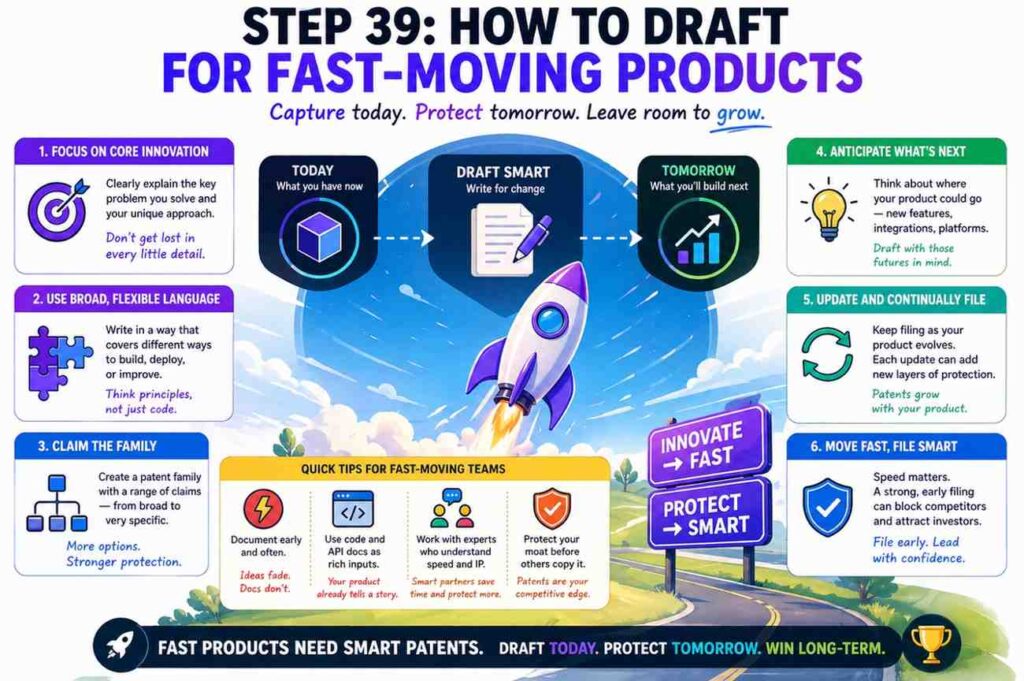
Startups change fast. The patent spec should not fall apart when the product changes next month.
The way to handle this is to draft around stable invention concepts.
A stable concept might be:
Creating a risk score from code-change signatures and runtime traces.
Selecting a model based on context size, latency, cost, and safety.
Creating a safe alternate action for an AI agent based on live policy.
Creating a compact profile from sensor data for cloud-assisted control.
These ideas can survive product changes.
The unstable details may be:
Endpoint names.
Class names.
Database brands.
UI labels.
Exact thresholds.
Cloud services.
Model vendors.
Programming languages.
Draft the stable concept broadly. Use unstable details as examples.
Also include roadmap variations. If the team plans to add streaming, on-device mode, multi-tenant controls, or human review, include those if they are tied to the invention.
A patent spec should be a little ahead of the current product, but not fantasy.
This is where founder vision matters. Engineers know what exists. Founders know where the product is going. Attorneys know how to support claims. PowerPatent brings these pieces into a faster process so the patent work can keep up with the company. Learn more here: https://powerpatent.com/how-it-works
Step Forty: How To Keep The Draft Human
Even a technical patent spec should be readable.
Use short paragraphs. Use direct verbs. Avoid needless labels. Explain examples like a person would explain them.
This matters because a human will review the draft. Founders, engineers, attorneys, examiners, investors, and future buyers may all read it at some point.
A clear draft builds confidence.
Here is a simple before and after.
Before:
The apparatus may effectuate ingestion of code artifacts for subsequent generation of risk indicia.
After:
The system may receive code data and create a risk score.
The second version is better.
Another example:
Before:
Responsive to an insufficiency of contextual telemetry, the orchestration component may instantiate an alternate decisional pathway.
After:
When the system does not have enough telemetry data, it may use a fallback decision path.
Clear writing is not less formal. It is better formal writing.
A patent spec can be precise without being cold.
Step Forty-One: A Practical Drafting Session
Here is how a real drafting session might work.
You start with the invention brief. It says the system predicts deployment risk by joining code-change signatures with runtime traces from similar past deployments.
You open the API docs. You find the request fields for submitting a change. You note repo ID, commit value, changed file list, test result, service ID, and deployment target.
You open the source code. You find the parser that turns a code diff into file type, function type, dependency changes, and test coverage values.
You find the trace indexer. It creates service behavior profiles from runtime traces.
You find the similarity matcher. It compares new change signatures with stored signatures.
You find the risk model. It uses similarity values, trace values, service metadata, and test values.
You find the rollout planner. It uses risk score and confidence.
You find tests for missing traces and stale data.
Now you draft.
The background says current deployment checks may miss runtime risk from similar past changes.
The summary says the system creates a change signature, finds similar past changes, selects runtime traces, creates a risk score, and creates a rollout plan.
The system section names the parser, signature module, trace store, matcher, scoring module, and planner.
The method section gives the steps.
The examples show high-risk, low-risk, missing-trace, and stale-data cases.
The variations cover different data sources, different model types, different deployment tools, and different rollout actions.
The training section explains how deployment outcomes update the model.
The computer section explains where it can run.
That is a solid draft.
It came from source code and API docs, but it is not trapped by them.
Step Forty-Two: Red Flags To Fix Before Filing
Before a patent spec moves forward, look for red flags.
One red flag is a draft that says “AI” many times but never explains the inputs and outputs.
Fix it by naming the model role, input features, output values, and how the output is used.
Another red flag is a draft that only describes the UI.
Fix it by describing the backend logic, data flow, and technical effect.
Another red flag is a draft that depends on brand names.
Fix it by using general terms and keeping brands as optional examples only when needed.
Another red flag is no fallback handling.
Fix it by adding missing data, low confidence, conflict, stale data, timeout, and retry examples where relevant.
Another red flag is no link between output and action.
Fix it by saying what the system does with the score, label, command, plan, or response.
Another red flag is no future support.
Fix it by adding roadmap variations tied to the invention.
Another red flag is too much private detail.
Fix it by removing secrets and using clean examples.
Another red flag is no inventor review.
Fix it by having the engineers confirm the flow and key choices.
Patent drafting is not just writing. It is quality control for the invention story.
Step Forty-Three: Why Speed Matters For Startups
Startups move fast. Patent work often moves slow. That mismatch can hurt.
A team may launch before filing. A founder may pitch the invention before protecting it. Engineers may refactor the code before anyone captures the original design. API docs may change. Key context may live only in a few people’s heads.
The longer you wait, the harder it can be to reconstruct the invention.
This is why drafting from source code and API docs is so powerful. It uses the artifacts your team already creates. You do not need to stop building. You need a better way to turn building into protection.
PowerPatent is built for that. It helps founders turn code, docs, and deep tech work into patent drafts faster, with real attorney oversight so the work is not just fast, but thoughtful. You can see the workflow here: https://powerpatent.com/how-it-works
Speed is not about rushing. It is about not letting valuable IP slip through the cracks.
A good process lets engineers keep shipping while the patent work runs close to the product.
Step Forty-Four: What To Give Your Patent Team
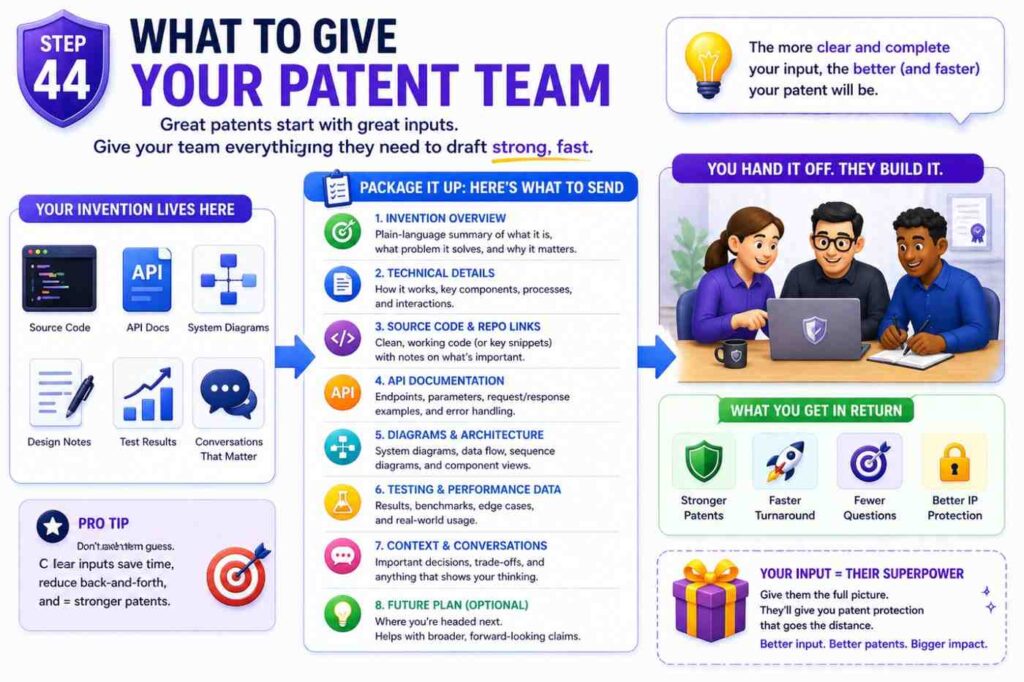
When you are ready to draft, do not send a giant zip file with no context. Send a focused package.
Include the invention brief. Include the key source files or repo links. Include the API docs. Include architecture diagrams if you have them. Include test cases that show the core behavior. Include sample requests and responses. Include product notes that explain the customer pain. Include roadmap notes for likely future versions.
Also include what you do not want to reveal. Mark private customer data, secrets, or sensitive details.
Give the patent team access to the people who know the code. A short inventor call can save hours.
If you use PowerPatent, the process is designed to help structure this input so the drafting work starts with the right material. That makes it easier to move from raw code to a strong patent draft. Start here: https://powerpatent.com/how-it-works
Step Forty-Five: How To Name The Invention
Names matter. A good invention name helps everyone stay aligned.
Avoid names that are too narrow.
“Python Log Scanner” may be too narrow.
“Runtime-Aware Deployment Risk Scoring” is better.
Avoid names that are too vague.
“AI Safety Platform” is too broad.
“Policy-Based Control Of Automated Agent Actions” is better.
Avoid product names as invention names.
Your product name may change. The patent title should describe the technical idea.
A good invention name often includes the input, action, and result.
“Code-Change Signature Matching For Deployment Risk Control.”
“Context-Based Model Routing For Low-Latency AI Responses.”
“Policy-Guided Alternate Actions For Automated Agents.”
“Compact Sensor Profiles For Cloud-Assisted Robot Control.”
These names help shape the spec.
The title does not need to be flashy. It needs to be clear.
Step Forty-Six: Drafting From Source Code Without Exposing Source Code
Many founders worry that a patent spec will reveal the whole codebase. It should not.
A patent spec explains the invention. It does not need to publish your source code.
You can describe algorithms, data flows, modules, and examples without copying implementation.
For example, if your code has a special scoring function, the spec can describe the features used, the weighting approach, the model role, and the output. It does not need to include exact production code.
If your code has a private optimization, talk with your attorney about whether to patent it or keep it as a trade secret. Not every secret should be in a patent. The choice depends on whether others could reverse engineer it, how long it stays valuable, and how central it is to the product.
This is a business decision as much as a drafting decision.
PowerPatent combines software and attorney oversight so founders can make these calls with better structure and less guesswork. See how the process works here: https://powerpatent.com/how-it-works
Step Forty-Seven: How To Draft Around Multiple Inventions
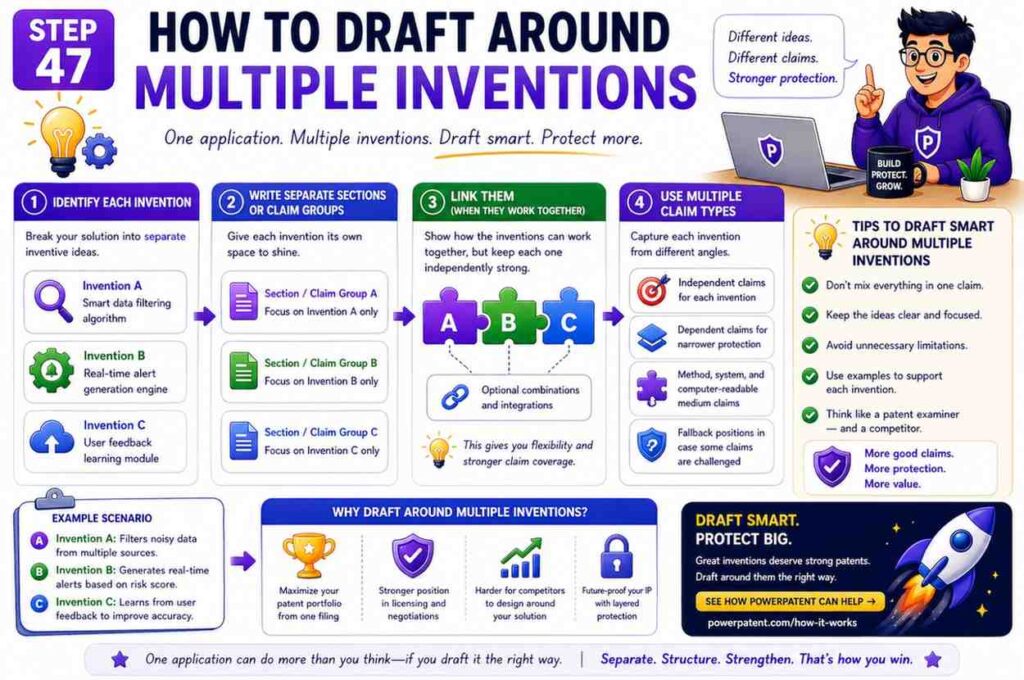
A single repo may contain several inventions.
For example, an AI infrastructure product may include model routing, context selection, safety validation, cost prediction, feedback learning, and policy controls. Each may be its own invention.
Do not cram everything into one messy spec without thinking.
Start by mapping the inventions.
Ask which idea is the core moat. Ask which ideas could stand alone. Ask which ideas are ready to file. Ask which ideas need more work. Ask which ideas are about the same flow and which are separate.
A single patent spec can include related ideas, but if the ideas are too different, separate filings may make sense. A patent attorney can guide this.
From a drafting view, keep the main invention clear. Add related ideas as variations or additional examples only when they support the main story.
For example, if the main invention is model routing, a feedback update loop may belong in the same spec. But a separate billing system may not.
Clarity beats volume.
Step Forty-Eight: How To Draft For Enterprise Buyers
Many PowerPatent readers build for enterprise customers. Enterprise tools often have special needs: roles, permissions, audit trails, policy controls, data regions, tenant separation, and admin workflows.
If these features are part of the invention, include them.
For example:
The system may select a policy based on a tenant identifier, user role, data region, or compliance mode.
The system may create an audit record that links an input, a selected policy, a model output, a validation result, and an action taken.
The system may keep tenant-specific profiles separate while using shared model logic.
These details can matter a lot.
Enterprise features are not always just admin settings. Sometimes they solve hard technical problems.
For example, a multi-tenant AI system may need to learn from many customers without leaking customer data. If your code has a special way to do that, describe it.
A patent spec should reflect the product’s real market. If enterprise trust is a major part of your edge, the spec should show the technical systems behind that trust.
Step Forty-Nine: How To Draft For Developer Tools
Developer tools often look simple on the surface. A command line tool. A dashboard. An API. A GitHub app. But under the hood, they may have rich logic.
When drafting patents for developer tools, focus on workflow.
What does the developer send?
What does the system infer?
What does the system change?
What does the developer get back?
What happens in the build, test, deploy, or monitor flow?
For example, a developer tool may scan a pull request and suggest tests. The invention may be how it links changed code to past failures and selects test cases with high value.
The spec could say:
A test selection system receives code-change data for a proposed software change. The system creates a change profile and compares the change profile with stored failure profiles. The system selects one or more tests based on the comparison and outputs the selected tests to a build system.
That is clear.
Developer tools also often have plugin systems. If the invention can run in an IDE, CI system, code host, terminal, or API, include those variations.
Do not limit the spec to one plugin unless needed.
Step Fifty: How To Draft For Data Products
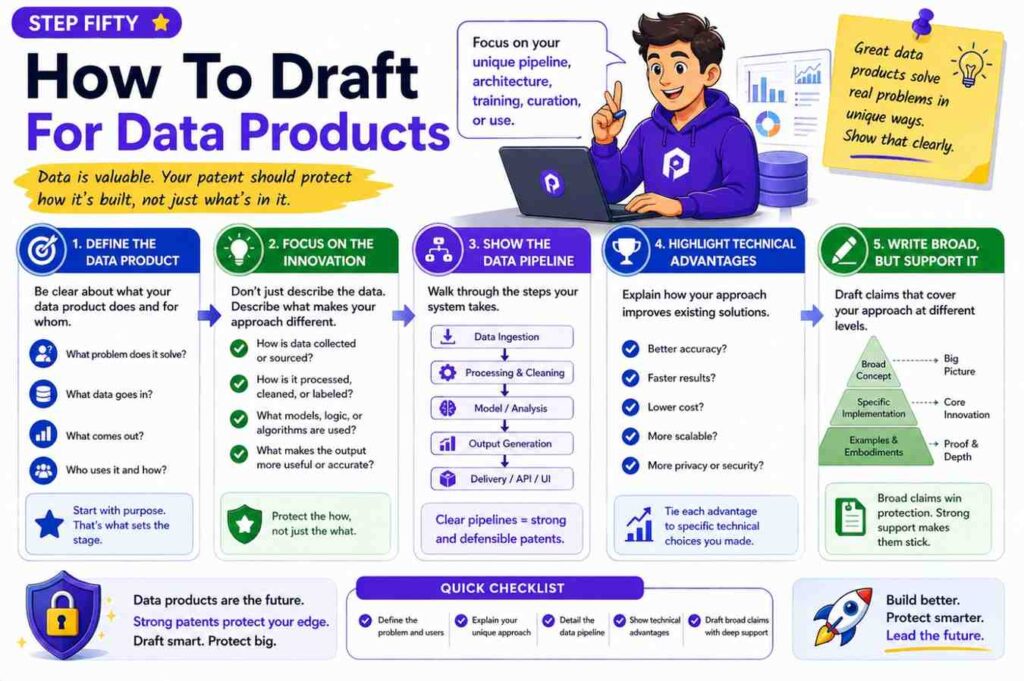
Data products often have inventions in cleaning, matching, scoring, lineage, privacy, and quality checks.
Source code may include data pipelines, schema rules, matching logic, feature transforms, and anomaly checks. API docs may show upload, validate, map, score, export, and webhook flows.
A patent spec should explain how data changes from raw input to useful output.
For example:
A data quality system receives a data set and schema data. The system creates a data profile that includes field-level values, missing value patterns, format patterns, and relationship values. The system compares the data profile with stored profiles from prior data sets. Based on the comparison, the system creates a quality score and identifies one or more likely data issues.
If the system suggests fixes, include that.
If it updates rules based on user feedback, include that.
If it preserves privacy while matching records, include that.
If it tracks lineage across systems, include that.
Data inventions can be very strong when the spec explains the data structures and decision flow.
Step Fifty-One: How To Draft For Fintech And Risk Tools
Fintech tools often involve rules, scores, workflows, alerts, identity, fraud, compliance, and audit trails. These areas can be sensitive, so accuracy matters.
A patent spec should focus on the technical method, not broad claims like “improving finance.”
For example:
A transaction risk system receives transaction data and device context data. The system creates a behavior profile for a user or device. The system compares the behavior profile with one or more stored profiles and creates a risk score. The system selects an action based on the risk score and a policy linked to the transaction type.
If your source code shows a special way to reduce false positives, describe it.
If the API docs show reason codes, review queues, or adaptive step-up checks, include them.
If the system uses graph data, explain the nodes and edges.
For example:
The graph may include nodes for users, devices, accounts, transactions, merchants, or network addresses. Edges may represent login events, transaction events, shared device use, or shared payment patterns. The system may create a risk score based on a path, cluster, or connection pattern in the graph.
That gives real support.
Step Fifty-Two: How To Draft For Health Tech Without Overclaiming
Health tech inventions need careful drafting. They may involve devices, data, workflows, alerts, models, and privacy. They may also involve rules and risks outside the patent draft.
Keep the patent spec focused on the technical system.
For example:
A monitoring system receives sensor data from a wearable device. The system creates a signal quality value and a motion value. The system selects a processing path based on the signal quality value and motion value. The system creates an alert value when a processed signal satisfies an alert rule.
If the invention is about reducing false alerts due to noisy data, explain the noise problem and the signal handling.
If the invention is about privacy, explain how identifiers are removed or how data stays local.
If the invention is about edge processing, explain what happens on the device and what happens in the cloud.
Avoid making medical claims in casual language. Work with counsel and domain experts. The spec should be technically accurate.
Step Fifty-Three: How To Draft For Climate, Energy, And Hardware-Linked Software
Many climate and energy startups have software that controls physical systems. Source code may manage sensors, models, forecasts, devices, grids, batteries, buildings, or machines.
The patent spec should connect software decisions to physical outcomes when that is part of the invention.
For example:
An energy control system receives forecast data, sensor data, and device state data for a building. The system creates a demand profile and predicts a future load value. The system selects a control plan for one or more devices based on the predicted load value and a comfort setting. The system sends a control command to at least one device.
If the system handles uncertainty, include that.
If it switches between local and cloud decisions, include that.
If it uses pricing signals, weather signals, battery state, or grid events, include them as input examples.
If it updates models based on measured results, include the feedback loop.
Hardware-linked software can be powerful IP because it can be tied to real-world action.
Step Fifty-Four: How To Turn API Payloads Into Patent Language
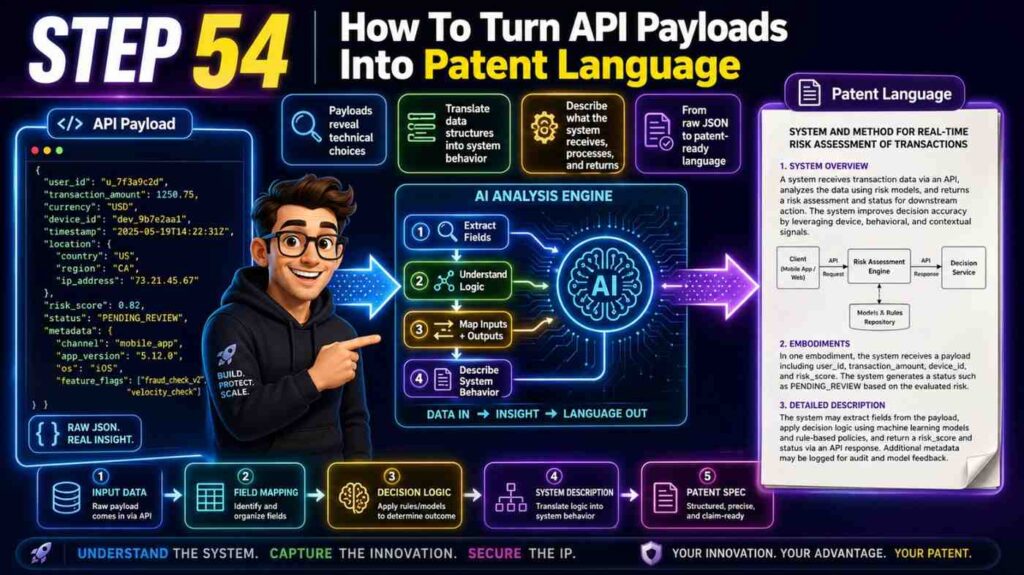
API payloads are often the most direct source of patent detail.
Suppose an API request looks like this in plain form:
user_id, session_id, tool_name, action_type, target_resource, risk_level, context_items, policy_mode.
The patent spec should not just paste the payload. It should explain what the fields mean and how the system uses them.
For example:
The action data may include a user identifier, a session identifier, a tool identifier, an action type, or a target resource identifier. The context data may include one or more context items linked to a current session. The policy data may include a policy mode that changes how the system evaluates the planned action.
Then explain the behavior:
The system may compare the action data and context data with the policy data to create an action control output.
If the response includes allow, deny, review, alternate_action, and reason_codes, write:
The action control output may include an allow value, a block value, a review value, an alternate action, or one or more reason values.
Then explain the action:
The client system may use the action control output to allow the automated agent to perform the planned action, prevent the planned action, route the planned action for review, or perform the alternate action.
That is a complete patent story from one payload.
Do this for the key endpoints. Not every endpoint matters. Focus on the ones tied to the invention.
Step Fifty-Five: How To Use Architecture Diagrams
Architecture diagrams can speed up drafting. But many diagrams are too detailed for a patent spec.
A production diagram may show every service, queue, cache, database, worker, and monitor. A patent figure should show the invention parts.
Simplify the diagram.
Group related services into modules. Remove unrelated infrastructure. Keep the data flow that matters.
For example, a production system may have ten microservices. The patent figure may show four modules: input processing, profile generation, scoring, and action selection.
That is easier to read and more aligned with the invention.
When reviewing a diagram, ask:
What part receives the key input?
What part transforms it?
What part makes the decision?
What part creates the output?
What part takes action?
What part stores feedback?
These are the parts to show.
A good figure can make the written spec much easier to draft.
Step Fifty-Six: How To Keep Claims In Mind Without Drafting Claims Too Early
Some teams want to start with claims. Sometimes that works for experienced patent counsel. But for founders and engineers, it is often easier to first build a rich spec.
Still, you should keep claim ideas in mind.
A claim usually needs clear steps or clear system parts. So the spec should describe those steps and parts.
A claim may need a point of novelty. So the spec should make the new flow clear.
A claim may need fallback positions. So the spec should include variations.
A claim may need technical effects. So the spec should explain why the system improves speed, accuracy, reliability, safety, privacy, compute use, or control.
Think of the spec as giving your attorney room to work.
A thin spec gives little room.
A rich spec gives options.
This is one reason founders should not treat patent drafting as paperwork. It is strategic.
Step Fifty-Seven: How To Avoid Product-Only Language
Product language is built for customers. Patent language is built for protection. They overlap, but they are not the same.
A product page may say:
“Ship with confidence.”
A patent spec should say:
“The system may create a deployment risk score and select a rollout plan based on the deployment risk score.”
A product page may say:
“AI guardrails for agents.”
A patent spec should say:
“The system may evaluate a planned action by an automated agent against a selected policy and create an action control output.”
A product page may say:
“Smart data quality checks.”
A patent spec should say:
“The system may create a data profile, compare the data profile with stored profiles, and create a data quality score based on the comparison.”
Use product language to find the benefit. Use technical language to protect the method.
PowerPatent is helpful here because it is built for founders who think in product terms but need patent-ready technical drafts. You can learn more here: https://powerpatent.com/how-it-works
Step Fifty-Eight: How To Draft When The Code Is Messy
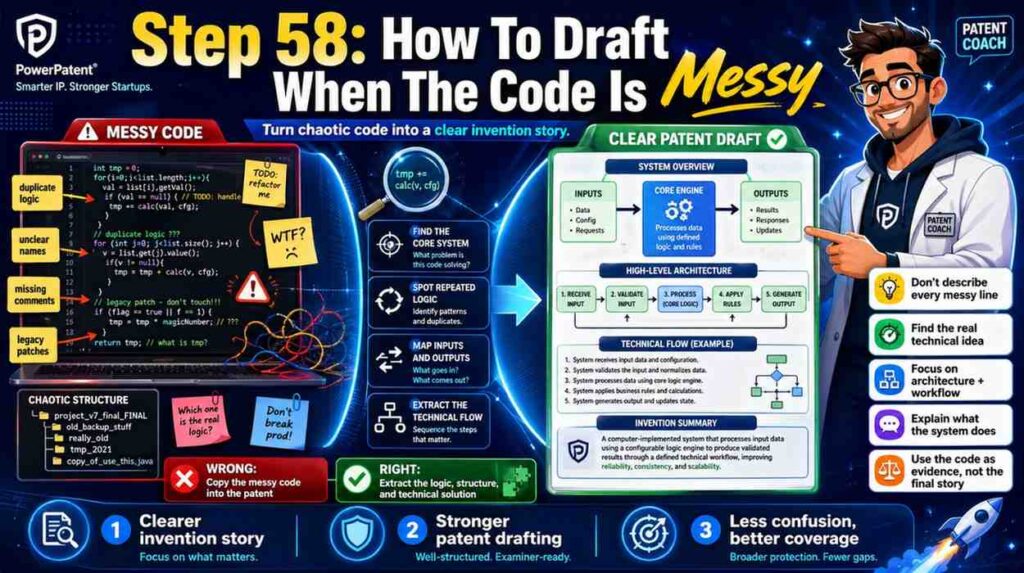
Many startups have messy code. That is normal.
The patent spec does not need to mirror the mess.
Your job is to find the clean invention inside it.
If logic is spread across files, group it into modules.
If names are inconsistent, choose clear names.
If old code paths remain, focus on the current invention and useful variations.
If comments are outdated, confirm with engineers.
If tests are missing, use API behavior and architecture notes.
If the repo has prototypes, mark which ones are relevant.
Messy code can still contain a strong invention.
In fact, the act of drafting can help the team understand its own system better. It can reveal the core flow, the real data dependencies, and the key decisions.
Do not wait for perfect code. Patent timing may matter. Capture the invention while it is fresh.
Step Fifty-Nine: How To Draft When The API Docs Are Outdated
API docs are often a little behind the code. That does not make them useless. It means you need to check them.
Compare docs with source code, tests, and live examples. Ask engineers which docs are current.
If an endpoint is old and no longer used, do not build the spec around it unless the idea remains important.
If a response field changed name, use the broader concept.
For example, if confidence_score became certainty_value, the spec can use “confidence value” or “certainty value” as examples of a value that indicates reliability.
If docs show a planned feature not yet built, ask whether it is part of the invention or roadmap. If it is a reasonable planned variation, it may still belong in the spec with care.
The point is not to worship the docs. The point is to use them as one source of truth.
Step Sixty: How To Make The Draft Investor-Friendly Without Weakening It
A patent spec is not a pitch deck, but a clear patent story can help investors understand the moat.
Investors may not read the full spec. But the same clarity that helps a patent draft can help your IP story.
The invention should be explainable in one sentence.
The problem should be clear.
The technical edge should be clear.
The product value should be clear.
The future scope should be clear.
For example:
“We predict deployment risk by matching code-change signatures with runtime traces from similar past deployments, then use that risk to choose safer rollout plans.”
That is strong. It sounds technical and useful.
A vague version would be:
“We use AI to make DevOps better.”
That is weak.
Patent drafting forces precision. Good precision helps fundraising, partnerships, and M&A.
Step Sixty-One: How To Build A Repeatable Patent Pipeline
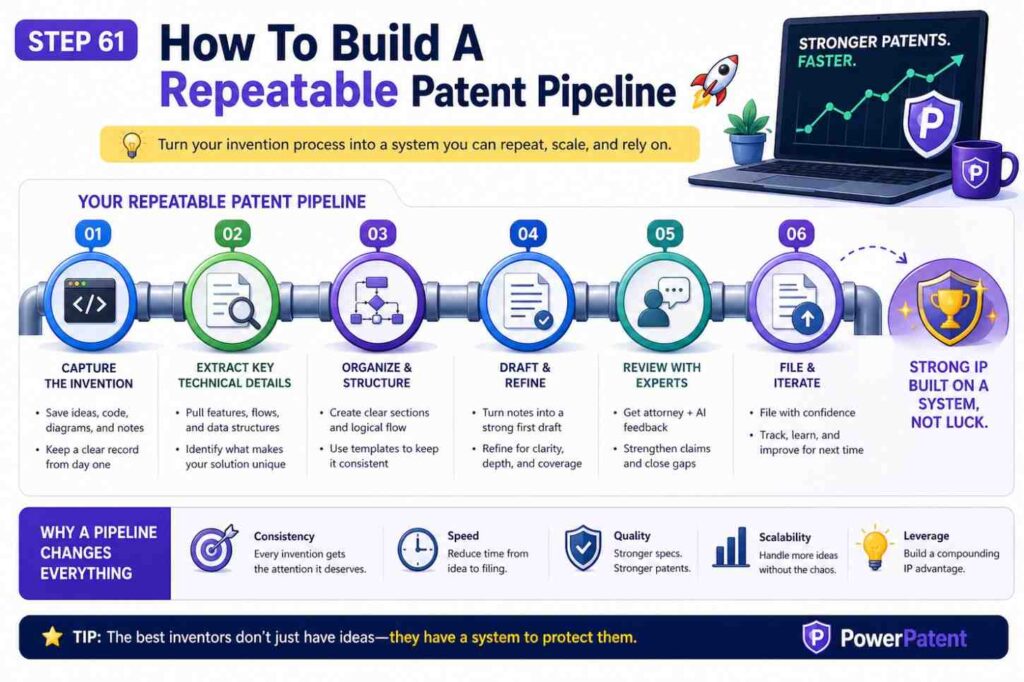
One patent draft is good. A repeatable patent pipeline is better.
Startups that build fast should capture inventions as they happen.
A simple pipeline can work.
When a major feature ships, ask whether it solved a hard technical problem.
When a team creates a new model flow, ask whether the data, decision, or action is new.
When an API adds a new workflow, ask whether it creates new control or automation.
When a system handles a hard edge case, ask whether that edge case is part of the moat.
When a customer asks, “How do you do that?” ask whether the answer includes protectable IP.
Then capture a short invention brief, key files, API docs, tests, and examples.
This can be lightweight. The goal is not to file a patent for everything. The goal is to avoid missing the good stuff.
PowerPatent gives founders a modern way to run this kind of pipeline with smart tools and attorney review. It helps turn invention capture into part of the build process, not a separate nightmare. See how it works here: https://powerpatent.com/how-it-works
Step Sixty-Two: What Good Looks Like
A good patent spec drafted from source code and API docs has a few clear traits.
It names the technical problem in simple words.
It explains the core invention without hiding behind buzzwords.
It maps source code functions into clear modules.
It turns API endpoints into workflows.
It describes data structures and how they are used.
It includes normal paths, hard paths, and fallback paths.
It explains outputs and actions.
It covers reasonable future versions.
It avoids private secrets.
It gives attorneys enough support to write strong claims.
It reads like a clear technical guide, not a pile of legal fog.
That is what good looks like.
Step Sixty-Three: A Final Working Template
Use this simple template when you sit down to draft.
Title: Name the technical flow.
Field: Say the area in one sentence.
Background: Explain the technical problem and why older approaches may fall short.
Summary: Explain the core flow from input to action.
System: Name the main modules and what each one does.
Inputs: Describe the data from source code, API requests, sensors, logs, or users.
Data Structures: Describe profiles, signatures, graphs, vectors, records, or policies.
Method: Walk through the steps.
Outputs: Describe scores, labels, plans, commands, responses, or policies.
Actions: Explain how outputs change system behavior.
Examples: Show real use cases, including hard cases.
Variations: Cover alternate inputs, models, platforms, and workflows.
Training or Updates: Describe feedback loops if they exist.
Computer System: Describe where the software runs and how data is stored.
Review: Check support, scope, privacy, and accuracy.
This template is simple, but it works.
Step Sixty-Four: The Founder’s Biggest Takeaway
Your code is not just code. It is a record of hard choices.
Your API docs are not just docs. They are a map of product behavior.
Together, they can become the base for a strong patent spec.
But the spec should not be a copy of the code. It should be a clear, broad, honest story of the invention.
It should show what problem you solved, how your system works, what data it uses, what decisions it makes, what actions it causes, and how it can grow.
That is how you protect more than a feature. That is how you protect the edge behind the feature.
If your team has source code, API docs, model flows, or technical notes that may hold valuable IP, do not let them sit in scattered folders. Turn them into protection while the work is fresh.
PowerPatent helps founders do that faster with smart software and real patent attorney oversight. You can explore the process here: https://powerpatent.com/how-it-works
Conclusion
Drafting patent specs from source code and API docs is not about turning code into legal noise. It is about turning real engineering work into clear protection.
Start with the invention story. Trace the data. Map the modules. Explain the flow. Add real examples. Cover edge cases. Keep the wording simple. Leave room for the product to grow.
That is the path from repo to patent-ready draft.
And you do not have to do it the old slow way. PowerPatent helps deep tech teams protect what they are building with modern software and real attorney oversight. See how it works here: https://powerpatent.com/how-it-works
Leave a Reply