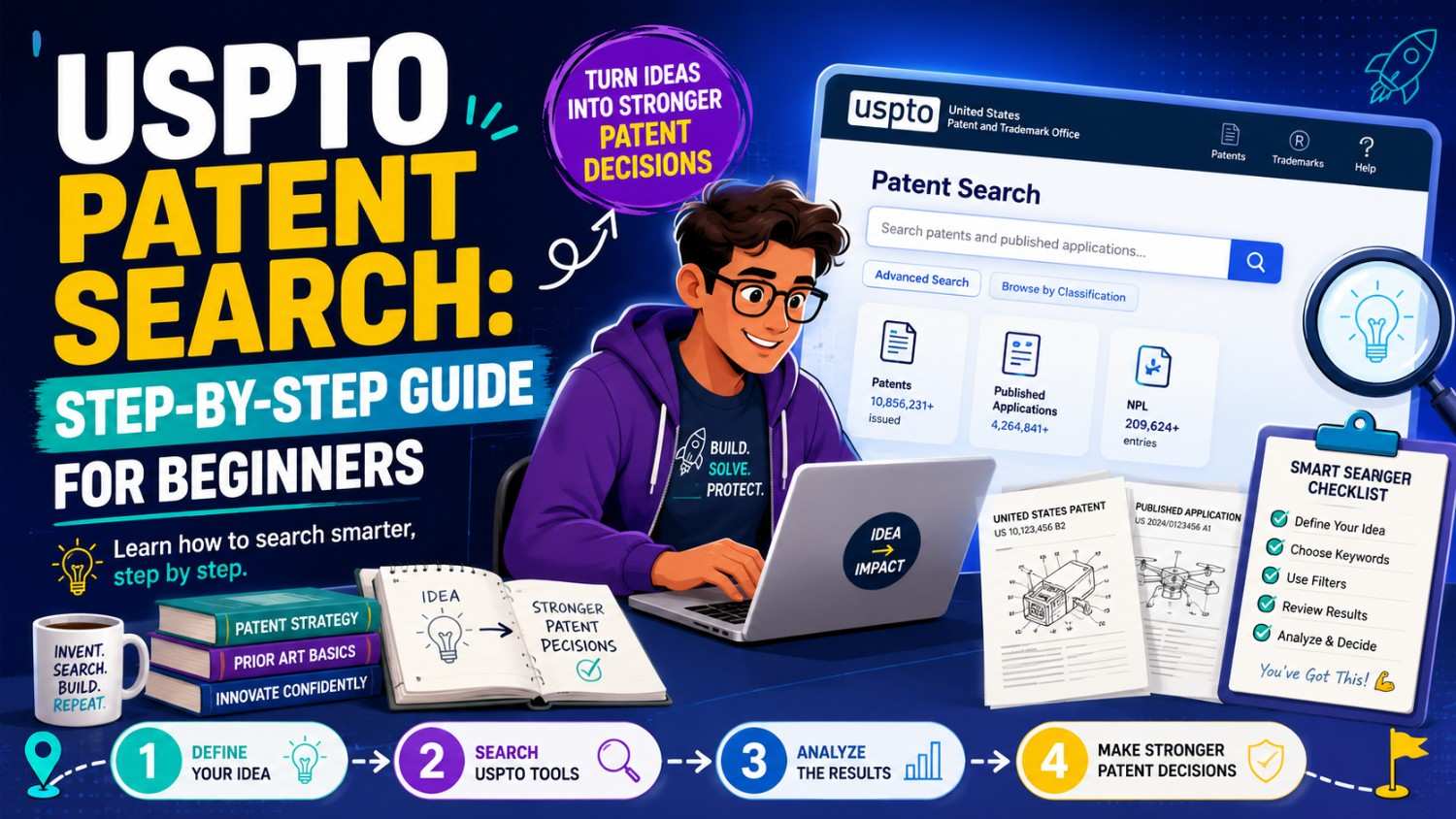
A patent search can feel hard the first time.
The words are strange. The documents are long. The search tools look serious. And if you are a founder, you may be thinking, “I just want to know if my invention is new.”
This guide will walk you through a simple beginner-friendly way to search U.S. patents using USPTO tools. It will not make you a patent lawyer. But it will help you search smarter, read results faster, and know when to bring in expert help.
PowerPatent helps founders turn code, models, systems, and inventions into stronger patent filings with smart software and real patent attorney oversight. To see how the process works, visit https://powerpatent.com/how-it-works.
What a USPTO patent search is
A USPTO patent search is a search through U.S. patent records.
You use it to find earlier patents and published patent applications that may be close to your invention. These earlier documents may affect whether your invention can be patented. They may also help you understand the field, learn how others describe similar technology, and draft a stronger patent application.
The USPTO’s main free search tool is called Patent Public Search. The USPTO describes it as a search tool for patents and published patent applications, and it offers both Basic Search and Advanced Search options. The USPTO also provides quick reference guides and tutorial videos for people who are learning how to use it.
For a beginner, that means you do not need paid software to start.
You can begin with USPTO Patent Public Search and learn a lot.
But you should also know what a USPTO search does not do. It does not search every possible piece of prior art in the world. A serious prior art search may also need foreign patents, papers, product manuals, public code, conference talks, websites, standards, and other non-patent sources. The USPTO’s own seven-step guide says a comprehensive prior art search would include foreign patent publications and non-patent literature, not only U.S. patents and U.S. published applications.
So think of a USPTO patent search as a strong starting point.
It is not the whole map.
Why founders should learn basic patent searching
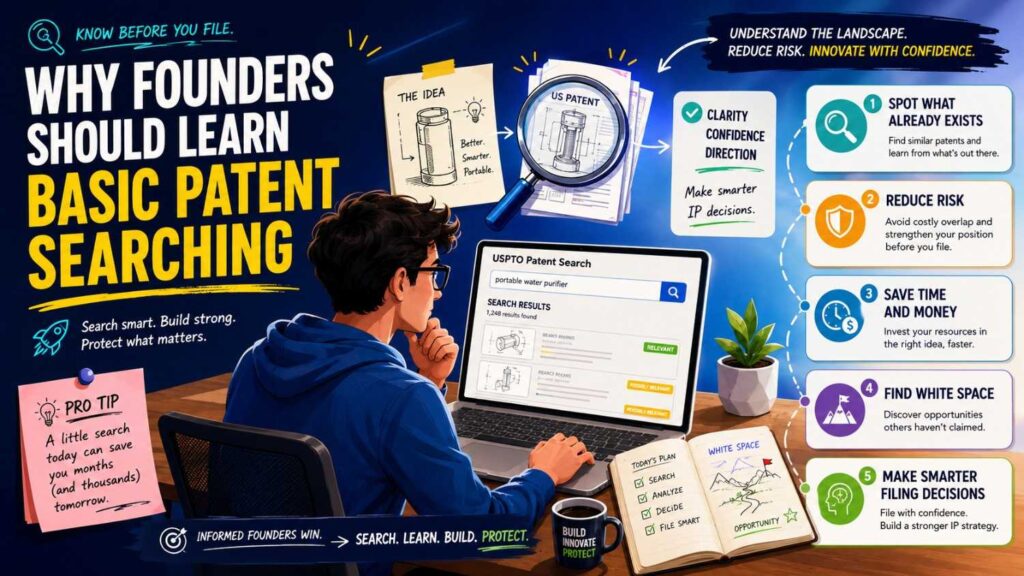
A founder does not need to become a patent search expert.
But learning the basics can save time, money, and confusion.
When you search early, you may find that your broad idea is already known. That can feel bad at first, but it is useful. It helps you avoid spending money on the wrong patent. It also helps you find the part of your invention that is truly different.
For example, you may think your invention is “an AI tool that helps support teams answer tickets.” A search may show that many older patents and applications already discuss AI support tools.
That does not mean your invention has no value. The real invention may be more specific. Maybe your system uses a special confidence score. Maybe it routes hard tickets to a larger model only when needed. Maybe it reduces cost by using local models first. Maybe it learns from rejected answers in a special way.
A search helps you move from a broad product idea to a sharper invention.
That matters because patents protect inventions, not vague product dreams.
A beginner search can also help you speak better with your patent attorney. You can show what you found. You can explain what looks close. You can ask better questions. You can help the attorney focus faster.
PowerPatent is built for this same goal: helping founders explain what they built in a way that can become stronger patent work. The software helps capture the invention, while real patent attorneys help guide and review the filing. You can see the process at https://powerpatent.com/how-it-works.
What you are really searching for
When you search patents, you are not only looking for your product name.
You are looking for the idea behind your invention.
That idea may be described with many different words.
A drone may be called an unmanned aerial vehicle. A chatbot may be called a dialogue system. A recommendation engine may be called a ranking module. A wearable may be called a body-worn device. A database sync feature may be called distributed data replication.
This is why patent searching feels strange at first.
Patent documents often use broad, formal, or unusual words. They may not sound like your pitch deck. They may not use the same words your engineers use. They may not use the same words customers use.
A good beginner search starts by breaking your invention into simple parts.
What problem does it solve? What parts does it use? What steps happen? What data goes in? What output comes out? What changes because of the invention? What makes it different from the old way?
Once you know those pieces, you can search better.
If you search only for “AI customer support,” you will get broad results. If you search for “confidence score model routing support ticket,” you may get closer results. If you search for “ticket classification escalation machine learning confidence,” you may find a different set. If you search for “dialogue system response confidence routing agent,” you may find another.
That is the work.
A search is not one query. It is a set of tries.
Start with the right mindset
A beginner patent search should not be treated like a pass-fail test.
It is a learning tool.
You are trying to learn what already exists. You are trying to learn what words others use. You are trying to find the closest references. You are trying to see whether your invention still has a clear edge.
You are not trying to prove that nothing exists.
No search can prove that. Even professional searches have limits. Some references are hard to find. Some patent applications are not yet published. Some non-patent materials are outside the USPTO database. Some documents use different language. Some foreign documents may be difficult to search.
So do not search for one hour, find nothing, and say, “We are clear.”
Also do not find one similar patent and say, “We are dead.”
Both reactions are too extreme.
The right reaction is: “What did we learn, and how should this change our patent plan?”
That is how smart founders use search.
Step 1: Write your invention in plain words
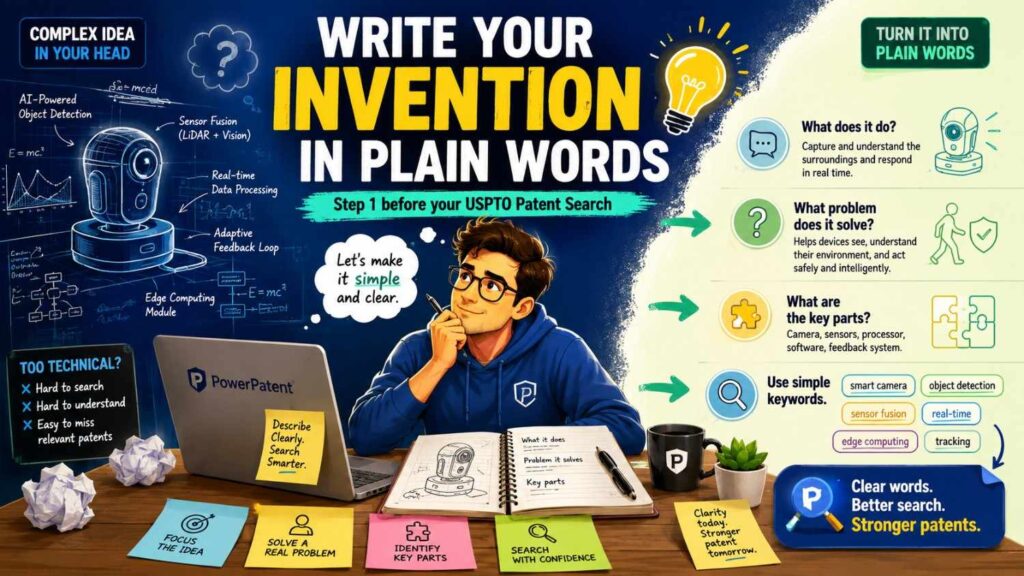
Before opening the USPTO tool, write a short invention note.
Do not use legal language. Use normal words.
Start with the problem. What was hard, slow, costly, inaccurate, unsafe, manual, or unreliable before your invention?
Then write the old way. What did people do before?
Then write the new way. What does your invention do differently?
Then write the key parts. What devices, software modules, models, sensors, servers, databases, materials, or steps are involved?
Then write the result. What improves? Speed? Accuracy? cost? safety? battery life? privacy? memory use? reliability?
This simple note will guide your search.
For example, a weak invention note may say:
“Our app uses AI to improve hiring.”
That is too broad.
A stronger note may say:
“Our system reads interview notes, job requirements, and candidate work samples. It creates a skill match score and a confidence score. If confidence is low, it asks a human reviewer for a decision instead of ranking the candidate automatically. The system updates future scoring rules based on reviewer corrections.”
Now you have search ideas.
You can search “candidate skill match score confidence reviewer correction,” “job requirement work sample ranking confidence,” “human review machine learning candidate scoring,” and many related terms.
The better your invention note, the better your search.
This is also why PowerPatent focuses on invention capture. Founders often know what they built, but they need help turning that knowledge into a clear invention record. That record makes search and drafting stronger. Learn more at https://powerpatent.com/how-it-works.
Step 2: List many names for the same thing
Patent searching rewards flexible language.
Before you search, write down different words for the same idea.
If your invention uses a “score,” also think about rating, value, metric, confidence, rank, probability, weight, threshold, and indicator.
If it uses a “model,” also think about classifier, neural network, machine learning system, predictor, engine, inference module, and algorithm.
If it uses a “user device,” also think about client device, mobile device, terminal, computing device, wearable, handset, and edge device.
If it uses “routing,” also think about selecting, assigning, forwarding, escalating, directing, switching, and dispatching.
This matters because patents do not use one shared vocabulary.
A beginner often searches one phrase and stops. That is not enough.
You need word families.
You also need field-specific words. In AI, people may say embeddings, vectors, semantic representations, retrieval, ranking, inference, fine-tuning, prompts, agents, tools, context, confidence, and evaluation. In robotics, people may say path planning, localization, mapping, actuator control, sensor fusion, calibration, obstacle avoidance, and safety envelope. In battery tech, people may say state of charge, impedance, degradation, thermal control, cycle life, charging profile, and cell balancing.
The search gets better when your word list gets richer.
Step 3: Open USPTO Patent Public Search
The USPTO search page gives access to Patent Public Search and learning resources for patent searching.
Patent Public Search has a Basic Search and an Advanced Search. Basic Search is easier for beginners. Advanced Search gives more control.
If this is your first time, start with Basic Search.
The Basic Search page includes a quick lookup for a patent or publication number and a basic search box. The USPTO’s Basic Search page shows examples of number lookup formats, such as a patent number or publication number.
Do not worry if the tool feels plain. Patent tools are built for search, not style.
Your goal at this stage is simple: find a few documents that seem close.
Step 4: Run a very simple first search
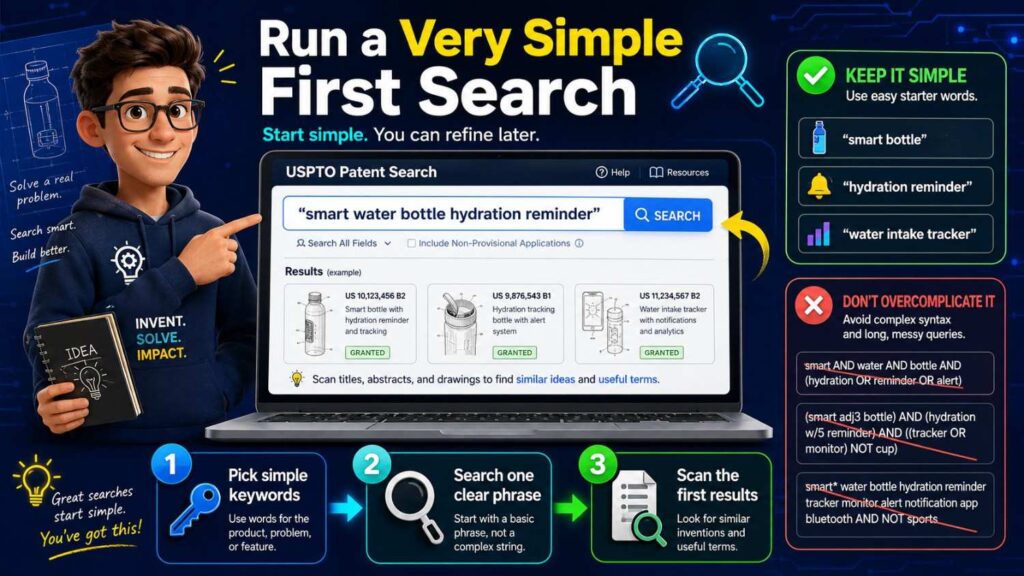
Start broad, but not too broad.
Use two or three key terms.
If your invention is a model routing system, you might search:
model routing confidence
If your invention is a wearable heat stress device, you might search:
wearable heat stress sensor
If your invention is a battery charging method, you might search:
battery charging temperature impedance
If your invention is a robotics safety control method, you might search:
robot safety sensor control
This first search will probably be messy.
That is fine.
You are not trying to finish. You are trying to learn the words that appear in the results.
Open a few results. Look at the title, abstract, drawings, and first claim. Ask whether the document is in the same world as your invention.
You may see words you did not think of. Add them to your word list.
For example, you searched “model routing confidence,” but a patent result uses “inference engine selection based on uncertainty.” Now you should search “inference engine selection uncertainty.” Another result says “computational cost threshold.” Add that too.
Your search improves as you learn.
Step 5: Do not judge by the title alone
Patent titles can be vague.
A title may say “Systems and methods for data processing.” That tells you almost nothing. The document may still be highly relevant.
Do not stop at the title.
Read the abstract. Look at the drawings. Search within the document for your key terms. Read the summary. Read the parts of the detailed description that match your invention. Then look at the claims.
For a beginner, drawings are often the fastest way in.
A system diagram can show the parts. A flowchart can show the steps. A device drawing can show structure. A data flow figure can show how the invention works.
If the drawings look close, read more.
If the abstract sounds close, read more.
If the first claim includes the same key steps, read carefully.
But remember: for patentability searching, the whole disclosure can matter, not just the claims. A published patent application may disclose something in the description even if the claims are different.
Step 6: Keep notes from the beginning
Do not rely on memory.
Patent searches get confusing quickly.
Create a simple search log. It can be a spreadsheet, document, or notes file.
For each search, write the terms you used, the date, and the best results. For each relevant patent, write the patent or publication number, title, assignee, date, and why it matters.
You do not need a fancy system.
You just need enough notes so you can come back later and remember what you found.
This helps your patent attorney too. Instead of saying, “I saw something close but lost it,” you can send a clean list.
Your notes should also include what makes each result different from your invention.
That difference is often the most valuable part.
For example:
“This patent uses a confidence score to rank outputs, but it does not switch between small and large models based on cost.”
“This application uses wearable sensors for heat stress, but it does not update alert timing based on recent activity.”
“This patent detects battery degradation from temperature history, but it does not combine impedance change with adaptive charge profiles.”
Those notes help shape claim strategy later.
Step 7: Search the same idea in several ways
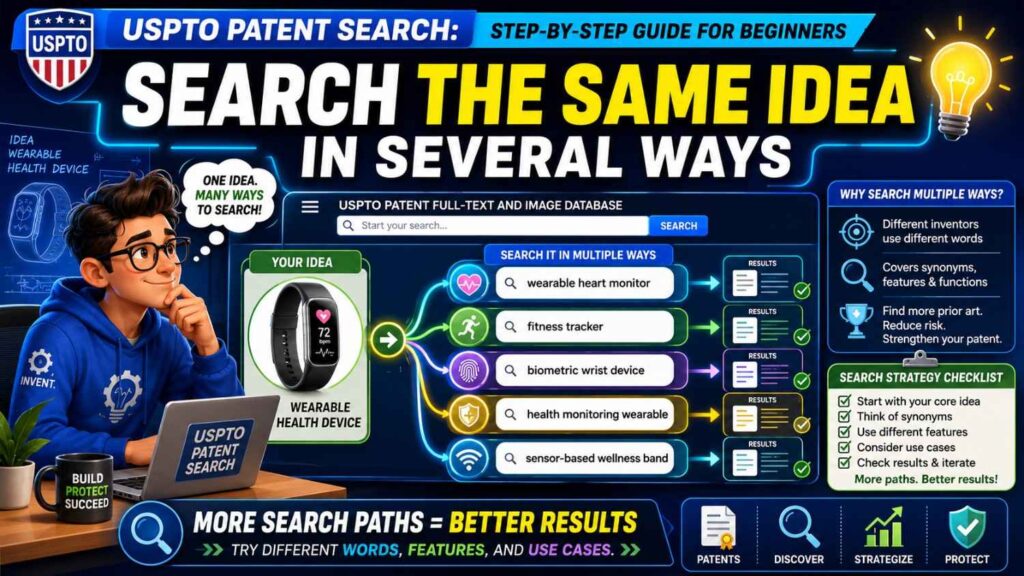
Now that you have a few first results, search again using different words.
If your first search was:
wearable heat stress sensor
Try:
body worn temperature heart rate heat illness
Then:
physiological monitoring heat strain alert
Then:
worker safety wearable thermal stress
Then:
activity based heat stress warning
Each search may reveal a different cluster of documents.
This is normal because patents use different language.
Do not expect one query to do all the work.
A good beginner search may use ten, twenty, or more searches. The goal is not to search forever. The goal is to try enough angles that you understand the field.
The USPTO’s search resources include a suggested multi-step strategy for preliminary searches of U.S. patents and published applications using free USPTO and EPO resources. (USPTO) That idea is important: searching is a process, not a single query.
Step 8: Search by problem, not only by solution
Many beginners search only their own solution.
That can miss important prior art.
Search the problem too.
If your invention reduces false positives in security alerts, search “false positive security alert reduction.”
If your invention reduces battery heat during charging, search “battery charging thermal runaway prevention” or “charging temperature control.”
If your invention improves robot navigation in crowded spaces, search “robot obstacle avoidance crowded environment” or “human aware robot navigation.”
Why does this help?
Older patents may solve the same problem with different words. Even if they use a different method, they may still matter. They may show what was known. They may also show what others tried before.
Problem-based searching helps you understand the field.
It can also help you draft a better patent later because you will understand the old pain more clearly.
Step 9: Search by parts
Search the parts of your invention.
If your invention has a sensor, search the sensor.
If it has a confidence score, search the score.
If it has a model routing step, search model routing.
If it has a feedback loop, search feedback update.
If it has edge processing, search edge device inference.
This is helpful because one patent may not describe your whole invention, but several patents may describe parts of it. That matters for obviousness. Even if no single reference shows everything, the patent office may combine references when reviewing claims.
For a founder, this means you should pay attention to building blocks.
If every part of your invention appears in old references, your patent attorney needs to know that. The invention may still be protectable if the combination is new and non-obvious, but the draft must be more careful.
Step 10: Search by result
Search the result your invention creates.
If your invention lowers cloud cost, search “reduce cloud computing cost model inference.”
If it improves battery life, search “extend battery life adaptive sampling.”
If it lowers latency, search “low latency model selection.”
If it improves safety, search “robot safety control human proximity.”
Result searching can find patents that frame the invention around the outcome.
But use result terms carefully. Words like “improve,” “optimize,” and “enhance” are broad. Pair them with technical features.
For example, “optimize AI” is too broad. “optimize inference cost confidence model selection” is better.
Step 11: Search by company
Search known competitors.
Use company names, product names, old company names, acquired company names, university lab names, and founder names.
This can reveal patent filings you would not find with keywords.
Large companies often file patents using broad language. A direct company search can expose their filings even when the wording is different.
For startups, this is useful for two reasons.
First, it helps you see what competitors have disclosed.
Second, it helps you learn the language used in the field. Competitor patents may use terms, classifications, and citations that lead you to more results.
Do not stop with competitors, though.
The closest prior art may come from a failed startup, a university, a foreign company, or a different industry.
Step 12: Search by inventor
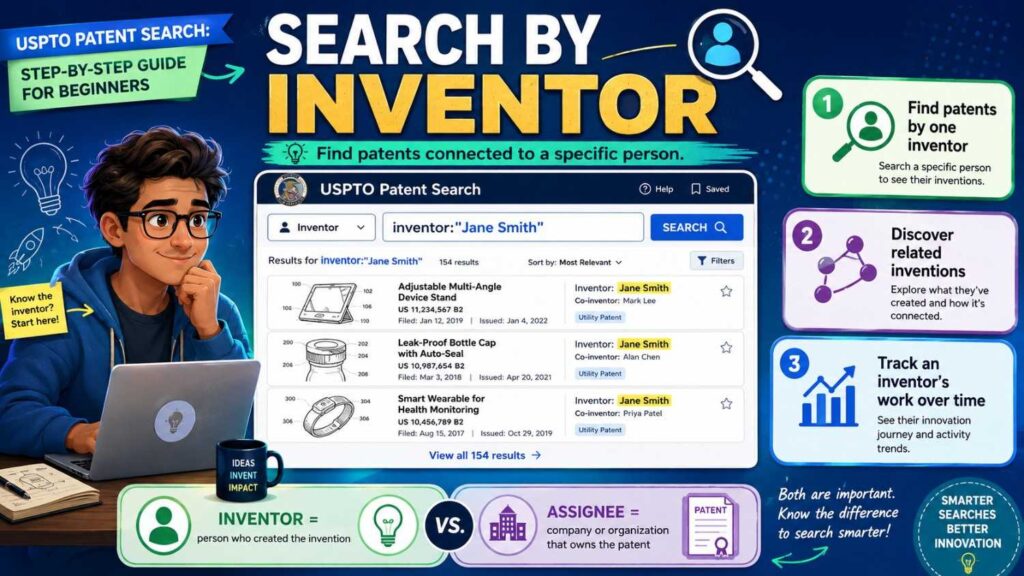
Inventor names can be powerful search clues.
Engineers and researchers often publish or patent related ideas over many years. They may move between companies. They may file at a university, then at a startup, then at a large company.
If you know experts in the field, search their names.
If you find a close patent, search the inventors on that patent. They may have other related patents.
This is especially useful in deep tech fields where a small group of people work on similar problems.
Step 13: Use patent citations
When you find one close patent, do not stop there.
Look at what it cites. Then look at who cited it.
Patent citations are like trails.
Earlier cited documents may show the background. Later citing documents may show improvements. Together, they can reveal a cluster of relevant patents.
This is one of the best ways to search because it does not rely only on keywords.
If one patent is close to your invention, its citation network may contain other close references.
Take notes as you move through citations. Otherwise, it is easy to get lost.
Step 14: Try Advanced Search when Basic Search is not enough
Once Basic Search feels limiting, move to Advanced Search.
The USPTO’s Advanced Search interface supports simple or complex queries, and the USPTO quick reference guide explains that users can select among searchable databases, including U.S. pre-grant published patent applications.
Advanced Search gives you more control over fields, operators, and query structure.
For beginners, the point is not to use every advanced feature. The point is to search more precisely.
For example, you may want to search only abstracts, titles, claims, or specifications. You may want to combine terms. You may want to search for terms near each other. You may want to search by assignee, inventor, date, or classification.
Do not jump into complex queries too soon.
Start with simple searches. Learn the language. Then use Advanced Search to sharpen.
The USPTO also offers quick reference guides and FAQs for Patent Public Search, including help on search queries, syntax, classifications, search results, tagging, and exporting results.
Step 15: Learn the main databases you are searching
In simple terms, you want to search both granted patents and published patent applications.
Granted patents are patents that have issued.
Published applications are applications that were published before being granted or abandoned. Some published applications never become issued patents, but they can still disclose prior art.
This is a big beginner trap.
If you search only issued patents, you may miss published applications that describe your invention.
The USPTO Advanced Search guide explains that Patent Public Search includes selectable databases, including U.S. pre-grant published patent applications.
For a beginner patentability search, include published applications.
Step 16: Read claims without getting scared
Claims are the numbered sentences near the end of a patent.
They can be hard to read. They are often long. They use formal words. They may feel like one giant sentence that never ends.
Do not panic.
For beginner searching, read claims slowly and break them into parts.
A claim may say a system includes a processor, memory, instructions, receiving data, generating a score, selecting a model, and outputting a result.
Write those parts down.
Then compare them to your invention.
Does the claim include your key step? Does it include something your invention does not require? Does it miss your special feature? Does it focus on a different field?
For patentability, the whole patent document matters, not only the claims. But claims are still useful because they show what the applicant thought was important.
If a claim is very close to your invention, flag it for attorney review.
Step 17: Read the specification for technical detail
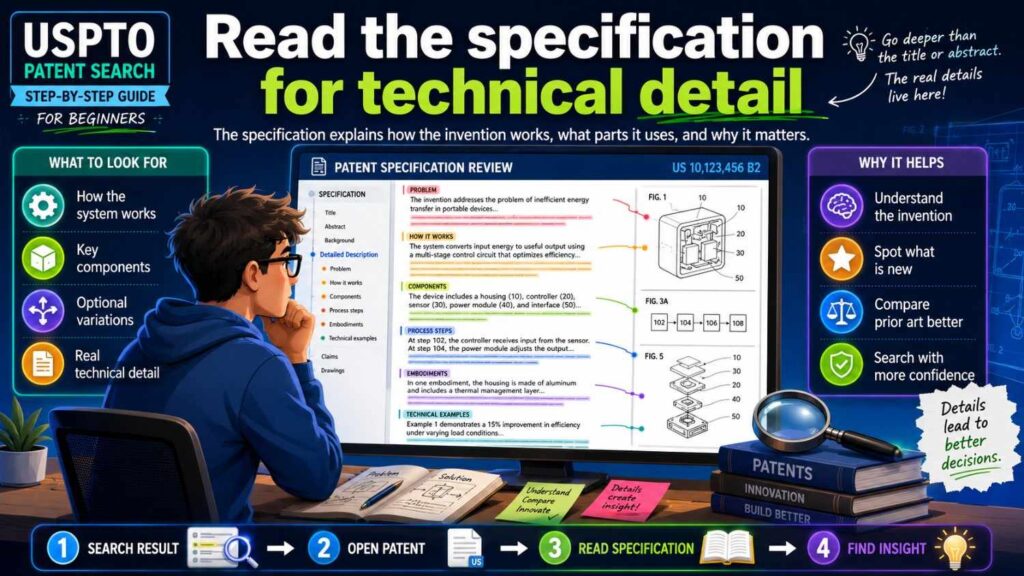
The specification is the detailed written description.
This is where the patent explains examples, drawings, parts, steps, and variations.
For patentability searching, the specification can be very important. A patent may disclose your key feature in the detailed description even if it is not in the first claim.
Search within the document for your key words. Read the paragraphs around them. Look at the figures.
Ask, “Does this document teach the part of our invention that we thought was new?”
If yes, save it and write why.
If no, write the difference.
This difference may become important later.
Step 18: Compare feature by feature
Do not ask only, “Is this patent similar?”
That question is too vague.
Break your invention into key features and compare.
Suppose your invention includes these parts: receiving sensor data, creating a confidence score, selecting one of several models based on that score, and changing device operation based on the selected model output.
Now look at a search result.
Does it receive sensor data? Does it create a confidence score? Does it select between models based on that score? Does it change device operation?
A reference that shows all four parts is very close.
A reference that shows only sensor data and scoring may be less close, but still useful.
A reference that solves the same problem in a different way may be background.
This feature-by-feature method keeps you calm and accurate.
It also helps your patent attorney.
Step 19: Watch for “almost the same” references
A search result does not need to be identical to matter.
Sometimes the most important references are “almost the same.”
They may show the same field, same problem, or same building blocks.
These references may affect claim strategy.
For example, if many old patents show AI routing based on latency, and your invention routes based on both latency and confidence, the confidence part may become important.
If many old patents show wearable heat alerts based on temperature, and your invention also uses recent activity and confidence, those extra features may matter.
If many old patents show robot obstacle avoidance, and your invention uses a special fallback mode when sensors disagree, that fallback mode may be your edge.
Prior art helps you find what is actually special.
Step 20: Do not ignore old patents
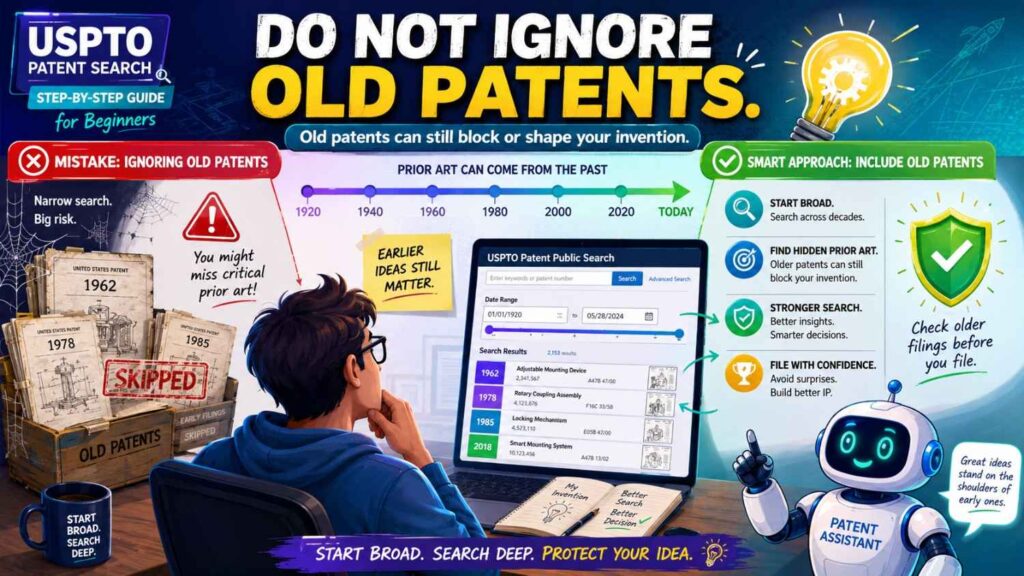
Old patents can still matter.
Even expired patents may count as prior art for patentability. They may no longer block you from selling in the same way an active patent might, but they can still show that an idea was already public.
A founder may think, “This patent expired, so we can ignore it.”
For freedom to operate, expiration may be very important.
For patentability, the old disclosure may still matter.
That distinction is key.
A USPTO patent search for patentability is about what was already known before your filing date. Old documents can still show old knowledge.
Step 21: Do not confuse patentability search with freedom to operate
This is a major point.
A patentability search asks, “Can we patent this invention?”
A freedom-to-operate search asks, “Can we sell this product without infringing active patents?”
Those are not the same.
You can have a patentable improvement and still infringe someone else’s broader active patent.
For example, you invent a better battery charging method. You may be able to patent that improvement. But your product may still use an older patented battery management system owned by another company.
A USPTO beginner search may help you learn the field. But it is not a full legal clearance for product launch.
If you are entering a crowded market or launching near known patent owners, talk to a patent attorney about freedom to operate.
PowerPatent helps founders understand these differences and move toward the right patent action with attorney oversight. Learn more at https://powerpatent.com/how-it-works.
Step 22: Know when to search beyond the USPTO
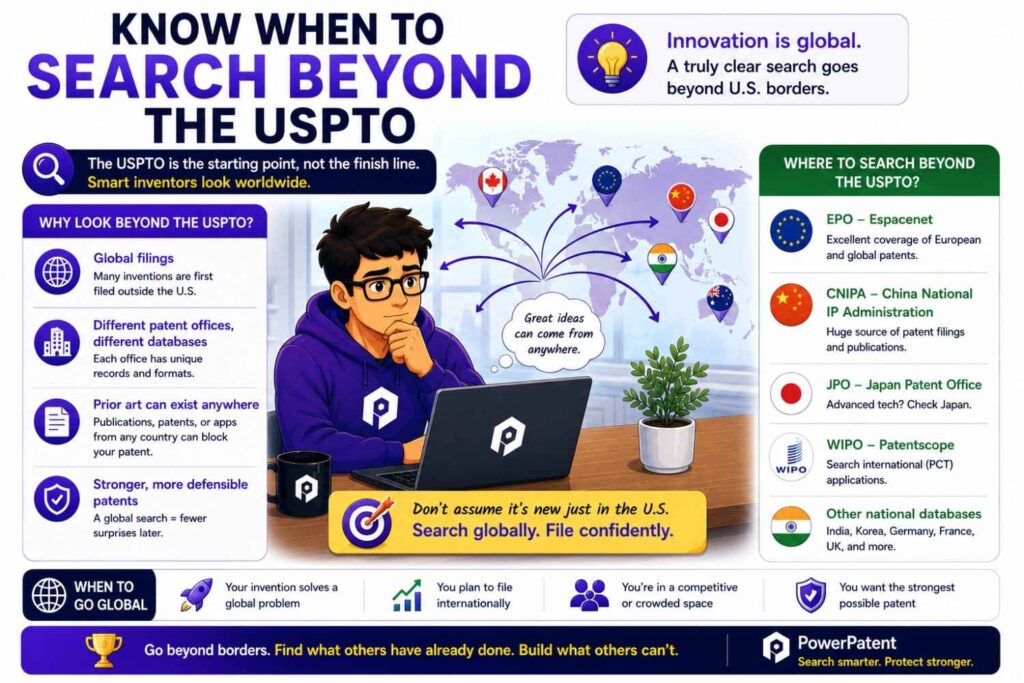
USPTO tools are powerful for U.S. patents and U.S. published applications.
But prior art can come from outside the USPTO.
The USPTO’s own seven-step search guide notes that a comprehensive prior art search would include foreign patent publications and non-patent literature such as newspapers, magazines, dissertations, conference proceedings, and websites.
That means you may also need to search:
Google Patents, Espacenet, WIPO PATENTSCOPE, academic papers, GitHub, product manuals, standards documents, technical blogs, conference papers, and old product pages.
For AI, software, robotics, biotech, climate tech, cybersecurity, and semiconductors, non-patent sources can be very important.
A USPTO search is a strong start.
It is not the full world.
Step 23: Use USPTO search results to improve your invention record
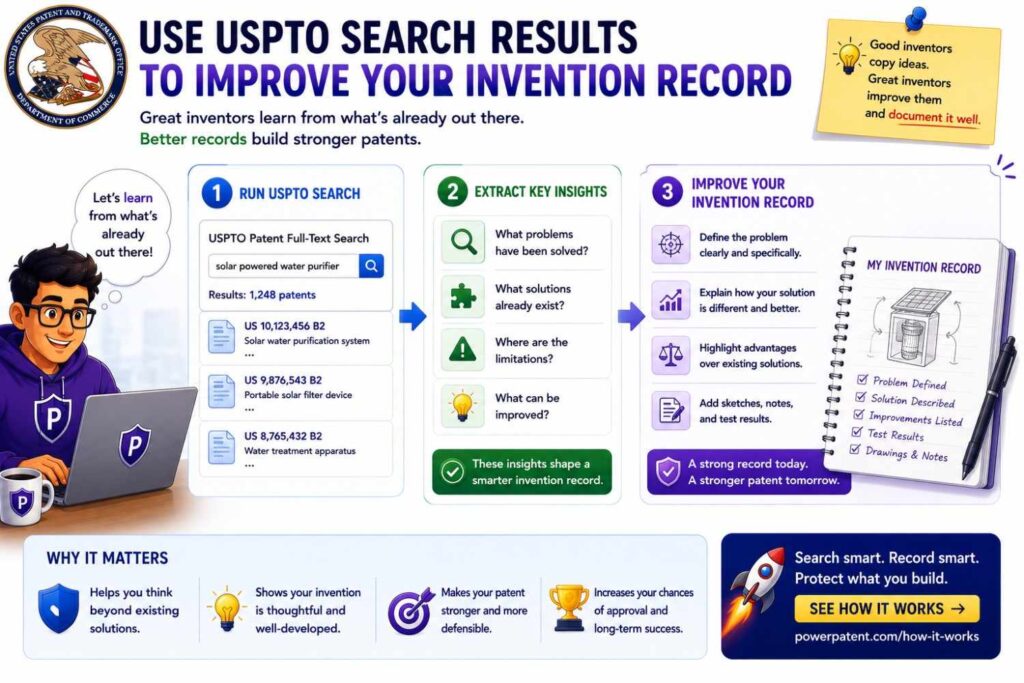
Search results should change how you explain your invention.
If you find close patents, do not hide them. Use them to sharpen your invention.
Ask what they show. Ask what they miss. Ask what your system does differently. Ask whether your special feature is clear enough.
Then update your invention record.
For example, after searching, you may change your invention summary from:
“Our system routes AI requests to reduce cost.”
to:
“Our system creates a confidence score for a first model response, estimates cost and latency for a larger model, and routes the request to the larger model only when the confidence score is below a threshold and the predicted user impact is above a set level.”
That second version is stronger.
It is more concrete. It gives your patent attorney more to work with.
This is how search helps drafting.
Step 24: Search before you publicly disclose when possible
Patent timing matters.
If you plan to launch, publish, pitch, present, demo, release code, or run a public pilot, talk to a patent professional first.
A public disclosure can affect patent rights. The rules can vary by country and fact pattern.
A simple habit helps: search and file before public disclosure when possible.
This does not mean you must stop marketing. It means your patent plan and launch plan should work together.
PowerPatent helps founders move faster from invention to filing, which is especially useful before launches, demos, investor meetings, and public releases. See how it works at https://powerpatent.com/how-it-works.
Step 25: Know what a beginner search can and cannot tell you
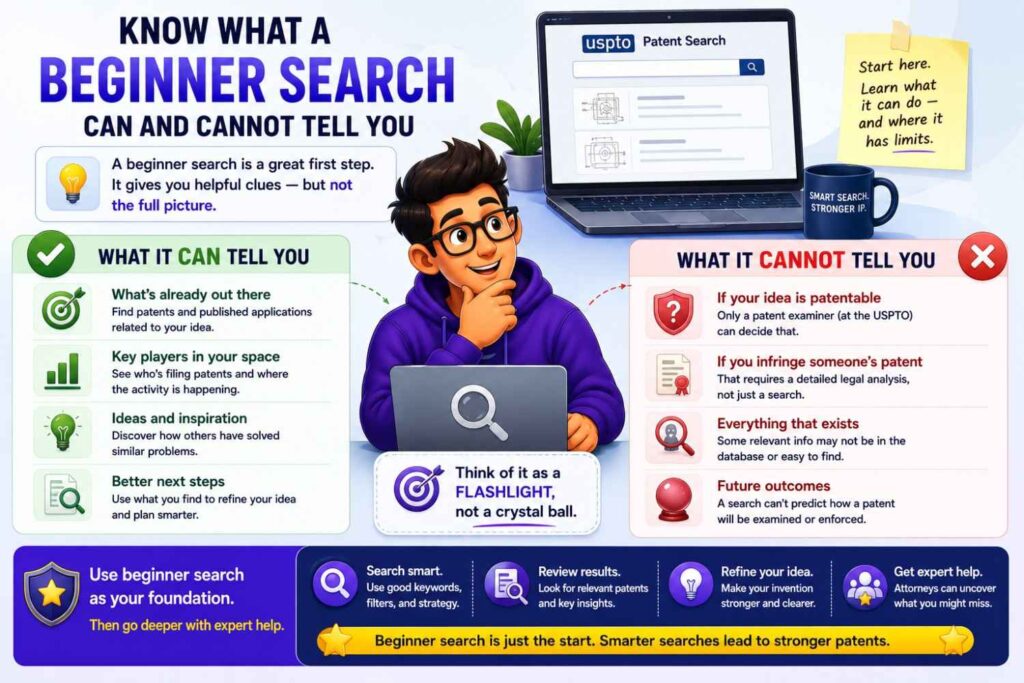
A beginner USPTO search can tell you a lot.
It can show similar patents. It can reveal common terms. It can show active players. It can help you understand old approaches. It can help you find the likely technical edge. It can help your attorney draft better.
But it cannot guarantee that your invention is patentable.
It cannot find unpublished applications. It cannot find every foreign document. It cannot find every public use or sale. It cannot replace legal analysis. It cannot tell you with certainty whether the examiner will reject your claims.
Treat it as a smart first step.
Not a final answer.
How to use the USPTO’s seven-step strategy as a beginner
The USPTO provides a seven-step strategy for conducting preliminary U.S. patent searches. The guide explains that it is focused on searching U.S. patents and published U.S. patent applications to find and evaluate relevant prior art.
The deeper lesson behind the seven-step idea is simple: do not rely on one search term.
A good search moves from keywords to classifications, then to related documents, then to review and comparison.
For beginners, you can simplify this into a practical flow.
First, describe your invention. Then find keywords. Then search broadly. Then open close results. Then collect better words. Then search again. Then follow citations and classifications. Then compare the closest documents to your invention.
That is enough to start.
The goal is not to become perfect. The goal is to search in a more organized way.
Why classification searching matters
Patent classifications group inventions by technology.
This helps because keywords are messy. Different patents may use different words for the same idea, but they may fall under the same classification.
For example, one patent may say “wearable heat stress monitor.” Another may say “physiological thermal strain detection system.” A third may say “body-worn environmental exposure alert device.” Keywords may miss some of them.
Classifications can help bring them together.
The USPTO Patent Public Search FAQs include help topics on searching by classification, which is a sign that classification search is part of the tool’s intended use.
As a beginner, you do not need to master classifications right away.
But when you find a close patent, look at its classification. Then search other patents in that class. That can reveal more close art.
What to do when you find a close patent
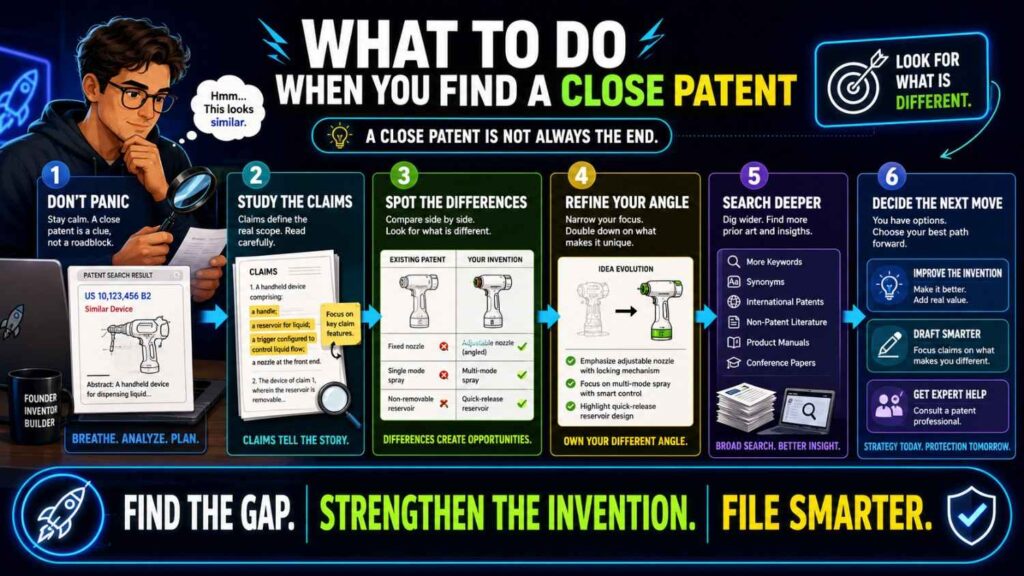
Finding a close patent is not the end.
It is the start of better thinking.
Read it carefully. Write down what it teaches. Compare it feature by feature to your invention. Note what is the same and what is different.
Then ask whether your invention still has a clear technical difference.
If yes, that difference may become the focus of your patent filing.
If no, you may need to rethink the filing. Maybe the invention is not worth patenting. Maybe a different part of the product is more protectable. Maybe the company should keep something as a trade secret. Maybe more technical development is needed.
Do not make this decision alone if the invention is important.
Send the close patent to a patent attorney.
What to do when you find many close patents
A crowded field is not always bad.
It means people care about the problem. It may also mean patent protection must be more focused.
If you find many close patents, group them.
Some may cover general systems. Some may cover one feature. Some may cover a different use case. Some may be old. Some may be owned by competitors. Some may be abandoned or expired.
Then look for your edge.
What do none of them do? What problem did they fail to solve? What technical detail is missing? What new combination did your team create?
Crowded prior art can still leave room for strong patents.
But the patent draft must be honest and precise.
What to do when you find nothing close
Finding nothing close can feel exciting.
Be careful.
It may mean the invention is truly new. It may also mean your search terms were too narrow. Maybe others use different words. Maybe the closest art is in foreign patents. Maybe it is in papers, code, or product manuals. Maybe it is in an unpublished patent application that is not visible yet.
If the invention is important, do not stop after one empty search.
Try different words. Search the problem. Search the parts. Search competitors. Search citations from related patents. Search outside the USPTO.
If you still find nothing, that is helpful. But it is not a guarantee.
The right conclusion is: “We did a reasonable preliminary search and did not find close U.S. patent references.”
That is different from: “No prior art exists.”
How founders should talk about search results with attorneys
When you talk to a patent attorney, be direct.
Share what you searched. Share what you found. Share what looked close. Share what worried you. Share what you think is different.
Do not hide close references.
A good attorney wants to know the closest prior art. It helps them draft better claims and avoid surprises.
You can say:
“We found three patents that look close. The first uses confidence scores, but not model routing. The second uses model routing, but not our feedback loop. The third is in a different field but uses similar threshold logic.”
That is useful.
The attorney can then decide how the references affect strategy.
Why PowerPatent is helpful after a beginner search
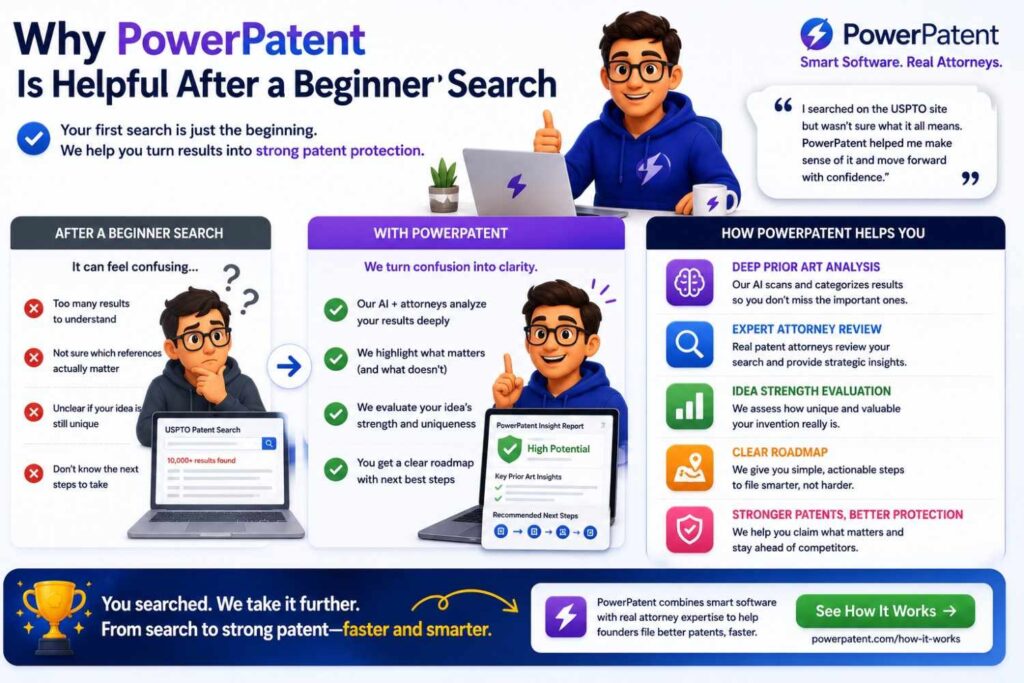
A beginner search gives you clues.
PowerPatent helps turn those clues into action.
The platform helps founders capture the invention clearly, organize technical details, and move toward a stronger filing. Real patent attorney oversight helps review the invention, search insights, claim direction, and filing strategy.
This matters because the hard part is not only finding patents.
The hard part is deciding what to do next.
Should you file? Should you narrow the invention? Should you add more examples? Should you run a deeper search? Should you file a provisional before launch? Should you protect a different part of the product?
PowerPatent helps founders move through those questions with more speed and less confusion.
To see how it works, visit https://powerpatent.com/how-it-works.
USPTO search for AI startups
AI startups should search with extra care.
AI prior art is scattered across patents, papers, code, model docs, product blogs, and open-source tools. A USPTO search is useful, but it may not be enough.
Start by searching the actual technical method.
Do not search only “AI assistant” or “machine learning platform.”
Search the invention layer.
Is it model routing? Prompt selection? Retrieval ranking? Confidence scoring? Fine-tuning? Synthetic data generation? Evaluation? Tool use? Agent memory? Safety filtering? Edge inference? Data labeling?
For example, if your invention is an AI support tool, search:
ticket classification confidence score
agent response escalation confidence
dialogue system human review routing
large language model cost latency routing
Then search outside the USPTO for papers and code if the invention is core.
AI patents are strongest when they explain how the system works, not just that it “uses AI.”
USPTO search for software startups
Software founders should search for workflows and system behavior.
Do not search only your product category.
If your product is “automated onboarding,” search identity linking, permission mapping, account provisioning, data migration, role assignment, and error handling.
If your product is “smart scheduling,” search constraint-based scheduling, calendar conflict scoring, preference learning, and real-time rescheduling.
If your product is “security automation,” search anomaly detection, policy enforcement, risk scoring, access control, and response orchestration.
Software patents often turn on specific steps.
A broad product idea may be old, while a specific technical flow may be new.
Your search should find that line.
USPTO search for hardware startups
Hardware founders should search structure and function.
Search part names, material names, physical arrangements, device modes, sensor types, control signals, and manufacturing steps.
Also search by problem.
If your invention reduces heat, search thermal management. If it reduces vibration, search damping. If it improves alignment, search calibration and positioning. If it saves power, search duty cycling and low-power modes.
Patent drawings are very useful for hardware searching.
Open the drawings early. If the structure looks close, read the description.
Hardware patents may use broad names for parts, so synonyms matter.
A clamp may be called a retention member. A housing may be called an enclosure. A spring may be called a biasing element. A connector may be called a coupling member.
Search like a patent writer, not only like an engineer.
USPTO search for robotics startups
Robotics inventions often sit across many systems.
Search the specific layer.
Is the invention about navigation, grasping, sensor fusion, mapping, control, calibration, human safety, fallback behavior, or fleet management?
A broad search for “robot” will drown you.
A better search might be:
robot sensor fusion obstacle confidence
autonomous robot fallback control sensor failure
robot grasp force feedback object detection
human proximity robot safety speed control
Robotics prior art may also be in papers and videos, so USPTO searching is only one part.
But U.S. patent searching is still very useful because robotics companies and universities file many patents.
USPTO search for climate tech startups
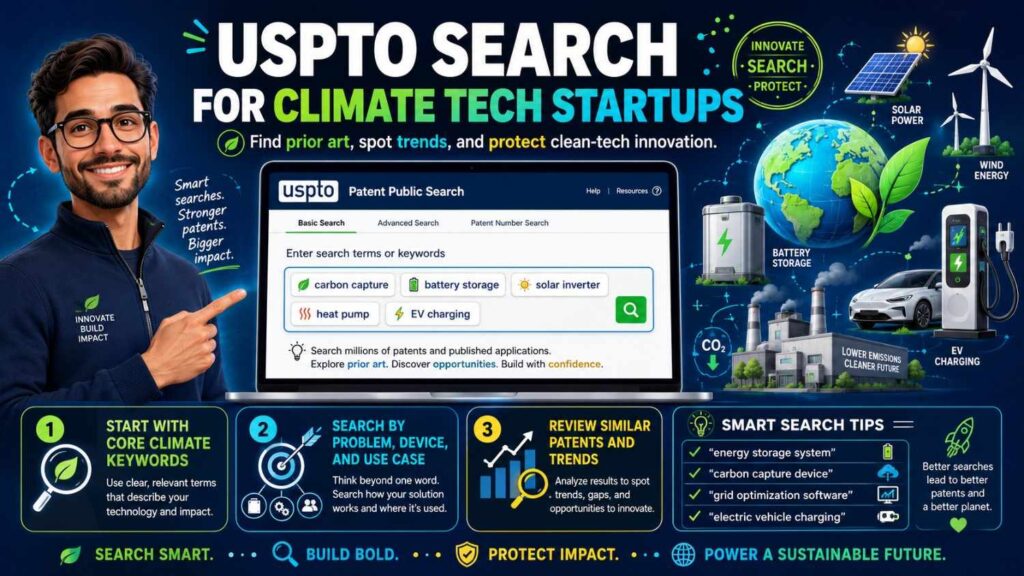
Climate tech fields often have deep prior art.
Search the exact technical improvement.
For battery tech, search state of charge, impedance, charge profile, cell balancing, thermal management, degradation prediction, and safety cutoff.
For grid tech, search load forecasting, distributed energy resource control, demand response, inverter control, and dispatch optimization.
For carbon capture, search sorbent regeneration, gas flow, thermal cycling, material structure, and capture efficiency.
For climate hardware, search materials, structures, control methods, and process steps.
Because these fields are old and global, you may need foreign patents and non-patent literature too.
A USPTO search is the starting point, not the whole search.
USPTO search for biotech and medtech startups
Biotech and medtech searches can be complex.
A beginner USPTO search can help, but these fields often need expert searching.
For medtech, search device structure, sensor workflow, signal processing, diagnostic steps, image analysis, patient monitoring, and treatment planning.
For biotech, search compositions, methods, assays, delivery systems, sequences, formulations, and manufacturing steps.
Also search papers, clinical materials, and other scientific sources when needed.
If your invention is core to the company, do not rely only on a beginner search.
Use the beginner search to learn the field, then bring in a patent professional.
Common beginner mistake: searching too late
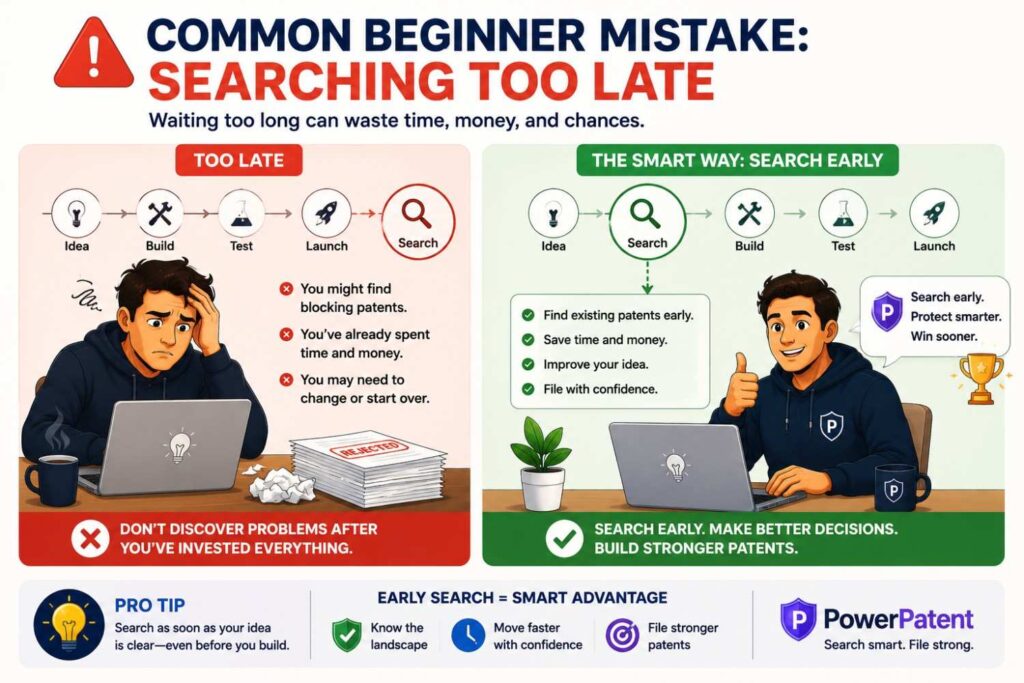
Many founders search after they already launched.
That can create problems.
Patent strategy works best before public disclosure. If you plan to show technical details publicly, file first when possible.
Searching early also helps you draft better.
If you wait until after filing, you may learn that your draft missed the true edge. You may not be able to add new details to the same filing later in the way you want.
The better habit is simple: capture the invention, run a search, then file before public disclosure when possible.
Common beginner mistake: searching too narrowly
A narrow search can miss close prior art.
If you search only your exact product name or internal term, you may find nothing.
That does not mean the invention is new.
Use synonyms. Use patent-style words. Use problem terms. Use part names. Use result terms. Search competitors. Follow citations.
The more important the invention, the more search angles you should try.
Common beginner mistake: searching too broadly
A broad search can also be a problem.
If you search “artificial intelligence healthcare,” you may get too many results to use.
Searches should be broad enough to catch different language, but focused enough to be useful.
Use combinations.
Instead of “AI healthcare,” try “medical image confidence score triage,” “patient monitoring anomaly detection alert threshold,” or “diagnostic model uncertainty human review.”
Specific searches save time.
Common beginner mistake: ignoring published applications
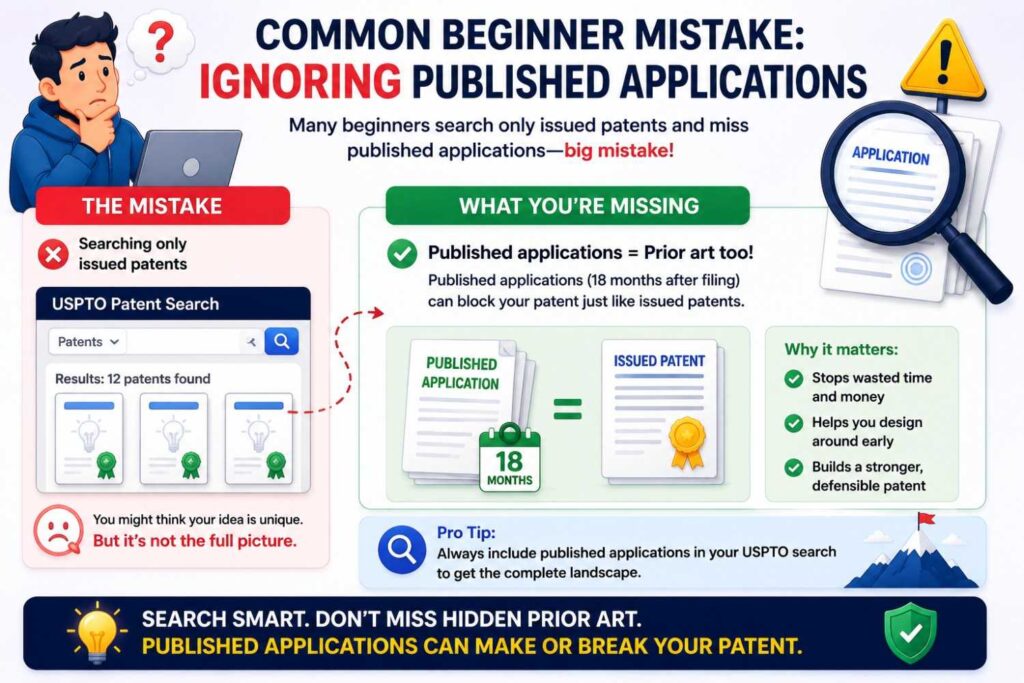
Published applications can be prior art.
Do not search only granted patents.
A published application may disclose your invention even if it never becomes an issued patent. This is very common in fast-moving fields.
Make sure your search includes U.S. published patent applications.
The USPTO Advanced Search materials identify U.S. pre-grant published patent applications as one of the searchable databases in Patent Public Search.
Common beginner mistake: reading only abstracts
Abstracts are useful, but they are not enough.
Important details may be in drawings, claims, or the detailed description.
If a result seems close, read deeper.
Use the abstract to decide what to open, not what to conclude.
Common beginner mistake: assuming a patent search is legal clearance
A patentability search is not freedom to operate.
Finding no close prior art does not mean you can launch safely.
Launching a product may raise infringement questions involving active patent claims. That requires a different type of review.
If you are near competitors or in a patent-heavy field, ask an attorney about FTO.
Common beginner mistake: hiding scary results
Do not hide close patents from your attorney.
Close results are useful. They help the attorney draft better. They help avoid surprises. They help focus the claims.
Patent work is not about pretending prior art does not exist.
It is about finding the real invention despite the prior art.
How long should a beginner USPTO search take?
A quick first search may take an hour.
A more useful beginner search may take several hours.
The USPTO’s seven-step guide says search preparation and documentation can take hours, and the time needed depends on the complexity of the invention.
That matches real life.
Simple inventions may be easier. Deep tech inventions may take much longer.
Do not rush if the invention matters.
But also do not let searching become an excuse to delay filing forever.
Search enough to learn. Then decide.
What your search notes should look like
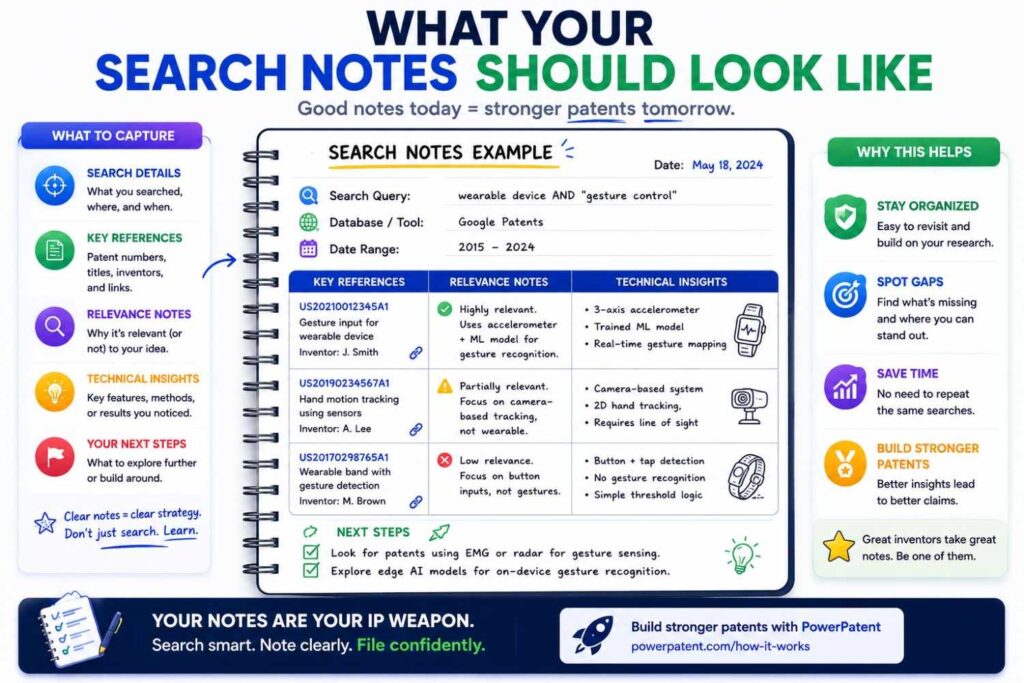
Your notes should be simple and useful.
For each close result, capture the patent number or publication number, title, owner, date, link, key figures, key paragraphs, and why it matters.
Then write one short sentence about the difference.
For example:
“Shows model routing based on latency, but not confidence plus user impact.”
“Shows wearable heat alerts, but not activity-based alert timing.”
“Shows battery temperature control, but not impedance-based adaptive charging.”
These difference notes are gold.
They help the patent team understand your edge.
How to decide whether to file after a search
Search results do not make the decision alone.
You should consider the strength of the invention, closeness of prior art, business value, timing, budget, and product roadmap.
If the search finds very close art, you may still file on a narrower improvement.
If the search finds no close art, you may file broader claims, but still include detailed support.
If the search shows the invention is likely old, you may save money and protect another feature.
If the launch is urgent, you may file a provisional quickly and search more later.
The right answer depends on the business.
That is why founder judgment and attorney judgment should work together.
How USPTO search helps with provisional patents
A provisional patent application can be useful for startups that need to file quickly.
A USPTO search before filing can help make the provisional stronger.
It can show what details to include. It can show which features are likely old. It can show where the invention may be different. It can help the attorney draft with more focus.
But timing matters.
If a public disclosure is imminent, filing quickly may be more important than a long search.
PowerPatent can help founders move fast while still capturing the technical details needed for a better provisional filing. Visit https://powerpatent.com/how-it-works.
How USPTO search helps with non-provisional patents
A non-provisional application is examined.
Search results can help shape the claims before filing.
This can reduce surprises. It can also help the attorney include fallback positions in the detailed description.
A fallback position is a narrower feature that may help if broader claims are rejected.
For example, if the broad idea of model routing is old, fallback positions may include a special confidence rule, a cost threshold, a feedback update, or a user-risk trigger.
Those details should be in the application before filing.
A good search helps identify them.
How USPTO search helps with office actions
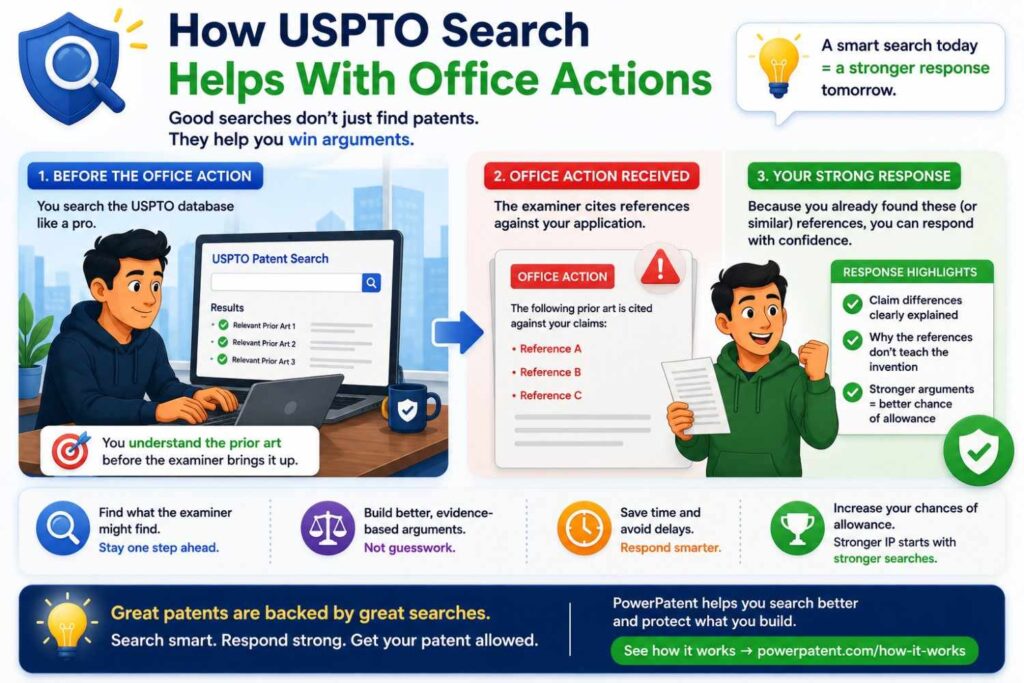
After you file a patent application, the USPTO examiner may send an office action.
This is a formal letter that explains why the examiner is not allowing the claims yet. Most office actions cite earlier patents or published applications. These cited documents are the examiner’s way of saying, “I found something that looks close to what you are trying to claim.”
This can feel stressful for founders. But an office action is not the end of the road. It is part of the normal patent process.
USPTO search can help you and your patent attorney understand the examiner’s position, find better arguments, and decide whether the claims should be changed.
Use the search to understand the examiner’s map
The first step is not to argue.
The first step is to understand.
When an examiner cites a patent or published application, open that document in USPTO Patent Public Search. Read the parts the examiner points to. Look at the figures. Read the paragraphs around the cited text. Then compare those details to your invention.
This helps you see whether the examiner is reading the reference fairly.
Sometimes the examiner is right that the old document teaches part of your claim. Sometimes the examiner is stretching the reference. Sometimes the cited reference uses similar words but does not actually teach the same technical step.
That difference matters.
For a business, this is not just a legal detail. It affects patent value. A rushed response may narrow the claims too much. A careful response may preserve broader protection.
Build a claim-by-claim response map
A smart way to review an office action is to create a simple map.
Take each rejected claim and break it into parts. Then list where the examiner says each part appears in the prior art. Next to that, write whether you agree, disagree, or need more review.
This gives the team a clear view of the fight.
For example, if your claim covers receiving data, creating a confidence score, selecting a model, and changing system behavior, the examiner may cite one reference for the data and score, then another reference for model selection.
Your job is to find the weak link.
Does the first reference really create the same kind of confidence score? Does the second reference really select a model in the same way? Would a person in the field have a reason to combine those references? Does the combination miss the business-critical feature?
This map helps your attorney prepare a stronger response. It also helps founders understand what is at stake.
Search for language that supports your distinction
USPTO search is not only useful for finding bad news.
It can also help you find support.
When an examiner says an old patent teaches your invention, you can search for how similar terms are used in other patents. This may help show that the examiner is using a term too broadly.
For example, the examiner may say a reference teaches “confidence scoring.” But other patents may use “confidence score” in a more specific way that matches your invention better. Or the examiner may say a reference teaches “routing,” but the cited system may only assign tasks manually, not route requests based on a live technical threshold.
Searching related patents can help your attorney understand how people in the field use key terms.
This can lead to better arguments and cleaner claim changes.
Look for missing technical links
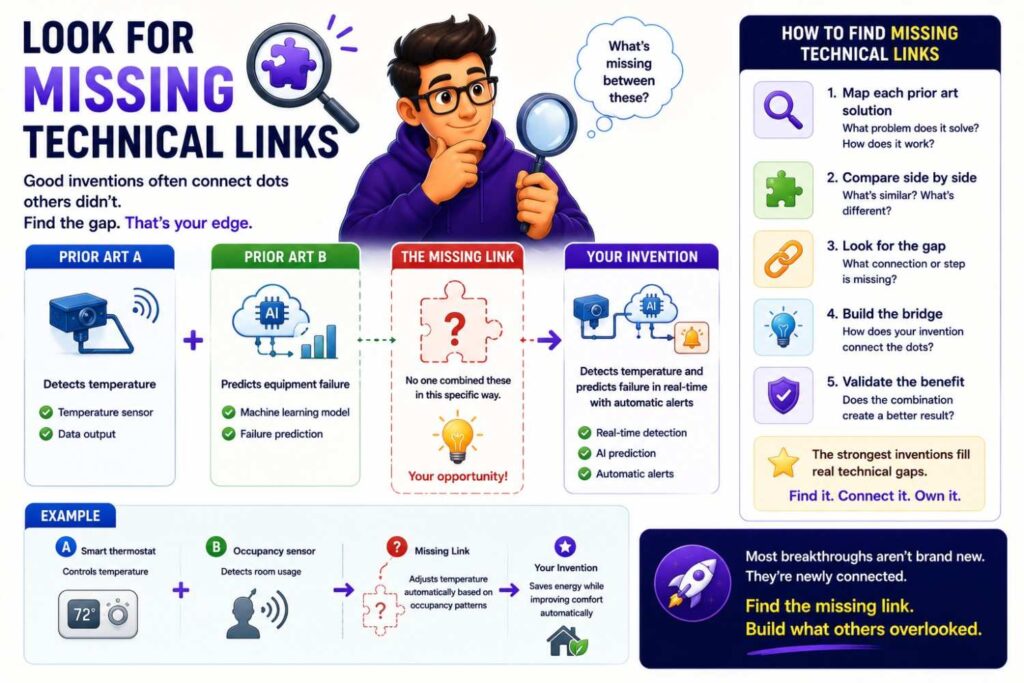
Many office action rejections depend on combining two or more references.
That means the examiner is saying, in simple terms, “Reference A shows one part, Reference B shows another part, and it would have been obvious to put them together.”
This is where a careful search can help.
Search the cited references and nearby patents to see whether the missing link is actually common. If the examiner says two systems would be easy to combine, look for evidence of whether people in the field really combined them that way.
Sometimes the references solve different problems. Sometimes they work in different settings. Sometimes one reference teaches away from the other. Sometimes the combination would break the purpose of one system. Sometimes the examiner has picked pieces from different documents without a clear reason to join them.
These points can matter.
For a startup, this is strategic because it may help protect claim scope. Instead of giving up broad coverage too quickly, the team can test whether the examiner’s combination is truly strong.
Decide whether to argue, amend, or both
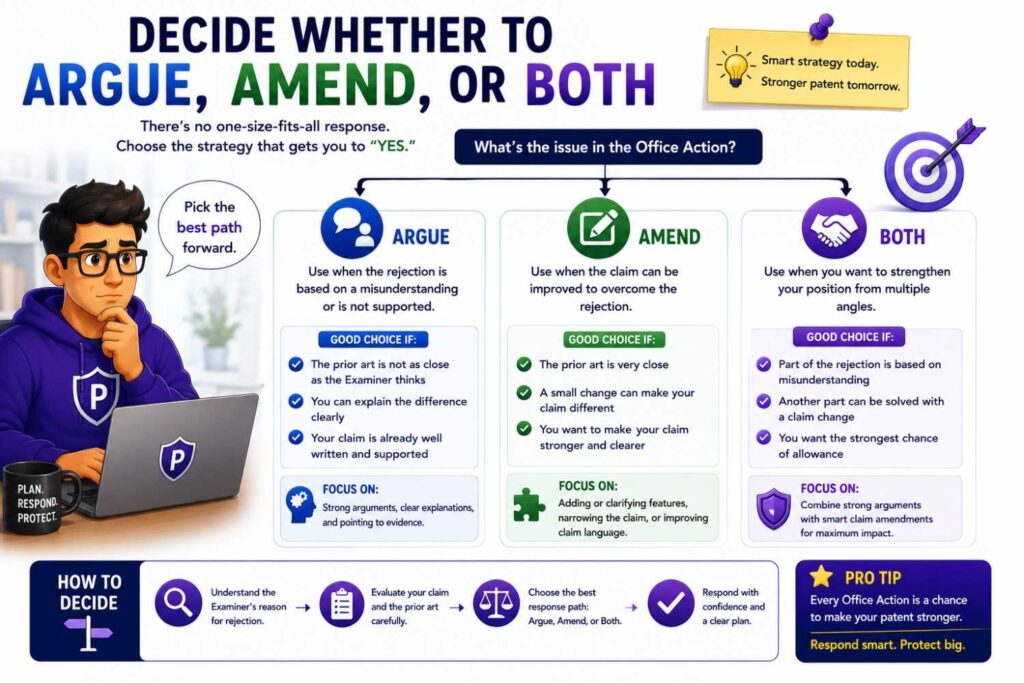
USPTO search can help your team choose the right response strategy.
There are usually three broad paths.
You can argue that the examiner is wrong. You can amend the claims to make the invention clearer or narrower. Or you can do both.
The right choice depends on business value.
If the rejected claim covers your core product and the examiner’s reading seems weak, arguing may be worth it. If the examiner found strong prior art, a thoughtful amendment may be smarter. If the claim is broad but not central to your business, it may not be worth spending heavily to fight for every word.
This is where founders should be involved.
Your attorney understands the law. You understand the product, roadmap, and market. Together, you can decide what coverage is worth fighting for.
Protect the business, not just the application
An office action response should not be treated as a paperwork task.
Every response can affect the future value of the patent.
If you amend claims too narrowly, competitors may design around the patent. If you make broad arguments carelessly, those statements may limit how the patent is read later. If you focus on a feature that will disappear from your product next quarter, the patent may become less useful.
Before responding, ask one business question:
“What protection do we still need from this patent?”
The answer should guide the response.
If your startup’s moat is model routing, do not let the response shift the patent toward a minor user-interface detail. If your edge is a hardware control loop, do not narrow the claim to one sensor unless that sensor is truly central. If your roadmap includes several versions, try to preserve claim language that can cover those future paths when legally supportable.
A good office action response keeps the patent aligned with the company.
Use search to find continuation opportunities
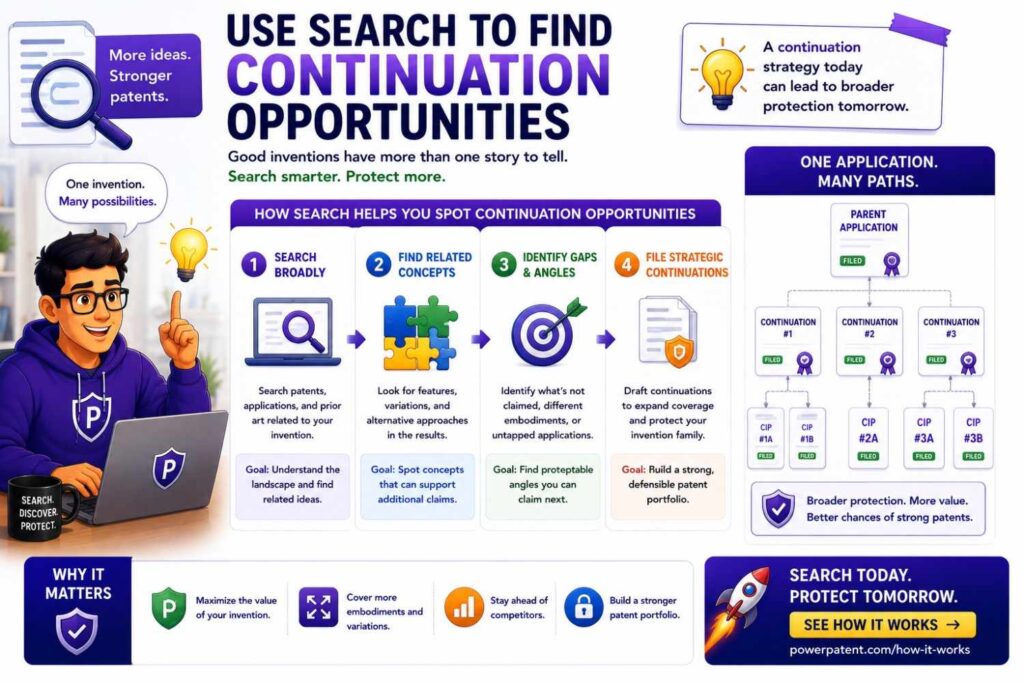
An office action may reveal more than a rejection.
It may reveal future patent opportunities.
When you review the examiner’s cited art, you may see that your original broad claim is crowded, but another part of your specification looks more unique. Maybe the examiner found old art for the main system, but not for your fallback workflow, data update method, safety check, or deployment architecture.
That can be valuable.
If your application includes enough support, your attorney may suggest pursuing different claim sets later through continuation practice. This can help build a stronger patent portfolio around the same invention family.
For businesses, this is important. A single office action may help you see where the strongest long-term protection really sits.
Watch competitor patents cited by the examiner
Sometimes the examiner cites patents owned by competitors.
Do not ignore that.
A competitor-owned reference may teach you more about where the market is going. It may show how that competitor thinks about the problem. It may reveal terms, claim styles, or technical areas that your company should monitor.
This does not mean the cited patent blocks your product. Patentability and freedom to operate are different questions. But it may be a signal.
If competitor patents appear often during examination, consider whether your company should do a broader competitor patent review or freedom-to-operate check.
That is a business decision, not just a patent decision.
Create a post-office-action search file
After each office action, save the key references, examiner arguments, claim maps, and response strategy notes.
This file becomes useful later.
It can help with future office actions. It can help with continuation filings. It can help investors understand the prosecution history. It can help future counsel get up to speed. It can also help the product team understand which technical features appear crowded and which features may be more protectable.
For startups, clean records can save time during diligence.
An investor or acquirer may ask what happened during patent examination. If you can show that the company handled office actions thoughtfully, that builds trust.
Keep founders and engineers in the loop
Office actions are not only for lawyers.
Engineers can often spot technical differences that lawyers may miss. A cited patent may look close on paper, but an engineer may quickly see that it uses a different data flow, timing rule, sensor arrangement, model update path, or control method.
That insight can shape the response.
The best process is simple: the attorney reviews the legal issues, the founder confirms business goals, and the technical team checks the engineering facts.
This avoids weak arguments and bad amendments.
It also makes the patent stronger because the response is grounded in how the technology really works.
Know when a deeper search is worth it
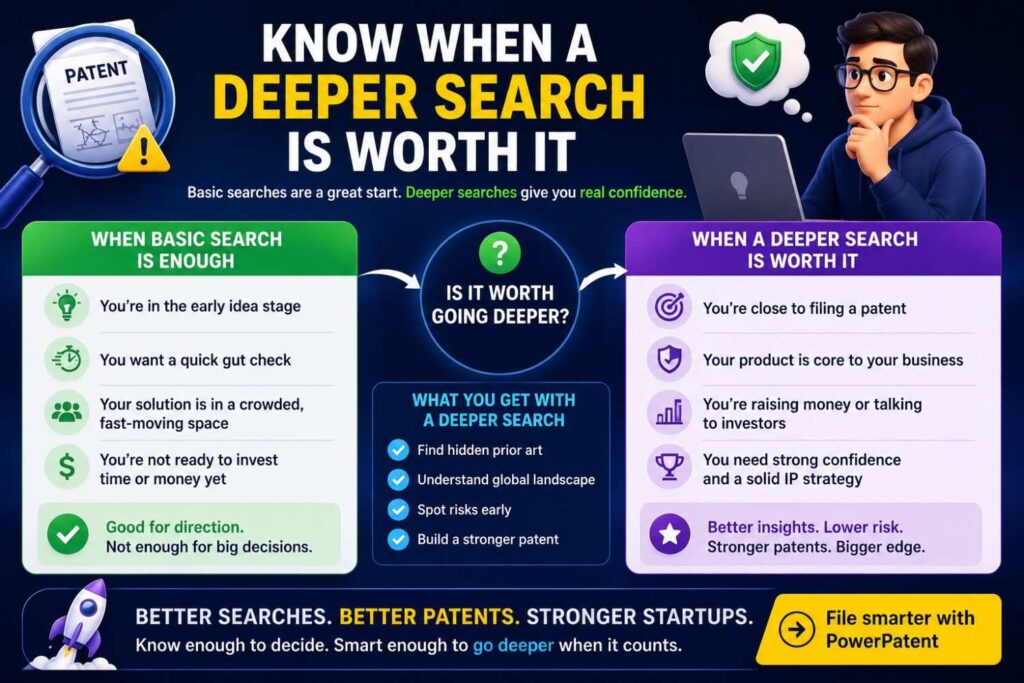
Sometimes the examiner’s references are close enough that a deeper search is useful.
Why search more when the examiner already searched?
Because you may need a better view of the field before deciding how much to amend. A deeper search can show whether the examiner found the closest art or only part of the story. It can also show whether a proposed amendment will actually avoid the known prior art.
This is especially useful for important patents.
If the application covers core technology, do not respond blindly. A deeper search may cost more now, but it can prevent a weak claim strategy later.
Turn the office action into a better patent strategy
The best businesses do not treat office actions as setbacks.
They treat them as feedback.
An office action tells you what the USPTO thinks is close. That information can help your company sharpen claims, improve future filings, identify white space, and build a smarter patent portfolio.
For example, if several office actions show that a broad product category is crowded, your next filings can focus on specific technical improvements. If examiners keep citing old art around one feature, your team can shift patent effort toward newer architecture, data methods, hardware controls, or workflow improvements.
This is how search supports a real IP strategy.
It helps the company protect what is actually defensible.
Use PowerPatent to move from confusion to action
Office actions can feel complex, especially for busy founders.
PowerPatent helps make the process easier by combining smart software with real patent attorney oversight. The software helps organize invention details, references, and patent work. Attorneys help review the legal strategy and guide the response.
That matters because the goal is not just to answer the USPTO.
The goal is to protect the business.
To see how PowerPatent helps startups build stronger patent workflows from invention through filing and beyond, visit https://powerpatent.com/how-it-works.
Why a strong patent starts before the search
The best patent search starts with a clear invention.
If you cannot explain the invention, you cannot search it well.
This is where many founders get stuck. They know the product. They know the customer pain. But they have not separated the invention from the product.
PowerPatent helps with that first step.
The platform guides founders to capture the problem, solution, system parts, method steps, technical value, examples, and variations. That makes search and drafting much stronger.
To see how this works, visit https://powerpatent.com/how-it-works.
A simple beginner search example
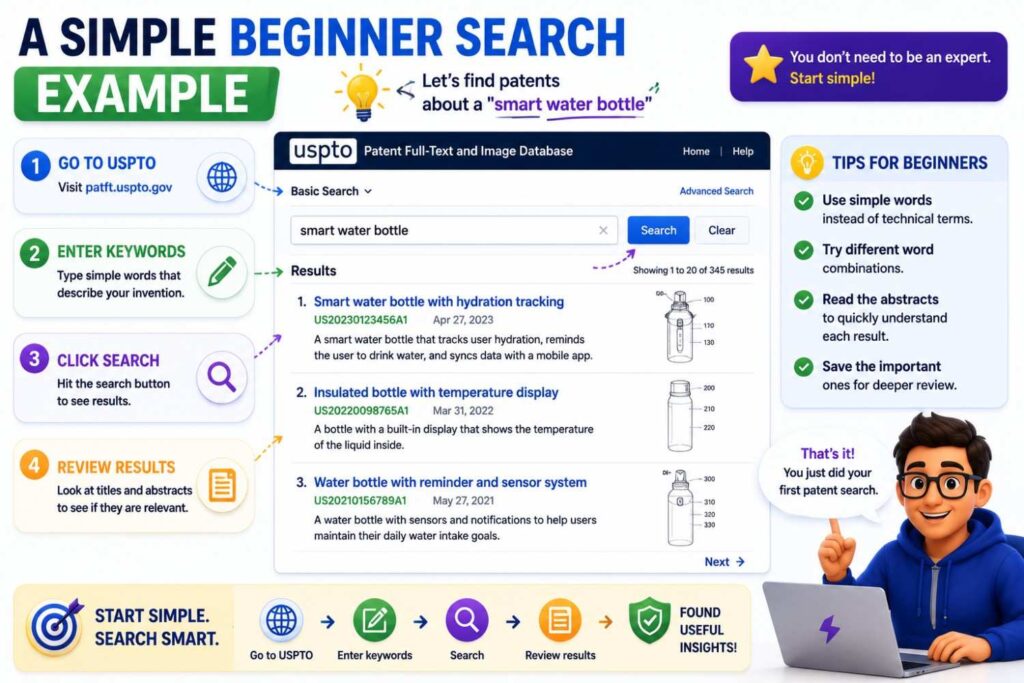
Imagine your startup has built a system that uses AI to process customer support tickets.
The system first runs a small local model. It creates a confidence score. If confidence is low and the customer is high value, it sends the ticket to a larger cloud model. If confidence is high, it drafts the response locally. Human corrections are used to update the routing rule.
A bad search would be:
AI customer support
That is too broad.
A better first search might be:
support ticket confidence score model
Then:
customer support model routing confidence
Then:
dialogue system escalation confidence score
Then:
local model cloud model routing latency cost
Then:
human correction ticket classification machine learning
Now you are searching the invention.
When you open results, you compare features. Does the reference use support tickets? Does it use confidence? Does it route between models? Does it consider customer value? Does it update routing from human correction?
This method is simple, but powerful.
Another example for hardware founders
Imagine your startup built a wearable device for heat stress alerts.
It uses heart rate, skin temperature, motion, and ambient heat. It creates a heat risk score. It changes alert timing based on recent activity and confidence level.
A weak search would be:
heat wearable
A better search might be:
wearable heat stress heart rate skin temperature
Then:
physiological heat strain alert activity
Then:
body worn thermal stress confidence score
Then:
worker safety wearable heat illness sensor
Then:
adaptive alert timing physiological monitoring
Now you are searching more like a patent professional.
You may find old references for heat stress detection. That is fine. The key is whether they use your specific combination and alert logic.
Another example for robotics founders
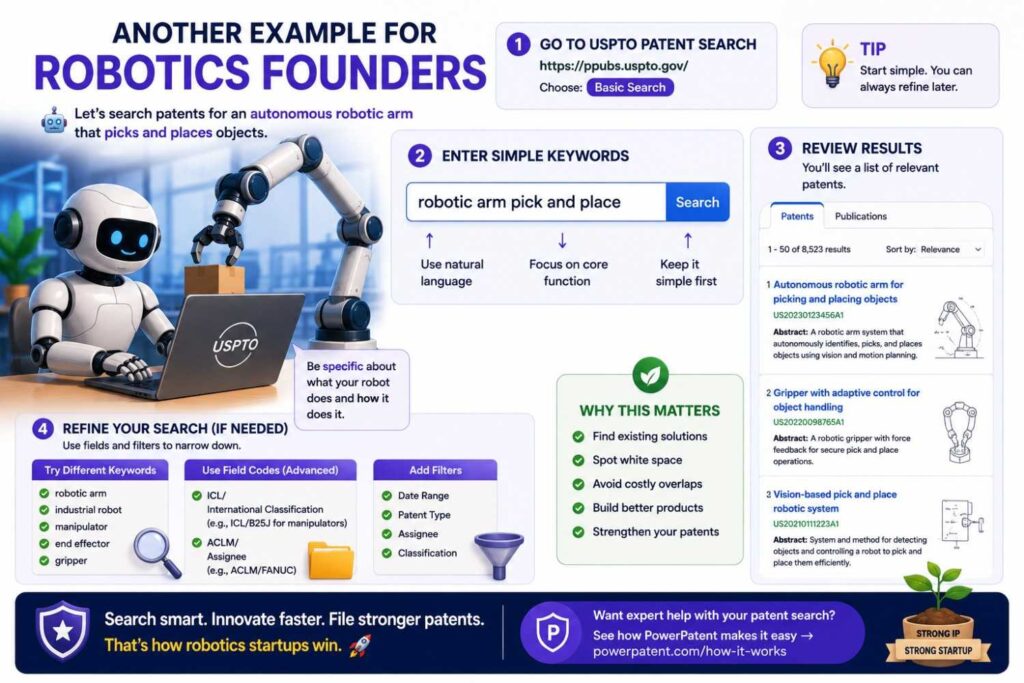
Imagine your robot uses two sensors to detect obstacles. When the sensors disagree, the system enters a special low-speed fallback mode and updates the path only after a confidence check.
A weak search would be:
robot safety
A better search might be:
robot sensor disagreement fallback control
Then:
autonomous robot obstacle confidence score
Then:
robot low speed mode sensor conflict
Then:
robot safety path planning sensor fusion confidence
Then:
mobile robot control fallback obstacle detection
This search targets the actual invention.
You are not searching “robot” broadly. You are searching the control logic.
Another example for battery founders
Imagine your battery system changes charging behavior based on impedance change, temperature history, and predicted degradation.
A weak search would be:
battery charging
A better search might be:
battery charging impedance temperature degradation
Then:
adaptive charge profile impedance thermal history
Then:
battery management degradation prediction charging control
Then:
state of health impedance based charge adjustment
Then:
cell balancing temperature impedance charge profile
This search is more likely to find useful references.
How to know when to stop searching
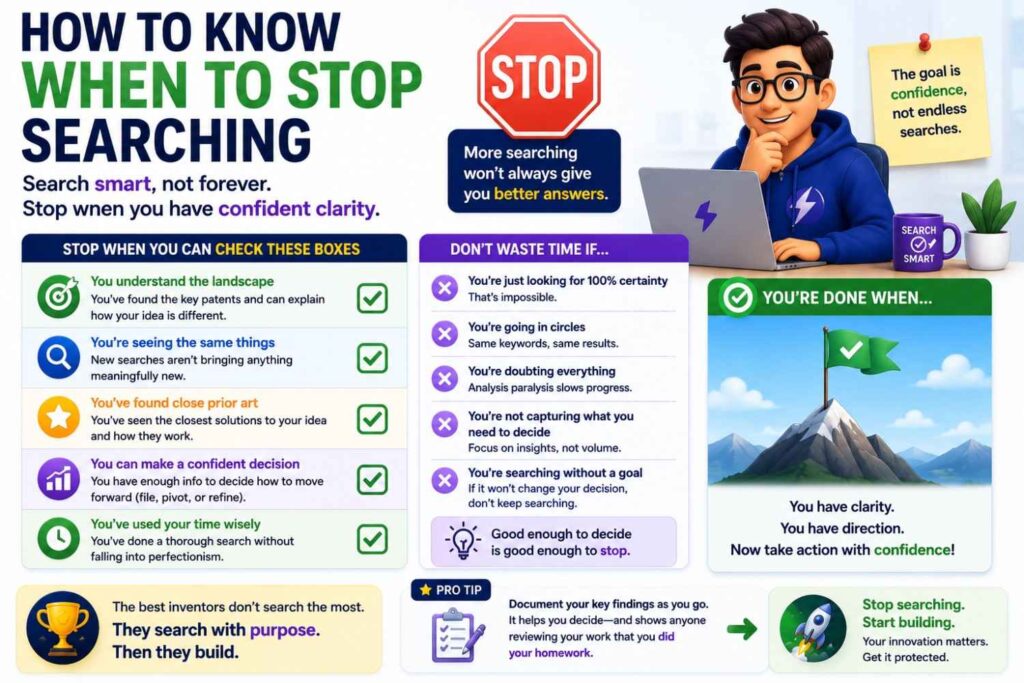
You stop when the search has supported the decision.
If the decision is a quick early screen, stop when you have a basic view of the field.
If the decision is a core patent filing, stop only after you have searched several angles, reviewed close results, and likely discussed them with counsel.
If the decision is product launch risk, do not rely on a patentability search. Ask about FTO.
If the decision is investor diligence, you may need a more organized review.
Searching can go forever. Business cannot.
The goal is not endless searching. The goal is informed action.
Why attorney review matters
Patent searching is partly technical and partly legal.
A founder can find close references. But deciding what they mean for patentability, claim scope, filing strategy, and risk is legal work.
A patent attorney can help decide whether a reference truly teaches the key invention, whether the difference matters, whether the claims can be drafted around it, and whether more search is needed.
This is especially important in deep tech.
AI, software, robotics, semiconductors, medtech, biotech, cybersecurity, and climate tech all have tricky prior art. Small details can matter.
PowerPatent combines software speed with attorney oversight so founders do not have to guess alone. Learn more at https://powerpatent.com/how-it-works.
What to do after your USPTO search
After your search, organize what you found.
Pick the closest references. Write the key differences. Update your invention summary. Share everything with your patent team.
Then decide the next move.
You may file a provisional. You may do a deeper search. You may revise the invention focus. You may add more technical detail. You may decide not to file. You may file now because a launch is coming.
The search should lead to action.
Do not let it sit in a folder.
How PowerPatent fits into the process
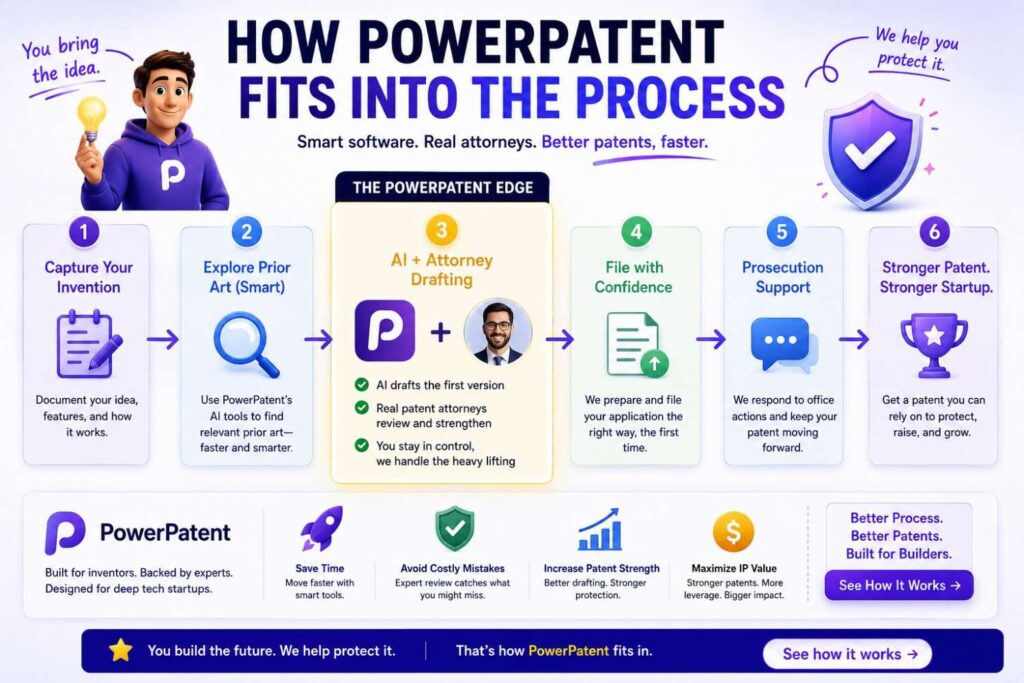
PowerPatent is designed for founders who want stronger patents without the old pain.
Most founders do not have time to become patent experts. They need a clear way to capture inventions, understand what matters, and move toward filing.
PowerPatent helps turn messy technical input into a clearer invention record. That can include code, product notes, model details, system designs, workflows, diagrams, and founder explanations.
Then real patent attorney oversight helps shape the filing.
This is the right blend for modern startups.
AI and software can make patent work faster. Attorneys make it safer and stronger. Founders keep control and visibility.
To see how PowerPatent helps startups move from invention to patent filing, visit https://powerpatent.com/how-it-works.
Final thoughts
A USPTO patent search is one of the best first steps a founder can take before filing a patent.
It helps you see what already exists. It helps you understand how others describe similar ideas. It helps you find the true edge of your invention. It helps your attorney draft smarter claims. It can also save you from spending money on a weak filing.
But a USPTO search is not a guarantee.
It does not cover every source of prior art. It does not replace legal review. It does not clear your product for launch. It does not prove that no one else has filed something close.
Use it as a starting point.
Write your invention clearly. Search many terms. Read close results. Take notes. Compare feature by feature. Share what you find with a patent professional.
That simple process can give you much more control.
And when you are ready to move from search to filing, PowerPatent can help.
PowerPatent combines smart software with real patent attorney oversight, helping founders protect what they are building with more speed, clarity, and confidence.
To see how your team can turn an invention into a stronger patent filing, visit https://powerpatent.com/how-it-works.
Leave a Reply